PCB manufacturing PCB manufacturing
Home > Blog

How to Remove Battery Corrosion from Electronics?

April 10th, 2025

Why Battery Corrosion Occurs?

Battery corrosion happens mostly with alkaline batteries. These batteries can leak potassium hydroxide. This chemical reacts with air, forming a white or bluish crust. That crust is the corrosion you see.

There are a few reasons why this happens. Old batteries left inside devices too long can leak. Extreme heat or cold can also make them expand and crack. Sometimes, poor-quality batteries just break down faster. Corrosion doesn’t mean the battery was faulty. But it does show that the battery has aged or faced rough conditions.

Some other causes include:

  • Overcharging or overheating: In devices that try to draw too much power, batteries can heat up and burst.
  • Poor storage conditions: Dampness or extreme cold can stress the battery casing.
  • Mixing old and new batteries: This creates uneven discharge, often stressing the older cell until it leaks.
How to Remove Battery Corrosion from Electronics?

Is Battery Corrosion Dangerous?

Yes, but only if you’re careless. Battery corrosion is not highly dangerous, but it can still be irritating if it gets on your skin or in your eyes. Potassium hydroxide is a skin irritant. It may cause mild burns, itching, or redness if touched directly. If accidentally ingested or inhaled, it can be more harmful—but that’s rare and usually avoidable.

In terms of your electronics, corrosion is more dangerous. The leaked compound can damage the metal connectors inside your device. If left untreated, it might eat away the contacts, cause shorts, or completely block the flow of power. That means your device might stop working even after the batteries are replaced.

However, with quick action, most devices can be restored to working condition. As long as you catch the corrosion early and clean it properly, there’s a good chance your device will recover fully.

How to Identify Corrosion on Batteries?

Battery corrosion usually appears as white, gray, or blue powder by visual. You’ll see it around the battery terminals or on the spring contacts. Sometimes, the battery might look bloated or cracked. But sometimes, we can’t identify whether it is corrosion from appearance, so how to identify it? Here we listing some other methods to recognize the battery corrosion:

‌1. Electrochemical test‌: By measuring the electrochemical parameters inside the battery, such as voltage, current and internal resistance, the degree of corrosion inside the battery can be indirectly inferred. ‌

2. X-ray or CT scan‌: This is a non-destructive detection method that can perform a full-scale scan and imaging of the inside of the battery without disassembling the battery, and can clearly see the corrosion inside the battery, including the location, degree and type of corrosion. ‌

3. Check the polarity of the battery‌: Observe whether the positive and negative poles of the battery are clearly visible and whether there are signs of corrosion or damage. If the positive and negative poles are corroded or damaged, the battery may be unusable. ‌ ‌

4. Measure voltage‌: Use a voltmeter to measure the battery voltage. Under normal circumstances, the voltage should be within a certain range (such as around 12V). If the voltage is lower than the normal value, it means that the battery is damaged.

5. Measure specific gravity‌: Determine the battery health by measuring the specific gravity of the battery electrolyte. The normal specific gravity is about 1.25-1.28g/cm³. If the specific gravity is lower than 1.2g/cm³, it means that the battery is damaged. ‌

6. Discharge test‌: Evaluate the actual capacity of the battery through the discharge test. Discharge the battery to the specified termination voltage, and then calculate the actual capacity of the battery based on the discharge time and capacity. ‌

How to Remove Battery Corrosion from Electronics?

What is the Best Solvent to Clean Battery Corrosion?

The most trusted solvents are white vinegar and lemon juice. They’re safe, gentle, and effective. These mild acids react with the potassium hydroxide and break it down. You don’t need harsh chemicals or expensive products.

Some people also use baking soda and water for acidic battery leaks, like those from lithium or rechargeable cells. But for most alkaline batteries, vinegar works better.

Avoid using alcohol or bleach. These don’t neutralize the leak and might damage plastics. Always test the solvent on a small area first.

How to Remove Battery Corrosion from PCBs?

Removing battery corrosion from PCBs takes a bit more care than cleaning corrosion from regular battery compartments, mainly because PCBs are more sensitive and often house fine components. Here’s a simple, professional, and safe way to clean corrosion from a PCB:

How to Remove Battery Corrosion from Electronics?

1. Power Down and Disconnect

First, completely power off the device. Disconnect all power sources, including batteries, power cords, and any external peripherals.

2. Wear Gloves and Safety Gear

Battery corrosion contains potassium hydroxide (alkaline batteries) or other chemical residues that can irritate skin or eyes. Use gloves, goggles, and work in a well-ventilated area.

3. Inspect the Corrosion Area

Look closely at the board under good lighting or even a magnifier. Corrosion usually appears as white or greenish deposits on the metal traces or battery terminals.

4. Neutralize the Corrosion

  • Use white vinegar or lemon juice to neutralize alkaline corrosion.
  • Apply it carefully with a cotton swab or soft brush directly on the affected area.
  • Let it sit for 3–5 minutes to break down the residue.

5. Scrub Gently

Use a soft-bristled toothbrush or anti-static brush to scrub the area. Be gentle—too much pressure can lift pads or traces from the PCB.

6. Rinse with Isopropyl Alcohol

After cleaning, rinse the area with 99% isopropyl alcohol to remove moisture and leftover acid. This step helps clean off the vinegar/lemon juice and dries quickly.

7. Dry Thoroughly

Pat the board dry with a lint-free cloth or allow it to air-dry. Use compressed air to blow out moisture under chips or between components.

8. Check for Damage

Look for broken traces, lifted pads, or corrosion under components. If corrosion went deep, you might need professional rework or replacement parts.

9. Reassemble and Test

Once you’re sure everything’s dry and clean, reassemble the board, add a fresh battery (if applicable), and power it up. In many cases, your board will work just fine again.

Can I Still Use Something If a Battery Corroded in It?

Often, yes. If the corrosion hasn’t spread too far, you can save the device. Most electronics are still fine once cleaned properly. The key is to act fast. The longer corrosion sits, the more damage it causes.

If contacts are lightly corroded, cleaning will fix it. But if they’re broken or rusted through, repair might be needed. Sometimes, replacing a contact spring is all it takes.

Check for signs of deeper damage like melted parts or burnt smell. If it looks too far gone, it may be time for a replacement. But don’t give up too quickly. Many items bounce back with just a simple cleanup.

How to Prevent Battery from Corrosion?

Good habits make all the difference. Here are a few tips to keep your devices corrosion-free:

  • Remove batteries when not in use. If you’re storing something for months, take them out.
  • Store devices in a cool, dry place. Avoid hot cars or damp basements.
  • Use high-quality batteries. Cheap ones often leak sooner.
  • Check expiration dates. Old batteries are more likely to corrode.
  • Inspect devices regularly. A quick glance now can save repairs later.
  • Avoid mixing old and new batteries. This creates imbalance and increases leakage risk.
  • You can also use a small dab of dielectric grease on contacts. This helps prevent moisture from reaching the metal.

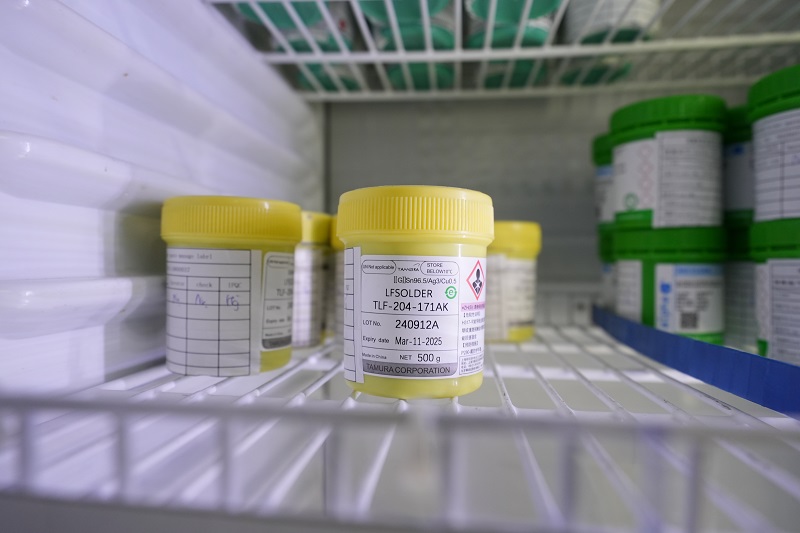
Battery corrosion is a common issue, but it’s not the end of your device. With the right handling and preventive measures, you can extend the life of your electronics and avoid long-term damage. At EBest Circuit (Best Technology), we take battery care and component storage seriously. All components are stored at controlled temperatures to reduce chemical reactions that lead to corrosion.

To add another layer of protection, we pack our products using ESD bags, which not only prevent electrostatic discharge but also act as a barrier against moisture and airborne contaminants—two major triggers of battery and PCB corrosion.

We understand how important reliability is in electronics manufacturing. That’s why our quality control process includes moisture-sensitive labeling (MSL), humidity indicator cards, and dry-pack sealing for sensitive parts. If you’re looking for a PCB & PCBA supplier that takes every detail seriously, from component protection to customer satisfaction, EBest Circuit (Best Technology) is here to support your goals with the expertise and care your products deserve.

What is Black Pad PCB? How to Solve it and Precautions

April 10th, 2025

What is a Black Pad in PCB?

A black pad in a PCB refers to a defect that occurs during the ENIG (Electroless Nickel Immersion Gold) surface finishing process. In the surface treatment process of ENIG, the radius of nickel atoms is smaller than that of gold atoms, so when gold atoms are arranged and deposited on the nickel layer, the surface grains will show a rough, loose and porous morphology, forming many voids. These gaps allow the bath to continue to react with the nickel atoms, causing them to oxidize. The undissolved nickel ions are trapped beneath the gold layer, forming nickel oxide, the so-called black pad.

When the black pad occurs, this area becomes brittle and doesn’t bond well during soldering. As a result, the connection between the component and the pad becomes unreliable.

Although it’s a well-known issue in the industry, many designers and engineers still face it during production. It’s not always visible during inspection, which makes it tricky. Once it affects the final board, the reliability drops—especially in fine-pitch components or BGA (Ball Grid Array) assemblies.

What is Black Pad PCB? How to Solve it and Precautions

Black Pad Photos

A black pad appears as:

  • Dark, muddy, or stained areas on the pad.
  • Inconsistent finishes between pads.
  • Rough texture or pits on the nickel layer.
  • Exposed pads that don’t bond during reflow.

You can see the typical photos of black pad as following:

Engineers often spot it only after a failed solder joint. Sometimes, they notice it under a microscope after an assembly defect shows up. When looking at underfilled solder joints or cracks, a black pad might be the hidden culprit.

What Causes Black Pad Defects in ENIG Surface Finishes?

The main reason for the formation of black pads is that the nickel layer is eroded by excessive oxidation during ENIG surface treatment. There are two main steps in this process: a layer of nickel is deposited and a thin layer of gold is applied, as you can see in the ENIG structure diagram below.

What is Black Pad PCB? How to Solve it and Precautions

Black pads caused by several factors, even when manufacturers strictly control chemical content, temperature, and raw materials, black pads sometimes occur. Here are some factors that Best Team faced during the PCB manufacturing:

1. High phosphorus content

Chemical nickel contains phosphorus. When the phosphorus content is too high, it diffuses into the nickel and causes nickel oxidation. A barrier is formed between gold and nickel during this process. It may cause reliable solder joints to delaminate and crack, resulting in electrical shorts in the PCB.

2. Corrosion during ENIG process

Gold plating is a necessary process for ENIG surface treatment commonly used in PCB manufacturing processes. If it is not operated properly, it will also lead to the formation of black pads. One of the reasons for the formation of black pads during gold deposition is the use of an aggressive gold bath. This nickel bath process causes rapid corrosion of nickel, resulting in black pads.

3. High gold content

High gold content can also lead to the formation of black pads. Excessive gold in the surface treatment of the nickel substrate can cause excessive galvanic corrosion and eventually form black pads.

4. Brittle fracture

Brittle fracture is a type of failure that occurs when a material is under high stress, but does not have the flexibility to withstand stress, and breaks suddenly without warning. This failure usually manifests as a black pad on the PCB surface. In addition, thermal stress, vibration, and shock can also cause brittle fracture. When this happens, it creates a crack structure within the nickel, causing an electrical short circuit.

In short, black pad is not a material defect—it’s a process problem. When ENIG isn’t done right, corrosion finds a way in.

How Can You Identify Black Pad on a PCB?

Spotting a black pad on a finished board is tough. It often hides beneath the surface and becomes visible only after soldering problems appear. But there are a few ways to detect it:

1. Visual Inspection

    Do not inspect by your naked-eyes. Use a high-powered microscope to examine the pads instead. Look for dark spots, uneven textures, or dull finishes. These are the first signs.

    2. X-Ray or Cross-Section

    If you suspect the issue but can’t see it, advanced tools help. Cross-sectioning shows the damaged layers. X-ray inspection shows failed joints under BGAs and other tight packages.

    3. Solder Joint Analysis

    A cracked or non-wetting joint may indicate a black pad. If the solder ball peels off cleanly from the pad, you’re likely dealing with a surface that didn’t bond properly.

    What is Black Pad PCB? How to Solve it and Precautions

    4. Pull or Shear Testing

    This test measures joint strength. A weak joint may lead to a deeper look. If the break happens at the interface of the pad and solder, that’s a clue.

    Although identification is possible, it’s much better to prevent the issue altogether. Because once it’s on the board, the damage is already done.

    Why is Black Pad Considered a Serious Reliability Issue in PCBs?

    Solder joints are the heart of any PCB. Every connection must be secure to handle temperature, vibration, and time. Black pad disrupts that by creating a brittle layer that doesn’t bond well with solder. And if black pads exist, here’s what defectives will happens:

    • The solder joint may crack.
    • Components may detach during vibration.
    • Connections may fail over time due to thermal cycles.
    • Weak pads may pass initial tests but fail later.

    Even worse, most black pad defects don’t show up during inspection or basic testing. This delayed failure causes headaches in the field, leading to product returns, customer complaints, and loss of trust. That’s why manufacturers treat black pad as a critical issue. It’s not just cosmetic—it threatens the performance of the entire product.

    How Does Nickel Corrosion Contribute to Black Pad in PCBs?

    During the ENIG process, nickel is deposited first, followed by gold. The gold solution is slightly acidic. If the bath is too aggressive or the exposure is too long, it attacks the nickel. This chemical attack causes “spiky” corrosion. Think of it as tiny pits or cracks in the nickel. These spots are where the solder refuses to bond. Also, when the nickel has too much phosphorous, it becomes glassy and fragile. Under heat, the layer cracks more easily. This leads to more exposed areas and faster failure.

    In short, nickel should form a smooth, strong base. But corrosion weakens it and opens the door to the black pad defect. The more pits and cracks it has, the worse the joint becomes.

    How to Prevent Black Pads? – For Manufacturers

    1‌. Improving ENIG process‌: By adjusting the formula of the gold plating solution and optimizing the parameter settings during the electroplating process, the erosion of the nickel layer can be effectively reduced‌.

    ‌2. Strengthening quality inspection‌: Strengthen quality control on the production line and conduct regular inspections to detect and correct the black pad phenomenon as early as possible‌.

    ‌3. Controlling the thickness of the gold layer‌: The thickness of the gold layer should not exceed 5 microns, and it is best to control it at around 3.2 to 3.6 microns to reduce excessive corrosion of the nickel layer‌.

    ‌4. Managing the temperature and concentration of the gold plating solution‌: Control the temperature and concentration of the gold water to avoid excessive temperature and too little gold to reduce excessive corrosion of the nickel layer and incomplete coverage of the gold layer‌.

    5. Cleaning surface: After gold plating, high-temperature water flushing, pure water hot washing, ultrasonic or air blowing and other cleaning treatments are carried out to ensure the cleanliness of the welding surface.

    How to Prevent Black Pads? – For Designers

    1. Selecting alternative materials‌: For applications that require particularly high reliability, other types of surface treatment materials, such as silver or tin, can be considered, which may provide better performance‌.

    2. Design considerations‌: Considering how to enhance the stability of the solder joints during the design stage, such as appropriately adjusting the position of the pads or increasing the number of solder joints, can help improve the overall reliability of the circuit board‌.

    FAQs about Black Pads

    1. Can black pad be repaired?

    Unfortunately, no. Once a pad is affected, it must be scrapped. Rework doesn’t help because the damage lies beneath the surface.

    2. Does black pad only affect by ENIG finishes?

    Yes, it’s specific to ENIG. Other finishes like HASL, OSP, or ENEPIG don’t show this defect.

    3. Is it common in high-volume production?

    It depends on the manufacturer, looking for a reliable PCB manufacturer like EBest Circuit (Best Technology) can reduce the black pad risks. With proper controls, it’s rare.

    4. Does black pad affect all components equally?

    Not always. Fine-pitch and BGA parts are more sensitive because they have small solder areas. Larger components may be less affected but still at risk.

    LED Polarity PCB, SMD LED Polarity on PCB

    April 10th, 2025

    Would you want to get more information about LED polarity PCB? Let’s explore more about its function, application and identify LED polarity ways.

    As a LED polarity PCB manufacturer, Best technology focus on LED polarity PCB solution over 18 years, including LED polarity PCB design and manufacturing. Our advanced etching and plating processes ensure ‌crystal-clear polarity markings‌ (e.g., 3-dot systems) to eliminate assembly errors and reverse-connection risks‌. Rigorous quality control includes AOI to verify polarity alignment during production and thermal stress testing to validate PCB durability under high-current LED drivers‌. We design asymmetric footprints with enlarged cathode pads and integrate silkscreen clues (arrows, “–” symbols) tailored to client specifications, adhering to IPC-7351 standards‌. With custom prototyping services and datasheet-backed technical support, we ensure polarity integrity from design to mass production, minimizing circuit damage risks‌. Partner with us for mission-critical LED PCBs that combine precision, compliance, and fail-safe performance. Contact us today for a competitive quote: sales@bestpcbs.com

    What Is LED Polarity PCB?

    An LED Polarity PCB is a printed circuit board (PCB) specifically designed to accommodate Light Emitting Diodes (LEDs) while ensuring their correct electrical polarity. LEDs are diodes, meaning they allow current to flow in only one direction. Reversing the polarity can prevent the LED from lighting up or cause permanent damage.

    What Is LED Polarity PCB?

    Why Polarity Connection is so important in LED PCB?

    • Unidirectional Operation‌: LEDs function only with correct (+/-) alignment. Reverse polarity blocks current flow, preventing illumination.
    • ‌Component Protection‌: Incorrect polarity causes reverse bias, generating excessive heat that degrades or destroys LEDs.
    • ‌Circuit Integrity‌: Proper polarity ensures designed current paths, avoiding voltage drops, flickering, or cascading failures.
    • ‌Performance Stability‌: Correct alignment maintains brightness consistency, efficiency, and lifespan.
    • ‌Cost Avoidance‌: Eliminates rework, scrap, and warranty issues from polarity-related defects.
    Why Polarity Connection is so important in LED PCB?

    What Are Application of LED Polarity PCB?

    Applications of LED Polarity PCB:‌

    • Lighting Systems‌-Used in LED bulbs, streetlights, and industrial lighting for efficient heat dissipation and stable current flow‌.
    • Automotive Lighting‌- Critical for headlights, taillights, and interior lighting to prevent reverse-bias damage and ensure reliability‌.
    • Consumer Electronics‌-Enables backlighting in TVs, smartphones, and displays by aligning polarity to avoid flickering or uneven illumination‌.
    • Signage and Advertising‌-Powers LED billboards, matrix displays, and decorative lighting with consistent color and brightness‌.
    • Medical Devices‌-Used in surgical tools and diagnostic equipment for reliable, flicker-free illumination‌.
    • Industrial Equipment‌-Supports machine vision systems and indicator lights with robust polarity-sensitive designs‌.
    What Are Application of LED Polarity PCB?

    How Is Marked the Polarity of LED on a PCB?

    Here are some ways to identify LED polarity on PCBs with markings and symbols:

    Silkscreen Labels‌:

    • “+” or “–”‌: Explicit symbols printed near pads.
    • “A” (Anode) / “K” (Cathode)‌: Text labels for clarity.

    Pad Shape/Size‌:

    • Square Pad‌: Often denotes anode (+).
    • Round Pad‌: Typically marks cathode (–).

    Polarity Symbols‌:

    • Arrow or Line‌: Points toward the cathode (–) direction.

    Component Outline‌:

    • Flat Edge‌: Silkscreen outline matches LED’s flat side (cathode).

    Color Coding:

    • Red traces/pads for anode (+), black for cathode (–).

    Test Points

    • “+V” or “GND”‌: Voltage labels for debugging.

    Documentation‌:

    • Assembly Notes‌: Schematics or BOMs specify polarity alignment.

    SMD LEDs

    • Dot/Line‌: Package marking aligns with PCB’s cathode indicator.
    How Is Marked the Polarity of LED on a PCB?

    How to Check SMD LED Polarity on PCBs Using 3-Dot Markings?

    This is how to check SMD LED polarity on PCBs by 3-dot markings:

    Locate the 3-Dot Pattern‌

    • Identify three small dots or marks near the SMD LED footprint. These are often arranged in a triangular or linear pattern‌.

    Analyze Dot Orientation‌

    • Triangular arrangement‌: The dot closest to the PCB edge or silkscreen outline typically aligns with the ‌cathode (–)‌‌.
    • Linear arrangement‌: The middle dot or offset dot often marks the ‌cathode (–)‌‌.

    Cross-Check with Silkscreen Symbols‌

    • Verify if the dots correlate with a ‌flat-edge indicator‌, ‌arrow‌, or ‌”–” symbol‌ printed nearby‌.

    Confirm via Pad Design‌

    • If the cathode pad is ‌round/oval‌ or smaller, ensure the 3-dot marking aligns with this pad‌.

    Review Documentation‌

    • Check schematics or assembly notes for explicit explanations of 3-dot polarity conventions‌.

    Can You Determine SMD LED Polarity on PCBs Without Markings or Symbols?

    Yes, here are some methods about how to determine SMD LED polarity on PCBs without marking or symbols:‌

    Check LED Package Features‌

    • Look for a ‌green dot‌ or ‌notched corner‌ on the LED body, which typically marks the ‌cathode (–)‌‌.
    • Some LEDs have a ‌flat edge‌ or ‌inverted triangle‌; the flat side or triangle’s base aligns with the ‌cathode (–)‌‌.

    Analyze PCB Pad Design‌

    • The ‌cathode (–) pad‌ is often ‌larger‌ or ‌rectangular‌, while the anode (+) pad is smaller or rounded‌.
    • Follow adjacent traces: The cathode may connect to ‌ground (GND)‌ or a shared negative rail‌.

    Use a Multimeter‌

    • Set to ‌diode test mode‌. The LED lights up when the ‌red probe‌ touches the ‌anode (+)‌ and the black probe connects to the ‌cathode (–)‌‌.

    Cross-Reference Silkscreen Clues‌

    • Check for subtle ‌arrows‌, ‌“–” symbols‌, or ‌“挚” outlines‌ near the LED footprint, which often indicate the cathode‌.

    Verify with Datasheets‌

    • Consult the component datasheet for explicit polarity diagrams if available‌.

    Why Reversing SMD LED Polarity on PCBs Can Damage Your Circuit?

    Here are reasons why reversing SMD LED polarity on PCBs can damages circuits:‌

    • Exceeding Reverse Voltage Limits‌-LEDs have low ‌reverse breakdown voltage‌ (typically ‌5–10V‌). Reverse connection applies full supply voltage (e.g., 12V, 24V) across the LED, exceeding this limit and causing ‌instant failure‌‌.
    • Current Surge Risks‌-In reverse bias, LEDs act as ‌open circuits‌ until breakdown occurs. Post-breakdown, sudden current flow bypasses current-limiting resistors, damaging the LED and ‌overloading drivers/ICs‌‌.
    • Impact on Driver Circuits‌-Constant-current LED drivers (e.g., in backlighting) malfunction when polarity is reversed, potentially ‌shorting outputs‌ or ‌overheating‌ due to unregulated current‌.
    • Trace/Component Stress‌-Reverse polarity forces current to flow through unintended paths, stressing ‌PCB traces‌ or nearby components (e.g., capacitors, resistors)‌.
    • Collateral Damage‌-Failed LEDs can ‌short internally‌, creating direct connections between power and ground rails, risking ‌system-wide failures‌‌.

    FAQs of LED Polarity PCB

    Q1:What types of LEDs are commonly used in PCBs?

    A1:Common types of LEDs used in PCBs include through-hole LEDs, surface-mount LEDs (SMD), and chip-on-board (COB) LEDs. Each has its own polarity identification, but the basic concept remains the same.

    Q2:Is it important to check LED polarity when assembling the PCB?

    A2:Yes, checking the LED polarity is crucial to ensure the LEDs function as expected. Many PCB assembly services provide clear instructions or visual indicators to guide the correct placement of polarized components like LEDs.

    Q3:What tools can help check LED polarity on a PCB?

    A3:A multimeter can be used to check the polarity of LEDs, by testing the forward voltage drop when applying a small current. Additionally, a polarized component tester or a microscope can help visually confirm the polarity during assembly.

    Q4:How does the polarity of an LED affect the overall performance of the circuit?

    A4:Correct LED polarity ensures that the LED operates at its optimal brightness and efficiency. Incorrect polarity can lead to malfunctioning or failure of the LED, which can disrupt the entire circuit, especially in critical applications.

    Q5:Can a reverse-polarized LED be repaired?

    A5:Typically, an LED cannot be repaired if it is installed with reversed polarity, as it can be permanently damaged. It is best to replace the LED if polarity is reversed.

    LED Lamp PCB, LED Lamp PCB Board Manufacturer

    April 10th, 2025

    Would you like to get a good LED lamp PCB solution? Let’s learn more about LED Lamp PCB’s application, heat dissipation solution, efficiency optimization, manufacturer selection, durability testing, and distinctions from LED bar PCBs.

    EBest Circuit (Best Technology) stands out as a leading LED lamp PCB manufacturer with ‌diverse product options‌, ‌rapid delivery‌, ‌small-batch flexibility‌, and ‌superior quality‌. Offering 50+ configurations (aluminum-core, FR4, hybrid), they deliver tailored solutions for streetlights, industrial systems, and smart lighting. Their streamlined production ensures a ‌7 days prototype turnaround‌ and ‌15-25 days bulk order fulfillment‌, supported by our stable electronic supply chain and full automatic SMT production lines. Small orders (starting at 10 units) with no MOQ cater to startups. Rigorous testing (thermal cycling, ESD, AOI) ensures ‌IPC-A-610 compliance‌. Trust EBest Circuit (Best Technology) for scalable, high-performance PCBs built for precision and reliability. Contact us today: sales@bestpcbs.com

    What Is LED Lamp PCB?

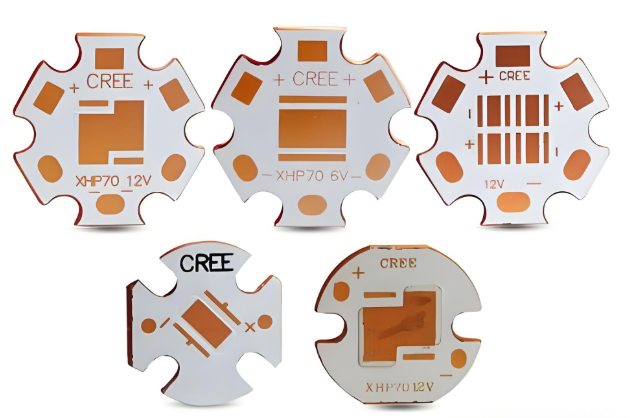
    An LED Lamp PCB (Printed Circuit Board) is a specialized circuit board designed to support and electrically connect Light Emitting Diode (LED) components in lighting applications. It serves as the foundation for LED lamps, enabling the integration of LED chips, drivers, resistors, capacitors, and other electronic components into a functional lighting system.

    LED Lamp PCB Board Manufacturer

    What Are Application of PCB for LED Lamp?

    Here are application of LED Lamp PCB:

    • General Lighting: Residential, commercial, and industrial lighting fixtures.
    • Automotive Lighting: Headlights, taillights, and interior lighting.
    • Signage and Displays: Backlighting for signs, billboards, and digital displays.
    • Architectural Lighting: Custom lighting designs for buildings and landmarks.
    LED Lamp PCB

    What PCB Layout Maximizes LED Lamp Efficiency?

    Below are the critical factors and techniques to achieve maximizes LED lamp PCB efficiency:

    Thermal Management

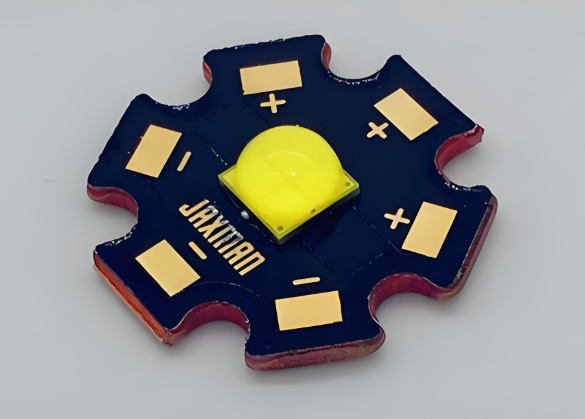
    • Metal Core PCB (MCPCB): Use aluminum or copper substrates for superior heat conduction. These materials efficiently transfer heat away from LEDs, preventing overheating and reducing light degradation.
    • Thermal Vias: Incorporate multiple thermal vias beneath LEDs to connect the top layer (with components) to inner or bottom layers, enhancing heat dissipation.
    • Component Spacing: Maintain adequate spacing between high-power LEDs and heat-sensitive components (e.g., drivers, capacitors) to avoid thermal interference.
    • Copper Pour: Add copper pours or polygons beneath LEDs to act as heat sinks, increasing the surface area for heat transfer.

    Electrical Performance

    • Short and Wide Traces: Use short, wide copper traces for power and ground connections to minimize resistance and inductance, reducing voltage drops and improving current delivery.
    • Separate Power and Signal Layers: In multi-layer PCBs, dedicate specific layers for power and ground to isolate them from signal traces, minimizing noise and interference.
    • Decoupling Capacitors: Place decoupling capacitors close to LED drivers and power supply pins to filter high-frequency noise and stabilize voltage.
    • Avoid Sharp Bends: Use 45° or rounded trace corners instead of 90° bends to reduce impedance discontinuities and signal reflections.

    Component Placement

    • LED Arrangement: Group LEDs logically to minimize trace lengths and balance current distribution. Avoid long, serpentine traces that can cause voltage drops.
    • Driver Proximity: Position LED drivers close to LEDs to reduce trace lengths and improve current regulation accuracy.
    • Isolation of High-Power Components: Keep high-power components (e.g., MOSFETs, inductors) away from low-power signal traces to prevent electromagnetic interference (EMI).
    • Test Points: Include test points at critical nodes (e.g., LED connections, driver outputs) for easy troubleshooting and performance verification.

    Advanced Layout Techniques

    • Ground Plane: Implement a solid ground plane on a dedicated layer to provide a low-impedance return path for current, reducing noise and improving signal integrity.
    • Differential Pair Routing: For high-speed digital signals (e.g., LED control signals), route differential pairs with matched trace lengths and spacing to minimize skew and crosstalk.
    • Stitching Vias: Use stitching vias around sensitive areas (e.g., analog circuits) to isolate them from noisy digital sections, improving signal isolation.

    Simulation and Validation

    • Thermal Simulation: Use thermal simulation tools (e.g., ANSYS, SolidWorks) to predict temperature distributions and optimize heat sink designs.
    • Signal Integrity Analysis: Perform signal integrity simulations to identify and correct impedance mismatches, crosstalk, and reflections before fabrication.
    LED lamp PCB Board

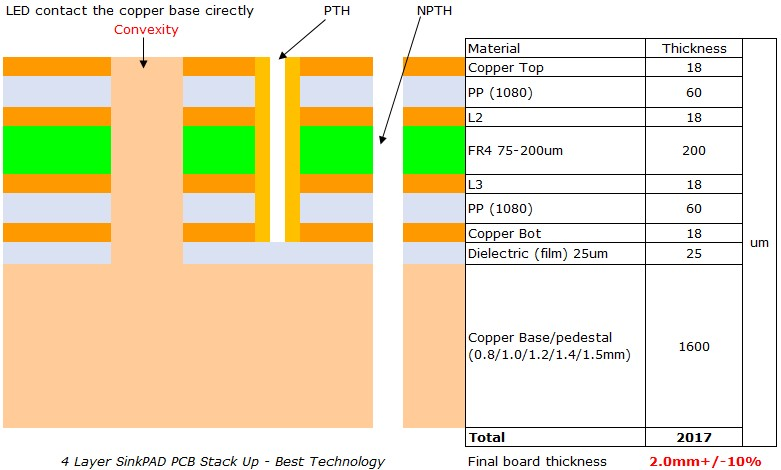
    How to Improve Sink FR4 Base LED Lamp PCB Heat Dissipation?

    To enhance heat dissipation in FR4-based LED lamp PCBs, implement these practical strategies:

    • ‌Increase Copper Thickness‌-Use thicker copper layers (≄2 oz) for power traces and ground planes to improve thermal conductivity.
    • ‌Optimize Thermal Vias‌-Add densely packed thermal vias under high-power LEDs to transfer heat to backside copper layers or heatsinks. Fill vias with conductive epoxy for better thermal bridging.
    • ‌Component Layout‌-Space out high-power LEDs to prevent localized heat buildup. Avoid placing heat-sensitive components (e.g., drivers) near hotspots.
    • ‌External Heatsinks‌-Attach aluminum/copper heatsinks to the PCB’s underside using thermal adhesive or screws. Ensure flat contact surfaces for optimal heat transfer.
    • ‌Thermal Interface Materials (TIMs)‌-Apply thermal pads, pastes, or phase-change materials between the PCB and heatsink to minimize interfacial thermal resistance.
    • ‌LED Selection‌-Choose LEDs with low thermal resistance (e.g., flip-chip or COB designs) to reduce junction-to-PCB heat transfer bottlenecks.
    • ‌Hybrid Substrates‌-Integrate localized metal-core (e.g., aluminum) or ceramic inserts under high-power LEDs while retaining FR4 for cost-effective areas.
    • ‌Active Cooling‌-For high-density designs, add low-profile fans or Peltier coolers to force airflow across the PCB surface.
    • ‌Current Management‌-Use constant-current drivers and derate LED operating currents (e.g., 80% of max rating) to lower heat generation without sacrificing brightness.
    • ‌Simulation & Testing‌-Perform thermal modeling (e.g., ANSYS) during design. Validate with IR thermography and monitor LED junction temperatures (<85°C).
    LED lamp PCBs

    How to Select A LED Lamp PCB Board Manufacturer?

    To select a LED Lamp PCB Board Manufacturer for LED lamp production, prioritize these criteria with supporting references:

    • Verify quality certifications‌ (e.g., ISO 9001, UL, RoHS) and request third-party audit reports to ensure compliance with safety and environmental standards‌.
    • Assess manufacturing capabilities‌: Confirm expertise in aluminum substrates, hybrid designs (FR4 + metal cores), and high-current trace layouts for thermal management‌. 
    • Evaluate material quality‌: Insist on military-grade laminates and high-temperature solder masks to prevent delamination under prolonged heat‌.
    • Review industry experience‌:Prioritize manufacturers with proven LED lighting projects (e.g., stage lighting, industrial fixtures) and request case studies‌.
    • Demand technical support‌: Ensure DFM (Design for Manufacturing) analysis, thermal simulation tools, and rapid prototyping services‌.
    • Confirm testing protocols‌: Require AOI (Automated Optical Inspection), X-ray testing, and thermal cycling reports to validate reliability‌.
    • Analyze cost structure‌: Compare quotes including tooling fees, bulk discounts, and hidden charges (e.g., IC programming, custom finishes)‌.
    • Verify logistics and scalability‌: Check lead times for small batches (≀72 hours) and capacity for large orders (≄10k units/month)‌.

    How Do Manufacturers Test LED Lamp PCB Durability?

    LED Lamp PCB Manufacturers validate LED lamp PCB durability through these tests:

    Temperature Cycling

    • Expose PCBs to rapid temperature shifts (e.g., -15°C to 60°C) for 250 cycles to test thermal expansion resistance‌.
    • Verify no cracking, delamination, or solder joint failures post-test‌.

    Humidity Exposure

    • Operate PCBs at 45°C with 95% humidity for 48+ hours to assess moisture resistance and insulation degradation‌.
    • Check for corrosion, short circuits, or material warping‌.

    Vibration Testing

    • Apply 300 RPM vibrations at 2.54cm amplitude in X/Y/Z axes for 30 minutes each to simulate transportation stress‌.
    • Confirm no component detachment or trace fractures‌.

    Electrical Stress

    • Run PCBs at 1.2x rated voltage/current for 24+ hours to detect overheating or power regulation failures‌.
    • Monitor insulation resistance (>100MΩ) and dielectric strength (withstand 2x operating voltage)‌.

    Accelerated Lifespan Testing

    • Continuously operate LEDs until light output drops to 70% of initial levels (typically 5,000–10,000 hours)‌.
    • Track thermal resistance (Ξ<sub>ja</sub>) to ensure <85°C junction temperatures‌.

    Material Reliability Checks

    • Perform ESD tests (HBM >2kV, MM >1kV) to validate anti-static protection‌.
    • Expose to salt spray/acidic gas environments for 48+ hours to test corrosion resistance‌.

    Switch Endurance‌

    • Cycle power on/off (e.g., 20s ON / 20s OFF) for 10,000+ iterations to assess contact reliability‌.

    What Are Differences Between LED Lamp PCB& LED Bar PCB?

    Base Material‌:

    • LED Lamp PCBs use aluminum substrates (copper + dielectric + metal core) for high-power thermal management‌.
    • LED Bar PCBs use FPC (flexible) or rigid FR4 boards, depending on bendability needs‌.

    Structure‌:

    • Lamp PCBs feature multi-layer designs (e.g., 1oz–10oz copper) with dielectric insulation‌.
    • Bar PCBs are single/double-layer with 0.1–0.3mm thickness for flexibility or rigidity‌.

    Component Density‌:

    • Lamp PCBs support high-density SMD components (e.g., COB LEDs) for focused illumination‌.
    • Bar PCBs use spaced LEDs (e.g., 18–30 LEDs/30cm) for uniform linear lighting‌.

    Applications‌:

    • Lamp PCBs: High-power fixtures (streetlights, industrial lamps) requiring >10W output‌.
    • Bar PCBs: Decorative/ambient lighting (signage, furniture) with 12V/24V low-voltage operation‌.

    Cost‌:

    • Lamp PCBs cost 30–50% more due to aluminum substrates and complex layering‌.
    • Bar PCBs use cheaper FR4/FPC materials, with flexible versions priced 20% higher than rigid‌.

    FAQs of LED Lamp PCB Manufacturing

    Q1: What are the advantages of using aluminum PCBs in LED lamp manufacturing?
    A1: Aluminum PCBs are popular in LED lamp manufacturing due to their excellent thermal conductivity, which helps to dissipate heat more effectively, improving the performance and lifespan of the LEDs.

    Q2: How does the PCB’s surface finish affect LED lamp performance?
    A2: The surface finish of the PCB, such as HASL (Hot Air Solder Leveling) or ENIG (Electroless Nickel Immersion Gold), affects solderability, durability, and the overall electrical performance. A high-quality finish ensures reliable connections and minimizes the risk of component failure.

    Q3: Can LED lamp PCBs be customized for different types of LED applications?
    A3: Yes, LED lamp PCBs can be tailored to meet the specific requirements of various LED applications, including size, shape, current capacity, and thermal management needs. Custom designs help optimize performance based on the intended use.

    Q4: What is the importance of testing and quality control in LED lamp PCB manufacturing?
    A4: Testing and quality control are crucial in ensuring that LED lamp PCBs function correctly, meet safety standards, and have a long lifespan. This includes electrical testing, thermal testing, and visual inspections to catch defects before the final product is assembled.

    Q5: How do environmental regulations impact the manufacturing of LED lamp PCBs?
    A5: Environmental regulations, such as RoHS (Restriction of Hazardous Substances) and WEEE (Waste Electrical and Electronic Equipment), ensure that LED lamp PCBs are free from harmful substances like lead and mercury. These regulations influence material choices and manufacturing processes to reduce environmental impact.

    Small Quantity PCB Manufacturer, Small Batch PCB Assembly

    April 10th, 2025

    Small quantity PCB manufacturer is the key phrase when engineers, makers, and startups look for reliable partners to support prototyping or low-volume production. Whether you’re developing a custom device or launching a new product, sourcing from a professional small-run supplier can save time, money, and stress. In this guide, we’ll explore the best suppliers globally, what to consider when ordering in small quantities, and how to ensure smooth production and delivery.

    EBest Circuit (Best Technology) is a professional small quantity PCB manufacturer that implements a zero MOQ policy for the global market. EBest Circuit (Best Technology) focuses on full turn-key low-volume PCB assembly with fast quoting. There are no NRE (Non-Recurring Engineering‌) fees for small quantity PCB for custom designs or prototyping. For inquiries related to custom PCB design, PCB prototyping, or small batch PCB assembly, please do not hesitate to contact us at sales@bestpcbs.com. Our team is here to provide expert support.‌    

    Small Quantity PCB Manufacturer, Small Batch PCB Assembly

    Best Small Quantity PCB Manufacturer

    China continues to lead in electronics manufacturing, and small quantity PCB services are no exception. Some factories now focus on flexible low-volume production, often with no minimum order quantity. Here are some well-known names:

    • Shenzhen Boyunfa Technology: Offers multiple printed circuit board options for small orders, such as flexible PCB, HDI PCB, and rigid PCB.
    • PCBA Now: Known for good PCBA design and manufacturing.
    • Seeed Fusion: Ideal for makers and hardware startups looking for small-run PCBs.

    These manufacturers provide online quoting tools, professional support, and competitive pricing. Plus, many offer fast worldwide shipping. Choosing a small quantity PCB manufacturer in China can be an efficient way to scale your project from idea to testing.

    Small Quantity PCB Manufacturer in USA

    For customers in North America, local service matters. While prices may be higher than in Asia, USA-based companies offer benefits like faster delivery, local support, and smooth communication.

    • Advanced Circuits: Offers same-day production for low-volume orders.
    • PCB Unlimited: Specializes in custom PCB designs with fast delivery.
    • Tempo Automation: A strong choice for time-critical projects.
    • Bay Area Circuits: Supports single PCB orders and small runs.

    If you’re looking for a small quantity PCB manufacturer in USA, these names combine precision with accessibility. Moreover, you can get assembly and testing services in one place.

    Small Quantity PCB Manufacturer

    Largest PCB Manufacturer in India

    India’s PCB industry is growing fast. While some companies focus on mass production, others now support smaller projects. Among the largest PCB manufacturers in India, a few offer low-volume runs at attractive prices:

    • AT&S India: A global giant with scalable solutions.
    • Shogini Technoarts: Offers single and multi-layer PCBs for various sectors.
    • Circuit Systems India Ltd.: Supports low-to-high volume needs.

    If you want a cost-effective solution closer to Europe or the Middle East, India can be a good alternative.

    How Small Can a PCB Be?

    In today’s compact devices, small PCBs are everywhere. But how small is too small? Many small quantity PCB manufacturers can produce boards as small as 10mm x 10mm. The size mostly depends on your design and function. In EBest Circuit (Best Technology), the minimum achievable thickness for a 10-layer FR4 PCB is 40 mil (approximately 1.016mm), constrained by interlayer dielectric material and lamination process limitations.

    However, the smaller the board, the more precise the manufacturing must be. So, always choose a supplier who can handle fine features, narrow spacing, and complex routing even in tiny layouts.

    Small Batch PCB Assembly

    Is Single PCB Printing Worth It for Small Quantity Orders?

    Yes, it is. Single PCB printing is perfect for prototyping or testing just one board before investing in higher volumes. It saves costs and reduces waste. From rapid PCB prototyping to small-quantity order manufacturing, leading small-quantity PCB manufacturers in China such as EBest Circuit (Best Technology), deliver flexible PCB solutions at any scale.

    If you’re developing a new product, printing one board first is a smart move. You can test it, revise it, and then move forward with confidence.

    Best Small Quantity PCB Manufacturer with Small Scale PCB Manufacturing Equipment

    When customers have low-volume PCB projects, they often need PCB manufacturers who use modern, small-scale PCB equipment. So that PCB manufacturers can better focus on speed, customization, prototype, and flexibility. Companies like EBest Circuit (Best Technology) use compact, advanced machinery to produce high-quality boards with precision. These machines handle fine-pitch parts, HDI boards, and complex vias with ease. We have 2 SMT factories in China and Vietnam respectively. We have 2 YAMAHA and 2 JUKI production lines, which machines are imported from Japan. N334 Micro Section Photo System is imported from the UK. HC-5 X-ray copper Thickness Tester is from Germany. EBest Circuit (Best Technology) has invited the advanced equipment in our factory to complete the small quantity PCB orders more efficiently. This allows EBest Circuit (Best Technology) to deliver professional-grade results even for very low volumes. EBest Circuit (Best Technology) sincerely invites you to visit our factories to discuss more small quantity PCB manufacturing needs.

    Can Small Quantity PCB Orders Get Fast Delivery?

    Yes, fast delivery is now possible, even for small runs. EBest Circuit (Best Technology) offers same-day or 24-hour turnaround. Shipping methods like DHL and FedEx ensure your boards arrive quickly.

    When placing a rush order, make sure your Gerber files and BOM are correct. Clear communication helps avoid delays. EBest Circuit (Best Technology) also provides expedited PCB assembly services, helping you get a functional printed circuit board within a week.

    What Small Quantity PCB Manufacturer Supports Small Batch PCB Assembly?

    EBest Circuit (Best Technology) combines PCB fabrication and assembly for small runs. This saves time and reduces the risk of errors between two suppliers. In EBest Circuit (Best Technology), there are 97% on-time delivery rate across 40 countries. Our 2-3 weeks lead time is quicker than the industry average.

    We offer in-house SMT and THT assembly for small batches. This one-stop approach helps us move from design to functional boards without managing multiple vendors. Pls assured that there are no extra charges for PCB assembly orders in low volume. PCB order batch sizes from 1pcs to 100K pcs are provided with consistent non-defect high-quality. Offering small quantity PCB manufacturing is one of our competitive edges.

    Small Quantity PCB Manufacturer, Small Batch PCB Assembly

    In conclusion, choosing the right small quantity PCB manufacturer depends on your needs, such as location, delivery speed, budget, and design complexity. Whether you’re prototyping a new idea or fulfilling low-volume orders, working with the right supplier can make a big difference.

    EBest Circuit (Best Technology) stands out with 18 years of experience, flexible services, and high-quality production. We support everything from single PCB printing to small batch assembly and even custom requests. With fast turnaround and friendly support, we help you move from PCB prototype to mass production with ease.

    Just feel free to reach out to us via sales@bestpcbs.com for your next small-quantity PCB project. We’re ready to support you at any time.

    PCB Stencil Manufacturer, SMT Stencil Manufacturer 2025

    April 9th, 2025

    PCB stencil manufacturer is a key search term for anyone involved in SMT assembly today. In 2025, with shrinking pitch sizes and increasing demand for tighter tolerances, choosing the right stencil partner is more critical than ever. Whether you’re a high-volume EMS company or a small-scale startup, selecting the right SMT stencil manufacturer makes a big difference in your production efficiency. Let’s explore key aspects of stencil design and production and uncover the top global and Indian manufacturers worth trusting.

    EBest Circuit (Best Technology) is a professional SMT stencil manufacturer. We have our SMT factories in China and Vietnam respectively. We provide SMT stencil, PCB fabrication, and turn-key PCB assembly service. In EBest Circuit (Best Technology), there are standard stencils, step stencils, and nano-coated stencils. Two critical considerations for stencil fabrication are dimensions‌ and ‌thickness‌. If you have any needs for PCB stencil, just provide us with GTP/GBP, GTO/GBO, Gerber file format (RS-247-x), and Fiducial Mark Data via sales@bestpcbs.com. It’s our pleasure to cooperate with you.

    PCB Stencil Manufacturer, SMT Stencil Manufacturer 2025

    What is the material of the PCB stencil?

    Most stencils are made from stainless steel. It’s the go-to material because of its strength, reusability, and precision. It can handle fine-pitch components and supports repeated solder paste printing without wearing out. For ultra-precise applications, nickel stencils offer smoother apertures and better paste release.

    On the other end, polyester (Mylar) stencils are budget-friendly and ideal for quick prototyping. They’re easy to cut manually or with plotters but don’t last long.

    Some stencil makers also offer nano-coated stainless steel, which improves solder paste release and reduces bridging—especially helpful for ultra-fine-pitch or micro BGA designs.

    What is the thickness of the PCB stencil?

    Stencil thickness plays a big role in paste volume. The standard thickness range is between 0.10 mm to 0.20 mm, depending on the type of components and their pitch.

    0.10 mm (4 mil): Best for 0.3 mm BGA or 01005 chips.

    0.12 mm (5 mil): Suitable for 0.4 mm BGA and mixed SMT components.

    0.15 mm (6 mil): Used for 0.5–0.65 mm pitch ICs.

    0.18–0.20 mm (7–8 mil): Ideal for large components with bigger pads.

    If you go too thick, you risk bridging and excess paste. Too thin, and you may face cold solder joints. Always match the thickness with your smallest pitch. In EBest Circuit (Best Technology), the common thickness of PCB stencils are 0.06mm0.08mm0.1mm0.12mm0.15mm0.2mm. Just feel free to let us know what is the thickness of the PCB stencil you need.

    How much does a PCB stencil cost?

    PCB stencil cost depends on size, material, frame type, and cutting method. Basic framed stainless steel stencils usually range from $30 to $100. Frameless stencils are cheaper. In EBest Circuit (Best Technology), For 370*470mm framed, etched stencil, the cost is only $39; laser cutting one need $69. Custom features like step-up/step-down or nano-coating may increase the cost, but they also boost performance and reliability. There is a short lead time for Standard Stencil‌, whose production cycle needs 1 day. But for the nano-coated stencil‌, it will require 3 days to produce.

    How do you make a PCB stencil?

    Making a stencil involves a series of technical steps that ensure accurate paste deposition.

    1.     Design Generation: The Gerber file’s paste layer is used to define the stencil layout.

    2.     Material Selection: Choose based on project need—stainless steel for production, polyester for quick prototyping.

    3.     Laser Cutting: A high-precision laser cuts apertures into the sheet.

    4.     Surface Treatment: The stencil undergoes electropolishing or nano-coating to smooth aperture walls.

    5.     Framing: Optionally mounted on a metal frame or kept frameless for universal holders.

    Each step affects paste volume and application accuracy. That’s why professional suppliers never skip proper surface treatment and post-cutting checks.

    PCB Stencil Manufacturer USA

    When you’re sourcing stencils in the US, precision and lead time are everything. These five companies are known for reliable production, custom options, and fast delivery.

    Top 5 PCB Stencil Manufacturers in the USA

    1.     Stencils Unlimited – Based in California, this company provides laser-cut stainless steel stencils, including framed, frameless, and step stencils.

    2.     Metal Etch Services – Known for tight tolerance and advanced surface treatment, ideal for HDI boards.

    3.     Solder Tools – Offers fast delivery and specialized stencil holders for frameless designs.

    4.     Pentalogix – Known for integrating Gerber data with stencil production quickly and accurately.

    5.     OSHA Stencils – A good fit for military and aerospace-grade stencil demands.

    USA-based stencil manufacturers combine speed, experience, and reliability. Their services are perfect for high-performance electronics requiring short lead times and top-notch quality.

    PCB Stencil Manufacturer

    SMT Stencil Manufacturer India

    India’s electronics manufacturing sector is booming, and so is the demand for high-precision SMT stencils. These five Indian manufacturers have a strong presence in both domestic and export markets.

    Top 5 SMT Stencil Manufacturers in India

    1.     Fine-Line Circuits Ltd (Mumbai) – Offers laser-cut stainless steel stencils and supports high-mix SMT production.

    2.     Eastek Circuits (Chennai) – Delivers consistent stencil quality with a quick turnaround for South India.

    3.     Ascent Circuits (Bangalore) – One of India’s oldest PCB companies with strong stencil-making capability.

    4.     Micropack Ltd (Bangalore) – Trusted by defense and aerospace customers for stencil accuracy.

    5.     SMT House India (Delhi NCR) – Supplies a wide range of SMT tools, including custom PCB stencils.

    Indian SMT stencil manufacturers are catching up fast with global standards. Their value-driven pricing and technical support make them a solid choice, especially for large-scale manufacturing units.

    PCB Stencil Manufacturers in Bangalore

    Bangalore is the hub for PCB production and stencil making in India. These five manufacturers are trusted for high precision and responsive service.

    Top 5 PCB Stencil Manufacturers in Bangalore

    1.     Micropack Limited – A pioneer in high-reliability stencils, especially for defense and aerospace.

    2.     Ascent Circuits – Offers both PCB fabrication and stencil manufacturing under one roof.

    3.     PCB Power Market – Known for online ordering of PCBs and stencils with India-wide shipping.

    4.     Accel Circuits – Offers SMT support services, including stencil production and assembly aids.

    5.     Vinyas Innovative Technologies – Provides integrated electronics services including fine-pitch stencil production.

    If you’re operating out of South India or sourcing from Bangalore, these companies offer reliable and timely stencil services that meet international standards.

    Why Should You Choose EBest Circuit (Best Technology) as Your SMT Stencil Manufacturer?

    With nearly two decades of experience, EBest Circuit (Best Technology) has grown into a trusted name for all things PCB and that includes high-precision SMT stencils.

    • Custom Engineered: Every stencil is crafted based on your design specs and pad geometries.
    • Fast Delivery: We ship globally with lead times as short as 24–48 hours.
    • Material & Size Choices: Common stainless steel, nano-coated options available. Besides, there are various PCB stencil sizes available, like 37x47cm, 42x52cm, 55x65cm, and 73.6×73.6cm.
    • Quality Assurance: All stencils go through multiple QC stages, including aperture inspection and smoothness testing.
    • One-Stop Solution: Combine PCB fabrication, SMT assembly, and stencil ordering in one place.

    In short, we don’t just deliver stencils—we support your PCB projects at every step.

    SMT Stencil Manufacturer 2025

    In conclusion, in 2025, the role of a professional PCB stencil manufacturer is more important than ever. Whether you’re after accuracy, speed, or both, partnering with the right SMT stencil manufacturer can dramatically improve your assembly process. This article offer SMT stencil manufacturer 2025 for your reference. From the best USA-based suppliers to reliable Indian companies and trusted names in Bangalore, the options are plenty. And when you’re looking for a proven partner with consistent performance, EBest Circuit (Best Technology) is always ready to help. Any questions about PCB stencils, just feel free to consult EBest Circuit (Best Technology) at sales@bestpcbs.com. Thanks for allowing us to handle your stencil needs.

    LED Array PCB, LED Array PCB Design & Manufacturer

    April 9th, 2025

    Are you looking for LED Array PCB solutions? Let’s explore more through this blog about LED array PCB’s advantages, basic layout rule, optimization design and cost reduction solution, manufacturing process so on.

    At EBest Circuit (Best Technology), we specialize in LED Array PCB solution from design to manufacturing over 18 years. We deliver strict IP protection (NDA agreements and encrypted R&D processes) and modular designs. Supported by integrated DFM analysis and EMC testing, we promise one-time prototyping success. We have a stable electronic supply chain who can provide you very fast delivery at competitive price.(48-72 hours delivery time for urgent orders). Are you ready to bring your LED array ideas to life? Contact us for a quote: sales@bestpcbs.com

    What Is LED Array PCB?

    An LED array PCB is a specialized printed circuit board designed to mount and interconnect multiple LEDs in a structured layout. These boards are engineered to control the electrical signals that power the LEDs, enabling precise control over lighting effects such as brightness, color, and patterns. 

    LED Array PCB

    What Advantages of PCB For LED Array?

    • Efficient Thermal Management-PCBs (especially metal-core or ceramic types) dissipate heat effectively, preventing LED overheating.
    • Mechanical Stability-PCBs provide robust support for LEDs, protecting them from vibration or physical stress.
    • Reliable Electrical Connections-PCBs ensure secure, low-resistance pathways for power and control signals.
    • Design Flexibility-PCBs enable complex circuit layouts for LED control, dimming, and color mixing.
    • Scalable Manufacturing-PCBs support high-volume production with consistent quality and lower per-unit costs.
    PCB For LED Array

    Why Choose Infrared LED Array PCBs?

    Here’s a list of reasons to choose an infrared LED array PCB:

    • Enhanced Thermal ManagementIR LEDs often run hot; PCBs (especially metal-core) improve heat dissipation.
    • Precise Optical Control-PCBs enable narrow-beam or wide-angle IR emission patterns via layout design.
    • Efficient Energy Use-PCBs optimize circuit paths to minimize power loss in IR applications.
    • Compact IntegrationPCBs allow dense IR LED placement for high-intensity output in small spaces.
    • Wavelength-Specific DesignPCBs can be tailored for specific IR wavelengths (e.g., 850nm or 940nm) for sensors/cameras.
    • Cost-Effective Scaling-PCBs support high-volume IR LED production with consistent performance.
    • Improved Signal-to-Noise RatioPCBs reduce electromagnetic interference (EMI) for clean IR data transmission.
    • Uniform Light DistributionPCBs enable even spacing and alignment of IR LEDs for consistent illumination.

    What Are the Basic Rules of LED Array PCB Layout?

    Here are basic rules of LED array PCB design layout:

    Thermal Management Priority

    • High-Thermal Substrates‌: Use aluminum (≄200 W/m·K) or copper (≄380 W/m·K) PCBs to dissipate heat efficiently.
    • Copper Pour Placement‌: Surround LED pads with thick copper layers (≄2oz) to create heat conduction paths.
    • Thermal Vias‌: Add via arrays (0.3mm diameter, 1.5mm spacing) under LEDs to transfer heat to inner layers or heatsinks.

    Uniform Current Distribution‌

    • Star Topology Routing‌: Connect LEDs in parallel with equal-length traces to avoid voltage drop.
    • Trace Width Calculation‌: Size power traces based on current load (e.g., 1A/mm width for SMD LED arrays).

    Component Spacing Optimization

    • LED Spacing‌: Maintain ≄3× LED chip size between emitters to prevent thermal coupling.
    • Driver Isolation‌: Place driver ICs ≄5mm away from LEDs to reduce thermal interference.

    Signal Integrity Control

    • Ground Plane Separation‌: Split analog/digital ground planes to minimize EMI in mixed-signal designs.
    • Shielding‌: Use guard rings around sensitive traces for PWM-controlled arrays.

    Manufacturing Readiness

    • DFM Compliance‌: Follow IPC-2221 standards for pad sizes and solder mask clearances (≄0.1mm).

    How to Optimize the Thermal Design of LED Array PCB?

    Here are some optimizing thermal solutions for LED array PCB design:

    1. Material Selection

    • Substrate: Use aluminum or ceramic PCBs with thermal conductivity >2 W/m·K.
    • Copper Layer: Prioritize for 2-4 oz copper thickness to enhance heat spreading.

    2. Thermal Via Design

    • Via Array: Place dense vias (≄0.3mm diameter, ≀1.5mm pitch) under hotspots.
    • Via-in-Pad: Implement for high-power LEDs to reduce thermal resistance by 30-50%.

    3. Heat Sink Integration

    • Direct Bonding: Attach external heat sinks using thermal epoxy (e.g., Bergquist GAP PAD).
    • Fin Geometry: Use extruded aluminum fins with ≄15 fins/inch and ≄20mm height for natural convection.

    4. Component Layout

    • Spacing: Maintain ≄2mm between LEDs to prevent thermal coupling.
    • Symmetry: Centralize high-power LEDs to balance heat distribution.

    5. Thermal Interface Materials (TIM)

    • Conductive Silicone: Apply 0.1-0.2mm thick silicone (e.g., Shin-Etsu X-23-7783) between PCB and heatsink.
    • Phase Change Materials: Use for uneven surfaces (e.g., Indium 8.9HF).

    6. Testing

    • IR Thermography: Validate designs with real-world testing under load.
    LED Array PCB design

    What Is Manufacturing Process of SMD LED Array PCB?

    Here’s a streamlined overview of the SMD LED array PCB manufacturing process:

    1. Substrate Preparation

    • Material: FR-4, aluminum, or ceramic PCB with 1-2 oz copper.
    • Surface Finish: Apply HASL, ENIG, or immersion silver for solderability.
    • Patterning: Use laser direct imaging (LDI) for fine-pitch traces (≄6mil).

    2. Solder Paste Printing

    • Stencil: Stainless steel foil with aperture ratios 1:1 to 1.5:1.
    • Paste: Type 3-4 (no-clean) with 89-95% metal content.
    • Printer: Speed ≀150mm/s, pressure 40-80N, snap-off 0.5-1mm.

    3. SMD LED Placement

    • Machine: High-speed chip mounter (≄20,000 CPH).
    • Accuracy: ±0.05mm placement, ±0.03mm rotational alignment.
    • Nozzle: Use vacuum nozzles with 0.3-0.8mm diameter.

    4. Reflow Soldering

    • Preheat: 120-150°C (90-120s)
    • Soak: 183°C (60-90s)
    • Peak: 217-235°C (20-40s)
    • Cooling: <3°C/s
    • Oven: Forced convection with ±5°C zone uniformity.

    5. Cleaning & Inspection

    • Cleaning: Use ultrasonic aqueous or semi-aqueous solutions.
    • AOI: Automated optical inspection for solder joints, component presence.
    • X-Ray: X-ray inspection for BGA/QFN solder quality.

    6. Functional Testing

    • ICT: In-circuit testing for opens/shorts.
    • LED Test: Light output measurement with integrating sphere.
    • Thermal Cycling: -40°C to +85°C for 200 cycles (optional).

    7. Conformal Coating

    • Method: Selective coating using robotic dispensing.

    How to Reduce Cost for LED Array PCB Manufacturing?

    Here are some ways to how to reduce cost for LED array PCB manufacturing:

    • Use cost-effective substrates‌: Select aluminum-based boards (≄200 W/m·k) instead of ceramic for medium-power arrays (<10W/cmÂČ) to balance thermal performance and material cost ‌.
    • Optimize PCB dimensions‌: Reduce board size by ≄15% through compact LED layout and SMD component conversion while maintaining ≄3mm spacing for depaneling reliability ‌.
    • Simplify layer stackup‌: Design 2-layer boards with ≄2oz copper instead of 4-layer for standard LED arrays, reducing material costs by ~30% ‌.
    • Standardize drill sizes‌: Use ≄0.3mm vias and ≄0.4mm component holes to avoid precision drilling charges, cutting machining costs by 15-20% ‌.
    • Minimize special processes‌: Avoid gold plating; use HASL surface finish and standard green solder mask to eliminate 25-40% in specialty coating costs ‌.
    • Automate assembly‌: Implement SMT lines with ≄95% first-pass yield, reducing labor costs by 40% compared to manual assembly ‌.
    • Strategic sourcing‌: Partner with PCB manufacturers offering bundled services (design + manufacturing + assembly, like EBest Circuit (Best Technology)) for 10-15% total cost reduction.
    LED Array PCB Manufacturer

    FAQs of LED Array PCB Manufacturing

    Q1:What materials are typically used in LED array PCBs?
    A1:Most LED array PCBs are made with aluminum or other metal core substrates due to their excellent heat dissipation. FR4 can also be used for low-power applications.

    Q2:How is heat managed in LED array PCBs?
    A2:Heat is managed through thermal vias, metal core bases, and optimized layout design to efficiently transfer heat away from the LEDs.

    Q3:What factors affect the brightness and uniformity of an LED array PCB?
    A3:Brightness and uniformity are influenced by LED placement, circuit design, current regulation, and quality of the LED components.

    Q4:Can LED array PCBs be customized for different lighting applications?
    A4:Yes, they can be fully customized in terms of size, shape, LED type, color temperature, and circuit configuration depending on the application (e.g., automotive, signage, medical).

    Q5:What are the most common quality control checks during LED array PCB manufacturing?
    A5:Common checks include optical inspection, electrical testing, solder joint inspection, and thermal performance evaluation to ensure consistent functionality.

    LED Matrix PCB, LED Matrix PCB Design & Manufacturer

    April 9th, 2025

    Are you looking for LED Matrix PCB solutions? Learn how thermal innovation‌, signal optimization‌, and cost-smart production‌ elevate LED performance. This concise guide covers heat control‌, color consistency checks‌, and circuit configurations‌, plus tips to source reliable suppliers‌ and slash costs.

    At EBest Circuit (Best Technology), we focus on LED Matrix PCB solution from design to manufacturing over 18 years. We have 24 hours online technical support service engineers team who can quickly meet your requirement and provide you free engineering service. And supported by integrated DFM analysis and EMC testing, we promise one-time prototyping success. We have a stable electronic supply chain who can provide you very fast delivery at competitive price.( 48-72 hours for prototyping ). Please contact us for a quote if you have any request for LED array PCB: sales@bestpcbs.com

    What Is LED Matrix PCB?

    An LED Matrix PCB is a printed circuit board designed to hold multiple light-emitting diodes (LEDs) arranged in a grid pattern (rows and columns). This layout allows individual LEDs or groups to be controlled independently, enabling dynamic lighting effects, text display, or image rendering.

    LED Matrix PCB

    What Advantages of LED Matrix PCBs Board?

    Here are advantages of LED Matrix PCB board:

    • Uniformity and Consistency: LED matrix boards are designed to ensure even light distribution and color consistency across all LEDs. This is crucial for applications like displays where visual uniformity is essential.
    • Efficient Thermal Management: These boards are engineered with effective heat dissipation mechanisms, preventing overheating and ensuring the longevity of the LEDs. This is particularly important in high-brightness applications.
    • High Brightness and Clarity: LED matrices provide superior brightness and clarity, making them ideal for outdoor displays, lighting, and other applications where visibility is critical.
    • Energy Efficiency: LEDs are inherently energy-efficient, and matrix boards optimize their performance further, reducing power consumption and operating costs.
    • Flexibility and Scalability: These boards can be customized to meet specific application requirements, and their modular design allows for easy scalability.

    How to Avoid Signal Interference in 8×8 LED Matrix PCB Layouts?

    To minimize signal interference in an 8×8 LED matrix PCB layout, follow these structured guidelines:

    • Layout Optimization: Separate digital and analog signal traces physically to prevent crosstalk, and use a dedicated ground layer or ground pours to shield sensitive signals.
    • Routing Strategies: Employ differential pairs for critical signals like data lines to enhance noise immunity, and keep signal loops small to reduce susceptibility to electromagnetic interference (EMI).
    • Decoupling Capacitors: Place decoupling capacitors close to power-hungry components (e.g., LED drivers) to provide local charge reserves.
    • Shielding and Isolation: Use shielding enclosures or isolation layers to protect sensitive analog or high-speed digital signals.
    • Grounding Techniques: Implement multi-point grounding to lower ground impedance and mitigate ground bounce.
    • Simulation and Testing: Validate designs with electromagnetic simulation tools to predict and mitigate interference, and prototype and test under real-world conditions to fine-tune the layout.
    LED Matrix PCB Board

    How to Design SMD LED Matrix PCB to Improve Heat Dissipation?

    To make an SMD LED matrix PCB design with improved heat dissipation, consider the following structured approach:

    1. Material Selection‌

    • Substrate‌: Use ‌metal-core PCBs (aluminum/copper)‌ or high-thermal-conductivity ‌ceramic substrates.
    • Bonding‌: Apply ‌sintered silver paste‌ (>50 W/ m ·K ) for die attachment.

    2. Thermal Pathway Design‌

    • Vertical Path‌: Minimize thickness—keep PCB height ≀0.8mm.
      Direct Contact‌: Integrate ‌exposed copper pads‌ (≄70% base area) for heatsink attachment.

    3. Heat Spreading Structures‌

    • Embedded Copper Slugs‌: Integrate thick copper blocks (≄1mm) under high-power LEDs to distribute heat laterally‌.
    • Thermal Vias‌: Implement dense via arrays (≄5 vias per LED pad) to enhance heat transfer between layers‌.

    4. Layout Optimization‌

    • Spacing‌: Maintain ≄3mm between high-power LEDs to avoid thermal overlap.
    • Copper Traces‌: Use ≄2oz copper layers for improved heat distribution.

    5.Manufacturing Efficiency‌

    • Passive Cooling Integration‌: Leverage existing structural components (e.g., LCD support frames) as heatsinks to reduce costs‌.
    • Simulation-Driven Design‌: Perform thermal modeling to validate heat dissipation efficiency before prototyping‌.

    ‌6.Validation and Testing‌

    • Thermal Cycling Tests‌: Verify long-term reliability under repeated temperature fluctuations‌.
    • Infrared Imaging‌: Use thermal cameras to identify hotspots and optimize heat distribution‌.

    How to Save Costs for LED Matrix PCB Manufacturing?

    To save costs in LED matrix PCB manufacturing, follow these tips:

    • Simplify Design: Reduce PCB layers and simplify component layout to decrease manufacturing complexity.
    • Standardize Components: Use standard components and common packages to improve procurement efficiency.
    • Bulk Purchasing: Purchase components and materials in bulk to obtain discounts.
    • Choose Cost-Effective Materials: Select PCB materials and components that offer the best cost-performance ratio.
    • Optimize PCB Size: Minimize PCB dimensions to reduce material costs and manufacturing fees.
    • Select Low-Cost Manufacturers: Evaluate and choose PCB manufacturers that offer cost-effective solutions.

    How Do Manufacturers Test LED Matrix PCB Board for Color Uniformity?

    Manufacturers test LED matrix PCB boards for color uniformity using several methods:

    • Visual Inspection: Initial assessment is done by human inspectors to check for obvious color variations.
    • Spectrophotometer Measurements: Precise color and brightness measurements are taken using spectrophotometers.
    • Imaging Systems: Imaging systems capture images of the LED matrix for detailed color analysis.
    • Automated Testing Systems: Automated systems are used to enhance testing efficiency and accuracy.
    • Environmental Control: Testing is conducted in controlled environments to minimize external interference.
    • Statistical Process Control (SPC):SPC methods are applied to monitor and improve color uniformity.
    • Calibration and Maintenance: Regular calibration of testing equipment ensures accurate results.
    LED Matrix PCB design

    How to Choose a Reliable LED Matrix PCB Manufacturer?

    To choose a reliable LED Matrix PCB manufacturer, consider the following:

    • Quality Certifications: Verify if the manufacturer holds quality certifications like ISO 9001.
    • Experience and Expertise: Assess the manufacturer’s experience and expertise in LED PCB manufacturing.
    • Customer Reviews and References: Check customer reviews and references to gauge the manufacturer’s reputation.
    • Manufacturing Capabilities: Evaluate the manufacturer’s production capabilities, including equipment and technology.
    • Quality Control Processes: Understand the manufacturer’s quality control processes to ensure product standards.
    • Cost-Effectiveness: Compare quotes from different manufacturers to choose a cost-effective partner.
    • Communication and Support: Assess the manufacturer’s communication skills and after-sales support for a smooth partnership.
    LED Matrix PCB manufacturer

    Should RGB LED Matrix PCBs Use Common Anode or Cathode Configurations?

    When choosing between common anode and common cathode configurations for RGB LED matrix PCBs, consider control complexity and power consumption. Common anode simplifies control but may increase power usage, while common cathode offers precise control with potentially lower power consumption but requires more complex circuitry. Select based on your application’s needs for control precision and cost.

    How to Design PCB Gold Fingers? PCB Gold Finger Plating Process

    April 9th, 2025

    What Is a Gold Finger in PCB?

    PCB gold finger is a row of gold-plated conductive contact sheets located on the edge of the printed circuit board, named for its shape like a finger and plated with gold. It is usually used to insert the PCB into a connector or card slot for electrical connection and signal transmission. You’ll often find them on expansion cards, memory modules, and interface boards that plug into the motherboard or backplane.

    These fingers act as the physical and electrical contact points between the PCB and its slot. They need to be durable, conductive and corrosion-resistant, which is why gold is used. Unlike standard wires or padding, gold fingers must withstand repeated insertion and removal, so wear resistance and high reliability are top priority in their design.

    How to Design PCB Gold Fingers? PCB Gold Finger Plating Process

    What Material is Gold Fingers Made of?

    Gold fingers aren’t pure gold, and they don’t need to be. Instead, they are a multi-layer structure designed for performance, not cost.

    At the core is copper, the base layer used in nearly all PCBs. Copper offers excellent electrical conductivity. But copper oxidizes over time, which affects signal transmission. So, a nickel barrier is added next. Nickel prevents the copper from diffusing into the top gold layer and adds hardness.

    Finally, a thin layer of gold—either hard electroplated gold or soft immersion gold—is applied on top. Gold is chosen for two key reasons: it’s a great conductor and it doesn’t tarnish or corrode. This ensures long-lasting, high-performance edge connectors.

    The amount and type of gold used depend on the application. Some fingers will have a thicker, harder gold layer for high-wear use. Others, used less often, may use thinner or softer gold to save on cost.

    Types of PCB Gold Fingers

    1. Standard PCB Gold Fingers – The most common PCB gold fingers, with horizontal and even arrays. PCB pads have the same length, width and space. This type of gold finger is easy to make.

    How to Design PCB Gold Fingers? PCB Gold Finger Plating Process

    2. Uneven PCB Gold Fingers – PCB pads have the same width but different lengths and sometimes different spaces like below image showing. For some PCBs, the gold fingers are designed to be shorter than others. The most relevant example of such PCBs is a PCB for a memory card reader, where the device connected to the long finger must first power the device connected to the shorter finger.

    How to Design PCB Gold Fingers? PCB Gold Finger Plating Process

    3. Segmented PCB Gold Fingers – PCB pads have different lengths, and the gold fingers are segmented. Segmented gold fingers vary in length, and some of them are also disjointed within the same finger of the same PCB. Such PCBs are suitable for waterproof and rugged electronics.

    How to Design PCB Gold Fingers? PCB Gold Finger Plating Process

    PCB Gold Fingers Manufacture Technical

    Not all gold fingers are made using the same process. The method and material used for gold plating affect the performance, durability, and cost of the final product. Let’s take a closer look at the most common types.

    Electroless Nickel Immersion Gold (ENIG)

    ENIG is a chemical process used to deposit a thin, even layer of gold over a nickel base. It’s not applied using electricity, so it creates a smooth, flat surface. ENIG is known for its excellent surface planarity and is commonly used for surface mount pads. But in gold fingers, it’s less common unless the board will be inserted only a few times. ENIG produces softer gold, which means the plating wears off faster with repeated use.

    Electroplated Hard Gold

    This is the most popular choice for gold fingers PCB applications. Electroplating uses an electric current to apply a thicker and harder layer of gold, its gold thickness can be up to 50u’’. Hard gold plating usually includes small amounts of cobalt or nickel, which makes the gold layer more rigid. This helps it resist abrasion during multiple insertions into card-edge connectors.

    Electroplated hard gold is a bit more expensive than ENIG but lasts longer and offers better performance for edge connectors.

    Edge Beveling

    Edge beveling isn’t a type of plating but an additional mechanical step. It involves cutting or grinding the PCB edge at an angle, typically 30° or 45°, to make insertion into connectors smoother.

    Beveled edges help prevent damage to both the PCB and the mating socket. It also reduces insertion force, minimizing wear and tear. While beveling isn’t mandatory, it’s often recommended when the board will be inserted and removed multiple times.

    Gold Fingers vs. Edge Connectors

    “Gold fingers” and “edge connectors” are both terms used in PCB design, but they refer to slightly different concepts. Gold fingers are part of the PCB, while edge connectors are part of the device that receives the PCB. Gold fingers are the gold-plated pads at the board’s edge. They’re designed to slide into the slot of an edge connector. The connector itself is usually mounted on a motherboard or backplane, holding the PCB in place and ensuring a stable electrical link.

    FeatureGold FingersEdge Connectors
    DefinitionGold-plated contact pads on the edge of a PCBSocket or slot that receives the PCB
    LocationPart of the PCB itselfMounted on a motherboard or host board
    FunctionTransmit signals and power from PCB to systemProvide physical and electrical connection
    MaterialCopper + nickel + gold platingUsually plastic body with internal metal contacts
    DurabilityDepends on gold thickness and use frequencyBuilt to withstand repeated insertions/removals
    Customization  Length, width, plating, beveling can be customizedUsually standard depending on slot type
    Common UseRAM sticks, GPU boards, industrial control boardsMotherboards, expansion slots, backplanes
    Design ConsiderationNeeds precise layout, spacing, and gold platingMust match PCB layout and dimensions

    Benefits of Designing Gold Fingers at the Edge of PCB

    1. Gold fingers allow boards to be plugged directly into other systems without the need for extra connectors, makes design simpler and install faster.
    2. Gold is highly conductive, so the signals and power of devices enable to pass efficiently through the interface. They are often used in high-frequency or high-speed data applications.
    3. Gold does not oxidize or corrode. Even in moist or harsh environments, it maintains its performance over time.
    4. Hard gold plating can handle thousands of insertions without degrading. That’s why it’s ideal for modular designs or devices that get frequently unplugged.
    5. Gold fingers reduce the need for bulky connectors, allowing for more compact PCB designs—especially valuable in smartphones, wearables, and compact industrial modules.

    How Thick Is a PCB Gold Finger?

    The gold thickness on fingers typically ranges from 3 to 50u’’, depending on how the PCB will be used. For commercial and industrial use, the standard is usually 30u’’ of hard gold over 100–150u’’ of nickel.

    • 3–10u’’: Suitable for low-cost applications with minimal wear.
    • 15–30u’’: Common for most consumer electronics and industrial devices.
    • 45–50u’’: Used in military or high-end industrial equipment that needs maximum durability.

    PCB Gold Finger Plating Process

    The hard gold plating process for PCB gold fingers involves several precise and carefully controlled steps. Here’s how it’s done:

    1) Apply Blue Protective Mask

    All areas of the PCB surface except the gold finger pads are covered with a blue protective mask. This ensures that only the contact pads receive hard gold plating. The conductive areas are aligned consistently with the board’s orientation to maintain plating accuracy.

    2) Remove Oxide Layer from Copper Pads

    Next, the oxidation layer on the copper surface of the gold finger pads is removed. We use sulfuric acid for this step, followed by a water rinse. Then, the surface is mechanically scrubbed to ensure it’s fully clean. After that, we rinse the surface again using water and deionized water to eliminate any residues.

    3) Electroplate Nickel onto Copper Pads

    A nickel layer is then electroplated onto the clean copper surface of the gold finger pads. This layer serves as a barrier and bonding surface for the gold. After plating, the surface is thoroughly rinsed again with water and deionized water to remove any remaining nickel solution.

    4) Electroplate Hard Gold over Nickel

    Now comes the hard gold plating step. A layer of gold is electroplated onto the nickel-coated pads. This provides durability, conductivity, and wear resistance. Any unused gold solution is recovered for reuse. Finally, the plated area is cleaned again—first with water, then with deionized water—to ensure a spotless surface.

    5) Remove Blue Mask

    With the hard gold plating complete, the blue protective mask is removed. The PCB is then ready to move forward in the manufacturing process, beginning with the solder mask printing step.

    Design for Manufacturability (DFM) of PCB Gold Fingers

    1. Beveling Design for Gold Fingers

    • The safe distance between the gold fingers and the PCB outline edge must be considered. This depends on the final board thickness and the bevel angle. Common bevel angles are 45o.
    • If the gold fingers are too close to the board edge, copper may be exposed during beveling. To avoid this, copper should be trimmed based on specific parameters as below. However, if you do not want to shorten the gold fingers, increase the safety distance between them and the board edge as per the recommended values.
    Bevel AngleBoard Thickness (mm)Remaining Thickness (mm)Beveling Depth (mm)
      20o1.60.51.51
    3.00.651.85
    2.50.72.47
        30o1.00.50.44
    1.20.50.60
    1.60.50.95
    2.00.651.16
    2.50.71.56
        45o1.00.50.25
    1.20.50.35
    1.60.50.55
    2.00.650.68
    2.50.70.9

    2. Solder Mask Opening Design

    • To ensure easy insertion into connectors, no solder mask should be applied over the gold finger area. Full openings must be designed here. If the area is not fully opened, solder mask ink between gold fingers can peel off after repeated insertion/removal, which may affect contact reliability.
    • Gold finger and tin finger areas must have solder mask openings that extend approximately 10 mil beyond the board edge.
    • The solder mask opening should be 4 mil larger than the trace on each side. Make sure that the distance between the opening and surrounding copper is safe to prevent exposed copper. If copper is exposed, it must be removed (etched).
    • No solder mask opening is allowed for vias within 2 mm of the gold finger area.

    3. Copper Pour Design on the Signal Layer

    To support smoother insertion, avoid copper pour (flooding) in the gold finger region on the outer layers. If multiple fingers share the same net and copper is poured, they might be joined into a single pad, which affects mechanical separation and may interfere with insertion/removal.

    How to Design PCB Gold Fingers? PCB Gold Finger Plating Process

    4. Uneven Gold Fingers

    • For uneven gold fingers, the main trace should be 40mils, and the auxiliary trace should be 20mils. The connecting point should be 6mils, and the distance between the pad and the 20mil auxiliary trace should be 8mils. After adding the staggered traces, the main trace should be shifted to maintain an 8mil spacing from the long finger pad.
    • When the main trace enters the board, it should be connected using a diagonal line. If there’s a large groove beside the finger, the trace should be curved, not angled.

    How Are PCB Gold Fingers Used?

    Gold fingers are found in a wide variety of applications across many industries:

    • Computers: RAM modules, GPUs, and expansion cards all use gold fingers to connect to the motherboard.
    • Consumer Electronics: Devices like game consoles, smart TVs, and wearables use gold fingers for modular connections.
    • Medical Devices: Equipment requiring high reliability often includes gold fingers for secure signal transfer.
    • Industrial Automation: Boards that plug into PLCs or backplanes use gold fingers to keep connections stable in harsh environments.
    • Aerospace and Defense: Mission-critical systems rely on hard gold fingers for consistent performance and durability.

    FAQs

    1. What’s the Ideal Thickness for PCB Gold Fingers?

      Most designs use 30ÎŒin of hard gold.

      2. Are Gold Fingers Always Beveled?

      Not always, but beveling helps reduce insertion wear. It’s recommended if the board is plugged in and out often.

      3. How Do I Know If I Need ENIG or Hard Gold?

      Use ENIG for light-use connectors or where solderability matters. Go for hard gold when durability and frequent insertions are key.

      4. How Much Does PCB Gold Fingers Cost?

      PCB gold fingers cost depends on gold thickness, finger length, and quantity. Thicker gold and more fingers increase cost, but also improve lifespan. Contact EBest Circuit (Best Technology) to get a quotation.

      5. Can Gold Fingers Be Repaired?

      Usually, no. Once worn or damaged, the board often needs to be replaced.

      PCB Prototype Manufacturing Service, PCB Prototype Online

      April 9th, 2025

      PCB prototype manufacturing is the foundation of every successful electronics project. It helps check your circuit design before full-scale production. A solid prototype confirms your board’s layout, function, and structure. Whether you’re building a small sensor or a complex device, starting with a prototype saves time and cost.
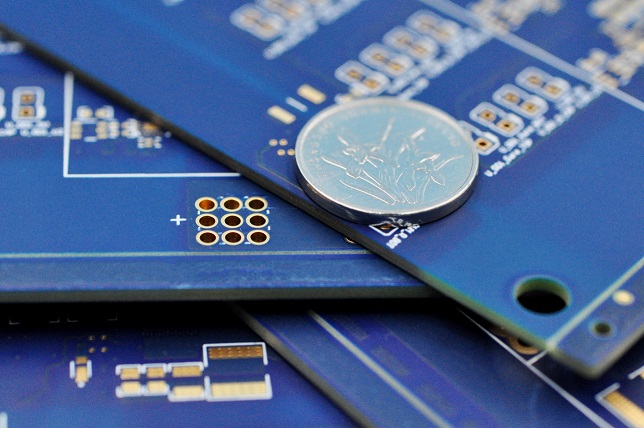
      As a leading Chinese prototype PCB board manufacturer, EBest Circuit (Best Technology) offers PCB prototype manufacturing, PCB design, PCB fabrication, PCB assembly, flexible circuits, CAD layout services since 2006. Our products include FR4 PCB, ceramic PCB, MCPCB, rigid-flex PCB, and special PCB. The above PCB products from EBest Circuit (Best Technology) are adaptable to your technical specifications. If you have new PCB prototype manufacturing projects, just feel free to contact EBest Circuit (Best Technology) via sales@bestpcbs.com. It’s our pleasure to provide professional PCB prototype manufacturing service to you.

      PCB Prototype Manufacturing Service, PCB Prototype Online

      What is a prototype PCB?

      A prototype PCB is an early version of a printed circuit board. It’s made in small quantity to test the design. Engineers use it to check connections, components, and layout. It’s also useful to test heat performance and real-life function. Before investing in mass production, this board helps catch errors. If changes are needed, it’s cheaper and easier to do it early. Many companies even make two or three versions before finalizing the product.

      Prototypes can be basic or complex. Some are simple boards with no parts added. Others are fully assembled with all components. Both types are valuable depending on the project. The goal is to verify function and remove issues early.

      How to make PCB prototyping?

      The first step is creating a design. Software like Altium, KiCad, or Eagle helps engineers draw the layout. Next, you generate Gerber files. These files tell the factory how to build the board.

      Once the design is ready, fabrication begins. A copper layer is placed on a base material. Then, the image of your circuit is transferred onto the copper. Unwanted copper is etched away, leaving your circuit traces. After this, holes are drilled and plated. These connect different layers of the board.

      A solder mask is applied next. It protects the copper and gives the board its green or blue color. Labels are printed using silkscreen. At last, components are added to build a working sample. Testing follows to ensure the board works well.

      How is a PCB manufactured?

      The process of full PCB manufacturing includes these steps:

      • Material selection: FR4, aluminum, ceramic, or flexible base
      • Laminating copper: Pressing copper onto the base
      • Imaging: Circuit layout is printed with UV light
      • Etching: Removing extra copper, keeping circuit paths
      • Drilling: Making holes for vias and components
      • Plating: Coating the holes to connect layers
      • Solder mask: Protecting traces from damage
      • Surface finish: Adding HASL, ENIG, or other finishes for better soldering
      • Silkscreen: Adding part labels, logos, and marks
      • Testing: Electrical and visual checks to ensure no faults

      This entire process can take from a few hours to several days. It depends on the board’s complexity and quantity. The goal is to create a reliable board that works just like the prototype.

      PCB Prototype Manufacturing Service

      How much does a PCB prototype cost?

      Cost depends on many factors. These include board size, number of layers, materials, and surface finish. For example, a simple two-layer board might cost $10 to $50 for a small run. A complex six-layer board might go up to $200 or more. If you choose special materials like aluminum or Rogers, prices go even higher.

      Other cost factors include:

      • Fast turnaround time
      • Number of boards ordered
      • Assembly service (adding components)
      • Shipping fees

      To save money, order multiple boards or plan ahead to avoid rush fees. Working with a trusted manufacturer helps reduce hidden costs too. Always check the full quote before ordering.

      What are the top PCB prototype manufacturing companies in Europe?

      Europe has strong players in PCB prototyping. Some of the top companies include:

      • Eurocircuits (Belgium): Offers online tools, fast service, and great support.
      • NCAB Group (Sweden): Known for strict quality and global reach.
      • Wurth Elektronik (Germany): Delivers high-end PCBs for automotive and medical use.
      • Beta LAYOUT (Germany): Good for low-volume and fast delivery.

      These companies are known for attention to detail and strong customer support. They also provide good tracking and fast response for tech questions. For European customers, using local services can mean faster shipping and easier communication.

      PCB Prototype Manufacturing Service

      Which is the best prototype PCB manufacturer in India and the UK?

      India:

      • Shogini Technoarts (India): Offers wide PCB options and custom designs.
      • CIPSA-TEC India (India): Known for prototype and small-batch services.

      UK:

      • Newbury Electronics (UK): Offers complete PCB solutions and excellent support.
      • PCB Train (UK): A popular choice for rapid prototyping in the UK.

      Both regions have companies that support startups and small runs. They give strong tech support and short lead times. Local services also reduce customs or import delays.

      PCB Prototype Manufacturing Service, PCB Prototype Online

      What PCB prototype machine is used in fast-turn production?

      Fast-turn lines use advanced machines to speed up the work. These include:

      • LDI (Laser Direct Imaging): Prints circuits quickly with high accuracy.
      • CNC Drilling Machines: Drill holes fast and clean.
      • AOI (Automated Optical Inspection): Checks for errors early.
      • Flying Probe Testers: Test the board’s function without a test fixture.
      • Pick-and-Place Machines: Mount parts quickly during assembly.

      Modern machines help reduce delays. They also ensure better accuracy, especially in complex boards. Manufacturers that use such equipment can deliver working prototypes in days, not weeks.

      Why should you choose EBest Circuit (Best Technology) as your reliable PCB prototype manufacturing partner?

      We offer end-to-end services from idea to product. Whether it’s a simple 2-layer or complex multi-layer board, we handle it. Our engineers review every file before starting. This helps avoid issues during production.
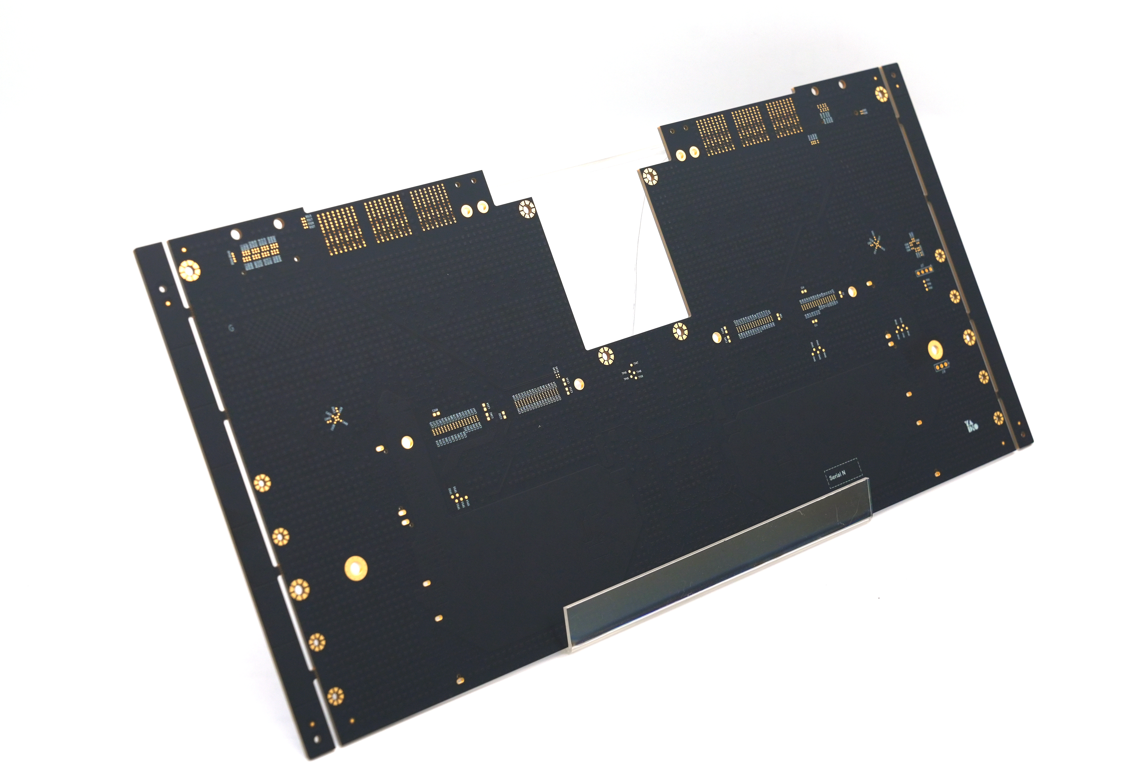
      • 18+ years of experience: We have provided PCB prototype manufacturing services since 2006. Our engineers have rich experience in PCB prototype manufacturing. There are about 1700 customers across 40 countries cooperating with us.
      • Quick-turn options for urgent needs: EBest Circuit (Best Technology) has implemented a 2-3 weeks delivery time policy for better serving the customers. The goods can be delivered within 24 hours for emergency cases.
      • Strict quality control with full inspection: Our Printed Circuit Board manufacturing facility is in China, backed by ISO9001, ISO13485, IATF16949, AS9100D certification, and REACH, RoHS, and UL approval. We believe quality is the first. Every workflow is compliant with ISO quality standards.
      • Flexible services from bare board to full assembly: EBest Circuit (Best Technology) provides including PCB fabrication to full tun-key assembly service. Whether you need PCB prototype manufacturing or turnkey EMS PCB manufacturing, you can consult with EBest Circuit (Best Technology) for tailored solutions.
      • One-stop support for all industries: EBest Circuit (Best Technology) provides one-stop service, including PCB component purchasing and all-around technical support before and after sales. Any doubts or worries about PCB projects, you can feel free to discuss them with us. Our professional engineers will always be of service to you.

      EBest Circuit (Best Technology) also guides you through every step. From quoting to shipping, you stay informed. Many of our customers come back for repeat orders because they trust our quality. A prototype is your project’s first real form. It helps you test your concept before spending more. It’s our great pleasure to provide with you PCB prototype manufacturing service. So that you can spot design flaws, improve layout, and test heat behavior. This saves both time and money.

      PCB Prototype Online

      To sum up, PCB prototype manufacturing is more than just a step in the design process—it’s a vital phase that shapes the success of the final product. From early testing to fast-turn iterations, prototyping gives customers the chance to refine and improve before going into full production. Whether you need support from a local partner in Europe or a fast delivery from a trusted manufacturer in Asia, there are reliable options available.
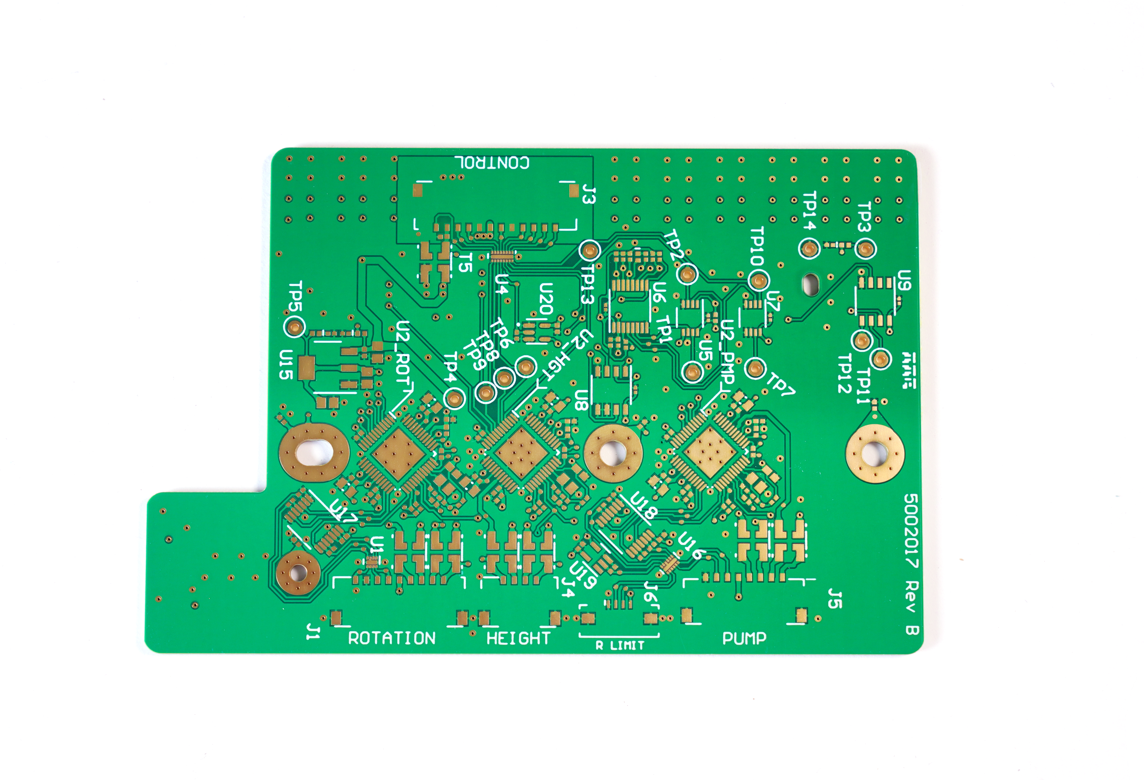
      If you need a PCB prototype online, just send us your files via sales@bestpcbs.com, our team will review them and give advice within 12 hours. Customer’s trust is our treasure. It’s our pleasure to ensure our product’s quality and finish the PCB prototype manufacturing within your delivery time requirement. We are in the PCB industry along 18 years. Customers give us good reviews. So no hidden charges, no surprises.