PCB manufacturing PCB manufacturing
Home > Blog

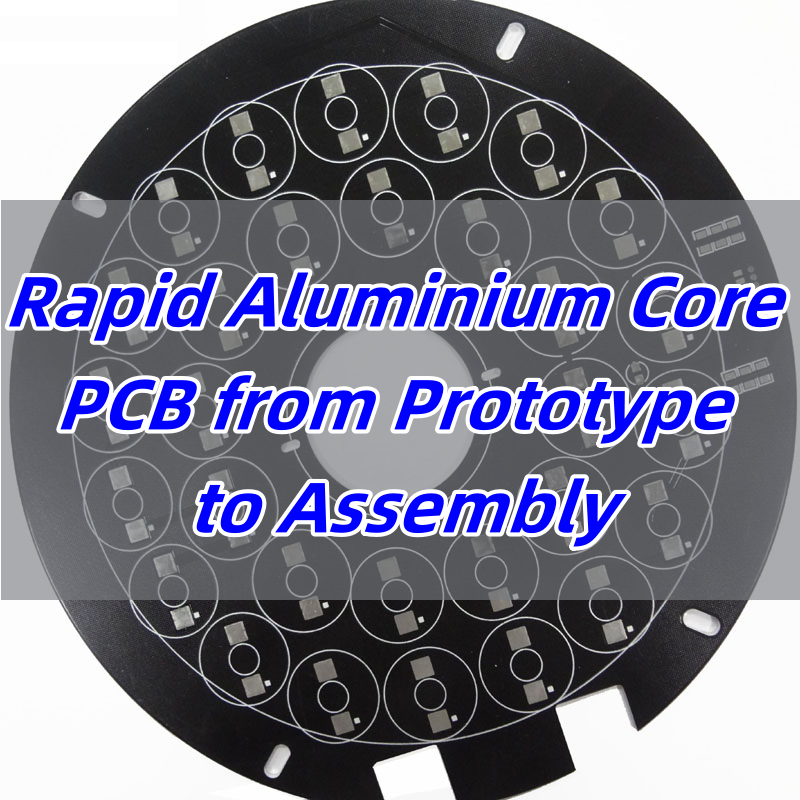
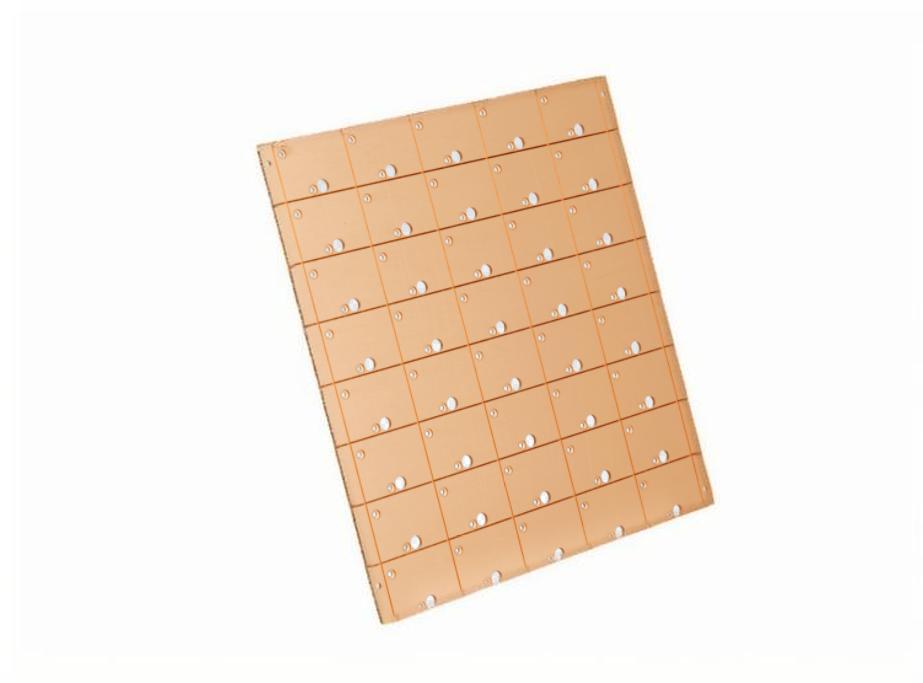
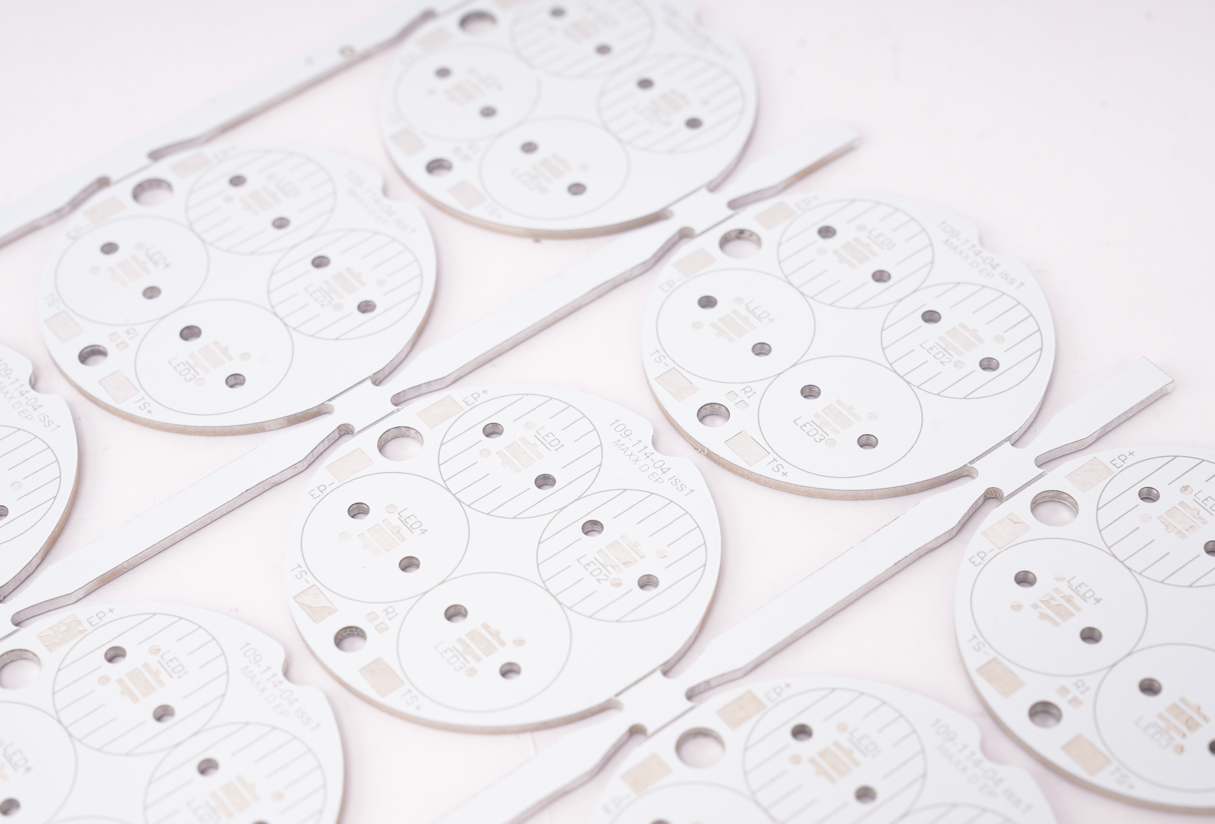
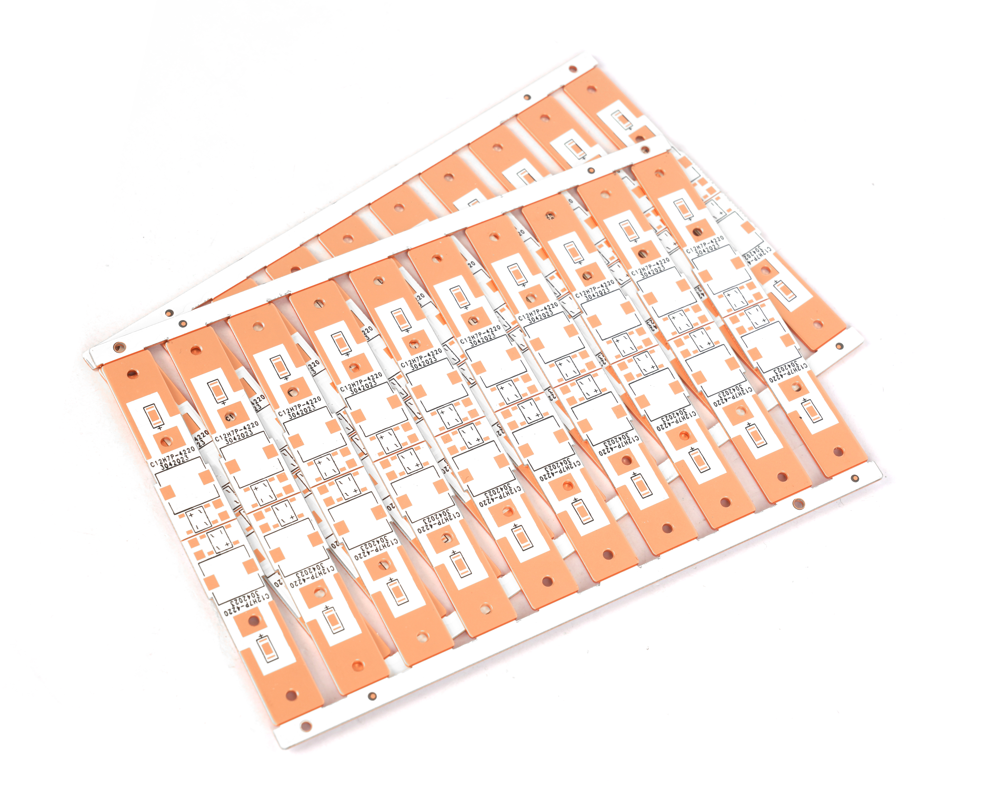
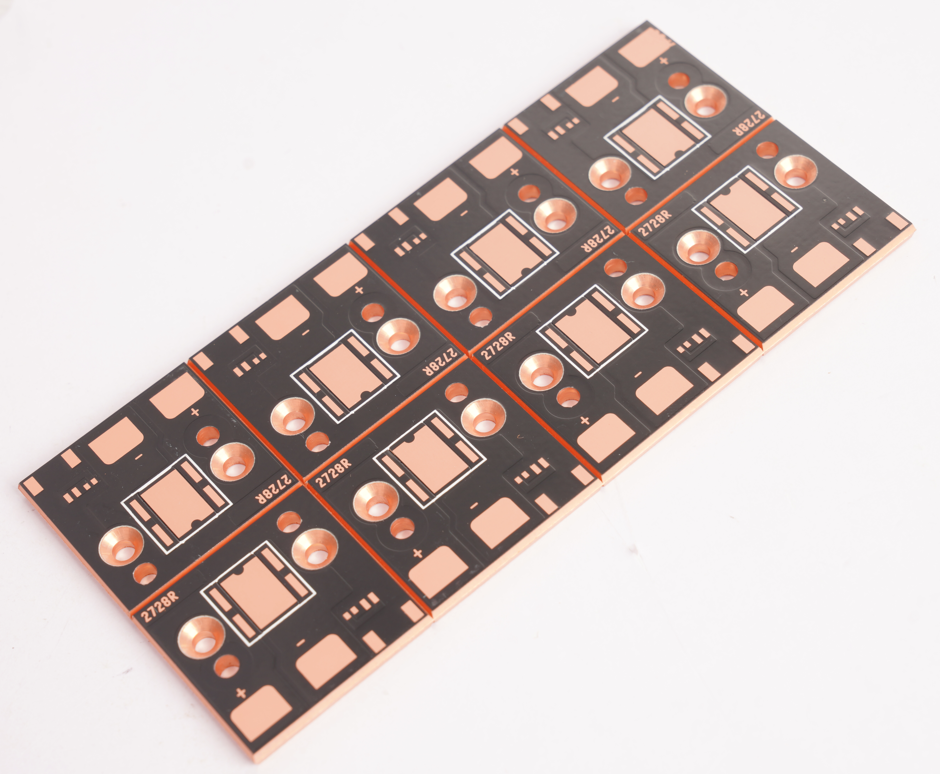
Rapid Aluminium Core PCB from Prototype to Assembly

July 23rd, 2025

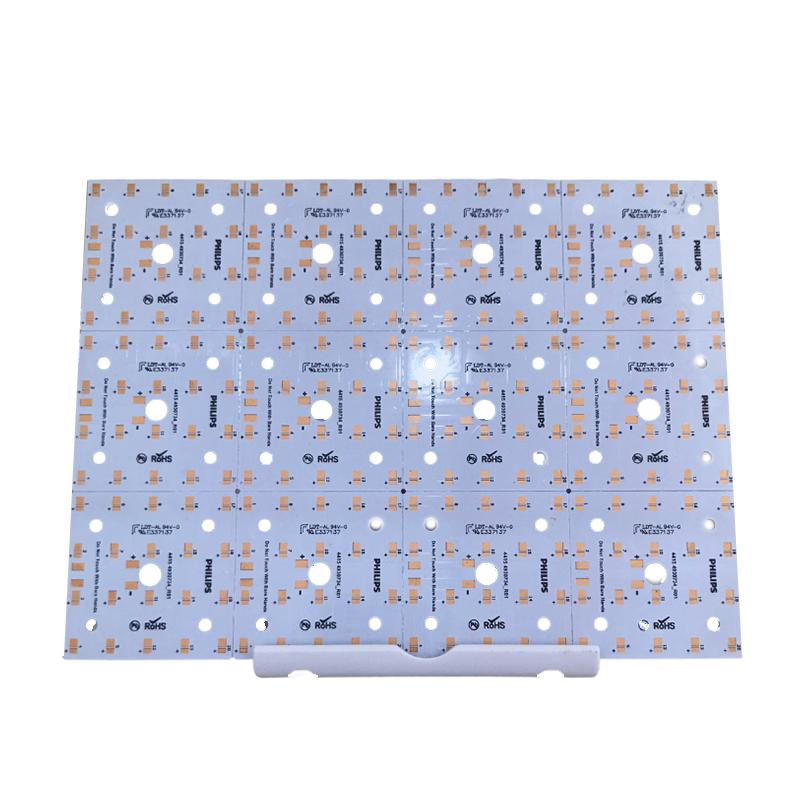
Aluminium core PCBĀ is a popular choice for engineers who need fast heat dissipation, stable performance, and quick turnaround from prototype to full assembly. These boards simplify thermal management, especially in LED and power applications.

EBest Circuit (Best Technology) is a metal core PCB manufacturer in China, offering DFM analysis, 24-hour prototyping, high-quality aluminum core PCBs fabrication, and SMT service to the extremely competitive market since 2006. Our engineers have the hands-on experience to solve challenges like drilling precision, soldering failures, grounding instability, thermal expansion mismatch, lead time pressures, and quality control and defect management. If you require rapid aluminium core PCB from prototype to assembly, pleaseĀ contactĀ us via email sales@bestpcbs.com.Ā 

Rapid Aluminium Core PCB from Prototype to Assembly

What is Aluminium Core PCB?

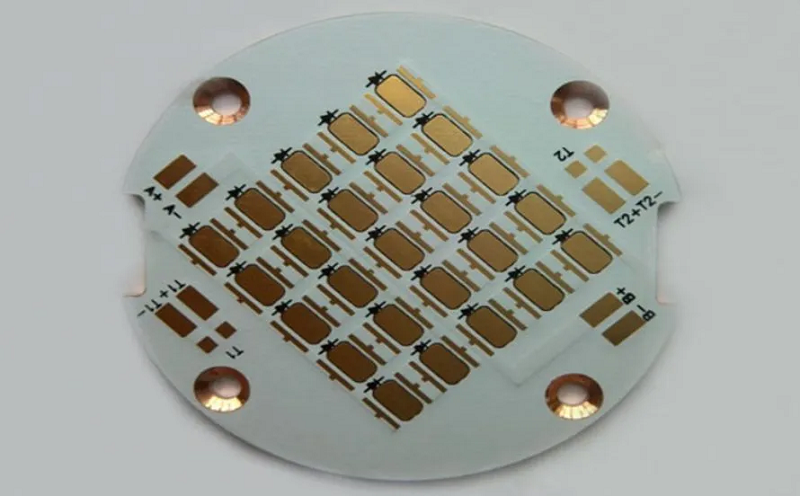
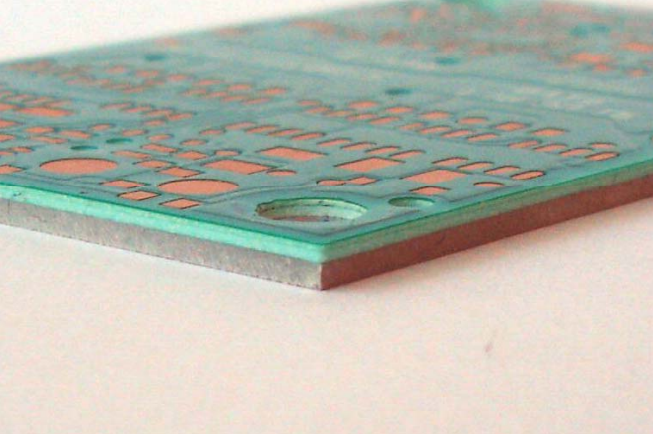
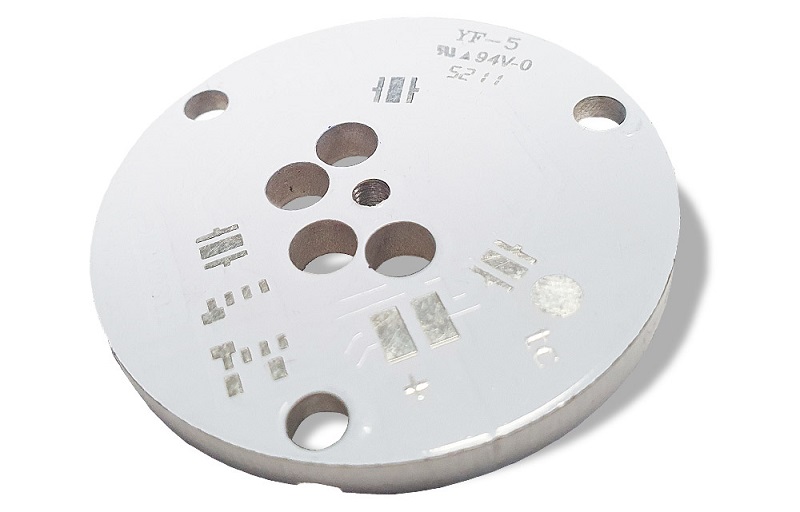
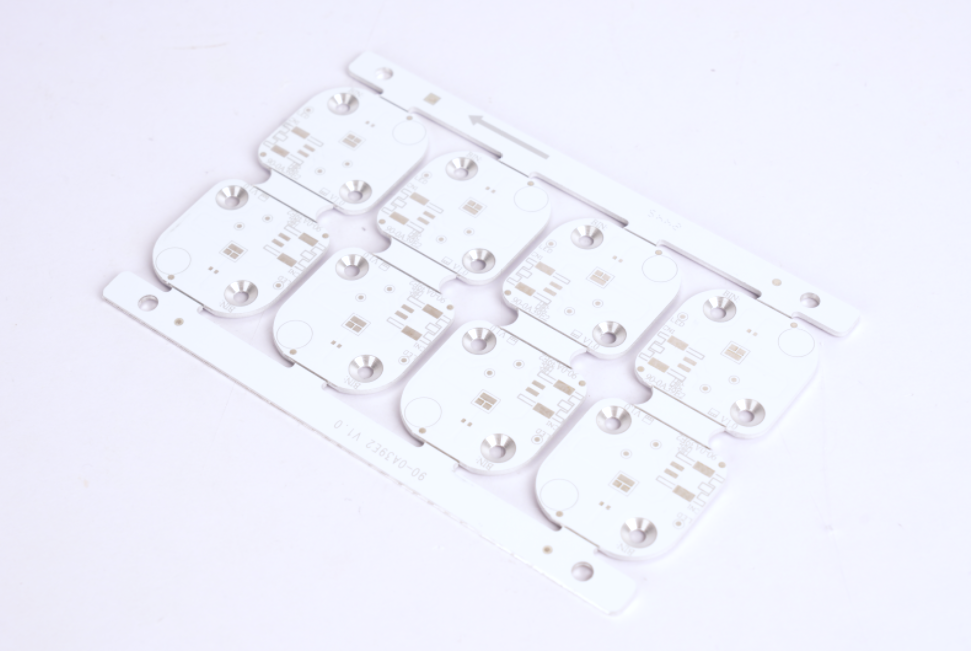
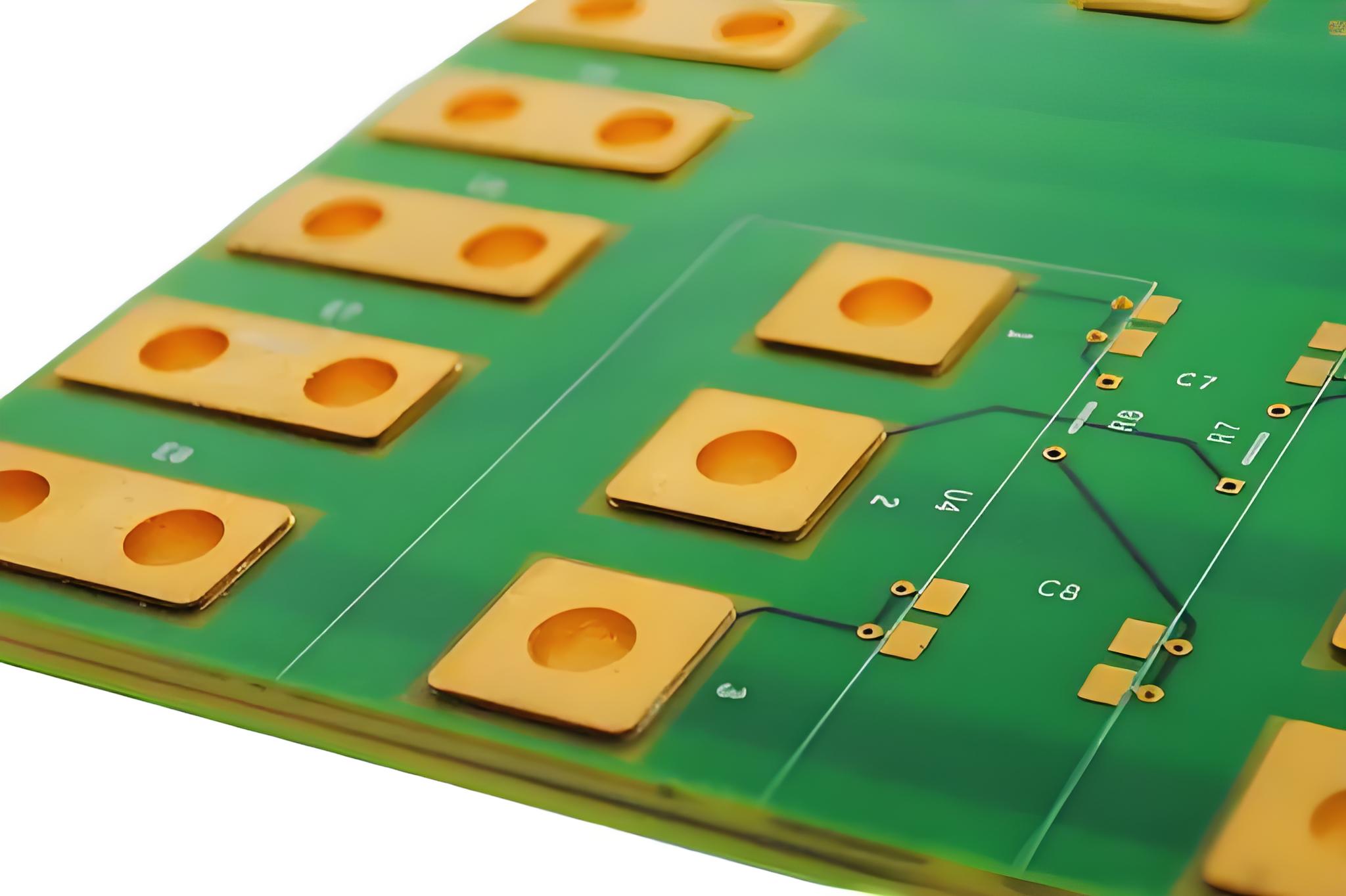
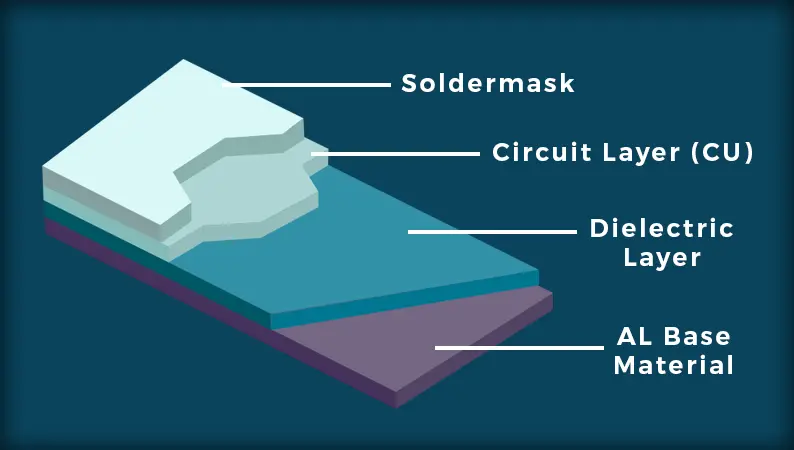
An aluminium core PCB, often called a metal core PCB, usesĀ aluminium core PCB materialĀ as the main substrate layer. This layer replaces standard FR4 to provide stronger heat transfer. The aluminium material has a dielectric layer and a copper circuit layer bonded to it. This stack keeps components cooler and more reliable in high-power circuits. Compared to other materials, aluminium is affordable, strong, and great at moving heat away from sensitive parts.
What is Aluminium Core PCB?

How is the Metal Core PCB Stackup?

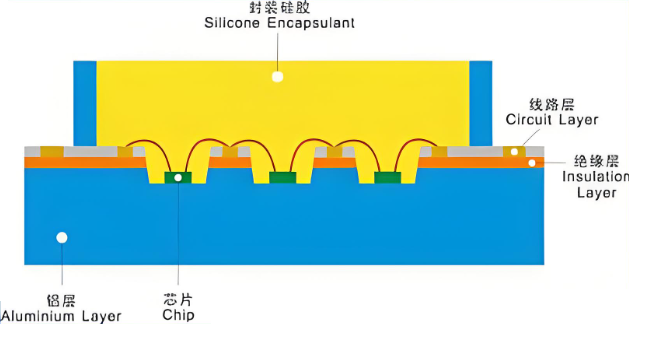
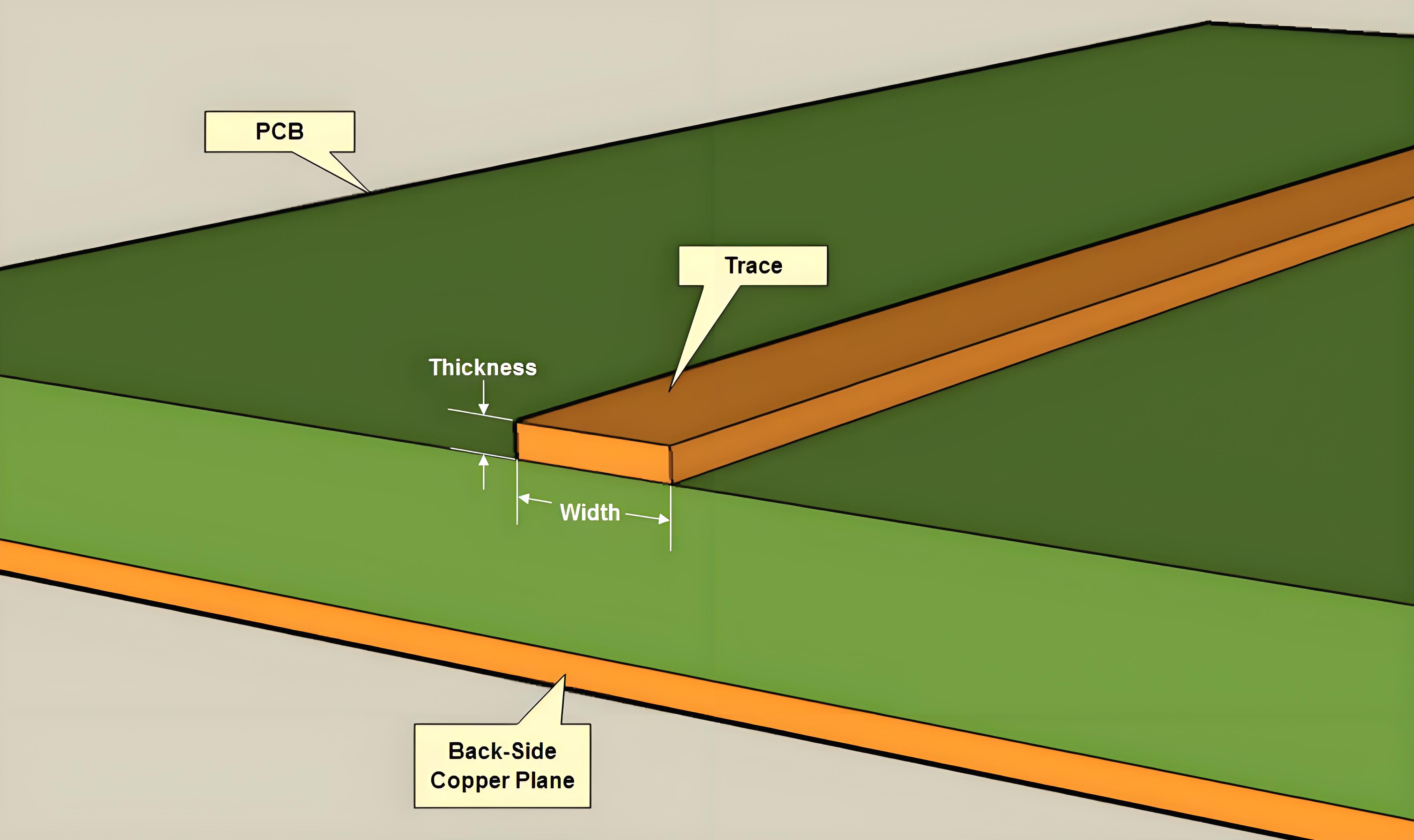
TheĀ metal core PCB stackupĀ typically has three parts: the copper trace layer on top, a dielectric thermal insulation layer in the middle, and the metal base (usually aluminium) on the bottom. Some complex boards use multiple layers, but most LED and power PCBs use single-layer aluminium boards. The design focuses on directing heat through the dielectric into the core. This layout helps in high-brightness LED lighting and motor controls. It also improves stability in harsh environments.
What is the Difference: Alumina, Copper, and Aluminium Core PCB?

Aluminium core PCBs are different from copper or alumina ones in cost, weight, and thermal conductivity. Copper has higher thermal conductivity, but it is expensive and heavy. Alumina offers excellent insulation but is brittle and costly to process. Aluminium sits in the middle — affordable, light, and thermally efficient. That’s why many manufacturers choose it for mass production. It’s the perfect balance for most general power or LED uses.

FeatureAlumina Core PCBCopper Core PCBAluminium Core PCB
CategoryCeramic PCBMCPCBMCPCB
Thermal Conductivity15–35 W/mĀ·K200–400 W/mĀ·K1–5 W/mĀ·K
CostHighVery HighLow
WeightMediumHeavyLight
Mechanical StrengthBrittleStrongModerate
Electrical InsulationExcellentRequires dielectric layerRequires dielectric layer
Manufacturing ComplexityHigh (fragile material)Moderate to HighLow
Common ApplicationsHigh-power RF, medical, aerospaceHigh-end power modulesLED lighting, automotive, power drivers

What are the Advantages & Disadvantages: Aluminum PCB vs FR4?

When comparingĀ Aluminum PCB vs FR4, each has clear strengths depending on the application. Aluminium PCBs perform better in thermal conditions, while FR4 is more flexible in multilayer layouts and low-cost builds. Here’s a side-by-side comparison:

FeatureAluminium PCBFR4 PCB
CategoryMetal Core PCB (MCPCB)Standard Rigid PCB
Thermal Conductivity1–5 W/mĀ·K (Good)0.2–0.3 W/mĀ·K (Low)
Long-Term ReliabilityHigh, stable under heatLess stable at high temp
Mechanical StrengthHigh, resistant to shockMedium, can deform
Thermal Expansion MatchClose to copper foil (24 ppm/°C)Better expansion control than aluminium
Layer FlexibilityLimited to 1–2 layersSupports multilayers (2–20+)
Design FlexibilityLow, not for dense designsHigh, ideal for complex layouts
CostHigherLower
WeightHeavierLighter
Common UsesLED, power modules, automotiveConsumer electronics, mobile

In conclusion, aluminium boards lead in heat performance and mechanical strength, making them ideal for power-heavy applications. On the other hand, FR4 remains more flexible for multilayer, compact, and cost-sensitive products. Choosing between them depends on your project needs.

Why is Aluminium Core PCB Used in Circuit Boards?

Aluminium core PCBs are widely used in modern electronics that demand high thermal efficiency and long-term reliability. Here are the main reasons:

  1. Excellent Heat Dissipation
    Aluminium core PCBs typically offer thermal conductivity between 1 to 5 W/mĀ·K—far higher than standard FR4 boards. This helps to quickly transfer heat away from components, preventing performance drop or damage caused by overheating. It’s especially valuable in LED lighting, high-power circuits, and automotive control systems.
  2. High Reliability Under Harsh Conditions
    Thanks to their aluminum base, these boards withstand high temperatures and resist warping. They remain stable even in long-term use, which is why they’re often seen in outdoor lighting, power inverters, and industrial machines.
  3. Enhanced Mechanical Strength
    The aluminum core adds rigidity and impact resistance. This makes the PCB less likely to bend, crack, or break—ideal for applications that face mechanical stress or vibration.
  4. Compact and High-Power Design Compatibility
    Because aluminium PCBs can effectively handle heat in small spaces, they enable engineers to design smaller yet more powerful devices. This is critical for compact modules in LED drivers, medical equipment, and telecom hardware.
  5. Improved Signal Integrity
    By maintaining thermal balance and structural stability, aluminium PCBs reduce the risk of thermal expansion mismatches and signal interference. This helps ensure consistent performance in high-frequency and high-speed circuits.

What is the Aluminium PCB Manufacturing Process?

  1. Base Material Preparation
    The process begins with an aluminium substrate laminated with a dielectric layer and copper foil. The dielectric ensures insulation and thermal transfer.
  2. Dry Film Application & Imaging
    A dry film is applied over the copper. UV exposure hardens the film according to the circuit pattern, followed by developing to reveal the copper to be etched.
  3. Etching the Copper Layer
    Chemical etching removes the unwanted copper, leaving behind the desired trace pattern on the aluminium core board.
  4. Resist Stripping
    The remaining dry film is stripped away, exposing the clean copper circuitry.
  5. Drilling & Mechanical Processing
    CNC drilling machines create holes for vias and mounting. EBest Circuit (Best Technology) uses precision drilling to meet tight tolerance demands.
  6. Hole Cleaning & PTH Plating
    The drilled holes are cleaned and then plated with copper to form conductive pathways between layers (if needed).
  7. Solder Mask Application
    A solder mask is printed onto the board to protect the traces and prevent solder bridging during assembly.
  8. Surface Finishing
    The exposed copper pads receive surface finishes such as ENIG or OSP to improve solderability and prevent oxidation.
  9. Profiling / Routing
    CNC equipment cuts the finished boards into the desired shapes, ensuring sharp edges and consistent outlines.
  10. Electrical Testing
    Every aluminium PCB is tested using Flying Probe or E-test systems. EBest Circuit (Best Technology) also utilizes AOI to catch early-stage defects.
  11. Final Cleaning & Inspection
    The boards are thoroughly cleaned and inspected. MES traceability links each board to its production record, ensuring consistent quality and easy tracking.

How is the Aluminium Core PCB Price?

TheĀ aluminium core PCB priceĀ depends on factors like board size, thickness, copper weight, and layer count. Simple single-sided LED boards are cheaper, while high-power double-sided boards cost more. Overall, aluminium is cheaper than copper and more effective than FR4 in heat-sensitive applications. EBest Circuit (Best Technology) offers fast delivery services, especially for bulk orders, while maintaining high-quality standards. Our 19 years of rich experience and responsive sales team also help reduce processing time for your project.

Why Choose EBest Circuit (Best Technology) as One of Your Trustworthy Aluminium Core PCB Manufacturers?

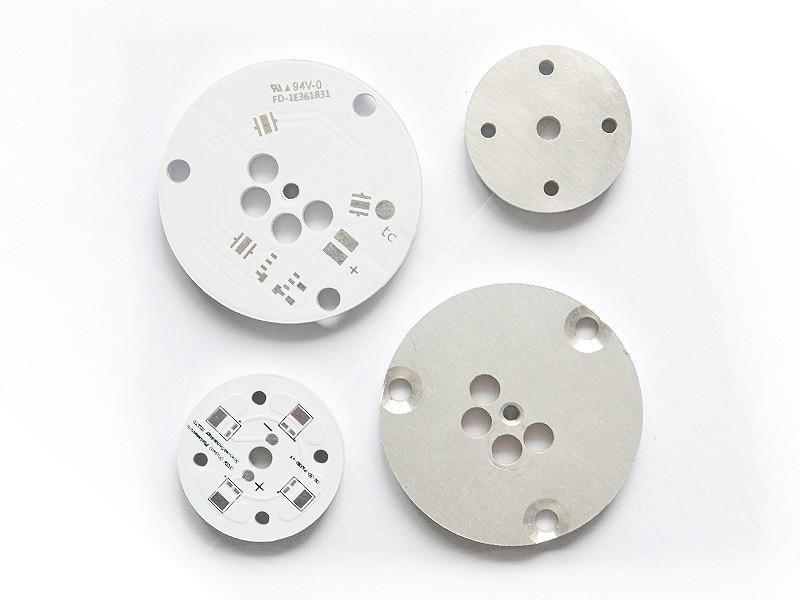
As one of the leadingĀ aluminium core PCB manufacturers, EBest Circuit (Best Technology) offers more than just fabrication. We help clients with design advice, fast prototyping, and complete assembly services. Many customers face problems like poor thermal contact, unstable performance, or long delivery cycles. We solve these by:

  • Using high-grade aluminium PCB board for LED lighting and industrial applications
  • FollowingĀ metal core PCB design guidelinesĀ to reduce overheating risks
  • Applying DFM reviews to prevent layout mistakes and production delays
  • Providing IPC Class 2 & 3 standards for reliable operation
  • Customizing stackups and finishes to fit your exact needs
  • Processing prototype, high volume metal core PCB manufacturing and SMT process under one roof, without PCB contracting to other suppliers.

Our edge also lies in fast delivery. Some customers had to wait weeks for prototypes elsewhere. We reduce that to days, thanks to in-house CAM engineers and flexible production lines. You can also trust our team to provide prompt updates and solid advice throughout the order. That’s why many top-tier clients stick with EBest Circuit (Best Technology) for years.
Why Choose EBest Circuit (Best Technology) as One of Your Trustworthy Aluminium Core PCB Manufacturers?

To sum up, aluminium core PCBsĀ make thermal problems easier to solve. Whether you’re building LED lighting, motor controllers, or power converters, these boards support better heat flow and stability. The balance of cost, performance, and ease of manufacturing makes them a smart choice. With clear benefits over FR4 and a simpler process than copper or alumina, aluminium PCBs are here to stay.

At EBest Circuit (Best Technology), we bring deep expertise, quick response, and complete support from design to assembly. We also understand customer headaches like unstable sourcing, low product yield, or miscommunication during prototyping. That’s why we built our customer policy: customer first and maintain quality consistency. We invite you to send us an email about what MCPCB you need or what your project headaches are. Then we’ll feature our metal core PCB portfolio and let you know our Aluminium core PCB price correspondingly. Here is our contact email: sales@bestpcbs.com.

How to Improve ThermalĀ Quality for Copper MCPCB?

July 22nd, 2025

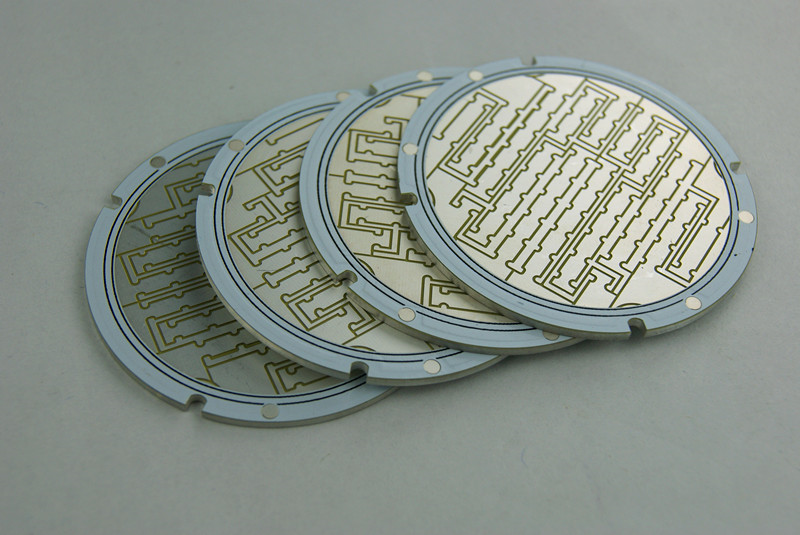
Copper MCPCBĀ is widely used in high-power LED and charging systems because of its strong thermal performance and reliability. But many engineers still wonder how to improve the thermal quality even further. Let’s walk through everything you need to know.

As a major metal core PCB manufacturer in China, EBest Circuit (Best Technology) offers outstanding quality copper MCPCB, DTP copper MCPCB, aluminium core PCB, heavy copper PCB, and PCB assemblies to a rapidly expanding market. With 19 years of seniority, EBest Circuit (Best Technology) has practical experience to tackle customer headaches like thermal resistance from dielectric layer bottleneck and CTE mismatch-induced failures. All our manufacturing processes strictly adhere to the ISO 9001, ISO 13485, IATF 16949, AS9100D, UL, REACH, RoHS. You will get the finest quality copper MCPCB from us. For additional information, call +86-755-2909-1601 or email us at sales@bestpcbs.com.

How to Improve ThermalĀ Quality for Copper MCPCB?

What is Copper MCPCB?

Copper MCPCB stands for Copper Metal Core Printed Circuit Board. It uses copper as the core base material, offering superior thermal conductivity compared to standard aluminum-based PCBs. While the thermal conductivity of typical copper MCPCBs ranges from 8 to 50 W/mĀ·K, advanced designs using direct thermal path (DTP) or thermoelectric separation structures can achieve conductivity levels exceeding 400 W/mĀ·K.

These boards are commonly used in applications requiring efficient heat dissipation, such as high-power LED lighting, automotive electronics, RF power modules, power chargers, industrial motor controllers, and telecom equipment. The copper core effectively spreads and transfers heat away from critical components, reducing thermal stress and enhancing performance stability.

However, manufacturing copper MCPCBs involves more stringent process control than aluminum types. The high thermal conductivity and hardness of copper require precise oxidation control, careful lamination, and well-managed costs. Despite the higher price, copper MCPCBs are a preferred choice for engineers targeting reliability under extreme thermal loads.

What is Copper MCPCB?

What is the Full Form of MCPCB LED?

MCPCB LED means Metal Core Printed Circuit Board used for LEDs. It has better heat dissipation compared to standard boards. InĀ Copper MCPCB LEDĀ applications, copper acts as the main path for heat flow, helping the lights stay cooler and last longer.

What is the Difference Between DTP Copper MCPCB and Copper MCPCB?

DTP stands for Direct Thermal Path. DTP Copper MCPCB directly connects the heat source to the copper base. Regular Copper MCPCBs still transfer heat well, but DTP models handle more power. In short, DTP boards suit ultra-high-power needs. Standard Copper MCPCBs are better for regular thermal jobs and cost less.

FeatureStandard Copper MCPCBDTP Copper MCPCB (Direct Thermal Path)
StructureDielectric layer separates copper trace and baseHeat source connects directly to copper base
Thermal ConductivityTypically 8–50 W/mĀ·KUp to 400 W/mĀ·K with thermal separation
Heat Transfer EfficiencyGoodExcellent – minimal thermal resistance
Application Power LevelModerate power devicesUltra-high-power devices
Typical ApplicationsLED lighting, consumer chargersLaser diodes, power amplifiers, industrial lasers
Manufacturing ComplexityStandard copper core processingRequires precise drilling, metal bonding
CostLowerHigher due to advanced structure
Design FlexibilityMore design options with dielectric layerLess flexible but highly efficient thermally

What is the Thermal Conductivity of Copper Base PCB?

Copper base PCBs offer excellent thermal conductivity, but the actual range depends on the structure and processing method. In standard multilayer copper MCPCBs, the thermal conductivity of the entire board is typically between 1 and 8 W/mĀ·K—mainly limited by the dielectric layer. However, with advanced designs like direct thermal path (DTP) or thermoelectric separation, the thermal conductivity can reach up to 398 W/mĀ·K, which is very close to the theoretical value of pure copper.

In contrast, aluminum-based PCBs usually provide thermal conductivity in the range of 1 to 2 W/mĀ·K, though some high-end aluminum substrates can approach 237 W/mĀ·K under special processing.

This significant difference is why copper base PCBs are widely used in high-power LED lighting, automotive headlamps, industrial lasers, and RF modules. The superior thermal path enables faster heat dissipation, better reliability, and longer component lifespan in demanding thermal environments.

How Thick is the Copper in Copper Core PCB?

The copper thickness in a copper core PCB—often referred to as copper PCB thickness—varies based on the electrical load and thermal demands of the application. Standard copper foil thicknesses used in most copper MCPCBs include:

  • 1oz (35μm): Common for signal layers or low-current applications
  • 2oz (70μm) to 4oz (140μm): Preferred for power electronics, especially in high-current or thermally demanding circuits
  • 10oz (350μm): Considered ultra-thick copper, used only in special high-power designs and requires advanced fabrication techniques
  • Up to 20oz (approximately 680μm): Possible in industrial PCBs, though rarely used due to design and cost complexity

A 4oz copper PCB is often the sweet spot—it offers enough copper to carry substantial current and dissipate heat effectively without over-complicating the board structure.

The right copper thickness ensures electrical reliability and thermal safety. Thicker copper allows wider traces to carry higher current, reducing resistance and improving heat spreading. However, extremely thick copper may affect impedance control and manufacturability, so designers must balance thermal performance with structural feasibility.

What Are PCB Copper Mechanical Properties?

Copper has great mechanical strength. It can handle vibration, bending, and pressure without cracking. Its ductility makes it easy to shape during production. TheseĀ PCB copper mechanical propertiesĀ also help reduce thermal stress on components.

How to Improve Thermal Quality for Copper MCPCB?

Improving the thermal quality of Copper MCPCB isn’t just about using thicker copper—it requires a systematic approach from material selection to layout design. Here’s how you can achieve better thermal control:

1. Optimize Copper Thickness

Using 4oz copper foil (about 140μm) is a common way to enhance heat dissipation. It allows for larger current flow and better thermal spread. However, it works best when combined with an array of thermal vias that direct heat from the surface to the copper core. For extreme thermal loads, 10oz or thicker copper can be used, but that requires special etching techniques and significantly increases production costs.

2. Improve PCB Layout and Component Placement

Thermal design begins with smart layout. Place heat-generating components as close to the copper core as possible, ideally near the board edges or in well-ventilated zones. For vias:

  • Use thermal via diameters of around 0.3mm
  • Keep via spacing between 1mm and 1.5mm
  • Consider filling vias with conductive silver paste, which can reduce thermal resistance by up to 30%

This structure ensures heat travels downward efficiently instead of staying at the surface.

3. Choose Low Thermal Resistance Dielectric Materials

The dielectric layer plays a critical role in thermal conductivity. Materials with low thermal resistance—like ceramic-based substrates—help minimize heat bottlenecks between the copper layer and the metal core.

Be cautious with standard epoxy resins, which have low thermal conductivity (~0.276 W/mĀ·K). They might be cost-effective but can limit heat transfer in high-power designs.

4. Add Thermal Pads and Use Proper Interface Materials

Use thermal pads directly under the heating elements. The pad area should match the chip’s contact pad size. For better contact, apply thermal grease or thermal silicone with at least 3 W/mĀ·K thermal conductivity. This reduces the gap resistance and ensures smoother heat flow.

Thermal pads are especially helpful in MCPCB LED modules and Copper MCPCB charger circuits, where consistent heat transfer is essential for performance and safety.

5. Use Effective Surface Finishes

Surface finishes impact both thermal and soldering performance. Consider:

  • ENIG (Electroless Nickel Immersion Gold): Offers smooth thermal pathways and protects copper from oxidation
  • OSP (Organic Solderability Preservative): Cost-effective and avoids excess coverage over thermal areas

Avoid placing solder mask over critical heat zones. This layer acts as an insulator and can block effective heat transfer if not handled properly.

6. Validate the Design with Thermal Simulations and Real Tests

Design isn’t complete without validation. In MCPCB LED applications, combining copper cores with heat pipes has shown to lower junction temperatures by 5–8°C. For high-power chargers, applying a vapor chamber or uniform heat spreader can control surface temperature variation within ±3°C, improving long-term reliability.

In summary, by combining these design methods, copper MCPCB performance can be enhanced dramatically, especially in fields where thermal failure isn’t an option. Best results come from a balanced approach—not only thicker copper, but smarter architecture, better materials, and validated thermal paths.

What is the Use of Copper Substrate PCB?

With a thermal conductivity of up to 398 W/mĀ·K, copper cores enable reliable and efficient heat dissipation, making them ideal for compact, high-performance circuits.

Copper MCPCBs are especially suitable for automotive electronics, LED lighting, fast-charging applications and power devices thanks to better heat control. During high current flow, the copper base reduces the junction temperature of power ICs by 15–20°C, preventing thermal stress and improving charging stability. The use of via arrays (≄0.3 mm) in these boards ensures vertical heat conduction from heat sources to the copper layer.

Compared to standard FR4 boards, copper substrate PCBs offer 50%–70% lower thermal resistance, and can handle 3 to 5 times more current density. This allows engineers to design more compact layouts without compromising on reliability. However, to maintain long-term performance, oxidation-resistant surface finishes such as OSP or ENIG are required. Also, for boards thicker than 1.5 mm, custom drilling techniques are necessary to prevent damage during manufacturing.

Why Choose EBest Circuit (Best Technology) for Your Metal Core PCB Manufacturer?

At EBest Circuit (Best Technology), we understand customers face problems like unstable quality, slow delivery, and poor service from other PCB suppliers. That’s why we focus on:

  • Strict Quality Control:Ā We follow ISO9001, ISO13485, IATF16949, and AS9100D standards.
  • Advanced Systems:Ā Our MES system keeps all components traceable, reducing risk.
  • Experienced Engineers:Ā Our team helps customers withĀ Metal core PCB design guidelinesĀ to improve thermal performance.
  • Complete PCB Support: You will get the superior-quality MCPCB prototype, fabrication, and PCBA service from us without consuming a lot of time and cost between different copper MCPCB suppliers.
  • Reliable Delivery:Ā We understand time is money. Our lead times are consistent and fast. For some complex copper MCPCB, the lead time is 2-3 weeks. For urgent copper MCPCB circuits, we can ship out from our factory within 48 hours.

Whether you needĀ heavy copper PCB,Ā copper substrate PCB, or advice onĀ Metal core PCB stackup, we are here to help. Many clients came to us after problems with others and stayed because of our service.

Why Choose EBest Circuit (Best Technology) for Your Metal Core PCB Manufacturer?

To conclude, copper MCPCBĀ plays a key role in handling heat in electronics. FromĀ MCPCB LEDĀ lighting to high-speed chargers, it boosts stability and performance. By choosing smart designs and working with reliable partners like EBest Circuit (Best Technology), you can improve heat transfer, cut risks, and gain viable solutions.

If you’ve had problems with inconsistent quality or long delays before, give EBest Circuit (Best Technology) a try. A warm welcome to call us at +86-18923412995 or fill out a contact form online and share with us your Gerber files, any special requirements, and the order quantity. And we can give you our practical quote quickly.

The Silent Killer in Your Metal-Clad PCB: Why Adhesive Thickness Dictates Thermal Performance

July 22nd, 2025

Heat is the invisible enemy of modern electronics. As devices shrink and power densities soar, efficient thermal management becomes non-negotiable. Metal-clad printed circuit boards (MCPCBs), using aluminum or copper bases, are workhorses for heat dissipation in applications like high-power LEDs, motor drives, and power supplies. Yet, a critical but often overlooked factor lurks within their layered structure: the thickness of the dielectric adhesive layer bonding the circuit to the metal base. This seemingly thin film holds immense power over your thermal performance. Let’s dissect why.

The Silent Killer in Your Metal-Clad PCB: Why Adhesive Thickness Dictates Thermal Performance

The Core Problem: The Adhesive Layer is a Thermal Bottleneck

The fundamental reason adhesive thickness matters boils down to physics: Thermal Resistance. Heat generated by components (like LEDs or MOSFETs) must travel through the adhesive layer to reach the highly conductive metal base (substrate), which then spreads and dissipates it into the environment (via heatsinks, convection, etc.).

Adhesive materials, even thermally conductive ones (often called Thermal Interface Materials – TIMs), possess thermal conductivity (measured in W/mK) orders of magnitude lower than the copper traces or the aluminum/copper base. For example:

  • Aluminum: ~200 W/mK
  • Copper: ~390 W/mK
  • Typical Thermally Conductive Adhesive: 1.0 – 4.0 W/mK (though some advanced formulations reach 8-10+ W/mK)

This adhesive layer is inherently the highest thermal resistance point in the primary heat path from the component junction to the ultimate heat sink.

How Thickness Amplifies the Thermal Bottleneck?

The thermal resistance (R_th) of the adhesive layer itself is governed by a simple, yet critical formula:

R_th_adhesive = L / (k * A)

Where:

  • R_th_adhesive = Thermal Resistance of the adhesive layer (°C/W or K/W)
  • L = Thickness of the adhesive layer (meters)
  • k = Thermal Conductivity of the adhesive material (W/mK)
  • A = Cross-sectional area for heat flow (square meters)

This equation reveals the devastating impact of thickness:

  1. Direct Proportionality (R_th āˆ L): Thermal resistance increases linearly with adhesive thickness. Double the thickness, double the thermal resistance. This is the most significant and direct effect. Thicker adhesive creates a longer path for heat to travel through a poorly conducting material, significantly hindering flow.
    • Consequence: Higher component operating temperatures (Tj), reduced efficiency, accelerated aging (lumen depreciation in LEDs, shorter lifespan), and potential reliability failures.
  2. Exacerbating Low Conductivity (R_th āˆ 1/k): While k is a material property, the impact of a low k is magnified as thickness increases. A poor adhesive (k = 1.0 W/mK) at 100μm thickness creates much higher resistance than a good adhesive (k = 3.0 W/mK) at the same thickness. Making the layer thicker worsens the penalty for using a low-conductivity material. Optimizing both k and L is crucial.
  3. Increased Interface Resistance: Heat doesn’t flow perfectly across material boundaries. Microscopic imperfections (roughness, voids, poor wetting) at the interfaces between the component/circuit and the adhesive, and between the adhesive and the metal base, create additional “contact resistance.” While primarily dependent on surface quality and pressure, a thicker layer can sometimes make it harder to achieve optimal intimate contact at both interfaces simultaneously, potentially increasing the effective total interface resistance.
  4. Extended Heat Path: Thickness literally increases the distance heat energy must travel via conduction through the resistive adhesive material before reaching the highly conductive metal substrate. This longer path inherently slows down heat transfer.

Optimizing for Superior Thermal Performance

Achieving the best possible thermal performance requires a holistic approach targeting adhesive thickness, material properties, and manufacturing quality:

  1. Minimize Thickness (L): This is priority #1.
    • Process Control: Implement rigorous process controls during lamination (pressure, temperature, vacuum) to achieve consistent, ultra-thin bond lines. Advanced techniques like controlled-flow adhesives and precise pressure profiling are key.
    • Material Selection: Choose adhesives specifically formulated for thin application while maintaining dielectric strength and reliability. Some resin systems (e.g., certain epoxies) inherently allow for thinner layers than others.
    • Target Range: Strive for adhesive layers in the range of 50μm to 100μm (2-4 mils) where possible, balancing thermal performance with manufacturability and dielectric requirements. Going below 50μm requires exceptional process control.
  2. Maximize Thermal Conductivity (k):
    • Filler Technology: Thermally conductive adhesives rely on ceramic fillers (Alā‚‚Oā‚ƒ, AlN, BN, SiOā‚‚) within a polymer resin. Higher filler loading increases k but impacts viscosity and processability. Seek formulations with optimal filler type, size distribution, and loading for maximum k.
    • Advanced Fillers: Consider adhesives using higher-performance (though often more expensive) fillers like Aluminum Nitride (AlN) or Boron Nitride (BN) which offer significantly higher intrinsic conductivity than standard Alumina (Alā‚‚Oā‚ƒ).
    • Verified Data: Demand certified k values measured using standardized methods (e.g., ASTM D5470), not just vendor claims.
  3. Optimize Interface Quality:
    • Surface Preparation: Ensure excellent cleanliness and appropriate surface roughness/treatment on both the circuit side (usually copper) and the metal base side prior to lamination to promote optimal wetting and adhesion.
    • Void Elimination: Minimize air bubbles/voids trapped within the adhesive or at interfaces. Use vacuum lamination processes and adhesives with good flow characteristics.
    • Uniformity: Achieve highly uniform adhesive thickness distribution across the entire board area. Localized thick spots are significant thermal bottlenecks.
  4. Holistic Design & Material Synergy:
    • Component Placement: Place high-heat-dissipation components directly over areas of the metal base with the best thermal connection (minimal vias/cutouts underneath).
    • Copper Weight: Use thicker copper layers (e.g., 2oz, 3oz) on the circuit layer to spread heat laterally before it enters the adhesive, reducing the effective thermal gradient across the adhesive.
    • Metal Base Choice: For extreme applications, consider copper bases (higher k than aluminum) to further reduce the substrate’s spreading resistance once heat finally reaches it.
metal core pcb

The Designer’s Checklist for Thermal Success:

  • Specify Adhesive Thickness: Don’t leave it as an afterthought. Define a maximum allowable thickness requirement in your MCPCB specs (e.g., “Adhesive Layer: ≤ 75μm”).
  • Demand Certified k Value: Require adhesive suppliers or PCB manufacturers to provide reliable thermal conductivity data.
  • Prioritize Process Capability: Choose a PCB manufacturer with proven expertise and tight process controls for thin, uniform, void-free adhesive layers. Ask about their lamination process, quality control measures (e.g., ultrasonic scanning for voids), and typical thickness consistency.
  • Consider Total Thermal Resistance (R_th(j-a)): Ultimately, evaluate the entire thermal path from component junction to ambient. While minimizing adhesive R_th is critical, also ensure efficient heat sinking beyond the PCB.

Conclusion: Thin is In (for Thermal Performance)

In the high-stakes game of thermal management within metal-clad PCBs, the thickness of the dielectric adhesive layer is not a minor detail; it’s a primary performance dictator. Its inherently low thermal conductivity means that even small increases in thickness dramatically raise thermal resistance, directly leading to hotter components and compromised reliability.

By understanding the physics (R_th = L / (k * A)), focusing relentlessly on minimizing thickness through advanced materials and precise manufacturing, maximizing thermal conductivity, and ensuring perfect interfaces, engineers can unlock the full heat-spreading potential of their metal substrates. Ignoring the adhesive layer’s thickness is a surefire way to let thermal problems silently undermine your product’s performance and lifespan. Prioritize thinness, prioritize thermal conductivity, prioritize quality – your components will thank you with cooler operation and longer life.

ChipĀ OnĀ BoardĀ LEDĀ Strip​: All You Need to Know

July 22nd, 2025

If you’re upgrading your lighting system, you’ve probably come across the term chip on board LED strip. It’s not just another LED strip—it’s a major step forward in lighting design. These strips provide continuous, smooth light with no visible dots, perfect for people who want clean lines, consistent brightness, and high efficiency.

In this guide, we’ll walk through everything you need to know about COB LED strips, from how they’re built to how they compare to other LED types, and even how to spot issues or repair them. Whether you’re working on a custom LED project or just curious about your options, this guide is for you.

What Is a Chip on Board LED?

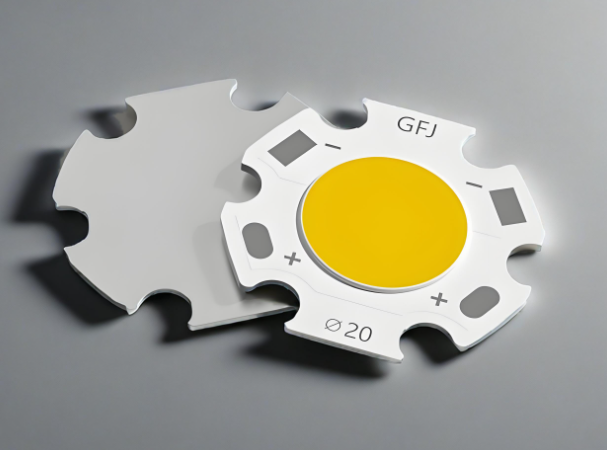
A Chip on Board (COB) LED is a type of LED package where many tiny LED chips are directly bonded to the surface of an aluminum circuit board. Unlike traditional LEDs, which are placed and packaged individually (often referred to as SMD or Surface Mounted Devices), COB technology groups multiple LEDs into a single, dense lighting module.

COB packaging technology is a manufacturing process that bonds the main body of the bare chip and the I/O terminals onto a PCB (printed circuit board) using conductive/thermal adhesives. The core steps of this process include using an ultrasonic hot-press welding equipment (such as a Bonder machine) to connect the metal wires (aluminum or gold) between the chip and the PCB pads. After passing the test, the resin adhesive is then applied.

ChipĀ OnĀ BoardĀ LEDĀ Strip​: All You Need to Know

LED Strip Chip Types

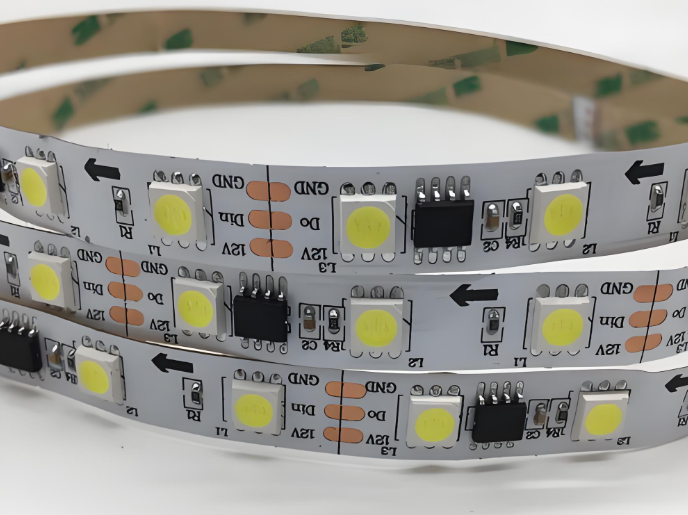
When you look at the specifications of any LED strip, you’ll likely come across numbers like 3528, 5050, or 2835. These refer to the chip sizes in tenths of millimeters, and each has different brightness, efficiency, and application benefits. Let’s break them down:

  • 3528 LED Chips

These are some of the oldest LED chips still in use. They are compact and energy-efficient but offer low brightness. They’re ideal for soft lighting or background accents.

  • 5050 LED Chips

Much larger and brighter than 3528s, 5050 chips are often used in RGB LED strips because each chip can hold three diodes (red, green, and blue). They’re great for color-changing applications.

  • 2835 LED Chips

A newer design that’s slimmer than 5050s but offers improved heat dissipation and better brightness efficiency. These are increasingly popular in commercial lighting.

  • COB LED Chips

Rather than a single chip, COB is a collection of many tiny LED dies directly mounted on the board. Their design creates a dot-free beam of light, and they perform extremely well in tight spaces or close-range lighting tasks.

If you’re after seamless lighting or professional installations, COB LED strips are your best bet. They’ve become especially popular in modern architectural and display lighting.

COB LED Strip vs SMD LED Strip

If you’re debating between COB and SMD strips, it helps to look at how they differ in function and appearance. Here’s a detailed comparison:

FeatureCOB LED StripSMD LED Strip
Light AppearanceSmooth, continuous with no visible dotsDotted light, noticeable gaps between LEDs
Beam UniformityExcellentDepends on LED pitch (spacing)
FlexibilityMore flexible due to compact designSlightly less flexible, especially with larger chips
BrightnessVery bright with even diffusionVaries by chip type (2835, 5050, etc.)
RepairabilityHarder to repair due to compact chip bondingEasier to replace individual components
Heat DissipationBetter thermal performanceMay require heat sinks for high power strips
ApplicationsHigh-end design, task lighting, seamless decorGeneral-purpose, ambient, or RGB lighting

Use COB LED strips for premium results in high-visibility areas. Choose SMD strips when budget is tighter or when you want color-changing effects that don’t require smooth lighting.

Can an LED Light Strip Be Repaired?

Yes, LED strips can be repaired, but the method depends on the type of strip you’re using.

For SMD LED strips, it’s relatively straightforward. If a section stops working, you can usually cut it out and solder in a new section. Most SMD strips are modular, with cut marks every few LEDs.

For COB LED strips, repairs are more complex. The chips are not easily accessible, and due to the dense configuration and phosphor coating, individual chip replacement isn’t practical. However, if there’s a damaged copper trace, connector issue, or visible burnt spot, basic soldering can still fix it.

It’s also worth checking if a segment is simply underpowered or affected by a voltage drop—especially in longer strips, which lose voltage near the end. In those cases, adding a second power input at the far end often solves the problem.

How to Check if a LED Strip Is Bad?

Diagnosing a bad LED strip doesn’t require fancy tools—just a little patience and a multimeter. Here are some ways to check:

1. Visual Inspection:

    This is the most easy way to check. Look for signs of physical damage—burn marks, cracked coatings, loose connectors, or broken solder joints.

    2. Power Supply Testing:

    Sometimes the strip is fine, but the power adapter is faulty. Test your power source first. Make sure your 12V COB LED strip is getting the right voltage.

    3. Voltage Drop Test:

    If only part of the strip is dim, measure voltage at different points along the strip. Significant voltage drop means you need to power the strip from both ends.

    4. Continuity Check:

    Use a multimeter to check for continuity across copper pads. No signal means the path is broken.

    5. Cut and Test Small Segments:

    If one part is failing, cut a working piece off and connect it to power. If it lights up fine, the issue is likely with a specific segment or connector.

    Pro tip: Always double-check your polarity. Reversing positive and negative wires is a common mistake and can damage certain strips.

    What Is the Lifespan of a COB Light?

    One of the biggest advantages of COB LEDs is their long lifespan. On average, COB LED strips last 30,000 to 50,000 hours, depending on the operating environment and quality of components.

    Factors that influence lifespan:

    • Ambient Temperature: High temperatures can shorten LED life.
    • Power Regulation: Using a high-quality constant voltage power supply protects the strip from surges.
    • Usage Patterns: Long continuous use without cooling may reduce performance over time.

    Some well-designed COB LED PCB assemblies use aluminum-core boards (MCPCBs) to pull heat away from the chips, which extends their service life significantly.

    Which Is Better: LED Strip or LED COB?

    So, which is better—traditional LED strip or COB LED strip? It really depends on your lighting goals.

    • Choose LED COB strips when you want smooth light, especially for under-cabinet lighting, mirrors, workbenches, or architectural edges.
    • Stick to traditional LED strips (SMD) if you need RGB lighting, dynamic color control, or a cheaper solution for background or ambient lighting.

    RGB COB LED strips now offer the best of both worlds—color mixing plus seamless appearance—though they’re still less common than standard RGB strips.

    Which Is Better: LED Strip or LED COB?

    Key Parts in Chip on Board LED Strip

    One of the most critical components in a chip on board (COB) LED strip is printed circuit board (PCB) base. COB LED strips commonly use aluminum-core printed circuit boards (aluminum PCBs) as their foundation because of their excellent thermal conductivity and structural stability. In COB design, multiple LED chips are densely mounted on the same board, which generates a significant amount of heat during operation. Without proper heat dissipation, the LEDs can overheat, resulting in reduced brightness and shorter lifespan.

    The main function of the aluminum PCB is to efficiently transfer heat away from the LED chips to the aluminum base layer, which then releases it into the surrounding air or mounting surface. This built-in heat dissipation capability makes aluminum PCBs especially suitable for compact and enclosed lighting applications such as cove lighting, display cabinets, and vanity mirrors.

    Additionally, aluminum PCBs provide mechanical strength to the strip, preventing it from bending too easily during installation or operation, which helps protect the internal components and ensures consistent performance.

    COB LED PCB Wire Bonding Process

    The wire bonding process for COB (Chip on Board) LED PCBs involves several critical steps to ensure reliable chip mounting and electrical connection. Below is a detailed breakdown of the full procedure:

    Step 1: Wafer Expansion

    Using a wafer expander, the LED wafer film provided by the supplier is stretched evenly. This process separates the closely packed LED chips on the film, making it easier to pick up individual chips during die bonding.

    Step 2: Silver Paste Application

    Place the expanded wafer ring onto a dispensing platform coated with silver paste. For loose (unmounted) LED chips, a dispenser applies precise amounts of silver paste directly onto the PCB’s bonding pads. This paste serves as the conductive adhesive for mounting the chips.

    Step 3: Die Placement (Die Bonding)

    Insert the silver-pasted wafer ring into a die bonding fixture. Under a microscope, the operator uses a precision tool to pick and place each LED chip onto the PCB, positioning it accurately on the pre-applied silver paste.

    COB LED PCB Wire Bonding Process

    Step 4: Pre-Curing (Silver Paste Curing)

    Place the die-mounted PCB into a thermal oven for controlled heating. This cures the silver paste and secures the LED chips in place. It’s important not to over-cure the board—prolonged heating may oxidize the LED chip surface (turning it yellow), which makes wire bonding difficult. Note: If only IC chips are bonded, this LED die bonding step may be skipped.

    Step 5: IC Die Attachment

    For IC bonding, dispense a small amount of red or black epoxy adhesive onto the PCB at the designated IC mounting location. Use anti-static tools (e.g., vacuum pen or tweezers) to place the IC die accurately onto the adhesive.

    Step 6: Epoxy Curing

    Place the IC-mounted PCB into a thermal oven or on a large heated platform to cure the adhesive. This process can also be done via natural curing at room temperature, although it takes longer.

    Step 7: Wire Bonding (Aluminum Wire Connection)

    Using an aluminum wire bonder, connect fine aluminum wire between the bonding pads on the LED chips or IC die and the corresponding pads on the PCB. This forms the internal wire connections for the COB assembly.

    Step 8: Electrical Testing (Pre-Test)

    Use dedicated testing tools (depending on the COB product type) to check each PCB for electrical functionality. A high-precision regulated power supply is commonly used. Any defective boards are flagged and sent for repair.

    Step 9: Encapsulation (Dispensing Epoxy or Silicone)

    Dispense a carefully measured amount of AB epoxy over each bonded LED chip using a dispensing machine. For ICs, a black encapsulant is typically used. Additional protective packaging is applied depending on customer requirements.

    Step 10: Final Curing

    Place the encapsulated PCB into a thermal oven and allow it to cure under controlled temperature and time settings. The curing schedule may vary depending on the type of encapsulant and the final product’s environmental requirements.

    Step 11: Final Testing

    After curing, perform a final round of electrical testing using specialized equipment to verify performance. Boards are sorted based on quality, and any issues are identified for rework or rejection.

    EBest Circuit (Best Technology) – Your Trusted COB LED Strip Aluminum PCB Manufacturer

    At EBest Circuit (Best Technology), we’re proud to provide advanced PCB manufacturing for lighting applications—including COB LED strips and custom MCPCB designs. Our engineers understand thermal performance, phosphor consistency, and bonding reliability.

    Our COB LED PCB services include:

    • One-stop solution: from layout to finished PCBs
    • Flexible voltage support: including 12V COB LED strips
    • Customized color temperatures and CRI ratings
    • Support for RGB COB LED strip designs
    • Advanced thermal management with MCPCB options

    If you are interested in COB LED PCB manufacturing, welcome to email us at sales@bestpcbs.com or leave your comments below this blog.

    FAQs

    Q1: Can COB LED strips be dimmed?

    Yes, most COB strips support PWM dimming. Make sure your power supply and controller are compatible.

    Q2: Are COB LED strips waterproof?

    Many are! Look for IP65 or higher if you’re using them outdoors. Silicone-coated versions offer good protection.

    Q3: How do I install a COB LED strip?

    Clean the surface, peel the adhesive backing, and press the strip in place. Use aluminum channels for better heat dissipation.

    Q4: Can I use COB LED strips with smart home systems?

    Yes! Pair them with a compatible dimmer or RGB controller connected to your smart hub.

    Q5: What voltage do COB LED strips use?

    Most commonly 12V or 24V. Always match your power supply to the strip’s input rating.

    IMS PCB Material Selection & Design Guideline

    July 22nd, 2025

    Are you worried about how to choose IMS PCB material for your project? Let’s explore its definition, properties, datasheet, types, IMS PCB material selection and design guidelines through this blog.

    • Wrong choice of substrate material leads to too high thermal resistance?
    • Is the dielectric layer easy to delaminate during multi-layer IMS design?
    • Is the dielectric loss too large under high-frequency application?

    EBest Circuit (Best Technology) Can Provide:

    • Provide 5 standardized thermal conductivity levels (1.5~8W/mK); Free sample matching tool, generate selection report in 30 minutes.
    • Patented resin system, peel strength>1.8N/mm; Support 3-layer lamination process, provide design specification manual.
    • Df value as low as 0.002 (@10GHz); Equipped with HFSS simulation model library, plug-and-play.

    Welcome to contact us if you have any request for IMS PCB or MCPCB: sales@bestpcbs.com.
    What Is IMS Material?

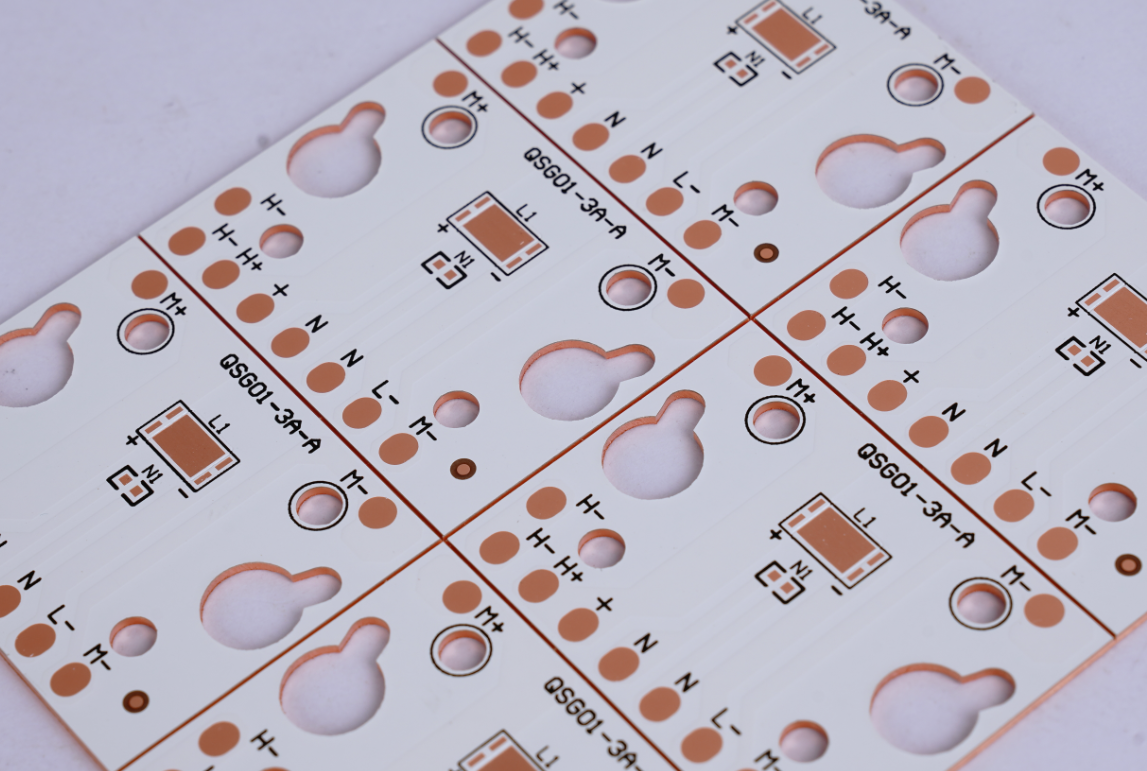
    IMS material, known as insulated metal substrate, consists of a metal core, typically aluminum or copper, coated with a dielectric insulation layer and a conductive copper layer for circuit traces. This structure delivers outstanding thermal management, with aluminum-based versions achieving thermal conductivity of 1-3 W/(mĀ·K), while copper-based variants exceed 400 W/(mĀ·K) for accelerated heat dissipation.

    It serves effectively in high-power applications like LED lighting systems and automotive electronics, where efficient cooling maintains device stability and extends operational lifespan under thermal stress.

    What Is IMS Material?

    IMS PCB Material Properties

    • Thermal Conductivity – Metal base (aluminum/copper) transfers heat 5-10x faster than FR4, keeping components cooler.
    • Electrical Insulation– Dielectric layer provides high voltage isolation (1-10kV) while allowing heat flow.
    • Mechanical Strength – Metal core resists bending/warping, ideal for heavy components or high-vibration environments.
    • Thermal Expansion – Low CTE (Coefficient of Thermal Expansion) matches components, reducing solder joint stress.
    • Temperature Resistance – Withstands 150-250ā„ƒ operating temperatures without degradation.
    • Weight Efficiency – Aluminum bases offer lightweight heat dissipation, crucial for automotive/aerospace.
    • Surface Flatness – Metal substrates ensure precise component mounting, critical for fine-pitch devices.

    IMS PCB Board Material Datasheet

    PropertyAluminum-Based IMSCopper-Based IMSMeasurement Standard
    Thermal Conductivity1-3 W/(mĀ·K)>400 W/(mĀ·K)ASTM E1461
    Dielectric Strength≄4 kV/mm≄4 kV/mmIPC-TM-650 2.5.6
    CTE (Z-axis)12-15 ppm/°C16-18 ppm/°CIPC-TM-650 2.4.24
    Tg (Glass Transition)130-150°C150-170°CIPC-TM-650 2.4.25
    Td (Decomposition)300-320°C350-380°CIPC-TM-650 2.3.40
    Volume Resistivity≄10¹² Ω·cm≄10¹² Ω·cmIPC-TM-650 2.5.17
    Flexural Strength100-150 MPa200-250 MPaIPC-TM-650 2.4.4

    What Are Types of IMS PCB Material?

    Aluminum-Based IMS

    • Thermal Conductivity: 1-2.5W/mĀ·K.
    • Application: LED lighting, consumer power supplies, and automotive controls where cost efficiency and moderate heat dissipation are prioritized.

    Copper-Based IMS

    • Thermal Conductivity: 3-4W/mĀ·K.
    • Application: High-power industrial drives, automotive powertrains, and aerospace components requiring extreme thermal performance.

    Stainless Steel-Based IMS

    • Thermal Conductivity: 0.2-0.5W/mĀ·K.
    • Application: Corrosive environments (e.g., marine, chemical processing) where mechanical durability outweighs thermal needs.

    Composite Metal Core IMS

    • Structure: Aluminum/copper layer bonded to a thin copper circuit layer.
    • Application: Compact devices like mobile chargers and RF amplifiers needing both heat spreading and fine-pitch circuitry.
    What Are Types of IMS PCB Material?

    How to Choose IMS PCB Material?

    IMC PCB Material Selection Guideline:

    1. Assess Power Density Requirements

    • High-Power Applications (e.g., industrial drives, automotive power modules):
    • Choose copper-based IMS (thermal conductivity 3-4W/mĀ·K) for power densities exceeding 5W/cm².
    • Standard Applications (e.g., LED lighting, consumer electronics):
    • Prioritize aluminum-based IMS (1-2.5W/mĀ·K) for power densities below 5W/cm².

    2. Align with Budget Constraints

    • Aluminum-based IMS costs 20-30% less than copper, making it suitable for cost-driven projects like household appliances.
    • Reserve copper-based IMS for premium sectors (aerospace, medical devices) where long-term reliability outweighs upfront costs.

    3. Match Environmental Conditions

    • Corrosive Environments (marine, chemical processing): Select stainless steel-based IMS for corrosion resistance, despite lower thermal efficiency.
    • High-Temperature Zones (engine compartments, RF amplifiers): Use copper-based IMS with polyimide insulation (withstanding temperatures >200°C).

    4. Account for Spatial Limitations

    • Compact Devices (mobile chargers, wearables): Choose aluminum composite IMS (0.8mm thickness) to balance heat dissipation and space efficiency.
    • Multi-Layer Designs: Prioritize copper-based IMS for structural rigidity, preventing warping in complex PCB stacks.

    5. Validate Compliance with Standards

    • Critical Systems (automotive ECU, aerospace): Demand IPC-6013-certified copper-based IMS with documented thermal cycling test results.
    • Consumer Products (TVs, monitors): Aluminum-based IMS meets 85°C operational requirements for typical use cases.

    6. Decision-Making Framework

    • Start with power density thresholds to narrow material options.
    • Cross-reference with budget allocation and environmental exposure.
    • Finalize with space constraints and certification needs.

    7. Application Examples

    • Industrial Motor Control: Copper-based IMS for sustained 100A+ current handling.
    • Outdoor LED Displays: Aluminum-based IMS with conformal coating for humidity resistance.
    • Automotive Powertrain: Copper-based IMS + high-temperature dielectric for under-hood reliability.

    8. Critical Precautions

    • Request third-party thermal resistance reports to verify supplier claims.
    • Avoid materials with unspecified dielectric breakdown voltage in high-voltage applications.
    • Test prototypes under real-world thermal stress before mass production.

    How to Design IMS PCB Board?

    IMS PCB Design Guideline:

    1. Define Design Objectives

    • Clarify power density (W/cm²), operating environment (temperature/humidity), space limits, and budget. Example: Automotive ECU board needing 50A current handling in 100°C engine bay.

    2. Material Selection Recap

    • High-Power (>5W/cm²): Copper-based IMS (3-4W/mĀ·K).
    • Cost-Sensitive: Aluminum-based IMS (1-2.5W/mĀ·K).
    • Corrosive Environments: Stainless steel-based IMS.

    3. Layer Stackup Design

    • Place metal base directly below high-power components.
    • Keep dielectric layer thickness ≤100µm for optimal thermal performance.
    • Example: 2-layer IMS (copper base + 35µm circuit layer).

    4. Thermal Management Strategies

    • Thermal Vias: Use 0.5mm diameter filled vias under hot components, spaced 1mm apart.
    • Reserved Cooling Zones: Allocate 30-50% of board area as unpopulated metal regions.
    • Component Placement: Center power devices (MOSFETs/IGBTs) over the metal core; keep ≄2mm spacing between high-power parts.

    5. Electrical Layout Optimization

    • Trace Width: Use 3oz (105µm) copper for traces carrying >50A. Widen traces by 2x near heat sources.
    • Avoid Sharp Bends: Maintain ≄3x trace width for bend radii to reduce resistance.
    • Impedance Control: For RF/high-speed signals, keep dielectric thickness consistent (±10µm tolerance).

    6. Manufacturing Compatibility

    • Design Rules: Minimum trace width/spacing ≄0.2mm for aluminum IMS; ≄0.15mm for copper IMS.
    • Solder Mask: Remove mask in thermal zones to maximize metal exposure.
    • Panelization: Add 2mm border around boards for handling during assembly.

    7. Validation & Testing

    • Thermal Imaging: Test under max load to identify hotspots. Junction temp should stay ≤85°C.
    • Electrical Testing: Verify current capacity and signal integrity (e.g., <5% voltage drop).
    • Reliability Testing: Conduct thermal cycling (-40°C to +125°C, 100 cycles) and vibration tests (2G RMS).
    How to Design IMS PCB Board?

    IMS PCB Board Design Considerations

    Thermal Managementā€Œ

    • Base Material Selectionā€Œ: Aluminum (1-3 W/mK) suits cost-sensitive, moderate-heat applications like LED lighting. Copper (>400 W/mK) is ideal for high-power modules requiring rapid heat dissipation.
    • Dielectric Thicknessā€Œ: Thinner layers (50-100μm) improve heat transfer but reduce voltage isolation. Match thickness to operational voltage (e.g., 100μm for <1kV).
    • Component Placementā€Œ: Position high-heat components (e.g., power ICs, LEDs) directly over the metal core to maximize thermal path efficiency.

    Electrical Performanceā€Œ

    • Trace Width/Spacingā€Œ: Wider traces reduce resistance for high-current paths. Maintain ≄0.3mm spacing for 1kV isolation in standard designs.
    • Via Usageā€Œ: Avoid thermal vias in the dielectric layer, they disrupt heat flow. Route signals through peripheral non-metal zones.
    • High-Frequency Limitsā€Œ: IMS materials exhibit higher dielectric loss than FR-4. Limit use in RF circuits (>500MHz).

    Mechanical Designā€Œ

    • Board Thicknessā€Œ: Standard metal cores (1.0-3.0mm) prevent flexing but increase weight. For lightweight needs, consider 1.0mm aluminum.
    • Mounting Hardwareā€Œ: Use insulated standoffs to prevent short circuits with the metal base. Account for CTE mismatch, aluminum expands 23ppm/°C versus 17ppm/°C for copper.
    • Cutouts & Edgesā€Œ: Smooth, rounded edges minimize stress concentrations. Internal cutouts require laser processing to avoid burrs.

    Manufacturing & Costā€Œ

    • Fabrication Toleranceā€Œ: IMS requires specialized drilling (carbide bits) due to metal hardness. Allow ±0.1mm for hole positioning.
    • Panel Utilizationā€Œ: Standard panel sizes (18″Ɨ24″) optimize cost. Odd shapes increase waste.
    • Finish Optionsā€Œ: HASL is cost-effective but limits thermal performance. ENIG (Ni/Au) enhances solderability for fine-pitch components.

    Application-Specific Tipsā€Œ

    • LED Arraysā€Œ: Use 1.5mm aluminum cores with 80μm dielectric to balance cost and heat dissipation (Ī”T<15°C at 5W/cm²).
    • Automotive Invertersā€Œ: Copper cores with 150μm dielectric handle 10-15A/mm² current density and 125°C ambient temperatures.
    • Aerospaceā€Œ: Stainless steel bases provide vibration resistance but require thermal interface materials (TIMs) to offset lower conductivity.
    IMS PCB Board Design Considerations

    How to Select A Reliable IMS PCB Manufacturer?

    Tips for selecting a reliable IMS PCB manufacturer:

    • Confirm Thermal Management Expertiseā€Œ: Verify experience with aluminum/copper cores and UL-certified dielectric materials for effective heat dissipation in high-power applicationsā€Œ.
    • Demand Precision Manufacturing Capabilitiesā€Œ: Ensure ≤50μm laser drilling accuracy for microvias and tight tolerances (±25μm) critical for thermal performanceā€Œ.
    • Require Relevant Quality Certificationsā€Œ: Prioritize IATF 16949 (automotive) or ISO 13485 (medical) certified suppliers with documented thermal cycling tests (-40°C to +150°C)ā€Œ.
    • Evaluate True Production Speedā€Œ: Compare realistic lead times. Proven manufacturers deliver prototypes in 7 days, 30% faster than industry norms without compromising qualityā€Œ.
    • Insist on Transparent Costingā€Œ: Avoid hidden fees. Competitive suppliers offer fixed pricing with 5-15% savings through efficient material utilizationā€Œ.
    • Check Scalability from Prototype to Volumeā€Œ: Choose partners handling orders from 5 panels to mass production seamlessly within their facilitiesā€Œ.
    • Prioritize Technical Partnershipā€Œ: Select manufacturers providing free 24-hour DFM feedback and thermal simulation support to optimize your designā€Œ.
    • Experience the EBest Circuit (Best Technology) Advantageā€Œ: Get a rapid quote for your IMS PCB project today. We combine certified quality, 7-day prototype turnaround, and cost-competitive pricing—ensuring your thermal management solution excels. Request your quote now.

    Ready to start your project?ā€Œ Contact ā€ŒEBest Circuit (Best Technology)ā€Œ today for competitive pricing, guaranteed fast delivery, and certified quality. Let’s optimize your thermal management solution together: sales@bestpcbs.com.
    IMS PCB Definition: 3 Key Focus & 80% Better Thermal

    July 22nd, 2025

    IMS PCB definitionĀ refers to a printed circuit board built on an Insulated Metal Substrate, primarily designed for excellent heat dissipation. This structure supports high-power components and keeps temperatures under control. While many boards rely on FR4, IMS stands out where thermal stress is high.

    EBest Circuit (Best Technology) is a top-tier IMS PCB manufacturerĀ and PCBA service provider in China. Since 2006, we have gained great first-hand experience in dealing with thermal management challenges in customers’ compact designs and providing full solutions to customers for their inadequate heat dissipation in high-power applications. Our factory has passed certifications like ISO 9001, ISO 13485, IATF 16949, AS9100D. Our factory has the full qualification to manufacture reliable IMS PCBs and PCBA to the market.

    IMS PCBs stand out through their metal-core structure, thermal dielectric layer, and suitability for high-power applications—delivering up to 80% better heat dissipation than FR4. If you have any doubts about the IMS PCB definition or you require more advice from us, please make a call to +86-755-2909-1601 or send your Gerber file and special requirement details to us at sales@bestpcbs.com.
    IMS PCB Definition: 3 Key Focus & 80% Better Thermal

    What is IMS PCB Definition?

    To understand the IMS PCB Definition, we need to break it down into three main aspects:

    1. Metal-core construction: IMS PCBs use a metal base such as aluminum or copper. This helps draw heat away from components faster than FR4 materials.
    2. Thermal dielectric layer: Between the copper circuitry and the metal base lies a special dielectric layer, usually 0.05–0.20mm thick. This layer balances electrical insulation and thermal conductivity.
    3. High-power applications: IMS PCBs are built for products that produce significant heat like LEDs, power modules, and automotive electronics. Their construction makes them dependable even under high thermal load.

    When these three focus areas are optimized, the thermal performance of IMS PCB can reach up toĀ 80% better than FR4 PCBs. This is due to the metal base’s superior conductivity and the efficient stack-up structure. In short, IMS PCB is engineered for reliability in thermally demanding environments.

    What is IMS PCB?

    What Are the Types of IMS PCB?

    There are mainly two types based on the base metal: Aluminum-based IMS PCB and Copper-based IMS PCB. IMS PCBs (Insulated Metal Substrate PCBs) come in several types depending on their structure and application needs. Each type offers unique benefits to match specific electrical, thermal, and mechanical demands. Here are the most common ones:

    1. Flexible Aluminum IMS PCB
    This type uses a flexible dielectric layer combined with aluminum alloys such as 5754. It can bend and conform to curved surfaces without cracking, making it ideal for wearable devices, foldable modules, or curved LED lighting. The flexibility doesn’t sacrifice thermal performance, which makes it suitable for tight and dynamic installation spaces.

    2. Hybrid Aluminum IMS PCB
    Hybrid types combine traditional FR4 multilayer cores (like 2-layer or 4-layer boards) with an aluminum base using thermally conductive adhesives. This structure lowers cost while still improving heat dissipation over standard FR4. It’s commonly used in RF applications or areas that need better EMI shielding along with moderate thermal control.

    3. Multilayer Aluminum IMS PCB
    Designed for high complexity systems, this type stacks multiple dielectric layers and may include blind vias or thermal vias. It supports dense circuit routing, power management, and thermal paths within the same board. Applications include industrial power supplies and advanced motor controls where both thermal and signal integrity are critical.

    4. Through-Hole Aluminum IMS PCB
    Here, the aluminum base acts as a mechanical and thermal ā€œcoreā€ for multilayer construction. Plated through holes enable either full electrical connection or insulation, depending on design. This type is well-suited for high-current modules, including automotive charging systems or power converters, where mechanical strength and efficient heat transfer are equally important.

    5. Copper-Based IMS PCB
    Instead of aluminum, this version uses copper (like C1100) as the metal core, offering much higher thermal conductivity—around 400 W/mĀ·K. Though more expensive, copper IMS PCBs are unmatched in heat management and are often used in extreme environments, such as high-frequency power electronics, laser systems, or high-intensity LED drivers.

    What Are the Common Thicknesses of Copper Substrate IMS PCB?

    Copper thickness matters in heat spreading and current capacity. Common thicknesses are:

    • 1 oz (35μm) – standard, used in most designs
    • 2 oz (70μm) – better for power and thermal needs
    • 3 oz to 6 oz – for heavy-duty applications

    Choosing the right copper thickness balances cost, weight, and performance. It depends on the device’s power level and thermal load.

    What is a FR4 PCB in Electrical Terms?

    FR4 PCB uses a glass-reinforced epoxy laminate as the core. It is widely used due to its low cost and electrical stability. But it is not built for heat-heavy conditions. FR4 struggles when components generate high thermal energy. Let’s take a closer look at its detailed features.

    1. Material and Structure
    FR4 stands for ā€œFlame Retardant level 4,ā€ a UL94 V-0 rated material that self-extinguishes when ignited, enhancing electrical safety. The board is constructed by laminating layers of glass fiber for mechanical strength and epoxy resin for electrical insulation. This results in a durable, uniform substrate that supports multi-layer circuit builds.

    2. Electrical Properties
    One of the main reasons FR4 remains a popular choice is its reliable electrical insulation. It provides an insulation resistance between 10¹² to 10¹⁵Ω, effectively separating circuit paths.
    Key dielectric characteristics include:

    • Dielectric constant (Dk) between 4.0 to 4.7 – this affects how fast signals move through the PCB.
    • Dissipation factor (Df) between 0.01 to 0.03 – indicating low signal loss, suitable for medium to high-frequency applications.
      These properties help maintain signal clarity, especially in digital and RF circuits.

    3. Thermal and Mechanical Performance
    FR4 PCBs generally operate within a temperature range of 130°C to 180°C, which covers most consumer and industrial electronics.
    They also exhibit excellent mechanical stability, showing minimal warping under humidity or temperature fluctuations. This consistency makes FR4 a solid choice for high-precision multilayer PCB manufacturing.

    4. Manufacturing and Application Benefits

    • Cost-Effective: FR4 is one of the most affordable and widely available materials. Its mature production process supports mass production with consistent results.
    • Good Workability: It can be easily cut, drilled, and etched to fit complex layouts, which speeds up prototyping and full-scale fabrication.
    • Versatile Applications: It’s used in everything from mobile phones and computers to control boards, sensors, and consumer electronics.

    However, when the circuit involves high power or heat—such as in LED drivers, automotive modules, or power converters—FR4 may fall short in thermal performance. In those cases, materials like IMS offer better thermal conductivity and system reliability. IMS PCB transfers heat 80% faster than FR4 in many setups.

    MaterialThermal Conductivity (W/mK)vs. FR4
    FR40.1–0.5Baseline
    IMS Dielectric1.0–12.08–12Ɨ higher
    Aluminum Core~200400–1000Ɨ higher
    Copper Core~400800–1600Ɨ higher

    Why is IMS Needed?

    Electronics are smaller, faster, and more powerful. This generates more heat in tighter spaces. FR4 boards can’t always manage that heat. When parts overheat, performance drops or fails entirely. IMS provides a way out. It pulls heat away from hot spots and extends product life. It keeps temperatures low and improves reliability.

    Also, IMS helps reduce the size of heatsinks or external cooling. This saves space and weight, especially in automotive and lighting systems.

    What Factors Affect the Quality of Thermal Separation IMS PCB?

    Several key elements decide how well IMS handles heat:

    • Dielectric Layer Quality: The thinner and more thermally conductive the layer, the better the heat transfer.
    • Copper Thickness: More copper helps move heat faster.
    • Metal Base Type: Copper performs better but costs more.
    • Bonding Strength: A strong bond between layers ensures stable performance and durability.

    At EBest Circuit (Best Technology), we keep strict control over each of these steps. We use advanced testing tools like TDR and thermal shock tests to validate heat performance and bonding quality.

    Why Choose EBest Circuit (Best Technology) as Your Major IMS PCB Manufacturer?

    Customers face real concerns when sourcing IMS PCBs. Some suppliers deliver inconsistent quality. Others delay shipments or use low-grade raw materials. These issues cost time and damage trust.

    EBest Circuit (Best Technology) solves these headaches:

    1. Traceability: Every board’s raw material can be traced through our MES system. This avoids counterfeit risks.
    2. Certifications:Ā We hold ISO 9001, ISO 13485 for medical, IATF 16949 for automotive, and AS9100D for aerospace. This proves our strict quality control.
    3. Stable Lead Time: We stick to schedules, even in tight demand cycles. Our in-house capacity and vendor network help achieve this.
    4. Engineering Support:Ā From DFM checks to prototype validation, our team gives solid advice and practical solutions.
    5. Full Solutions:Ā We support a rich product line, such as IMS PCB, MCPCB, rigid, flex, rigid-flex, ceramic PCBs, and PCBA. Whatever substrate you need, such as FR-4, high Tg FR-4, halogen-free FR-4, metal core, copper core, ceramic, Low Dk/Df (ISOLA/ Rogers), our engineers have extensive experience to suggest viable PCBs for your projects.

    We also offer fast prototype runs for new designs and flexible batch sizes for scale-up plans. That gives you agility in product launch and market testing.

    Why Choose EBest Circuit (Best Technology) as Your Major IMS PCB Manufacturer?

    In a nutshell, IMS PCB definition covers more than just structure—it’s about thermal efficiency, product lifespan, and system safety. With up to 80% better heat transfer than FR4, IMS PCBs have become the backbone of high-power, compact electronics. Choosing the right thickness, base metal, and supplier could increase your company’s competitive edge in the marketplace.

    Partnering with EBest Circuit (Best Technology) means fewer delays, better quality, and a team that knows what you need. We understand the real challenges you face, and we deliver real solutions. For any quotes, please contact us at sales@bestpcbs.com or call +86-755-2909-1601.

    Thermal Substrates MCPCB, Thermal Solution Supplier

    July 22nd, 2025

    What is thermal substrates MCPCB? This guide explores its thermal properties, specifications, benefits, applications, material selection, design strategies, and supplier criteria for optimized thermal management.

    Why do traditional PCBs always overheat and fail in high-power scenarios?
    ā€ŒHow to balance heat dissipation performance and production costs?
    ā€ŒHow to avoid thermal stress tearing in multi-layer complex designs?

    EBest Circuit (Best Technology) Can Provide:

    • ā€ŒPrecise thermal conductivity designā€Œ – Customized metal stacking (copper/aluminum hybrid substrate) + high thermal conductivity insulation layer (8W/mĀ·K), reducing temperature difference by 40%.
    • ā€ŒCost-optimized architectureā€Œ – Partitioned heat dissipation solution: copper in critical areas and aluminum in non-critical areas, saving 30%+ in costs.
    • ā€ŒStress-resistant processā€Œ – Nano-ceramic filling + CTE matching technology, passed 1,000 -40°C~125°C cycle tests, zero delamination.

    Feel free to contact EBest Circuit (Best Technology) if you have any request for MCPCB: sales@bestpcbs.com.
    What Is Thermal Substrates MCPCB?

    Thermal Substrate MCPCB, short for Metal Core Printed Circuit Board, is a specialized type of printed circuit board designed primarily to enhance heat dissipation in electronic systems by integrating a thermally conductive metal base, such as aluminum or copper, which efficiently transfers heat away from mounted components to prevent overheating and ensure stability.

    Its layered construction typically comprises a copper circuit layer for electrical routing, an insulating dielectric layer made from polymer materials filled with ceramics to balance electrical isolation and thermal conductivity, and the metal core that acts as a heat spreader, facilitating faster thermal transfer than standard alternatives.

    What Is Thermal Substrates MCPCB?

    Thermal Substrates MCPCB Specifications

    Parameter Categoryā€ŒTypical Specification RangeTechnical Notes
    ā€ŒMetal Base MaterialAluminum (Al) / Copper (Cu)Al base: 1.3-2.2 W/mĀ·K thermal conductivity; Cu base: ~400 W/mĀ·K (higher cost)
    Insulating Layer MaterialCeramic-filled epoxy resin/PolyimideThermal conductivity: 1.3-8 W/mĀ·K; Operating range: -40°C~140°Cā€Œ
    Copper Foil Thickness1oz~3oz (35~105μm)3oz thick copper for high-current applications; Requires CTE matchingā€Œ
    Thermal Resistance (Īø)0.5~5.0°CĀ·cm²/W1mm Aluminum substrate: ~1.5°CĀ·cm²/W (increases with insulating layer thickness)ā€Œ
    ā€ŒMax Operating Temperature105°C~140°CSustained exposure >105°C accelerates insulating layer aging
    Dielectric Strength2kV~4kV (AC)1mm insulation thickness withstands 2.5kV ACā€Œ
    ā€ŒSurface FinishHASL/ENIG/OSPENIG recommended for high-frequency applications (reduced signal loss)ā€Œ
    ā€ŒMachining Tolerance±0.1mm (contour)/±0.05mm (drilling)Laser cutting: ±0.02mm precision (increases cost by ~50%)ā€Œ
    ā€ŒRoHS ComplianceIEC 62321 StandardLead content <1000ppm; Cadmium <100ppm

    Thermal Substrates MCPCB Stackup

    Typical Stackup Configuration (Bottom to Top):

    1. Metal Base Layer (Heat Dissipation Backbone)

    • Material: Aluminum (1-2.5W/mĀ·K) or Copper (3-4W/mĀ·K)
    • Role: Directly transfers heat from components to external heat sinks, reducing junction temperature by 30-50% vs. FR4.

    2. Thermal Dielectric Layer (Critical Heat Path)

    • Material: Ceramic-filled epoxy (0.8-3W/mĀ·K)
    • Role: Bridges electrical insulation and thermal conductivity, overcoming traditional 0.3W/mĀ·K limits. Thickness typically 50-150μm.

    3. Circuit Layer (Functional & Thermal Optimization)

    • Copper Thickness: 1oz (35μm) for low power; ≄2oz (70μm+) for high current
    • Role: Thick copper reduces I²R losses, minimizing self-heating in traces.

    What Are Advantages of Thermal Substrates PCB?

    • High-Efficiency Cooling – Metal base conducts heat 5-10x faster than standard PCBs, keeping components 30-50% cooler.
    • Enhanced Reliability – Reduces thermal stress, doubling or tripling the lifespan of LEDs, power semiconductors, and high-current devices.
    • Space-Saving Design – Built-in metal heatsink eliminates bulky external cooling systems, ideal for compact electronics like automotive modules.
    • High Current Handling – Supports thick copper traces (2oz+) to safely manage currents over 100A without overheating.
    • Dimensional Stability – Low thermal expansion minimizes warping, ensuring reliability in multi-layer or high-temperature environments.
    What Are Advantages of Thermal Substrates PCB?

    What Are Applications of Thermal Substrates PCB?

    • High-Power LED Lighting – Ensures stable operation of COB/LED modules by dissipating heat directly through metal cores, preventing lumen depreciation.
    • Automotive Electronics – Critical for powertrains, ECUs, and battery management systems operating in high-temperature environments without active cooling.
    • Industrial Power Modules – Supports VFDs, motor drives, and inverters requiring efficient heat removal from IGBTs/MOSFETs under heavy loads.
    • Telecom Infrastructure – Enables compact RF amplifiers and base station components to handle high frequencies without thermal throttling.
    • Consumer Electronics – Used in gaming consoles, laptop chargers, and high-end audio amplifiers where space is limited but heat generation is high.
    What Are Applications of Thermal Substrates PCB?

    How to Choose the Material of Thermal Substrate MCPCB?

    Thermal Substrate MCPCB Material Selection Guide

    Power Density

    • High Power (>5W/cm²): Choose copper base (3-4W/mĀ·K) for superior heat spreading.
    • Moderate Power: Aluminum base (1-2.5W/mĀ·K) balances cost and performance.

    Cost Sensitivity

    • Budget-Critical: Aluminum substrates cost 20-30% less than copper.
    • Performance-Priority: Copper justifies premium for extreme thermal demands.

    Environmental Conditions

    • High Humidity/Corrosion Risk: Anodized aluminum or nickel-plated copper.
    • Extreme Heat (≄150ā„ƒ): Copper with high-temp dielectric (e.g., polyimide).

    Space Constraints

    • Ultra-Thin Designs: Aluminum (0.8mm) enables compact heat dissipation.
    • Multi-Layer Needs: Copper’s rigidity supports complex stackups without warping.

    Reliability Requirements

    • Automotive/Aerospace: Copper with low-CTE dielectric minimizes thermal cycling stress.
    • Consumer Electronics: Aluminum meets standard lifespan needs at lower cost.

    Quick Decision Methods

    • Cost > Performance: Aluminum + standard dielectric.
    • Performance > Cost: Copper + ceramic-filled dielectric.
    • Harsh Environments: Copper + high-temp insulation (polyimide/benzocyclobutene).

    How to Design Thermal Substrate MCPCB for High Power Applications?

    High-Power MCPCB Thermal Design Guide

    1. Base Material Selection

    • Use copper substrate (3-4W/mĀ·K) for power densities >5W/cm². Aluminum (1-2.5W/mĀ·K) suits moderate loads.

    2. Layer Stackup Priority

    • Place metal base layer directly below high-power components to form a vertical heat path. Keep dielectric layer thickness ≤100μm.

    3. Copper Trace Optimization

    • Use 3oz (105μm) copper for all high-current traces (>50A). Widen traces by 2x near MOSFETs/IGBTs.
    • Avoid sharp bends in power traces to reduce resistance.

    4. Thermal Via Strategy

    • Fill 0.5mm diameter vias under hot components with copper. Space vias 1mm apart in a grid pattern.
    • Connect vias directly to the metal base layer.

    5. Component Layout Rules

    • Center power devices over the metal core. Maintain ≄2mm spacing between high-power components.
    • Orient heat-sensitive parts (e.g., capacitors) away from thermal zones.

    6. Reserved Cooling Space

    • Allocate 40% of board area as unpopulated “thermal zones” directly above the metal base.
    • Use solder mask removal in these zones to maximize metal exposure.

    7. Validation Protocol

    • Perform thermal imaging at 120% rated load to identify hotspots.
    • Measure component junction temperatures – must stay ≤85ā„ƒ for reliable operation.
    How to Design Thermal Substrate MCPCB for High Power Applications?

    How to Select A MCPCB Thermal Solution Supplier?

    Methods about how to select a MCPCB thermal solution supplier:

    • Technical Expertise: Verify experience in high-power applications (e.g., LED, automotive, industrial). Ask for case studies showing thermal performance data.
    • Material & Process Control: Ensure suppliers use certified materials (e.g., ISO 9001 for dielectric layers) and have in-house thermal conductivity testing.
    • Prototyping Capability: Prioritize suppliers offering free/low-cost prototypes with thermal imaging reports to validate design feasibility.
    • Thermal Simulation Support: Choose suppliers providing CFD (Computational Fluid Dynamics) analysis to predict heat distribution before production.
    • Quality Assurance: Check for IPC-6012/6013 compliance and ask for third-party test reports (e.g., thermal resistance, dielectric breakdown).
    • Lead Time & Scalability: Confirm standard lead times (ideally ≤2 weeks for prototypes) and capacity to scale to 10K+ units monthly.
    • Cost Transparency: Request itemized quotes separating material, fabrication, and testing costs. Avoid suppliers with hidden tooling fees.
    • Post-Production Support: Ensure suppliers offer failure analysis and warranty coverage (minimum 1 year for thermal performance defects).

    Welcome to contact EBest Circuit (Best Technology) if you have any request for MCPCB thermal solution: sales@bestpcbs.com.
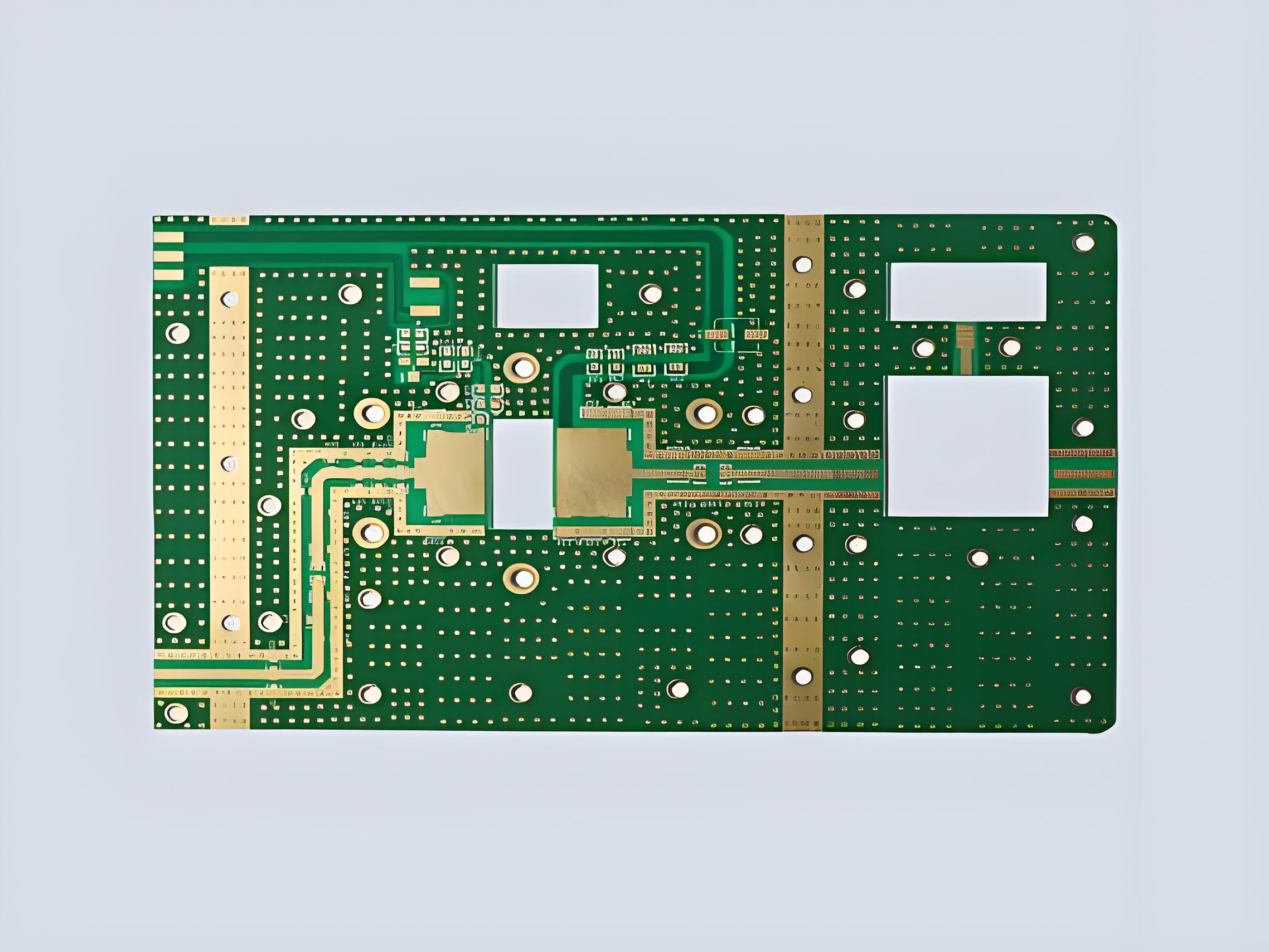
    Copper Plating PCB Manufacturer, 24 Hours Rapid Prototyping

    July 22nd, 2025

    What Is copper plating PCB? Let’s discover its meaning, benefits, application, plating methods and process through this blog.

    Are you worried about these issues?

    • How to solve the problem of uniformity of thick copper plate coating?
    • How to control the plating defects in the copper deposition process?
    • Can the plating cycle of high-layer boards be shortened?

    EBest Circuit (Best Technology) Can Provide:

    • Use pulse plating + intelligent temperature control system to achieve ≄95% plating uniformity.
    • Patented chemical solution formula, plating rate is less than 0.5ppm.
    • Vertical continuous plating production line, delivery time shortened by 30%.

    Welcome to contact us if you have any request for PCB: sales@bestpcbs.com.
    What Is Copper Plating PCB?

    Copper plating in PCB manufacturing creates conductive pathways by electrochemically depositing copper onto substrate surfaces. The process uses acid-copper sulfate solutions where direct current reduces copper ions into metallic form, building layers typically 0.5-3 mils thick for reliable current conduction.

    Modern techniques employ pulse-reverse current to achieve uniform deposition, especially in high-aspect-ratio vias, preventing defects while maintaining consistent thickness. The plating bath contains organic additives that refine copper grain structure to 0.2-0.8μm, improving conductivity and mechanical durability. Process parameters like current density (15-35 ASF), temperature (20-28°C), and copper concentration (40-60 g/L) are tightly controlled to meet industry standards for signal integrity and thermal reliability.

    What Is Copper Plating PCB?

    Advantages of Copper Plating PCB

    • Enhanced Conductivity: Copper purity exceeds 99.9%, reducing impedance by 15% compared to rolled copper foils for high-frequency signals (>10 GHz).
    • Structural Coverage Capability: Pulse plating achieves uniform ≄1μm coatings in through-holes, eliminating copper void defects.
    • Cost Efficiency: Enables ultra-thin 3-5μm conductive layers, cutting raw material costs by 20% versus foil lamination.
    • Thermal Management: Peel strength >1.5 N/mm with 30% improved CTE matching minimizes delamination at high temperatures.
    • Design Flexibility: Supports 50μm fine-line circuitry, increasing routing density by 40% over traditional etching.
    • Environmental Compliance: Cyanide-free process meets RoHS 3.0 standards, reducing wastewater treatment costs by 35%.
    • Repairability: Re-plating capability cuts repair expenses to 1/5 of foil replacement costs.
    Advantages of Copper Plating PCB

    Applications of Copper Plating PCB Board

    • High-Frequency Circuits – Enables stable signal transmission up to 40GHz for 5G/WiFi-6E applications due to ultra-smooth surface finish (Ra<0.3μm).
    • Power Electronics – Supports 20A/mm² current density in automotive/industrial PCBs through customizable thickness (30-300μm).
    • Miniaturized Devices – Allows 0.1mm micro-via filling for wearables/medical implants using bottom-up electroplating technology.
    • Thermal-Critical Systems – Provides 3D heat dissipation paths in LED/CPU substrates with 95% via-filling rate.
    • Flexible Electronics – Maintains conductivity after 100,000 bending cycles (r=3mm) for foldable displays.
    • High-Reliability Products – Eliminates CAF (conductive anodic filament) failure in aerospace/military PCBs through void-free plating.
    • Cost-Sensitive Applications – Reduces gold usage by 70% in edge connectors via selective copper-nickel-gold stacking.
    • High-Density Interconnects – Enables 15μm line/space in chip packaging substrates with additive plating process.
    • Harsh Environment Use – Withstands 1000hrs salt spray testing for marine/outdoor equipment applications.
    • RF Shielding – Creates seamless EMI cages around components through conformal cavity plating.

    PCB Copper Plating Methods

    Below are methods about PCB copper plating:

    • Pulse Plating – Enables 10:1 aspect ratio via filling with ±1μm thickness uniformity, reducing blind via void risk by 50%.
    • Direct Metallization – Eliminates electroless copper step, cutting process time 40% and wastewater treatment costs 60%.
    • Horizontal Plating – Processes ultra-thin 18μm substrates with ±0.3μm thickness tolerance, compatible with roll-to-roll production.
    • Selective Plating – Achieves localized 100μm thickness, reducing gold usage 70% for high-wear connectors.
    • Via Filling Plating – Ensures 100% void-free filling, improving thermal cycling performance 3x (MIL-STD-202G).
    • Electroless Copper – Covers 3D irregular structures at 8μm/h deposition rate, adhesion >1.2kN/m.
    • Pattern Plating – Forms 15μm fine traces with <5μm undercut, increasing routing density 30%.
    • Through-Hole Plating – Maintains ≄25μm copper thickness in 10:1 aspect ratio holes (IPC-6012 Class 3 compliant).
    • Masked Plating – Controls regional thickness variation within ±5%, reducing etchant consumption 35%.
    • High-Speed Plating – Operates at 10μm/min deposition rate, boosting productivity 5x for mass production.
    PCB Copper Plating Methods

    PCB Copper Plating Process

    1. Surface Preparationā€Œ

    • Microetchingā€Œ: Creates 1-3μm roughness for optimal adhesion (180° peel strength >8N/cm)
    • Degreasingā€Œ: Removes organic contaminants with <0.1mg/cm² residue

    2. Catalyst Applicationā€Œ

    • Palladium Activationā€Œ: Deposits 0.02-0.05μm catalytic layer for uniform initiation

    3. Electroless Copper Depositionā€Œ

    • Autocatalytic Processā€Œ: Builds 0.3-1μm seed layer at 15-25°C (deposition rate 4-6μm/hr)

    4. Electrolytic Platingā€Œ

    • DC Platingā€Œ: Standard 20-40μm build-up (current density 2-3ASD)
    • Pulse Platingā€Œ: For HDI boards (aspect ratio >8:1, thickness deviation ±5%)

    5. Via Filling Technologyā€Œ

    • Reverse Pulseā€Œ: Achieves void-free filling in ≤100μm microvias (fill time <60min)

    6. Post-Treatmentā€Œ

    • Anti-Tarnishā€Œ: Organic coating prevents oxidation (salt spray resistance >96hrs)
    • Annealingā€Œ: 180°C heat treatment improves ductility (elongation >15%)

    7. Quality Controlā€Œ

    • Cross-Section Analysisā€Œ: Measures thickness uniformity (IPC-6012 Class 3 compliant)
    • Pull Testingā€Œ: Verifies >1kN via barrel strength

    8. Waste Managementā€Œ

    • Closed-Loop Systemā€Œ: Recovers >95% copper from drag-out solutions
    • Each step includes measurable parameters directly impacting yield, reliability, and cost-efficiency.

    Why Choose EBest Circuit (Best Technology) as Copper Plating PCB Manufacturer?

    Reasons why choose EBest Circuit (Best Technology) as copper plating PCB manufacturer:

    • Various Surface Finishes: Support mixed finishes (like ENIG+OSP on one board) to reduce cost by 15-40%
    • 24-hour rapid prototyping: shorten the R&D cycle by 50% and accelerate product launch
    • 1 Piece MOQ: zero inventory risk, trial production cost reduced by 90%
    • Competitive & Transparent Pricing – No hidden costs, offering the best value without compromising quality.
    • Turnkey Solutions – Full-service PCB manufacturing from design to delivery, accelerating your product’s time-to-market.
    • ISO 14001/ISO 13485 certification: medical/automotive customers are exempt from secondary testing, and compliance costs are reduced by 30%
    • Free DFM (Design for Manufacturability) Analysis: Optimizes PCB layouts to reduce material waste, lower production costs, and avoid late-stage design revisions.
    Why Choose EBest Circuit (Best Technology) as Copper Plating PCB Manufacturer?

    Our Available Surface Treatment Types

    Hot Air Solder Leveling (HASL)ā€Œ

    • Typesā€Œ: Lead-free (environmentally friendly), Lead-containing (traditional).
    • Featuresā€Œ: Low cost, excellent solderability, suitable for PCBs with wide component spacing.
    • Limitationsā€Œ: Poor surface flatness, not suitable for high-density fine-pitch components.

    Organic Solderability Preservative (OSP)ā€Œ

    • Principleā€Œ: Forms an organic protective film on copper surfaces to prevent oxidation; environmentally friendly.
    • Advantagesā€Œ: Simple process, low cost, high surface flatness.
    • Applicationsā€Œ: High-frequency signal transmission and lead-free soldering scenarios.

    Electroless Nickel Immersion Gold (ENIG)ā€Œ

    • Structureā€Œ: Nickel layer (3-6μm) + Gold layer (0.05-0.15μm).
    • Advantagesā€Œ: Excellent flatness, strong corrosion resistance, ideal for high-end products (e.g., BGAs, smartphone motherboards).
    • Risksā€Œ: Potential “black pad” phenomenon (nickel layer corrosion) requiring process control.

    Immersion Silverā€Œ

    • Characteristicsā€Œ: Surface roughness <0.12μm, suitable for high-frequency signals (5G/mmWave).
    • Advantagesā€Œ: Excellent conductivity, fast processing, cost-effective.
    • Noteā€Œ: Requires sulfurization prevention and storage environment control.

    Immersion Tinā€Œ

    • Advantagesā€Œ: Wide soldering compatibility, lead-free, flat surface.
    • Limitationsā€Œ: Short storage life (typically ≤6 months), tin whisker control needed.

    Hard Gold Platingā€Œ

    • Applicationsā€Œ: High-wear scenarios (e.g., gold fingers, connectors).
    • Propertiesā€Œ: Gold thickness ≄0.3μm, withstands >10,000 insertion cycles.
    • Processā€Œ: Requires nickel underplating to prevent diffusion.

    Electroless Nickel Electroless Palladium Immersion Gold (ENEPIG)ā€Œ

    • Structureā€Œ: Nickel + Palladium + Gold triple layer, eliminates ENIG black pad defects.
    • Advantagesā€Œ: Strong thermal stability, suitable for multiple reflows and chip packaging.

    How to Get A Quote for Your PCB Project?

    PCB Specification Requirements

    1. Base Material Details

    • Board type (FR-4, high-frequency, flexible, etc.)
    • Thickness requirements (standard 1.6mm or specific)
    • Copper weight (e.g., 1oz, 2oz)

    2. Design Parameters

    • Quantity requirements (prototype/bulk)
    • Board dimensions (max/min size)
    • Layer count (single/double/multi-layer)
    • Minimum trace/space width
    • Hole specifications (plated/non-plated, sizes)

    3. Surface Treatment Selection (Reference our available options)

    • Preferred finish type
    • Special requirements (e.g., ENIG with >5μm nickel)
    • Edge connector treatment if applicable

    4. Special Processes

    • Impedance control requirements
    • Via treatment (tented, plugged, etc.)
    • Silkscreen/legend color
    • Solder mask color and type

    5. Testing & Certification

    • Electrical testing needs (flying probe, AOI)
    • IPC Class requirements
    • Special certifications (UL, RoHS, etc.)

    6. Delivery Requirements

    • Target delivery date
    • Packaging specifications
    • Shipping destination

    7. Additional Documentation (Attach if available)

    • Gerber files (RS-274X preferred)
    • Drill files
    • Stack-up diagram
    • Special instructions document

    Welcome to contact EBest Circuit (Best Technology) to get a free quote for your PCB project: sales@bestpcbs.com.
    How Important is OSP Surface Finish for HDI PCBs?

    July 21st, 2025

    OSP surface finishĀ is critical for HDI PCBs, especially when working with fine-pitch components and limited budget. It offers a flat, lead-free layer that keeps copper pads clean and solderable. That’s why many designers choose it for high-density layouts.

    EBest Circuit (Best Technology) is a China PCB factory, offering a variety of true quality PCBs, such as HDI PCBs, high Tg PCBs, high speed PCBs, extra thin PCBs, etc. With certifications like ISO 9001, IATF 16949, ISO 13485, and AS9100D, we have a major competitive edge for strict quality control. If you require any PCB or PCB assembly, just contact us via call at +86-755-2909-1601 or via email at sales@bestpcbs.com. Our team is on call at any moment.
    How Important is OSP Surface Finish for HDI PCBs?

    What is the OSP Surface Finish?

    OSP stands for Organic Solderability Preservative. It’s a water-based organic layer applied over bare copper. This coating keeps copper from oxidizing before soldering. During assembly, the OSP dissolves, allowing solder to form a clean joint. It’s simple, safe, and perfect for mass production.

    What is the OSP Surface Finish?

    What Are the Different PCB Surface Finish Types?

    There are several surface finish options in PCB manufacturing:

    • OSP:Ā Flat and affordable, ideal for HDI designs.
    • HASL:Ā Economical, but uneven for fine-pitch parts.
    • ENIG:Ā Smooth and reliable, but higher in cost.
    • Immersion Silver:Ā Great for signal integrity and RF use.
    • ENEPIG: Durable and wire-bondable, suitable for high-reliability and gold wire applications.

    Each has its purpose. OSP shines where planarity and cost-saving matter most.

    What is the Relationship: OSP Surface Finish vs PCB?

    TheĀ OSP surface finish vs PCBĀ relationship lies in solderability and flatness. HDI PCBs have tight space and small pads. OSP helps keep those copper pads flat and clean. That’s key for 0.3mm BGAs or 01005 parts. Plus, it’s lead-free and RoHS compliant.

    What is the Difference: HASL ENIG OSP Surface Finishing?

    Here’s a comparison:

    • HASL:Ā Tin-based, uneven finish. Not good for HDI.
    • ENIG:Ā Gold over nickel. Smooth, long-lasting, but costly.
    • OSP:Ā Organic layer. Flat, low-cost, but sensitive to heat and moisture.

    OSP is great when used right. For multi-reflow or harsh environments, ENIG may be better.

    Here’s a quick look:

    FinishFlatnessDurabilityCostBest For
    HASLLowMediumLowGeneral-purpose
    ENIGHighHighHighFine-pitch, critical zones
    OSPHighMedium-LowLowHDI, low-cycle reflow

    What is the OSP PCB Shelf Life?

    Normally,Ā OSP PCB shelf lifeĀ is 3 to 6 months. After that, oxidation may start. To avoid this, EBest Circuit (Best Technology) uses vacuum-sealed bags with desiccants. Our storage process keeps boards clean and dry for up to 9 months. We also recommend using them within 90 days for the best results.

    What is the OSP Surface Finish Process?

    The OSP surface finish process involves several precise steps:

    • Cleaning the copper pad: The surface must be free of oxidation, fingerprints, and oil. A thorough de-oiling step ensures uniform coating formation.
    • Micro-etching: Copper is etched by 1.0–1.5 μm to create a slightly rough surface, which improves coating adhesion.
    • Applying the organic coating: After etching, an organic layer is applied. The PCB is then rinsed with DI water, with pH strictly controlled between 4.0–7.0 to prevent damage to the coating.
    • Drying and curing: The board is dried at 60–90 °C for about 30 seconds. The exact time and temperature depend on the OSP chemistry used.
    • Solderability: The OSP layer thermally decomposes above 150 °C during soldering, exposing clean copper for reliable joint formation.

    This detailed process results in a flat, solderable surface that supports high-density assembly without additional complexity or cost.

    What is the OSP Surface Finish Process?

    How Thick is OSP Surface Finish?

    The typical thickness of OSP surface finish ranges from 0.2 to 0.5 μm, depending on the chemistry and application method. While 0.25 to 0.35 μm is a common range, it’s not the only standard. If the coating is too thin (below 0.2 μm), it may not offer adequate protection and can oxidize quickly. If it’s too thick (over 0.5 μm), it could hinder solder wetting. At EBest Circuit (Best Technology), we maintain strict control over the OSP thickness to ensure consistent solderability and long-term protection.

    What Are the Applications for PCB Surface Finish OSP?

    OSP is widely used in cost-sensitive and high-density designs, where flatness and affordability are key. Common applications include:

    • Consumer electronics: Remote controls, home appliances, and other high-volume, cost-driven products often use OSP for its affordability.
    • Wearables: Devices requiring lightweight, compact PCBs benefit from OSP, although it’s less ideal for assemblies requiring multiple reflows.
    • Tablets and smartphones: OSP supports the flat pad requirements of HDI boards, commonly found in mobile devices.
    • High-density boards: In PCBs with fine-pitch components or narrow spacing, OSP avoids bridging issues caused by thicker finishes like HASL.
    • General SMT assemblies: Any design where smooth, flat pads are needed to ensure reliable solder joints at a lower cost.

    However, OSP is not ideal for high-frequency signal boards (due to potential impedance variation) or assemblies requiring multiple reflow cycles, as the coating can degrade.

    Why Choose OSP for HDI PCBs?

    OSP is perfect for HDI. It’s flat, cheap, and lead-free. That’s a win for small components. But it does need care. At EBest Circuit (Best Technology), we’ve solved the main problems:

    • Thermal issues?Ā We use high-temp OSP that resists up to 3 reflows.
    • Short shelf life?Ā Our sealed packs extend life up to 9 months.
    • Scratches or oxidation?Ā Our handling uses trays and gloves only.
    • Visual checks?Ā We combine OSP for pads and ENIG for test points.

    With the right practices, OSP works beautifully—even for 01005s. We guide clients on reflow profiles, alloy choices, and pad design to get the best result every time.

    Why Choose OSP for HDI PCBs?

    All in all, OSP surface finishĀ is the right call for many HDI builds. It keeps costs down while giving solid results. But you need a partner who understands how to use it. That’s where EBest Circuit (Best Technology) leads. Our OSP+ solutions allow for better thermal handling and longer shelf life. Plus, with careful design and packaging, you avoid common issues before they happen.

    For designs with ≤3 reflows, OSP is a top choice. For mixed assemblies, hybrid OSP/ENIG works even better. A warm welcome to make a call to us at +86-755-2909-1601 to discuss more of your project details or email the Gerber files and your special requirements to us at sales@bestpcbs.com.
    How to Choose PCB Copper Thickness?

    July 21st, 2025

    Are you worried about how to choose PCB copper thickness? Let’s master PCB copper thickness selection to optimize circuit performance, current handling, and thermal reliability with this comprehensive guide.

    Are you troubled by these problems?

    • Uneven copper thickness leads to impedance loss? How to ensure high-frequency signal integrity?
    • Copper foil bubbles and falls off in high current scenarios? How to achieve both heat dissipation and reliability?
    • Copper thickness deviation exceeds 5% after lamination of multilayer boards? How to control mass production consistency?

    The Solution EBest Circuit (Best Technology) Can Provide:

    • Laser thickness measurement + dynamic compensation system – real-time control of etching parameters, copper thickness tolerance ±1.5μm.
    • Patented browning process – copper surface bonding strength increased by 60%, passed 3Ɨ288 hours salt spray test.
    • Full process thickness traceability – 20 parameters are recorded independently for each layer of board, and CPK value is stable ≄1.67.

    Welcome to contact us if you have any request for PCB design, manufacturing or assembly service: sales@bestpcbs.com.
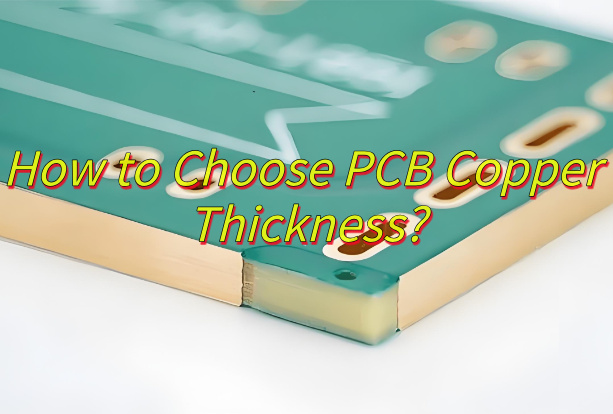
    What Is PCB Copper Thickness?

    PCB copper thickness refers to the physical dimension of the conductive copper layer applied to a substrate in printed circuit boards. This thickness is typically measured in ounces per square foot (oz), where 1 oz represents approximately 35 micrometers of pure copper deposited uniformly over one square foot area.

    It impacts current-carrying capability, heat dissipation, and mechanical resilience of the circuit. Common standardized thicknesses include 0.5 oz for high-frequency signals due to reduced losses, 1 oz for general digital circuits, and 2 oz or higher for power-intensive applications like automotive systems or industrial equipment, where enhanced current handling and thermal management are needed.

    What Is PCB Copper Thickness?

    PCB Copper Thickness Chart

    Copper Weight (oz)Thickness (μm)Max Current (10°C Rise)ApplicationsDesign Tips
    0.5 oz17.50.6A/mm widthHDI, RF, wearablesUse with 0.2-0.3mm traces for signal integrity
    1/3 oz (~0.33 oz)11.70.4A/mm widthUltra-thin flex PCBsAvoid >0.5A continuous current
    1 oz351A/mm widthStandard boardsDefault choice for power
    2 oz702.3A/mm widthPower suppliesReduces voltage drop by 50% vs 1oz
    ā€Œ15 ozā€Œ525ā€Œ15A/mm widthHeavy power busbars, EV chargingRequires ≄3mm trace width & plating support

    How to Choose PCB Copper Thickness?

    1. Calculate Current Capacity First

    • Use the IPC-2221 formula: Ī”T = (I² * R * t) / (k * A); Where Ī”T = temp rise, I = current, R = resistivity, t = trace thickness, k = thermal conductivity, A = cross-sectional area.
    • Why: Avoid over-engineering. 1oz (35μm) suits most digital circuits (≤3A), while 2oz+ (70μm+) is required for power traces (>5A).

    2. Match Signal Frequency to Copper Thickness

    • High-frequency (>1GHz): Use ≤1oz copper to minimize skin effect losses.
    • Low-frequency/Power: Opt for ≄2oz copper to reduce I²R losses.
    • Why: Balances signal integrity and thermal performance.

    3. Factor in Manufacturing Constraints

    • Standard PCBs: 0.5oz–4oz (17μm–140μm) is manufacturable.
    • Flex/Rigid-Flex: Use ≤1oz copper to prevent cracking during bending.
    • Why: Avoid costly redesigns by aligning with fab capabilities.

    4. Optimize Cost-Performance Ratio

    • 1oz Copper: Cost-effective for 80% of applications (consumer electronics).
    • 2oz–3oz Copper: +15–30% cost premium but critical for automotive/industrial.
    • Why: Saves 20–40% vs. over-specifying heavy copper.

    5. Thermal Management Strategy

    • High-Power Zones: Use thick copper (2oz+) or combine with thermal vias.
    • Heat Sinks: Embed heavy copper planes (≄3oz) for direct cooling.
    • Why: Reduces reliance on external cooling components.

    6. Impedance Control Requirements

    • Controlled Impedance Traces: Maintain consistent copper thickness (±10% tolerance).
    • Why: Ensures signal accuracy in RF/high-speed designs.
    How to Choose PCB Copper Thickness?

      How to Measure Copper Thickness on PCB?

      Five Methods about how to measure copper thickness on PCB:

      Quick Visual Inspection (No Tools)

      • Method: Check PCB surface color/texture.
      • Thin copper (≤1oz/35μm): Shiny, smooth finish (common in consumer electronics).
      • Thick copper (≄2oz/70μm): Matte, rougher texture (visible under angled light).
      • Why: Instantly identify gross mismatches (e.g., supplier claims 2oz but delivers 1oz).

      Conductive Pen + Multimeter (Low-Cost)

      • Tools: Conductive ink pen (20),multimeter(30).
      • Steps:
      1. Draw a 1cm² grid on a scrap PCB section.
      2. Measure resistance (R) across the grid.
      3. Use formula: Thickness (μm) = (Resistivity Ɨ Width Ɨ Length) / (R Ɨ Depth).
      4. (Assume resistivity of copper = 0.01724 Ω·mm²/m).
      5. Accuracy: ±10% (sufficient for basic QC).
      • Why: $50 setup costs, detects 50%+ thickness deviations.

      Cross-Section Sampling (Destructive)

      • Tools: Razor blade, microscope (smartphone macro lens works).
      • Steps:
      1. Cut a small PCB slice near the edge.
      2. Polish the cross-section with sandpaper (600→2000 grit).
      3. Measure copper layer height under microscope.
      4. Accuracy: ±2μm (if done carefully).
      5. Why: Confirms supplier claims using $0.50 in tools.

      Third-Party Lab Testing (Dispute Resolution)

      • Method: Send samples to accredited labs (e.g., SGS, Intertek).
      • Tests:
      1. XRF (50–100/sample) for non-destructive analysis.
      2. SEM/EDS (200–500) for sub-micron precision.
      • Why: Legal-grade evidence for supplier negotiations/lawsuits.

      In-Circuit Current Testing (Functional Validation)

      • Method:
      1. Run PCB at max rated current.
      2. Monitor temperature rise with IR thermometer.
      3. Compare with thermal models (e.g., Ī”T = I²R).
      4. Failure Sign: Localized hotspots indicate insufficient copper thickness.
      • Why: Validates real performance without measuring tools.
      How to Measure Copper Thickness on PCB?

        Conversion of PCB Copper Weight to Thickness

        1. Core Conversion Formula

        • Standard Rule: 1 oz/ft² = 1.37 mil (34.79 μm)

        2. Adjustments

        Post-Etching Thickness Loss:

          • Inner layers lose ~10% due to lamination (e.g., 2oz → ~62μm).
          • Outer layers lose ~5% after plating/etching.

          Surface Finish Impact:

          • ENIG adds 0.1–0.15 mil (2.5–3.8 μm) → Compensate in impedance calculations.

          3. Advanced Calculation Methods

          For Custom Weights:

          • Thickness (μm) = Weight (oz/ft²) Ɨ 34.79 Ɨ (1 – Etching Loss %)
          • Example: 3oz with 12% loss → 91.8 μm (vs. theoretical 104.4 μm).

            Current-Carrying Capacity:

            • Empirical correction for high temps:
            • Effective Thickness (μm) = Nominal Thickness Ɨ (1 – 0.003 Ɨ (T_actual – 25°C))

            4. Manufacturing Tolerance Alerts

              • IPC-4562 Class B Tolerance: ±10% (e.g., 1oz could be 31.3–38.3 μm).
              • Critical Design Tip: Always specify minimum thickness in fab notes (e.g., “2oz, min 60μm post-etch”).

              5. Cost vs. Performance Tradeoffs

                • Thicker Copper = Higher cost (+40% for 2oz, +120% for 3oz) but enables:
                • 2Ɨ current capacity (vs. 1oz at same temperature rise).
                • 30% lower thermal resistance.

                Relationship Between PCB Copper Thickness vs Current

                Insufficient Copper Thickness Risks Product Reliability

                • Issue: Thin copper layers struggle to handle current, leading to overheating.
                • Example: 1oz (35μm) copper carrying 5A → 45°C temperature rise (exceeds safe 30°C limits).
                • Benefit: Prevents field failures and costly repairs (up to $200+ per unit).

                Over-Specified Copper Wastes Budget

                  • Challenge: Unnecessarily thick copper increases costs by 15–40%.
                  ApplicationRecommended ThicknessCost vs 1oz (35μm)
                  Low-Power (<3A)1ozBase cost
                  Industrial (5A)2oz+18%
                  High-Power (10A)3oz+35%
                  • Benefit: Optimizes cost by matching thickness to actual current needs.

                  IPC-2221 Formula: Data-Driven Calculation

                    • Formula:Ā I = k Ɨ (Ī”T)^0.44 Ɨ (A)^0.725
                    • IĀ = Current (A)
                    • kĀ = 0.048 (external traces), 0.024 (internal traces)
                    • Ī”TĀ = Allowable temperature rise (keep ≤30°C)
                    • AĀ = Cross-sectional area (mm²) =Ā Thickness (μm) Ɨ Trace Width (mm) / 1000
                    • Benefit: Quickly calculate minimum copper thickness (e.g., 5A/5mm trace → 2oz required); Avoids under-engineering (risks) or over-engineering (costs).

                    Supplier Accuracy: Verify Thickness Claims

                      • Risk: Some manufacturers use thinner “rolled copper” than advertised.
                      • Solutions: Low-Cost Validation: Use a conductive pen + multimeter (formula:Ā Thickness (μm) = 0.01724 Ɨ Trace Width (mm) / (Resistance Ɨ Trace Length (mm))).
                      • High-Precision Validation: Third-party XRF testing (50–100/sample).
                      • Benefit: Ensures labeled thickness matches reality, avoiding hidden quality issues.

                      Client Action Checklist

                        • Design Phase: Use IPC formula to calculate thickness + 20% safety buffer.
                        • Procurement: Specify tolerance in contracts (e.g., “2oz ±0.2oz”).
                        • Incoming Inspection: Randomly test 1% of batches with conductive pen.
                        • Dispute Resolution: Present third-party reports to enforce warranties.

                        PCB Copper Thickness Calculator

                        ToolFeaturesBest For
                        Saturn PCB Toolkit• IPC-2152 compliant
                        • Auto-derating
                        • Impedance modeling
                        Power electronics
                        EEWeb Online Calculator• Temperature rise graphs
                        • Exportable reports
                        • Mobile-friendly
                        Quick field checks
                        Altium Integrated Tool• Real-time DRC
                        • Multi-layer analysis
                        • 3D thermal simulation
                        Altium users

                        Welcome to contact EBest Circuit (Best Technology) if you need to calculate PCB copper thickness: sales@bestpcbs.com.