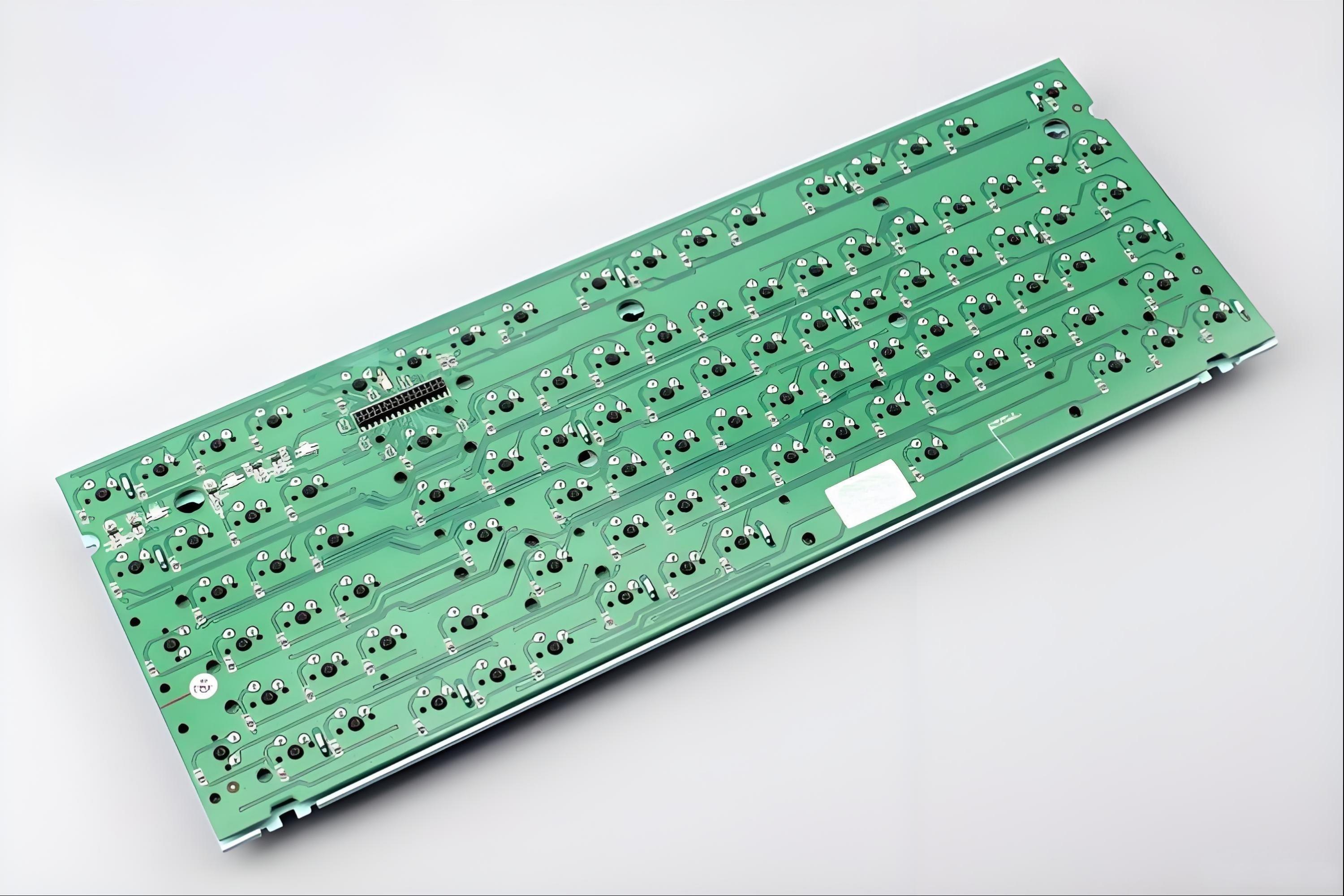
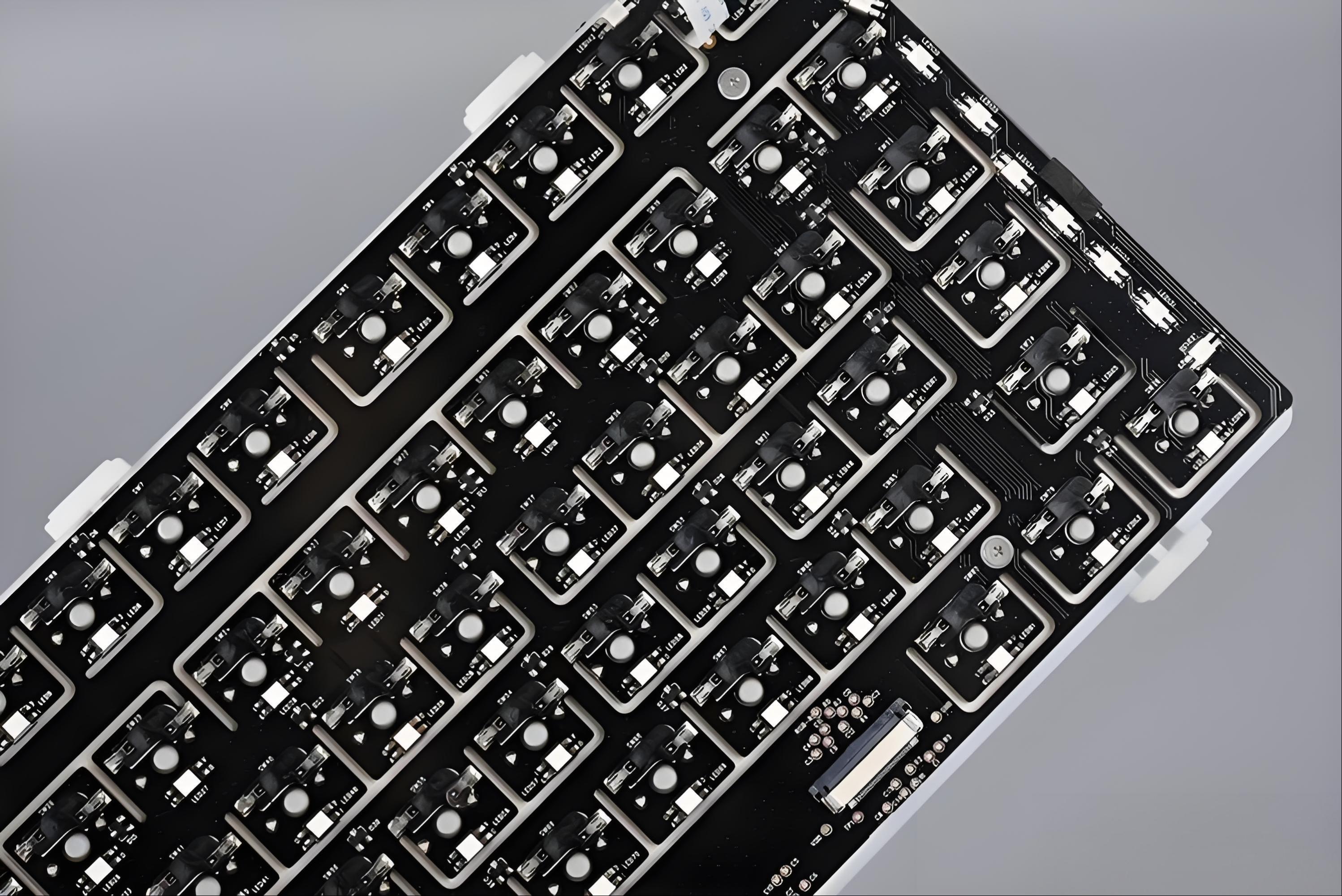
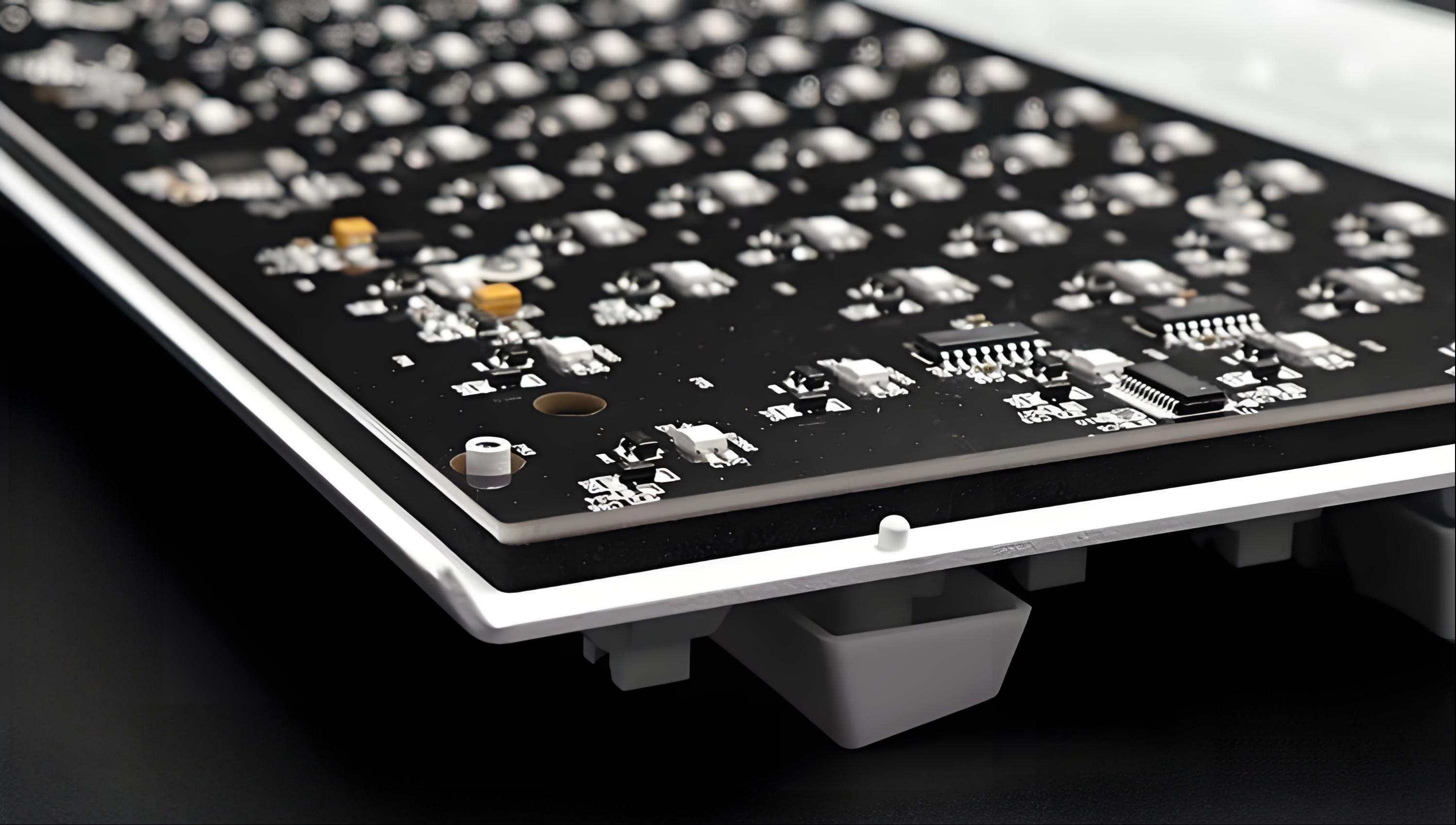
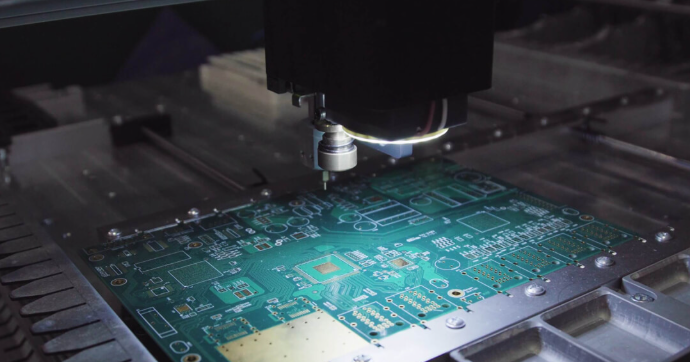
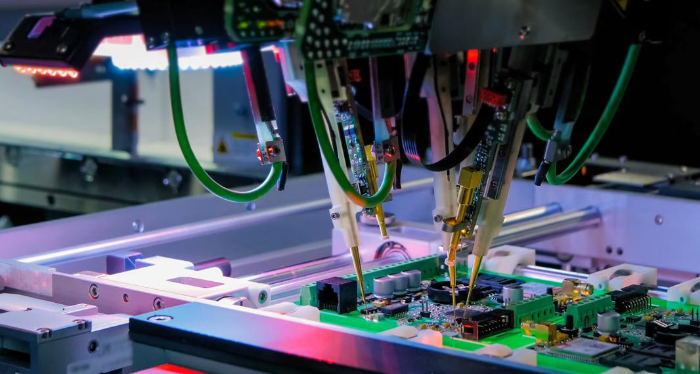
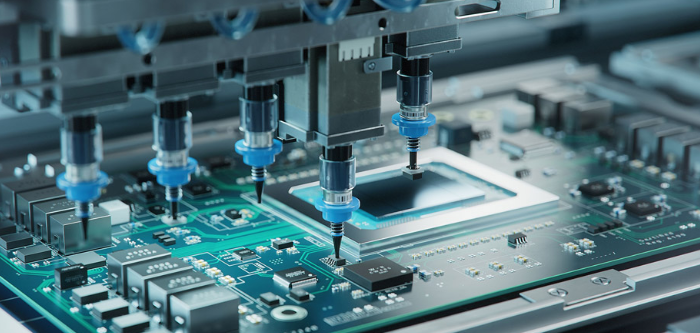
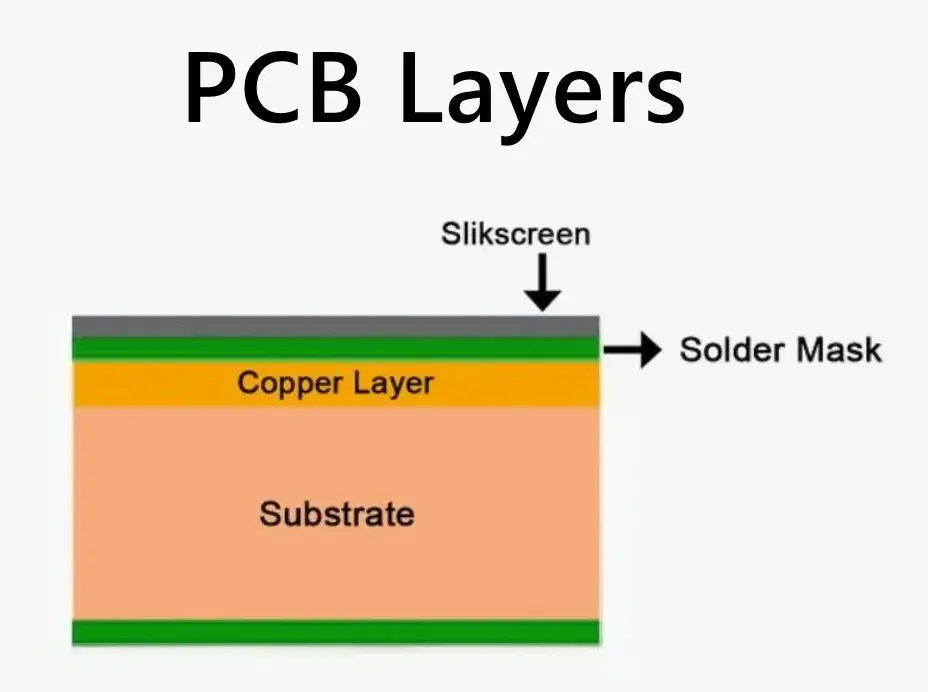
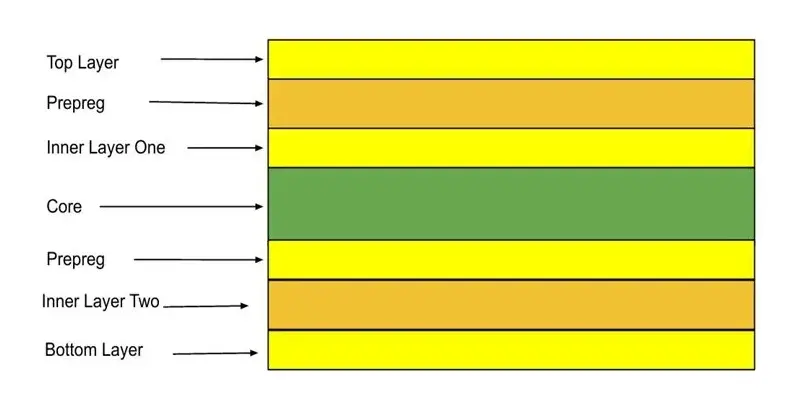
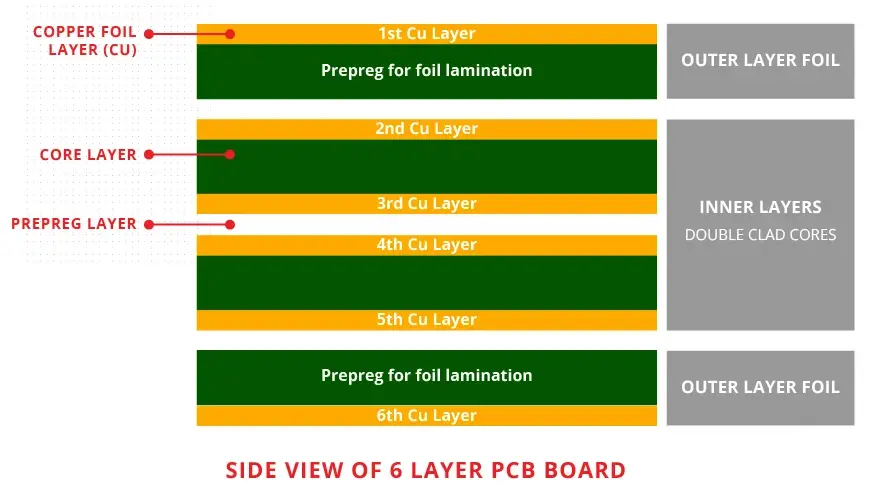
The typical solder temperature for PCBs is 240â to 270â for lead-free soldering, and 240âto 260â for lead-based soldering.
If you’re building or repairing a PCB, knowing the right soldering temperature is key. It keeps your components safe and ensures strong connections. The temperature you use depends on the type of solder and the method. In this blog, weâll break down everything you need to know about solder temperatures for PCBs.
Why Solder Temperature Matters in PCB Work?
When working with printed circuit boards, one of the most critical factors for quality and reliability is soldering temperature. Whether you’re assembling prototypes, repairing a PCB, or managing high-volume production, knowing the right temperature is essential for success.
Too low, and the solder wonât melt properly. Too high, and you might damage the board or components. Accurate temperature helps create reliable joints and avoids costly rework. It also protects sensitive parts from overheating.
Solder temperature affects not only how well the joints form but also how long your product will last in real-world use. In this blog, weâll explore the ideal soldering temperatures for different solders and methodsâand how to avoid costly mistakes.
What Determines Soldering Temperature?
Soldering temperature is not a fixed value. It depends on several key factors:
Type of solder alloy (leaded or lead-free)
Soldering process (manual, reflow, wave)
PCB material (standard FR-4, high-Tg, ceramic, etc.)
Component sensitivity
Ambient factory temperature and humidity
Each variable impacts how heat should be applied to the board. Applying the right temperature at the right time ensures the best wetting, strong mechanical bonds, and excellent electrical contact.
Solder Types and Their Melting Temperatures
Lead-Based Solder (e.g., Sn63/Pb37)
Melting point: 183°C
Typical working temperature: 240°C to 260°C
Benefits: Good wetting, lower processing temperature
Drawbacks: Contains lead; banned in many consumer products (RoHS compliance)
Lead-based solder is often used in military, aerospace, or industrial environments where reliability outweighs regulatory restrictions. Itâs easier to work with and provides strong joints with less thermal stress on components.
Lead-free solder has become the standard in modern electronics manufacturing due to environmental regulations. However, it requires precise control of temperature and time to ensure quality results.
Soldering Methods and Their Temperature Profiles
Letâs explore how soldering temperatures vary across different processes used in PCB manufacturing and assembly.
1. Reflow Soldering
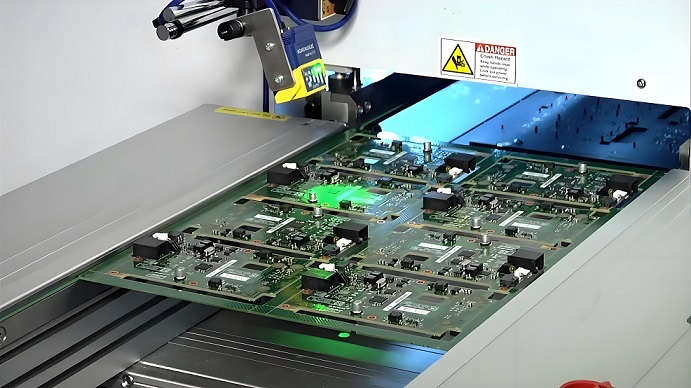
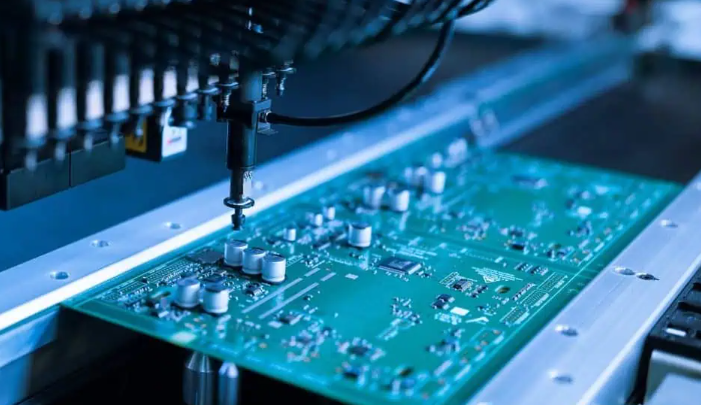
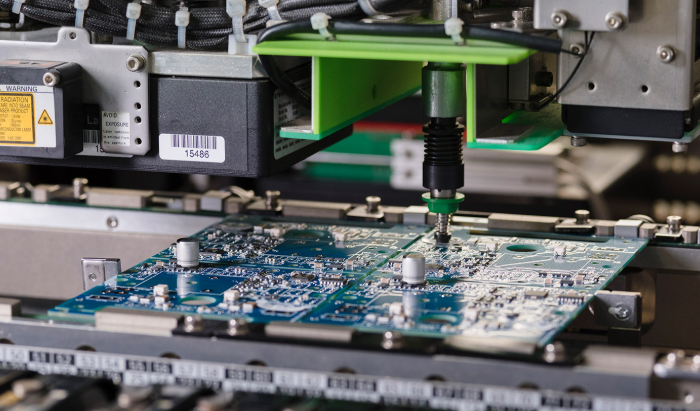
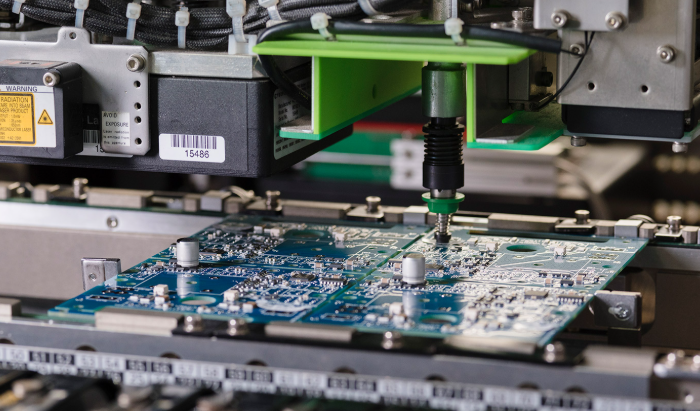
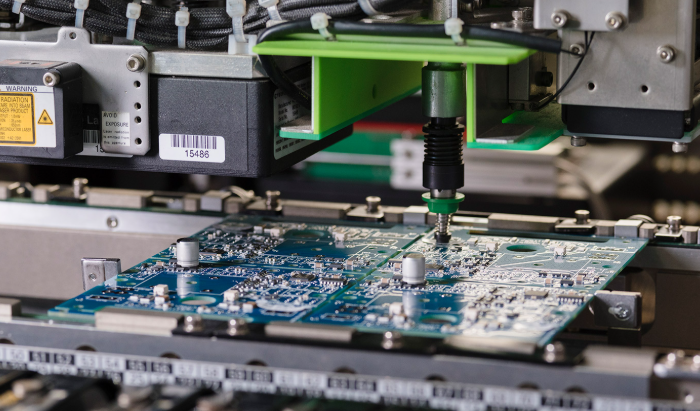
Reflow soldering is the most common method for assembling surface-mount components. A solder paste (a mix of powdered solder and flux) is applied to the PCB, and components are placed on top. Then, the board goes through a reflow oven with controlled temperature zones.
Reflow Temperature Profile (Lead-Free):
Preheat: 150°Câ180°C for 60â120 seconds
Soak: 180°Câ200°C for 60â90 seconds
Reflow Peak: 240°Câ250°C for 30â60 seconds
Cool-down: Controlled descent to room temperature
Reflow Temperature Profile (Lead-Based):
Preheat: 120°Câ150°C
Soak: 150°Câ180°C
Reflow Peak: 210°Câ230°C
Cool-down: Gradual cooling to avoid thermal shock
The peak temperature should not exceed the maximum rating of components, and the time above liquidus (TAL) must be kept short to avoid damaging the board.
2. Wave Soldering
Wave soldering is widely used for through-hole assemblies and some mixed-technology PCBs. The board passes over a wave of molten solder.
Lead-Based Solder: 245°Câ255°C
Lead-Free Solder: 260°Câ270°C
Before reaching the solder wave, the PCB is preheated to about 100°Câ150°C to prevent thermal shock and improve solder wetting. Flux is applied before the preheat stage to clean and prepare pads.
3. Hand Soldering
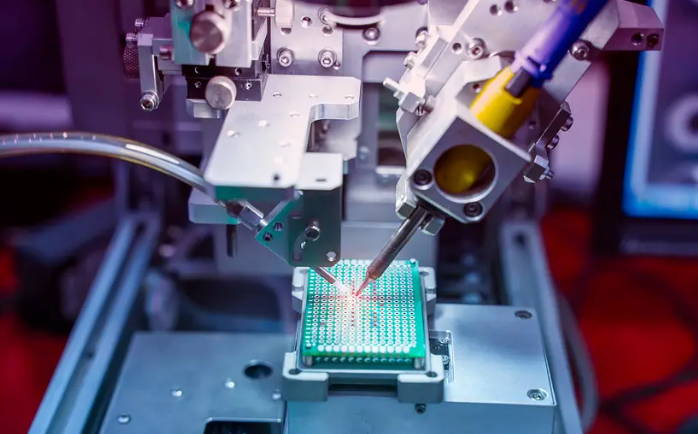
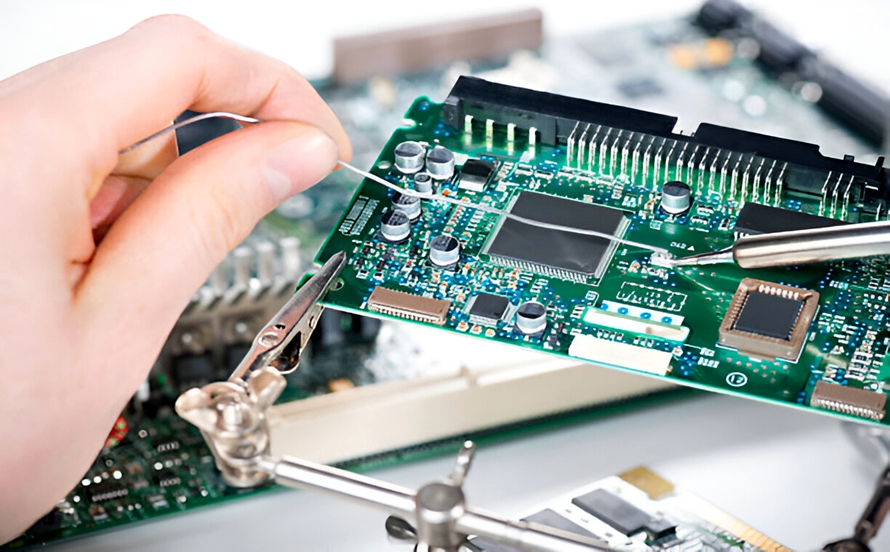
Hand soldering is still widely used in prototyping, repair work, or in low-volume custom assemblies. It uses a soldering iron with a temperature-controlled tip. Recommended tip temperatures:
Lead-Based Solder: 330°C to 370°C
Lead-Free Solder: 350°C to 400°C
While this may seem high, actual contact time is very short (1â3 seconds). A good soldering station will allow precise control and thermal recovery. Operators must avoid overheating pads or components.
Does the PCB Material Affect Soldering Temperature?
YesâPCB material plays a major role in how much heat it can tolerate.
FR-4 (Standard)
Can handle up to 260°C for short durations
Common for most consumer and industrial PCBs
High-Tg FR-4
Higher glass transition temperature (Tg ~170°C to 180°C)
More stable under high thermal stress
Ideal for lead-free soldering or multilayer boards
Ceramic PCBs (Alumina, Aluminum Nitride)
Extremely high thermal stability
Can endure 300°C+ without damage
Requires more precise soldering to avoid cracking
Metal Core PCBs (Aluminum, Copper Core PCB)
Withstand up to 260°C for short durations
High thermal conductivity due to the metal core
Used in: Power electronics, lighting, and automotive control
Aluminum boards dissipate heat quickly, which helps during soldering. However, the uneven expansion between the metal and dielectric layer requires careful control to avoid mechanical stress during reflow.
Flex Circuits (Flexible PCBs)
Max soldering temperature: Typically <250°C
Material: Polyimide or PET base
Critical risk: Heat can distort, shrink, or damage traces
Flexible PCBs are more heat-sensitive than rigid boards. The polyimide or PET base can tolerate soldering but has lower thermal mass, which means it heats upâand cools downâfaster. Excessive temperature or contact time can easily cause:
Wrinkling or warping
Delamination of copper traces
Tearing at bend areas
When soldering flex circuits:
Use lower reflow peak temperatures, typically not exceeding 240°Câ245°C.
Apply thermal barriers or stiffeners in vulnerable areas.
Ensure the heating and cooling are gradual to prevent mechanical stress.
Flex PCBs often use selective soldering or low-temperature solders to reduce heat exposure. In some cases, hot-bar soldering or laser soldering is used for better temperature precision.
Common Soldering Issues Related to Temperature
Issue
Cause
Prevention
Cold joints
Temp too low
Raise temperature or improve heat transfer
Component damage
Temp too high or too long
Shorten dwell time, use proper profiling
Solder bridges
Excess solder, poor control
Use precise stencil and paste volume
PCB delamination
Overheating
Stay below boardâs Tg and Td
Cracked joints
Thermal shock during cooling
Use controlled cooling stage
Why Choose Best Technologyâs PCB Soldering Service?
At Best Technology, we ensure every PCB assembly follows strict soldering standards. Our team uses professional thermal profiling tools to fine-tune the temperature curve for each product.
We support:
RoHS-compliant lead-free soldering
Lead-based solder for specialized industries
High-Tg and ceramic PCBs
Automated reflow and wave soldering
Manual soldering by IPC-trained operators
Suppose you have any questions about our products and service, price, MOQ, delivery, location, quality standards, certificates, engineering support and so on. We offer engineering support, thermal profiling, and high-quality PCB manufacturing for all your assembly needs. Please contact us freely any time. We aim to be the best PCB manufacturers in China to supply our customers with the best quality, price, and services. Contact us right now to discuss your next PCB project or to request a quote!
FAQs
1. What is the ideal soldering temperature for lead-free solder?
A peak reflow temperature of 245°Câ250°C is typical. Manual soldering may require a tip temp of 350°Câ370°C.
2. Can I use the same temperature for leaded and lead-free solder?
No. Lead-free solder needs a higher temperature due to its higher melting point.
3. Will high soldering temperatures damage my PCB?
If temperatures are too high or sustained too long, they can cause delamination, burnt pads, or component failure. Use proper profiling.
4. Whatâs the difference between peak temperature and tip temperature?
Peak temperature is the highest board temp during reflow. Tip temperature is the ironâs surface heat during manual soldering.
5. How can Best Technology help with soldering specifications?
We provide detailed thermal profiles, component-safe soldering, and high-reliability assembly for all PCB types.
Isola 370HR is a well-established choice for engineers who need a durable, high-frequency compatible PCB base material. Its high Tg, low loss, and excellent reliability make it suitable for everything from aerospace to telecommunications.
If you’re working on a complex design or RF application, switching to Isola 370HR PCB materials might be the upgrade you need. And with a reliable partner like Best Technology, you’re assured of quality from the first prototype to volume production.
What Is Isola 370HR Material?
Isola 370HR is a high-performance, high-Tg epoxy laminate and prepreg system developed by Isola Group. Designed specifically for multilayer printed circuit boards, it offers a great balance between electrical stability and thermal durability. Itâs classified as a high-Tg FR4 material but provides better signal handling and thermal behavior compared to standard FR4.
Isola engineered this material for demanding sectors like telecommunications, data networking, and military electronics. Its low dielectric loss and stable performance across a wide frequency range make it suitable for modern high-speed circuits.
Advantages of Using Isola 370HR in PCB Manufacturing
Choosing Isola 370HR for your PCB manufacturing brings several key benefits that directly impact the performance and reliability of your finished products:
Superior Thermal Stability: With a high glass transition temperature (~180°C), Isola 370HR withstands the high temperatures of lead-free soldering and multiple reflow cycles without warping or delamination.
Low Dielectric Loss: This material minimizes signal loss at high frequencies, making it perfect for RF circuits and high-speed digital designs.
Excellent Signal Integrity: Stable dielectric constant (Dk) across frequency ranges means consistent signal propagation and reduced timing errors.
Enhanced Moisture and CAF Resistance: Improved resistance to moisture-induced failures helps maintain long-term reliability, especially in humid or harsh environments.
Dimensional Stability: Reduced Z-axis expansion ensures layers stay aligned during manufacturing and operation, critical for multilayer PCBs.
IPC Compliance: Isola 370HR meets rigorous industry standards, ensuring compatibility with demanding aerospace, automotive, and medical applications.
RoHS and Environmental Compliance: Fully compliant with environmental regulations, supporting green manufacturing practices.
ISOLA 370HR Datasheet
Property
Typical Value
Test Method / Notes
Glass Transition Temperature (Tg)
180°C (DSC)
Differential Scanning Calorimetry
Decomposition Temperature (Td)
>340°C
TGA (Thermogravimetric Analysis)
Dielectric Constant (Dk)
4.04 @ 1 GHz
IPC-TM-650 2.5.5.5
Dissipation Factor (Df)
0.0127 @ 1 GHz
IPC-TM-650 2.5.5.5
Coefficient of Thermal Expansion (CTE)
15 ppm/°C (X-Y), 65 ppm/°C (Z)
IPC-TM-650 2.4.24
Thermal Conductivity
0.4 W/m·K
ASTM E1461
Tensile Strength
24,000 psi
IPC-TM-650 2.4.18
Flexural Strength
32,000 psi
IPC-TM-650 2.4.4
Water Absorption
<0.10%
IPC-TM-650 2.6.2.1
Flammability Rating
UL 94 V-0
UL 94
Copper Peel Strength
>1.0 lbs/inch
IPC-TM-650 2.4.8
Surface Resistivity
>1×10^6 ohms
ASTM D257
Volume Resistivity
>1×10^9 ohm-cm
ASTM D257
Dielectric Breakdown Voltage
>50 kV/mm
IPC-TM-650 2.5.6
What Is the Difference Between FR4 and 370HR?
While both standard FR4 and Isola 370HR are epoxy-based materials widely used in PCB manufacturing, they differ significantly in performanceâespecially when it comes to high-speed and high-frequency applications.
Standard FR4 is the go-to material for many general-purpose PCBs. It offers decent mechanical strength, good manufacturability, and cost-effectiveness for everyday electronics. However, its glass transition temperature (Tg) typically ranges from 130°C to 140°C, and it has relatively higher dielectric loss (Df). These limitations can cause signal degradation and reliability issues in circuits operating at higher frequencies or elevated temperatures.
In contrast, Isola 370HR is a high-Tg FR4 variant designed to meet the demands of more challenging environments. Its Tg is around 180°C, which provides superior thermal stability during lead-free soldering and extended use in high-temperature settings. More importantly, it exhibits a lower dielectric constant (Dk) and dissipation factor (Df), which translates to lower signal loss and better signal integrity at microwave and radio frequencies.
Why Isola 370HR PCBs Are Suitable for High Frequency Applications?
As electronic devices evolve to support faster data rates, the performance of PCB materials under high-frequency conditions has become a serious concern. This is where Isola 370HR PCB materials shine.
Its consistent dielectric constant (Dk) and low dissipation factor (Df) ensure that high-frequency signals do not lose strength or become distorted. Thatâs a major reason why 370HR is used in:
Gigabit Ethernet systems
High-speed backplanes
Automotive radar systems
Satellite communications
Advanced test equipment
Its ability to handle GHz-level signals without distortion helps maintain data accuracy and reduces EMI-related issues.
When to Choose Isola 370HR Material for Your PCB?
You might consider Isola 370HR when your design falls into any of the following categories:
High-speed or RF designs: If your circuit runs at over 1 GHz, this material can preserve signal quality.
Multilayer PCBs: When stacking 8 or more layers, 370HR offers great registration control and stability.
Thermal stress tolerance: It performs reliably through multiple reflow cycles and temperature extremes.
CAF-resistant needs: Ideal for products exposed to moisture or long-term outdoor use.
Strict industry compliance: It meets IPC-4101/126 and 129, as well as UL and RoHS requirements.
Choosing this material isnât just about performanceâitâs about peace of mind over the productâs lifecycle.
How to Identify Genuine Isola 370HR PCB Material?
To avoid counterfeit materials or unverified substitutions, itâs important to:
Request the original datasheet with the Isola logo and batch number.
Check board markings for Isola brand identification or laminate codes.
Work with certified suppliers who purchase directly from Isola or its authorized distributors.
Ask for certification documents, especially if your application is regulated by aerospace or medical standards.
Genuine Isola 370HR PCB materials ensure consistency in production and performance.
Typical Applications of Isola 370HR in PCB Design
Here are common industries and devices where Isola 370HR is frequently used:
Telecommunications: High-speed switches, routers, and fiber optic systems.
Aerospace and Defense: Radar, avionics, satellite boards.
Medical Equipment: Imaging devices, patient monitoring systems.
Automotive: Advanced driver-assistance systems (ADAS), LiDAR modules.
Industrial Automation: Motor controls, power management systems.
Designers across these sectors rely on its thermal reliability and signal control to reduce field failures.
What Is the Equivalent of Isola 370HR?
While Isola 370HR is a preferred material, there are other options that offer similar characteristics. Hereâs how some alternatives compare:
Material Name
Tg (°C)
Df @ 1GHz
Notable Feature
Nelco N4000-13EP
~180
~0.013
Known for stability
Panasonic MEGTRON 6
~185
~0.0025
Ultra-low loss, but expensive
Ventec VT-47
~180
~0.014
Cost-effective option
If you need better electrical performance than 370HR, MEGTRON 6 is a great choice. For general high-frequency use with cost control, 370HR remains the most balanced option.
Why Choose Best Technology for Isola 370HR PCB Manufacturing?
With over 18 years of experience in printed circuit boards and as one of the leading PCB manufacturers, we support over 1,000 customers in different industrial areas worldwide. You can count on a PCB board manufacturer like us to meet your one-stop electronics manufacturing demands.
We are your one-stop PCB manufacturer in China who can meet all your diversified PCB requirements. We have an experienced engineering, production, and quality team that fully understands the unique needs of your industryâespecially in medical, automotive, and aerospace applications. As a printed circuit board manufacturer, we always follow the most widely accepted standards in the industry: IPC-A-600 for fabrication and IPC-A-610 for PCB assembly. All our products meet IPC Class 2 by default, and we can also meet Class 3 or 3A when your application requires it.
If you have any questions about our products, services, pricing, lead times, quality control, certifications, or technical support, please feel free to contact us anytime. Our goal is to be one of the best PCB manufacturers in China, offering exceptional quality, fair pricing, and professional service.
FAQs
1. Is Isola 370HR good for RF applications?
Yes, it offers low dielectric loss and stable Dk, perfect for high-frequency circuits.
2. How is Isola 370HR different from standard FR4?
It has higher Tg, better thermal stability, and lower signal loss.
3. What industries use Isola 370HR PCB materials?
Telecom, automotive, aerospace, medical, and industrial electronics.
4. Can Isola 370HR support lead-free assembly?
Yes, itâs fully compatible with RoHS and lead-free soldering processes.
5. Where can I get a quote for Isola 370HR PCB fabrication?
Contact Best Technology for fast, custom quotes and expert support.
High speed PCB routing plays a critical role in signal integrity, system performance, and EMI control. When designing boards that operate at higher frequencies or faster edge rates, simple routing mistakes can lead to severe issuesâsuch as signal reflections, timing delays, and crosstalk.
To help engineers and designers avoid these common pitfalls, weâve outlined the 11 most effective high-speed PCB routing practices to keep your circuits stable and reliable.
1. Use Short and Direct Signal Paths
In high-speed designs, longer traces become transmission lines. This causes delays and possible signal degradation. The longer the path, the more distortion your signal might encounter. Thatâs why you should keep all critical netsâlike clocks, differential pairs, and high-speed data linesâas short and direct as possible.
For example, a 2-inch trace might seem negligible, but at 5Gbps speeds, even a small delay could impact timing budgets. The best routing practice is to go from point A to point B without meandering.
Choose the correct trace width based on the PCB stackup.
Keep dielectric thickness uniform.
Avoid inconsistent copper weights.
Best Technology helps you calculate and verify impedance before production using simulation tools and TDR measurements.
3. Avoid 90-Degree Trace Bends
Sharp bends look neat, but at high frequencies, they act like mini antennas. A 90-degree corner changes the trace width at the bend, creating impedance discontinuity and increasing EMI.
Instead of sharp corners, route traces using:
Two 45-degree angles
Or a smooth arc
This method maintains uniform impedance, reduces reflections, and looks cleaner from a manufacturing standpoint.
4. Implement Solid and Continuous Ground Planes
Every signal needs a return path, and that path usually travels directly under the trace on the ground plane. If that plane is broken or has cutouts, the return path becomes longer and induces unwanted noise.
To fix this:
Place a solid, unbroken ground plane beneath high-speed layers.
Avoid crossing plane splits with high-speed signals.
Minimize layer transitions that force return paths to detour.
Best Technology uses dedicated ground planes and simulation validation to ensure return paths are uninterrupted.
5. Match Lengths of Differential Pairs
Differential pairs, such as USB, HDMI, or LVDS lines, must be length-matched to prevent signal skew. If one trace is longer than the other, the timing mismatch can cause errors.
Some tips:
Match lengths to within a few mils.
Maintain consistent spacing (edge-to-edge).
Route them together, avoiding different layers unless absolutely needed.
At Best Technology, we support tight differential pair matching down to ±5 mil during production.
6. Minimize the Use of Vias
Every via adds capacitance and inductance, which degrades signal quality. High-speed signals donât like jumping between layers unless absolutely necessary.
If you must use vias:
Keep them short and consistent.
Avoid unnecessary layer transitions.
Use via stitching to maintain continuous return paths.
Our engineering team optimizes via placement and offers blind and buried vias for complex HDI boards to reduce signal loss.
7. Use Proper Termination Techniques
Termination prevents reflections and stabilizes high-speed signals. Whether itâs series, parallel, or AC termination, it depends on your driver and load setup.
For instance:
Series termination works well for point-to-point connections.
Parallel termination helps in multi-drop setups.
Improper termination can cause overshoot, ringing, or logic errors. We assist customers in selecting proper termination resistors during DFM review.
8. Isolate Analog and Digital Grounds
Mixing analog and digital signals is risky. Digital circuits generate switching noise that can interfere with sensitive analog components.
Good layout practices include:
Keeping analog and digital circuits physically separated.
Avoiding crossover between analog and digital return paths.
Using ground islands connected at a single point if necessary.
Our layout reviews always evaluate signal isolation to avoid interference in mixed-signal boards.
9. Route Differential Pairs Together
Differential pairs must be routed together, in parallel, and on the same layer. If one signal strays away or loops, it creates an imbalance, which defeats the benefit of differential signaling.
Also:
Avoid routing them across split planes.
Keep them tightly coupled (consistent spacing).
Avoid fan-out unless necessary at termination points.
Our advanced PCB manufacturing equipment keeps tight trace spacing and alignment even on high-density interconnects (HDI).
10. Observe Return Current Paths
High-speed return currents donât follow the shortest pathâthey follow the path of least inductance, usually right beneath the trace.
Interrupting that path causes:
Ground loops
Crosstalk
Increased EMI
To prevent this:
Avoid crossing plane splits with signal traces.
Use stitching vias to keep the return path near.
Place decoupling capacitors close to where the signal changes layer.
We validate return paths during layout verification using signal integrity tools.
11. Use Stitching Capacitors and Ground Vias
To suppress high-frequency noise and EMI:
Use stitching capacitors between power and ground.
Place ground vias near signal transitions and connectors.
These components act like firewalls, keeping noise from traveling across the board.
We help customers determine the best placement for decoupling caps and ground stitching to maintain signal purity.
Why Trust Best Technology for Your High-Speed PCB Projects?
At Best Technology, we specialize in advanced PCB manufacturing and assembly solutions, supporting industries like automotive, aerospace, medical, and telecom. With ISO-certifications, we bring rigorous quality control to every project.
Since its establishment in 2006 as a printed circuit board manufacturer, Best Technology has focused on high-quality, low to medium-volume PCB fabrication, PCB assembly and electronics manufacturing. Our products and services include 1-40 layers printed circuit boards, thru-hole assembly, SMT assembly including BGA assembly, components sourcing, turnkey box build and electronic product development. Whether you need quick-turn prototypes or volume production with controlled impedance, we’re your reliable partner in high-speed design.
Want Reliable High-Speed PCBs? Contact Best Technology Today!
High-speed PCB design is more than just routingâitâs about understanding physics, signal behavior, and layout strategy. At Best Technology, we not only manufacture your boards, but also optimize them for real-world performance.
Whether you need HDI PCBs, controlled impedance, differential pair routing, or quick prototypes, our team is ready to help.
👉 Letâs turn your next design into a high-speed success. Contact us now to get a quote or design consultation!
Frequently Asked Questions (FAQs)
1. What is considered a high-speed signal in PCB design?
Any signal with a rise/fall time below 1ns or operating above 100MHz is considered high-speed, as it starts behaving like a transmission line.
2. Can I use auto-routing for high-speed signals?
Auto-routers are not recommended for high-speed nets. Manual routing provides better control over trace length, impedance, and matching.
3. What is skew in differential pairs?
Skew refers to the time delay between the two signals in a differential pair. Skew can cause data errors and must be minimized.
4. How do I calculate trace impedance?
Trace impedance depends on trace width, thickness, dielectric height, and PCB material. Use online calculators or simulation tools like Polar or Altium.
5. Can I run high-speed signals on outer layers?
Itâs better to route high-speed signals on internal layers between solid ground planes to reduce EMI and maintain impedance.
Struggling with waterproof circuit board failures in harsh environments? This guide covers prototyping essentials from material selection to cost-performance optimization for reliable waterproof PCBs.
Waiting for samples for a long time? – 24-hour lightning delivery, 5 times faster than peers
Waterproof does not meet the standard? – Triple protection process, 72-hour salt spray test zero failure
Small batch cost is high? – Shared engineering fee model, free mold opening fee within 5 pieces
Mass production conversion is difficult? – Use the same equipment and process for mass production, yield deviation <0.5%
Best Technology provide
Ultra-fast sample service – 24-hour ultra-fast delivery process, tracking the whole process from document confirmation to finished product shipment
Full process support – Nano-level three-proof paint spraying process, passed IP68 waterproof test
Intelligent detection system – Automatic optical inspection (AOI) + manual re-inspection double insurance, first sample pass rate 99.2%
Full process support – Free DFM analysis + engineering confirmation to ensure the design is successful at the first time
Let every waterproof circuit board withstand the test of extreme environments! Contact us now: sales@bestpcbs.com.
What Is Waterproof Circuit Board?
A waterproof circuit boardis a printed circuit board engineered to resist water, moisture, and other liquids, preventing damage such as electrical shorts, corrosion, or component failure. Often essential in environments like outdoor electronics, marine systems, or medical devices, it ensures electronics operate reliably despite exposure to wet conditions.
Achieving this involves protective methods, for example, applying conformal coatingsâthin protective films made from materials like silicone or acrylicâthat cover components to repel water. Alternatively, potting compounds encapsulate the entire board in a solid barrier, while design features such as sealed enclosures or gaskets enhance resistance. These approaches help maintain functionality in demanding applications, from automotive sensors to industrial controls.
How to Waterproof Circuit Board?
Hereâs how to waterproof circuit boards:
Apply Conformal Coating
Use a silicone, polyurethane, or parylene coating to create a thin, protective layer. These materials resist moisture, chemicals, and temperature extremes.
Ensure even coverage on components, solder joints, and exposed traces. Mask connectors or ports before coating to prevent adhesion issues.
Use Encapsulation Resins
For harsh environments, fully encapsulate the PCB in epoxy or polyurethane resin. This provides mechanical protection and prevents water ingress.
Prioritize low-viscosity resins to avoid air bubbles, which can weaken the seal.
Design with Waterproof Enclosures
House the PCB in a sealed enclosure made of aluminum, stainless steel, or high-temperature plastic (e.g., PPS or PEEK).
Use gaskets (e.g., silicone or fluorosilicone) and compression fittings to maintain IP67/IP68 ratings.
Seal Connectors and Ports
Use potting compounds (e.g., epoxy or RTV silicone) around cable entries to prevent water wicking.
Install waterproof connectors with O-rings or heat-shrink tubing for external interfaces.
Optimize Component Selection
Choose components with IP67+ ratings (e.g., sealed switches, LEDs with diffused lenses).
Avoid electrolytic capacitors or exposed metal contacts in humid environments.
Implement Ventilation Solutions
Add hydrophobic membranes (e.g., Gore-Tex) to enclosures to equalize pressure while blocking moisture.
Position vents away from direct spray or immersion zones.
Test for Reliability
Conduct IP water immersion tests (e.g., 30 minutes at 1m depth) and thermal cycling (-40°C to 85°C) to validate sealing.
Use dye penetration tests to identify microscopic leaks in coatings or enclosures.
What Are the Best Practices for Applying Waterproof Paint to Circuit Boards?
Clean the Board Thoroughly: Use isopropyl alcohol (99% purity) and a soft-bristle brush to scrub away flux residues, dust, and oils. Wipe with lint-free cloths and allow full evaporation (15â30 minutes) before proceeding.
Apply Conformal Coating Precisely: Select silicone for flexibility or polyurethane for chemical resistance. Use a spray gun (for large boards) or dipping tank (for small batches). Apply two thin layers (25â50 microns each), avoiding puddles. Cure at 60â80°C for 1 hour if using heat-activated coatings.
Encapsulate High-Risk Components: For boards exposed to submersion, fill enclosures with epoxy resin. Use a vacuum chamber to eliminate bubbles during curing. Leave 2â3mm gaps near walls to allow thermal expansion.
Seal Enclosures with Custom Gaskets: Mold silicone gaskets to fit irregular edges. Use O-rings for cylindrical joints. Coat gaskets lightly with silicone grease to prevent sticking while maintaining seal integrity.
Choose IP68-Rated Connectors: Replace standard connectors with models featuring double seals and overmolded cables. Test connections by submerging in 1m-deep water for 24 hours.
Elevate Components Strategically: Raise capacitors and microcontrollers by 0.5â1mm using adhesive spacers. This prevents water pooling near solder joints during condensation.
Validate with Rigorous Testing: Inspect coatings quarterly using a 10x loupe. Reapply paint to worn areas with a fine-tipped brush. Replace gaskets annually if operating in saltwater environments.
How to Prevent Water Damage to Sensitive Components on Waterproof PCBs?
Apply Brush-On Silicone Coating to Critical Zones: Manually coat ICs, connectors, and exposed traces with silicone conformal paint. Reapply every 12 months in humid environments to maintain barrier integrity.
Use Capillary Underfill for BGA/QFN Chips: Inject epoxy underfill between BGA solder balls to block water paths. Cure at 120°C for 90 seconds to lock components and reduce thermal fatigue.
Elevate Sensors with 1mm Adhesive Standoffs: Mount moisture-sensitive parts (e.g., MEMs) on 1mm-thick polyimide spacers. Prevents condensation pooling near solder joints during temperature shifts.
Seal Edge Connectors with Polyurethane Gaskets: Fit 0.5mm-thick polyurethane seals around card-edge connectors. Pair with gold-plated contacts to resist saltwater corrosion in marine applications.
Treat RF Components with Fluoropolymer Spray: Apply hydrophobic fluoropolymer coating to antennas and sensors. Maintains signal quality while repelling water droplets in rainy conditions.
Design 3° Drainage Angle in Enclosures: Tilt PCBs slightly inside waterproof cases to direct water toward vents. Avoids pooling near low-profile components like capacitors.
Test with 95% RH Accelerated Aging: Run prototypes at 60°C/95% RH for 1000 hours while monitoring failures. Identify delamination points or corroded traces before mass production.
How to Improve the Water Resistance of Waterproof PCBs in High-Temperature Environments?
Here are practical strategies to enhance the water resistance of waterproof PCBs in high-temperature environments:
Prototypes confirm whether conformal coatings, gaskets, or encapsulation methods actually block moisture. Testing reveals weaknesses like uneven coating coverage or seal gaps before mass production.
Reduce Long-Term Costs
Fixing waterproofing flaws during prototyping saves rework expenses later. For example, identifying a faulty O-ring design early prevents costly recalls or warranty claims post-launch.
Ensure Regulatory Compliance
Prototypes undergo IP67/IP68 immersion tests or MIL-STD-810G environmental trials to meet industry standards. Certification delays are avoided by addressing failures at the prototype stage.
Optimize Performance Balance
Testing ensures waterproofing measures (e.g., thick coatings) donât impair thermal dissipation or signal integrity. Prototypes reveal if heat sinks need redesign or RF shielding adjustments.
Accelerate Time-to-Market
Early-stage validation streamlines development. For instance, confirming a nano-coatingâs cure time prevents production bottlenecks later when scaling.
What Are the Most Common Causes of Failure in Waterproof Circuit Board Prototypes?
Here are the most common causes of failure in waterproof circuit board prototypes, along with actionable solutions:
Inadequate Conformal Coating Application
Issue: Inconsistent coating thickness or missed areas (e.g., under components, near stitching vias) leave gaps for moisture ingress.
Solution: Use selective spray coating or automated dispensing for even coverage. Inspect with UV light after curing.
Poor Enclosure Seal Design
Issue: Gaskets compressed unevenly, or enclosure walls flex under pressure, creating leaks.
Solution: Design interlocking enclosure features and use finite element analysis (FEA) to simulate seal performance.
Connector Water Wicking
Issue: Unsealed cable entries allow water to travel along wires (wicking) into the enclosure.
Solution: Use potting compounds (e.g., epoxy) around connectors and opt for hermetic feedthroughs for critical signals.
Thermal Expansion Mismatch
Issue: Dissimilar materials (e.g., PCB laminate vs. metal enclosure) expand at different rates, breaking seals or coatings.
Solution: Select enclosures with CTE (coefficient of thermal expansion) matching the PCB substrate (e.g., aluminum for FR-4).
Insufficient Ventilation Membrane Protection
Issue: Hydrophobic membranes clog with dust or ice, causing pressure buildup and enclosure deformation.
Solution: Add a porous filter (e.g., PTFE) over membranes and test under mud/sand exposure.
Component Selection Errors
Issue: Non-sealed switches or exposed solder joints corrode in humid environments.
Solution: Use IP67+ rated components and coat all exposed metal surfaces, including test points.
Inadequate Accelerated Life Testing
Issue: Prototypes pass initial immersion tests but fail after thermal cycling or prolonged humidity exposure.
Solution: Conduct 1,000-hour damp heat tests (85°C/85% RH) and 100+ thermal shock cycles (-40°C to 125°C).
How to Balance Cost and Performance of Waterproofing Electronic Circuit Boards Prototype?
Here are practical strategies to balance cost and performance when waterproofing electronic circuit board prototypes:
Prioritize Critical Areas for Coating
Apply conformal coating (e.g., silicone or polyurethane) only to vulnerable zones like solder joints, exposed traces, and low-profile components.
Mask non-critical areas (e.g., tall capacitors, connectors) to reduce material waste and labor time.
Use Hybrid Enclosure Solutions
Combine a low-cost plastic enclosure with localized epoxy potting around sensitive components (e.g., microcontrollers, power circuits).
For non-critical sections, rely on silicone gaskets instead of full encapsulation to cut material costs by 30â50%.
Leverage Off-the-Shelf Waterproof Components
Use pre-sealed switches, LEDs, and connectors with IP67 ratings instead of custom-sealed parts.
Replace through-hole components with surface-mount devices (SMDs) to minimize holes in the enclosure.
Optimize Conformal Coating Thickness
Apply coatings at 50â70”m thicknessâenough for moisture resistance without excess material use.
Use UV-curable coatings for faster curing (5â10 seconds vs. 2+ hours for air-dry), reducing labor costs.
Design for Manufacturability (DFM)
Standardize enclosure fasteners (e.g., M2 screws) to reduce tooling costs.
Avoid sharp corners in PCB layouts to prevent coating pooling and uneven curing.
Conclusion
This guide explored waterproof PCB prototyping from fundamentals to advanced solutions, covering material selection, coating techniques, component protection, and cost-performance optimization. With our 24-hour rapid prototyping service, you gain access to reliable waterproofing tested in demanding conditions. For prototypes that withstand moisture, humidity and extreme environments without compromising budgets, request your quote today. Our engineering team ensures your design performs when it matters most. Welcome to contact us now:sales@bestpcbs.com.
How BMS PCB keeps your 18650 battery pack safe and efficient?â This guide covers everything from wiring and design to cost-effective noise shielding and heat management for optimal BMS PCB protection.
Using 18 years of BMS PCBA technology accumulation, we will protect your battery safety!
Poor welding? – Nitrogen reflow + 3D SPI detection to eliminate false welding
Delivery delay? – Intelligent scheduling system guarantees 7-day delivery
Cost out of control? – Standardized process reduces 15% assembly cost
Poor compatibility? – Support TI/ADI/NXP and other multi-platform solution adaptation
Best Technology Provide:
Integrated solution – From PCB design to finished product assembly, BMS protection board “plug and play” is realized
High-precision mounting – 01005 component mounting accuracy ±25ÎŒm, ensuring the stability of the sampling circuit
Triple test guarantee – AOI+ICT+FCT full inspection, fault interception rate increased to 99.97%
Flexible production – Support 1-16 layer board mixed production, 24-48 hours ultra-fast prototyping.
Let every BMS PCB become the intelligent guardian of the battery system! Contact us now: sales@bestpcbs.com.
What Is BMS PCB?
A BMS PCB (Battery Management System Printed Circuit Board) serves as the central control unit for rechargeable battery packs, ensuring safe and efficient operation. It monitors vital parameters including individual cell voltages, overall current flow, and temperature distribution across connected battery cells. When detecting potentially hazardous conditions such as overcharging, excessive discharge, or abnormal heat buildup, the system automatically disconnects the battery through integrated protection circuits to prevent permanent damage.
To maintain consistent performance, most BMS PCBs incorporate cell balancing functionality, which adjusts charge distribution among cells during operation. This process helps maximize available energy storage while extending battery lifespan. Communication capabilities allow the board to relay operational data, including state-of-charge estimates and system warnings, to connected devices through standard interfaces. The implementation varies across applications, with simpler versions managing small consumer electronics and more advanced configurations supporting high-capacity systems like electric vehicles and renewable energy storage installations.
How to Wire PCB BMS?
Here’s a practical guide to wiring a BMS PCB, focusing on achieving reliability, safety, and performance:
1. Establish Accurate Cell Voltage Monitoring
Connect each cell voltage sense wire directly to its corresponding cell terminal within the battery pack. Keep these sense wires as short and consistent in length as feasible and route them away from high-current paths to minimize noise interference and ensure precise voltage readings by the BMS PCB.
2. Implement Dedicated High-Current Paths
Use appropriately thick traces or busbars for the main battery pack positive (P+) and negative (P-) connections entering the BMS PCB. Similarly, size the discharge (B-) and charge/discharge output (C- or P-) traces adequately to safely carry their maximum expected currents without excessive voltage drop or heating.
3. Apply Effective Grounding Strategies
Create a solid, low-impedance reference ground plane on the BMS PCB near the current shunt resistor. Physically separate and connect sensitive analog measurement grounds (like cell sense circuits) directly to this reference point before connecting noisy digital grounds or high-current FET grounds.
4. Route Signal Traces Mindfully
Physically separate sensitive signals like cell voltage sense lines. Shield communication lines (CAN, UART, etc.) whenever possible using twisted pairs, shielded cables, or ground planes adjacent to the traces on the BMS PCB itself.
5. Install Thermistors Securely
Mount temperature sensors directly onto the cell surface or module terminals where thermal monitoring is required. Route their connecting wires carefully to avoid snagging or damage and connect them securely to the designated thermistor input pins on the BMS PCB.
6. Connect Balancing Components Efficiently
Link balancing resistors or FETs directly to their respective cell sense points. Ensure the balancing current paths on the BMS PCB have adequate trace width for the balancing current level without causing localized heating. Tightly group balancing components to shorten signal paths.
7. Select and Wire Suitable Connectors
Choose connectors rated well above the maximum operating current and voltage, with sufficient pin density and locking mechanisms. Match wire gauges to current loads. Clearly label all connector positions for unambiguous wiring to the BMS PCB.
8. Integrate Protective Elements
Install necessary fuses or circuit breakers in series with the main pack positive (P+) input path before it reaches the BMS PCB. Ensure the fuse rating aligns with system capabilities. Connect any external contactor control coils to the designated driver outputs on the BMS PCB.
9. Verify Connections Thoroughly
Before applying power, meticulously check all wiring against the BMS PCB schematic and layout diagram. Use a multimeter to confirm absence of short circuits, verify correct voltage polarity at each sense point, and ensure thermistor resistances read correctly at the connector.
How to Design BMS PCB Heat Dissipation Structure to Avoid MOSFET Hot Spot Failure?
Here are practical approaches to design BMS PCB heat dissipation structures that effectively prevent MOSFET hot spot failures:
Strategic Component Placement: Position MOSFETs away from other heat-generating components and near board edges or ventilation areas. Allow sufficient spacing between devices to enable airflow and prevent thermal interference.
Optimized Copper Pour Layout: Use thick copper layers (â„2 oz) for power traces and create large, continuous copper areas connected to MOSFET source/drain pins. Expand these pours to maximize surface area for heat dissipation.
Thermal Via Implementation: Place dense arrays of thermal vias beneath MOSFET packages, connecting top-side heat sources to inner copper layers or bottom-side heatsinks. Follow manufacturer recommendations for via diameter and spacing.
Effective Heatsink Integration: Design PCB mounting points for clip-on or screw-attached heatsinks. Ensure flat surface areas under MOSFETs for proper thermal interface material contact when using external cooling solutions.
Current Distribution Balancing: Implement symmetrical layouts with identical trace lengths when using parallel MOSFETs. This prevents uneven current sharing that could cause localized overheating in individual devices.
Thermal Relief Pad Design: Configure solder pads with appropriate thermal relief patterns â enough to allow proper soldering while maintaining efficient heat transfer to the PCB copper.
Temperature Monitoring Integration: Embed temperature sensors near expected hot spots, positioned to detect actual MOSFET case temperatures rather than ambient board temperature for accurate thermal management.
How to Shield BMS PCBs from High-Voltage Noise Without Breaking the Budget?
Cost-effective strategies to shield BMS PCBs from high-voltage noise
Prioritize TVS Diodes for Transient Voltage Suppression
Implementation: Install TVS diodes at power inputs and critical signal lines (e.g., CAN bus, sensor interfaces).
Why: Clamps high-voltage spikes from load dumps or inductive switching, diverting excess energy to ground.
Cost Efficiency: Low-cost unidirectional/bidirectional TVS arrays (e.g., SMAJ series) provide robust protection without complex circuitry.
Optimize PCB Layout for Noise Isolation
Ground Plane Strategy: Use dedicated ground layers for analog/digital sections. Separate high-current paths (e.g., battery cell balancing) from low-voltage sensor traces.
Trace Routing: Keep high-voltage traces >2mm from sensitive signals. Avoid 90-degree bends to minimize impedance discontinuities.
Decoupling: Place 0.1”F ceramic capacitors near every IC power pin and 10”F electrolytic capacitors at PCB entry points.
Leverage Ferrite Beads for HF Attenuation
Application: Insert ferrite beads (e.g., Murata BLM series) in series with power lines to the MCU and communication modules.
Benefit: Dissipates high-frequency noise as heat without affecting DC power delivery.
Budget Tip: Use multi-layer chip inductors (e.g., 1206 size) for cost-effective EMI filtering.
DIY Shielding with Copper Tape or Aluminum Enclosures
Low-Cost Enclosure: Line BMS housing with adhesive copper foil (â€$5 for 1mÂČ) and connect to PCB ground.
Gap Management: Seal seams with conductive gasket tape to prevent electromagnetic leakage.
Alternative: Repurpose aluminum tooling plates as shields, secured with nylon screws to avoid ground loops.
Software Filtering for Noisy Sensors
Algorithm: Implement a moving average or Kalman filter in BMS firmware to smooth voltage/current readings.
Example: Apply a 10-sample moving average to cell voltage data to reject transient spikes from motor noise.
Zero Hardware Cost: Leverage unused MCU flash memory to store filter coefficients.
Isolation Techniques for Critical Nodes
Optocouplers: Use low-cost optoisolators (e.g., PC817) for relay drivers or charge enable signals.
Digital Isolators: For CAN/RS-485 interfaces, adopt cost-effective isolators like ISO7741 (under $2 in qty).
Galvanic Separation: Prevent ground loops by isolating high-voltage sampling circuits from the main MCU.
What Is A BMS Protection PCB Board?
A BMS protection PCB board is a dedicated hardware solution designed to ensure battery pack safety by monitoring critical parameters in real time. This printed circuit board tracks cell voltages, pack current, and temperature distribution while comparing these values against predefined safety thresholds. When detecting unsafe conditions like overvoltage, undervoltage, excessive current, or high temperatures, it activates protective measures through control elements such as power MOSFETs to isolate the battery. The board also incorporates cell balancing functions, state-of-charge estimation, and communication interfaces to relay system status. Its primary purpose is to provide autonomous hardware-level protection that prevents catastrophic failures while maintaining safe battery operation.
How to Use PCB BMS Protection Board for 18650s?
How to use a PCB BMS protection board for 18650 batteries:
1. Inspect the BMS and Batteries
Confirm the BMS matches your 18650 cell count (e.g., 4S for four 3.7V cells in series).
Check battery voltage with a multimeter to ensure no cell is below 2.5V before connecting the BMS.
2. Wire the Battery Pack
Connect the battery packâs negative terminal to the BMS B- port using 16â20 AWG silicon wire.
Route each cellâs balance wire (B1+, B2+, etc.) to the corresponding BMS balance ports. Avoid crossing wires to prevent short circuits.
3. Connect Charger and Load
Attach the chargerâs negative lead to the BMS P- port and positive lead to the battery packâs positive terminal.
Connect the load (e.g., device, inverter) to the same P- port and pack positive, ensuring the loadâs current draw does not exceed the BMS rating.
4. Secure and Ventilate the BMS
Mount the BMS using nylon standoffs to prevent contact with metallic surfaces.
Ensure adequate airflow around the BMS, especially if it lacks built-in heat sinks.
5. Initial Power-Up and Testing
Charge the pack at 0.5Aâ1A initially to verify the BMS triggers overcharge protection at 4.25V per cell.
Discharge the pack with a low-power load (e.g., LED light) to test over-discharge cutoff at 2.5V per cell.
6. Balance Cells Regularly
After 3â5 cycles, use a battery analyzer to check cell voltages. Manually discharge any cell exceeding 4.2V using a resistor.
Avoid full discharges to minimize voltage imbalance between cells.
7. Monitor Temperature and Connections
Check for overheating near MOSFETs during high-current use. Reduce charge/discharge current if temperatures exceed 60°C.
Tighten terminals monthly to prevent loose connections, which can cause erratic behavior.
8. Replace Aging Components
Inspect capacitors for bulging every 12 months. Replace if signs of leakage or swelling appear.
Upgrade to a BMS with higher current ratings if using the pack for high-drain applications (e.g., e-bikes).
How to Choose PCB BMS Protection Board for 18650?
Match Cell Count and Voltage
Choose a BMS that supports your battery packâs configuration (e.g., 4S for four 3.7V cells in series).
Verify the BMSâs maximum voltage rating exceeds your packâs fully charged voltage (e.g., 16.8V for a 4S pack).
Check Current Ratings
Select a BMS with a continuous discharge current rating 20% higher than your applicationâs peak demand (e.g., 30A BMS for a 25A e-bike motor).
Ensure the charge current rating aligns with your chargerâs output (e.g., 5A BMS for a 4A charger).
Evaluate Protection Features
Prioritize boards with overcharge, over-discharge, over-current, and short-circuit protection.
Look for optional features like cell balancing, temperature sensors, and low-voltage recovery modes.
Inspect Physical Design
Choose a BMS with labeled terminals and spaced-out ports to simplify wiring.
Prioritize models with integrated NTC thermistor ports for precise temperature monitoring.
Verify Communication Protocols
For smart packs, ensure the BMS supports your deviceâs protocol (e.g., I2C, SMBus) or includes Bluetooth/Wi-Fi for remote monitoring.
Test compatibility with your charger or energy meter before finalizing.
Review User Feedback
Check forums or reviews for reports of false triggers, uneven balancing, or premature MOSFET failures.
Avoid boards with frequent complaints about solder joint quality or inaccurate voltage readings.
Balance Cost and Longevity
Avoid ultra-cheap BMS units with thin traces or generic MOSFETs, as they may fail under stress.
Invest in models with replaceable fuses or upgradeable firmware for future-proofing.
How to Balance Cost and Stability of BMS PCB Protection Board for 18650â?
Here are actionable tips to balance cost and stability when selecting a PCB BMS protection board for 18650 batteries:
Prioritize Essential Protections Over Premium Add-Ons
Ensure the PCB BMS protection board includes core features: overcharge, over-discharge, over-current, and short-circuit protection. These are non-negotiable for safety.
Avoid paying extra for advanced functions like Bluetooth monitoring or active cell balancing unless your application requires them.
Evaluate Component Quality Carefully
Check for MOSFETs with mid-range current ratings (e.g., 40V/60A vs. 80A+). They offer sufficient durability for most 18650 packs without inflating costs.
Look for ceramic capacitors instead of electrolytic ones for better temperature stability and longer lifespan.
Balance Current Ratings with Real-World Needs
Choose a PCB BMS protection board with a continuous discharge rating 10â20% above your systemâs maximum draw (e.g., 25A BMS for a 20A tool). This avoids over-engineering costs.
Avoid boards rated far beyond your requirements, as higher current tolerance often increases price disproportionately.
Leverage Passive Cell Balancing
Opt for PCB BMS protection boards with passive balancing (resistor-based) instead of active balancing (inductor-based). Passive designs are cheaper and sufficient for most 18650 applications.
Ensure the balancing current is â„50mA to maintain cell health over hundreds of cycles.
Inspect Trace Width and PCB Thickness
Choose a board with 2oz copper traces and a minimum thickness of 1.6mm. These specs reduce resistance and heat buildup without adding significant cost.
Avoid ultra-thin PCBs (e.g., 0.8mm), as they may warp or delaminate under stress.
Check for Replaceable Fuses or Resettable PTCs
Some PCB BMS protection boards include user-replaceable fuses or polymer PTCs (resettable breakers). These features extend the boardâs lifespan by allowing recovery from overcurrent events.
Compare costs: A board with a $0.50 PTC may outlast three cheaper boards without this feature.
Review Open-Source Firmware Options
Select a PCB BMS protection board with publicly available firmware (e.g., via GitHub). This lets you customize protections or fix bugs without relying on the manufacturer.
Community-supported boards often have lower long-term maintenance costs due to shared troubleshooting resources.
Conclusion
In conclusion, this guide has comprehensively covered the essential aspects of BMS PCB protection boards for 18650 battery systems, from fundamental concepts to practical wiring techniques, thermal management solutions, and cost-effective noise shielding approaches. We’ve explored proper usage methods, selection criteria, and the critical balance between performance and affordability. For reliable battery management systems that prioritize both safety and efficiency, these components prove indispensable. Should you require high-quality BMS PCB solutions tailored to your specific 18650 applications, we recommend contacting Best Technology for professional consultation and competitive pricing. Their expertise ensures optimal battery protection while meeting your technical and budgetary requirements. Welcome to contact us: sales@bestpcbs.com.
Struggling with bare PCB manufacturing delays, hidden costs, or quality inconsistencies?â This guide reveals from process optimization to vendor selection, helping you achieve reliable, cost-effective boards with full traceability.
Best Technology delivers precision-engineered bare PCBs with unmatched speed and reliability.â Our advanced manufacturing capabilities support 2-36 layer boards with tight tolerances (±3% impedance control, 3/3mil trace/spacing), backed by â100% electrical testingâ and âfree DFM analysisâ to eliminate costly errors. We offer â24-hour rapid samplingâ with a 99.2% on-time delivery rateâ50% faster than industry averages. Unlike suppliers with hidden fees, we provide âtransparent pricingâ (verified by 1,200+ clients in 2024) and dedicated 1-on-1 engineering support to optimize your designs for cost-efficiency.
With ISO-9001 and IATF 16949 certified production lines, we reduce defects to <0.5% versus the 2-3% industry standard. Whether you require HDI, rigid-flex, or high-frequency boards, our â24/7 responsive teamâ ensures seamless transitions from design to mass production. Letâs discuss how our âquality-first approach, accelerated timelines, and fair pricingâ can streamline your PCB supply chain. Contact us now: sales@bestpcbs.com.
What Is Bare PCB?
A bare PCB (Printed Circuit Board) refers to the unfinished foundational board that mechanically supports and electrically connects electronic components using conductive pathways, tracks, or signal traces etched from copper sheets. Unlike assembled PCBs, these lack soldered components, conformal coating, or final finishes, essentially serving as the raw platform for subsequent manufacturing stages. Manufactured through processes like imaging, etching, drilling, and plating, bare PCBs vary from single-layer designs to complex multilayered structures with blind/buried vias. Their quality directly impacts end-product reliability, with factors like material selection (FR-4, Rogers, or metal-core), trace precision, and impedance control determining performance in applications ranging from consumer electronics to aerospace systems.
What Is Bare PCB Manufacturing Process?
Hereâs a structured breakdown of thebare PCB manufacturing process, written for practical reference without promotional language:
1. Design & File Preparationâ
Engineers finalize schematics and convert them into Gerber/ODB++ files, including drill maps and layer alignment data.
2. Material Selectionâ
Substrates (FR-4, Rogers, etc.) are chosen based on thermal, mechanical, and electrical requirements.
3. Inner Layer Imagingâ
Copper-clad laminates are coated with photoresist, exposed to UV light through the design pattern, and etched to form conductive traces.
4. Oxidation & Laminationâ
Inner layers are oxidized for adhesion, stacked with prepreg, and pressed under heat to create multilayer boards.
5. Drillingâ
Precision CNC machines drill holes for vias and component leads, with tolerances as tight as ±0.05mm.
6. Plating & Metallizationâ
Holes are electroplated with copper to establish electrical connections between layers.
7. Outer Layer Patterningâ
Similar to inner layers, outer copper is etched to finalize surface circuitry, often with added solder mask alignment.
8. Solder Mask Applicationâ
A protective epoxy layer is applied, leaving only solderable areas exposed, then cured under UV.
9. Surface Finishingâ
ENIG, HASL, or OSP coatings are added to prevent oxidation and ensure solderability.
What Are the Factors Affecting the Reliability of Bare PCB Manufacturing?
Here are the primary factors impacting reliability in bare PCB manufacturing:
Design for Manufacturability (DFM) Complianceâ: Overlooking automated assembly requirements like board size limits, panelization efficiency, or trace/spacing rules leads to rejection, manual handling, extended cycles, and higher costs.
Material Propertiesâ: Substrate thermal expansion coefficient mismatch with components induces stress cracks during thermal cycling. Copper foil roughness directly increases signal loss, especially at high frequencies, while inadequate thermal conductivity causes localized overheating.
Fabrication Process Controlâ: Inconsistent etching causes undercuts or shorts. Drill misalignment or smear creates unreliable vias. Poor plating uniformity (thin spots, voids) weakens interconnects and increases resistance.
Impedance Control Accuracyâ: Variations in dielectric thickness, copper roughness, and trace geometry distort signals in high-speed designs, causing timing errors or data corruption.
Multilayer Lamination Qualityâ: Layer misalignment during bonding breaks connectivity. Inadequate resin fill or voids between layers create delamination sites under thermal stress.
Thermal Management Designâ: High power density combined with limited copper thickness and thin substrates creates hotspots, accelerating component failure and board warpage.
Moisture and Contamination Resistanceâ: Absorbed humidity vaporizes during soldering, causing internal blistering or layer separation. Chemical residues or pollutants corrode copper traces over time.
Surface Finish Integrityâ: Oxidation or poor solderability of finishes (e.g., ENIG, HASL) results in weak solder joints (voids, cold solder) prone to cracking. Inconsistent thickness reduces shelf life.
Benefit: Maintains ±5% measurement accuracy across tools.
Train Operators on Traceability Protocols
Require daily scans of material reels and tooling IDs.
Gamify compliance with leaderboards and performance bonuses.
Benefit: Achieves 99%+ scan adherence in 4â6 weeks.
Conclusion
Bare PCB manufacturing demands precision across design, material selection, and production processes to avoid impedance mismatches, etching defects, and layer misalignment. Best Technology delivers reliable solutions with 18+ years of expertise, combining âfree DFM analysisâ to prevent 90% of pre-production errors and âautomated traceability systemsâ for real-time quality tracking. Our âvertically integrated supply chainâ reduces costs by 15-30% while maintaining IPC Class 3 standards, supported by a â24-hour engineering teamâ to accelerate delivery without quality compromise. For high-performance bare PCBs with guaranteed signal integrity and on-time delivery, request your competitive quote today at sales@bestpcbs.com.
Seeking forSMPS PCB Boardsolutions? This guide explores its definition, functions, applications, design strategies, and fast-delivery advantages.
Best Technology specializes in high-quality SMPS PCB board prototyping and assembly services with industry-leading 24-hour quick-turn delivery. Our accelerated production process ensures fast turnaround without compromising quality, supported by:
Free professional DFM analysis to optimize designs for manufacturability
Advanced fabrication capabilities (up to 20-layer boards, 6oz copper)
Full IPC-A-600 compliant quality control with flying probe testing
Mixed-technology assembly (SMT+THT) for complex power electronics
With 18+ years of SMPS manufacturing experience, we maintain <1% defect rate through rigorous process controls. Our engineering team provides actionable DFM feedback to reduce prototyping iterations. Clients benefit from our one-stop solution combining rapid delivery (50% faster than industry average), cost efficiency, and reliable performance – validated by 95%+ repeat order rate from global power supply manufacturers. Welcome to contact us: sales@bestpcbs.com.
What Is SMPS PCB Board?
A SMPS (Switched Mode Power Supply) PCB boardserves as the core component in power conversion systems, efficiently transforming and regulating electrical energy for various applications. These boards incorporate essential elements such as transformers, MOSFETs, diodes, and control ICs arranged on a compact layout to enable high frequency switching and minimize power loss. During prototyping, engineers focus on optimizing trace routing, thermal dissipation, and EMI suppression to enhance performance and reliability under different operating conditions.
For rapid prototyping and fast delivery, manufacturers employ efficient design validation techniques and accelerated PCB fabrication processes. Automated testing and iterative refinements help ensure the board meets specifications before full scale production. Material choices, including heat resistant laminates, contribute to durability in demanding environments. Whether used in industrial machinery or consumer electronics, SMPS PCB boards play a vital role in delivering stable, energy efficient power solutions.
What Is the Function of the SMPS Board?
Here are functions of an SMPS board:
Efficient Power Conversionâ: Switches power at high frequencies to minimize energy loss, reducing electricity costs and heat generation compared to traditional power supplies.
Voltage Transformationâ: Converts higher input voltages (AC or DC) to precisely regulated lower DC voltages needed by electronic devices, ensuring proper operation.
Noise Suppressionâ: Incorporates filters to eliminate electrical interference, preventing disruptions to nearby devices and maintaining signal integrity.
Thermal Managementâ: Uses heatsinks and thermal design to dissipate heat effectively, prolonging component life and maintaining reliable performance.
Overload Protectionâ: Automatically shuts down during power surges or short circuits, safeguarding both the power supply and connected equipment from damage.
Compact Designâ: High-frequency operation allows smaller components, enabling lightweight and space-saving solutions for modern electronics.
Wide Input Rangeâ: Adapts to varying input voltages automatically, making devices compatible with different power standards worldwide.
Stable Output Regulationâ: Maintains constant voltage output despite fluctuations in input power or load changes, ensuring consistent device performance.
Consumer Electronics Power Suppliesâ – Provides compact, efficient power conversion for devices like televisions, gaming consoles, and audio systems, enabling slimmer product designs while reducing energy consumption.
Computer and Server Power Systemsâ – Delivers stable multi-voltage outputs for motherboards, storage devices, and processors, ensuring reliable operation while minimizing heat generation in confined spaces.
Industrial Equipment Controlâ – Supplies regulated power to automation systems, PLCs, and motor drives with robust protection against voltage fluctuations common in manufacturing environments.
Telecommunications Infrastructureâ – Maintains uninterrupted power for network switches, routers, and base stations, featuring high efficiency to reduce operational costs in always-on applications.
Medical Device Power Managementâ – Provides ultra-clean power with strict noise suppression for sensitive diagnostic equipment, meeting rigorous safety standards for patient-connected devices.
LED Lighting Driversâ – Enables precise current regulation for commercial and residential lighting systems, improving energy efficiency while extending LED lifespan.
Renewable Energy Systemsâ – Facilitates power conversion in solar inverters and battery storage systems, maximizing energy harvest while adapting to variable input conditions.
Transportation Electronicsâ – Powers onboard systems in electric vehicles, trains, and aircraft with vibration-resistant designs that withstand harsh mobile environments.
Design Consideration of SMPS PCB Board
Optimized Design Considerations for SMPS PCB Boards
Circuit Partitioning and Signal Integrity
Segregate high-voltage and low-voltage sections: Isolate switching nodes (e.g., MOSFETs, transformers) from sensitive analog/digital circuits (e.g., feedback resistors, control ICs) using guard rings or ground gaps. This reduces crosstalk and improves signal clarity.
Optimize grounding strategy: Designate separate ground planes for power stages and control logic, connecting them at a single point to prevent ground loops. For example, route PWM controller grounds away from high-current paths.
Component Placement and Routing
Prioritize high-current paths: Place inductors, output capacitors, and connectors close to load terminals to minimize trace resistance. For instance, align output capacitors parallel to inductors to reduce loop inductance.
Shorten switching node traces: Route high-frequency loops (e.g., MOSFET drain to transformer) with minimal length and width to mitigate electromagnetic interference (EMI). Use polygon pours for critical nodes to lower impedance.
Thermal Management
Maximize heat dissipation: Add thermal vias under power devices (e.g., MOSFETs, rectifiers) to conduct heat to inner layers or external heatsinks. For example, use a 10â20 via array under a TO-220 package.
Use copper zones strategically: Design solid copper pours for high-power traces (e.g., 2 oz. copper for VIN/VOUT rails) and avoid thermal reliefs to enhance thermal conductivity.
EMI/EMC Compliance
Filter input/output noise: Integrate EMI filters (e.g., ferrite beads, X/Y capacitors) at AC/DC ports to suppress conducted emissions. For example, place a common-mode choke before the bridge rectifier.
Adhere to safety standards: Ensure â„6mm creepage between primary and secondary circuits for 250VAC isolation. Use slotted PCB cutouts or insulating barriers if space is constrained.
Reinforce high-voltage isolation: Apply solder mask dams or conformal coatings to protect against dust accumulation in creepage areas.
Design for Manufacturing (DFM)
Standardize footprints: Use preferred component libraries (e.g., 0805 resistors, SOIC-8 ICs) to streamline assembly and reduce procurement delays.
Avoid tight tolerances: Specify â„0.2mm annular rings and â„0.15mm solder mask slivers to accommodate manufacturing variations.
Why Choose SMPS PCB Board Prototyping?
Reasons why choose SMPS PCB board prototyping:
Accelerated Time-to-Market
Rapid prototyping shortens development cycles by enabling iterative testing of power conversion topologies (e.g., flyback, forward, or LLC resonant converters).
Modular PCB layouts and off-the-shelf components allow quick adjustments to voltage rails, efficiency targets, or thermal performance without full redesigns.
Cost-Efficient Design Validation
Prototyping identifies flaws (e.g., EMI hotspots, thermal bottlenecks) early, preventing costly reworks during mass production.
Low-cost materials or hybrid PCB technologies (e.g., combining FR-4 with metal-core substrates) can be used for initial testing before finalizing high-volume specifications.
Risk Mitigation Through Testing
Early-stage validation of critical parametersâsuch as load regulation, transient response, and efficiency under varying input voltagesâreduces failure risks in end-products.
Automated test equipment (ATE) integration during prototyping ensures compliance with safety/EMC standards, avoiding post-certification delays.
Customization for Diverse Applications
Prototyping supports tailored solutions for industries like automotive (high-temperature resilience), medical (low leakage current), or renewable energy (wide input range).
Adjustable features (e.g., programmable output voltages, digital control interfaces) can be tested before committing to fixed designs.
Supply Chain and Manufacturing Readiness
Collaborating with PCB manufacturers during prototyping ensures alignment with DFM (Design for Manufacturing) guidelines, such as panelization, solder paste optimization, and component availability.
Early engagement with assembly houses helps identify potential issues (e.g., stencil design, pick-and-place feasibility) for smoother production ramps.
How to Optimize SMPS PCB Prototype Design to Reduce Costs?
Simplify Circuit Topology
Use common topologies: Select flyback or buck converters for non-critical applications to minimize components and design complexity.
Avoid over-engineering: Align performance (e.g., efficiency, transient response) with actual needs instead of adding unnecessary features.
Leverage Standard Components
Choose off-the-shelf parts: Prioritize generic MOSFETs, diodes, and capacitors over specialized or high-precision alternatives.
Use wide-range components: Select parts with broad operating margins (e.g., 40â100V input for a 48V system) to reduce inventory.
Optimize PCB Layer Count
Design with 2â4 layers: Strategically place ground/power planes and use thicker copper (e.g., 2 oz.) for high-current traces to avoid extra layers.
Combine traces: Route signal and low-speed power lines on the same layer to simplify layout.
Adopt Modular Design
Create reusable modules: Build EMI filter blocks or feedback loops that work across multiple prototypes.
Use connectors for optional features: Add jumpers or connectors for non-essential functions (e.g., digital interfaces) to avoid redundant PCB spins.
Prioritize DFM Guidelines
Collaborate with manufacturers: Align designs with PCB maker capabilities (e.g., panelization, solder stencils) to cut assembly costs.
Relax tolerances: Avoid tight specs for holes, solder mask, or spacing unless critical for performance.
Outsource Non-Core Tasks
Partner with specialists: Delegate tasks like magnetic component winding or thermal testing to firms with economies of scale.
Iterate With Low-Cost Materials
Start with FR-4: Use standard FR-4 for initial prototypes instead of premium laminates (e.g., Rogers 4350B).
Test thermal performance: Try solder mask or coatings before upgrading to metal-core PCBs.
How to Verify Performance Indicators in the Early SMPS Prototyping Stage?
How to Verify Performance Indicators in the Early SMPS Prototyping Stage
Leverage Simulation Tools
Use SPICE-based software to model circuit behavior, such as switching losses and loop stability, before building physical prototypes.
Simulate extreme conditions like input voltage fluctuations or overload scenarios to uncover weaknesses in control logic or component ratings.
Test Main Parameters Under Real-World Conditions
Measure efficiency across the entire operating range using a programmable DC load and precision multimeter.
Validate load transient response with a step load generator to ensure output voltage stability during sudden current changes.
Conduct Thermal Stress Testing
Operate the prototype continuously at maximum rated load while monitoring component temperatures with thermal cameras or IR guns.
Verify thermal performance against component derating curves to prevent premature failure or aging.
Perform EMI Pre-Compliance Checks
Use a spectrum analyzer and near-field probe to detect radiated emissions from switching nodes or layout hotspots.
Test conducted emissions by injecting noise into power lines and measuring filtering effectiveness with a LISN.
Automate Repetitive Tests
Develop scripts for oscilloscopes or ATE systems to log data like ripple voltage or switching frequency over extended periods.
Automate safety tests, such as overvoltage/overcurrent shutdown triggers, to reduce manual effort and errors.
Validate Component Tolerances
Test worst-case scenarios by combining component tolerances in simulations or hardware adjustments.
Use adjustable components like trimmer potentiometers to evaluate stability margins in feedback loops.
Iterate With Rapid-Prototyping Techniques
Build breadboards or perfboard prototypes to quickly validate critical subcircuits like snubbers or gate drivers.
Use PCB milling or low-cost fabrication services for fast turnaround of revised layouts.
Document and Analyze Failures
Record test conditions, waveforms, and failure modes in a centralized database to track design improvements.
Perform root-cause analysis for issues like instability or excessive ripple using structured methodologies.
How Can Prototyping Accelerate the Delivery Timeline for SMPS PCB Boards?
Enable Rapid Iteration
Use 3D printing or CNC machining to create mechanical mockups quickly, testing form factors before finalizing PCB layouts.
Deploy in-house PCB milling machines to produce prototypes within hours, bypassing external fabrication delays.
Adopt Modular Design Principles
Break the design into reusable modules (e.g., power stage, control board) for independent development and testing.
Standardize interfaces (e.g., connectors, protocols) to enable parallel work on subsystems.
Leverage Simulation for Early Validation
Use electromagnetic field (EMF) solvers to optimize high-frequency trace routing and mitigate EMI risks pre-hardware.
Simulate thermal performance with CFD tools to identify hotspots and adjust component placement proactively.
Implement Concurrent Engineering
Begin PCB layout while sourcing components, using predictive analytics to manage lead times for critical parts.
Collaborate with firmware developers to integrate control algorithms during prototyping, avoiding sequential delays.
Use Off-the-Shelf Evaluation Boards
Adapt vendor-provided reference designs for core functionality (e.g., PWM controllers) to reduce low-level debugging.
Customize only unique features (e.g., auxiliary rails, protections) after validating baseline performance.
Automate Testing and Documentation
Develop scripts for ATE systems to validate efficiency, ripple, and transient response in minutes.
Generate compliance reports (e.g., EMI, safety) automatically using test data pipelines, cutting documentation time by 50%.
Prioritize Design for Manufacturing (DFM) Early
Share PCB designs with contract manufacturers during prototyping to address DFM issues (e.g., panelization, solderability) upfront.
Use CM-provided design rules to avoid costly re-spins later in production.
Conclusion
SMPS PCB prototyping enables efficient power supply development through optimized design, cost control, and early performance validation. By addressing key considerations and leveraging rapid prototyping, you can accelerate time-to-market while ensuring reliability. For competitive pricing and expert support, contact Best Technology to discuss your project requirements today. Turn concepts into high-performance solutions faster with professional prototyping services. Contact us now: sales@bestpcbs.com.
Foldable PCB technology has changed how engineers design compact and flexible electronics. From smartphones that fold in half to medical devices that wrap around the body, a foldable PCB board helps make these designs possible. Unlike traditional rigid boards, these PCBs bend or twist without breaking. They save space, reduce weight, and often need fewer connectors.
In this blog, weâll explore different types of foldable PCBs, their pros and cons, where they’re used, and why certain typesâlike bendable aluminumâcost more. Weâll also share the key design tips and how to find a reliable foldable PCB manufacturer for your next project.
What is a Foldable PCB?
A foldable PCB is a printed circuit board designed to bend, flex, or fold without damaging the electrical pathways. These PCBs are made using flexible materials like polyimide or specially treated FR4. They are often thin, light, and durable, which makes them useful in tight or moving spaces.
Unlike rigid boards, foldable PCBs can take on 3D shapes. They can be used in hinges, curves, or tight enclosures where a regular FR4 PCB wonât fit. These designs cut down on cables and connectors, making the device smaller, lighter, and more reliable.
Foldable PCB Types
Foldable PCBs come in several forms. Each has its own strength and is used in different applications.
Flexible Circuits
This is the most common flexible circuits, called FPC as well. These use a thin polyimide film instead of standard fiberglass. They can bend freely in any direction and are ideal for cameras, printers, wearables, and foldable phones. Theyâre often single-sided but can be multilayered.
Rigid-Flex PCBs
A rigid-flex PCB combines the best of both worldsârigid sections for stable component mounting and flexible areas to allow folding. These are popular in complex devices like military gear, satellites, and high-end medical tools.
Semi-Flexible PCBs
Semi-flexible PCB uses a flexible version of standard FR4. Itâs bendable only once or twice during installation. Itâs cheaper than flex PCBs but more limited. Youâll find these in LED modules or automotive electronics where minor bending is needed.
Bendable Aluminum PCBs
Bendable aluminum boards use aluminum cores with bendable material series. They are mostly used in LED strips, vehicle lighting, or static fold setups. While they arenât as flexible as polyimide boards, they handle heat well and provide strong mechanical support.
Advantages of Foldable PCBs
Saves space: They fit in tight spots and allow for creative layouts.
Reduces weight: Ideal for portable or wearable devices.
Fewer connectors: Fewer mechanical connections mean fewer failure points.
Shock resistance: Flex PCBs can absorb vibrations better than rigid ones.
Better reliability: Strong signal paths without added cables.
Disadvantages of Foldable PCBs
Higher cost: Especially true for rigid-flex or aluminum options.
Complex design: Requires careful layout and material selection.
Bending fatigue: Repeated flexing can wear out traces over time.
Limited layer options: Fewer layers compared to rigid boards.
Foldable PCB Applications
Foldable PCB boards are now used across many industries thanks to their size and flexibility. Common applications include:
Smartphones and tablets: Especially foldable or flip models.
Wearable devices: Smartwatches, health bands, or fitness trackers.
Medical devices: Flexible sensors, hearing aids, or body patches.
LED lighting systems: Flexible LED strips, curved lighting, or signage.
Automotive interiors: For dashboards, control panels, and ambient lighting.
Consumer electronics: Cameras, game controllers, or fold-out gadgets.
Aerospace and military: Lightweight systems that must handle vibration.
Why Bendable Aluminum PCB Costs More Than Flexible Circuits?
You might notice that bendable aluminum PCBs often cost more than regular flexible circuits. Hereâs why:
Material cost: Aluminum cores and dielectric layers used in bendable boards are more expensive than polyimide film used in flex PCBs.
Thermal performance: These boards are built for high-heat environments, so they require special treatment and thermal interface materials.
Machining difficulty: Bending metal without damaging the circuit paths takes precision and specialized tools.
Lower yield rate: These boards are harder to process in large volumes, especially when custom bending angles are needed.
So while bendable aluminum PCBs offer great heat management and durability, their manufacturing process drives up the cost compared to standard flexible circuits.
Design Considerations of Foldable PCB Board
When designing a foldable PCB, there are several rules to follow:
Bend radius: Always keep the bend radius at least 6 to 10 times the board thickness to avoid cracks or delamination.
Trace layout: Avoid sharp corners or 90-degree bends in traces, especially in flexible sections. Use curved paths for less stress.
Stress relief: Add slots or wider copper pads in flex areas to reduce strain.
Material selection: Choose polyimide for high flex use or semi-flex FR4 for limited bends. For heat-heavy setups, use bendable aluminum.
Stack-up planning: Place sensitive components away from fold zones. Keep fewer layers in the flex area to maintain reliability.
Bending direction: Plan the layout to avoid stress on solder joints or component leads when the board is bent.
Designing for foldability takes extra care, but it pays off in product performance and durability.
Where to Find a Foldable PCB Manufacturer?
If youâre building devices with foldable designs, itâs important to work with a manufacturer that understands the details. Hereâs what to look for:
Specialized experience: Choose a factory with proven capability in flex, rigid-flex, and semi-flex designs.
Engineering support: Youâll need layout reviews, DFM checks, and prototyping advice.
Clean production: Flex and bendable PCBs need precise etching and lamination in controlled environments.
Best Technology is one of the leading manufacturers offering complete support for foldable PCB boards. At Best Technology, âTotal Customer Satisfactionâ is our goal, and it is the core of Best Technologyâs operation as a PCB manufacturer. Procurement, sales, engineering, manufacturing, inventory, and quality have the same common goal of ensuring directly or indirectly âTotal Customer Satisfactionâ. We provide flexible circuit production, rigid-flex builds, and even custom aluminum-based PCBs for thermal control. With our ERP traceability system and professional engineering team, we help clients go from prototype to mass production with speed and reliability.
Call To Action
Get in touch with us today for a quick quote or engineering consultationâweâll help bring your folding design to life.
Some types, like polyimide flex circuits, can bend thousands of times. Others, like semi-flex or bendable aluminum PCBs, are designed for limited bending during assembly.
Q2: Whatâs the lifespan of a flexible PCB?
With proper design, a flex circuit can last over a million bending cycles. It depends on material, bend radius, and stress exposure.
Q3: Are foldable PCBs safe for high-current applications?
Yes, with the right trace width and copper thickness. However, heat management and durability must be carefully planned.
Q4: Can I mount heavy components on the flexible part?
No. Heavy or rigid components should be placed on the rigid or reinforced sections to avoid stress damage.
Q5: How fast can I get a foldable PCB prototype?
At Best Technology, we offer fast-turn prototyping in as little as 5â7 working days, depending on design complexity.
When you’re ready to build a reliable and high-performance foldable circuit, Best Technology is here to help. Our expert team, quality certifications, and full-service support make us the go-to foldable PCB manufacturer in China.
What is PCB ESD protection? This guide explores standards, design strategies, implementation methods, and verification processes for comprehensive ESD protection.
Best Technology delivers comprehensive PCB ESD protection solutions backed by 18 years of industry expertise. Our certified engineers design multilayer boards with optimized grounding strategies, proper component spacing, and advanced transient voltage suppressors to meet IEC 61000-4-2 Level 4 standards. We implement cutting-edge techniques including guard rings, spark gaps, and ESD-resistant materials while maintaining cost efficiency. From medical devices to automotive electronics, our solutions prevent latent failures through rigorous HBM/CDM testing. Clients benefit from our full-service capabilities from schematic review to final compliance testing, ensuring robust ESD protection without compromising signal integrity. Contact our team for tailored solutions that enhance reliability while reducing development cycles: sales@bestpcbs.com.
What Is PCB ESD Protection?
PCB ESD Protection refers to the systematic approach of designing printed circuit boards to safely manage electrostatic discharge (ESD) events. Fundamentally, it involves creating controlled pathways that divert potentially damaging electrical surges away from sensitive components before they can cause harm. This protection is achieved through careful board layout, strategic component placement, and intentional routing techniques that collectively absorb or redirect sudden voltage spikes.
Consequently, effective PCB ESD Protection integrates multiple design elements: dedicated transient suppressors near entry points, optimized grounding structures with low-impedance paths to earth, and physical isolation of high-risk circuits. Additionally, techniques like guard rings around connectors, minimized trace lengths near board edges, and avoidance of floating metal planes contribute significantly. By implementing these measures, designers establish a robust defense against ESD-induced failures such as latch-up, gate oxide damage, or data corruption, ultimately enhancing product durability and field reliability.
IEC 61000-4-2â: Defines test methods for immunity to electrostatic discharge, specifying voltage levels (e.g., ±2kVâ±15kV) and waveform parameters. Widely adopted for consumer and industrial electronics, it guides PCB layout and component selection to withstand direct contact or air discharges.
ANSI/ESD S20.20â: Focuses on electrostatic control programs for manufacturing environments. While not PCB-specific, it mandates grounding requirements and material handling protocols that influence board design, such as avoiding charge accumulation on unconnected traces.
IPC-A-610â: Outlines acceptability criteria for assembled PCBs, including ESD-related defects like damaged pads or components. Helps ensure protection measures (e.g., TVS diode soldering quality) meet reliability thresholds during production.
ISO 10605 (Automotive)â: Addresses ESD robustness for vehicles, emphasizing higher immunity levels (±25kV) due to harsh operating conditions. PCB designs must incorporate enhanced shielding and redundant grounding for sensors and infotainment systems.
MIL-STD-883 (Method 3015)â: Military-grade standard requiring rigorous ESD testing for mission-critical hardware. Demands multilayer boards with isolated power planes and minimized loop areas to prevent coupling.
EN 61340-5-1â: Covers electrostatic protection for electronic devices, stressing the importance of static-dissipative materials in PCB substrates and enclosures to reduce charge generation.
What Are Strategies for PCB ESD Protection Design?
Here are practical PCB ESD protection design strategies with specific implementation details:
Component Selection and Strategic Positioning
ESD-Rated Components: Integrate devices with inherent ESD robustness, such as TVS diodes, Zener diodes, or ESD suppressors, particularly for exposed interfaces (e.g., USB, Ethernet, SD cards).
Placement Priorities: Position ESD protection components near connectors or entry points to intercept discharges before they reach sensitive circuitry. Keep vulnerable ICs (e.g., microcontrollers, amplifiers) away from board edges.
Shielding Techniques: Use metal can shields or conductive enclosures for components susceptible to indirect ESD fields.
Grounding and Power Integrity
Unified Ground Plane: Design a solid ground plane to minimize impedance and provide a direct path for ESD currents. Avoid ground plane segmentation unless necessary for signal isolation.
Multi-Point Grounding: Connect chassis and PCB grounds at multiple strategic locations to reduce inductive loops
Decoupling Networks: Place high-frequency ceramic capacitors (e.g., 0.1”F X7R) close to power pins of ICs. Add bulk capacitors (e.g., 22”Fâ100”F) at power entry points to filter low-frequency noise.
Trace and Layer Design
Minimize Trace Length: Route high-speed signals and ESD-sensitive traces as short as possible to reduce inductive coupling risks.
Avoid Parallel Routing: Offset high-speed data lines from ESD-prone traces (e.g., reset lines) to prevent crosstalk.
Layer Stackup: Use a 4-layer or 6-layer PCB with dedicated ground/power planes. Position signal layers adjacent to ground planes for improved shielding.
Protection Circuit Integration
TVS Diode Arrays: Deploy bidirectional TVS diodes at interface points to clamp ESD voltages below device thresholds. Select diodes with fast response times (<1 ns) and low leakage.
Layout Optimization: Isolate sensitive circuitry from board edges and high-risk zones. Shorten traces for high-speed signals and critical nodes to reduce inductive coupling. Use grounded copper guard rings around analog sections and low-impedance ground planes with multi-point chassis connections to minimize loops.
Mechanical Safeguards: Apply conformal coatings (e.g., acrylic, silicone) to exposed PCB areas. Use metallic shields or EMI gaskets for enclosures to block external ESD fields. Secure cable shields to chassis grounds at both ends.
Testing and Validation: Conduct IEC 61000-4-2 compliance testing (±8kV contact/±15kV air) using calibrated ESD simulators. Analyze waveform captures to refine clamping thresholds and component placements. Iterate designs based on failure modes.
Material and Fabrication: Select PCB materials with moderate dielectric constants (e.g., FR-4) and controlled impedance for high-speed signals. Enforce ESD-safe assembly practices, including humidity control, ionization, and grounded workstations.
System-Level Measures: Use optocouplers or digital isolators for harsh ESD environments. Implement error-correcting codes (e.g., CRC) and watchdog timers in firmware to tolerate transient faults. Design shielded cabling with proper drain wires.
How to Protect PCB from ESD?
Practical strategies for reliability and cost savings:
Use ESD-Rated Components at Entry Points
Install transient voltage suppression (TVS) diodes or Zener clamps near connectors, buttons, and antennas to intercept ESD before it reaches sensitive chips.
Why: Reduces component damage, lowers repair costs, and prevents unexpected field failures.
Optimize PCB Layout for Shortest Paths
Keep high-speed signals and ESD-sensitive traces short and away from board edges. Route power/ground planes continuously to avoid loops.
Why: Minimizes inductive coupling and signal distortion, ensuring stable performance and fewer customer complaints.
Benefit: Extends product lifespan and reduces warranty costs by mitigating voltage spikes.
4. Isolate Sensitive Circuits with Guard Rings
Surround analog components, oscillators, and low-power ICs with grounded copper rings to block stray ESD currents.
Benefit: Maintains precision performance and avoids data corruption, enhancing user trust.
5. Incorporate Mechanical Shielding
Apply conformal coatings (e.g., acrylic, silicone) to exposed PCB areas and use metallic shields for enclosures in high-risk environments.
Benefit: Ensures reliability in industrial or outdoor settings, reducing replacement needs.
6. Validate Designs with Rigorous Testing
Perform IEC 61000-4-2 compliance tests (±8kV contact, ±15kV air) using ESD simulators. Refine designs based on waveform analysis.
Benefit: Avoids costly redesigns and delays by addressing ESD issues early.
7. Collaborate with Manufacturers for ESD-Safe Production
Enforce ESD control during assembly: use humidity-controlled rooms, ionized air, and grounded tools.
Benefit: Minimizes production scrap and ensures on-time delivery without quality compromises.
8. Design for System-Level Resilience
Use shielded cables, optocouplers for noisy interfaces, and error-correcting firmware (e.g., CRC checks) to tolerate transient faults.
Client benefit: Delivers a robust product that performs reliably in diverse conditions, boosting customer loyalty.
How to Achieve ESD Protection via PCB Trace?
Optimize Trace Width and Spacing
Use wider traces (â„0.3mm) for power/ground networks to lower resistance and improve ESD current handling. Maintain â„0.2mm spacing between traces to prevent accidental arc-over during discharges.
Why: Reduces thermal stress and trace damage, cutting repair costs and downtime.
Shorten Sensitive Signal Paths
Route high-speed data lines, reset pins, and analog circuits as close to ground planes as possible. Avoid looping or meandering traces to minimize inductive coupling risks.
Why: Prevents signal corruption and false triggers, ensuring consistent performance in the field.
Prioritize Solid Ground Planes
Design unbroken ground layers on inner PCB layers to create a low-impedance path for ESD currents. Avoid splitting grounds unless absolutely necessary for noise isolation.
Why: Distributes ESD energy evenly, preventing localized voltage spikes that could fry components.
Strengthen Layer Connections with Stitching Vias
Place multiple vias (â„0.3mm diameter) between ground planes and outer layers near connectors. This reduces loop inductance and improves ESD current dissipation.
Why: Enhances protection against high-voltage spikes, safeguarding nearby components.
Keep Traces Away from PCB Edges
Position critical traces at least 2mm from board edges to shield them from external ESD fields. Use inner layers for ultra-sensitive signals if space allows.
Why: Reduces exposure to direct discharges during handling or assembly, extending product life.
Guard Sensitive Signals with Copper Rings
Add grounded copper traces alongside differential pairs or low-voltage analog lines to block ESD interference. Connect guards to ground at both ends for maximum effect.
Why: Maintains signal clarity in noisy environments, preventing data errors and system crashes.
Add Localized Decoupling Near Power Pins
Place 0.1”F ceramic capacitors within 2mm of IC power pins to filter ESD-induced noise. Pair with 10”F bulk capacitors at the board level for comprehensive power stabilization.
Why: Stabilizes power rails during ESD events, avoiding microcontroller resets and memory glitches.
How to Verify the PCB ESD Protection Effect?
Below are measures about how to verify the PCB ESD protection effect:
Conduct IEC 61000-4-2 Compliance Testing
Use a calibrated ESD simulator to apply controlled discharges (±8kV contact, ±15kV air) to connectors, buttons, and seams. Monitor the PCB for functional failures, resets, or component damage.
Why: Validates compliance with global standards, reducing market entry barriers and liability risks.
Perform Real-World Stress Tests
Simulate human-body discharges (e.g., 4kV for desktop devices, 8kV for industrial gear) using a discharge network. Test under operational conditions to uncover hidden vulnerabilities.
Why: Identifies weaknesses in sensitive areas like reset pins or communication interfaces.
Analyze Waveform Captures
Use an oscilloscope with high-voltage probes to measure ESD current and voltage waveforms at key nodes (e.g., TVS diode clamps, power rails). Compare results against component datasheet limits.
Why: Reveals overshoot or ringing that could degrade long-term reliability.
Inspect for Physical Damage
Examine PCB traces, capacitors, and ICs under a microscope post-testing. Look for solder joint cracks, delamination, or charred components.
Why: Prevents latent failures that could surface after deployment.
Validate Power Integrity During Discharge
Monitor power rails (e.g., 3.3V, 5V) with a differential probe during ESD events. Ensure voltage drops stay within 10% of nominal levels to avoid microcontroller resets.
Why: Maintains system stability and prevents data corruption.
Test System-Level Resilience
Evaluate end-to-end functionality (e.g., communication protocols, user interfaces) during and after ESD pulses. Check for false triggers, lockups, or performance degradation.
Why: Ensures a seamless user experience and minimizes field returns.
Document and Iterate
Generate a detailed test report including setup photos, waveform screenshots, and failure analysis. Use findings to refine component placement, trace routing, or protection circuits.
Why: Creates a feedback loop for continuous improvement, reducing future redesign costs.
Conclusion
Effective PCB ESD protection requires multi-layered approaches from component selection to layout design and rigorous testing. Main strategies include proper grounding, transient voltage suppressors, and careful trace routing. Standards vary by application, with industrial/automotive requiring higher protection levels than consumer electronics. Implementation demands attention to connector design, board edge protection, and material selection. Verification should include both contact and air discharge testing at progressively higher voltages. For optimized ESD protection solutions tailored to your specific requirements, contact Best Technology for professional consultation and competitive pricing. Our expertise can help prevent costly field failures while meeting all compliance standards: sales@bestpcbs.com.
Seeking forembedded boardssolutions for your project? This guide explores their definition, components, types, and practical solutions for prototyping, thermal management, and cost optimization, helping you navigate efficient embedded development.
Best Technology specializes in high-speed embedded board prototyping and assembly with guaranteed 24-hour turnaround time, backed by 18 years of industry experience serving 500+ clients annually. Our manufacturing capabilities cover advanced HDI (up to 20 layers), impedance control (±5% tolerance), and thermal management solutions, all produced in ISO 9001-certified facilities with <0.3% defect rates. Transparent pricing structure delivers 15-25% cost savings compared to industry averages, as verified by third-party audits. Testimonials from automotive and medical device clients confirm 30% faster time-to-market using our services. Contact our engineering team today for a no-obligation quote and experience prototype-to-production excellence: sales@bestpcbs.com.
What Is An Embedded Board?
Anembedded board is a dedicated computing platform designed to perform specific functions within a larger system. Unlike general-purpose computers, it integrates a processing unit (like a microcontroller or microprocessor), memory, input/output interfaces, and power regulation into a single compact circuit board. These boards operate autonomously with specialized firmware, enabling precise control in applications ranging from medical devices to industrial automation.
This inherent specialization demands rigorous prototyping and precise assembly. Rapid turnaround becomes valuable during development, allowing engineers to test functionality, optimize thermal performance, and validate real-world reliability before full-scale production. Efficient prototyping ensures the final embedded board delivers consistent operation under its intended environmental constraints.
What Are Components of Embedded Boards?
Components of embedded boards:
Microcontroller/Microprocessor
The “brain” of the embedded board, this chip executes code and manages tasks. Common options include ARM Cortex-M series for low-power devices or ESP32 for Wi-Fi/Bluetooth-enabled boards.
Memory (RAM and Flash)
RAM: Temporary storage for running programs (e.g., 512MB DDR3 for real-time data processing).
Flash: Permanent storage for firmware (e.g., 16MB NOR flash for code storage).
Power Management Circuitry
Includes voltage regulators (to convert 5V/12V inputs to 3.3V logic) and power-on-reset chips to stabilize operation during voltage fluctuations.
Input/Output (I/O) Interfaces
GPIO Pins: For connecting buttons, LEDs, or sensors.
Serial Ports: UART for debugging, SPI/I2C for peripherals like displays or EEPROM.
Communication Modules
Wired: Ethernet PHY, CAN bus for industrial machines.
Wireless: Wi-Fi 5/6, Bluetooth 5.0, or LoRa for IoT connectivity.
Sensors and Actuators
Sensors: Temperature (e.g., LM35), motion (MPU6050), or light (BH1750) interfaces.
Actuators: Motor drivers (L298N) or relay controls for automation.
Clocks and Timers Real-time clocks (RTC) with battery backups for timestamping, and precision timers for PWM signal generation (e.g., 1kHz motor control).
Protection Components
ESD Diodes: Guard against static discharge (e.g., 8kV rating).
Fuses: Resettable PTC fuses for overcurrent protection.
What Are Types of Embedded PCB Boards?
Types of embedded boards:
Microcontroller Boardsâ: These boards incorporate a microcontroller unit (MCU) with integrated memory and peripherals, making them suitable for basic input/output operations and real-time control in embedded settings, such as home automation or sensor monitoring.
Single-Board Computers (SBCs)â: Compact boards that function as complete computing systems, featuring processors, memory, and interfaces, often employed for more demanding tasks in embedded projects like multimedia processing or networking.
System-on-Module (SoM) Boardsâ: Modular designs that package core computing elements onto a small board, intended for easy integration into larger custom systems, commonly used in scalable embedded solutions for wearables or robotics.
Development Boardsâ: Purpose-built for prototyping and testing, these boards include accessible pins, sensors, and debugging tools to facilitate experimentation and learning in embedded design environments.
Evaluation Boardsâ: Designed to assess the capabilities of specific components or chips, these boards help developers evaluate performance and compatibility before finalizing embedded system implementations.
FPGA Boardsâ: Utilizing Field-Programmable Gate Arrays, these boards allow for customizable hardware logic, enabling adaptable processing for specialized embedded applications like signal routing or real-time control.
DSP Boardsâ: Focused on digital signal processing capabilities, these boards excel in handling audio, video, or other signal-intensive tasks within embedded systems, such as in communication or medical devices.
Early Functionality Testingâ – Prototyping allows verification of core features before full production, ensuring the embedded board performs as intended.
Design Validationâ – Helps identify and fix hardware and software issues early, reducing costly revisions later.
Performance Optimizationâ – Enables real-world testing of power consumption, signal integrity, and thermal behavior for refinement.
Cost Efficiencyâ – Catching flaws early prevents expensive manufacturing errors and reduces overall development expenses.
Faster Time-to-Marketâ – Accelerates development by allowing quick iterations and validation before mass production.
Customization Flexibilityâ – Facilitates adjustments for specific needs, such as adding or removing peripherals based on test results.
Integration Testingâ – Verifies compatibility with other system components, ensuring smooth operation in the final product.
Risk Reductionâ – Minimizes unexpected failures by validating real-world performance under different conditions.
Iterative Developmentâ – Supports gradual improvements based on feedback, leading to a more reliable final embedded board.
How to Optimize Embedded Single Board Computer Prototyping Design to Reduce Costs?
Below are measures to optimize embedded single board computer prototyping design for cost reduction:
Select SoCs with built-in peripherals (e.g., Wi-Fi, Bluetooth, GPU) to minimize external components. This reduces board complexity, lowers bill-of-materials (BOM) costs, and simplifies assembly.
Prioritize SoCs with long-term availability to avoid redesign costs due to component obsolescence.
Adopt Open-Source Hardware and Software Frameworks
Utilize reference designs from open-source communities (e.g., Raspberry Pi Compute Module, BeagleBone) to accelerate development and reduce engineering hours.
Use free or low-cost development tools (e.g., Arduino IDE, PlatformIO) and open-source libraries (e.g., FreeRTOS, Linux kernels) to eliminate licensing fees.
Optimize Power Management Design
Incorporate low-power modes (e.g., sleep, hibernate) and dynamic voltage scaling to extend battery life or reduce energy consumption in always-on applications.
Use efficient power regulators (e.g., switching regulators instead of linear ones) and optimize PCB layout to minimize power loss.
Standardize Connectivity and Interfaces
Use universal connectors (e.g., USB-C, HDMI) and industry-standard protocols (e.g., I2C, SPI) to avoid custom cables or adapters, reducing procurement and inventory costs.
Design for compatibility with existing peripherals (e.g., sensors, displays) to leverage economies of scale and reduce integration risks.
Simplify PCB layout by reducing layer counts and via densities. Use automated design rule checks (DRC) to identify cost drivers (e.g., tight tolerances, non-standard materials).
Collaborate with contract manufacturers early to optimize component placement and assembly processes, avoiding costly rework.
Prioritize Component Reuse and Scalability
Develop modular architectures where core functionalities (e.g., processing, memory) are separated from application-specific modules (e.g., I/O boards). This allows reuse across projects and delays customization to later stages.
Use socketed components (e.g., memory modules) instead of soldered parts to enable easy upgrades and repairs, extending product lifespan and reducing waste.
How to Accelerate Prototyping Cycles for Custom Embedded Development Boards?
Practical measures to accelerate prototyping cycles for custom embedded development boards:
Adopt Modular Hardware Architecture
Break the system into reusable functional blocks (e.g., processing, power, I/O) with standardized interfaces. This enables parallel development of subsystems and reduces dependency on full assembly for testing.
Use off-the-shelf carrier boards or adapter modules for core functions (e.g., processors, wireless modules) to defer customization until later stages.
Leverage Rapid Prototyping Platforms
Utilize development kits with compatible pinouts or form factors (e.g., Arduino shields, Pmod modules) to validate core logic before finalizing custom PCB designs.
Repurpose open-source hardware schematics and layouts as starting points to skip low-level design tasks.
Implement Virtual Prototyping and Simulation
Use circuit simulators to test analog/digital designs and power integrity before fabricating PCBs.
Employ firmware-in-the-loop (FIL) testing to debug software interactions with simulated hardware peripherals.
Prioritize Agile Firmware Development
Develop firmware incrementally using test-driven design (TDD) principles. Start with minimal viable features and expand functionality in sprints.
Use abstraction layers for hardware interfaces to decouple firmware from hardware revisions, enabling parallel software/hardware refinement.
Streamline PCB Fabrication and Assembly
Partner with quick-turn PCB manufacturers offering 24â48 hour prototyping services and automated optical inspection (AOI).
Use panelized designs to combine multiple board revisions in a single panel, reducing setup costs and enabling side-by-side comparisons.
Automate Testing and Validation
Build automated test jigs using microcontrollers or programmable logic devices (PLDs) to run regression tests on every prototype iteration.
Integrate logging and diagnostics into firmware to capture failure modes during real-world testing, minimizing manual debugging time.
Collaborate with Component Suppliers Early
Engage distributors or manufacturers during the design phase to secure samples of critical components (e.g., sensors, connectors) and validate part availability.
Use supplier-provided reference designs or application notes to accelerate layout and compliance testing (e.g., EMC, thermal).
How to Fix Overheating Issues in High Power Embedded Control Boards Assembly?
Measures to resolve thermal management issues in high-power embedded control boards assembly:
Strategically Position High-Power Components
Action: Place heat-generating components (e.g., MOSFETs, inductors) near PCB edges or align them with ventilation slots. Avoid clustering them in central regions.
Tool: Use free thermal simulation tools like KiCad Thermal Relief or SolidWorks Flow Simulation to model airflow and identify hotspots.
Outcome: Reduces heat accumulation in critical areas by 30â50%.
Upgrade to High-Performance Thermal Interface Materials (TIMs)
Material: Replace generic thermal pads with Gelid GP-Extreme (15 W/mK) or Fujipoly XR-e (9 W/mK) for component-to-heatsink connections.
Tip: Apply a 0.1mm layer of Arctic MX-6 thermal paste using a plastic card to ensure even coverage without air gaps.
Outcome: Lowers junction-to-case thermal resistance by 20â40%.
Design Custom Aluminum Heat Sinks with Fin Optimization
Action: Machine heat sinks from 6063 aluminum alloy with 15â20mm fins spaced 2â3mm apart for natural convection. For forced airflow, use 5â10mm fins spaced 1â2mm apart.
Tool: Use HeatSinkCalculator.com to optimize fin dimensions based on airflow velocity.
Outcome: Improves heat dissipation by up to 60% compared to stock designs.
Integrate Low-Noise Active Cooling
Solution: Install Sunon MagLev 40mm x 10mm fans (25 dB noise rating) with PWM control to target hotspots. For extreme cases, use Corsair Hydro X micro-reservoirs with distilled water cooling.
Tip: Mount fans 10â15mm above the board to avoid vibration transfer.
Outcome: Reduces peak component temperatures by 15â25°C under full load.
Maximize PCB Thermal Conductivity
Design: Fill inner layers with 2â3mil thermal vias in a staggered grid pattern beneath hot components. Use 2 oz/ftÂČ copper for power planes and 1 oz/ftÂČ for signal layers.
Outcome: Spreads heat 40% more efficiently across the PCB.
Select Components with Integrated Thermal Safeguards
Parts: Use Infineon OptiMOS™ power MOSFETs (with built-in temperature sensing) or Texas Instruments TPS546D24A PMICs (with thermal shutdown).
Action: Configure thermal alerts via I2C to trigger automatic power throttling (e.g., reduce CPU frequency by 20% at 90°C).
Outcome: Prevents thermal runaway while maintaining system functionality.
Validate with Accelerated Thermal Testing
Test: Run 72-hour burn-in tests at 120% of rated power using Chroma 63600 load banks. Monitor temperatures with MAX31875 I2C sensors logged every 10 seconds.
Tool: Use FLIR E5 thermal camera to visualize heat spread during testing.
Outcome: Identifies marginal designs early, avoiding costly field failures.
How to Prevent Warping in High-Density Embedded Circuit Board Assemblies?
Below are methods about how to prevent warping in high-density embedded circuit board assemblies:
Use Low-CTE Laminate Materials
Select PCB substrates with a coefficient of thermal expansion (CTE) matching copper (e.g., 17â20 ppm/°C) to minimize differential expansion during soldering.
Prioritize high-Tg (glass transition temperature) laminates (e.g., 170°C+) to resist deformation under prolonged thermal exposure.
Implement Symmetrical Layer Stack-Up
Design the PCB with balanced copper distribution across layers (e.g., equal signal/power planes on top and bottom). Asymmetric copper weights cause uneven stress.
Avoid placing heavy copper features (e.g., large ground planes) on one side without compensation on the opposite layer.
Optimize Component Placement for Stress Relief
Space large components (e.g., BGAs, connectors) evenly to prevent localized stress concentrations. Use stitching vias around high-mass parts to anchor them during thermal cycling.
Avoid clustering tall components (e.g., electrolytic capacitors) near board edges, which act as leverage points for warping.
Control Reflow Soldering Profiles
Use a gradual ramp-up rate (1â2°C/second) in the reflow oven to allow gradual thermal expansion. Avoid abrupt temperature spikes.
Extend the soak zone (150â180°C) by 30â60 seconds to preheat assemblies uniformly before melting solder.
Incorporate Mechanical Restraints During Assembly
Use custom solder pallets or magnetic fixtures to clamp boards during reflow, preventing movement.
For flexible or rigid-flex designs, add temporary adhesive tabs to secure fragile sections during soldering.
Design Stress-Reducing PCB Features
Add non-functional slots or cutouts near high-stress areas (e.g., between connectors) to allow controlled deformation without warping the entire board.
Use thicker PCBs (1.6mm+ instead of 1.0mm) for assemblies with heavy components to improve rigidity.
Post-Assembly Stress Relief Baking
Bake assembled boards at 125â150°C for 4â6 hours post-reflow to accelerate outgassing of moisture and relieve residual soldering stresses.
Store boards in dry packs with humidity indicator cards to prevent moisture absorption before assembly.
Conclusion
In conclusion, this guide has covered essential aspects of embedded boardsâfrom core concepts to practical solutions for prototyping, thermal management, and warping prevention. Whether optimizing costs, accelerating cycles, or ensuring reliability, each step aims to streamline your development process. For expert implementation and fast-turnaround assembly, trust âBest Technologyâ to deliver precision and efficiency. Contact us today for a tailored quote and letâs turn your embedded vision into reality: sales@bestpcbs.com.