PCB manufacturing PCB manufacturing
Home > Blog

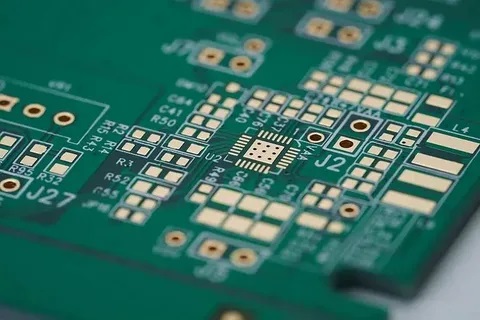
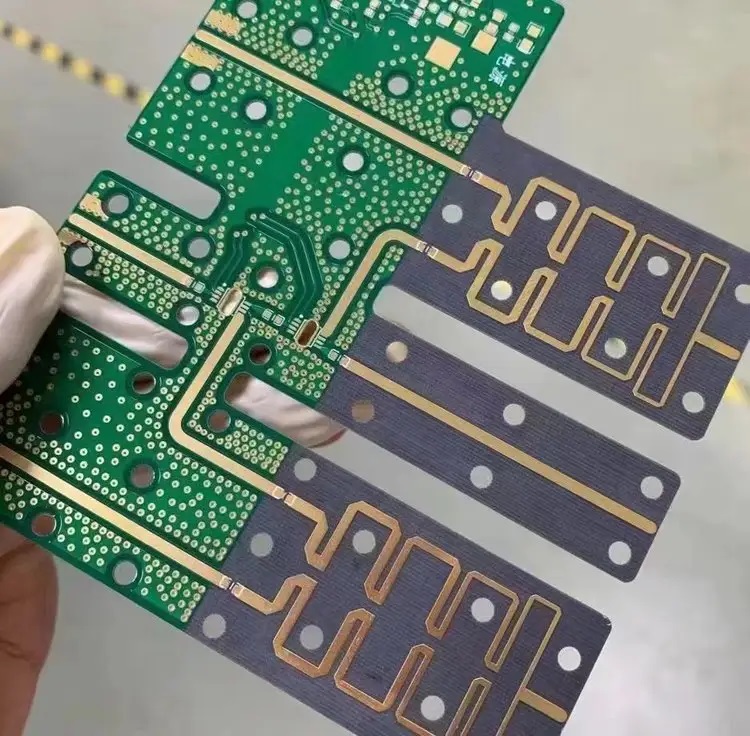
PCB Routing Angle Rules: 45-Degree Angle Vs 90-Degree Angle

July 1st, 2025

In PCB layout design, routing angles have a direct impact on signal integrity, manufacturing quality, and overall board performance. The two most common routing angles—45-degree and 90-degree—have long been debated among engineers and designers. While both have their uses, the choice between them depends on electrical performance, fabrication processes, and design goals.

This blog explores the differences between 45-degree and 90-degree routing angles. We’ll break down how each angle affects your board’s reliability, signal flow, and manufacturability. You’ll also get practical insights into when and why to choose one over the other.

PCB Routing Angle Rules: 45-Degree Angle Vs 90-Degree Angle

Why Routing Angles Matter in PCB Design?

Routing angles may seem like a minor detail, but they carry more weight than you might expect. When copper traces change direction sharply, it impacts how current flows through the circuit. This is especially critical for high-speed and high-frequency designs. Uneven trace transitions can cause reflections, impedance discontinuity, and even signal degradation.

Aside from performance, routing angles influence how easy it is to manufacture, etch, and inspect the board. Smooth routing not only helps the signals but also improves the final product’s consistency and durability.

What Is a 90-Degree Routing Angle?

A 90-degree angle in PCB routing refers to a sharp right-angle corner where a trace takes a turn. It is often called a right-angle bend and used mostly in older or simpler PCB layouts.

Characteristics:

  • Easy to draw and route.
  • Common in low-frequency, analog, or single-layer PCBs.
  • Produces a clear, angular look on CAD tools.

Despite its simplicity, the 90-degree bend has downsides when it comes to electrical performance and manufacturing precision, which we’ll explore in detail later.

What Is a 45-Degree Routing Angle?

A 45-degree angle is a more gradual, beveled bend in PCB traces. Instead of a sharp corner, the trace changes direction at an angle, forming a smoother path. Some layouts even use two 45-degree bends to make a soft curve.

Characteristics:

  • Smoother current flow.
  • Reduced signal reflection.
  • Preferred for high-speed and high-frequency circuits.
PCB Routing Angle Rules: 45-Degree Angle Vs 90-Degree Angle

Many modern CAD tools default to 45-degree routing due to its positive effect on signal integrity and trace etching quality.

Main Differences Between 45-Degree and 90-Degree Angles

Feature45-Degree Angle90-Degree Angle
Signal IntegrityBetter, due to smooth transitionsWorse, due to corner reflections
EMI/EMCLower emissionsHigher emissions
ManufacturingEasier to etch; fewer defectsEtch traps can form at corners
Trace LengthSlightly longerShorter, more direct
CAD ComplexitySlightly harder to route manuallyVery easy to route
Aesthetic & ProfessionalismIndustry standard for high-speedLooks dated in modern designs

Why 90-Degree Angles Can Be a Problem?

1. Impedance Discontinuity

Sharp corners create impedance mismatches that disrupt uniform signal travel. This is especially noticeable in controlled impedance traces, where precision is key. Signal reflection at a 90-degree turn can distort waveforms and cause errors in communication lines.

2. Electromagnetic Interference (EMI)

A sharp angle acts like a small antenna. This increases electromagnetic emissions, which may lead to your product failing EMI compliance tests. It also raises the risk of cross-talk in dense layouts.

3. Etching Defects

During fabrication, etching around a sharp 90-degree corner can cause acid traps, where chemical etchants get stuck and over-etch the copper. This can weaken the trace or cause open circuits.

4. Signal Reflection

Right-angle bends can cause signal reflection and ringing, particularly at high frequencies. This distorts the signal waveform and affects timing, which is critical in fast digital or RF systems.

Why 45-Degree Routing Is Widely Used?

The use of 45-degree routing in PCB design has become a standard practice in the industry. While older layouts sometimes featured sharp 90-degree angles for simplicity, most modern PCB designs now adopt 45-degree bends. Below are the key factors that explain why 45-degree routing is widely used.

Why 45-Degree Routing Is Widely Used?

1. Smoother Signal Transitions

In high-speed PCB designs, signal integrity is everything. Signals travel along copper traces like waves, and any abrupt direction change can reflect or distort the waveform. A 90-degree corner creates a sudden path change, which introduces a small but sharp discontinuity.

2. Lower Electromagnetic Interference (EMI)

Electromagnetic interference (EMI) is a growing concern in today’s electronics, especially in wireless and communication systems. Sharp trace corners such as 90-degree bends tend to behave like antennas. They concentrate electric fields and can emit higher levels of radiation, contributing to EMI. Designs that follow 45-degree routing are more likely to pass EMI compliance tests and meet international standards for electromagnetic compatibility.

3. Improved Manufacturability

From a manufacturing point of view, sharp corners can introduce several problems. During the etching process, chemical etchants used to remove unwanted copper may get trapped in 90-degree corners. These are known as acid traps. They can lead to over-etching, where too much copper is removed, or even undercutting, which weakens the trace at the bend.

4. Better Heat Distribution

Although routing angles don’t directly affect thermal conductivity, trace shapes can influence heat flow, especially in power boards. Smooth traces, like those formed with 45-degree bends, allow more even heat distribution along the path. Sharp corners may act as stress points where heat can build up, potentially weakening the copper over time.

5. Supports High-Speed and RF Design Standards

High-speed digital and RF designs demand strict control over trace geometry, impedance, and layout structure. In such designs, even minor trace irregularities can lead to signal degradation, noise coupling, or timing issues. Most high-speed PCB design guidelines—such as those for DDR memory, USB 3.0, HDMI, or RF transceivers—explicitly discourage the use of 90-degree angles.

How to Avoid 90-Degree Angles in PCB Design?

Most PCB layout software supports angle snapping, which makes it easy to design 45-degree routes. Here are a few tips:

  • Use 45-degree snap mode in your routing tool.
  • Use arc routing for smoother transitions in sensitive areas.
  • Double-bend technique: Instead of a single 90-degree, use two 45-degree bends to redirect the trace.

Check your DRC (Design Rule Check) for right-angle warnings if available.

PCB CAD Tools That Help With Angle Rules

CAD SoftwareRouting Features
Altium Designer45-degree snap, arc routing, right-angle DRC checks
KiCadPush-and-shove routing with 45-degree control
EAGLEAdjustable angle routing; user can disable 90-degree
OrCADPrecision routing tools for high-speed design
EasyEDASnap-to-45 built-in, ideal for quick layouts

Industry Standards and Best Practices

Several industry guidelines recommend using 45-degree angles, especially for high-speed circuits. Some key takeaways:

  • IPC standards encourage smooth trace transitions.
  • Many RF and microwave design rules prohibit 90-degree bends.
  • Professional board reviewers often flag right angles as poor practice.

Following these standards doesn’t just improve performance—it also gives clients and manufacturers confidence in your designs.

Common Myths About Routing Angles

Myth 1: 90-Degree Bends Always Break the Signal

Not always. If you’re working with low-speed signals or power lines, the impact is negligible. The problem grows with frequency, edge rate, and sensitive signals.

Myth 2: 45-Degree Routing Takes More Space

It may take a tiny bit more space, but not enough to justify poor signal integrity. Most modern designs can accommodate 45-degree bends with minor effort.

Myth 3: 90-Degree Angles Are Cheaper to Fabricate

Not true. They can actually increase manufacturing costs due to over-etch risks or inspection failures.

Why Choose EBest Circuit (Best Technology) for PCB Design and Manufacturing?

At EBest Circuit (Best Technology), we go beyond just making PCBs. We help you design better boards from the start. Whether you’re routing high-speed digital signals or managing dense analog layouts, our engineering team follows best practices—including angle rules—to improve your product’s performance.

We are certified under ISO9001, ISO13485, IATF16949, and AS9100D, with an MES system that ensures traceability and quality control. We specialize in both standard and complex PCB manufacturing, including HDI, RF, and metal-core designs.

Contact Us Today

If you need help with routing strategy or want high-quality PCB production, our team is ready. From prototype to volume production, we can support your needs with fast delivery, quality control, and engineering guidance.

📩 Reach out now to get your quote and talk to our experts.

FAQs

1. Do 90-degree angles always cause EMI issues?

Not always. At low frequencies, the impact is minimal. But in high-speed or RF designs, they can be problematic.

2. Is 45-degree routing mandatory for all traces?

It’s not mandatory, but it’s highly recommended for signal traces, especially in complex or fast designs.

3. Can I use rounded corners instead of 45-degree angles?

Yes. Rounded corners are even better for very high-speed signals but may increase layout complexity.

4. Are 90-degree bends allowed in power planes?

Yes. Since power planes don’t carry high-speed signals, 90-degree turns are generally safe there.

5. How can I check for right angles in my layout?

Use your PCB tool’s DRC (Design Rule Check) to scan for sharp angles or manual review if needed.

2L Aluminum Base PCB for LED Panel, Rapid Prototyping

July 1st, 2025

Looking for 2L aluminum base PCB prototyping solutions? This guide explores everything from material specs to cost-saving prototyping strategies for high-performance LED panel.

18 Years of Thermal Management Expertise – Your LED Panel’s Heat Dissipation Solved!

  • Thermal Throttling? – Our “Heat Tunnel” via design drops junction temps by 40%
  • Prototype Delays? – CAD-to-board in 24 hours with real-time DFM feedback
  • Signal Noise? – Isolated power planes maintain 65dB EMI suppression
  • Budget Constraints? – Standardized 300×400mm panels cut 12% tooling costs

EBest Circuit (Best Technology) delivers:

  • Precision Thermal Control – 2L aluminum base PCB with 8W/m·K conductivity prevents LED lumen decay under 85°C continuous operation
  • Instant Prototyping – 24-hour rapid sampling with ±0.1mm drilling accuracy for design verification
  • Cost-Smart Design – Panelization-ready layouts reduce 15% material waste vs. standard FR4
  • Vibration Resistance – 1.5mm aluminum substrate withstands 20G mechanical shock in outdoor LED displays

Every 2L Aluminum base PCB – A Thermal Guardian for Brighter LED Performance! Welcome to contact us now: sales@bestpcbs.com.

What Is 2L Aluminum Base PCB?

A 2L aluminum base PCB, also known as a double-layer aluminum substrate printed circuit board, is a specialized type of PCB designed for applications requiring efficient heat dissipation and mechanical stability. Unlike traditional PCBs, it features a layered structure with a conductive circuit layer bonded to an aluminum base, which acts as a heat sink to quickly transfer and disperse thermal energy.

This design makes 2L Aluminum Base PCBs particularly useful in high-power LED lighting, power converters, and automotive electronics, where managing excessive heat is essential for performance and longevity. The aluminum core not only enhances thermal conductivity but also provides structural rigidity, reducing warping under thermal stress. Additionally, the double-layer configuration allows for more complex circuitry while maintaining compact dimensions.

Due to their durability and thermal management capabilities, these PCBs are increasingly preferred in industries where reliability and heat resistance are priorities. Their construction typically includes a dielectric layer to ensure electrical insulation between the circuit and the metal base, balancing electrical functionality with thermal efficiency.

What Is 2L Aluminum Base PCB?

What Is Stackup Structure of 2L Aluminum Base PCB?

Below are the stackup structure of a 2L aluminum base PCB:

Top Copper Layer (Circuit Layer)‌

  • Typically 1–4 oz copper foil thickness
  • Contains etched conductive traces and component mounting pads
  • Supports surface-mount device (SMD) assembly

Dielectric Insulation Layer‌

  • Composed of thermally conductive polymer (e.g., polyimide or epoxy) with ceramic fillers
  • Thickness ranges 0.003–0.006 inches (75–150 ÎŒm)
  • Provides electrical isolation while enabling heat transfer

Aluminum Base Plate‌

  • 0.5–3.0 mm thick aluminum alloy (usually 5052 or 6061 grade)
  • Functions as primary heat spreader and mechanical support
  • May include anodized surface treatment for corrosion resistance

Bottom Copper Layer (Optional Secondary Circuit Layer)‌

  • Mirrors top layer capabilities when utilized
  • Enables double-sided component placement or grounding planes

Protective Surface Finishes‌

  • Top/bottom layers often feature HASL, ENIG, or OSP coatings
  • Aluminum base may have insulating conformal coating

Why Choose 2L Aluminum Base PCB for LED Panel?

Here are reasons to choose 2L aluminum base PCBs for LED panel applications:

  • Superior Heat Dissipation‌ – The aluminum core efficiently transfers heat away from LED chips, preventing overheating and extending lifespan by maintaining stable operating temperatures.
  • Enhanced Durability‌ – Aluminum’s structural rigidity reduces warping under thermal cycling, ensuring long-term reliability in high-power or continuous-use LED installations.
  • Improved Energy Efficiency‌ – Effective thermal management minimizes energy loss due to heat buildup, optimizing LED brightness and power consumption.
  • Compact Design Flexibility‌ – The double-layer construction allows complex circuitry in a slim profile, enabling sleek, space-saving LED panel designs without compromising functionality.
  • High Current Capacity‌ – Thicker copper layers (up to 10 oz) support robust electrical pathways, ideal for high-intensity LEDs or densely packed arrays.
  • Simplified Thermal Interface‌ – Eliminates the need for additional heat sinks in many designs, reducing assembly steps and material costs.
  • Consistent Light Output‌ – Stable temperature control prevents luminance degradation over time, maintaining uniform brightness across the LED panel.
Why Choose 2L Aluminum Base PCB for LED Panel?

How to Choose the Right 2L Aluminum PCB Prototype Manufacturer for Your LED Panel?

Methods about how to choose the right 2L aluminum PCB prototype manufacturer for your LED panel:

Verify Thermal Management Specialization

  • Confirm the manufacturer’s expertise in thermal simulation (e.g., ANSYS Icepak) for validating heat dissipation paths in your design. Request case studies demonstrating successful thermal solutions for LED arrays exceeding 100W. Ensure dielectric materials meet ≄1.5 W/mK thermal conductivity with UL 94 V-0 flame ratings.

Assess Aluminum-Specific Process Controls

  • Require documentation of aluminum substrate pretreatment (chemical cleaning, anodization) to prevent delamination. Validate micro-etching techniques maintaining ≀3ÎŒm copper line precision and AOI systems detecting 15ÎŒm defects. Thermal shock testing protocols (-40°C to +150°C cycling) should be mandatory.

Evaluate Rapid Prototyping Capabilities

  • Prioritize suppliers offering ≀72-hour prototype turnaround with live production tracking. Confirm readiness for engineering changes during fabrication without cost penalties. Small-batch capabilities (5-10 boards) with panelization efficiency ≄90% reduce material waste.

Scrutinize LED-Specific DFM Support

  • Demand manufacturers provide design rule checks (DRC) for high-current traces (≄3A/mmÂČ) and thermal pad optimization. Verify impedance control for mixed-signal designs and anti-caustic solder mask formulations resisting LED chemical exposure.

Confirm Multi-Stage Testing Protocols

  • Ensure 100% electrical testing includes HV isolation (≄1500V AC/DC) between layers and aluminum base. Require thermal imaging reports showing ≀15°C hotspot differentials across LED clusters. Microsection analysis should validate dielectric thickness consistency (±10%).

Review Scalability Pathways

  • Audit transition plans from prototypes to mid-volume production (1k-5k/month). Assess material inventory buffers for aluminum substrates and compatibility with automated SMT lines handling panel sizes ≄350×450mm.

Validate Supply Chain Transparency

  • Require full material traceability including aluminum alloy grades (e.g., 5052/6061) and dielectric batch numbers. MES systems should provide real-time defect analytics and CPK data for critical parameters like copper thickness and insulation resistance.

How to Ensure 2L Aluminum PCB Prototype Fits Your LED Panel Design?

Ways to ensure 2L aluminum PCB prototype fits your LED panel design:

Validate Design Files Pre-Production

  • Submit Gerber files, BOM, and assembly drawings to your manufacturer for a Design for Manufacturing (DFM) review. Confirm copper trace widths, via diameters, and solder mask layers align with the fabricator’s capabilities to avoid costly rework.

Match Material Specifications to LED Requirements

  • Select aluminum substrate thickness (e.g., 1.5 mm for standard LED panels) and dielectric thermal conductivity (1.5–2.0 W/m·K) based on your LED’s power dissipation. Thicker copper layers (2 oz+) improve current handling for high-brightness LEDs.

Incorporate Thermal Vias and Pads Strategically

  • Add thermal vias beneath LED footprints to enhance heat transfer to the aluminum base. Ensure via diameters and spacing comply with your manufacturer’s drilling limits to prevent misalignment during assembly.

Test Mechanical Fit Early

  • Request a bare prototype board to verify mounting hole positions, panel cutouts, and edge clearances against your enclosure or heat sink. This prevents assembly delays caused by dimensional mismatches.

Simulate Thermal Performance Digitally

  • Use thermal simulation tools to model heat flow from LEDs to the aluminum core. Compare results with real-world IR temperature testing on the prototype to refine dielectric layer thickness or copper weight.

Collaborate on Tolerance Stack-Up

  • Work with your PCB supplier to define acceptable tolerances for board thickness, copper plating, and solder resist. Tighter tolerances (e.g., ±0.1 mm for board edges) ensure consistent alignment in multi-panel assemblies.

Perform Functional Testing Under Real Conditions

  • Subject the prototype to accelerated aging tests at elevated temperatures (85°C+) and current loads matching your LED’s maximum rating. Monitor for solder joint fatigue or dielectric layer degradation before full-scale production.
How to Ensure 2L Aluminum PCB Prototype Fits Your LED Panel Design?

How to Reduce the Cost of 2L Aluminum PCB Prototyping for LED Panels?

Maximize Panel Utilization via Array Nesting

  • Action: Arrange multiple PCB designs on a single production panel (e.g., 8–12 small LED modules per 300mm×400mm panel).
  • Cost Saved: Up to 40% on material costs by reducing scrap and optimizing aluminum substrate usage.

Standardize Material Specifications

  • Action: Use common aluminum thicknesses (1.5mm) and dielectric layers (1.6mm prepreg, 1.5W/m·K thermal conductivity).
  • Cost Saved: 15–20% through bulk purchasing discounts and shorter lead times.

Select HASL Surface Finish for Non-Critical Areas

  • Action: Apply HASL to most of the board and reserve ENIG only for fine-pitch components.
  • Cost Saved: 25–30% per unit by avoiding premium ENIG pricing (0.25–0.30/sq.in. vs. 0.10–0.15/sq.in. for HASL).

Early Design for Manufacturing (DFM) Collaboration

  • Action: Engage your fabricator during layout design to fix issues like overly tight tolerances.
  • Cost Saved: 30–50% on rework fees by eliminating errors before production (e.g., widening traces reduces etching scrap by 30%).

Order Prototypes in Small Batches for Volume Discounts

  • Action: Request 5–10 units instead of 1–2 to qualify for tiered pricing.
  • Cost Saved: 10–25% per unit

Reuse Modular Test Fixtures

  • Action: Design adjustable jigs with interchangeable LED holders and thermal sensors.
  • Cost Saved: 60–70% on test setup costs by avoiding custom fixtures for each design revision.

Adopt Open-Source Component Libraries

  • Action: Use pre-certified LED footprints (e.g., KiCad’s 3535/5050 packages) instead of custom designs.
  • Cost Saved: 40% on engineering time, saving 400–800 per project in labor costs.
How to Reduce the Cost of 2L Aluminum PCB Prototyping for LED Panels?

How to Align 2L Aluminum PCB Prototypes with Your Fabrication Requirements?

Collaborate Early on Design for Manufacturability (DFM)

  • Share your design files (Gerber, BOM, assembly drawings) with your fabricator before prototyping. They can flag issues like incompatible trace widths, insufficient solder mask clearances, or unrealistic tolerance demands. This reduces rework risks and ensures the design aligns with their machinery capabilities.

Specify Material and Thermal Performance Upfront

  • Clearly define aluminum substrate thickness (e.g., 1.0mm, 1.5mm), dielectric thermal conductivity (1.0–3.0 W/m·K), and copper weight (1–3 oz). For example, high-power LEDs require 2.0 W/m·K dielectric to prevent overheating. Providing these specs upfront prevents delays from material substitutions.

Define Tolerances and Surface Finish Requirements

  • Set acceptable tolerances for board thickness (±10%), hole diameters (±0.05mm), and copper plating (±10%). Choose surface finishes like HASL or ENIG based on your assembly process (e.g., wave soldering vs. reflow). Vague specs lead to mismatched prototypes and costly revisions.

Include Fabrication Notes for Special Features

  • Highlight non-standard elements like countersunk holes, edge plating, or blind vias in your documentation. For instance, a note like “0.5mm depth countersink required for M3 screws” ensures manufacturers allocate the right tools and avoids errors during drilling.

Conduct Pre-Production Thermal Simulations

  • Use software to model heat dissipation from LEDs to the aluminum base. Compare results with fabricator-provided dielectric specs. For example, a simulation might reveal that 1.5mm aluminum with 2.0 W/m·K dielectric keeps junctions below 90°C, validating your material choices.

Agree on Testing and Quality Assurance Protocols

  • Define acceptance criteria like dielectric breakdown voltage (≄1.5kV DC), peel strength (≄1.4 N/mm), and solderability (per IPC-J-STD-003). Including these in your purchase order ensures prototypes meet reliability standards before shipment.

How to Improve the Efficiency of 2L Aluminum PCB Prototyping for LED Panels?

Automate Design Rule Checks (DRC) with DFM Software

  • Use PCB design software (e.g., Altium, Eagle) with built-in DFM tools to auto-detect issues like trace spacing violations or incompatible hole sizes. This reduces manual review time by 50–70% and catches errors before fabrication.

Adopt Parallel Engineering for Design and Testing

  • Begin thermal simulation and reliability testing planning while finalizing the PCB layout. For example, start sourcing thermal test chambers and drafting validation protocols during design iterations, shortening overall project timelines by 2–3 weeks.

Use Rapid Prototyping Technologies

  • Prioritize laser-cut stencils and automated solder paste printers instead of manual stencils. Laser-cut stencils improve solder paste deposition accuracy by 30%, reducing rework from bridging or insufficient joints.

Implement Real-Time Collaboration Platforms

  • Share 3D PCB models and thermal simulations with fabricators via cloud platforms (e.g., Onshape, Fusion 360). Real-time feedback loops cut communication delays by 40–60%, accelerating design iterations.

Leverage Pre-Certified LED Driver Circuit Libraries

  • Use vendor-provided reference designs for LED drivers. These libraries reduce schematic entry time by 40% and ensure compliance with safety standards like UL or IEC.

Utilize Modular Test Fixtures with Quick-Change Inserts

  • Design fixtures with magnetic or snap-fit inserts for different LED panel sizes. A modular system reduces setup time by 70% compared to custom fixtures, enabling faster functional testing across prototypes.

Prioritize In-House Thermal Imaging During Validation

  • Invest in a low-cost thermal camera (500–1,000) to validate heat dissipation during early testing. Identifying hotspots in-house cuts reliance on external labs by 50%, accelerating design tweaks by 2–4 days per iteration.

Conclusion

This guide has explored the critical advantages of 2L Aluminum Base PCBs for LED panels, from their superior thermal management to cost-effective prototyping strategies. By understanding stackup design, material selection, and manufacturer alignment, you can optimize both performance and production efficiency. For reliable rapid prototyping with guaranteed thermal conductivity (≄2.0 W/m·K) and 24-hour turnaround options, contact EBest Circuit (Best Technology) for a competitive quotation. Our expertise in LED-specific aluminum PCBs ensures your design transitions seamlessly from prototype to mass production. Request your customized quote today to accelerate your LED panel development timeline: sales@bestpcbs.com.

Premium Quality China SMT PCBA Turnkey Solutions

June 30th, 2025

China SMT PCBA is the first choice for many global brands when they need speed, flexibility, and quality all in one package. In recent years, more companies have switched to turnkey services to cut costs and reduce lead time. But not all suppliers are equal. That’s why understanding what makes a solution truly premium is key to making the right decision.

EBest Circuit (Best Technology) offers premium quality China SMT PCBA turnkey solutions in the global market. Our customer orders can be ‌routed flexibly‌ through our ‌SMT facilities in China or Vietnam, subject to ‌technical requirements‌ and ‌trade considerations‌. The advanced equipment, comprehensive process control, and intelligent manufacturing capabilities give us a competitive edge over the average competitors. ‌Our SMT factories are equipped with state-of-the-art equipment, including high-speed chip mounters from Panasonic, as well as SMT PCBA machines from YAMAHA and JUKI. We also utilize advanced inspection tools, such as 3D AOI, X-ray machines, and 3D SPI. Feel free to send us an e-mail at sales@bestpcbs.com for turnkey SMT PCBA solutions.

Premium Quality China SMT PCBA Turnkey Solutions

What Services Are Included in a China SMT PCBA Turnkey Solution?

A full turnkey service means more than just soldering components. It covers the entire journey—component sourcing, PCB fabrication, SMT and DIP assembly, testing, packaging, and even delivery. Some providers also assist with design verification or offer DFM checks early in the process to prevent future issues. With a reliable partner, you get all services from a single source, reducing delays and miscommunication.

What Services Are Included in a China SMT PCBA Turnkey Solution?

Who Is the Best Manufacturer of China SMT PCBA?

The best partner is one who delivers quality consistently and solves customer demands. EBest Circuit (Best Technology) stands out for its combination of advanced MES systems, certified quality management (ISO 9001, ISO 13485, IATF 16949, AS9100D), and real-time material tracking. It’s not just about making boards. It’s about helping customers reduce their defect rate, stay on schedule, and get traceable production data.

Who Is the Largest China SMT PCBA Manufacturer?

While there are large players like Foxconn or BYD that serve big OEMs, mid-size companies often need faster responses and more flexibility. That’s where EBest Circuit (Best Technology) shines. With factories in both Shenzhen and Dongguan, and dedicated engineering teams, Best offers tailored PCBA services without the high MOQs and long queues seen at large OEM suppliers.

Who Is the Largest China SMT PCBA Manufacturer?

How Does PCBA in China Compare to Other Regions in Terms of Cost and Quality?

China provides a unique mix of cost advantage and technical depth. While countries like Vietnam offer lower wages, they often lack strong supply chains and technical support. In contrast, China SMT PCBA manufacturers like EBest Circuit (Best Technology) combine automation, quality control, and skilled labor, which drives down rework rates and total cost over the project lifecycle.

How to Evaluate the Quality of a China SMT PCBA Manufacturer?

Start with certifications. Look for ISO, IATF, or medical-grade credentials. Then dig deeper. Do they use SPI, AOI, ICT, and X-ray inspection? Can they provide traceable data for every step? At EBest Circuit (Best Technology), full process control and material tracking are standard. Our MES system gives real-time visibility into material use, which helps solve problems like stock errors or replenishment delays.

How to Evaluate the Quality of a China SMT PCBA Manufacturer?

What Should You Check Before Choosing a China SMT PCBA Manufacturer?

Check these points:

  • Do they have in-house PCB fabrication or rely on outsourcing?
  • Is their SMT line modern and well-maintained?
  • Do they provide DFM or DFx reviews?
  • Can they handle small batch orders and scale when needed?
  • Do they support after-sales engineering and rework?

EBest Circuit (Best Technology) not only ticks all the above boxes but also helps manage unexpected changes. Whether it’s last-minute part replacements or urgent lead time adjustments, we respond fast with flexible production plans.

Why Choose EBest Circuit (Best Technology) for China SMT PCBA?

Here’s why so many brands rely on us:

  • ERP + MES Integration: We solve warehouse and stock visibility issues by using ERP and MES systems. No more line-side material delays.
  • Intelligent Production: Our SMT lines include inline SPI, AOI, and X-ray checks, reducing solder defects like cold joints, shorts, or bridging.
  • Responsive Team: Fast DFM feedback, rapid quote turnaround, and 24/7 engineering support make project launch smoother.
  • Custom-Tailored Support: We help you find the balance between cost and quality, even with complex or high-mix builds.
Why Choose EBest Circuit (Best Technology) for China SMT PCBA?

To sum up, choosing the right China SMT PCBA partner is more than finding the lowest price. It’s about trust, responsiveness, and being ready to handle complexity. EBest Circuit (Best Technology) doesn’t just assemble boards. We help solve deeper challenges—like poor stock management, unclear traceability, inconsistent soldering, and late deliveries.

With our strong process control, real-time systems, and highly responsive team, we help you reduce risk, speed up delivery, and improve product reliability. If you’re looking for a long-term PCBA partner who understands real manufacturing needs, we’re ready to help. Please feel free to e-mail us directly at sales@bestpcbs.com for a viable solution for China SMT PCBA.

Waterproof Circuit Board Prototype, 24 Hours Fast Delivery

June 30th, 2025

Struggling with waterproof circuit board failures in harsh environments? This guide covers prototyping essentials from material selection to cost-performance optimization for reliable waterproof PCBs.

  • Waiting for samples for a long time? – 24-hour lightning delivery, 5 times faster than peers
  • Waterproof does not meet the standard? – Triple protection process, 72-hour salt spray test zero failure
  • Small batch cost is high? – Shared engineering fee model, free mold opening fee within 5 pieces
  • Mass production conversion is difficult? – Use the same equipment and process for mass production, yield deviation <0.5%

EBest Circuit (Best Technology) provide

  • Ultra-fast sample service – 24-hour ultra-fast delivery process, tracking the whole process from document confirmation to finished product shipment
  • Full process support – Nano-level three-proof paint spraying process, passed IP68 waterproof test
  • Intelligent detection system – Automatic optical inspection (AOI) + manual re-inspection double insurance, first sample pass rate 99.2%
  • Full process support – Free DFM analysis + engineering confirmation to ensure the design is successful at the first time

Let every waterproof circuit board withstand the test of extreme environments! Contact us now: sales@bestpcbs.com.

What Is Waterproof Circuit Board?

A waterproof circuit board is a printed circuit board engineered to resist water, moisture, and other liquids, preventing damage such as electrical shorts, corrosion, or component failure. Often essential in environments like outdoor electronics, marine systems, or medical devices, it ensures electronics operate reliably despite exposure to wet conditions.

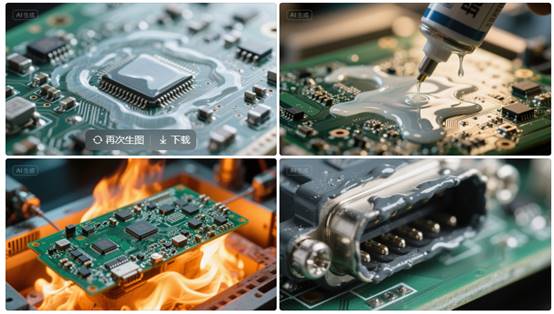
Achieving this involves protective methods, for example, applying conformal coatings—thin protective films made from materials like silicone or acrylic—that cover components to repel water. Alternatively, potting compounds encapsulate the entire board in a solid barrier, while design features such as sealed enclosures or gaskets enhance resistance. These approaches help maintain functionality in demanding applications, from automotive sensors to industrial controls.

What Is Waterproof Circuit Board?

How to Waterproof Circuit Board?

Here’s how to waterproof circuit boards:

Apply Conformal Coating

  • Use a silicone, polyurethane, or parylene coating to create a thin, protective layer. These materials resist moisture, chemicals, and temperature extremes.
  • Ensure even coverage on components, solder joints, and exposed traces. Mask connectors or ports before coating to prevent adhesion issues.

Use Encapsulation Resins

  • For harsh environments, fully encapsulate the PCB in epoxy or polyurethane resin. This provides mechanical protection and prevents water ingress.
  • Prioritize low-viscosity resins to avoid air bubbles, which can weaken the seal.


Design with Waterproof Enclosures

  • House the PCB in a sealed enclosure made of aluminum, stainless steel, or high-temperature plastic (e.g., PPS or PEEK).
  • Use gaskets (e.g., silicone or fluorosilicone) and compression fittings to maintain IP67/IP68 ratings.

Seal Connectors and Ports

  • Use potting compounds (e.g., epoxy or RTV silicone) around cable entries to prevent water wicking.
  • Install waterproof connectors with O-rings or heat-shrink tubing for external interfaces.

Optimize Component Selection

  • Choose components with IP67+ ratings (e.g., sealed switches, LEDs with diffused lenses).
  • Avoid electrolytic capacitors or exposed metal contacts in humid environments.

Implement Ventilation Solutions

  • Add hydrophobic membranes (e.g., Gore-Tex) to enclosures to equalize pressure while blocking moisture.
  • Position vents away from direct spray or immersion zones.

Test for Reliability

  • Conduct IP water immersion tests (e.g., 30 minutes at 1m depth) and thermal cycling (-40°C to 85°C) to validate sealing.
  • Use dye penetration tests to identify microscopic leaks in coatings or enclosures.

What Are the Best Practices for Applying Waterproof Paint to Circuit Boards?

  • Clean the Board Thoroughly: Use isopropyl alcohol (99% purity) and a soft-bristle brush to scrub away flux residues, dust, and oils. Wipe with lint-free cloths and allow full evaporation (15–30 minutes) before proceeding.
  • Apply Conformal Coating Precisely: Select silicone for flexibility or polyurethane for chemical resistance. Use a spray gun (for large boards) or dipping tank (for small batches). Apply two thin layers (25–50 microns each), avoiding puddles. Cure at 60–80°C for 1 hour if using heat-activated coatings.
  • Encapsulate High-Risk Components: For boards exposed to submersion, fill enclosures with epoxy resin. Use a vacuum chamber to eliminate bubbles during curing. Leave 2–3mm gaps near walls to allow thermal expansion.
  • Seal Enclosures with Custom Gaskets: Mold silicone gaskets to fit irregular edges. Use O-rings for cylindrical joints. Coat gaskets lightly with silicone grease to prevent sticking while maintaining seal integrity.
  • Choose IP68-Rated Connectors: Replace standard connectors with models featuring double seals and overmolded cables. Test connections by submerging in 1m-deep water for 24 hours.
  • Elevate Components Strategically: Raise capacitors and microcontrollers by 0.5–1mm using adhesive spacers. This prevents water pooling near solder joints during condensation.
  • Validate with Rigorous Testing: Inspect coatings quarterly using a 10x loupe. Reapply paint to worn areas with a fine-tipped brush. Replace gaskets annually if operating in saltwater environments.

How to Prevent Water Damage to Sensitive Components on Waterproof PCBs?

  • Apply Brush-On Silicone Coating to Critical Zones: Manually coat ICs, connectors, and exposed traces with silicone conformal paint. Reapply every 12 months in humid environments to maintain barrier integrity.
  • Use Capillary Underfill for BGA/QFN Chips: Inject epoxy underfill between BGA solder balls to block water paths. Cure at 120°C for 90 seconds to lock components and reduce thermal fatigue.
  • Elevate Sensors with 1mm Adhesive Standoffs: Mount moisture-sensitive parts (e.g., MEMs) on 1mm-thick polyimide spacers. Prevents condensation pooling near solder joints during temperature shifts.
  • Seal Edge Connectors with Polyurethane Gaskets: Fit 0.5mm-thick polyurethane seals around card-edge connectors. Pair with gold-plated contacts to resist saltwater corrosion in marine applications.
  • Treat RF Components with Fluoropolymer Spray: Apply hydrophobic fluoropolymer coating to antennas and sensors. Maintains signal quality while repelling water droplets in rainy conditions.
  • Design 3° Drainage Angle in Enclosures: Tilt PCBs slightly inside waterproof cases to direct water toward vents. Avoids pooling near low-profile components like capacitors.
  • Test with 95% RH Accelerated Aging: Run prototypes at 60°C/95% RH for 1000 hours while monitoring failures. Identify delamination points or corroded traces before mass production.
How to Prevent Water Damage to Sensitive Components on Waterproof PCBs?

How to Improve the Water Resistance of Waterproof PCBs in High-Temperature Environments?

Here are practical strategies to enhance the water resistance of waterproof PCBs in high-temperature environments:

Select High-Temperature-Resistant Conformal Coatings

  • Use silicone or polyurethane-based coatings instead of acrylics, as they withstand temperatures up to 200°C without cracking or delamination.
  • Apply coatings in a two-layer system: a primer for adhesion and a topcoat for abrasion resistance.

Optimize PCB Substrate Material

  • Choose ceramic or high-Tg FR-4 substrates (Tg ≄ 170°C) to minimize thermal expansion, which can cause solder joint fatigue or coating cracks.
  • Avoid halogen-free laminates, as they may soften at elevated temperatures.

Reinforce Enclosure Sealing

  • Use fluorosilicone or perfluoroelastomer (FFKM) O-rings for gaskets, as they retain elasticity above 150°C.
  • Apply thread-locking adhesives with high-temperature resistance (e.g., loctite 272) to fasteners in pressurized enclosures.

Improve Solder Joint Integrity

  • Use SnAgCu (SAC) lead-free solder with a melting point above 217°C to prevent reflow during thermal cycling.
  • Implement a nitrogen atmosphere during soldering to reduce voids, which can expand under heat and compromise waterproofing.

Design Ventilation with Membranes

  • Install Gore-Tex or ePTFE hydrophobic membranes in enclosures to equalize pressure while blocking moisture.
  • Position vents away from heat sources to prevent membrane degradation (typically rated for ≀120°C).
How to Improve the Water Resistance of Waterproof PCBs in High-Temperature Environments?

Why Do Waterproof Circuit Board Prototypes?

Reasons why waterproof circuit board prototypes:

Validate Design Effectiveness

  • Prototypes confirm whether conformal coatings, gaskets, or encapsulation methods actually block moisture. Testing reveals weaknesses like uneven coating coverage or seal gaps before mass production.

Reduce Long-Term Costs

  • Fixing waterproofing flaws during prototyping saves rework expenses later. For example, identifying a faulty O-ring design early prevents costly recalls or warranty claims post-launch.

Ensure Regulatory Compliance

  • Prototypes undergo IP67/IP68 immersion tests or MIL-STD-810G environmental trials to meet industry standards. Certification delays are avoided by addressing failures at the prototype stage.

Optimize Performance Balance

  • Testing ensures waterproofing measures (e.g., thick coatings) don’t impair thermal dissipation or signal integrity. Prototypes reveal if heat sinks need redesign or RF shielding adjustments.

Accelerate Time-to-Market

  • Early-stage validation streamlines development. For instance, confirming a nano-coating’s cure time prevents production bottlenecks later when scaling.
Why Do Waterproof Circuit Board Prototypes?

What Are the Most Common Causes of Failure in Waterproof Circuit Board Prototypes?

Here are the most common causes of failure in waterproof circuit board prototypes, along with actionable solutions:

Inadequate Conformal Coating Application

  • Issue: Inconsistent coating thickness or missed areas (e.g., under components, near stitching vias) leave gaps for moisture ingress.
  • Solution: Use selective spray coating or automated dispensing for even coverage. Inspect with UV light after curing.

Poor Enclosure Seal Design

  • Issue: Gaskets compressed unevenly, or enclosure walls flex under pressure, creating leaks.
  • Solution: Design interlocking enclosure features and use finite element analysis (FEA) to simulate seal performance.

Connector Water Wicking

  • Issue: Unsealed cable entries allow water to travel along wires (wicking) into the enclosure.
  • Solution: Use potting compounds (e.g., epoxy) around connectors and opt for hermetic feedthroughs for critical signals.

Thermal Expansion Mismatch

  • Issue: Dissimilar materials (e.g., PCB laminate vs. metal enclosure) expand at different rates, breaking seals or coatings.
  • Solution: Select enclosures with CTE (coefficient of thermal expansion) matching the PCB substrate (e.g., aluminum for FR-4).

Insufficient Ventilation Membrane Protection

  • Issue: Hydrophobic membranes clog with dust or ice, causing pressure buildup and enclosure deformation.
  • Solution: Add a porous filter (e.g., PTFE) over membranes and test under mud/sand exposure.

Component Selection Errors

  • Issue: Non-sealed switches or exposed solder joints corrode in humid environments.
  • Solution: Use IP67+ rated components and coat all exposed metal surfaces, including test points.

Inadequate Accelerated Life Testing

  • Issue: Prototypes pass initial immersion tests but fail after thermal cycling or prolonged humidity exposure.
  • Solution: Conduct 1,000-hour damp heat tests (85°C/85% RH) and 100+ thermal shock cycles (-40°C to 125°C).

How to Balance Cost and Performance of Waterproofing Electronic Circuit Boards Prototype?

Here are practical strategies to balance cost and performance when waterproofing electronic circuit board prototypes:

Prioritize Critical Areas for Coating

  • Apply conformal coating (e.g., silicone or polyurethane) only to vulnerable zones like solder joints, exposed traces, and low-profile components.
  • Mask non-critical areas (e.g., tall capacitors, connectors) to reduce material waste and labor time.

Use Hybrid Enclosure Solutions

  • Combine a low-cost plastic enclosure with localized epoxy potting around sensitive components (e.g., microcontrollers, power circuits).
  • For non-critical sections, rely on silicone gaskets instead of full encapsulation to cut material costs by 30–50%.

Leverage Off-the-Shelf Waterproof Components

  • Use pre-sealed switches, LEDs, and connectors with IP67 ratings instead of custom-sealed parts.
  • Replace through-hole components with surface-mount devices (SMDs) to minimize holes in the enclosure.

Optimize Conformal Coating Thickness

  • Apply coatings at 50–70”m thickness—enough for moisture resistance without excess material use.
  • Use UV-curable coatings for faster curing (5–10 seconds vs. 2+ hours for air-dry), reducing labor costs.

Design for Manufacturability (DFM)

  • Standardize enclosure fasteners (e.g., M2 screws) to reduce tooling costs.
  • Avoid sharp corners in PCB layouts to prevent coating pooling and uneven curing.

Conclusion

This guide explored waterproof PCB prototyping from fundamentals to advanced solutions, covering material selection, coating techniques, component protection, and cost-performance optimization. With our 24-hour rapid prototyping service, you gain access to reliable waterproofing tested in demanding conditions. For prototypes that withstand moisture, humidity and extreme environments without compromising budgets, request your quote today. Our engineering team ensures your design performs when it matters most. Welcome to contact us now: sales@bestpcbs.com.

Happy 19th Anniversary to EBest Circuit (Best Technology)!!!

June 30th, 2025

Last Saturday, Jun 28th, 2025, we are thrilled to celebrate the 19th anniversary of EBest Circuit (Best Technology) both in our factory and office. It has been an inspiring journey of innovation, perseverance, and continuous growth since our company was officially established on June 28, 2006, in Hong Kong. What started as a small team with a single product line has now become a leading printed circuit board (PCB) and assembly service provider trusted by hundreds of global customers.

Our Growth Capability

In the early days, EBest Circuit (Best Technology) focused on producing metal dome switches, with only one staff member and a very small office. Our scale was small, but our vision was big: to become a reliable, long-term PCB manufacturing partner that values quality, precision, and speed.

As time passed, our capabilities matured. We gradually expanded our product lines from metal domes to FR4 PCBs, Heavy Copper PCBs, Flexible Circuits (FPC), Rigid-Flex PCBs, Metal Core PCBs (MCPCBs), Ceramic PCBs and built a SMT factory, aiming to provide customer with one-stop service. Today, we are proud to support a wide range of industries including automotive, medical, aerospace, LED lighting, industrial control, power electronics, and many more.

Solid Team Backed us

One of our most valuable assets is our people. From a single founder Peter to a dedicated team of over 100 skilled professionals, our growth has been powered by individuals who care deeply about every board we produce. Most of our engineers and production staff have over 10 years of experience, enabling us to tackle even the most complex and high-precision PCB projects. Here are some our office staff.

To support increasing demand and advanced technical requirements, we’ve continually invested in state-of-the-art production equipment and testing instruments. Today, we operate dozens of machines that help us deliver:

  • 20 OZ heavy copper PCBs
  • 4-layer metal core PCBs
  • High-frequency Rogers and Taconic boards
  • Controlled impedance multilayers
  • Quick-turn prototypes within 24 hours

With over 260,000 square feet of monthly production capacity and a strict ISO9001, ISO13485, IATF16949, and AS9100D certified quality system, we ensure our boards meet the highest international standards.

Growing Together with Global Customers

As we’ve grown, so has our customer base. From serving a handful of clients locally, we now support hundreds of customers across Asia, Europe, North America, and Oceania. Many of our customers are long-term partners who appreciate our fast delivery, consistent quality, and professional engineering support.

We are especially proud to have built strong relationships with companies in medical electronics, military and defense systems, communication devices, and green energy products, helping them bring reliable and high-performance solutions to market.

We Offer Turnkey PCB Solutions

EBest Circuit (Best Technology) is not just a PCB manufacturing. We’re a one-stop solution provider. Over the past 19 years, we’ve expanded our services to include:

  • PCB duplication and layout
  • Engineering and process design
  • Component sourcing and BOM management
  • In-house SMT and DIP assembly
  • Full system integration and final product assembly

This comprehensive capability allows us to assist customers from initial concept to final product shipment, saving them time, cost, and communication hassle.

Looking Back with Pride, Looking Ahead with Confidence

Nineteen years may sound like a long time, but for us, this is only the beginning. With each passing year, we’ve learned, improved, and evolved. From manual operations to fully digitized and MES-monitored workflows, from domestic sales to a global footprint, EBest Circuit (Best Technology) has transformed into a modern, competitive, and customer-focused enterprise.

We are grateful to every employee who contributed to our growth, and to every customer who chose to trust us. Your continued support is the reason we are here today, celebrating this special milestone.

As we look forward to the future, we remain committed to:

  • Continuous innovation
  • Advanced manufacturing capabilities
  • Rigorous quality control
  • Flexible and responsive customer service

Thank You for Being Part of Our 19-Year Journey

We believe that the best is yet to come. As we step into our 20th year, we invite you to grow with us, explore new ideas together, and build even stronger partnerships.

Whether you need standard FR4 PCBs, high-power heavy copper boards, high-frequency circuits, or custom PCB assembly solutions — EBest Circuit (Best Technology) is always ready to be your reliable manufacturing partner.

👉 Have a project in mind? Contact us today to find out how we can help bring your vision to life.

Happy 19th Anniversary to all of us at EBest Circuit (Best Technology)!

Extraordinary Quality China PCBA for Efficient Delivery

June 30th, 2025

China PCBA solutions are changing how electronics manufacturers think about speed, quality, and reliability. In this blog, we’ll explore how EBest Circuit (Best Technology) delivers professional SMT PCBA manufacturing, driven by cutting-edge systems and a commitment to excellence.

EBest Circuit (Best Technology) is a leading PCB & PCBA Manufacturer offering extraordinary quality China PCBA for efficient delivery. We place a priority on innovation and have a professional research and development department that has been creating patents annually, thanks to our seasoned talents. EBest Circuit (Best Technology) promotes team spirit and provides quick responsiveness service to both our prospects and regular customers. We implement shift work at our SMT PCBA factories in China & Vietnam, where the on-time delivery rate is up to 97%. Both factories are ISO 9001, ISO 13485, IATF 16949, and AS9100D compliant. Rest assured that we can effectively handle both large and small-volume orders. Feel free to contact us at sales@bestpcbs.com for any technical inquiries or requests to make a factory visit. We are happy to give our full engagement and show you around our factory at your convenience.

Extraordinary Quality China PCBA for Efficient Delivery

What is the best China PCBA company?

The best China PCBA company combines speed, quality, and dependability. EBest Circuit (Best Technology) is a standout in the industry. We use full-process digital quality control to reach nearly perfect production efficiency. Our first-pass yield exceeds 99.9%, thanks to precise control and minimal human error. We also offer a stable lead time of 7 days, meeting the demand of fast-moving industries without sacrificing quality. Our customer satisfaction rate reaches 98%, a result of responsive technical support and after-sales service.

What is the best China PCBA company?

Who is the best China PCBA supplier?

EBest Circuit (Best Technology) is recognized as a leading China PCBA supplier. We serve global markets with robust PCBA services including design, sourcing, assembly, and testing. With certifications like ISO 13485, AS9100D, and IATF 16949, we meet the standards required for medical, aerospace, and automotive industries. Our systems trace each PCB with a unique ID, speeding up issue tracking by 90%. We also deploy AOI, SPI, and X-ray inspection for a 99.97% defect capture rate.

Who is the largest China PCBA manufacturer?

China has many large PCBA manufacturers, each with strengths in different sectors. Below are three major players:

  1. Shenzhen Kaifa Technology: Known for large-scale EMS, they serve telecom and consumer electronics. They focus on smart manufacturing and rapid delivery.
  2. Huaqiang Electronics: A major supplier in the China PCB market. They offer complete solutions from design to PCBA assembly, including sourcing and testing.
  3. BYD Electronics: Originally an automotive company, they now provide PCBA services across industries, offering strong R&D and automated lines.

These companies provide large-scale services, but many customers prefer more responsive and flexible partners like EBest Circuit (Best Technology). With lean production lines and quick delivery, we give more attention to individual projects.

Who is the largest China PCBA manufacturer?

What is the difference between a PCB and a PCBA?

The key term here is PCBA vs PCB. A PCB (Printed Circuit Board) is the blank board with copper traces. A PCBA (Printed Circuit Board Assembly) includes all mounted components like resistors, chips, and connectors. So, PCBA is a complete working circuit. We not only produce PCBs but also handle sourcing, assembly, and testing to deliver complete PCBA products ready for integration.

What are the problems with PCBA?

Every manufacturer faces challenges. Here’s a breakdown of common PCBA issues and their impacts:

ProblemImpact
Unstable qualityHigh defect rate reduces reliability
Soldering issues (cold joints, voids, etc.)Account for over 60% of total defects
No traceability78% of companies cannot locate root causes, leading to long rework time
Manual inspection dependencyYield rate fluctuates over 15%
Uncontrolled delivery schedulesComponent lead time causes 65% of delays
Frequent reworkCauses 3–5 days of delivery delay
Cost vs quality conflictTrying to cut costs may raise defect rates

EBest Circuit (Best Technology) addresses all these problems with digital inspection, predictive maintenance, and robust logistics support.

How expensive is China PCBA?

The cost of China PCBA depends on complexity, parts, and order size. However, EBest Circuit (Best Technology) balances price and quality well. We apply lean production, centralized sourcing, and predictive logistics to cut unnecessary costs. Our long-term vendor relationships help us get better prices, which we pass on to our clients.

Is BEST in China?

Yes, EBest Circuit (Best Technology) is based in China. We operate a modern facility equipped with advanced SMT lines, X-ray, AOI, SPI, and MES systems. We serve both domestic and global clients with end-to-end PCBA services. Our location in Shenzhen offers fast access to electronic components and efficient shipping options.

Why choose EBest Circuit (Best Technology) for China PCBA?

We go beyond manufacturing. Here’s why customers choose us:

  • Stable quality: Achieved through full-process digital control and triple inspection systems.
  • Fast delivery: 7-day lead time with intelligent supply chain and emergency line setup.
  • High reliability: Our defect rate stays below 0.1%, even for complex builds.
  • Component sourcing: Over 500 supplier partners and predictive stock ensure parts availability.
  • Responsive support: 24/7 technical help with direct engineer contact, reducing wait time.
  • Customization: Flexible solutions for medical, automotive, LED, and other specialized applications.

Our system offers not just production but a total solution. From fast prototyping to volume orders, we keep communication simple and outcomes consistent. When other suppliers struggle with delays or defects, we bring stability and precision.

Why choose EBest Circuit (Best Technology) for China PCBA?

To wrap up, China PCBA services are efficient, but not all manufacturers deliver the same results. Thorough supplier vetting is vital to maintain consistent quality standards. EBest Circuit (Best Technology) provides viable solutions to customers—from digital traceability to fast delivery and high reliability. We shorten delivery times by 53% and improve quality by over 70%. If you’re looking for dependable PCBA manufacturing in China, EBest Circuit (Best Technology) is your next move. Just feel free to let us know your specific SMT PCBA requirements via sales@bestpcbs.com.

BMS PCB Protection Board for 18650​

June 30th, 2025

How BMS PCB keeps your 18650 battery pack safe and efficient?‌ This guide covers everything from wiring and design to cost-effective noise shielding and heat management for optimal BMS PCB protection.

Using 18 years of BMS PCBA technology accumulation, we will protect your battery safety!

  • Poor welding? – Nitrogen reflow + 3D SPI detection to eliminate false welding
  • Delivery delay? – Intelligent scheduling system guarantees 7-day delivery
  • Cost out of control? – Standardized process reduces 15% assembly cost
  • Poor compatibility? – Support TI/ADI/NXP and other multi-platform solution adaptation

EBest Circuit (Best Technology) Provide:

  • Integrated solution – From PCB design to finished product assembly, BMS protection board “plug and play” is realized
  • High-precision mounting – 01005 component mounting accuracy ±25ÎŒm, ensuring the stability of the sampling circuit
  • Triple test guarantee – AOI+ICT+FCT full inspection, fault interception rate increased to 99.97%
  • Flexible production – Support 1-16 layer board mixed production, 24-48 hours ultra-fast prototyping.

Let every BMS PCB become the intelligent guardian of the battery system! Contact us now: sales@bestpcbs.com.

What Is BMS PCB?

A BMS PCB (Battery Management System Printed Circuit Board) serves as the central control unit for rechargeable battery packs, ensuring safe and efficient operation. It monitors vital parameters including individual cell voltages, overall current flow, and temperature distribution across connected battery cells. When detecting potentially hazardous conditions such as overcharging, excessive discharge, or abnormal heat buildup, the system automatically disconnects the battery through integrated protection circuits to prevent permanent damage.

To maintain consistent performance, most BMS PCBs incorporate cell balancing functionality, which adjusts charge distribution among cells during operation. This process helps maximize available energy storage while extending battery lifespan. Communication capabilities allow the board to relay operational data, including state-of-charge estimates and system warnings, to connected devices through standard interfaces. The implementation varies across applications, with simpler versions managing small consumer electronics and more advanced configurations supporting high-capacity systems like electric vehicles and renewable energy storage installations.

What Is BMS PCB?

How to Wire PCB BMS?

Here’s a practical guide to wiring a BMS PCB, focusing on achieving reliability, safety, and performance:

1. Establish Accurate Cell Voltage Monitoring

  • Connect each cell voltage sense wire directly to its corresponding cell terminal within the battery pack. Keep these sense wires as short and consistent in length as feasible and route them away from high-current paths to minimize noise interference and ensure precise voltage readings by the BMS PCB.

      2. Implement Dedicated High-Current Paths

      • Use appropriately thick traces or busbars for the main battery pack positive (P+) and negative (P-) connections entering the BMS PCB. Similarly, size the discharge (B-) and charge/discharge output (C- or P-) traces adequately to safely carry their maximum expected currents without excessive voltage drop or heating.

      3. Apply Effective Grounding Strategies

      • Create a solid, low-impedance reference ground plane on the BMS PCB near the current shunt resistor. Physically separate and connect sensitive analog measurement grounds (like cell sense circuits) directly to this reference point before connecting noisy digital grounds or high-current FET grounds.

      4. Route Signal Traces Mindfully

      • Physically separate sensitive signals like cell voltage sense lines. Shield communication lines (CAN, UART, etc.) whenever possible using twisted pairs, shielded cables, or ground planes adjacent to the traces on the BMS PCB itself.

      5. Install Thermistors Securely

      • Mount temperature sensors directly onto the cell surface or module terminals where thermal monitoring is required. Route their connecting wires carefully to avoid snagging or damage and connect them securely to the designated thermistor input pins on the BMS PCB.

      6. Connect Balancing Components Efficiently

      • Link balancing resistors or FETs directly to their respective cell sense points. Ensure the balancing current paths on the BMS PCB have adequate trace width for the balancing current level without causing localized heating. Tightly group balancing components to shorten signal paths.

      7. Select and Wire Suitable Connectors

      • Choose connectors rated well above the maximum operating current and voltage, with sufficient pin density and locking mechanisms. Match wire gauges to current loads. Clearly label all connector positions for unambiguous wiring to the BMS PCB.

      8. Integrate Protective Elements

      • Install necessary fuses or circuit breakers in series with the main pack positive (P+) input path before it reaches the BMS PCB. Ensure the fuse rating aligns with system capabilities. Connect any external contactor control coils to the designated driver outputs on the BMS PCB.

      9. Verify Connections Thoroughly

      • Before applying power, meticulously check all wiring against the BMS PCB schematic and layout diagram. Use a multimeter to confirm absence of short circuits, verify correct voltage polarity at each sense point, and ensure thermistor resistances read correctly at the connector.

      How to Design BMS PCB Heat Dissipation Structure to Avoid MOSFET Hot Spot Failure?

      Here are practical approaches to design BMS PCB heat dissipation structures that effectively prevent MOSFET hot spot failures:

      • Strategic Component Placement: Position MOSFETs away from other heat-generating components and near board edges or ventilation areas. Allow sufficient spacing between devices to enable airflow and prevent thermal interference.
      • Optimized Copper Pour Layout: Use thick copper layers (≄2 oz) for power traces and create large, continuous copper areas connected to MOSFET source/drain pins. Expand these pours to maximize surface area for heat dissipation.
      • Thermal Via Implementation: Place dense arrays of thermal vias beneath MOSFET packages, connecting top-side heat sources to inner copper layers or bottom-side heatsinks. Follow manufacturer recommendations for via diameter and spacing.
      • Effective Heatsink Integration: Design PCB mounting points for clip-on or screw-attached heatsinks. Ensure flat surface areas under MOSFETs for proper thermal interface material contact when using external cooling solutions.
      • Current Distribution Balancing: Implement symmetrical layouts with identical trace lengths when using parallel MOSFETs. This prevents uneven current sharing that could cause localized overheating in individual devices.
      • Thermal Relief Pad Design: Configure solder pads with appropriate thermal relief patterns – enough to allow proper soldering while maintaining efficient heat transfer to the PCB copper.
      • Temperature Monitoring Integration: Embed temperature sensors near expected hot spots, positioned to detect actual MOSFET case temperatures rather than ambient board temperature for accurate thermal management.
      How to Design BMS PCB Heat Dissipation Structure to Avoid MOSFET Hot Spot Failure?

      How to Shield BMS PCBs from High-Voltage Noise Without Breaking the Budget?

      Cost-effective strategies to shield BMS PCBs from high-voltage noise

      Prioritize TVS Diodes for Transient Voltage Suppression

      • Implementation: Install TVS diodes at power inputs and critical signal lines (e.g., CAN bus, sensor interfaces).
      • Why: Clamps high-voltage spikes from load dumps or inductive switching, diverting excess energy to ground.
      • Cost Efficiency: Low-cost unidirectional/bidirectional TVS arrays (e.g., SMAJ series) provide robust protection without complex circuitry.

      Optimize PCB Layout for Noise Isolation

      • Ground Plane Strategy: Use dedicated ground layers for analog/digital sections. Separate high-current paths (e.g., battery cell balancing) from low-voltage sensor traces.
      • Trace Routing: Keep high-voltage traces >2mm from sensitive signals. Avoid 90-degree bends to minimize impedance discontinuities.
      • Decoupling: Place 0.1”F ceramic capacitors near every IC power pin and 10”F electrolytic capacitors at PCB entry points.

      Leverage Ferrite Beads for HF Attenuation

      • Application: Insert ferrite beads (e.g., Murata BLM series) in series with power lines to the MCU and communication modules.
      • Benefit: Dissipates high-frequency noise as heat without affecting DC power delivery.
      • Budget Tip: Use multi-layer chip inductors (e.g., 1206 size) for cost-effective EMI filtering.

      DIY Shielding with Copper Tape or Aluminum Enclosures

      • Low-Cost Enclosure: Line BMS housing with adhesive copper foil (≀$5 for 1mÂČ) and connect to PCB ground.
      • Gap Management: Seal seams with conductive gasket tape to prevent electromagnetic leakage.
      • Alternative: Repurpose aluminum tooling plates as shields, secured with nylon screws to avoid ground loops.

      Software Filtering for Noisy Sensors

      • Algorithm: Implement a moving average or Kalman filter in BMS firmware to smooth voltage/current readings.
      • Example: Apply a 10-sample moving average to cell voltage data to reject transient spikes from motor noise.
      • Zero Hardware Cost: Leverage unused MCU flash memory to store filter coefficients.

      Isolation Techniques for Critical Nodes

      • Optocouplers: Use low-cost optoisolators (e.g., PC817) for relay drivers or charge enable signals.
      • Digital Isolators: For CAN/RS-485 interfaces, adopt cost-effective isolators like ISO7741 (under $2 in qty).
      • Galvanic Separation: Prevent ground loops by isolating high-voltage sampling circuits from the main MCU.

      What Is A BMS Protection PCB Board?

      A BMS protection PCB board is a dedicated hardware solution designed to ensure battery pack safety by monitoring critical parameters in real time. This printed circuit board tracks cell voltages, pack current, and temperature distribution while comparing these values against predefined safety thresholds. When detecting unsafe conditions like overvoltage, undervoltage, excessive current, or high temperatures, it activates protective measures through control elements such as power MOSFETs to isolate the battery. The board also incorporates cell balancing functions, state-of-charge estimation, and communication interfaces to relay system status. Its primary purpose is to provide autonomous hardware-level protection that prevents catastrophic failures while maintaining safe battery operation.

      What Is A BMS Protection PCB Board?

      How to Use PCB BMS Protection Board for 18650s?

      How to use a PCB BMS protection board for 18650 batteries:

      1. Inspect the BMS and Batteries

      • Confirm the BMS matches your 18650 cell count (e.g., 4S for four 3.7V cells in series).
      • Check battery voltage with a multimeter to ensure no cell is below 2.5V before connecting the BMS.

      2. Wire the Battery Pack

      • Connect the battery pack’s negative terminal to the BMS B- port using 16–20 AWG silicon wire.
      • Route each cell’s balance wire (B1+, B2+, etc.) to the corresponding BMS balance ports. Avoid crossing wires to prevent short circuits.

      3. Connect Charger and Load

      • Attach the charger’s negative lead to the BMS P- port and positive lead to the battery pack’s positive terminal.
      • Connect the load (e.g., device, inverter) to the same P- port and pack positive, ensuring the load’s current draw does not exceed the BMS rating.

      4. Secure and Ventilate the BMS

      • Mount the BMS using nylon standoffs to prevent contact with metallic surfaces.
      • Ensure adequate airflow around the BMS, especially if it lacks built-in heat sinks.

      5. Initial Power-Up and Testing

      • Charge the pack at 0.5A–1A initially to verify the BMS triggers overcharge protection at 4.25V per cell.
      • Discharge the pack with a low-power load (e.g., LED light) to test over-discharge cutoff at 2.5V per cell.

      6. Balance Cells Regularly

      • After 3–5 cycles, use a battery analyzer to check cell voltages. Manually discharge any cell exceeding 4.2V using a resistor.
      • Avoid full discharges to minimize voltage imbalance between cells.

      7. Monitor Temperature and Connections

      • Check for overheating near MOSFETs during high-current use. Reduce charge/discharge current if temperatures exceed 60°C.
      • Tighten terminals monthly to prevent loose connections, which can cause erratic behavior.

      8. Replace Aging Components

      • Inspect capacitors for bulging every 12 months. Replace if signs of leakage or swelling appear.
      • Upgrade to a BMS with higher current ratings if using the pack for high-drain applications (e.g., e-bikes).

      How to Choose PCB BMS Protection Board for 18650?

      Match Cell Count and Voltage

      • Choose a BMS that supports your battery pack’s configuration (e.g., 4S for four 3.7V cells in series).
      • Verify the BMS’s maximum voltage rating exceeds your pack’s fully charged voltage (e.g., 16.8V for a 4S pack).

      Check Current Ratings

      • Select a BMS with a continuous discharge current rating 20% higher than your application’s peak demand (e.g., 30A BMS for a 25A e-bike motor).
      • Ensure the charge current rating aligns with your charger’s output (e.g., 5A BMS for a 4A charger).

      Evaluate Protection Features

      • Prioritize boards with overcharge, over-discharge, over-current, and short-circuit protection.
      • Look for optional features like cell balancing, temperature sensors, and low-voltage recovery modes.

      Inspect Physical Design

      • Choose a BMS with labeled terminals and spaced-out ports to simplify wiring.
      • Prioritize models with integrated NTC thermistor ports for precise temperature monitoring.

      Verify Communication Protocols

      • For smart packs, ensure the BMS supports your device’s protocol (e.g., I2C, SMBus) or includes Bluetooth/Wi-Fi for remote monitoring.
      • Test compatibility with your charger or energy meter before finalizing.

      Review User Feedback

      • Check forums or reviews for reports of false triggers, uneven balancing, or premature MOSFET failures.
      • Avoid boards with frequent complaints about solder joint quality or inaccurate voltage readings.

      Balance Cost and Longevity

      • Avoid ultra-cheap BMS units with thin traces or generic MOSFETs, as they may fail under stress.
      • Invest in models with replaceable fuses or upgradeable firmware for future-proofing.
      How to Choose PCB BMS Protection Board for 18650?

      How to Balance Cost and Stability of BMS PCB Protection Board for 18650​?

      Here are actionable tips to balance cost and stability when selecting a PCB BMS protection board for 18650 batteries:

      Prioritize Essential Protections Over Premium Add-Ons

      • Ensure the PCB BMS protection board includes core features: overcharge, over-discharge, over-current, and short-circuit protection. These are non-negotiable for safety.
      • Avoid paying extra for advanced functions like Bluetooth monitoring or active cell balancing unless your application requires them.

      Evaluate Component Quality Carefully

      • Check for MOSFETs with mid-range current ratings (e.g., 40V/60A vs. 80A+). They offer sufficient durability for most 18650 packs without inflating costs.
      • Look for ceramic capacitors instead of electrolytic ones for better temperature stability and longer lifespan.

      Balance Current Ratings with Real-World Needs

      • Choose a PCB BMS protection board with a continuous discharge rating 10–20% above your system’s maximum draw (e.g., 25A BMS for a 20A tool). This avoids over-engineering costs.
      • Avoid boards rated far beyond your requirements, as higher current tolerance often increases price disproportionately.

      Leverage Passive Cell Balancing

      • Opt for PCB BMS protection boards with passive balancing (resistor-based) instead of active balancing (inductor-based). Passive designs are cheaper and sufficient for most 18650 applications.
      • Ensure the balancing current is ≄50mA to maintain cell health over hundreds of cycles.

      Inspect Trace Width and PCB Thickness

      • Choose a board with 2oz copper traces and a minimum thickness of 1.6mm. These specs reduce resistance and heat buildup without adding significant cost.
      • Avoid ultra-thin PCBs (e.g., 0.8mm), as they may warp or delaminate under stress.

      Check for Replaceable Fuses or Resettable PTCs

      • Some PCB BMS protection boards include user-replaceable fuses or polymer PTCs (resettable breakers). These features extend the board’s lifespan by allowing recovery from overcurrent events.
      • Compare costs: A board with a $0.50 PTC may outlast three cheaper boards without this feature.

      Review Open-Source Firmware Options

      • Select a PCB BMS protection board with publicly available firmware (e.g., via GitHub). This lets you customize protections or fix bugs without relying on the manufacturer.
      • Community-supported boards often have lower long-term maintenance costs due to shared troubleshooting resources.

      Conclusion

      In conclusion, this guide has comprehensively covered the essential aspects of BMS PCB protection boards for 18650 battery systems, from fundamental concepts to practical wiring techniques, thermal management solutions, and cost-effective noise shielding approaches. We’ve explored proper usage methods, selection criteria, and the critical balance between performance and affordability. For reliable battery management systems that prioritize both safety and efficiency, these components prove indispensable. Should you require high-quality BMS PCB solutions tailored to your specific 18650 applications, we recommend contacting EBest Circuit (Best Technology) for professional consultation and competitive pricing. Their expertise ensures optimal battery protection while meeting your technical and budgetary requirements. Welcome to contact us: sales@bestpcbs.com.

      STM32H7B3I DK, What Does STM32H7B3I-DK Mean?

      June 27th, 2025

      STM32H7B3I DK is a full-featured discovery kit built for developers who need high-performance control in embedded systems. It supports fast interface testing, GUI design, and efficient prototyping. Whether you are in industrial, consumer, or smart IoT sectors, this kit offers practical tools to bring your concepts to life.

      At EBest Circuit (Best Technology), we don’t just produce PCBs — we support engineers through manufacturing solutions for all sorts of PCB designs. Some clients develop prototypes using boards like the ‌STM32H7B3I-DK‌, and our expertise ensures seamless translation of these designs into production-ready PCBs. Whether it’s a complex HDI board, a multi-layer layout with BGA components, or a touchscreen interface requiring compatible assembly processes, we deliver precision fabrication and PCBA that faithfully matches your specifications. Feel free to email us at sales@bestpcbs.com or ring us at +86-755-2909-1601 for expert PCB fabrication, reliable PCBA assembly, and fast delivery you can count on.

      STM32H7B3I DK, What Does STM32H7B3I-DK Mean?

      What Is the Functional Category of the STM32H7B3I-DK Development Kit?

      The STM32H7B3I-DK belongs to the STM32 Discovery Kit family, known for combining evaluation and prototyping tools in one board. It’s based on the STM32H7B3LIH6Q MCU, a high-performance 32-bit ARM Cortex-M7 core running at up to 280 MHz. The kit comes with embedded LCD, camera, and audio peripherals. It also supports external memory and has onboard sensors for easy testing. In short, it works as a complete embedded platform.

      What Is the Functional Category of the STM32H7B3I-DK Development Kit?

      What’s STM32H7B3I DK Good for in the PCB Industry?

      In the PCB field, time and precision matter. The STM32H7B3I-DK helps engineers and designers validate signal flow, power management, and firmware interactions. It’s often used for touchscreen GUI testing with TouchGFX and LVGL. Many PCB designers also use it for ‌signal validation in mid-speed multi-layer designs‌. Thanks to its ‌onboard debugger and straightforward connectivity‌, it’s ideal for checking software and hardware performance together.

      Which PCB Types Need STM32H7B3I-DK Validation Most?

      This kit is often used with ‌digital control system PCBs‌, ‌embedded HMI interfaces‌, and ‌4-8 layer multi-layer boards‌ where real-time processing and graphical rendering are needed. It’s optimized for applications involving ‌touch interfaces‌, ‌external displays‌, or ‌wired communication protocols‌. Its support for ‌MIPI-DSI displays‌ and ‌Ethernet‌ makes it valuable for industrial control panels, medical devices, and consumer electronics prototypes.

      Which PCB Types Need STM32H7B3I-DK Validation Most?

      What Are the Advantages of STM32H7B3I DK?

      There are several practical advantages to this discovery kit:

      • High-speed processing with Cortex-M7
      • Pre-mounted LCD and camera ‌connector‌ for instant GUI testing
      • TouchGFX support for interactive screen development
      • LVGL compatibility for flexible interface design
      • Built-in debugging and tracing features
      • Expandable with Arduino and STMod+ connectors
      • ‌Interface for‌ Wi-Fi ‌module‌ and low-power management

      These features give users the freedom to test, tweak, and confirm their PCB layout and function in real time.

      Where to Download STM32H7B3I-DK Schematic, Datasheet, and User Manual?

      For technical development, you’ll need accurate and up-to-date documentation. Here’s where to find everything you need:

      1. STM32H7B3I-DK Schematic: Available on the STMicroelectronics official site. It shows the circuit layout and component mapping.
      2. STM32H7B3I DK Datasheet: This gives you electrical details, memory specs, and MCU architecture.
      3. STM32H7B3I DK User Manual: Offers step-by-step instructions on using peripherals, loading code, and connecting displays or networks.

      Make sure you use the latest version to avoid any confusion. Bookmark the ST site or set up alerts for updates.

      How to Use STM32H7B3I-DK with TouchGFX or LVGL?

      TouchGFX and LVGL help developers build attractive and responsive interfaces. With STM32H7B3I-DK, you can prototype touchscreen applications right away. Simply use the onboard LCD, load the TouchGFX Designer project, and deploy it using STM32CubeIDE. If you prefer open-source, LVGL gives flexibility to create rich graphics with minimal CPU load. This board supports both options well, making it a strong choice for HMI development.

      How to Use STM32H7B3I-DK with TouchGFX or LVGL?

      All in all, the STM32H7B3I DK is more than just a development board. It’s a practical tool to speed up embedded design, validate multi-layer PCBs, and explore new applications with advanced GUIs. From industrial control to smart displays, this kit adds value at every stage. If you are planning a fast prototype or a detailed layout test, STM32H7B3I DK is ready to support you. EBest Circuit (Best Technology) has been a turnkey EMS PCB manufacturer since 2006. If any questions or new PCBA project inquiries, reach out to our team via sales@bestpcbs.com.

      Bare PCB Manufacturing & Manufacturer, Over 18 Years

      June 27th, 2025

      Struggling with bare PCB manufacturing delays, hidden costs, or quality inconsistencies?‌ This guide reveals from process optimization to vendor selection, helping you achieve reliable, cost-effective boards with full traceability.

      EBest Circuit (Best Technology) delivers precision-engineered bare PCBs with unmatched speed and reliability.‌ Our advanced manufacturing capabilities support 2-36 layer boards with tight tolerances (±3% impedance control, 3/3mil trace/spacing), backed by ‌100% electrical testing‌ and ‌free DFM analysis‌ to eliminate costly errors. We offer ‌24-hour rapid sampling‌ with a 99.2% on-time delivery rate—50% faster than industry averages. Unlike suppliers with hidden fees, we provide ‌transparent pricing‌ (verified by 1,200+ clients in 2024) and dedicated 1-on-1 engineering support to optimize your designs for cost-efficiency.

      With ISO-9001 and IATF 16949 certified production lines, we reduce defects to <0.5% versus the 2-3% industry standard. Whether you require HDI, rigid-flex, or high-frequency boards, our ‌24/7 responsive team‌ ensures seamless transitions from design to mass production. Let’s discuss how our ‌quality-first approach, accelerated timelines, and fair pricing‌ can streamline your PCB supply chain. Contact us now: sales@bestpcbs.com.

      What Is Bare PCB?

      A bare PCB (Printed Circuit Board) refers to the unfinished foundational board that mechanically supports and electrically connects electronic components using conductive pathways, tracks, or signal traces etched from copper sheets. Unlike assembled PCBs, these lack soldered components, conformal coating, or final finishes, essentially serving as the raw platform for subsequent manufacturing stages.
      Manufactured through processes like imaging, etching, drilling, and plating, bare PCBs vary from single-layer designs to complex multilayered structures with blind/buried vias. Their quality directly impacts end-product reliability, with factors like material selection (FR-4, Rogers, or metal-core), trace precision, and impedance control determining performance in applications ranging from consumer electronics to aerospace systems.

      What Is Bare PCB?

      What Is Bare PCB Manufacturing Process?

      Here’s a structured breakdown of the bare PCB manufacturing process, written for practical reference without promotional language:

      1. Design & File Preparation‌

      • Engineers finalize schematics and convert them into Gerber/ODB++ files, including drill maps and layer alignment data.

      2. Material Selection‌

      • Substrates (FR-4, Rogers, etc.) are chosen based on thermal, mechanical, and electrical requirements.

      3. Inner Layer Imaging‌

      • Copper-clad laminates are coated with photoresist, exposed to UV light through the design pattern, and etched to form conductive traces.

      4. Oxidation & Lamination‌

      • Inner layers are oxidized for adhesion, stacked with prepreg, and pressed under heat to create multilayer boards.

      5. Drilling‌

      • Precision CNC machines drill holes for vias and component leads, with tolerances as tight as ±0.05mm.

      6. Plating & Metallization‌

      • Holes are electroplated with copper to establish electrical connections between layers.

      7. Outer Layer Patterning‌

      • Similar to inner layers, outer copper is etched to finalize surface circuitry, often with added solder mask alignment.

      8. Solder Mask Application‌

      • A protective epoxy layer is applied, leaving only solderable areas exposed, then cured under UV.

      9. Surface Finishing‌

      • ENIG, HASL, or OSP coatings are added to prevent oxidation and ensure solderability.

      10. Electrical Testing & Inspection‌

      • Automated testing (e.g., flying probe) checks continuity, while AOI machines verify dimensional accuracy.

      11. Panelization & Scoring‌

      • Multiple PCBs are separated from production panels via V-cut or routing, ready for assembly.

      12. Final Quality Assurance‌

      • Cross-sectional analysis, impedance testing (for high-speed designs), and microsectioning validate reliability.
      What Is Bare PCB Manufacturing Process?

      What Are Common Issues of Bare PCB Board Manufacturing?

      Common issues of bare PCB board manufacturing:

      Material Incompatibility

      Issue: Using laminates unsuitable for thermal demands (e.g., lead-free soldering) causes delamination or warpage.

      Impact: Weakens board integrity, risking failures in high-temperature applications like automotive engine controls.

      Solution:

      • Material Database: Veteran manufacturers maintain a library of 50+ laminates (e.g., FR-4, Rogers 4350B) matched to thermal profiles.
      • Testing: Simulate soldering cycles (e.g., 260°C for 10 seconds) to validate material stability pre-production.
      • Benefit: Avoids $15,000+ rework costs from field failures.

        Drilling Accuracy Errors

        Issue: Mechanical drill bit deflection misaligns vias, disrupting layer-to-layer connectivity.

        Impact: Causes intermittent opens or shorts in multi-layer boards (e.g., 8+ layers).

        Solution:

          • Laser Drilling: Achieves ±20”m accuracy for microvias <75”m diameter.
          • X-ray Inspection: Verifies via placement in buried/blind via structures.
          • Benefit: Reduces re-spin rates by 60% in HDI designs.

          Inconsistent Electroplating

          Issue: Uneven copper thickness in via barrels weakens joints, risking cracks under thermal stress.

          Impact: Leads to via failure in power integrity-sensitive designs (e.g., server motherboards).

          Solution:

          • Pulse Plating: Ensures uniform 18–25”m copper deposition.
          • Cross-Section Analysis: Validates plating quality at 50+ points per panel.
          • Benefit: Improves via reliability by 4x in thermal cycling tests.

            Over-Etching

            Issue: Excessive chemical etching undercuts traces, reducing current-carrying capacity.

            Impact: Causes signal degradation in high-speed traces (e.g., USB 3.2 Gen 2×2).

            Solution:

              • Automated Etchers: Monitor etchant concentration in real-time, holding line width tolerance to ±10%.
              • Etch Factor Control: Maintains 2:1 trace-to-space ratio for 50Ω impedance traces.
              • Benefit: Preserves signal integrity in 112 Gbps SerDes applications.

              Solder Mask Misregistration

              Issue: Misaligned solder mask exposes pads, leading to solder bridges during assembly.

              Impact: Increases defect rates in fine-pitch components (e.g., 0.3mm BGAs).

              Solution:

              • Laser Direct Imaging (LDI): Achieves 15”m registration accuracy.
              • Solder Mask Dam Design: Adds 75”m dams between pads to prevent bridging.
              • Client Benefit: Reduces assembly rework by 75% in SMT lines.

              Incomplete Surface Finish

              Issue: Skipped ENIG plating steps leave copper exposed, risking oxidation.

              Impact: Causes non-wetting defects in RoHS-compliant soldering.

              Solution:

                • X-Ray Fluorescence (XRF): Verifies 0.05–0.15”m gold thickness.
                • Nickel Corrosion Testing: Exposes panels to 85°C/85% RH for 168 hours to validate adhesion.
                • Client Benefit: Extends shelf life to 12+ months without tarnishing.

                Impedance Deviations

                Issue: Poor dielectric control causes 10–15% impedance variance.
                Impact: Degrades signal integrity in 5G mmWave or PCIe 5.0 designs.
                Solution:

                • Laser Interferometry: Measures dielectric constants during lamination.
                • Embedded Capacitance: Uses Dk=4.2 materials for controlled impedance in ±5% tolerance.
                • Client Benefit: Achieves <1% eye diagram closure in 56 Gbps PAM4 channels.

                What Are the Factors Affecting the Reliability of Bare PCB Manufacturing?

                Here are the primary factors impacting reliability in bare PCB manufacturing:

                • Design for Manufacturability (DFM) Compliance‌: Overlooking automated assembly requirements like board size limits, panelization efficiency, or trace/spacing rules leads to rejection, manual handling, extended cycles, and higher costs.
                • Material Properties‌: Substrate thermal expansion coefficient mismatch with components induces stress cracks during thermal cycling. Copper foil roughness directly increases signal loss, especially at high frequencies, while inadequate thermal conductivity causes localized overheating.
                • Fabrication Process Control‌: Inconsistent etching causes undercuts or shorts. Drill misalignment or smear creates unreliable vias. Poor plating uniformity (thin spots, voids) weakens interconnects and increases resistance.
                • Impedance Control Accuracy‌: Variations in dielectric thickness, copper roughness, and trace geometry distort signals in high-speed designs, causing timing errors or data corruption.
                • Multilayer Lamination Quality‌: Layer misalignment during bonding breaks connectivity. Inadequate resin fill or voids between layers create delamination sites under thermal stress.
                • Thermal Management Design‌: High power density combined with limited copper thickness and thin substrates creates hotspots, accelerating component failure and board warpage.
                • Moisture and Contamination Resistance‌: Absorbed humidity vaporizes during soldering, causing internal blistering or layer separation. Chemical residues or pollutants corrode copper traces over time.
                • Surface Finish Integrity‌: Oxidation or poor solderability of finishes (e.g., ENIG, HASL) results in weak solder joints (voids, cold solder) prone to cracking. Inconsistent thickness reduces shelf life.
                What Are the Factors Affecting the Reliability of Bare PCB Manufacturing?

                How to Choose A Trusted Bare PCB Manufacturer?

                Below are tips to help you evaluate bare PCB manufacturer objectively:

                Prioritize Quality Over Price

                  • Certifications: Check for IPC-6012 Class 3 (aerospace/medical) and ISO 9001/IATF 16949 compliance.
                  • Testing Rigors: Ensure they perform microsectioning, thermal cycling (-55°C to +150°C), and HAST (highly accelerated stress testing) in-house.
                  • Defect Rates: Target suppliers with <0.2% scrap rates and 99.5%+ first-pass yield in SMT assembly.

                  Assess Technical Capabilities

                  • Laser Drilling: Critical for microvias <75”m diameter.
                  • Impedance Control: Look for ±5% tolerance via laser interferometry and embedded capacitance materials.
                  • Surface Finish: Verify ENIG/ENEPIG expertise for fine-pitch components (e.g., 0.3mm BGAs).

                  Verify Supply Chain Resilience

                  • Dual Sourcing: Confirm they stock laminates (e.g., FR-4, Rogers 4350B) from multiple vendors.
                  • Inventory Management: Ask about 6-month copper foil and solder dross reserves.
                  • Lead Time: Request quotes with and without material surcharges during shortages.

                  Demand Design for Manufacturing (DFM) Support

                    • 48-Hour Feedback: On trace/space, via aspect ratios, and solder mask dams.
                    • Panelization Optimization: Maximize yield while minimizing stress during depanelization.
                    • Red Flag: Suppliers charging extra for DFM or taking >72 hours to respond.

                    Evaluate Pricing Transparency

                      • Line-Item Quotes: Break down material, labor, tooling, and testing costs.
                      • Volume Discounts: Negotiate 5–15% savings for 12-month forecasts.
                      • Avoid: Bids <20% below market average (likely cuts corners on plating or QA).

                      Inspect Production Flexibility

                      • Quick-Turn Prototypes: 3–5 day lead times for 2–4 layer boards.
                      • Scalability: Capacity to handle 1–100,000+ panels without quality drift.
                      • Red Flag: Suppliers refusing to adjust line configurations for urgent orders.

                      Audit Customer Service & Communication

                        • Delays in DFM feedback or RMA requests.
                        • No dedicated project manager for your account.
                        • Unclear escalation paths for quality disputes.
                        How to Choose A Trusted Bare PCB Manufacturer?

                        How Can Ensure Fast Delivery of Bare PCB Boards Without Compromising Quality?

                        Streamline DFM (Design for Manufacturing) Reviews

                        • Submit Gerber/ODB++ files for pre-production DFM analysis within 24 hours.
                        • Prioritize fixes for acid traps, insufficient annular rings, or unbalanced copper distribution first.
                        • Why: Reduces re-spin cycles by 40% and cuts lead times by 7–10 days.

                        Leverage Automated Production Lines

                        • Laser Direct Imaging (LDI): Eliminates phototools, cutting imaging time by 50%.
                        • Automated Optical Inspection (AOI): Reduces QA cycles by 30% via AI-driven defect detection.
                        • Why: Shaves 5–8 days off standard 10–14 day lead times.

                        Optimize Material Inventory

                        • Partner with manufacturers holding 4–6 weeks of FR-4, copper foil, and solder mask stock.
                        • Use industry-standard laminates (e.g., IS410, Nelco N7000) to avoid exotic material lead times.
                        • Why: Avoids 7–10 day delays during peak demand periods.

                        Adopt Quick-Turn Prototyping

                        • Request dedicated quick-turn lines for 2–6 layer boards (3–5 day delivery).
                        • Use panelized designs to share setup costs between prototypes and production runs.
                        • Why: Accelerates NPI (New Product Introduction) by 2–3 weeks.

                        Implement Parallel Testing

                        • Conduct impedance, thermal cycling, and solderability tests concurrently.
                        • Use in-line SPC (Statistical Process Control) to monitor etching/plating in real time.
                        • Why: Reduces final QA time by 40% without quality compromise.

                        Prioritize Supplier Communication

                        • Share 12-week demand forecasts for core products.
                        • Use cloud-based portals for real-time order tracking and documentation (e.g., FAI, COC).
                        • Why: Minimizes back-and-forth and reduces order acknowledgment time to <24 hours.

                        Utilize Express Shipping for Critical Components

                        • Pre-book air freight for time-sensitive boards.
                        • Use regional manufacturers (e.g., Asia for APAC clients) to cut transit times.
                        • Why: Shaves 50% off shipping lead times for urgent orders.

                        How to Reduce Bare PCB Manufacturing Costs While Maintaining High Performance?

                        Below are actionable strategies to cut expenses without compromising reliability:

                        Optimize Material Selection

                        • Use industry-standard laminates (e.g., FR-4, IS410) instead of specialty materials unless required by thermal/electrical demands.
                        • Negotiate volume discounts for copper foils and solder masks with suppliers.
                        • Cost Saving: Reduces material expenses by 10–15% for standard designs.

                        Adopt Design for Manufacturing (DFM) Best Practices

                        • Standardize trace/space to 4mil (100”m) and via diameters to 0.2mm to avoid costly microvia processes.
                        • Use panelization to improve material utilization from 75% to >90%.
                        • Cost Saving: Cuts PCB costs by 20–30% through reduced scrap and simpler tooling.

                        Leverage Automated Production Lines

                        • Deploy Laser Direct Imaging (LDI) to eliminate phototool costs (150–300 per layer).
                        • Use AOI (Automated Optical Inspection) to reduce manual QA labor by 40%.
                        • Cost Saving: Lowers per-unit labor costs by 25–35%.

                        Streamline Testing Protocols

                        • Replace 100% electrical testing with flying probe sampling for low-risk designs.
                        • Use in-line SPC (Statistical Process Control) to monitor etching/plating in real time
                        • Cost Saving: Reduces testing expenses by 15–20% without quality compromise.

                        Consolidate Suppliers for Volume Discounts

                        • Partner with manufacturers offering tiered pricing for 12-month forecasts.
                        • Use regional suppliers to cut logistics costs (e.g., Asia for APAC clients).
                        • Cost Saving: Achieves 5–10% savings through bulk orders and reduced shipping.

                        Implement Just-in-Time (JIT) Inventory

                        • Sync production schedules with client demand forecasts to minimize stockpiling.
                        • Use Kanban systems to reorder materials only when needed.
                        • Cost Saving: Reduces working capital tied to inventory by 30–40%.

                        Reuse Engineering Change Orders (ECOs)

                        • Template common ECOs (e.g., trace widening, pad resizing) for faster approvals.
                        • Avoid ECOs during peak hours to prevent production line interruptions.
                        • Cost Saving: Lowers engineering overhead by 25–35%.

                          How Can Manufacturer Improve the Traceability of Bare PCB Production?

                          Implement Digital Thread Systems

                          • Use IoT sensors and barcode scanning to track panels through drilling, plating, etching, and testing.
                          • Link Gerber files, BOMs, and process parameters to unique serial numbers.
                          • Benefit: Enables real-time audits of material lots and machine settings.

                          Adopt Laser-Etched Serialization

                          • Engrave QR codes or Data Matrix symbols on boards during inner layer imaging.
                          • Ensure codes survive solder mask, HASL, or ENIG finishes.
                          • Benefit: Simplifies recalls by pinpointing affected boards in <1 hour.

                          Integrate MES (Manufacturing Execution Systems)

                          • Auto-capture data from AOI, flying probe testers, and thermal chambers.
                          • Generate digital “birth certificates” with SPC charts and inspection images.
                          • Benefit: Reduces audit preparation time by 70%.

                          Standardize Material Lot Tracking

                          • Record laminate batch numbers, copper foil rolls, and solder mask expiry dates.
                          • Flag lots approaching shelf life during DFM reviews.
                          • Benefit: Avoids defects from degraded materials in 95% of cases.

                          Leverage Blockchain for Supply Chain Transparency

                          • Create immutable records of material origins, certifications, and ESG compliance.
                          • Share hashes with clients for independent verification.
                          • Benefit: Strengthens trust in conflict-free minerals and RoHS compliance.

                          Automate Data Collection at Every Step

                          • Use edge computing to log etchant concentrations, plating currents, and oven temperatures.
                          • Trigger alerts for OOT (out-of-tolerance) conditions.
                          • Benefit: Reduces human error in data entry by 90%.

                          Conduct Regular Calibration Audits

                          • Certify machines (e.g., drill spindles, etching tanks) monthly using NIST-traceable standards.
                          • Store calibration records in cloud repositories.
                          • Benefit: Maintains ±5% measurement accuracy across tools.

                          Train Operators on Traceability Protocols

                          • Require daily scans of material reels and tooling IDs.
                          • Gamify compliance with leaderboards and performance bonuses.
                          • Benefit: Achieves 99%+ scan adherence in 4–6 weeks.

                          Conclusion

                          Bare PCB manufacturing demands precision across design, material selection, and production processes to avoid impedance mismatches, etching defects, and layer misalignment. EBest Circuit (Best Technology) delivers reliable solutions with 18+ years of expertise, combining ‌free DFM analysis‌ to prevent 90% of pre-production errors and ‌automated traceability systems‌ for real-time quality tracking. Our ‌vertically integrated supply chain‌ reduces costs by 15-30% while maintaining IPC Class 3 standards, supported by a ‌24-hour engineering team‌ to accelerate delivery without quality compromise. For high-performance bare PCBs with guaranteed signal integrity and on-time delivery, request your competitive quote today at sales@bestpcbs.com.

                          Basic Electron Devices and Circuits

                          June 27th, 2025

                          Electron devices and circuits are the foundation of modern electronics. From smartphones and computers to medical scanners and satellite systems, these components quietly manage the flow of electricity behind the scenes. This blog explores how they work, what types exist, and how they power the electronic world around us.

                          Basic Electron Devices and Circuits

                          What Are Electron Devices?

                          Electron devices are components that either control, modify, or amplify electrical signals. These devices rely on the movement of electrons to function and are used in countless applications, from simple toys to complex industrial machinery. Their job is to manage electrical energy in ways that produce useful output—such as turning on lights, processing data, or amplifying sound.

                          At their core, electron devices convert electrical energy into other forms or modify electrical signals to perform a specific function. Without them, modern electronic systems wouldn’t be possible.

                          Types of Electronic Devices

                          Each electronic component has specific properties that determine how it behaves in a circuit. The choice of components depends on the designer’s goal and the function the circuit is meant to perform. The image below highlights common electronic components used across various types of circuits. To better understand their roles, components are generally classified into two categories: Active Components and Passive Components.

                          1. Active Devices

                            Active devices can control current flow and even amplify weak electrical signals. These devices require an external power source to operate. Some common active devices include:

                            • Transistors: Used in amplifiers and switches.
                            • Diodes: Let current flow in one direction.
                            • Integrated Circuits (ICs): Tiny packages that contain complex electronic functions.

                            Active devices are central to any system that processes signals, computes information, or boosts communication signals.

                            2. Passive Devices

                            Passive devices do not generate energy. Instead, they store, dissipate, or transfer it. Common examples include:

                            • Resistors: Limit the flow of current.
                            • Capacitors: Store and release electrical energy.
                            • Inductors: Resist sudden changes in current.
                            Types of Electronic Devices

                            These components support the work of active devices and help shape how signals behave in a circuit.

                            What Are the 5 Basic Electronic Devices?

                            The five basic devices you’ll find in nearly every circuit are:

                            • Resistor

                            Resistors manage the current flowing through different parts of a circuit. They help in dividing voltage, controlling signal levels, and protecting components from excessive current.

                            • Capacitor

                            Capacitors store electrical charge temporarily. They’re used in filtering noise, smoothing power supply outputs, and creating time delays.

                            • Inductor

                            Inductors store energy in a magnetic field when current flows through them. They’re commonly used in filters, power supplies, and transformers.

                            • Diode

                            Diodes allow current to flow in only one direction. They are essential in power rectification, signal demodulation, and voltage regulation.

                            • Transistor

                            Transistors act as switches or amplifiers. They control the flow of current and are fundamental to logic circuits and digital electronics.

                            How Do Electronic Devices Work?

                            Each electronic device has a specific function based on its physical and electrical characteristics:

                            • Resistors slow down current.
                            • Capacitors store energy in an electric field.
                            • Inductors build magnetic fields.
                            • Diodes control direction.
                            • Transistors regulate and amplify signals.

                            Together, these devices shape how electricity behaves inside a circuit. When connected in specific arrangements, they form circuits capable of performing tasks like amplifying a sound, storing digital information, or controlling a motor.

                            How Do Electronic Devices Work?

                            What Are Electronic Circuits?

                            An electronic circuit is a system of connected components that guide electrical currents to perform a specific job. These circuits can be as simple as a battery lighting an LED or as complex as the logic boards inside a computer.

                            Circuits make electronic devices work by controlling where and how electricity flows. Each component in the circuit has a role—some store energy, others shape signals, and some respond to external inputs like light or sound.

                            Types of Electronic Circuits

                            Electronic circuits come in a few major types, depending on how they handle signals:

                            • Analog Circuits

                            Analog circuits work with continuous signals. They are used in audio systems, radio receivers, and temperature sensors. They process real-world inputs like sound or light.

                            • Digital Circuits

                            Digital circuits work with binary signals (0s and 1s). They form the backbone of computers, smartphones, and digital watches. Logic gates and microcontrollers are key components.

                            • Mixed-Signal Circuits

                            These combine analog and digital elements. Examples include digital audio converters, embedded controllers, and power management circuits.

                            Types of Electronic Circuits

                            Key Components in Electronics Circuits

                            A functioning circuit depends on a combination of components, each with a distinct role:

                            • Power Supply: Provides the necessary voltage and current.
                            • Resistors: Manage current flow and protect sensitive parts.
                            • Capacitors & Inductors: Shape or filter signals and manage timing.
                            • Diodes & Transistors: Control signal direction, switching, and amplification.
                            • Integrated Circuits (ICs): Combine multiple components in one small package for complex functions.
                            • Switches, Connectors & PCBs: Physically support and route current throughout the system.

                            All these parts are arranged on a printed circuit board (PCB), which provides the mechanical structure and electrical connections.

                            Key Components in Electronics Circuits

                            How to Design an Electronic Circuit?

                            Designing a circuit starts with a clear goal. Once the purpose is defined, follow these steps:

                            1. Outline Your Requirements: What do you want the circuit to do?
                            2. Create a Schematic: Use circuit design software to build the layout using symbols for each component.
                            3. Select Components: Choose values for resistors, capacitors, etc., based on your requirements.
                            4. Simulate the Circuit: Check how it behaves using tools like LTspice or Proteus.
                            5. Build a Prototype: Use a breadboard or PCB to assemble and test your design.
                            6. Test & Debug: Measure voltages and currents to confirm it works as expected.
                            7. Final Layout: Once tested, you can design a PCB for the final version.

                            Even simple circuits need careful planning, as incorrect wiring or value choices can lead to failure or inefficiency.

                            Common Measurement Devices for Electronic Circuits

                            To check and troubleshoot circuits, engineers use various tools:

                            • Multimeter: Measures voltage, current, and resistance. Essential for almost any testing.
                            • Oscilloscope: Displays how signals change over time—helpful for analyzing waveforms.
                            • LCR Meter: Measures inductance (L), capacitance (C), and resistance (R).
                            • Logic Analyzer: Helps in debugging digital signals and timing issues.

                            These devices ensure that the circuit performs properly under different conditions.

                            Applications of Electron Devices and Circuits

                            Electron devices and circuits power virtually all technology we use today. Here are a few major application areas:

                            • Consumer Electronics: Televisions, phones, game consoles, and home appliances all rely on sophisticated circuits.
                            • Automotive Systems: Used in engine control units (ECUs), ABS brakes, GPS modules, and more.
                            • Medical Devices: Circuits manage everything from heart monitors to imaging systems.
                            • Telecommunications: Signal boosters, routers, and network devices depend on electronic components.
                            • Industrial Equipment: Used in automation, robotics, and machine control systems.
                            • Defense & Aerospace: Critical in radar systems, flight control computers, and satellite communications.

                            No matter the industry, the role of electron devices and circuits is critical in innovation, performance, and safety. Whether you’re a student, hobbyist, or professional, grasping how circuits function and how devices interact is essential to designing or repairing electronic equipment.

                            For those looking to build reliable circuit boards or need help bringing their electronic designs to life, partnering with an expert manufacturer is key.

                            Why Choose EBest Circuit (Best Technology) for Electronic Circuit Projects?

                            EBest Circuit (Best Technology) is a trusted PCB manufacturer specializing in both prototype and volume production. With ISO-certifications, our team ensures your circuits meet international standards. Whether you need rigid PCBs, flexible circuits, or mixed-signal board assemblies, we help turn your ideas into high-quality products—on time and within budget. By choosing EBest Circuit (Best Technology), you can enjoy:

                            1. Fast Turnaround from Prototype to Mass Production

                            We help you move quickly from design to final product. Whether it’s a first-run prototype or a full production batch, we adapt to your schedule and keep your project on track.

                            2. Hands-On Engineering Support

                            Our experienced engineers work with you on component selection, stack-up optimization, and layout suggestions—helping you avoid design flaws before production begins.

                            3. High Customization, No Fear of Complexity

                            Need a non-standard stack-up, hybrid materials, or bendable structures? We handle complex builds with confidence and tailor every detail to match your design requirements.

                            4. Clear Quotes and On-Time Delivery

                            Our pricing is transparent, and our timelines are realistic. Dedicated project coordinators provide regular updates, so you’re never left guessing.

                            5. Quality is a Daily Practice, Not Just a Promise

                            We don’t just inspect a few boards—we test every unit. From flying probe tests to X-ray and AOI, our quality process ensures every board performs reliably.

                            FAQs

                            1. What’s the difference between an electronic and electrical device?

                            Electronic devices use the flow of electrons to process signals, while electrical devices typically handle power distribution and energy conversion.

                            2. Can I build electronic circuits without a PCB?

                            Yes, prototypes are often built on breadboards or perfboards, but PCBs are used for stability and durability in final products.

                            3. What software is best for circuit design?

                            Popular tools include KiCad, Eagle, Altium Designer, and Proteus for simulation and layout.

                            4. What is the most common cause of circuit failure?

                            Overheating, poor soldering, incorrect component values, or voltage surges are common failure causes.

                            5. How do I start learning electronics as a beginner?

                            Start with basic components, build simple circuits using breadboards, and gradually move to microcontroller projects using kits like Arduino or Raspberry Pi.