PCB manufacturing PCB manufacturing
Home > Blog

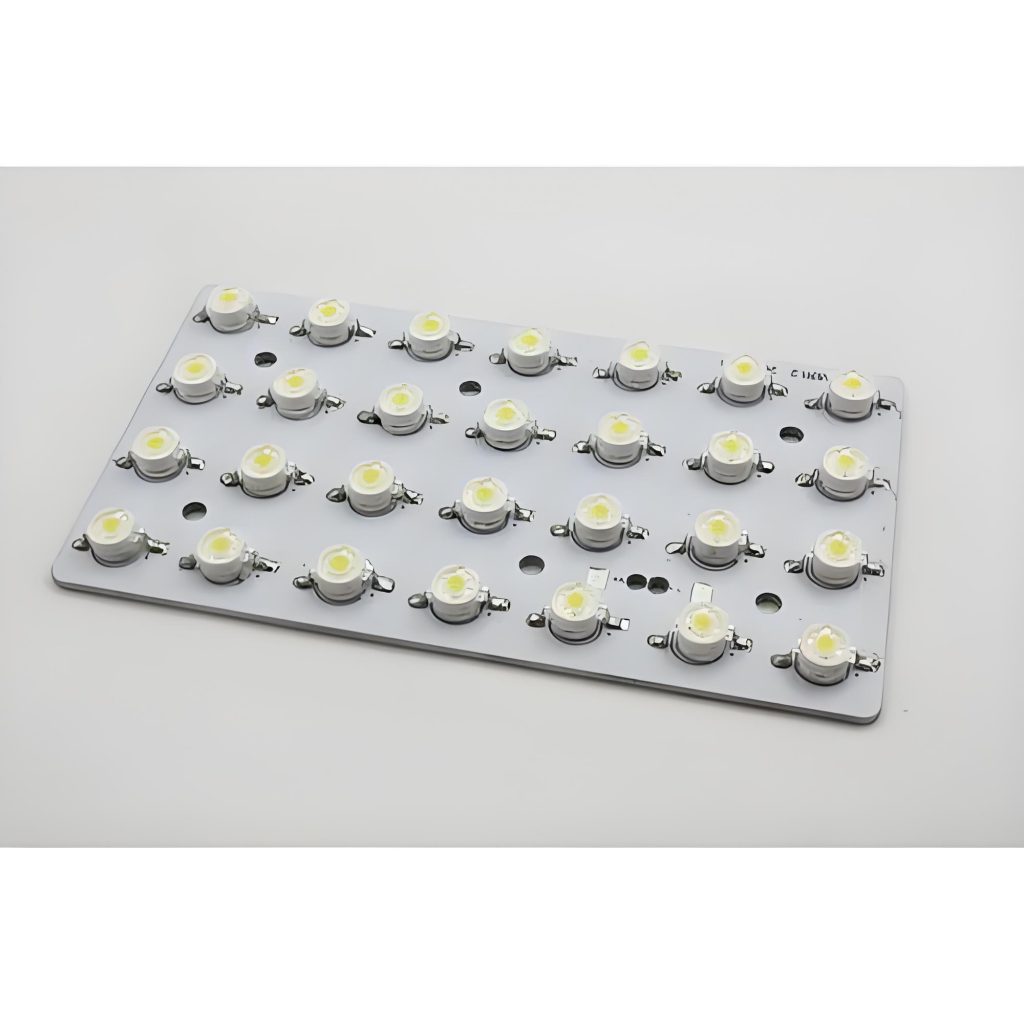
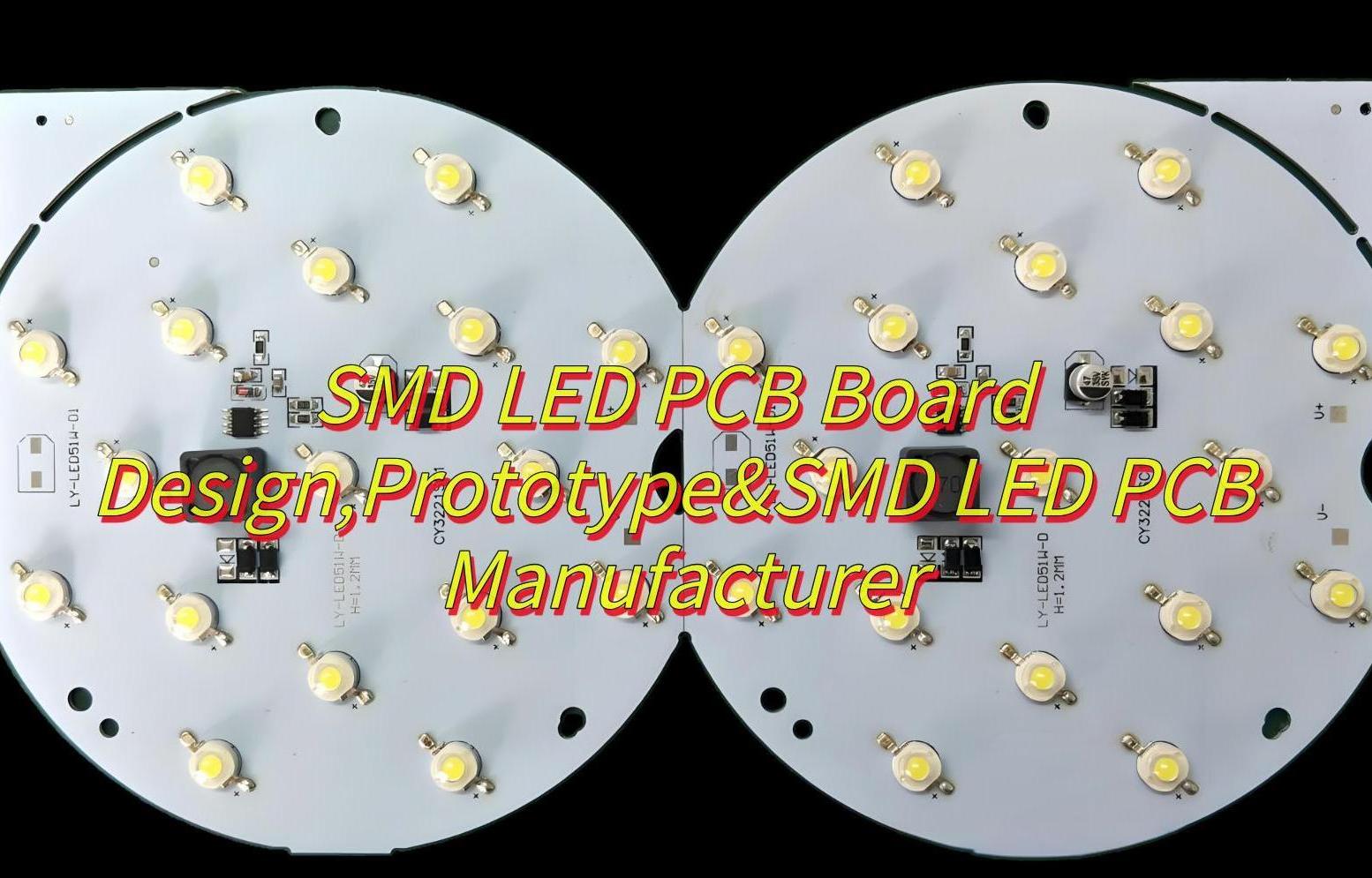
SMD LED PCB Board Design,Prototype&SMD LED PCB Manufacturer

March 18th, 2025

SMD LED PCB board design is very important in electronic products industry. From precise pad layout to efficient heat dissipation solutions, every detail is related to light efficiency and life. Whether it is rapid iteration in the prototype verification stage or cost optimization in the mass production stage, professional design needs to integrate electrical performance and process compatibility. In this blog, let’s learn together how to design SMD LED PCB boards and how to choose a good SMD LED PCB manufacturer.

If you want to move design to prototype and manufacture, Best technology can meet your all requirements for SMD LED PCB Board. Because we specializing in SMD LED PCB Board design, prototyping and production over 18 years, and we have an experienced PCB designers team who can give you free technical support. And we can provide you PI Analysis, SI Analysis, EMC Testing with the SMD LED PCB you designed. Then we can provide you with customized services (including customized Logo) with low MOQ (one piece is okay) at reasonable prices. You can feel free to contact us sales@bestpcbs.com if you have any request for SMD LED PCB.

What Is SMD LED PCB Board Design?

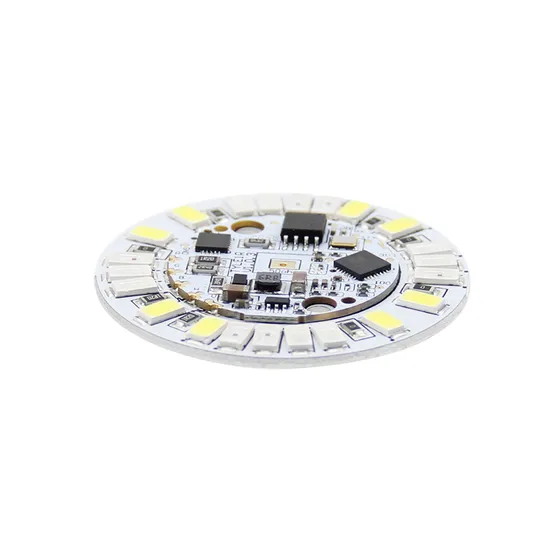
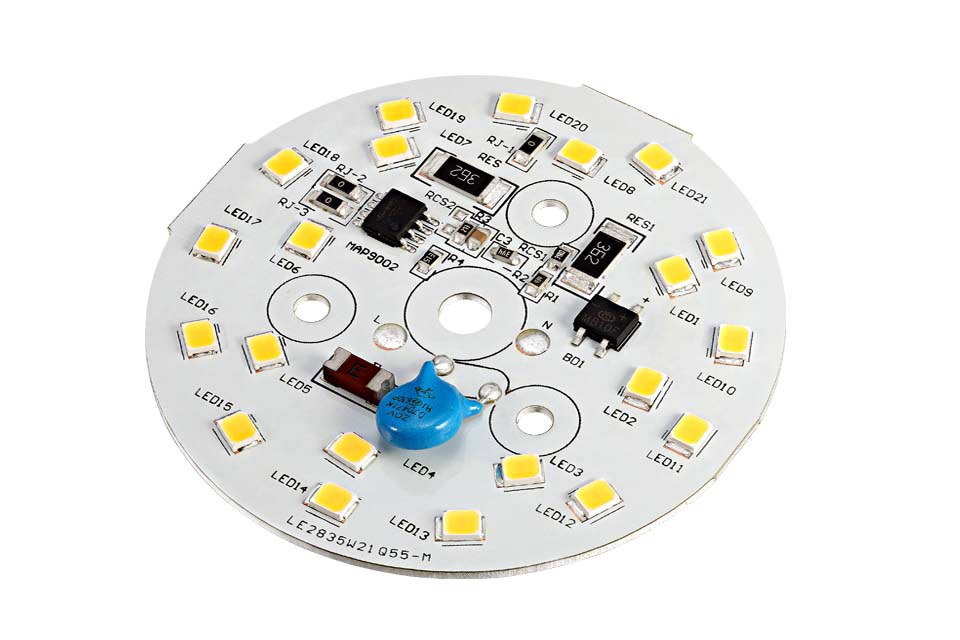
SMD LED PCB board design refers to the process of designing printed circuit boards that support Surface Mount Device (SMD) LEDs. These boards are commonly used in lighting applications, display panels, and electronic signage. Unlike through-hole LEDs, SMD LEDs are mounted directly onto the PCB surface, enhancing efficiency and reducing assembly costs.

SMD LED PCB Design Software 

Here are common SMD LED PCB design software:

  • ‌Altium Designer-Offers comprehensive PCB design tools with 3D visualization.
  • KiCad: A free, open-source option for designing SMD LED PCBs.
  • EAGLE: User friendly and widely used in hobbyist and professional projects.
  • Cadence Allegro: Suitable for High-speed signal design field

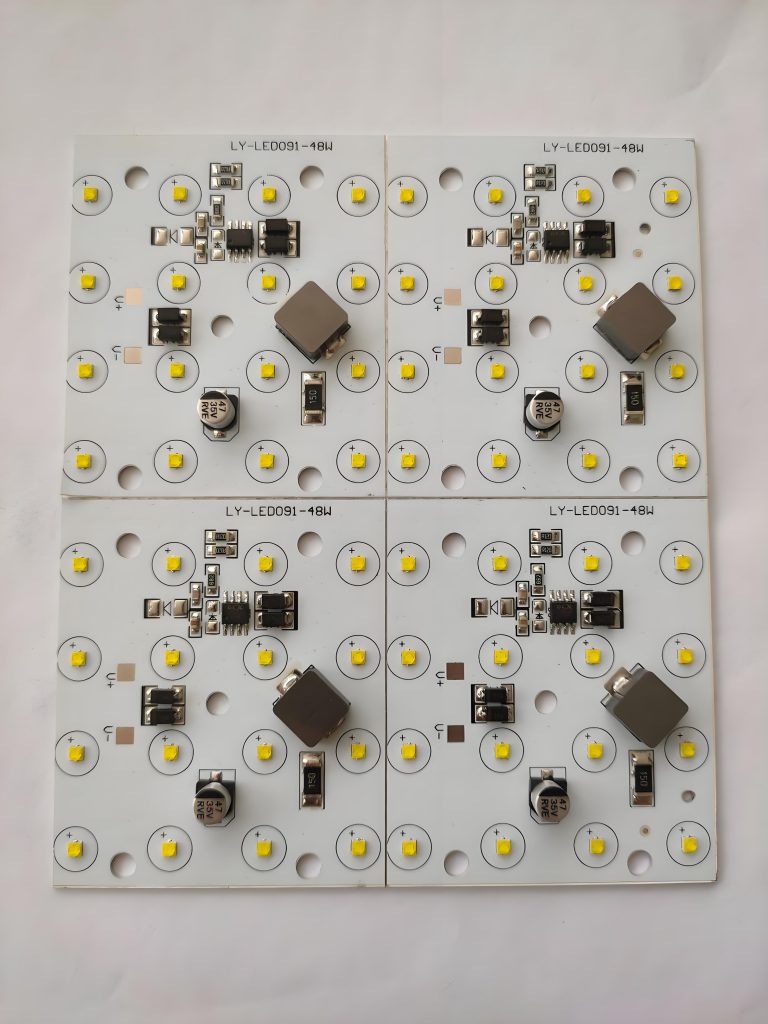
SMD LED PCB Design Layout

The design layout of SMD LED PCBs mainly includes the following aspects:

  • Heat dissipation priority‌: copper is laid in the concentrated area of ​​LED for heat dissipation, away from high-temperature components to avoid heat accumulation.
  • ‌Wire optimization‌: the power line is short and wide to reduce impedance; the signal line and the power line are layered or spaced to prevent interference.
  • ‌Uniform arrangement‌: the LED spacing is consistent, avoiding obstructions to ensure that the light-emitting surface faces the same direction.
  • ‌Pad matching‌: the pad is designed according to the package size to avoid cold soldering; sufficient soldering spacing is reserved.
  • ‌Polarity identification‌: clearly mark the positive and negative poles of the LED to avoid reverse patch; leave debugging marks on the board.

SMD LED PCB Design Layout

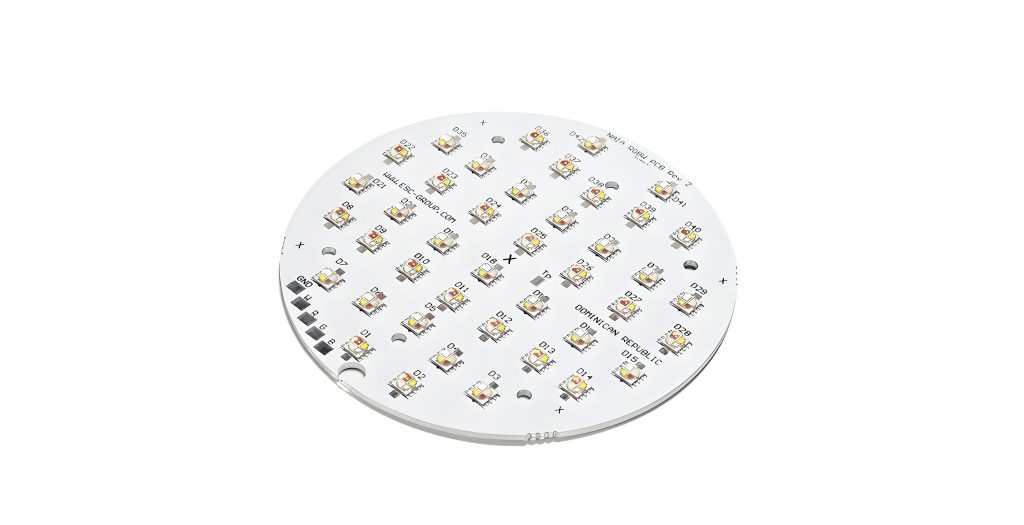
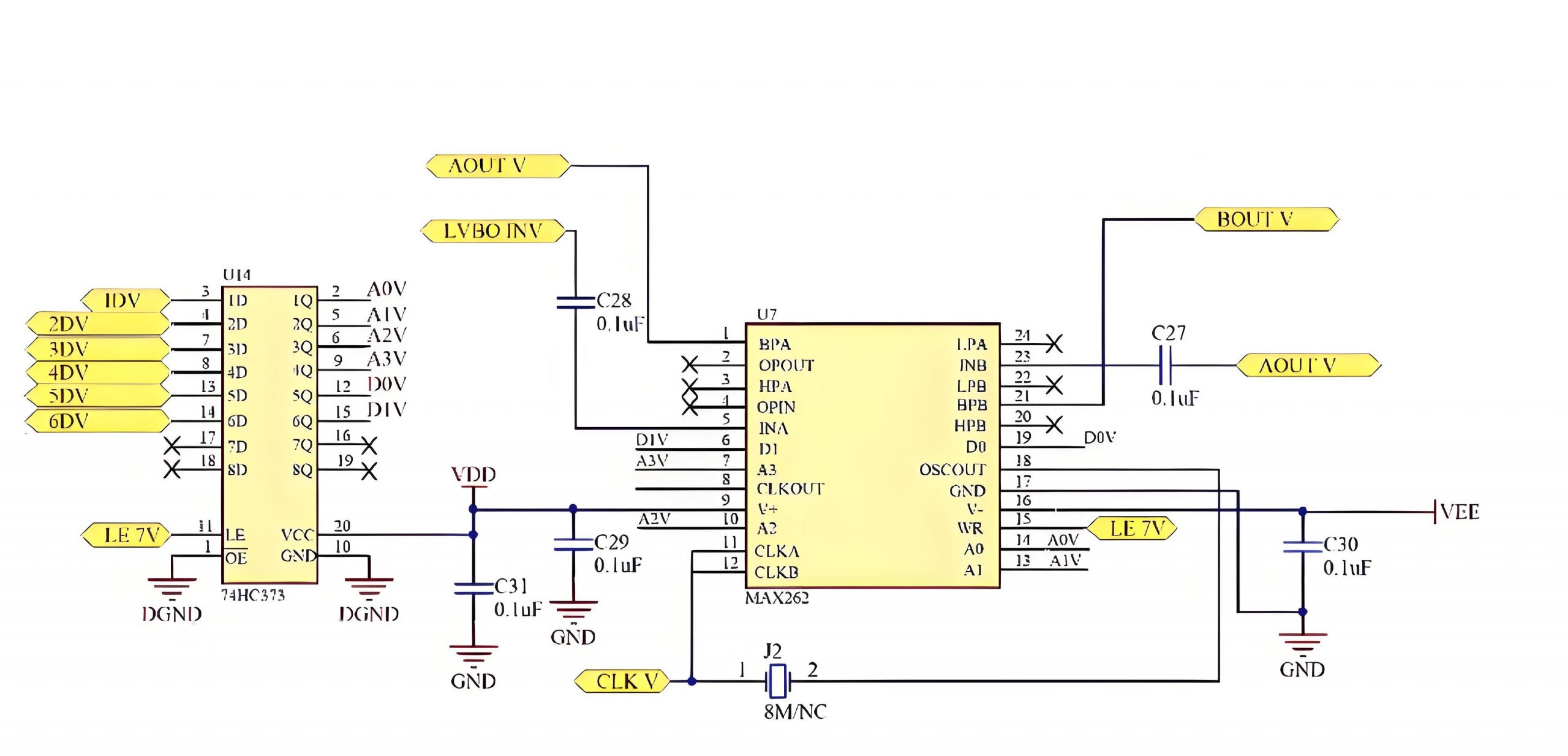
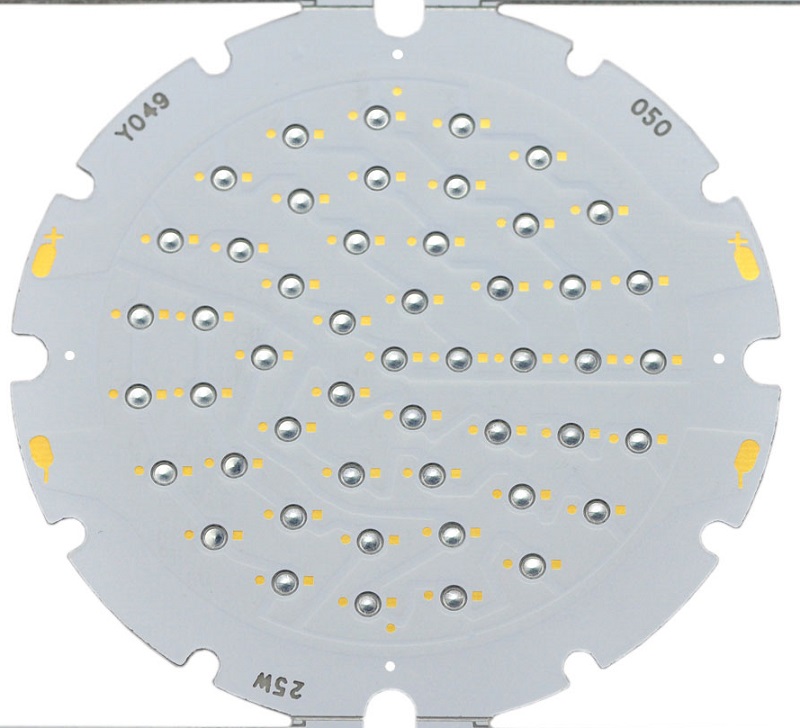
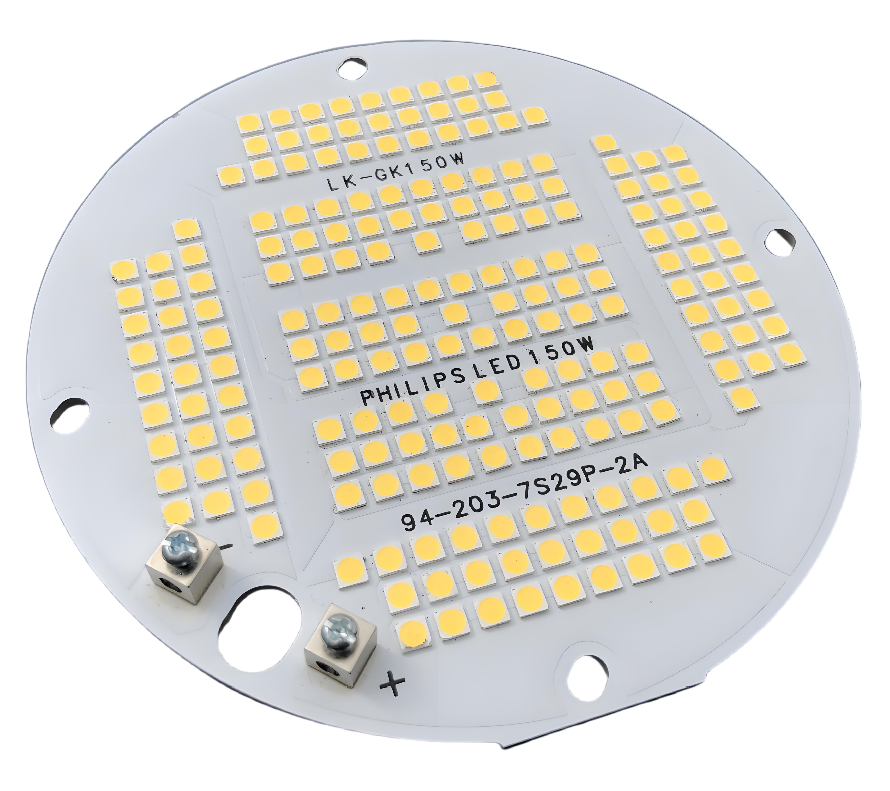
SMD LED Circuit Board Diagram

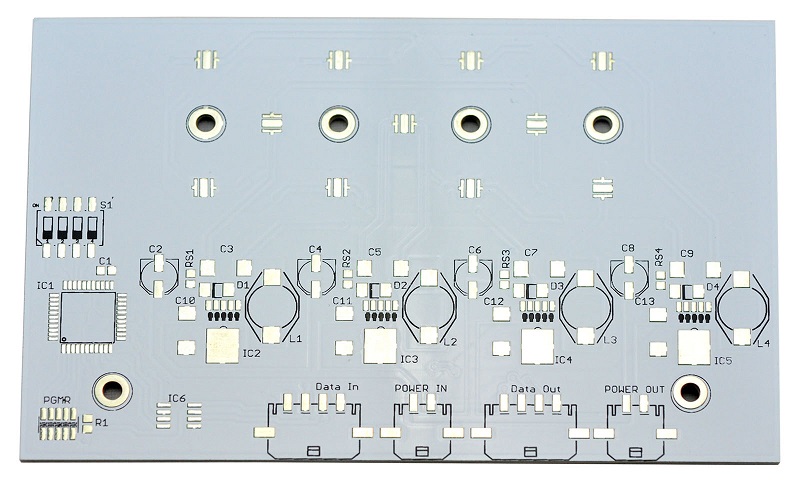
Here is an example of SMD LED Circuit Board Diagram for reference:

This picture is only for reference, please refer to the actual SMD LED Circuit board design diagram. If you need support on this aspect, please contact us.( the email is at the beginning of this blog)

SMD LED PCB Board Manufacturer

When you have finished the design and want to find a SMD LED PCB Board Manufacturer to verify your design. At Best Technology, we can provide affordable prototyping cost with fast delivery, Here are more information about us:

  • Focus on SMD LED PCB Board design, prototype and manufacturing over 18 years and have an experienced designers team. We can provide you professional and free technical support quickly.
  • Have a complete electronic manufacturing supply chain, providing one-stop solutions and PCBA services. All components you needed we can help you purchase and assemble with PCB.
  • Strong process capability

Here is a chart of our process capabilities:

Base materialAluminum/Copper/Iron Alloy
Thermal Conductivity  0.8, 1.0, 1.5, 2.0, 3.0 W/m.K.
Board Thickness0.5mm~3.0mm(0.02″~0.12″)
Copper thickness:0.5 OZ, 1.0 OZ, 2.0 OZ, 3.0 OZ, up to 10 OZ
Outline:Routing, punching, V-Cut
Solder mask:White/Black/Blue/Green/Red Oil
Legend/Silkscreen Color:Black/White
Surface finishing:Immersion Gold, HASL, OSP
Max Panel size: 600*500mm(23.62″*19.68″)
Packing:Vacuum/Plastic bag
Samples L/T:4~6 Days
MP L/T:5~7 Days

How To Design SMD LED PCB Board?

1. Parameter confirmation and selection ‌

  • Single LED operating voltage (such as 3V), current (20mA) and maximum power consumption (power = voltage × current).
  • Series/parallel configuration: series voltage superposition (total voltage = single voltage × quantity), parallel connection requires current equalization design.
  • Materials For general scenario‌: FR4 board (cost-effective, temperature resistance 130℃).
  • Materials For high power scenario‌: Aluminum substrate (thermal conductivity ≄2.0W/m·K, temperature resistance 150℃).

‌2. Layout design‌

  • ‌Similar LED spacing‌ rule: ≄0.3mm (to prevent solder bridging).
  • ‌Dissimilar device spacing‌ rule: calculated according to the formula ‌0.13×height difference (mm)+0.3mm‌ (such as LED height 1mm, resistor height 0.5mm, spacing = 0.13×0.5+0.3≈0.365mm).
  • All LEDs have the same long axis direction and are perpendicular to the reflow soldering direction (to prevent hot air from causing deviation).
  • The distance between the component and the edge of the PCB is ≄3mm. If it cannot be avoided.
  • V-Cut board division‌: Cut after extending the board edge, and wiring is prohibited at the cut.
  • ‌Stamp hole board division‌: Separated by a 0.8mm diameter hole array, the hole center is ≄1.5mm from the board edge

‌3. Routing and power design‌

  • ‌Line width calculation‌: Under 1oz copper thickness, line width (mil) = current (A) Ă· 0.024 (such as 1A current requires ≄42mil).
  • ‌Copper plating stiffener: The LED negative pad is connected to a large area of ​​copper plating (to reduce impedance and assist heat dissipation).
  • Filter capacitor layout‌: Each LED is connected in parallel with a 0.1ÎŒF ceramic capacitor (mounting distance ≀5mm).
  • Add 10ÎŒF~100ÎŒF electrolytic capacitors to the power inlet (to suppress low-frequency ripple).
  • ‌Ground plane division‌: Single-point connection between digital ground and power ground to avoid noise coupling.

‌4. Thermal management design‌

  • Heat dissipation hole array‌: 0.3~0.5mm diameter through holes (1~2mm spacing) are drilled directly below the high-power LED, and the inner wall of the hole is metallized (to enhance thermal conductivity).
  • Copper foil area expansion‌: The copper area under the LED is ≄ 3 times the pad area (the aluminum substrate can be omitted).
  • The distance between LED and heating components such as driver IC and MOS tube is ≄ 5mm.
  • Avoid arranging electrolytic capacitors in high-temperature areas.

‌5. Design for manufacturability (DFM)‌

  • ‌Pad design‌: The pad size is 0.2mm larger than the LED pin (e.g. LED pin is 1.6×0.8mm, and the pad design is 1.8×1.0mm).
  • The solder mask opening is 0.05~0.1mm wider than the pad (to prevent the solder mask from covering the pad).
  • Polarity mark‌: Add a “+” symbol or silk screen frame next to the LED pad (to prevent reverse connection).
  • Mark point: a solid copper point with a diameter of 1mm is arranged diagonally, and there is no component within 3mm around it. ‌

‌6. Test and debugging reservation‌

  • Reserve a 30mil diameter circular test point for each LED string circuit (connect to the positive pole of the power supply, ground and dimming signal).
  • The test point spacing is ≄2mm to avoid probe short circuit.
  • Reserve ≄1.5mm channels in dense LED arrays to facilitate hot air gun rework.

7. Design verification and simulation‌

  • ‌Thermal simulation‌: Use ANSYS Icepak or similar tools to verify the high temperature area (the temperature rise of the aluminum substrate should be ≀30℃).
  • ‌Power integrity simulation‌: Check the power ripple through Sigrity or HyperLynx (target ≀5% rated voltage).
  • ‌DRC inspection‌: Focus on checking line spacing (≄0.2mm), aperture (≄0.3mm), and pad and through-hole avoidance (≄0.15mm).

‌8. Production file output‌

  • ‌Gerber file‌: Contains circuit layer, solder mask layer, silk screen layer, and drilling file (aperture tolerance ±0.05mm).
  • Process marking‌: Clearly specify the solder mask color (white is preferred), surface treatment (immersion gold/OSP), and whether the aluminum substrate needs an insulation layer.

Lastly, you can move the production file to the make a SMD LED PCB board prototype.

What Are SMD LED PCB Board Design Rules?

  • Minimum spacing rule: When SMD layout is in progress, ensuring a certain spacing between components can reduce the probability of problems such as cold soldering, bridging, and shadow effects during welding.
  • PCB edge requirements: SMD components should not be laid out within 3mm from the two sides of the SMD PCB. This is because the guide groove of the placement machine requires that no components are allowed within 3 to 5mm of the PCB board edge. If this size cannot be guaranteed, consider using V-grooves or stamp holes to lengthen the board, and then remove the excess board after welding.
  • Arrangement direction: The arrangement direction of the same components should be as consistent as possible, and a test point with a diameter of 30mil must be left on the same gold track. In addition, the arrangement direction of CHIP, SOT, and SOIC components should be perpendicular to the tinning direction as much as possible to avoid shadow effects.
  • Shadow effect: When wave soldering is used, components with large height differences should not be arranged close together to prevent the shadow effect of high components from affecting the soldering of low components.
  • Test point requirements: When a right-angle (vertical) arrangement is required, sufficient tinning space must be reserved. The distance of this space should be 0.635mm.
What Are SMD LED PCB Board Design Rules?

SMD LED PCB Board Design Rules

FAQ of SMD LED PCB Board Design

1. ‌Improper pad design leads to welding defects‌

  • Use “water drop” routing transition to avoid right-angle connection of pads.
  • Symmetrically design the pad size to ensure balanced heat capacity on both sides.

2. ‌Insufficient heat dissipation leads to shortened LED life‌

  • Lay a sufficient area of heat dissipation copper foil (≄50mmÂČ/W) under the LED and add heat dissipation through holes.
  • Aluminum substrate or metal core PCB is preferred for high-power scenarios.

3. ‌Uneven current distribution of parallel LEDs‌

  • Use star topology wiring to ensure that the length and impedance of each parallel branch are consistent.
  • Use constant current driver chip instead of traditional resistor current limiting solution.

4. ‌Process problems caused by overly dense component layout‌

  • Ensure that the LED spacing is ≄0.5mm and is more than 3mm away from the board edge.
  • During wave soldering, adjust the LED arrangement direction perpendicular to the tinning direction, and use a stepped steel mesh to control the amount of solder paste.

5. ‌Polarity marking error or silk screen blocking the pad‌

  • Clearly mark the LED polarity (such as the “+” symbol), and keep the silk screen away from the edge of the pad by ≄0.2mm.
  • During design verification, check whether the solder mask opening fully exposes the pad.

To sum up, the above is about SMD LED PCB design and how to select a good PCB supplier. If you have any other questions about designing SMD LED PCB, please leave a message below our blog. Looking forward to hearing from you soon!
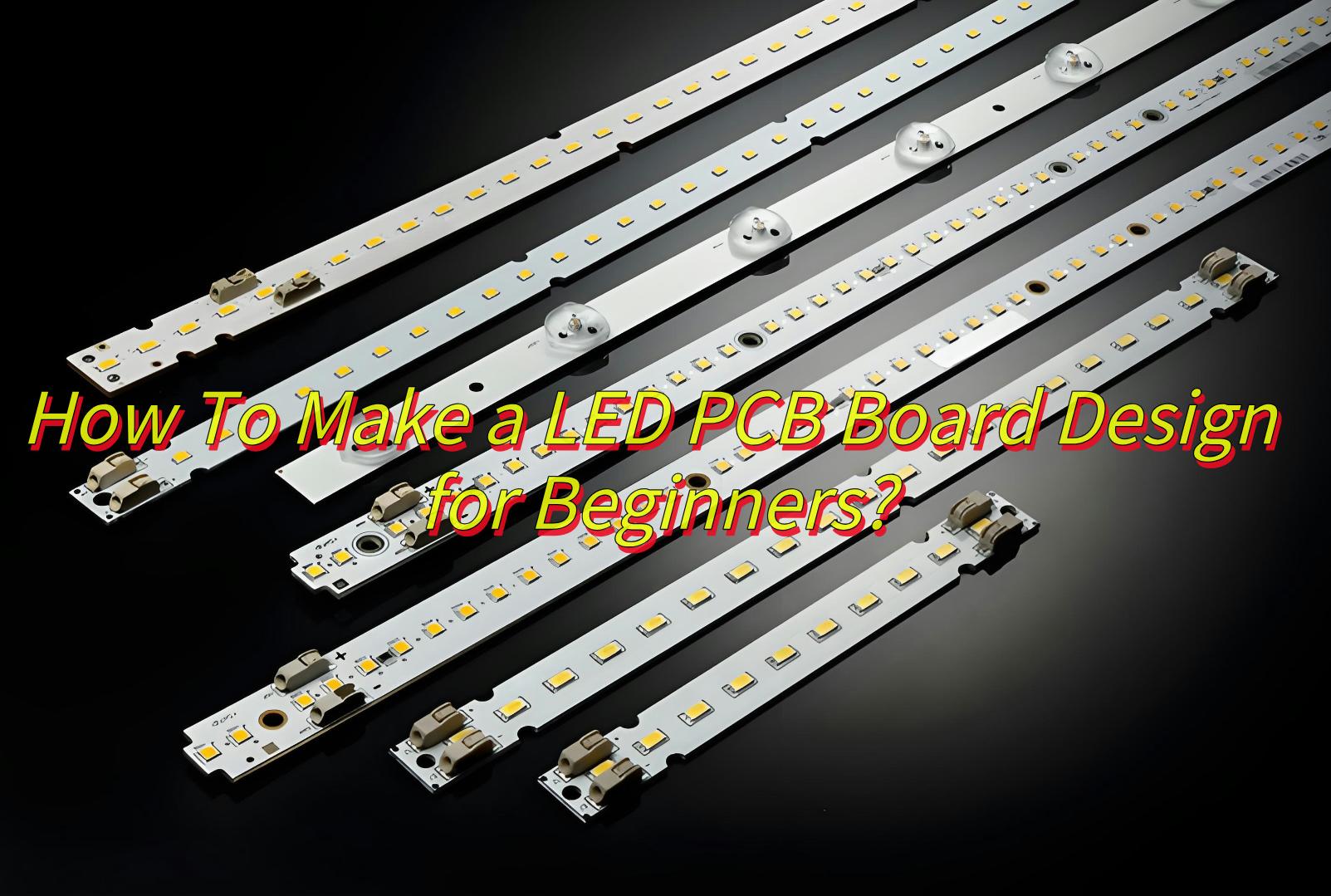
How To Make a LED PCB Board Design For Beginners?

March 14th, 2025

LED PCB Board design is very important for modern lighting systems, so learning how to design LED PCB Board is a necessary step for both beginners and engineers. As a beginner, you may be confused about how to start LED PCB design. This article will explore the design tools, design principles, design layout of LED PCB. Let’s start the discussion now! 

If you want to find a supplier to help you design, prototyping and production, Best technology would be a good choice. Because we focus on LED PCB design, prototyping and production for 18 years, and we have a complete PCB production chain that can respond to your needs quickly and achieve fast delivery. We can provide you with customized services (including customized Logo) with low MOQ at affordable prices. which can turn your good design into high quality PCB products. Then you can have one piece LED PCB that only belongs to you. Please feel free to contact us at sales@bestpcbs.com if you’re interested in us.

What is LED PCB Board Design?

‌LED PCB board design‌ refers to the process of designing PCBs for packaging and mounting LED chips. The main purpose of LED PCB design is to ensure that the LED chip can emit light efficiently and then the entire circuit board has good electrical performance and thermal management capabilities.

led pcb board design

Which Software Tool is Used for LED PCB Board Design?

Here are some common LED board design software as below:

  • Altium Designer– best for complex, professional designs, high cost, hard to learn.
  • KiCad-best for open-source, hobbyist projects, Free cost, Not too easy and not too hard to learn.
  • Autodesk Eagle– best for small-scale designs, Freemium cost, easy to learn.
  • Proteus– best for simulation-driven workflows, need to be paid, Not too easy and not too hard to learn.

‌Here is a small tip can help you how to choose the right software tool:

‌Beginners‌: Start with KiCad or Eagle for affordability.

‌Professionals‌: Altium for advanced features like 3D modeling.

led pcb design software

What Is the Best Practice for LED PCB Board Design Layout?

LED PCB Board Design Layout best practices include the following aspects:

  • ‌Design optimization‌: During the design phase, DFM (design for manufacturability) checks are required to avoid concentrated distribution of high-heat generating components and to design heat dissipation channels reasonably. Ensure that pad size, line width and line spacing meet process capabilities.
  • Layout principles‌: Layout designers usually use schematics as a guide for placing components on the board to ensure optimal network connectivity between parts. Fixed-position parts such as connectors and switches should be placed first, and processors and memory components should be placed close to their connectors for optimal routing.
  • ‌Signal routing tips‌: Add a common ground layer under the signal routing to minimize the impedance between ground points. Add vias in the grid to avoid hot spots, and use 135° routing bends when routing high-speed signals to reduce characteristic impedance changes and signal loss of transmission lines. Increase signal spacing outside the bottleneck area to avoid crosstalk, use daisy chains to maintain signal integrity, and maintain a constant distance when laying out differential pairs to achieve the specified differential impedance.
  • ‌Power supply layout‌: The power supply should be placed near the load to prevent long traces from affecting power supply accuracy and dynamic load response. In multi-layer PCB design, a ground or DC voltage layer should be added between the high current layer and the sensitive small signal layer as a shielding layer to reduce interference.

What Is the Basic Rule of LED PCB Board Design?

The basic rules of LED PCB Board Design is mainly about the following aspects:

  • Control trace length: In design, it is advisable to control the trace length as much as possible, especially for important signal lines such as clock signals. The oscillator should be placed very close to the device to reduce unnecessary interference.
  • Control trace width and spacing: To reduce crosstalk between lines, ensure that the line spacing is sufficient. When the center-to-center distance of lines is no less than three times the width of the lines, 70% of the electric field can remain unperturbed from each other, known as the 3W rule.
  • Avoid sharp corners and right angles: In PCB design, avoid creating sharp corners and right angles, as they can produce unnecessary radiation and affect process performance. All line-to-line angles should be ≄135°.
  • Avoid self-looping traces: During design, pay attention to whether signal lines form self-loops between different layers, especially when routing on multilayer boards. Self-loops can cause radiated interference.
  • Avoid ‘antenna effect’: Generally, do not allow one end of a trace to be suspended to avoid the ‘antenna effect’, which reduces unnecessary interference radiation and reception.
  • Crosstalk control: Crosstalk refers to the mutual interference caused by long parallel traces between different networks. The main measures to overcome crosstalk are to increase the spacing between parallel traces, follow the 3W rule; insert grounded isolation lines between parallel lines; and reduce the distance between the wiring layer and the ground plane.
  • Ground loop rule: The area enclosed by the signal line and its return path should be as small as possible. The smaller the loop area, the less external radiation there is, and the less interference from the outside world.

How To Design a LED PCB for Beginners?

That’s all you need to know about how to make LED PCB Board Design for beginners:

1. Define Your Requirements

‌Start with the basics‌:

  • ‌Voltage‌: Will it run on 5V (USB), 12V (car battery), or 24V (industrial)?
  • ‌Current‌: Calculate total current = Number of LEDs × Forward Current per LED.
  • Example: 10 LEDs × 20mA each = 200mA (0.2A).

LED Type‌:

  • Low-power‌: 5mm LEDs (0.1W each, good for indicators).
  • ‌High-power‌: COB (Chip-on-Board) LEDs (3W+, for lighting).
  • ‌Small Tips‌: Always add a 20% safety margin to your current/voltage calculations.

2.‌ Draw the Schematic

‌Tools for Beginners‌:

  • ‌KiCad‌ (free): Easy-to-use symbol libraries.
  • ‌Easy EDA‌ (web-based): Drag-and-drop interface.

Add LEDs: Place symbols in series/parallel.

  • Series‌: Higher voltage requirement (e.g., 3 LEDs × 3V = 9V).
  • ‌Parallel‌: Same voltage, independent control (add resistors to each branch).
  • Add Resistors: Use Ohm’s Law
  • Include Drivers: For high-power LEDs, use constant-current drivers (e.g., LM3414).
  • ‌Common Mistake‌: Forgetting reverse polarity protection (add a diode in series).

3. Choose Components

‌Critical Parts‌: ‌LEDs‌ and ‌PCB Substrate‌

‌LEDs‌:

  • CREE XML2 (for high brightness)
  • WS2812B (addressable RGB LEDs)
  • ‌Resistors‌: 1/4W for low-power, 1W+ for high-current.

‌PCB Substrate‌:

  • ‌FR4‌: Cheap, good for low-power (<1W/LED).
  • Aluminum Core (MCPCB)‌: Mandatory for high-power LEDs (3W+).

Small Tips‌: Buy extra components – beginners often burn LEDs during testing!

4. Points of Wiring Technology

Power supply line

  • Main power line width ≄ 0.5mm (1A current corresponds to a line width of about 0.8mm)
  • Use star topology for power supply to avoid cascade voltage drop

Signal line

  • The distance between the control signal line (such as PWM dimming line) and the power line ≄ 3 times the line width.
  • Add terminal matching resistors to long-distance signal lines

Special treatment

  • Large-area copper grounding (grid copper can reduce thermal stress)
  • Avoid routing under the LED (to prevent light interference)

5. Design Verification

Electrical inspection‌:

  • Use DRC to check the minimum line spacing (recommended ≄0.2mm) and pad spacing‌
  • Verify current carrying capacity: 1oz copper thickness carries 1A current per mm line width‌

‌Actual test‌:

  • Use a multimeter to test short circuit/open circuit before welding
  • Use an infrared thermometer to detect LED temperature rise after power on (≀60℃)‌

6. Production File Output
When you are generating Gerber files, please pay attention to:

  • Mark the polarity of LEDs (+/- symbols)
  • Add silk screen layer positioning marks
  • Indicate board thickness (recommended 1.6mm) and surface process (recommended immersion gold)

7. Prototype & Test

If you have made a LED PCB prototype, the next step is testing. Here are three steps for testing:

‌Safety Checks‌:

  • Visual Inspection‌: Look for solder bridges or misaligned components.
  • Continuity Test‌: Use a multimeter to check shorts.

‌Power Up‌:

  • Start with 50% of max voltage.
  • Measure temperature with a â€Œthermal camera‌ or IR thermometer.

‌Troubleshooting‌:

  • LEDs Not Lighting‌: Check polarity and resistor values.
  • Overheating‌: Reduce current or improve heat dissipation.

If you have any issues about this design process, welcome to leave a message below this blog.

How To Make LED Circuit Board?

Here are the production processes of how to make LED circuit board:

  • Cutting Materials: Cut the copper clad board into the required size to ensure that the material size meets the requirements of subsequent processing.
  • Drilling Holes: Use a high-precision drilling machine to drill precise through holes on the circuit board. The hole wall is smooth and burr-free to ensure that the hole wall has good adhesion.
  • Copper Plating: Chemically treat the hole wall of the PCB to ensure that the hole wall has good adhesion. The copper ions in the electrolyte are evenly deposited on the hole wall by electrochemical methods to form a thin and uniform copper foil layer.
  • Graphic Transfer: Use LDI (laser direct imaging) technology to accurately project the circuit diagram onto the copper clad layer of the PCB, and display the prototype of the circuit diagram through exposure and development processes
  • Electroplating: Further increase the thickness of the copper layer on the developed circuit and hole wall to ensure Its conductive properties and mechanical strength
  • Etching: Remove unnecessary copper foil through etching process and retain the required circuit pattern.
  • Solder Mask: Apply solder mask on PCB board to reduce short circuit risk and provide electrical insulation.
  • Legends Identification: Identify different component types through a combination of letters and numbers to avoid mounting errors.
  • Surface Treatment: Protect copper layer, improve welding performance, enhance corrosion resistance, etc., including hot air solder leveling (HASL), immersion tin (IMSN), chemical nickel immersion gold (ENIG), etc.
  • Molding: Cut into specific shapes as needed.
  • Testing: Detect defects such as open circuit and short circuit that affect functionality through electronic testing.
  • Final inspection: Visually inspect the appearance defects of the board and repair minor defects.

LED PCB Manufacturers

When you have completed the design and want to find a LED PCB Manufacturer to produce samples to verify your design. Are you worried about the high cost and long delivery time of PCB prototyping? Choose Best Technology, we can provide affordable prototyping cost with fast delivery, so you don’t worry about these problems. Here are more information about us.

  • Specialize in high quality LED PCB design, prototype and manufacturing over 18 years and have an experienced production teams. We can handle a lot of issues quickly if there is any issue with the production and achieve fast delivery.
  • Providing customized services based on customer’s need with low MOQ and competitive price.
  • Strict Quality Management Systems. We have obtained ISO certificate and adopted automatic optical inspection (AOI) and X-ray machines.
  • Have a complete electronic manufacturing supply chain, providing one-stop solutions and PCBA services. You don’t need to spending time and energy to purchase electronic parts everywhere.
  • Have professional pre-sales and after-sales team. Pre-sales can help you solve various design and production questions. and after-sales can help you deal with after-sales problems if your goods have any quality problem.
  • Have a branch factory in Vietnam to respond to fast delivery.

FAQs of LED PCB Board Design

1. What is the best material for LED PCB?

Aluminum are preferred for their heat dissipation properties.

FR4 is another option but requires additional cooling mechanisms.

2. Can I design an LED PCB without software?

While hand-drawing is possible, software provides accuracy, efficiency, and simulation capabilities for better results.

3. What are the challenges in LED PCB design?

Managing heat, ensuring uniform brightness, and optimizing power efficiency are key challenges. Proper layout and material selection help overcome these issues.

4. How to reduce heat in an LED PCB?

Use aluminum substrates, thermal vias, and heat sinks. Proper component placement and copper pours also improve heat dissipation.

If you want to know more about how to design a LED PCB board, welcome to contact us. (The email is at the beginning of this blog) Looking forward to hearing from you soon!
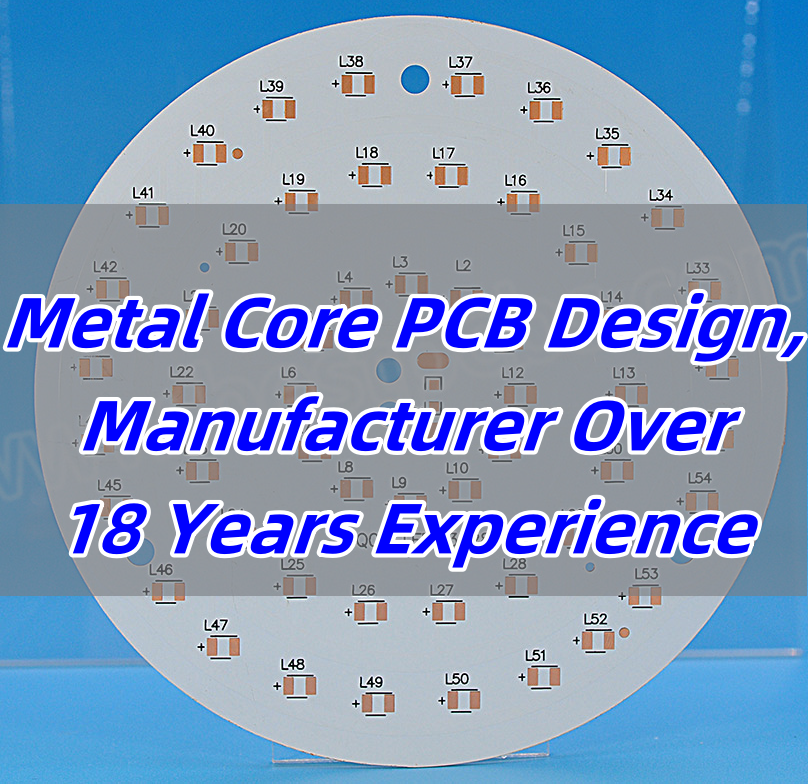
Metal Core PCB Design, Manufacturer Over 18 Years Experience

March 14th, 2025

Metal core PCB is designed for applications requiring efficient heat dissipation, making it ideal for high-power electronics. Unlike standard PCBs, it features a metal base, typically aluminum or copper, that enhances thermal conductivity and improves durability. This design helps prevent overheating, ensuring stable performance in LED lighting, automotive systems, and power electronics. As industries demand reliable and heat-resistant circuit boards, metal core PCBs have become a preferred choice.

Best Technology has over 18 years of experience designing metal core PCBs. We are a professional metal core PCB manufacturer, mainly involved in all types of PCB manufacturing. If you need a metal core PCB, please feel free to contact us at sales@bestpcbs.com.

Metal Core PCB Design

What is a Metal Core PCB?

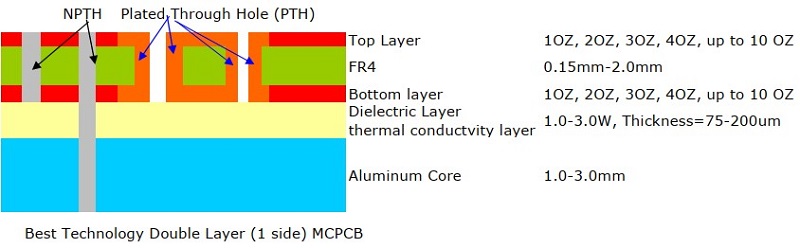
A metal core PCB (MCPCB) is a specialized type of printed circuit board that features a metal core instead of the standard FR4 or other non-metallic substrates. The metal core, typically made of aluminum, copper, or steel, helps dissipate heat efficiently, making it a preferred choice for high-power applications such as LED lighting, automotive electronics, and power conversion systems.

Unlike regular PCBs, which rely on thermal vias or external heat sinks for cooling, MCPCBs conduct heat directly through their metal base. This results in better thermal management, increased reliability, and a longer lifespan for electronic components. If you’ve ever wondered why some circuit boards perform better under high temperatures, chances are they are using metal core PCB technology.

What Are the Different Types of Metal Core PCBs?

Metal Core PCBs (MCPCBs) are classified based on three key dimensions: Layer Structure, Heat Dissipation, Application-Specific Features.

1. Classification by Layer Structure

Single-Layer MCPCB

  • Structure: A metal base, an insulating dielectric layer, and a single copper layer for circuit traces.
  • Best For: LED lighting, power supplies, and basic thermal management applications.
  • Key Benefit: Simple and cost-effective with efficient heat dissipation.

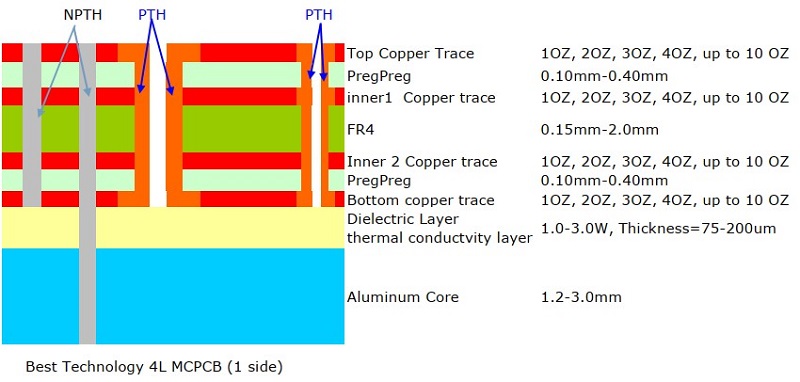
Two-Layer MCPCB

  • Structure: Two copper layers put on the one side of MCPCB, with an aluminum or copper base.
  • Best For: Power circuits requiring more routing flexibility than single-layer MCPCBs.
  • Key Benefit: Improved circuit complexity and higher current capacity.
Two-Layer MCPCB

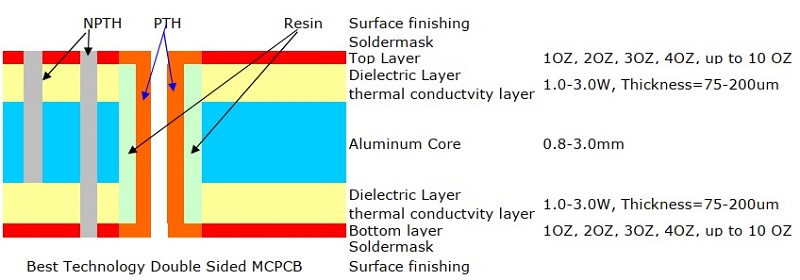
Double-Sided MCPCB

  • Structure: Copper layers on both sides of the metal core, connected via plated through-holes (PTHs).
  • Best For: Automotive control systems, industrial power converters, and motor drivers.
  • Key Benefit: Enhanced circuit routing options and improved electrical performance.
Double-Sided MCPCB

Multilayer MCPCB

  • Structure: Multiple copper and dielectric layers stacked on a metal core.
  • Best For: Advanced applications like aerospace, telecommunications, and high-power LED lighting.
  • Key Benefit: Increased circuit density, better signal integrity, and superior heat dissipation.
Multilayer MCPCB

2. Classification by Heat Dissipation Technology

Standard MCPCB

  • Structure: A conventional metal core PCB with a dielectric layer that transfers heat from components to the metal base.
  • Key Benefit: Moderate thermal performance, widely used in consumer electronics and LED modules.

SinkPAD MCPCB (Enhanced Thermal Management)

SinkPAD is a specialized MCPCB technology designed for superior heat dissipation by reducing thermal resistance. Unlike standard MCPCBs, SinkPAD boards allow heat to transfer directly from the component to the metal base without passing through an insulating dielectric layer.

1L SinkPAD Board (Single-Layer SinkPAD)

  • Structure: A single copper layer with direct thermal pathways to the metal core.
  • Best For: High-power LED modules and power supplies requiring fast heat dissipation.
  • Key Benefit: More efficient cooling than standard single-layer MCPCBs.

2L SinkPAD Board (Two-Layer SinkPAD)

  • Structure: Two copper layers with a thermal connection to the metal core.
  • Best For: Medium-power applications, such as LED drivers and automotive lighting.
  • Key Benefit: Improved thermal performance and better electrical conductivity.

Double-Sided SinkPAD Board

  • Structure: Copper layers on both sides of the metal core, providing heat dissipation pathways on both surfaces.
  • Best For: High-power industrial electronics, automotive systems, and power management circuits.
  • Key Benefit: Balanced thermal performance and high electrical efficiency.

Multi-Layer SinkPAD Board

  • Structure: Multiple copper layers with direct heat dissipation channels integrated into the metal core.
  • Best For: Aerospace, military, and high-end LED applications requiring extreme heat management.
  • Key Benefit: Maximized thermal efficiency for complex, high-power circuits.

3. Classification by Application-Specific Features

COB (Chip-on-Board) MCPCB

  • Structure: LED chips are mounted directly onto the metal core PCB without individual packaging.
  • Best For: High-brightness LED applications such as streetlights, automotive headlights, and stadium lighting.
  • Key Benefit: Lower thermal resistance, higher efficiency, and reduced size compared to traditional LED modules.

Selecting the right MCPCB depends on your thermal management needs, power requirements, and circuit complexity. For simple applications, a single-layer MCPCB may suffice, while high-power and heat-sensitive applications benefit from SinkPAD or multilayer MCPCBs.

COB (Chip-on-Board) MCPCB

What Materials Are Used to Make Metal Core PCBs?

MCPCBs are made from a combination of conductive and non-conductive materials to ensure durability and heat dissipation. Here’s a breakdown of the materials:

  • Metal Core – The base material is typically aluminum, copper, or stainless steel. Aluminum core PCBs are lightweight and cost-effective, while copper metal core PCBs offer superior heat dissipation but are more expensive.
  • Dielectric Layer – This electrically insulating but thermally conductive layer separates the copper circuit layer from the metal core. It plays a crucial role in transferring heat while preventing electrical shorts.
  • Copper Layer – The conductive layer where circuit traces are formed. The thickness of this layer varies based on current-carrying requirements, with heavy copper PCBs featuring thicker traces for power electronics.

The selection of metal core PCB materials depends on your design needs, thermal requirements, and budget.

‌How to Design a Metal Core PCB?‌

Designing a metal core PCB (MCPCB) requires meticulous planning to ensure optimal performance. Here are some key considerations for designing an effective MCPCB:

‌Component Placement‌

  • High-Power Components Near the Metal Core‌: Position high-power components close to the metal core to enhance heat dissipation and maintain thermal stability.

‌Thermal Management‌

  • ‌Thermal Vias‌: Incorporate thermal vias to efficiently transfer heat from the components to the metal core.
  • ‌Proper Spacing‌: Ensure adequate spacing between components to prevent overheating and maintain air circulation for effective cooling.

‌Layer Stack-up‌

  • ‌Bonding Strength‌: When designing multilayer MCPCBs, ensure robust bonding between the dielectric and metal layers to maintain structural integrity and thermal conductivity.

‌Trace Width and Spacing‌

  • ‌Wider Traces for Current Flow‌: Use wider traces to reduce resistance and improve current flow, especially for high-power applications.
  • ‌Adequate Spacing for Safety‌: Maintain sufficient spacing between traces to prevent electrical shorts and ensure safety.

‌Drilling and Routing‌

  • ‌Special Manufacturing Techniques‌: Due to the hardness of metal core boards, special drilling and routing techniques are required. Consult with your manufacturer to ensure compatibility with their production processes.

‌Design Software‌

  • ‌Professional PCB Design Software‌: Utilize professional PCB design software to optimize the manufacturing process, prevent design flaws, and ensure compliance with industry standards.

    Additionally, consider the following for a comprehensive MCPCB design:
  • ‌Material Selection‌: Choose the appropriate metal core material (e.g., aluminum, copper) based on your thermal and mechanical requirements.
  • ‌Dielectric Layer Properties‌: Select a dielectric layer with good thermal conductivity and electrical insulation properties.
  • ‌Antipad Application‌: In double-sided MCPCB designs, apply an antipad to indicate the via-hole region that requires an insulating filter to prevent electrical shorts.

As a leading metal core PCB manufacturer over 18 Years Experience, we excel in metal core PCB design. We can design a metal core PCB that maximizes performance, ensures reliability, and meets your specific application needs.

Metal Core PCB Manufacturer Over 18 Years Experience

‌What Are the Benefits of a Metal Core PCB?‌

Why should you choose MCPCBs over traditional FR4 boards? Here are the key advantages:

  • ‌Superior Heat Dissipation‌: The metal core (e.g., aluminum or copper) rapidly absorbs and distributes heat away from components, ‌reducing thermal stress‌ and preventing performance degradation in high-power circuits.
  • ‌Higher Durability‌: MCPCBs withstand extreme temperatures, mechanical shocks, and vibrations better than FR4, making them ideal for harsh industrial or automotive environments.
  • ‌Improved Electrical Performance‌: Lower thermal resistance minimizes voltage drops and parasitic inductance, enhancing efficiency in high-current applications.
  • ‌Extended Lifespan‌: Effective thermal management reduces component fatigue, significantly prolonging the operational life of electronics.
  • ‌Compact Design‌: Eliminates the need for bulky heat sinks, enabling slim and lightweight solutions for space-constrained applications like LED modules or EV power systems.

‌What Are the Applications of Metal Core PCBs?‌

Thanks to their high thermal conductivity and reliability, MCPCBs are widely used in:

  • ‌LED Lighting‌: Critical for high-brightness LED applications (e.g., streetlights, automotive headlights), where they prevent overheating and ensure consistent light output and longevity.
  • ‌Automotive Electronics‌: Used in electric vehicle (EV) battery management systems, motor controllers, and brake systems to handle high currents and extreme temperature fluctuations.
  • ‌Power Electronics‌: Essential for inverters, converters, and industrial power supplies that require heavy copper layers and stable thermal performance.
  • ‌Medical Devices‌: Found in MRI machines, X-ray equipment, and surgical tools, where reliability and heat dissipation are critical for patient safety.
  • ‌Telecommunications‌: Supports high-frequency RF/microwave circuits in 5G infrastructure and radar systems, reducing signal loss caused by heat buildup.

Why Choose Best Technology as Your Metal Core PCB Manufacturer?

With so many circuit board manufacturing companies out there, why should you choose Best Technology? Here’s what sets us apart:

  • 18+ Years of Experience: We specialize in metal core PCB fabrication with cutting-edge technology over 18 years.
  • Wide Range of Solutions: From single-layer MCPCB to multi-layer SinkPAD board, we manufacture all types of PCBs. If you have related inquiries or questions, you are warmly welcome to contact us.
  • High-Quality Standards: We use premium metal core PCB materials for better durability and performance.
Metal Core PCB

FAQs of Metal Core PCB

1. What metals are in circuit boards?

  • Circuit boards contain different metals depending on their type. Copper is the most common metal used for conductive traces due to its excellent electrical properties. In metal core PCBs (MCPCBs), the core is typically made of aluminum or copper to improve heat dissipation. Steel is rarely used because it’s heavier and less effective at conducting heat.

2. What is the difference between FR4 and MCPCB?

  • MCPCB VS Regular PCB: What are Differences? FR4 PCBs are made from fiberglass-reinforced epoxy, offering a low-cost, durable, and electrically insulating solution. However, they have limited heat dissipation capabilities, making them suitable for applications with moderate power levels.
  • MCPCBs (Metal Core PCBs) have a metal base (usually aluminum or copper) with a thermally conductive dielectric layer, allowing them to dissipate heat 5–8 times better than FR4. These are ideal for high-power applications, such as LED lighting and power electronics, where heat management is critical.

3. How are metal core PCBs laminated?

Laminating a metal core PCB involves several steps:

  • Metal Base Preparation – The aluminum or copper core is cleaned and sometimes treated to improve insulation and corrosion resistance.
  • Dielectric Layer Application – A thermally conductive but electrically insulating layer is applied between the metal base and the copper circuitry.
  • Copper Lamination – The copper foil is bonded to the dielectric layer using high pressure and heat to ensure strong adhesion.

This process ensures the PCB can effectively transfer heat away from components while maintaining electrical insulation.

4. How to make metal core PCB?

The manufacturing process for metal core PCBs includes:

  • Cutting and Cleaning the Metal Core – The aluminum or copper base is cut to the required size and cleaned to remove any impurities.
  • Applying the Dielectric Layer – A heat-conductive but non-conductive layer is added to separate the metal core from the copper circuit.
  • Etching the Circuit Pattern – The copper layer is coated with a photoresist, exposed to UV light, and etched to create circuit traces.
  • Drilling and Plating – Holes are drilled for vias and plated with copper to establish electrical connections.
  • Surface Finishing – A protective finish like ENIG (Electroless Nickel/Immersion Gold) or OSP (Organic Solderability Preservative) is applied to prevent oxidation and improve solderability.
  • Testing and Quality Control – The finished boards undergo electrical and thermal testing to ensure they meet performance requirements.

This process results in a highly durable and heat-efficient PCB, making it suitable for applications that require superior thermal management.

In conclusion, metal core PCBs are the go-to solution for applications that demand superior thermal management, durability, and high performance. Whether you’re working with high-power LED lighting, automotive electronics, or power conversion systems, MCPCBs ensure stable operation under extreme conditions. With different types such as single layer MCPCB, multi layers MCPC, and advanced SinkPAD MCPCBs, designers can choose the right configuration based on their specific thermal and electrical requirements.

At Best Technology, we leverage 18+ years of experience in PCB manufacturing to deliver high-quality metal core PCBs tailored to your needs. From prototype development to mass production, we provide reliable, high-performance solutions with strict quality control. For inquiries or more info about metal core PCB, welcome to email us at sales@bestpcbs.com.

Direct Thermal Path MCPCB Stack Up, Design & Prototype

March 13th, 2025

What is Direct Thermal Path MCPCB?

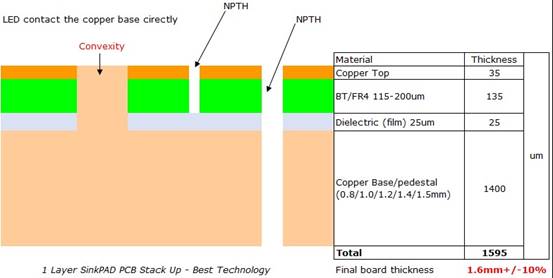
A Direct Thermal Path MCPCB (DTP MCPCB) also called sink Pad MCPCB, or thermoelectric separation MCPCB. It is a specialized type of metal-core PCB that design with a thermal convexity Pad to create a direct thermal path. It made of copper core/pedestal, so that the thermal Pad of LED chips can touch the convexity area of metal core directly, ensure a better heat dissipation.

The core of these boards is typically made of copper for ultra-high conductivity. The magic happens in the convexity Pad —a thin, thermally conductive that bonds the circuit layer to the metal base directly. See the stack up of a direct thermal path PCB as below for make sense:

Why Does Direct Thermal Path PCB Matter?

Heat is the enemy of electronics. When components overheat, performance drops, lifespans shorten, and failure risks rise. For example, an LED’s brightness can fade by 30% if its temperature rises just 20°C above optimal levels. Direct Thermal Path MCPCBs solve this by:

  • Cutting thermal resistance: Heat escapes 8–10x faster than in standard boards.
  • Preventing hotspots: Even temperature distribution avoids component burnout.
  • Improving reliability: Cooler parts = 50% fewer breakdowns in harsh environments.

For industries where reliability is non-negotiable—like aerospace or medical devices—this tech is a game-changer. A drone’s flight controller using DTP MCPCBs, for instance, can handle prolonged use without throttling performance.

Benefits of Direct Thermal Path MCPCB

  • Superior Heat Management: Direct contact with the metal core allows faster heat transfer, 8–10x faster than standard FR4 PCBs.
  • Higher Component Reliability: Stable temperatures reduce stress on electronic parts.
  • Compact Designs: No bulky heatsinks needed—ideal for slim devices like VR headsets.
  • Longer Lifespan: Heat-sensitive components last longer due to better thermal management.
  • Cost-Effective: Fewer cooling parts mounted, reducing 15-20% assembly costs.
  • Versatility: Works in extreme temps (-50°C to 300°C).
  • Increased Energy Efficiency: Lower thermal resistance enhances overall power efficiency.
  • Consistent Performance – Devices run more reliably under high-power conditions.

Direct Thermal Path MCPCB Key Components

The materials used in DTP MCPCBs play a significant role in performance. Common options include:

1. Metal Core (Base Layer)

The metal core provides structural integrity and acts as the primary heat dissipator. Options include:

  • Copper – Mostly used. Superior thermal performance (up to 400 W/m·K) but heavier and more expensive.
  • Aluminum – Lightweight, but it is rarely made, because normal aluminum PCB can meet most of heat dissipation needs.

2. Circuit Layer (Copper Foil)

1oz to 6oz copper thickness depending on the application. Thicker copper enhances current-carrying capacity and heat dissipation.

3. Dielectric Layer (Optional in Some Designs)

  • In regular MCPCBs, this layer insulates the circuit from the metal core.
  • In DTP MCPCBs, selected areas have no dielectric layer, ensuring direct heat transfer.

4. Solder Mask & Silkscreen & Surface Finish

  • Solder Mask – Protects the copper circuit from oxidation and damage.
  • Silkscreen – Printing labels, company logo, trace names etc for identifying and smooth PCB assembly process.
  • Surface Finishes – Options like ENIG, OSP, or HASL prevent corrosion and enhance solderability.

Types of Direct Thermal Path MCPCB

  • Single-Layer DTP:

Basic design with one conductive layer.

Ideal for simple LED lighting (e.g., household bulbs).

Cost-effective for high-volume production.

  • Double-Layer DTP:

Extra layer for complex circuits.

Used in automotive controls (e.g., EV battery monitors).

Supports moderate power loads (50–100W).

  • Multi-Layer DTP:

Advanced setups with 4+ layers for high-density electronics.

Common in servers, 5G infrastructure, and industrial robots.

Handles 200W+ components with ease.

For more information of each type and direct thermal path MCPCB stack up, click into our official website:

DTP MCPCB vs. Regular MCPCB

The thermal conductivity of the thermoelectric separation MCPCB is as high as 380W/m.K, which is much higher than the 1-2W/m.K‌ of the regular metal core PCB. The thermoelectric separation structure makes the LED chip directly touch with copper substrate, reducing the thermal resistance, thus improving the heat dissipation effect. In addition to this, the fabrication process of DTP MCPCB is more complex‌, manufacturers need to purchase copper base and insulation layer, then processing and laminating separately. Here are some other differences between the two:

FeatureDTP MCPCBRegular MCPCB
Thermal ResistanceLower due to direct heat pathHigher due to dielectric layer
Heat DissipationFaster and more efficient  Slower, limited by dielectric layer
WeightSlightly heavier due to copper coreLighter in some cases (when used aluminum as core)
Thermal PathDirect (no gaps)Insulated (slower transfer)
ApplicationsEVs, industrial lasersConsumer electronics, low-power

Applications of Direct Thermal Path MCPCB

DTP MCPCBs are widely used in industries requiring high-performance thermal solutions:

LED Lighting – Enhances efficiency and longevity in high-brightness LED modules.

Power Electronics – Used in inverters, power supplies, and energy storage systems.

Telecommunication – Improves stability in high-frequency and RF applications.

Medical Devices – Ensures reliability in imaging systems and diagnostic tools.

Automotive Industry – Supports high-power applications like EV battery management.

Aerospace & Defense – Used in radar systems and avionics for thermal stability.

Manufacturing Process of Direct Thermal Path MCPCB

1. Preparation of Manufacturing Files

The first step is preparing the manufacturing files. This involves separating the copper core and circuit traces from a single Gerber layer into two distinct layers. The trace layer contains only the circuit traces without the central heatsink pad of the LED, while the copper core layer consists solely of the heatsink pad. This separation ensures precise processing in later stages.

2. Production of the Trace Layer and Copper Core Layer

Both layers are produced separately.

  • Trace Layer Production

The trace layer follows a standard PCB manufacturing process, using materials like FR4 or BT (Bismaleimide-Triazine), with BT being the preferred choice due to its thermal properties.

  • Copper Core Layer Processing

Processing the copper core is more complex.

a) The copper core thickness typically ranges from 0.8mm to 2.0mm and comes with protective blue film on both sides. The film is removed before etching to expose the copper surface.

b) After the raw material is cut, the copper core undergoes grinding to remove impurities, ensuring a clean surface for the next steps.

c) A blue film layer is applied over the entire copper core. After the developing and etching process, only selected areas of the blue film remain, marking the locations of the heatsink pad.

3. Lamination of the Trace Layer and Copper Core Layer

Once both layers are prepared, they are laminated together.

  • Glue is applied to the bottom side of the trace layer for bonding.
  • CNC milling/routing is performed to remove the cutout areas where the raised heatsink pad will be placed.
  • After peeling off the white release paper, the trace layer is aligned and placed onto the copper core, forming the SinkPAD structure that enhances thermal performance.

4. Solder Mask Application

After hot lamination, the boards are cleaned before applying the solder mask.

  • A stencil is used to align the board before printing solder mask ink.
  • The solder mask color is applied using either a manual process for small batches or an automatic printer for mass production. Common colors include white, black, green, blue, yellow, and red.
  • The boards are left to stand for one hour before being baked in an oven.
  • The solder mask is then developed using UV light exposure and etched, leaving only the required solder mask areas.

5. Silkscreen Printing

Silkscreen markings are printed using a silk-screening process without requiring additional development or etching. This step ensures component labels and markings are clearly visible.

6. Surface Finishing

A suitable surface treatment is applied to the exposed copper areas to improve solderability and prevent oxidation.

  • Common finishes include OSP (Organic Solderability Preservative) and ENIG (Electroless Nickel Immersion Gold).
  • HAL (Hot Air Leveling) is not used for SinkPAD boards due to process limitations.
  • Special surface finishes can be applied based on customer requirements.

7. Final Inspection and Shipment

Each board undergoes a strict electrical test (E-testing) and final quality control (FQC) to verify circuit integrity and manufacturing accuracy. Once approved, the boards are carefully packed and shipped according to customer specifications.

Throughout the entire process, every step is closely monitored to ensure high-quality solder masks, precise silkscreen printing, and flawless surface finishing, meeting all design and performance expectations.

Why Choose Best Technology?

With over 18 years of experience, Best Technology is a trusted name in PCB manufacturing. Our DTP MCPCBs deliver superior thermal management, longer lifespan, and excellent performance. Whether you need high-power LED PCBs, automotive PCBs, or industrial thermal solutions, we provide tailored solutions to meet your needs.

Our Direct Thermal Path MCPCB Manufacturing Capability

Best Technology specializes in custom DTP MCPCBs with the following capabilities:

Base material: Copper core: 0.8mm, 1.0mm, 1.2mm, 1.4mm, 1.5mm

Thermal Conductivity: 400 W/m.K.

Board Thickness: 1.0 mm~2.0mm(0.04″~0.08″)

Copper thickness: 0.5 OZ, 1.0 OZ, 2OZ, (specially 3-10 OZ)

Outline: Routing, punching, V-Cut

Soldermask: White/Black/Blue/Green/Red Oil

Legend/Silkscreen Color: Black/White/Yellow

Surface finishing: Immersion Gold, ENEPIG, Immersion Tin, OSP

Max Panel size: 600*500mm(23.62″*19.68″)

Packing: Vacuum/Plastic bag

Samples L/T: 1.5~2.5 weeks

MP L/T: 2.5~3.5 weeks

For premium Direct Thermal Path MCPCBs, contact Best Technology today!
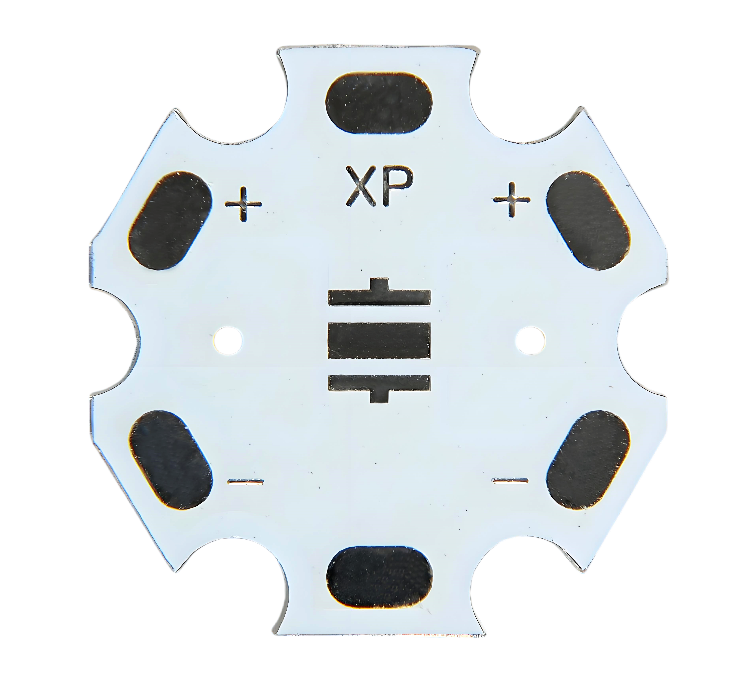
LED Ring PCB Design,Prototype&LED Ring PCB Manufacturer

March 13th, 2025

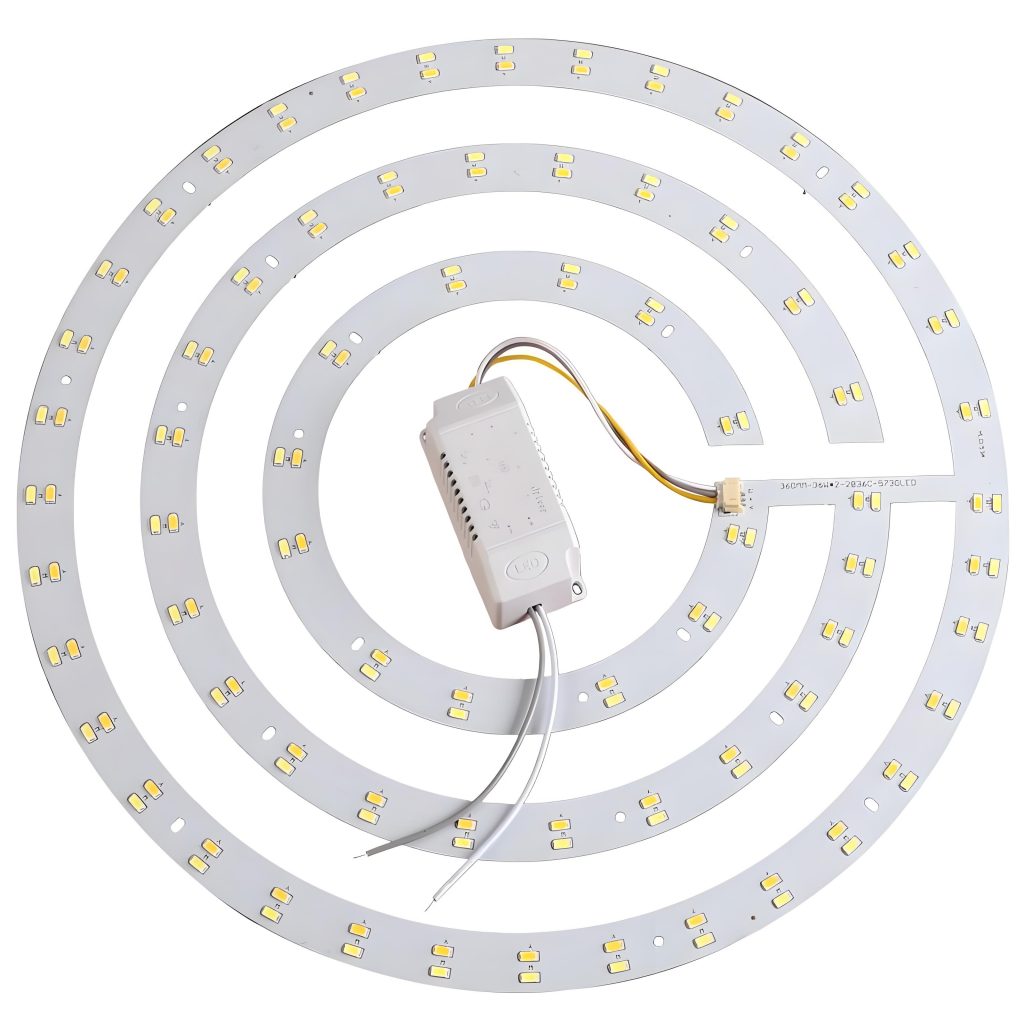
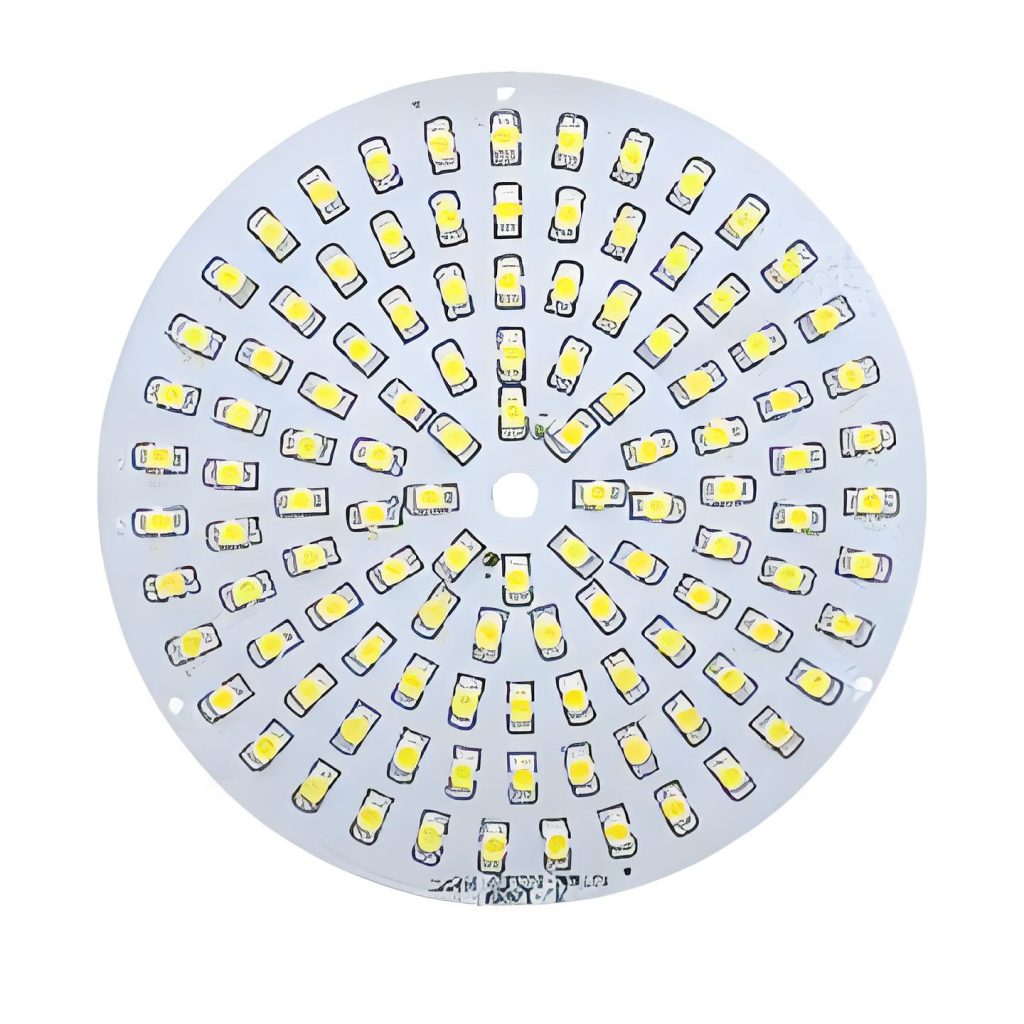
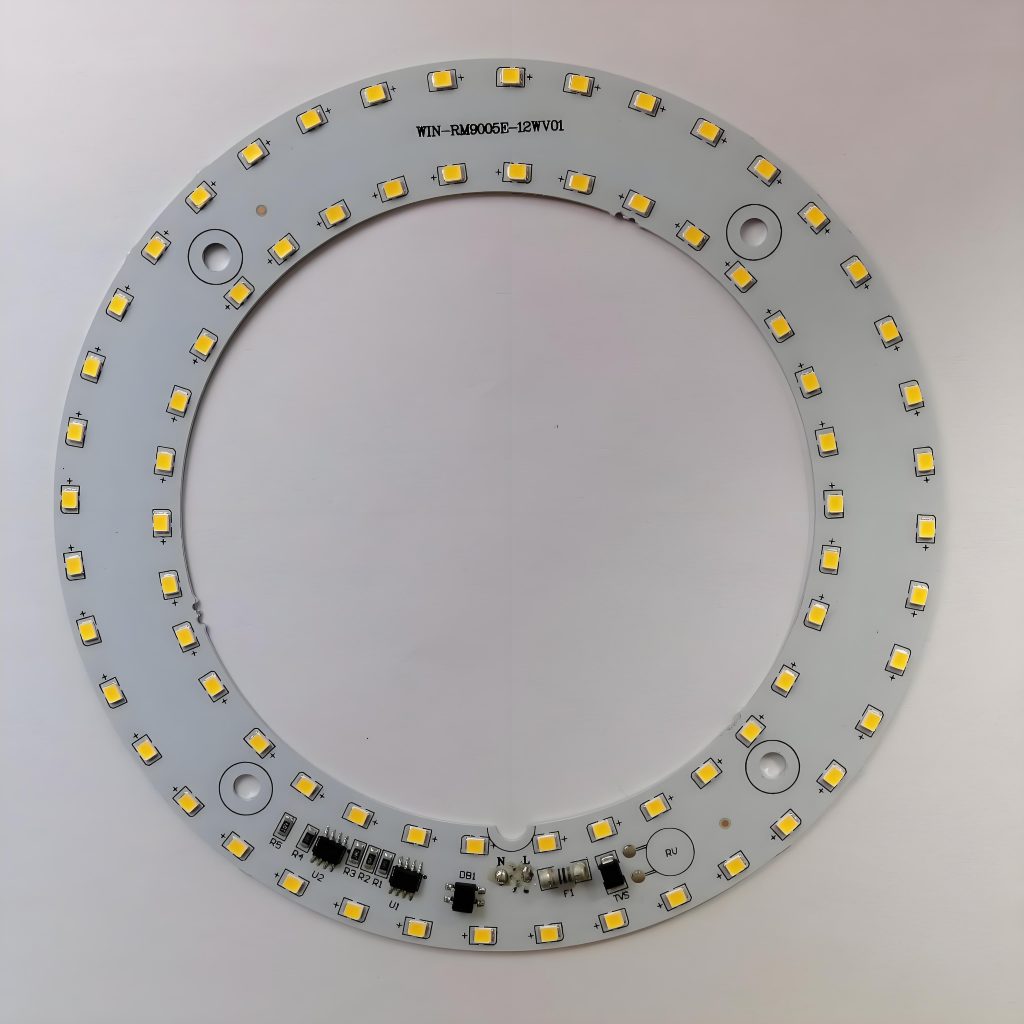
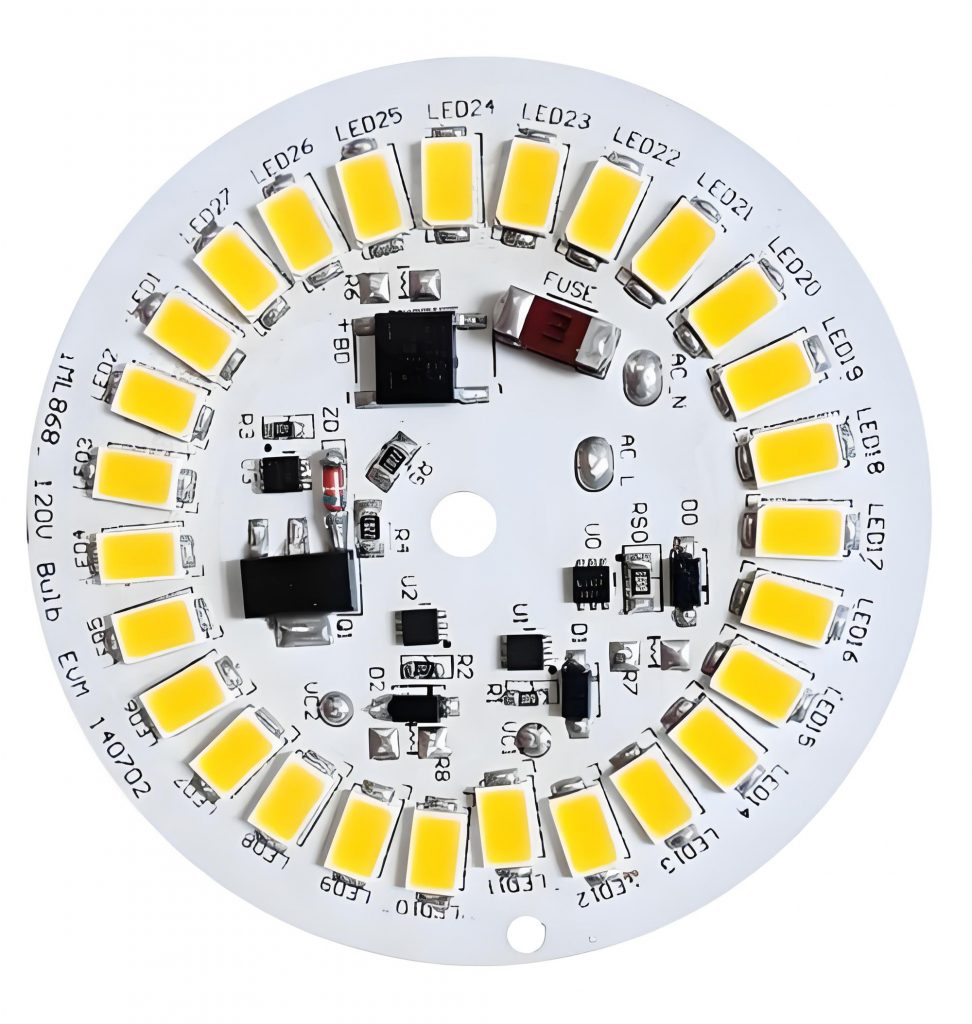
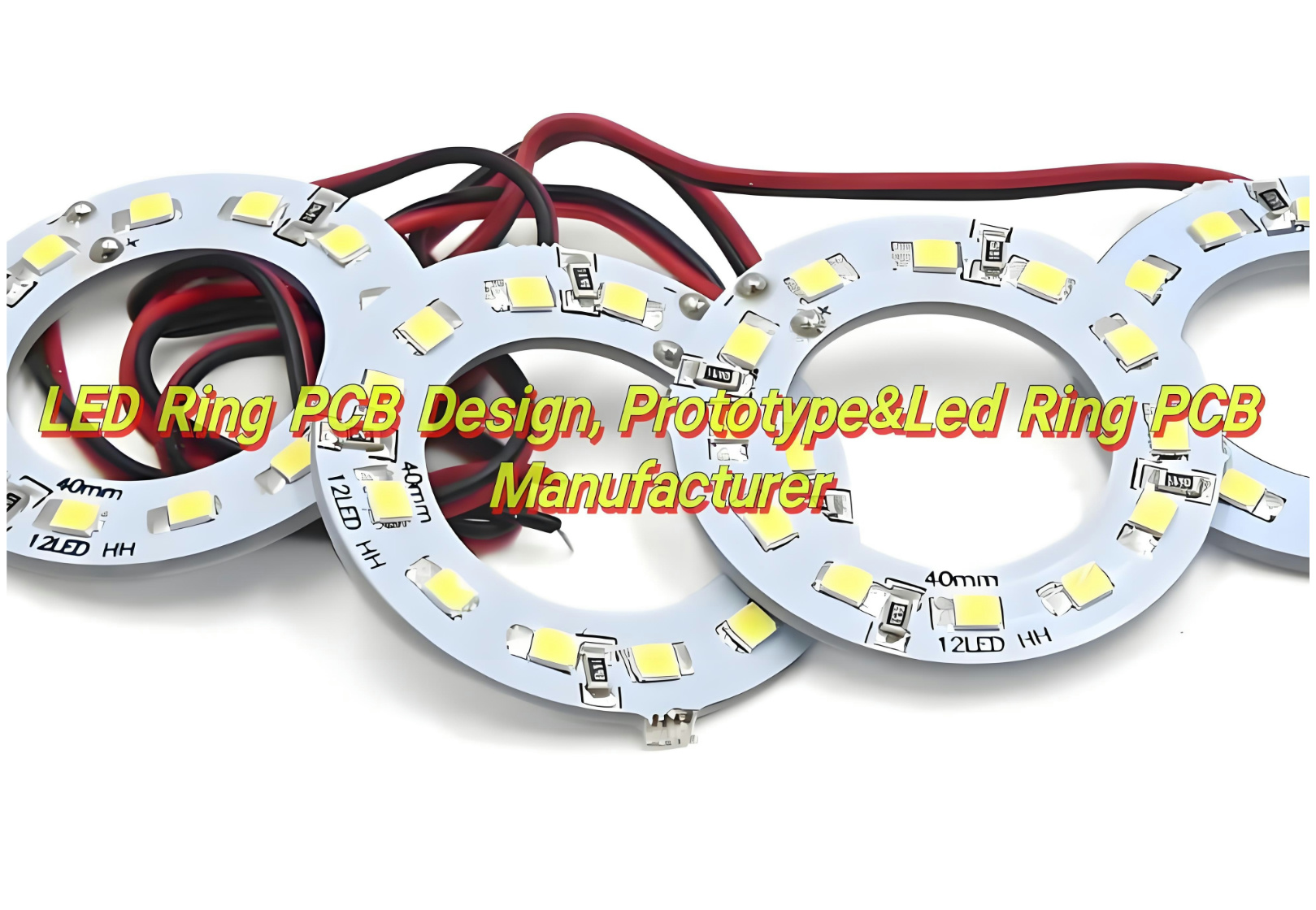
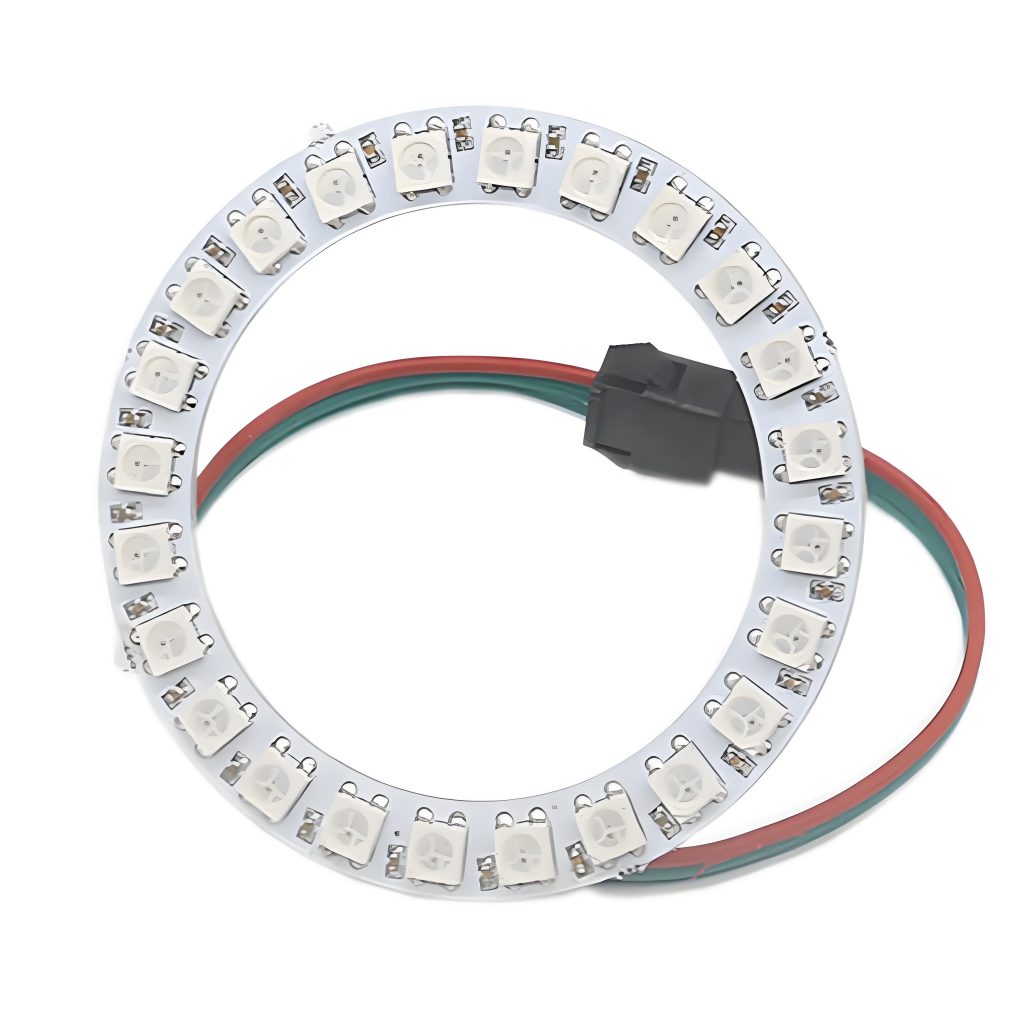
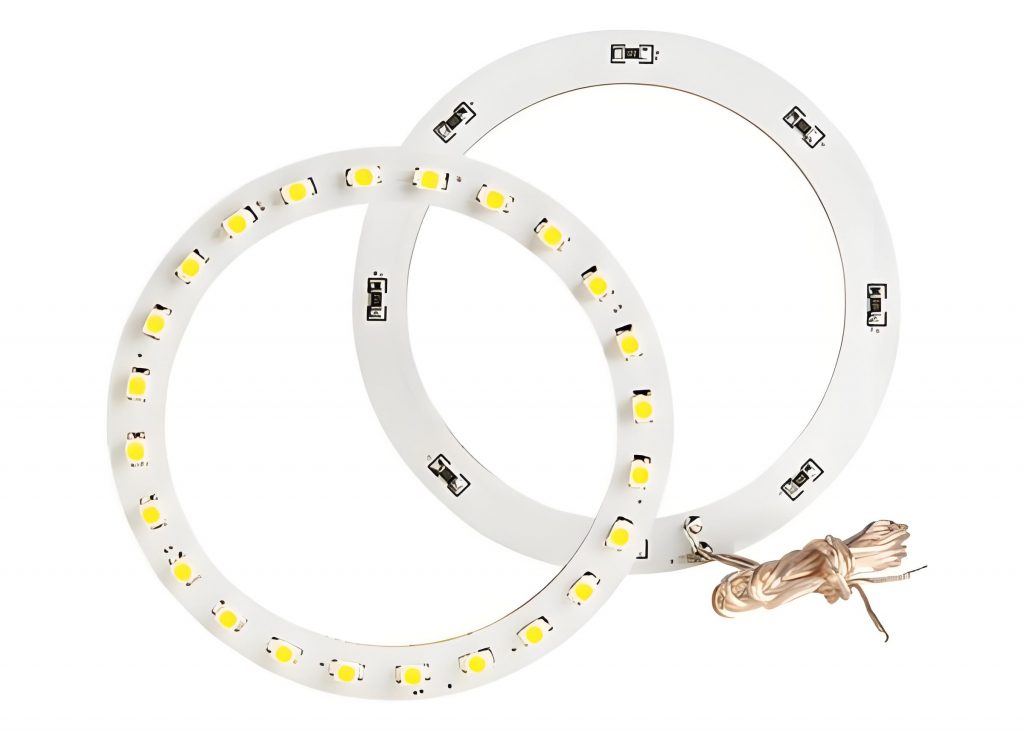
LED Ring PCB is very important to many modern lighting applications. Because these specialized printed circuit boards allow LEDs to be arranged in a circular configuration, offering uniform lighting with efficient power use. In this blog, we’ll explore together everything you need to know about LED ring PCBs, from their design and materials to the advantages they offer and the best manufacturers to work with.

What Is LED Ring PCB?

A LED ring PCB is a circular printed circuit board that houses multiple LEDs. These boards are engineered to efficiently manage the distribution of electrical current to each LED, ensuring consistent lighting. The design of the PCB allows LEDs to be placed in a circular pattern, optimizing light output and creating a uniform glow. Whether you’re designing a lighting solution for commercial use, automotive applications, or decorative purposes, LED ring PCBs boards are versatile and customizable, making them a popular choice for a wide range of industries.

Best technology specialize in high quality LED ring PCB design, prototype and manufacturing and PCBA services over 18 years. In order to strictly control every step of production from raw material procurement to finished product delivery, we have established a strict quality system and worked hard to obtain ISO certification. And we adopted automatic optical inspection (AOI) and X-ray, it ensures that each printed circuit board (PCB) meets or even exceeds industry standards. Then we have our own LED PCB manufacturing industry chain and experienced production teams, So we are able to provide you with high quality LED PCB products and fast delivery. Welcome to contact us at sales@bestpcbs.com if you’re interested in us.

Advantages of LED Ring PCB

Here are some of the most significant advantages of LED Ring PCB Board:

  • Uniform Light Distribution: It ensures that the emitted light is even, without bright spots or shadows. It’s ideal for applications like decorative lighting or photography where consistent lighting is crucial.
  • Energy Efficiency: LEDs are known for their energy-saving capabilities, and when placed on a ring PCB, they offer even greater energy efficiency. LED ring PCBs provide high brightness while consuming less power, making them cost-effective in the long run.
  • Compact and Flexible Design: LED ring PCBs come in compact sizes that allow them to fit into tight spaces, such as around cameras, mirrors, or small appliances. Flexible variants allow you to bend and shape the board to suit your needs, which is ideal for automotive or wearable devices.
  • Durability and Longevity: LED ring PCBs are made from high-quality materials that are resistant to wear and tear. Many manufacturers use aluminum or copper substrates, which offer better heat dissipation and contribute to the longevity of the LEDs.
  • Versatility in Applications: From decorative lighting to automotive headlights, LED ring PCBs can be used in many different settings. Their adaptability and efficiency make them an excellent choice for a variety of lighting applications.
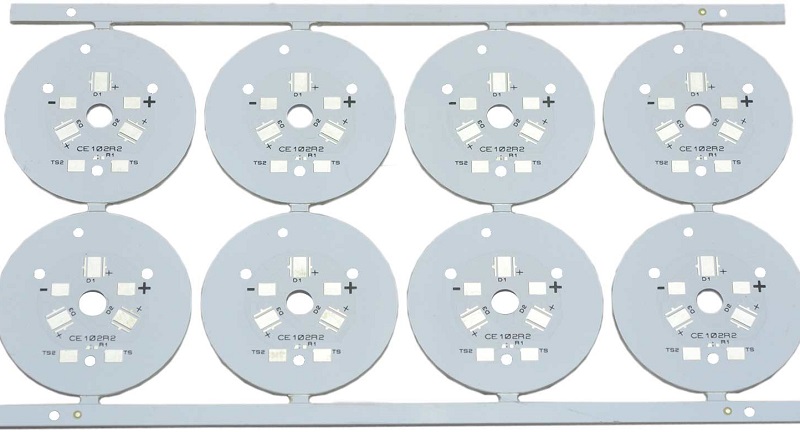
LED Ring Light PCB

Advantages of LED Ring PCB

Application of LED Ring PCB

LED ring PCBs have a wide range of applications. Here are some of the most popular uses:

  • Decorative and Ambient Lighting: Used in interior lighting. Their ability to emit a soft, even light makes them ideal for home decor, accent lighting, and signage. You’ll find them in everything from lighted mirrors to wall sconces.
  • Automotive Lighting: Used in headlamps, taillights, and interior lighting. The circular shape allows for efficient distribution of light, enhancing visibility while also providing a modern aesthetic.
  • Photography and Videography: Use LED ring PCBs to create soft, flattering light for their subjects. These ring lights provide even lighting, minimizing shadows and giving photos a polished look. They’re also popular in video production for creating clean, bright lighting around the camera.
  • Wearables and Devices: Used in wearable technology. For example, they may be incorporated into smartwatches or fitness trackers, where the compact design can be integrated without sacrificing performance.
  • Signage and Advertising: LED ring PCB are used in outdoor signage and advertising displays. Their ability to produce bright, consistent light ensures that these signs are visible even in low-light environments.
LED Ring PCB Board

Application of LED Ring PCB

Types of LED Ring Light PCB

The classification of LED Ring Light PCB can be detailed from three aspects: materials, number of layers, and structure.

Material Classification

‌Organic Materials‌:

  • ‌Phenolic resin‌: it has the characteristics of weak acid and weak alkali resistance, but not strong acid and strong alkali resistance, insoluble in water but soluble in organic solvents such as acetone and alcohol‌.
  • ‌Glass fiber‌: an inorganic non-metallic material with good insulation, heat resistance, corrosion resistance and high mechanical strength, but brittle and poor wear resistance‌.
  • ‌Polyimide (PI)‌: a high-performance polymer with a variety of forms and molding methods, widely used in aerospace and biomedical fields.
  • ‌Epoxy resin and BT‌: also organic materials with specific application scenarios‌.

‌Inorganic Materials‌:

  • ‌Aluminum substrate‌: a metal-based copper-clad laminate with good heat dissipation function, commonly used in LED lighting products, usually composed of a circuit layer (copper foil), an insulating layer and a metal base layer‌.
  • ‌Copper substrate‌: better thermal conductivity than aluminum substrate and iron substrate , suitable for high-frequency circuits and environments with large changes in high and low temperatures.
  • ‌Ceramic substrate‌: Using its heat dissipation function, it is suitable for specific application scenarios.

Number of Layers Classification

  • ‌Single-sided board‌: Parts are concentrated on one side, and wires are on the other side, suitable for simple circuit requirements.
  • ‌Double-sided board‌: A printed circuit board with conductive patterns printed on both sides, and the conductive patterns on both sides are connected by metallized holes, suitable for more complex circuit requirements.
  • ‌Multilayer board‌: It has three or more layers of conductive patterns, the inner layer is made of conductive patterns and insulating semi-cured sheets laminated and pressed, and the outer layer is copper foil, suitable for circuit design with high density and high performance requirements.

Structural Classification 

  • Rigid board‌: It has excellent bending resistance and support, suitable for circuit design that requires stable support.
  • ‌Flexible board‌: It can be bent and folded, suitable for application scenarios with limited space.

LED PCB Manufacturers

Choosing the right LED ring PCB manufacturer is crucial to ensuring that you receive high-quality products that meet your design specifications. Best Technology, with over 18 years of experience in the industry, is a leading manufacturer of LED ring PCBs. Here’s why you should consider partnering with us:

  • Customization Options: We offer a range of customizable LED ring PCB designs. Whether you need specific sizes, shapes, or materials, our team can work with you to create the perfect solution.
  • High-Quality Materials: At Best Technology, we use top-tier materials like aluminum, copper, and polyimide to ensure the durability and performance of our LED ring PCBs. Our products are designed to withstand wear and provide long-lasting performance.
  • Competitive Pricing: We offer competitive prices without compromising on quality. Our goal is to provide cost-effective solutions that help bring your designs to life.
  • Global Reach: With a broad customer base and international shipping, Best Technology is equipped to handle projects of any size, whether you’re based locally or internationally.

What Materials Are Used in LED PCB?

The materials used in LED ring PCBs play a significant role in their performance and durability. Here are some of the most common materials:

  • FR4: This is the most commonly used material for LED ring PCBs. It’s a durable and cost-effective substrate that works well for general applications.
  • Aluminum: For high-power applications, aluminum is used as a substrate material. It has excellent heat dissipation properties, making it ideal for high-performance LED ring PCBs.
  • Copper: Copper is often used for high-conductivity applications. It helps to enhance the performance of LED ring PCBs by improving heat transfer and reducing electrical resistance.
  • Polyimide(PI): For flexible designs, polyimide is a popular choice. It’s durable, flexible, and resistant to high temperatures, making it suitable for bending and shaping applications.

How To Design LED Ring PCB?

The process of LED ring PCB design involves several steps:

1. Define Your Requirements and Specifications

The first step in any PCB design is to define your needs and specifications. For LED ring PCBs, this includes determining several key factors:

  • Size and Shape: The size of the LED ring PCB will be dictated by the physical space available in your project. Are you creating a large display, a compact wearable device, or a decorative lighting solution? This will determine the diameter of your PCB and the number of LEDs to be used.
  • LED Configuration: Decide on how many LEDs you want to arrange in the circle. The number of LEDs will influence the brightness and uniformity of the light emitted by the ring. Be sure to space the LEDs evenly for consistent light distribution.
  • Power Requirements: LEDs require a specific amount of voltage and current. Determine the power requirements of the LEDs you plan to use. Ensure the PCB is capable of supplying the necessary power to each LED without overheating or causing circuit instability.
  • Type of LED: LED ring PCBs can house different types of LEDs, such as standard SMD (Surface-Mount Device) LEDs, high-power LEDs, or flexible LEDs. Your choice of LED type will affect the overall design of the PCB.
  • Voltage and Current Considerations: Ensure the voltage and current ratings match the specifications for both your LED ring and the power supply. Consider using a constant current driver to regulate the current supplied to the LEDs, preventing power fluctuations.

2. Select the Right Materials for Your PCB

The materials you choose for your LED ring PCB will significantly affect the performance of the final product. Here are the most commonly used materials:

  • FR4 (Glass-Fiber Epoxy): This is the most common material used in PCB manufacturing. It’s affordable, durable, and suitable for general lighting applications. FR4 is ideal for low to medium power LEDs.
  • Aluminum (Metal Core PCB): For high-power LEDs, aluminum is often used as the base material for the PCB. Aluminum offers superior heat dissipation, preventing the LEDs from overheating and ensuring they operate at peak efficiency. Aluminum-based LED PCBs are commonly used in industrial or automotive applications.
  • Copper: Copper is another material used in LED ring PCBs for its excellent thermal conductivity. Copper-based designs help to quickly dissipate heat generated by high-power LEDs, keeping the system stable and extending its lifespan.
  • Polyimide: For flexible LED ring PCBs, polyimide is a preferred material. It is flexible, durable, and resistant to high temperatures, which makes it ideal for applications that require bending or shaping, such as wearable devices or automotive lighting.

3. Create the Circuit Design and Layout

Once you’ve defined your specifications and chosen the materials, it’s time to create the circuit layout. This is where the technical aspects of your LED ring PCB come into play:

LED Placement: The most important aspect of your design is the placement of the LEDs in a circular configuration. Ensure that the LEDs are evenly spaced to ensure uniform light output. If you’re using high-density LEDs, make sure to account for the necessary spacing to prevent heat buildup.

  • Power Distribution: Plan the power distribution for your LED ring. You must ensure that each LED gets the correct amount of power. For larger designs, consider creating multiple power supply points around the ring to avoid voltage drops and ensure each LED is supplied with stable power.
  • Current Control: In most LED applications, a constant current driver is used to regulate the current flowing through the LEDs. This helps maintain consistent brightness and prevents damage to the LEDs. Design the circuit to include appropriate resistors or constant current drivers to manage power flow effectively.
  • Heat Dissipation: LEDs generate heat, so effective heat management is a crucial part of the design. Ensure that your PCB layout includes a clear path for heat dissipation. If you’re using metal-core PCBs, the aluminum or copper material will help carry away heat, but proper trace widths and vias are essential to enhance the thermal conductivity.
  • Trace Widths and Via Sizes: Calculating the correct trace width and via size is critical for ensuring that the PCB can handle the required current without overheating. Use PCB design software that can help you calculate trace widths based on the current requirements for your LEDs.

4. Consider Power Supply and Drivers

The power supply is a key consideration in LED PCB design. LED rings require a regulated power supply to provide a consistent voltage and current to the LEDs. Here’s what you need to think about:

  • Power Supply Type: Depending on the voltage and current requirements of your LED ring, you’ll need to select an appropriate power supply. A common solution is using a constant current driver, which adjusts the current flowing to the LEDs to ensure that they don’t receive too much power, which could lead to burnout.
  • Voltage Regulation: Ensure that the power supply can deliver a constant voltage that matches the voltage requirement of your LEDs. Many LEDs operate on low voltage, and using a higher voltage power supply without regulation could cause instability.
  • Efficiency Considerations: LED drivers and power supplies should be as efficient as possible to minimize energy loss. Look for energy-efficient drivers that can help you reduce power consumption, which is especially important in battery-powered or low-power applications.

5. Prototype and Test Your LED Ring PCB

Once your design is complete, the next step is to prototype your LED ring PCB. This stage involves manufacturing a small batch or a single unit of your design for testing. LED Ring PCB Prototyping is essential for checking the functionality of the circuit, ensuring the LED ring lights up correctly, and verifying that the power distribution is stable.

Here’s how to proceed:

  • Manufacturing the Prototype: After designing the PCB, the next step is to send the design files to a PCB manufacturer for production. The manufacturer will produce the prototype based on the materials, size, and specifications you’ve provided.
  • Testing the Prototype: Once you receive your prototype, it’s time to test it. Check that all LEDs light up as expected, and that there are no issues with flickering or uneven light. Verify that the power distribution works well and that the PCB doesn’t overheat.
  • Thermal Testing: For high-power designs, thermal testing is crucial. Monitor the temperature of the LEDs during operation to ensure that the heat dissipation is working correctly. If the PCB gets too hot, you may need to make adjustments to the trace widths, vias, or use a more efficient heat sink material.
  • Adjustments and Iterations: Based on the results of your testing, you may need to make design adjustments. This might involve tweaking the power distribution, changing materials, or adjusting the size of certain components.

6. Move to Mass Production

Once the prototype has been successfully tested and approved, you can move on to mass production. Working with a reliable LED PCB manufacturer is key at this stage to ensure that the final product meets all of your quality and design specifications.

If you’re looking for a trusted LED PCB manufacturer, Best Technology offers exceptional LED PCB solutions, with extensive experience in designing, prototyping, and mass producing LED ring PCBs.

Conclusion

To sum up, LED ring PCB are essential components for creating efficient, durable, and high-quality lighting systems. Whether you’re designing for decorative lighting, automotive applications, or commercial displays, understanding the key aspects of LED ring PCBs is critical. Best Technology’s expertise in manufacturing LED PCBs ensures that you get top-notch products tailored to your needs. With the right design, materials, and manufacturer, you can create lighting solutions that are both visually appealing and performance-driven.

OEM Aluminum Backed PCB Manufacturer

March 12th, 2025

If you’re designing high-performance electronics, you’ve probably heard about aluminum-backed PCBs. These boards are not just a trend—they’re solving real-world problems in industries like LED lighting, automotive, and power supplies. Let’s break down what makes them unique and why they might be the perfect fit for your next project.

What Is an Aluminum Backed PCB?

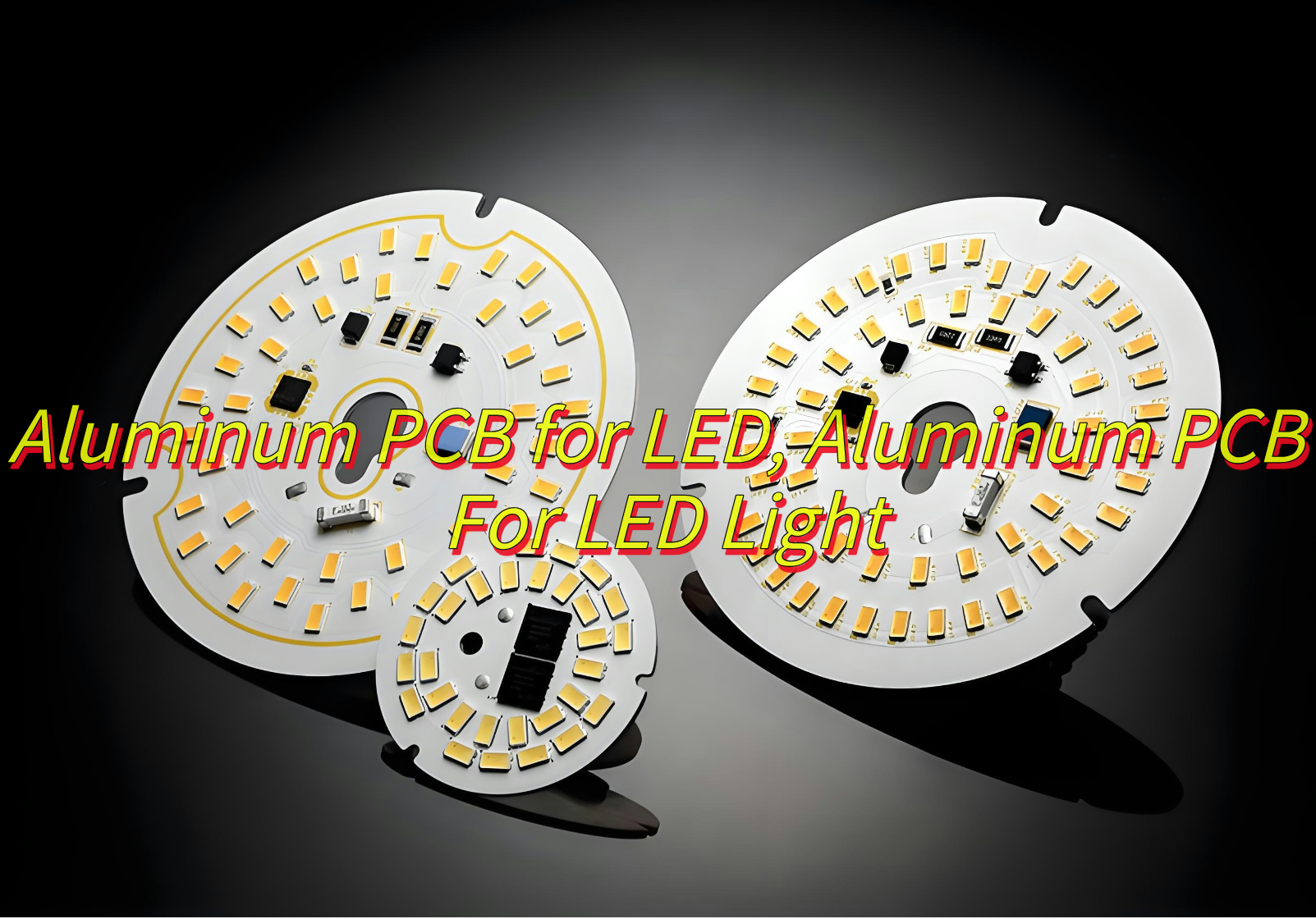
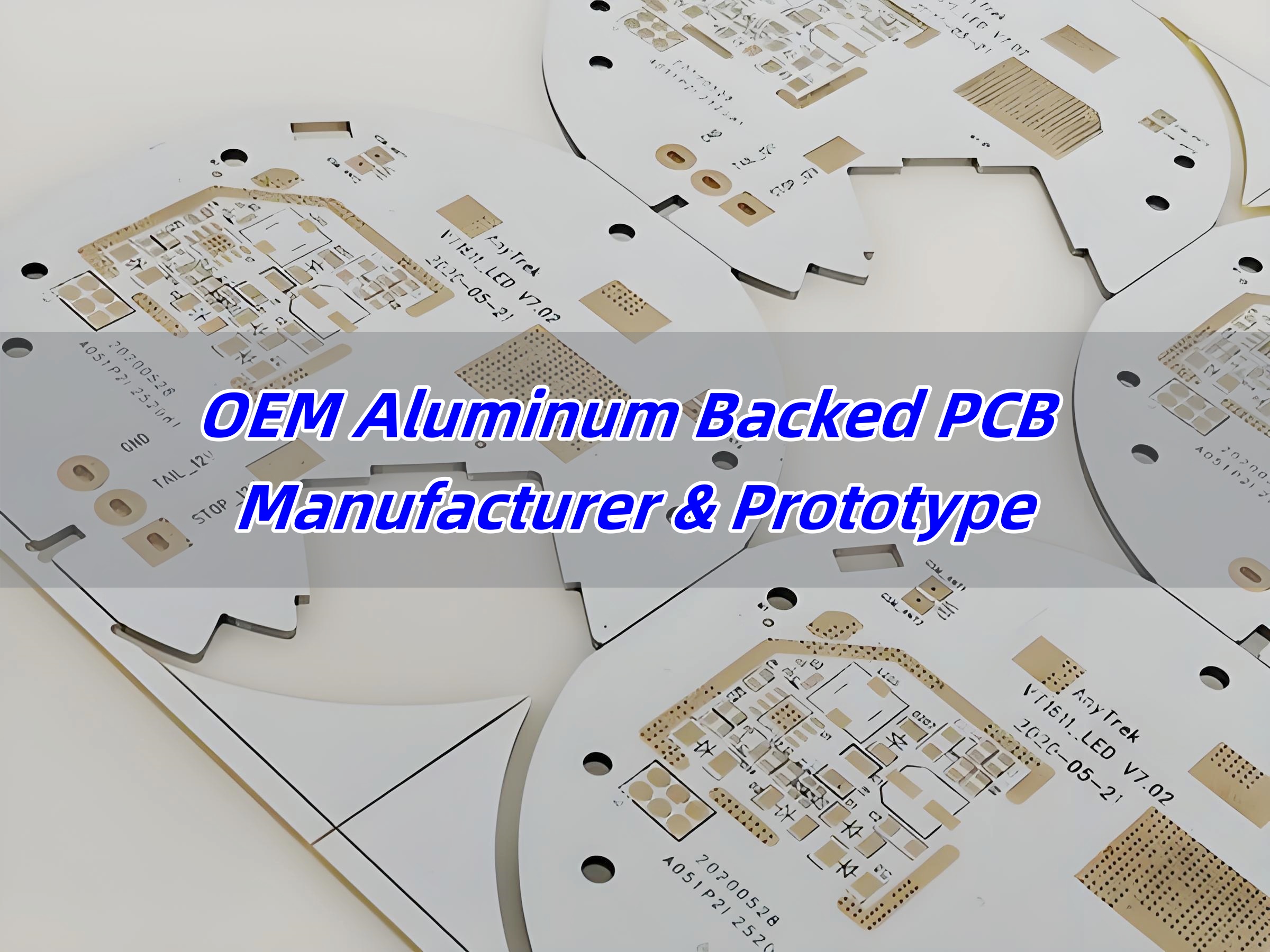
An aluminum-backed PCB (printed circuit board) is a type of metal-core PCB (MCPCB) that uses an aluminum substrate instead of a traditional FR4 base. This layer acts as a heat sink, pulling heat away from components. The design typically includes a dielectric layer, copper circuit layer, and aluminum substrate. Perfect for high-heat applications!

  • Copper Circuit Layer – The top layer, made of copper foil, is used for electrical connections and signal transmission. The copper thickness varies from 1oz to 10oz, depending on current requirements.
  • Dielectric Layer – A thermally conductive but electrically insulating material separates the copper from the aluminum base. The dielectric layer thickness typically ranges from 75”m to 200”m, balancing insulation and thermal transfer.
  • Aluminum Base – This metal substrate serves as a heat sink, drawing heat away from active components. The most common thickness is 1.6mm, though variations from 0.2mm to 3mm exist for different applications.

Aluminum PCB vs. FR4 PCB: Which Wins?

FR4 (fiberglass) PCBs are commonly used in consumer electronics, but aluminum-backed boards shine where heat matters. When choosing between aluminum PCBs and FR4 PCBs, key differences must be considered. The table below highlights critical factors that differentiate them:

ParameterAluminum PCBFR4 PCB
Thermal Conductivity1.0–8.0 W/m·K (varies by dielectric material)0.3–0.5 W/m·K
Thermal Expansion5–20 ppm/°C (closer to copper)14–18 ppm/°C
Heat DissipationExcellent, reduces hot spots  Poor (requires external cooling)
Mechanical StrengthExcellent due to metal baseModerate
Electrical PerformanceConsistent, stableCan degrade under high temperature
WeightHeavier than FR4Lighter
CostHigher due to metal substrateLower
(Aluminum PCB vs. FR4 PCB)

Note:

  • Aluminum conducts heat 8-10 times better than FR4. No more fried components!
  • Aluminum resists bending and cracking. FR4 can warp under stress.
  • FR4 is cheaper for simple designs. Aluminum saves money long-term by reducing cooling needs.
  • Aluminum PCBs last longer in high-temperature environments.
  • Choose FR4 for low-cost, low-power projects. Go aluminum for heat-heavy applications like LEDs or power converters.

Types of Aluminum Backed PCBs

Aluminum PCB can be divided into several types according to layer counts or used materials. But they commonly classified by layers:

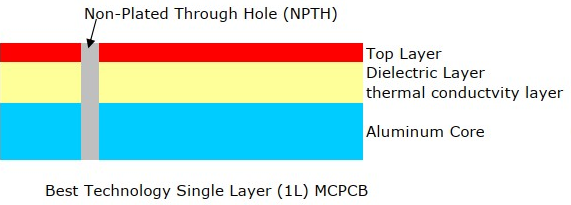
1. Single-Layer Aluminum PCB

    Single layer aluminum backed PCB comprises a single conductive copper layer, a dielectric, and an aluminum substrate.

    1 layer Aluminum-Backed PCB stack up

    It always called single sided aluminum PCB due to it only has one layer copper trace. It is the simplest metal core PCB design, and it cost-effective due to simple manufacturing. Commonly used in daily LED lighting like swimming pool lighting, office lighting, street lighting


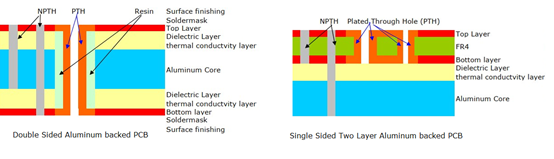
    2. Double-Layer Aluminum PCB

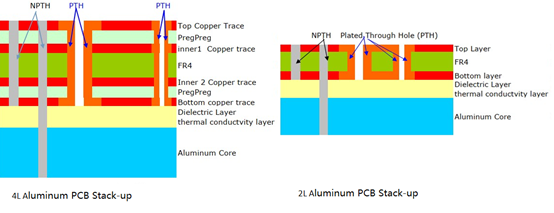
    It has two conductive copper layers, generally separated by the aluminum base. But in another case, both the two copper layers can be located on the top of aluminum base, separated by an insulating layer. It can be called single sided two layers aluminum PCB if made in this way.

    2 layer Aluminum-Backed PCB stack up

    The double layer aluminum PCB provides higher circuit density and improved overall electrical performance. They are commonly used in high power devices where required better heat dissipation like automotive electronics, industrial power modules, and motor control applications.

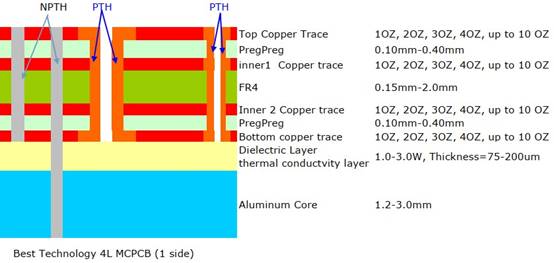
    3. Multilayer Aluminum PCB

    Different with multi-layer FR4 PCB, the multi-layer aluminum PCB consists of multiple layers of copper and dielectric materials stacked over the aluminum base. Please see its stack-up as following (4 layers aluminum PCB as example):

    multilayer Aluminum-Backed PCB stackup

    It has more complex circuit designs and is used in high-performance applications such as telecommunication systems and aerospace electronics. Multilayer aluminum backed PCB is rarely used and difficult to manufacture because it requires advanced manufacturing techniques for precise layer alignment and thermal control.

    How Thick Is an Aluminum PCB?

    Aluminum PCBs come in various thicknesses depending on the application. The most commonly used thickness values are:

    • Standard (1.0–1.6 mm): Common in LED lighting and consumer electronics. Lightweight and cost-effective.
    • High-Power (2.0–3.0 mm): Used in industrial machinery or EV battery systems. Handles extreme heat and mechanical stress.
    • Custom Thickness: Some manufacturers offer tailored solutions. For example, 0.8 mm boards for ultra-slim devices.

    Thicker boards improve heat dissipation but increase weight and cost. If it is uncertain, work with your supplier to find the sweet spot.

    Why Aluminum PCBs Are Perfect for LED Applications?

    Since LEDs generate large heat when working, if unchecked or not install a heat sink, it is easily to shorten their lifespan and dims their output. As a result, aluminum-backed PCBs are widely used in LED lighting as a heat sink. Aluminum PCBs solve this elegantly:

    • Cooler LEDs: The aluminum base pulls heat away instantly, keeping junctions 20–30% cooler than FR4.
    • Brighter Output: Stable temperatures prevent “lumen depreciation,” ensuring consistent brightness for years.
    • Lightweight and Compact: Eliminates bulky heat sinks. reducing size and weight. Enables sleek fixtures for homes, cars, or streetlights.
    OEM Aluminum Backed PCB Manufacturer

    What Temperature Can an Aluminum PCB Withstand?

    Most aluminum PCBs handle -55°C to 150°C in a continuous operating temperature. In a short-term peak, it can up to 250°C for limited durations (Please do not try this easily unless you have communicated with your supplier about its maximum temperature). Specialized designs with ceramic-filled dielectrics withstand up to 300°C. Key factors affect its temperature resistance including:

    • Dielectric Material: Determines thermal stability and thermal conductivity. Polyimide-based dielectrics excel in extreme heat.
    • Component Limits: Even if the board survives, parts like ICs may fail. Always perform FAI (first article inspection) test after full assemblies.

    For applications like engine control units or industrial heaters, verify specs with your manufacturer.

    What Is the Difference Between Copper and Aluminum PCBs?

    Copper is the gold standard for conductivity, but aluminum offers unique advantages:

    • Thermal Conductivity: Copper (385 W/m.K) beats aluminum (200 W/m.K), but aluminum is lighter and 30% cheaper.
    • Weight: Aluminum is 60% lighter. Critical for drones, EVs, or satellites.
    • Cost: Aluminum reduces material and cooling costs. Ideal for high-volume LED or consumer products.

    Copper core PCB is a go-to choice for ultra-high-power RF systems, high-power converters, aerospace, while aluminum PCB is suitable for cost-sensitive, weight-conscious designs. Though copper PCBs offer superior thermal conductivity, aluminum PCBs provide a cost-effective solution with sufficient heat dissipation for most high-power applications.

    What Is the Cost of an Aluminum Backed PCB?

    The cost of an aluminum PCB varies based on layer count, dielectric thickness, and processing complexity.

    • Single-Layer Aluminum PCBs: $5–$15 per unit (for standard LED applications).
    • Double-Layer Aluminum PCBs: $15–$50 per unit.
    • Multilayer Aluminum PCBs: $50–$200 per unit, depending on design complexity.
    • Size: A 100x100mm board costs 2–10. Larger sizes increase material use.
    • Copper Weight: Heavy copper (4+ oz) adds 15–25% to the price.
    • Volume: Ordering 1,000+ units cuts costs by 40–50% through bulk discounts.

    Despite their higher initial cost compared to FR4 PCBs, aluminum-backed PCBs eliminate the need for external heat sinks, offering long-term cost efficiency.

    Manufacturing Considerations for Aluminum Backed PCBs

    Producing aluminum-backed PCBs requires specialized techniques and strict process control to ensure mechanical strength, thermal efficiency, and electrical reliability. The following factors play a crucial role in the manufacturing process:

    1. Material Selection

    The commonly aluminum base used in industry are 6061, 5052, or 1060 aluminum alloys, each has unique properties. For example, 6061 aluminum has excellent hardness while 5052 is excel in solderability. In addition to this, dielectric material is important since it determines heat dissipation efficiency. Common materials include epoxy, polyimide, and ceramic-filled polymers, offering 1.0 W/m·K to 8.0 W/m·K.

    2. Copper Etching

    Aluminum PCBs require precision etching due to the thickness of copper layers. Thicker copper layers (>3 oz) require extended etching time and precise chemical control to maintain circuit integrity. Therefore, high-resolution etching equipment is essential to achieve fine-pitch designs and uniformity without excessive undercutting.

    3. Drilling and Machining

    Due to the hardness of the metal base, carbide or diamond-coated drill bits are used to prevent rapid tool wear and reduce burr formation. Meanwhile, high-speed drilling with controlled feed rates is necessary to avoid damaging the dielectric and copper layers.

    4. Insulation and Dielectric Layer Bonding

    Layers must adhere without air bubbles. Poor bonding causes delamination under heat.

    5. Surface Finishing

    HASL (cheap) or ENIG (premium) protect copper from oxidation.

    6. Thermal Via Implementation

    For multilayer aluminum-backed PCBs, filled or plugged thermal vias improve thermal conductivity while preventing solder migration. Via-in-pad technology enhances heat dissipation for high-power components like MOSFETs and LEDs.

    OEM Aluminum Backed PCB Manufacturer

    OEM Aluminum-Backed PCB Manufacturers – Best Technology

    Best Technology is a leading PCB manufacturer specializing in aluminum-backed PCBs fabrication for LED, power, and automotive applications. With 18+ years of experience, Best Technology offers:

    • High-precision CNC milling and drilling for tight-tolerance PCBs.
    • Custom thermal via designs for optimal heat dissipation.
    • 100% E-test and AOI inspection to ensure zero defects.
    • ISO 9001, ISO13485, IATF16949, AS9100D & UL certification, guaranteeing international quality standards.
    • Cost-Effective Solutions for OEMs, suit both small-batch prototypes and high-volume production.
    • Dedicated R&D team for prototype development and design improvements.
    • Strategic partnerships with material suppliers for consistent quality.
    • Rapid prototyping services for quick market entry.
    • Worldwide shipping with on-time delivery guarantees.

    Industries Served by Best Technology

    • LED lighting solutions (streetlights, automotive headlights, stadium lights).
    • Power electronics (voltage regulators, battery management systems).
    • Automotive electronics (ECUs, motor controllers, infotainment systems).
    • Industrial control systems (robotics, automation, high-power converters).
    • Medical devices (thermal management circuits, high-reliability sensors).

    What Is Solar Light PCB? How to Design Your Solar Light PCB?

    March 5th, 2025

    Solar light PCB plays a vital role in modern solar-powered lighting systems, allowing solar panels, batteries, and LED to work together smoothly. Whether it’s for street lighting, garden decoration, or night lamps, the right solar light PCB design helps the whole system run safely and efficiently. Many businesses and designers today focus on improving the performance of solar light PCB to make solar lighting smarter, more reliable, and longer-lasting.

    At Best Technology, we specialize in solar light pcb solutions and PCBA services with fast delivery and affordable price. Feel free to contact us sales@bestpcbs.com if you have any request for solar light pcb.

    Now, let’s explore the functions, benefits, materials, and design tips to help you better understand solar light PCB and how to make the right design choices.

    What Is Solar Light PCB?

    Solar light PCB refers to the printed circuit board used in solar lighting systems. These PCBs connect and support components like solar panels, batteries, charge controllers, LED drivers, and light sensors. Unlike regular PCBs used indoors, solar light PCB works outdoors, which means they must handle heat, moisture, and temperature changes.

    In most cases, solar light PCB comes in compact layouts to fit inside street light poles, garden light fixtures, or small night lamps. A good design helps solar panels collect energy during the day, store it in the battery, and smoothly light up the LEDs at night.

    Compared to traditional PCB designs, solar light PCB pays more attention to energy conversion, power control, and long-term reliability. Since solar lighting focuses on low energy waste, the solar light PCB must also ensure minimal power loss during energy transfer and storage.

    What Is Solar Light PCB? How to Design Solar Light PCB?

    Advantages of Solar Light PCB Board

    Here are advantages of solar light PCB board:

    • Efficient energy conversion and integration

    Optimized photoelectric conversion‌: Adopting high-transmittance substrate (such as FR-4 fiberglass board) and back-contact solar cell unit design, it can achieve up to 24% sunlight conversion efficiency and significantly improve energy utilization.

    Simplified circuit integration‌: Directly integrate solar cells and drive circuits through PCB process, reduce external cable connections, reduce losses and improve system reliability.

    • ‌Compact and lightweight structure

    Lightweight and portable‌: Using flexible substrates (such as polyimide or PET) for PCB design, the thickness can be less than 1.6mm, which is suitable for miniaturized devices and complex installation scenarios.

    High-density layout‌: Supporting micro components of 0402/0603 packages, combined with multi-layer wiring technology, greatly reducing PCB area.

    • ‌Environmental adaptability and durability‌

    Weather protection‌: FR4 substrate with black solder mask ink has excellent UV resistance, high temperature resistance (up to 260°C) and moisture resistance, and can adapt to extreme outdoor climates.

    ‌Dynamic optimization capability‌: Integrated photoresistors and dynamic tracking algorithms adjust the angle of solar panels or charging strategies in real time to improve energy capture efficiency under weak light conditions‌.

    • ‌Cost-effectiveness and scalability

    ‌Low mass production cost‌: Standardized PCB production processes (such as SMT patches) support batch manufacturing, and the cost per unit can be reduced to less than US$0.05, which is significantly economical.

    ‌Modular design‌: Reserved interfaces support battery expansion (such as 2600mAh lithium battery) or function expansion (such as Wi-Fi module), which facilitates product iteration and upgrade‌.

    • ‌Environmental protection and sustainability‌

    ‌Recyclable materials‌: Compliant RoHS lead-free solder and epoxy resin substrates reduce environmental pollution and meet green manufacturing standards‌.

    ‌Energy self-sufficiency‌: Reduce dependence on traditional power grids through solar power supply systems, suitable for remote areas or scenarios without power grid coverage.

    Application of Solar Light PCB Board

    Solar light PCB Board power many outdoor and indoor systems:

    • Street lighting in rural, urban, or off-grid areas.
    • Garden lighting for decorative or functional purposes.
    • Pathway and driveway lights to improve safety and visibility.
    • Fence and wall lights to highlight property boundaries.
    • Camping lights for portable, off-grid use.
    • Emergency backup lights for disaster situations.
    What Is Solar Light PCB? How to Design Solar Light PCB?

    These boards fit many settings, offering clean energy solutions where traditional power is limited or expensive.

    What Are Types of Solar Light PCB?

    The types of solar light PCB can be divided based on its structure and function. Here are a few common types you’ll see:

    • Single-sided PCB
      This type has all copper traces on one side. It’s commonly used in simple solar lights, especially garden or pathway lights. The cost is lower, but it works well for basic circuits.
    • Double-sided PCB
      For more complex designs, solar light PCB can have copper traces on both sides. This allows more connections and better space usage. Many solar street light PCB boards use this type to handle multiple components in limited space.
    • Multi-layer PCB
      It contains multiple conductive layers and insulating layers, and is electrically connected through internal vias, suitable for highly integrated and complex circuits.
    What Is Solar Light PCB? How to Design Solar Light PCB?

    The Best PCB Manufacturer of Solar Light PCB-Best Technology

    Choosing the right solar light PCB manufacturer matters as much as the design itself. At Best Technology, we specialize in producing high quality solar light PCB board for different solar lighting applications. With over 18 years of experience, our team understands the unique needs of solar projects, from small garden lights to large street lighting systems.

    Our factory supports custom designs, fast prototyping, and reliable production for solar street light PCB, solar garden light PCB, and other types of solar lighting boards. We also focus on quality, using top materials and strict testing processes to deliver durable boards that perform well outdoors.

    Besides product quality, Best Technology offers professional technical support, helping customers turn their ideas into real products with the right solar light PCB design. Whether you’re building smart street lights or decorative garden systems, we can be your trusted partner in PCB manufacturing.

    Materials of Solar Light PCB Board

    The materials of solar lamp PCB mainly include the following types, which are based on the requirements of different application scenarios and production processes:

    • ‌Substrate material

    FR-4 fiberglass board: It is made of glass fiber cloth and epoxy resin laminated together, with good mechanical strength, high temperature resistance and insulation, and is the mainstream PCB substrate choice‌.

    ‌PET laminate: Some solar lamp PCBs use polyethylene terephthalate (PET) as the base plate, which is often used in lightweight or flexible circuit demand scenarios‌5.

    • ‌Conductive layer material‌

    Copper foil‌: As the core material of the PCB conductive path, it forms the circuit pattern through the etching process to ensure the stability of current transmission (conventional materials are not directly quoted, but are common in the industry).

    • ‌Solder mask and protective materials‌

    Black solder mask ink‌: It is used for surface covering to prevent oxidation and short circuit, and has high temperature resistance. It is commonly used in automotive electronics or outdoor equipment.

    ‌Fireproof material‌: Such as 22F fireproof grade material, which enhances the safety of PCB in high temperature environment

    •  â€ŒSpecial functional materials‌

    ‌Insulating resin (epoxy resin): used for inter-layer bonding and insulation protection, improving the stability and weather resistance of the overall structure‌.

    ‌Wear-resistant laminated cloth‌: adding a wear-resistant layer to the surface of some fiberglass boards to extend the service life of PCBs in complex environments.

    • ‌Auxiliary component integration materials‌

    ‌Semiconductor materials (such as silicon-based components): integrating TP4056 charging IC, Mosfets driver chip, etc., for battery management and light control function realization.

    How to Design Your Solar Light PCB?

    Designing a solar light PCB involves several clear steps:

    Step 1: Define Your Solar Light’s Needs

    Before starting the actual PCB layout, understand your product’s needs. Is it a solar street light with high power LEDs? Or a solar garden light that needs a small, simple circuit? Defining power levels, light brightness, battery size, and working time helps choose the right parts and board type. Outdoor products often face heat, moisture, and dust, so all these need to be considered from the start.

    Step 2: Choose the Right PCB Type

      Different solar lights need different board types. For solar street lights, heat control is critical. That’s why aluminum PCB or metal core PCB works better. For small solar night lights, flexible PCB can fit tight spaces. Choosing the right board helps your solar light PCB last longer while keeping costs under control.

      Step 3: Create the Circuit Diagram

      A clear solar street light circuit diagram helps guide the whole process. It shows how the solar panel, battery, LED driver, light sensor, and controller connect. This step is where you check voltage levels, current flow, and safety protections. A simple mistake here could cause power loss or shorten battery life. Keep it simple but cover every important part.

      Step 4: Component Placement Planning

      Next, think about where each part goes. Solar lights often use light sensors and charging controllers. These parts should sit close to each other for better signal control. LEDs usually sit on the outer edges, especially for solar street light PCB boards, where wide light coverage matters. Placing parts correctly helps with heat flow, power management, and even future repairs.

      Step 5: Trace Routing and Power Paths

      Good trace routing makes sure power flows smoothly across your solar light PCB board. High power traces, like those from the solar panel to the battery, need to be wide enough to handle current without heating up. Signal traces, like those from the light sensor to the controller, should stay short to avoid interference. Keeping power and signal paths separate reduces noise and helps the whole system work better.

      Step 6: Thermal Management Planning

      Outdoor solar lights face direct sunlight, so heat control is important. For solar garden light PCB boards and solar street light PCB boards, adding thermal vias or using a metal core PCB can pull heat away from sensitive parts. Placing heat-producing parts, like LED drivers, away from the battery extends battery life too. Good heat management helps prevent early failures.

      Step 7: Waterproofing and Protection

      Most solar light PCB boards work outside, so water and dust protection is critical. Adding conformal coating or waterproof housings helps protect the board. Using corrosion-resistant materials for connectors and ensuring the PCB edges are sealed also improves reliability. These steps help your solar light PCB last longer in all weather conditions.

      Step 8: Battery Charging and Protection Circuits

      A solar light isn’t just about lights and sensors. The battery charging circuit plays a huge role in the whole system. Overcharging, deep discharge, or uneven charging can shorten battery life. Adding smart charge controllers helps balance charging and discharging cycles. Including reverse polarity protection also prevents accidental damage during assembly.

      Step 9: Light Sensor and Control Integration

      To make your solar light smarter, the light sensor must work well with the controller. For solar night light PCBs, light sensors control when the lights turn on and off. Proper sensor placement, away from shadows or light reflections, makes the system more reliable. Adding software controls for dimming or timing also adds value, especially for solar street light PCB boards.

      Step 10: Testing and Prototyping

      Before moving to full production, testing the first solar light PCB board is critical. Check power flow, battery charging, light sensing, and LED brightness under real outdoor conditions. Testing in both sunny and cloudy weather helps make sure the light works well all year. Making small changes to improve power efficiency or adjust sensor sensitivity at this stage helps avoid bigger problems later.

      Step 11: Cost Control and Material Choice

      While design quality matters most, keeping costs under control helps stay competitive. Choosing the right substrate — FR4, aluminum, or ceramic — balances performance and cost. Picking components with good lifetime ratings but fair prices also helps. For solar street light PCB boards, spending more on heat-resistant parts pays off in the long run.

      Step 12: Partner with a Reliable Manufacturer

      Even the best design won’t work well if the manufacturing process isn’t strong. Working with a reliable solar light PCB manufacturer helps avoid common problems like uneven soldering, poor copper adhesion, or inconsistent coatings. A good partner can also suggest small improvements to make your design easier to produce or more durable outdoors.

      To sum up, it’s very important to design the right solar light PCB to ensures smoother performance and fewer failures down the road. Likewise, it is equally important to choose a good solar light PCB supplier. Best technology would be a good choice for providing you with high quality solar light pcb solutions.

      Conclusion
      Last but not the least, the solar light PCB brings clean, reliable lighting to homes, streets, and gardens. With careful selection, proper design, and regular maintenance, these boards offer long-term service with minimal cost. Whether you need a solar street light PCB board or a solar garden light PCB, following these tips helps you create strong, efficient solutions tailored to different settings.

      How Does A Metal Core PCB Efficiently Dissipate Heat?

      March 5th, 2025

      Metal Core PCB Heat Dissipation plays a key role in helping electronic devices handle rising temperatures during operation. For devices with power components, managing heat effectively can greatly impact performance, stability, and lifespan. A metal core PCB, often referred to as MCPCB, takes advantage of a metal layer to move heat quickly away from sensitive parts. This approach makes sure that devices stay cooler and more reliable, even in demanding conditions.

      Now, let’s explore how these boards work, their unique traits, and why they stand out in thermal management.

      How Does A Metal Core PCB Efficiently Dissipate Heat?

      What is a metal core PCB?

      A metal core PCB uses a metal layer, typically aluminum or copper, as its base. This metal core replaces the usual fiberglass layer found in regular PCBs. The core helps with mechanical strength and, more importantly, heat transfer. How does a metal core PCB efficiently dissipate heat? Above the metal, you’ll find the dielectric layer and the copper traces for circuits. This design helps spread heat evenly across the surface, reducing hotspots.

      Unlike traditional PCBs, which rely mainly on air or basic insulating materials for thermal relief, metal core PCBs offer a built-in solution for cooling. This structure makes them highly useful for high-power LED lighting, automotive electronics, and power supplies.

      What is the difference between metal core PCB and FR4?

      The biggest difference between metal core PCB and FR4 PCB comes down to the base material and thermal performance. FR4 boards use a glass-reinforced epoxy laminate, which is great for electrical insulation but poor at moving heat. Metal core PCBs, on the other hand, feature an aluminum or copper core that actively pulls heat away from hot components.

      Because FR4 holds onto heat longer, it can struggle in high-power circuits, especially if components generate continuous heat. Metal core PCBs don’t just offer better thermal performance — they also support stronger structural integrity, especially in applications that face vibrations or physical stress.

      Another important difference relates to processing. Metal core PCBs need specialized drilling, cutting, and etching processes because of the hard metal layer, while FR4 can be handled with standard PCB manufacturing equipment.

      What are the properties of metal core PCB?

      Metal core PCBs stand out because of several beneficial properties that enhance both performance and durability. One key property is their superior thermal conductivity compared to traditional PCBs. This allows heat to flow smoothly from heat-generating components to the metal core, where it spreads and dissipates.

      Another important property is mechanical strength. Metal cores provide strong support, which prevents the board from bending or warping under pressure. This stability helps in automotive, aerospace, and industrial environments where vibrations or impacts could damage weaker boards.

      Additionally, these boards resist thermal expansion better than FR4. That means components stay more secure, even when exposed to wide temperature shifts.

      Lastly, electrical insulation plays a vital role. Between the metal core and the copper layer, a special dielectric material separates conductive layers. This material balances heat transfer with high electrical resistance, keeping circuits safe from short circuits.

      What is the thermal conductivity of a metal core PCB?

      The Metal Core PCB Thermal Conductivity depends on the material used for the core and dielectric layer. Most aluminum core PCBs offer thermal conductivity between 1.0 to 2.5 W/mK for the dielectric layer. This may not sound high, but compared to FR4, which often measures around 0.3 W/mK, it’s a clear advantage.

      The metal core itself — whether aluminum or copper — has a much higher thermal conductivity. Aluminum typically ranges around 200 W/mK, while copper exceeds 380 W/mK. This strong thermal performance helps the board remove heat faster than traditional options, keeping devices cooler for longer.

      Thermal conductivity directly affects the speed at which heat spreads across the PCB, preventing localized overheating. This property makes metal core PCB heat dissipation so effective in demanding applications.

      How Does A Metal Core PCB Efficiently Dissipate Heat?

      Is copper or aluminum better for heat dissipation?

      Both copper and aluminum offer good thermal properties, but they excel in different areas. Copper has higher thermal conductivity, so it moves heat faster than aluminum. This makes it ideal for applications where thermal performance ranks above all else.

      However, aluminum offers an excellent balance between cost, weight, and thermal efficiency. It performs well enough for most applications while keeping manufacturing costs lower. That’s why many LED lighting products, automotive controls, and consumer devices prefer aluminum core PCBs.

      If weight is a concern, aluminum’s lower density helps create lighter boards, especially in handheld or mobile applications. For ultra-high power systems, copper may be the better option.

      How fast does aluminum dissipate heat?

      Aluminum stands out for its ability to spread heat quickly across its surface. Its thermal conductivity around 200 W/mK allows it to pull heat away from components almost immediately. This quick transfer reduces the chance of hotspots forming, which can extend component lifespan and improve stability.

      Compared to many non-metallic materials, aluminum sometimes moves heat even up to 1000 times faster, making it especially valuable in Metal Core PCB Heat Dissipation applications. This fast heat dissipation supports efficient thermal management in LED lights, power amplifiers, and automotive controls.  

      What are the advantages of metal core PCB?

      One clear advantage of metal core PCB technology lies in its exceptional heat management. By transferring heat directly into the metal core, these boards keep components cooler without needing external heat sinks in many cases.

      Another key advantage comes from structural stability. The metal core adds rigidity, so the PCB resists bending or cracking, even under mechanical stress.

      These boards also handle thermal cycling better than traditional materials, reducing the risk of cracks forming around solder joints. This helps in applications with frequent temperature swings, like outdoor lighting or automotive electronics.

      Besides thermal and mechanical benefits, metal core PCBs offer better EMI shielding, especially when using a copper core. This can reduce electromagnetic interference, which helps improve signal integrity in sensitive circuits.

      Finally, cost-efficiency in certain high-power applications means you may not need separate heat sinks or thermal pastes, saving on assembly costs.

      What are the applications of metal core PCB?

      Metal core PCBs have found success in a wide range of applications where efficient heat management matters most. LED lighting products, especially high-power fixtures, often rely on these boards to keep LEDs running cooler for longer.

      In automotive electronics, where heat from engines and power systems can cause issues, metal core PCBs help maintain stable performance even in harsh conditions.

      Power supplies, particularly high-current converters and amplifiers, also benefit from the thermal and structural properties of metal core boards. These boards help maintain reliable operation by spreading heat away from heat-generating components.

      Other industries, including renewable energy, industrial equipment, and military electronics, all benefit from the reliable heat dissipation and mechanical strength these boards provide. Anywhere heat buildup threatens performance or reliability, metal core PCBs offer a clear solution.

      How Does A Metal Core PCB Efficiently Dissipate Heat?

      In conclusion, when it comes to managing heat in modern electronics, metal core PCB heat dissipation stands out as one of the most effective methods available. By transferring heat away from components into a metal core, these boards improve stability, extend lifespan, and support higher power densities than traditional PCBs.

      If your product demands high reliability in a thermally challenging environment, choosing a trusted metal core PCB supplier can make a noticeable difference. At Best Technology, we combine 19 years of manufacturing experience with advanced materials and precise processing techniques to deliver metal core PCBs suited for demanding applications.

      With custom design support, high-quality materials, and competitive pricing, we help businesses achieve better performance while keeping costs under control. Contact our team at sales@bestpcbs.com for more details.

      What is a light ballast PCB? How does it works?

      March 4th, 2025

      A Light ballast PCB controls the current flow inside different lighting systems, helping the lamps work properly while protecting them from too much power. Without a proper light ballast PCB, many lamps would either flicker all the time or fail before reaching their normal lifespan. Today, most lighting projects, whether for homes or factories, depend on some form of light ballast PCB to make sure lamps work smoothly. Since more people want brighter, longer-lasting, and energy-saving lights, the design and quality of light ballast PCB become even more important. In this blog, we will explain what a light ballast PCB is, how it works, and its wiring steps. We will also cover technical details, diagrams, and real-world uses to give you a better understanding. Let’s start by understanding the basics.

      What is a light ballast pcb?

      A light ballast PCB is a printed circuit board that manages the voltage and current delivered to lamps, mainly fluorescent, HID and some LED lamps. It controls the power flow to prevent too much electricity from reaching the lamp, which helps the light stay stable while avoiding flickering or overheating.

      What is a light ballast PCB? How does it works?

      In traditional systems, light ballasts were heavy metal boxes with coils and transformers. Now, with modern PCB technology, most ballasts are smaller boards with electronic components. These boards offer better control, longer lifespan, and smaller size, which helps in compact lighting systems.

      At its core, a light ballast PCB acts like a smart power gate, adjusting the electric supply to fit the lamp’s needs. For fluorescent lights, it also gives an initial high voltage to ignite the lamp before reducing the power to a safer level.

      At Best Technology, we are able to provide you with One-stop solution from light ballast PCBs design to production and final assembly with fast delivery and competitive price, because Best Technology have 16 experience years in high-quality PCB solutions and PCBA service for all lighting applications. Whether you need standard or custom solutions, Best Technology is your go-to partner for all your PCB needs. Welcome to inquiry us sales@bestpcbs.com if you have any needs for lighting pcb.

      What is wiring tips of light ballast PCB?

      • Layered wiring‌: Separate the power supply and load parts to avoid mutual interference and improve the stability and performance of the circuit‌.
      • Reasonable selection of power supply path‌: Ensure that the power supply path is clear and avoid unnecessary interference, especially when processing high-frequency signals, pay attention to the layout and direction of the signal line‌.
      • Top layer priority principle‌: Try to wire on the top layer to reduce signal interference.
      • Thickening the power line‌: Thickening the power line is conducive to the flow of current on the main road to ensure the stability of the circuit‌.
      • Travel direction control‌: The wires at the input and output ends should avoid being adjacent and parallel to reduce interference.
      • Chamfer rule‌: The corners of the trace should avoid being designed as sharp angles and right angles to reduce radiation.
      • Device decoupling‌: Add necessary decoupling capacitors to filter out interference signals on the power supply and stabilize the power supply signal.
      • ‌Impedance matching‌: The width of the same network wiring should be kept consistent, or the effective length of the inconsistent part should be minimized.
      • Ground wire loop rule‌: The loop area formed by the signal line and its loop should be as small as possible to reduce electromagnetic interference.
      • Shielding protection‌: Consider using a copper-axis cable shielding structure design to isolate the ground wires up and down, left and right with ground wires, and effectively combine the shielding ground with the actual ground plane‌.

      How does light ballast work on PCB?

      A pcb ballast works by regulating the electrical current that flows through the light fixture. When the light is turned on, the ballast provides an initial surge of voltage to start the lamp. Once the lamp is lit, the ballast continues to regulate the current to maintain steady light output.

      What is a light ballast PCB? How does it works?

      Here’s how it works in a bit more detail:

      Startup Phase: The ballast delivers a high voltage to the lamp to start it up. Fluorescent lights, in particular, require this surge of power to get started.

      Current Regulation: Once the light is on, the ballast regulates the current to keep it at a constant level. This ensures that the lamp doesn’t overheat or flicker, contributing to better light quality.

      Energy Efficiency: In electronic ballasts, the high-frequency switching of MOSFETs and capacitors allows for energy-efficient operation. This reduces power consumption while maintaining optimal lighting levels.

      What is technical parameters of light ballast PCB?

      • Input voltage range‌: The driver board needs to be able to accept AC input within a certain range, usually the mains voltage (such as 100V-240V).
      • Output current and voltage‌: The driver board provides stable DC output. The current and voltage need to be adjusted according to the requirements of the LED lamp, usually constant current or constant voltage output.
      • Power factor‌: Indicates the effective utilization of electrical energy. A high power factor means high efficiency in power conversion.
      • Efficiency‌: Indicates the ratio of output power to input power. Efficient conversion helps reduce energy waste.
      What is a light ballast PCB? How does it work?

      ‌Through the design and selection of these technical parameters, the stable operation and long life of the LED lamp can be ensured, achieving the best lighting effect.

      Explanation PCB diagram of ballast light

      The circuit structure of the ballast light is shown in the figure, which covers several key parts such as capacitor step-down circuit, rectifier circuit, LED light-emitting circuit and photoelectric control circuit. These circuits work together to ensure that the LED light can emit light stably and efficiently.

      A typical light ballast PCB diagram shows both input and output sides, along with key components like capacitors, inductors, and switching transistors.

      At the input stage, a fuse and filter block unwanted noise from the power source. Next, a rectifier converts AC to DC, which passes through smoothing capacitors to create stable voltage. The control section uses a micro-controller or driver IC to regulate switching transistors. These transistors adjust voltage and frequency, ensuring the lamp gets the right current flow. The output stage includes the final filter and connections to the lamp. In fluorescent lamps, this stage also includes a high-voltage starter circuit.

      Overall, the diagram reflects a balance between power conversion, current control, and protection, all packed into a compact PCB layout.

      Application of light ballast on PCB

      Light ballast PCBs appear in many everyday products and systems.

      • Kitchen lights, bathroom fixtures, and under-cabinet fluorescent lamps at home.
      • Ceiling panels, emergency lights, and retail display lamps in offices.
      • High-output lighting systems used for work areas, safety zones, and storage spaces in factories and warehouses.
      • Streetlights, parking lot lamps, stadium floodlights, and more. As outdoor lighting shifts to LED, many ballasts also act as LED drivers, offering advanced dimming and color control.
      • Growing application relates to recycling programs. Old ballasts, especially PCB fluorescent light ballasts, need careful handling due to environmental rules. Proper pcbs ballast recycling helps recover valuable metals while safely disposing of any hazardous materials.

      FAQ light ballast PCB

      • Aging of electronic components‌: Electronic components in light ballast power supplies, such as resistors, capacitors, diodes, transistors, etc., may age due to open circuits, short circuits, burnouts, leakage, functional failures, etc. during long-term use.
      • PCB quality impact: The quality of printed circuit boards (PCBs) and printed circuit board assemblies (PCBA) directly affects the reliability of LED driver power supplies. Problems such as poor wetting, board explosion, delamination, CAF (anode foil fiberization), open circuits, short circuits, etc. may cause power supply failure.
      • Heat dissipation problem‌: The electronic components in the light ballast PCB are very sensitive to temperature changes, especially the electrolytic capacitors. Poor heat dissipation may shorten the life of the components, thus affecting the stability of the LED lamps.
      • Solder joint failure: Solder joints are the key connection between electronic components and PCB boards, and their quality directly affects the reliability of the power supply. Solder joint failure may be caused by welding problems during the production process, or thermal stress fatigue caused by differences in thermal expansion coefficients.
      • Other issues: If the substrate hole is too large, the solder furnace temperature is too low, the board surface is poorly solderable, the solder mask is invalid, the board surface is contaminated, etc., it will also cause PCB problems.‌‌

      Conclusion
      The light ballast PCB plays a quiet but critical role in modern lighting systems. By delivering stable, efficient power, it protects lamps, saves energy, and supports advanced lighting controls. Whether you need simple fluorescent support or advanced smart lighting, the right light ballast PCB keeps your system running smoothly.

      MCPCB VS Regular PCB: What Are Differences?

      March 4th, 2025

      MCPCB VS Regular PCB is a topic many engineers and buyers search when choosing the right board for a project. Each type has clear benefits depending on the application, environment, and performance needs. Choosing between them needs more than just looking at the price. It also depends on thermal needs, material selection, and the product’s lifespan.

      In this blog, we’ll explore the core differences between MCPCB VS Regular PCB, focusing on materials, design, thermal resistance, and common applications. We’ll also highlight why metal core boards have become more popular for LED lighting and other heat-sensitive uses.

      MCPCB VS Regular PCB: What Are Differences?

      What is the most basic circuit board?

      The most basic circuit board used today is the FR4 PCB. FR4 refers to the fiberglass-reinforced epoxy laminate used as the core. This type of board acts as a solid foundation for electrical components. It supports the copper traces that carry signals across the board. FR4 has been the industry standard for decades due to its balanced electrical, mechanical, and thermal properties.

      Most everyday electronics, from home appliances to industrial equipment, rely on FR4 PCBs because of their low cost, stable structure, and easy processing.

      What is MCPCB?

      MCPCB stands for Metal Core Printed Circuit Board. Instead of a fiberglass base, these boards use a metal core layer, usually aluminum or copper. This design helps the board handle high heat better than regular FR4 boards.

      In MCPCB design, the metal core sits under the circuit layers. It helps pull heat away from hot components like LEDs or power transistors. This cooling method reduces the chance of overheating, extending the life of the whole board. MCPCB LED applications are some of the most common, especially in automotive, industrial, and high-power LED lighting.

      What is the material of MCPCB?

      The core material used in MCPCB design is usually aluminum or copper. Aluminum is more common due to its good heat conductivity and affordable cost. It balances performance and price, making it a top choice for MCPCB LED boards.

      Copper has higher thermal conductivity, but its cost is much higher. That’s why copper-core MCPCBs are mainly found in high-end equipment or where heat management is critical. On top of the metal core, dielectric layers provide electrical insulation and guide heat to the core. Copper traces on top complete the circuit.

      Why is FR4 used in PCB?

      FR4 remains popular in regular FR4 PCBs for many reasons. It has good mechanical strength, supports multi-layer designs, and offers decent thermal stability for common electronics. It also resists moisture well, making it reliable in humid environments.

      Another reason FR4 PCBs are used widely is their low manufacturing cost. They work well for low-power circuits where high heat dissipation isn’t a serious issue. For most general electronics, FR4 boards provide all the needed performance at a low price.

      MCPCB VS Regular PCB: What Are Differences?

      What are the thermal issues with PCB?

      Regular FR4 PCBs struggle when components produce high heat. Since fiberglass does not spread heat well, hot spots form near high-power parts. Over time, this localized heat can damage components, weaken solder joints, or deform the board itself.

      This thermal problem becomes more serious in high-density layouts where heat has nowhere to escape. That’s why high-power LED lighting, power converters, and some automotive systems have switched to MCPCB design.

      What is the thermal resistance of MCPCB?

      MCPCB thermal resistance is much lower than regular PCBs. This low resistance means heat can move through the board faster, keeping temperatures under control.

      In a well-designed MCPCB, heat moves directly from the component through the dielectric layer into the metal core, where it spreads across a larger area. This process reduces hot spots, protects components, and extends the product’s lifespan. Compared to regular FR4 boards, MCPCBs handle thermal stress far better.

      What are the uses of MCPCB?

      MCPCB design works best for products where heat dissipation matters most. Common uses include:

      High-power LED lighting, especially in automotive headlights and streetlights.

      Power supplies where voltage conversion creates heat.

      Solar inverters, handling high current and constant power flow.

      Telecom equipment, where stable performance under heat matters.

      Automotive control systems, especially in engine bays.

      Because of their thermal handling skills, MCPCB LED boards are some of the most common in today’s market.

      What are the advantages of metal core PCB?

      MCPCB design offers many advantages over regular PCBs. They include:

      Superior heat management, extending product life.

      Better mechanical strength, reducing vibration damage.

      Compact layouts, reducing weight and size.

      Reliable thermal paths, protecting sensitive parts.

      Stronger durability in tough environments.

      For projects where heat is a real issue, MCPCBs provide solutions that FR4 PCBs cannot match.

      What are the disadvantages of PCB?

      While FR4 PCBs work well for many products, they do have some limits in high-heat conditions. These boards:

      Do not spread heat well, leading to hot spots.

      May soften under high heat, reducing long-term stability.

      Offer weaker thermal paths, limiting high-power designs.

      However, for low-power and general devices, FR4 PCBs still provide affordable, reliable performance.

      What is the difference between FR4 and MCPCB?

      When comparing MCPCB VS Regular PCB, What are Differences? The biggest difference comes down to thermal performance. MCPCBs use metal cores, usually aluminum or copper, to spread heat faster and protect components.

      Regular FR4 PCBs rely on fiberglass, which does not move heat well. This makes them better for low-power circuits, where thermal buildup is not a concern.

      Cost is another difference. FR4 PCBs cost less to produce, especially in mass production. But for products where heat is a risk, spending more on MCPCB design reduces failure rates, protects components, and lowers maintenance costs.

      In short, MCPCB VS Regular PCB is not just about cost. It’s about matching the board to the product’s real-world needs.

      MCPCB VS Regular PCB: What Are Differences?

      In a nutshell, in the world of MCPCB VS Regular PCB, there’s no one-size-fits-all answer. FR4 PCBs remain the first choice for low-power electronics due to their low cost and easy manufacturing process. But when heat handling matters, especially for LED lighting, power electronics, or automotive systems, MCPCB design offers the best protection.

      At Best Technology, we specialize in custom MCPCB design, high-quality FR4 PCBs, and tailored thermal solutions. With over 18 years of experience, we help customers select the right PCB for each project. Whether you need reliable FR4 boards or advanced metal core solutions, our team provides fast support, expert advice, and global delivery. Please feel free to reach out to Best Technology at sales@bestpcbs.com for your needs related to MCPCB and regular PCB. ‌