PCB manufacturing PCB manufacturing
Home > Blog

Unlock the Full Power of Circuit Board White

February 11th, 2025

Circuit board white is more than just an aesthetic trend. It’s quickly becoming a common choice in PCB (Printed Circuit Board) design, thanks to its sleek look and unique benefits. When compared to traditional PCBs, white circuit boards offer enhanced performance and a polished finish that suits many modern applications. In this article, we’ll explore what makes circuit board white stand out, the advantages it offers, and why it’s gaining popularity in various industries.

What Is Circuit Board White?

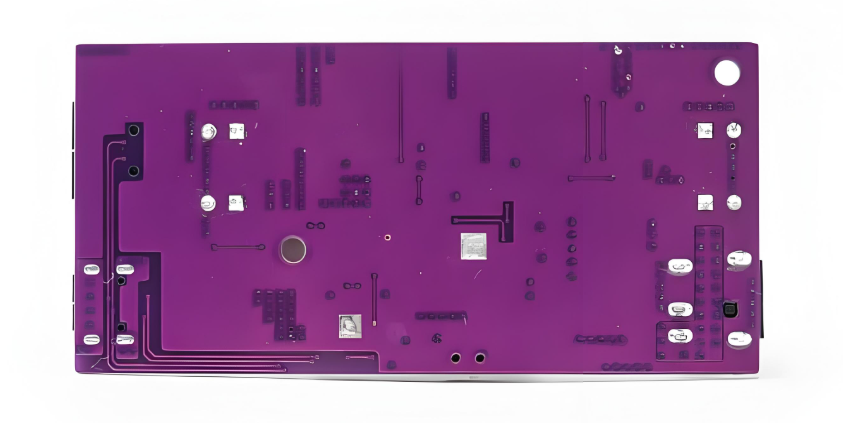
Circuit board white refers to PCBs that are produced with a white surface finish, rather than the typical green, black, or other colored finishes seen in standard PCBs. This white finish is achieved using specific materials and coatings that provide an eye-catching, clean look while still maintaining the reliability and performance that is expected from PCBs.

The choice of white as a color for PCBs may initially seem purely aesthetic, but it serves several functional purposes as well. It enhances the visual appeal of the circuit board, making it suitable for applications where appearance matters. But more importantly, the white surface helps in better heat dissipation, which is a critical factor in PCB design for high-performance electronics.

White PCB vs. Standard PCBs: What’s the Difference?

When comparing white PCBs to standard ones, the most obvious difference is the color, but there’s more to it than that. White PCBs are often constructed using materials that offer better heat management, which can improve the overall performance and lifespan of the device. Additionally, the reflective surface of a white PCB can provide better visibility for inspections, making the production process smoother.

On the other hand, traditional PCBs typically use green or black colors, which are cost-effective and effective in their own right. However, white PCBs may be preferred for high-end consumer electronics or products that require a more polished, professional appearance. They also often have a slight advantage in terms of thermal performance, as the white surface helps reflect heat away from the components.

In short, while traditional PCBs are still the go-to for most industries, white PCBs are emerging as the better option for those who need both form and function in their designs.

How White Printed Circuit Boards Improve Heat Dissipation?

Heat dissipation is one of the most critical factors in PCB design. Overheating can lead to performance issues and even failure of electronic devices. White printed circuit boards are known for their ability to dissipate heat more effectively than their darker counterparts. This is due to the reflective nature of the white surface.

The reflective properties help scatter heat away from the PCB, reducing the temperature buildup around sensitive components. This is especially useful in high-power applications like automotive systems, medical devices, and even some consumer electronics, where overheating could cause significant damage or degradation in performance.

By improving heat dissipation, white PCBs not only extend the life of the device but also enhance its reliability, making it a smart choice for demanding applications.

What Is the Manufacturing Process Behind White Printed Circuit Boards?

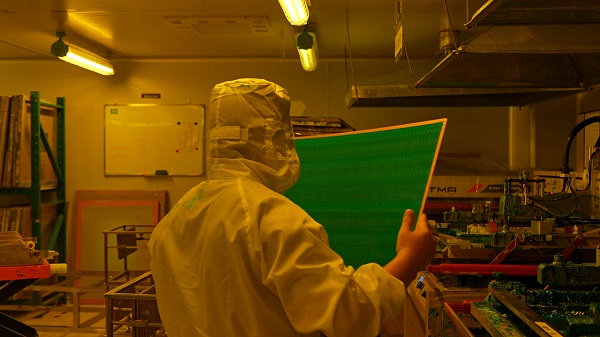
The manufacturing process for white printed circuit boards is similar to traditional PCBs, with a few key differences. First, manufacturers use specialized white coating materials that give the circuit board its bright appearance. These coatings are applied during the lamination process, where layers of copper, resin, and other materials are bonded together.

The process also involves precision etching to create the circuit pathways, just like in traditional PCBs. However, the final touch is the white coating, which is often baked onto the PCB to ensure it adheres properly and maintains its durability over time.

Due to the nature of the white finish, manufacturers have to pay extra attention to quality control during production. This ensures that the white surface remains smooth and uniform, contributing to both the aesthetic appeal and functionality of the PCB.

Are White PCBs More Durable Than Traditional Circuit Boards?

In general, the durability of a PCB depends on the materials used and the manufacturing process rather than the color. However, white PCBs tend to be slightly more durable when it comes to their surface integrity. The white coating used on these boards is typically designed to withstand harsh environments, making them resistant to scratches and other physical damage.

In addition to their surface resilience, the heat dissipation properties of white PCBs also contribute to their overall durability. By keeping the temperature within optimal levels, white PCBs help prevent the components from overheating, which could otherwise lead to premature wear and tear.

Overall, while the color itself doesn’t directly impact the PCB’s durability, the advanced materials and coatings used in white PCBs often offer a slight edge in terms of longevity and resistance to damage.

Which Top Industries Use White Circuit Boards in Their Products?

White circuit boards are increasingly finding their way into various industries due to their functional and aesthetic benefits. Some of the top sectors utilizing white PCBs include:

Consumer Electronics: White PCBs are commonly used in smartphones, wearables, and high-end home appliances due to their clean, modern look.

Medical Devices: In medical technology, where both aesthetics and performance matter, white PCBs help maintain device integrity while offering easy inspection.

Automotive Industry: White PCBs help manage heat dissipation in electric vehicles, which require reliable and efficient electronics.

Aerospace: The aerospace industry benefits from the lightweight and heat-reflective qualities of white PCBs, ensuring high performance under extreme conditions.

As demand for high-performance, visually appealing products grows, the use of white PCBs will continue to spread across these and other industries.

How to Customize White PCBs for Your Unique Needs?

One of the major advantages of white PCBs is the ability to customize them for specific requirements. Customization options include varying the thickness of the PCB, choosing materials that suit specific electronic needs, and even adjusting the white coating for different levels of reflectivity.

Customization also extends to the design of the circuit itself, where manufacturers can tailor the layout and connection paths to fit the unique needs of the application. Whether you’re working on a consumer product, medical device, or industrial equipment, customizing a white PCB can give your project a distinct edge.

By collaborating with a trusted supplier, you can ensure that your white PCBs meet both functional and aesthetic goals while staying within budget. Best Technology is your trusted partner for high-quality, custom white PCBs, fast turnaround times, and excellent customer support. Get in touch with us at sales@bestpcbs.com for any questions or additional information.

Why Is Circuit Board White Gaining Popularity?

Circuit board white is gaining traction for several reasons. The most important factor is its balance of functionality and visual appeal. Consumers and designers alike are drawn to the sleek, modern appearance of white PCBs, which fit well with contemporary product designs.

Additionally, the thermal performance of white PCBs offers a significant advantage in a world where electronics are becoming more compact and powerful. As devices shrink in size but increase in power, efficient heat management becomes more critical.

Finally, the versatility of white PCBs means they can be used in a wide range of applications, from everyday gadgets to high-end technology. As industries continue to innovate, white circuit boards are expected to play a crucial role in advancing the capabilities and durability of modern electronics.

In conclusion, circuit board white is not just a passing trend but a technological innovation that offers both visual and functional benefits. From better heat dissipation to enhanced durability, white PCBs are well-suited for industries that demand both performance and aesthetics. With a focus on quality and speed, Best Technology delivers customized PCBs alongside outstanding customer service. For inquiries or more info, just feel free to email us at sales@bestpcbs.com.

Why Are Circuit Board Black Becoming Increasingly Popular?

February 10th, 2025

Circuit board black have grown increasingly popular in electronics projects. But why are these black PCBs so widely used? What makes them stand out in different color alternatives? In this blog, we’ll dive into the reasons behind the growing preference for black PCBs.

What Is Circuit Board Black?

Circuit board black refers to the color of the solder mask applied to the surface of the PCB. The solder mask is a protective layer that prevents unwanted solder bridges from forming during the manufacturing process. This layer can come in various colors, but black is particularly sought after due to its sleek, modern aesthetic.

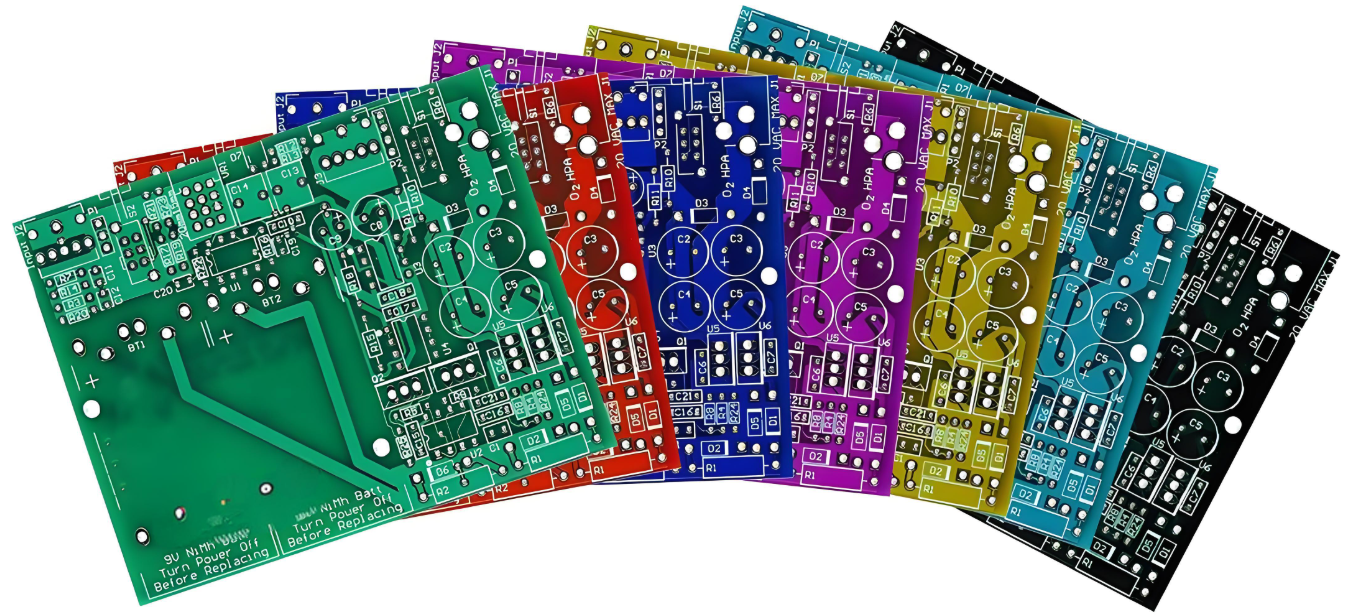
Unlike traditional green PCBs, which have been the industry standard for years, black PCBs have a unique and professional look that appeals to many industries. They are commonly used in consumer electronics, high-end gadgets, and automotive applications. The black color helps create a contrast, making the components and traces more visible, and enhancing the overall design.

What Is the Black Layer on a PCB?

The black layer on a PCB is the solder mask, a thin coating applied over the copper traces to protect them from damage, moisture, and corrosion. This layer also insulates the traces and prevents electrical shorts. While black is the most common color for the solder mask, other colors such as blue, red, and white are also used, depending on the specific requirements of the design.

The black solder mask is created by applying a special polymer resin, which is then exposed to UV light, curing the material. The result is a durable, long-lasting layer that protects the integrity of the circuit board. It also gives the board its distinctive black appearance, which can be a design preference for many.

Why Is Solder Mask Usually Black?

Solder masks are often black because it offers several practical advantages. One of the main reasons is that black solder masks provide a higher contrast for the components, making them easier to identify and inspect. This is particularly beneficial when working with tiny, high-density components where visibility is crucial.

Another reason black is so commonly used is its durability. The dark color tends to resist UV degradation better than lighter colors, ensuring the PCB remains visually appealing for longer periods. Additionally, the black color can absorb heat better than lighter shades, making it ideal for high-performance applications where heat dissipation is important.

Why Are Most Motherboards Black?

If you’ve ever wondered why most motherboards are black, the reason is simple: it’s about both aesthetics and practicality. Black gives motherboards a more professional, sleek appearance, especially when paired with other high-end components. It also provides a sharp contrast to the intricate circuits and soldered components, making them stand out more clearly.

In terms of performance, black PCBs are often preferred for high-speed or high-performance applications. The color not only improves the visual appeal but also minimizes the potential for signal interference, making black motherboards ideal for modern gaming rigs, computers, and even networking equipment.

Does PCB Color Affect Performance?

While the color of the PCB itself doesn’t directly affect performance in terms of functionality, it can influence certain aspects such as heat dissipation and visibility. The black color, for example, can help absorb heat more effectively, which can be an advantage in applications that generate a lot of heat, such as power electronics or processors.

However, it’s important to note that the performance of a PCB is primarily determined by factors like the quality of the materials used, the design of the circuit, and the manufacturing process. While black PCBs might look more stylish or professional, the overall performance of the circuit board relies on more technical specifications rather than the color itself.

Black PCB vs Green: Which Is Better for Your Project?

When it comes to choosing between black and green PCBs, both options offer their unique benefits. Green PCBs are the most common and cost-effective choice. They’re readily available, have been used for decades, and are reliable for most standard applications.

On the other hand, black PCBs are often favored for premium, high-end projects. They are commonly used in consumer electronics, automotive systems, and gadgets where appearance is just as important as performance. The main difference lies in the visual appeal and heat management. Black PCBs tend to offer a more professional and modern aesthetic, which is why they are often used in luxury products or high-performance systems.

When selecting the right color for your project, consider factors such as cost, aesthetics, and heat dissipation needs. Black PCBs may cost slightly more, but the design and performance advantages might be worth it for certain projects.

Is Black PCB More Expensive?

Yes, black PCBs are generally more expensive than their green counterparts. The primary reason for the higher cost is the more complex manufacturing process required to produce black solder masks. The materials used in the black mask tend to be pricier, and the process of applying and curing the mask can add to the overall cost.

However, for certain applications, the increased cost may be worth it. The sleek and professional look of black PCBs can enhance the value of a product, especially in industries like consumer electronics, luxury products, or high-end automotive systems. Ultimately, the decision should be based on your project’s budget and aesthetic needs.

How to Choose Between Black and Other PCB Colors?

Choosing the right PCB color depends on various factors, including the intended use, aesthetics, and budget. If you’re working on a high-performance, high-end product where visual appeal is important, black PCBs might be the best choice. They not only enhance the product’s appearance but also offer better heat dissipation and contrast for easier component identification.

For more cost-effective projects, or those where performance is the priority over appearance, traditional green PCBs might be the better option. Green PCBs are also ideal for general-purpose electronics and standard applications. Other colors, like blue or red, can be chosen for specific design needs but may come with their own set of costs and manufacturing complexities.

In the end, your decision should align with the aesthetic goals and performance requirements of your project. Black PCBs can elevate the look of your product, while green ones are reliable and economical for everyday applications. Are you looking for fast delivery and customized circuit board black products? Best Technology delivers top-notch circuit board black solutions with efficiency and precision.

Circuit board black has undoubtedly become a popular choice in the world of electronics. Whether it’s for enhancing the look of consumer devices, improving heat dissipation, black PCBs offer a combination of style and functionality. While they may come at a slightly higher cost than traditional green boards, the benefits they bring to high-end and high-performance products often justify the investment. Best Technology stands out by providing customized, high-quality black PCB products with quick turnaround times, all backed by our top-tier customer service. For more information or any inquiry, warm welcome to reach us at sales@bestpcbs.com.

PCB for Solenoid Valve, Reliability of PCB Solenoid Valve

February 9th, 2025

PCB for solenoid valve plays a vital role in modern automation, ensuring efficient and reliable control of fluid and gas flow. Without a well-designed PCB, solenoid valves may suffer from slow response times, overheating, or electrical failures. Industries like manufacturing, automotive, and medical equipment rely on high-performance PCBs to maintain smooth operations. Understanding their design, benefits, and troubleshooting techniques ensures optimal functionality and longevity.

What is a PCB for Solenoid Valve?

A PCB for solenoid valve is an electronic circuit board responsible for managing the electrical signals that control solenoid valve operation. It regulates power distribution, switching mechanisms, and safety features. The board ensures stable voltage levels, reducing wear on components. It also minimizes energy consumption by optimizing current flow. These PCBs are essential in industrial automation, HVAC systems, water control mechanisms, and automotive applications.

How Does a PCB for Solenoid Valve Work?

The PCB acts as an interface between the power source and the solenoid coil. When the circuit receives an electrical signal, it activates the coil, generating a magnetic field. This force moves a plunger inside the valve, allowing fluid or gas to flow. When the power is cut off, the magnetic field disappears, and the valve returns to its default state. Advanced PCBs feature microcontrollers or sensors for precision control. This allows automated adjustments based on pressure, temperature, or flow rate.

How to Design a Reliable PCB for Solenoid Valve Control?

A well-structured PCB design prevents failures and ensures efficient operation. Here are some key considerations:

Trace Thickness: The PCB must handle sufficient current without overheating. Wider traces reduce resistance and improve conductivity.

Material Selection: High-quality copper improves electrical flow, while durable substrates withstand heat and moisture.

Component Placement: Strategic positioning of resistors, diodes, and capacitors enhances efficiency and prevents signal interference.

Thermal Management: Heat sinks, ventilation holes, and thermal vias help dissipate excess heat, preventing burnout.

Shielding and Grounding: Proper grounding reduces electrical noise, ensuring smooth operation in high-frequency applications.

What Are the Advantages of Using a PCB for Solenoid Valves?

Using a dedicated PCB for solenoid valve control offers numerous benefits:

Faster Response Times: A well-designed PCB ensures quick switching, improving efficiency in high-speed applications.

Reduced Power Consumption: Optimized circuits minimize energy waste, making systems more sustainable.

Compact and Organized Design: Integrating multiple functions onto a single PCB eliminates excess wiring and simplifies installation.

Longer Lifespan: Quality circuit boards extend solenoid valve durability by preventing electrical surges and overheating.

Improved Safety: Built-in protective components safeguard against short circuits, voltage spikes, and system failures.

How to Choose the Best PCB for Your Solenoid Valve Application?

Selecting the right PCB involves evaluating performance requirements and environmental factors. Consider the following:

Voltage and Current Ratings: Ensure the PCB supports the solenoid valve’s power requirements to prevent overloading.

Environmental Resistance: For outdoor or industrial use, moisture-proof coatings and heat-resistant materials improve longevity.

Switching Speed: Applications requiring rapid actuation need low-latency circuits for seamless performance.

Customization Needs: Off-the-shelf PCBs work for general applications, but custom designs optimize efficiency and functionality.

Working with a trusted PCB manufacturer ensures a tailored solution that meets specific operational needs. Best Technology specializes in customized board printed circuit solutions, offering high-quality products with quick turnaround times.

What Are Common Issues in PCB Solenoid Valve Circuits and How to Fix Them?

Despite their efficiency, PCB solenoid valve circuits can face technical issues. Here are common problems and solutions:

Voltage Fluctuations: Unstable power can cause erratic operation. Installing capacitors helps stabilize voltage supply.

Overheating: Excess heat damages components over time. Heat sinks and proper ventilation reduce temperature buildup.

Signal Interference: Electrical noise disrupts communication. Shielding techniques and proper grounding minimize interference.

Component Wear: Solder joints and connectors degrade over time. Regular inspections and replacements maintain reliability.

Why Custom PCBs Are Better for Solenoid Valve Control?

Custom PCBs enhance solenoid valve performance by addressing specific design challenges. Unlike standard boards, custom solutions offer:

Optimized Layouts: Reduced energy loss and enhanced conductivity improve efficiency.

Advanced Features: Integrated sensors, microcontrollers, and wireless connectivity enable smart control.

Tailored Solutions: Designed to meet exact voltage, current, and environmental requirements.

By choosing a custom PCB, businesses achieve greater reliability, efficiency, and scalability in automation systems.

How to Improve the Efficiency of a Solenoid Valve PCB?

Boosting PCB performance involves refining circuit design and using quality components. Key improvement strategies include:

Using Low-Resistance Materials: Better conductivity reduces energy waste.

Optimizing Circuit Layout: Shorter pathways improve signal speed and reduce interference.

Implementing Power Management Techniques: Efficient voltage regulation extends battery life in portable applications.

Regular Maintenance: Cleaning and inspecting PCBs prevent failures and extend operational life.

A well-engineered PCB for solenoid valve enhances automation by delivering precision, efficiency, and durability. Industries relying on fluid and gas control benefit from faster response times, reduced power consumption, and extended valve lifespan. Choosing the right PCB, whether standard or custom-designed, ensures seamless operation in demanding environments. For businesses seeking high-quality solutions, partnering with an experienced PCB manufacturer guarantees reliability and performance. At Best Technology, we understand the importance of both quality and speed, providing customized PCB for solenoid valve that exceed expectations. Feel free to contact us at sales@bestpcbs.com for any doubts or queries you might have.

Unlocking The Power of Wireless Module PCB

January 15th, 2025

Wireless module PCB is a crucial component in modern electronics, enabling seamless communication between devices without the need for physical connections. From smart home systems to agriculture and IoT applications, these PCBs are the backbone of wireless technologies that drive innovation. In the agriculture sector, for instance, wireless module PCBs are enhancing livestock management through solutions like multisensory bands for poultry, providing real-time data to improve productivity and animal welfare. In this blog, we’ll explore how wireless module PCBs work, their applications, and how they are shaping the future of industries like agriculture, IoT, and beyond.

What is a Wireless Module?

A wireless module is a vital component that allows devices to communicate without physical connections. These modules handle the transmission and reception of wireless signals, making them integral to modern wireless communication systems. They enable IoT (Internet of Things) devices to send and receive data seamlessly, opening the door to smart technologies across various industries.

The key functionality of a wireless module is its ability to handle protocols such as Wi-Fi, Bluetooth, or Zigbee, ensuring data can travel over short or long distances. This communication allows smart devices, like sensors and controllers, to operate in real-time without being tethered to a central hub.

In agriculture, for example, wireless modules provide the backbone for systems like multisensory bands for poultry, where devices transmit critical data about the health and behavior of animals. These modules connect different devices, creating a cohesive network that drives efficiency and innovation.

What is a Module PCB?

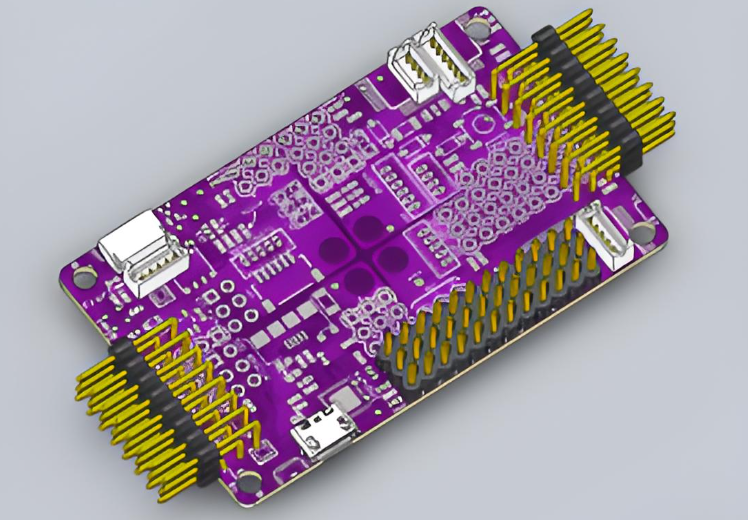
A module PCB (Printed Circuit Board) is the physical platform that houses the components of a wireless module. It is the foundation for the connectivity and functioning of wireless communication systems. Without PCBs, wireless modules would not be able to connect all the essential components, such as microcontrollers, antennas, and sensors, needed for operation.

In simple terms, a module PCB is where the magic happens. It holds the circuit together, providing both mechanical support and electrical pathways for signals to flow. In wireless modules, this PCB ensures that the components are properly connected and function as a single unit. High-quality PCBs are crucial for ensuring that the wireless module performs optimally, with minimal interference or signal loss.

How to Make a PCB Module?

Creating a PCB module involves several steps, each requiring careful attention to detail. Here’s a simplified breakdown:

Design: First, the circuit diagram is designed using specialized software. This diagram maps out how the components will connect, ensuring the module functions as expected.

Fabrication: After the design is complete, the PCB is fabricated. This process includes etching copper onto the board, creating the electrical pathways.

Component Placement: Once the PCB is ready, various components like resistors, capacitors, and microcontrollers are placed onto the board. This is a critical step, as improper placement can lead to performance issues.

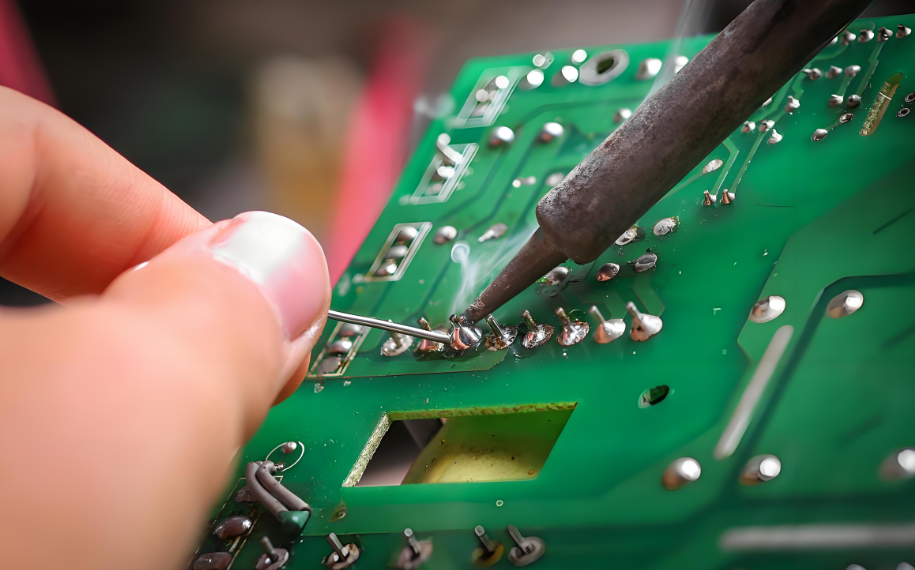
Soldering: The components are soldered onto the board to establish permanent connections. Soldering must be precise to ensure strong electrical connections without any shorts or defects.

Testing: Finally, the module is tested to ensure it works as intended. This includes checking signal strength, functionality, and any interference.

How Do Wireless Module PCBs Work in IoT Devices?

Wireless module PCBs are essential in IoT devices because they enable communication between the device and the network. These modules typically integrate multiple communication protocols, allowing IoT devices to connect and exchange data with other smart devices. For instance, a wireless module PCB used in smart farming devices can transmit environmental data, such as temperature and humidity, to a central system where it is analyzed for patterns and trends.

These modules are small, compact, and highly efficient, which makes them ideal for IoT applications that require low-power consumption and reliable performance. In the case of poultry monitoring systems, wireless modules in the form of multisensory bands gather data on bird health, temperature, and movement, transmitting it to farm management systems for real-time decision-making.

What Are the Applications of Wireless Module PCBs in Agriculture?

Wireless module PCBs play a crucial role in modernizing agriculture. They provide the infrastructure for various smart farming solutions, allowing farmers to make data-driven decisions that improve productivity and animal welfare. Here are some key applications:

Smart Irrigation Systems: Wireless modules are used to monitor soil moisture levels and weather conditions, ensuring that crops receive the right amount of water. This reduces waste and increases efficiency.

Livestock Monitoring: Wireless modules integrated into wearable devices like multisensory bands for poultry allow farmers to track the health and activity of their livestock. This data helps in early disease detection, better nutrition, and more efficient herd management.

Precision Farming: By using wireless modules to gather and transmit data, farmers can optimize the use of fertilizers, pesticides, and other inputs, ensuring maximum crop yields with minimal environmental impact.

Environmental Monitoring: Wireless sensors can monitor temperature, humidity, and other environmental factors critical for both crops and livestock. This data is transmitted via wireless module PCBs to central control systems for analysis.

How to Integrate a Multisensory Band into a Wireless Module PCB for Poultry?

Integrating a multisensory band into a wireless module PCB for poultry requires careful design and consideration of several factors. The multisensory band is a wearable device equipped with sensors that monitor various physiological parameters of poultry, such as body temperature, movement, and health status.

To integrate this into the wireless module PCB, the following steps are necessary:

Sensor Selection: Choose the appropriate sensors for monitoring poultry health, such as temperature sensors, motion detectors, and accelerometers. These sensors will provide the data needed for analysis.

PCB Design: Design the PCB to accommodate the sensors, ensuring that the connections are stable and reliable. The board must also support wireless communication protocols like Bluetooth or Zigbee to transmit the data to a central system.

Power Management: Since the multisensory band will likely be worn by poultry, power efficiency is crucial. The PCB must be designed to minimize energy consumption while ensuring the module works for extended periods.

Testing and Calibration: Once integrated, the system must be thoroughly tested to ensure accurate data collection. Calibration of the sensors ensures that the data is precise and reliable.

How Does a Wireless Module PCB Contribute to Smart Poultry Farming?

Smart poultry farming relies heavily on wireless module PCBs to enable real-time monitoring and management of poultry health and behavior. These modules allow for the collection of data from multisensory bands worn by poultry, providing farmers with insights into factors such as temperature, activity levels, and potential health issues.

Wireless modules transmit this data wirelessly to centralized systems, where it can be analyzed and used to make informed decisions. This leads to improved animal welfare, more efficient farm operations, and ultimately, higher productivity. By integrating wireless technology, farmers can reduce labor costs and improve the quality of their products.

What Are the Design Challenges for Wireless Module PCBs?

While designing a wireless module PCB, several challenges must be addressed to ensure its functionality and performance:

Signal Integrity: Wireless communication relies on clean signals, so designers must ensure minimal interference and signal loss.

Size Constraints: For IoT devices and wearable solutions like multisensory bands for poultry, the PCB must be compact while still housing all necessary components.

Power Efficiency: Since many wireless modules are battery-powered, reducing energy consumption is crucial to extend the life of the devices.

Environmental Factors: Wireless modules used in agriculture and poultry farming must be able to withstand harsh environments, including temperature fluctuations, moisture, and dust.

Despite these challenges, the benefits of wireless module PCBs far outweigh the difficulties. With careful planning and innovative design, these modules can power the next generation of smart farming technologies.

In conclusion, wireless module PCBs are revolutionizing agriculture by enabling smart farming solutions that enhance productivity, sustainability, and animal welfare. Through the integration of multisensory bands for poultry, these modules provide farmers with real-time data that improves decision-making and operational efficiency.

As technology continues to evolve, the role of wireless module PCBs in agriculture will only grow, contributing to more sustainable farming practices and smarter, more connected agricultural systems.

At Best Technology, we specialize in creating high-performance wireless module PCBs that support the development of innovative solutions like multisensory bands for poultry. Our advanced PCB manufacturing processes ensure that your devices are built to last and operate with optimal efficiency.

How to produce PCB? Production process & PCB manufacturing

January 14th, 2025

How to produce PCB? To produce a PCB, you must first design the schematic and PCB layout, then make a blank, then drill holes and copper plate it, and finally perform etching, surface treatment and other processes to etch the copper foil into a circuit pattern to complete the PCB production.

How to produce PCB? Production process & PCB manufacturing

How to Manufacture PCBs?

  • 1. Designing the PCB Layout

The first step is designing the circuit using specialized software. Tools like Eagle, Altium Designer, or KiCad allow engineers to create detailed blueprints, specifying copper traces, pads, and components. Precision at this stage ensures optimal functionality.

  • 2. Printing the Design

Once the layout is finalized, it is transferred onto a physical board. The process involves printing the design onto a transparent film, which acts as a stencil for the subsequent steps.

  • 3. Preparing the Base Material

The base material, typically fiberglass or FR4, is cleaned and prepped. This ensures proper adhesion of the copper layer.

  • 4. Laminating the Copper Layer

A thin layer of copper is laminated onto the base material. This copper layer forms the conductive pathways of the PCB.

  • 5. Applying the Photoresist

Photoresist, a light-sensitive material, is applied to the copper layer. UV light is then used to harden the areas matching the PCB design.

  • 6. Etching the Copper

Unwanted copper is removed through chemical etching, leaving behind only the necessary conductive traces. This step defines the electrical pathways.

  • 7. Drilling the Holes

Precise holes are drilled to accommodate components and vias. Modern laser drilling methods ensure high accuracy, especially for multilayer PCBs.

  • 8. Plating and Surface Finishing

The drilled holes and traces are plated with additional copper for conductivity. Surface finishes, like HASL or ENIG, are applied to prevent oxidation.

  • 9. Solder Mask Application

A solder mask is applied to protect the copper traces from environmental damage. This layer also prevents accidental solder bridging during assembly.

  • 10. Silkscreen Printing

Silkscreen printing adds labels, logos, and component identifiers, aiding assembly and maintenance.

  • 11. Final Inspection and Testing

Each PCB undergoes rigorous testing, including Automated Optical Inspection (AOI) and functional tests, to ensure quality and reliability.

How Is a PCB Created?

The creation of a PCB on software begins with designing the layout using advanced tools like Altium Designer or KiCad.

Engineers outline copper traces, pads, and components to create a functional design. Once finalized, this digital blueprint guides the subsequent physical manufacturing process.

The collaboration between engineers and PCB producers ensures accuracy and a seamless transition from design to production.

Are PCBs Expensive to Manufacture?

The cost of producing PCBs depends on various factors:

  • Material: High-grade materials like ceramic or polyimide are pricier.
  • Volume: Bulk production reduces unit costs.
  • Customization: Specialized designs, such as rigid-flex PCBs, increase costs.

However, advances in technology and competition among PCB producers, especially in Asia and Europe, have made PCB production more affordable.

What Is the Cheapest Way to Make a PCB?

For cost-effective PCB production, consider these tips:

  • Use Standard Materials: FR4 is a budget-friendly and reliable choice.
  • Simplify the Design: Minimize layers and avoid intricate features.
  • Order in Bulk: Larger quantities lower per-unit costs.
  • Work with Trusted Producers: Established PCB producers often offer better prices due to streamlined processes.

How Long Does It Take to Make a PCB?

Lead times vary based on complexity and order size:

  • Prototype PCBs: 3-5 days on average.
  • Mass Production: 1-3 weeks, depending on volume and customizations.

Fast-turn options are available but come at a premium. Choosing established PCB producers can also shorten lead times.

What Is the Failure Rate of Producing PCBs?

Modern manufacturing techniques ensure low failure rates, often below 1%. However, challenges like poor material quality, design errors, or environmental factors can increase defects. Partnering with experienced PCB producers minimizes these risks.

What Are the Common Problems When Producing PCBs?

Some frequent issues include:

  • Incomplete Etching: Residual copper can cause shorts.
  • Insufficient Drilling Accuracy: Impacts component placement and conductivity.
How to produce PCB? Production process & PCB manufacturing
  • Soldering Issues: Cold joints or bridging can occur during assembly.
  • Design Errors: Incorrect layouts result in non-functional boards.

Quality control measures and working with top PCB producers can address these challenges effectively.

Where Are PCBs Most Commonly Found?

PCBs are integral to various industries:

  • Consumer Electronics: Smartphones, laptops, and TVs.
  • Automotive: Engine control units and infotainment systems.
  • Healthcare: Medical devices like pacemakers and monitors.
  • Aerospace: Navigation systems and avionics.
  • Industrial Equipment: Machinery control systems and sensors.

Their versatility makes PCBs indispensable in modern technology.

Conclusion

Producing PCBs involves a blend of engineering precision and advanced manufacturing techniques. Partnering with reputable PCB producers ensures quality, reliability, and efficiency in your projects. BEST Technology’s PCB production capabilities have been tested for 18 years and we have accumulated rich experience in the production and manufacturing of various types of PCBs. If you have any needs for PCB production, please feel free to contact us at sales@bestpcbs.com

Why Is PCB for USB Chargers the Key to Superior Performance?

January 13th, 2025

PCB for USB chargers is the critical component that ensures safe and efficient energy transfer, powering everything from smartphones to tablets. Without a high-quality PCB, USB chargers would struggle to provide consistent performance or meet safety standards. In this blog, we’ll explore the importance of PCBs in USB chargers, how to choose the right design, and the benefits they bring to modern charging solutions. Best Technology, a leading PCB manufacturer in China, offers top-tier solutions tailored to the needs of reliable USB chargers.

What Is PCB for USB Chargers?

A PCB for USB chargers is the foundational component that controls the flow of electricity to charge devices. It serves as the backbone, hosting components like capacitors, resistors, and diodes. The PCB regulates voltage, ensuring devices receive the right amount of power without overheating or damaging sensitive electronics.

These boards are specifically designed to handle compact yet powerful circuits, making them ideal for USB chargers. Without the PCB, chargers would fail to deliver consistent and safe energy.

How to Choose the Right PCB Design for a USB Charger?

Selecting the right PCB design depends on several factors. Start by assessing the power requirements of the charger. Higher power outputs require PCBs with robust thermal management and reliable components.

Next, consider the size of the PCB. USB chargers are compact, so the design must optimize space without sacrificing efficiency. Materials are another critical factor. High-quality substrates, such as FR-4, enhance durability and performance.

Finally, ensure the design complies with safety standards, such as CE and UL certifications. A well-designed PCB not only boosts functionality but also ensures user safety.

What Are the Common Issues with PCBs in USB Chargers?

While PCBs for USB chargers are highly efficient, a few issues can arise if not designed or manufactured correctly. Overheating is one of the most common problems, often caused by poor thermal management or low-quality materials.

Component failure, such as damaged capacitors or resistors, can disrupt the charging process. Additionally, improper soldering may lead to connection failures. However, choosing a reliable manufacturer minimizes these risks, ensuring long-lasting performance.

Why Is Thermal Management Important in USB Charger PCBs?

Thermal management is critical for the safety and efficiency of USB charger PCBs. As the board regulates voltage, it generates heat. Without proper heat dissipation, components can overheat, reducing the lifespan of the charger.

Effective thermal management involves using heat-resistant materials and incorporating heat sinks or thermal vias. These measures prevent overheating, ensuring that the PCB operates safely and consistently even under heavy usage.

What Is the Cost of Designing and Manufacturing a PCB for USB Chargers?

The cost of designing and manufacturing a PCB for USB chargers varies based on complexity, materials, and volume. High-quality PCBs typically cost more upfront but deliver better durability and performance.

Custom designs tailored to specific needs may increase costs slightly but provide superior functionality. Partnering with experienced manufacturers ensures a balance between affordability and quality, making it easier to produce reliable chargers.

How to Ensure Safety in USB Charger PCB Design?

Safety is a top priority in PCB design for USB chargers. Start by using high-quality materials that can handle high temperatures and electrical loads. Incorporate protective components such as fuses and surge protectors to guard against electrical faults.

Proper insulation and spacing between components also reduce the risk of short circuits. Testing is essential. Ensure each PCB undergoes rigorous quality checks to comply with industry standards. A safety-first approach builds trust and enhances the user experience.

How Does the PCB in a USB Charger Work?

The PCB in a USB charger works as the control center, regulating the flow of electricity from the power source to the connected device. It converts high-voltage AC power to low-voltage DC power suitable for charging.

Voltage regulators, resistors, and capacitors on the PCB work together to stabilize the current. These components protect devices from power surges, ensuring safe and efficient charging. The compact design of PCBs allows USB chargers to deliver powerful performance without compromising portability.

What Are the Benefits of Using a High-Quality PCB for USB Chargers?

High-quality PCBs offer several advantages. They enhance the performance and reliability of USB chargers, ensuring faster and safer charging. Durable materials and precise designs reduce the risk of overheating and component failure.

Additionally, high-quality PCBs improve energy efficiency, minimizing power loss during operation. By choosing premium PCBs, manufacturers can create chargers that meet customer expectations while adhering to global safety standards.

PCBs are the unsung heroes behind the seamless performance of USB chargers. From ensuring safety to enhancing efficiency, they play a vital role in modern charging solutions. By selecting high-quality designs and partnering with trusted manufacturers like Best Technology, businesses can deliver reliable, safe, and efficient chargers to their customers.

Whether you’re designing USB chargers or sourcing components, investing in high-quality PCB for USB chargers ensures better performance and customer satisfaction. Choose Best Technology, your trusted PCB manufacturer in China, to experience superior quality and service.

What You Need to Know About Power Strip PCB Board?

January 9th, 2025

Power strip PCB board plays a vital role in power distribution, safety, and design. Power strips are an essential part of our daily lives, offering a simple way to power multiple devices from a single outlet. A Power Strip PCB Board plays a crucial role in this setup. In this blog, we will explore the power strip PCB board in depth, including its components, lifespan, and design, while highlighting the benefits it provides.

What is a Power Strip PCB Board?

A Power Strip PCB Board is a printed circuit board (PCB) that serves as the backbone of a power strip. It connects the various components within the strip, ensuring proper power distribution to the connected devices. The PCB inside the power strip helps manage power flow, prevent overloads, and offers essential protection mechanisms for both users and appliances. This board is built with several copper traces that carry the current from the power source to each socket, allowing multiple devices to draw power simultaneously.

What Are the Components of a Power Strip?

A typical power strip is composed of several key components. These include the power PCB board, the sockets, the wiring, a surge protector, and a fuse. The PCB board is responsible for distributing power across each socket. The surge protector safeguards connected devices from voltage spikes. The fuse acts as a fail-safe, cutting off the power in case of an overload. All of these components work together to ensure safety and functionality, protecting your valuable electronics from potential damage.

What Is the Life Expectancy of a Power Strip?

The life expectancy of a power strip can vary depending on its quality and usage. Typically, a well-maintained power strip lasts between 3 to 5 years. However, this lifespan can be shorter if the strip is exposed to frequent power surges or overloaded. Regularly checking for wear and tear, like frayed wires or damaged sockets, is important to ensure that the power strip remains safe to use. A good quality PCB can help extend the life of the power strip, as it better handles power distribution and surge protection.

Why Do Power Strips Have 3 Prongs?

The three-prong design on power strips is a safety feature. The three prongs are made up of a live (hot) wire, a neutral wire, and a ground wire. The ground prong is crucial for ensuring that excess electrical current is safely diverted to the ground, reducing the risk of electric shock or fire. It’s a standard safety feature that helps protect both users and the devices plugged into the power strip.

What Is the 1363 Power Strip?

The 1363 power strip refers to a specific standard for power strips in some regions, particularly in New Zealand and Australia. It dictates the electrical safety features and configurations of the power strip, ensuring that it meets the safety requirements necessary for protecting connected devices. The standard typically covers the power rating, surge protection, and grounding methods, which are vital for ensuring that the power strip functions safely and effectively.

How Do I Identify a PCB Board?

Identifying a PCB board within a power strip is quite simple. The PCB is typically a flat board with a smooth surface and a series of copper traces. These traces connect various components like capacitors, resistors, and connectors, which are crucial for managing electrical flow. If you look closely, the board will also have markings or a part number that can help you trace the manufacturer and the specific design of the PCB. If you’re ever unsure about its authenticity or functionality, refer to the manufacturer’s manual for more details.

How to Design the Power Strip PCB Board?

Designing a power strip PCB board requires careful planning to ensure safety, reliability, and efficiency. The board design needs to handle high power loads, support various components like resistors, capacitors, and protection elements like fuses and surge protectors. The layout of the copper traces should minimize the risk of short circuits or power surges. Additionally, the PCB should be designed to accommodate the specific power rating and the number of outlets in the power strip. Using high-quality materials and following industry standards are key to ensuring the power strip performs well over time.

What Are the Benefits of the Power Strip PCB Board?

Power strip PCB boards offer several significant benefits that contribute to the performance and safety of the power strip. One major advantage is improved power distribution. A well-designed PCB ensures that power is evenly spread across all outlets, preventing any individual device from drawing too much current. PCBs also allow for better integration of protection features, such as surge protection and fuses, which guard against electrical hazards. Additionally, PCBs are compact, efficient, and cost-effective, allowing manufacturers to produce high-quality power strips at a reasonable price. Whether you need multiple types of PCB board products or a customized PCB board solution for manufacturing power strip. Best Technology provides excellent service and fast delivery. For more information or any inquiry, warm welcome to reach out to us at sales@bestpcbs.com.

Power Strip PCB boards are essential to the design and functionality of power strips, offering efficient power distribution and safety features. Understanding the components, design process, and benefits of these boards helps in choosing the best power strip for your needs. Whether you’re designing one or purchasing a pre-made product, the role of the PCB inside is crucial to its overall performance and longevity. Choosing a power strip with a high-quality PCB ensures that your devices are always powered safely and reliably.

Why You Need Turnkey PCBA Assembly Service Right Now?

January 9th, 2025

Turnkey PCBA assembly service has become an essential part of the manufacturing industry, particularly in electronics. It provides a complete solution for companies needing printed circuit board assemblies (PCBAs) but lacking the resources or expertise to handle the intricate process themselves.

What is Turnkey PCB Assembly?

Turnkey PCB assembly is a full-service solution for the production of printed circuit boards (PCBs) and their assembly into functional electronic products. This service includes everything from designing the circuit boards to sourcing the components, assembling the PCBs, and delivering the final product. The term “turnkey” refers to a ready-to-use product, where you simply provide the specifications, and the service provider takes care of the rest.

In a typical turnkey PCBA assembly service, the manufacturer handles every step in the process, ensuring that the product meets the client’s requirements without the need for them to get involved in the details. This eliminates the need for multiple suppliers, reducing costs and saving time.

What Does Turnkey Mean in Manufacturing?

In manufacturing, turnkey refers to a complete solution where the service provider is responsible for every aspect of production. This includes design, sourcing materials, manufacturing, and testing. Once the project is completed, the product is ready for immediate use, hence the term “turnkey.” It offers simplicity for clients, as they can rely on a single supplier for all their manufacturing needs.

For PCB assembly, this means that the manufacturer will take care of everything from sourcing the necessary components to assembling and testing the final product. The client’s only responsibility is to supply the initial design or specification.

What is the Difference Between PCB and PCB Assembly?

A PCB (Printed Circuit Board) is a flat, rigid board used to mechanically support and electrically connect electronic components. It serves as the base for the circuit components that make up an electronic device, such as resistors, capacitors, and chips. The PCB itself does not perform any function until components are attached.

PCB assembly, on the other hand, refers to the process of placing and soldering these electronic components onto the PCB. The result is a complete, functional assembly, often called a PCBA (Printed Circuit Board Assembly). The assembly process involves precise placement, soldering, and testing of components to ensure the board works as intended.

What Specific Services Are Included in Turnkey PCBA Assembly Service?

A turnkey PCBA assembly service typically includes the following services:

1. PCB Design: If you don’t have a design yet, some providers offer PCB design services, creating the layout and schematic based on your specifications.

2. Component Sourcing: This includes purchasing all the components necessary for your project, ensuring they meet the required standards.

3. PCB Manufacturing: This is the process of producing the actual PCB, including layer stacking, etching, drilling, and other steps to create the board itself.

4. PCB Assembly: The components are placed on the PCB and soldered into place, often using automated machines for precision.

5. Testing and Inspection: Quality checks such as functional testing, X-ray inspection, and visual inspection ensure that the PCB is properly assembled and functional.

6. Packaging and Delivery: The final product is packaged and shipped to the client, ready for integration into the final product.

This comprehensive approach reduces lead times and ensures that clients receive a finished product that meets their expectations.

What is the Major Difference Between a Turnkey Project and a Design Build?

The primary difference between a turnkey project and a design build lies in the scope of responsibility.

Turnkey Projects: In a turnkey project, the service provider is responsible for every aspect of the project, from start to finish. The client hands over the specifications, and the provider handles design, procurement, manufacturing, and testing. Once completed, the product is ready for use.

Design Build Projects: In a design-build project, the client has more involvement. The service provider is typically responsible for the design and construction, but the client may still need to source components or provide additional input during the process. The client may need to manage more aspects of the project compared to a turnkey approach.

While both models aim to streamline production, turnkey projects are more hands-off for the client and typically offer greater convenience and efficiency.

What Files Are Needed for PCB Assembly?

To begin the PCB assembly process, several files are necessary. These files provide the information needed for manufacturing and assembling the PCB:

1. Gerber Files: These are the standard files for PCB design and detail the layers of the PCB, including copper layers, silkscreen layers, and soldermask layers.

2. Bill of Materials (BOM): A list of all the components required for the PCB assembly, including their specifications and quantities.

3. Pick-and-Place Files: These files contain precise information about where each component should be placed on the PCB, ensuring accurate placement during assembly.

4. Assembly Drawings: These drawings provide a visual reference for the assembly process, often showing where components should be placed.

5. Test Specifications: Details about the tests that need to be performed on the finished PCB to ensure quality and functionality.

These files ensure that every aspect of the production process is well-defined and can be accurately followed.

How Does PCB Assembly Work?

The PCB assembly process is a multi-step procedure that involves placing and soldering electronic components onto the PCB. The basic steps are as follows:

1. Component Sourcing: The required components are sourced and inspected for quality.

2. Solder Paste Application: Solder paste is applied to the PCB in areas where components will be placed.

3. Pick-and-Place: Using automated machines, components are placed precisely on the PCB.

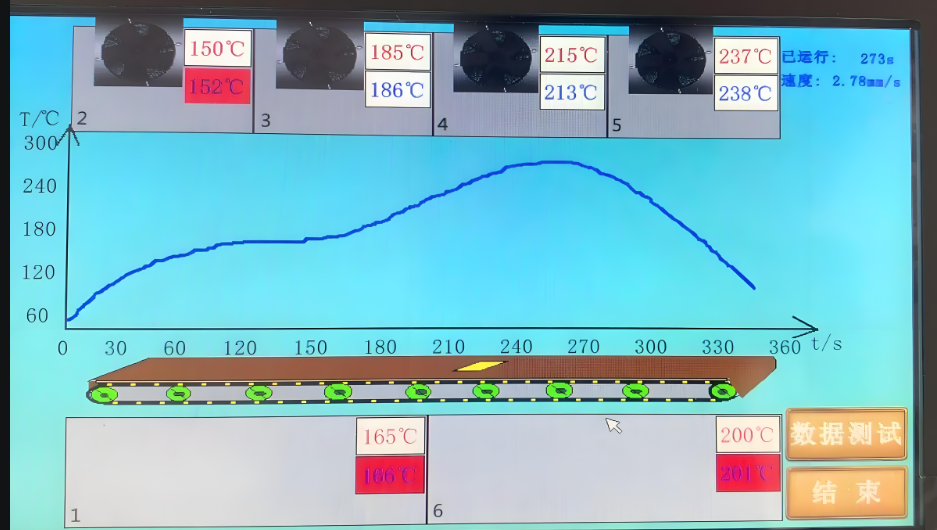
4. Soldering: The PCB passes through a reflow oven, where the solder paste is melted and bonds the components to the board.

5. Inspection and Testing: The assembled PCB is inspected for errors and tested to ensure functionality.

6. Final Assembly: After testing, the board is packaged and shipped to the client.

Each step requires precision and attention to detail to ensure that the final product is functional and reliable.

What Are the Advantages of Turnkey Projects?

Turnkey projects offer several advantages that make them highly attractive, especially for businesses that want a hassle-free solution:

1. Simplified Process: The client only needs to provide initial specifications, with no need to worry about the intricacies of the manufacturing process.

2. Cost Efficiency: By bundling all services under one provider, turnkey solutions often result in lower costs, especially in terms of supply chain management and reduced overhead.

3. Time Savings: The provider handles all aspects of production, resulting in faster project timelines.

4. Quality Assurance: With a single provider responsible for all phases of production, consistency and quality are easier to maintain.

5. Focus on Core Competencies: Clients can focus on their product’s design and marketing while leaving the manufacturing details to the experts.

In short, turnkey PCBA assembly services offer a seamless, efficient, and reliable way to get your PCBs assembled and ready for integration into your electronic products.

Turnkey PCBA assembly services provide a comprehensive solution that simplifies the process of getting your PCBs designed, assembled, and ready for use. With services ranging from component sourcing to final delivery, it offers businesses a one-stop shop for all their assembly needs. By choosing a turnkey provider, companies can enjoy cost savings, faster timelines, and a hassle-free manufacturing experience. Best Technology provides turnkey PCBA assembly service, delivering high-quality products with quick turnaround times. If you’re interested in our turnkey PCBA assembly service, feel free to contact us at sales@bestpcbs.com for more information.

What is Vias Plugged PCB and Why is It Important?

January 8th, 2025

Vias Plugged PCB has become a common technique to improve the integrity and functionality of a board in the world of PCB (Printed Circuit Board) manufacturing. This process involves filling or sealing the holes, known as vias, which are used to create electrical connections between different layers of a PCB. But why is via plugging so important, and what does it involve? In this blog, we’ll dive into what via plugging is, the different types of vias, and its role in PCB design and performance. Let’s explore the various aspects of this technique and its significance in the world of PCB production.

What is Via Plugging in PCB?

Via plugging is the process of filling or sealing vias, which are holes drilled into a PCB to establish electrical connections between different layers. These vias can be plugged for various reasons, such as preventing unwanted signals from traveling through the vias or ensuring better protection against environmental factors like moisture. The plugging material used may vary, but most commonly, it’s a resin, green oil, or solder mask. The plugged vias add structural integrity to the PCB and enhance its electrical performance.

What Are the Different Types of Vias in PCB?

PCBs can have several types of vias, each designed for specific purposes. The main types include:

Through-hole Vias: These are the most common vias, which pass through the entire board and connect all the layers.

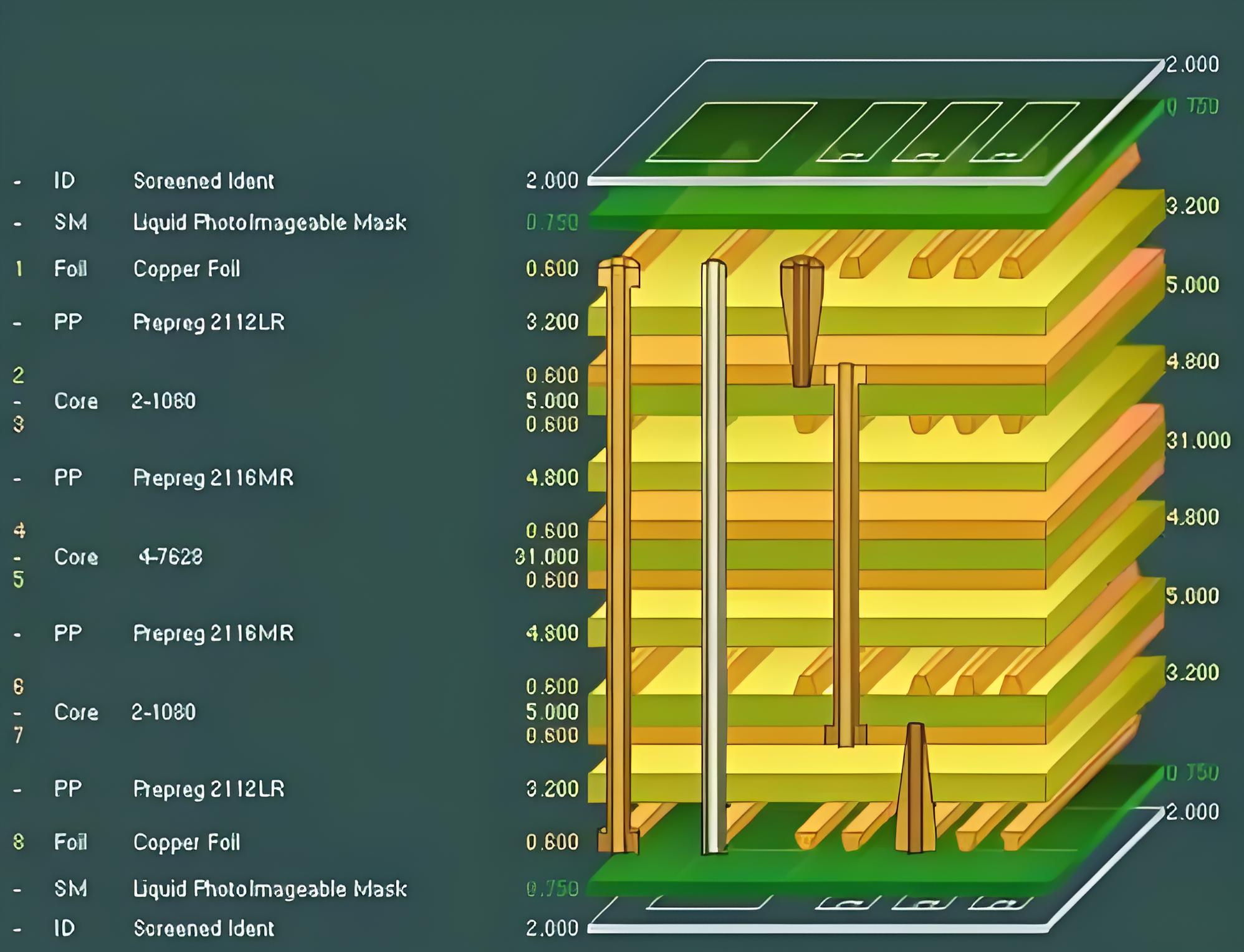
Blind Vias: These connect an outer layer to one or more inner layers but do not pass through the whole PCB.

Buried Vias: These are located entirely within the PCB and do not reach the outer layers, offering a more compact design.

Micro Vias: Smaller than standard vias, they are used in high-density interconnects (HDI) PCBs to create intricate circuits.

Each type of via has its own purpose and is selected based on the design requirements of the PCB.

What’s the Purpose of Vias in PCB?

Vias serve several critical functions in PCB design. Their primary purpose is to provide electrical connections between different layers of the board. This allows signals to travel between top, bottom, and inner layers, creating complex and multi-layer circuits. Vias are also essential for thermal management, helping to dissipate heat across the PCB, ensuring it operates efficiently and remains within temperature limits.

What is the Difference Between Via Plug and Via Fill?

While both processes involve filling vias, they are slightly different in their application. Via plugging refers to sealing the via to prevent signal interference or to fill the via with a non-conductive material, such as resin or solder mask. Via filling, on the other hand, is typically done with a conductive material to ensure that the via still maintains an electrical connection, especially in high-frequency or high-performance PCBs.

What is the Difference Between Tented Via and Untented Via?

A tented via is a via that is sealed with a solder mask over the hole to protect it from environmental damage. This method is often used to prevent moisture or contaminants from entering the via. On the other hand, an untented via remains open and unsealed. Tented vias are commonly used in consumer electronics where the environment is relatively controlled, while untented vias may be seen in applications where electrical continuity is more critical than protection.

What is the Difference Between a PCB Hole and a Via?

The primary difference between a PCB hole and a via lies in their function. A PCB hole is simply a hole in the board, often used for mechanical purposes, such as mounting or securing components. A via, however, is specifically designed for electrical connections between the different layers of the PCB. While holes can be part of a PCB design, vias play a much more specific and functional role in the overall circuit design.

Do Vias Increase PCB Cost?

Yes, vias can increase the cost of manufacturing a PCB. The more complex the via design (e.g., blind or buried vias), the higher the cost due to the additional drilling and processing required. Moreover, the use of via plugging materials, such as resins or green oil, also adds to the cost. However, despite the cost increase, vias are often necessary for high-performance PCBs, especially those used in complex electronics, where the design requirements outweigh the cost considerations.

When to Use Vias in PCB?

Vias are used in PCBs when there’s a need for multi-layered designs or when connecting different electrical components across multiple layers is required. They are often used in high-density and high-frequency PCBs, such as those found in smartphones, computers, and medical devices. If you are designing a PCB that needs to be compact but complex, vias will be essential for providing the necessary electrical connections without compromising space.

Via plugging is an essential process in PCB manufacturing that contributes to both the functionality and durability of the board. Whether you’re working with through-hole, blind, buried, or micro vias, plugging them at the right time and with the right materials ensures that your PCB will perform optimally. By understanding the different types of vias and how they contribute to the overall design, you can make more informed decisions about when and how to use them in your PCB projects.

At Best Technology, we specialize in high-quality PCB manufacturing, offering a range of solutions for your project needs. From via plugging to precision design, we ensure that every PCB we produce meets the highest standards of performance and reliability. If you’re looking for a trusted partner for your PCB needs, reach out to us today at sales@bestpcbs.com!

What Makes FR4 4 Layer PCB Ideal for Modern Electronics?

January 8th, 2025

FR4 4 layer PCB is a crucial component in modern electronics, offering a blend of durability, reliability, and efficiency. Built using flame-retardant FR4 material, these multilayer boards are designed to handle complex circuits while maintaining excellent performance. Their unique structure, with multiple conductive and insulating layers, supports advanced applications in high-speed and high-density designs. This blog explores the features, structure, and benefits of FR4 4-layer PCBs, answering key questions to provide a clear understanding of their role in electronic manufacturing.

What is FR4 PCB?

FR4 PCB refers to a printed circuit board made from a material called FR4. This material is a type of fiberglass-reinforced epoxy laminate that is widely used in the electronics industry. Its name, FR4, stands for “Flame Retardant 4,” which indicates its excellent fire-resistant properties. FR4 is highly valued for its strength, lightweight nature, and ability to withstand high temperatures. These qualities make it ideal for manufacturing PCBs, which serve as the backbone of electronic devices.

FR4 is not just a material; it is the standard for most PCB substrates. Its insulating properties help protect circuits from electrical interference, while its rigidity provides stability to the board. In the world of electronics, FR4 has become synonymous with reliability and performance.

Is FR4 Electrically Conductive?

No, FR4 is not electrically conductive. It is an insulating material, which is one of its most critical features. This non-conductive nature allows it to act as a barrier between different layers of a PCB, ensuring that electrical signals remain confined to their intended paths. This property is essential for preventing short circuits and signal interference.

The non-conductive nature of FR4 ensures that it can be used in multilayer PCBs without compromising performance. Manufacturers rely on its insulating capabilities to create intricate designs that support complex electronic systems. Its ability to maintain electrical isolation while providing mechanical support makes it indispensable in the industry.

What is a 4-Layer PCB?

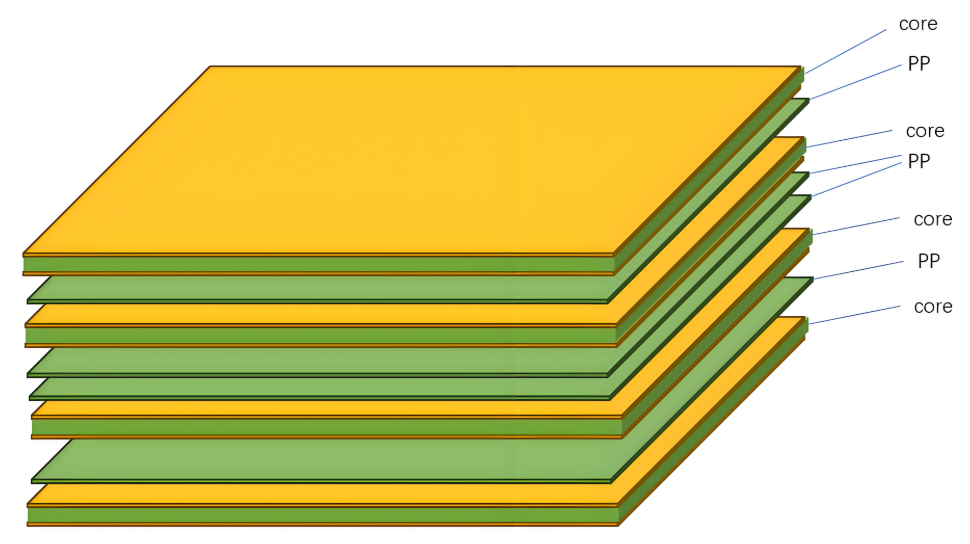
A 4-layer PCB is a type of multilayer printed circuit board that consists of four distinct layers of conductive material. These layers are separated by insulating materials like FR4 and are laminated together to form a single board. The typical structure includes two outer layers and two inner layers, each serving specific purposes such as signal transmission, grounding, or power distribution.

4-layer PCBs are commonly used in devices that require compact designs and advanced functionality. They provide enhanced performance compared to single-layer or double-layer PCBs, making them suitable for high-speed circuits and applications with stringent space constraints. Their structure allows for efficient routing, reduced electromagnetic interference, and improved overall performance.

What is a 4-Layer PCB Structure?

The structure of a 4-layer PCB is carefully designed to optimize performance and functionality. Typically, the layers are arranged as follows:

Top Layer (Signal Layer): This is where most of the components are mounted, and primary signal routing occurs.

Inner Layer 1 (Ground Plane): Dedicated to grounding, this layer helps reduce noise and electromagnetic interference.

Inner Layer 2 (Power Plane): This layer is used for power distribution, ensuring consistent voltage levels across the board.

Bottom Layer (Signal Layer): Similar to the top layer, this is used for additional signal routing and component placement.

The separation of power and ground layers helps in maintaining signal integrity and minimizing interference. The insulating layers, often made of FR4, ensure electrical isolation between the conductive layers, enabling reliable and stable operation.

How Thick is 4 Layers of PCB?

The thickness of a 4-layer PCB can vary depending on its design and application. Generally, the total thickness ranges from 0.4mm to 3.2mm. The most common thickness for standard 4-layer PCBs is around 1.6mm, which balances durability and flexibility.

The choice of thickness depends on factors such as the number of components, the complexity of the circuit, and the intended use of the board. Thicker boards offer more mechanical strength, while thinner boards are suitable for compact devices. The use of FR4 as the core material ensures that even thin boards maintain their rigidity and reliability.

What is the Standard Thickness of a Copper Layer on a PCB?

The standard thickness of a copper layer on a PCB is typically measured in ounces per square foot. For most 4-layer PCBs, the standard copper thickness is 1 ounce per square foot, which translates to approximately 35 microns. However, depending on the application, this thickness can be increased to 2 ounces or more for high-current designs.

Copper thickness plays a crucial role in determining the current-carrying capacity and thermal management of the PCB. Thicker copper layers are often used in power distribution layers to handle higher currents, while thinner layers are sufficient for signal transmission.

How to Route a 4-Layer PCB?

Routing a 4-layer PCB requires careful planning and adherence to design principles. The process typically involves the following steps:

Define Layer Functions: Assign specific roles to each layer, such as signal routing, grounding, or power distribution.

Use Ground and Power Planes: Dedicate inner layers to ground and power planes to reduce noise and improve signal integrity.

Minimize Crosstalk: Maintain adequate spacing between traces to prevent signal interference.

Optimize Trace Widths: Ensure trace widths are appropriate for the current-carrying requirements.

Follow Design Rules: Adhere to industry standards and guidelines to ensure manufacturability and performance.

Software tools like PCB design software can assist in creating efficient layouts. By carefully considering the layer stackup and routing strategy, designers can achieve optimal performance and reliability.

Why is FR4 Used in PCBs?

FR4 is widely used in PCBs because of its exceptional properties. It offers high mechanical strength, excellent thermal stability, and reliable electrical insulation. These qualities make it suitable for a wide range of applications, from consumer electronics to industrial machinery.

Its lightweight nature and ease of fabrication further contribute to its popularity. FR4 can withstand high temperatures and resist moisture, ensuring durability in harsh environments. Moreover, its cost-effectiveness makes it an attractive choice for manufacturers, enabling them to produce high-quality PCBs without significantly increasing costs.

In conclusion, FR4 remains a cornerstone material in PCB manufacturing due to its unmatched combination of performance, reliability, and affordability. Its versatility ensures that it will continue to play a pivotal role in the advancement of electronic technologies. At Best Technology, we pride ourselves on delivering multiple types of FR4 4 layer PCB products that meet your high-quality standards while maintaining fast delivery times. For more information or any inquiry, warm welcome to reach out to us at sales@bestpcbs.com.