PCB manufacturing PCB manufacturing
Home > Blog

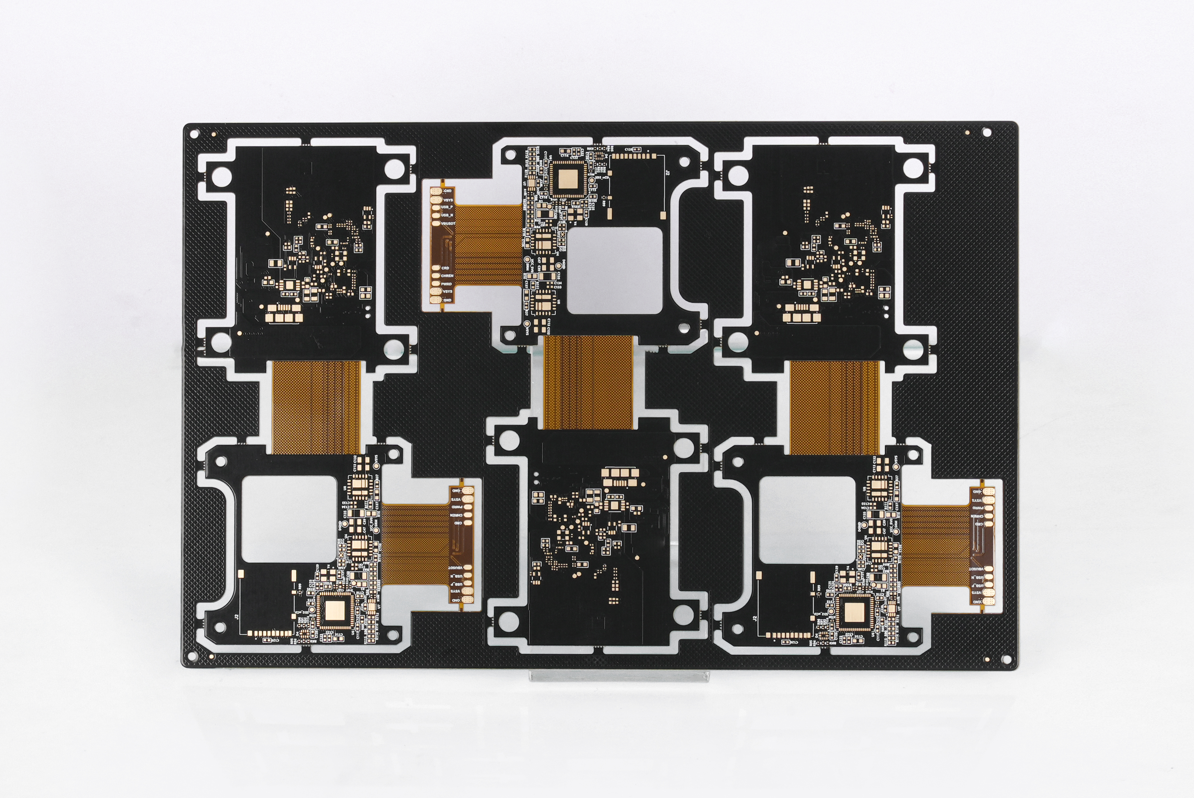
PCB vs. FPC, What’s the Difference?

March 5th, 2025

PCB vs. FPC is a common comparison when choosing the right type of circuit for modern devices. Both play important roles in electronics, but they serve different needs. To make the right choice, you need to know how they work, their uses, and their unique benefits.

In this blog, we’ll cover PCB vs. FPC in detail. We’ll also explore their antennas, pros, cons, and key applications. By the end, you’ll know which one fits your needs best.

What is PCB and types of PCB?

PCB stands for printed circuit board. It’s the most common type of circuit used in electronics. It supports components, connects them, and helps power flow correctly. Most devices today use PCBs for stable performance.

There are several types of PCBs, each suited for different tasks. Single-sided PCBs are the simplest. They have copper on one side and components on the other. These work well for simple products like toys or remotes.

Double-sided PCBs are a bit more complex. They have copper on both sides, which allows more connections. These are often used in home appliances and automotive parts.

Multilayer PCBs are more advanced. They have multiple layers of copper and insulating materials stacked together. These can handle complex circuits found in computers, medical devices, and industrial equipment.

There are also special types like rigid PCBs, flexible PCBs, and metal core PCBs, each with its own role.

PCB vs. FPC, What’s the Difference?

What is FPC in electronics?

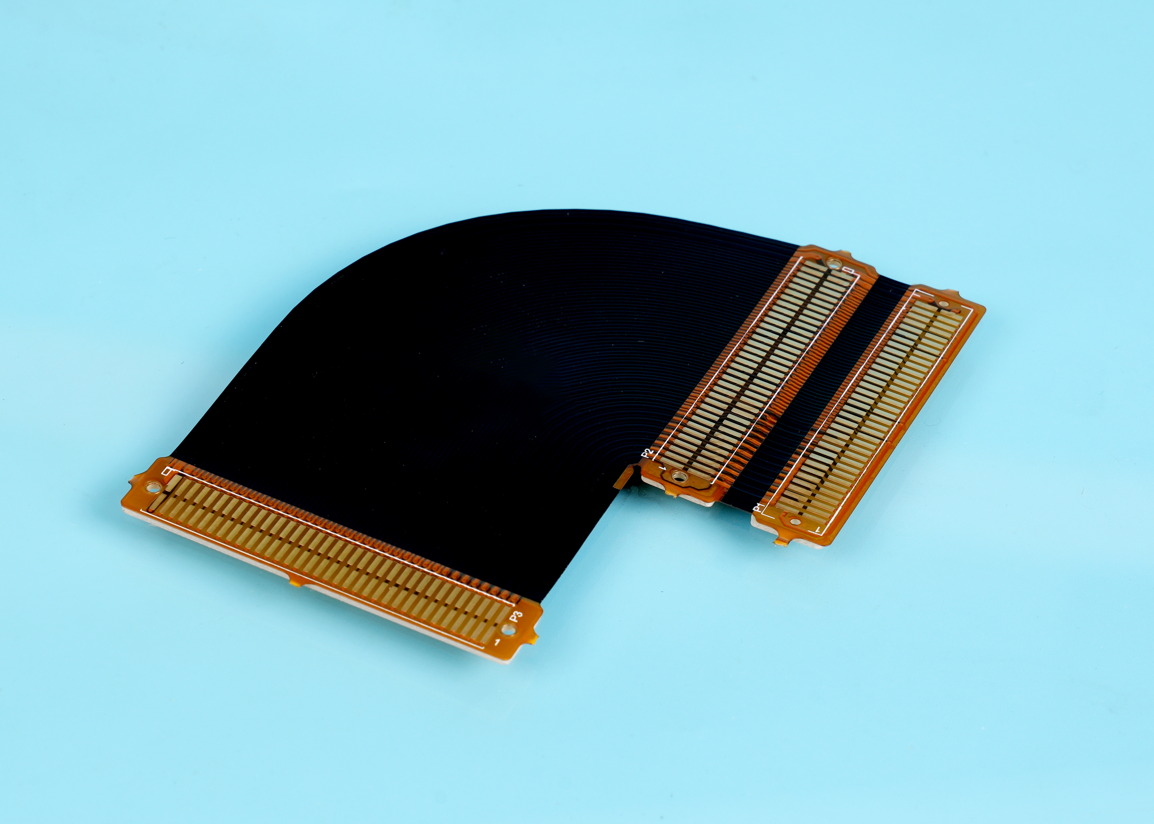
FPC stands for flexible printed circuit. As the name says, this type bends and twists. It’s made from flexible materials like polyimide, which handles bending without breaking.

Unlike standard boards, FPC circuits fit into tight spaces. This flexibility helps when devices need smaller, lighter, or more compact designs.

FPC technology has grown fast. Modern devices like wearables, foldable phones, and medical tools rely on it. Flexible circuits work well when regular boards are too stiff or bulky.

What is FPC used for?

FPC works well in devices where space is limited or flexibility is important. Wearables like smartwatches need circuits that bend with straps or bodies. FPC handles these shapes with ease.

Medical tools also benefit from FPC. Catheters, imaging devices, and hearing aids all use flexible circuits. They fit into tiny spaces without adding weight or bulk.

Cameras also rely on FPC. In phones and professional cameras, sensors need flexible connections to boards. FPC helps without taking up much room.

Automotive uses have also increased. Inside modern cars, FPC helps with touchscreens, sensors, and advanced controls. These circuits handle vibration and movement better than standard boards.

FPC can also be found in robotics, aerospace, and industrial tools where size, weight, and movement all matter.

PCB vs. FPC, What’s the Difference?

What is the difference between PCB and FPC?

PCB vs. FPC, What’s the Difference? The biggest difference in PCB vs. FPC comes from flexibility. Regular PCBs are rigid, while FPC bends. This difference impacts how they are used.

PCBs offer strong support for larger, heavier components. They are better for devices with fixed shapes and stable housings. FPC, on the other hand, fits into flexible, curved, or moving parts.

Weight is another difference. Flexible circuits are much lighter than rigid boards. In lightweight products, FPC saves weight without losing performance.

FPC also reduces assembly steps. It often combines several rigid boards into one flexible piece. This simplifies connections and reduces assembly time.

Cost also varies. In low volumes, FPC usually costs more. However, for complex designs or space-saving needs, the benefits outweigh the cost.

What is the difference between PCB antenna and FPC antenna?

PCB vs. FPC antennas is another important point. Both types support wireless signals, but they work differently.

PCB antennas are etched directly onto rigid boards. These antennas work well when space is not a big issue. They are sturdy and stable, making them reliable in stable devices like routers.

FPC antennas are flexible and thin. They fit into places where rigid antennas can’t. Wearables, smartphones, and small IoT devices often need FPC antennas to save space.

Performance-wise, both can offer good signal strength when designed well. However, FPC antennas handle curved surfaces better, while PCB antennas provide solid support in fixed devices.

What are the benefits of PCB?

PCB brings many benefits to electronics. First, it provides a stable base for components. This helps circuits perform reliably over time.

PCBs are also cost-effective for mass production. Automated assembly lines handle PCBs quickly, reducing labor costs.

Another benefit is versatility. From simple toys to complex industrial machines, PCBs adapt to all needs. They also handle higher power better than flexible boards.

PCBs also support many materials. Designers can choose materials to match heat, weight, and performance needs. This flexibility helps meet different project demands.

Finally, PCBs allow high precision. Advanced processes make tiny traces and complex layouts possible. This helps meet the needs of modern devices.

PCB vs. FPC, What’s the Difference?

What are the disadvantages of PCB?

Even though PCB works well in most cases, there are some limits. One key point is lack of flexibility. Once installed, PCBs can’t bend or move.

Another drawback is weight. Compared to flexible circuits, PCBs are heavier. In portable devices, this can be a concern.

Size can also be a problem. In ultra-compact designs, rigid boards take up more space than flexible ones.

Finally, in very high-frequency designs, signal loss may occur if materials or layouts are not perfect.

What are the advantages of FPC?

FPC offers several valuable benefits. Flexibility comes first. It fits into small, curved, or moving spaces where rigid boards can’t go.

Weight savings is another advantage. Flexible circuits are much lighter than traditional boards. In wearables and aerospace tools, this is a big plus.

Space-saving design also stands out. FPC reduces or even removes the need for connectors and cables. This simplifies the design and reduces assembly time.

Durability adds value too. Properly designed FPC handles bending, vibration, and repeated flexing without damage. This helps in automotive, medical, and industrial tools.

Finally, FPC supports complex designs. It allows more creative shapes, which helps designers create smarter, smaller products.

What are the disadvantages of FPC?

Even though FPC offers many benefits, there are a few limits. Cost is one point. In low volumes, flexible circuits usually cost more than standard boards.

Handling can also be more delicate. Because of the flexible materials, FPC needs more care during assembly.

Repair can be harder too. Once damaged, FPC is more difficult to repair than regular boards.

In some high-power cases, FPC may not handle heat or current as well as thick rigid boards.

However, most of these points depend on design, material, and proper handling.

In a nutshell, when comparing PCB vs. FPC, the right choice depends on your project needs. PCB works well for stable, cost-effective designs where space is not too limited. It supports heavier parts and handles higher power easily.

On the other hand, FPC excels in compact, lightweight, and flexible designs. It’s the best fit for wearables, medical tools, and space-saving devices.

At Best Technology, we offer both high-quality PCB and FPC solutions. With over 18 years of experience, we help you choose the right option for your needs. Whether you need simple boards or advanced flexible circuits, our team delivers reliable, cost-effective solutions. If you have any questions or inquiries, don’t hesitate to reach out to us at sales@bestpcbs.com.
MCPCB VS Regular PCB: What Are Differences?

March 4th, 2025

MCPCB VS Regular PCB is a topic many engineers and buyers search when choosing the right board for a project. Each type has clear benefits depending on the application, environment, and performance needs. Choosing between them needs more than just looking at the price. It also depends on thermal needs, material selection, and the product’s lifespan.

In this blog, we’ll explore the core differences between MCPCB VS Regular PCB, focusing on materials, design, thermal resistance, and common applications. We’ll also highlight why metal core boards have become more popular for LED lighting and other heat-sensitive uses.

MCPCB VS Regular PCB: What Are Differences?

What is the most basic circuit board?

The most basic circuit board used today is the FR4 PCB. FR4 refers to the fiberglass-reinforced epoxy laminate used as the core. This type of board acts as a solid foundation for electrical components. It supports the copper traces that carry signals across the board. FR4 has been the industry standard for decades due to its balanced electrical, mechanical, and thermal properties.

Most everyday electronics, from home appliances to industrial equipment, rely on FR4 PCBs because of their low cost, stable structure, and easy processing.

What is MCPCB?

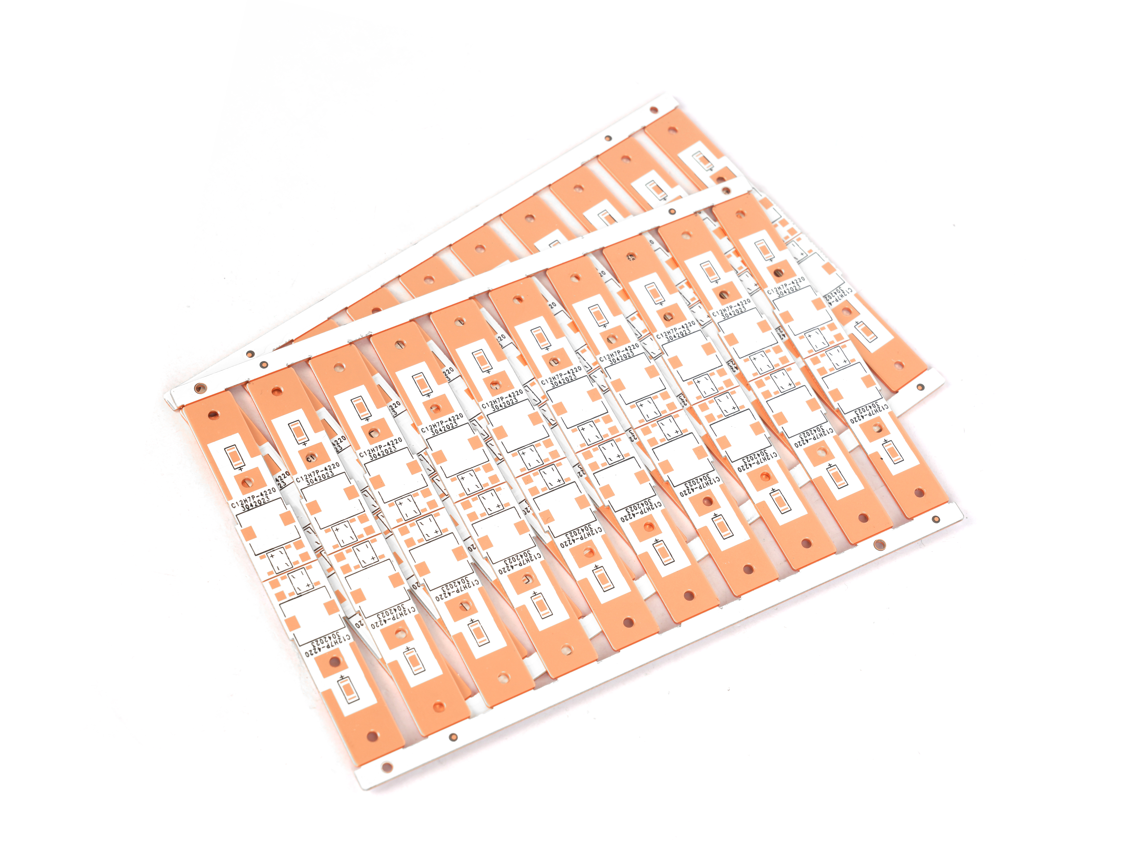
MCPCB stands for Metal Core Printed Circuit Board. Instead of a fiberglass base, these boards use a metal core layer, usually aluminum or copper. This design helps the board handle high heat better than regular FR4 boards.

In MCPCB design, the metal core sits under the circuit layers. It helps pull heat away from hot components like LEDs or power transistors. This cooling method reduces the chance of overheating, extending the life of the whole board. MCPCB LED applications are some of the most common, especially in automotive, industrial, and high-power LED lighting.

What is the material of MCPCB?

The core material used in MCPCB design is usually aluminum or copper. Aluminum is more common due to its good heat conductivity and affordable cost. It balances performance and price, making it a top choice for MCPCB LED boards.

Copper has higher thermal conductivity, but its cost is much higher. That’s why copper-core MCPCBs are mainly found in high-end equipment or where heat management is critical. On top of the metal core, dielectric layers provide electrical insulation and guide heat to the core. Copper traces on top complete the circuit.

Why is FR4 used in PCB?

FR4 remains popular in regular FR4 PCBs for many reasons. It has good mechanical strength, supports multi-layer designs, and offers decent thermal stability for common electronics. It also resists moisture well, making it reliable in humid environments.

Another reason FR4 PCBs are used widely is their low manufacturing cost. They work well for low-power circuits where high heat dissipation isn’t a serious issue. For most general electronics, FR4 boards provide all the needed performance at a low price.

MCPCB VS Regular PCB: What Are Differences?

What are the thermal issues with PCB?

Regular FR4 PCBs struggle when components produce high heat. Since fiberglass does not spread heat well, hot spots form near high-power parts. Over time, this localized heat can damage components, weaken solder joints, or deform the board itself.

This thermal problem becomes more serious in high-density layouts where heat has nowhere to escape. That’s why high-power LED lighting, power converters, and some automotive systems have switched to MCPCB design.

What is the thermal resistance of MCPCB?

MCPCB thermal resistance is much lower than regular PCBs. This low resistance means heat can move through the board faster, keeping temperatures under control.

In a well-designed MCPCB, heat moves directly from the component through the dielectric layer into the metal core, where it spreads across a larger area. This process reduces hot spots, protects components, and extends the product’s lifespan. Compared to regular FR4 boards, MCPCBs handle thermal stress far better.

What are the uses of MCPCB?

MCPCB design works best for products where heat dissipation matters most. Common uses include:

High-power LED lighting, especially in automotive headlights and streetlights.

Power supplies where voltage conversion creates heat.

Solar inverters, handling high current and constant power flow.

Telecom equipment, where stable performance under heat matters.

Automotive control systems, especially in engine bays.

Because of their thermal handling skills, MCPCB LED boards are some of the most common in today’s market.

What are the advantages of metal core PCB?

MCPCB design offers many advantages over regular PCBs. They include:

Superior heat management, extending product life.

Better mechanical strength, reducing vibration damage.

Compact layouts, reducing weight and size.

Reliable thermal paths, protecting sensitive parts.

Stronger durability in tough environments.

For projects where heat is a real issue, MCPCBs provide solutions that FR4 PCBs cannot match.

What are the disadvantages of PCB?

While FR4 PCBs work well for many products, they do have some limits in high-heat conditions. These boards:

Do not spread heat well, leading to hot spots.

May soften under high heat, reducing long-term stability.

Offer weaker thermal paths, limiting high-power designs.

However, for low-power and general devices, FR4 PCBs still provide affordable, reliable performance.

What is the difference between FR4 and MCPCB?

When comparing MCPCB VS Regular PCB, What are Differences? The biggest difference comes down to thermal performance. MCPCBs use metal cores, usually aluminum or copper, to spread heat faster and protect components.

Regular FR4 PCBs rely on fiberglass, which does not move heat well. This makes them better for low-power circuits, where thermal buildup is not a concern.

Cost is another difference. FR4 PCBs cost less to produce, especially in mass production. But for products where heat is a risk, spending more on MCPCB design reduces failure rates, protects components, and lowers maintenance costs.

In short, MCPCB VS Regular PCB is not just about cost. It’s about matching the board to the product’s real-world needs.

MCPCB VS Regular PCB: What Are Differences?

In a nutshell, in the world of MCPCB VS Regular PCB, there’s no one-size-fits-all answer. FR4 PCBs remain the first choice for low-power electronics due to their low cost and easy manufacturing process. But when heat handling matters, especially for LED lighting, power electronics, or automotive systems, MCPCB design offers the best protection.

At Best Technology, we specialize in custom MCPCB design, high-quality FR4 PCBs, and tailored thermal solutions. With over 18 years of experience, we help customers select the right PCB for each project. Whether you need reliable FR4 boards or advanced metal core solutions, our team provides fast support, expert advice, and global delivery. Please feel free to reach out to Best Technology at sales@bestpcbs.com for your needs related to MCPCB and regular PCB. ‌

AC Electrical Board, 380V AC Board

February 28th, 2025

The 380V AC board is a crucial component in industrial and commercial electrical systems, providing efficient power distribution to high-demand equipment. Whether you’re managing a manufacturing plant, operating large machinery, or overseeing complex HVAC systems, understanding how a 380V AC board works is essential for ensuring smooth operations and avoiding electrical issues. In this blog, we will explore the key features, benefits, and applications of 380V AC boards, as well as offer insights on how to choose the right one for your system.

At Best Technology, we specialize in high-quality PCBs, MCPCBs, FPCs, and ceramic PCBs that power a wide range of electrical and industrial systems. Our products are designed with precision and reliability to meet the demands of advanced applications, including those involving 380V AC boards for power distribution.

What is a 380V AC Board?

A 380V AC Board‌ is an electrical control or distribution panel designed to safely manage and distribute 380-volt alternating current (AC) power in industrial or high-voltage systems. A 380V AC board is a critical component in electrical systems, particularly in industrial and commercial applications. This board helps distribute electrical power efficiently across various devices and machinery. Unlike standard voltage boards, the 380V AC board is designed to handle higher voltage levels, making it suitable for heavy-duty systems that require a stable and powerful energy supply.

Typically used in industrial environments, 380V AC boards are equipped with safety features to ensure smooth operation while preventing any electrical hazards. These boards play a key role in managing power distribution in large-scale operations, ensuring consistent performance for everything from production lines to high-powered machinery.

How Does a 380V AC Board Work?

The 380V AC board works by controlling and directing electrical power from the source to various parts of the electrical system. It acts as the main hub in power distribution, ensuring that each device receives the correct voltage to operate efficiently. The board can also be designed with circuit breakers, fuses, and relays to provide protection and control over the electrical flow.

In simple terms, it takes high-voltage AC (Alternating Current) and distributes it across systems to maintain functionality. The power is converted and routed to different parts of a circuit as needed, ensuring that everything from lights to heavy machinery gets the energy it needs without overloading the system.

What’s the Role of AC Electrical Board in Power Distribution?

AC electrical board, including the 380V AC board, plays a central role in power distribution. They ensure that electrical power is delivered safely and efficiently from the main power supply to various circuits. Without these boards, it would be challenging to manage high-power requirements, particularly in industrial sectors where large machines and systems need consistent energy.

These boards help organize circuits, prevent overloads, and ensure that the right voltage reaches the correct equipment. For example, in factories, they allow for the seamless operation of production lines by ensuring that all machinery receives the right voltage for operation, minimizing the risk of faults and downtime.

What’s the Key Difference Between 380V AC Boards and Standard Voltage Boards?

The primary difference between a 380V AC board and a standard voltage board lies in the voltage levels they handle. A standard voltage board typically operates at lower voltages, such as 120V or 240V, while a 380V AC board is designed to handle higher voltage levels, often required for industrial or commercial applications.

This higher voltage capability of the 380V AC board allows it to power more energy-intensive systems, such as large machinery or high-performance HVAC systems. Furthermore, 380V AC boards are built to be more robust and equipped with additional safety features to handle these higher loads without compromising system integrity.

What Are the Benefits of Using 380V AC Boards in Electrical Systems?

Using a 380V AC board in electrical systems offers several benefits. First, it supports the distribution of power across larger, more complex setups, which is essential in industrial settings. With a 380V AC board, businesses can manage their energy needs more efficiently, avoiding the need for separate power sources or additional transformers.

Moreover, these boards help increase the reliability of electrical systems. They are built to handle higher loads and ensure that everything, from lighting to heavy machinery, operates seamlessly. The 380V AC board also ensures energy efficiency, as it minimizes energy loss during transmission.

Another significant advantage is safety. These boards are equipped with built-in protection features, such as overload protection and short-circuit prevention, ensuring that electrical faults do not damage expensive equipment or cause potential hazards.

What Are the Common Applications of 380V AC Boards in Industrial Equipment?

380V AC boards are widely used in industries that require stable and reliable electrical power. Common applications include:

Manufacturing Plants: 380V AC boards power heavy machinery, assembly lines, and other equipment that demands high-voltage electricity.

HVAC Systems: Many commercial and industrial HVAC systems operate on 380V power, and the boards help regulate and distribute the required energy efficiently.

Pumps and Motors: Large pumps and motors used in water treatment plants, chemical processing, and mining often rely on 380V AC boards for consistent energy supply.

In fact, anywhere large, energy-intensive equipment is used, you’ll likely find a 380V AC board ensuring that everything runs smoothly and efficiently.

How to Safely Install and Maintain a 380V AC Board?

Safety is crucial when dealing with 380V AC boards, and proper installation and maintenance are key to preventing electrical hazards. Here are some tips:

Professional Installation: Always hire a licensed electrician with experience working with high-voltage systems to install your 380V AC board. Proper installation ensures safe wiring and minimizes the risk of faults.

Regular Inspections: Periodically check the board for signs of wear or damage. Pay attention to circuit breakers, fuses, and wiring to ensure they’re in good working order.

Clearances and Ventilation: Ensure that the board is installed in a well-ventilated area with adequate clearance for heat dissipation. Overheating can lead to system failure.

Use Proper Safety Gear: When maintaining or inspecting your board, always wear the necessary protective equipment, such as rubber gloves and safety goggles.

By following these steps, you can ensure the safe operation of your 380V AC board while preventing common electrical hazards.

How to Choose a 380V AC Board for Your System?

Choosing the right 380V AC board for your system requires considering several key factors:

Power Requirements: Ensure the board can handle the power demand of your system. You’ll need a board that can provide the necessary current without risk of overload.

Safety Features: Look for boards with built-in protection features such as overload protection, short-circuit protection, and thermal monitoring.

Size and Compatibility: Consider the size of the board and ensure it fits within your existing system’s layout. It’s also essential that it is compatible with the other electrical components in your system.

Manufacturer Reputation: Select a board from a trusted manufacturer that offers quality and durability. Ultimately, selecting the right 380V AC board ensures that your electrical system remains efficient, reliable, and safe.

In conclusion, understanding the role and benefits of 380V AC boards is crucial for anyone involved in industrial or commercial electrical systems. From their ability to power high-demand equipment to ensuring safe power distribution, these boards play an integral part in maintaining the efficiency and reliability of operations. Whether you’re installing a new system or upgrading an existing one, make sure to choose the right board based on your power needs, safety requirements, and system compatibility.

As a trusted leader in the PCB manufacturing industry, Best Technology provides cutting-edge solutions that support the efficient operation of complex systems in sectors like automation, manufacturing, and energy. Whether you’re looking to enhance the performance of your electrical systems or integrate custom solutions, Best Technology is your partner for innovation and quality in PCB design and production. If you need seamless, high-performance solutions for your industrial and electrical needs, reach out to us at sales@bestpcbs.com for more information.

What is standard double sided PCB?

February 26th, 2025

Standard double sided PCB is a printed circuit board with two layers of conductive circuits. Circuit layers are provided on both sides of the PCB and interlayer connections are achieved through conductive holes. It is suitable for a variety of electronic devices. Because of its relatively simple structure and low cost, it is a common basic circuit board type in electronic manufacturing.

What is standard double sided PCB?

What is a double-sided PCB?

A double-sided PCB, also known as a two-layer PCB, features two layers of conductive material, typically copper, on both sides of an insulating substrate. These layers are interconnected using vias, which are small holes drilled into the PCB to allow electrical connections between the two sides.

Double-sided PCBs are used in applications where the complexity of the circuit requires components and connections to be placed on both sides of the board.

The primary advantage of a double-sided PCB is its ability to accommodate more components in a smaller footprint. This feature makes double-sided PCBs ideal for products where space is at a premium, such as smartphones, medical devices, and automotive electronics.

How many layers does a double-sided PCB have?

A standard double-sided PCB has two layers of conductive copper, one on each side of the substrate. These layers are electrically connected using vias, which create conductive paths between the two sides.

The number of layers in a PCB generally refers to the number of copper layers, which is why a double-sided PCB is made of two copper layers and an insulating substrate in between.

What is standard double sided PCB?

In contrast, multi-layer PCBs, which can have more than two layers of copper, are used for more complex circuits that require additional routing and signal pathways. A double-sided PCB is simpler in design and manufacturing compared to multi-layer PCBs but still offers significant flexibility for many applications.

What is the standard PCB layer?

In PCB manufacturing, a standard PCB layer refers to the number of copper layers used to create the circuit board. The standard PCB layer typically refers to the most common configuration in the industry, which is a single-layer PCB or double-sided PCB.

Single-layer PCBs consist of a single layer of copper, typically used for simpler, low-complexity circuits. These are ideal for products like basic household appliances, toys, and low-power applications.

Double-sided PCBs have copper layers on both sides, allowing for more complex circuits. These are used in products requiring more components, such as power supplies, automotive electronics, and communication devices.

While single-layer and double-sided PCBs are common, there are also multi-layer PCBs, which consist of three or more copper layers. These are used for even more intricate and densely packed electronic designs, such as those in high-frequency communication systems, medical equipment, and advanced computing devices.

What is the standard PCB format?

The standard PCB format typically refers to the physical dimensions and layout of the PCB, including the size, shape, and placement of components. In terms of manufacturing, standard PCB format can also refer to the specifications and designs that comply with industry standards for production.

For double-sided PCBs, the layout should allow for efficient placement of components while maintaining electrical connectivity between both sides. The design also needs to ensure the copper traces are properly routed and connected through vias.

What is standard double sided PCB?

For boards that are mass-produced, standardization ensures consistency and compatibility with manufacturing processes, making it easier for designers to source components and for manufacturers to produce the boards at scale.

What is the standard FR-4 PCB?

FR-4 is a widely used material for PCB substrates, and standard FR-4 PCB refers to PCBs made from this material. FR-4 stands for Flame Retardant 4, which is a grade of fiberglass-reinforced epoxy resin. It is the most common material used for both single-layer and double-sided PCBs due to its excellent insulating properties, mechanical strength, and resistance to high temperatures.

The standard FR-4 PCB is durable, easy to fabricate, and provides good electrical insulation, making it suitable for a wide range of applications. It is also cost-effective, which is why it is used in everything from consumer electronics to industrial control systems.

While FR-4 is the most common material for standard PCBs, other materials, such as polyimide or ceramic, may be used in specialized applications that require specific thermal or electrical characteristics.

What are the requirements for a PCB board?

Designing a PCB board requires consideration of several key factors to ensure that the final product meets the desired performance, reliability, and cost-effectiveness.

Electrical Performance: The copper traces must be designed to handle the required voltage and current without overheating or causing signal degradation.

Thermal Management: Components that generate heat should be strategically placed to minimize temperature buildup.

What is standard double sided PCB?

Mechanical Strength: The material selected for the substrate (e.g., FR-4) plays a significant role in this aspect.

Size and Component Placement: A compact design is often required to save space, and the components must be placed optimally to reduce the overall size while maintaining proper functionality.

Meeting these requirements ensures that the final PCB product will be reliable and effective in its intended application.

What is the IPC standard for PCB?

The IPC standard refers to a set of guidelines and certifications established by the Institute of Printed Circuits (IPC), a global trade association for the electronics industry. The IPC standards are used by manufacturers to ensure that PCBs are fabricated to high quality and reliability standards.

For double-sided PCBs, the IPC-2221 standard outlines the design and manufacturing requirements for creating high-quality PCBs. This standard provides guidelines on design documentation, manufacturing processes, materials, and testing procedures to ensure that the PCBs meet the necessary performance, safety, and environmental requirements.

The IPC-610 standard, specifically, focuses on the acceptability of electronic assemblies, providing detailed requirements for the quality and performance of soldering, component placement, and overall PCB integrity.

What is the ISO standard for PCB manufacturing?

ISO standards are internationally recognized guidelines that help ensure consistency and quality in manufacturing. The ISO 9001 standard is the most widely adopted certification for quality management systems in PCB manufacturing. It ensures that manufacturers follow processes that consistently produce high-quality PCBs, including double-sided designs.

ISO certifications, such as ISO 14001 (environmental management) and ISO 13485 (medical devices), also apply to certain industries, ensuring that manufacturers comply with specific quality and safety standards relevant to their product’s end-use.

By adhering to these ISO and IPC standards, PCB manufacturers can ensure their products meet global expectations for quality, performance, and safety.

Conclusion:

Double-sided PCBs are a versatile and widely used type of printed circuit board. By offering components on both sides of the board, they allow for more complex circuits in a smaller, more compact design.

If you’re looking for standard double-sided PCB manufacturing or need assistance with your PCB design, Best Technology can help. Reach out to us at sales@bestpcbs.com

PCB Card, What Is A PCB Card In AC?

February 26th, 2025

A PCB card is a crucial element in many electronic devices, performing various functions such as controlling lights in machines and improving system performance. These cards, also known as printed circuit boards, are used in countless applications, including graphics cards, network cards, and more. In this blog, we’ll delve into the world of PCB cards, exploring their importance in consumer electronics, the differences between various types of PCB cards, and how they enhance performance.

What is a PCB Card in AC?

A PCB card is crucial in various applications, and understanding its functions can significantly enhance the knowledge of electronics. Therefore, let’s begin by answering what is a PCB card in AC? In the context of air conditioning (AC) systems, a PCB card serves as the control unit that manages the operation of various components. This can include regulating the fan speed, controlling the compressor, and even operating the lights of the unit. The PCB card acts as the brain of the system, receiving signals from sensors and ensuring everything functions smoothly. Without a properly functioning PCB card, the AC unit may not perform as intended, leading to inefficiencies or even failure.

What is a PCB Graphics Card?

A PCB graphics card is a specific type of PCB used in computers to render images and videos on the monitor. This card is designed with multiple layers of circuit pathways that control the various components needed for high-quality graphics processing. The PCB itself houses the GPU (graphics processing unit), memory, and other essential parts. It connects to the motherboard of a computer and handles complex graphic computations, especially in gaming, 3D rendering, and video editing. Essentially, it’s the heart of the visual performance in many modern computers.

What are the Differences Between Standard PCBs and Specialized PCB Cards?

As we move forward, it’s important to consider the differences between standard PCBs and specialized PCB cards. In this case, the primary difference between standard PCBs and specialized PCB cards lies in their purpose and complexity. A standard PCB is a basic platform used to connect and support electronic components in everyday devices. It typically contains simple circuitry to fulfill general functions.

On the other hand, specialized PCB cards like graphics cards or network interface cards (NICs) are designed with advanced circuitry to handle more specific and high-demand tasks. These cards may contain additional components like processors, memory chips, and cooling systems, tailored for specific performance needs. Specialized PCB cards are typically more intricate, offering higher speed, processing power, and reliability compared to standard PCBs.

At Best Technology, we bring over 18 years of experience in the PCB industry, offering a wide range of high-quality printed circuit board solutions. Our products are designed to meet the demands of various applications, ensuring top-notch performance, reliability, and precision. Whether you’re looking for standard or custom PCBs, or PCB card solution, Best Technology is your trusted partner for all your PCB needs.

How to Check a PCB Card?

When you’re looking to check the health and functionality of a PCB card, there are a few key steps to follow. First, ensure that the card is properly seated in its slot, as loose connections can lead to performance issues. Next, inspect the PCB for any visible signs of damage, such as burnt areas, broken traces, or loose components. For more thorough testing, you can use a multimeter to check for continuity and voltage at various points on the card.

Additionally, running diagnostic tools on your device can help identify whether the PCB card is functioning correctly. If the card is not working as expected, it may be time for a replacement.

How to Clean a Graphics Card PCB?

Cleaning your graphics card PCB is an important maintenance step to ensure optimal performance and longevity. Over time, dust and debris can accumulate on the PCB, affecting the efficiency of the card and even causing it to overheat.

To clean the PCB, first, turn off the computer and unplug it from the power source. Use compressed air to blow away dust from the PCB and other components. For more stubborn dirt, gently use a soft brush to clean the surface of the PCB. Be careful not to damage any sensitive components during cleaning. Regular maintenance can help prevent overheating and keep your graphics card PCB in top condition.

Is an Expansion Card a PCB?

Yes, an expansion card is a type of PCB card. These cards are used to expand the functionality of a computer or electronic device. Examples include sound cards, network interface cards (NICs), and storage controllers. Like all PCBs, expansion cards are made up of a flat board with electrical pathways and components that allow it to connect and interact with other devices. Expansion cards are essential for adding additional features or improving the performance of a system.

What is Graphics Card PCB?

A graphics card PCB is the printed circuit board that serves as the foundation for a graphics card. It connects all the components such as the GPU, memory, and power supply, allowing them to work together to process and render graphics. Furthermore, The PCB is designed to handle high-speed data transfer, heat dissipation, and efficient power distribution to ensure that the graphics card performs at its best. As a result, the quality of the graphics card PCB can have a significant impact on the performance of the card, influencing frame rates, video rendering, and overall system performance.

What Types of Devices Commonly Use PCB Cards?

PCB cards are found in a wide variety of devices across many industries. Some common examples include:

Personal computers and laptops: Graphics cards, sound cards, network cards, and storage controllers.

Smartphones: Used in components such as the camera module, display drivers, and wireless communication chips.

Televisions and gaming consoles: PCB cards are crucial for video processing, networking, and audio output.

Air conditioners: As mentioned, PCB cards regulate the system’s operation, including controlling lights and fan speed.

Medical devices: PCB cards are used in monitoring equipment and diagnostic tools.

The versatility of PCB cards allows them to be used in almost any electronic device, contributing to the efficiency and functionality of modern technology.

What Are the Benefits of Using PCB Cards in Electronics?

The use of PCB cards offers several benefits in electronics. First and foremost, they allow for compact and efficient designs. PCB cards enable the integration of multiple components into a single unit, saving space and reducing the overall size of devices.

Additionally, PCB cards improve the performance and reliability of electronic devices. The specialized design of these cards ensures that the components are connected in a way that maximizes speed and minimizes interference. For instance, in a graphics card PCB, the precise placement of components helps reduce latency and improve rendering times, resulting in smoother visuals.

How Do PCB Cards Boost Performance in Consumer Electronics?

PCB cards significantly boost the performance of consumer electronics by enabling high-speed data processing, efficient power management, and better thermal control. For example, in a graphics card PCB, the efficient routing of signals ensures that complex graphics are rendered quickly and accurately, providing an enhanced user experience in gaming and video editing.

Moreover, PCB cards contribute to the energy efficiency of devices. By managing power distribution more effectively, they help reduce energy consumption, extend battery life, and prevent overheating. In devices like smartphones and laptops, this can lead to longer usage times and improved performance under load.

In conclusion, PCB cards are an essential part of modern electronics, from graphics cards and network interfaces to machine controls and AC systems. They play a vital role in improving performance, ensuring reliability, and enhancing the functionality of devices. Whether you’re using a black PCB Wi-Fi card to connect to the internet or a PCB video card to enjoy high-quality graphics, these small but powerful components are at the heart of many of the devices we rely on daily.

By understanding the various functions and types of PCB cards, you can make informed decisions about your electronic devices and ensure they perform at their best. Whether you’re maintaining your current equipment or looking to upgrade, knowing how PCB cards work can give you an edge in optimizing your systems.

Finally, when looking for a trusted supplier for your PCB card needs, consider Best Technology‘s proven expertise in the industry. For reliable and innovative PCB card solutions that enhance the performance of your electronic devices, Best Technology is here to help. With our extensive industry experience and commitment to quality, we deliver products that exceed expectations. For inquiries or more information, email us at sales@bestpcbs.com.
Custom PCB Design Service​, What Is PCB Design Services?

February 25th, 2025

PCB design services are essential for creating high-quality, functional circuit boards. In today’s world, printed circuit boards (PCBs) are a fundamental part of most electronics, from smartphones to medical devices and automotive systems. PCB design services play a crucial role in ensuring that these boards are functional, reliable, and efficient. But what exactly is PCB design, and how does it impact the electronics you use every day?

What is PCB Design Services?

PCB design services refer to the process of planning and creating a circuit board layout that connects different electronic components, ensuring they work together correctly. The design involves everything from schematic creation to the final layout of the PCB. PCB design is a specialized field that requires advanced knowledge of both electrical engineering and design software. The goal is to create a board that performs its intended function effectively while minimizing errors and ensuring ease of manufacturing. At Best Technology, our PCB design services are backed by 18 years of expertise, ensuring that every design is optimized for both performance and manufacturability, delivering reliable results for a wide range of applications

Does PCB Design Require Coding?

Many people assume that designing a PCB requires coding, but that’s not always the case. While some aspects of PCB design may involve programming—especially when designing components like microcontrollers or programmable logic devices (PLDs)—the main design process itself doesn’t necessarily require coding. Instead, it focuses on creating a layout of components on the board and ensuring that they are connected in the right way to function as intended.

That said, PCB designers do use software tools, which may include scripting languages or built-in code for specific tasks, like automating the routing process or checking for design rule violations. But for the most part, the core of PCB design is visual and structural, not a coding-heavy task.

Is PCB a CAD Design?

Yes, PCB design is essentially a form of computer-aided design (CAD). PCB design software allows designers to create a digital version of the circuit board before it is physically manufactured. CAD tools help with placing components, creating the electrical connections (traces), and optimizing the layout for factors like size, functionality, and manufacturability.

Some of the most popular PCB design software includes tools like Altium Designer, Eagle, and KiCad. These tools offer both 2D and 3D visualizations of the PCB, enabling designers to check for potential issues before sending the design to production. So, in a way, PCB design and CAD design are closely linked, with CAD software playing a key role in the process.

What Does a PCB Design Include?

A complete PCB design encompasses several crucial elements. First, the designer creates a schematic diagram that defines the electrical connections between components. This is followed by the layout phase, where the components are physically placed on the board, and the electrical traces (which act as wires on the PCB) are drawn.

Beyond the schematic and layout, PCB design also involves creating a bill of materials (BOM), which lists all the components that will be used. This document is critical for both manufacturing and sourcing the necessary parts. Additionally, designers must consider factors such as the board’s power requirements, signal integrity, and thermal management.

Some PCB design services also include testing and validation to ensure the design will perform as expected in real-world conditions.

How to Calculate PCB Design Cost?

The cost of PCB design services can vary significantly based on several factors. Generally, the complexity of the design, the size of the board, and the number of layers (single-layer, multi-layer) play a major role in determining the price.

Here are some key elements that can impact the overall cost:

Design Complexity: A simple PCB for a small electronic device will be cheaper to design than a multi-layer, high-frequency PCB.

Size and Layers: Larger boards or designs with more layers tend to be more expensive due to the added complexity.

Custom Components: If your design includes custom parts or components, it will increase the cost.

Prototype Testing: If you require prototypes for testing, this will add to the cost, especially if iterative testing and redesign are needed.

Typically, the cost is either an hourly rate for the designer or a flat fee per project. It’s important to discuss these factors with your PCB design service provider to get an accurate estimate.

Is PCB Design Difficult?

PCB design is a specialized skill, and like any engineering field, it can be challenging. Designers must have a deep understanding of electronics, the function of different components, and how they interact within a circuit. The process requires precision and attention to detail, especially when it comes to ensuring that components are properly connected, with no errors or potential for electrical shorts.

However, PCB design tools have advanced considerably over the years, making the process easier and more efficient. With the right tools and knowledge, designing a PCB can be a rewarding experience. For beginners, many software platforms offer tutorials, and professional design services are always available if the design process seems daunting. At Best Technology, our experienced team understands the intricacies of PCB design services, tailoring each project to meet both your functional and budgetary needs.

What Is the Difference Between PCB Design and Layout Services?

PCB design and PCB layout are often used interchangeably, but they refer to different aspects of the process. PCB design generally includes the creation of the circuit schematic and the overall functionality of the board. It’s about determining what components are needed and how they will be connected.

PCB layout, on the other hand, focuses on arranging the physical components on the board and routing the electrical connections. This stage involves translating the design into a practical layout that can be manufactured. The layout process also includes ensuring that the traces don’t overlap, the components fit, and that the board will meet performance requirements.

Both services are integral parts of creating a functional PCB, and many service providers offer both design and layout services as part of a complete package. With a strong focus on both PCB design and layout services, Best Technology ensures that every step of the process is optimized for high performance and efficient manufacturing.

How Do PCB Design & Manufacturing Services Work Together?

PCB design and manufacturing services are closely linked, as the quality of the design will directly impact the ease and cost of manufacturing. In many cases, it’s beneficial to work with a provider that offers both design and manufacturing services, as they can ensure that the design is optimized for efficient production.

When PCB design and manufacturing work together, the design is specifically tailored to the capabilities of the manufacturer, ensuring that the finished product meets all specifications. This can reduce the likelihood of design errors, improve the quality of the board, and speed up the production process. Additionally, working with a single service provider can simplify communication and reduce potential delays.

How to Choose the Right PCB Design Service for Your Needs?

Choosing the right PCB design service provider is crucial for the success of your project. Here are some factors to consider when making your decision:

Experience and Expertise: Look for a service provider with a proven track record in your industry.

Tools and Software: Ensure they use the latest PCB design tools and software to ensure efficiency and quality.

Customization Options: If you need a custom PCB design, check if they offer tailored services to meet your specific requirements.

Testing and Prototyping: It’s important to select a provider who offers testing and validation of designs to ensure functionality before full-scale manufacturing.

Customer Support: Choose a company that provides good communication and support throughout the design and manufacturing process.

Choosing the right PCB design service is crucial, and at Best Technology, we provide custom solutions that are designed to match your unique requirements and ensure reliable, high-quality results.

In conclusion, PCB design services are an essential part of developing functional, high-quality circuit boards. From the initial schematic to the final layout and manufacturing, these services ensure that your electronics perform as expected. Understanding how PCB design works, the costs involved, and how to choose the right service can help you make informed decisions when developing your next electronic product.

At Best Technology, we offer comprehensive PCB design and manufacturing services, ensuring high-quality designs optimized for production. If you need a custom PCB design service, warm welcome to reach us at sales@bestpcbs.com.
Bus Bar Thick Copper Solution, Solderable PCB Bus Bars

February 24th, 2025

Bus bar thick copper solution is essential for handling high currents in PCB designs. Standard copper traces often struggle with power distribution, leading to heat buildup and inefficiencies. This is where solderable PCB bus bars come in—they offer lower resistance, better heat dissipation, and improved mechanical strength compared to standard traces. Best Technology is a trusted leader in providing advanced bus bar thick copper solutions, with over 18 years of experience in producing high-quality PCBs for diverse applications.

But what exactly is a busbar PCB? How does thickness affect performance? What materials and coatings are best? This article answers these questions and more, helping you choose the right solution for your application.

What is a Busbar PCB?

A busbar PCB is a circuit board that includes a thick copper busbar to distribute current efficiently. Unlike standard copper traces, a busbar provides a solid and stable electrical connection, making it perfect for power electronics, inverters, and high-current applications.

In traditional PCBs, thin copper layers handle electrical signals, but high-current circuits demand thicker conductors to prevent overheating. This is why pcb busbars are used—they significantly reduce resistance, improve power handling, and enhance overall reliability.

Additionally, different types of busbars exist based on mounting style, such as:

PCB stiffener busbars – Add structural strength to the board.

PCB mount bus bars – Designed for easy attachment to circuit boards.

SMD bus bars – Surface-mount busbars for compact electronic designs.

SMT bus bars – Ideal for automated assembly processes.

Each type offers unique benefits depending on the application.

What is the Thickness of Copper Busbars?

The thickness of a copper busbar depends on the current load and heat dissipation requirements. Common thicknesses range from:

0.5 mm to 1 mm for low-power applications.

1 mm to 3 mm for medium-current circuits.

3 mm to 5 mm or more for high-current industrial applications.

A thicker pcb busbar means lower electrical resistance and better thermal performance, ensuring that the PCB operates efficiently without overheating.

What Copper Material is Used in Bus Bars?

Copper busbars need to be highly conductive and durable. The two most commonly used copper types are:

Electrolytic Tough Pitch (ETP) Copper (C11000) – The most widely used type, with 99.9% pure copper content, offering high electrical and thermal conductivity.

Oxygen-Free High-Conductivity (OFHC) Copper (C10200) – Contains even fewer impurities, making it more resistant to oxidation and ideal for high-performance applications.

Both materials are excellent for pcb mount bus bars, but OFHC copper is preferred when superior conductivity and durability are required.

What Grade of Copper is Used in Busbars?

Copper busbars typically use C11000 or C10200 copper, both of which are high-purity grades. C11000 is more cost-effective, while C10200 offers better oxidation resistance and is used in demanding environments.

For solderable pcb bus bars, copper should have a smooth surface and be compatible with tin or silver coatings for improved solderability.

What is the Coating on Copper Bus Bars?

Copper busbars are coated to prevent oxidation and enhance conductivity. Common coatings include:

Tin – The most common coating, offering corrosion resistance and easy soldering.

Silver – Improves conductivity and is often used in high-frequency applications.

Nickel – Increases durability and is used in harsh environments.

Among these, solderable busbars often feature tin coating, which balances protection, conductivity, and ease of assembly.

How Thick is the Tin Coating on a Busbar?

Tin coatings on busbars typically range from 1 to 10 microns.

1-3 microns – Suitable for standard applications.

5-10 microns – Used in harsh environments for added protection.

A properly coated solderable busbar prevents oxidation while maintaining good solder adhesion.

How to Join a Copper Busbar?

There are several methods to join copper busbars in PCBs:

Soldering – The most common method for solderable pcb bus bars, ensuring a strong electrical connection.

Brazing – Uses a filler metal to bond busbars at higher temperatures, creating a stronger joint.

Bolting – Allows for easy disassembly and maintenance but may increase contact resistance.

Welding – Used for permanent, high-strength connections, ideal for high-power circuits.

Choosing the right method depends on electrical, mechanical, and thermal considerations.

Why is a Busbar Not Insulated?

Many copper busbars are left uninsulated to improve heat dissipation. Since busbars handle high currents, insulation could trap heat, affecting performance.

However, some applications require insulation to prevent short circuits. In such cases, materials like PVC, epoxy, or heat-shrink tubing are applied.

Can You Bend Copper Busbars?

Yes, copper busbars can be bent to fit PCB layouts. However, bending must be done carefully to prevent:

Cracks – Too much force can damage the copper.

Stress points – Overbending weakens conductivity.

Incorrect alignment – Poor bending can affect PCB assembly.

The key is using a proper bending radius to maintain mechanical strength and conductivity.

What Are the Advantages of Using Copper Bus Bars in PCBs?

Copper busbars provide several benefits in PCBs, including:

Lower electrical resistance – Reduces energy loss.

Better heat dissipation – Keeps components cool.

Stronger mechanical structure – Increases durability.

Compact design – Simplifies PCB layout.

For high-power applications, a bus bar thick copper solution is essential for efficient and reliable performance.

How Do Solderable PCB Busbars Differ from Other Types?

Unlike press-fit or bolt-on busbars, solderable busbars are designed for direct PCB mounting. They have a tin coating for better solderability, making them ideal for surface-mount applications (SMD bus bar, SMT bus bar), compact, high-current PCB designs, and automated assembly processes. They ensure a stable electrical connection, reducing contact resistance and improving longevity.

    To sum up, a A bus bar thick copper solution enhances PCB reliability and efficiency. Selecting the right bus bar thick copper solution is crucial for high-power PCB designs. Whether using solderable pcb bus bars, pcb mount bus bars, or smd bus bars, choosing the right thickness, material, and coating ensures better efficiency and durability.

    For businesses seeking high-performance busbars, working with an experienced manufacturer ensures the best results. With the right choice, power electronics, renewable energy systems, and industrial applications can achieve better performance, lower energy loss, and improved reliability. If you’re looking for high-quality PCB busbars, get in touch with Best Technology at sales@bestpcbs.com to explore the best bus bar thick copper solutions for your need. Our focus on innovation and customer satisfaction ensures we deliver reliable, efficient, and cost-effective copper bus bar solutions tailored to meet the unique needs of the electronics industry.

    Diode Polarity Symbol, Diagram & Identify Method

    February 22nd, 2025

    What is Diode Polarity?

    Diode polarity refers to the direction in which a diode allows electrical current to flow. Every diode has two terminals: the anode (positive side) and the cathode (negative side). When the anode is connected to a higher voltage than the cathode, the diode is forward biased, allowing current to pass through. However, if the cathode is at a higher voltage than the anode, the diode becomes reverse biased, blocking current flow.

    Diodes serve various purposes in circuits, including rectification, voltage regulation, and circuit protection. Their ability to control current flow makes them essential in electronics. Misplacing a diode in a circuit may cause malfunction or even damage components. Recognizing diode polarity ensures correct installation and prevents unnecessary failures.

    Diode Polarity Symbol, Diagram & Identify Method

    Diode Polarity Diagram

    A diode polarity diagram visually represents the direction in which current flows. This is especially useful when assembling circuits, as placing a diode incorrectly can prevent it from functioning as expected.

    A diode symbol consists of a triangle pointing toward a vertical bar:

    • The triangle represents the anode.
    • The vertical bar represents the cathode.
    • The arrow direction indicates the forward current flow.

    When placed in a circuit, current moves from the anode to the cathode. If the diode is reversed, it blocks the current. Some circuits use multiple diodes to form rectifiers, which convert alternating current (AC) into direct current (DC).

    Diode Polarity Symbol, Diagram & Identify Method

    Diode Polarity Symbol

    The diode polarity symbol is a crucial element in circuit diagrams. It consists of a triangle pointing towards a line, which indicates the anode and cathode, respectively. The direction of the triangle’s tip represents allowed current flow under forward bias conditions.

    Different types of diodes have unique symbols:

    • Standard diodes follow the common triangle-line symbol.
    Diode Polarity Symbol, Diagram & Identify Method
    • Zener diodes include additional markings to show reverse conduction properties.
    Diode Polarity Symbol, Diagram & Identify Method
    • Light-emitting diodes (LEDs) feature arrows pointing outward to indicate light emission.
    Diode Polarity Symbol, Diagram & Identify Method
    • Schottky diodes may have a bent line to differentiate them from standard diodes.
    Diode Polarity Symbol, Diagram & Identify Method

    Recognizing these symbols is essential when reading circuit schematics, as incorrect placement can lead to non-functioning circuits.

    Diode Polarity Marking on PCB

    Printed circuit boards (PCBs) often include polarity markings to indicate diode orientation. These markings prevent assembly errors and ensure the circuit functions correctly.

    Diode Polarity Symbol, Diagram & Identify Method

    How to Identify Polarity on a PCB?

    Manufacturers use different methods to show diode polarity on PCBs:

    1. Stripe on the Cathode Side – Most diodes have a silver, white, or black stripe near the cathode. This matches the bar in the schematic symbol.
    2. “+” or “-” Symbols – Some PCBs label the anode with a “+” sign and the cathode with a “-“.
    3. Silkscreen Markings – The PCB itself may include a diode symbol, with a triangle and line, showing the correct orientation.

    Before soldering a diode, it’s best to check the PCB layout or schematic. Placing a diode backward could cause circuit failure or prevent power from reaching essential components.

    How Do You Know the Polarity of a Diode?

    There are several ways to determine a diode’s polarity:

    • Look for the Cathode Stripe – Most diodes have a stripe marking the cathode.
    • Check the PCB Markings – The silkscreen design often includes polarity symbols.
    • Use a Multimeter – Setting a multimeter to diode test mode can quickly confirm polarity. When the positive probe touches the anode, a small voltage drop appears, indicating correct polarity. Reversing the probes results in no reading.

    Using these methods helps confirm proper orientation before placing a diode into a circuit.

    Does Diode Polarity Matter?

    Yes, diode polarity is critical for proper circuit operation. Diodes only allow current to move in one direction, so incorrect placement leads to non-functioning circuits or even damage.

    Some applications, like Zener voltage regulators, rely on reverse bias operation. However, in standard circuits, always check the polarity before installation.

    What Happens When You Reverse the Polarity of a Diode?

    If a diode is accidentally reversed, its effect depends on the circuit:

    1. In Series with a Load – No current flows, and the circuit may not function.
    2. In a Rectifier Circuit – The AC-to-DC conversion fails, possibly causing incorrect voltages.
    3. In a Protection Circuit – Reverse polarity protection diodes conduct and may blow a fuse to prevent damage.

    Reversing a diode generally blocks current, but Zener diodes and certain specialized diodes can operate in reverse bias under controlled conditions.

    Does a Diode Convert AC to DC?

    Yes, diodes are key components in AC-to-DC conversion. This process, called rectification, involves blocking the negative part of an AC signal, allowing only positive current flow.

    There are different rectifier configurations:

    • Half-Wave Rectifier – Uses a single diode to remove the negative cycle.
    • Full-Wave Rectifier – Uses four diodes (bridge rectifier) to convert the entire AC waveform to DC.

    A rectifier circuit is often combined with capacitors to smooth the output, resulting in stable DC power.

    What is the Output if the Diode is Reversed?

    If a diode is installed backward, the output depends on the circuit type:

    • In a Power Supply – The circuit may stop working due to lack of current flow.
    • In a Rectifier – AC may pass through without being converted, leading to unstable output.
    • In a Protection Circuit – The reverse diode may conduct, causing a fuse to blow.

    Checking orientation before soldering prevents these issues and ensures proper function.

    How Do You Protect Reverse Polarity with a Diode?

    Reverse polarity protection prevents damage when power is connected incorrectly. There are two common methods using diodes:

    1. Series Diode Protection – A diode is placed in series with the power supply. If polarity is incorrect, the diode blocks current, preventing damage.
    2. Parallel Diode with Fuse – A diode is placed in parallel across the power rails. If polarity is reversed, the diode conducts, causing a fuse to blow and protecting sensitive components.

    Both methods are effective, though the series method introduces a slight voltage drop, while the parallel method requires a replaceable fuse.

    How to Determine If a Diode is Forward or Reverse Biased?

    A diode’s biasing state depends on voltage conditions:

    • Forward Bias – The anode is at a higher voltage than the cathode, allowing current to flow.
    • Reverse Bias – The cathode is more positive than the anode, blocking current.

    To check bias, use a multimeter in voltage mode. A forward-biased diode typically shows a voltage drop of:

    • 0.7V for Silicon Diodes
    • 0.3V for Germanium Diodes

    Reverse bias shows no voltage drop, indicating no conduction.

    Can You Test Polarity with a Multimeter?

    Yes, a multimeter in diode mode is the easiest way to test polarity:

    1. Place the red probe on one terminal and the black probe on the other.
    2. Check the reading:
    3. A reading means the red probe is on the anode and the black probe is on the cathode.
    4. No reading means the diode is reversed.
    5. Reverse the probes to confirm. A functional diode only conducts in one direction.

    In a word, misplacing a diode can prevent a circuit from working or even cause damage. Learning check polarity markings, using multimeter tests, and understanding circuit symbols ensure correct installation. If you have more questions about diode polarity or diode assembly in PCB, just feel freely to contact us, we are always online!

    Microprocessor PCB: What is PCB in Microprocessor?

    February 21st, 2025

    A microprocessor PCB is a vital part of many modern electronic devices. But what exactly does it mean, and how does it function in a microprocessor? Understanding the role of a microprocessor PCB can help you appreciate its importance in everything from smartphones to industrial equipment. In this artical, we will explore the design, programming, components, and applications of microprocessor PCBs, giving you a comprehensive look into this essential technology.

    What Is a Microprocessor PCB?

    A microprocessor PCB is a type of printed circuit board (PCB) specifically designed to house a microprocessor, which is the brain of electronic systems. It connects various components like memory, input/output devices, and power supplies, enabling the microprocessor to perform its tasks efficiently. The PCB serves as a platform for mounting the microprocessor and other necessary components while providing the electrical connections between them.

    Microprocessor PCBs are often designed to be compact and efficient, ensuring that the microprocessor can execute complex calculations and commands with minimal power consumption. In addition, these boards are typically built to withstand heat and electrical interference, which are crucial in maintaining long-term functionality.

    Is a Microprocessor a Circuit Board?

    A microprocessor itself is not a circuit board. It is an integrated circuit (IC) that contains the core processing unit of a device. However, a microprocessor PCB provides the physical structure and electrical pathways needed to connect the microprocessor with other components of the system. In essence, the PCB acts as a support system for the microprocessor, allowing it to interact with memory, sensors, and other devices necessary for the functioning of electronic systems.

    The relationship between the microprocessor and its PCB is similar to that of a brain and a nervous system, where the brain (microprocessor) performs tasks and the nervous system (PCB) carries the signals to and from various parts of the body (electronic components).

    What Are the Key Components in Microprocessor PCBs?

    When looking at microprocessor PCBs, several critical components work together to ensure the system performs efficiently:

    Microprocessor: The heart of the PCB, responsible for executing instructions and processing data.

    Capacitors: These help stabilize voltage levels and filter out noise, ensuring that the microprocessor gets a steady supply of power.

    Resistors: Used to control the flow of electrical current, protecting sensitive components and ensuring proper functionality.

    Inductors: Help in power supply management, especially in circuits requiring smooth current flow.

    Connectors: Allow communication between the PCB and external devices, such as displays, storage devices, or sensors.

    These components work in harmony to ensure the microprocessor functions smoothly within the PCB, providing reliable performance for the device it powers.

    What Is the Difference Between a CPU and a PCB?

    A CPU (Central Processing Unit) is the primary component responsible for processing instructions in a computer or other electronic device. It executes the tasks needed by the system, including calculations, logic operations, and data management. On the other hand, a PCB (Printed Circuit Board) is a physical platform that supports the CPU and other components. The PCB provides the necessary connections between the CPU, memory, and other elements, enabling them to work together seamlessly.

    While the CPU is responsible for processing data, the PCB serves as the foundation that connects all parts of the system. In short, the CPU is the “brain,” and the PCB is the “nervous system.”

    How Do Microprocessor PCBs Work in Devices?

    A microprocessor PCB functions by providing a stable environment for the microprocessor to operate. It enables communication between the microprocessor and other essential components like memory, power supplies, and input/output devices. The PCB also acts as a physical connector that links these components, allowing data to flow between them.

    For instance, in a smartphone, the microprocessor on the PCB controls various tasks, from processing inputs from the touchscreen to managing the device’s power consumption. The PCB connects all the necessary components—like the display, memory, and wireless modules—to the microprocessor, allowing the device to perform its functions smoothly.

    How Is a Microprocessor PCB Programmed?

    Microprocessor PCB programming involves writing software that allows the microprocessor to perform specific tasks. The programming is done through firmware, which is embedded into the microprocessor’s memory. Firmware is a set of instructions that tells the microprocessor how to process data and communicate with other parts of the system.

    Programming a microprocessor PCB typically requires knowledge of low-level programming languages like C or assembly. Engineers write the code, which is then uploaded to the microprocessor through a programmer device. Once the firmware is loaded, the microprocessor begins performing its tasks, interacting with the other components on the PCB to control the system’s operations.

    What Challenges Come with Designing Microprocessor PCBs?

    Designing microprocessor PCBs can be a complex task due to several challenges that must be addressed:

    Signal Integrity: Ensuring that signals remain clear and stable is critical, as any interference can disrupt the microprocessor’s operation.

    Heat Management: Microprocessors generate heat, which can affect performance. Proper heat dissipation methods, such as heatsinks or thermal vias, are essential.

    Power Distribution: Ensuring the microprocessor receives a stable power supply without noise or fluctuations is crucial for smooth operation.

    Size Constraints: As devices get smaller, the PCB must be compact enough to fit into tight spaces without compromising performance.

    Despite these challenges, skilled engineers can design microprocessor PCBs that perform efficiently and reliably.

    Where Are Microprocessor PCBs Used in Electronics?

    Microprocessor PCBs are used in a wide range of electronic devices, from everyday gadgets to industrial machinery. Some common applications include:

    Smartphones: Microprocessor PCBs control everything from touch input to wireless communication.

    Computers: In desktops and laptops, microprocessor PCBs manage data processing, memory, and input/output functions.

    Automobiles: Modern vehicles rely on microprocessor PCBs for engine control units, infotainment systems, and safety features like airbags.

    Home Appliances: Devices like microwaves, washing machines, and refrigerators use microprocessor PCBs to control their functions.

    These examples show how integral microprocessor PCBs are to a wide array of industries and technologies.

    A microprocessor PCB is a critical component that ensures the smooth functioning of many modern electronic devices. From providing a stable platform for the microprocessor to connecting essential components and ensuring communication, the PCB is the backbone of electronics. Whether it’s a smartphone, computer, or industrial machine, microprocessor PCBs are essential to the devices we use every day. Understanding how they work, how they are programmed, and the challenges involved in designing them can help you make informed decisions when selecting a supplier for your PCB needs. As a leading ODM and OEM PCB manufacturer, Best Technology offers high-quality microprocessor PCBs tailored to meet your specific requirements, ensuring top-notch performance and reliability. Get in touch with us at sales@bestpcbs.com for any questions or additional information.

    PCB Board: What Does a PCB Stand For?

    February 21st, 2025

    PCB board stands for Printed Circuit Board, a vital component used in nearly all electronic devices. It serves as the backbone for connecting various electronic components, such as resistors, capacitors, and microchips, to ensure they work together efficiently. The PCB acts as a physical support and an electrical connection for these components. Understanding how a PCB board functions, its design process, and its costs can help manufacturers and engineers when creating new devices or products.

    In this article, we will dive into the essential aspects of PCB boards, from their design and creation to maintenance and testing. We’ll also explore their various types, materials, and how much they cost, helping you make informed decisions whether you’re designing your own circuit board or sourcing from PCB board manufacturers.

    What Does a PCB Stand For?

    PCB stands for Printed Circuit Board. It is a flat, non-conductive material that supports and connects electronic components via conductive pathways etched or printed onto the board. These pathways, often made of copper, form the electrical circuits that allow devices to function. PCBs come in various shapes and sizes, depending on the complexity and requirements of the devices they support. They’re found in everything from smartphones to household appliances and even in large industrial machines. Understanding the definition and the purpose of a PCB board is essential before diving into its design and creation process.

    How to Design a PCB Board?

    Designing a PCB board begins with understanding the circuit requirements. The design process typically involves several stages:

    Schematic Design: This is the initial stage where the electrical components are selected, and the circuit is drawn.

    PCB Layout: In this stage, the physical layout of the components on the board is planned, considering space, component size, and heat dissipation.

    Routing: The routing phase involves laying down copper traces to connect components.

    Verification: A thorough review and testing phase to ensure that the design works as intended.

    For a successful PCB board design, it is essential to use specialized software tools like Eagle, Altium Designer, or KiCad. These programs allow for detailed and precise layout planning.

    How to Make a PCB Board?

    Making a PCB board requires several steps, which involve both manual and machine processes. Here’s a basic overview:

    Create the PCB Design: First, design the PCB using software.

    Print the Design: Once the design is ready, print it onto a copper-coated board.

    Etch the Board: Use chemicals to remove unwanted copper, leaving behind the circuit design.

    Drill Holes: If necessary, drill holes for components like resistors and capacitors.

    Apply Soldermask and Silkscreen: These layers protect the copper traces and display component information, respectively.

    Solder Components: Finally, solder the components into place.

    This process can be done in-house with the right equipment or outsourced to professional printed circuit board manufacturers.

    How to Clean a PCB Board?

    Cleaning a PCB board is important to ensure it remains free of dust, oils, and other contaminants that could impact its performance. To clean your PCB:

    Use Isopropyl Alcohol: Apply a small amount of isopropyl alcohol (preferably 99%) to a soft brush or cloth.

    Gently Scrub the Board: Lightly scrub the surface to remove dirt or residue.

    Dry the Board: After cleaning, let the board dry completely before use.

    Always avoid using abrasive materials that could damage the surface of the PCB.

    How to Solder Wire to PCB Board?

    Soldering wires to a PCB board requires precision. Here’s how to do it:

    Prepare the Tools: You’ll need a soldering iron, solder, flux, and wire.

    Apply Flux: Lightly apply flux to the pads where the wire will be soldered.

    Heat the Soldering Iron: Heat the soldering iron to around 350°C.

    Solder the Wire: Place the wire on the pad and apply the solder to the joint. Remove the soldering iron and let the joint cool.

    Proper soldering ensures a solid, reliable connection.

    How to Cut a PCB Board?

    Cutting a PCB board is a simple task but requires care to avoid damaging the board. Here’s how to do it:

    Mark the Cutting Line: Use a pencil or marker to draw a straight line where you want to cut.

    Use a PCB Cutter or Dremel: A specialized PCB cutter or Dremel tool with a cutting disk is ideal for clean, straight cuts.

    Smooth the Edges: After cutting, use a file to smooth any rough edges.

    Cutting the PCB allows it to fit into specific devices or designs. Always wear protective gear while cutting.

    How to Test a PCB Board?

    Testing a PCB board involves checking its electrical functionality. You can use several methods:

    Visual Inspection: Look for any obvious issues, such as broken traces, soldering issues, or misplaced components.

    Functional Testing: Power the circuit and verify if the board operates as expected.

    Automated Testing Equipment (ATE): High-tech equipment can test multiple points on the PCB simultaneously.

    Testing ensures the PCB performs correctly and meets quality standards.

    How to Read a PCB Board?

    Reading a PCB board involves interpreting the layout and understanding the component functions. You should:

    Identify Components: Look for the labels next to the components, which should indicate their type (e.g., R for resistors, C for capacitors).

    Understand the Traces: Follow the copper traces to understand how power and signals flow between components.

    Check for Connections: Ensure that the components are properly connected, with no short circuits or unconnected pads.

    Reading a PCB board is crucial when troubleshooting or making modifications.

    How to Check a PCB Board with Multimeter?

    A multimeter is a valuable tool for checking a PCB board. Here’s how you can use it:

    Set the Multimeter to Continuity Mode: This will allow you to test whether there are any open circuits.

    Check the Connections: Place the multimeter probes on two points that should be connected, and verify continuity.

    Measure Resistance: Check for components that should have specific resistance values to ensure they are working correctly.

    Regular checks with a multimeter can help ensure the PCB board’s functionality and durability.

    How Much Does a PCB Board Cost?

    The cost of a PCB board varies. Simple prototypes start around $5–$50 each. Bulk orders drop prices to $0.10–$10 per board. Key factors

    Size/Layers: Bigger or multi-layer boards cost more

    Material: Standard FR-4 is cheaper; special materials (flexible, high-frequency) add cost.

    Quantity: Higher volume = lower per-unit price.

    Turnaround: Faster delivery increases cost.

    Looking for an accurate quote? Share your specifications on our website for fast and competitive pricing!

    In conclusion, PCB boards are the foundation of modern electronics, connecting components and ensuring devices function smoothly. Understanding their design, manufacturing, and maintenance is crucial for anyone working with electronics. Whether you’re designing a PCB board, testing its functionality, or sourcing from printed circuit board manufacturers, having the right knowledge can make all the difference.

    Best Technology has over 18 years of experience in the PCB industry, providing top-quality PCBs for a variety of applications. We offer a range of materials and services to meet your specific needs, ensuring you receive reliable and cost-effective solutions. For details or inquiries, feel free to contact us at sales@bestpcbs.com.