PCB manufacturing PCB manufacturing
Home > Blog

PCB Quote Packaging is What Type of Engineering?

September 10th, 2024

PCB Full Form

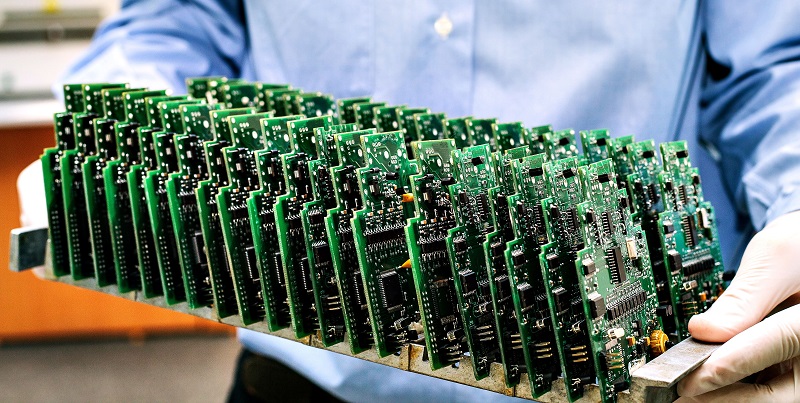
PCB stands for Printed Circuit Board, a key component in almost all electronic devices. It connects and supports electronic components using conductive tracks, pads, and other features. The design and production of PCBs require precise engineering, as they are crucial for the functionality of the final product.

What is PCB Quote Packaging?

PCB quote packaging refers to the process of gathering and organizing all the details needed to estimate the cost of producing a PCB. This includes not only the design specifications but also the materials, manufacturing processes, and other engineering considerations. It’s not just a financial calculation but a complete engineering analysis that ensures the quote is accurate, feasible, and optimized for production.

The quote must consider every detail that affects production—like material types, size, complexity, and production volume. The aim is to package all these details into a clear, comprehensive quote, ensuring the client understands what they are paying for and why.

Why is Engineering Important in PCB Quote Packaging?

Engineering plays a vital role in the PCB quoting process because it’s not just about estimating costs. It’s about understanding the technical requirements and ensuring that every aspect of the design and production is accounted for. Engineers analyze the design, materials, and manufacturing methods to ensure the quote reflects the real cost of production.

Without engineering insight, a quote could be inaccurate, leading to cost overruns or production delays. Engineers make sure that all technical details, such as layer count, trace width, and component placement, are properly considered.

What Are the Key Factors in a PCB Quote?

Several factors come into play when preparing a PCB quote:

PCB Quote Packaging is What Type of Engineering?

1. Type of manufacturing process

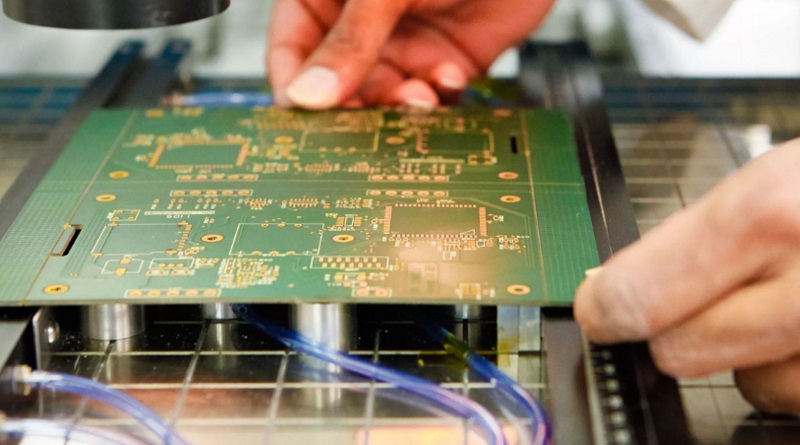
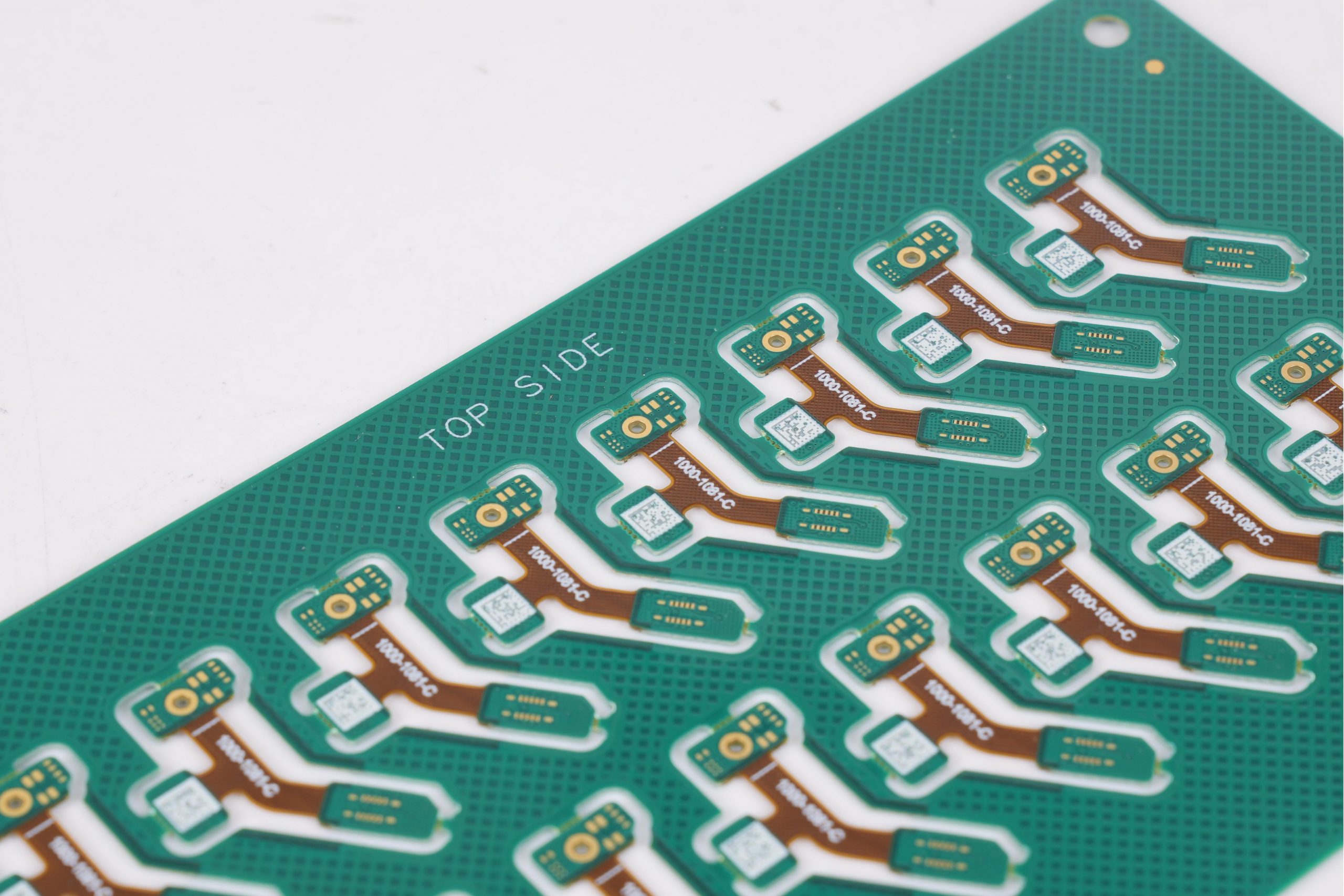
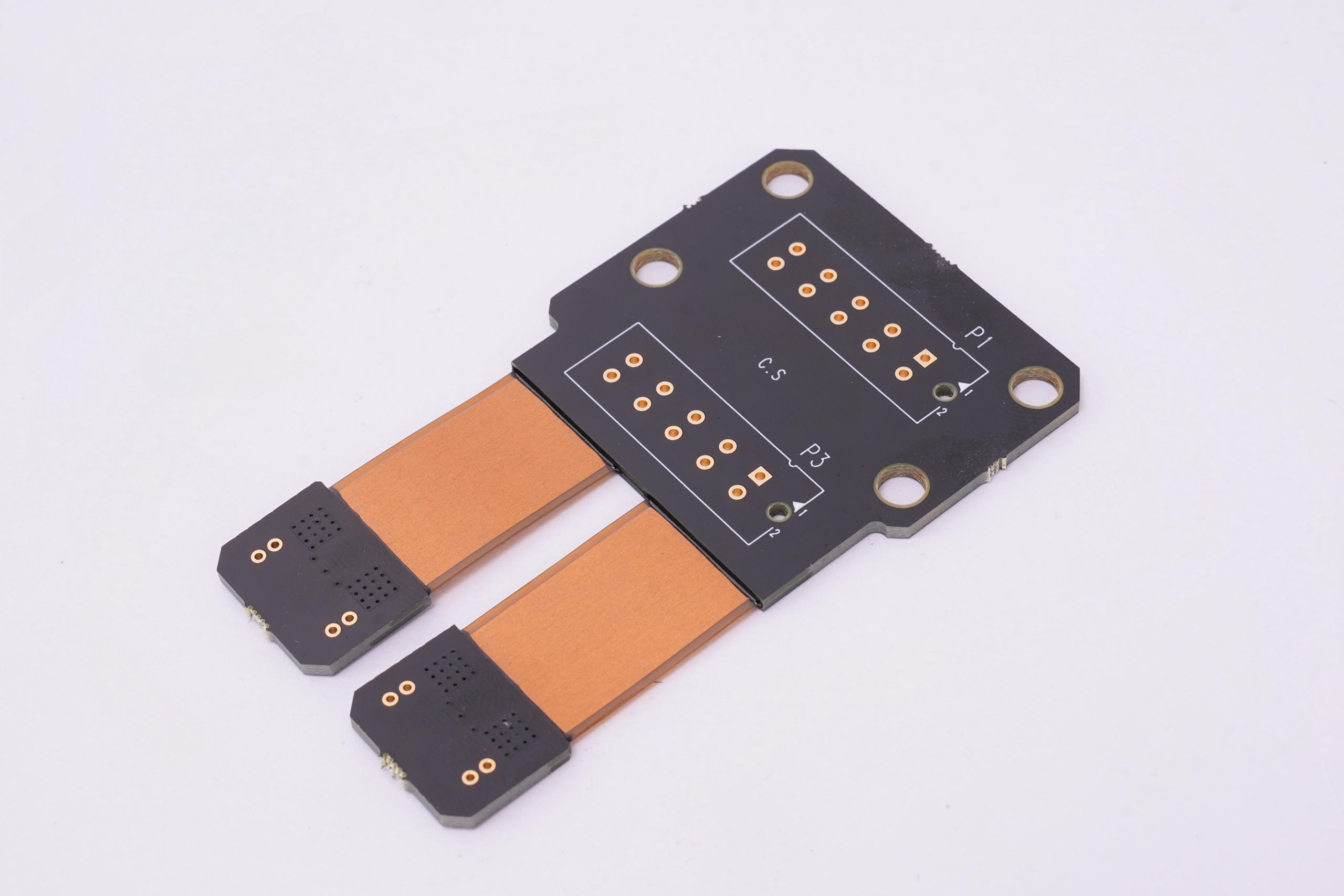
The technical type of PCB determines its complexity and cost. For example, simple single panels cost much less than multi-layer panels, while flexible circuits (FPC) or rigid and flexible panels require more complex manufacturing processes and naturally cost more. In addition, whether advanced technologies such as microvias, laser drilling, blind holes or buried holes are required can also have a significant impact on the quotation.

2. Material type

Materials are an important part of PCB costs. Common materials include FR4, ceramics, metal substrates, etc. FR4 is the most common base material and is suitable for most conventional applications, but for high-frequency, high-temperature environments, ceramic or metal-based materials may be more suitable, but their price is relatively high. Choosing the right material not only affects the performance, but also directly affects the cost.

3. IPC level

IPC grades reflect the quality standards of PCB manufacturing, commonly used are IPC-A-600 grades 1, 2 and 3. The higher the grade, the more stringent the manufacturing requirements, and the corresponding increase in cost. For example, grade 3 PCBS are usually used in high-demand fields such as aerospace and medical equipment, which require higher accuracy and quality control, so the price is higher.

4. Circuit design

PCB circuit design complexity directly affects manufacturing costs. Including wire width, spacing, hole size and so on, the production process has put forward different requirements. High density interconnect (HDI) boards typically require more elaborate wiring techniques and may involve the use of microvias, which will increase the difficulty and cost of manufacturing.

5. PCB size and yield

The size of the PCB directly affects the amount of material used, and the larger the board, the more material is needed. In addition, the yield is also an important factor affecting the quotation. PCB manufacturing with complex design or high density lines is prone to defects, resulting in decreased yield. That means manufacturers may need to produce more boards to meet orders, increasing costs.

6. Material thickness

Different applications require different thicknesses of PCB materials. The standard FR4 thickness is usually 1.6mm, but thinner or thicker boards are sometimes used. Changes in material thickness can affect the overall cost, especially if thicker sheets require special processing or higher strength, and manufacturing expenses will increase accordingly.

7. Copper thickness

The copper thickness in the PCB usually has a standard choice, such as 1oz, 2oz or even thicker copper layers. The higher the copper thickness, the better the conductivity of the PCB, suitable for high-current applications, but the increase in copper thickness will significantly increase the manufacturing cost, especially in the plating and etching process requires additional materials and processes.

8. Stack-up method

The stacking mode determines the number of layers and the interlayer structure of the PCB. Complex multilayer boards or HDI boards require more complex lamination processes. For example, the lamination method may involve multiple pressing, the use of prepregs or special insulation materials. Each additional layer requires more manufacturing steps, resulting in increased costs.

9. Quantity

The quantity of the order has a direct impact on the PCB quotation. High-volume production can reduce unit prices by spreading tooling and setup costs, while small-batch orders are typically more expensive due to relatively high production preparation and start-up costs.

10. Delivery date

The shorter the delivery time, the higher the quotation. Rush orders require prioritizing production, which can disrupt the plant’s production schedule and require additional resource deployment. To meet urgent delivery deadlines, manufacturers may need to work overtime or speed up production, increasing overall production costs.

These are just a few examples, but they show how engineering considerations are woven into every part of the quoting process.

PCB Manufacturing Process

How Do Engineers Calculate PCB Manufacturing Costs?

Engineers calculate PCB manufacturing costs by considering the design specifications and the production methods needed to meet those requirements. They start by analyzing the PCB’s layout and design, which determines factors like layer count, trace width, and hole size. Each of these elements has a direct impact on the materials used and the manufacturing process.

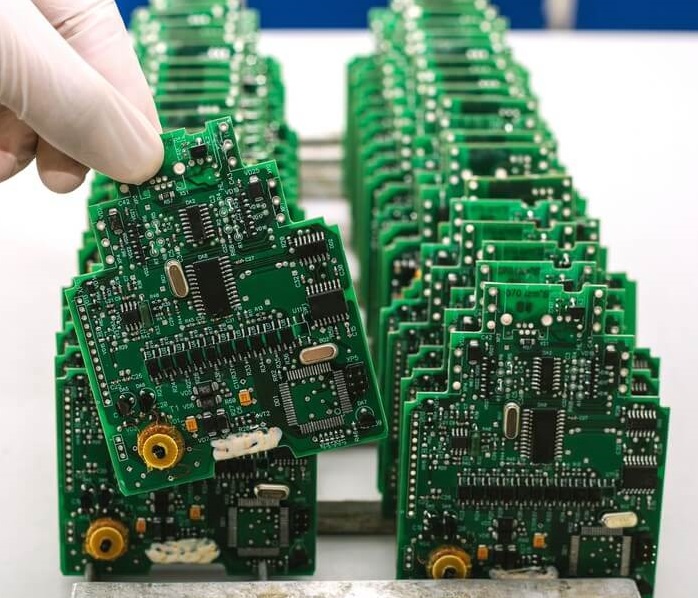
They also consider the assembly process—whether it’s surface-mount or through-hole—and what testing will be required. After evaluating these details, they calculate the costs associated with each step of the manufacturing process. This ensures the final quote is both accurate and comprehensive.
What Type of Engineer Designs PCBs?

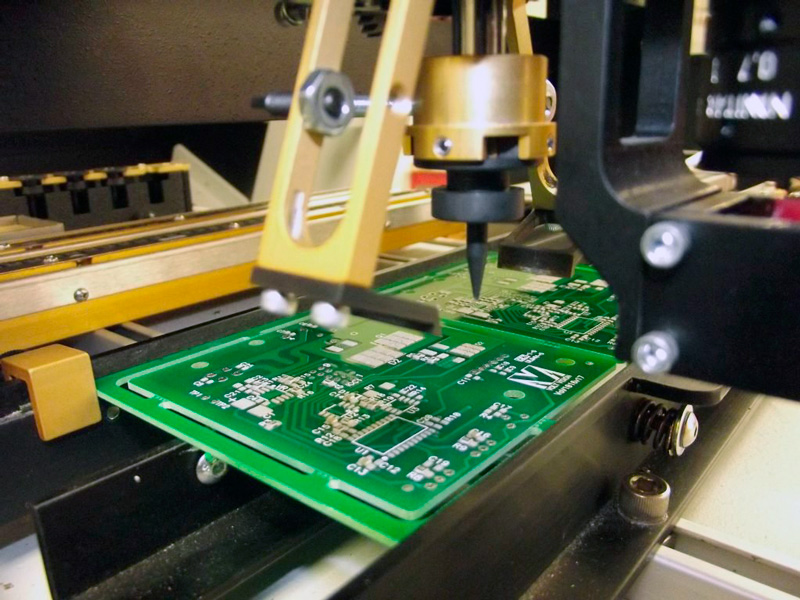
Engineers who design PCBs typically have a bachelor’s degree or above in electrical engineering, automation, computer science, or a related field ā€Œ and understand the basics of electronic design, printed circuit board (PCB), and electronics manufacturing in the PCB industry. These engineers need to master PCB design software such as Altium Designer, Eagle PCB, PADS, or CAD, etc., as well as the use of related manufacturing and testing tools. At the same time, they need to have a knowledge of the PCB industry, a certain circuit design and electronic components knowledge, including digital and analog circuits, signal processing, power electronics, embedded systems, communication technology, etc. In addition, holding certificates such as IPC-2221/2222, IPC-A-600/610, and CID (Certified Interconnect Designer) can prove that they have relevant professional knowledge and skills, which can help improve their career competitiveness.

These engineers also need to have a strong sense of responsibility and team spirit, have good communication and coordination skills, and be able to work effectively with customers, manufacturers, and other team members. For junior engineers, it is recommended to study in a single point of depth, such as PCB design, SI simulation, thermal design, EMC design, product testing, etc., and then start from this advantage point to expand the scope of knowledge

What Materials Are Considered During PCB Quote Packaging?

The type of material used for a PCB is a major cost driver. Common materials include:

  • FR4

This is the most common material used in PCBs due to its balance of cost and performance. It’s versatile and reliable for most standard applications.
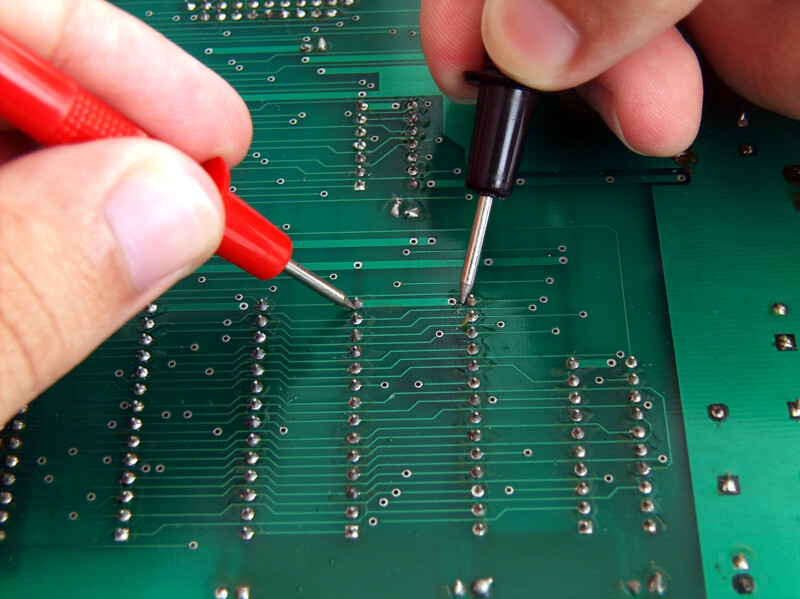
PCB Quote Packaging is What Type of Engineering?
  • Metal Core

Metal core PCBs are used in applications where heat dissipation is a concern, such as LED lighting. These boards are more expensive due to the metal layer.

PCB Quote Packaging is What Type of Engineering?
  • Ceramic

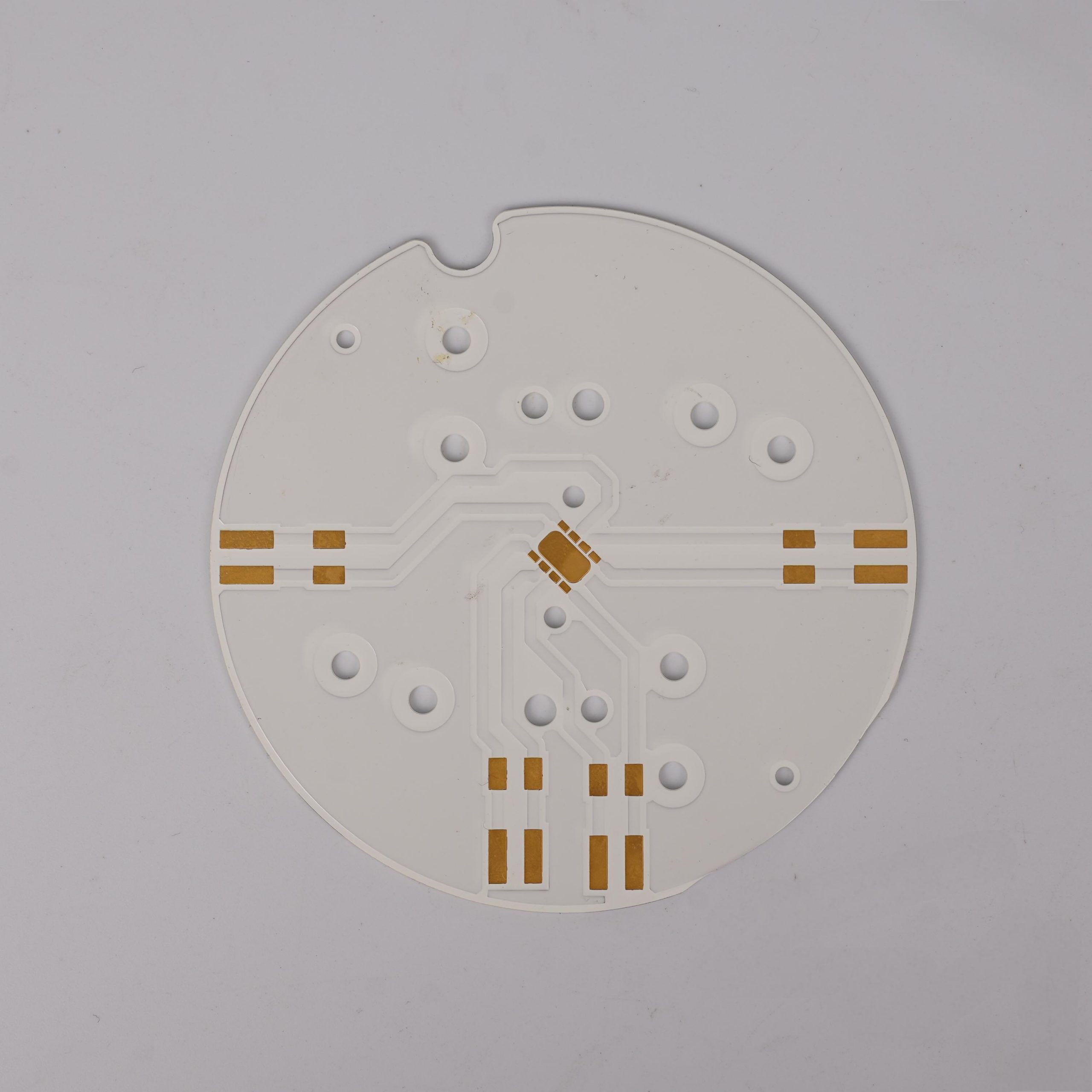
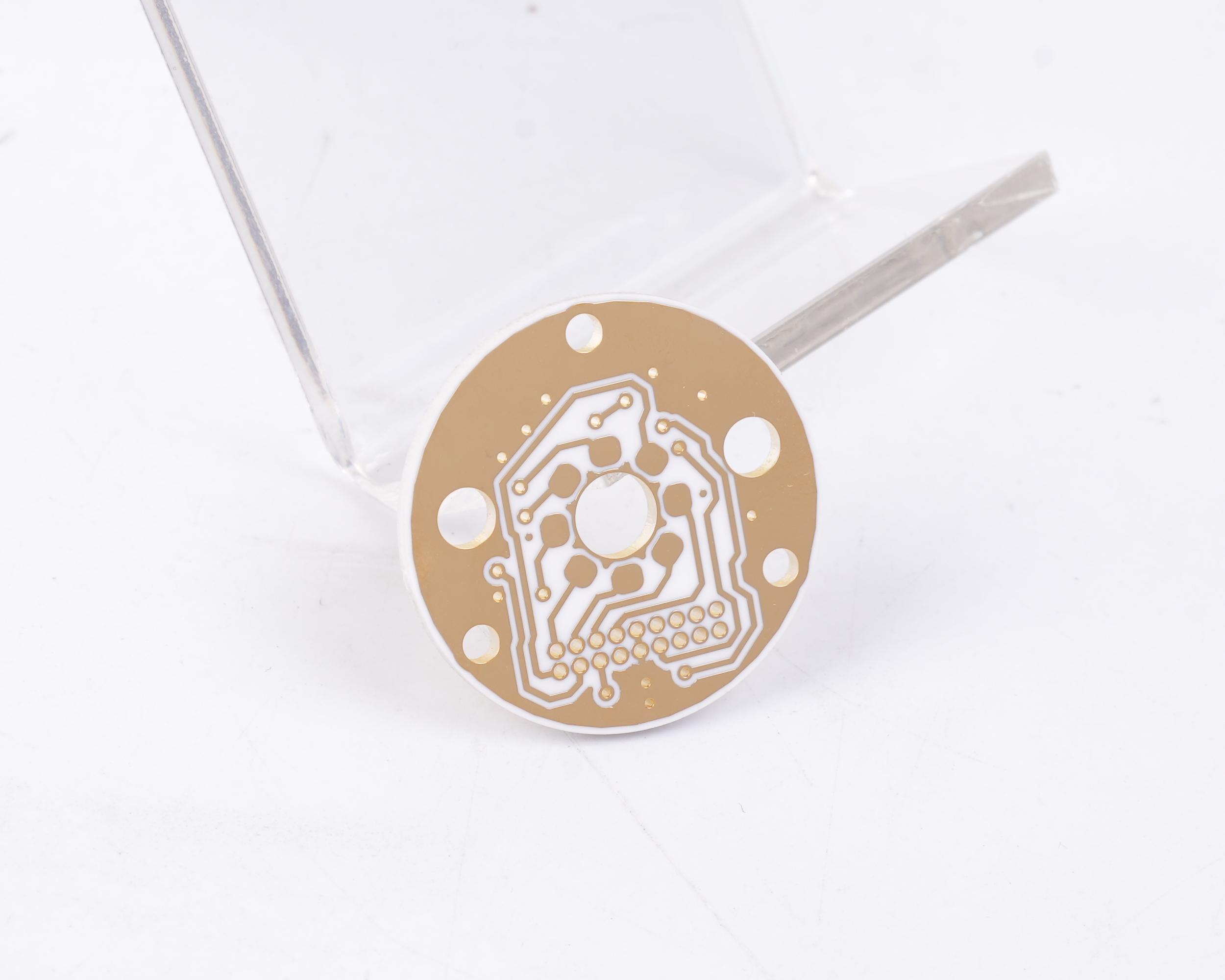
Ceramic materials are used for high-frequency or high-temperature applications. They are more costly but offer better performance in extreme conditions.

PCB Quote Packaging is What Type of Engineering?

Each material has its own manufacturing process, which also affects the cost. For instance, metal core boards may require different drilling techniques compared to standard FR4 boards. Engineers must consider these details when preparing a quote.

How Does the Choice of PCB Manufacturing Methods Impact the Quote?

The method used to manufacture the PCB can greatly impact the final cost. Common methods include:

  • Surface-Mount Technology (SMT): This is the most common method for modern PCB assembly. It’s efficient and cost-effective for most applications.
  • Through-Hole Technology (THT): This method is used for components that require a stronger mechanical bond. It’s more labor-intensive and, therefore, more expensive.
  • Flexible and Rigid-Flex Manufacturing: These types of PCBs require specialized processes and materials, which can increase the cost.

Additionally, advanced techniques like laser drilling for microvias or selective soldering for complex assemblies may be necessary for high-precision designs. Each of these methods requires careful consideration, and engineers must choose the best process for both the design and the budget.

Who Designs PCB?

Since 2006, EBest Circuit (Best Technology) has been the leading PCB quick turn manufacturer specializing in both PCB prototype and production quantities, initially produced single-sided and double-sided printed circuit boards for the consumer electronics market. Now, we provide not only FR4 PCB, but also some special PCB like flex circuit, metal core PCB, ceramic PCB, extra thin PCB, HDI PCB, IC substrate, busbar PCB, heavy copper PCB and so on. We can make 50 layers PCB, and it is not our limit.

Nowadays, EBest Circuit (Best Technology) has grown to become a major PCB manufacturer in Asia to serve in diverse customers base such as electronics appliance, communication, educational electronics, power supplies, automations.

For more information about PCB, or to learn more about the online quote and ordering process, please visit www.bestpcbs.com

How does solder paste inspection work?

September 10th, 2024

In the field of electronic manufacturing, precision is the key. One of the key processes is to ensure that the solder paste applied to the circuit board is in the correct position and in the correct amount. This process is called solder paste inspection (SPI) and plays a key role in the reliability of electronic products.

In the SMT patch process, solder paste inspection is the first and most important step, which determines the subsequent soldering quality and other issues, so the solder paste inspection step is crucial.

How to check solder paste?

1. Visual observation:

Under natural light or good lighting conditions, directly observe the appearance characteristics of the solder paste such as color and state with the naked eye. Normal solder paste has uniform color and no obvious particle agglomeration, precipitation, stratification and other phenomena.

How does solder paste inspection work?

2. Viscosity detection:

Viscosity is an important physical performance indicator of solder paste, which has a great influence on printing performance and welding quality. Professional equipment such as rotary viscometer can be used for detection.

In general, the viscosity of solder paste should be within a certain range and meet the product specification requirements. If the viscosity is too high, it may cause printing difficulties and poor demolding; if the viscosity is too low, the solder paste may flow during printing, affecting printing accuracy.

3. Metal content detection:

Metal content directly affects the welding performance of solder paste and the strength of solder joints. Chemical analysis or spectral analysis is usually used for detection.

4. Particle size detection:

The particle size and distribution of metal particles in solder paste will also affect its performance. Laser particle size analyzer and other equipment can be used for detection.

This method determines the particle size distribution of particles by measuring the scattering or diffraction of metal particles on laser. Generally, the particle size distribution of metal particles is required to be concentrated within a certain range, and the proportion of particles that are too large or too small should not be too high.

What is the most common solder paste?

The most common solder paste is rosin solder paste.

ā€ŒRosin solder paste is widely used because of its excellent flux and protective effect, as well as the protective film formed after welding, which has a protective effect on solder joints. Even if cleaning is not required, there will be no corrosion.

In addition, rosin is easy to mix with other ingredients, which can play a role in adjusting viscosity, so that the metal powder in the solder paste is not easy to precipitate and stratify. These characteristics make rosin solder paste the most common type of solder paste.

What are the advantages of solder paste inspection?

Solder paste inspection has many advantages, as follows:

1. Ensure product quality:

  • Discover problems in advance: By inspecting solder paste before welding, you can find quality problems of the solder paste itself in time, such as uneven composition, inappropriate metal particle size, insufficient flux activity, etc., to ensure the welding quality of electronic products from the source.
  • Optimize welding process: By testing the viscosity, thixotropy and other performance indicators of solder paste, you can determine whether the solder paste is suitable for the current printing process and welding equipment.

2. Improve production efficiency:

  • Reduce rework of defective products: Testing solder paste can quickly screen out solder paste that does not meet quality requirements and avoid using these solder pastes in production, thereby reducing defective products caused by solder paste quality problems.
  • Easy to control the production process: In large-scale production, you can regularly test the solder paste, monitor the quality changes of the solder paste in real time, and detect abnormal conditions in the production process in time.

3. Reduce production costs:

  • Avoid material waste: By testing the solder paste, you can avoid using problematic solder paste, reduce material waste and unnecessary production costs.
  • Extend equipment life: Good quality solder paste can reduce wear and corrosion on printing equipment and welding equipment, and reduce equipment maintenance costs and replacement frequency.

4. Meet industry standards and customer requirements:

  • Meet industry specifications: The electronics industry has strict standards and specifications for welding quality, such as IPC standards. Conducting solder paste inspection can ensure that the quality of solder paste meets the requirements of these standards and specifications and improve the competitiveness of enterprises.
  • Meet customer needs: In the production process of electronic products, customers usually have clear requirements for welding quality. Through solder paste inspection, improve customer trust and satisfaction with the company and enhance the market competitiveness of the company.

What are the defects of solder paste inspection?

Although solder paste inspection is a key step, it is not without challenges. Some common defects found during SPI include:

  • Insufficient solder paste: If too little solder paste is used, it will result in fragile joints or poor electrical connections.
  • Too much solder paste: Too much solder paste can cause bridging between components, causing short circuits.
How does solder paste inspection work?
  • Misalignment: If the solder paste is not applied accurately, it may not align with the pads on the PCB, causing problems when placing components.
  • Collapse: In some cases, solder paste may spread too much after application, resulting in poor joint formation.
  • Solder balls: Small, unwanted solder balls may form around the pad, which may cause electrical shorts.

Do you need flux when using solder paste?

Additional flux is usually not required when using solder paste.

Solder paste itself contains flux ingredients. Solder paste is a paste-like substance made by evenly mixing solder alloy powder and flux. The role of flux in solder paste mainly includes removing oxides on the soldering surface, reducing the surface tension of solder, and promoting solder wetting and diffusion.

During the soldering process, the flux in the solder paste will work at the appropriate temperature to help achieve good soldering results. However, in some special cases, such as soldering some special materials or when there are extremely high requirements for soldering quality, additional flux may be considered, but this is a relatively special application scenario.

What is a solder paste inspection machine?

Solder Paste Inspection (SPI) is a device used to detect solder paste printed on a printed circuit board (PCB).

How does solder paste inspection work?

The main functions include:

1. Solder paste height measurement

  • Use laser scanning, optical imaging and other technologies to accurately measure the height of solder paste on the PCB pad.

2. Solder paste area measurement

  • Determine the coverage area of ​​solder paste on the pad. If the solder paste area is too small, a good solder connection may not be guaranteed; if the area is too large, it may overflow the pad, affecting the subsequent assembly process.

3. Volume measurement

  • Calculate the volume of solder paste based on height and area data. Accurate volume measurement helps ensure consistent solder paste volume for each solder joint, thereby improving the stability of soldering quality.

4. Defect detection

  • Misprint detection: Detect whether there is solder paste misprint on the PCB pad.
  • Offset detection: Detect whether the solder paste printing position is offset from the designed pad position.
  • Shape anomaly detection: Identify whether the shape of the solder paste is abnormal, such as irregular shape, unclear edges, etc. Shape anomalies may be due to problems in the printing process, which will affect the welding quality.

Solder paste inspection machines can detect solder paste quality problems in the printed circuit board production process in a timely manner, improve production efficiency and product quality, and reduce rework and scrap caused by poor soldering.

What is the best temperature for solder paste?

The optimal temperature range for solder paste is 150ā„ƒļ½ž180ā„ƒā€Œ, and the time to maintain this temperature range should be 60ļ½ž120 seconds to ensure that the solder paste can fully infiltrate the pads and component pins.

This temperature and time range is critical to controlling the quality of reflow soldering, as it involves the effective volatilization of flux and the full infiltration of pads, thereby ensuring the reliability and quality of solderingā€Œ.

Conclusion:

Solder paste inspection is a key step in modern electronic manufacturing to ensure that solder paste is correctly and evenly applied to PCBs. By using advanced SPI machines, defects can be detected early, process control can be improved, and costs can be reduced. Whether using leaded or lead-free solder paste, ensuring the correct amount, alignment, and temperature is critical to forming strong and reliable solder joints.

BEST Technology has a professional solder paste inspection machine. Each PCB board must undergo rigorous testing. Choosing BEST Technology, you will get the highest quality PCB board.

Will the silver on the PCB oxidize?

September 10th, 2024

Silver is widely used in printed circuit boards (PCBs) for its excellent conductivity and thermal properties. A common concern of manufacturers is whether silver will oxidize over time, which may affect the performance of the PCB. And how should it be treated after oxidation? How should it be stored during use, etc.

How to remove oxidation from PCB?

The methods for removing oxides from PCBs mainly include physical cleaning, chemical cleaning, and mechanical polishing.

Will the silver on the PCB oxidize?

1. ā€ŒPhysical cleaningā€Œ:

Use alcohol or diluent to gently wipe the oxidized part until the oxide is removed. This method is suitable for removing the surface oxide layer, but it is not suitable for situations where the metal surface circuit has been damaged.

2. ā€ŒChemical cleaningā€Œ:

Use specific cleaning agents such as deionized water, isopropyl alcohol, acetone, etc. to effectively remove residues and contamination.

In addition, cleaning and corrosion using acidic solutions or oxidants is also an effective chemical method, but it must be used with caution to avoid damage to the PCB board and other components.

3. ā€ŒMechanical polishingā€Œ:

Use fine sandpaper or abrasive cloth to carefully polish the oxidized area to restore the conductivity of the metal. This method is suitable for removing thicker oxide layers, but you need to control the strength to avoid damaging the pad surface.

Before any cleaning and repair, be sure to disconnect the PCB power supply to ensure safety. For cases where oxidation has damaged the metal surface circuit, conductive paint needs to be used for repair, but be aware that excessive use of conductive paint may damage the circuit board. In addition, for unused PCBs, they should be stored in sealed bags or protective agents and checked regularly to ensure that they are not oxidized again.

Is silver oxidation permanent?

Silver oxidation is not permanent. ā€Œ

Will the silver on the PCB oxidize?

Silver oxidation is caused by the reaction of silver with chemicals such as oxygen and sulfur in the air, resulting in a black silver sulfide film on the silver surface. This oxidation reaction is one of the main reasons for the blackening of PCBs.

However, silver oxidation is not permanent, because the oxide layer can be removed by cleaning and maintenance to restore the gloss of the PCB surface. For example, regular use of professional PCB cleaners or soaking the PCB in diluted detergent water, then gently scrubbing it with a soft brush, and finally rinsing it with clean water and drying it can effectively remove the oxide layer.

In addition, avoiding contact with chemicals, keeping dry, regularly checking and properly storing PCBs are also effective ways to prevent oxidation.

Therefore, although silver oxidation is inevitable, the rate of oxidation can be slowed down through proper care and maintenance.

What is the best way to Deoxidize silver?

The best way to remove silver oxide from PCBs is to use chemical stripping, which involves using a specific chemical solution to treat the silver plating so that it dissolves in the solution to achieve the purpose of removing the oxide.

The effectiveness of this method depends on the selection of appropriate chemical formulas and operating conditions to ensure that the silver layer can be completely stripped while avoiding corrosion to the base metal.

In chemical stripping, different formulas can be used to achieve the removal of the silver layer. For example, one formula includes a mixture of concentrated sulfuric acid and concentrated nitric acid, which is used at a temperature of 80°C until the silver layer is completely stripped.

Another formula includes a mixture of sulfuric acid, nitric acid, silver chloride and potassium cyanide, which is also used at a temperature of 80°C. These formulas need to be selected according to actual conditions, and attention should be paid to safety measures during operation to prevent corrosion of the base metal.

In addition, for the oxidation problem of PCB gold fingers, although it is not exactly the same as the method of removing silver oxide, some cleaning methods are provided, such as using erasers, alcohol cleaning, decontamination paste cleaning, scrubbing board grinding and electroplating treatment, which are also suitable for treating silver oxide, especially when the oxide is relatively mild.

In summary, the best way to remove PCB silver oxide is chemical stripping, which is achieved by selecting appropriate chemical solutions and operating conditions. For more serious oxidation situations, it may be necessary to combine physical and chemical methods for cleaning.

How do you save silver from oxidation?

The methods to prevent PCB silver from oxidation mainly include the following points:

  • Reasonable storage and packaging ā€Œ: During storage and transportation, PCBs should be stored in a dry, ventilated, dust-free environment to avoid moisture and corrosion. Use appropriate packaging materials, such as moisture-proof bags, foam boxes, etc., to ensure the integrity and quality of the PCB.
Will the silver on the PCB oxidize?
  • ā€ŒSurface treatment ā€Œ: During the PCB surface treatment process, surface treatment methods such as gold plating and tin plating can be used to prevent oxidation.
  • Use anti-oxidation coating ā€Œ: Anti-oxidation coating is an efficient and reliable method to prevent PCB oxidation. It can form a strong, corrosion-resistant protective layer on the surface of the PCB, effectively preventing the PCB from being damaged by oxidation.
  • Reduce contact with air and moistureā€Œ: Make sure the gold fingers are stored in a dry environment and avoid long-term exposure or immersion in water.
  • ā€ŒUse a protective coatingā€Œ: Applying a protective coating on the gold fingers can help prevent oxidation. This can be done using a variety of materials, such as nickel, palladium, or a thin layer of metalā€Œ.
  • ā€ŒRegular cleaning and inspectionā€Œ: Regular cleaning of the gold fingers can also help prevent oxidation. This is done using a soft brush and a cleaning solution specifically designed for PCBsā€Œ. Check the status of the gold fingers regularly, and clean and maintain them immediately if any signs of oxidation are foundā€Œ.

What is the shelf life of immersion silver PCB?

The shelf life of immersion silver PCB is at least 12 months. ā€ŒThis shelf life is determined under proper storage conditions, that is, in a sealed package, with a temperature controlled at 22 degrees plus or minus 4 degrees, and a relative humidity of less than 70%.

Once the circuit board is taken out for use, it must be soldered within 24 hours to ensure that its quality and performance are not affectedā€Œ.

The thickness of immersion silver surface treatment is usually between 0.4 and 1 micron, and this treatment is widely used by chip manufacturers for baseline bonding, EMI shielding and metal dome contacts.

Its purpose is to provide a reliable surface treatment, ensuring that the PCB surface will not oxidize and maintain its electrical performance stability for a shelf life of 12 months according to the IPC J-STD-003 standard.

In addition, the shelf life of the circuit board is also affected by its surface treatment process. For example, the vacuum packaging storage period of immersion gold, electro-gold, and tin-spraying boards is 3 months, while the storage period after unpacking for OSP, immersion tin, and immersion silver boards is 48 hours, 72 hours, and 48 hours respectively.

This shows that immersion silver PCBs can maintain a long shelf life if they are not unpacked, but the soldering process needs to be completed as soon as possible before use to ensure their performance.

Conclusion:

Silver oxidation is a natural process, but it does not affect the performance of the PCB. The key to controlling silver oxidation is regular maintenance, proper storage, and quick action when rust occurs. It should be stored properly and coated with a protective coating when necessary.

1.2mm vs 1.6mm PCB: What PCB Thickness to Choose?

September 9th, 2024

When designing or selecting a PCB board, thickness is a key consideration. The most common thicknesses are 1.2mm and 1.6mm PCB, but which one is right for you? Each has its advantages depending on the application. Whether you’re designing for compact devices, high-power applications, or something in between, choosing the right PCB thickness will impact performance, cost, and durability.

In this blog, we’ll compare the two most popular thicknesses—1.2mm and 1.6mm—and explore their key differences. We’ll help you understand why most PCBs are 1.6mm thick, when to consider 1.2mm PCBs, and what factors to keep in mind during your decision-making process.

1.2mm vs 1.6mm PCB: What PCB Thickness to Choose?

Why are PCBs 1.6mm Thick?

The 1.6mm thickness has become the standard for most PCBs. But why is this the preferred thickness? One reason is historical—it was a size that worked well for manufacturing processes when PCBs were first developed. Over time, this became the norm due to its balance between durability and flexibility.

From the perspective of process and cost, the thinner the PCB board, the higher the manufacturing cost. Because it is necessary to use higher levels of materials and more refined processes to meet the various requirements of PCB boards in the manufacturing process. At the same time, PCB boards that are too thin are also susceptible to environmental and mechanical forces and have poor stability. Therefore, under the premise of taking into account cost and stability, 1.6mm has become a more common PCB board thickness.

Secondly, from the perspective of compatibility and standardization, in the vacuum tube era, because the development and manufacturing of PCB substrates have not yet achieved industrial production, PCB board thickness is mainly determined according to the equipment housing/installation hardware or the required PCB board thickness. At that time, the 1.6mm specification gradually became the industry standard and provided compatibility and convenience for later PCB manufacturing and design.

In addition to 1.6mm, there are some other common PCB board thickness, such as 0.8mm, 1.0mm, 1.2mm, 2.0mm and so on. These thicknesses are usually selected based on specific application and design requirements.

For example, in the field of communications, the commonly used PCB board thickness is generally 0.8mm; In the field of consumer electronics, the commonly used PCB board thickness is generally 1.0mm. In addition, for some specific applications, you can also choose other non-standard thickness options, such as 0.4mm, 0.6mm, 2.4mm, etc.

How Thick is a 1.2mm PCB?

Compared to the standard 1.6mm, a 1.2mm PCB is thinner, which makes it ideal for compact designs where space is at a premium. The 1.2mm thickness reduces the overall weight of the PCB, which can be critical in devices like smartphones, wearables, and other portable gadgets.

Despite being thinner, 1.2mm PCBs can still provide good mechanical support and electrical performance, though they might not be as resistant to bending or mechanical stress as their thicker counterparts. This makes them better suited for applications that do not require heavy-duty handling or exposure to harsh environments.

1.2mm vs. 1.6mm PCB

So, how do you decide between a 1.2mm and a 1.6mm PCB? It depends on the specific needs of your project. Here are some factors to consider:

  • Mechanical Strength

A 1.6mm PCB is more rigid and can withstand greater mechanical stress, making it ideal for larger devices or environments where the board may face pressure or force. If your design requires a sturdy board, 1.6mm is a better option.

  • Compact Design

For smaller, more compact devices, a 1.2mm PCB can save valuable space and reduce the overall profile. This is especially important for handheld gadgets or portable electronics where size and weight matter.

  • Thermal Management

Thicker boards like the 1.6mm version have better thermal management properties, as they can dissipate heat more efficiently. If your PCB will handle high power or generate a lot of heat, the 1.6mm option may be a better fit.

  • Cost

While the difference in cost between 1.2mm and 1.6mm PCBs is usually minimal, thinner boards might be slightly more cost-effective, especially for large-volume production. However, always weigh this against the performance needs of your application.

Ultimately, the decision comes down to the balance between durability, size, and the operating environment of your product.

Is Thinner PCB Better?

A thinner PCB, like the 1.2mm version, can be better in certain applications, but it’s not universally superior. The key benefit is the reduced thickness, which translates to lighter and more compact products. This is why thinner PCBs are favored in modern consumer electronics where every millimeter counts.

However, thinner PCBs are less rigid, making them more prone to bending or warping under pressure. If the PCB is subjected to mechanical stress or has to endure rough handling, a 1.6mm thickness might be the safer choice.

For low-stress applications, such as small gadgets or tightly packed devices, a 1.2mm PCB can offer the perfect balance of performance and size. The goal is to match the thickness to the demands of your specific project.

What is the Tolerance of a 1.6mm PCB?

PCB manufacturers often specify tolerances to account for minor variations in thickness during production. For a 1.6mm PCB, the typical tolerance range is around ±0.10mm, though this can vary based on the manufacturer and specific requirements of the project.

Tolerances are crucial in ensuring that the PCB fits within the required mechanical constraints of the final product. When designing a product, it’s essential to account for this tolerance, especially if your design requires exact thickness dimensions.

The tolerance of a 1.6mm PCB helps ensure consistent performance, even with minor deviations in the manufacturing process.

How Thick is a Standard 2-Layer PCB?

A standard 2-layer PCB typically ranges from 1.6mm to 2.4mm in thickness. However, 1.6mm is the most common thickness for 2-layer boards used in a wide range of applications.

The two layers refer to the copper traces that are used for electrical connections, and the thickness of the board itself determines its strength, thermal properties, and overall performance. In most cases, a 1.6mm thickness offers an ideal balance for general use, providing both durability and flexibility in terms of design and assembly.

How to Choose a Suitable PCB Thickness?

When choosing the thickness of a PCB, several factors need to be considered:

1. Weight

Weight is a key factor. Thinner boards tend to be more fragile and are more likely to break. Therefore, if lightweight is not a strict requirement, thicker boards are usually the better choice.

2. Flexibility

Flexibility is another important consideration. Thinner boards are generally more flexible, but they are also more prone to breaking. Thicker boards offer less flexibility but provide greater stability.

3. Space

The amount of space available in your device is crucial when deciding on PCB thickness. If your device has enough room to accommodate a thicker PCB, then using a thicker board is advisable. On the other hand, if the device is compact, a thinner PCB may be necessary to fit into the available space.

4. Type of Connectors and Components

The type of connectors and components you plan to use also influences the PCB thickness. Different components may have specific requirements that determine the board’s thickness.

5. Dimensions and Design

When selecting PCB thickness, factors such as the dimensions of the PCB, the number of layers, the weight of the installed components, the installation method, and impedance should all be considered. A general rule of thumb is: when the aspect ratio of the PCB (length to width) is not greater than 2 and the width-to-thickness ratio is not greater than 150, the performance is optimal. The width here refers to the smaller dimension between the depth or height of the PCB.

For plug-in boards mounted in vertical boxes, the thickness should fully consider deformation issues. For PCBs that are not box-mounted, if the size is smaller than 300mm x 250mm, 1.6mm to 2mm thick boards are preferred. Larger PCBs should use 2mm, 2.4mm, 3mm, 3.2mm, 3.5mm, or even thicker boards, but it is best to avoid exceeding 4mm.

6. Copper Thickness, Layers, and Signal Type

When determining the PCB thickness, you should also factor in the copper thickness, the material of the board, the number of PCB layers, the types of signals it will carry, and the type of through-holes being used. The operating environment is another key consideration.

PCB Manufacturing Considerations

Several manufacturing factors also influence the final PCB thickness:

  • Drilling equipment capability
  • Copper thickness
  • Number of layers
  • Board cutting method

For non-standard thickness PCB designs, additional factors include:

1. Manufacturer Capability

The first consideration is whether your PCB manufacturer has the equipment and capability to produce the specific thickness you need. This decision should be made early in the design process, along with other Design for Manufacturing (DFM) requirements. Otherwise, you may need to make changes and redesign your PCB stack-up.

2. Extended Delivery Time

If your manufacturer does not stock the materials required for non-standard thickness, it could delay the production timeline. Therefore, it’s essential to consider the delivery time when choosing a non-standard thickness.

3. Additional Costs

This is perhaps the most important point: you need to evaluate the cost of special materials, additional manufacturing costs, and the potential impact of delayed delivery to determine if the extra expenses are justifiable.

Opting for standard PCB thicknesses typically results in faster production and lower costs. However, if you decide on a non-standard thickness, it’s crucial to communicate with your manufacturer early in the design phase. This ensures that they can meet your requirements, and you’ll also need to clarify lead times and any additional manufacturing costs.

FAQs

Q1: Can I customize the thickness of my PCB?

Yes, many manufacturers offer custom thickness options ranging from thinner boards like 0.8mm to thicker boards over 2.4mm, depending on your needs.

Q2: What are the benefits of a 1.2mm PCB?

A 1.2mm PCB offers space-saving advantages, making it ideal for compact devices like smartphones and wearables. It also tends to be lighter.

Q3: Will a 1.2mm PCB be more flexible?

Yes, thinner PCBs are more flexible, which may be useful in specific applications where slight bending is acceptable.

Q4: Why is thermal management important in PCB design?

Proper thermal management prevents overheating and ensures the long-term reliability of the PCB, especially in high-power applications.

Q5: What is the standard thickness tolerance for a PCB?

The standard tolerance is usually around ±0.10mm, but this can vary depending on the manufacturer and board specifications.

What is Pour Board? What is Copper Pour in PCB?

September 9th, 2024

What is Copper Pour in PCB Design?

Copper pour, also known as copper coating, refers to filled solid copper on PCB where without trace layout area or idle space. Instead of leaving unused areas bare, copper is poured over them, connecting it to the ground or other designated signals. The main purpose of this process is to reduce the ground impedance, improve the anti-interference ability, reduce the voltage drop. Thereby improving the power supply efficiency, and connect with the ground wire to reduce the loop area. By covering large sections of the board with copper, it also minimizes signal interference and adds a layer of protection to the PCB. Copper pour are essential for designers to maintain signal integrity and reduce unwanted noise.

What is Pour Board? What is Copper Pour in PCB?

The process of copper coating is not only very important for digital circuits, because it can effectively reduce the ground impedance, which is particularly important for digital circuits with a large number of spiking pulse currents. However, for analog circuits, the ground wire loop formed by laying copper may cause electromagnetic coupling interference.

Why Use Copper Pours on Circuit Boards?

Copper pours offer several advantages that make them an essential part of circuit board design. When creating PCBs, some engineers tend to leave many copper-free areas on the board. But a high percentage of copper-free areas on the PCB can negatively affect the product, making it vulnerable to early damage, when copper pouring comes in handy.

There are some novices who think that less copper pouring means that the cost will be lower and lower, which is wrong. It is true that the plating area is small, which can save copper, but there is no way to guarantee the quality, and the appropriate amount of copper pouring can improve the quality of the product.

When the PCB board is placed in the plating tank and the appropriate current is applied, the PCB will show the physical state after dry film coverage. After passing a current, the circuit lines exposed to the outside of the dry film will be plated with copper from the plating tank. The total area of the part of the circuit exposed outside the dry film will affect the value of the current distribution during the plating process, if the bare copper area is large, the current input is uniform, and the current received is more uniform. Therefore, a large area of copper plane must be laid in the design to prevent this from happening. If the total plating area of copper is too small or the pattern distribution is very uneven, the received current will not be uniform. In this way, when powered on, the greater the current, the thicker the copper plating layer (so designed, if only 1OZ is required, then the finished copper thickness can reach 2OZ).

What is Pour Board? What is Copper Pour in PCB?

If the gap between current traces is too small, for example about 3mil to 3.5mil, a “clip film” will form between the traces. In other words, the dry film is caught in the middle of the gap, which causes the subsequent base to start the copper in the middle, which can lead to a short circuit if the etching process is not cleaned. In order to maintain the high quality of PCB manufacturing, independent lines must be avoided as much as possible in PCB design and layout. In addition, it is recommended to use a large amount of copper on the entire PCB, if there is a separate line that cannot be covered with copper, then the continuation between the lines must be as wide as possible.

Advantages of Copper Pour Board

1. For EMC (electromagnetic compatibility) requirements, a large area of ground or power supply needs to be covered with copper, which will play a shielding role. For some special area, such as protective ground, it plays a protective role.

    What is Pour Board? What is Copper Pour in PCB?

    2. From PCB manufacturing perspective, generally in order to ensure an uniform copper plating, or avoid lamination deformation and bending, manufacturers always pour copper for those less trace layout PCB board.

    What is Pour Board? What is Copper Pour in PCB?

    3. For signal integrity PCB, pour copper gives the high-frequency digital signal a complete return path, and reduce the wiring of the DC network. In another way, pour copper can help to heat dissipation.

    What is Pour Board? What is Copper Pour in PCB?

    Disadvantages of Copper Pour

    1. If the pins of the components are fully covered with copper, the heat dissipation may be too fast, resulting in difficulties in dismantling and repairing the components. Therefore, sometimes in order to avoid this situation, cross connections are used for components (pin contact and pad contact are shown in “+”).

      What is Pour Board? What is Copper Pour in PCB?

      2. Pouring copper in the area around the antenna is easy to cause weak signal, interfered acquisition signal, and the impedance of copper will affect the performance of the amplifier circuit. So the area around the antenna section is usually not covered with copper.

      What is Pour Board? What is Copper Pour in PCB?

      Copper Pour vs Ground Plane

      There’s often confusion between copper pours and ground planes. While both serve similar purposes, they are not the same. A ground plane is a layer dedicated entirely to the ground signal, covering the entire surface of a board layer. It ensures a low-impedance path for electrical signals, minimizing interference.

      Copper pours, on the other hand, are not necessarily tied to the ground. Designers can connect copper pours to any net, including power lines or signal traces. The primary goal of a copper pour is to fill in empty spaces, whereas a ground plane is dedicated exclusively to providing a ground connection.

      Implementation of PCB Copper Pours

      When designing a PCB with copper pours, a few best practices help in optimizing its performance. Here are some useful tips:

      • Assign Copper Pours to Ground First

      When designing, prioritize assigning continuous copper to ground layers over power planes. A solid ground plane improves overall performance, providing a reliable reference for signals and reducing noise. Every PCB should have strong, consistent ground connections.

      • Monitor Trace Currents

      Although reducing inductance is advantageous, flooding the board with copper can sometimes interfere with circuit tuning. Be mindful of traced paths, especially in high-current areas, to maintain proper load control.

      • Maintain Symmetry in Copper Pours

      Ensure copper pours are symmetrical on both sides of the PCB. This balance helps prevent issues like board warping due to uneven expansion or moisture absorption. Symmetrical copper distribution is essential for the board’s structural integrity.

      • Avoid Acute Angles

      Keep copper pours free from long, narrow protrusions or angles sharper than 45 degrees. Such shapes can become weak points, breaking off or acting as antennas during vibration or shock, potentially causing functional failures.

      • Incorporate Relief Features

      Adding slots, anti-pads, and thermal spokes can relieve stress caused by material expansion, especially for large copper pours used on power planes. These features ensure mechanical stability and ease soldering.

      • Carefully Review Design Masks

      Automated copper pour shapes may need manual adjustments to remove artifacts or undesirable patterns around complex components. Always review and fine-tune these masks to achieve optimal results.

      When copper pours are correctly connected to appropriate nets, designers can enhance both the electrical and physical properties of the circuit by distributing copper strategically across the board.

      Copper Pour Clearances and Settings

      When designing a PCB with copper pours, clearances and settings play a crucial role in ensuring proper functionality and avoiding issues like short circuits. Here are PCB copper pour suggestions based on standard PCB board: 

      1. Trace to Copper Pour Clearance

      • Standard clearance: 0.2 mm (200 µm) or 8 mils
      • High-voltage applications: 1 mm (1000 µm) or 40 mils (or more, depending on voltage levels)

      2. Pad to Copper Pour Clearance

      • SMD pads: 0.2 mm to 0.3 mm (8-12 mils)
      • Through-hole pads: 0.3 mm to 0.5 mm (12-20 mils)

      You can adjust these values based on the pad size and the net to which the copper pour is connected.

      3. Copper Pour Width and Thickness

      The width and thickness of the copper pour should be chosen based on the current-carrying capacity of the board:

      • Minimum width: 1.5 mm (60 mils) for low-current signals
      • Power lines: At least 2-3 mm (80-120 mils), depending on current
      • Copper thickness: 35 µm (1 oz/ft²) is standard, but for higher currents, you can use thicker copper like 70 µm (2 oz/ft²) or more.

      4. Via Clearance in Copper Pours

      • Standard via clearance: 0.2 mm (8 mils)
      • High-current via clearance: 0.5 mm (20 mils)

      Clearance should be adapted to the board’s layer stack-up and current needs.

      5. Thermal Relief Spokes

      • Spoke width: 0.3 mm to 0.5 mm (12-20 mils)
      • Spoke count: Typically 4 thermal relief spokes per pad
      • Clearance to pad center: 0.5 mm (20 mils)

      6. Copper Pour to Board Edge Clearance

      • Standard clearance: 0.5 mm (20 mils) from the board edge
      • High-voltage boards: 1 mm (40 mils) or more

      Layer Placement of Copper Pours

      Copper pours can be placed on any layer of a PCB. In multi-layer PCBs, copper pours are often added on internal layers to maximize performance. For example, ground and power pours are frequently found on internal layers to reduce noise and improve thermal dissipation.

      On outer layers, copper pours serve to enhance thermal management. They distribute heat from high-power components and help maintain an even temperature across the board. It’s important to balance the placement of copper pours with other components to ensure overall board stability and functionality.

      What is Pour Board? What is Copper Pour in PCB?

      Copper Pour PCB Design Considerations

      1. The open areas in the design must be minimized and the open Spaces filled with copper.

      2. It’s important to assess the current-carrying capacity. Make sure the copper pour is thick enough to handle the expected current loads, especially in power applications.

      3. If there is no room for the copper, the two wires, the two pads, and the distance between the wires and the pads are designed to be 2 ounces thick with a minimum spacing of 8 mil.

      4. When pouring copper, keep a certain distance from the ordinary touch pad. The distance between the track, the common plane and the drilled area should be greater than 0.5 mm. The copper must be poured as firmly as possible. Avoid pouring copper on small grids.

      5. The inner layer of the gold finger must be all poured copper to avoid thinning of the board at the gold finger. Avoid choosing laminated structures with thin plates.

      6. Those thin long, poorly grounded ground copper will have an antenna effect, which will cause poor EMC problems. Therefore, we should try to avoid causing broken copper when coating copper, such as causing broken copper can be removed.

      7. Isolated (dead zone) copper problem, isolated copper if relatively small equivalent to broken copper can be deleted. If it is large, it can be defined as a place to add through the hole treatment, at this time there is no isolated copper.

      8. Refer to the product design manual and apply copper coating near the antenna. Any interference or interference with the antenna must be avoided when pouring fake copper.

      What is a breadboard & What is it used for?

      September 9th, 2024

      In the vast world of electronics, there is a seemingly ordinary but extremely important tool, the breadboard. The breadboard is like a silently dedicated assistant to electronic engineers, building a bridge for electronic enthusiasts and professionals to realize their creativity. So, what exactly is a breadboard? What is its indispensable use?

      What is a breadboard?

      A breadboard is a board designed and manufactured for solderless experiments on electronic circuits. It has many small jacks, allowing various electronic components to be inserted or removed as needed, eliminating the soldering steps, saving circuit assembly time, and components can be reused, which is very suitable for electronic circuit assembly, debugging and training.

      What is a breadboard & What is it used for?

      The original intention of the breadboard was to encourage innovation and simplify the learning process of electronic circuits. Its main features include:

      • No soldering design: users can directly insert electronic components into the jacks of the breadboard without soldering, which greatly reduces the difficulty and complexity of electronic circuit production.
      • ā€ŒComponents are reusableā€Œ: Due to the solderless design, users can replace or adjust components in the circuit at any time without re-soldering, which is very beneficial for experiments and learning.
      • ā€ŒSuitable for all kinds of electronic componentsā€Œ: Whether it is resistors, capacitors, transistors or integrated circuits, they can be easily inserted into the sockets of the breadboard for experiments and tests.
      • ā€ŒSimple structureā€Œ: Breadboards are usually made of plastic blocks and contain a matrix of electrical sockets inside. These sockets are connected within the board, usually in rows of five sockets, forming a complete circuit path.

      Why is it called a breadboard?

      The reason why the breadboard got its name can be traced back to the era of vacuum tube circuits. At that time, most of the circuit components were large in size, and people usually fixed them to a piece of bread-cutting wood for connection by screws and nails. As the size of circuit components decreased, the name of the breadboard remained.

      What is a breadboard & What is it used for?

      The origin of this name reflects the historical evolution and technological progress in the field of electronic production, and also reflects the intimacy and recognition of electronic production enthusiasts for this tool.

      The original intention of the design of breadboard is to facilitate the assembly, debugging and training of electronic circuits. By providing many small jacks, various electronic components can be inserted or unplugged at will, thus eliminating the trouble of welding, saving the assembly time of the circuit, and the components can be reused, which is very suitable for the non-welding experiment of electronic circuits.

      What is a breadboard used for?

      Breadboards are mainly used for the design and manufacture of non-welding experiments of electronic circuits. ā€Œ

      A breadboard is a board designed and manufactured for the non-welding experiment of electronic circuits. Its characteristics are that there are many small jacks on the board, allowing various electronic components to be inserted or unplugged at will as needed, thus eliminating the welding process and saving the assembly time of the circuit.

      What is a breadboard & What is it used for?

      In addition, since the components can be reused, breadboards are very suitable for the assembly, debugging and training of electronic circuits. This tool is a must-have for electronic production enthusiasts, and is widely used in electronic engineering, communication engineering, automatic control and other fields.

      In practical applications, breadboards can be used for simulation testing and verification in the circuit design stage, as well as for transferring circuits to PCB boards for mass production in the production and manufacturing stage.

      In the fields of education and research, breadboards help students and researchers better understand electronic technology and circuit design principles. It can also be used for the development and production of DIY electronic products, robots and other fields, and has a wide range of application prospects.

      What types of breadboards are there?

      1. Solderless breadboard:

      This is the most common type. It consists of many small jacks inside, and the circuit is connected by inserting the pins of electronic components. No soldering is required, which is convenient and fast, suitable for beginners and quick circuit construction and debugging.

      There are different specifications and sizes, such as small breadboards are suitable for simple circuit experiments, and large breadboards can accommodate more components to build more complex circuits.

      2. Solderless breadboard:

      The function is similar to that of the solderless breadboard, and electronic components can be connected without soldering. Usually with colored marking lines or areas, it is easy to distinguish different circuit parts and plan component layout.

      Some solderless breadboards also come with power bars and ground bars, which are convenient for providing power and ground connections for the circuit.

      3. Multi-hole breadboard:

      There are more jacks and a denser layout. More electronic components can be connected, which is suitable for building complex circuits.

      Some multi-hole breadboards are also designed with special structures, such as grooves or slots, to facilitate the fixing of wires and components and make the circuit more stable.

      4. Breadboard with power supply

      The integrated power module can directly provide stable power to the circuit without the need to connect an additional power adapter or battery pack.

      The power supply part usually has an adjustable voltage function to meet the power requirements of different electronic components.

      5. Transparent breadboard

      Made of transparent materials, it is convenient to observe the connection status and component layout inside the circuit, which is very helpful for teaching and circuit debugging.

      The appearance of the transparent breadboard is beautiful, which can increase the fun and visualization of circuit construction.

      What is a “solderless” breadboard?

      A solderless breadboard (also called a solderless test board) is a method that provides convenient interconnection of electronic components without the need for soldering. ā€ŒThis breadboard consists of a series of U-shaped metal contacts that are located below the hole grid in the electrically insulating shell.

      The component leads and the wire segments inserted through the holes are held under spring tension by the contacts below, thus achieving a solderless connection. Solderless breadboards are particularly suitable for electronic circuit experiments in hobby, education or development environments because they allow users to quickly and easily build and reconfigure circuits while saving the time and cost of soldering.

      In addition, solderless breadboards also support the reuse of components, which is very beneficial for learning and training. However, it should be noted that although solderless breadboards provide great convenience, they do not provide a mechanically sturdy interconnection, have limited power handling capabilities, and are not suitable for high-speed circuit applications.

      What are the advantages and disadvantages of a breadboard?

      The advantages of breadboards are:

      1. Convenient and fast operation:

      • No need to solder, electronic components can be directly inserted into the jacks of the breadboard for circuit connection, which greatly saves the time and workload of circuit construction.
      • If a connection error is found during the insertion of the component, the component can be easily pulled out and reinserted without damage, reducing the cost and risk of circuit construction.

      2. High safety:

      • Compared with soldered circuits, breadboards do not have safety issues such as burns and electric shocks that may occur during soldering, and are particularly suitable for beginners and students.
      • There is no need to worry about components being damaged due to improper soldering, which reduces safety hazards in circuit experiments.

      3. Suitable for beginners:

      • For beginners of electronic circuits, breadboard is an ideal learning tool. It can help beginners quickly understand the basic principles and connection methods of circuits, enhance the perceptual understanding of electronic circuits through practical operations, and improve the interest and efficiency of learning.

      4. Easy to observe and debug:

      • The structure of the breadboard is relatively simple, and the circuit connection is clearly visible, which is convenient for users to observe the connection of the circuit and the layout of components.

      The advantages of breadboard are:

      1. Poor connection stability:

      • The contact between the jacks on the breadboard and the component pins may not be tight enough, and it is easy to have a virtual connection. Especially after transportation, movement or long-term use, the jacks may become loose, resulting in unstable circuit connection and affecting the normal operation of the circuit.

      2. Not suitable for complex circuits:

      • The number and layout of the jacks of the breadboard are limited. When the number of components in the circuit is large or the circuit structure is complex, the breadboard may not provide enough jacks to connect all the components, limiting the scale and complexity of the circuit.
      • When there are many connecting wires on the breadboard, it is easy to have chaotic lines, which increases the difficulty of circuit debugging and troubleshooting.

      3. Poor high-frequency performance:

      • The structure and material of the breadboard determine that its high-frequency performance is poor, and it is not suitable for the transmission and processing of high-frequency signals. In high-frequency circuits, the transmission of signals will be affected by the jacks and connecting wires on the breadboard, resulting in signal distortion, attenuation and other problems.

      4. Limited current carrying capacity:

      • The current carrying capacity of the connecting wires and jacks on the breadboard is limited. For high-power electronic components, it may not provide enough current, causing the components to not work properly or damage the breadboard.

      Conclusion:

      Breadboards are an indispensable tool in the world of electronics. From experiments to troubleshooting, breadboards are an indispensable part of circuit design. They can easily handle modifications, are cost-effective, and are reusable, making them a mainstream product in the electronics field.

      What is ceramic material for PCB?

      September 9th, 2024

      The top ten commonly used ceramic materials:
      Common ceramic circuit board materials mainly include 96 aluminum oxide (Al2O3), 99 aluminum oxide (Al2O3), zirconium oxide (ZrO2), aluminum nitride (AlN), silicon carbide (SiC), silicon nitride (Si3N4), piezoelectric ceramics, diamond, sapphire, toughened ceramics (ZTA).

      Ceramic PCB Material

      Ceramic PCB Material

      Uncommon ceramic circuit board materials
      Uncommon ceramic circuit board materials mainly include silicon dioxide (SiO2), titanium zirconium oxide (ZrTiO4), boron nitride (BN), boron carbide (B4C), magnesium oxide (MgO), iron oxide (Fe2O3), cerium oxide (CeO2), silicon nitride (Si3N4), yttrium zirconium oxide (Y2O3-ZrO2), yttrium aluminum oxide (Y3Al5O12), titanium oxide (TiO2), silicon zirconium oxide (ZrSiO4), tungsten carbide (WC), titanium carbide (TiC), titanium nitride (TiN), silicon nitride (SiOxNy).

      Alumina ceramic materials

      Alumina ceramic materials

      1). 99 alumina
      99 alumina refers to alumina materials with a purity of 99% or higher. It is usually made of chemically pure alumina or high-purity alumina as raw materials, and is made through multiple processes such as high-temperature calcination, crushing, molding, and sintering. Compared with 96 alumina, 99 alumina has higher chemical purity, density and hardness, as well as better high-temperature stability and corrosion resistance.


      99 alumina is widely used in electronics, machinery, chemical industry, aerospace and other fields. In the electronics field, 99 alumina is usually used to manufacture high-frequency electronic components, integrated circuit packaging, dielectrics and other devices; in the mechanical field, 99 alumina is mainly used to manufacture high-hardness ceramic tools, bearing balls, etc.; in the chemical field, 99 alumina can be used to manufacture catalysts and adsorbents; in the aerospace field, 99 alumina is often used to manufacture high-temperature structural parts, aircraft engine parts, etc.

      2). 96 alumina
      96 alumina, also known as industrial alumina or α-alumina, is a high-purity ceramic material. Its chemical formula is Al2O3, which belongs to oxide ceramics. 96 alumina is usually made of alumina powder through pressing, molding, sintering and other processes. The “96” here means that its aluminum oxide purity reaches more than 96%. 96 alumina has the characteristics of high hardness, high strength, high wear resistance, and good high temperature stability. It is widely used in the manufacture of ceramic products, refractory materials, abrasives, electronic devices and other fields.

      Advantages of 99 alumina substrate:

      High purity, usually reaching a purity level of 99.99%, excellent electrical properties, high dielectric constant and low dielectric loss.
      Good high temperature stability, can work stably in high temperature environment, and can usually withstand temperatures up to 1700ā„ƒ.
      High mechanical strength, high strength, high hardness, not easy to be damaged, and can withstand greater force and pressure.
      It has excellent corrosion resistance, is not corroded by most chemical substances, and is suitable for chemical media such as acids and alkalis.
      It can be prepared into a thinner substrate, which is conducive to the preparation of microelectronic devices.

      Advantages of 96 alumina substrate:
      Cheaper than 99 alumina substrate, the cost is relatively low.
      It is easier to process than 99 alumina substrate, and can be processed by cutting, drilling and other processing, which is convenient for preparing substrates of various shapes.
      In some low-temperature and low-electric field strength applications, the dielectric constant and dielectric loss are lower than those of 99 alumina substrate, and it has better signal transmission performance.

      Disadvantages:
      Compared with 99 alumina substrate, 96 alumina substrate has lower purity, higher dielectric constant and dielectric loss.
      It is prone to brittle fracture in high temperature environment.

      Alumina ceramic application industry
      99 alumina substrate: suitable for high-power LED, high-voltage integrated circuit, high-temperature sensor, high-frequency electronic components and other fields.
      96 alumina substrate: suitable for low-power electronic components, sensors, capacitors, micro relays, microwave components and other fields.

      Aluminum nitride ceramic material (AlN)

      Aluminum nitride ceramic material (AlN)

      Aluminum nitride ceramic is a high-performance ceramic material made of aluminum nitride powder sintered at high temperature. Its main component is aluminum nitride (AlN), which has the characteristics of high melting point (about 2800ā„ƒ), hardness (9.0 to 9.5Mohs), strength and thermal conductivity. At the same time, it also has good insulation performance, chemical stability and high temperature resistance. Due to these characteristics, Sliton aluminum nitride ceramic circuit boards are widely used in microelectronics, optoelectronics, power electronics, aerospace and other fields.

      Advantages

      1. High hardness: The hardness of aluminum nitride is close to that of diamond, which is more than 3 times that of traditional alumina. It can be used to make high-strength mechanical parts.
      2. High strength: Aluminum nitride has high strength, good wear resistance and corrosion resistance, and can be used to make high-load, high-wear and corrosion-resistant parts.
      3. High thermal conductivity: The thermal conductivity of aluminum nitride is very high, reaching 170-230W/(mĀ·K), which is more than 4 times that of traditional aluminum oxide. It can be used to make high-power, high-frequency RF components.
      4. High insulation: The dielectric constant of aluminum nitride is low, about 1/3 of that of traditional aluminum oxide, and can be used to make high-frequency, high-precision microwave components.
      5. Anti-oxidation: Aluminum nitride has good anti-oxidation properties at high temperatures and can be used to make parts in high-temperature environments.

      Application of aluminum nitride ceramics
      Widely used in semiconductors, aerospace, electronics, military and other fields. For example, it is used to make high-frequency RF devices, microwave components, electronic ceramics, thermistors, high-temperature sensors, etc.

      Zirconia ceramic material (ZrO2)

      Zirconium oxide ceramic material is a ceramic material with high strength, high hardness, high temperature tolerance, corrosion resistance and good insulation performance. Its chemical formula is ZrO2, and it is usually stabilized to improve the stability and wear resistance of its lattice. Zirconia ceramic material has the characteristics of low thermal conductivity and high melting point, so it is widely used in industrial fields with strict requirements such as high temperature, high pressure, high speed and high precision, such as aerospace, electronics, medical and energy.
      Advantages

      1. High hardness: The hardness of zirconia ceramics is very high, usually reaching HRA90 or above, even up to HRA95, which is more than 10 times that of steel.
      2. High strength: Zirconia ceramics have extremely high strength, which can reach 900MPa at room temperature, and can still maintain high strength at high temperature.
      3. Good wear resistance: Zirconia ceramics have high surface flatness and high hardness, so they have good wear resistance.
      4. Good corrosion resistance: Zirconia ceramics are chemically inert and not easily corroded by chemicals such as acids and alkalis, and can operate stably for a long time in harsh environments.
      5. Excellent insulation performance: Zirconia ceramics have excellent insulation performance and can be used for high-voltage insulation materials.
      6. Good high-temperature stability: Zirconia ceramics have extremely high melting points and high-temperature stability, and can be used for a long time in high-temperature environments.

      Application of Zirconia Ceramics
      Widely used in high-end manufacturing, electronics, aerospace, medical equipment, chemical industry and other fields, such as abrasives, high-temperature structures, pneumatic components, medical equipment, sensors, capacitors, etc.

      Silicon carbide ceramic material (SiC)

      Silicon carbide is a compound with the chemical formula SiC, which is composed of two elements: silicon and carbon. It is a ceramic material that is resistant to high temperature, corrosion, and extremely hard. It is also an industrial material widely used in extreme environments such as high temperature, high frequency, and high pressure. Silicon carbide has excellent mechanical, electromagnetic, and thermal properties, and is therefore widely used in semiconductors, disks, aerospace, and other fields. In addition, silicon carbide has good semiconductor properties and is also widely used in power electronics, optoelectronics, and other fields.
      Advantages

      1. High hardness: The hardness of silicon carbide material is 5 times higher than that of steel and 3 times higher than that of aluminum.
      2. High strength: The strength of silicon carbide material is high, and the tensile strength can reach more than 400MPa.
      3. High temperature resistance: Silicon carbide material has a high melting point and can withstand high temperature thermal shock. The general use temperature is 1200ā„ƒ-1600ā„ƒ.
      4. Good oxidation resistance: Silicon carbide material can resist high temperature oxidation corrosion and can be used in air.
      5. Good wear resistance: Silicon carbide material has high hardness, low friction coefficient and good wear resistance.
      6. Good thermal conductivity: Silicon carbide material has excellent thermal conductivity, which is 2-3 times that of metal and can effectively dissipate heat.
      7. Good chemical stability: Silicon carbide material has good chemical stability and will not be corroded by acid, alkali, etc.

      Silicon carbide ceramic PCB application
      Widely used in high temperature, high pressure, high speed, high load, corrosion resistance and other fields, such as power, electronics, machinery, aviation, metallurgy and other industries.

      Silicon nitride ceramic material (Si3N4)

      Silicon nitride ceramic material is a high-temperature ceramic material based on nitrogen and silicon elements. It has excellent properties such as high strength, high hardness, high wear resistance, high temperature resistance, oxidation resistance, and corrosion resistance. Its chemical stability is extremely high and is not easily corroded by acids, alkalis, solvents, etc. The hardness of silicon nitride ceramic materials is comparable to that of diamond, or even higher, reaching about 24GPa. It is harder and less prone to wear than ordinary ceramic materials. At the same time, it has good insulation properties and thermal stability, and can work stably for a long time in high temperature environments.

      Advantages of silicon nitride ceramic PCB materials

      1. High hardness: The hardness of silicon nitride ceramic materials is close to that of diamond, which can reach more than 30GPa.
      2. High strength: The bending strength of silicon nitride ceramic materials is high, which can reach more than 1000MPa.
      3. High wear resistance: Silicon nitride ceramic materials have good wear resistance and can be used to manufacture high-speed bearings and cutting tools, etc.
      4. High temperature resistance: Silicon nitride ceramic materials have high high temperature resistance and can be used in high temperature environments above 1000°C.
      5. Corrosion resistance: Silicon nitride ceramic materials have excellent corrosion resistance and can be used in some acidic and alkaline working environments.
      6. Lightweight: Silicon nitride ceramic materials are lighter than steel and can be used in lightweight design.

      Silicon nitride ceramic PCB applications
      Widely used in aerospace, optoelectronics, electronics, semiconductors, machinery and other fields.

      Piezoelectric ceramic materials

      Piezoelectric ceramic materials are ceramic materials with piezoelectric effect, which can deform under external electric field or mechanical stress, and generate electric charge when deformed. They are usually made of materials such as barium lead oxide (Pb(Zr,Ti)O3) or niobium lead oxide (Pb(Mg1/3Nb2/3)O3-PbTiO3) as the main components and sintered.

      Advantages

      1. Piezoelectric effect: It can convert mechanical stress into electrical signals, or convert electrical signals into mechanical motion. This effect makes piezoelectric ceramic materials widely used in sensors, actuators, acoustic wave devices and other fields.
      2. Dielectric properties: With high dielectric constant and low dielectric loss, piezoelectric ceramic materials are used as capacitors, filters, etc. in electronic components.
      3. Mechanical properties: With high hardness, strength and wear resistance, piezoelectric ceramic materials are used in mechanical engineering.
      4. Thermal stability: With good thermal stability and high temperature resistance, it can work stably in high temperature environment.
        Piezoelectric ceramic PCB applications
        Widely used in sensors, actuators, acoustic wave devices, electronic components, mechanical engineering and other fields.

      Diamond ceramic material

      Diamond ceramic material is a new type of material made by sintering diamond powder and ceramic as raw materials at high temperature and high pressure. Because diamond has extremely high hardness, reaching Mohs hardness level 10, and has excellent wear resistance, corrosion resistance and high temperature oxidation resistance, diamond ceramic material has extremely high physical and chemical properties.

      Advantages of diamond ceramic PCB material

      1. Extremely high hardness and strength, more wear-resistant, scratch-resistant and impact-resistant than ordinary ceramic materials;
      2. Excellent corrosion resistance, able to resist corrosive media such as strong acids and alkalis;
      3. Excellent high-temperature oxidation resistance, can be used for a long time at high temperature without damage;
      4. Excellent thermal conductivity and insulation performance;
      5. Easy to process into ceramic products of various shapes and sizes.

      Application of diamond ceramic PCB
      Diamond ceramic materials are widely used in high-end machinery, electronics, optics, medical and chemical fields, such as bearings, nozzles, cutting tools, hydraulic cylinders, electrical insulation parts, laser parts, etc.

      Sapphire ceramic material

      Sapphire ceramic material, also known as synthetic sapphire (Synthetic Sapphire), is a man-made single crystal material with excellent properties such as high hardness, high wear resistance and high corrosion resistance. The main component of sapphire ceramic material is aluminum oxide (Al2O3), which is prepared by melting or heat treatment at high temperature.

      Advantages of sapphire ceramic material:

      1. High hardness: The hardness of sapphire ceramic material is second only to diamond, and it has high wear resistance.
      2. High corrosion resistance: Sapphire ceramic material has excellent corrosion resistance and can be used stably for a long time in harsh environments such as strong acid and strong alkali.
      3. High light transmittance: Sapphire ceramic material has high light transmittance and can be used in optics, laser and other fields.

      What is Soldering? What Temperature Does Solder Melt?

      September 6th, 2024

      Soldering is a crucial process in many industries, especially in electronics and metalworking. It involves bonding materials, primarily metals, using a filler material called solder. This process is essential for creating connections that are both electrically conductive and mechanically strong. But what exactly is soldering? At what temperature does solder melt? And what types of solder are most commonly used? This blog will answer these questions and explain why soldering is important.

      What is Soldering?

      Soldering is a PCB assembly process where two or more metal surfaces are joined by melting and flowing a filler metal (solder) into the joint. Unlike welding, soldering doesn’t melt the base metals. Instead, the filler metal, which has a lower melting point, is used to create a bond between the two surfaces. The process is common in electronics, plumbing, and metalwork, where a strong, conductive connection is needed.

      What is Soldering? What Temperature Does Solder Melt?

      Generally speaking, the commonly used solder materials are tin lead alloy solder, antimony solder, cadmium solder, silver solder, and copper solder. The linear solder used in standard welding operations is called rosin cored solder wire or solder wire. A flux was added to the solder. This flux is composed of rosin and a small amount of active agent. It is very important to set the temperature during welding operation. The most suitable temperature for welding operations is plus 50 degrees at the melting point of the welding used. The set temperature of the soldering iron head, due to the size of the welding part, the power and performance of the soldering iron, and the different types and lines of the solder, it is appropriate to increase 100 degrees on the basis of the above temperature.

      The main products of solder are divided into three categories: solder wire, solder bar and solder paste. Applied to all kinds of electronic welding, suitable for manual welding, wave welding, reflow welding and other processes.

      What is Soldering Primarily Used For?

      Soldering is mainly used in the electronics industry to connect various components on PCBs. Without soldering, it would be nearly impossible to create the intricate electrical connections that power most electronic devices. From mobile phones to computers, soldered joints are everywhere.

      Soldering is also widely used in plumbing for joining copper pipes. It creates leak-proof seals that withstand pressure, making it reliable for water supply systems. Additionally, jewelry makers and metalworkers use soldering to join fine pieces of metal. It allows them to create strong, invisible joints without damaging delicate components.

      What Temperature Does Solder Melt?

      The melting point of solder depends on the type of solder being used. Solder typically comes in two main varieties: leaded and lead-free.

      What is Soldering? What Temperature Does Solder Melt?
      • Leaded Solder

      The most common composition of leaded solder is a mixture of tin (Sn) and lead (Pb), typically in a 60/40 ratio. This type of solder melts at around 183°C (361°F). Leaded solder has been used for decades due to its reliable melting point and easy flow properties, making it ideal for electronics.

      • Lead-Free Solder

      Lead-free solder is now more widely used due to health and environmental regulations. Lead-free solder typically contains a mix of tin, copper, and sometimes silver. Its melting point is slightly higher, around 217°C (423°F). Although it requires more heat, lead-free solder is considered safer and more environmentally friendly.

      It’s important to note that different solders may have varying melting points depending on their specific composition. Always check the specifications of the solder you’re using to ensure you apply the correct temperature.

      Does Solder Have Lead?

      Not all solder contains lead. Leaded solder was once the standard for many years, especially in the electronics industry. However, due to the harmful effects of lead exposure, leaded solder is being phased out, particularly in consumer electronics.

      Lead-free solder is now the preferred option, especially for products sold in regions that regulate the use of hazardous materials. The shift to lead-free solder has become more prevalent with the Restriction of Hazardous Substances (RoHS) directive, which bans the use of lead in many electrical and electronic products. Today, many manufacturers and companies use lead-free solder for health and environmental reasons.

      While lead-free solder is generally considered safer, leaded solder is still used in some industries due to its lower melting point and reliability in certain applications.

      What is the Melting Point of Solder?

      The melting point of solder depends on its composition, but the most commonly used solders have predictable melting temperatures:

      • Leaded Solder: 183°C (361°F)
      • Lead-Free Solder: 217°C (423°F)
      What is Soldering? What Temperature Does Solder Melt?

      These are standard temperatures, but other specialized solders may melt at higher or lower temperatures. For instance, silver-bearing solders may melt at higher temperatures, while low-temperature solders for specific applications can melt as low as 138°C (280°F).

      Knowing the exact melting point of your solder is important because using the wrong temperature can lead to poor joints or even damage to components. In electronics, overheating can affect sensitive components, while underheating can result in weak or unreliable connections.

      What is Lead-Free Solder Made of?

      Lead-free solder typically contains a mixture of metals designed to mimic the properties of traditional leaded solder. The most common lead-free solder composition is a mix of tin (Sn), copper (Cu), and sometimes silver (Ag). This combination ensures a solid joint while keeping the melting point manageable.

      • Tin (Sn): The main ingredient in most solders, providing strength and flexibility.
      • Copper (Cu): Helps to enhance the mechanical strength of the solder joint.
      • Silver (Ag): Sometimes added to improve conductivity and joint strength, though this increases cost.

      Lead-free solder is used to create safer work environments, particularly in industries where workers are regularly exposed to soldering fumes. It is also more environmentally friendly as it reduces the risks associated with lead contamination.

      Is Tenshan Lead-Free?

      Yes, most manufacturers, including Tenshan, now offer lead-free solder options in compliance with environmental standards. Lead-free solders, like those provided by Tenshan, are designed for use in various industries, ensuring safe and effective soldering without the risks associated with lead exposure.

      Lead-free products from companies like Tenshan are developed to meet both performance and safety standards. These solders deliver excellent bonding capabilities without compromising the health of the workers or the environment. With the growing emphasis on eco-friendly practices, lead-free options are becoming the preferred choice for many applications.

      Do LED lights need a circuit board?

      September 5th, 2024

      LED lights have become an integral part of modern lighting solutions, featuring energy-saving, durability, and versatility. But a common question is, do you think LED lights need a circuit board to work?

      What is a LED circuit board?

      An LED circuit board is a platform used to power and control light-emitting diodes (LEDs). Essentially, it is the basis for connecting all the necessary electronic components (such as resistors, capacitors, and diodes) to ensure that the LED operates safely and efficiently.

      Do LED lights need a circuit board?

      Circuit boards used for LEDs are usually metal core printed circuit boards (MCPCBs) because they have excellent heat dissipation properties. This is important because although LEDs are highly efficient, they still generate heat. Without proper heat management, this can lead to poor performance or shortened life of the LED.

      The design and manufacture of LED circuit boards involves many aspects, including the layout of the board, the soldering of components, and the design of the driver circuit. The driver circuit is the core part of the LED circuit board, which is responsible for converting the input AC power into DC power suitable for LED use, while providing stable current and voltage to ensure the normal operation and long life of the LED.

      LED circuit boards are used in a wide range of applications, from small consumer electronics to industrial lighting and automotive headlights. They provide a simplified way to control and adjust LEDs while ensuring effective heat management.

      How to make a LED light circuit board?

      The process of making an LED light circuit board involves multiple steps, including soldering, self-testing, cleaning, grinding, and wiring.

      1. Soldering:

      Determine the direction of the light, the side with the black rectangle is the negative end. Determine the direction of the circuit board, the end with the inner and outer wiring ports is the upper left corner. Start from the upper left light and solder in sequence to ensure that each solder joint is full and clean, without cold solder joints or leaks.

      2. Self-test:

      After completing the soldering, check whether the solder joints have cold solder joints, leaks, etc. Use a multimeter to touch the positive and negative terminals of the circuit board to check whether the LED lights are on at the same time.

      3. Cleaning:

      Use 95% alcohol to scrub the circuit board to remove residues.

      4. Rubbing:

      Remove the LED light circuit board from the entire board, use fine sandpaper to grind off the burrs on the edges, and make the circuit board flat.

      5. Wiring:

      Use blue and black thin wires to connect the circuit board. The wiring point close to the inner circle is negative and connected to the black wire; the wiring point close to the outer circle is positive and connected to the red wire. Make sure the wire is connected from the back to the front.

      6. Final self-check:

      Check the wiring to ensure that each wire passes through the pad and the length of the wires on both sides of the pad left on the surface is as short as possible to ensure that the circuit board can work properly.

      Each step is crucial, especially the welding and wiring parts, which need to be carefully operated to ensure the performance and safety of the circuit board.

      How should an LED be connected in a circuit?

      LEDs should be connected to the circuit through the correct wiring method to ensure their normal operation and extend their life. ā€Œ

      Do LED lights need a circuit board?

      First of all, there are three main wiring methods for LEDs: two-end wiring, single-end wiring and staggered wiring.

      Two-end wiring is a commonly used wiring method in the early days. It is characterized by convenient wiring and simple operation. It is suitable for the replacement of fluorescent tubes.

      Single-ended wiring is a safer wiring method, in which one end of the LED tube is not wired, and the two pins on the other end are respectively wired to the constant current drive power supply. This wiring method ensures that if one end of the LED tube is connected to AC power, the other end will never be charged.

      Staggered wiring is an innovative wiring method that is compatible with a variety of electronic ballasts and can work normally without a starter.

      When connecting LEDs, you need to pay attention to the following points:

      Correctly distinguish the positive and negative poles of the LED, which can usually be judged by observing the appearance, using a multimeter or battery. Connect the anode of the LED to the positive pole of the power supply and the cathode to the negative pole of the power supply to ensure that the LED works properly.

      Use appropriate resistors to limit the current to protect the LED from damage by overcurrent. The resistance value should be calculated based on the power supply voltage, the rated voltage of the LED, and the required current.

      Keep the LED dry, avoid moisture or static interference, and pay attention to the temperature to avoid excessively high temperatures that affect its life and performance.

      For the power connection of LED light strings, two basic forms can be used: positive connection and negative connection. The positive and negative poles of each light string correspond to the positive and negative poles of the power supply. When a large number of LED lights are connected in series, it is more practical to adopt a series-parallel combination strategy, and the number of parallel groups is determined by calculating the rated current of the power supply. ā€Œ

      Do LED lights need special wiring?

      LED lights do not require special wiring, but it is necessary to determine whether a grounding wire is required based on the specific situation of the lamp. ā€Œ

      LED lights are usually designed without special wiring because they can be directly connected to AC power, thanks to the built-in rectifier of LED lights.

      When installing LED lights, it is important to understand the difference between the live wire and the neutral wire, because although LED lights themselves work under DC power, they usually have built-in rectifiers and can be directly connected to household AC power.

      When replacing traditional fluorescent tubes, it is necessary to remove the original ballast and starter, and directly connect the live wire and the neutral wire to both ends of the LED tube.

      Regarding the issue of grounding wires, most LED lights on the market are double-insulated designs, which means that their housing and structure have met safety requirements, so no grounding wire is required. However, for lamps with metal shells, grounding is necessary to prevent people from getting electric shock when touching the bare metal.

      In addition, if the bulb has a grounding wire, it is better to connect it, which can better ensure safety. It should be noted that Class III lamps are not allowed to be grounded because they use safety extra low voltage (SELV) and should be isolated from high voltage using an isolation transformer, and should not be grounded.

      In summary, although LED lamps do not require special wiring, you should pay attention to safe wiring methods during installation, and judge whether a grounding wire is required according to the specific situation of the lamp to ensure safety and prevent the risk of electric shock.

      Where to put resistor in LED circuit board?

      In the LED circuit, the resistor should be placed between the positive pole of the LED and the first LED, that is, in front of each string of lamp beads. ā€Œ This placement does not depend on the specific location of the resistor, because the resistor and the LED are in series, which means that whether the resistor is placed in front of, behind, in the middle of each string of lamp beads, or anywhere randomly, the effect is the same.

      Do LED lights need a circuit board?

      This is because the main function of the resistor is to control the current through the LED by consuming a certain voltage and current, ensuring that the LED operates at a normal operating current and avoiding damage to the LED due to excessive current.

      It is worth noting that although the position of the resistor has little effect on the LED, in actual circuit design, considering the simplicity and safety of the circuit, the resistor is usually placed close to the positive pole of the power supply. This design can avoid too many connection points in the circuit, thereby simplifying the circuit structure.

      Conclusion:

      LED lights usually require circuit boards for optimal performance, especially in complex or high-power applications. LED circuit boards ensure proper heat dissipation and current regulation, which are key factors in ensuring the service life and efficiency of the lighting system. BEST Technology has accumulated rich manufacturing experience in the design of LED circuit boards, and various different LED light circuits can be designed to the top level.

      How to Calculate Current Carrying Capacity in PCB Vias?

      September 5th, 2024

      What are vias in PCB design?

      Via hole is one of the important components of multi-layer PCB, and the cost of drilling usually accounts for 30% to 40% of the PCB board cost. Simply put, every hole on the PCB can be called a pass hole. From the function point of view, the hole can be divided into two categories: one is used as an electrical connection between the layers. The second is used as the fixing or positioning of the device.

      How to Calculate Current Carrying Capacity in PCB Vias?

      From a manufacturing process perspective, vias can be divided into three types: blind vias, buried vias, and through vias:

      • Blind vias: These connect the surface layer to an internal layer, without going through the entire board. Their depth is typically related to the hole diameter.
      • Buried vias: Located inside the PCB, they don’t reach the surface.
      • Through vias: These pass through the entire board and are the most common due to their lower manufacturing cost and simpler process.

      How to make PCB vias?

      Typically, PCB vias are produced following the IPC-2 standard, where the copper thickness in the hole is around 0.8 mil to 1 mil. However, in practice, the copper plating might not be uniform, and the thinnest part could be as narrow as 0.7 mil, affecting the current-carrying capacity.

      Generally, the conventional PCB board is produced according to IPC-2 standard, where the copper thickness in the hole is around 0.8 mil to 1 mil (you can check the specific content of the IPC-2 standard). The hole that we think is produced during production is this ideal situation (as shown below), the size of the hole is regular, and the thickness of the hole copper is very symmetrical:

      How to Calculate Current Carrying Capacity in PCB Vias?

      However, in practice, the copper plating might not be uniform. As you can see, the copper plating thickness of the perforated wall of the PCB produced in general may be wide up and down, and narrow in the middle, so the narrowest limit may be 0.7mil. It can be imagined that if the current carrying situation is evaluated, it should be calculated according to the smallest and smallest cross-sectional area, but the smallest cross-sectional area is deviated from the actual design value. But actually, a good PCB manufacturer can help to save much time and money for you, you can see the via holes cross-sectional made by EBest Circuit (Best Technology) and others.

      How to Calculate Current Carrying Capacity in PCB Vias?

      What Is the Current Carrying Capacity of a Via?

      The current-carrying capacity of a via refers to the maximum current it can safely handle. In PCB design, vias are essential components that connect traces between layers, and their size and shape directly impact how much current they can carry. Factors affecting current capacity include via diameter, number of vias, and placement.

      The current carrying capacity of a via hole refers to the current that can be safely carried by the hole. In PCB design, the hole is a key component connecting the layers of printed wires. Their size and shape directly affect the ability of current to pass through. The current carrying capacity of the hole is not only related to the diameter of the hole, but also affected by the uneven current distribution. That is, when multiple holes are actually placed, the current distribution is not equal, which is related to the distribution, quantity and location of the hole. Therefore, evaluating the current carrying capacity of the holes requires consideration of a variety of factors, including the size and number of holes, and their layout on the board.

      For instance, a 12 mil via can safely carry around 1.2A of current. However, increasing the via size (e.g., to 16 mil, 20 mil, or 24 mil) doesn’t necessarily yield a proportional increase in current capacity. A recommended via size for optimal current handling is 10-12 mil.

      In some cases, the current carrying capacity of the through hole can be evaluated by DC simulation software, such as using tools such as Allegro’s IR Drop. These tools can help designers more accurately predict and optimize the performance of the board.

      How to Calculate Current Carrying Capacity in PCB Via?

      The current-carrying capacity of a via can be simplified by using a trace model calculation. The formula is:

      I = 0.048 * T^0.44 * A^0.75

      Where:

      I is the maximum allowable current in amperes (A).

      T is the maximum temperature rise in degrees Celsius.

      A is the cross-sectional area of the via, measured in square mils.

      For the cross-sectional area of the via: A = π * (D + Tk) * Tk

      Where:

      D is the via’s diameter.

      Tk is the copper thickness, typically around 20 μm (0.8 mil) according to IPC-2 or IPC-3 standards.

      In high-density interconnect (HDI) boards, due to manufacturing constraints, the copper thickness may be reduced to as low as 10 μm.

      PCB Via Current Calculator Per IPC 2152

      IPC-2152 replaces the 50-year-old IPC-2221B standard. IPC-2221B identifies in a series of diagrams the connection between the PCB’s temperature rise, the current in the track, and the cross-sectional area of the track without multilayer boards.

      IPC-2152 outlines the relationship of thermal conductivity, through hole, board material, and thickness to current, trace cross section, copper weight, and temperature. It can also determine the exact values of external and internal traces. IPC-2152 is not only a real-time protection program, but it also helps PCB designers model safe and appropriate designs. The EBest Circuit (Best Technology) Wire Width and current Capacity calculator is based on this standard. You can calculate the trace area and current capacity for a given temperature rise.

      The figure below is the calculation chart of the cross-sectional area of the through-hole given by IPC 2152. The formula of the cross-sectional area of the through-hole wall in the above figure is transformed, where D is the empty outer diameter, D is the inner diameter of the hole, and (d-d)/2 is the thickness of the hole wall, also known as the through-hole copper thickness. Where D is the empty outer diameter, D is the inner diameter of the hole, and (d-d)/2 is the thickness of the hole wall, also known as the thickness of copper through the hole. The copper thickness through the hole is not determined, and the copper thickness of each PCB manufacturer may be different. If you want to pass a larger current through the hole, it may be better to punch several more through the hole.

      How to Calculate Current Carrying Capacity in PCB Vias?

      Then you can get a new formula of calculating cross sectional area of hole wall:

      How to Calculate Current Carrying Capacity in PCB Vias?

      A typical example is calculating the via size based on a 20°C temperature rise and a 1A current.

      Given:

      Copper thickness of 1 oz (1.38 mil)

      Current carrying capacity of 1A

      Maximum temperature rise of 20°C

      From the IPC-2152 Conservative Chart, the cross-sectional area corresponding to these conditions is 28 mil². Using the equation for the via’s cross-sectional area, you can calculate the via’s diameter.

      From the chart, the required cross-sectional area is 28 mil².

      The copper thickness is 1.38 mil.

      Solving for the via diameter, we get:

      d = 7.28 mil (0.185 mm)

      Thus, a via with an internal diameter of 0.185 mm will safely carry a 1A current with a 20°C temperature rise.

      EBest Circuit (Best Technology)’s Via Current Capacity Calculator

      EBest Circuit (Best Technology) offers a current capacity calculator for PCB vias to ensure that designs meet specific current-carrying needs. The tool allows designers to input their parameters, such as via diameter and copper thickness, and outputs the current-carrying capacity value. Clik below image to use or click here: via current capacity calculator

      How to Calculate Current Carrying Capacity in PCB Vias?