PCB manufacturing PCB manufacturing
Home > Blog

What are HDI PCBs and Their Basic Parameters?

June 5th, 2024

High-Density Interconnect (HDI) PCBs are revolutionizing the electronics industry with their advanced capabilities and compact designs. As technology continues to evolve, the demand for smaller, faster, and more efficient electronic devices has led to the widespread adoption of HDI PCBs.

What is Definition of HDI PCB?

HDI board refers to High Density Interconnect, that is, high density interconnect board, which is a relatively new technology developed by the PCB industry at the end of the 20th century.

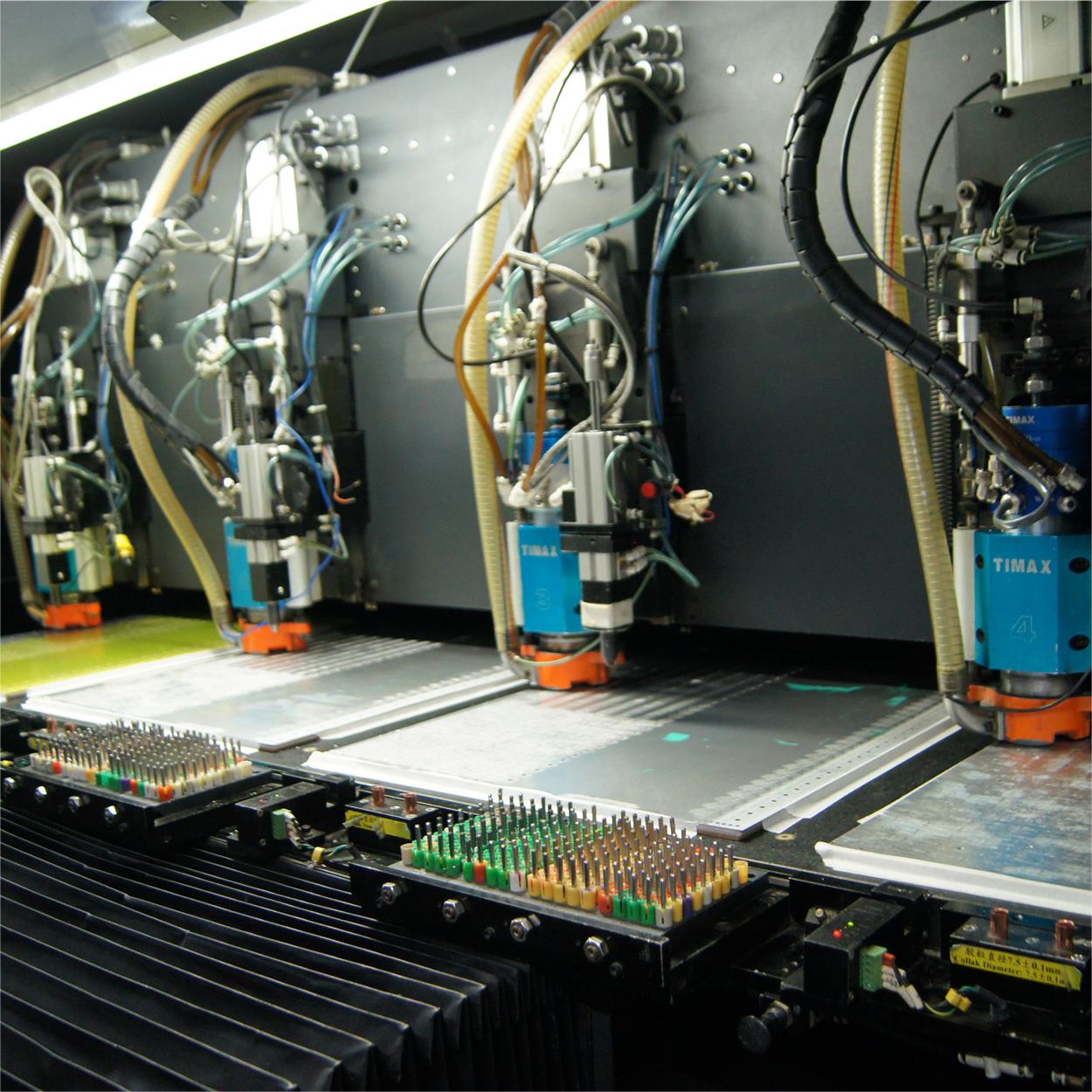
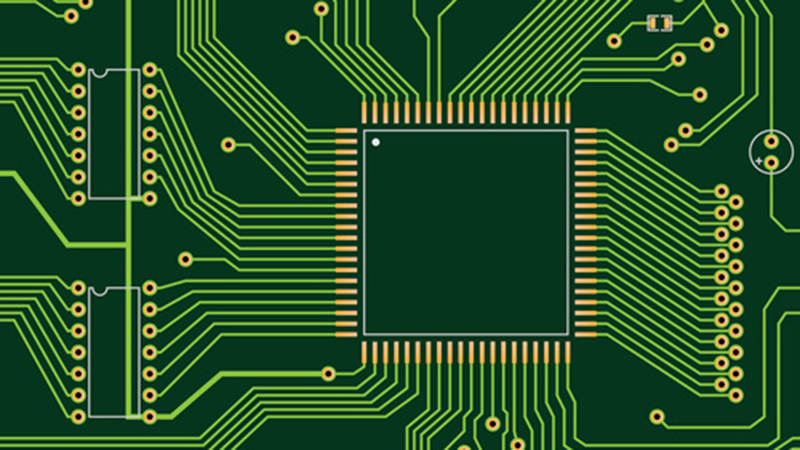
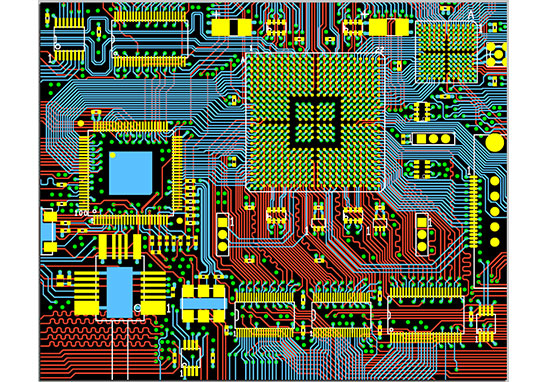
The drilling of the traditional PCB board is affected by the drilling tool, and when the drilling aperture reaches 0.15mm, the cost is already very high, and it is difficult to improve again. The drilling of HDI board no longer relies on traditional mechanical drilling, but uses laser drilling technology. (This is why it is sometimes called a laser plate.) The hole diameter of the HDI board is generally 3-5mil (0.076-0.127mm), the line width is generally 3-4mil(0.076-0.10mm), the size of the pad can be greatly reduced, so more line distribution can be obtained within the unit area, and the high-density interconnection comes from this.

Smaller device spacing, more I/O pins and embedded passive devices Larger ASiCs and FPGAs with increasingly shorter rise times and higher frequencies all require smaller PCB feature sizes, which is driving a strong demand for HDI/ micro through-holes. The typical high density interconnector designs are including:

  • 1+N+1
  • 2+N+2
  • 3+N+3
  • 4+N+4
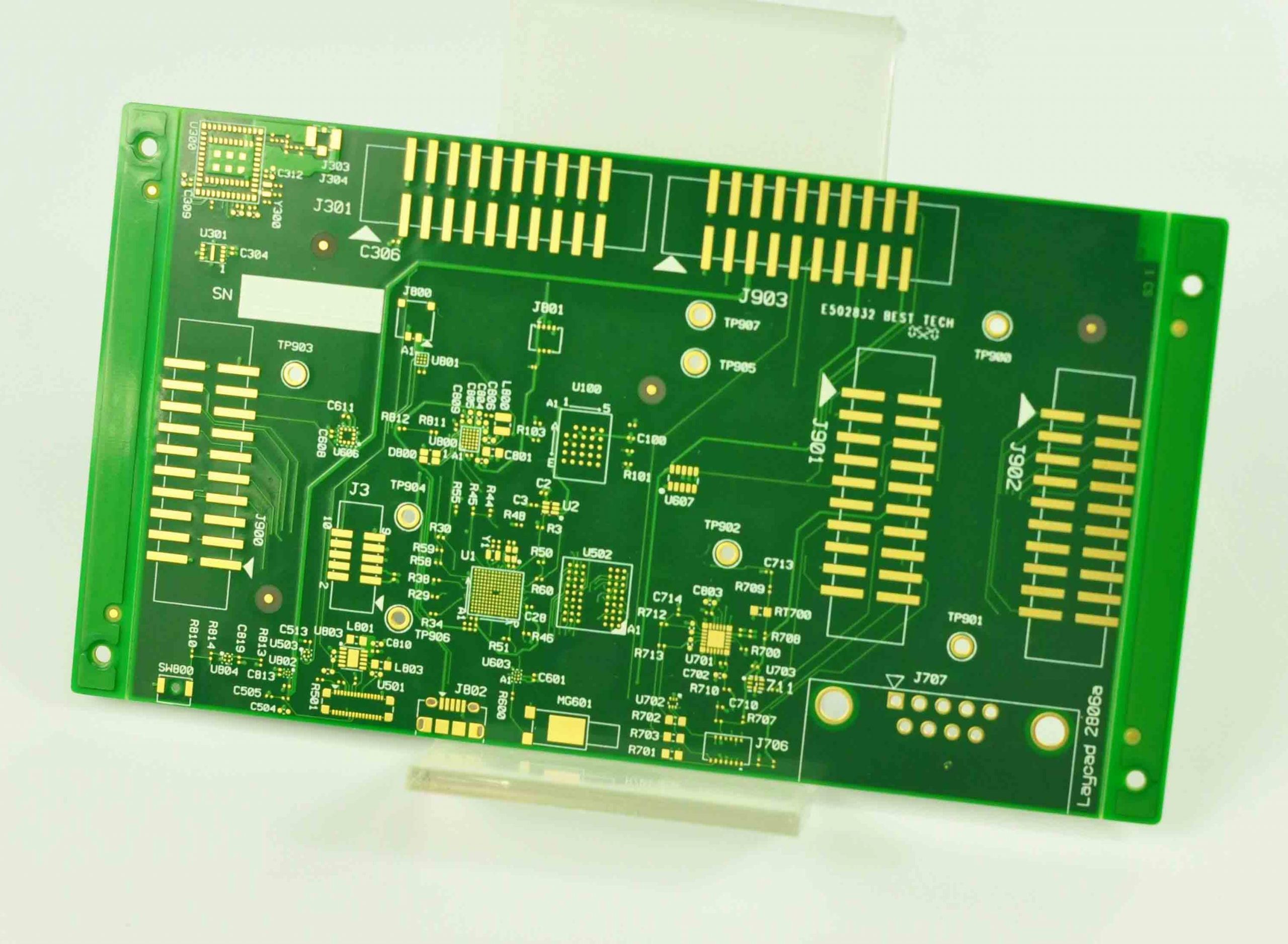
HDI PCB

What are the benefits of HDI PCB?

HDI is a compact circuit board designed for small volume users. Compared with ordinary FR4 PCB, the most significant feature of HDI is the high wiring density, and the difference between the two is mainly reflected in the following three aspects.

1. HDI is smaller and lighter

HDI board is a traditional dual panel as the core board, through continuous stacking layer by layer. This kind of circuit board made by continuous layering is also called Build-up Multilayer (BUM). Compared with traditional circuit boards, HDI circuit boards have the advantages of “light, thin, short and small”.

The electrical interconnection between the HDI board is realized through the conductive through hole, buried hole and blind hole connection, its structure is different from the common multi-layer circuit board, and a large number of micro-buried blind holes are used in HDI board. HDI uses direct laser drilling, while standard PCBS usually use mechanical drilling, so the number of layers and aspect ratio tend to be reduced.

The high density of HDI board is mainly reflected in the hole, line, pad density, and layer thickness.

● Micro-via hole

The HDI board contains the design of micro-pilot holes such as blind holes, which is mainly reflected in the micro-hole formation technology with a diameter less than 150um, and the high requirements of cost, production efficiency and hole position precision control. In the traditional multilayer circuit board, there are only through holes and no tiny buried blind holes.

● Fine line width and line distance

Its main performance in the wire defects and wire surface roughness requirements are more and more stringent. Generally, the line width and line distance do not exceed 76.2um.

● High pad density

The density of welded contacts is greater than 50 per square centimeter.

● Thinning of medium thickness

It is mainly manifested in the trend of the thickness of the interlayer medium to 80um and below, and the thickness uniformity requirements are becoming more and more stringent, especially for high-density plates and packaging substrates with characteristic impedance control.

2. Better electrical performance

    HDI not only enables end-product designs to be miniaturized, but also to meet higher standards of electronic performance and efficiency at the same time.

    The increased interconnect density of HDI allows for increased signal strength and improved reliability. In addition, the HDI board has better improvement for RF interference, electromagnetic wave interference, electrostatic discharge, heat conduction and so on. HDI also uses full digital signal process control (DSP) technology and a number of patented technologies, with a full range of load adaptability and strong short-term overload capability.

    3. The HDI board has very high requirements for buried holes

    It can be seen from the above that whether it is the volume of the board, or the electrical performance, HDI is better than ordinary PCB. Where the coin has two sides, the other side of HDI is as a high-end PCB manufacturing, its manufacturing threshold and process difficulty are much higher than ordinary PCB, and there are more problems to pay attention to when producing – especially the buried hole jack.

    What are the basic parameters of HDI PCB?

    HDI PCB has greater different with normal FR4 PCB, from the stack up, material selection, manufacturing and cost. So, it is vital to understanding the basic parameters of a high-density interconnect board before start your designing trip. The standard parameters of HDI board mainly include the following aspects:

    1. Numbers of layers

    Generally, the number of layers of HDI board is 4-20 layers, and the high-end HDI board can reach to 40-50 layers.

    • Line width/spacing

    Due to the HDI PCB are always used in high-end applications, their line width and spacing are usually very strict, and the common requirement is that the line width/spacing is 4/4mil (0.1mm), or even smaller.

    • Blind hole, buried hole, bus

    These are one of the characteristics of the HDI board, blind hole and buried hole can reduce the area of the circuit board, make your design more density, and the bus enable to improve the signal transmission rate of the PCB.

    • Board thickness

    The board thickness of HDI board is usually range from 0.8 to 3.2mm, of which 1.6mm is the most common thickness.

    • Pad

    The pad on the HDI board is generally very small, and the common pad size is 0.2mm to 0.5mm. Different factory has different capabilities, it is best to ask your supplier or manufacturer to get a manufacturing capability document.

    • Impedance control

    For high-speed signal transmission circuits, the impedance control of the HDI board is very important, and the requirements are very strict. It is needed to tell your vendor if your HDI board will be used in high-speed devices.

    • Material

    The main materials of HDI board are FR4, BT, PI, PET, etc. Different materials can meet different requirements.

    This is the end of this sharing, contact us today to learn more about our HDI PCB solutions and how we can help you achieve your technological goals. In our next chapter, we will introduce the manufacturing process and methods of HDI boards, let me know if you are interested in it.

    What Should We Consider When Designing A High Power PCB?

    June 1st, 2024

    With the continuous growth of new energy demand and the transformation of energy structure, the market size of high-power technology continues to expand. The high power pcb includes heavy copper pcb, bus bar pcb. As an important part of the battery module in the energy storage system, the high power PCB plays a key role in the safety and performance of the entire system. This article explores key considerations when designing high power PCBs, providing insights to help you optimize your designs for demanding applications.

    How Important is Thermal Management in High Power PCB Design?

    Thermal management is crucial in high power PCB design to prevent overheating and ensure reliable operation. High power components generate significant heat, which can damage the PCB and reduce its lifespan if not managed effectively. Here are some key strategies:

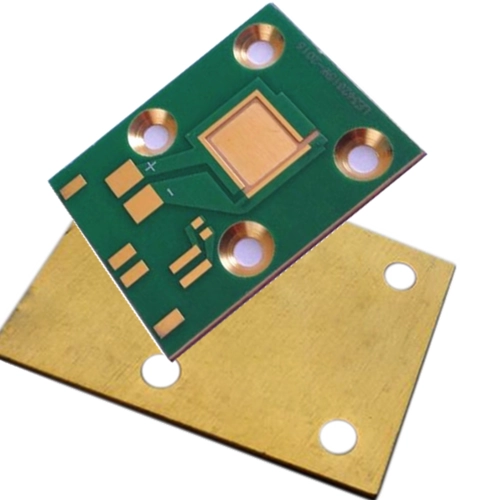
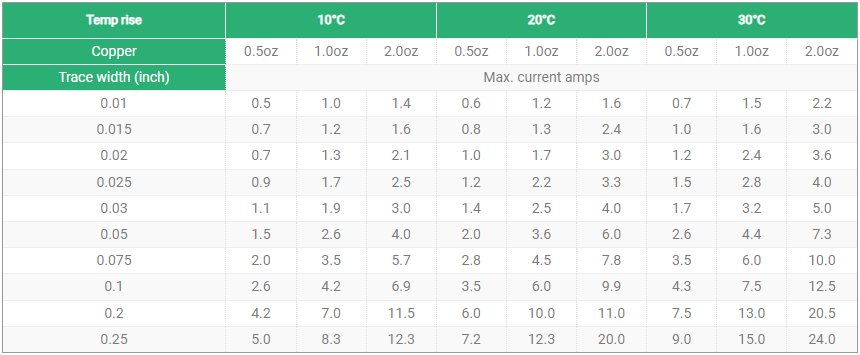
    1. Use thicker copper layers to improve thermal conductivity as much as possible. For example, a 2 oz/ft² copper layer can carry approximately 10 amps of current.
    2. Thermal Vias are important elements in the complex designs, they serve as the heat dissipation paths to conduct heat away from high power components.
    3. Select appropriate heat sinks based on the power dissipation requirements. For instance, a heat sink with a thermal resistance of 1°C/W can handle 50W of power dissipation with a 50°C temperature rise.
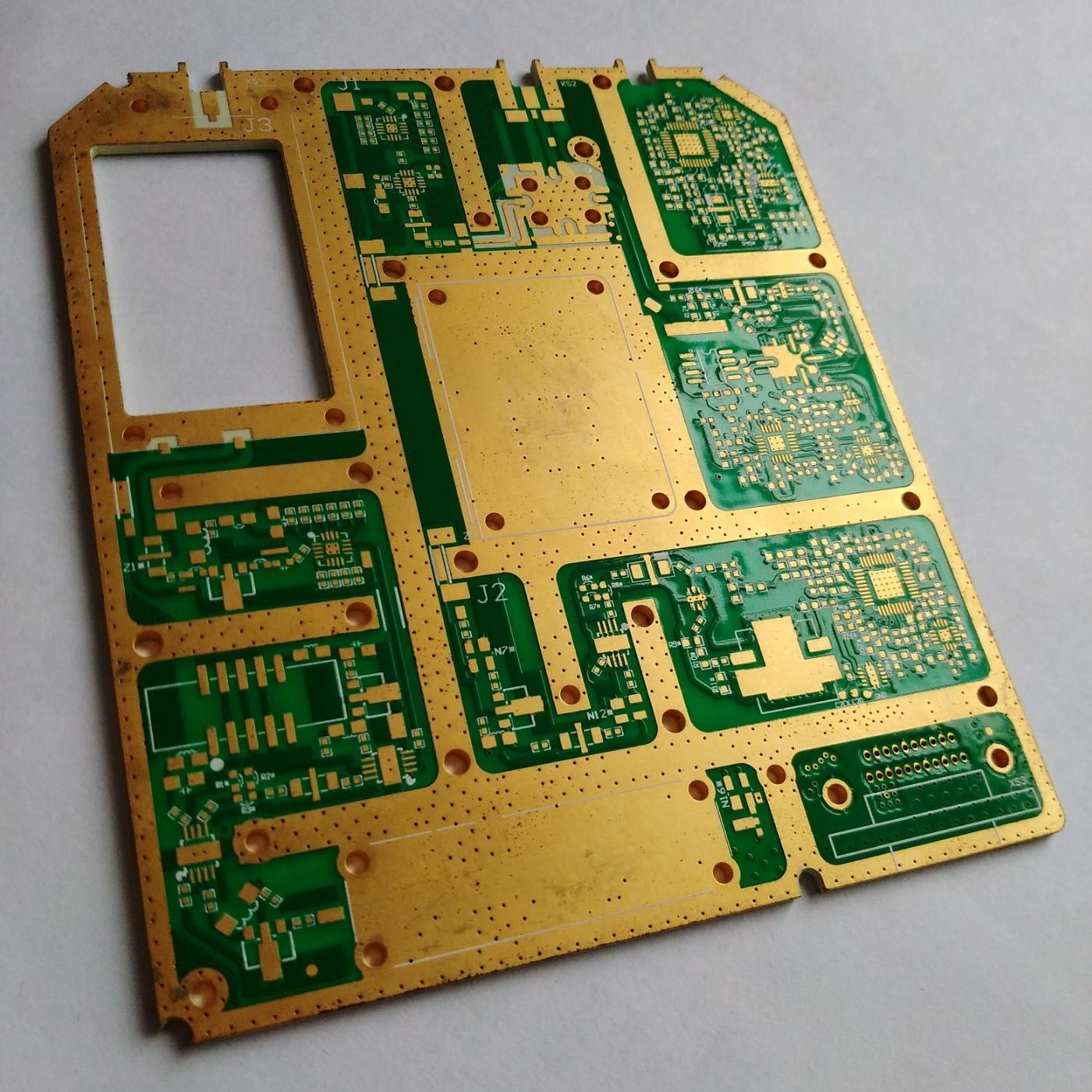
    high power bus bar pcb

    How to Optimize Power Distribution in High Power PCBs?

    Normally, high power PCBs are featuring in thick copper thickness, wider trace space and distance, less or no BGA or fine pitch components. And because of the operation of high current, the circuit board is more likely to have the problem of heating, so the high-power PCB always do some heat treatment to avoid overheating, such as design dissipation via holes or adding some heat sinks. Anyway, effective power distribution is essential to ensure stable operation and prevent voltage drops in high power PCBs. Here we summarize some tips to optimize the power distribution when designing a high-power PCB.

    High-Performance Materials

    Choose materials suitable for high current applications like FR-4, metal substrates, or composite materials. These materials have lower resistance, higher thermal conductivity, and better mechanical strength to handle high currents and heat concentration.

    Current Distribution Balance

    Implement balanced current distribution by adding current balancers, balancing resistors, or current balance layers. This reduces the resistance and hot spots, enhancing reliability and stability.

    Avoid Cross-Talk Between Power and Signal Traces

    Keep high current paths separate from digital signal paths to minimize interference. This reduces electromagnetic interference (EMI) and improves overall performance.

    Solid Copper Pour for High Current Paths

    Use solid copper pours for high current paths. This increases current-carrying capacity, improves heat dissipation, and minimizes voltage drops.

    Thermal Management for Power Paths

    Use large copper areas, vias, and exposed copper to enhance heat dissipation. Proper thermal management prevents component and product damage due to overheating.

    EMC Radiation Control

    Use wider trace widths, larger hole diameters, and increased spacing to manage EMC radiation. Keep high current paths short and place them away from sensitive components.

    Why is Copper Thickness Critical in High Power PCB Design?

    Copper thickness plays a vital role in determining the current-carrying capacity and thermal performance of high power PCBs. Here are some data points:

    Standard Thickness: For high power applications, copper thickness typically ranges from 2 oz/ft² to 6 oz/ft².

    Current Capacity: A 2 oz/ft² copper layer can handle approximately 10 amps, while a 6 oz/ft² layer can carry up to 30 amps.

    Thermal Performance: Thicker copper layers improve heat dissipation, reducing the risk of overheating.

    How Does PCB Layout Affect Signal Integrity in High Power Designs?

    PCB layout is a critical factor that influences signal integrity and overall performance in high power designs. Consider these points:

    Trace Length: Minimize the length of high-speed signal traces to reduce signal loss.

    Consistent Trace Widths: Maintain consistent trace widths to ensure uniform current distribution.

    Separation of Power and Ground Planes: Reduces noise and crosstalk.

    Differential Pairs: Use differential pairs for high-speed signals to enhance signal integrity.

    Adequate Spacing: Ensure adequate spacing between traces to prevent interference.

    high power pcb

    Designing a high power PCB requires a comprehensive understanding of various factors, including thermal management, material selection, power distribution, copper thickness, and PCB layout. By addressing these considerations, you can optimize your PCB designs for high power applications, ensuring reliability and performance. At Best Technology, we specialize in high power PCB solutions tailored to meet your specific needs. Our expertise and commitment to quality make us the ideal partner for your high power PCB projects. Choose Best Technology for unparalleled performance and reliability in your PCB designs.

    What is the Flexible Aluminum PCB?

    May 29th, 2024

    Flexible aluminum PCB is a new development in the recent years, it enables people decrease the size of certain products in some area. Different from the rigid flex PCB, flexible aluminum PCB combines the flex circuit and aluminum core circuit board (or can be copper core PCB), so it has the rigidity and good thermal management of traditional Aluminum PCBs with the flexibility of polyimide, these hybrid boards offer a host of advantages.

    To increase the thermal conductivity in high power applications, and meet the flexibility requirements, flexible aluminum PCB is a good option. This article explores the key benefits of flexible Aluminum PCBs, highlighting why they are becoming increasingly popular in various applications.

    flexible aluminum pcb

    What is Flexible Aluminum PCB?

    Flexible aluminum PCBs are a type of printed circuit board that uses an aluminum base material and is designed to be flexible. Unlike standard aluminum PCBs, these boards can bend and conform to different shapes, making them ideal for applications where space and flexibility are crucial. And Have you ever heard about our another aluminum board that we called bendable aluminum PCB? This is a special metal core circuit board that uses special material makes the circuit board bendable while won’t damage the board. May you think both of two are the same product? No, they are different in the constructure and raw materials, and the manufacturing processes are different as well.

    Bendable aluminum PCB uses aluminum alloy as the raw material, considering it must meet the bendable requirement as well as the good thermal management during using, it must be specially designed aluminum alloy composite material. And the aluminum base thickness also is a key consideration, 0.2mm to 1.0mm always are the common bending metal substrate thickness. Meanwhile, the bending radius of bendable aluminum PCB also should be calculated before manufacturing, making it follow the bending design standard to smooth the manufacturing. It is the same as flexible aluminum PCB.

    bendable aluminum pcb

    What Are the Constructure of Flexible Aluminum PCB?

    Flexible aluminum PCBs combine the benefits of aluminum’s excellent thermal management with the flexibility required for modern electronic designs. These PCBs are constructed using a combination of materials and layers that provide flexibility, durability, and efficient heat dissipation. And compared with original aluminum PCB, it adds the flexible insulation layer and the content of adhesive glue is different.

    • Aluminum base layer

    The aluminum base layer serves as the foundation of the flexible aluminum PCB. It provides structural support and excellent thermal conductivity. Typically, high-quality aluminum is used for this layer due to its superior thermal properties and mechanical strength.

    • Dielectric layer

    It acts an insulator between the aluminum base and copper foil, it can allow the heat pass through while electrically insulating the conductive pathways.

    • Copper foil

    The copper foil forms the conductive pathways that carry electrical signals and power across the PCB. It is essential for the functioning of the electronic components connected to the PCB.

    • Flexible layer

    Common materials for this layer include polyimide (PI) or polyester (PET), both known for their flexibility, thermal stability, and insulating properties. It contributes to the overall flexibility of the PCB, allowing it to bend and conform to various shapes.

    • Protective overlayer

    This layer is applied over the copper circuits to protect them from environmental factors such as moisture, dust, and physical damage. It also provides mechanical support to the flexible areas. Normally called solder mask layer.

    The Difference Between Flexible Aluminum PCB and Flex Circuits

    While both aluminum flex PCBs and flexible printed circuits (FPCs) offer flexibility, they differ significantly in their materials and manufacturing costs:

    ItemFlexible Aluminum PCBFlex Circuit (FPC)
    Base MaterialAluminum corePolyimide or PET
    Conductive MaterialCopper foil and aluminum for the conductive tracesVarious materials like polyimide, PET or the copper foil
    FlexibilityLimited in specific areaFlexible everywhere
    Thermal ConductivityHigh thermal conductivityDepends on the material used
    Manufacturing ProcessComplexRelatively simple
    Specific AdvantageFast heat dissipationGeneral part in electronics
    CostHighCost-effective
    (Comparison between flexible aluminum PCB and flex circuit)

    What Are the Benefits of Using Flexible Aluminum PCB?

    Flexible aluminum PCB has numerous advantages that make it highly preferrable for specific applications, including:

    • Excellent thermal management

    Due to the applied of aluminum base, efficient heat dissipation prevents overheating and extends the lifespan of electronic components.

    • Lightweight and flexible design

    Due to the flexible and lightweight features in the flex aluminum PCB, it can be bent and shaped the PCB reduces the need for additional connectors and saves space in compact designs.

    • Improve reliability

    Aluminum based PCB has good durable, ensures the long-lasting performance of the whole product, even in harsh conditions.

    • High density integrated

    The flexible aluminum PCB allows for the higher density circuit layouts than normal aluminum PCB.

    • Effective electromagnetic shielding

    Aluminum material provides electromagnetic shielding in a certain degree, which helps to reduce the impact of electromagnetic interference on the circuit.

    flexible aluminum pcb

    How to Choose A Reliable Flexible Aluminum PCB Manufacturer?

    Selecting the right manufacturer for flexible aluminum PCBs is crucial for ensuring quality and reliability. Make sure your supplier has extensive experience in this field and obtained relevant certifications like UL, CE, ISO9001 and so on.

    Best Technology is a China-based PCB and PCBA manufacturer, who has over 17-years-experience circuit board manufacturing. At Best Technology, we specialize in providing high-quality flexible aluminum PCBs tailored to meet your specific needs. And we were certificated by ISO9001 quality control system, ISO13485 for medical device and IATF16949 for automotive system. Our expertise and commitment to excellence ensure that you receive the best solutions for your electronic applications. Choose Best Technology for your PCB requirements and experience the benefits of advanced PCB technology.

    What Is the Importance of Ground Plane in PCB EMC Design?

    March 30th, 2024

    In the design of electronic products, electromagnetic compatibility (EMC) is a crucial consideration. Particularly in the design of printed circuit boards (PCBs), the rationality of EMC design directly impacts the performance and stability of the product. Among the many factors affecting EMC, one factor is especially critical, and that is the design of the ground plane. Today, let’s talk about the impact of grounding on EMC.

    In an electronic product, grounding is a very important element, it is directly related to EMC compliance. Especially in large equipment, the grounding of multiple systems and subsystems is involved. It can be said, a good grounding system means the half successfully of a product.

    What are Ground Plane and EMC in a PCB?

    The ground plane, as the reference potential in a circuit, not only carries the return path of current but also plays a role in electromagnetic shielding and noise suppression. In high-frequency circuits, the impedance and layout of the ground plane have a significant impact on signal integrity. Unreasonable ground plane design may result in signal interference, increased radiation, and decreased system stability.

    EMC stands for Electromagnetic Compatibility. It refers to the ability of electronic devices and systems to operate properly in their intended electromagnetic environment without causing or experiencing interference. EMC ensures that devices can function without adversely affecting other devices nearby or being affected by electromagnetic interference from external sources. Generally, the ground planes will showing three shapes, please see as following:

    Why A Grounding Must be Designed in PCB?

    Grounding can be understood as an equipotential point or plane serving as the reference potential for a circuit or system, which can be a specific ground layer in a PCB or the metal chassis of a product. While many perceive the purpose of designing a ground plane primarily to prevent external electromagnetic interference (EMI), but in printed circuit board design, it serves multiple purposes beyond this.

    Generally, a well-designed ground provides a common reference zero potential for all circuit units within a system, ensuring no potential difference between circuits and thus stable operation. It also protects circuits from damage, ensuring the safe functioning of electronic products. For instance, ground can provide discharge paths for transient disturbances and dissipate accumulated charges on product metal enclosures induced by static electricity, to prevent potential sparks that may cause interference internally. Additionally, choosing appropriate grounding for shielding structures can yield effective electromagnetic shielding.

    Grounding design is very necessary especially for medical industry. As we know, there are many medical devices are directly connected to patients’ bodies, such as monitors. In cases where the chassis carries voltage due to poor grounding, fatal risks may arise. Furthermore, grounding reduces common-mode interference currents flowing through PCBs and prevents high-frequency EMI signals within products from reaching equivalent radiating antennas. Thus, grounding is typically a primary method for noise suppression and interference prevention.

    Design Principles of Ground Plane in PCB

    A well-designed grounding system should not only consider the radiation and conduction of individual PCBs but also prevent from a systemic perspective. In the design phase, failure to carefully consider the grounding system may indicate a high likelihood of EMC failure for the system. So, knowing the design principles is extremely important to make sure the successful of EMC.

    • Keep it short and wide

    To reduce the impedance of circuits, especially in high-frequency circuits, the ground plane should be made as short and wide as possible. This helps to minimize the return path of the current, thereby reducing EMI.

    • Partition layout

    For complex PCB designs like multilayer PCBs, it is recommended to use a partition layout to separate the ground planes of different functional modules. This helps to isolate noise interference between different modules.

    • Single-point ground and multipoint ground

    Depending on the circuit’s operating frequency and signal characteristics, choose between single-point grounding or multipoint grounding. Single-point grounding is suitable for low-frequency circuits, while multipoint grounding is more suitable for high-frequency circuits.

    PCB_ground_plane_design
    • Ground plane

    Where possible, use a ground plane as the ground. The ground plane can provide a low-impedance return path and aid in electromagnetic shielding.

    How to Optimize Your Grounding Design?

    As for PCB that has already design the circuit layout, how to optimize the ground to get the maximum EMI? Here are some tips that may helpful for you.

    • Fill the blank areas of the PCB with ground planes to increase the ground plane’s area and reduce impedance.
    • Reducing the area of ground loops helps to decrease electromagnetic radiation and induced noise.
    • Power lines and ground planes should be placed as close as possible and run parallel to reduce the area of the current loop.
    • Placing decoupling capacitors between power and ground planes helps to filter out high-frequency noise.
    Semi_flexible_pcb

    In PCB EMC design, ground plane design is an essential step that cannot be ignored. By following the principles and optimization methods of ground plane design, the EMC and signal integrity of electronic products can be significantly improved. Therefore, in PCB design, sufficient attention and consideration must be given to ground plane design. Welcome to contact Best Technology if you want to know more about ground and EMC design.

    Top 6 Considerations You Must Know About PCB Designs

    March 27th, 2024

    Electronics devices and parts are existing everywhere in this big data era, and more and more engineers trying to step in the electronics design and development. As a one-stop PCB and PCBA manufacturer in China, Best Technology would like to share some basic considerations and tips during the PCB designs. Hope this can help you.

    Substrate Material

    Substrate is the main composition of a circuit board and it mainly used for suppler and copper foil insulation. The commonly materials are FR4 and PI. FR4 is a widely acceptable international grade for fiberglass reinforced epoxy laminated, and it always used for making rigid PCB or rigid-flex PCB. FR4 substrate has good insulation and mechanical strength, so it can be widely used in various applications. However, PI has higher heat and chemistry resistance, more suitable for high temperature and chemical corrosion environment.  

    Circuit Layout

    The layout design depends on the dimensions, performance and reliability of a circuit board, it is needed to follow your supplier’s standard to make sure the fast production time and high quality.

    • Min line width

    Please make sure your line width within your supplier’s manufacturing capability, that is to say, if it is less than the minimum line width will not able to be produced. The best way is if the design conditions available, the larger the line width, the better the factory production. Generally, the line width keeps around 10mil is the best. In another word, if your line width is less than normal standard, it would be difficult for you to find a suitable supplier.

    • Min line spacing

    Min line spacing means the distance between trace and trace. Normally, from the production aspect, the distance from line to pads should not less than min line spacing, and it would be better if it is larger, generally equal to or more than 10mil.

    • The spacing between circuit to outline should be control in 20mil.

    Plug-in Hole

    The diameter of plug-in hole should be considered by the side of components, but it is necessary that it must greater than the component’s pins, it is recommended that greater at least 0.2mm. That is to say, if the pin of components is 0.6mm, then the plug-in holes should be greater than 0.8mm. Otherwise, the plug-in components would be probably difficult to insert into PCB because of the tolerance control during the manufacturing and assembly. 

    Min Hole Diameter

    As we all know, the holes in PCB almost be used for mounting components, connect circuit and provide the electrical connection between layers. So how to design the hole also is crucial during the designing. Generally, the min hole diameter depends on the drill bitter that vendor used, always around 0.2-0.4mm. You can ask your supplier during the design evaluation.

    Copper Thickness

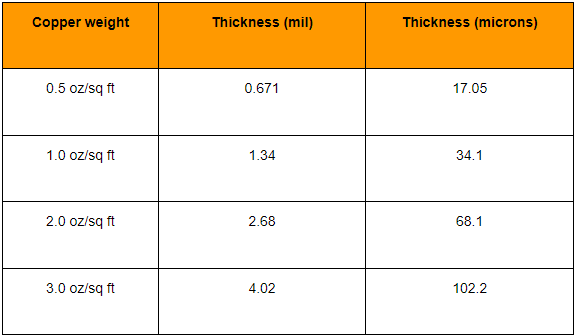
    Copper foil is a layer of metal foil on the PCB board that is used to conduct current. The thickness of copper foil is usually in oz (ounces), such as 1oz, 2oz, 3oz, etc. The thickness of the copper foil will affect the conductivity and heat dissipation performance of the PCB board.

    Impendence Control

    Impedance control is a key parameter in high-speed signal transmission and high-frequency circuit design. It involves board thickness, copper foil thickness, substrate dielectric constant, pad and line layout and other factors to improve the signal integrity and anti-interference ability of the PCB board.

    The production process of PCBs is rather complex, involving a wide range of techniques from simple mechanical processing to sophisticated machining, so you should understand the design rules very clearly when you are trying to design a PCB board. Its applications are also diverse, from consumer electronics to industrial machinery, where PCBs are utilized.

    Best Technology offers one-stop PCB solutions, we offer service from prototyping to large-scale production and assembly. With experienced engineers and service teams, we ensure successful fulfillment of your requirements. Just send us with your design files, and we will make the circuit board for you in a very short time.

    Do You Know What Is PCB Stiffener Busbar?

    March 27th, 2024

    Busbar PCB is an electronic component, also known as a socket board or mother board, which is an important part of an electronic device and is used to connect and transmit current and signals, so it plays a crucial role in the design of electronic devices. Busbar PCB is like a PCB coated with an “ear”, which we also call it as stiffener busbar. Want to know more about it? Welcome to reading on!

    (Busbar_pcb)

    What is PCB Stiffener Busbar?

    A busbar circuit board is a key component used in electrical systems. It usually consists of a main conductive busbar (usually copper or aluminum) that is covered with an insulating material such as prepreg or resin. Busbar boards are used to transmit high currents in power systems, such as in industrial equipment, power distribution systems, and control panels.

    These boards typically have multiple slots for inserting electrical connectors or electrical devices. The design of the bus board can be customized according to the specific application requirements to adapt to different current and voltage requirements. They are widely used in the industrial and commercial sectors because they provide reliable power transmission and connectivity solutions.

    (Busbar_aluminum_pcb)

    What Are Benefits of Using a Busbar PCB?

    Busbar stiffener pcb serves as a crucial element of conducting electricity, especially when simplifying the power distribution process, saving costs and requiring greater flexibility. They come in a variety of sizes and different coatings, such as aluminum and copper. The material type, dimension, size and shape of the busbar determine the current capacity it can carry. Compared with a coil harness, though it is expensive in manufacturing, but has longer life and does not need to replace in a short time. Here we listing some benefits of busbar PCB:

    • Efficient Power Distribution

    With the fast development of new energy cars and vehicles, the electronic parts in the cars also should updated to meet the demands of renewable energy powers. So the busbar PCB stands out because it can distribute the powers in devices efficiently. Meanwhile, it also can help to reducing the consumption of energy. Because of its integrated nature, it can easily adapt to the integration of renewable energy, which is quite intriguing to consider in this advanced era of energy.

    • High Conductivity

    The busbar stiffener on a PCB is typically crafted from either copper or aluminum. Copper, renowned for its excellent conductivity, stands out as the preferred material for busbars due to its capacity to facilitate the flow of electrons. Moreover, copper’s robust nature enables it to withstand harsh environmental conditions and high temperatures, thus bolstering its longevity and durability. But if you want PCB that can carry higher conductivity, ceramic PCB is the best choice but a little bit higher cost.

    (Busbar_copper_pcb)
    • Can be Customized

    Busbar is a highly customization product in PCB design, it offers various options for its mechanical capability. So maybe you can find it in every industry, such as educations, medical instruments, factories, communications and various electronic devices. Tight space and compact devices require substitute electrical distribution, and busbars serve the purpose right. Due to its high compact and strong mechanical and chemistry, busbar PCB can be used in extremely harsh weather. This makes them a good choice in substations or devices that need to used outdoors.

    • Space Saving

    Due to the copper materials mounted on the PCB, Busbar PCBs can replace multiple traces with a single, wider conductive strip, saving valuable space on the board. This compact design is particularly useful in applications where space is limited. In addition, busbar PCB provides multi-layer structure when your design is complex and has density traces network.

    By means our extensive PCB & PCBA manufacturing and professional engineering team, we are highly able to build and design busbar PCBs according to your specific requirements. Meanwhile, we follow the strict quality system to make sure the high-quality of products. You are welcome to contact us or send e-mail if you want to make such busbar stiffener PCB.

    Top 1 Design and Manufacturing Considerations for Bendable Aluminum PCBs

    March 7th, 2024

    You know, bendable aluminum PCBs have gained prominence in various electronic applications due to their unique ability to flex and conform to curved surfaces. Unlike traditional rigid PCBs that are commonly composed of materials like fiberglass , these PCBs utilize aluminum as the base material, allowing it bendable and flexibility when needed. Compared to the rigid characteristics of traditional metal core PCB, bending aluminum PCB can be adapted to specific space requirements and shape requirements. In this article, we will introduce the characteristics of bendable aluminum PCBs and explore the key considerations that engineers and manufacturers need to pay attention during the design and production process.

    What Are the Benefits of Bendable Aluminum PCBs?

    May some designers are reraly to know the bendable aluminum PCB, in their congnition, the bendable PCBs are including flex circuits, rigid flexible circuit and FFC, and aluminum PCB is classfied into one of rigid PCB. But here, Best Technology is so proud to say, we have developed bendable aluminum PCB and we can manufacture it with fast delivery and high-quality, this is what we prouded.

    The primary advantage of bendable aluminum PCBs is their flexibility. They can be bent and shaped to fit into various form factors and designs, making them suitable for applications where space is limited or where flexibility is required and traditional rigid boards are not ideal. Common applications include wearable devices, curved displays, and other electronic systems with unconventional form factors.

    Additionally, bendable aluminum PCB has the advantages of aluminum, so it has good heat dissipation and higher thermal management than traditional PCBs. This feature is crucial for maintaining the reliability and performance of electronic devices, especially those operating in high-temperature environments.

    Considerations During the Design Process

    Al Material Selection:

    Considering that it is a bendable aluminum substrate, it must be satisfied that the material selection should be bendable but at the same time have good heat dissipation of the metal base. This aluminum base material is a specially designed aluminum alloy or aluminum base composite material. Meanwhile, the thickness of the material is critical, such as the material is generally from 0.2mm to 1.6mm, of which 0.2mm to 1.0mm is the more common bending metal substrate thickness.

    Flexibility Requirements:

    Defining the flexibility requirements is a crucial step in the design process. The degree of bending, bending radius, and any other factors related to flexibility must be clearly defined based on the intended application. For instance, a wearable fitness tracker might require a specific bending profile to comfortably conform to the curvature of the wrist.

    Also note that the bending radius is different for materials of different thicknesses. In general, a smaller bending radius usually corresponds to a thinner board material, while a larger bending radius can accommodate a thicker board material.

    Circuit Layout:

    The layout of the circuit components plays a pivotal role in ensuring the longevity of bendable aluminum PCBs. Designers should strategically plan the arrangement of components to accommodate bending without subjecting critical elements, such as sensors or microcontrollers, to excessive stress. Even distribution of components contributes to a balanced bending profile.

    And the pad should not be designed at the bend of the bending, which will cause damage to the assembly components after bending, or even no way to bend. In addition, the welding pad near the bending cross should also be kept away from the bending line to avoid collision and extrusion of the components after bending.

    Bending Radius:

    Determining the minimum bending radius that the PCB can tolerate is essential for preventing structural damage or compromise in electrical performance. Specific bending radii should be defined based on the application’s needs. For example, a bendable aluminum PCB designed for a wearable device might need to withstand repeated bending with a predefined radius.

    Dielectric Layer:

    Choosing an appropriate dielectric material is crucial for maintaining insulation between different layers of the PCB. The dielectric layer should possess flexibility to withstand bending without compromising its insulating properties.

    As we know, when design the aluminum PCB, the thermal conductivity is also important. Bendable aluminum also has the thermal conductivity requirement, but when the thermal conductivity material is higher, the higher the content of ceramic powder in material. And when the content of ceramic powder is higher, the brittleness of the material is higher, and it is easier to break or break after bending. The material of 1W/m.k is more bendable than 3W/m.k。

    (Bendable_MCPCB)

    Considerations During the Manufacturing Process

    Bendable aera line:

    For the production requirements of the light plate, the V-cut mark is generally used to determine the complete line at the bend, and attention should be paid to the depth control of the v-cut, so as not to damage the line.

    Testing and Validation:

    Prototyping is a vital phase in the manufacturing process of bendable aluminum PCBs. Thorough testing and validation are necessary to ensure that the PCB meets the required electrical and mechanical specifications. Bending tests simulating the intended application conditions should be performed to assess the PCB’s durability. such as bending test, bending angle test.

    Generally speaking, after the bare board finished, it’s not bendable to the required angle. In order to avoid bad transportation or collision, some customers require not to bend and they will bend it by themselves. But if the customers don’t want to bend the board by himself, we also can help to bend it, it will require mold and it need to custom the package for shipping. The custom package can help to protect the damage in shipping.

    Collaboration with Manufacturers:

    Close collaboration with experienced PCB manufacturers is key to successful production. Manufacturers with expertise in flexible PCB fabrication can provide valuable insights into the manufacturing process. Working together ensures that the design aligns with manufacturing capabilities, optimizing the production of bendable aluminum PCBs.

    Conclusion

    In a word, the design and manufacturing of bendable aluminum PCBs involve a series of critical considerations to ensure the success and reliability of the final product. From material selection and flexibility requirements to testing, validation, and compliance with industry standards, each step plays a pivotal role in creating PCBs that meet the unique demands of modern electronic applications. By carefully addressing these considerations, designers and manufacturers can unlock the full potential of bendable aluminum PCBs in diverse and innovative electronic devices. Welcome to contact Best Technology if you want to know more.

    What Is Immersion Silver? Why Choose It for PCB Coating?

    February 26th, 2024

    Due to the growing concerns and advocacy for environmental friendliness, as well as the prohibition of harmful substances like lead (tin), an increasing number of industries are moving away from the use of HASL (Hot Air Solder Leveling) technologies for PCB (Printed Circuit Board) surface treatment. The current trend is to use other surface treatments such as OSP, gold plating, immersion tin, immersion silver, ENIG and ENEPIG. Among them, immersion silver becoming a popular choice since it has excellent performance and cost effectiveness.

    What is Immersion Silver Finish?

    Immersion silver finishing is an environment friendly surface treatment that coating a layer of silver (about 0.1~0.4um) on the copper surface to ensure the good solderability when assembly. When comparing its functional performance with other surface finishes like OSP and ENIG, immersion silver falls between them. It exhibits outstanding solderability and exceptional solder joint strength, surpassing OSP, which lacks a conductive barrier. However, when employed as a contact surface, immersion silver demonstrates lower strength compared to gold.

    What is the Working Principle of Immersion Silver?

    Immersion silver finishing uses chemical deposition to finish the whole processes. Electrochemical deposition is a method of reducing and depositing metals onto the surface of an object by controlling the current in a solution. In the immersion silver process, the pad serves as the anode (positive electrode), while silver acts as the cathode (negative electrode), with a current applied between them. This causes silver ions (Ag+) to be reduced to silver metal under the influence of the electric field, subsequently adhering to the pad surface and gradually forming a silver layer.

    The displacement reaction of immersion silver is:

    2Ag+ + Cu = 2Ag + Cu++

    This method utilizes both electrical current and chemical reactions to deposit silver from the solution onto the surface of the PCB pad, creating a uniform and porous silver layer.

    Silver Plated Analyzing: Pros vs Cons

    Before selecting the immersion silver coating, we should understand its advantages and disadvantages to consider whether it is suitable for your PCB project and end-applications.

    Pros of immersion silver:

    1. Cost-effective than immersion gold
    2. Good surface flatness and low contact resistance
    3. Corrosion resistance
    4. Good solderability, especially for BGA chips or smaller components
    5. Environment friendly
    6. High reliability

    Cons of immersion silver:

    1. Difficult to handle, must wear gloves
    2. Special storage conditions – if the package is opened and not all PCBs need to be used, it must be resealed quickly or use them within 24h.
    3. Peelable masks can’t to use

    Important Points You Must Know About Storage

    1. For storage and handling, it needs more careful than immersion tin and OSP.
    2. It is compliant with ROHS and safer than HASL.
    3. In the dry conditions, it can be stored 6-12months.
    4. PCB with immersion silver must be soldered within 24hours if package is unsealed.
    5. If the immersion silver PCB has been stored for more than 12 months, a solderability testing is must before assembling.

    Immersion Silver vs ENIG

    ENIG also is a common surface treatment in the PCB manufacturing, its full name is Electroless Nickel/Immersion Gold finishing. The ENIG technology is a relative expensive than immersion silver, and it suitable for more complex layout design.

    ENIG plating involves safeguarding the copper pads on PCBs by first applying a layer of nickel and then overlaying the copper surface with a thin layer of gold. In essence, the procedure is akin to immersion silver, but it significantly improves PCBs by providing enhanced resistance to oxidation, superior solderability, and excellent surface planarity.

    Let’s review the performance comparison between these two surface treatments:

    Welcome to contact us if you have any questions about immersion silver or other surface treatment.

    How Does the Ceramic PCB Works in IGBT Modules?

    January 19th, 2024

    IGBT (Insulated Gate Bipolar Transistor) is a bipolar junction transistor (BJT) with a MOS gate, or we can say that an IGBT module is a combination of BJT and MOS module. Despite its small size, the IGBT chip can control the transmission of electrical energy. It can switch the current 100,000 times within 1 second under an ultra-high voltage of 650 million volts.

    What is the Working Principle of IGBT?

    IGBT combines the features of a transistor and a switching circuit, making it a new type of electronic component that can control current efficiency. Its structure allows it to achieve current control from turn on to off without generating excessive leakage current, as well as not affecting the operation of other circuits.

    The working principle of IGBT modules including two parts – the current control of MOS gate and BJT transistor. When the voltage of MOS gate changes, it affects the conduction of the transistor, thus controlling the flow of current. When the BJT comes into play, it controls the flow of current, so that improve the working efficiency of the IGBT.

    (Working_principle_of_IGBT)

    How Does A Ceramic PCB Protect IGBT Modules from Overheat?

    As you know, IGBT modules have been applied for many years in various industries such as automotive, industrial, aerospace, consumer electronics, and more. However, optimizing the thermal dissipation of IGBT packaging is crucial to enable the modules to operate at higher power conditions. If heat dissipation is improved, IGBT modules can be used in more advanced applications.

    You might be wondering how much heat does an IGBT module generate during running? It’s equivalent to the heat produced by 100 electric furnaces. This substantial amount of heat must be dissipated immediately from the IGBT chip, that’s why the ceramic circuit board stands out.

    (Ceramic_pcb_with_DPC_technology)

    In IGBT modules, ceramic PCBs are placed beneath the IGBT chip, or we can say the chip is assembled on the ceramic circuit board. The ceramic PCB connects and supports the chip, rapidly dissipating heat to the outer package. This method protects the chip from the adverse effects of heat.

    Why ceramic PCBs Are Suitable for IGBT thermal dissipation?

    Ceramic materials exhibit excellent thermal dissipation and electrical insulation properties. Unlike aluminum metal core PCBs, ceramic PCBs do not use insulation layers that hinder heat dissipation. In the manufacturing process of ceramic PCBs, copper foil is directly bonded to the ceramic substrate under high pressure and temperature (it depends on the different technology and different copper thickness). During PCB manufacturing, IGBT and other components are mounted on the circuit board through assembly technology.

    Ceramic materials have extremely high insulation capabilities, enduring breakdown voltages up to 20KV/mm. At present, there are three ceramic materials that can be used for IGBT modules, they are 99% or 96% Alumina (Al₂O₃), Aluminum Nitride (AlN), and Silicon Nitride (Si₃N₄).

    The thermal conductivity of alumina PCB is 15-35W/mK, aluminum nitride PCB is 170-230W/mK, and silicon nitride PCB is 80+W/mK. In contrast, aluminum core circuit boards only have a thermal conductivity of 1-12W/mK.

    Applications of Ceramic PCBs in IGBT Packaging

    Alumina PCBs are the most commonly used circuit boards in IGBT modules due to their lower cost. But if IGBT modules have higher power or precision requirements, AlN ceramic PCBs and Si3N4 PCBs are the most suitable choices. Because they have higher thermal dissipation and thermal expansion coefficients (CTE) close to semiconductors. Since different ceramic substrate has different features, the uses of ceramic PCB should depend on the specific requirements of IGBT modules.

    In addition, with the development of Silicon Carbide (SiC) and Gallium Nitride (GaN) materials, they are starting to be used for IGBT chips due to their high-frequency, high-power, and high-temperature characteristics. Maybe in the future, aluminum nitride PCBs and silicon carbide PCBs will be increasingly applied to high-power IGBT modules in high-density three-dimensional packaging.

    Common Properties of Using Ceramic Circuit Board

    • Excellent thermal conductivity and voltage resistance of ceramic substrates.
    • Copper trace layers has extremely high current-carrying capacity.
    • Strong adhesion and reliability between circuit layers and ceramic substrates.
    • Good soldering performance, suitable for wire bonding.
    (Ceramic_PCB)

    How to Solve the Overheat Issues in IGBT?

    Though the ceramic PCB is good at heat dissipation, there still some overheat occasions happened if small power or long-time operation. Here we summarized some solutions for such issues.

    1. Clean the heat sink to ensure tight contact between the IGBT and the heat sink.

    2. Clean the fan, including the fan blades and lubricate the bearings if needed.

    3. Clear the airflow path of the fan.

    4. Replace with higher power IGBTs, ensuring the withstand voltage is not lower than the original IGBT’s value.

    Above all are the information that we’d shared, welcome to contact us if you want to know more. Best Technology is a historic company which has over 17 years PCB manufacturing experience, here you can enjoy the one-stop ODM & OEM service, one-to-one after sales, quick delivery and high-quality products.

    What Are Differences of ENIG VS ENEPIG in PCB Manufacturing – Series 1

    January 2nd, 2024

    Surface treatment also called surface finishing, it is a protective layer that through coating a layer of metal organic material on the surface of printing circuit boards (PCBs). Apply a layer of surface treatment enable to protect pads from scratches and oxidation, as well as improve the solderability of components mounting. ENIG and ENEPIG are the two common high-reliable surface finishing types in the circuit board manufacturing, they are not only for FR4-PCB, but also available in ceramic PCB, flex circuits and rigid-flex PCB. Today, Best Team would like to sharing information about ENIG and ENEPIG, and explore the differences between them.

    (Assembled_PCB)

    How to Select the Right Surface Treatment for Your PCB?

    With the rapid development of electronics, there are various of PCB types that can be used in electronic devices, and at the same time, there are also increasingly more surface treatment technics available for selection. Until now, the common surface treatments are OSP, HASL, Immersion Silver, Gold Plating, ENIG and ENEPIG. Each of these surface treatments has its own advantages and disadvantages, so it is necessary to choose the most suitable one for a particular application. The selection of surface finish needs to take into account factors such as cost, application environment, fine-pitch components, the use of leaded or lead-free solder, operating frequency, shelf life, drop and impact resistance, volume and throughput, as well as thermal resistance.

    With PCBs trending towards micro-vias and finer traces, and the drawbacks of HASL and OSP, such as flatness and flux elimination issues, becoming more pronounced, the demand for surface treatments like ENIG continues to grow. In addition, black pad is a major weakness of ENIG while ENEPIG enable to solve it very well, making it a preferred choice for those PCBs need to wire bonding.

    What is the ENIG Surface Treatment?

    ENIG, its full name is Electroless Nickel Immersion Gold, is also known as chemical gold or immersion gold in the electronics industry. This type of surface treatment provides two metal layers—gold and nickel—that manufacturers deposit them on the surface of PCB pads sequentially. This surface finish is a selective surface finish, meaning that certain specific pads may have ENIG surface finish, while others may have different types, such as OSP, HASL, or immersion tin. Here are the main processes of the ENIG coating:

    • Copper activation

    In this step, manufacturers will active the copper layer through cleaning process, this way can help to remove the dust and oxides residual on the surface, but also remove any gases or air trapped in the perforations (holes) of the PCB by wetting the surface. Next, micro-etching the PCB surface using substances like hydrogen peroxide or sulfuric acid.

    • Electroless nickel

    This process is to coat a layer of nickel on the active copper layer by electroplating. The nickel layer serves as a protective layer or inhibitor, which prevent the copper reactive with other elements.

    • Immersion gold

    Immersion gold is the last step of whole ENIG process, immersing the PCB into a mixture, oxidizing the nickel surface, generating nickel ions, and then reducing gold from the mixture. The reduced gold forms a metallic coating to protect the nickel surface. This is the whole process of coating ENIG surface treatment.

    (PCB_with_ENIG_surface_treatment)

    Advantages of ENIG

    • Surface flatness – good for fine-pitch and small size components like BGA.
    • Suitable for press-fit components since it provides a reliable connection for electrical testing.
    • Suitable for wire bonding and gold-fingers connectors.
    • Cost-effective compared with ENEPIG

    Disadvantages of ENIG

    • Black pad issues.
    • Varied coating thickness because of the uncontrolled nickel plated and immersion gold.
    • Poor wettability during PCB assembly.

    All in all, ENIG is a good option if you want to mount fine-pitch components on the PCB surface or if you are considering its use in plug-and-pull devices such as WIFI interfaces. In our next blog, we will introduce ENEPIG surface treatment, including its pros & cons and the differences between ENIG and ENEPIG. Pay attention to our news or contact us directly if you want to know more.