PCB manufacturing PCB manufacturing
Home > Blog

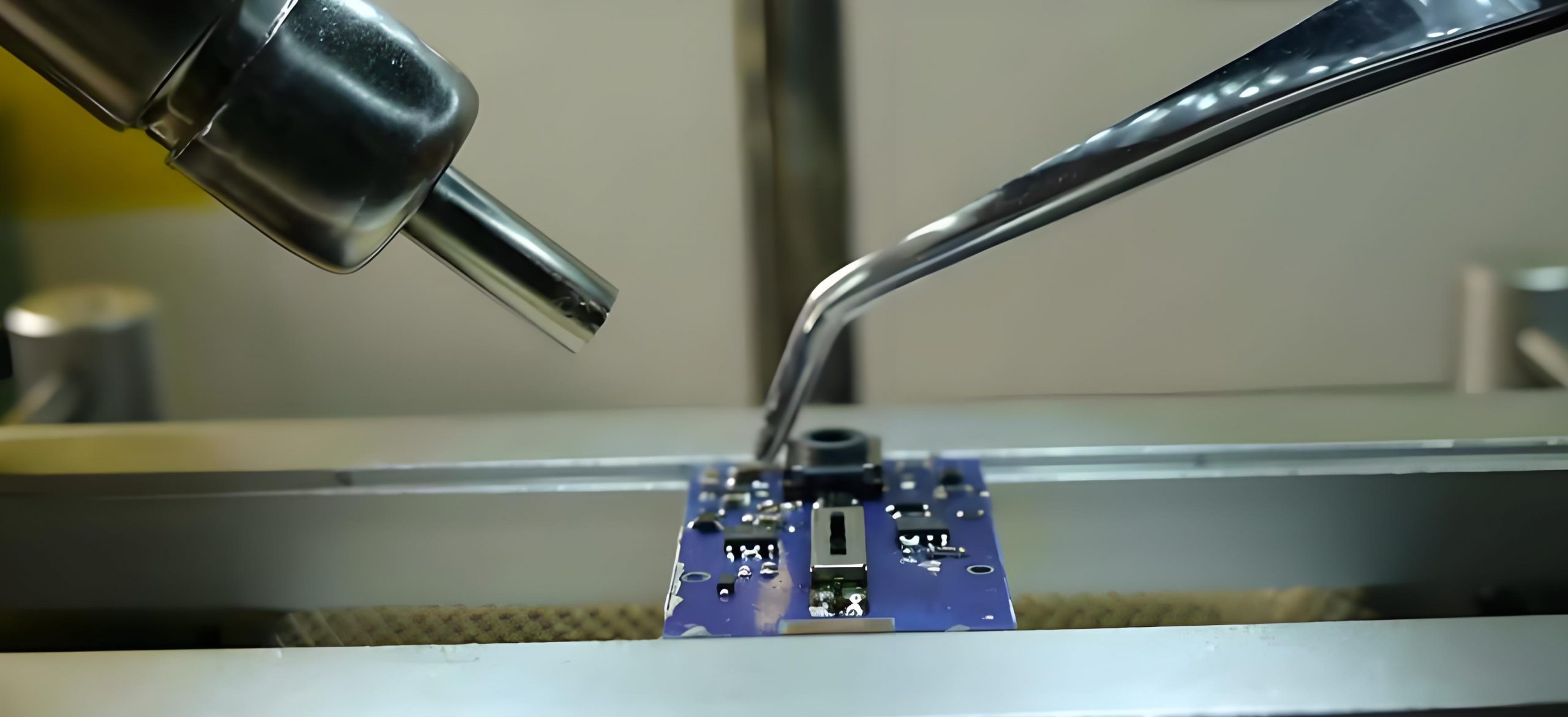
What Nipper to Cut Keyboard PCB?

December 6th, 2024

If you’re into building or modifying mechanical keyboards, you know how crucial it is to handle the PCB carefully. Whether you’re replacing switches, trimming excess leads, or modifying the layout, precision is everything. One wrong cut can ruin a board or lead to performance issues. That’s where choosing the right nipper becomes essential.

In this guide, we’ll explore the different types of nippers you can use for keyboard PCBs, their applications, and how to get the best results. By the end, you’ll know exactly which tool to pick for your next keyboard project.

What Nipper to Cut Keyboard PCB?

Why Is the Right Nipper Important for Keyboard PCBs?

A keyboard PCB is a delicate and vital component that connects switches, diodes, and other elements. Unlike regular DIY tasks, working on a PCB requires precision and care. Using an improper tool can:

  • Damage the PCB traces.
  • Leave sharp edges that cause short circuits.
  • Stress or crack the board, making it unusable.

This is why professionals and enthusiasts alike rely on specialized nippers. These tools are designed to cut cleanly and precisely, reducing the risk of damage and ensuring your keyboard functions perfectly.

Best Types of Nippers for Cutting PCB

1. Flush Cut Nippers: Precision at Its Best

What Nipper to Cut Keyboard PCB? Flush cut nippers are the go-to tool for most keyboard enthusiasts. They’re designed to cut leads and wires flush with the surface, leaving no protruding edges.

Key Features:

Flat cutting surface: Allows you to cut components as close as possible to the PCB.

Compact design: Easy to use in tight spaces around small components.

Best For:

Trimming component leads after soldering.

Cutting wires that connect switches to the PCB.

Removing small plastic supports or tabs.

Popular Models:

Hakko CHP-170 Micro Cutter: Known for its precision and affordability.

Xuron 170-II Micro-Shear Cutter: Offers excellent durability and a smooth cutting experience.

If your goal is a clean, professional-looking PCB with no rough edges or excess material, flush cut nippers are the best option. They’re especially useful for those who value aesthetics and functionality in their keyboard builds.

What Nipper to Cut Keyboard PCB?

2. End Cut Nippers: Ideal for Thick Components

End cut nippers have a different design compared to flush cutters. The cutting edge is perpendicular to the handle, allowing you to cut thicker components or tabs with ease.

Key Features:

Perpendicular cutting edge: Offers better leverage and control.

Heavy-duty construction: Can handle thicker wires and components.

Best For:

Cutting PCB mounting tabs.

Trimming thicker component leads or wires.

Removing solder joints in hard-to-reach areas.

Popular Models:

Klein Tools 7280: A reliable tool for heavy-duty cutting.

IGAN-330 End Cutting Plier: Offers precision and strength for demanding tasks.

These nippers are perfect for situations where flush cutters might struggle, such as cutting through reinforced sections or thick leads. They provide more power and control, making tough cuts easier and safer.

3. Diagonal Cut Nippers: Versatility and Convenience

Diagonal cut nippers are a versatile tool that can handle a wide range of tasks. Their angled design allows you to access tight spaces while providing a clean cut.

Key Features:

Angled cutting edge: Makes it easier to reach confined areas.

Sharp blades: Ensure a clean and precise cut.

Best For:

Cutting component leads in crowded PCBs.

Trimming wires and cables.

Modifying plastic enclosures or cases.

Popular Models:

KNIPEX Diagonal Cutters: Known for their precision and durability.

Wiha Precision Diagonal Cutters: A favorite among professionals for intricate work.

If you need a versatile tool that can handle various tasks beyond just PCB work, diagonal cut nippers are a great choice. They offer a balance of precision and convenience, making them a valuable addition to any toolkit.

How to Cut a Keyboard PCB Safely?

Cutting a keyboard PCB requires more than just the right tool. Proper technique and safety precautions are equally important. Here are some tips to ensure a smooth and successful cutting process:

What Nipper to Cut Keyboard PCB?

1. Select the Right Nipper

Choose a nipper based on the specific task. Flush cutters are ideal for precision work, while end cutters handle thicker components. Diagonal cutters are great for general-purpose use.

2. Inspect the PCB

Before making any cuts, inspect the PCB for reinforcement layers or sensitive components. Some boards have metal or thicker copper layers that require more durable tools.

3. Apply Even Pressure

When cutting, apply even pressure to avoid stressing or cracking the board. Twisting or excessive force can cause damage.

4. Cut at the Right Angle

Position the nipper at the correct angle to ensure a clean cut. For flush cutters, align the flat surface with the PCB for the best results.

5. Clean Up After Cutting

Once the cuts are made, inspect the PCB for any leftover debris or sharp edges. Use a small brush or compressed air to clean the area and ensure there are no loose particles.

Common Mistakes to Avoid

While cutting a keyboard PCB may seem straightforward, there are some common mistakes to watch out for:

1. Using the Wrong Tool

Using regular wire cutters instead of specialized nippers can lead to rough cuts and potential damage.

2. Cutting Too Close

Cutting too close to the PCB can damage traces or solder joints, leading to functionality issues. Always leave a small buffer if unsure.

3. Applying Too Much Force

Excessive force can crack the PCB or damage nearby components. Use gentle, even pressure for clean cuts.

4. Ignoring Safety Gear

Always wear safety glasses to protect your eyes from flying debris, especially when cutting thicker components.

Frequently Asked Questions

1. Can I Use Wire Cutters for PCB Work?

Wire cutters can be used in some cases, but they lack the precision of flush or diagonal cutters. For best results, use tools specifically designed for PCB work.

2. How Do I Know If My Nippers Are Dull?

Dull nippers may leave rough or uneven cuts. If you notice decreased precision or increased effort, it’s time to replace them.

3. What Is the Best Nipper for Beginners?

Flush cut nippers like the Hakko CHP-170 are affordable, easy to use, and provide excellent results, making them ideal for beginners.

4. Can Nippers Be Used for Desoldering?

Nippers can trim excess solder after desoldering but should not replace proper desoldering tools.

5. How Often Should I Replace My Nippers?

Replace nippers when they lose precision or show signs of wear, such as dull blades or misalignment.

Cutting a keyboard PCB may seem like a small task, but it can make a big difference in the final result of your keyboard build. The right nipper ensures clean cuts, preserves the integrity of the board, and enhances the overall functionality of your keyboard.

At EBest Circuit (Best Technology), we have over 18 years in the PCB cutting and PCB manufacturing. Choose us for your PCB cutting needs and experience the difference in quality and performance.

What is PCB? PCB Full Form

December 3rd, 2024

PCB Full Form

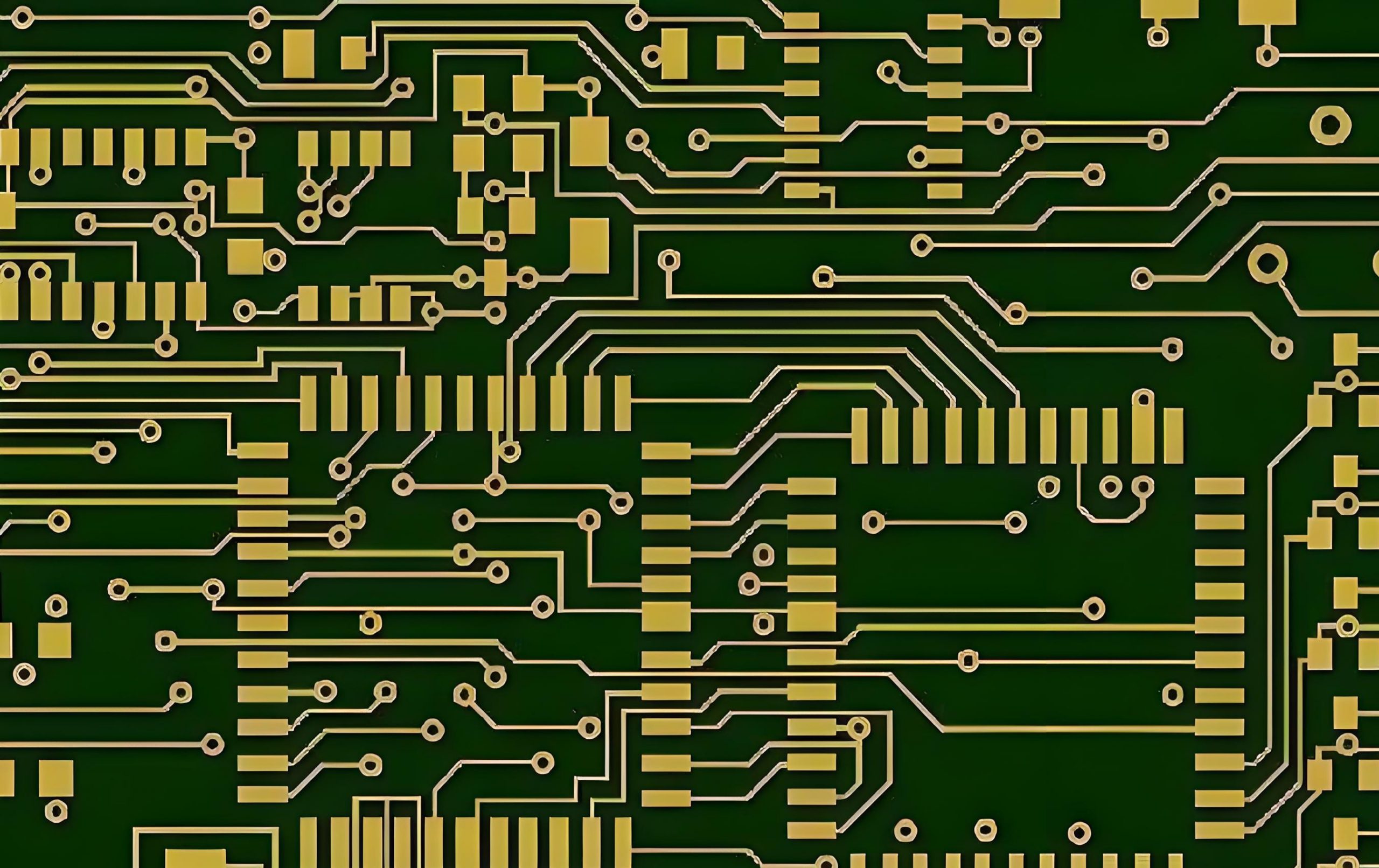
PCB stands for Printed Circuit Board. It is a crucial part of nearly all modern electronic devices. It acts as a physical base for electronic components while also providing the pathways to connect them electrically. Without PCBs, electronic devices would rely on cumbersome wiring that is prone to failure. With PCBs, electronics are compact, efficient, and highly reliable.

What Is a PCB?

A PCB (Printed Circuit Board), also known as a printed wiring board, is one of the most essential components in the electronics industry. It is used in almost every electronic device, from small gadgets like digital watches and calculators to large systems such as computers, communication equipment, and military weaponry. Wherever electronic components like integrated circuits are present, PCBs are necessary to electrically connect them.

What is PCB? PCB Full From

In the early stages, paper-based copper-clad PCBs were commonly used. However, with the introduction of semiconductor transistors in the 1950s, the demand for PCBs skyrocketed. The rapid development and widespread use of integrated circuits (ICs) further increased the need for smaller and more densely packed circuit boards. This has driven continuous advancements in PCB technology.

What Is a PCB Made Of?

PCBs consist of multiple layers, each serving a distinct purpose. Here’s a breakdown of the common layers:

1. Substrate

The substrate is the core material that provides mechanical strength to the PCB. The most common material is FR4, a fiberglass-reinforced epoxy resin. It provides mechanical support and offers good heat resistance. For flexible PCBs, materials like polyimide are used, allowing the board to bend without breaking.

‌2. Copper Layer

This is a thin sheet of copper laminated onto the substrate. It forms the conductive pathways that carry electrical signals. Depending on the PCB’s design, there may be one or more copper layers. Single-layer boards have copper on one side, while multilayer boards have copper on multiple layers.

3. Solder Mask

Solder mask is a layer of polymer coated on copper foil to protect unused copper tracks. It prevents oxidation and helps prevent solder bridges during assembly. It also adds an aesthetic touch to the PCB. It is usually green, hence the name “green oil”. While green is the most common color, solder masks can be blue, red, black, white or even transparent.

4. Silkscreen

Screen printing is a layer of paint, applied to a solder resistance film. The silkscreen layer contains printed information, such as component labels, polarity markings, and company logos. It helps technicians and engineers identify components and troubleshoot the board. The silkscreen is usually white but can be in other colors.

‌5. Through-holes and via holes‌

Through holes are used to mount components and vias to connect the layers of the board together for electrical interconnection and thermal management.

‌6. Component

Electronic components, such as resistors, capacitors and integrated circuits (IC), mounted on the PCB, secured in place using soldering.

Types of PCB

PCB can be classified according to the number of circuit layers and hardness of the board.

1. According to the number of layers, a PCB can be divided into single sided PCB, double

sided PCB and multi-layer PCB. The common multi-layer board is generally 4-layer or 6-layer, and the complex multi-layer board can reach dozens of layers. PCB board has the following three main types of division:

  • Single-sided PCB

This type has copper tracks on only one side of the board. It is the simplest and most cost-effective type of PCB. Single-sided PCBs are used in low-complexity devices like calculators, LED lighting, and simple power supplies.

What is PCB? PCB Full From
  • Double-Sided PCB

In double-sided PCBs, copper tracks are present on both sides of the board. They allow for more complex circuits compared to single-sided boards. They are commonly used in power supplies, audio systems, and industrial equipment.

What is PCB? PCB Full From
  • Multilayer PCB

Multilayer PCBs consist of three or more layers of copper and insulating material stacked together. They are ideal for complex circuits requiring high density and performance. Applications include computers, smartphones, and aerospace systems.

What is PCB? PCB Full From

2. According to the hardness, a PCB can be divided into rigid PCB, flexible PCB and rigid-

flex PCB. Generally, the PCB shown in the left side below is rigid PCB, and the right side is flexible PCB (or short for FPC). The main difference between a rigid PCB and a flexible PCB is that a flexible PCB can be bent.

What is PCB? PCB Full From

The common thickness of rigid PCB is 0.2mm, 0.4mm, 0.6mm, 0.8mm, 1.0mm, 1.2mm, 1.6mm, 2.0mm and so on. The common thickness of flexible PCB is 0.2mm. Since it has thinner thickness, the place where the parts are to be soldered will add a thick layer behind it (generally PI, FR4, stainless stiffeners), and the thickness of the thick layer is 0.2mm and 0.4mm. Common rigid PCB materials include: phenolic paper laminate, epoxy paper laminate, polyester glass felt laminate, epoxy glass cloth laminate. Flexible PCB materials commonly include: polyester film, polyimide (PI) film, fluorinated ethylene propylene film.

What Is the Difference Between PCB and PCBA?

Many people confuse PCB with PCBA, but they are not the same.

  • A PCB is the bare board with copper traces and no components attached. It provides the framework for electronic connections.
  • A PCBA (Printed Circuit Board Assembly) is a PCB with all components soldered and assembled onto it. It is a fully functional electronic circuit ready for integration into a device. In short, PCBA is the finished product, while PCB is the base.

In simple terms, a PCB is the blank canvas, while a PCBA is the finished painting.

What File Type Is Used for PCB?

When designing a PCB, specific file types are needed for manufacturing. The most commonly used file is the Gerber file. It contains all the information required to fabricate the PCB, including:

  • Copper layer data: Specifies the layout of copper traces.
  • Solder mask data: Indicates where the solder mask should be applied.
  • Silkscreen data: Provides details for component labels and markings.
  • Drill files: Indicate the size and location of holes.

Additional files used in PCB manufacturing include:

  • Netlist files: Define the electrical connections between components.
  • BOM (Bill of Materials): Lists all components required for assembly.
  • Pick-and-Place files: Provide coordinates for placing components during assembly.

How Do You Know if Your PCB Is Damaged?

Detecting a damaged PCB early can prevent device failure. Here are some common signs of a damaged PCB.

  1. Physical Damage: Cracks, burns, or broken traces are visible on the board.
  2. Overheating: Discoloration or burnt areas indicate overheating issues.
  3. No Power: The device fails to power on, which could point to a short circuit or broken trace.
  4. Malfunctioning Components: Components behave erratically or fail to function.
  5. Unusual Odor: A burning smell may indicate a serious short circuit.

How to Fix a PCB Board?

Repairing a PCB depends on the nature and extent of the damage. Here are some common repair techniques:

1. Visual Inspection

Examine the PCB for visible damage, such as cracks, broken traces, or burnt components. Use a magnifying glass for a closer look.

2. Soldering Repairs

Resolder loose or broken connections using a soldering iron. Ensure the solder joints are clean and secure.

3. Trace Repair

For broken traces, use a conductive pen or solder a thin copper wire to bridge the gap.

4. Component Replacement

Identify and replace faulty components like resistors, capacitors, or ICs. Ensure the replacement components match the original specifications.

5. Testing

After repairs, use a multimeter to check for continuity and verify that the circuit functions correctly.

In some cases, especially with extensive damage, it may be more practical to replace the PCB rather than repair it.

Where Is PCB Used?

PCBs are used in nearly every industry, powering devices and systems that drive modern life. Some common applications include:

1. Consumer electronics – smartphones, tablets, laptops, televisions, and gaming consoles.

2. Automotive – engine control units, infotainment systems, sensors, and lighting.

3. Medical devices – diagnostic equipment, monitoring systems, pacemakers, and imaging devices like MRI machines.

4. Aerospace – navigation systems, communication devices, and flight control systems.

5. Industrial equipment – automation systems, machinery control, power supplies, and sensors used in industrial environments.

FAQs about PCB

1. Why Is a PCB Important in Electronics?

PCBs offer a reliable and efficient way to connect electronic components, enabling compact and functional devices.

2. Can a PCB Be Recycled?

Yes, PCBs can be recycled to recover valuable metals like copper, gold, and silver, reducing electronic waste.

3. How Long Does a PCB Last?

The lifespan of a PCB is around 50-70years, but it depends on its quality and usage conditions. High-quality PCBs can last for decades with proper care.

4. What Are Common PCB Defects?

Common defects include open circuits, short circuits, and misaligned layers, which can affect performance.

5. How Do You Test a PCB?

Testing methods include Automated Optical Inspection (AOI), In-Circuit Testing (ICT), and functional testing.

Choosing a reliable PCB manufacturer ensures you receive high-quality boards tailored to your needs. A trusted supplier like EBest Circuit (Best Technology) can provide durable, efficient, and custom-designed PCBs that meet your project requirements, ensuring long-term success.

10 Best Free PCB Design Software for Beginners

December 2nd, 2024

What Is PCB Design Software?

If you’ve ever looked inside an electronic device, you’ve seen a Printed Circuit Board (PCB). It’s the green (or sometimes blue) board filled with tiny components like resistors, capacitors, and microchips. These boards are the backbone of modern electronics. But how are they designed? That’s where PCB design software comes in.

‌PCB Design software ‌ refers to a professional software tool for designing and manufacturing printed circuit boards (PCBs). These software typically include functions ranging from schematic design, layout, and routing to signal integrity analysis to help engineers and designers efficiently complete PCB design tasks.

10 Best Free PCB Design Software for Beginners

PCB design software helps you plan and create these circuit boards digitally. Instead of physically assembling components and wiring them, you can design everything on your computer. The software ensures that all the components are placed correctly and connected properly. For beginners, it offers a hands-on way to learn electronics without needing a lab full of expensive equipment. In this blog post, we will share the top 10 best free PCB design software, hope this is useful for you.

Why Is PCB Design Software Important?

PCB design software plays a key role in electronics development. It reduces manual errors by providing accurate layouts and component placements. Without it, designing a circuit would be tedious and prone to mistakes.

Firstly, ‌PCB design software can significantly improve the design efficiency. Through automated and intelligent tools, software can significantly improve the efficiency of circuit design, reduce design time, and thus reduce the overall development cost. For example, design software provides functions such as schematic input, circuit simulation, component library management, etc., to help designers efficiently complete complex circuit layout.

Secondly, ‌PCB design software can ensure the functionality and reliability of the circuit. Through simulation function, design software can simulate the working state of the circuit in the early stage of design, help engineers predict and optimize the performance, thus reducing the design risk. In addition, the software can perform signal integrity analysis and thermal management to ensure the performance of high-speed or high-frequency circuits and the safe operation of the circuit board.

Third, ‌PCB design software helps to reduce production costs. Through simulation and verification, engineers can find and solve potential problems before production, avoid errors in the production process, and thus reduce production costs. For example, the design software can generate Gerber files for manufacturing, drilling files, etc.

Finally, ‌PCB design software has a wide range of applications and needs in the market. With the continuous development of electronic technology, the market demand for PCB design software continues to grow. Especially in the consumer electronics industry, such as the highly complex circuit design of smart phones and smart wearables, makes PCB design software an indispensable tool.

10 Best Free PCB Design Software for Beginners

There are plenty of PCB design tools out there, but not all of them are beginner-friendly. Here’s a closer look at ten of the best free options, including their pros and cons.

1. KiCad

KiCad is a powerful, open-source PCB design tool that’s widely used by both hobbyists and professionals. It offers a comprehensive set of features, making it suitable for projects of all sizes.

Advantages:

Supports multi-layer designs: You can work on both simple and complex circuits.

3D viewer: It allows you to see a 3D model of your PCB, giving you a better sense of how it will look and fit into a device.

Extensive libraries: KiCad comes with a vast library of components, making it easy to find what you need.

Disadvantages:

Steep learning curve: The interface can be overwhelming for beginners, but once you get used to it, the possibilities are endless.

10 Best Free PCB Design Software for Beginners

2. Eagle Free

Eagle (Easily Applicable Graphical Layout Editor) has been a favorite among PCB designers for years. The free version, backed by Autodesk, is perfect for beginners.

Advantages:

User-friendly interface: The layout is intuitive, helping new users find their way around quickly.

Integration with Autodesk tools: If you use other Autodesk products, Eagle fits right into your workflow.

Component libraries: It offers a vast selection of components and symbols.

Disadvantages:

Limitations in the free version: You can only create boards with a limited size and two signal layers. Upgrading to the paid version removes these restrictions.

10 Best Free PCB Design Software for Beginners

3. EasyEDA

EasyEDA is a cloud-based PCB design tool that’s growing in popularity. It’s an excellent choice for beginners who want a straightforward, accessible platform.

Advantages:

No installation required: Since it’s cloud-based, you can use it from any device with a browser.

Component libraries: EasyEDA connects directly to component suppliers, making it easy to find and order parts.

Community-driven: It has an active community where users share designs and offer help.

Disadvantages:

Internet dependency: You need an internet connection to use it, which can be a drawback for offline work.

10 Best Free PCB Design Software for Beginners

4. Fritzing

Fritzing is designed specifically with beginners in mind. It offers a unique approach by allowing you to design circuits in a breadboard view before moving to a PCB layout.

Advantages:

Beginner-friendly interface: The drag-and-drop design makes it easy to use, even if you have no prior experience.

Educational focus: Fritzing is often used in educational settings, making it a great learning tool.

Disadvantages:

Limited advanced features: It’s ideal for simple projects but may not be suitable for more complex designs.

10 Best Free PCB Design Software for Beginners

5. GerbView

GerbView is a free Gerber file viewer that allows you to visualize, verify, and print your PCB layouts. While it doesn’t offer full PCB design capabilities, it’s a crucial tool for inspecting and validating your designs before sending them to a manufacturer.

Advantages:

Comprehensive file support: GerbView supports various file formats, including Gerber, Excellon, and HPGL files, making it versatile for different PCB layouts.

Accurate visualization: You can zoom in and inspect even the smallest details, ensuring your design is error-free.

Conversion tools: It can convert older Gerber files to modern formats and export designs to PDF or other formats for documentation.

Disadvantages:

Not a full PCB design tool: It’s mainly a viewer and validator, so you’ll need another tool for designing your PCB.

Limited editing options: While you can inspect and highlight areas, you can’t modify the actual PCB design within GerbView.

10 Best Free PCB Design Software for Beginners

6. CircuitMaker

CircuitMaker, developed by Altium, offers professional-grade tools for free. However, there’s a catch: your designs are shared publicly.

Advantages:

Professional-level features: You get access to high-end design tools without paying a dime.

Collaboration-friendly: It’s designed for makers and hobbyists who want to collaborate on projects.

Disadvantages:

Public designs: If privacy is a concern, this might not be the best option for you.

10 Best Free PCB Design Software for Beginners

7. PCBWeb Designer

PCBWeb Designer is a simple, Windows-only PCB design tool that’s easy to learn and use.

Advantages:

Straightforward interface: It’s clean and easy to navigate, making it perfect for beginners.

Component sourcing: It integrates with Digi-Key, allowing you to source components directly from the software.

Disadvantages:

Limited to Windows: If you use a different operating system, you’ll need to look elsewhere.

10 Best Free PCB Design Software for Beginners

8. Upverter

Upverter is another cloud-based PCB design tool, but it focuses heavily on collaboration.

Advantages:

Real-time collaboration: Multiple users can work on the same project simultaneously.

Cross-platform: Since it’s cloud-based, you can use it on any device with a browser.

Disadvantages:

Learning curve: Some users find the interface less intuitive than desktop-based tools.

10 Best Free PCB Design Software for Beginners

9. TinyCAD

TinyCAD is a lightweight, open-source tool focused on schematic capture rather than PCB layout.

Advantages:

Simple and fast: It’s easy to use, even on older computers.

Community-supported: As an open-source tool, it’s regularly updated and improved.

Disadvantages:

Limited PCB features: You may need to pair it with another tool for full PCB design capabilities.

10 Best Free PCB Design Software for Beginners

10. ZenitPCB

ZenitPCB is a straightforward PCB design tool that’s great for beginners.

Advantages:

Easy to learn: The interface is simple and user-friendly.

Lightweight: It runs smoothly on most systems, even older ones.

Disadvantages:

Limited advanced features: It’s best for basic designs and may not meet the needs of more complex projects.

10 Best Free PCB Design Software for Beginners

Factors to Consider When Choosing PCB Design Software

When selecting PCB design software, it’s important to consider your needs and experience level. Here are a few key factors:

  • Functional requirements

Different PCB design software has different functions, such as wiring, component libraries, rapid prototyping, etc. When choosing software, you need to choose the software that has the functions suitable for your needs ‌ according to your own needs.

  • Ease of use

Choosing PCB design software that is easy to use can improve work efficiency and reduce learning costs. Some software provides video tutorials, online help and other functions, which can help users learn how to use the software faster.

  • Compatibility

Choosing PCB design software that is compatible with other software can improve work efficiency. If you need to import the PCB design file to other software for simulation or other operations, select the PCB design software that is compatible with other software.

  • ‌4. Industry demand

Different industries may have different requirements for PCB design. For example, consumer electronics designs may prefer to use PADS, while complex large board designs may be better suited to Allegro‌.

FAQs About PCB Design Software

1. Can I use free PCB design software for professional projects?

Yes, many free tools allow commercial use. However, always check the license terms.

2. What’s the easiest PCB design software for beginners?

Fritzing and EasyEDA are excellent options for beginners due to their user-friendly interfaces.

3. Is cloud-based PCB design software secure?

Most cloud-based tools use encryption to protect your data, but it’s always a good idea to read the privacy policy.

4. Can I design multi-layer PCBs with free software?

Absolutely! Tools like KiCad and DesignSpark PCB support multi-layer designs.

5. How long does it take to learn PCB design?

With consistent practice, you can learn the basics in a few weeks. More complex designs may take longer.

Getting started with PCB design doesn’t have to be complicated. With the right software, you can bring your electronic ideas to life, whether you’re a beginner or an experienced hobbyist. Happy designing!

What is Dual Inline Package? Dual Inline Package Meaning

November 29th, 2024

What is a Dual Inline Package (DIP)?

A Dual Inline Package (DIP) is a type of packaging for electronic components, especially integrated circuits (ICs). It features a rectangular body with two parallel rows of pins extending downward. These pins allow the component to be mounted onto a circuit board, typically by soldering or inserting them into a socket.

DIPs are commonly used in both analog and digital circuits, they are widely recognized in the electronics industry due to their straightforward design and ease of use. Unlike more modern surface-mount devices (SMDs), which require specialized equipment, DIPs can be inserted and soldered manually. This made DIPs a preferred choice for hobbyists, engineers, and educational institutions.

The DIP format supports a broad range of electronic devices, from simple logic gates to complex microcontrollers, and remains relevant in prototyping, testing, and certain industrial applications.

Structure of DIP package

There are three types of structure of DIP package, they are –

  • Multi-layer ceramic dual-inline DIP
  • Single-layer ceramic dual-inline DIP
  • Lead frame type DIP (including glass ceramic sealing type, plastic encapsulation structure type, ceramic low-melting glass packaging type).

Features of Dual Inline Package

  • Easy to weld and repair

The pin design of the DIP package makes the welding process simpler, and engineers can easily insert the integrated circuit into the PCB hole and weld it. This structure also makes servicing easier, as components that fail or need to be replaced can be removed and replaced with relative ease.

  • Good heat dissipation

Because DIP packages typically have a larger shell surface area, they have better thermal performance than some smaller package forms. This is essential for the stability and reliability of integrated circuits under high load conditions, and good heat dissipation can extend the service life of components.

  • Strong Compatibility

The DIP package has high compatibility and can be used with many types of sockets, strips and connectors. This means that there is more flexibility to choose DIP-packaged components in different circuit designs without worrying about compatibility issues.

  • Easy to automate production

Because the pin arrangement of the DIP package is regular and easy to identify, it is suitable for automated production. Robots or devices on the production line can easily identify and process DIP-packaged components, increasing production efficiency and reducing production costs.

  • High stability and reliability

The design of the DIP package makes the connection between the component and the PCB stronger, reducing the risk of poor connection due to vibration or temperature changes. This makes DIP packaging widely used in some application scenarios that require high stability and reliability, such as medical devices, aerospace and other fields.

  • Easy identification and classification

The pins on the DIP package are usually arranged in standard spacing, and the pin numbers are clearly visible. This allows engineers to easily identify the functions of different pins, facilitating proper installation and commissioning of components. At the same time, the standardized pin arrangement is also conducive to component classification and inventory management.

History of DIP Packages

The history of DIP packaging dates back to the 1960s, a time when the electronics industry was rapidly evolving. Before the introduction of DIPs, electronic components were often housed in bulky, cumbersome packages that made assembly difficult and limited their use in compact devices.

Texas Instruments is credited with pioneering the development of the DIP format. The company introduced the first DIP in 1964, offering a practical solution for mounting integrated circuits. The new design quickly gained popularity due to its simplicity and versatility.

By the 1970s, DIPs had become the industry standard for integrated circuits, appearing in everything from consumer electronics to industrial control systems. They played a crucial role in the development of personal computers, with early models like the Apple II and IBM PC featuring numerous DIP-packaged chips on their motherboards.

Although surface-mount technology (SMT) has largely replaced DIPs in modern high-volume production, their impact on the electronics industry is undeniable. DIPs remain a symbol of the early days of the digital revolution and continue to be used in specific applications where their unique advantages are still relevant.

Pin Numbers and Spacing

One of the defining characteristics of a dual inline package is its pin configuration. DIPs are available in a wide range of pin counts, allowing them to accommodate different types of integrated circuits and other components.

Pin Count

The number of pins in a DIP typically ranges from 4 to 64. Some of the most common configurations include:

  • 8-pin DIP (used for small ICs like operational amplifiers)
  • 14-pin DIP (popular for logic gates and small microcontrollers)
  • 16-pin DIP (frequently used for dual in-line memory modules)
  • 24-pin DIP (common for larger microcontrollers and memory chips)
  • 40-pin DIP (used for more complex devices, such as early microprocessors)

Pin Spacing

The spacing between adjacent pins, known as the pitch, is typically 2.54 mm (0.1 inches). This standardized spacing makes DIPs compatible with a variety of sockets, breadboards, and PCB layouts.

The distance between the two parallel rows of pins, referred to as the row pitch, is usually 7.62 mm (0.3 inches) for standard DIPs. This uniformity simplifies PCB design and assembly, allowing designers to use off-the-shelf components and prototyping tools.

DIP Package Dimensions

The dimensions of a dual inline package depend on the number of pins and the specific type of component it houses. However, the following are typical dimensions for standard DIPs:

Width: Common widths are 7.62 mm (0.3 inches) or 15.24 mm (0.6 inches).

Length: The length depends on the pin count, with each pin typically adding 2.54 mm to the overall length.

Height: The height is usually around 5 mm to 6 mm, providing a compact profile.

These dimensions make DIPs a practical choice for many applications, offering a balance between size and ease of handling.

What is the Function of the DIP?

DIPs are commonly used in applications where components may need to be replaced or upgraded, as their socket-compatible design simplifies maintenance. The function of a dual inline package is to:

Physically Mount the component on a PCB or socket.

Provide Electrical Connections through its pins, allowing the component to interact with the rest of the circuit.

Protect the Internal Circuitry from environmental and mechanical stress.

What is the Difference Between DIP and CDIP?

The main difference between DIP and CDIP is the difference in package form and material. ‌

Dual In-line Package is a common integrated circuit package that has two rows of pins. Each row of pins has a certain spacing. It can be inserted into a socket or welded to a circuit board. DIP‌ is suitable for general electronic equipment, due to its low cost, suitable for mass production. However, because there is no additional protective layer, it is more sensitive to environmental conditions.

Ceramic DIP is a variant package form of DIP that adds a ceramic shell to the base of DIP. The CDIP package not only has the pin arrangement of the DIP, but also provides better protection and heat dissipation through the ceramic housing. This packaging form is often used in situations with higher environmental requirements and higher requirements for the stability and reliability of electronic components, such as military equipment, aerospace, etc. ‌However, compared with DIP, CDIP costs are higher.

Dual Inline Package Uses

DIPs are used in a variety of applications across different industries:

  • Prototyping and Testing: DIPs are a staple in prototyping environments due to their compatibility with breadboards and sockets.
  • Microcontrollers: Many early and mid-range microcontrollers are available in DIP format, making them easy to integrate into various projects.
  • Memory Chips: Early RAM and ROM chips often used DIP packaging for easy installation and replacement.
  • Logic Circuits: DIPs are commonly used for basic logic gates and other digital ICs.
  • Educational Kits: DIPs are frequently included in educational electronics kits, helping students learn about circuits in a hands-on manner.

What are PCB Designs Called?

November 29th, 2024

If you’re working with electronics, you’ve probably heard of Printed Circuit Boards (PCBs). They’re at the heart of almost every electronic device we use today. But have you ever wondered what are PCB designs called? Are they just called PCB designs, or is there more to it? Well, it turns out there are quite a few terms for PCB designs, and each one refers to a specific aspect of the design process. Let’s take a closer look at these terms, how they’re used, and what makes each one unique.

What are PCB Designs Called?

What Are PCB Designs Called?

PCB designs are often referred to by different names depending on the context or the stage of the design process. Let’s explore the most common terms:

1. PCB Layout

This is probably the most frequently used term. When someone mentions a PCB layout, they’re talking about the physical arrangement of components and the routing of electrical connections (also called traces) on the board.

Think of it like designing the floor plan of a house. The layout ensures that everything fits within the available space and that all the rooms (or in this case, components) are connected in the right way.

What are PCB Designs Called?

2. Circuit Board Design

Sometimes, you’ll hear people refer to the process as circuit board design. This term emphasizes the broader design aspect, from planning the circuit to placing components and routing connections. It’s a more general term that covers everything from the initial schematic to the final layout.

3. PCB Schematic

While the schematic is technically just one part of the design process, some people refer to the entire design as the schematic. This is more common among those who focus on the circuit’s logic rather than its physical structure.

4. Gerber Files

Once the design is complete, it’s converted into a set of files called Gerber files. These files contain all the information needed to manufacture the PCB. Sometimes, people use the term Gerber files to refer to the finished design, even though it’s technically just the output.

5. EDA (Electronic Design Automation) File

In professional environments, PCB designs are often called EDA files. These are the files created by design software like Altium Designer, KiCad, or Eagle. They contain all the details of the design, including the schematic, layout, and design rules.

What Is the Difference Between a PCB Design and a Schematic Design?

Many people use the terms PCB design and schematic design interchangeably, but they serve different purposes in the design process.

Schematic Design

  • Represents the electrical connections between components.
  • Focuses on the logic and functionality of the circuit.
  • Uses symbols to represent components like resistors, capacitors, and transistors.
  • Helps engineers understand how the circuit works.

PCB Design

  • Translates the schematic into a physical layout.
  • Focuses on the placement of components and routing of traces.
  • Considers factors like board size, layer count, and thermal performance.
  • Ensures the circuit can be manufactured and assembled.

In summary, the schematic shows what the circuit does, while the PCB design shows how it does it physically.

PCB Schematics Elements

A schematic is the starting point for any PCB design. It provides a clear visual representation of the circuit’s functionality. Here are the key elements of a schematic:

What are PCB Designs Called?

1. Component Symbols

Each component in the circuit is represented by a symbol. For example, a resistor is usually shown as a zigzag line, while a capacitor is two parallel lines.

2. Nets (Connections)

Lines connecting the symbols represent electrical connections, known as nets. These nets define how components interact with each other.

3. Reference Designators

Lines connecting the symbols represent electrical connections, known as nets. These nets define how components interact with each other.

4. Values and Ratings

The schematic also shows the values and ratings of components, such as the resistance of a resistor or the capacitance of a capacitor.

5. Power and Ground Symbols

Every circuit needs power and ground connections. These are represented by standard symbols, ensuring the circuit has a common reference point for voltage.

Common Terms in PCB Design

1. Silkscreen Layer

The silkscreen layer contains text, logos, and symbols printed on the surface of the PCB to help identify components and guide assembly. It can also include part numbers, component values, and polarity markings.

2. Via

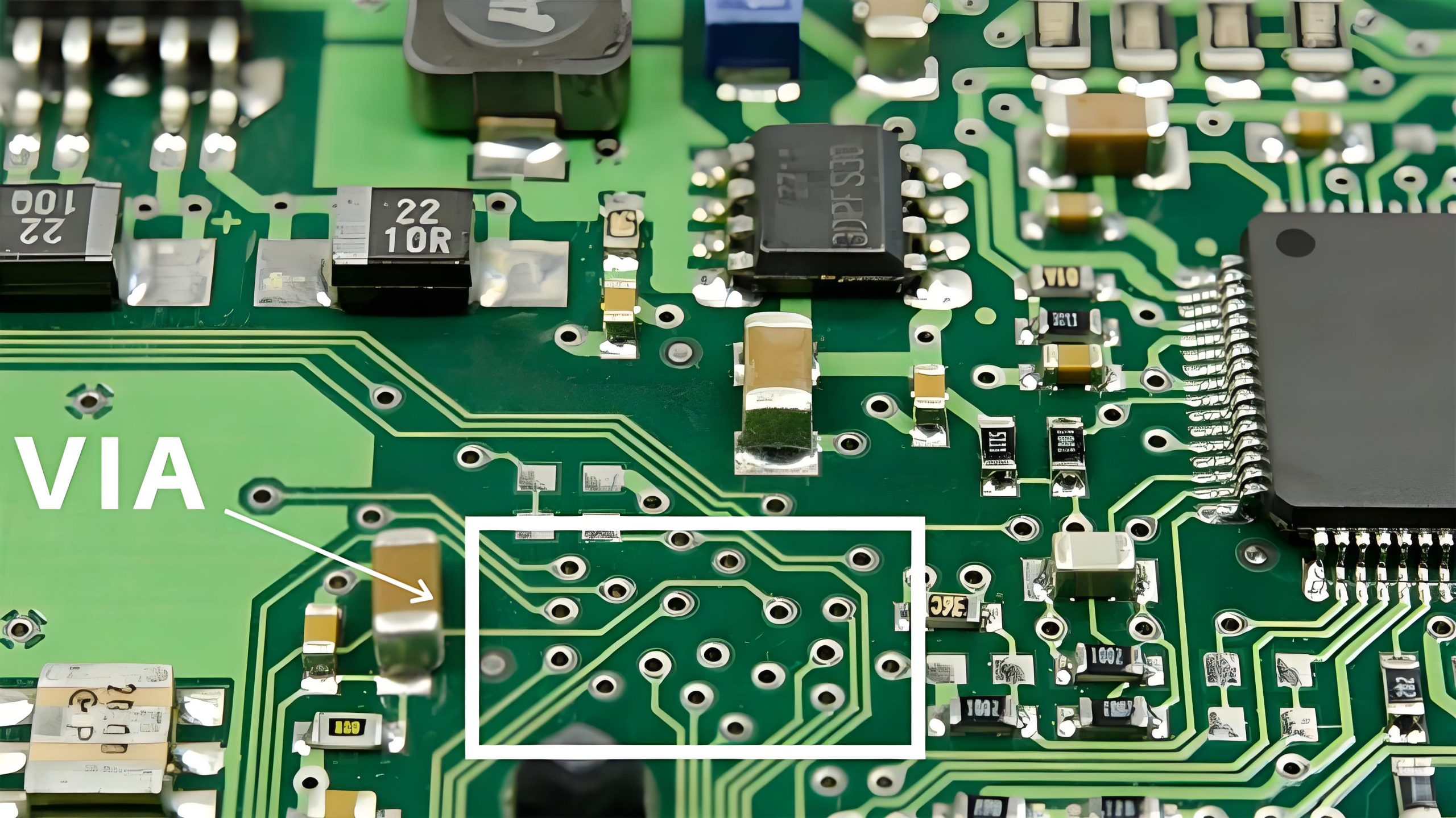
A via is a hole in the PCB that allows electrical connections between different layers. Vias are often used in multi-layer PCBs to route signals between the top and bottom layers or inner layers.

3. Copper Pour

A copper pour is a large, solid region of copper that is poured over areas like ground or power planes. It helps reduce noise, increase current-carrying capacity, and improve thermal dissipation.

4. Trace Width

Trace width refers to the thickness of the copper traces used to connect components. The width of a trace must be designed to carry the required amount of current without overheating.

5. Drill Hole

A drill hole is a hole that is made in the PCB to accommodate components with leads or for vias. The size and placement of drill holes are critical to the assembly process.

6. Solder Mask

The solder mask is a protective layer applied over the PCB to prevent solder from bridging between pads. It also helps prevent oxidation of the copper traces and improves the board’s overall durability.

7. Pad

Pads are small copper areas on the PCB where components are mounted or soldered. Pads can be through-hole or surface-mount, depending on the type of component.

8. Bill of Materials (BOM)

The BOM is a comprehensive list of all the components required for the assembly of a PCB. It includes details like part numbers, quantities, and specifications for each component.

9. Impedance Control

Impedance control is the process of ensuring that the impedance of the PCB traces matches the requirements of the signals that will travel through them. This is important for high-speed and RF circuits.

10. Stack-up

Stack-up refers to the arrangement of layers in a multi-layer PCB. It defines how the copper, dielectric, and other materials are stacked to create the board.

11. Daisy-Chaining

Daisy-chaining is a method of connecting multiple components or pins in a series, often used in signal or power distribution systems within the PCB design.

12. Overcurrent Protection

Overcurrent protection refers to circuits designed to prevent excessive current from flowing through the PCB traces, often by using fuses or resistors that limit the current flow.

13. Design for Manufacturability (DFM)

DFM refers to designing the PCB in a way that makes it easier and more cost-effective to manufacture. This includes factors like trace width, pad size, and component placement.

14. Routing

Routing is the process of designing the electrical paths that connect the components on a PCB. Proper routing ensures that signals are carried efficiently with minimal interference.

15. Thermal Via

Thermal vias are specially designed vias used to transfer heat away from high-heat components to other parts of the PCB or a heat sink.

16. Electromagnetic Interference (EMI) Shielding

EMI shielding involves using design techniques, such as grounding and the use of shielding components, to protect sensitive parts of the PCB from electromagnetic interference.

17. Differential Pair

A differential pair is a set of two traces that carry complementary signals, often used in high-speed designs like USB or Ethernet to minimize noise and improve signal integrity.

18. Power Distribution Network (PDN)

The PDN refers to the system of traces and planes that deliver power to various components on the PCB. Proper PDN design is crucial to ensure reliable power delivery and minimize voltage drops.

19. Electrical Rule Check (ERC)

ERC is a process that checks the schematic design for electrical issues like unconnected nets, incorrect component connections, or incorrect power supply connections.

20. Multi-layer PCB

A multi-layer PCB contains more than two layers of conductive material and is used for more complex designs that require high-density circuits, especially in smaller devices.

21. Surface-Mount Technology (SMT)

SMT is a method for mounting components directly onto the surface of the PCB, rather than inserting them through holes. This allows for smaller, more compact designs.

22. Through-Hole Technology

Through-hole technology involves inserting component leads through holes in the PCB and soldering them on the opposite side. It’s commonly used for components that require strong mechanical bonds.

23. Hot Air Soldering

A method of soldering components onto the PCB using hot air, often used in reflow soldering processes for surface-mount components.

24. Trace Routing

Trace routing is the process of laying out the paths that the electrical signals will take through the PCB. Good trace routing ensures efficient and reliable signal transmission.

25. Tenting

Tenting refers to the process of covering the vias with a layer of solder mask, leaving the pad open. It helps prevent solder from flowing into vias during soldering.

PCB Design vs. PCB Layout

Although often used interchangeably, PCB design and PCB layout have different meanings:

PCB Design: Refers to the entire process, from schematic creation to generating manufacturing files.

PCB Layout: Specifically focuses on the physical arrangement of components and routing of traces on the board.

In simple terms, PCB layout is a part of the overall PCB design process.

PCB Design Process

Designing a PCB is a multi-step process that requires careful planning and attention to detail.

1. Schematic Capture

The process starts with creating a schematic diagram that defines the circuit’s functionality and connections.

2. Component Selection

Next, components are selected based on the circuit requirements. Factors like size, power rating, and cost are considered.

3. PCB Layout

Components are placed on the board, and traces are routed to connect them. This step requires balancing electrical performance with physical constraints.

4. Design Rules Check (DRC)

The layout is checked for errors or violations of design rules to ensure it meets manufacturing standards.

5. Gerber File Generation

Once the design is complete, Gerber files are generated. These files are used by manufacturers to produce the PCB.

6. Fabrication and Assembly

The PCB is fabricated, and components are assembled to create the final product.

FAQs

Q: What software is used for PCB design?

A: Popular software includes Altium Designer, Eagle, KiCad, and OrCAD.

Q: How many layers can a PCB have?

A: PCBs can have anywhere from one to 16 or more layers, depending on complexity.

Q: Why is trace width important?

A: Trace width affects the current-carrying capacity and signal integrity of the circuit.

Q: What is a multilayer PCB?

A: A multilayer PCB has multiple layers of copper separated by insulating material, allowing for more complex designs.

Q: How long does it take to design a PCB?

A: The time varies based on complexity. Simple designs may take a few days, while complex designs can take weeks.

Why Choose Blue Circuit Board? Blue PCB vs Green Circuit Board?

November 28th, 2024

The color of a circuit board might seem like a simple design choice, but it holds significance in the electronics industry. Traditionally, green circuit boards have been the standard in most electronic devices due to their historical and functional advantages. However, blue circuit board is becoming increasingly popular across various sectors, from consumer electronics to custom devices.

Blue PCBs not only provide a pretty appearance but also serve specific functional purposes. Understanding the differences between blue and green PCBs can help you choose the best option for your project.

What Does a Blue Circuit Board Mean?

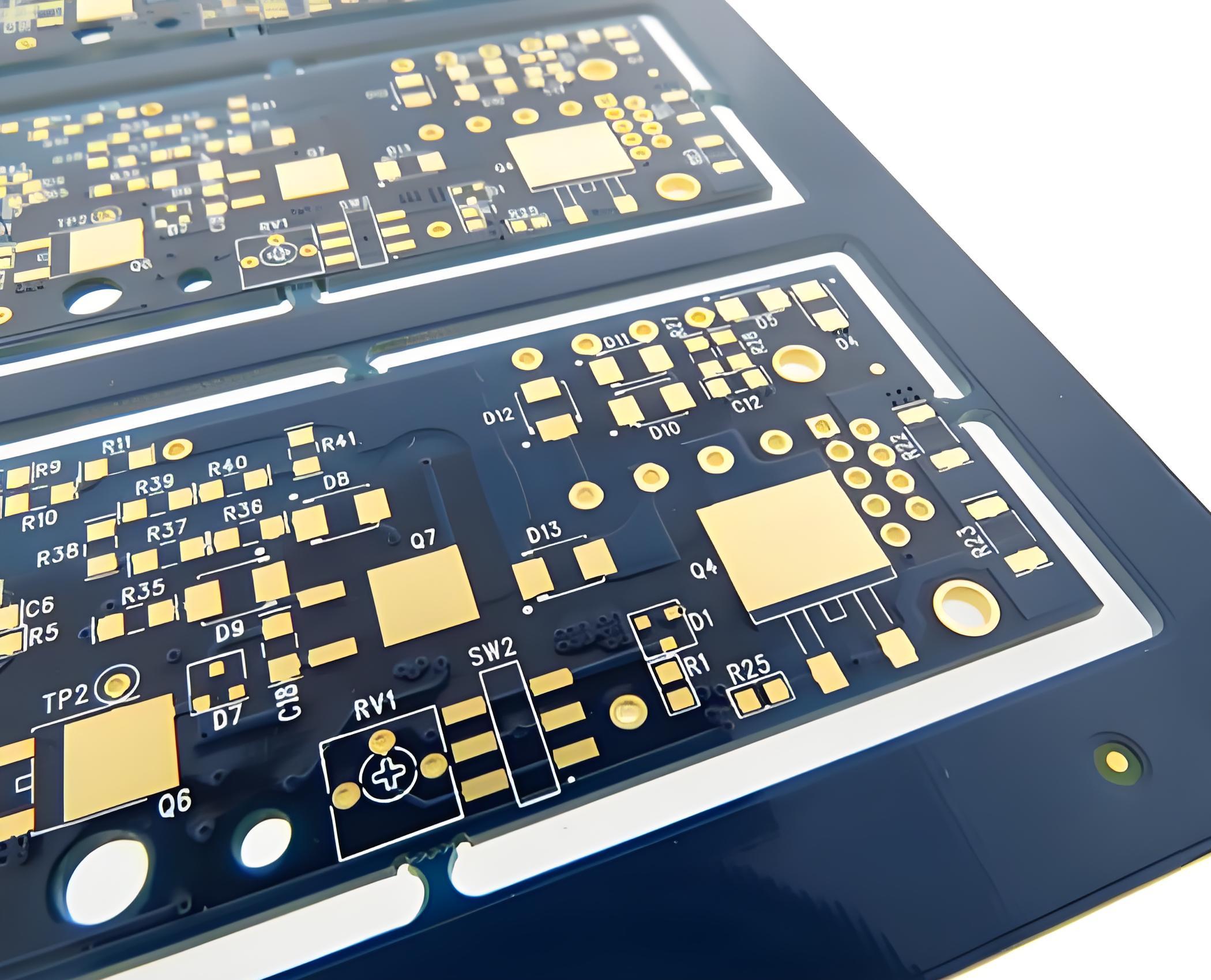
What does a blue circuit board mean? A blue circuit board, or blue PCB, refers to a printed circuit board with a solder mask of blue color. The solder mask is a protective coating applied over the copper traces on the PCB, preventing oxidation, short circuits, and solder bridges. While the color itself does not affect the board’s electrical properties, it influences other aspects such as visibility, inspection, and aesthetics.

Blue PCBs are often associated with high-end electronics, prototypes, and custom designs. Their distinct color can make a product stand out, particularly in markets where branding and visual appeal are crucial.

Types of Blue PCB

Blue PCBs are available in various shades and finishes, each suited for specific applications and design preferences.

1. Dark Blue Circuit Board

Dark blue PCBs are commonly used in professional and high-end electronics. They have a deep color provides excellent contrast with white silkscreen text. So making the component labels and circuit paths easy to read.

2. Light Blue Circuit Board

Light blue PCBs are often used in consumer electronics where a bright, modern appearance is desired. The lighter shade has a clearly visibility during manual assembly and inspection, especially under low lighting conditions.

3. Matte Blue Circuit Board

This is a very advanced color. Matte blue PCBs feature a non-reflective finish that reduces glare and provides a more understated look. This finish is popular in devices where aesthetics and readability are important.

4. Glossy Blue Circuit Board

Glossy blue PCBs have a shiny, reflective surface that enhances their visual appeal. While they look attractive, they may reflect light, make its inspection slightly more challenging under bright lighting.

Why Are Some Circuit Boards Different Colors?

The color of a circuit board comes from the solder mask applied during the manufacturing process. While green is the most common color, other colors such as blue, black, red, and even white are available. The choice of color can be influenced by several factors:

1. Aesthetic Preferences

Different colors are used to align with a product’s design or brand identity. For example, a company that emphasizes innovation might choose blue PCBs or red PCBs to convey a modern and forward-thinking image.

2. Functional Requirements

Certain colors offer better visibility for manual assembly and inspection. For instance, blue and green provide excellent contrast with common silkscreen colors.

3. Product Differentiation

In a competitive market, using a non-standard PCB color like blue can help a product stand out and attract more attention from customers.

4. Historical Factors

Green PCBs became the industry standard due to early manufacturing processes and the availability of green solder mask materials. Over time, this color was adopted as the norm, but advancements in technology have made other colors like blue more accessible.

The Role of PCB Colors

1. Green PCB

Green PCB is the most popular color. Therefore, many people have been mistakenly thinking that the PCB is green or most of it is green, green increases the clarity of the PCB, because the green PCB will have a sharp contrast with the white text, thus enhancing readability. In addition, the green PCB surface treatment reflects less light, helping to reduce glare.

2. White PCB

White PCB looks clean in a variety of environments, more and more popular. However, because the white PCB is easy to hide the line, white PCB is still not the first choice. But white PCBS look particularly contrasting in black screen printing.

3. Yellow PCB

In the past, yellow is one of more used colors in PCB solder mask, but now it is not so practical. Yellow PCBs can quickly meet different needs such as style, cleanliness and visibility. Yellow PCBs have one obvious disadvantage: poor contrast with wire and screen printing.

4. Blue PCB

Blue PCB is considered to be a thick plate for labels because it provides significant screen printing contrast. This PCB color is not as eye-catching as green PCB, black PCB, or white PCB, but blue PCB is the preferred PCB color because it provides an excellent aesthetic choice. Blue PCB installed on the LCD is better, because blue PCB does not produce sharp contrast edge and bright background color.

5. Red PCB

Because of the advantages of read PCB, many PCB manufacturers are still keen to adopt red. Red PCBs provide excellent visibility and clearly define contrast for trace, flat and white space. The screen print looks very beautiful against the red PCB.

6. Black PCB

Black PCB is as popular as white PCB. These two PCB colors produce low contrast and make it easy to mark important components. However, the main disadvantage of black and white PCBS is that specific details may focus light and have small shadows. This shadow makes tracking difficult. Therefore, it is not appropriate to use black PCB in various high temperature applications, because black PCB may discolor screen printing. Moreover, the black PCB board is a mixture of cobalt and carbon, and the electrical conductivity may be poor.

Blue vs. Green Circuit Board: Which Is Better?

We know, green is a standard solder mask color in the PCB, but blue also offers various advantages, so which one is better? Actually, choosing between a blue and green circuit board depends on the specific needs of your project. Both colors have their advantages and are suited for different applications.

  • Materials

The blue circuit board is also called FR-4 circuit board, and its substrate material is glass fiber reinforced epoxy resin. It is made by impregnating epoxy resin in glass fiber cloth and pressing it. This material can resist high temperature and humidity, so it is widely used in industrial fields.

The green circuit board, also known as the CCL circuit board, is made of fiberglass cloth and copper foil after high temperature and high pressure treatment, and the surface is covered with a welding mask. Its substrate material is the same as the blue circuit board, but the color is different. Green boards are relatively common because of their relatively low cost.

  • Use

Blue circuit boards can resist high temperature and humidity, so they are widely used in industrial equipment and aerospace and other fields. Because of its stable performance and high security, the price is relatively high. However, green circuit board is suitable for small and medium-sized electronic products, such as household appliances, digital products, computer peripherals and so on.

  • Cost

Blue circuit boards are relatively expensive because of their more stable performance. For green PCB, its cost is relatively low, but its safety and resistance to high temperature and humidity are worse than the blue circuit board.

4. Application Scenarios

It can be concluded from the above comparison that if the requirements for the circuit board are relatively high, such as used in industrial machines, it is recommended to choose the blue circuit board; If it is only the production of small and medium-sized electronic products, and the requirements for the circuit board are not so strict, you can choose a green circuit board.

Why Choose Blue Circuit Board?

Blue circuit boards are an excellent choice for projects that require a balance of aesthetics, functionality, and brand differentiation. Here’s why you might choose a blue PCB over a green one:

1. Enhanced Aesthetic Appeal

Blue PCBs offer a modern and visually appealing look that can make your product stand out in a competitive market. This is particularly important in consumer electronics where design plays a significant role in purchasing decisions.

2. Improved Visibility

The blue solder mask provides good contrast with white or yellow silkscreen, making it easier to inspect and debug circuits. This can lead to fewer assembly errors and higher product quality.

3. Brand Differentiation

In a crowded market, using a unique color like blue can help your product gain attention and differentiate itself from competitors that use standard green PCBs.

What Is a Blue Color Board Used For?

Blue circuit boards are commonly used in various applications where aesthetics, visibility, and customization are essential:

  • Consumer Electronics
  • Medical devices
  • Industrial machines
  • Aerospace
  • Security device
  • Custom PCBs
  • Prototypes

FAQs About Blue PCB

1. Does the color of the PCB affect its performance?

No, the color of the PCB does not impact its electrical performance. It primarily affects aesthetics, visibility, and inspection processes.

2. Is a blue PCB more expensive than a green PCB?

Yes, blue PCBs tend to be slightly more expensive due to lower production volumes and higher customization requirements.

3. What applications are best suited for blue circuit boards?

Blue PCBs are ideal for consumer electronics, custom devices, and prototypes where aesthetics and visibility are important.

4. Can I use a blue PCB for industrial applications?

Yes, but green PCBs are typically preferred for industrial applications due to their cost-effectiveness and standardization.

5. How do I choose between dark blue and light blue circuit boards?

Choose dark blue for a professional, sleek appearance and light blue for better visibility and a modern look.

Conclusion

Blue circuit boards offer a unique combination of aesthetic appeal, functionality, and brand differentiation. While green PCBs remain the industry standard, blue PCBs are gaining popularity in custom and high-end applications. Choosing a blue circuit board can enhance your product’s visual identity, improve visibility during assembly, and help your product stand out in the market.

If you’re looking to design and manufacture custom blue PCBs, partnering with a reliable PCB supplier like EBest Circuit (Best Technology) can ensure that your project meets both aesthetic and functional requirements.

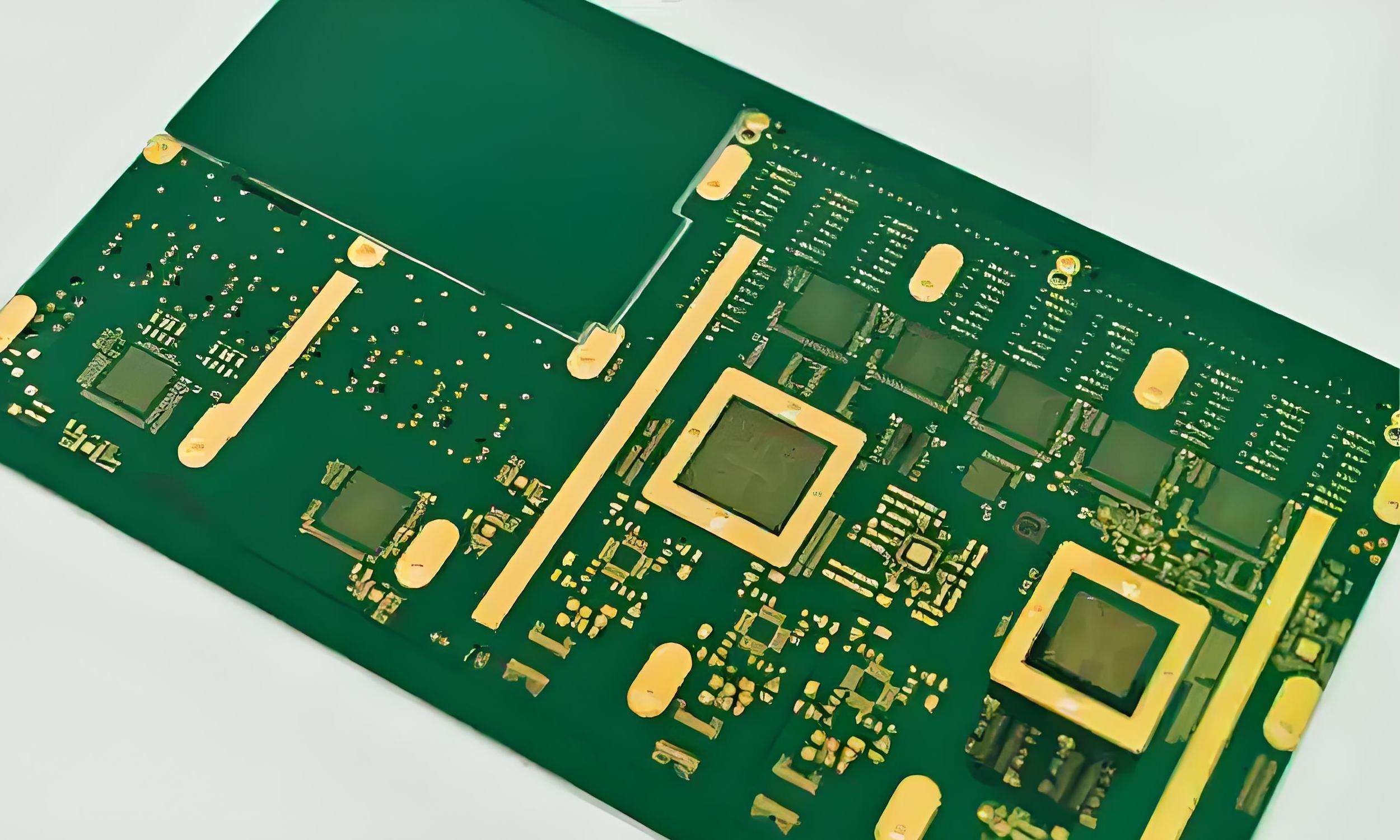
6 Layer PCB Stackup, Thickness, Impedance Control

October 18th, 2024

What is a 6 Layer PCB?

A 6 layer PCB is a printed circuit board that has six conductive layers. It consists of 4 inner layers and 2 outer layers, of which the inner layer is made of copper foil and located in the center of the board (we cannot see it by our eyes), while the outer layer is located on the top and bottom of the board. This design packs a punch, letting you fit more complex circuitry into a smaller space. It’s perfect for small electronic devices that need to do a lot.

6 Layer PCB Stackup, Thickness, Impedance Control

6 Layer PCB Structure

In a typical 6 layer PCB stackup, the conductive layers are numbered from top to bottom, starting with Layer 1. Here’s what a standard configuration looks like:

  • Layer 1: Top Layer
  • Layer 2: Reference Plane 1
  • Layer 3: Signal or Plane Layer 2
  • Layer 4: Signal or Plane Layer 3
  • Layer 5: Reference Plane 2
  • Layer 6: Bottom Layer

The top and bottom layers are the two most common layers in a 6-layer PCB. They are often used to mount large components and connectors. The main role of the top and bottom layer is to provide the structure and support of the circuit board, and can also be used to connect external devices. The middle layers handle signals and reference planes (like ground and power).

Common 6 Layer PCB Stack-Up

When it comes to stacking up those layers, you have a few common configurations:

6 Layer PCB Stackup, Thickness, Impedance Control

Stack-Up Option 1: S G S S P S

  1. Top Layer (Signal)
  2. Layer 2 (Ground)
  3. Layer 3 (Signal)
  4. Layer 4 (Signal)
  5. Layer 5 (Power)
  6. Bottom Layer (Signal)

This kind of stack up has more signal layers, which is conducive to the wiring work between components; Because POWER and GND are far apart and not tightly coupled, the signal layers are directly adjacent, which is easy to cause crosstalk. Therefore, staggered wiring is required during wiring. When the power supply impedance is low.

Stack-Up Option 2: S S G P S S

  • 1.     Top Layer (Signal)
  • 2.     Layer 2 (Signal)
  • 3.     Layer 3 (Ground)
  • 4.     Layer 4 (Power)
  • 5.     Layer 5 (Signal)
  • 6.     Bottom Layer (Signal)

POWER and GND are tightly coupled, but the plane reference is too far away and the signal isolation is not good, which is easy to cause crosstalk.

Stack-Up Option 3: S G S G P S (preferred solution)

  • 1.     Top Layer (Signal)
  • 2.     Layer 2 (Ground)
  • 3.     Layer 3 (Signal)
  • 4.     Layer 4 (Ground)
  • 5.     Layer 5 (Power)
  • 6.     Bottom Layer (Signal)

POWER and GND layers are tightly coupled, with good EMI characteristics, and the signal layer is directly adjacent to the internal electrical layer, and is effectively isolated from other signal layers, which is not easy to crosstalk.

Stack-Up Option 4: S G S P G S

  • 1.     Top Layer (Signal)
  • 2.     Layer 2 (Ground)
  • 3.     Layer 3 (Signal)
  • 4.     Layer 4 (Power)
  • 5.     Layer 5 (Ground)
  • 6.     Bottom Layer (Signal)

POWER and GND are tightly coupled. The signal layer is adjacent to the ground layer, the power layer is paired with the ground layer, the impedance of each line layer can be better controlled, and the magnetic field line can be well absorbed by both layers. This layered scheme is suitable for the design of high chip density and high clock frequency.

6 Layer PCB Thickness

The total thickness of a 6 layer PCB usually ranges from 0.8 mm to 2.0 mm. Of course, this can vary based on materials and what you’re aiming for. Each layer contributes to this thickness, and the copper thickness often ranges from 1 oz to 3 oz. Thicker boards tend to offer better durability and heat dissipation, but they can also be less flexible, which is something to consider depending on your application. The common thickness structure are showing as below:

6 Layer PCB Stackup, Thickness, Impedance Control

Above are the common structure and thickness of a 6 layer multi-layer PCB, if you want thicker thickness, welcome to contact with us, our expertise team will give you the best and cost-effective solution!

6 Layer PCB Manufacturing Process

6 Layer PCB Stackup, Thickness, Impedance Control

6 Layer PCB Price

The price of a 6 layer PCB doesn’t have a standard number/value. It varies based on factors like material, size, and complexity. Generally, they are more expensive than simpler designs due to the increased number of layers and the advanced manufacturing processes involved. However, the investment often leads to improved performance and durability. Here are some factors that will effect your 6 layer PCB price:

  1. Design complexity: If the design is intricate, expect a higher price.
  2. Material quality: Premium materials can drive up the cost but often improve performance.
  3. Volume: Producing in bulk usually lowers the cost per unit.
  4. Manufacturing process: The more difficult process, it will cost much more. Like a normal 6 layer FR4 PCB with through holes is cheaper than 6layer HDI PCB with blind or buried via holes.
  5. Surface treatment: Different treatment you choose will affect your overall price.

In general, you’re looking at prices that range from $5 to $50 or more per unit. It might sound steep, but investing in a quality 6 layer PCB can really pay off in terms of performance and reliability.

6 Layer PCB vs. 4 Layer PCB

6 layer PCB is different with 4 layer PCB, from the board thickness, cost, line width and spacing and etc. Here we listing three main differences between them:

1. Board thickness

The thickness of the PCB board is the thickness of the fingerboard, usually in millimeters. There is a difference in thickness between six-layer and four-layer plates. The thickness of the six-layer plate is usually between 1.6mm and 2.0mm, while the thickness of the four-layer plate is between 1.0mm and 1.6mm. Therefore, the thickness of the six-layer plate is thicker than that of the four-layer plate.

2. Line width

The line width refers to the width of the wire on the circuit board. There is also a difference in line width between six-ply and four-ply panels. The line width of a six-layer board is wider than that of a four-layer board. This is because in a six-layer board, there are more circuit layers, so it is easier to accommodate a wider line width.

3. Drilling

Drilling is an indispensable part of the PCB board production process. It is usually used to punch holes in the board so that electronic components can be installed. There is also a difference in the number of holes drilled between six-ply and four-ply panels. Because the six-layer board has more circuit layers, the number of holes is relatively high.

Impedance Control for 6 Layer PCB

‌The impedance control of 6-layer PCB is to control the impedance value of signal transmission by designing the geometry and material of the circuit board to improve the speed and quality of signal transmission, and reduce signal reflection and interference. ‌ Common methods of controlling impedance include adjusting parameters such as the width, spacing and thickness of the signal lines, using differential lines to reduce signal interference and noise, and using interlayer isolation to prevent signal interference.

In the 6-layer PCB design, the specific implementation methods of impedance control include:

  • Signal line width and spacing control

Signal line width and spacing is a key factor affecting the impedance. Strictly control the line width tolerance within ±10%, and pay attention to the possible pinholes, notches, dents and other problems on the wire, which will further affect the line width and impedance.

6 Layer PCB Stackup, Thickness, Impedance Control
  • Dielectric layer thickness control

Dielectric layer thickness has a significant effect on impedance. Use advanced manufacturing technology and equipment to ensure the uniformity and consistency of the thickness of the medium layer, and strictly control the thickness tolerance of the medium layer within the design requirements.

  • ‌The use of differential line

Differential line can effectively reduce signal interference and noise, improve the quality of signal transmission and anti-interference ability.

6 Layer PCB Stackup, Thickness, Impedance Control
  • Partially filled with copper and grounded

Fill the area without components or wires with copper, and ensure that the copper filled area is connected to the internal ground layer or power layer at multiple points. The distance between the connection holes does not exceed 1/20 of the highest harmonic wavelength of the signal ‌

6 Layer PCB Design Considerations

When you’re designing a 6 layer PCB, there are several things to keep in mind:

Reference Plane Placement

For the best performance, reference planes (usually ground and power) should be placed next to the routing layers. This setup helps maintain controlled impedance, which is critical for high-speed designs. Having a continuous ground plane right next to signal layers is a great practice.

Plane Splits

Sometimes, reference planes need to be divided into separate sections for analog and digital power. This keeps the analog circuitry isolated from the digital side, which helps reduce noise in sensitive areas.

Symmetry in Design

It’s usually best to keep the stackup symmetrical, with reference planes both above and below the signal layers. This arrangement improves signal integrity. But in some cases, asymmetrical designs are used depending on specific design needs.

Thermal Management

Consider how to manage heat, especially in high-power scenarios, to ensure reliability.

Signal Routing

High-speed or noise-sensitive signals should be routed on the inner layers between reference planes. Keeping these signals away from the outer layers helps minimize interference.

Breakout Vias

When transitioning from inner layers to outer layers, breakout or stub vias should be used. These vias help manage any stub effects, keeping things tidy and controlled.

Minimum Spacing

Lastly, always follow the board fabricator’s guidelines for minimum trace width, spacing, and annular ring sizes. This ensures the board meets the necessary standards and avoids any manufacturing issues.

Simulation Tools

Use simulation software to identify potential issues before manufacturing, which can save you time and hassle.

EBest Circuit (Best Technology) is a reliable PCB manufacturer in China. As one of the highly experienced circuit board suppliers, our products and services include a wide range of printed circuit boards such as rigid PCBs, flex PCBs, rigid-flex PCBs, aluminum PCBs, RF Microwave PCBs, high-speed PCBs, high-frequency PCBs, HDI PCBs, etc. If you have such demands, welcome to contact us.

PCB trace width and spacing Design Guide

October 18th, 2024

Trace width refers to the width of the conductive line on the PCB. If the line width is too narrow, the current passing through the unit area is too large, which will cause the wire temperature to rise and may damage the circuit board. Spacing refers to the distance between adjacent conductive lines on the PCB. Sufficient spacing can ensure the electrical insulation performance between adjacent lines and prevent short circuits between lines.

What is PCB trace/line spacing?

PCB trace/line spacing refers to the minimum distance between two lines on the PCB board. This distance is usually used to avoid electrical interference and ensure the reliability of the circuit. The size of the line spacing will affect the crosstalk, electromagnetic compatibility and heat dissipation performance of the circuit.

PCB trace width and spacing Design Guide

The basic concept and importance of line spacing is that it directly affects the performance and reliability of the circuit. The size of the line spacing needs to ensure that the electrical coupling and interference between the circuits are minimized to ensure the normal operation of the circuit.

What are the rules for PCB trace spacing?

The basic rule for PCB trace spacing is that the distance from the center of the line to the center of the line should be greater than or equal to 3 times the line width (3W rule) to ensure that crosstalk between lines is reduced.

  • ‌3W rule‌: In order to minimize the interference between lines, the distance from the center of the line to the center of the line should be greater than or equal to 3 times the line width (3W rule), which can reduce 70% of the electric field interference. If you need to achieve a higher interference reduction effect, you can use 10 times the line width (10W rule), which can reduce 95% of the interference.
  • ‌Electrical safety spacing‌: According to the production capacity of the PCB manufacturer, the spacing between the wires and between the wires and the pads shall not be less than 4mil. Usually, the conventional spacing is set to about 10mil to ensure production quality and electrical safety.
  • ‌Special signal lines‌: For signal lines that need to control impedance, such as RF signals, important single-ended signals, and differential signals, the line width and line spacing should be determined according to the stacking calculation to ensure stable signal transmission.
  • ‌Other considerations‌: In PCB design, it is also necessary to pay attention to the signal lines to avoid using right angles and sharp angles. Using arcs or 135° obtuse angles can reduce reflections and standing waves.

What is the minimum line spacing in PCB?

The minimum line spacing in PCB is usually 4mil. ‌ This spacing is to avoid electrical interference and ensure the reliability of the circuit. The specific line spacing requirements depend on factors such as design specifications, application environment, and manufacturing process. ‌

PCB trace width and spacing Design Guide

In some high-precision applications, a smaller spacing may be required, but in general, the spacing should not be less than 4mil. The common spacing in conventional design is 10mil, which can ensure better production efficiency and circuit stability. ‌

What is the minimum line width for a PCB? ​

The minimum line width of a PCB is usually 6mil (about 0.153mm). This is because in high-density and high-precision PCB design, the line width needs to reach this value to ensure production quality and reliability. ‌

The minimum line width may vary under different design requirements. The minimum line width that can be supported may reach 3.5mil (about 0.09mm) or less, but in most common designs, the line width will be greater than this value to ensure production yield and reliability. ‌ In high-density and high-precision PCB design, the line width may be thinner. ‌

PCB trace width and spacing Design Guide

When designing a PCB, the choice of line width needs to consider the needs of signal transmission. Generally speaking, the larger the line width, the better the factory production and the higher the yield. The line width in conventional design is usually 10mil (about 0.254mm), which can meet most application scenarios. In high-speed signal transmission, the line width needs to be greater than 10mil to reduce signal loss and synchronization problems.

What is the minimum hole spacing for PCB?

The minimum hole spacing of PCB is generally 0.1mm to 0.15mm. This range is applicable to standard 6-layer PCB circuit boards, but the specific value may vary depending on the manufacturing process and design requirements.

Under different manufacturing processes, the specific value of the minimum hole spacing is different. The minimum aperture of mechanical drilling is 0.15mm, while the minimum aperture of laser drilling can reach 0.075mm. In addition, the spacing from the pad to the outline is generally 0.2mm, and the single side of the pad cannot be less than 4mil (about 0.1mm), preferably greater than 6mil (about 0.15mm). For non-metallic holes and slots, the minimum spacing is not less than 1.6mm, and the slot hole is not less than 2.0mm from the edge of the board of the outline.

Factors that affect the minimum hole spacing of PCB include manufacturing process, design requirements and drilling detection. The advancement of manufacturing process has continuously improved the accuracy of PCB boards, and the minimum hole diameter and spacing have been continuously reduced. For example, the accuracy of modern PCB boards has developed to a minimum hole diameter of 0.08 mm and a minimum hole spacing of 0.1 mm or even higher. In addition, drilling detection is also an important link to ensure the quality of PCBs, including through holes, part holes, slot holes and special-shaped holes, which all need to be strictly inspected.

Why is PCB trace spacing design so important?

PCB trace spacing design is very important because it is directly related to the reliability, performance and safety of the circuit board. By reasonably designing the trace spacing, electrical interference can be avoided, signal transmission quality can be guaranteed, and the thermal stability and reliability of the circuit board can be improved, thereby ensuring the normal operation and long-term stable operation of the circuit board.

PCB trace width and spacing Design Guide

First, the design of trace spacing can prevent electrical interference. When two traces are parallel and close to each other, parasitic capacitance and inductance will be generated between them, resulting in signal interference and attenuation. Increasing the trace spacing can reduce this coupling effect, thereby ensuring stable signal transmission.

Second, appropriate trace spacing helps to improve the thermal stability of the circuit board. Components and traces with large working current will generate heat when working. If the traces are too dense, heat is easy to accumulate, resulting in local temperature rise, which may cause failure.

In addition, the design of trace spacing also needs to consider the requirements of production process. Smaller line width and line spacing have higher requirements for production process, which may increase production difficulty and cost.

What will happen if the PCB trace spacing is insufficient?

Insufficient PCB trace spacing will lead to problems such as signal attenuation, signal delay, crosstalk interference and layout difficulties. These problems will affect the performance and stability of the circuit and may even cause circuit function failure.

First, signal attenuation is a major problem of insufficient spacing. Signals will be attenuated during transmission. Too small spacing will increase the possibility of signal attenuation, resulting in signal distortion and increased noise, especially in high-frequency signals and fast signal transmission.

Second, signal delay is also a problem caused by insufficient spacing. It takes time for signals to propagate in the circuit. Too small spacing will extend the path of signal propagation, thereby increasing signal delay and affecting the real-time performance of the system.

In addition, crosstalk interference is another important issue. Insufficient spacing will increase the electromagnetic interaction between signal lines, leading to crosstalk interference, thereby introducing errors or interference and affecting the stability of the circuit.

Finally, layout difficulties are also a practical problem caused by insufficient spacing. When laying out the PCB, too small spacing will increase the complexity of the layout, making it difficult for designers to reasonably arrange the signal path, the distribution of power and ground lines, and the layout of components.

Does trace spacing affect PCB production cost?

The setting of trace spacing is directly related to the difficulty and cost of PCB production process. Although smaller line width and spacing can improve the performance of the circuit, it will increase the difficulty and cost of production.

The setting principles of trace spacing include:

The default values ​​of line width and spacing are usually 6mil, but they can be adjusted according to design requirements. The minimum line width recommended value is 10mil, and the maximum line width can be set to 200mil.

The setting of trace spacing needs to take into account electrical safety and signal integrity. It is usually required that the line center spacing is not less than 3 times the line width to ensure that the electric field does not interfere with each other.

In the design of high-speed signal lines, using larger spacing can further reduce crosstalk and improve the stability of the circuit, but it will also increase costs.

Factors that affect the cost of PCB production also include:

  • ‌Number of wiring layers‌: The more layers, the higher the price.
  • ‌Via size‌: Vias smaller than 0.25mm usually require additional fees, and back drilling will increase the cost by about 10%~20%.
  • ‌Plate selection‌: Unconventional materials such as high-frequency plates and halogen-free plates will increase procurement cycles and production costs.

In summary, the setting of trace spacing has a significant impact on the cost of PCB production. Reasonable settings can control costs while ensuring performance.

In short, PCB line width and spacing are very important parameters in electronic circuit design. They directly affect the performance, reliability and manufacturing feasibility of the circuit board. When designing a circuit board, it is necessary to reasonably select line width and spacing according to the requirements of the circuit and the actual situation.

What is laser direct imaging technology?

October 9th, 2024

Laser direct imaging (LDI) technology is a process that uses lasers to expose images directly on photoresists, mainly used in the exposure process of PCB manufacturing processes. LDI is a widely used technology that can create a variety of images and is used in various industries, including electronics, automotive and medical industries.

What is laser direct imaging?

Laser direct imaging (LDI) is an advanced photolithography technology. It directly uses a laser beam to expose images on photoresists, eliminating the intermediate step of making photolithography masks in traditional photolithography technology.

What is laser direct imaging technology?

In this process, the laser beam is precisely controlled according to the pre-set circuit pattern data. The laser emitted by the laser light source is processed by a series of optical components, such as beam expansion and focusing, and then the laser beam is guided by the scanning system to scan and expose the surface of the printed circuit board (PCB) coated with photoresist.

The photoresist responds to the laser energy, and according to the type of photoresist (positive or negative), the corresponding chemical changes occur in the laser irradiation area. This change will lay the foundation for subsequent development and other processes, thereby forming an accurate circuit pattern.

What is the principle of laser direct imaging?

The principle of laser direct imaging (LDI) is to expose the pattern directly on the substrate coated with photosensitive material through a computer-controlled laser beam.

Specifically, the workflow of LDI includes the following steps: First, the designed circuit pattern is converted into the image generation program of the spatial light modulator through computer-aided manufacturing (CAM) software. Then, the laser beam passes through the spatial light modulator, and the generated image is projected onto the substrate coated with photosensitive material through the optical imaging system to complete the pattern exposure. Compared with the traditional mask exposure process, LDI saves the film process in the exposure process and greatly improves the production efficiency.

The main advantages of LDI technology are its efficiency and precision. It directly uses a highly focused laser beam controlled by a computer to define the circuit pattern on the PCB copper layer covered with laser photoresist without the need for photographic tools, thus avoiding the film and printing defects in the traditional process.

In addition, LDI also optimizes the production environment, eliminates the influence of temperature and humidity on the product, and further improves the production quality and efficiency.

How does laser direct imaging (LDI) work?

Laser direct imaging (LDI) technology is a process that uses laser to directly expose and image on photoresist, and is mainly used in the exposure process in the PCB manufacturing process. Its working principle is as follows:

  • 1. Design graphics: Design the circuit graphics to be produced through computer-aided design (CAD) software.
What is laser direct imaging technology?
  • 2. Generate images: Convert the designed circuit graphics into digital images and transmit them to the control system of the LDI equipment.
  • 3. Laser scanning: The laser beam in the LDI equipment scans and exposes the photoresist according to the information of the digital image under the precise control of the control system.
  • 4. Photochemical reaction: The photoresist undergoes a photochemical reaction under the irradiation of the laser, changing its solubility.
  • 5. Development: The exposed photoresist is developed in the developer to remove the unexposed part of the photoresist, thereby forming a circuit pattern on the photoresist that is consistent with the design graphics.
  • 6. Etching or electroplating: According to needs, the developed circuit board is etched or electroplated and other subsequent processes are performed to produce the actual circuit.

Compared with traditional exposure technology, LDI technology has higher resolution and precision, can produce finer circuit wiring and smaller line spacing, and also has higher production efficiency and flexibility.

What are the advantages of using laser direct imaging?

The main advantages of LDI (Laser Direct Image) technology include: eliminating the film process in the exposure process, saving time and cost for loading and unloading films, and reducing deviations caused by film expansion and contraction; directly imaging CAM data on PCB, eliminating CAM production process; high image resolution, fine wires can reach about 20um, suitable for fine wire production; improve PCB production yield.

The main problems of LDI technology include: high-precision lasers and optical systems are required, which increases the cost and complexity of the equipment; high environmental requirements, temperature and humidity need to be controlled to ensure imaging quality; high technical requirements for operators, and professional training is required to operate the equipment proficiently.

The advantages of LDI technology in the flexible board industry include: improving production efficiency, no need to make and replace physical masks, shortening production cycles and waiting time; high-precision imaging, capable of processing finer and more complex graphics, improving product yield and reliability; efficient use of materials, reducing material waste; environmental advantages, reducing the use of chemicals, and reducing environmental pollution.

What are the disadvantages of laser direct imaging?

The disadvantages of laser direct imaging (LDI) technology mainly include:

  • 1. High equipment cost: LDI equipment is usually expensive and requires a large initial investment, which may be a burden for some small enterprises or projects.
What is laser direct imaging technology?
  • 2. High environmental requirements: LDI equipment needs to work in a specific environment, such as a dark room or a low-illuminance red light environment, which increases the requirements for the working environment.
  • 3. Technical complexity: LDI technology involves multiple steps and complex process flows, with high technical requirements for operators, and long training costs and time.
  • 4. High material cost: LDI requires the use of specific photoresists and laser diodes, which are expensive and increase production costs.
  • 5. Speckle problem: After the laser beam is reflected or transmitted through a rough surface, it will form countless independent scattered sub-waves. These sub-waves are coherently superimposed during the spatial propagation process, forming random and irregularly distributed bright and dark spots in space, that is, speckle phenomenon, which may affect the imaging quality.

In summary, although LDI technology has the advantages of high precision and high efficiency, its disadvantages such as high equipment cost, complex technical requirements and speckle problem also need to be considered when using it.

When is laser direct imaging used?

Laser direct imaging LDI is mainly used in the exposure process in PCB manufacturing, especially when high precision and efficient production are required. This technology is particularly suitable for the production of fine-line and ultra-fine-line circuit boards, and can achieve the best imaging effect.

In addition, LDI technology is also widely used in the field of FPC soft boards, which can improve production efficiency and product quality, and support complex circuit structures and high-density layouts.

The advantages of laser direct imaging LDI technology include:

  • 1. High precision: It can achieve high-resolution pattern exposure and improve product performance and reliability.
  • 2. Efficient production: shorten the exposure process, speed up production and reduce costs.
  • 3. Complex circuit structure: support the exposure of multi-layer FPC and meet the needs of high-density layout.

Laser direct imaging technology is a highly promising technology in the field of PCB manufacturing. It has many advantages in terms of precision, flexibility, production efficiency and cost-effectiveness, and plays an important role in PCB manufacturing in many fields such as high-end electronic products, automotive electronics, industrial control and communication equipment.

What is beveler in pcb?

October 7th, 2024

PCB beveler is a less well-known but very important tool, but it plays a vital role in the manufacturing and assembly process of PCB (printed circuit board). It is a tool specifically used to create bevels or chamfers around the edges or holes of PCB.

What is a PCB Beveler?

PCB beveler is a device used to bevel (chamfer) the edges of printed circuit boards (PCBs). Its functions include improving the electrical performance of PCBs, dispersing the electric field through beveling, reducing the risk of electrical breakdown; enhancing the mechanical properties of PCBs, preventing stress concentration and cracking at the edges; facilitating subsequent processing and assembly work, avoiding scratching other electronic components or damaging component pins during the plug-in process.

What is beveler in pcb?

It has the advantages of high precision, high efficiency, low noise, and low energy consumption. It is widely used in the electronics industry, especially in the production process of consumer electronic products such as smartphones and tablets, which can improve production efficiency and product quality.

What is Edge Bevel in PCB?

Edge bevel is the process of making a transition edge between two sides of a PCB, usually on the outer edge of the PCB. Bevel is often used for edge connectors to allow for smoother insertion into another circuit board socket. Edge connector pins are often called gold fingers because they are plated with gold and have multiple parallel groups together.

Why do PCB edges need to be beveled?

The main reason why PCB edges need to be beveled is to increase the contact area, reduce contact resistance, and improve the stability of electrical connections.

The bevel process increases the contact area between the gold finger and other connectors by processing the PCB edge into a bevel, thereby reducing the contact resistance and improving the stability and reliability of signal transmission.

Specifically, the bevel process has the following advantages in application:

  • ‌Increase contact area‌: Beveled edges can increase the contact area between the gold finger and the socket, thereby increasing friction and connection stability.
  • ‌Reduce contact resistance‌: The bevel design reduces the pressure concentration at the contact point, thereby reducing the contact resistance and reducing the loss in signal transmission.
  • ‌Adapt to different application scenarios‌: According to the specific application scenarios and equipment requirements, the bevel angle can be adjusted between 15° and 45° to meet different spatial layouts and electrical connection requirements‌.

The use of PCB beveling machines further improves the accuracy and efficiency of the beveling process. This mechanical equipment can accurately control the bevel angle through a high-precision mechanical transmission system and an efficient grinding process to ensure processing quality and production efficiency.

What are the Benefits of PCB Edge Beveling?

The main benefits of PCB edge beveling include enhanced aesthetics, easy installation, improved electrical performance, and reduced mechanical stress. ‌

First, the beveling process can enhance the aesthetics of the circuit board. By cutting the PCB edge at a specific angle, the beveling process makes the appearance of the circuit board more refined and beautiful, which can significantly improve the overall visual effect of the product‌.

Secondly, the beveling process is easy to install. The beveling design can better adapt to the structural design of various electronic devices, making the assembly of PCB boards and other components more convenient and precise, and the design of the beveling angle can better achieve the coordination of PCB boards with other components‌.

What is beveler in pcb?

In addition, the beveling process can also improve electrical performance. Bevel design can increase the contact area and reduce the contact resistance, thereby improving the stability and reliability of signal transmission.

Finally, bevel design can reduce mechanical stress. The design of the beveled rectangle allows the socket to slowly and gradually enter or exit the jack when plugging and unplugging, thereby reducing the mechanical stress during plugging and unplugging and extending the service life of the socket and jack.

What are the limitations of PCB edge beveling?

The main limitations of PCB edge beveling include the design of the bevel angle, the spacing requirements between the components and the board edge, and the requirements for cutting accuracy and speed. ‌

First, the design of the bevel angle needs to be determined according to the specific application scenario and equipment requirements. The common bevel angle range is between 15° and 45°.

In some devices with high requirements for plugging and unplugging force and contact stability, a smaller bevel angle may be selected to increase the contact area and friction between the gold finger and the socket to ensure the stability of signal transmission; while in some occasions with strict restrictions on spatial layout, a larger bevel angle may be used to better realize the assembly of PCB boards and other components. ‌

Finally, cutting accuracy and speed are also important limiting factors. PCB beveling machines need to have high-precision cutting capabilities and be able to accurately cut within the specified size range. The cutting accuracy directly affects the quality and reliability of the circuit board.

How Does PCB Beveling Work?

PCB beveling machines are usually composed of a frame, a transmission system, a grinding system, a positioning fixture, and a protective device.

The transmission system uses high-precision gears or screw drives to ensure processing accuracy. The grinding system consists of a grinding head and a coolant system, etc., which are used to grind PCB boards. The positioning fixture is used to fix the PCB board to ensure the accuracy and stability of the processing, while the protective device is to protect the safety of the operator.

What is beveler in pcb?

During the operation, first check whether the beveling machine is operating normally. If there is a problem, it needs to be repaired. Then, set the beveling angle according to customer needs or the default 45° angle.

Next, adjust the angle of the gong section and the table, adjust the distance of the steel plate according to the thickness of the board, and use a copper plate of the same thickness to test the knife to ensure that the angle of the bevel of the beveled board meets the requirements.

Finally, the grinding process is carried out through the grinding system. The grinding head rotates at a high speed and applies a certain amount of pressure on the PCB board, thereby processing its edge into a bevel.

What are the Applications of PCB Beveling?

The core application of the PCB beveling process is to increase the contact area and reduce the contact resistance, thereby improving the stability and efficiency of the connection. This process is common in the beveling of gold fingers, especially on devices such as computer memory bars and graphics cards. The bevel design of gold fingers can significantly improve the data transmission speed and reliability.

‌Specific application scenarios‌ include:

  • ‌Computer memory bars and graphics cards‌: On these components, the bevel design of gold fingers can not only increase the contact area and reduce the contact resistance, but also prevent oxidation to a certain extent and extend the service life.
What is beveler in pcb?
  • ‌Other communication equipment‌: In addition to computer memory bars and graphics cards, the beveling process of gold fingers is also used in various devices that communicate through digital signals, such as consumer electronics, smartphones, and smart watches.

In short, the beveler in PCB is a tool specifically used to create bevels or chamfers around the edges or holes of PCBs. It has the functions of improving the reliability of PCB, facilitating assembly and improving appearance. When using the bevel, pay attention to the correct operation method and maintenance to ensure its normal operation and service life.