PCB manufacturing PCB manufacturing
Home > Blog

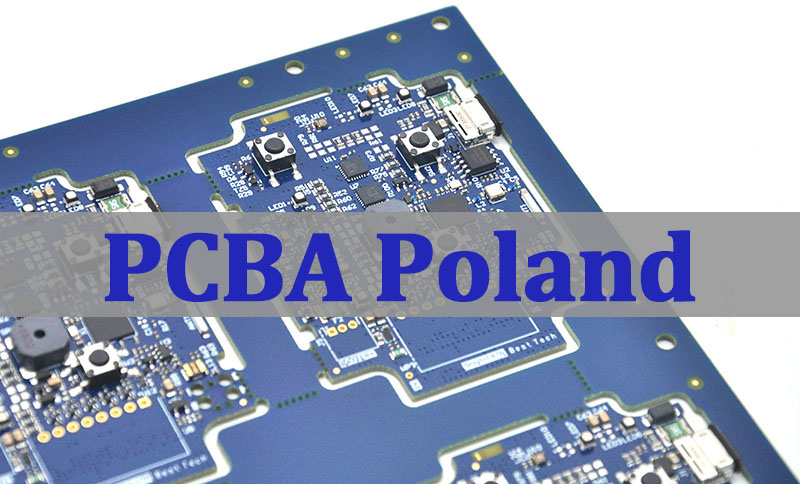
What is HTS Code for PCBA Board? Bare Board HS Code

December 1st, 2025

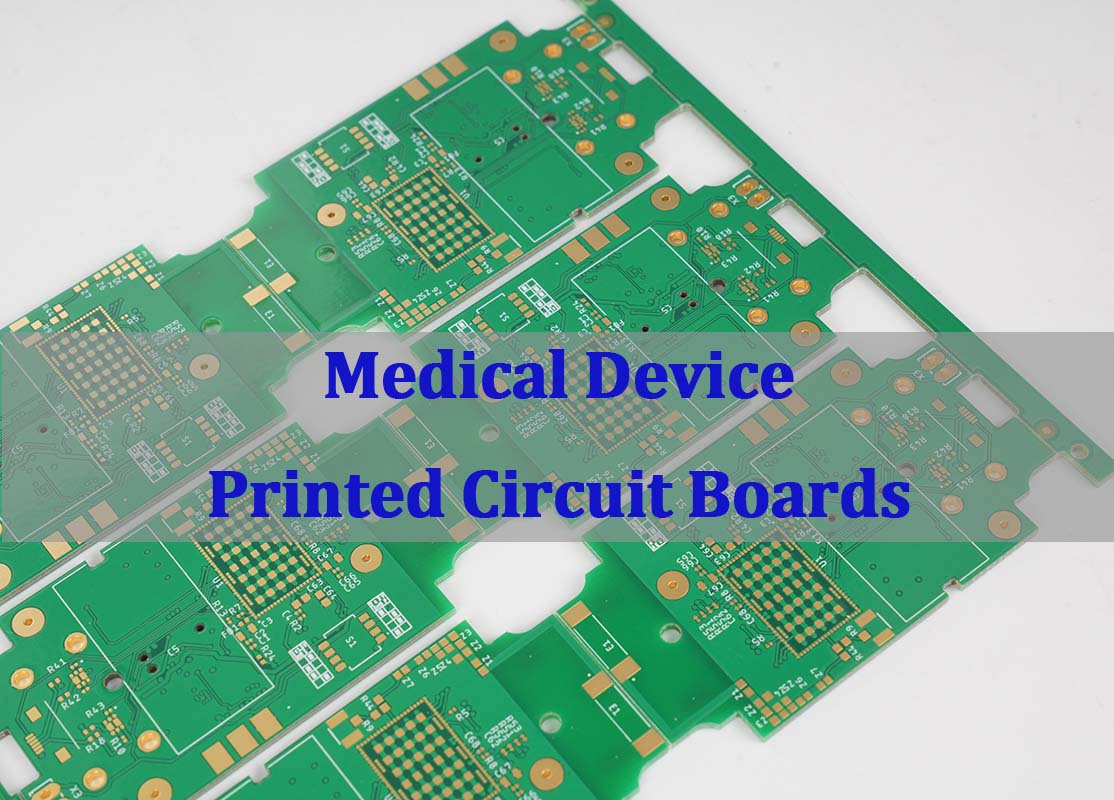
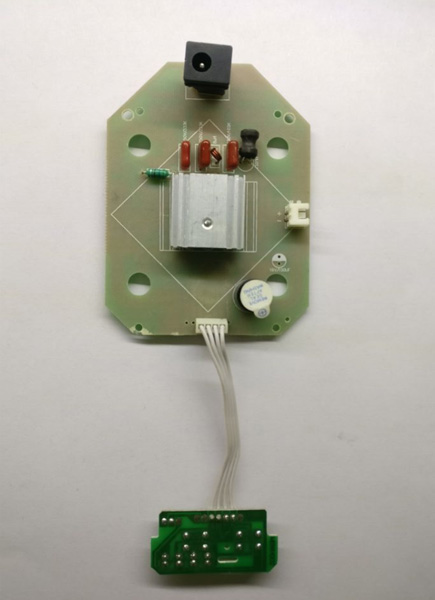
The HTS code for PCBA boards often fall under headings in Chapter 85, particularly sections dealing with electrical apparatus, but it doesn’t have a standard HS code cause it should depends on its function and purpose.

Understanding the HTS Code for PCBA Board is one of the most important steps in moving electronic assemblies across borders. This code tells customs how to classify a PCBA during import and export, and although the idea seems simple, the real process often causes uncertainty for buyers, logistics teams, and even engineers. The correct classification affects tariffs, clearance speed, and how your shipment is documented, so a solid grasp of HTS rules helps companies avoid delays and build a more predictable supply chain.

What Is HTS Code?

The HTS code, also called HS code or Harmonized Tariff Schedule code, is a numerical classification used by U.S. Customs for imports. It is based on the international Harmonized System (HS), which is managed by the World Customs Organization. These codes define how goods should be categorized during cross-border trade.

HTS is used in the United States, while many other countries use the six-digit HS format. The HTS expands those six digits into ten digits, offering more detailed classification for tariffs and trade control.

For electronic assemblies and PCBA shipments, an HTS code describes the board’s function, its degree of assembly, and how it will be used inside the final device. Although many companies assume there is only one standard code for PCBAs, classification actually depends on the product’s characteristics and end application.

In simple terms, HTS code = product identity in the customs system. It determines how the product is taxed, tracked, and cleared.

What is HTS Code for PCBA Board? Bare Board HS Code

Why Correct HTS Code Is Important in International Trade?

Using the correct HTS code is a critical requirement for every international shipment. Customs authorities rely on the HS/HTS number to understand what the product is, how it should be taxed, and whether it has any special restrictions. When the code is accurate, shipments pass through customs faster and without extra checks.

The importance of accurate HTS classification lies in several areas:

  • Accurate duty calculation

Tariffs depend entirely on the HTS code. Some codes have zero duty, while others carry higher rates. An incorrect code could lead to unexpected costs or disputes with customs authorities.

  • Compliance and risk prevention

Incorrect classification may trigger delays, inspections, or even penalties. Customs departments may reclassify goods, creating extra paperwork and cost for importers.

  • Proper trade documentation

Commercial invoices, packing lists, and declarations must use the right HTS code to match the product description. This consistency reduces the chance of errors during review.

  • Avoiding future trade complications

Many companies are audited months or years after importing goods. A wrong HTS code can create issues long after the shipment has cleared.

For PCBA boards, correct classification also affects export compliance because some assemblies include RF modules, encryption components, or high-power devices. While the HTS code focuses on customs, an accurate description supports broader trade requirements.

How to Classify Electronic Board HS Code?

Classifying electronic boards requires a clear understanding of the product’s function. Customs classification is not based on the component list alone. Instead, the primary purpose of the board determines the HS code.

To classify any electronic board, the following factors are considered:

1. Is the board bare or assembled?

Bare PCBs and PCBAs fall under different HS categories. A bare copper-clad laminate with etched traces belongs to one code. Once components are mounted, the board is treated as an electronic module or a part of another machine.

How to Classify Electronic Board HS Code?

2. What is the board used for?

Function is the central element in HS classification. Customs asks what device the PCBA belongs to:

  • A control module
  • A communication device
  • A power supply
  • A medical instrument
  • An automotive controller
  • A home appliance module

Each category may match a different HTS subheading.

3. Does the board perform a complete function or act as a part?

Some PCBAs operate as standalone electronic devices. Others are only subassemblies. Customs will place standalone units and internal modules in different HS categories.

For example:

  • A PCBA that serves as a complete power supply may fall under power supply device codes.
  • A PCBA used as a part inside a larger machine is classified as a “part of” that machine.

Common HS Codes for PCBA & PCB

When importing or exporting PCB and PCBA products, several HS codes are frequently used. While the final code always depends on product function, here are the most common categories buyers encounter.

Common HS Code for Bare PCB (Unassembled)

Bare printed circuit boards usually fall under:

  • HS 8534.00 – Printed circuits

This covers rigid boards, flexible boards, metal-core PCBs, ceramic PCBs, and hybrid structures without mounted components.

Common HS Codes for PCBA & PCB

Bare Board HS Code

Common HS Codes for PCBA (Assembled Boards)

PCBAs often fall under headings in Chapter 85, particularly sections dealing with electrical apparatus.

Common examples include:

  • HS 8538.90 – Parts suitable for use with equipment of 8535/8536

Often used for control boards, relay boards, switch assemblies, and modules used inside electrical equipment.

  • HS 8504.90 – Parts of electrical transformers and power supply units

Used for PCBA boards functioning as power supply modules.

  • HS 8543.90 – Parts of other electronic apparatus

Covers general-purpose electronic assemblies not specifically addressed in other HS categories.

  • HS 8517.70 – Parts of telephone and communication equipment

Used for IoT modules, RF transceiver boards, Wi-Fi boards, and 4G/5G PCBAs.

  • HS 9032.90 – Parts of automatic control instruments

Used for sensor boards, industrial automation modules, and process control units.

Common HS Codes for PCBA & PCB

HTS Code for PCBA Board

Because PCBA boards serve different industries—automotive, telecom, medical, industrial—the HS classification changes with the board’s role. Customs does not assign a “universal PCBA code,” so buyers must evaluate each product individually.

3 Key Factors Affecting PCB & PCBA HS Codes

Although many engineers assume HS classification is based on technical features like layers, copper weight, or assembly density, customs decisions rely on broader functional principles. Three major factors influence how a board is coded during import or export.

1. Degree of Assembly

A bare board and a populated board fall under different HS chapters.

  • Bare boards = “printed circuits”
  • PCBA boards = “parts” or “devices,” depending on function

2. Intended Application

The final use of the PCBA determines its HS category. Customs looks at the device where the board will be installed:

  • A PCBA for a communication product
  • A PCBA for an appliance
  • A PCBA for industrial equipment

Each category corresponds to a specific customs heading.

3. Functionality of the Assembled Board

A board that performs its own function may receive a different classification from one that relies on other modules.

For example:

  • A complete motor controller board is treated as a control device.
  • A sensor board that works only when embedded in a larger system is treated as a part.

When exporters understand these three factors, selecting the correct HTS code becomes far easier and more consistent.

3 Key Factors Affecting PCB & PCBA HS Codes

Why PCBA HTS Code Is Different from PCB HTS Code?

Many importers confuse the codes for PCB and PCBA, assuming both belong to the same tariff category. In reality, they represent different stages of production and different customs responsibilities.

A bare printed circuit board has no components mounted on it. It consists of copper layers, dielectric structure, and mechanical features. Customs recognizes it as a raw material, not a functioning electronic item. Bare PCBs therefore fall under HS 8534.00, which covers printed circuits only.

A PCBA board, however, is populated with electronic components. It may include ICs, connectors, resistors, sensors, and specialized chips. Once assembly occurs, the board gains a specific purpose, such as power regulation, communication, or control. Customs treats this assembly as a part of a machine or an electronic module.

Therefore:

  • PCB = printed circuit (raw structure, no mounted parts)
  • PCBA = module or part of a larger device (active, functional assembly)

Because the HTS system is function-based, PCBAs must be classified according to their function or application—not simply as “printed circuits.”

Can I Use Bare Board HS Code for PCBA Import & Export?

No, a bare board HS code cannot be used for a PCBA shipment. This is one of the most common mistakes made by buyers and new importers. Using HS 8534.00 for a populated PCBA is not acceptable in U.S. customs or in most global trade systems because:

  • It misrepresents the product’s value.
  • It misstates the function of the item.
  • It leads to incorrect tariff calculation.
  • It may trigger customs inspection or reclassification.

For example, a PCBA used in a communication product should fall under HS 8517.70. A PCBA used in an appliance belongs under a different heading. Filing it under HS 8534.00 would cause a mismatch between the invoice description and the actual product.

How to Find the Correct HTS Code for Your PCBA Board?

Selecting the correct HTS code for a PCBA requires a combination of technical understanding and compliance knowledge. Importers follow a structured approach to ensure the selected code is reasonable, accurate, and defensible during customs review.

Here is a practical method that companies use:

1. Define the function of the PCBA

Ask: What does the board do?

  • Communication module
  • Power control board
  • Sensor or measurement board
  • Industrial automation controller
  • Automotive ECU board

This will point you to the correct HS chapter.

2. Look at the end product

What product does the PCBA support?

  • A communication device → Chapter 85 (8517)
  • A home appliance → Chapter 85 (various subheadings)
  • A control instrument → Chapter 90 (9032)

The parent device determines the parent HTS number.

3. Check U.S. HTS database or your country’s HS system

The U.S. International Trade Commission (USITC) maintains updated HTS tables. Searching for the device type helps narrow down the code.

How to Find the Correct HTS Code for Your PCBA Board?

4. Review binding rulings

Customs rulings provide examples of how similar products were classified in the past. These rulings often help clarify classification for ambiguous cases.

5. Confirm with your customs broker

A licensed broker provides guidance aligned with import regulations. Many companies finalize their HTS selection with professional review to avoid risk.

6. Maintain consistency in documentation

The commercial invoice, packing list, CO, and airway bill must all reference the same HS number.

Why Work With EBest Circuit (Best Technology) for Global PCBA Shipments?

Companies looking for a reliable PCBA manufacturer benefit from working with a supplier who understands technical manufacturing and export procedures. EBest Circuit (Best Technology) supports customers across North America, Europe, and Asia with dependable engineering, stable production, and accurate shipment documentation.

EBest Circuit (Best Technology) offers:

  • Professional PCB and PCBA manufacturing under ISO9001, ISO13485, IATF16949, and AS9100D
  • Full traceability with MES systems
  • Detailed export documents including recommended HTS codes
  • Engineering support for prototype, low-volume, and mass-production PCBA
  • High-mix capability covering RF boards, heavy copper boards, ceramic PCBs, HDI PCBs, and more

Accurate HTS classification is part of EBest Circuit (Best Technology)’s shipment workflow. With every order, customers receive consistent documentation that supports smoother customs clearance and reduced administrative work.

For PCBA projects requiring global shipping, EBest Circuit (Best Technology) helps simplify trade steps and shorten your delivery timeline.

Frequently Asked Questions

1. Is there a universal HTS code for all PCBA boards?

No. HTS codes for PCBA boards depend on their function and the device where they will be installed.

2. Can I classify a PCBA under HS 8534.00?

No. HS 8534.00 applies only to bare printed circuit boards without components.

3. Who decides the final HTS code: supplier or importer?

The importer has final responsibility for correct classification, although suppliers often provide recommendations.

4. Why does application matter so much for PCBA classification?

Because customs categorize PCBAs as “parts” of other devices. The parent device determines the correct HS code.

5. Can one PCBA have multiple possible HTS codes?

Yes. When a PCBA could belong to several categories, importers choose the most accurate code based on primary function.

SMD Meaning: What Is a Surface Mount Device & Why It Matters

December 1st, 2025
SMD Meaning: What Is a Surface Mount Device & Why It Matters

What Does SMD Stand For? The Core Definition of Surface Mount Device

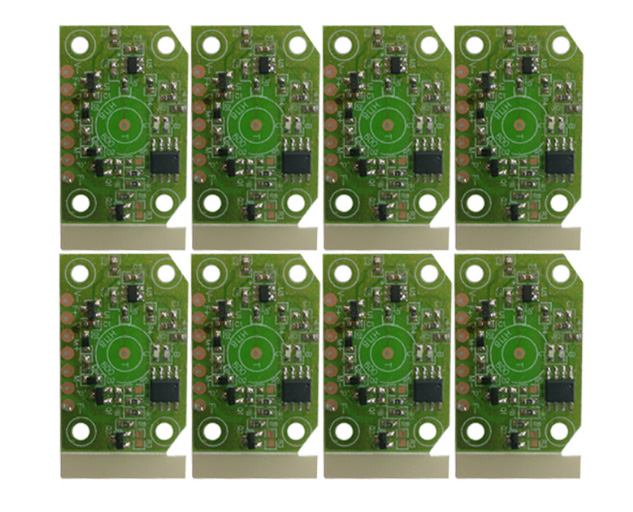
At its simplest, SMD (Surface Mount Device) is an electronic component designed to be soldered directly onto the surface of a printed circuit board (PCB). Unlike traditional through-hole components that require drilling holes for lead insertion, SMDs use small metal pads or terminals to attach to PCB surfaces—eliminating the need for drilling and unlocking game-changing design possibilities. This compact packaging is why your smartphone fits in your pocket, your laptop stays lightweight, and modern electronics keep shrinking while packing more power. From resistors and capacitors to integrated circuits, SMDs are the building blocks of nearly every device we use today, from consumer gadgets to aerospace systems.

SMD vs. SMT: Clearing Up the Most Common Confusion

SMD vs. SMT: Clearing Up the Most Common Confusion

One of the biggest frustrations for electronics beginners (and even seasoned hobbyists) is mixing up SMD and SMT. Let’s break it down plainly:

  • SMD: The component itself—think of it as the “part” you’re working with (e.g., an SMD resistor or LED).
  • SMT: Surface Mount Technology—the process of placing and soldering SMDs onto a PCB.

To put it metaphorically: SMDs are the bricks, and SMT is the construction method used to build the wall (the PCB). This distinction matters because choosing the right SMD components means understanding how they’ll interact with SMT assembly—whether you’re prototyping at home or scaling production. Unlike through-hole technology, SMT with SMDs enables faster automation, higher component density, and smaller final products—though it does come with unique challenges like precision requirements.

Key Characteristics of SMD Components That Transform Electronics

What makes SMD technology so revolutionary? These core traits explain its dominance in modern electronics:

  • No Drilling Required: SMDs attach directly to PCB surfaces, simplifying manufacturing and reducing PCB costs.
  • Compact & Lightweight: Without bulky leads, SMDs are drastically smaller—some resistors are smaller than a grain of rice—allowing denser circuit layouts.
  • Dual-Sided Mounting: SMDs can be placed on both sides of a PCB, doubling component capacity without increasing size.
  • Better High-Frequency Performance: Short leads minimize parasitic inductance and capacitance, making SMDs ideal for high-speed circuits (e.g., 5G devices or RF equipment).
  • Automation-Friendly: Designed for robotic pick-and-place machines, SMDs speed up production and reduce human error in mass manufacturing.

Where Are SMDs Used? Real-World Applications Across Industries

SMD components aren’t just for tech geeks—they’re everywhere. Here are the industries relying most on this technology:

  • Consumer Electronics: Smartphones, laptops, tablets, and wearables depend on SMDs to stay slim and powerful.
  • Automotive: Modern cars use hundreds of SMDs in ECUs (Engine Control Units), infotainment systems, and safety features (e.g., airbag sensors).
  • Medical Devices: Compact, reliable SMDs enable portable monitors, pacemakers, and diagnostic equipment.
  • Aerospace & Defense: Satellites and aircraft use SMDs for their lightweight design and resistance to vibration.
  • Telecommunications: 5G base stations, routers, and switches use SMDs to handle high-frequency signals efficiently.

How to Read SMD Resistor Codes (A Practical Guide)

One of the most common Reddit complaints about SMD components is deciphering their tiny codes—since their small size rules out printed values like traditional resistors. Here’s a step-by-step breakdown:

3-Digit Codes

The first two digits are significant figures; the third is the multiplier (number of zeros to add). For example:

  • 102 = 10 × 10² = 1,000 ohms (1kΩ)
  • 473 = 47 × 10³ = 47,000 ohms (47kΩ)
  • R22 = 0.22 ohms (the “R” denotes a decimal point)

4-Digit Codes

Works the same way, but with three significant figures. For example:

  • 1002 = 100 × 10² = 10,000 ohms (10kΩ)
  • 0402 = 040 × 10² = 4,000 ohms (4kΩ) – note: leading zeros count!

Pro tip: Use a magnifying glass or smartphone macro lens to read tiny codes, and cross-reference with manufacturer datasheets for confirmation.

Pros and Cons of Using SMD Components (Honest Insights)

While SMD technology is game-changing, it’s not perfect. Understanding these tradeoffs helps you make better design choices:

Advantages of SMDs

  • Smaller Footprint: Enables miniaturization of devices (critical for wearables and IoT gadgets).
  • Faster Assembly: Automated SMT lines place thousands of SMDs per hour—far faster than manual through-hole soldering.
  • Lower Cost at Scale: Mass-produced SMDs are cheaper than through-hole components, reducing overall PCB costs.
  • Better Mechanical Stability: Soldered directly to the PCB surface, SMDs resist vibration better than through-hole leads.

Disadvantages of SMDs

  • Difficult Manual Assembly: Hand-soldering SMDs requires steady hands, magnification, and practice.
  • Higher Repair Complexity: Damaged SMDs are harder to replace than through-hole components—often requiring specialized tools like hot air stations.
  • Thermal Sensitivity: Small size means SMDs can be damaged by excessive heat during soldering.
  • Initial Setup Costs: SMT equipment (pick-and-place machines, reflow ovens) is expensive for small-scale projects.

Common SMD Manufacturing Defects & How to Fix Them

Anyone working with SMD components will face assembly issues eventually. Here are the most frequent problems and solutions (based on industry troubleshooting guides):

  • Bridging: Short circuits between adjacent solder joints caused by excess solder paste. Fix: Use a solder wick to remove excess solder, and adjust stencil aperture size to reduce paste volume.
  • Tombstoning: One end of an SMD resistor lifts off the PCB (looks like a tombstone). Fix: Ensure equal solder paste application on both pads, and check PCB temperature uniformity during reflow.
  • Cold Solder Joints: Dull, grainy solder joints that fail electrically. Fix: Increase reflow temperature slightly, and ensure solder paste is fresh (not expired or contaminated).
  • Component Shift: SMDs move during soldering. Fix: Calibrate pick-and-place machine accuracy, and use PCB holders to prevent warping.

SMD vs. Through-Hole Components: Which Should You Choose?

The choice between SMD and through-hole components depends on your project’s needs. Here’s a quick comparison:

FactorSMDThrough-Hole
SizeCompact (ideal for small devices)Larger (bulky)
AssemblyAutomated-friendlyEasy to hand-solder
Cost (Mass Production)LowerHigher
RepairDifficultSimple
Vibration ResistanceExcellentPoor
High-Frequency PerformanceGreatPoor (long leads cause interference)

Use SMDs for compact, high-volume projects; through-hole for prototypes, repairs, or projects requiring frequent component replacement.

How to Hand-Solder SMD Components (Step-by-Step for Beginners)

Hand-soldering SMD components is tricky but achievable with the right tools and technique. Here’s how to get started:

  1. Gather Tools: Fine-tipped soldering iron (25-30W), solder paste (lead-free or leaded), tweezers, magnifying glass, and a heat-resistant mat.
  2. Prepare the PCB: Clean the PCB pad with isopropyl alcohol to remove dirt or oil.
  3. Apply Solder Paste: Use a small syringe to apply a tiny dot of solder paste to the PCB pad.
  4. Place the SMD: Use tweezers to position the SMD precisely over the pad (double-check polarity for diodes/LEDs!).
  5. Solder the Joint: Heat the pad (not the component) with the iron for 2-3 seconds until the solder paste melts and flows.
  6. Inspect: Use magnification to check for bridging or cold joints—rework if needed.

Pro tip: Start with larger SMD packages (e.g., 0805 resistors) before moving to tiny 0402 or 0201 sizes.

Key SMD Package Sizes You Need to Know

SMD components come in standardized package sizes, denoted by a 4-digit number (length × width in inches, e.g., 0402 = 0.04″ × 0.02″). Here are the most common ones:

  • 0402: 1.0mm × 0.5mm (tiny—for ultra-compact designs like wearables)
  • 0603: 1.6mm × 0.8mm (popular for consumer electronics—balance of size and ease of handling)
  • 0805: 2.0mm × 1.2mm (ideal for prototypes and hobby projects—easy to hand-solder)
  • 1206: 3.2mm × 1.6mm (large—used for power components or projects requiring durability)

Choose the package size based on your PCB space, assembly method (automated vs. manual), and current requirements.

FAQ: Answers to the Most Common SMD Questions

1. Can SMD components be used on breadboards?

No—standard breadboards are designed for through-hole components. To test SMDs, use an SMD-to-DIP adapter (converts SMD packages to through-hole) or a custom prototype PCB.

2. What’s the difference between SMD and SMC?

SMD (Surface Mount Device) and SMC (Surface Mount Component) are interchangeable terms—both refer to components mounted directly on PCBs.

3. How do I identify a faulty SMD component?

Use a multimeter to test resistance (for resistors), capacitance (for capacitors), or diode mode (for diodes/LEDs). For integrated circuits, compare readings to the manufacturer’s datasheet.

4. Are SMD components more reliable than through-hole?

In most cases, yes—SMDs have better vibration resistance and fewer mechanical failure points (no long leads to break). However, they’re more sensitive to heat during assembly.

5. Can I reuse SMD components from old PCBs?

Yes—use a hot air station to desolder them carefully. Clean the pads with solder wick, and check for damage (e.g., bent terminals) before reuse.

6. What’s the minimum temperature for soldering SMDs?

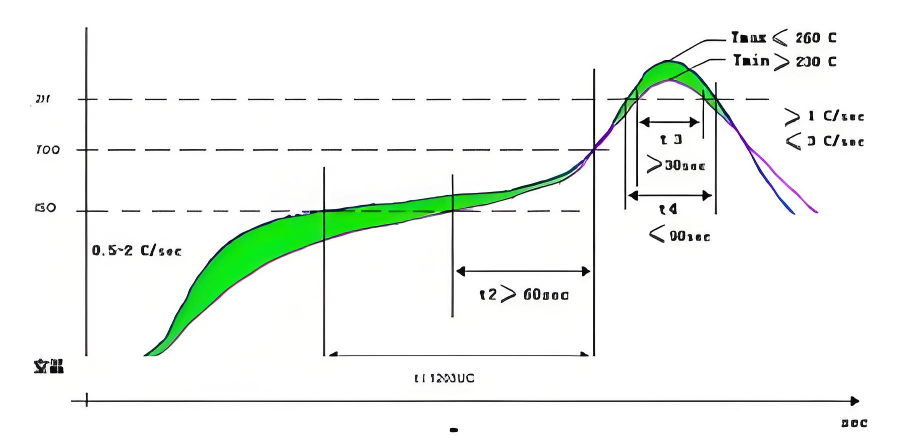
Most SMD components require a reflow temperature of 217-225°C (for lead-free solder) or 183-190°C (for leaded solder). Check the component’s datasheet for exact specifications.

7. How do I store SMD components to prevent damage?

Store SMDs in anti-static bags or containers to protect against electrostatic discharge (ESD), which can damage sensitive components. Keep them in a cool, dry place (50-60% humidity).

Future of SMD Technology: What’s Next?

As electronics demand smaller, more powerful devices, SMD technology continues to evolve. Trends to watch include:

  • Even Smaller Packages: Next-gen 01005 (0.4mm × 0.2mm) SMDs for ultra-miniature IoT devices.
  • Integrated SMD Modules: Combined components (e.g., resistor-capacitor networks) to reduce PCB space further.
  • Eco-Friendly Materials: Lead-free and RoHS-compliant SMDs becoming the industry standard.
  • Smart SMDs: Components with built-in sensors for real-time performance monitoring in critical applications (e.g., medical devices).

Final Thoughts: Why SMD Meaning Matters for Electronics Enthusiasts & Professionals

Understanding SMD meaning isn’t just about memorizing an acronym—it’s about unlocking the potential of modern electronics. Whether you’re a hobbyist building a prototype, an engineer designing the next smartphone, or a technician troubleshooting PCBs, knowing how SMDs work, their advantages, and their limitations will save you time, money, and frustration.

From compact wearables to space-bound satellites, SMDs are the unsung heroes of our connected world. By mastering the basics—reading codes, soldering properly, and choosing the right components—you’ll be ready to tackle any electronics project with confidence.

HDMI RF Modulator: The Ultimate Guide for 2025 – Installation, Best Picks & Troubleshooting

December 1st, 2025
HDMI RF Modulator

What Is an HDMI RF Modulator and Why Do You Need One?

If you’ve ever struggled to connect a modern streaming stick to an old CRT TV, or wanted to send 4K content from a Blu-ray player to 10+ displays across your restaurant, an HDMI RF modulator is the solution. This device acts as a “translator”—converting digital HDMI signals from sources like Roku, game consoles, or PCs into RF (radio frequency) signals that travel over existing coaxial cables. Unlike HDMI extenders that require new wiring, it reuses your building’s coax infrastructure, cutting installation costs by up to 70%. For businesses, a commercial HDMI RF modulator enables easy digital signage updates: change a happy hour menu on your PC, and the modulator broadcasts it to every TV in your space instantly. For homeowners, it lets you dust off retro game consoles and watch them on new HDTVs without losing signal quality.

HDMI RF Modulator

How Does an HDMI RF Modulator Work? (Step-by-Step Breakdown)

The magic of HDMI RF modulators lies in their simple yet powerful workflow—critical to understanding HDMI RF modulator installation later. Here’s exactly what happens when you hit “play”:
1. Digital Input: The device accepts HDMI signals (up to 4K, depending on the model) from your source device.
2. Encoding: It compresses the video using H.264 or H.265 (HEVC) to reduce bandwidth—critical for long-distance transmission.
3. Modulation: The compressed stream is converted to RF using standards like QAM (for cable TV) or ATSC (for North American over-the-air).
4. Distribution: The RF signal exits via an F-type connector and travels over coax to TVs, which pick it up like a regular channel (e.g., 2.1 for menus, 2.2 for specials).

Advanced models like the Thor Broadcast 4-input commercial HDMI RF modulator even let you map multiple programs to one frequency, perfect for businesses with limited channel space.

Key Features to Look for When Buying the Best HDMI RF Modulator 2025

Not all HDMI RF modulators are created equal—if you want to find the best HDMI RF modulator 2025 for your needs, prioritize these features to avoid wasting money:
Resolution Support: 1080p is standard for home use, but commercial setups need 4K compatibility (check for H.265 encoding).
Modulation Standards: Ensure it works with your region: ATSC for North America, DVB-T for Europe, or ISDB-T for Japan.
Number of Inputs: 1-port models suit home use; restaurants or hotels need 4–8 ports (a must for a top commercial HDMI RF modulator).
Ease of Setup: Look for “plug-and-play” options with web-based configuration—critical for stress-free HDMI RF modulator installation.
Signal Range: For large spaces, choose a modulator that transmits up to 700 meters over coax (far more than HDMI extenders’ 100m limit).

The Best HDMI RF Modulator 2025 (Home & Commercial Use)

Based on performance, user reviews, and versatility, these models stand out as the best HDMI RF modulator 2025 options:

Best for Home Use – AOE Spy Digital HDMI RF Modulator

This compact device connects Roku/Fire Sticks to old TVs with no HDMI ports. It supports NTSC/PAL formats, has adjustable video brightness, and costs under $50. Users love its “set-it-and-forget-it” design—no drivers or adapters needed, making HDMI RF modulator installation a breeze.

Best for Commercial Use – Thor Broadcast 4-Input HDMI RF Modulator CC

Ideal for hotels or restaurants, this rack-mountable commercial HDMI RF modulator handles 4 HDMI sources, supports Dolby audio, and works worldwide (QAM/ATSC/DVB-T compatible). It even lets you add closed captioning for compliance—why it’s a top pick for the best HDMI RF modulator 2025 in commercial settings.

Best Value – Tangxi HDMI RF Modulator

Great for small businesses, it converts HDMI to RF with 1080p quality and works with both analog and digital TVs. The built-in channel switch avoids interference with existing cable boxes, and it’s budget-friendly for those not ready to invest in a premium commercial HDMI RF modulator.

HDMI RF Modulator Installation in 15 Minutes (No Tech Skills Needed)

Mastering HDMI RF modulator installation is simpler than hanging a TV—follow these steps for home or commercial setups:
1. Gather Tools: You’ll need the modulator, HDMI cable, coax cable, and a power adapter (included with most models).
2. Connect the Source: Plug one end of the HDMI cable into your streaming stick/PC, the other into the modulator’s “HDMI In” port.
3. Link to Coax: Connect a coax cable from the modulator’s “RF Out” to your TV’s coax input (or a splitter for multiple TVs).
4. Power Up: Plug the modulator into an outlet—most models have a LED light to confirm it’s on.
5. Tune the TV: Use your TV’s channel scan function to find the modulator’s signal (check the manual for the default channel, e.g., 3 or 4).

Pro tip for commercial HDMI RF modulator setups: Add a coax amplifier after the splitter to avoid signal drop-off across multiple TVs.

Home vs. Commercial Uses for HDMI RF Modulators

HDMI RF modulators shine in both residential and business environments—here’s how to leverage a commercial HDMI RF modulator vs. a home model:

Home Applications

Retro Gaming: Play NES/SNES on new HDTVs by converting the console’s analog signal to HDMI (use a combo modulator/converter).
Multi-Room Streaming: Send Netflix from your living room Fire Stick to bedrooms without WiFi dead zones.
Legacy TV Compatibility: Watch 4K Blu-rays on an old CRT TV that only has a coax input.

Commercial Applications

A commercial HDMI RF modulator excels here:
Digital Signage: Update menus, promotions, or safety videos across 50+ TVs in a hotel/hospital with one PC.
CCTV Distribution: Send security camera feeds to monitors in the lobby and back office via existing coax.
Event Streaming: Broadcast a wedding or conference to multiple rooms without running new HDMI cables.

HDMI RF Modulator vs HDMI Extender – Which Should You Choose?

Many people confuse modulators with extenders—here’s a clear breakdown of HDMI RF modulator vs HDMI extender to help you decide:

FeatureHDMI RF ModulatorHDMI Extender
Transmission RangeUp to 700m (coax)Up to 100m (Cat6 cable)
Number of Displays100+ (with splitter/amplifier)1 (per extender)
CostLow (reuses coax)High (needs new Cat6 wiring)
Best ForMulti-display, legacy systems (ideal for commercial HDMI RF modulator use)Single TV, short distances

Choose a modulator if you want to save on wiring or use old TVs. Pick an extender only for single-TV setups under 100m—this is the key takeaway from comparing HDMI RF modulator vs HDMI extender.

HDMI RF Modulator Troubleshooting (Fix Common Issues Fast)

Even the best HDMI RF modulator 2025 can hit snags—here’s essential HDMI RF modulator troubleshooting for the most frequent problems:
No Signal: Check if the HDMI/coax cables are fully plugged in. Try a different HDMI cable (faulty ones are common—even with new commercial HDMI RF modulator models).
Pixelation: This means the signal is weak. Add a coax amplifier or move the splitter closer to the modulator (a top HDMI RF modulator troubleshooting fix for commercial setups).
Audio Drop-Out: Ensure the modulator supports your audio format (e.g., Dolby Digital). Update the firmware if available.
CEC Issues: If your TV won’t turn on the receiver, connect the modulator to a secondary HDMI output on the receiver (avoid the primary one).

Future of HDMI RF Modulators – 4K, 8K, and Beyond

As 4K content becomes standard (and 8K gains traction), the best HDMI RF modulator 2025 models are evolving to keep up. Here’s what to expect by 2030:
8K Support: New commercial HDMI RF modulator models will use H.266 (VVC) encoding to compress 8K signals for coax transmission.
Wireless Integration: Combine RF with WiFi 6E for hybrid setups (coax for long distances, wireless for hard-to-reach rooms).
AI-Powered Troubleshooting: Modulators will auto-detect signal issues and suggest HDMI RF modulator troubleshooting fixes (e.g., “Add amplifier for room 5”).
Smart Home Sync: Control modulators via Alexa/Google Home to switch channels or update signage with voice commands.

FAQ: Everything You Need to Know About HDMI RF Modulators

Do all HDMI RF modulators support 4K?

No—entry-level models top out at 1080p. Look for “4K” or “H.265” in the specs if you need ultra HD (a must for the best HDMI RF modulator 2025).

Can I use an HDMI RF modulator with satellite TV?

Yes—connect the satellite box’s HDMI output to the modulator (even a commercial HDMI RF modulator), then distribute the signal to multiple TVs without extra boxes.

Will it work with my region’s TV standard?

Most modern modulators support multiple standards (ATSC/QAM/DVB-T). Check the product page to confirm compatibility—critical for HDMI RF modulator installation success.

Why is my modulator interfering with other channels?

Use the channel switch to pick an unused frequency (e.g., 90 or 110). Avoid channels used by local broadcast TV—this is a common HDMI RF modulator troubleshooting fix.

How many TVs can I connect to one modulator?

With a coax splitter and amplifier, you can connect 100+ TVs (a key benefit of a commercial HDMI RF modulator). The limit depends on the amplifier’s power (aim for 10dB per 20 TVs).

What’s the biggest difference in HDMI RF modulator vs HDMI extender?

Range and scalability: Modulators use coax for 700m transmission to 100+ TVs, while extenders use Cat6 for 100m to one TV—this is why businesses choose a commercial HDMI RF modulator over extenders.

Final Thoughts – Is an HDMI RF Modulator Worth Buying?

If you have old TVs, want to avoid new wiring, or need to distribute content to multiple displays, an HDMI RF modulator (especially a commercial HDMI RF modulator for businesses) is a no-brainer. The best HDMI RF modulator 2025 models solve compatibility and distribution headaches that would cost thousands to fix with rewiring or extenders. Whether you’re tackling HDMI RF modulator installation at home or outfitting a restaurant with digital signage, this device delivers unbeatable value for $50–$500.

Choose the right model (home vs. commercial HDMI RF modulator, 1080p vs. 4K), follow the installation steps, and use our HDMI RF modulator troubleshooting tips—you’ll wonder how you lived without it.

Top 10 PCB Manufacturer in Belgium

December 1st, 2025

Looking for a PCB manufacturer in Belgium? This blog is mainly about how to choose a reliable Belgium PCB manufacturer and challenges and solutions of Belgium PCB manufacturing companies.

Are you worried about these questions?

  • Delivery delays: Project timelines disrupted by production cycle uncertainty, urgent need for predictable delivery timelines.
  • Hidden costs: Unexpected additional charges post-project acceptance, requiring transparent cost control mechanisms.
  • Quality instability: Batch-to-batch quality variations causing rework risks, demanding reliable quality control standards.

As a 19 year’s PCB manufacturer, EBest Circuit (Best Technology) can provide you service and solutions:

  • Delivery predictability: Full production process visibility via ERP+MES dual platforms, guaranteeing 7-day delivery for standard orders and 48-hour response for urgent orders, with ≤2% delay rate and traceable data.
  • Cost transparency: Locked total pricing at contract signing using BOM-level cost modeling, covering all processes from material cutting to testing, eliminating post-acceptance add-ons.
  • Quality reliability: Triple verification system (AOI inspection + flying probe testing + impedance validation) per IPC-A-600H standards, 100% full inspection for critical processes, defect rate ≤0.3%, batch consistency ≥98%.

Welcome to contact us if you have any request for PCB and PCBA service: sales@bestpcbs.com.

Top 10 PCB Manufacturer in Belgium

1. Citec Group

    • Main Business: Standard FR-4 PCB manufacturing, fast prototype runs, industrial PCB supply.
    • Advantages: Responsive engineering help, stable delivery for small development batches, easy communication for European clients.
    • Production Capabilities: 1–8 layer FR-4 PCBs; Standard copper thickness; Solder mask, silkscreen, and basic surface finishes; Electrical testing for most designs.
    • Typical Lead Time: 5–7 working days for prototypes; 10–15 working days for small series.

    2. Eurocircuits

      • Main Business: Online PCB fabrication and PCB assembly for prototypes and small series.
      • Advantages: Instant online pricing, very strong data checking system, transparent manufacturing routes, and stable EU-based processes.
      • Production Capabilities: 2–10 layer FR-4 boards; Controlled impedance for standard designs; Stencils, assembly, and DFM tools; Mixed-technology SMT/THT assembly.
      • Typical Lead Time: As fast as 3 working days for bare board prototypes; 6 working days for standard PCB + assembly service.

      3. Acelio Electronics

        • Main Business: PCB manufacturing and EMS services for automation, medical, and industrial electronics.
        • Advantages: Broad support for product design cycles, stable documentation handling, and tight quality control.
        • Production Capabilities: Rigid PCBs for sensors, automation boards, medical devices; Multilayer boards for industrial control; SMT and THT assembly for small and medium runs.
        • Typical Lead Time: 7–10 working days for prototypes; 15–25 working days for mass production. The specifics depend on the complexity of the project.

        4. Interstate Europe

          • Main Business: PCB production services for various industries, from telecom to industrial machines.
          • Advantages: Reliable quality records and broad material availability for common FR-4 needs.
          • Production Capabilities: Rigid boards for general electronic products; Multi-layer fabrication with standard tolerances; Surface finishing options for mainstream applications.
          • Typical Lead Time: 10–15 working days for standard production; Complex constructions are typically priced per project.

          5. CIM Electronics Belgium

            • Main Business: Electronics manufacturing, high-mix assembly, and PCB-related services.
            • Advantages: Strong assembly know-how, good at handling many part numbers, and reliable in low-to-medium volume production.
            • Production Capabilities: SMT and THT assembly; Mixed-technology builds; Box build and sub-assemblies; Functional testing on request.
            • Typical Lead Time: Assembly prototypes: 7–12 working days for assembly prototypes; 20–30 working days for production batches; CIM Electronics works well with companies who need full EMS support rather than just bare boards.

            6. ATS Electronics

              • Main Business: PCB assembly, electronics integration, and module production.
              • Advantages: Ability to handle complex assemblies, strong documentation support, and flexible production lines.
              • Production Capabilities: SMT, THT, and wave soldering; Hybrid builds for sensors and industrial controls. System integration and testing.
              • Typical Lead Time: 8–12 working days for prototype assembly; 20–25 working days for medium volume production.

              7. IPTE Factory Automation

                • Main Business: Automation systems plus PCB-related services, including test fixtures and production equipment.
                • Advantages: Deep automation expertise, ideal for customers who need production test solutions and equipment near their PCB supplier.
                • Production Capabilities: In-circuit test stations; Functional test systems; Automated machines for PCB processes; Some small-scale PCB-related services.
                • Typical Lead Time: PCB service tasks: usually within 10–20 working days;

                8. DVC NV

                  • Main Business: Full EMS service, from ideation and design to PCB plate-making, assembly, testing, and after-sales.
                  • Advantages: One-stop technical collaboration, strong application-specific development experience, and long-term product support.
                  • Production Capabilities: Rigid and rigid-flex options; PCB assembly for industrial, telecom, and heating equipment; In-house testing procedures and upgrades.
                  • Typical Lead Time: 7–10 working days for prototypes; 20–30 working days for mass production.

                  9. Meerssen Electronics

                    • Main Business: Custom industrial electronics and PCB manufacturing for control modules.
                    • Advantages: Strong in producing tailor-made solutions, helpful for OEMs in machinery, power systems, and automation.
                    • Production Capabilities: Low-to-medium volume PCB builds; Customized electronics modules; Assembly and testing for specific industrial needs.
                    • Typical Lead Time: 10–12 working days for development boards; 20–25 working days for mass production .

                    10. BCM Electronics Europe

                      • Main Business: Specialized PCB builds for telecom, industrial monitoring, and communication devices.
                      • Advantages: Experienced in telecom-grade reliability, consistent electrical performance, and stable project continuity.
                      • Production Capabilities: Multilayer rigid boards; Telecom circuit assembly; Reliability-focused testing processes.
                      • Typical Lead Time: 7–10 working days for prototypes; 15–25 working days for medium bulk production.
                      PCB Manufacturer in Belgium

                      How to Choose A Reliable PCB Manufacturer in Belgium?

                      A Detailed Selection Guide to Belgium PCB Manufacturing Company:

                      1. Match Professional Domain

                      • Prioritize visiting the “Technical Capabilities” or “Product Catalog” sections of the target vendor’s official website, and filter for vendors that clearly indicate specific areas such as “Prototype Making,” “High-Density Interconnect (HDI),” and “Flexible Circuits.”
                      • Query the Belgian Electronics Industry Association (e.g., Agoria) website for registered member lists to identify local manufacturers specializing in target application domains (e.g., medical devices, automotive electronics, industrial controls).
                      • Attend Belgian electronics trade shows (e.g., SMTconnect Brussels) to directly engage with manufacturer technical teams and verify professional domain alignment.

                      2. Verify Quality Certifications

                      • Request scanned copies of manufacturer certifications and cross-check certificate numbers with issuing authority records (e.g., verify ISO 9001 certificate validity via the ISO website).
                      • For automotive, medical, or other specialized industries, confirm whether the manufacturer holds dedicated certifications such as IATF 16949 or ISO 13485, and verify the process scope covered by these certificates (e.g., soldering, coating, testing).
                      • Validate whether the manufacturer has passed third-party safety certifications such as UL or TÜV to ensure products meet EU CE directives and RoHS environmental standards.

                      3. Evaluate Technical Capabilities

                      • Request a detailed process parameter sheet from the manufacturer, including maximum layer count, minimum trace width/spacing, minimum hole size, substrate types (e.g., high-frequency FR4, polyimide flexible substrates), and surface finish processes (e.g., ENIG, OSP).
                      • Obtain lists of production equipment and inspection equipment, focusing on confirming models, precision, and maintenance records for key devices such as laser drilling machines, AOI automatic optical inspection systems, and flying probe testers.
                      • Verify the manufacturer’s support for specialized processes (e.g., blind/buried vias, backdrilling, metal-core substrate thermal design) through technical Q&A.

                      4. Utilize Design Support Tools

                      • Preferentially use the manufacturer’s online DFM (Design for Manufacturability) tools to upload Gerber files and receive real-time feedback on trace width/spacing violations, drilling dimension deviations, pad design defects, etc., avoiding post-production modification costs.
                      • If the manufacturer lacks online tools, request a DFM check report template and clarify the specific inspection items included (e.g., impedance control, thermal design, testability design).
                      • For complex designs, request free design consultation services to optimize layouts and reduce manufacturing costs.

                      5. Clarify Delivery and Supply Chain

                      • Request a standard lead time table from the manufacturer, distinguishing between prototype (typically 5-10 days), small batch (2-3 weeks), and large batch (4-6 weeks) lead times, and clarify conditions and costs for expedited services.
                      • Review the manufacturer’s supply chain management strategy, including inventory levels for critical raw materials (e.g., copper foil, resin), supplier qualifications (e.g., ISO certification), logistics partners (e.g., DHL, FedEx), and transit times.
                      • For urgent needs, confirm whether the manufacturer offers local warehousing or rapid response services (e.g., 24-hour emergency production).

                      6. Obtain Reference Cases

                      • Request success cases from the manufacturer that are highly relevant to the target industry, including project names, application scenarios, technical challenges, and end-customer evaluations.
                      • Contact clients from the referenced cases via LinkedIn or industry associations to verify case authenticity and manufacturer performance (e.g., quality stability, on-time delivery rate, post-sales support).
                      • Prioritize cases involving Belgian local enterprises to validate adaptability in the European market.

                      7. Compare Detailed Quotes

                      • Request itemized quotation sheets from manufacturers, specifying material costs, processing fees, surface finish costs, testing fees, packaging fees, taxes, and potential additional charges (e.g., engineering fees, mold fees).
                      • Compare quotation transparency across multiple manufacturers, prioritizing those providing detailed cost breakdowns (e.g., per-layer pricing, per-square-meter material costs) to avoid hidden costs (e.g., rework fees, rush fees).
                      • For large-volume orders, request tiered pricing or long-term partnership discount schemes.

                      8. Conduct On-Site or Virtual Factory Audits

                      • When scheduling virtual factory audits, request the manufacturer to showcase the full production workflow (from material cutting to final testing), focusing on cleanroom class (e.g., ISO Class 7), equipment maintenance records, and employee operational standards (e.g., ESD precautions).
                      • During on-site inspections, pay attention to calibration certificates and usage records for inspection equipment (e.g., flying probe testers, X-ray inspection systems) to verify actual testing capabilities.
                      • For critical projects, commission third-party inspection agencies (e.g., SGS, DEKRA) for on-site audits to ensure the manufacturer’s process standards meet requirements.
                      How to Choose A PCB Manufacturer in Belgium

                      Challenges Faced by PCB Manufacturer in Belgium

                      Unique Cost Burdens of the Local Market

                      • High Local and Neighboring Country Prices: The scarcity and high prices of local PCB manufacturers often result in Belgian customers incurring costs 30-40% higher than international suppliers.
                      • Complex VAT and Customs Procedures: The 21% Belgian VAT on imported PCBs is strictly enforced, and customs may reclassify goods, leading to additional taxes, fees, and logistical delays. Local quotes typically do not include taxes, easily causing budget overruns.

                      Compliance and Quality Risks in the EU Core Area

                      • Strict EU Regulatory Review: As an EU hub, Belgian companies face more stringent audits of regulations such as RoHS and REACH. Non-compliance can result in significant business losses.
                      • Quality Discrepancies from “EU Sourcing”: When selecting suppliers from the EU, such as Germany and France, the actual delivered PCBs may have quality issues such as misaligned drill holes and solder mask peeling, failing to meet the expected “EU quality.”

                      Bilingualism and Cross-Border Communication Barriers

                      • Insufficient Language Support: The bilingual (Dutch and French) environment in Belgium makes it easy for customers to misunderstand when communicating with suppliers lacking adequate bilingual support, potentially leading to production errors.
                      • Slow Response from EU Suppliers: Suppliers from EU countries such as Germany may take more than 48 hours to respond to inquiries in languages like Dutch. Local supplier customer service responses are also slow, impacting project schedules.

                      Supply Chain Vulnerability and Logistics Delays

                      • Port Congestion and Transit Risks: Reliance on the Port of Antwerp makes PCB transportation susceptible to delays due to factors such as port strikes. Following Brexit, trucks entering from Germany also face longer border checks.
                      • Limited Local Rapid Prototyping Capabilities: Local suppliers provide long lead times for prototype PCBs (e.g., 10 days), which cannot meet urgent needs, forcing customers to turn to overseas suppliers with faster delivery times.

                        Our PCB Solutions for These Challenges

                        This is the solution we can offer to address the aforementioned difficulties and challenges:

                        1. Competitive Transparent Costs, Eliminating Budget Risks

                        • Significant Price Advantage: Leveraging scaled production and efficient supply chains, we deliver core material costs at least 30% lower than Belgian local and neighboring European suppliers.
                        • All-Inclusive Pricing & Tax Support: Clear quotes include DDP (Delivered Duty Paid) options, covering all fees upfront. Our logistics partners, familiar with Belgian customs procedures, assist with 21% VAT handling and customs clearance to ensure no hidden costs or unexpected delays.

                        2. EU Compliance Guarantee & Consistent Quality

                          • Comprehensive Compliance Documentation: All products strictly adhere to EU core regulations including RoHS (2011/65/EU) and REACH, with compliant declarations and test reports (if required) provided alongside shipments to facilitate audits in Belgium and the EU.
                          • Data-Driven Quality Assurance: Full automation in production processes and multi-layer optical inspections (AOI/AXI) ensure reliability across drilling precision, solder mask adhesion, and other critical steps. We willingly share key process quality control data to replace vague trust in “EU quality” with factual evidence.

                          3. Professional Localized Communication & Seamless Collaboration

                            • Bilingual Technical Support: Dedicated technical customer service and engineering teams fluent in English and French accurately interpret professional requirements like “operating frequency,” ensuring zero miscommunication in technical documents and preventing production errors caused by language barriers.
                            • Rapid Response Service Model: Timely support during your working hours (typically within hours) via a dedicated account manager eliminates delays, resolving project extension risks tied to communication lags.

                            4. Robust Supply Chain & Agile Logistics

                              • Optimized Logistics Routes & Tracking: Multiple stable European shipping routes avoid single-port dependency. Real-time logistics tracking and proactive alerts for anomalies (e.g., port congestion) keep you informed of shipment status.
                              • Quick Prototyping & Flexible Delivery: Standard 5-7 day prototyping outperforms local European suppliers, while small-batch flexibility and optional European buffer stock solutions drastically reduce R&D and market response times.

                              Why Belgium Clients Choose EBest Circuit (Best Technology) for PCB Manufacturer?

                              Reasons Why Belgium Clients Choose EBest Circuit (Best Technology) as PCB Manufacturer:

                              • Clear Pricing with No Hidden Costs: We provide straightforward, easy-to-understand pricing where every cost is visible upfront. Customers never face unexpected charges after project completion—what you see is what you pay, ensuring full budget control from start to finish.
                              • Cost-Sensitive Design Optimization: Leveraging 19 years of industry expertise, we analyze material choices and process improvements to deliver measurable cost savings, typically 15–30% lower manufacturing expenses without compromising quality.
                              • 24-Hour Rapid Prototyping for Urgent Orders: Our dedicated fast-track production line delivers sample prototypes within 24 hours, meeting critical needs for industries like medical devices and automotive electronics where speed is essential.
                              • 99.2% On-Time Delivery Rate: Through intelligent production scheduling and global logistics coordination, we achieve an industry-leading on-time delivery rate. Less than 1% of orders experience minor delays, outperforming sector averages significantly.
                              • Quality Control with Multiple Certifications: Every batch undergoes 100% inspection, backed by ISO 19001, IATF 16949 automotive standards, medical-grade RoHS compliance, and IATAF aviation certifications, ensuring compliance with the highest regulatory requirements across sectors.
                              • Data-Driven Process Improvement: Our 19-year production error database identifies recurring issues and proactively adjusts processes, boosting first-pass yields by over 20% and reducing client rework costs.
                              • Free DFM (Design for Manufacturing) Analysis: We offer complimentary evaluations to spot design flaws early, streamline manufacturability, and cut development time by up to 30%, saving both time and money.

                              Attached is a photo of rigid-flex circuits for your reference:

                              Why Belgium Clients Choose EBest Circuit (Best Technology) for PCB Manufacturer

                              Types of PCB We Can Offer You

                              • FR4 PCB( Single Layer PCB, 2 Layers PCB, Multi-layer PCB)
                              • MCPCB(Single Layer MCPCB, 2 Layers MCPCB)
                              • FPC( Single Sided Flexible Circuits, Double Sided Flexible Circuits, Multilayer Flexible Circuits, Dual Access Flexible Circuits, Rigid-Flex Circuits)
                              • Ceramic PCB( Thick Film Ceramic PCB, Thin Film Ceramic PCB, DCB Ceramic PCB)
                              • Heavy Copper PCB
                              • Bus Bar PCB
                              • Extra Thin PCB
                              • High Tg PCB
                              • HDI PCB
                              • RF Board
                              Types of PCB We Can Offer You

                              Our Quality Certifications of PCB Manufacturing

                              • ISO9001:2015
                              • ISO13485:2016
                              • REACH
                              • RoHS
                              • UL
                              • IATF16949
                              • AS9100D

                              Case Studies of Our Belgium PCB Manufacturing

                              Project Background

                              • A medium-sized manufacturer specializing in industrial automation equipment in Belgium requires highly reliable multi-layer printed circuit boards (PCBs) for its core products. Due to product iterations, its original PCB supplier faced issues in product quality stability and on-time delivery rate, causing multiple production line shutdowns from PCB defects and severely impacting delivery commitments to end customers.

                              Customer Requirements

                              • Quality and Reliability: PCBs must meet IPC-A-600 Class 3 standards to ensure stable long-term operation in harsh industrial environments.
                              • Process Complexity: Production of 10-layer High-Density Interconnect (HDI) boards involving precision processes like laser blind vias.
                              • Sustainability: Focus on environmental performance in production, specifically optimizing water resource utilization and reducing wastewater discharge.
                              • Supply Chain Resilience: Suppliers need stable production capacity and rapid response capabilities to handle order fluctuations.

                              Customized Solutions

                              • Technical Process Optimization: Adopted Laser-Assisted Seeding (LAS) Microvia Plating Technology for HDI boards, enhancing uniformity and reliability of copper layers on high-aspect-ratio microvias while improving thermal performance versus traditional processes.
                              • Intelligent Water Management System: Implemented real-time monitoring and cyclic optimization for water used in wet processes (cleaning, electroplating) during PCB production, significantly reducing freshwater consumption and wastewater discharge.
                              • Flexible Production and Delivery: Reserved dedicated capacity for the customer and established a weekly synchronized delivery tracking mechanism to ensure order priority.

                              Results

                              • Quality Improvement: PCB delivery yield stabilized above 99.5%, eliminating production line shutdowns from PCB issues.
                              • Efficiency and Cost: Unit product water consumption reduced by approximately 18% via the Intelligent Water Management System, with associated reductions in water treatment costs.
                              • Delivery Performance: Achieved 100% on-time delivery rate for orders, fully meeting the customer’s production rhythm needs.
                              • Technical Compliance: 10-layer HDI boards passed all customer reliability tests, including high-temperature/high-humidity and vibration tests.

                              How to Get a Quote for Your Printed Circuit Board Project?

                              Streamlined Process for Obtaining PCB Project Quotes:

                              1. Clarify Project Requirement Details

                              • Confirm PCB type (e.g., single-layer, double-layer, multi-layer), layer count, dimensions, materials (e.g., FR4, aluminum substrate), surface finishes (e.g., HASL, ENIG, OSP), solder mask color, and process parameters like minimum trace width/spacing.
                              • Specify special processes (e.g., blind/buried vias, impedance control, high-frequency materials), testing requirements (e.g., flying probe test, ICT), and quality certification standards (e.g., IPC-A-600, RoHS, UL).

                              2. Prepare Essential Materials for Streamlined Quotation

                              • Gerber Files: Standard format files (generated by EDA tools like Altium, OrCAD) containing PCB layout, drilling, solder mask layer data.
                              • BOM List: Bill of materials detailing component models, brands, quantities, and alternative part information.
                              • Process Specification Documents: Including special process requirements, tolerance standards, and test protocols.
                              • Quantity & Lead Time Requirements: Define order quantities (e.g., prototypes, small batch, mass production) and desired delivery timelines.
                              • Contact Information & Drawings: Provide project contact, company name, address, and assembly drawings (if applicable).

                              3. Select International Suppliers & Communicate

                              • Filter manufacturers with export qualifications via supplier websites, industry exhibitions, or platforms (e.g., Alibaba, PCBWay), prioritizing English-speaking suppliers with Euro-American market experience.
                              • When submitting files, ensure compatibility (e.g., Gerber 274X, ODB++) and avoid Chinese-named files; include English technical specifications.

                              4. Obtain & Compare Quotes

                              • Suppliers typically provide preliminary quotes within 24–48 hours, covering unit price, MOQ, lead time, and payment terms (e.g., T/T, PayPal).
                              • For international clients, request detailed quotes including material costs, processing fees, testing fees, packaging/shipping costs (e.g., FOB, CIF), and tariff notes.

                              5. Confirm Collaboration & Follow-Up

                              • Before contract signing, verify supplier support for international shipping (e.g., DHL, FedEx), payment currencies (e.g., USD, EUR), and after-sales services (e.g., warranty, return policies).
                              • Post-order placement, maintain communication to track production progress and ensure compliance with delivery timelines and quality standards.

                              Welcome to contact us if you have any request for PCB design, prototyping, mass production and assembly project: sales@bestpcbs.com.

                              Mastering FMC Connector PCB Layout

                              November 28th, 2025

                              fmc connector pcb layout is a critical cornerstone of modern FPGA-based systems, bridging the gap between FPGA mezzanine cards (FMC) and carrier boards with precision. As signal speeds push into multi-gigabit ranges (up to 10Gbit/s per the VITA 57 standard), poor layout decisions can derail FMC connector signal integrity and cause electromagnetic interference (EMI) – a top frustration for engineers. Whether designing for industrial automation or telecom, mastering fmc connector pcb layout principles ensures thermal stability and manufacturability, while adhering to FMC connector PCB design best practices reduces costly reworks.

                              Mastering FMC Connector PCB Layout

                              Key Differences Between FMC HPC LPC connector layout

                              Before optimizing fmc connector pcb layout, distinguishing between HPC and LPC connectors is critical – their pin counts directly impact layout strategy and FMC connector signal integrity.

                              FMC HPC Connectors (High Pin Count)

                              With 400 pins, HPC connectors demand wider board real estate and stricter thermal management, core considerations for FMC HPC LPC connector layout. Prioritize short trace lengths to preserve FMC connector signal integrity in high-density designs.

                              FMC LPC Connectors (Low Pin Count)

                              LPC connectors (160 pins) offer compact layouts for cost-sensitive projects, but still require strict FMC PCB impedance control (50Ω single-ended, 100Ω differential) to avoid signal degradation – a key part of fmc connector pcb layout best practices.

                              Compatibility Notes for Mixed Designs

                              HPC and LPC connectors share mechanical compatibility, enabling flexible FMC HPC LPC connector layout. Ensure pin mapping consistency to prevent cross-talk and protect FMC connector signal integrity.

                              7 Core FMC connector PCB design best practices for Layout Optimization

                              Following these rules eliminates 80% of fmc connector pcb layout issues, from signal reflections to manufacturing delays – and simplifies FMC PCB layout troubleshooting later.

                              1. Prioritize Symmetrical Component Placement

                              Differential signals (core to FMC designs) require equal-length routing to maintain FMC connector signal integrity. Place the FMC connector near the FPGA and group decoupling capacitors close to pins – a foundational FMC connector PCB design best practice.

                              2. Implement Strict FMC PCB impedance control

                              FMC standards mandate 50Ω single-ended and 100Ω differential impedance – non-negotiable for fmc connector pcb layout. Use impedance calculators to set trace widths (50-75mil for FR-4) and avoid vias on high-speed traces to prevent discontinuities.

                              3. Optimize Power Distribution Network (PDN) Design

                              Inadequate decoupling is a top cause of fmc connector pcb layout failures. Place 0402/0603 capacitors within 50mil of power pins (mix 0.1μF + 10μF values) – a key step for stable FMC connector signal integrity.

                              4. Route Differential Pairs with Precision

                              Keep pairs tightly coupled (3-5mil spacing) and match lengths to ±5mil to avoid skew – critical for FMC HPC LPC connector layout and preventing FMC PCB layout troubleshooting headaches later.

                              5. Account for Mechanical Clearances

                              Single-width (69mm) and double-width (139mm) modules need specific edge clearances – ignore this, and you’ll face costly reworks during FMC PCB layout troubleshooting.

                              6. Enhance EMC Performance with Grounding

                              Connect ground pins to solid planes with multiple vias to reduce noise coupling – a proven FMC connector PCB design best practice for preserving FMC connector signal integrity.

                              7. Plan for Testability and Repairs

                              Add test points near critical signals to simplify FMC PCB layout troubleshooting – avoid placing components under the FMC module (max height 4.7mm for 10mm modules).

                              Common fmc connector pcb layout Traps and How to Avoid Them

                              Even experts face pitfalls in FMC HPC LPC connector layout – here’s how to skip costly FMC PCB layout troubleshooting:

                              Trap 1: Overlooking Decoupling Capacitor Placement

                              Placing capacitors over 100mil from power pins creates parasitic inductance – fix this by positioning them within 50mil, a key FMC connector PCB design best practice for stable FMC connector signal integrity.

                              Trap 2: Ignoring Return Current Paths

                              Ground plane splits force return currents into longer paths, ruining FMC connector signal integrity. Keep planes solid beneath traces – a non-negotiable for fmc connector pcb layout.

                              Trap 3: Routing Traces Through Thermal Reliefs

                              Thermal reliefs disrupt FMC PCB impedance control – use solid copper connections for high-speed signals to avoid FMC PCB layout troubleshooting later.

                              Trap 4: Underestimating Trace Length Matching

                              Mismatched pairs (±10mil+) cause timing errors – use design software to add serpentine bends, critical for FMC HPC LPC connector layout at 10Gbit/s speeds.

                              Step-by-Step fmc connector pcb layout Workflow

                              Follow this structured process to align with FMC connector PCB design best practices and minimize FMC PCB layout troubleshooting:

                              1. Define Requirements: Confirm FMC type (HPC/LPC) and signal speeds – foundational for FMC HPC LPC connector layout.
                              2. Layer Stack Design: Allocate 4+ layers for HPC (prioritize FMC PCB impedance control).
                              3. Component Placement: Position the connector near the FPGA to preserve FMC connector signal integrity.
                              4. Trace Routing: Prioritize differential pairs and match lengths (±5mil) – core fmc connector pcb layout rules.
                              5. Ground Plane Optimization: Avoid splits to protect FMC connector signal integrity.
                              6. EMI/EMC Checks: Use simulation tools to test for interference (reduces FMC PCB layout troubleshooting).
                              7. Manufacturability Review: Verify clearances per IPC standards – a key FMC connector PCB design best practice.

                              Tools to Simplify fmc connector pcb layout

                              The right tools streamline FMC HPC LPC connector layout and ensure precise FMC PCB impedance control:

                              • PCB Design Software: Allegro (HPC designs), KiCad (open-source LPC) – both support FMC connector PCB design best practices.
                              • Impedance Calculators: Polar Instruments Si9000 (gold standard for FMC PCB impedance control).
                              • Simulation Tools: ANSYS SIwave (tests FMC connector signal integrity pre-production).
                              • Component Libraries: Samtec/TE Connectivity footprints (avoids FMC PCB layout troubleshooting from incorrect footprints).

                              FAQ – FMC PCB layout troubleshooting & Key Questions

                              Q1: What’s the maximum trace length for FMC connector signal integrity?

                              A: Keep 5Gbit/s signals under 3 inches (76mm); 10Gbit/s under 2 inches (50mm) – use low-loss substrates (Rogers 4350) for fmc connector pcb layout to preserve integrity.

                              Q2: Can I mix HPC/LPC in fmc connector pcb layout?

                              A: Yes – ensure separate power rails/layers for FMC HPC LPC connector layout to avoid cross-talk and protect FMC connector signal integrity.

                              Q3: How to fix crosstalk in fmc connector pcb layout?

                              A: Increase pair spacing (3x trace width) and route on separate layers – a top FMC connector PCB design best practice for FMC connector signal integrity.

                              Q4: Why fail thermal tests in FMC HPC LPC connector layout?

                              A: Clustered heat-generating components near the connector cause hotspots – spread them and add thermal vias (reduces FMC PCB layout troubleshooting).

                              Q5: Best decoupling for fmc connector pcb layout?

                              A: Mix 0.1μF (high-frequency), 10μF (mid-range), 100μF (low-frequency) – place smallest values closest to power pins for stable FMC PCB impedance control.

                              Q6: Soldering tips for fmc connector pcb layout?

                              A: Use reflow soldering (240-260°C) – hand soldering damages pins and leads to FMC PCB layout troubleshooting for signal loss.

                              Real-World fmc connector pcb layout Case Study

                              A telecom manufacturer faced FMC connector signal integrity failures with their HPC design – their fmc connector pcb layout had:

                              • Decoupling caps 200mil from power pins (poor FMC PCB impedance control).
                              • 15mil length mismatch in differential pairs (ruined FMC connector signal integrity).
                              • Ground plane splits (common FMC HPC LPC connector layout mistake).

                              After applying FMC connector PCB design best practices:

                              1. Relocated caps to 50mil (fixed FMC PCB impedance control).
                              2. Matched pair lengths to ±3mil (restored FMC connector signal integrity).
                              3. Eliminated ground splits (reduced FMC PCB layout troubleshooting by 45%).

                              Result: EMI dropped below FCC Class B, and field failures fell by 45% – proof that proper fmc connector pcb layout drives reliability.

                              Final FMC connector PCB design best practices for Success

                              • Update VITA 57 standards (critical for FMC HPC LPC connector layout).
                              • Consult suppliers (Samtec/TE) for fmc connector pcb layout guidelines.
                              • Test prototypes early (avoids late-stage FMC PCB layout troubleshooting).
                              • Document trace lengths/impedance (simplifies fmc connector pcb layout revisions).

                              Conclusion – Master fmc connector pcb layout for High-Performance Designs

                              fmc connector pcb layout balances science and practicality – prioritize FMC connector signal integrity and FMC PCB impedance control, follow FMC connector PCB design best practices, and plan for FMC PCB layout troubleshooting upfront. Whether designing HPC or LPC, adhering to these rules ensures your FMC HPC LPC connector layout is reliable, manufacturable, and optimized for high-speed performance – reducing costs and frustration long-term.

                              Power Bank PCB Design & Assembly, Turnkey Solution

                              November 28th, 2025

                              How to design a power bank PCB? This blog is mainly about working principle, circuit diagram, design guide, production and assembly process for power bank circuit board.

                              Are you struggling with these questions?

                              • What to do when design verification requires repeated modifications, causing delays in time to market?
                              • How to balance cost and performance when low-cost solutions raise quality concerns and high-end options exceed budget?
                              • How to overcome coordination challenges in assembly from PCB to casing/battery integration?

                              As a professional power bank PCB manufacturer, EBest Circuit (Best Technology) can provide you service and solutions:

                              • Free DFM (Design for Manufacturability) analysis: Identify potential issues in trace width, via design, and impedance control at the design stage to prevent rework and reduce validation cycles by over 30%.
                              • Cost-sensitive design solutions: Leveraging 19 years of specialized Power Bank PCB experience, we utilize cost-effective FR4 substrates combined with microvia technology to reduce BOM costs by 15-20% while maintaining 200W fast-charging thermal performance.
                              • One-stop assembly services: Covering the full process from PCB SMT/through-hole assembly to casing integration and functional testing, ensuring over 99.2% on-time delivery rates and eliminating multi-supplier coordination costs.

                              Welcome to contact us if you have any request for power bank PCB: sales@bestpcbs.com.

                              What Is a Power Bank Circuit Board?

                              A power bank circuit board( also called as power bank PCB) is an integrated platform that connects the battery cell, power path modules, USB interfaces, and safety components into one compact structure. It governs how the battery stores and releases energy. Even more, it stabilizes voltage output and prevents faults during charging or discharging.

                              Typically, a power bank uses a lithium-ion or lithium-polymer cell. This means the PCB must maintain precise control of current flow. As the board handles sensitive energy levels, the layout must keep copper resistance low while guiding heat away from active areas.

                              Furthermore, many power banks now support dual-port or triple-port fast charging. This requires higher current handling, intelligent power distribution, and extra sensors to manage temperature. A well-structured PCB helps balance all these needs without expanding size.

                              What Is a Power Bank Circuit Board?

                              How Does a Power Bank Circuit Work?

                              1. Electric Energy Storage: Lithium-ion or lithium-polymer batteries serve as energy storage units, converting external electrical energy into chemical energy during charging. Typical voltage ranges are 3.7-4.2V, offering high energy density and long cycle life.

                              2. Charging Management: Charging management chips like TP4056 enable constant current/constant voltage charging. They convert standard 5V USB input to approximately 4.2V for battery charging while integrating overcharge protection and current limiting to ensure safe charging.

                              3. Battery Protection: Dedicated protection ICs such as DW01 monitor battery voltage, current, and temperature. They automatically disconnect the circuit during over-discharge (voltage <2.5V), overcharge (voltage >4.3V), short circuits, or over-temperature conditions to prevent damage and safety hazards.

                              4. Boost Output: DC-DC boost circuits, such as those based on the MT3608 Boost topology, elevate the battery’s 3.7-4.2V voltage to a stable 5V output. This meets USB device charging requirements with conversion efficiency of 85%-92% and supports output currents of 1A/2A/2.4A.

                              5. Output Control and Detection: Microcontrollers (MCUs) or power management ICs handle smart device recognition, output activation/deactivation, and integrate user interaction features like battery level display (LED/digital), flashlight control, and charging status indicators.

                              6. Auxiliary Circuits: Includes LED indicator circuits (battery/status display), button switch circuits (manual function control), temperature sensors (monitoring battery/circuit temperature), and over-voltage/over-current protection modules to enhance user experience and system safety.

                              Power Bank PCB Circuit Diagram Sample

                              A typical power bank PCB circuit diagram contains several core blocks:

                              Power Bank PCB Circuit Diagram Sample

                              At a glance, you will see the following sections:

                              • Battery Protection Module: Includes overcharge, over-discharge, short-circuit, and temperature control.
                              • Charging Controller: Handles input regulation, USB-C PD negotiation, and constant-current/constant-voltage behavior.
                              • Boost & Buck Converters: Adjust battery voltage to USB output levels, typically 5V, 9V, or 12V.
                              • Load Detection Circuit: Activates output only when a device is connected.
                              • USB Ports and Connectors: May include USB-A, USB-C, micro-USB, or lightning ports.
                              • Current Sense Resistors: Track real-time current flow for protection and monitoring.
                              • LED or LCD Module: Shows remaining battery level.

                              These modules form the backbone of the circuit, working together to manage energy with precision.

                              How to Design A Power Bank PCB?

                              Below Is A Detailed Power Bank PCB Design Guide for Your Reference:

                              1. Define Design Requirements and Specifications

                              • Determine total capacity (e.g., 5000mAh, 10000mAh), input/output voltage (e.g., 5V/2A, 9V/2A fast charging), and charging protocol compatibility (e.g., PD, QC).
                              • Specify physical dimensions based on product form factor (e.g., card-style, cylindrical) and define PCB size, thickness, and interface positions (USB-A/C, Lightning).
                              • Ensure compliance with international certifications (e.g., CE, FCC, UL) and battery safety standards (e.g., UN38.3), including overcharge, over-discharge, and short-circuit protection.

                              2. Core Circuit Module Design

                              • Select dedicated BMS chips (e.g., TI, Maxim, ADI) integrating cell balancing, temperature monitoring, and capacity calculation.
                              • Design constant-current/constant-voltage charging circuits supporting multi-mode charging (e.g., solar input, Type-C PD input) with reverse-current protection.
                              • Implement output control modules using DC-DC converters (e.g., boost/buck circuits) for stable output and multi-protocol fast-charging recognition (e.g., PD3.0, SCP).

                              3. Component Selection and Layout Optimization

                              • Choose lithium-ion/lithium-polymer cells based on capacity, discharge rate, and cycle life, prioritizing reputable brands (e.g., Samsung, Panasonic, CATL).
                              • Cluster heat-generating components (e.g., MOSFETs, DC-DC chips) with heat sinks or thermal pads; keep sensitive components (e.g., op-amps) away from high-frequency noise sources.
                              • Use short, thick power traces to reduce impedance; employ differential routing for high-speed signals. Plan multi-layer PCB layering (signal, power, ground planes) for effective grounding.

                              4. Protection and Safety Mechanisms

                              • Integrate multi-level protection circuits including over-voltage protection (OVP), over-current protection (OCP), over-temperature protection (OTP), and short-circuit protection (SCP) with redundant backups (e.g., dual fuses).
                              • Add thermal insulation between cells and PCB to prevent thermal runaway; use flame-retardant PCB substrates (e.g., FR-4) and apply conformal coating in critical areas.
                              • Design status indicators (e.g., LED charge level), NFC modules, or Bluetooth modules for battery monitoring/firmware updates to enhance user experience.

                              5. Thermal Management and EMC Design

                              • Conduct thermal simulation to determine heat dissipation paths; add thermal copper, vias, or thermal adhesive to heat-generating components. Incorporate fans or heat sinks if necessary.
                              • Implement EMC/EMI countermeasures by adding filter capacitors and common-mode chokes at power entry points and high-speed signal lines. Follow the 3W principle (minimum spacing) to minimize crosstalk.
                              • Shield sensitive circuits (e.g., MCUs, ADCs) with metal enclosures; adopt star grounding to avoid ground loop noise.

                              6. Prototype Verification and Testing

                              • Validate charging/discharging efficiency, fast-charging protocol compatibility, and accuracy of charge level displays. Ensure all protection functions trigger correctly.
                              • Conduct reliability tests including thermal cycling, vibration/shock, and salt spray tests to verify stability under extreme conditions.
                              • Perform EMC compliance tests (e.g., CISPR 22 for conducted/radiated emissions, ESD testing) to meet international standards.

                              7. Cost Optimization and Design for Manufacturing (DFM)

                              • Standardize components with common packages (e.g., SOP, QFN) to reduce customization; adopt multi-sourcing strategies to mitigate procurement risks.
                              • Optimize PCB processes by selecting appropriate board thickness, copper thickness, and surface finishes (e.g., HASL, ENIG) to balance cost and performance. Use panelization to improve production efficiency.
                              • Incorporate Design for Testability (DFT) with test points at critical nodes for post-repair and quality checks; include programming interfaces (e.g., SWD) for firmware updates.

                              8. Documentation and Traceability

                              • Provide detailed technical documentation including schematics, PCB layouts, BOM lists, and test reports to ensure design reproducibility. Document design change history for future iterations.
                              • Establish a component traceability system to ensure reliable sourcing of critical materials (e.g., cells, chips); collaborate closely with manufacturers to optimize production processes.
                              • Create clear user manuals with charging/discharging guidelines and safety warnings; label PCBs with version numbers, production dates, and safety certification marks.
                              How to Design A Power Bank PCB?

                                How to Make a Power Bank PCB?

                                Below Are Power Bank PCB Manufacturing Processes:

                                1. Substrate Material Cutting and Pre-treatment

                                • Substrate Selection: Choose FR-4 for consumer-grade, aluminum substrate for high-heat scenarios, or high-frequency materials (e.g., Rogers 4350B for RF modules) with cutting precision ±0.1mm.
                                • Surface Cleaning: Use plasma or chemical cleaning to remove oxidation and contaminants for strong adhesion.
                                • Brown Oxidation Treatment: Micro-etch copper foil to increase surface roughness and enhance interlayer bonding strength.

                                2. Inner Layer Circuit Pattern Transfer

                                • Dry Film Lamination: Apply photosensitive dry film evenly on the substrate, ensuring no bubbles or wrinkles via hot roller press.
                                • Exposure and Development: Use LDI (Laser Direct Imaging) or traditional film exposure, with line width/spacing precision ±5μm after development.
                                • Etching Process: Remove unprotected copper with alkaline etchant, followed by micro-etching to eliminate copper residue.

                                3. Multilaminate Pressing and Layer Alignment

                                • Prepreg Laying: Apply prepreg sheets (PP sheets) between inner layers, controlling resin content and flow for strong interlayer bonding.
                                • Vacuum Lamination: Press under vacuum at 180-200°C and 300-500psi to ensure void-free, delamination-free layers.
                                • X-ray Drilling Alignment: Align layers precisely via X-ray drilling of registration holes for subsequent drilling accuracy.

                                4. Mechanical Drilling and Plating

                                • CNC Drilling: Drill holes (0.1-1.0mm diameter) with positional accuracy ±0.05mm and wall roughness ≤20μm.
                                • Copper Electroplating: Deposit conductive layer (≥0.02mm) via electroless copper, then thicken to 0.03-0.05mm by electroplating for reliable conductivity.
                                • Hole Wall Treatment: Remove drilling residue via desmear process, and enhance bonding via chemical plating.

                                5. Outer Layer Circuit Pattern Creation

                                • Outer Layer Dry Film Lamination: Repeat exposure-development process on outer substrate to form circuit patterns.
                                • Pattern Plating: Electroplate lines to ≥35μm copper thickness for high current capacity.
                                • Etching and Stripping: Remove copper outside dry film protection to finalize outer circuit.

                                6. Surface Treatment and Solder Mask

                                • Solder Mask Coating: Apply solder mask ink (20-30μm thickness) via screen printing or spraying to cover non-pad areas.
                                • Character Printing: Mark component symbols and version numbers via screen printing or laser printing.
                                • Surface Finish: Apply ENIG, OSP, or HASL based on requirements to enhance solderability and oxidation resistance.

                                7. Final Testing and Reliability Validation

                                • Electrical Testing: Verify conductivity, insulation resistance (≥100MΩ), and shorts/opens via flying probe or fixture testing.
                                • AOI Inspection: Detect defects (e.g., gaps, burrs) via automated optical inspection for visual quality control.
                                • Reliability Testing: Conduct high-temperature aging (85°C/85%RH/168h), thermal cycling (-40°C~125°C/100 cycles), and vibration tests (per IEC 68-2-6) for long-term reliability.
                                How to Make a Power Bank PCB?

                                  Power Bank PCB Assembly Process

                                  Below Are Power Bank PCB Assembly Process:

                                  1. PCB Inspection & Preparation

                                  • Verify PCB meets IEC 62368-1 safety standards and IPC-6012 Class 2 quality requirements.
                                  • Conduct 100% visual inspection for defects (e.g., solder masks, pad alignment).

                                  2. Component Sourcing & IQC

                                  • Source Grade-A lithium-ion/polymer cells, USB ports, capacitors, and protection ICs.
                                  • Perform incoming quality control (IQC): test battery capacity (≥95% nominal), internal resistance, and component functionality.

                                  3. SMT Assembly

                                  • Use SMT machines to mount surface-mount devices (SMDs: resistors, capacitors, ICs) onto PCB pads.
                                  • Execute reflow soldering at 230–250°C to fix components permanently.

                                  4. Through-Hole Component Installation

                                  • Manually insert through-hole components (e.g., connectors, switches) into PCB holes.
                                  • Apply wave soldering or selective soldering for reliable electrical connections.

                                  5. Battery Pack Integration

                                  • Connect battery cells in parallel/series using nickel strips or laser-welded joints.
                                  • Attach battery terminals to PCB pads via spot welding or soldering, ensuring polarity accuracy.

                                  6. Functional Testing

                                  • Conduct charge/discharge cycle tests (3–5 cycles) to validate performance and safety.
                                  • Test parameters: input/output voltage (5V±0.25V), current stability, overcharge/overdischarge protection.

                                  7. Final Assembly

                                  • Assemble PCB, battery pack, and housing using screws/adhesives.
                                  • Route cables internally to avoid external damage; secure with zip ties or adhesive pads.

                                  8. Certification & Compliance

                                  • Ensure compliance with UN38.3 (transport safety), CE (EMC/LVD), and UL 2056 (US safety).
                                  • Apply region-specific labels (e.g., RCM for Australia, KC for South Korea).

                                  9. Packaging & Logistics

                                  • Package in ESD-safe materials with user manuals and warranty cards.
                                  • Attach certification stickers (e.g., FCC, RoHS) for international shipping.

                                  Why Choose EBest Circuit (Best Technology) as Power Bank PCB Manufacturer?

                                  Reasons Why Choose EBest Circuit (Best Technology) As Power Bank PCB Manufacturer:

                                  • Precise Cost Control and Customized Solutions: Leveraging 19 years of specialized Power Bank PCB manufacturing expertise, we deliver cost-sensitive designs through optimized material selection and process refinement. For instance, adopting high-cost-performance FR4 substrates with microvia technology reduces BOM costs by 15-20% compared to conventional solutions, while free DFM analysis preemptively identifies design flaws to minimize rework expenses for overseas clients.
                                  • Rapid Prototyping System: Emergency orders benefit from a 24-hour rapid sampling channel paired with real-time remote design review platforms. This system has enabled European clients to compress development cycles for fast-charging Power Banks from the industry average of 28 days to just 14 days, accelerating time-to-market.
                                  • Strict Quality Control System: Bulk orders undergo 100% AOI optical inspection and electrical performance testing, adhering to IATF 16949 automotive-grade process standards. A case study for a North American client demonstrated 0 return rates across 5,000 Power Bank PCBs, with critical parameters like voltage resistance and impedance fluctuation controlled within ±3%.
                                  • International Compliance Certification Portfolio: Certifications including ISO 9001, IATF 16949, medical-grade ISO 13485, and RoHS 2.0 cover multi-scenario applications from consumer electronics to medical devices. Medical certification, for example, allowed a German client to directly enter the EU medical device market, saving approximately €80,000 in additional certification costs.
                                  • Experience-Driven DFM Value-Added Services: Free DFM reports provide manufacturability scoring, defect warnings, and optimization recommendations. Historical data shows that optimizing trace spacing and via designs for a U.S. client reduced rework rates by 30%, saving over $200,000 in annual maintenance costs.
                                  • High-Power Density Process Innovation: High-Tg substrates combined with blind/buried via technology support 200W+ fast-charging power density in Power Bank PCBs. Testing confirms a 30% improvement in heat dissipation efficiency versus traditional designs, meeting EU ERP energy standards and lowering product certification barriers for international clients.
                                  • Flexible Capacity and Small-Batch Support: Scalable production lines accommodate seamless transitions from 10-piece samples to million-unit volumes, ideal for overseas clients’ NPI phases. Modular production configurations enable 48-hour rapid turnaround for small batches, eliminating idle capacity costs.
                                  • Global Engineering Collaboration Network: A multilingual senior engineering team provides 7×12 technical support via cloud-based design platforms. A 48-hour EMC troubleshooting resolution for a Japanese client prevented project delays, showcasing responsive cross-border collaboration capabilities.

                                    Case Studies of Our Power Bank PCB Board

                                    Project Background

                                    • The client is a brand specializing in consumer electronics and plans to launch a cost-effective, fast-charging portable power bank. The product targets overseas markets, requiring compact design while achieving high-efficiency charging/discharging and complying with international safety and energy efficiency standards.

                                    Client Requirements

                                    • Output power ≥10 W (5 V/2 A) with support for mainstream fast-charging protocols (e.g., QC3.0).
                                    • Overall charging efficiency >90% to extend battery usage time.
                                    • PCB size controlled within 50 mm × 30 mm for portable enclosure design.
                                    • Complete delivery of PCB and PCBA designs (including schematics, layout, hardware, and software).

                                    Challenges

                                    • Space Constraints: Arranging high-current paths, filter capacitors, and thermal copper foils within limited area while maintaining low EMI.
                                    • Thermal Management: Significant temperature rise in switching components during 2 A continuous output, requiring layout and copper pour optimization to reduce hotspot temperatures.
                                    • Signal Integrity: High-frequency switching noise prone to interfering with voltage feedback loops, affecting output stability.
                                    • Cost-Efficiency Balance: Meeting >90% energy efficiency target while controlling BOM costs.

                                      Solutions

                                      Architecture Selection

                                      • Adopt integrated synchronous rectification buck-boost IC (e.g., Injoinic IP5328P) to reduce peripheral components and enhance conversion efficiency.
                                      • Built-in intelligent battery management and multi-protocol fast-charging recognition to meet compatibility requirements.

                                      PCB Layout Optimization

                                      • Power Path: Place input/output filter capacitors close to IC pins and position switching transistors and inductors nearby to shorten high-frequency loops.
                                      • Ground Plane Design: Implement a complete ground plane in 4-layer PCB structure for low-impedance return paths and EMI suppression.
                                      • Thermal Design: Widen high-current traces to ≥0.3 mm and add thermal vias under power components to dissipate heat to the ground plane.
                                      • Zoning Layout: Separate analog control circuits from switching power supplies to prevent noise coupling.

                                      Simulation and Verification

                                      • Validate voltage drop and noise compliance under full load via power integrity simulation.
                                      • Confirm key component temperature rise ≤40 K through thermal simulation to ensure long-term reliability.

                                        Results

                                        • Performance Metrics: Actual measured efficiency of 92% (5 V/2 A output), support for QC3.0/PD and other fast-charging protocols, output ripple <50 mV.
                                        • Size and Delivery: PCB size 48 mm × 28 mm, full design files provided (schematics, PCB, BOM, and assembly drawings).
                                        • Client Value: First-pass production success, CE/FCC certification achieved, mass shipments to European and American markets, with customer feedback confirming expected battery life and charging speed.

                                        How Much Does A Power Bank PCB Board Cost?

                                        The price of a typical power bank PCB (excluding battery) is usually between $5 and $20, depending on several factors. For example, the unit price of a basic double-layer FR-4 PCB can be as low as $0.5-$1 when ordering in small batches (around 10 pieces), while a dedicated power bank motherboard with Type-C, dual USB ports, and charging management functions can reach $19 per piece.

                                        Key factors affecting the price include: the number of PCB layers (2 layers are cheaper than 4 layers), the type of board material (FR-4, metal-based or flexible boards have different costs), the size and complexity (the higher the line width, impedance control, and component density, the higher the price), the surface treatment process, such as gold plating, tin plating, etc., the order quantity(large batches significantly reduce the unit price), and whether it includes additional functions, such as fast charging protocols, battery protection circuits. Therefore, the actual price needs to be determined based on the specific specifications and purchase quantity.

                                        Conclusion

                                        In conclusion, that’s all about power bank PCB’s working principle, circuit diagram, design guide, production and assembly process. If you need any help for power bank PCB, please feel free to contact us: sales@bestpcbs.com.

                                        What Is Reflow Soldering Process? SMT Reflow Process

                                        November 28th, 2025

                                        The reflow soldering process is one of the most important steps in modern electronics manufacturing. It links every part of a PCB assembly line, from solder paste printing to final inspection. It also plays a direct role in reliability, long-term stability, and overall product success.

                                        Today, reflow soldering is used for almost every surface mount component. It supports high-density PCBs, fine-pitch packages, micro-BGAs, CSPs, and modern compact devices that require precision.

                                        What Is Reflow Soldering Process? SMT Reflow Process

                                        What Is Reflow Soldering Process in Electronics Manufacturing?

                                        The reflow soldering process is a thermal method used to attach electronic components to pads on a printed circuit board. During the process, solder paste is first applied to copper pads. Components are then placed on top of the paste. After that, the PCB assembly enters a reflow oven where the solder paste melts and forms permanent joints.

                                        The key idea behind reflow process soldering is controlled heat. Every stage of the temperature profile is designed to move slowly and safely through heating zones. Each zone prepares the solder paste and components for the next transition.

                                        Reflow soldering is especially popular because it supports high throughput. It is suitable for large-scale production lines and automated SMT assembly. It delivers reliable results with stable mechanical strength. It also allows manufacturers to assemble complex multi-layer boards with hundreds or thousands of components.

                                        Another advantage is flexibility. The SMT reflow process works with leaded and lead-free solder paste. It also supports various PCB materials, including FR-4, aluminum substrates, flexible circuits, and hybrid boards. With optimized temperature control, it ensures excellent results even on sensitive components such as sensors, small chips, and delicate IC packages.

                                        Which Steps Define the Reflow Soldering Process Step by Step?

                                        The reflow soldering process step by step includes six main phases. Each phase contributes to the final solder joint formation. These steps must run in the correct order, with consistent timing and temperature control.

                                        • Step 1: Solder Paste Application

                                        Every reflow soldering process begins with accurate paste printing. A stencil aligns with PCB pads, and solder paste is applied through stencil openings. The paste must be uniform.

                                        • Step 2: Component Placement

                                        After paste printing, SMT components are placed using pick-and-place machines. These machines locate pads and place each part with high accuracy. The solder paste holds components temporarily due to its tackiness.

                                        • Step 3: Entry into the Reflow Oven

                                        The PCB assembly enters the reflow oven on a conveyor. The oven includes multiple heating zones. Each zone has its own temperature and airflow control.

                                        • Step 4: Preheat and Soak Stages

                                        As the assembly moves through the preheat zone, the board warms slowly. This step activates flux in the solder paste. It also prepares components for stronger wetting later. The soak zone equalizes PCB temperatures and ensures every part reaches similar thermal levels.

                                        • Step 5: Reflow Zone

                                        Next, the PCB enters the zone where solder paste reaches peak reflow soldering temperature. At this moment, the solder melts and forms solid connections.

                                        • Step 6: Cooling Stage

                                        Once melting occurs, the assembly moves into cooling zones. Proper cooling forms smooth, solid joints. A stable cooling rate prevents defects. When the solder hardens fully, the PCB becomes ready for inspection and testing.

                                        Each stage in the SMT reflow process must be optimized. Even small changes can affect joint quality, component stability, or long-term reliability. When done correctly, however, the full process creates strong, durable, and dependable solder connections.

                                        What Is the Composition of Solder Paste Used for Reflow Soldering Process?

                                        Solder paste is a mixture of metal solder powder and flux. Both portions serve critical functions. Together, they enable clean wetting and strong mechanical bonding during the reflow soldering process.

                                        The metal portion typically contains tin, silver, and copper for lead-free versions. Common formulas include SAC305 and SAC405. Leaded solder paste often uses Sn63/Pb37 for stable melting behavior. The spherical metal particles inside the paste make up about 85% to 90% of its total weight.

                                        Flux is the second component. It removes oxides during heating. It also helps metal wet the pads smoothly. Flux mixtures include activators, resins, solvents, and additives. These improve paste stability and support proper printability.

                                        BEST Technology select solder paste formulas based on application needs. Factors include melting point, wetting behavior, stencil thickness, PCB material, pad design, and component type. Proper paste guarantees cleaner joints and better strength.

                                        Good solder paste also improves production efficiency. It prints smoothly, releases cleanly from stencils, and holds components in place. During heating, a high-quality formula creates bright and reliable solder joints with minimal voiding.

                                        Without the right solder paste, the reflow process soldering workflow becomes harder to control. Therefore, paste selection is always a key step in surface mount production.

                                        Which Is the Second Stage in the Reflow Soldering Process?

                                        The second stage in the reflow soldering process is the component placement stage.

                                        What Is Reflow Soldering Process? SMT Reflow Process

                                        After solder paste application, the next job is placing components onto the PCB. Automated machines handle most of this work. These machines operate at high speed with precise accuracy. They inspect orientation and place each part exactly on its corresponding pad.

                                        Component placement determines how well joints will form in later stages. Proper alignment lowers the risk of tombstoning, bridging, and misalignment defects.

                                        During this stage, the tackiness of solder paste temporarily secures each component. This temporary hold is critical. It allows the PCB to travel safely through the reflow oven without parts shifting.

                                        Which Zone Is the Lengthiest in the Reflow Soldering Process?

                                        The lengthiest zone in the reflow soldering process is the soak zone.

                                        This zone is designed to equalize temperatures across the entire PCB. It helps large components and small components reach similar heat levels. If the PCB does not heat uniformly, defects can occur later. Uneven heating can also impact solder wetting.

                                        In the soak zone, the temperature rises slowly and stays stable for a controlled time. This period activates flux and prepares the solder paste for full melting. The soak zone is typically longer than the preheat or reflow zones because the board needs enough time to stabilize.

                                        Its goal is simple: maintain consistent thermal balance. This balance reduces stress, lowers voiding risk, and improves overall solder quality.

                                        What Is the Cooling Rate Suggested for Reflow Soldering Process?

                                        The recommended cooling rate for the reflow soldering process ranges from 3°C to 4°C per second.

                                        A controlled cooling rate is essential. Cooling too fast can lead to solder cracking. Cooling too slow can create dull joints or grainy structures. The goal is to solidify the molten solder smoothly with a uniform crystalline structure.

                                        Proper cooling also enhances mechanical strength. When the solder cools at the right pace, joints become dense and stable. This stability supports long-term reliability even in high-stress environments such as automotive or industrial electronics.

                                        Modern reflow ovens manage cooling using forced air or nitrogen. Both methods ensure fast and even temperature drops.

                                        At Which Zone Is the Maximum Allowable Temperature of the Reflow Soldering Process Reached?

                                        The maximum allowable temperature is reached in the reflow zone, also known as the peak zone.

                                        This zone is the core of the SMT reflow process. Here, solder paste melts and flows. The entire PCB reaches the temperature necessary to form strong intermetallic bonds. Peak temperature depends on solder paste type but usually ranges from 235°C to 250°C for lead-free paste.

                                        What Is Reflow Soldering Process? SMT Reflow Process

                                        The peak zone must be precise. A temperature too high may damage components. A temperature too low prevents solder from melting fully.

                                        During this stage, the molten solder wets the pads and forms solid joints. The duration of peak temperature exposure is short. Keeping it short protects components while still allowing proper melting. The reflow zone has the most impact on final solder quality.

                                        How Does Wave Soldering Differ from Reflow Soldering Process?

                                        Wave soldering and reflow soldering process are two different manufacturing methods. Both create solder joints, but they suit different component types.

                                        Wave soldering is mainly used for through-hole components. In this process, the bottom of the PCB passes over a wave of molten solder. The wave touches exposed leads and forms joints instantly. This method works best for connectors, pin headers, and large leaded devices.

                                        Reflow soldering is used mainly for surface mount components. In this method, solder paste is printed first. Components sit on the paste. The assembly then heats inside a reflow oven until the paste melts.

                                        Here are the major differences:

                                        • Reflow soldering uses solder paste. Wave soldering uses molten solder waves.
                                        • Reflow is ideal for SMT. Wave is ideal for through-hole.
                                        • Reflow controls heat in multiple zones. Wave creates instant soldering in seconds.
                                        • Reflow supports fine-pitch components. Wave is better for larger parts.

                                        Both processes remain important. Many PCBs use mixed technology. In such cases, manufacturers combine reflow soldering for SMT components and wave soldering for through-hole components.

                                        Which Reflow Soldering Defects Appear Most Often?

                                        Several reflow soldering defects may occur if the process is not well controlled. However, with optimized temperature profiles and proper solder paste handling, these issues can be greatly reduced.

                                        Here are the defects that appear most often:

                                        • Tombstoning: One side of a small chip component lifts and stands upright. This occurs when pads heat unevenly.
                                        • Bridging: Two adjacent pads connect accidentally with excess solder. This defect happens when too much solder paste is applied or components shift during heating.
                                        • Insufficient Solder: There is not enough solder on a joint. This may result from poor paste printing or stencil wear.
                                        • Voiding: Trapped gases inside the solder joint create small holes. While some voiding is normal, too much can weaken mechanical strength.
                                        • Solder Balling: Small solder balls appear around pads. This defect often occurs when the paste splatters during reflow.
                                        • Cold Joint: A joint looks dull or grainy. This happens when solder does not melt properly or cooling is inconsistent.
                                        • Shifted Components: Components move out of position. Poor placement or low paste tackiness can cause this.

                                        Modern reflow oven soldering process systems reduce most of these issues. Precise temperature control, optimized reflow soldering temperature profiles, and proper paste handling all help lower defect rates dramatically.

                                        Why Is the SMT Reflow Soldering Process Used for Most PCBs?

                                        The SMT reflow soldering process is used for most PCBs because it offers unmatched efficiency, precision, and reliability. It supports the fast pace of today’s electronics industry. It also fits the trend toward smaller, lighter, and more advanced products.

                                        What Is Reflow Soldering Process? SMT Reflow Process

                                        Several reasons make reflow the preferred choice:

                                        • 1. High Accuracy

                                        Reflow soldering offers excellent alignment and precise solder volume control.

                                        • 2. High Productivity

                                        Reflow ovens operate continuously. They handle large volumes with consistent performance.

                                        • 3. Strong Mechanical Reliability

                                        Reflow solder joints display strong bonding strength. They tolerate vibration, thermal cycling, and long-term use.

                                        • 4. Supports Complex Boards

                                        Modern multi-layer PCBs with complex designs rely on reflow soldering.

                                        • 5. Wide Component Compatibility

                                        Reflow supports everything from tiny resistors to large ICs. Its versatility is unmatched.

                                        • 6. Lower Overall Cost

                                        Automated reflow lines reduce labor cost and increase yield. This lowers total production cost.

                                        • 7. Excellent Thermal Control

                                        Reflow ovens regulate every degree of temperature. This precision protects sensitive devices during assembly.

                                        Conclusion:

                                        The reflow soldering process is the foundation of modern PCB assembly. It supports small components, dense designs, and advanced electronics. Each stage—from paste printing to cooling—plays a vital role in forming reliable joints.

                                        With proper paste selection, precise thermal profiles, and excellent process control, the SMT reflow process delivers durable and consistent results across all industries.

                                        If you need further help or want to discuss reflow soldering in more detail, feel free to reach out anytime at sales@bestpcbs.com

                                        PCB Manufacturer in Poland, Poland PCB Manufacturing Company

                                        November 28th, 2025

                                        How to choose a reliable Poland PCB manufacturer? This blog is mainly about a detailed selection guide for PCB manufacturers in Poland and how to evaluate their production capabilities.

                                        Are you struggling with these questions?

                                        • Worried about delivery delays stalling your project timeline?
                                        • Struggling with inconsistent quality between prototypes and mass production?
                                        • Frustrated by design flaws causing costly rework cycles?

                                        As a 19 year’s PCB manufacturer, EBest Circuit (Best Technology) can provide you service and solutions:

                                        • Predictable Timelines – 24-hour rapid prototyping paired with 15-day bulk delivery, backed by 20 years of production scheduling expertise to keep delays under 0.8%.
                                        • Unified Quality Standards – End-to-end quality control with real-time SPC monitoring ensures >98% consistency from samples to bulk orders, eliminating the “prototype-to-production gap.”
                                        • Free DFM Optimization – Free design-for-manufacturing analysis by seasoned engineers catches line width/spacing, impedance, and other hidden flaws early, slashing rework costs by 30%+ based on proven case data.

                                        Welcome to contact us if you have any inquiry for PCB design, prototyping, bulk production, PCBA service: sales@bestpcbs.com.

                                        Top PCB Manufacturer in Poland

                                        1. Printor Sp. z o.o.

                                        • Advantages: Printor is known for steady quality and smooth communication. Their internal systems support fast feedback, clear documentation, and stable production runs. They also handle complex assembly work, which helps customers reduce coordination steps.
                                        • Production Capabilities: Single-layer to multilayer PCBs; Standard 4/4 mil lines; ENIG, HASL-RoHS, OSP finishes; SMT and THT assembly; Flying-probe testing and AOI; Product assembly and functional testing.
                                        • Main Business: Printor works with industrial electronics, medical modules, smart controllers, and consumer devices. They serve both small R&D teams and large EU enterprises.
                                        • Typical Lead Time: 5–10 working days for PCB prototype; 12–18 working days for PCBA assembly; 15–25 working days for serial production.

                                        2. Elhurt EMS Group

                                        • Advantages: Elhurt EMS delivers full electronics manufacturing solutions. Their service covers PCB sourcing, assembly, module testing, packaging, and logistics. Many EU customers prefer Elhurt because the company manages everything from materials to shipping.
                                        • Production Capabilities: SMT + THT assembly; Solder paste inspection; AOI, ICT, and functional testing; PCB sourcing through partner suppliers; Complete unit assembly; Large production volume capability.
                                        • Main Business: Elhurt serves industrial control systems, consumer electronics, communication modules, and IoT hardware. They focus heavily on PCBA and complete module manufacturing.
                                        • Typical Lead Time: 10–14 working days for PCBA prototype; 20–30 working days for mass production.

                                        3. Lumel S.A.

                                        • Advantages: Established industrial electronics manufacturer; strong process control; stable quality culture; full device production capabilities.
                                        • Production Capabilities: SMT/THT assembly; conformal coating; box-build assembly; software loading/calibration; mechanical assembly; industrial-grade testing.
                                        • Main Business: OEM/ODM for automation equipment, metering units, industrial controllers, measurement instruments.
                                        • Typical Lead Time: PCBA prototype for 7–12 days; Full module assembly for 15–25 days.

                                        4. Techno-Service S.A.

                                        • Advantages: Advanced technical capabilities; supports high-layer counts, HDI, RF-friendly materials; modern equipment.
                                        • Production Capabilities: Up to 20-layer PCB; HDI with laser drilling; impedance control; ENEPIG/ENIG/immersion silver; thermal cycling testing.
                                        • Main Business: Telecom equipment, RF modules, industrial computers, automation devices, high-complexity boards.
                                        • Typical Lead Time: Multilayer prototype for 7–12 days; HDI/RF production for 15–25 days.

                                        5. RENEX Group

                                        • Advantages: Stable quality; strong engineering support; SMT training centers; technical knowledge from equipment supply.
                                        • Production Capabilities: Multilayer PCB; standard 4/4 mil; ENIG/HASL/OSP; X-ray inspection; flying-probe/AOI; assembly services.
                                        • Main Business: Automation, robotics, education, sensors, control systems.
                                        • Typical Lead Time: PCB prototype for 6–10 days; Production for 15–22 days.

                                        6. DRUKOPOL

                                        • Advantages: Precision fabrication; tight tolerance expertise; high-frequency laminate support.
                                        • Production Capabilities: Rigid PCB; RF/microwave boards; custom thickness; ENIG/HASL; small-batch prototyping.
                                        • Main Business: Telecom devices, RF sensors, custom industrial electronics.
                                        • Typical Lead Time: Prototype for 5–9 days; Production for 12–18 days.

                                        7. CREATRONIC

                                        • Advantages: LED/aluminum PCB specialization; popular for lighting/large modules.
                                        • Production Capabilities: Aluminum MCPCB; LED strip PCBs; high-power lighting boards; routing/drilling/shape profiling.
                                        • Main Business: Lighting companies, signage manufacturers, energy-efficient devices.
                                        • Typical Lead Time: Aluminum PCB prototype for 5–8 days; Production for 10–15 days.

                                        8. TS Electronics

                                        • Advantages: Rapid prototyping; close designer collaboration; error reduction.
                                        • Production Capabilities: 1–6 layer PCBs; ENIG/HASL; flying-probe test; AOI; mixed-signal support.
                                        • Main Business: IoT devices, automation controls, smart sensors, R&D.
                                        • Typical Lead Time: Prototype for 5–8 days; Production for 12–18 days.
                                        Top PCB Manufacturers in Poland

                                        How to Choose A Reliable Poland PCB Manufacturer?

                                        A Detailed Selection Guide to Poland PCB Manufacturer for Your Reference:

                                        1. Verify Manufacturer’s Professional Qualifications and Certifications

                                        • Hold ISO 9001, ISO 13485, IATF 16949, ISO 14001, and RoHS certifications
                                        • Provide UL, IPC-A-610, IPC-A-600, and CE certifications to ensure compliance with global standards

                                        2. Evaluate Manufacturing Capabilities and Technical Scope

                                        • Support production of single/double-sided, 4-32 layer multilayer, HDI (1-3 stage microvias), flexible/rigid-flex, RF microwave (PTFE/FR4 substrate), and metal-core (aluminum/copper) boards
                                        • Master special processes including blind/buried vias (minimum hole size 0.1mm), high-TG materials (Tg 170-220°C), back drilling, impedance control (±5%), embedded capacitors/resistors
                                        • Specify parameters such as minimum trace width/spacing (0.075mm/0.075mm), hole size (0.1mm), maximum layer count (32 layers), surface finishes (ENIG/ENEPIG/HASL/OSP), and material thickness (0.1-3.2mm)

                                        3. Inspect Quality Control Systems

                                        • Equipped with 3D AOI, inline SPI, flying probe test, X-ray inspection, ICT/FCT, and other full-process inspection equipment
                                        • Adhere to IPC Class 2/3 standards, provide first article inspection reports, reliability test data (e.g., 1000-cycle thermal cycling at -40~125°C, 168-hour 85°C/85%RH testing, 96-hour salt spray test), and traceability systems

                                        4. Verify Supply Chain Stability and Delivery Capability

                                        • Source raw materials from renowned suppliers including Shengyi, Kingboard (FR4), Rogers (high-frequency materials), and DuPont (solder masks), with dual-sourcing strategies to mitigate supply risks
                                        • Prototype lead time 3-5 days (including engineering confirmation), volume production 7-14 days (standard), expedited delivery within 24/48 hours, with delivery guarantee agreements

                                        5. Obtain Customer References and Market Reputation

                                        • Provide case studies in automotive (ECU/BMS), medical (patient monitors/ultrasound devices), industrial (PLC/inverters), and consumer electronics (5G modules), with verification methods (customer interviews/site visits)
                                        • Check third-party reviews on CPCA, industry publications (Printed Circuit Information), and B2B platforms (Alibaba International) for on-time delivery rates, response times (≤24 hours), and after-sales efficiency

                                        6. Test Service and Communication Efficiency

                                        • Technical teams provide DFM recommendations (trace optimization/impedance matching/testability design) within 48 hours during quoting to avoid mass production risks
                                        • Commercial teams offer clear contract terms (payment/delivery/liability), proactive NDA signing (confidentiality period ≥3 years, clear breach penalties), and traceable communication records

                                        7. Compare Cost and Value

                                        • Detailed quotes break down material (substrate/copper/ink), process (drilling/plating/finishing), testing (AOI/flying probe/reliability), shipping (air/sea/courier), and other costs (engineering/tooling), with no hidden fees
                                        • Evaluate comprehensively based on quality (defect rate ≤0.1%), reliability (MTBF ≥500,000 hours), and service (technical support response ≤24 hours), prioritizing cost-effectiveness over lowest price

                                        8. Conduct On-Site Audits for Critical Orders

                                        • Audit production environments (Class 10000 cleanroom, 22±2°C/55±5%RH), equipment status (brands/models/maintenance records), management processes (5S/visualization/traceability), and operator standards (IPC-certified training) to ensure alignment with advertised capabilities

                                        How to Evaluate a Poland PCB Manufacturer’s Production Capability?

                                        Methods About Evaluating A Poland PCB Manufacturer’s Production Capability:

                                        1. Confirm Technical Specifications and Process Scope

                                        • Review publicly available parameters such as layer count, trace width/spacing, hole size, substrate types, and surface finishes. Most Polish manufacturers support 2–32 layers; higher layer counts require confirmation of outsourcing or limitations.
                                        • Verify capabilities for specialized processes like high-frequency/high-speed substrates, HDI (microvias), impedance control, and rigid-flex boards.

                                        2. Audit Quality Systems and Industry Certifications

                                        • Request certificates including ISO 9001, IATF 16949 (automotive), ISO 13485 (medical), UL, and aerospace standards (e.g., ECSS-Q-70).
                                        • Assess quality management completeness using Poland’s “initial factory production control inspection + continuous supervision” model.

                                        3. Evaluate Production Equipment and Capacity Data

                                        • Obtain equipment lists (laser drilling, LDI, AOI, flying probe testing, SMT lines) with brands and age.
                                        • Inquire about monthly capacity (m²/month), lead times (prototypes/bulk), and support for urgent orders (e.g., 72-hour rapid delivery).

                                        4. Request Samples and Conduct Assessment Testing

                                        • Require samples using standard materials/processes, incorporating highest-difficulty features (minimum trace width, smallest hole size, impedance traces).
                                        • Commission third-party or in-house labs for cross-section analysis, solderability, thermal stress, insulation resistance, and voltage withstand tests per IPC-A-600.

                                        5. Conduct On-Site or Video Factory Audits

                                        • Inspect production environment (cleanliness, temperature/humidity control), material storage, process cards, and traceability systems.
                                        • Review quality control points (e.g., inner-layer AOI, electrical test coverage, final inspection) and SPC data availability.

                                        6. Assess Supply Chain and Material Security

                                        • Inquire about suppliers for critical substrates, copper foil, and chemicals, and confirm partnerships with brands like Isola, Rogers, Panasonic.
                                        • Confirm raw material inventory strategies and contingency plans for shortages.

                                        7. Analyze Technical Team and Customer Support

                                        • Evaluate DFM (Design for Manufacturing) capabilities to identify pre-production design risks and provide optimization suggestions.
                                        • Test engineering support response times and language proficiency (English/Polish).

                                        8. Review Existing Customer Cases and Industry Reputation

                                        • Request client reference lists for similar products (e.g., automotive electronics, industrial controls, communication devices).
                                        • Check Polish industry platforms and B2B sites for feedback on on-time delivery, quality consistency, and issue resolution efficiency.

                                        9. Confirm Environmental Compliance and Regulations

                                        • Ensure compliance with RoHS, REACH, halogen-free directives, and possession of relevant test reports.
                                        • Verify Polish environmental permits (e.g., wastewater/air emission compliance).

                                        10. Conduct Small-Batch Trial Production

                                        • Place a trial order of 50–100 pcs, tracking production progress, quality control records, and final yield rates.
                                        • Compare actual yield rates, delivery cycles, and issue responses across multiple manufacturers for final selection.

                                        What Types of PCBs Can You Get from Poland Manufacturing Companies?

                                        • Single-layer and double-layer boards
                                        • FR-4 multilayer boards
                                        • Simple HDI boards
                                        • Metal Core PCB( Aluminum PCB and Copper PCB)
                                        • RF laminates (in limited factories)
                                        • PCBA services
                                        • Functional testing
                                        • Industrial PCB assemblies
                                        • Turn-key box-build modules
                                        Types of PCBs Can You Get from Poland Manufacturing Companies

                                        Challenges Faced by Poland PCB Manufacturers

                                        Delivery Delays Cause Customer Loss:

                                        • Lead times commonly extend beyond 6 weeks: Compared to Asian manufacturers’ standard 5–7-day lead times, some Polish vendors frequently require over 6 weeks from order confirmation to delivery, disrupting clients’ product development and launch schedules.
                                        • Supply chain and internal coordination issues: Unstable raw material procurement, overly tight production scheduling, and unexpected order insertions delaying existing orders due to lack of priority management systems.
                                        • Opaque communication exacerbates waiting: Clients struggle to obtain clear production updates post-order, with delays often communicated only near the agreed delivery date, pushing some to switch suppliers due to time-cost pressures.

                                        PCB Quality Instability Impacts Product Reliability

                                        • Inconsistent process control: Deviations in solder mask coverage, hole metallization, and trace width/spacing control lead to shorts, opens, or impedance mismatches, resulting in high rework costs.
                                        • Material and finish issues: Use of substandard substrates or non-compliant gold/HASL plating thickness causes oxidation or delamination in high-temperature/humidity environments, affecting solder joint reliability and long-term performance.
                                        • Inspection gaps: Small-to-medium manufacturers lacking adequate AOI or flying probe testing rely on visual checks, missing micro-defects that surface during client assembly.

                                        PCB Solution We Can Offer You

                                        Solutions for Delivery Delays

                                        • Refined production scheduling and capacity reservation: Implement compact production planning with dedicated time slots for small and medium orders to prevent delays from large order insertions, maintaining a stable lead time of 3–4 weeks.
                                        • Multi-source supplier collaboration and material stocking: Sign long-term agreements with verified local and European material suppliers, maintain safety stock for commonly used substrates and inks, and reduce material waiting times.
                                        • Proactive communication and progress transparency: Send weekly production update emails with photos of key process completions; notify clients 3–5 days in advance of potential delays with explanations and collaborate on adjustment plans.

                                        Solutions for Quality Instability

                                        • Dual inspection for critical processes: Implement self-inspection + mutual inspection for solder mask coverage, hole copper thickness, and circuit etching, using portable measurement tools for sampling verification to meet IPC-A-600 standards.
                                        • Deep collaboration with quality material suppliers: Insist on mid-to-high-tier substrates (e.g., FR-4 TG130) and sign quality agreements with suppliers to ensure consistency from the source.
                                        • Client involvement in final inspection: Provide high-resolution photos or videos of boards before shipment for client review of appearance, silkscreen, etc., avoiding disputes from visual standard differences upon delivery.

                                        Case Studies of Our Poland PCB Manufacturing Projects

                                        Project Background: The client is a Poland agricultural IoT startup focused on developing precision agriculture smart irrigation systems.

                                        Project Requirements:

                                        • Long-term stable operation in harsh outdoor environments (-25°C to +70°C, humidity up to 95%RH) with a failure rate below 0.1% over 5 years
                                        • Signal integrity supporting 4G/LTE-M communication modules, GNSS positioning, and multi-channel soil moisture/temperature sensors with ±10% impedance control tolerance
                                        • Power management with wide voltage input (9-36V DC), reverse connection protection, overvoltage/overcurrent protection, and standby power consumption below 1mA
                                        • Environmentally friendly processes compliant with RoHS and EU REACH regulations, using lead-free soldering

                                        Solution Implementation:

                                        • Stack-up and materials: Core FR-4 Tg 150°C, thickness 1.6mm, copper thickness 1oz (outer layer)/1oz (inner layer); surface finish ENIG with nickel layer >3μm and gold layer 0.05-0.1μm for solderability and corrosion resistance
                                        • Impedance control and routing: 50Ω single-ended impedance control for 4G module RF lines and GNSS antenna feeders, 90Ω±10% differential pairs; “GND-signal-power-GND” stack-up sequence to reduce crosstalk and power noise
                                        • Protection design: TVS diodes and self-recovering fuses at power input ports for ±30kV ESD protection and 4A overcurrent protection; conformal coating (acrylic-based) passing 168h humidity cycling (85°C/85%RH) test
                                        • Manufacturing and inspection: LDI (Laser Direct Imaging) process ensuring trace width/spacing ≥4mil; 100% flying probe testing + AOI + X-Ray inspection for zero shorts/opens.

                                        Output Results:

                                        • Electrical performance: Impedance measurement deviation below 8%, continuous 720h operation in -30°C to +75°C chamber without abnormalities
                                        • Communication stability: 4G module signal sensitivity -108dBm with packet loss rate below 0.5% under Polish major operator networks
                                        • Reliability data: Passed 1000 thermal cycles (-25°C?+70°C) and 96h salt spray test with no coating corrosion or solder joint cracks
                                        • Client feedback: Deployed in Poznan smart farms for 6 months with zero field failures, achieving 98% customer satisfaction

                                        Why Choose EBest Circuit (Best Technology) as Your PCB Manufacturer?

                                        Reasons Why Choose EBest Circuit (Best Technology) As PCB Manufacturer:

                                        • 99.2% Proven On-Time Delivery Rate – Based on three-year order tracking data, 99.2% of orders are delivered strictly within contract deadlines, with only 0.8% experiencing minor delays due to force majeure. This exceeds the industry average of 92%, ensuring zero supply chain risk for clients.
                                        • Quadruple International Certification Backing – Certified with ISO9001:2015 (Quality Management), ISO13485:2016 (Medical Devices), IATF16949 (Automotive Standards), and REACH/RoHS compliance. Product pass rate reaches 99.8% with a first-pass yield of 98.5%, meeting strict EU and Polish market entry requirements.
                                        • Free DFM Analysis Reduces Costs by 30% – Our team of engineers with over 10 years of experience provides free Design for Manufacturability analysis. Historical cases show an average 68% reduction in design defects, 40% shorter mass production debugging cycles, and over RMB 3 million annual cost savings for clients.
                                        • 24-Hour Rapid Prototyping Verification – Utilizing optimized production lines, we deliver prototypes within 24 hours from design confirmation – 80% faster than the industry average 5-day cycle, accelerating product iteration for clients.
                                        • Batch Order Lead Time Reduced to 7-15 Days – Through lean production scheduling and parallel multi-line processes, small batches (≤500 pieces) are delivered in 7 days, while large-scale orders (10,000+ pieces) take just 15 days – 50% faster than traditional manufacturers.
                                        • Turnkey Solutions Saves 40% Costs – Integrating design optimization, rapid prototyping, volume production, and SMT assembly services, clients avoid multi-vendor coordination, reducing total costs by 40% and project timelines by 35%.
                                        • 100% Environmental Compliance with Advanced Materials – Using lead-free and halogen-free materials, third-party annual testing confirms heavy metal residues are 90% below EU RoHS limits, fully compliant with Polish EPR environmental regulations.
                                        • Price Competitiveness Analysis – Market research shows our prices are 15-20% lower than German and Italian counterparts in the 2024 EU market. Cost control is achieved through scale procurement and process optimization, ensuring optimal market pricing.
                                        • Advanced Process Capabilities for High-End Demands – Supporting HDI blind/buried vias, 100GHz high-speed boards, rigid-flex PCBs, MCPCB and achieving minimum trace width/spacing of 3mil (0.076mm) with 98% yield, meeting precision requirements for 5G, medical electronics, and automotive applications.

                                        Welcome to contact us if you have any request for PCB design, prototyping, mass production and assembly: sales@bestpcbs.com.

                                        Better Audio Quality Amplifier PCB Circuit Design

                                        November 28th, 2025

                                        An amplifier PCB circuit​ is the foundational platform that houses and connects the electronic components responsible for boosting audio signals with fidelity and power. This article will explore how a well-designed amplifier circuit board is critical to achieving high-quality sound, examine common topologies, and provide key insights into layout considerations for various audio applications.

                                        Even the best electronic components can underperform if the underlying amplifier PCB​ is poorly designed. Are you struggling with your audio amplifier projects due to recurring circuit board issues?

                                        • Unwanted Noise and Hum:​ Poor layout can lead to ground loops and electromagnetic interference, degrading the signal-to-noise ratio.
                                        • Thermal Management Problems:​ Inadequate heat sinking on the PCB causes power components to overheat, leading to failure or distorted output.
                                        • Signal Integrity Loss:​ Incorrect trace routing, especially for input stages, can make the amplifier circuit board​ susceptible to oscillations and signal degradation.
                                        • Power Delivery Instability:​ Weak power supply decoupling and thin power traces result in voltage sag during high-power demands, affecting the pcb power amplifier​ performance.
                                        • Manufacturing Defects:​ Using inferior PCB materials or imprecise fabrication processes leads to reliability issues in the final amp circuit board.

                                        Fortunately, these challenges can be systematically addressed through expert amplifier PCB circuit design and manufacturing. Here are the core solutions that a professional Amplifier PCB Circuit Board​ provider implements.

                                        • Strategic Layout for Clean Audio:​ Implementing optimal grounding schemes and component placement to isolate sensitive analog sections from noise sources.
                                        • Integrated Thermal Design:​ Incorporating large copper pours, thermal vias, and designated areas for heatsinks to ensure efficient cooling.
                                        • Precision Impedance Control:​ Carefully designing trace widths and lengths to maintain signal integrity from input to output on the amplifier circuit pcb.
                                        • Robust Power Plane Design:​ Using multilayer boards with dedicated power and ground planes to ensure stable, low-impedance power delivery.
                                        • High-Quality Fabrication:​ Employing high-grade FR-4 or specialized materials with strict quality control to produce reliable and durable Amplifier PCBs.

                                        At BEST Technology, we have specialized in manufacturing robust amplifier PCB circuits for audio applications for over 19 years. Our technical expertise ensures that your amplifier PCB circuit​ is built to the highest standards of reliability and electrical performance, unlocking the full potential of your PCB amplifier circuit design. Pls feel free to contact us at sales@bestpcbs.com to discuss your amplifier circuit PCB project requirements.

                                        Amplifier PCB Circuit

                                        What Is an Amplifier PCB Circuit?

                                        An Amplifier PCB Circuit is a specially designed printed circuit board that provides the mechanical structure and electrical connections for all components in an audio amplification system. It is much more than a simple platform; it is an integral part of the amplifier’s performance.

                                        • The Substrate:​ The base material, typically FR-4, provides insulation and structural integrity. For high-power applications, materials with better thermal conductivity may be used.
                                        • Conductive Traces:​ These copper pathways etched onto the board carry audio signals, power, and ground between components. Their design is critical for minimizing resistance and inductance.
                                        • Components:​ The PCB hosts both through-hole and surface-mount devices (SMDs) like resistors, capacitors, transistors, and integrated circuits (ICs) such as the TDA2030 or TDA7294.
                                        • The Layout:​ The spatial arrangement of components and traces is what truly defines the board’s functionality, directly influencing gain, bandwidth, and stability.

                                        In summary, the amplifier PCB circuit​ is the backbone of any audio amplifier, determining its overall sound quality, efficiency, and reliability.

                                        Amplifier PCB Circuit

                                        How an Amplifier Circuit Board Shapes Signal Gain and Output Stability?

                                        The physical implementation of the circuit on the amplifier circuit board​ is paramount in realizing the theoretical performance of the schematic. A poor layout can ruin a good design.

                                        • Gain and Signal Path:
                                          The voltage gain of an amplifier is set by feedback components (e.g., resistors).
                                          On the PCB, the traces connecting these components must be short and direct.
                                          Long, looping traces can act as antennas, picking up noise and introducing parasitic capacitance, which can alter the gain, especially at high frequencies.
                                        • Stability and Oscillation Prevention:
                                          High-gain amplifiers can become unstable and oscillate due to unintended feedback.
                                          A proper amplifier circuit PCB layout​ uses techniques like ground planes to provide a low-impedance return path and decoupling capacitors placed extremely close to the power pins of ICs to suppress high-frequency noise.
                                        • Output Stage Integrity:
                                          The output stage, which drives speakers, handles significant current.
                                          The PCB traces for the output must be wide enough to carry this current without excessive voltage drop or heating.
                                          This is especially critical in a 200w amplifier circuit diagram PCB​ or higher.

                                        Therefore, a meticulously designed board is not just a convenience but a necessity for stable gain and clean, powerful output.

                                        Key Components Found in a PCB Power Amplifier and Their Functions

                                        Understanding the roles of key components on a PCB power amplifier​ is essential for both design and troubleshooting.

                                        • Integrated Circuit (IC) Amplifier:​ Chips like the TDA2030, TDA7294, or LM3886 are the hearts of many amplifier designs, containing the core amplification circuitry in a single package.
                                        • Power Transistors:​ In discrete designs, bipolar transistors (e.g., 2SC5200/2SA1943 pairs) or MOSFETs are used in the output stage to deliver high current to the speaker. The c5200 a1943 amplifier circuit PCB must be designed to handle their power dissipation.
                                        • Electrolytic Capacitors:​ Large-value capacitors (e.g., 1000µF+) are used in the power supply filter to smooth the DC voltage. Smaller ones (e.g., 100µF) are used for coupling audio signals between stages.
                                        • Ceramic Capacitors:​ Small ceramic capacitors (0.1µF) are used for high-frequency decoupling, placed directly at the IC’s power pins to shunt noise to ground.
                                        • Resistors:​ They set bias currents, determine voltage gain (in conjunction with capacitors), and provide feedback.

                                        Each component on the power amplifier circuit PCB layout​ plays a specific role, and their correct selection and placement are vital for the subwoofer amplifier circuit PCB or any other audio amp to function correctly.

                                        Understanding Common Amp Circuit Board Topologies for Audio Applications

                                        Amp circuit board topologies refer to the structural design approaches—or architectural frameworks—used to organize how an amplifier processes, amplifies, and outputs audio signals on a PCB. Different audio applications call for different amp circuit board​ architectures, each with distinct advantages.

                                        • Class AB Amplifiers:​ A common topology for general-purpose audio, offering a good balance between sound quality and efficiency. The tda2030 amplifier circuit diagram PCB​ and tda2050 amplifier circuit PCB​ are classic examples. They require careful biasing to minimize crossover distortion.
                                        • Class D Amplifiers:​ Known for high efficiency (often >90%), making them ideal for portable and high-power systems like a 1000w amplifier circuit diagram PCB. The class d amplifier circuit PCB layout​ is critical, as it involves high-speed switching of MOSFETs and requires careful management of electromagnetic interference (EMI).
                                        • Tube (Valve) Amplifiers:​ Prized for their warm, harmonic distortion, they require high voltages and have different PCB considerations, often involving point-to-point wiring or specialized boards.

                                        Choosing the right topology, whether for a guitar amplifier circuit diagram with PCB layout​ or a home theater system, is the first step toward achieving the desired audio characteristics.

                                        How to Read an Amplifier Circuit PCB Layout for Professional Builds?

                                        Interpreting a layout is a key skill for troubleshooting and custom builds. When you look at a power amplifier circuit diagram with PCB layout pdf, follow these steps:

                                        • Correlate Schematic and Layout:​ Identify key components (ICs, transistors) on the schematic and find their footprints on the PCB layout.
                                        • Trace the Signal Path:​ Follow the input signal from the connector through each amplification stage to the output. This path should be as direct as possible.
                                        • Identify Power and Ground Planes:​ Look for large areas of copper that are not etched away. These are typically ground or power planes, essential for stability.
                                        • Check Component Orientation:​ Ensure polarized components like capacitors and diodes are correctly oriented according to the silkscreen layer.

                                        Understanding a tda7294 amplifier circuit PCB​ layout, for instance, allows you to verify that decoupling capacitors are properly placed and the output traces are sufficiently wide.

                                        Amplifier PCB Circuit

                                        Class D Amplifier Circuit PCB Layout Considerations for High-Efficiency Designs

                                        The class D amplifier circuit PCB layout​ is arguably the most demanding. Key considerations include:

                                        • Minimizing Parasitic Inductance:​ The switching loop (including the MOSFETs, output filter, and decoupling capacitors) must be as small as physically possible to reduce ringing and EMI.
                                        • Grounding Strategy:​ A solid ground plane is essential. Separating analog (input) and power (output) grounds, tying them together at a single point, is a common practice.
                                        • Component Selection:​ Use components rated for high frequencies, especially the output filter inductor and capacitors.

                                        A successful layout, as seen in a quality 3kw power amplifier driver circuit PCB layout, is the difference between a clean, efficient amplifier and a noisy, unreliable one.

                                        Subwoofer Amplifier Circuit PCB Requirements for Deep Bass Performance

                                        A subwoofer amplifier circuit PCB​ must be engineered to deliver high power at low frequencies with minimal distortion.

                                        • High Current Capacity:​ The PCB traces for the power supply and output stage must be very wide to handle the large currents needed for deep bass.
                                        • Sturdy Power Supply:​ The design must feature robust power supply filtering to prevent “rail sag” during loud bass notes, which can cause compression and distortion.
                                        • Stable Low-Frequency Operation:​ The feedback network and component values are chosen to ensure stability and optimal performance specifically in the sub-bass range (20-80 Hz). This is a key focus in a 12v subwoofer amplifier circuit PCB.

                                        Why choose EBest Circuit (Best Technology) for Amplifier PCB Circuit Board?

                                        When your goal is to unlock superior audio quality, the choice of amplifier circuit PCB manufacturer is critical. BEST Technology stands out for several reasons.

                                        • Professional Expertise: We possess deep expertise in the specific demands of audio electronics, from a simple ta2030 amplifier circuit PCB​ to a complex mosfet power amplifier circuit diagram with PCB layout.
                                        • High-Quality Materials & Advanced Processes: We use high-quality materials and advanced manufacturing processes to ensure excellent electrical characteristics and durability.
                                        • Engineering Optimization Support: Our engineering support can help you optimize your amplifier circuit diagram with PCB layout​ for the best possible performance.
                                        • Strict Reliability & Quality Testing: We rigorously test our Amplifier PCBs​ to ensure they meet your specifications and reliability expectations.

                                        In summary, an amplifier PCB circuit​ is the critical link between a theoretical schematic and a high-performance audio product, directly influencing sound quality, power output, and reliability. This article has detailed the importance of the amplifier circuit board, its key components, and the layout nuances for various topologies. By prioritizing a robust amp circuit board design, you can effectively eliminate common audio issues and achieve exceptional sonic performance. At BEST Technology, we are committed to providing the high-quality, reliable amplifier PCB circuit boards​ that your designs deserve. For a quote or technical consultation, please contact us at sales@bestpcbs.com.

                                        What is a PCB? What does PCB meaning?

                                        November 28th, 2025

                                        What is a PCB? PCB meaning circuit board, a basic structure that uses copper foil traces instead of wires to connect and support electronic components. It enables various components to communicate with each other and work together, making modern electronic products reliable, efficient and easy to manufacture.

                                        What is a PCB? What does PCB meaning?

                                        What is a PCB board?

                                        PCB board is the backbone of almost every device you use each day. It holds circuit board components in fixed positions. It directs signals through copper traces. It creates dependable communication between every part of the device.

                                        When you look at a phone, a watch, a smart home tool, a medical meter, or an automotive controller, there is always a PCB board inside doing the heavy work. It delivers smooth performance. It keeps the device compact. It protects circuits from breaking under pressure. It ensures the final product feels solid and reliable.

                                        PCB boards were chosen because they have a simple structure and stable function. Without them, electronics would be messy, bulky, and fragile. Devices would shake apart. Signals would not follow the right direction. And even simple gadgets would become complicated to build.

                                        As a professional manufacturer, EBest Circuit (Best Technology) Co., Ltd. understands the impact of high-quality PCB boards on product success. And that is why a PCB board matters. It is simple, powerful, and essential.

                                        What is a PCB simple definition?

                                        A PCB simplest definition is this: PCB is a board that connects electronic components through printed copper paths.

                                        A PCB supports components and lets electricity travel across the board in a controlled way. That is the core. That is the purpose.

                                        What does PCB stand for?

                                        PCB stands for Printed Circuit Board. The word “printed” reflects the way copper pathways are created on the board. These pathways are not drawn by hand. They are produced through precise manufacturing steps that form thin lines of copper on the surface.

                                        The term “circuit” represents the flow of electricity. It includes every trace, via, component pad, and copper area. The board becomes a complete road map for electric energy.

                                        The word “board” describes the physical shape. It is flat. It is strong. It is usually made from reinforced fiberglass material like FR-4. It supports all circuit board components in one place.

                                        Together, the three words create the term Printed Circuit Board. A PCB is a board that carries circuits created through printed patterns. The meaning of PCB has become universal in the electronics world.

                                        EBest Circuit (Best Technology) produces PCBs for global customers. No matter the product, a PCB provides the structure for electronics to work.

                                        What is the difference between a circuit board and a PCB?

                                        Circuit board is a broader category. It includes any type of board used to connect circuits. That means prototype boards, breadboards, wired boards, and printed boards all belong to this category.

                                        PCB is a specific type of circuit board. It uses printed copper traces instead of wires. Its structure follows professional manufacturing steps. It is cleaner. It is stronger. It is designed for mass production.

                                        So every PCB is a circuit board. But not every circuit board is a PCB.

                                        What is a PCB? What does PCB meaning?

                                        The industry usually uses “PCB” when speaking about real products because PCB ensures consistency. It allows automated assembly. It supports mass manufacturing. It keeps signal quality high. Other types of circuit boards work for learning or testing, but they are not built for final production.

                                        How does PCB board work?

                                        PCB board works by transferring electrical signals through copper pathways. These pathways connect each component in a precise pattern. When power enters the system, the path guides electricity to every part that needs it.

                                        When the mapping is clean, the signal stays stable. When the copper lines follow the right width and spacing, the system becomes smooth and safe. And when the entire board is designed well, heat stays under control. Performance becomes more reliable.

                                        PCB board can have one layer, two layers, or multiple layers stacked together. More layers mean more complex functions. Modern devices often use multi-layer designs because they allow compact size and high performance at the same time.

                                        EBest Circuit (Best Technology) builds boards with 2, 4, 6, 8, and even over 20 layers. Each one works by guiding signals with precision. The success of the final device always depends on how well the PCB board works inside it.

                                        What is a PCB layout?

                                        PCB layout is the visual and functional design of a PCB. It shows where each trace goes. It shows where each component stays. It displays the direction of every signal. And it lays out the full structure of the board so manufacturing can begin. Engineers create this layout using professional software.

                                        A layout includes:

                                        • Component placement
                                        • Copper routing
                                        • Power and ground planes
                                        • Mounting holes
                                        • Vias
                                        • Silkscreen text
                                        • Board outlines

                                        The layout is one of the most important steps in PCB design. A clear layout improves performance. A poor layout can cause noise, interference, or heat issues.

                                        EBest Circuit (Best Technology) Co., Ltd. works closely with clients during layout evaluation to ensure that each PCB can move smoothly into manufacturing without delays.

                                        What is a PCB board made of?

                                        PCB board is made of layered materials that work together to create strength, insulation, and electrical conduction. The structure looks simple on the surface, but the layers have important roles.

                                        • 1. Base Material (Substrate)

                                        The base is usually FR-4, a fiberglass epoxy that provides strength and insulation. Other materials include Rogers high-frequency laminates, polyimide for flexible boards, and aluminum for heat-intensive devices.

                                        • 2. Copper Layer

                                        This layer carries the signals. It can be 1-oz, 2-oz, or thicker, depending on current needs.

                                        • 3. Solder Mask

                                        This is the green, blue, red, yellow, or black coating seen on PCBs. It protects copper traces from oxidation and prevents solder bridging.

                                        • 4. Silkscreen

                                        This is the white print on top. It marks labels, numbers, and component guides.

                                        • 5. Surface Finish

                                        To ensure solder quality, manufacturers apply finishes like ENIG, HASL, OSP, immersion tin, or immersion silver.

                                        Together, these layers form a strong, reliable platform. EBest Circuit (Best Technology) selects materials based on customer needs. High-frequency devices need special laminates. Automotive boards need heat-resistant substrates. LED boards need aluminum-backed structures for better cooling.

                                        What is a PCB board used for?

                                        A PCB board is used in nearly every electronic product on the market. It supports devices that shape daily life, business, entertainment, health, communication, and transportation.

                                        • Phones use PCBs to process signals, display screens, and control sensors.
                                        • Medical tools use PCBs to read data and deliver accurate measurements.
                                        • Automobiles use PCBs to manage engine control, safety features, lighting, navigation, and audio.
                                        • Smart home devices use PCBs to connect to the internet and deliver smart functions.
                                        • Industrial machines rely on PCBs to automate processes and secure stable operation.

                                        PCBs are located inside the product, connecting all components together to ensure the system functions properly. EBest Circuit (Best Technology) supplies PCB boards to companies that build consumer electronics, communication systems, industrial tools, automotive modules, and medical devices.

                                        What is a PCB assembly?

                                        PCB assembly, also known as printed circuit board assembly, is the process that mounts components onto the PCB. The PCB only becomes a functional electronic device after assembly.

                                        PCB assembly includes:

                                        • Solder paste printing
                                        • Pick-and-place
                                        • Reflow soldering
                                        • Wave soldering (for through-hole)
                                        • AOI inspection
                                        • X-ray inspection
                                        • Manual touch-up
                                        • Final testing

                                        This process turns the board from a simple platform into a working circuit system.

                                        EBest Circuit (Best Technology) Co., Ltd. offers both PCB fabrication and PCB assembly services, making it a one-stop solution for clients who want faster production and better coordination.

                                        EBest Circuit (Best Technology) offers turnkey PCB assembly with fast delivery, stable quality, and strong engineering support. Our experience makes PCBA smoother and more dependable for customers worldwide.

                                        What Is the Difference Between PCBA and PCB?

                                        PCBA and PCB may look similar, but they represent different stages of production.

                                        • PCB is the bare board. It has copper traces but no components.
                                        • PCBA is the assembled board. It includes resistors, chips, connectors, sensors, and all other parts required to make the circuit operate.

                                        Both are important. Both support the final product. Both must meet quality standards. But only the PCBA performs the actual function of the device.

                                        What is a PCB? What does PCB meaning?

                                        EBest Circuit (Best Technology) offers both PCB fabrication and full PCBA services. Customers trust the company because one-stop service avoids communication gaps. It creates faster production. It reduces delays. And it keeps the final product consistent.

                                        Conclusion:

                                        PCB is more than a simple board. It is the strength behind modern electronics. From layout to materials, from components to assembly, every step shapes performance. EBest Circuit (Best Technology) Co., Ltd. supports projects with reliable PCB boards and professional printed circuit board assembly.

                                        If you need PCBs, PCBA, or support for your next electronic project, feel free to contact: sales@bestpcbs.com