PCB manufacturing PCB manufacturing
Home > Blog

What is MCPCB? Its function and performance

September 6th, 2024

MCPCB (Metal Core Printed Circuit Board) is a key component in modern electronics, especially in terms of heat management. It is widely used in LEDs and can be found in almost all LED products. From LED applications to power electronics, MCPCB plays a vital role in ensuring that devices remain cool, efficient and long-lasting.

What is MCPCB?

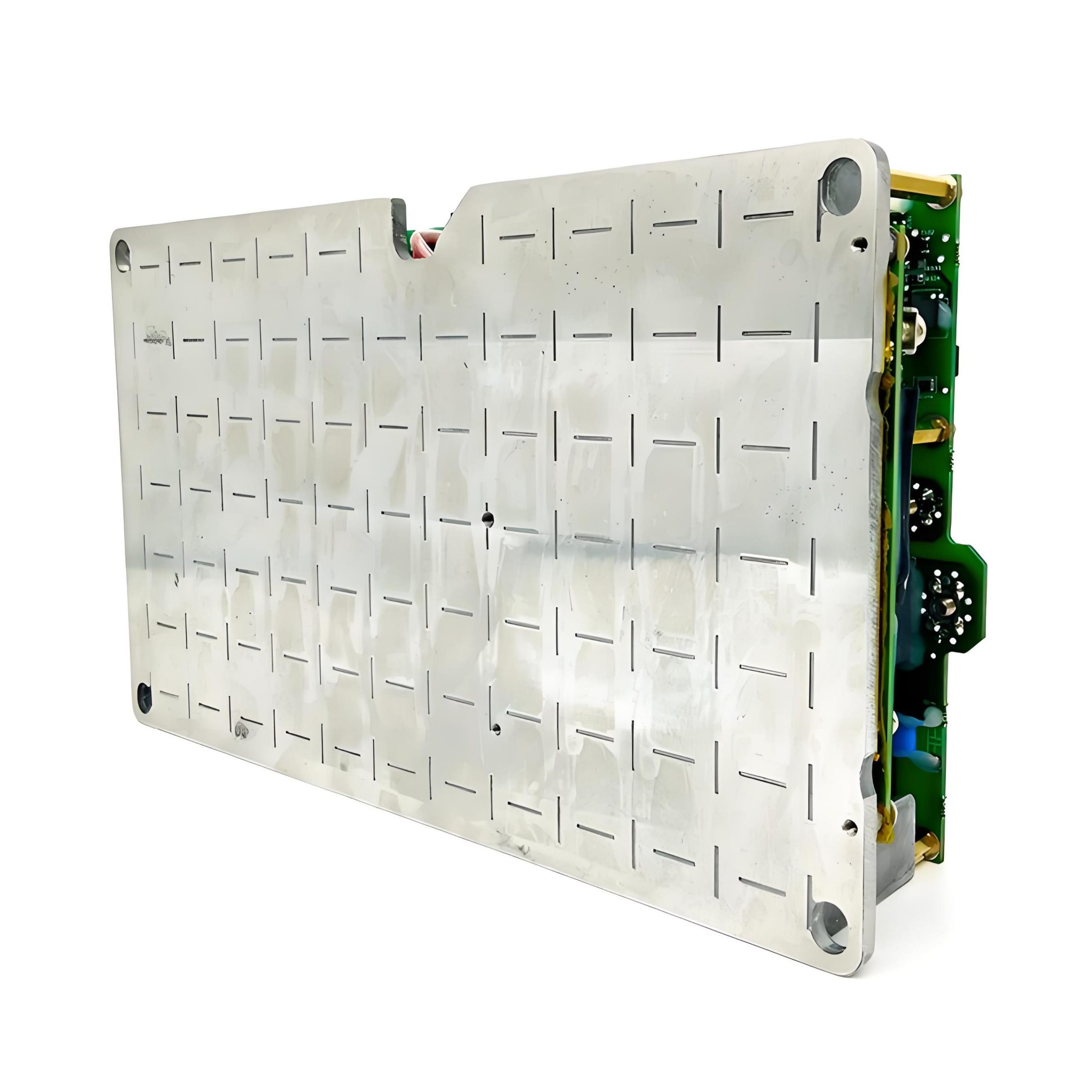
‌MCPCB‌, full name Metal Core PCB, is also known as aluminum substrate or aluminum-based circuit board. It is a type of circuit board that attaches the original printed circuit board to a metal with better thermal conductivity to improve the heat dissipation performance at the circuit board level.

What is MCPCB? Its function and performance

This metal-based printed circuit board usually uses aluminum as the substrate, but also includes the use of other metals such as copper or other high thermal conductivity materials. The design of MCPCB combines the high thermal conductivity of metal with the flexibility of printed circuit boards, making it widely used in various industrial electronic devices.

Especially in the LED industry, MCPCB has become an indispensable component due to its strong magnetic conductivity and excellent heat dissipation. In addition, in the production process of MCPCB, in addition to using aluminum substrates, fiberglass boards (FR-4) are also used for some designs, but special heat dissipation pads need to be designed and fixed by screws or glue.

What is the use of MCPCB?

The main use and advantage of MCPCB (metal core printed circuit board) lies in its excellent heat dissipation performance. ‌

MCPCB, full name Metal Core PCB, is a printed circuit board attached to a metal with better heat conduction effect, thereby improving the heat dissipation at the circuit board level.

This design not only improves the heat dissipation performance of the circuit board, but also has some specific application restrictions, such as the temperature cannot exceed 140℃ when the circuit system is operating, which is determined by the characteristic limitations of the dielectric layer.

During the manufacturing process, the temperature must not exceed 250℃~300℃, which must be understood in advance before passing the tin furnace. This design of MCPCB makes it widely used in many fields, including but not limited to:

‌LED lights‌: used for spotlights, high-current PCBs, high-current LEDs, street safety applications, etc.

What is MCPCB? Its function and performance

‌Automotive electronics‌: used in power conditioners, ignition tools, switching converters, variable optical systems, and motors for electric and hybrid vehicles.

‌Power supply equipment‌: such as DC-DC converters, voltage regulators, high-density power conversion, and switching regulators.

‌Audio equipment‌: balanced, input-output, audio, power supply, and pre-shielded amplifiers.

‌Home appliances‌: flat panel displays, motor controls, etc.

‌OA equipment‌: large electronic display substrates, thermal print heads, and printer drivers.

The unique combination of MCPCB (metal plate, insulation layer, and additional copper foil) provides strong magnetic conductivity and excellent heat dissipation, which is particularly important in the LED industry.

In addition, the high thermal conductivity of MCPCB allows the generated heat to dissipate quickly, preventing heat accumulation and ensuring that the LED operates within the optimal temperature range, which plays an important role in improving the performance, thermal management, and overall reliability of UV LEDs.

What is the difference between FR4 and MCPCB?

The main difference between FR4 and MCPCB (metal matrix printed circuit board) is their heat dissipation performance, material composition, and application areas. ‌

1. Heat dissipation performance:

FR4 has a low thermal conductivity and its heat dissipation performance is not as good as MCPCB. MCPCB is based on its metal core (usually aluminum or copper), and transfers heat to the heat sink through the thermal conductive dielectric layer and the metal substrate, and has good heat dissipation ability.

2. Material composition:

FR4 is a multi-layer printed circuit board material composed of glass fiber cloth and epoxy resin. It has good electrical and mechanical processing performance, but general heat dissipation performance.

MCPCB attaches the original printed circuit board to a metal with better thermal conductivity. The design of the metal substrate and the thermal conductive dielectric layer significantly improves the heat dissipation efficiency.

3. Application field:

FR4 is widely used in electronic equipment that requires basic heat dissipation requirements due to its low cost and good electrical performance.

MCPCB is often used in high-power, high-heat-intensive application scenarios due to its excellent heat dissipation performance, such as TVs, monitors and other cost-sensitive products.

In summary, MCPCB has better heat dissipation performance than FR4 through its metal substrate and optimized thermal conductivity design, and is particularly suitable for application scenarios that require high-performance heat dissipation.

What is the structure of MCPCB?

The structure of MCPCB consists of a circuit layer (copper foil layer), a thermal insulation layer and a metal base layer. ‌

‌Circuit layer‌ (copper foil layer): It requires a large current carrying capacity, so thicker copper foil should be used, and the thickness is generally between 35μm~280μm.

‌Thermal insulation layer‌: This is the core technology of PCB aluminum substrate, usually composed of special polymers filled with special ceramics, with low thermal resistance, excellent viscoelastic properties and resistance to thermal aging, and can withstand mechanical and thermal stress.

‌Metal base layer‌: Aluminum or copper metal is used as the base material of the circuit board, and a layer of copper foil or copper plate metal plate is attached to the substrate as a circuit to improve problems such as poor heat dissipation.

How thick is the copper in MCPCB?

The thickness of copper foil in MCPCB is generally 35μm~280μm. ‌

The structure of MCPCB (Metal Core PCB) consists of circuit layer (copper foil layer), thermal conductive insulation layer and metal base layer. The circuit layer requires a large current carrying capacity, so thicker copper foil should be used.

Such thickness can meet the demand of high current carrying capacity. The use of such copper foil guarantees the superiority of MCPCB in electrical performance and thermal conductivity.

What is the thermal conductivity of MCPCB?

The thermal conductivity of MCPCB varies with the materials used, but is generally much higher than that of standard FR4 PCB. Most MCPCBs have a thermal conductivity in the range of 1 W/mK to 5 W/mK. In contrast, the thermal conductivity of FR4 boards is about 0.3 W/mK, which makes them much less efficient in heat dissipation.

The advantage of MCPCB is that its heat dissipation performance is significantly better than that of standard FR-4 structure. This advantage is not only reflected in the thermal conductivity of the dielectric used, which is far higher than that of conventional epoxy glass, but also in its heat transfer efficiency, with a thermal transfer index of one-tenth the thickness being more efficient than that of traditional rigid PCB.

What is MCPCB led?

MCPCB LED refers to a light-emitting diode (LED) that uses a metal core printed circuit board (MCPCB) as a heat dissipation substrate. This technology uses a metal core printed circuit board as a heat dissipation substrate for LEDs to improve the heat dissipation performance of the LED, thereby ensuring stable operation and extending the service life of the LED.

What is MCPCB? Its function and performance

MCPCB is a special printed circuit board in which the metal core acts as a thermal conductive layer, which can effectively conduct the heat generated by the LED to avoid overheating that affects the performance and life of the LED.

In addition, the design and manufacture of MCPCB also consider the needs of electrical connections and physical support to ensure the reliability and stability of the LED module. With the increasing application of high-power LEDs, MCPCB technology has been favored for its excellent heat dissipation performance and has become one of the key technologies in high-power LED packaging.

Conclusion:

MCPCB has a unique structure, including a conductive metal base, a dielectric insulation layer, and a copper circuit layer, which can provide a reliable solution to the heat dissipation challenges in modern electronic products. As the demand for high-performance electronic products continues to grow, the demand for advanced materials such as MCPCB will also continue to grow to meet these thermal management challenges.

Do LED lights need a circuit board?

September 5th, 2024

LED lights have become an integral part of modern lighting solutions, featuring energy-saving, durability, and versatility. But a common question is, do you think LED lights need a circuit board to work?

What is a LED circuit board?

An LED circuit board is a platform used to power and control light-emitting diodes (LEDs). Essentially, it is the basis for connecting all the necessary electronic components (such as resistors, capacitors, and diodes) to ensure that the LED operates safely and efficiently.

Do LED lights need a circuit board?

Circuit boards used for LEDs are usually metal core printed circuit boards (MCPCBs) because they have excellent heat dissipation properties. This is important because although LEDs are highly efficient, they still generate heat. Without proper heat management, this can lead to poor performance or shortened life of the LED.

The design and manufacture of LED circuit boards involves many aspects, including the layout of the board, the soldering of components, and the design of the driver circuit. The driver circuit is the core part of the LED circuit board, which is responsible for converting the input AC power into DC power suitable for LED use, while providing stable current and voltage to ensure the normal operation and long life of the LED.

LED circuit boards are used in a wide range of applications, from small consumer electronics to industrial lighting and automotive headlights. They provide a simplified way to control and adjust LEDs while ensuring effective heat management.

How to make a LED light circuit board?

The process of making an LED light circuit board involves multiple steps, including soldering, self-testing, cleaning, grinding, and wiring.

1. Soldering:

Determine the direction of the light, the side with the black rectangle is the negative end. Determine the direction of the circuit board, the end with the inner and outer wiring ports is the upper left corner. Start from the upper left light and solder in sequence to ensure that each solder joint is full and clean, without cold solder joints or leaks.

2. Self-test:

After completing the soldering, check whether the solder joints have cold solder joints, leaks, etc. Use a multimeter to touch the positive and negative terminals of the circuit board to check whether the LED lights are on at the same time.

3. Cleaning:

Use 95% alcohol to scrub the circuit board to remove residues.

4. Rubbing:

Remove the LED light circuit board from the entire board, use fine sandpaper to grind off the burrs on the edges, and make the circuit board flat.

5. Wiring:

Use blue and black thin wires to connect the circuit board. The wiring point close to the inner circle is negative and connected to the black wire; the wiring point close to the outer circle is positive and connected to the red wire. Make sure the wire is connected from the back to the front.

6. Final self-check:

Check the wiring to ensure that each wire passes through the pad and the length of the wires on both sides of the pad left on the surface is as short as possible to ensure that the circuit board can work properly.

Each step is crucial, especially the welding and wiring parts, which need to be carefully operated to ensure the performance and safety of the circuit board.

How should an LED be connected in a circuit?

LEDs should be connected to the circuit through the correct wiring method to ensure their normal operation and extend their life. ‌

Do LED lights need a circuit board?

First of all, there are three main wiring methods for LEDs: two-end wiring, single-end wiring and staggered wiring.

Two-end wiring is a commonly used wiring method in the early days. It is characterized by convenient wiring and simple operation. It is suitable for the replacement of fluorescent tubes.

Single-ended wiring is a safer wiring method, in which one end of the LED tube is not wired, and the two pins on the other end are respectively wired to the constant current drive power supply. This wiring method ensures that if one end of the LED tube is connected to AC power, the other end will never be charged.

Staggered wiring is an innovative wiring method that is compatible with a variety of electronic ballasts and can work normally without a starter.

When connecting LEDs, you need to pay attention to the following points:

Correctly distinguish the positive and negative poles of the LED, which can usually be judged by observing the appearance, using a multimeter or battery. Connect the anode of the LED to the positive pole of the power supply and the cathode to the negative pole of the power supply to ensure that the LED works properly.

Use appropriate resistors to limit the current to protect the LED from damage by overcurrent. The resistance value should be calculated based on the power supply voltage, the rated voltage of the LED, and the required current.

Keep the LED dry, avoid moisture or static interference, and pay attention to the temperature to avoid excessively high temperatures that affect its life and performance.

For the power connection of LED light strings, two basic forms can be used: positive connection and negative connection. The positive and negative poles of each light string correspond to the positive and negative poles of the power supply. When a large number of LED lights are connected in series, it is more practical to adopt a series-parallel combination strategy, and the number of parallel groups is determined by calculating the rated current of the power supply. ‌

Do LED lights need special wiring?

LED lights do not require special wiring, but it is necessary to determine whether a grounding wire is required based on the specific situation of the lamp. ‌

LED lights are usually designed without special wiring because they can be directly connected to AC power, thanks to the built-in rectifier of LED lights.

When installing LED lights, it is important to understand the difference between the live wire and the neutral wire, because although LED lights themselves work under DC power, they usually have built-in rectifiers and can be directly connected to household AC power.

When replacing traditional fluorescent tubes, it is necessary to remove the original ballast and starter, and directly connect the live wire and the neutral wire to both ends of the LED tube.

Regarding the issue of grounding wires, most LED lights on the market are double-insulated designs, which means that their housing and structure have met safety requirements, so no grounding wire is required. However, for lamps with metal shells, grounding is necessary to prevent people from getting electric shock when touching the bare metal.

In addition, if the bulb has a grounding wire, it is better to connect it, which can better ensure safety. It should be noted that Class III lamps are not allowed to be grounded because they use safety extra low voltage (SELV) and should be isolated from high voltage using an isolation transformer, and should not be grounded.

In summary, although LED lamps do not require special wiring, you should pay attention to safe wiring methods during installation, and judge whether a grounding wire is required according to the specific situation of the lamp to ensure safety and prevent the risk of electric shock.

Where to put resistor in LED circuit board?

In the LED circuit, the resistor should be placed between the positive pole of the LED and the first LED, that is, in front of each string of lamp beads. ‌ This placement does not depend on the specific location of the resistor, because the resistor and the LED are in series, which means that whether the resistor is placed in front of, behind, in the middle of each string of lamp beads, or anywhere randomly, the effect is the same.

Do LED lights need a circuit board?

This is because the main function of the resistor is to control the current through the LED by consuming a certain voltage and current, ensuring that the LED operates at a normal operating current and avoiding damage to the LED due to excessive current.

It is worth noting that although the position of the resistor has little effect on the LED, in actual circuit design, considering the simplicity and safety of the circuit, the resistor is usually placed close to the positive pole of the power supply. This design can avoid too many connection points in the circuit, thereby simplifying the circuit structure.

Conclusion:

LED lights usually require circuit boards for optimal performance, especially in complex or high-power applications. LED circuit boards ensure proper heat dissipation and current regulation, which are key factors in ensuring the service life and efficiency of the lighting system. BEST Technology has accumulated rich manufacturing experience in the design of LED circuit boards, and various different LED light circuits can be designed to the top level.

How to Calculate Current Carrying Capacity in PCB Vias?

September 5th, 2024

What are vias in PCB design?

Via hole is one of the important components of multi-layer PCB, and the cost of drilling usually accounts for 30% to 40% of the PCB board cost. Simply put, every hole on the PCB can be called a pass hole. From the function point of view, the hole can be divided into two categories: one is used as an electrical connection between the layers. The second is used as the fixing or positioning of the device.

How to Calculate Current Carrying Capacity in PCB Vias?

From a manufacturing process perspective, vias can be divided into three types: blind vias, buried vias, and through vias:

  • Blind vias: These connect the surface layer to an internal layer, without going through the entire board. Their depth is typically related to the hole diameter.
  • Buried vias: Located inside the PCB, they don’t reach the surface.
  • Through vias: These pass through the entire board and are the most common due to their lower manufacturing cost and simpler process.

How to make PCB vias?

Typically, PCB vias are produced following the IPC-2 standard, where the copper thickness in the hole is around 0.8 mil to 1 mil. However, in practice, the copper plating might not be uniform, and the thinnest part could be as narrow as 0.7 mil, affecting the current-carrying capacity.

Generally, the conventional PCB board is produced according to IPC-2 standard, where the copper thickness in the hole is around 0.8 mil to 1 mil (you can check the specific content of the IPC-2 standard). The hole that we think is produced during production is this ideal situation (as shown below), the size of the hole is regular, and the thickness of the hole copper is very symmetrical:

How to Calculate Current Carrying Capacity in PCB Vias?

However, in practice, the copper plating might not be uniform. As you can see, the copper plating thickness of the perforated wall of the PCB produced in general may be wide up and down, and narrow in the middle, so the narrowest limit may be 0.7mil. It can be imagined that if the current carrying situation is evaluated, it should be calculated according to the smallest and smallest cross-sectional area, but the smallest cross-sectional area is deviated from the actual design value. But actually, a good PCB manufacturer can help to save much time and money for you, you can see the via holes cross-sectional made by EBest Circuit (Best Technology) and others.

How to Calculate Current Carrying Capacity in PCB Vias?

What Is the Current Carrying Capacity of a Via?

The current-carrying capacity of a via refers to the maximum current it can safely handle. In PCB design, vias are essential components that connect traces between layers, and their size and shape directly impact how much current they can carry. Factors affecting current capacity include via diameter, number of vias, and placement.

The current carrying capacity of a via hole refers to the current that can be safely carried by the hole. In PCB design, the hole is a key component connecting the layers of printed wires. Their size and shape directly affect the ability of current to pass through. The current carrying capacity of the hole is not only related to the diameter of the hole, but also affected by the uneven current distribution. That is, when multiple holes are actually placed, the current distribution is not equal, which is related to the distribution, quantity and location of the hole. Therefore, evaluating the current carrying capacity of the holes requires consideration of a variety of factors, including the size and number of holes, and their layout on the board.

For instance, a 12 mil via can safely carry around 1.2A of current. However, increasing the via size (e.g., to 16 mil, 20 mil, or 24 mil) doesn’t necessarily yield a proportional increase in current capacity. A recommended via size for optimal current handling is 10-12 mil.

In some cases, the current carrying capacity of the through hole can be evaluated by DC simulation software, such as using tools such as Allegro’s IR Drop. These tools can help designers more accurately predict and optimize the performance of the board.

How to Calculate Current Carrying Capacity in PCB Via?

The current-carrying capacity of a via can be simplified by using a trace model calculation. The formula is:

I = 0.048 * T^0.44 * A^0.75

Where:

I is the maximum allowable current in amperes (A).

T is the maximum temperature rise in degrees Celsius.

A is the cross-sectional area of the via, measured in square mils.

For the cross-sectional area of the via: A = π * (D + Tk) * Tk

Where:

D is the via’s diameter.

Tk is the copper thickness, typically around 20 Îźm (0.8 mil) according to IPC-2 or IPC-3 standards.

In high-density interconnect (HDI) boards, due to manufacturing constraints, the copper thickness may be reduced to as low as 10 Îźm.

PCB Via Current Calculator Per IPC 2152

IPC-2152 replaces the 50-year-old IPC-2221B standard. IPC-2221B identifies in a series of diagrams the connection between the PCB’s temperature rise, the current in the track, and the cross-sectional area of the track without multilayer boards.

IPC-2152 outlines the relationship of thermal conductivity, through hole, board material, and thickness to current, trace cross section, copper weight, and temperature. It can also determine the exact values of external and internal traces. IPC-2152 is not only a real-time protection program, but it also helps PCB designers model safe and appropriate designs. The EBest Circuit (Best Technology) Wire Width and current Capacity calculator is based on this standard. You can calculate the trace area and current capacity for a given temperature rise.

The figure below is the calculation chart of the cross-sectional area of the through-hole given by IPC 2152. The formula of the cross-sectional area of the through-hole wall in the above figure is transformed, where D is the empty outer diameter, D is the inner diameter of the hole, and (d-d)/2 is the thickness of the hole wall, also known as the through-hole copper thickness. Where D is the empty outer diameter, D is the inner diameter of the hole, and (d-d)/2 is the thickness of the hole wall, also known as the thickness of copper through the hole. The copper thickness through the hole is not determined, and the copper thickness of each PCB manufacturer may be different. If you want to pass a larger current through the hole, it may be better to punch several more through the hole.

How to Calculate Current Carrying Capacity in PCB Vias?

Then you can get a new formula of calculating cross sectional area of hole wall:

How to Calculate Current Carrying Capacity in PCB Vias?

A typical example is calculating the via size based on a 20°C temperature rise and a 1A current.

Given:

Copper thickness of 1 oz (1.38 mil)

Current carrying capacity of 1A

Maximum temperature rise of 20°C

From the IPC-2152 Conservative Chart, the cross-sectional area corresponding to these conditions is 28 mil². Using the equation for the via’s cross-sectional area, you can calculate the via’s diameter.

From the chart, the required cross-sectional area is 28 mil².

The copper thickness is 1.38 mil.

Solving for the via diameter, we get:

d = 7.28 mil (0.185 mm)

Thus, a via with an internal diameter of 0.185 mm will safely carry a 1A current with a 20°C temperature rise.

EBest Circuit (Best Technology)’s Via Current Capacity Calculator

EBest Circuit (Best Technology) offers a current capacity calculator for PCB vias to ensure that designs meet specific current-carrying needs. The tool allows designers to input their parameters, such as via diameter and copper thickness, and outputs the current-carrying capacity value. Clik below image to use or click here: via current capacity calculator

How to Calculate Current Carrying Capacity in PCB Vias?

10 Common Components on a PCBA for Beginners

September 4th, 2024

Even though we live in a world full of electronic gadgets, electronic devices are still shrouded in mystery. The working principle of electronic projects may seem very abstract, as the interior of these gadgets does not seem to have any visible mechanical parts. There are no moving parts such as gears or shafts on the printed circuit board, nor any significant visual changes.

The flow of electricity is invisible and can only be perceived by the effect it produces. Therefore, for those who want to dabble in the field of electronics making, making electronics as a hobby can seem like an extremely challenging task. It seems hard to imagine building something without fully understanding the principles behind it.

What does PCBA mean?

PCBA is the abbreviation of Printed Circuit Board Assembly, which refers to the process of welding, inserting, etc. of electronic components to the circuit board, and welding, inserting, etc. PCBA is an indispensable and important link in the manufacture of electronic products, which directly affects the performance stability and service life of electronic products.

The manufacturing process of PCBA mainly includes components mounting, welding, post-welding processing and functional testing. The first is the component mounting, which is a process of welding the patch components, plug-in components, etc., to the PCB. Then there is welding, through traditional wave soldering or modern lead-free welding and other methods, the components are firmly fixed on the PCB. After that, the welding process is mainly to remove the welding slag on the PCBA surface, clean the PCBA surface, and check the solder joints and components of PCBA. Finally, the functional test is carried out, which is the last step in the PCBA process, and the PCBA is fully functional tested by various test equipment to ensure the stability and reliability of PCBA.

Applications of PCBA

PCBA products are widely used in various electronic products, such as household appliances, communication equipment, automotive electronics, industrial control equipment, etc.  You can see it everywhere.

Different electronic products have different requirements for PCBA. Some require PCBA to be small and exquisite, some require PCBA to be high temperature and high pressure resistant, and some require PCBA to be waterproof and dustproof. With the rapid development of 5G, artificial intelligence, Internet of Things and other fields, PCBA will be more widely used, and PCBA’s performance and reliability requirements will also be higher.

Common components on a PCBA and their symbols

1. Resistor

    Resistors are one of the most commonly used electronic components in PCBA, used to limit the current in the circuit. According to different materials, structures, and resistance values, resistors can be divided into fixed resistors, variable resistors, and special resistors. Resistors are widely used in various circuits, such as power circuits, amplification circuits, signal processing circuits, etc., to achieve current regulation and control.

    2. Capacitor

    A capacitor is a component that stores charge and electrical energy, with the characteristic of blocking direct current and passing alternating current. In PCBA, capacitors are commonly used in circuits such as filtering, coupling, tuning, and bypassing to improve circuit performance and stability. According to their different structures and applications, capacitors can be divided into fixed capacitors, variable capacitors, and fine tuned capacitors.

    3. Inductor

    Inductor, also known as induction coil, has the function of storing magnetic energy. In circuits, inductors can prevent changes in current and play a role in filtering and stabilizing the current. Inductance has a wide range of applications in power filtering, signal processing, and other fields.

    4. Diode

    A diode is an electronic component with unidirectional conductivity, widely used in circuits such as rectification, detection, and voltage regulation. In PCBA, diodes can achieve functions such as voltage regulation, signal amplification, and switch control in the circuit. Common diodes include silicon diodes and germanium diodes, whose performance parameters such as forward voltage drop and reverse breakdown voltage determine their application scenarios.

    5. Transistor

    Transistors are electronic components with functions such as amplification and switching, and are the core components that make up various circuits. In PCBA, transistors are commonly used in amplification circuits, oscillation circuits, switch circuits, etc. to achieve signal amplification, frequency conversion, and circuit control. There are many types of transistors, including bipolar transistors, field-effect transistors, etc., each with its own characteristics, widely used in various electronic devices.

    6. IC Integrated circuit

    Integrated circuit is an electronic component that integrates multiple electronic components on a single chip, with advantages such as small size, low power consumption, and stable performance. In PCBA, integrated circuits are key components for implementing various complex functions, such as digital signal processing, analog signal processing, communication interfaces, etc. Common integrated circuits include operational amplifiers, logic gate circuits, microprocessors, etc., which are widely used in various intelligent devices and systems.

    7. Sensor

    Sensors can sense physical quantities or states in the environment and convert them into electrical signals for output. In PCBA, sensors are commonly used to detect parameters such as temperature, humidity, light, pressure, etc., providing data support for intelligent control of electronic devices. There are various types of sensors with different performances, and choosing the appropriate sensor is crucial for improving the performance and user experience of electronic devices.

    8. Controllable silicon rectifier (SCR)

    Also known as thyristors, silicon controlled rectifiers (SCR) are similar to transistors and diodes – their working principle is essentially the coordinated operation of two transistors. Although SCR also has three pins, they are composed of four layers of silicon material instead of three layers, and are only used as switches, not amplifiers. Unlike single transistors that require continuous current to remain on, SCR only requires one pulse to activate the switch. They are very suitable for converting large amounts of electricity.

    9. Crystal oscillator

    Crystal oscillators provide clock signals in many circuits that require precise and stable timing. By physically oscillating piezoelectric materials (such as crystals), they generate periodic electronic signals, hence their name. Each crystal oscillator is designed to vibrate at a specific frequency, which is more stable, economical, and smaller in size than other timing methods. That’s why they are commonly used for precise timing in microcontrollers, or more commonly as clock components in quartz watches.

    10. Switches and relays

    A basic and easily overlooked component, a switch is simply a power button that controls the current in a circuit by switching between open or closed circuits. They vary greatly in appearance, from sliders, rotations, buttons, levers, toggles, key switches, and more. Similarly, a relay is an electromagnetic switch that operates through a solenoid, acting like a temporary magnet when a current flows through it. They act as switches and amplify small currents into larger ones.

    Now that you’re familiar with some basic electronic components, why not dive into creating your own electronics project? Instead of starting with a complex project featuring advanced functions, begin with a few simple ones. As with any hobby, you’ll encounter challenges along the way, but these hurdles are not insurmountable. With accessible and affordable beginner electronics tools like Arduino and CAD tools, the maker community welcomes new PCB designs and projects every day.

    In addition to PCB manufacturing, EBest Circuit (Best Technology) offers a full turnkey service, including parts procurement and assembly. Whether you’re working on prototypes or scaling up to mass production, Best Team provides a one-stop solution for seamless and hassle-free PCB assembly.

    What is an amplifier board? Its functions and types

    September 4th, 2024

    A power amplifier board is a circuit board specially designed to enhance audio signals. It is the core component of the audio system, which can enhance weak signals to a level that can effectively power speakers or other output devices. In modern audio equipment, the existence of power amplifier boards is indispensable.

    What is an amplifier board?

    The amplifier board is an important part of the amplifier, which is mainly responsible for the power amplification function, that is, converting low-level signals into high-level signals to drive the speakers to produce loud and clear sounds.

    The amplifier board is usually composed of a power amplifier device and a speaker protection device, and its effect directly affects the performance of the entire amplifier.

    The difference between the amplifier board and the amplifier is that the amplifier usually contains a preamplifier, a post-amplifier and an output stage, etc., and is a complete unit suitable for larger occasions such as KTV rooms and theaters.

    The amplifier board mainly contains a post-amplifier and an output stage, lacks a preamplifier, is smaller in size, has lower power, and is more suitable for personal use, such as home theaters. In addition, the price of the amplifier is higher, while the price of the amplifier board is relatively cheap.

    What does an amplifier board do?

    The main function of the amplifier board is to amplify the sound signal and increase the power of the audio signal, so that the sound is clearer and louder. ‌

    What is an amplifier board? Its functions and types

    The amplifier board plays a vital role in audio equipment. It is mainly responsible for converting the power of audio signals so that higher sound output can be produced in a relatively small space.

    In the audio circuit, the role of the amplifier board is particularly obvious. It works together with components such as preamplifiers, control amplifiers, power amplifiers and speakers to amplify the input audio signals through the amplifier board and convert them into clear and high-fidelity sounds, achieving high-quality performance of the audio.

    In addition, the use of amplifier boards can make audio equipment more powerful, not only providing more beautiful sound effects, but also better protecting the stability of the audio equipment itself. Therefore, amplifier boards are widely used as important components in the production of audio equipment.

    In summary, the amplifier board amplifies the power of the audio signal, allowing the audio equipment to output higher quality and louder sound, thereby enhancing the listening experience. Whether it is a professional audio or a home theater system, the amplifier board is an indispensable component‌.

    How does an amplifier board work?

    The working principle of the amplifier board is mainly based on the principles of electronic engineering and physics. Through the combination of amplifiers and power supplies, the input signal is amplified and output to the speaker. ‌

    The core component of the power amplifier board is the amplifier, which has many types, such as voltage amplifier, current amplifier, damping amplifier, etc. Each type of amplifier has different amplification effects and signal transmission methods.

    When the input signal is transmitted to the power amplifier board through the amplifier, the energy supplied by the power supply makes the level of the output signal greater than the input signal level, thereby playing the role of amplifying the signal. In this process, the power supply provides energy to the amplifier in the form of direct current to control the waveform and frequency of the output signal.

    From a technical point of view, the power amplifier board is like a current modulator, which converts alternating current into direct current, and then is controlled by the sound signal played by the sound source to transmit currents of different sizes to the speakers at different frequencies, so that the speakers emit sounds of corresponding sizes and frequencies.

    The working modes of the power amplifier include Class A power amplifier, Class B power amplifier and Class AB power amplifier, each type has its own characteristics and applicable scenarios.

    In short, the working principle of the power amplifier board involves the interaction of multiple physical and electronic engineering principles. Through carefully designed circuits and components, the input audio signal is amplified and output to the speaker, thereby producing the sound we hear‌.

    What are the different types of amplifier boards?

    There are four main types of amplifier boards: Class A, Class B, Class AB, and Class D. ‌

    1. Class A amplifier:

    Class A amplifiers are amplifiers in which no power output element of the amplifier will experience current cutoff (i.e. stop output) during the entire cycle of the signal. This type of amplifier generates high heat when working and has very low efficiency, but the inherent advantage is that there is no crossover distortion.

    Class A amplifiers have the best linearity and almost no distortion, so they can provide high-quality audio amplification with pure and realistic sound quality. However, due to low efficiency, Class A amplifiers have high body temperatures and require good heat dissipation design.

    2. Class B amplifiers:

    Class B amplifiers work completely differently from Class A amplifiers. In Class B amplifiers, the positive and negative channels of the transistors are usually in a closed state unless there is a signal input. This means that when there is no signal input, the output transistors do not conduct electricity and consume no power.

    When there is a signal, each pair of output tubes amplifies half of the waveform, and takes turns to complete a full-wave amplification, thus generating crossover distortion. The advantage of Class B amplifiers is high efficiency, but the sound begins to distort when the signal is very low, and the sound becomes rough.

    3. Class AB amplifiers:

    Class AB amplifiers combine the characteristics of Class A and Class B. They use Class A when the signal is small, and gradually transition to Class B working mode as the signal increases. This method aims to balance the high fidelity of Class A with the high efficiency of Class B, reduce crossover distortion, and improve efficiency.

    4. Class D amplifiers:

    Class D amplifiers are high-efficiency amplifiers that achieve high-efficiency conversion through high-frequency pulse width modulation technology. The design of Class D amplifiers makes it consume almost no power when there is no signal input, and when there is a signal input, it amplifies the signal through high-frequency switching, thereby achieving high-efficiency energy conversion.

    The advantage of Class D amplifiers is extremely high efficiency, but the design is relatively complex and requires precise control circuits to ensure sound quality.

    In summary, different types of amplifiers have their own characteristics in terms of efficiency, sound quality, application scenarios, etc. Choosing the right type of amplifier depends on specific application requirements and personal preferences.

    What are the disadvantages of amplifier board?

    The disadvantages of amplifier boards mainly include high power consumption, high cost, high distortion, severe digital flavor, and cold sound. ‌

    1. High power consumption and high cost:

    Due to its working mode, Class A amplifiers have the problems of high power consumption and high cost. This type of amplifier performs well in bass performance and distortion control, but the corresponding energy consumption and cost investment are also high.

    2. High distortion:

    Digital amplifiers may generate noise and nonlinear distortion during digital conversion, which will affect the sound quality. In addition, digital amplifiers have high requirements for power supply noise processing, and the cost of the whole machine is relatively high, especially compared with traditional analog amplifiers.

    3. Severe digital flavor and cold sound:

    Digital amplifiers may be considered to have a serious digital flavor in sound quality, and the sound is cold and not warm enough, which may not meet the hearing preferences of all users.

    In summary, different types of power amplifier boards have their own advantages and disadvantages, and the choice needs to be weighed according to personal needs and preferences.

    What is the difference between a power amplifier and an amplifier board?

    A power amplifier is an electronic device designed to amplify the power of an input signal to drive a load (such as a speaker, antenna, etc.). It is a key component in audio systems, radio communication equipment, etc.

    What is an amplifier board? Its functions and types

    A power amplifier board generally refers to a circuit board or module used to assemble or apply a power amplifier. It contains all the components and circuit designs required for a power amplifier. An amplifier board can be a stand-alone circuit board for integration into a larger system or for DIY projects.

    Conclusion:

    Amplifier boards are an indispensable component in modern audio systems, providing the necessary amplification to ensure clear and powerful sound. Whether you are looking for high efficiency, excellent sound quality, or both, there is an amplifier board that suits your needs.

    What is a Bluetooth PCB board? How does it work?

    September 4th, 2024

    Bluetooth technology has become a major component of modern electronics, enabling wireless communication between devices. At the heart of this technology is the Bluetooth PCB board (printed circuit board), which is a key component that promotes the functionality and efficiency of Bluetooth devices.

    The magic of Bluetooth is everywhere in electronic products such as mobile phones and computers, and it is all made possible by the functionality of Bluetooth PCB boards.

    What is Bluetooth PCB board?

    A Bluetooth PCB board (printed circuit board) is a specially designed circuit board that integrates the components required for Bluetooth communication into electronic devices. It is the backbone for wireless transmission and reception of data between devices, allowing devices such as smartphones, headphones, and smart home devices to connect without cables.

    What is a Bluetooth PCB board? How does it work?

    PCBs are filled with various components, including Bluetooth chips, antennas, resistors, capacitors, and other components necessary for the Bluetooth functionality of devices. The layout of these components is carefully planned to optimize signal strength, reduce interference, and ensure efficient power consumption.

    What does a Bluetooth PCB board do?

    The Bluetooth PCB board plays a vital role in Bluetooth devices. Its main roles include providing reliable electrical connections, enabling compact layout of components, reducing production costs and improving production efficiency, and facilitating repairs and upgrades.

    Essentially, a Bluetooth PCB board enables devices to communicate wirelessly over short distances. The PCB provides a platform where all the necessary electronic components are interconnected, allowing them to work seamlessly together.

    The main role of a Bluetooth PCB is to manage the transmission and reception of data, ensuring that information is accurately sent and received between devices. It needs to filter and process signals to maintain a clear, stable connection, and also protect the data being transmitted to prevent unauthorized access.

    How does a Bluetooth PCB board work?

    The working principle of a Bluetooth PCB board mainly relies on its integrated main control chip, audio power amplifier chip, RF antenna and other components, as well as the layout and wiring principles in PCB design to ensure stable wireless communication and high-quality audio output.

    What is a Bluetooth PCB board? How does it work?

    When two Bluetooth-enabled devices are within range, they establish a connection through a process called “pairing”. This involves exchanging unique identifiers and agreeing on a communication protocol. After pairing, the devices can send and receive data over the Bluetooth connection, which is assisted by the components of the PCB.

    The Bluetooth PCB board plays a key role in this process, managing RF signals, filtering out noise, and ensuring that data is accurately transmitted and received. The design of the board is critical to minimizing interference and maximizing the range and reliability of Bluetooth connections.

    What is the technical principle of Bluetooth?

    Bluetooth is a form of communication that uses radio frequencies to connect different devices. It can operate at 2.4 GHz, similar to other forms of wireless communication such as Wi-Fi.

    A master Bluetooth device can remotely connect to 7 other Bluetooth devices, paired devices exchange information with the master Bluetooth device in a serial manner, and the interaction between paired devices can be carried out through the master Bluetooth device, which acts as a facilitator.

    The Bluetooth frequency range is 1 cm to 100 meters, and each connection requires device approval using a unique code. When there is no active information exchange, Bluetooth devices can remain idle, thereby reducing energy consumption.

    The Bluetooth protocol is designed to be energy-efficient and is ideal for battery-powered devices. It achieves energy conservation through low-power modes and adaptive power management techniques that adjust power output based on the distance between connected devices.

    Bluetooth circuit boards are the main force driving wireless headphones, remote controls, wireless speakers to the Internet of Things (IoT) applications. They are double-layer PCBs, but only one board.

    What is the principle of Bluetooth PCB board?

    The working principle of Bluetooth PCB board is simple. There is an antenna on the Bluetooth PCB that receives the signal from the Bluetooth device. The information is processed inside the board and sent to the output.

    One of the key principles behind Bluetooth PCB design is impedance matching. Impedance matching ensures that the electrical signal transmitted through the PCB is transmitted with minimal reflection or loss. This is especially important for antennas, which must be carefully matched to the rest of the circuit to maximize signal strength and range.

    Another important principle is electromagnetic compatibility (EMC). The PCB must be designed to minimize electromagnetic interference (EMI) that can interfere with Bluetooth signals. This involves careful placement of components, shielding, and the use of specific materials that reduce EMI.

    Depending on the application of the Bluetooth device, different Bluetooth profiles can be used to facilitate communication between devices. For example, the Audio/Video Remote Control Profile (AVRCP) is used to communicate with audio video equipment and can be used for remote controls for hi-fi equipment and TVs.

    What are the types of applications for Bluetooth PCB board?

    The wide range of applications for Bluetooth PCB board reflects the versatility and convenience of Bluetooth technology.

    1. Consumer electronics: Bluetooth PCBs are found in smartphones, tablets, laptops, headphones, and speakers, enabling wireless audio streaming and data transfer.

    What is a Bluetooth PCB board? How does it work?

    2. Smart home devices: Bluetooth PCBs power smart home devices such as thermostats, lights, door locks, and security cameras, allowing them to be wirelessly controlled from a central hub or smartphone.

    3. Wearable devices: Fitness trackers, smart watches, and health monitors rely on Bluetooth PCBs to sync data with smartphones and other devices.

    4. Automotive systems: Bluetooth PCBs are used in automotive infotainment systems, enabling hands-free calling, music streaming, and integration with smartphones.

    5. Medical devices: Bluetooth PCBs are increasingly used for remote monitoring and data collection in medical devices, such as blood glucose monitors and heart rate sensors.

    6. Industrial automation: Bluetooth PCBs are used in a variety of industrial applications, including wireless sensors, control systems, and machine-to-machine (M2M) communications.

    Conclusion:

    Bluetooth PCB boards are the backbone behind wireless connectivity, which has become a cornerstone of modern life. These boards are designed with complexity to ensure that devices can communicate seamlessly and efficiently. From consumer electronics to industrial applications, Bluetooth PCB plays a key role in achieving wireless communications for the Internet. BEST Technology has extensive experience in manufacturing PCB boards of various functions, and its professional team can also provide you with high-quality design and services.

    RoHS vs. Pb Free Temperature – An Ultimate Guide

    September 3rd, 2024

    Soldering is a critical process in electronics manufacturing. It involves joining components to a printed circuit board (PCB) using a metal alloy called solder. Over the years, the industry has seen a shift from traditional lead-based solder to more environmentally friendly options. This shift has introduced terms like RoHS and Pb-free into the vocabulary of professionals. Understanding these terms, especially in relation to soldering temperatures, is crucial for anyone involved in electronics production.

    This guide will break down the differences between RoHS and Pb-free soldering, focusing on their temperature requirements. We’ll explore what these terms mean and how they impact the soldering process.

    What Does RoHS Stand For?

    RoHS stands for Restriction of Hazardous Substances. It’s a directive that originated in the European Union, aiming to limit the use of certain hazardous materials in electrical and electronic products. Specifically, RoHS restricts substances like lead (Pb), mercury, cadmium, hexavalent chromium, and some flame retardants in manufacturing processes.

    The directive came into effect in 2006 and has since become a global standard for electronics manufacturers. Complying with RoHS means that a product does not contain any of the restricted substances above a certain threshold. This initiative was created to reduce the environmental and health impacts associated with these hazardous materials.

    RoHS vs. Pb Free Temperature – An Ultimate Guide

    What Does Pb-Free Mean?

    Pb-free, as the name suggests, refers to the absence of lead (Pb) in a product or process. In the context of soldering, Pb-free means that the solder alloy used does not contain lead. Lead has traditionally been a key component in solder due to its low melting point, making it easier to work with. However, the toxic nature of lead and its environmental impact has led to a global shift towards Pb-free alternatives.

    Pb-free solder usually consists of a combination of tin (Sn), silver (Ag), and copper (Cu). These alternatives have a higher melting point than lead-based solder, which requires adjustments in the soldering process, especially in terms of temperature.

    RoHS vs. Pb Free Temperature – An Ultimate Guide

    Is RoHS the Same as Lead-Free?

    While RoHS and Pb-free are related, they are not the same thing. RoHS is a regulatory standard that restricts the use of several hazardous substances, including lead. Pb-free, on the other hand, specifically refers to the absence of lead in a product or process.

    In other words, Pb-free solder is a product that complies with the RoHS directive, but RoHS covers a broader range of materials beyond just lead. Therefore, a product can be RoHS compliant without being entirely Pb-free if it still contains lead within acceptable limits set by the directive.

    What Is the Difference Between RoHS and Pb?

    RoHS is a directive, a set of rules that manufacturers must follow to ensure their products are safe and environmentally friendly. Pb refers to lead, a specific element that RoHS seeks to limit or eliminate in electronic products.

    The main difference lies in their scope. RoHS is about regulation, while Pb (lead) is one of the substances that these regulations seek to control. Pb-free solder is a direct result of the RoHS directive’s push to eliminate lead from electronics manufacturing. However, Pb-free soldering requires different handling and temperatures, which brings us to the next key points.

    What Temperature Is Pb-Free Soldering?

    Pb-free soldering requires higher temperatures compared to traditional lead-based soldering. The typical melting point of Pb-free solder is around 217°C to 220°C (423°F to 428°F). This is significantly higher than lead-based solder, which melts at around 183°C (361°F).

    The higher temperature is due to the different alloy composition in Pb-free solder. Tin (Sn), silver (Ag), and copper (Cu) are the main components, and they require more heat to reach a liquid state. This means that when working with Pb-free solder, the soldering equipment must be capable of reaching and maintaining these higher temperatures.

    Adjusting to this temperature is crucial because improper soldering temperatures can lead to weak joints, incomplete soldering, or damage to components. Therefore, manufacturers often need to recalibrate their soldering equipment when switching to Pb-free processes.

    What Temperature Does RoHS Solder Melt At?

    RoHS-compliant solder includes both lead-free and lead-based options, depending on the specific application and compliance level. For lead-free, which is common in RoHS-compliant products, the melting temperature is typically in the range of 217°C to 220°C (423°F to 428°F), similar to Pb-free solder.

    However, if the RoHS-compliant product still uses lead-based solder within the allowable limits, the melting temperature would be around 183°C (361°F). This is less common today as more manufacturers move towards entirely lead-free processes to fully comply with RoHS and similar regulations.

    The shift to RoHS-compliant soldering involves understanding these temperature differences and adjusting manufacturing processes accordingly. This ensures the reliability and durability of the solder joints in electronic products.

    What Is the Best Temperature for Lead-Free Solder?

    The best temperature for lead-free soldering typically ranges between 240°C to 250°C (464°F to 482°F). This range provides a buffer above the melting point to ensure proper flow and bonding of the solder.

    Working within this temperature range helps achieve a strong, reliable solder joint while minimizing the risk of overheating and damaging sensitive components. It’s essential to monitor the soldering process closely because exceeding this range can cause problems, such as burnt components or damaged PCBs.

    Manufacturers must carefully control the temperature during lead-free soldering to maintain the quality and integrity of the solder joints. Proper temperature control is a critical factor in producing durable, long-lasting electronic products.

    Which is Best for PCB Soldering?

    When it comes to PCB soldering, the choice between lead-based (Pb) solder and lead-free (Pb-free) solder depends on various factors, including environmental regulations, the application of the PCB, and the desired properties of the solder joints. Here’s a breakdown to help you decide which is best for your needs:

    1. For environmental compliance, Pb-free solder is the best choice if you need to meet regulatory requirements like RoHS. It’s also better for the environment and human health.

    2. Lead-based solder might be better if you’re working on non-compliant projects where ease of use and joint durability are top priorities, such as prototyping or repair work.

    3. For modern electronics manufacturing, Pb-free solder is increasingly the standard, especially for products that need to be sold globally. It’s also the best choice for future-proofing your manufacturing processes against tightening environmental regulations.

    In conclusion, Pb-free solder is generally the best choice for modern, environmentally conscious PCB manufacturing, particularly when compliance with regulations like RoHS is necessary. However, lead-based solder may still be preferred for specific applications where ease of use and durability are more important than regulatory compliance.

    What is SMT POP (Package on Package) Process?

    September 3rd, 2024

    What is smt pop process?Package on Package (PoP) means that a logical package with high integration at the bottom is superimposed on another matching large-capacity memory package to form a new package as a whole. Laminated packaging can be the same shape of the logic and memory chip package can be reintegrated, without the use of stacked logic-memory chip packaging method in the manufacturing and commercial problems. This new form of high-density packaging is mainly used in a variety of consumer electronic products such as smart phones, digital cameras, and portable wearable devices.

    What is SMT POP (Package on Package) Process?

    What Does POP Do in Assembly?

    In an era where consumer electronics are becoming smaller and more powerful, saving PCB space is crucial. PoP allows for the vertical stacking of components, such as processors and memory, on top of each other. This is especially important in devices like smartphones, tablets, and wearable technology, where space is at a premium.

    One of the significant advantages of PoP is the ability to individually test and replace the stacked components before final assembly. This step-by-step verification ensures higher yields during manufacturing, as defective components can be identified and replaced early in the process. Additionally, since each component is tested separately, the overall cost of assembly can be reduced, as fewer defective products reach the final stages of production.

    Moreover, PoP provides manufacturers with the flexibility to mix and match different types of components. For example, different memory types can be combined with various processors, depending on the requirements of the final product.

    SMT POP Structure

    POP stacking assembly typically involves placing components on top of each other, usually combining logic and memory devices. The structure can range from 2 to 4 layers, with memory PoP going up to 8 layers. Although the overall height increases slightly, each component can be tested individually before assembly, ensuring higher yield rates and minimizing total assembly costs.

    PCB Assembly Layers of PoP:

    What is SMT POP (Package on Package) Process?

    Amkor PoP Typical Structure:

    Bottom PSvfBGA (Package Stackable very thin fine pitch BGA)

    Top Stacked CSP (fine pitch BGA)

    Bottom PSvfBGA Structure:

    Dimensions: 10-15mm

    Pad pitch: 0.65mm, with bottom ball pitch at 0.5mm (0.4mm)

    Substrate: FR-5

    Ball material: 63Sn37Pb/Pb-free

    Top SCSP Structure:

    Dimensions: 4-21mm

    Bottom ball pitch: 0.4-0.8mm

    Substrate: Polyimide

    Ball material: 63Sn37Pb/Pb-free

    Ball diameter: 0.25-0.46mm

    SMT POP Manufacturing Process

    The manufacturing process for Package on Package technology is a multi-step procedure that demands precision and careful attention to detail to ensure the successful assembly of high-performance electronic devices. Here’s an extended explanation of each stage in the PoP manufacturing process:

    What is SMT POP (Package on Package) Process?

    1. Non-PoP Side Component Assembly

    The PoP process begins with the assembly of components on the non-PoP side of the PCB. This involves standard SMT assembly processes:

    • Stencil Printing: Solder paste is applied to the designated pads on the PCB using a stencil.
    • Component Placement: Using automated pick-and-place machines, surface-mount components are accurately positioned onto the solder-pasted pads.
    • Reflow Soldering: The PCB is then passed through a reflow oven, where the solder paste is heated to its melting point, securing the components to the board.
    • Inspection: The solder joints are inspected using Automated Optical Inspection (AOI) to ensure that they are correctly formed and that the components are properly placed.

    2. Solder Paste Printing on the PoP Side

    After completing the assembly on the non-PoP side, the PCB is flipped, and solder paste is printed on the pads where the bottom PoP component will be placed. This step is crucial, as the quality of the solder paste application directly affects the integrity of the solder joints between the PoP components.

    3. Placement of Bottom Components and Other Devices

    The bottom components, which typically include the logic processor, are placed onto the solder-pasted pads using high-precision pick-and-place equipment. This placement must be extremely accurate to ensure proper alignment with the top component in the subsequent steps.

    4. Flux or Solder Paste Dipping for the Top Components

    Before the top component is placed, it is dipped in flux or a thin layer of solder paste. This dipping ensures that the solder joints between the top and bottom components are robust and reliable. The flux helps to clean the surfaces and promote better solder flow during reflow, while the solder paste provides additional material for the solder joints.

    5. Placement of Top Components

    The top component, typically a memory chip, is then placed onto the bottom component. This step requires precise alignment to ensure that the solder balls on the top component correctly match the pads on the bottom component. Any misalignment can lead to defective connections and, consequently, a malfunctioning device.

    6. Reflow Soldering and Inspection

    Once the top component is placed, the entire assembly is subjected to reflow soldering. During this process, the PCB passes through a reflow oven where the solder paste re-melts, forming solid connections between the components. The temperature profile during reflow must be carefully controlled to prevent warping or damaging the delicate PoP structure.

    After reflow, the assembly is inspected using AOI or X-ray inspection to verify the quality of the solder joints, particularly the hidden joints between the top and bottom components. X-ray inspection is often employed because it can penetrate the layers and provide a clear view of the solder joints, ensuring there are no voids, misalignments, or insufficient solder.

    7. Final Testing and Quality Control

    The assembled PoP structure undergoes a series of electrical tests to ensure functionality. This includes testing for continuity, shorts, and the performance of the integrated components. High-quality PoP assemblies should pass all functional tests without issue, confirming that the solder joints and component placements are reliable.

    8. Packaging and Shipping

    After passing the final tests, the PoP assemblies are cleaned to remove any residual flux or contaminants. They are then packaged according to the customer’s requirements and prepared for shipping. Proper packaging is essential to protect the sensitive PoP structures from damage during transit.

    POP Design Considerations

    Factors affecting the spatial relationship include substrate and component design, substrate manufacturing processes, component packaging processes, and SMT assembly processes. Key aspects to consider are:

    • Pad design
    • Solder mask opening
    • Ball size and height variation
    • Amount of flux or solder paste applied
    • Placement accuracy
    • Reflow environment and temperature
    • Warpage of components and substrate
    • Bottom component molding thickness

    What are the advantages of POP smt process?

    POP is mainly a system integration 3D package developed for mobile devices, and its structure mainly has the following characteristics.

    1. Storage devices and logic devices can be freely combined, and can be tested or replaced separately to ensure the yield.
    2. POP is stacked in the vertical direction, saving the board area and improving the system packaging density.
    3. The vertical interconnection of stacked devices replaces the traditional two-dimensional package interconnection, which can realize faster data transmission between logic devices and storage devices.

    With the development of technology, the following main types of POP structures have emerged.

    • Solder Ball Connected PoP

    Logic chips have more I/0 ports, so they are often packaged with Flip Chip (FC) technology and used as the bottom component. The bottom chip adopts Capillary Under Fill (CUF) technology.

    • MLP Connected PoP

    In order to develop a thinner PoP Package structure, MoldimgLaser Package (MLP) technology came into being, also known as Through Mold Via (TMV) technology on the market. The method is to first weld the tin ball around the bottom chip and directly plastic seal, and then use laser perforation to expose the tin ball for subsequent connection with the upper components.

    • Folded and BVA Connected PoP

    In order to meet the requirements of thin size, strong function and large I/0 number of PoP products, flexible circuit boards are used to connect various package components and fold to form PoP structure, and BVA (Bond Via Array) is used to improve product performance and reduce pin spacing.

    POP Applications

    1. Smartphones: PoP is widely used in smartphones, like the Meizu 16S, for integrating application processors and memory.

    2. Wearable Devices: PoP is commonly used in next-generation wearable devices.

    3. Electronic Watches: PoP packaging is key for improving performance and reducing costs in electronic watches.

    4. Earphones: The Meizu POP Pro noise-cancelling earphones utilize PoP technology.

    5. Health Watches: Huami’s Amazfit Pop, one of the most affordable blood oxygen monitoring watches, uses PoP technology.

    For more information about our POP Assembly capabilities, please contact us any time! We can be reached via email at sales@bestpcbs.com, or toll free at +86-755-2909-1601.

    What file type is used for PCB schematic drawings?

    September 3rd, 2024

    PCB printed circuit boards are essential to achieving the functionality of electrical devices, but before the final board can be manufactured, a carefully drawn schematic is essential. The PCB schematic is the blueprint that guides the actual design and manufacture of the circuit board. The schematic and Gerber files are key elements in the PCB manufacturing process, and each plays a different role.

    What is the schematic file for PCB?

    The schematic file is the foundation of any PCB design. It represents the logical connections and relationships between different components in the circuit. Think of it as a map showing how each component, such as resistors, capacitors, and microcontrollers, is connected to form a functional circuit.

    What file type is used for PCB schematic drawings?

    When creating a PCB, the schematic file is the first step. It is used to document the design and is essential to ensure that the final product functions as expected. Engineers use specialized software to create these schematic files, which can then be converted into the layout of the physical PCB.

    What is PCB CAD file?

    ‌PCB CAD files‌ are files directly output or saved by EDA software for PCB design. These files contain information about each layer of the PCB, network connection information, component information, etc. They are very comprehensive and contain almost all the information of the circuit board.

    What file type is used for PCB schematic drawings?

    This format is mainly used for the storage and exchange of circuit board design, and contains information such as the layout, connection, pad, and drilling of each component on the circuit board.

    In circuit board design, designers use circuit board design software to draw circuit schematics, layout, connection, component placement, etc., and finally generate a PCB file, and then load the file onto the circuit board to realize the production of the circuit board.

    In addition, PCB CAD files play an important role in the offline programming of SMT placement machines. Offline programming refers to the work of compiling SMT placement programs on a computer using offline programming software and PCB CAD design files.

    This programming method can save online programming time, thereby reducing the downtime of the entire PCBA processing and improving the utilization of equipment. Offline programming software is often used in automated production processes to ensure efficient and accurate completion of the placement of electronic components.

    What files are needed to make a PCB?

    Creating a PCB is a multi-step process involving multiple different files, each with its own unique purpose.

    1. Schematic file (.sch, .dsn): represents the logical connection of the circuit and is the blueprint of the entire PCB design process.

    2. Netlist file (.net, .xml): generated based on the schematic, lists all components and their connections.

    3. Gerber file (.gbr, .pho): Gerber file is the most important file for manufacturing PCB. Define each layer of the PCB, including copper wire, solder mask and silk screen printing layer, each layer of the PCB requires its own Gerber file.

    4. Drill file (.drill, .drl): specifies the location of the holes drilled on the PCB. It includes information on the size and location of each hole.

    5. Bill of Materials (BOM, .bom, .csv): BOM lists all the components required to assemble the PCB. Including part number, quantity and other details required for procurement.

    6. Pick and place file (.txt, .csv): used in the assembly process to specify the precise location of each component on the circuit board.

    What is the file type for circuit schematic?

    The file type for a circuit schematic can vary depending on the software used to create it.

    1. .SCH: This is the most common file extension for schematic files.

    2. .DSN: This is another standard for schematic files.

    3. .PDF: Although PDF is not a design file, it is often used to share schematics for review. It provides a non-editable version of the schematic that can be easily viewed.

    4. .XML: Some tools export schematics as XML files for compatibility with other software. This format is useful for exchanging data between different design tools.

    5. .PNG/.JPG: Image formats such as PNG or JPG are sometimes used to share simple schematics. These are not editable, but can provide a quick way to visualize the circuit.

    What does a Gerber file contain?

    Gerber is actually a description file that focuses more on PCB manufacturing and production. It should be said that it was originally designed for plotters. Therefore, the content of Gerber basically includes the information required for PCB manufacturing, such as copper foil circuit layer, solder mask layer, silk screen layer, legend layer, drill layer, etc. Even solder paste printing layer, image recognition layer, annotations and production notes can be included in it in layers.

    What file type is used for PCB schematic drawings?

    Advantages and Disadvantages of Gerber Files

    Gerber files are not suitable for being used as a storage file format for current PCB design. Because the Gerber file format does not contain the connection information between the various circuit layers of the PCB.

    If you look closely at the Gerber file structure, you will find that each layer is a small file, which means that the layers of Gerber are independent and unrelated to each other. They are like independent drawings. This feature had little impact on wiring engineers when PCBs were only single-sided or double-sided in the early days, but it is very disadvantageous in design, operation, debugging and verification for the increasingly complex multi-layer PCBs. Therefore, almost no one uses Gerber files as the file format for PCB design.

    Because the amount of information in Gerber files is small, its file size is much smaller than other design files drawn by EDA or CAD software. In addition, its format is more irreversible in design and protects the original design. In addition, its vector image layered format is still very suitable for use in PCB manufacturing. Today, PCB production generally follows this layer to divide the process into different stages for production, so Gerber files are still widely used in PCB production.

    Therefore, some design companies with high confidentiality requirements will convert the design files into Gerber before sending them to the PCB factory for production, trying to keep confidentiality.

    Conclusion:

    For anyone working in the electronics industry, it is essential to understand the various file types used in PCB design. From the initial schematic file to the final Gerber file, every step in the design process relies on accurate and compatible files. BEST Technology has a professional PCB design team with rich experience in different PCB designs. We can solve all your PCB design problems.

    What is an LED circuit board?

    September 3rd, 2024

    In today’s fast-growing electronics industry, LED (light-emitting diode) technology has become a game-changer in lighting and display applications. LED PCB (printed circuit board) is essential for effectively powering and controlling LEDs. It plays a key role in ensuring the efficiency, lifespan and performance of LED lighting systems.

    As the demand for energy-efficient lighting solutions continues to increase, understanding the complexity of LED light PCB design has become critical for engineers, designers and manufacturers. These circuit boards require special manufacturing steps in addition to design guidelines.

    What is led light circuit board?

    LED light circuit board is the abbreviation of printed circuit board, which is mainly used to carry and connect electronic components of LED lamps. ‌LED light circuit board is usually made of aluminum substrate and FR-4 fiberglass circuit board, where the LED aluminum substrate is printed on the aluminum plane with good thermal conductivity, and then the electronic components are soldered on it. ‌This design helps to improve the heat dissipation performance and stability of LED lamps, and ensure that the LED lamps can work stably for a long time.

    What is an LED circuit board? How to make it?

    The main function of LED light circuit board is to provide power to LED lamp beads and control the brightness and color of its LED lamp beads. In order to light up the LED lamp beads, an LED driving circuit is required, which includes constant voltage driving, constant current driving, PWM driving and other methods, which are usually integrated on the small circuit board of the LED lamp.

    In addition, the design and manufacture of the LED lamp circuit board take into account the characteristics of LED, such as long life, high light efficiency, no radiation and low power consumption. Compared with traditional light sources, such as incandescent lamps and fluorescent lamps, LED lamps have significant advantages in efficiency, life and environmental protection.

    How to make led light circuit board?

    The process of making LED lamp circuit boards involves multiple steps, including welding, self-inspection, mutual inspection, cleaning, friction, wiring, etc.

    Determine the direction of the lamp: the front side is facing up, and the side with the black rectangle is the negative end.

    Determine the direction of the circuit board: the front side is facing up, and the end with two internal and external wiring ports is the upper left corner.

    Welding: Carefully weld each solder joint to ensure fullness, cleanness, and no false soldering or leaking. ‌

    What is an LED circuit board? How to make it?

    Self-inspection: After completing the welding, first check whether there is a cold solder joint, leaking solder joint, etc. Use a multimeter to touch the positive and negative terminals of the circuit board to check whether the LED lights are on at the same time. ‌

    Mutual inspection: After the self-inspection, it will be handed over to the person in charge for inspection. Only with the consent of the person in charge can it flow into the next process. ‌

    Cleaning: Use 95% alcohol to scrub the circuit board to remove residues and keep the circuit board clean.

    Friction: Use fine sandpaper (coarse sandpaper if necessary) to grind off the burrs on the edge of the circuit board so that the circuit board can be placed flatly in the fixing seat. ‌

    Wiring: Use blue and black thin wires to connect the circuit board. The wiring point close to the inner circle is negative and connected to the black wire; the wiring point close to the outer circle is positive and connected to the red wire. ‌ Make sure the wires are connected from the back to the front. ‌

    Self-check and mutual check: Check the wiring to ensure that each wire passes through the pad, the length of the wires on both sides of the pad that remain on the surface should be as short as possible, and the thin wires will not break or loosen when gently pulled. ‌‌

    Through the above operations, the production of the LED lamp circuit board can be completed. ‌Each step is crucial, especially the welding and wiring parts. It is necessary to ensure the quality of the welding points and the correct connection of the wires to ensure the normal operation of the circuit board and the normal lighting of the LED lamp.

    Why do you need a resistor with an LED?

    When using LED, a resistor needs to be connected in series to control the current, prevent excessive current from damaging the LED, and ensure that the LED can emit light normally. ‌

    LED is a semiconductor device that can directly convert electrical energy into light energy. Due to its special material properties, LED is very sensitive to current, and excessive or insufficient current may cause the LED to malfunction or be damaged.

    Therefore, when the LED is connected to the power supply, a resistor is needed to limit the current to ensure that the LED can work stably and safely.

    The main function of this resistor is voltage division and current limiting. It is used to adjust the current passing through the LED to prevent the LED from burning out due to excessive current, while also ensuring that the LED can emit light of appropriate brightness.

    Specifically, when current passes through the LED, the resistor will produce a certain voltage drop, thereby reducing the voltage applied to both ends of the LED, thereby controlling the current passing through the LED.

    What resistor to use with LED?

    Use an LED resistor calculator to help determine the required resistor value. ‌

    When using LEDs, in order to protect the LED and ensure its normal operation, it is usually necessary to limit the current by connecting an appropriate resistor in series. This is because each LED has a maximum current value, exceeding which may cause the LED to be damaged.

    Using an LED resistor calculator can help you determine the required resistor value to ensure that the current does not exceed the maximum tolerance of the LED.

    By entering the relevant parameters of the LED (such as the rated current and voltage), the calculator will automatically calculate the required resistor value to protect the LED from overcurrent damage.

    This method is a common practice and is applicable to any situation where a number of LEDs are used in series. In this way, the safe operation of the LED can be ensured while avoiding damage caused by excessive current.‌

    How to improve the heat dissipation performance of LED light circuit boards?

    The key to improving the heat dissipation performance of LED light circuit boards is to optimize the heat dissipation path, use efficient heat dissipation materials, and adopt advanced heat dissipation technology.

    Optimize the heat dissipation path:

    Understanding the heat transfer path of the heat generated by LED components is the first step to improve heat dissipation performance. Heat moves from the LED components through the package wires to the circuit board, and then dissipates through the heat sink.

    The heat dissipation efficiency can be effectively improved by using materials with good thermal conductivity, expanding the cross-sectional area of the path (such as using thick copper wire), and applying thermal lubricants to reduce the gaps in the connection parts.

    Use efficient heat dissipation materials:

    Metals such as copper and aluminum are often used to make heat sinks because of their good thermal conductivity. In addition, new materials such as graphene are also used to make heat sinks because of their excellent thermal conductivity. These materials can significantly improve heat dissipation efficiency. ‌

    Adopting advanced heat dissipation technology:

    Micro-groove group composite phase change integrated cooling technology is an advanced heat dissipation technology. It effectively removes the heat of high-power electronic devices by changing the closed-circulation cooling medium into a nano-scale water film and utilizing its strong evaporation ability and latent heat exchange ability.

    As an excellent thermal conductive medium, thermal conductive silicone grease has excellent electrical insulation and thermal conductivity. It can penetrate into the tiny depressions on the metal surface, increase the contact area, and improve the efficiency of heat conduction from the LED chip to the aluminum substrate.

    Are LED PCBs only used in lighting systems?

    The application range of LED PCB (printed circuit board) is far more than lighting systems. In addition to lighting systems, LED PCB is also widely used in other fields. For example, LED lamps are one of the most common products using LED PCBs. Whether it is home lighting, commercial lighting or outdoor lighting, LED lamps occupy a large market share.

    Compared with traditional incandescent lamps and energy-saving lamps, LED lamps have higher luminous efficiency, longer service life and lower energy consumption. They also have features such as dimming and color change, which can meet the needs of different scenarios. ‌

    In addition, LED PCB is also used in LED display screens, LED backlight sources and automotive lighting. LED display screens provide high-definition and high-brightness display effects in large-scale events such as sports events, concerts, and exhibitions, bringing a shocking visual experience to the audience.

    LED backlight sources have become the mainstream choice in electronic products such as LCD monitors, mobile phones, and tablet computers. Compared with traditional cold cathode fluorescent lamps, LED backlight sources have higher brightness, longer service life and lower energy consumption. At the same time, they can achieve local dimming, improve display effects and reduce energy consumption.‌

    What is an LED circuit board? How to make it?

    In the field of automotive lighting, with the advancement of automotive lighting technology, more and more cars are beginning to use LED lamps. Compared with traditional halogen and xenon lamps, LED car lights have higher brightness, longer service life, lower energy consumption, faster response speed and better heat dissipation performance, which improves driving safety. ‌

    From this we can know that the application of LED PCB is not limited to lighting systems, but is widely used in many fields, including but not limited to lighting, display technology, backlight sources of electronic products, and automotive lighting. ‌

    Conclusion:

    Designing PCB for LED lights is a complex but critical task that requires careful consideration of various influencing factors, from the selection of manufacturing materials to the testing of thermal conductivity and the quality testing of finished products. Choosing EBest Circuit (Best Technology) has expert design assistance and reliable manufacturing processes, which will allow you to obtain the best results for LED light PCB design. ‌