PCB manufacturing PCB manufacturing
Home > Blog

Turnkey PCB Assembly Services Supplier, Over 19 Years

October 21st, 2025

Why choose turnkey PCB assembly services? Let’s discover its definition, benefits, applications, assembly process and reliable supplier recommendation for turnkey PCB assembly services.

Are you worried about these questions?

  • Struggling with design-to-production pitfalls? Component conflicts and pad defects causing yield collapse?
  • Frustrated by high costs in small-batch trial production? Excessive per-board material and engineering costs, how to break through?
  • Rushing for prototype validation but stuck with long lead times and miscommunication delays? How to accelerate progress?

As a turnkey PCB assembly services supplier, EBest Circuit (Best Technology) can provide you service and solutions:

  • DFM Shield: Free Design for Manufacturing analysis to pre-empt 20+ process risks, boost yield by 20%+!
  • Flexible Cost Reduction: Dedicated line for 10-500pcs batches, slashing per-board processing costs by 30%.
  • 48-Hour Rapid Prototyping: From Gerber to sample in just 48 hours with dedicated support.

Welcome to contact us if you have any request for turnkey PCB assembly service: sales@bestpcbs.com.

What Is Turnkey PCB Assembly?

Turnkey PCB Assembly refers to a single supplier providing a complete service process, from design review and component procurement to PCB manufacturing, assembly, testing, and packaging. Customers only need to provide design files to receive a complete and usable finished circuit board. This model integrates supply chain resources, eliminating the complexity of coordinating multiple suppliers and achieving “plug-and-play” delivery.

What Is Turnkey PCB Assembly?

Why Choose Turnkey PCB Assembly Services?

Advantages of Turnkey PCB Assembly Services:

  • Full-Process Management: One-stop solution covering design, procurement, assembly, and testing, saves time and reduces coordination efforts.
  • Cost Efficiency: Lowers costs by 15-30% through bulk purchasing, optimized processes, and reduced intermediaries, boosts profit margins.
  • Quality Assurance: Strict IPC-A-610 standards with advanced inspection tools (AOI/X-ray), defect rates below 0.1%.
  • Faster Time-to-Market: Cuts assembly time from 15-20 days to 7-10 days, supports 48-hour rapid prototyping for early market entry.
  • Technical Expertise: Free DFM consultations and advanced engineering support (signal integrity, EMI/EMC), solves design challenges upfront.
  • Scalable Production: Adapts from small batches to mass production, modular lines handle diverse PCB sizes/layers without capacity waste.
  • Transparent Tracking: Real-time project visibility via online systems, automated alerts and remote audits ensure accountability.

When to Use Turnkey PCB Assembly Services?

Applications of Turnkey PCB Assembly Service:

  • Rapid market feasibility verification for startups (48-hour rapid prototyping).
  • Small- to medium-volume production of 50-50,000 units (adaptable to modular production lines).
  • High-frequency, high-speed, HDI, rigid-flex PCBs, and other complex process projects.
  • Supply chain stability during periods of component shortages and price fluctuations.
  • Quality control scenarios requiring ISO13485/IATF16949 certification for medical and automotive electronics.
When to Use Turnkey PCB Assembly Services?

What Problems Turnkey PCB Assembly Can Solve?

  • Cost Efficiency Optimization: Turnkey PCB Assembly integrates design, procurement, manufacturing, and testing to reduce logistics, communication, and management costs. For example, bulk purchasing discounts and optimized inventory management cut single-board costs by 15–30% for overseas clients, especially small-batch production.
  • Time Acceleration & Market Responsiveness: Single-supplier coordination shortens prototype cycles from 4–6 weeks to 2–3 weeks, enabling rapid design-to-test closure. This helps overseas clients seize market opportunities in time-sensitive sectors like consumer electronics and medical devices.
  • Quality & Reliability Assurance: Expert teams control design specs, material selection, process parameters, and test standards, minimizing rework risks from design flaws or manufacturing errors. Techniques like AOI and X-ray inspection detect soldering defects early, ensuring compliance with standards (e.g., RoHS, UL) and boosting market trust.
  • Supply Chain Simplification & Risk Mitigation: Overseas clients avoid cross-border supplier coordination, time zone gaps, and language barriers. Turnkey providers manage the full chain from component sourcing to final assembly, preventing delays from shortages or logistics issues and ensuring stable material supply via global networks.
  • Flexible Production & Scalability: Supports elastic production from 10 prototypes to 10k+ volumes, eliminating frequent supplier changes. Startups can scale seamlessly from small-batch validation to mass production, reducing changeover costs and technical adaptation issues.
  • Technical Support & Optimization: Offers design optimization (e.g., PCB layout, thermal management), material guidance, and process improvements. Simulation tools predict design flaws, and cost-effective component alternatives enhance performance while cutting costs for overseas clients.
  • Risk Sharing & Compliance Guarantee: Providers assume liability for manufacturing defects and test failures, freeing clients from complex production issues. Familiarity with regulations (e.g., EU REACH, FCC) ensures compliance, reducing market entry barriers for overseas clients.

Turnkey Printed Circuit Board Assembly Process

1. Design and Verification: After customers submit design files (Gerber, BOM, component libraries), manufacturers conduct DFM (Design for Manufacturing) analysis. This includes checking layout rationality, compliance of line width/spacing (e.g., IPC-6012 standards), and thermal design optimization.

2. Material Procurement and Supply Chain Management: Based on the BOM, components and PCB substrates are procured from ISO 9001/14001 certified suppliers. An ERP system tracks material status to ensure traceability of critical components (e.g., BGA, CSP). Incoming materials undergo inspection, such as XRF testing for solder composition compliance.

3. PCB Manufacturing and Lamination: Processes include layer stacking, etching, drilling, and plating, adhering to standards like IPC-6013 (flexible boards) or IPC-6012 (rigid boards).

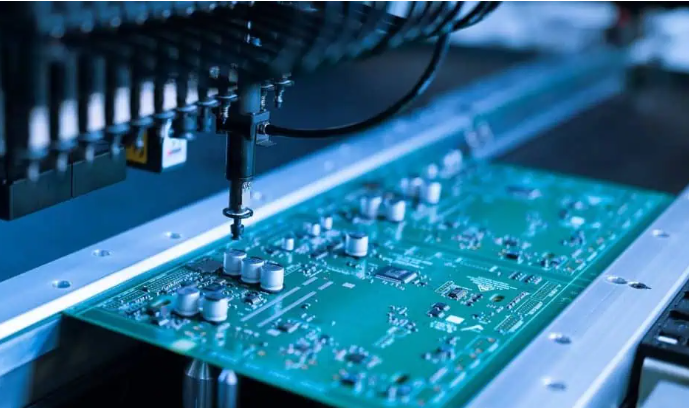
4. Surface Mount and Through-Hole Assembly: SMT production lines use high-speed placement machines (e.g., Siemens SIPLACE) for 0201 component placement with ±0.05mm accuracy. Through-hole components are assembled via wave soldering or selective soldering, combined with nitrogen protection to reduce oxidation.

5. Soldering and Connection Processes: Reflow soldering is performed in a nitrogen environment to ensure solder joint reliability and gloss. BGA packages undergo X-ray inspection for solder ball integrity. Soldering temperature profiles strictly follow J-STD-001 standards to prevent cold soldering or thermal damage.

6. Multidimensional Testing and Quality Inspection: In-line AOI detects placement deviations. ICT (In-Circuit Testing) verifies circuit functionality, while flying probe testing covers over 99% of network nodes. Functional testing simulates real-world conditions (e.g., -40°C to 125°C thermal shock), and aging tests last 168 hours to validate long-term stability.

7. Quality Control System: Visual inspections follow IPC-A-610 standards. SPC (Statistical Process Control) monitors critical parameters like solder paste thickness. Manufacturers certified under ISO 13485 (medical devices) or AS9100 (aerospace) implement additional environmental stress screening (e.g., vibration testing).

8. Packaging and Logistics: ESD-safe packaging (e.g., conductive foam) and vacuum-sealed moisture barriers are used. Logistics integrate tracking systems to ensure global delivery timeliness, such as 48-hour delivery via DHL/FedEx partnerships.

9. Final Validation and Delivery: Finished products undergo final functional testing, generating traceable batch reports (including test data and QC signatures). After customer confirmation, products enter mass production, supporting seamless transition from small-batch trials to large-scale manufacturing.

10. After-Sales Support and Feedback Loop: Technical documentation (e.g., assembly guides, troubleshooting manuals) and on-site support services are provided. Continuous process optimization is driven by customer feedback, such as implementing AI-powered defect prediction systems to reduce repair rates below 0.1%.

Turnkey Printed Circuit Board Assembly Process

Turnkey PCB Assembly Types We Can Offer

  • Surface mount technology (SMT): High-precision placement machines enable automated placement of micro-components (such as 0201 packages and 0.35mm pitch BGAs), making it suitable for high-density, miniaturized circuit boards (such as smartphone motherboards).
  • Through-hole technology (THT): Wave soldering or hand soldering is used to mechanically secure and electrically connect large components (such as connectors and relays), making it suitable for applications requiring high mechanical strength (such as industrial power modules).
  • Hybrid technology (SMT/THT): Combining SMT and THT processes, it is compatible with both surface mount and plug-in components and is suitable for complex circuit designs (such as double-sided PCBs or multilayer boards).
Turnkey PCB Assembly Types We Can Offer

Why Choose EBest Circuit (Best Technology) as Turnkey PCB Assembly Services Supplier?

Reasons Why Choose us as Turnkey PCB Assembly Services Supplier:

  • Global Top-Tier Certification Quality Assurance System: Achieved ISO 9001, ISO 13485 (Medical), and AS9100D (Aerospace) triple international certifications, enforcing end-to-end rigorous control from raw material procurement to final delivery. Solder composition is 100% traceable, BGA solder ball integrity verified via X-ray NDT, with defect rates capped at 0.1%, significantly outperforming industry benchmarks.
  • Imported High-Speed SMT Mounting Capacity: Equipped with imported high-speed SMT machines, achieving ±0.05mm precision for 0201 components with 4 million SMT points/day + 3 million DIP points/day throughput. Supports seamless transition from small-batch (200PCS) prototyping to mass production (20K+), with standard lead time of 3 days and next-day express for urgent orders.
  • Lead-Free Soldering Process & Extreme Reliability Verification: Adopts J-STD-001-compliant lead-free solder paste process with 245-260ā„ƒ peak temperature control and ≄3ā„ƒ/s cooling rate. Passes 168-hour thermal shock aging tests, enhancing solder joint gloss by 20% while maintaining cold solder rates below 0.1%.
  • Triple-Layer Inspection System for Full-Cycle Quality Control: AOI detects ±0.05mm placement deviations, ICT validates circuit functionality, and FCT simulates -40ā„ƒ~125ā„ƒ extreme conditions. Flying probe tests cover 99% of net nodes with 99.9% signal integrity, ensuring zero-defect delivery.
  • MES-Enabled Full-Lifecycle Traceability: MES production execution system tracks material lifecycle with XRF composition testing and batch traceability for critical components. SPC monitors key parameters like solder paste thickness (±0.01mm), stabilizing yield at ≄98%.
  • Eco-Compliance & Cost Optimization: Complies with EU ROHS lead-free standards, reducing material costs by 10% through supply chain optimization. Combined with 85% full-line automation and high yield rates, overall project costs are 15% below industry averages.
  • ESD Protection & Global 48-Hour Logistics Network: Uses conductive foam + vacuum-sealed anti-static packaging. Integrates with DHL/FedEx for global 48-hour door-to-door delivery, supporting flexible multi-batch/small-quantity distribution.

Our Turnkey PCB Assembly Capabilities

ItemCapabilities
Placer Speed13,200,000 chips/day
Bare Board Size0.2″ Ɨ 0.2″ – 20″ Ɨ 20″ / 22″ Ɨ 47.5″
Minimum SMD Component01005 (0.4mm Ɨ 0.2mm)
Minimum BGA Pitch0.25mm (10mil)
Maximum Components50mm Ɨ 150mm (Board Area)
Assembly TypeSMT / THT / Mixed Assembly
Component PackageReels / Cut Tape / Tube / Tray / Loose Parts
Lead Time1 – 5 days (Standard)

How to Get a Quote for Turnkey PCB Assembly Services?

Quotation Submission List for Turnkey PCB Assembly Services:

  • BOM (Bill of Materials): Excel/.xlsx/.csv, detailing component name, model, quantity, package type (SMT/THT), supplier, and specifications (e.g., 0603 resistor, SOP-8 package).
  • Gerber Design Files: Copper layer, solder mask layer, silkscreen layer, solder paste layer, and NC drill files in RS-274X format.
  • Centroid File (Pick-and-Place Coordinate File): Component coordinates, rotation angles, and reference designators for SMT machine programming and process validation.
  • PCB Engineering Drawings & Design Documents: Schematics, PCB layout diagrams, assembly drawings, and 3D models (e.g., STEP files) to specify hole positions, dimensions, connector placements, and special assembly requirements (e.g., waterproof coating, thermal design).
  • Testing & Certification Requirements: Test Specifications: ICT (In-Circuit Test), FCT (Functional Circuit Test), burn-in testing, X-ray inspection (for BGA/CSP), etc.
  • Certification Documents: RoHS, CCC, ISO, and other environmental/safety compliance requirements; specify lead-free process compliance.
  • Production Quantity & Lead Time: Define order quantities (e.g., small batch: 10-500pcs; bulk: 500+pcs) and delivery timelines (e.g., 8-48 hours for rapid prototyping, 1-2 weeks for mass production), which directly influence cost structure and production scheduling.

Welcome to contact us if you have any request for turnkey PCB assembly: sales@bestpcbs.com.

BGA Assembly Manufacturer in China, Over 19 Years

October 21st, 2025

Why choose BGA assembly? Let’s discover definition, pros and cons, application, assembly process, quality control methods, package types for BGA assembly.

Are you troubled with these problems?

  • Solder joint voiding/shorting causing yield stuck below 95%?
  • Struggling with 01005 components & 0.25mm BGA pitch—high density, long cycle times?
  • Prototype validation taking 7 days? Slowing time-to-market?

As a BGA assembly manufacturer, EBest Circuit (Best Technology) can provide you service and solutions:

  • Solder joint precision ≤0.02mm, yield >99.8%: eliminate voiding/shorting, cut rework costs by 30%.
  • Full support for 01005/2mil trace/space/0.25mm BGA pitch: over 5,000 solder joints per board, 40% smaller size with 50% higher functionality.
  • 7-day rapid prototyping: 4 SMT lines + 2 BGA lines sync operation, 40% faster than industry average, doubles product lifespan.

Welcome to contact us if you have any inquiry for BGA assembly service: sales@bestpcbs.com.

What Is BGA Assembly?

BGA Assembly is an advanced packaging process that achieves electrical connection between integrated circuits (ICs) and printed circuit boards (PCBs) through an array of solder balls arranged at the bottom. Its core feature lies in replacing traditional pins with tin balls, forming high-density, low-resistance interconnection structures via reflow soldering technology. This approach is particularly suited for high-pin-count, high-performance chips such as processors and GPUs.

What Is BGA Assembly?

What Are Pros and Cons of BGA Assembly Service?

Advantages of BGA Assembly Service

  • High density and miniaturization: Ball grid array layout increases pin count per unit area by 30%-50%. For equivalent capacity, its volume is only one-third of TSOP packages, suitable for miniaturization needs of high-pin-count chips like CPUs and GPUs.
  • Superior electrical performance: Short-path design reduces parasitic inductance/capacitance, cutting signal transmission delay by 40%-60%. Supports high-frequency applications above 100MHz and high-speed communication with 2-3 times improved crosstalk resistance.
  • Outstanding thermal efficiency: Solder balls increase contact area by 3-5 times. Combined with metal substrates or thermal materials, chip operating temperature decreases by 15-20°C, ideal for high-power scenarios like servers and automotive electronics.
  • High mechanical reliability: Solder ball structure buffers thermal expansion stress, improving shock resistance by 50%. Suitable for vibration-prone environments like mobile devices and industrial controls, reducing failure rates by 30%.
  • Optimized production efficiency: Reflow soldering self-alignment reduces placement errors, improving yield by 10%-15%. Automated equipment supports mass production, cutting costs by 20%-30%

Disadvantages of BGA Assembly Service

  • Complex inspection and repair: Requires X-ray/industrial CT for internal defect detection (e.g., voids, cracks) with high equipment costs. Rework needs specialized hot air guns or laser reflow devices. BGA becomes non-reusable post-removal, increasing repair costs by 50%-100%.
  • High costs and technical barriers: Materials (e.g., lead-free solder balls), equipment (high-precision pick-and-place machines), and inspection costs are 30%-50% higher than traditional QFP packaging. Process control requires ±0.05mm placement accuracy.
  • Environmental sensitivity: Requires strict storage conditions (humidity <10% RH, temperature 20-25°C). Prolonged logistics may cause solder ball oxidation, affecting welding quality.
  • Coplanarity and warpage risks: Full-array packaging demands coefficient of thermal expansion (CTE) matching between substrate and PCB (difference <5ppm/°C). Otherwise, coplanarity errors or post-soldering warpage may cause voids or shorts.
  • Competition from alternative technologies: Faces competition from CSP, flip-chip, and other packaging technologies. Requires continuous innovation (e.g., 3D stacked BGA) to maintain market edge, increasing R&D costs by 20%-30%.
What Are Pros and Cons of BGA Assembly Service?

Applications of BGA Assembly

  • Smartphones and tablets: Processors, memory chips, and RF modules.
  • Laptops: CPUs, GPUs, and mainboard components.
  • Server systems: Data center CPUs, GPUs, and storage controllers.
  • High-end graphics cards and workstations: High-speed computing modules.
  • 5G base stations and network equipment: Switch/router integrated circuits.
  • Automotive systems: ADAS domain controllers, navigation units, and control modules.
  • Industrial automation: Microprocessors for harsh environment equipment.
  • Aerospace systems: Satellite/radar microprocessors and image processors.
  • Medical devices: CT machine data processors and patient monitor chips.
  • AI and quantum computing: Multi-chip module (MCM) integration platforms.

What Problems Can BGA Assembly Solve?

  • Enhanced Routing Density: BGA’s bottom grid array design achieves over 1,000 I/O integrations at 0.4mm pitch, increasing pin density by 3-5x compared to traditional QFP packaging. This resolves routing constraints in compact spaces like smartphones and servers. For instance, 0.3mm pitch BGA with laser soldering technology improves ball placement yield to 99.7%, enabling high-density layouts.
  • Signal Stability Optimization: Differential routing and impedance matching (e.g., PCIe 85Ī©/100Ī© standards) minimize high-speed signal crosstalk and reflections in 5G base stations and high-end GPUs. Blind/buried via technology shortens signal paths, reducing losses and ensuring stability in high-frequency scenarios.
  • Thermal Efficiency Improvement: Spherical solder joints expand heat dissipation area, combined with ceramic substrates, thermal via arrays, and heat sinks, to address overheating in high-power chips like GPUs and FPGAs, extending device lifespan.
  • Process Reliability Enhancement: X-ray inspection and SPC (Statistical Process Control) mitigate hidden defects like voiding and opens in solder joints. Moisture sensitivity classification (per J-STD-020) and baking processes prevent package warpage, while CTE-matched designs reduce solder fatigue in automotive/industrial environments.
  • Cost-Performance Balance: Standardized packaging supports automated SMT assembly, while HDI (High-Density Interconnect) technology optimizes routing density. This balances performance upgrades with PCB layer count and material cost control, ideal for mass production in consumer electronics. For example, PBGA packaging reduces costs by 30% compared to CBGA while maintaining electrical performance.

Common BGA Package Types

PBGA (Plastic Ball Grid Array)

  • Substrate: BT resin/glass laminate, solder balls made of 63Sn37Pb eutectic or lead-free solder.
  • Features: Low cost, good thermal matching (CTE ā‰ˆ14ppm/°C), compatible with PCB (CTE ā‰ˆ17ppm/°C), supports self-alignment soldering.
  • Applications: Consumer electronics chips like CPUs and GPUs, e.g., Intel Pentium II/III/IV processors.
  • Limitations: Susceptible to moisture (requires moisture-proof packaging), reliability affected by “popcorn effect,” slightly taller than QFP.

CBGA (Ceramic Ball Grid Array)

  • Substrate: Multilayer ceramic, solder balls use 10Sn90Pb high-temperature solder, requires low-temperature solder for auxiliary connection.
  • Features: Excellent air tightness (moisture resistance), low thermal conductivity (ceramic substrate CTE ā‰ˆ7ppm/°C), superior heat dissipation, good electrical insulation.
  • Applications: High-reliability scenarios like aerospace and military, early Intel Pentium Pro processors.
  • Limitations: High cost, significant thermal expansion coefficient difference with PCB (causing thermal stress), solder joint fatigue failure risk.

TBGA (Tape Ball Grid Array)

  • Substrate: PI multilayer wiring substrate, solder balls use high-melting-point solder (e.g., 10Sn90Pb), soldered with low-melting-point solder.
  • Features: Ultra-thin profile (thickness ≤1mm), better heat dissipation than PBGA, good thermal matching with flexible tape and PCB.
  • Applications: Mobile devices and high-frequency communication chips, e.g., smartphone processors.
  • Limitations: Moisture sensitivity, reliability affected by multi-material combinations, larger self-alignment deviation.

FCBGA (Flip-Chip Ball Grid Array)

  • Structure: Chip flip-mounted, connected to substrate via gold bumps or high-lead solder (e.g., 90Pb10Sn).
  • Features: High density (pin count >1000), short signal paths (low inductance/capacitance), supports 3D stacking.
  • Applications: High-performance computing like server CPUs/GPUs, Intel Pentium III mobile processors.
  • Limitations: Complex process, requires precise placement accuracy (±0.05mm), underfill needed for mechanical strength.

CCGA (Ceramic Column Grid Array)

  • Structure: Solder columns (diameter 0.5mm, height 1.25-2.2mm) replace solder balls, mitigating thermal stress.
  • Features: Strong fatigue resistance, suitable for high-vibration environments (e.g., automotive electronics).
  • Applications: Industrial controls, automotive ECUs, long-term reliability scenarios.

Micro BGA/High-Density BGA

  • Features: Solder ball pitch ≤0.5mm (Micro BGA) or ≤0.3mm (high-density BGA), pin density increased by 300%.
  • Applications: Portable devices (e.g., smartwatches), high-performance microprocessors, ultra-thin design (thickness <1mm).
  • Challenges: Requires X-ray/CT inspection for internal defects, high repair costs, sensitive to humidity (<10% RH).

EBGA (Enhanced Ball Grid Array with Heatsink)

  • Structure: Integrated metal heatsink or thermal spreader for enhanced heat dissipation.
  • Applications: High-power chips (e.g., server CPUs), optimized thermal performance via thermal interface materials (TIMs).
Common BGA Package Types

BGA Assembly Process Flow

1. Solder Paste Printing Precision Control

  • Utilize 0.12-0.15mm thick stencils with laser-cut apertures to ensure solder paste volume deviation ≤10% for 0.4mm pitch BGA pads. For sub-0.3mm fine-pitch applications, adopt Type 4 solder paste (particle size 15-25μm) with printing speed 30-50mm/s and squeegee pressure 5-10N to prevent solder defects like insufficient solder, bridging, or collapse. Implement AOI systems for real-time monitoring and automatic adjustment for pads with ≄0.1mm misalignment.

2. 3D SPI Detection & Closed-Loop Feedback

  • Employ phase-measuring profilometry (PMP) 3D SPI technology for full-field detection of solder paste volume, height, and shape, unaffected by PCB color/reflection. Data feeds back to the printer for dynamic adjustment of squeegee pressure or stencil cleaning. Integrate SPC control to trigger automatic alarms for consecutive critical defects, enabling proactive process optimization.

3. High-Precision Placement & Vision Alignment

  • Placement machines achieve positioning accuracy ≤±0.03mm and repeatability ≤±0.015mm, with nozzles matched to BGA size/weight. Control placement pressure within 5-20N to avoid PCB warping or pad damage. Post-placement verification via dual-camera vision systems ensures alignment accuracy <1/4 pad diameter; misalignment >0.1mm triggers automatic rework.

4. Reflow Soldering Profile Optimization

  • Customize four-stage temperature profiles based on solder paste melting points (e.g., 217-227°C for lead-free solder): preheat (150-180°C/60-90s), soak (180-210°C/30-60s), reflow (peak 20-30°C above melting point/30-45s), and cooling (≤4°C/s gradient). Nitrogen atmosphere (Oā‚‚ <500ppm) reduces oxidation and void rates. Control furnace temperature uniformity within ±2°C and conveyor speed 50-100cm/min.

5. Multi-Stage Cleaning & Residue Control

  • Remove flux residues using water-based/semi-aqueous cleaning processes to prevent ionic contamination. For BGA pads, employ specialized cleaners with solder wick to ensure surface flatness. Post-cleaning X-ray inspection verifies solder joint quality, with void rates <25% and no defects like cold joints or bridges.

6. X-ray & AOI Synergistic Inspection

  • 3D X-ray CT scans detect internal defects (voids, cracks, missing solder balls), while 2D X-ray focuses on center and perimeter regions. Post-reflow AOI performs three-point correlation analysis to trace defect origins. Data links to equipment via IPC-CFX protocol for smart factory integration.

7. Electrical Testing & Functional Verification

  • ICT tests detect solder bridges, opens, and component failures; FT validates circuit continuity and signal integrity. Environmental stress screening (85°C/85%RH/1000h) and ESS accelerate defect detection. Test coverage meets AQL 1.0 standards for reliability assurance.

8. Rework Process & Quality Control

  • Use hot-air rework stations for BGA removal (preheat ≤120°C, removal temperature matching peak reflow profile). Clean pads and re-place components with secondary vision alignment. Post-rework executes 100% X-ray inspection and functional testing per IPC-7095C standards, with full process data logged for traceability.
BGA Assembly Process Flow

Quality Inspection Methods for BGA Assembly

1. Visual Inspection and Surface Defect Screening

  • Application Scenario: First-article and in-process monitoring on production lines.
  • Technical Points: Use high-magnification microscopes (≄20X) to inspect solder ball appearance, focusing on bridges, solder balls residue, solder collapse, and oxidation. According to IPC-A-610 standards, the solder wetting angle must be ≤90°, with pad coverage ≄75%.
  • Limitations: Only detects surface defects; cannot evaluate internal joint integrity.

2. X-ray Inspection Technology (2D/3D)

  • 2D X-ray: Uses planar imaging to detect two-dimensional defects like solder shift, shorts, or insufficient solder volume. Overlapping depth data may cause misjudgment (e.g., stacked layer shadows). Equipment like the YXLON Cougar S series achieves 1μm resolution.
  • 3D X-ray (CT Scanning): Employs tomography for 3D modeling, quantifying void ratios, crack lengths, and interface bonding states. Per IPC 7095, Class 3 products require void diameters ≤30% (or area ≤9%); medical/military sectors demand ≤25%. Space-grade BGA mandates total void area ≤5%.

3. Ultrasonic Scanning Acoustic Microscopy (C-SAM)

  • Principle: Utilizes 50MHz ultrasonic waves to detect delamination, voids, and interface defects via reflection differences. Excels at identifying microvoids ≤50μm.
  • Case Study: Automotive MCUs undergo C-SAM validation post -40°C~125°C thermal cycling, requiring delamination area ≤10% of joint cross-section. “Popcorn effect” (moisture-induced cracking) is detectable via abnormal attenuation coefficients.

4. Thermal Imaging Testing

  • Thermal Analysis: Infrared thermal cameras monitor temperature distribution during BGA operation; faulty joints show ≄5°C abnormal rises. Dynamic load testing locates thermal failure points.

5. Electrical Performance Testing

  • Electrical Test Systems: ICT/Flying Probe: Tests open/short circuits via PCB contact points; 0.4mm-pitch BGA requires spring-loaded probe arrays (±0.02mm accuracy).
  • Boundary Scan (JTAG): IEEE 1149.1-compliant chip self-testing verifies logic functions and pin connectivity with ≤0.1% false error rates.
  • High-Frequency Signal Testing: 1GHz+ signals demand insertion loss ≤0.5dB, phase shift ≤5°, using shielded chambers (≄80dB@1GHz) to avoid EMI.

6. Destructive Physical Analysis

  • Red Dye Penetration Test: Dye penetration visualizes voids/cracks in joint cross-sections. Requires 100°C/4h baking for dye curing, with ≄25mm cutting margins to prevent artificial damage.
  • Shear Strength Testing: JEDEC standards mandate 6gf minimum shear force for 0.8mm-pitch balls; automotive-grade components require ≤15% strength degradation post-125°C/2000h aging.
  • Metallographic Cross-Section Analysis: Samples embedded in cold resin undergo grinding/polishing for SEM crack analysis (≤50μm acceptable), paired with EDS for elemental anomaly detection.

7. Environmental Stress and Reliability Verification

  • Thermal Cycling: -40°C~125°C for 1000 cycles (500 cycles for industrial), 1h per cycle; crack growth ≤50μm. Automotive-grade components require AEC-Q200 certification for 10-year equivalent lifespans.
  • Humidity Testing: 85°C/85%RH for 1000h; insulation resistance ≄10MĪ©, solder corrosion ≤5%.
  • Mechanical Shock: 1500g/0.5ms pulse simulates drop impacts; no package detachment or joint cracking.

    Why Choose EBest Circuit (Best Technology) as BGA Assembly Manufacturer?

    Reasons why choose us as BGA assembly manufacturer in China:

    • Ultra-Precision BGA Ball Placement Process with Yield Exceeding 99.8%: Achieves solder ball position accuracy ≤0.02mm through precision mechanical calibration and multi-stage verification, eliminating void soldering/short-circuit risks while reducing client rework costs by over 30%.
    • Ultra-Fine Pitch PCBA Integration Capability: Supports 01005 component packaging, 2mil line width/spacing, and 40μm laser microvias. Enables integration of over 5,000 BGA solder joints per board, reducing product volume by 40% while increasing functional density by 50%.
    • 7-Day Rapid NPI Verification Service: Four fully automated SMT lines + two dedicated BGA packaging lines enable prototype delivery within 7 days, 40% faster than industry average, accelerating time-to-market for clients.
    • DFM-Driven Cost Optimization Solution: Optimizes BGA packaging layers through Design for Manufacturability (DFM) analysis, combined with cost-effective material substitution and bulk procurement advantages, reducing total PCBA costs by 15% for enhanced market competitiveness.
    • End-to-End Transparent Quality Control: MES system enables full barcode traceability from material intake to final shipment, with real-time cloud synchronization of critical process parameters. Clients gain instant access to production progress and quality reports for zero-distance quality monitoring.
    • Green Manufacturing Compliance System: Uses lead-free solder paste and halogen-free substrates with 100% compliant wastewater/gas emissions. ISO 14001 certified, ensuring seamless compliance with EU RoHS/REACH regulations to avoid trade barriers.
    • Multi-Scenario Failure Analysis Support: Equipped with X-ray inspection, ultrasonic scanning microscopy, and cross-section analysis tools. Offers 24/7 failure analysis services with root cause reports delivered within 48 hours to minimize production line downtime.
    • Agile Supply Chain Assurance System: Strategic inventory partnerships with top-tier component manufacturers reduce critical material lead time to 3 days. Multi-site factory coordination ensures stable delivery of large-volume orders while mitigating supply chain risks.

    Our BGA Assembly Capabilities

    ItemCapabilities
    Placer Speed13,200,000 chips/day
    Bare Board Size0.2″ Ɨ 0.2″ – 20″ Ɨ 20″ / 22″ Ɨ 47.5″
    Minimum SMD Component01005 (0.4mm Ɨ 0.2mm)
    Minimum BGA Pitch0.25mm (10mil)
    Maximum Components50mm Ɨ 150mm (Board Area)
    Assembly TypeSMT / THT / Mixed Assembly
    Component PackageReels / Cut Tape / Tube / Tray / Loose Parts
    Lead Time1 – 5 days (Standard)

    How to Get a Quote for BGA Assembly Services?

    All documents required to obtain a quote for BAG assembly services:

    • Submit Design Files: Provide Gerber files, a bill of materials (BOM) (including BGA model/parameters), PCB design drawings, and 3D models (if available). Ensure the file version is the final production version.
    • Specify BGA technical details: Indicate the BGA pad size, ball diameter, ball pitch (e.g., 0.25mm), package type (e.g., PGA/LGA), and solder requirements (e.g., lead-free/lead-containing).
    • Confirm production capacity and delivery time: Indicate annual demand, batch order quantity, and target lead time (e.g., 7 days/15 days/30 days). Indicate whether expedited service is required.
    • Specify testing standards: Indicate whether X-ray inspection, AOI optical inspection, flying probe testing, or functional testing is required, and whether third-party certification (e.g., AEC-Q100) is required.
    • Indicate material sources: Specify the sourcing method (customer-furnished/contract manufacturing) for BGA chips and other key components, as well as brand preference (e.g., Intel/AMD/Murata).
    • Fill out the Quote Request Form: Submit the Quote Request Form containing the above information via our official website or designated email address, along with contact information and decision-maker information for follow-up.

    Welcome to contact us if you have any request for BGA assembly services: sales@bestpcbs.com.

    Mouse PCB Design & Manufacturer, Rapid Prototyping

    October 20th, 2025

    How to design a mouse PCB? Let’s discover definition, parts, function, types, design guide, production process for mouse PCB.

    Are you worried about these questions?

    • How to cost-effectively mitigate high-frequency signal crosstalk causing cursor jitter?
    • With urgent projects, how to achieve 72-hour prototyping from design to validation?
    • How to ensure batch-to-batch performance consistency amid quality fluctuations?

    As a mouse PCB manufacturer, EBest Circuit (Best Technology) can provide you service and solutions:

    • 19-Year Process Database Empowerment – Leverage intelligent defect analysis to deliver impedance matching + ground plane segmentation solutions, cutting high-frequency interference costs by 20%!
    • 24-Hour Rapid Prototyping + Free DFM Review – Pre-identify pad spacing/trace width risks to halve prototype cycles, seizing market opportunities ahead of competitors!
    • Triple Quality Control System – Full coverage of AOI/X-ray/functional testing integrated with ISO 19001 process controls, achieving <3% batch performance variation for reliable mass production!

    Welcome to contact us if you have any request for mouse PCB: sales@bestpcbs.com.
    What Is a Mouse PCB?

    The mouse PCB is a printed circuit board that carries the core electronic components and serves as the hardware hub of the mouse. It integrates components such as a microcontroller, optical sensor, micro switch, and scroll wheel encoder to convert physical operations (movement/click/scrolling) into digital signals, which are then processed and transmitted to the computer via a wired or wireless interface to achieve cursor control and interactive functions.

    What Is a Mouse PCB?

    What Are Parts of Mouse PCBs?

    Components of Mouse Printed Circuit Board:

    • Main Control MCU (Microcontroller): Processes sensor data, executes firmware instructions, manages communication protocols (e.g., USB/HID), and controls peripheral devices.
    • Optical Sensor: Core positioning component (e.g., PAW series from PixArt), captures surface textures via CMOS imaging, calculates displacement trajectories, and outputs coordinate data.
    • Micro Switch: Mechanical contact electronic switch (typical model: Omron D2FC-F-7N), converts physical clicks into electrical signals to trigger key responses.
    • Encoder (Scroll Wheel Module): Mechanical or optical rotary sensor that converts physical scroll wheel rotations into digital pulse signals (e.g., TTC Gold Wheel Encoder).
    • Wireless Module (Exclusive to Wireless Mice): Integrates 2.4GHz RF chips (e.g., Nordic nRF52 series) or Bluetooth modules for low-latency data transmission and communication with receivers.
    • Power Management Unit: Lithium battery charging ICs (e.g., TI BQ series) and voltage regulation circuits, providing required voltages for components while optimizing wireless mouse battery life.
    • Passive Components: Resistor, capacitor, and inductor arrays for signal conditioning, power decoupling, and high-frequency circuit impedance matching (e.g., MLCC capacitors for noise filtering).
    • LED Driver Circuit: RGB lighting control chips (often integrated into the MCU), driving multi-zone programmable LEDs for dynamic lighting effects.

    What Are Function of PCB Mouse?

    Below are Functions of PCB Mouse:

    • High integration and compact layout: Unify all components (MCU, sensors, switches, encoders, LEDs, connectors, passives, wireless modules) on a single platform with stable electrical connections, enabling miniaturized and lightweight design.
    • Precise signal collaborative processing: Synchronously capture movement signals from optical sensors/roller encoders, click signals from micro-switches, and scroll signals from wheel encoders. Process via MCU for vector calculation, action recognition, DPI switching, and lighting control, then output processed data through wired/wireless channels.
    • Efficient power management: Distribute power from USB/battery to all components via voltage regulation and filtering circuits, ensuring stable operation and extending battery life while protecting sensitive elements.
    • Firmware extensibility: Store firmware in built-in/external SPI Flash for dynamic function updates (DPI expansion, light effects, protocol optimization), enhancing maintainability and long-term value.
    • Multi-mode connectivity: Support USB Type-C/Type-A physical interfaces and wireless antenna interfaces (Bluetooth/2.4GHz), ensuring compatibility with both wired high-speed transmission and stable wireless communication.
    • Customizable lighting control: Integrate LED driver circuits (MCU-embedded or standalone) and RGB LED pads for user-defined effects (breathing, gradients, game sync), balancing aesthetics with energy efficiency.
    • Modular expandability: Standardized solder pads and interfaces allow modular replacement/upgrades of sensors and wireless modules, extending product lifecycle and meeting personalized performance/function needs.

    What Are Types of Mouse PCB Board?

    By High-Density Technology Trends

    • Multi-layer Rigid-Flex PCB: Adopts 4-layer or higher stacked structures, combining rigid support with flexible connections. Suitable for modular designs (e.g., Razer Viper Ultimate’s “main board + secondary board + display” structure), enabling high-density routing and signal isolation. Meets demands of premium gaming mice for multi-button, RGB lighting, and macro programming.
    • HDI (High Density Interconnector) Board: Achieves high integration via microvias, blind/buried vias. Applied in compact devices (e.g., Logitech G Pro X Superlight), supporting native 5000-20000 DPI optical sensors (e.g., PixArt PAW series) and high-speed protocols like USB 3.0.
    • RF PCB: Uses low-loss dielectrics like PTFE or Rogers materials, ideal for wireless mouse RF modules (e.g., 2.4GHz antennas) to ensure signal integrity and noise immunity.

    By Heat Dissipation and Lightweight Requirements

    • Aluminum/Metal Core PCB: High thermal conductivity (1-3W/mĀ·K), used in high-power wireless mice (e.g., Razer Basilisk Ultimate) to extend battery life and enhance structural strength.
    • Ceramic Substrates: Ultra-high thermal conductivity (Alā‚‚Oā‚ƒ: 24W/mĀ·K), applied in high-precision optical sensor modules to maintain stability during high-speed computation.

    By Application Scenarios and Functional Expansion

    • Office Mouse PCB: Uses single/double-layer FR-4 substrate, integrating low-power sensors (e.g., 5000 DPI optical engines) and basic buttons. Supports multi-surface recognition (glass, wood desks) with emphasis on portability and cost efficiency.
    • Gaming Mouse PCB: Adopts multi-layer design with high-DPI sensors (e.g., PMW3389, 16000 DPI), programmable buttons, RGB lighting, and macro programming (e.g., MSI DS102 RGB’s 18 RGB LEDs and light guide strip for dynamic effects).
    What Are Types of Mouse PCB Board?

    How to Design a Mouse PCB?

    Below is a Guide to Mouse PCB Design:

    1. Functional Requirements & Specifications Definition

    • Define parameters: wired/wireless mode, DPI range (e.g., 100-26,000 DPI), key count (left/right/side buttons, DPI toggle), RGB lighting support, battery life (if wireless), and connectivity standards (USB 2.0/3.0, Bluetooth 5.x/2.4GHz).
    • Specify mechanical constraints: PCB dimensions (based on mouse shell), mount points, key switch footprints, sensor window alignment (for optical sensors), and connector placement (USB-C/Type-A).

    2. Component Selection & Bill of Materials (BOM)

    • MCU Selection: Optimize for ARM Cortex-M4/M7 with hardware accelerators (e.g., NXP LPC55S69 or STM32F4 for DSP instructions). Prioritize GPIO density (≄30 pins), PWM channels (for LED dimming), and integrated peripherals (USB FS/HS, SPI, I²C, ADC for battery monitoring).
    • Sensors: Optical sensors like PixArt PMW3395 (26,000 DPI, 50g acceleration) or mechanical encoders (e.g., Alps EC11 for scroll wheel). Include gyroscopes/accelerometers for motion tracking in advanced designs.
    • Power Management: Use low-dropout regulators (LDOs) like TPS7A4500 for 3.3V rails, and buck converters (e.g., TPS62840) for efficient 1.8V/1.2V supplies. Include battery fuel gauges (MAX17048) and protection ICs (DW01A for over-current/short-circuit).
    • Connectivity & Wireless: USB-C controllers (FUSB302) with CC logic, wireless modules (Nordic nRF5340 with 2.4GHz/BLE 5.3), and antenna matching networks (Ļ€-network for 50Ī© impedance).

    3. Schematic Design & Circuit Partitioning

    • Power Rail Design: Implement a 3-stage power tree: input from USB/battery → buck converter → LDOs for noise-sensitive rails. Add decoupling caps (10µF electrolyytic + 100nF ceramic) within 5mm of power pins.
    • Signal Paths: Use star topology for digital traces to minimize crosstalk. Separate analog (sensor) and digital (MCU) ground planes with a single-point connection. Implement Schmitt triggers for switch inputs to debounce signals.
    • Firmware Interface: Design SPI buses (10MHz) for sensor communication, I²C for auxiliary sensors, and USB HID for configuration. Include a bootloader (e.g., STM32CubeProgrammer) for OTA updates.
    • Protection Circuits: Add TVS diodes (SMBJ5.0A) on USB lines, polyfuses for over-current, and ESD suppression (ESD7464) on button pads.

    4. PCB Layout & Signal Integrity

    • Layer Stackup: Use a 6-layer stack (signal-ground-power-signal-ground-signal). Route USB differential pairs (90Ī© impedance) on inner layers with adjacent ground planes. Place sensitive analog traces (sensor data) on top layer with guard rings.
    • Component Placement: Cluster the MCU centrally, sensors adjacent to their mechanical windows, and power components near inlets. Orient bypass caps vertically to minimize loop area.
    • Signal Integrity: Terminate USB lines with 33Ī© series resistors. Use ground stitching vias (0.3mm grid) to connect ground planes. For wireless modules, route antenna traces on microstrip layers with 20mm clearance from digital noise.
    • Thermal Management: Add thermal vias under voltage regulators and LED drivers. Use copper pours (70µm) for heat dissipation. Ensure airflow paths for natural convection.
    • EMC/EMI Mitigation: Implement ferrite beads on power lines, shield cans for wireless modules, and chokes for high-speed signals. Validate layout against FCC Part 15B/CE RED standards.

    5. Firmware & Software Integration

    • Firmware Architecture: Use a real-time OS (FreeRTOS) for task scheduling. Implement a state machine for button/sensor handling. Optimize power management with sleep modes (e.g., STM32 Stop Mode with RTC wake-up).
    • Storage: Use SPI Flash (Winbond W25Q16JV) for firmware and user profiles. Include wear-leveling and error correction (ECC) for data integrity.
    • Configuration Tools: Develop a GUI (Qt/C#) for DPI tuning, lighting effects, and macro programming. Support USB HID and wireless APIs (nRF5340 SDK).

    6. Testing & Validation

    • Functional Testing: Use a USB protocol analyzer (e.g., Total Phase Beagle) for HID traffic. Validate sensor accuracy with a motion test rig. Measure button response time with an oscilloscope.
    • Signal Integrity: Perform TDR/TDT measurements for impedance control. Use a vector network analyzer for S-parameters. Validate eye diagrams for USB 3.0 compliance.
    • Power & Thermal: Measure voltage margins with a multimeter. Use thermal cameras to identify hotspots. Validate battery life with a cycle tester.
    • EMC/Compliance: Test radiated emissions with a spectrum analyzer. Perform ESD testing (IEC 61000-4-2) and surge testing (IEC 61000-4-5).
    • Durability & Reliability: Conduct vibration testing (MIL-STD-810G), drop testing (1.5m to concrete), and thermal cycling (-40°C to 85°C).

    7. Manufacturing & Assembly

    • DFM/DFA: Use a 2×2 panel with tooling strips. Include fiducials (0.5mm diameter) for pick-and-place. Optimize pad sizes for solderability (ENIG finish).
    • Material Selection: FR-4 with Tg 170°C for thermal stability. Use high-CTI substrates for safety compliance.
    • Assembly Process: Use SMT for 01005/0201 passives and BGA/QFN packages. Manual assembly for switches/connectors. Perform AOI and X-ray inspection.
    • Quality Control: Implement in-circuit test (ICT) for shorts/opens. Conduct functional testing (FT) for all features. Perform burn-in testing (72 hours at 60°C).

      How to Make a Mouse PCB Board?

      1. Circuit Design Phase

      • Schematic Design: Utilize EDA software (e.g., Altium Designer, KiCad) to draft the mouse circuit schematic, defining electrical connections for modules like key matrix, optical sensor, microcontroller, and power management. Annotate component parameters (e.g., resistance, capacitance) and package dimensions (e.g., 0603, SOP-8).
      • PCB Layout Design: Route the PCB based on the schematic, prioritizing signal integrity (e.g., differential pair length matching, impedance control), electromagnetic compatibility (avoiding high-frequency signal crosstalk), thermal design (heat sink placement), and manufacturability (minimum trace width/spacing ≄0.1mm, via size ≄0.3mm).
      • Gerber File Generation: Output Gerber files (copper layers, solder mask, silkscreen) and Excellon drilling files for subsequent fabrication.

      2. Substrate Material Preparation

      • Material Selection: FR-4 epoxy glass cloth substrate (thickness 1.6mm±0.1mm) with 35μm copper foil (single/double-sided). Verify flatness, copper adhesion, and dielectric constant (typically 4.2–4.8).
      • Cutting & Cleaning: Cut bulk substrate into standard sizes (e.g., 100mmƗ100mm). Ultrasonic clean to remove contaminants, ensuring process adhesion.

      3. Imaging (Pattern Transfer)

      • Dry Film Lamination: Apply photosensitive dry film (ā‰ˆ30μm thickness) to cleaned substrate via hot roll lamination, ensuring no bubbles or wrinkles.
      • Exposure & Development: Use laser photoplotters to generate artwork from Gerber files. UV exposure (365nm, ā‰ˆ150mJ/cm²) followed by sodium carbonate development to remove unexposed film, forming etch-resistant circuit patterns.

      4. Etching & Stripping

      • Etching Process: Spray copper chloride etchant (250–350g/L, 45–55°C) to remove exposed copper, forming precise circuits. Control etching time (2–3 minutes) to prevent over/under-etching.
      • Stripping Treatment: Remove residual dry film with sodium hydroxide solution (3–5%), rinse, and dry.

      5. Drilling & Plating

      • Mechanical Drilling: CNC drilling per Excellon files (hole size 0.3–0.8mm), ensuring smooth burr-free walls.
      • Copper Plating: Deposit conductive layer (≄0.5μm) via electroless copper, then electroplate to thicken (≄20μm) for interlayer connectivity. Acid clean to remove oxides.

      6. Solder Mask & Surface Finish

      • Solder Mask Application: Screen-print liquid photoimageable solder mask (20–30μm thickness) to protect non-soldered areas from oxidation and shorts.
      • Silkscreen Printing: Add component identifiers, polarity marks, etc., via white silkscreen for assembly reference.
      • Surface Treatment: Apply HASL (hot air solder leveling), ENIG (electroless nickel immersion gold), or OSP (organic solderability preservative) to enhance pad solderability and oxidation resistance.

      7. Profiling & Testing

      • CNC Profiling: Cut PCB outlines via CNC milling to design specifications (edge smoothness, dimensional tolerance ±0.1mm).
      • Electrical Testing: Use flying probe or fixture testing to verify continuity, shorts, and impedance.
      • Functional Verification: Assemble critical components (e.g., microcontroller, buttons) for real-world testing of cursor movement, button response, etc.

      8. Packaging & Quality Inspection

      • Final Inspection: Visual check for defects (solder mask, silkscreen, edges).
      • ESD-Safe Packaging: Use antistatic bags to prevent electrostatic damage during transit. Label with batch number, production date, and quality grade.
      How to Make a Mouse PCB Board?

        How to DIY a Mouse PCB Board?

        1. Circuit Design & Component Selection

        • Use KiCad or Altium Designer to draw circuit schematics, integrating core components including a microcontroller (e.g., STM32 series), optical sensor (e.g., PixArt PAW3360), micro switches, and USB-C interface. Prioritize sensor data line routing to minimize signal delay, and generate Gerber files for PCB manufacturing.

        2. PCB Layout & Impedance Control

        • Position the optical sensor at the geometric center of the board to reduce offset errors. Surround micro switch pads with grounded copper foil to absorb arc interference. High-speed data traces must maintain equal length and achieve 50Ī© impedance matching, avoiding right-angle bends.

        3. Substrate Selection & Pattern Transfer

        • Select a 1.6mm-thick FR4 double-sided copper-clad laminate. Transfer circuit patterns via thermal transfer or photoengraving. For photoengraving, cover the board with negative film and expose it under UV light for 60-90 seconds to harden traces; unexposed areas are removed using developer solution.

        4. Precision Etching & Copper Treatment

        • Etch exposed copper with ammonium persulfate solution (1:8 concentration) at 50°C, agitating continuously to accelerate the reaction. After etching, neutralize with sodium carbonate solution, polish the surface, and apply rosin-alcohol solution for oxidation protection.

        5. Drilling & Pad Reinforcement

        • Drill 0.8mm holes at micro switch pin positions using carbon steel bits, then deburr holes with fine sandpaper. Pre-tin pads using a soldering iron at 350°C to prevent oxidation and enhance soldering reliability.

        6. Soldering & Functional Testing

        • Solder components in sequence: STM32 chip (preheat to prevent cold joints), sensor, micro switches, and USB interface. Power on and test key response rates using open-source firmware (e.g., QMK). Measure sensor supply voltage fluctuations with a multimeter (target: 3.3V±5%).

        7. Structural Adaptation & Case Fabrication

        • Model a 3D-printed case based on PCB dimensions, with a 15°-20° thumb rest angle for ergonomic design. Add 0.5mm clearance around micro switch mounts to prevent key sticking. Attach Teflon feet to the base for smooth movement.
        How to DIY a Mouse PCB Board?

          Why Choose EBest Circuit (Best Technology) as Mouse PCB Manufacturer?

          Reasons Why Choose Us as Mouse PCB Manufacturer:

          • Precise Cost Optimization Solutions: Leveraging 19 years of mouse PCB production data to recommend material substitutions and layout optimizations, achieving 15%-30% BOM cost reduction. This directly enhances project profitability and supports budget-sensitive product development.
          • Rapid Prototyping Capability: 24-hour rapid prototyping for urgent orders, paired with free DFM analysis to pre-identify 30+ manufacturing risks. This reduces prototype validation time to one-third of traditional cycles, accelerating product launch and market capture.
          • Ultra-Reliable Delivery Performance: 99.2% on-time delivery rate supported by intelligent production scheduling systems, ensuring stable production timelines and minimizing supply chain disruption risks or additional costs from delays.
          • End-to-End Quality Control: 100% batch inspection with AOI/X-ray/functional testing triple verification, combined with dual ISO 19001/IATF 16949 certified processes, achieving zero-defect bulk shipments and reducing after-sales repair expenses.
          • Cross-Industry Compliance Assurance: Medical-grade certifications and RoHS compliance enable seamless adaptation from consumer electronics to medical devices, meeting global market access requirements and enhancing product versatility and competitiveness.
          • Process Expertise from Accumulated Experience: 19 years of vertically integrated manufacturing experience with a database of 2,000+ mouse PCB cases provides proven process parameters and risk forecasting, shortening new project ramp-up time and lowering learning costs.
          • Customizable Surface Finish Options: Offering HASL/ENIG/OSP and other surface treatment choices to precisely match welding requirements and cost targets, balancing performance with optimal cost efficiency.

          Welcome to contact us if you have any request for mouse PCB: sales@bestpcbs.com.

          How to Read USB Pinout? USB Pinout Color Code

          October 20th, 2025

          From charging phones to transferring data between devices, USB (Universal Serial Bus) has become one of the most familiar interfaces in electronics everywhere. Universal Serial Bus (USB) is everywhere. But while everyone uses USB daily, few people know how it actually works or how each pin functions inside the connector.

          Understanding USB pinout is essential for engineers, PCB designers, and anyone who deals with cable repair or prototyping. Whether you’re working with USB-A, USB-B, or the modern USB-C, knowing each pin’s purpose helps you connect devices safely and efficiently. This guide explains every detail of USB pinouts — including female and male connectors, wire color codes, data transfer principles, and what happens when connections go wrong.

          How to Read USB Pinout? USB Pinout Color Code

          What Is the Pinout for USB?

          The USB pinout defines the electrical layout and functionality of the connector’s pins. Each pin has a specific role, such as carrying power, transferring data, or grounding the circuit.

          Different types of USB connectors — USB Type-A, USB Type-B, Micro-USB, and USB-C — share similar core principles but have different numbers of pins.

          Here’s a simple overview of common USB versions:

          • USB 1.1 / 2.0: 4 pins (Power, Ground, and two data lines)
          • USB 3.0 / 3.1: 9 pins (adds extra SuperSpeed data pairs)
          • USB-C: 24 pins (supports data, power delivery, and video output)

          In short, the pinout structure defines how the USB communicates and delivers power between devices.

          What Is the Pinout for USB?

          USB Pinout Diagram

          The usb pinout male connector (the plug) is typically what you insert into a device or computer port, while the usb pinout female connector (the receptacle) is what’s mounted on the board or device side.

          USB 2.0 Type-A (Male Plug)

          PinNameWire ColorDescription
          1VBUSRed+5V Power
          2D–WhiteData –
          3D+GreenData +
          4GNDBlackGround

          This is the standard configuration used in most USB pinout male connectors. The female connector (socket) has the same pins but in reverse order, facing inward.

          USB 3.0/3.1 Type-A (Male Plug)

          PinNameWire ColorDescription
          1VBUSRed+5V Power
          2D–WhiteData –
          3D+GreenData +
          4GNDBlackGround
          5StdA_SSRX–BlueSuperSpeed Receive –
          6StdA_SSRX+YellowSuperSpeed Receive +
          7GND_DRAINBlackGround
          8StdA_SSTX–PurpleSuperSpeed Transmit –
          9StdA_SSTX+OrangeSuperSpeed Transmit +

          The extra pins in USB 3.0 and newer allow for faster data rates and improved power management.

          USB-C Pinout

          The USB-C pinout is the most advanced. It’s symmetrical, meaning you can plug it in either way.

          PinNameDescription
          A1, B1GNDGround
          A4, B4VBUS+5V Power
          A5, B5CCConfiguration Channel
          A6, B6D+USB 2.0 Data +
          A7, B7D–USB 2.0 Data –
          A8, B8SBU1/SBU2Sideband Use
          A9, B9VBUS+5V Power
          A12, B12GNDGround
          A2–A3, B10–B11TX/RXHigh-Speed Data Lanes

          USB-C connectors can handle much higher power, up to 100W, and transfer data at speeds exceeding 20 Gbps.

          USB Pinout Color Code

          The usb pinout color code helps you identify wires easily when stripping or repairing cables. The colors are mostly standardized:

          ColorSignalDescription
          RedVBUS+5V Power
          WhiteD–Data –
          GreenD+Data +
          BlackGNDGround
          Blue/YellowSuperSpeed RX/TX (USB 3.x)High-speed data lanes
          USB Pinout Color Code

          Always double-check with a multimeter before soldering or reconnecting wires. While most cables follow this color code, some low-cost ones might differ slightly.

          How to Identify USB Pins?

          Identifying pins is easier than it looks. Start by checking the USB symbol on the connector to find its orientation. Then, look inside — you’ll see four or more contact pads.

          For a USB pinout female port:

          • Pin 1 (VBUS) is usually on the left if the port’s wider side faces up.
          • Pin 4 (GND) sits on the far right.

          For a USB pinout male plug:

          • Pin 1 (VBUS) is on the right when the flat side faces down.
          • Pin 4 (GND) is on the left.

          Using a simple continuity test can also help confirm which pin connects to which wire. It’s especially useful when building custom USB cables or integrating USB interfaces on PCB designs.

          Which USB Pin Is Power and Ground?

          Power delivery is one of USB’s fundamental functions. The power (VBUS) and ground (GND) pins form the electrical foundation for charging and powering devices.

          • Pin 1 (Red): +5V DC (VBUS) — supplies power to the connected device.
          • Pin 4 (Black): Ground (GND) — provides the return path for current.

          In older USB versions (1.1 and 2.0), this voltage is fixed at 5V, typically providing up to 500mA of current.

          With USB 3.0 and later, the current increases to 900mA, while USB-C supports adjustable power delivery (PD) up to 20V and 5A (100W) depending on negotiation between devices.

          If you ever test a USB cable with a multimeter, the red wire corresponds to the +5V pin, and the black one connects to ground.

          USB Data Transfer

          USB communication happens over differential pairs, meaning the D+ (green) and D– (white) lines carry complementary signals. This design minimizes interference and enables stable, high-speed data transfer. Here’s how data transfer works:

          1. The host (computer or controller) initiates communication.

          2. The D+ and D– lines transmit binary data in opposite polarity.

          3. The device responds through the same lines, completing two-way communication.

          USB 2.0 supports up to 480 Mbps, while USB 3.0/3.1 adds new data pairs (SuperSpeed lines) to reach 5 Gbps and 10 Gbps, respectively. USB-C goes even further — supporting USB 4.0 and Thunderbolt modes with speeds over 40 Gbps, depending on configuration.

          What Do the Red, White, and Green Wires Do in a USB Cable?

          Every wire inside a USB cable plays a unique role:

          • Red (VBUS): Supplies +5V DC power to charge or operate the device.
          • White (D–): Carries the negative side of the differential data signal.
          • Green (D+): Carries the positive side of the differential data signal.
          • Black (GND): Provides the common return path for current.
          What Do the Red, White, and Green Wires Do in a USB Cable?

          If one of these connections is interrupted — for example, a broken white or green wire — the USB will still supply power but won’t transfer data properly. This explains why some damaged cables ā€œcharge onlyā€ but fail to sync data.

          Which USB Wires Are Positive and Negative?

          In USB wiring:

          • Positive: Red wire (VBUS) — supplies +5V.
          • Negative: Black wire (GND) — completes the electrical circuit.

          The data pair (white and green) also has positive and negative roles:

          • D+ (green) carries positive data signals.
          • D– (white) carries negative data signals.

          This differential system is key for stable and interference-free communication. Always double-check wire polarity before soldering or connecting to avoid damage.

          What Happens If I Mix Up Positive and Negative Wires?

          Mixing up positive and negative USB wires can damage your devices or ports. If you accidentally reverse them, the circuit might short, causing immediate disconnection or, in worst cases, permanent hardware damage.

          • The USB port may short-circuit, triggering protection or permanently damaging components.
          • Devices could fail to boot or suffer electrical damage.
          • PCB traces might burn due to excessive current.

          For this reason, always double-check the pinout before soldering or applying power. Using fuses or protection circuits in prototypes is also a wise practice.

          What Happens If You Plug a USB 2.0 into a USB 3.1 Port?

          The good news — USB standards are backward compatible. Plugging a USB 2.0 cable or device into a USB 3.1 port will still work safely.

          However, data speed will be limited to the lowest standard in the connection. For example, if you connect a USB 2.0 flash drive to a USB 3.1 port, the data rate caps at 480 Mbps instead of 10 Gbps.

          Compatibility is one of USB’s greatest strengths — you can mix different generations without damaging your devices.

          USB-C Pinout Overview

          The usb-c pinout is far more advanced than earlier types. With 24 symmetrical pins, USB-C supports reversible plug orientation, fast data transfer, and powerful charging options.

          Here’s a simplified overview of the USB-C pin configuration:

          Pin GroupFunctionDescription
          A1–A4, B1–B4VBUSPower delivery (5V–20V)
          A5, B5CC1, CC2Configuration channels (detect orientation & role)
          A6–A7, B6–B7D+, D–USB 2.0 data lines
          A8–A11, B8–B11TX/RX PairsSuperSpeed differential pairs
          A12, B12GNDGround lines
          SBU1, SBU2Sideband UseAlternate functions (DisplayPort, audio, etc.)

          Because USB-C is reversible, you can insert it in either direction — the system automatically recognizes the orientation through CC1 and CC2 pins. It also supports Power Delivery (PD), allowing dynamic voltage adjustment from 5V to 20V, making it suitable for charging laptops, monitors, and industrial equipment.

          Why Partner with EBest Circuit (Best Technology) for USB-Related PCB Projects?

          When it comes to USB-based PCB design, precision and reliability matter. EBest Circuit (Best Technology) is a trusted PCB manufacturer specializing in custom circuit boards and assemblies that integrate USB power and communication circuits.

          We provide:

          • Comprehensive engineering support for USB-A, USB-B, Micro-USB, and USB-C connectors
          • High-quality PCB fabrication with strict impedance control for data traces
          • ISO-certified quality systems, including ISO9001, ISO13485, IATF16949, and AS9100D
          • Full traceability system to monitor production and ensure full transparency
          • Prototype to mass production services, covering cable integration, connector soldering, and testing
          • Factory based price with no minimum quantity order requirements

          Whether you need usb-c pinout-based designs for fast-charging products or usb pinout male/female connectors for embedded systems, EBest Circuit (Best Technology) offers professional solutions tailored to your application

          FAQs About USB Pinout

          1. What is the difference between USB 2.0, 3.0, and USB-C pinouts?

          USB 2.0 has 4 pins—power, ground, and two data lines. USB 3.0 adds five extra pins to support faster data rates up to 5 Gbps. USB-C is more advanced, with 24 pins supporting reversible connections, higher current (up to 5A), and protocols like DisplayPort and Thunderbolt.

          2. Can I connect USB male and female cables with different pinouts?

          Yes, but only if the pin assignments match. For example, connecting a USB 2.0 male to a USB 3.0 female works because USB 3.0 ports are backward compatible. However, improper wiring or mismatched pinouts may cause unstable connections or charging failure.

          3. Why are USB wires color-coded?

          The color codes make identification simple during repair or assembly. Red is usually +5V (VCC), black is ground (GND), white is data– (D–), and green is data+ (D+). These color standards help avoid short circuits or reversed connections.

          4. Can I use USB pins to power other devices?

          Yes, but with caution. Standard USB 2.0 provides up to 500mA, while USB 3.0 can supply 900mA. USB-C supports higher power levels up to 100W (20V/5A) under the Power Delivery (PD) standard. Always check the device’s power requirements before using USB pins as a power source.

          5. What should I do if my USB cable gets hot or doesn’t charge properly?

          Overheating may indicate a short circuit, incorrect wiring, or poor cable quality. Disconnect it immediately and inspect the pinout. Using cables with the correct gauge and verified USB certification ensures both safety and performance.

          How to Choose Polyimide Copper Laminate for Flexible PCB?

          October 20th, 2025

          Why choose Polyimide copper laminate for flexible PCB? Let’s discover its definition, benefits, selection guide, spec, difference between adhesive-less and adhesive, common material supplier.

          Are you troubled with these questions?

          • Are you facing reliability issues in flexible circuits due to inadequate bend resistance of polyimide copper laminate?
          • How to prevent high dielectric loss from compromising signal integrity during high-frequency signal transmission?
          • How to achieve rapid delivery for small-batch, multi-variety orders while maintaining cost efficiency?

          As a flexible PCB manufacturer, EBest Circuit (Best Technology) can provide you solution:

          • Nano-modified PI substrate with gradient copper foil design achieves 200,000 crack-free cycles at 0.5mm bend radius, extending operational lifespan by 40%.
          • Low-dielectric (Dk < 3.0) modified PI material combined with 3D microstrip line optimization reduces insertion loss by 20%, ensuring robust signal integrity during high-frequency transmission.
          • Modular design and intelligent production scheduling enable 2-hour line changeovers, 72-hour global direct delivery, and maintain cost efficiency with only a 20% premium over mass production costs.

          Welcome to contact us if you have any request for flexible PCB: sales@bestpcbs.com.
          What Is Polyimide Copper Laminate?

          Polyimide Copper Laminate is a high-performance electronic substrate material composed of polyimide film (insulating substrate) and conductive copper foil, bonded through specialized processes such as high-temperature lamination or direct copper bonding techniques. Its core value lies in integrating polyimide’s extreme temperature resistance (capable of enduring prolonged exposure to temperatures above 260°C), exceptional flexibility (withstanding repeated bending), and copper foil’s superior electrical conductivity.

          This combination makes it a critical foundational material for manufacturing flexible printed circuits (FPC) and high-temperature/high-frequency rigid circuit boards, particularly suited for demanding applications requiring both high-temperature stability and dynamic bending capabilities, such as smartphone foldable screens, aerospace electronics, and automotive engine compartment control units.

          What Is Polyimide Copper Laminate?

          Why Choose Polyimide Copper Laminate for Flexible PCB?

          Reasons why choose polyimide copper laminate for flexible PCB:

          • Extreme Temperature Resistance: Withstands prolonged exposure above 260°C, ensuring stable operation in high-temperature environments like automotive engine compartments and aerospace electronics. Reduces equipment failure risks, maintenance costs, and downtime losses.
          • Dynamic Flexibility Adaptation: Supports repeated bending, ideal for scenarios requiring frequent dynamic deformation (e.g., foldable smartphone screens, wearables). Enhances design freedom and space utilization while preventing circuit cracking from mechanical fatigue.
          • Efficient Signal Transmission: Copper foil’s superior conductivity enables low-impedance, high-frequency signal transmission. Minimizes signal loss in 5G and high-frequency devices, improving response speed, accuracy, and end-product performance.
          • Lightweight & Thin Design: Polyimide substrate’s lightweight, thin profile supports weight reduction and thinning of circuit boards. Suitable for portable devices (e.g., foldable smartphones) and spacecraft components, driving compact, portable product innovation.
          • Chemical Stability: Corrosion-resistant and chemically inert properties maintain stability in harsh environments (e.g., high humidity, chemical pollution). Extends device lifespan by reducing environmental aging and long-term usage costs.
          • Thermal Management Optimization: Good thermal conductivity aids heat dissipation, preventing performance degradation or component damage from localized overheating. Ensures stable operation in high-power computing and electronic devices.
          • Process Compatibility: Highly compatible with existing flexible PCB manufacturing processes (e.g., high-temperature lamination, microvia processing). Reduces conversion barriers, shortens development cycles, and lowers technical transition risks/upfront investment.
          • Long-Term Cost Efficiency: While initial material costs may be higher, its durability, fatigue resistance, and long lifespan reduce maintenance/replacement frequency. Saves hidden lifecycle costs and improves overall ROI.

          How to Choose Polyimide Copper Laminate for Flexible PCB?

          A guide to how to choose polyimide copper laminate for flexible PCB:

          1. Precise Adaptation of Basic Parameters to Application Scenarios

          • Thickness Stratification Design: Base material thickness must dynamically match bending radius, conventional flexible PCBs use 12.5-50μm PI; high-frequency applications (e.g., 5G antenna modules) prioritize 8-12μm ultra-thin PI to minimize signal loss; high-power scenarios (e.g., automotive power control modules) require 25-50μm thick PI for enhanced thermal stability.
          • Copper Foil Type Selection: Electro-Deposited (ED) copper offers cost advantages for static or low-frequency bending scenarios; Rolled Annealed (RA) copper, with its dense grain structure, achieves >100,000 dynamic bending cycles, ideal for foldable smartphones and wearables.
          • Mandatory Flame Retardancy Standards: Medical implants and automotive engine compartment electronics must meet UL94 V-0 flame retardancy to ensure safety redundancy in extreme environments.

          2. Quantitative Validation of Thermal Performance Metrics

          • Glass Transition Temperature (Tg) Grading: Conventional PI substrates have Tg ≄200°C for consumer electronics; industrial control modules require Tg >250°C specialty PI (e.g., DuPont KaptonĀ® KJ series); aerospace applications near engines demand custom Tg >350°C materials.
          • Coefficient of Thermal Expansion (CTE) Matching: X/Y-axis CTE must be controlled within 12-18ppm/°C to form a gradient match with copper foil (17ppm/°C), preventing interlayer delamination from thermal stress concentration.

          3. High-Frequency Electrical Performance Optimization

          • Low-Loss Dielectric Constant (Dk) Selection: High-frequency circuits (>1GHz) require Dk <3.0 PI-Cu materials like DuPont Pyralux AP or Ube Upilex-SA to reduce signal delay and loss.
          • Volume Resistivity Reliability Verification: Humid environments (85°C/85% RH) must maintain >1Ɨ10¹⁶ Ω·cm, validated by ASTM D257 testing, ensuring long-term electrical insulation stability.

          4. Dynamic Durability Testing of Mechanical Properties

          • Standardized Peel Strength Verification: 1oz copper foil must achieve ≄0.8N/mm peel strength (IPC-6013 standard), validated via 90° peel testing for interfacial adhesion.
          • Quantitative Bend Life Testing: Dynamic bending applications require ≄50,000 MIT fold cycles with a fold radius ≄3Ɨ material thickness; high-reliability scenarios (e.g., aerospace) demand >100,000 cycles.

          5. Chemical Compatibility and Environmental Adaptability

          • Full-Process Chemical Resistance Validation: Compatibility testing covers electroplating (copper/nickel sulfate), solder mask (epoxy/polyurethane), and other process chemicals to prevent material swelling or degradation.
          • Moisture Absorption Control: Prefer hydrophobic modified PI (e.g., Mitsubishi Gas NeopulimĀ®) with <0.8% moisture absorption to mitigate electrical performance drift in high-humidity environments.

          6. Supplier Qualification and Batch Stability

          • Full-Chain Certification Traceability: Suppliers must provide UL certification, ISO9001/14001 system certificates, and batch variation reports (±3% standard) for key parameters (Tg, CTE, peel strength) over six months.
          • Supply Chain Risk Management: Prioritize suppliers with global delivery capabilities (e.g., DuPont, SABIC) and assess geopolitical risks impacting supply continuity.

          7. Cost Optimization and Customization Strategies

          • Stratified Cost Optimization: Non-critical layers (e.g., ground planes) may use low-Tg PI to reduce costs; high-frequency signal layers employ specialty low-loss PI for performance-cost balance.
          • Bulk Customization Services: For orders >500m², negotiate custom solutions for copper foil thickness (e.g., 9μm/18μm), adhesive systems (acrylic/epoxy), and process requirements (e.g., laser microvia precision ±2μm).
          How to Choose Polyimide Copper Laminate for Flexible PCB?

            Polyimide Copper Clad Laminate Specification

            ParameterTypical Range/Value (with Units)
            Substrate TypeFlexible (Adhesiveless/Adhesive-Coated), Rigid, High-Frequency Specialized
            Total Thickness0.025–0.125 mm (Flexible), 0.2–3.2 mm (Rigid)
            Copper Foil Thickness12–35 μm (0.5–1 oz)
            Dielectric Constant (Dk)3.0–4.0 @1 GHz–10 GHz
            Dissipation Factor (Df)0.002–0.025 @1 GHz–10 GHz (≤0.005 for high-frequency applications)
            Glass Transition Temperature (Tg)>250 °C (Flexible), >260 °C (Rigid)
            Thermal Decomposition Temperature (Td)>400 °C
            Z-axis CTE20–70 ppm/°C (<Tg)
            Peel Strength≄1.0 N/mm (Flexible), ≄1.5 N/mm (Rigid)
            Water Absorption Rate<0.5% (Flexible), <0.3% (Rigid)
            Flame Retardancy RatingUL94 V-0
            Dimensional Stability≤0.1% (MD/TD Directions)

            Difference between Adhesive-less vs. Adhesive Polyimide Copper Laminate

            Structural Composition

            • Adhesive-less Polyimide Copper Laminate(2L-FCCL): Composed of two layers, polyimide (PI) film directly bonded to copper foil without additional adhesive layers.
            • Adhesive Polyimide Copper Laminate (3L-FCCL): Consists of three layers, PI film, organic adhesive (e.g., acrylic or epoxy resin), and copper foil.

            Thermal Performance & Reliability

            • Adhesive-less Polyimide Copper Laminate: Superior high-temperature resistance, thermal dimensional stability, and long-term reliability due to the absence of thermally inferior adhesive layers. Withstands harsh conditions like soldering above 300°C.
            • Adhesive Polyimide Copper Laminate: Organic adhesive layers exhibit poorer thermal stability, softening or degrading above 150°C, leading to reduced peel strength and compromised reliability.

            Thickness & Weight & Flexibility

            • Adhesive-less Polyimide Copper Laminate: Thinner, lighter, and more flexible, ideal for dynamic bending applications and high-density wiring.
            • Adhesive Polyimide Copper Laminate: Thicker and heavier due to adhesive layers, with reduced flexibility.

            Electrical Performance

            • Adhesive-less Polyimide Copper Laminate: Stable dielectric properties, lower dielectric loss, and better impedance control, suitable for high-frequency/high-speed applications.
            • Adhesive Polyimide Copper Laminate: Adhesive layers may introduce additional dielectric loss and moisture absorption, potentially affecting electrical stability.

            Peel Strength & Bonding Process

            • Adhesive-less Polyimide Copper Laminate: Direct chemical bonding (e.g., coating, lamination, or sputtering) between copper and PI ensures high initial peel strength and stability at elevated temperatures. Requires high-purity PI films with excellent bonding properties.
            • Adhesive Polyimide Copper Laminate: Relies on physical adhesion from adhesives, offering good peel strength at room temperature but significant degradation at high temperatures. Manufacturing processes are simpler and more mature.

            Cost & Applications

            • Adhesive-less Polyimide Copper Laminate: Higher cost due to complex manufacturing and stringent technical requirements. Used in high-end, high-reliability fields such as aerospace, military electronics, premium consumer electronics (foldable smartphones), automotive electronics, rigid-flex PCBs, and HDI boards.
            • Adhesive Polyimide Copper Laminate: Lower cost and mature processes, widely applied in cost-sensitive, moderate-environment flexible circuits.

            Dimensional Stability

            • Adhesive-less Polyimide Copper Laminate: Lower coefficient of thermal expansion (CTE), minimizing dimensional changes during thermal cycling for high-precision circuits.
            • Adhesive Polyimide Copper Laminate: Adhesive layers are prone to dimensional changes under heat, resulting in poorer overall stability.
            Difference between Adhesive-less vs. Adhesive Polyimide Copper Laminate

            Common Polyimide Copper Clad Laminate Supplier

            DuPont (USA)

            Products: KaptonĀ® series polyimide film-based copper-clad laminates.

            Advantages:

            • Extreme temperature adaptability (-269°C to +400°C) for aerospace/automotive electronics; dielectic strength 3000–6000 V/mil, volume resistivity >10¹⁵ Ω·cm.
            • Global supply chain with 40+ years’ experience, rapid delivery for large orders, and global technical support.

            Rogers Corporation (USA)

            Products: High-frequency/high-speed CCLs (RO3000, RO4000 series) and hybrid polyimide materials.

            Advantages:

            • Leading high-frequency performance (Dk 2.2–6.15, Df 0.001–0.004) for 5G/millimeter-wave radar; 50%+ global market share in RF/microwave, 60+ years’ expertise.
            • Customizable hybrid designs (e.g., ceramic-filled PTFE) for multi-layer/hybrid circuits; UL-certified.

            Kaneka (Japan)

            Products: ApicalĀ® polyimide film and flexible CCL (FCCL).

            Advantages:

            • Ultra-thin film (7.5μm and below) for high-density flexible circuits (foldable phones/wearables); 80%+ global TPI market share for adhesive-free 2L FCCL.
            • Stable Asian supply chain (Japan-based production) with short lead times.

            Panasonic (Japan)

            Products: High-speed CCLs (Megtron series) and polyimide-ceramic composites.

            Advantages:

            • Low loss (Df < 0.005) and stable Dk for servers/high-speed communication; advanced Dk control in high-temperature lamination.
            • Halogen-free/RoHS compliance for EU/North American markets.

            Isola (USA)

            Products: High-performance CCLs (Astra MT77, TerraGreen series).

            Advantages:

            • Cost-effective high-frequency options (Dk 3.0, Df 0.0017) vs. Rogers; compatible with FR-4 processes for hybrid designs.
            • Global production network (USA/Europe/Asia) for regional supply chain optimization.
            Common Polyimide Copper Clad Laminate Supplier

            Where Can I Buy a Reliable Polyimide Copper Laminate Board?

            Professional B2B Procurement Platforms

              • Alibaba International Station: Supports small-batch procurement (e.g., minimum order quantity of 10 square meters), provides integrated logistics and payment services, and allows screening of suppliers from Guangdong, Jiangsu, and other regions.
              • Global Sources: Focuses on the electronics industry, supports free registration, allows listing of 100 products, and links with Hong Kong international exhibitions, suitable for professional buyers.
              • Made-in-China.com: Covers over 3,500 product categories, supports 11 languages, accounts for 84% of overseas buyers, with an annual fee of CNY 31,100 for Audited Suppliers, ideal for SMEs.

              International Certifications & Standard References

                • UL Certifications: UL 796 (printed circuit substrates) and UL 94 (flame retardancy, e.g., V-0 rating) ensure material safety and electrical performance.
                • ISO Systems: ISO 9001 (quality management), RoHS (environmental compliance), and REACH (chemical safety) guarantee regulatory compliance in production.
                • Chinese National Standard GB/T 16315-2017: Specifies electrical, thermal (glass transition temperature ≄200°C), and mechanical (peel strength ≄60N) performance for copper-clad polyimide glass fabric laminates.

                Logistics & Customs Clearance Services

                  • Logistics Options: Select air freight (fast), sea freight (cost-effective), or international couriers (e.g., DHL, FedEx) based on volume, weight, and delivery time. High-value shipments are recommended for air/express with transport insurance.
                  • Customs Documents: Prepare invoices, packing lists, certificates of origin, UL/ISO certification files, and comply with destination country requirements (e.g., Russia/Ukraine’s lenient air clearance, Africa’s “gray customs” risks).
                  • Overseas Warehousing: Moscow (Russia) and Almaty (Kazakhstan) overseas warehouses support local clearance and dropshipping, suitable for e-commerce and bulk orders.

                  Payment & After-Sales Guarantees

                    • Payment Methods: Telegraphic Transfer (TT), Letter of Credit (LC), third-party platforms (PayPal, Western Union), and Open Account (OA) terms, chosen based on transaction value, country risk, and supplier requirements.
                    • After-Sales Support: Confirm suppliers offer technical support, return/replacement policies, and long-term supply capabilities. Contracts must specify quality standards, delivery timelines, liability clauses, and dispute resolution (e.g., international arbitration).

                    Industry Resources & Expansion Channels

                      • Exhibitions & Associations: Participate in China Electronics Fair (CEF) and International Electronics Circuit Exhibition (CPCA) for direct supplier engagement and technology updates.
                      • Technical Forums: Utilize platforms like Zhihu and Guide Chemical Network Community for peer insights and supplier reviews.
                      • Customs & Logistics Advisory: Monitor destination country regulations (e.g., EU CE certification, U.S. FCC compliance) and logistics timelines to plan shipments proactively.

                      Welcome to contact us if you have any other issues about Polyimide copper laminate: sales@bestpcbs.com.
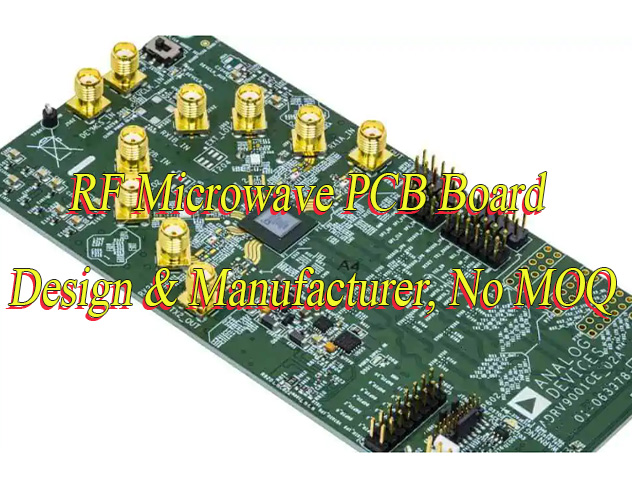
                      How to Improve PCB Peel Strength?

                      October 20th, 2025

                      How to improve PCB peel strength? This guide covers its definition, differentiation from tensile strength, influencing factors, improvement methods, IPC standards, calculation formula, and testing approaches.

                      Are you troubled with these questions?

                      • Can your PCB interlayer peel strength withstand 5,000 thermal cycles in high-frequency and high-speed applications?
                      • How to balance peel strength and cost when thin-film design meets high reliability requirements?
                      • How to rapidly validate new materials’ peel strength compliance amid lengthy traditional testing cycles and high costs?

                      As a professional PCB manufacturer, EBest Circuit (Best Technology) can provide you service and solutions:

                      • Proprietary Lamination Process: Achieves over 20% improvement in interlayer adhesion for high-frequency applications while reducing process tuning time by 30%, leveraging 20+ years of parametric database expertise.
                      • Rapid Validation Lab: Equipped with peel strength testers, enabling 24-hour rapid prototyping and 3-day authoritative testing reports, eliminating trial-and-error material validation.
                      • Design Collaboration Optimization: Full-chain guidance from design to material and process, identifying peel risk points in schematics to reduce material costs by 15% without compromising performance, achieving reliability-cost balance.

                      Welcome to contact us if you have any request for PCB design, prototyping, mass production, assembly: sales@bestpcbs.com.
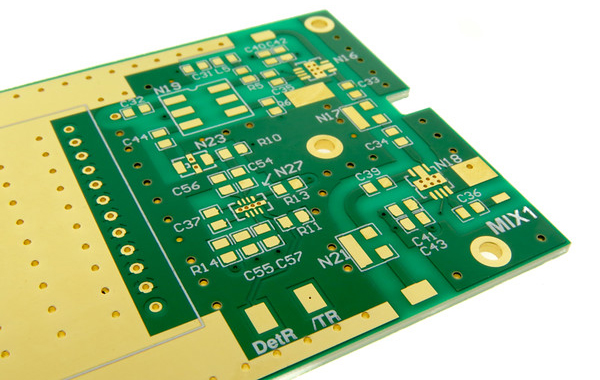
                      What Is Peel Strength of PCB?

                      PCB Peel Strength specifically refers to the vertical bonding strength between copper foil and insulating substrate in printed circuit boards, quantified in Newtons per millimeter (N/mm). This metric directly reflects the copper layer’s resistance to peeling. Insufficient strength may cause copper foil lifting or detachment during soldering or under high-temperature conditions.

                      Main standards such as IPC-6012 stipulate that conventional FR-4 substrates must achieve a minimum peel strength of 1.0 N/mm for 1oz copper thickness. High-frequency substrates and thick copper designs require higher values. In summary, peel strength serves as a critical parameter for evaluating the structural reliability of PCBs.

                      What Is Peel Strength of PCB?

                      Is PCB Peel Strength the Same as Tensile Strength?

                      No, PCB peel strength and tensile strength are distinct mechanical properties. Peel strength specifically refers to the bonding resistance of interfaces such as copper foil to substrate or between layers of copper clad laminate, quantified through 90-degree or 180-degree peel tests to measure adhesion performance. This directly impacts circuit board reliability by preventing delamination. Tensile strength, however, evaluates the tensile fracture limit of PCB substrates like FR-4 epoxy glass cloth or copper foil themselves, determined via standard tensile tests. It reflects the material’s inherent ability to resist breaking under tension. The former ensures layer-to-layer bonding integrity, while the latter guarantees structural robustness against cracking.

                      What Are Factors Affecting PCB Peel Strength?

                      Below are factors affecting PCB peel strength:

                      1. Material Properties

                      • Substrate and Copper Foil Types: The resin type of the substrate (e.g., epoxy, phenolic) and copper foil surface treatments (e.g., black oxidation) directly impact bonding strength. In high-frequency/high-speed PCBs, low-dielectric-constant resins may reduce peel strength, while low-roughness copper foils, though minimizing signal loss, can weaken bonding with the substrate.
                      • Adhesive Characteristics: The content and curing state of adhesives (e.g., SBR) significantly influence peel strength. Increased SBR content enhances peel strength but may compromise flexibility; incomplete curing (not reaching Stage C) drastically lowers peel strength.

                      2. Process Parameters

                      • Curing Conditions: Temperature, pressure, and duration must align with material requirements. For instance, epoxy resins achieve optimal peel strength (ā‰ˆ13.08 NĀ·(2.5 cm)⁻¹) at 120°C, 0.20 MPa, and 20 seconds. Insufficient temperature or pressure reduces strength.
                      • Surface Treatment: Substrate surface tension must exceed 38 dyn/cm² (e.g., via AC agent coating) to ensure adequate bonding; black-oxidized copper foils improve adhesion.
                      • Coating and Rolling Processes: Coating oven settings and rolling speed/frequency affect adhesive distribution. Moderate rolling speed and frequency (e.g., 3 passes) yield stable peel strength; improper oven curing rates cause adhesive migration, lowering strength.

                      3. Environmental Factors

                      • Temperature and Humidity: Testing or storage environments significantly affect results. High-temperature/high-humidity conditions (e.g., HAST testing) degrade peel strength, e.g., roughened copper foil drops from 0.65 kg/cm to 0.20 kg/cm after 96 hours of HAST.
                      • Aging and Thermal Stress: Thermal cycling or prolonged storage may reduce peel strength due to material hygroscopicity (e.g., CMC absorption) or oxidation.

                      4. Testing Methods

                      • Test Parameters: Peel angle (90° or 180°), speed (e.g., 50 mm/min), and specimen width (20–35 mm) influence results. Wider specimens increase peel strength, while 100 mm/min speed provides the most stable data.
                      • Equipment Precision: Testing machines must meet standards for load/speed control and environmental simulation (e.g., temperature/humidity regulation) to minimize data deviations.

                      5. Other Factors

                      • Process Control: Cleanliness, equipment conditions (e.g., roller hardness, adhesive roller cleaning), and operational parameters (e.g., winding tension) indirectly affect peel strength.
                      • Material Defects: Over-degreasing, ink misuse, or substrate damage directly reduce peel strength.
                      What Are Factors Affecting PCB Peel Strength?

                        How to Improve PCB Peel Strength?

                        Methods about how to improve PCB peel strength:

                        1. Material Performance Deep Optimization

                        • Substrate-Copper Foil Synergistic Design: High-frequency/high-speed PCBs utilize PTFE-ceramic composite substrates (e.g., Rogers RO4000 series) paired with HVLP2-grade low-profile copper foil. Through dual-treatment processes like plasma + sodium etching, peel strength increases from 0.6 N/mm to 1.2 N/mm, meeting 5G base station reliability requirements for 1000 thermal cycles. The TLF220 substrate maintains 1.8 N/mm peel strength at 125°C and retains 1.5 N/mm after 288°C thermal shock, exceeding IEC 61249’s 0.9 N/mm minimum, with insertion loss of only 0.0005 at 100 GHz.
                        • Adhesiveless Structure Innovation: Adhesiveless processes eliminate bonding interface defects. For instance, a millimeter-wave radar PCB employs nanoscale dendritic copper foil chemically bonded to PTFE dielectric, achieving ≄1.0 N/mm peel strength while reducing insertion loss by 0.3 dB/inch and avoiding signal scattering losses from traditional electrolytic copper foil roughness.

                        2. Process Parameter Precision Control

                        • Curing Condition Fine-Tuning: Epoxy resin achieves 13.08 NĀ·(2.5 cm)⁻¹ (ā‰ˆ5.23 N/mm) peel strength at 120°C, 0.20 MPa, and 20 seconds. High-Tg FR-4 thick panels cured at 150°C exhibit 0.7 N/mm peel strength,1.5 times that of standard FR-4, retaining 80% of initial strength after 1000-hour high-temperature aging.
                        • Multi-Dimensional Surface Enhancement: Substrate surface tension must exceed 38 dyn/cm² (e.g., via AC agent coating). Black-oxidized copper foil forms a CuO/Cuā‚‚O composite layer to increase mechanical interlocking area. Plasma cleaning removes contaminants and activates PI substrate surfaces, enhancing rolled copper foil adhesion.
                        • Coating and Rolling Optimization: Rolling speed controlled at 50–100 mm/min with 3 passes ensures stable peel strength. Coating oven curing adopts stepwise heating (1°C/min to 150°C, holding for 10 minutes) to prevent resin boil-off migration, with thickness deviation ≤±0.05 mm.

                        3. Environmental Factor Proactive Management

                        • Intelligent Temperature-Humidity Control: HAST testing reveals roughened copper foil peel strength drops from 0.65 kg/cm to 0.20 kg/cm after 96 hours. “High-pressure long-time lamination” (35 kg/cm², 180°C for 60 minutes) reduces delamination to 2%. Nickel-gold plating (5 μm Ni + 0.3 μm Au) limits oxidation, with line resistance change <5% after 1000 hours at 150°C/85% RH, reducing oxidation rate by 30%.
                        • Thermal Stress Protection Design: Added vent holes (0.5 mm diameter, 10 mm spacing) mitigate high-temperature bubble expansion delamination. Satellite payload boards with interface modification show only 15% peel strength degradation after 1000 cycles of -55°C~125°C, with microcracks blocked by nano-SiOā‚‚ particles.

                        4. Testing Standardization and Equipment Precision

                        • Parameter Unification and Equipment Upgrades: IPC-TM-650 standards require 90° peel clamps at 50 mm/min speed and 3 mm sample width, with 3 repeated tests averaged. Automotive PCBs optimized for lamination parameters reduce peel strength standard deviation from ±0.2 N/mm to ±0.05 N/mm.
                        • Failure Mode Analysis: Ideal cohesive failure (copper foil with resin debris) indicates failure within the resin layer, not the interface. TLF220 samples retain >85% peel strength after thermal shock, with resin residue on copper foil.

                        5. Process Control and Defect Prevention

                        • Full-Process Monitoring: Cleanliness requires particles <5 μm, roller hardness controlled at 65–70 Shore A, and winding tension error <5%. Medical PCBs optimized for solder mask curing temperature (150°C±5°C) improve adhesion yield from 95% to 99.2%, with single-point peel-off area ≤2%.
                        • Defect Detection and Prevention: Real-time monitoring of 90° peel force curves analyzes bonding uniformity. Ring compression tests quantify PP prepreg-core bonding strength to guide lamination parameters. Industrial control PCBs with hole wall roughness >60 μm caused thermal cycle open failures; optimized to ≤25 μm, conduction resistance fluctuation <5 mĪ©.
                        How to Improve PCB Peel Strength?

                        Peel Strength PCB Specification

                        Standard NameStandard CodePeel Strength RequirementTest MethodApplicable Materials
                        IPC-6012 Rigid Printed Board SpecificationIPC-6012≄1.0 N/mm at room temperature, ≄0.7 N/mm after high-temperature treatment90° peel test at 50 mm/min with specimen width ≄3mmAll copper thicknesses and substrates
                        Printed Board Peel Strength TestGB/T 4722-2017≄1.00 N/mm per unit width (approx. 5.71 lb/in)90° peel test at 50 mm/min with specimen width 3mmCopper foil to substrate interface
                        Printed Board Test MethodsGB/T 4677-2002Peel speed (50±5) mm/min90° or 45° peel testAdhesion between printed board layers
                        Copper-Clad Substrate Peel Test MethodIPC-TM-650 2.4.8No direct numerical requirementsstandardized test procedures 90° peel test procedures: specimen preparation, peel angle, speed, etc.Copper-clad substrate

                        How to Test PCB Peel Strength?

                        Methods about how to test PCB peel strength:

                        1. Standard Compliance and Sample Preparation

                        • Adhere to IPC-TM-650 2.4.8 specifications, requiring minimum room-temperature peel strength of 1.5 N/mm and ≄0.7 N/mm after high-temperature exposure (e.g., 288°C solder float for 10 seconds). Prepare samples with 3mm width, ≄75mm length, and etched copper foil strips free from burrs or notches. For example, 5G base station PCBs mandate copper foil roughness ≤2μm to minimize signal loss, while automotive electronics require ≤15% strength degradation after 1000 thermal cycles (-55°C to 125°C).

                        2. Equipment Setup and Environmental Control

                        • Utilize universal testing machines (e.g., Instron 3369) equipped with 90-degree peel fixtures and operate at 50mm/min constant speed. Maintain test environment at 23±2°C and 50±5% RH to mitigate elastic modulus variations (0.7% strength deviation per °C change). Calibrate equipment quarterly and replace 304 stainless steel fixtures every three months to ensure accuracy.

                        3. Test Execution and Data Acquisition

                        • Secure specimens and initiate 90-degree peel at 50mm/min velocity. Record force-displacement curves and exclude initial peaks when calculating averages from stable-phase readings (minimum three repetitions). For a 3mm-wide sample with 3.0N average force, peel strength equals 1.0 N/mm.

                        4. Failure Analysis and Optimization

                        • Inspect interfaces for delamination (Type I: process parameter issues like inadequate 126°C lamination) or resin residue (Type II: chemical treatment anomalies). Address data dispersion exceeding 8% through equipment recalibration and sensor zeroing frequency checks. Case studies show parameter optimization reduced standard deviation from ±0.2 N/mm to ±0.05 N/mm.

                        5. Industry Validation Cases

                        • New energy vehicle PCBs employ cobalt/nickel alloy electrolytic copper foil for ≄1.2 N/mm high-temperature strength. Flexible PCBs for foldable smartphones combine PI substrates with epoxy adhesives to withstand 100,000 flex cycles without delamination. Satellite payload boards using interface-modified materials exhibit only 15% strength degradation after -55°C to 125°C cycling, outperforming conventional substrates (40% degradation).
                        How to Test PCB Peel Strength?

                        How to Calculate Peel Strength of PCB?

                        1. Define Test Standards and Requirements

                        • International Standard Reference: Adhere to IPC-TM-650 2.4.8 (90° Peel Test), GB/T 4722-2017, or MIL-STD-275E. For instance, IPC-6012 mandates minimum peel strength of 1.0 N/mm (approximately 5.71 lb/in) at room temperature and 0.7 N/mm after high-temperature treatment (e.g., 288°C solder float for 10 seconds).
                        • Sample Specifications: Typical sample width is 3mm, length ≄75mm. Etch to create copper foil strips, ensuring edges are free from burrs or notches.

                        2. Prepare Testing Equipment and Environment

                        • Equipment Selection: Utilize a universal testing machine (e.g., Instron 3369) equipped with a 90-degree peel fixture for precise angle control.
                        • Environmental Control: Conduct tests in a constant temperature and humidity chamber (23±2°C, 50±5% RH) to minimize elastic modulus variations caused by temperature/humidity fluctuations (each °C change may induce 0.7% strength deviation).

                        3. Conduct Peel Test

                        • Secure the sample in the testing machine. Initiate 90-degree peel at 50mm/min constant velocity.
                        • Record real-time peel force curves. Exclude initial peak values and calculate the average of stable-phase readings (repeat ≄3 times for mean value).
                        • Log maximum, minimum, and average peel forces. Plot force-displacement curves to assess bonding uniformity.

                        4. Calculate Peel Strength

                        • Formula: Peel Strength (N/mm) = Peel Force (N) / Sample Width (mm).
                        • Example: For a 3mm wide sample with average peel force of 3.0N, peel strength = 3.0N / 3mm = 1.0 N/mm.
                        • Unit Conversion: 1.00 N/mm ā‰ˆ 5.71 lb/in. Select units based on client specifications.

                        5. Analyze and Validate Results

                        • Standard Comparison: Compare results against requirements (e.g., IPC-6012 room temperature ≄1.0 N/mm; military-grade PCBs may require ≄1.5 N/mm).
                        • Failure Mode Analysis: Inspect for delamination, fractures, or resin residue at copper-substrate interfaces to determine bonding quality. Classify failures (e.g., Type I indicates process parameter issues; Type II reflects chemical treatment problems).
                        • Data Dispersion Control: If intra-batch sample variation exceeds 8%, recalibrate equipment and inspect fixture status (replace 304 stainless steel fixtures every 3 months as recommended).

                        Welcome to contact us if you have any other issues about PCB peel strength: sales@bestpcbs.com.
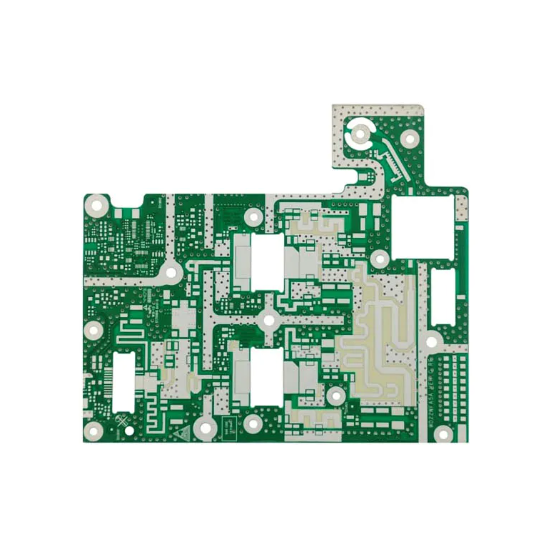
                        How to Select Modulator HDMI to RF? PCBA Service Supplier

                        October 16th, 2025

                        How to select modulator HDMI to RF? Let’s discover benefits, selection guide, technical specification, working process, usage method, purchasing guide for modulator HDMI to RF.

                        Are you worried about these questions?

                        • Tired of mosaic or snowy screens during HDMI-to-RF signal conversion?
                        • Struggling to maintain consistent impedance matching across mass-produced PCBs?
                        • Frustrated by delayed deliveries for small-batch or urgent orders?

                        As a professional PCBA service supplier, EBest Circuit (Best Technology) can provide you service and solution:

                        • Microvia layered isolation cuts signal attenuation by 40%, eliminating interference for flawless visuals.
                        • 7-day prototyping + 15-day mass production with ±3% impedance accuracy, doubling industry consistency benchmarks.
                        • Full-chain support from schematic optimization to 45MHz-860MHz frequency band tuning, ensuring true plug-and-play stability.

                        Welcome to contact us if you have any request for modulator HDMI to RF: sales@bestpcbs.com.
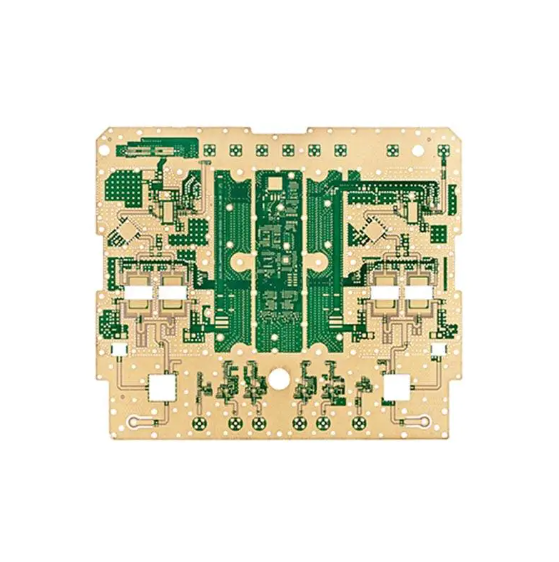
                        ​What is a Modulator HDMI to RF?

                        A HDMI to RF modulator is a device that converts HDMI digital signals to RF analog signals. It primarily connects modern AV sources such as set-top boxes and game consoles to older TVs or broadcast systems. Its core function uses MPEG-4/H.264 encoding and DVB-T modulation technology to transform 1080P video and multi-channel audio into TV RF standard-compliant signals. The output frequency typically covers 350-860MHz.

                        This device is widely applied in home theater retrofits, hotel TV systems, and surveillance signal transmission scenarios. It supports traditional TV connection via coaxial cables, enabling compatibility between new and old devices.

                        What is a Modulator HDMI to RF?

                        Why Choose HDMI to RF Modulator?

                        Benefits of HDMI to RF Modulator:

                        • Compatibility with Legacy Devices: Avoid replacing older TVs or monitors. HDMI to RF modulators enable legacy devices to receive high-definition HDMI signals directly, saving upgrade costs and revitalizing existing equipment.
                        • Multi-Room Coverage: RF signals penetrate walls, allowing simultaneous signal distribution across multiple rooms (e.g., syncing living room TV to bedrooms/kitchens) for seamless family entertainment sharing.
                        • Plug-and-Play Simplicity: Easy installation without professional setup—connect devices quickly with minimal wiring, eliminating complex technical adjustments and saving time/labor costs.
                        • High-Definition Transmission: Supports 4K/1080P HD signals for crisp, smooth visuals, meeting modern demands for high-quality viewing experiences.
                        • Cost-Effective Solution: Significantly lower investment compared to full device replacement or extensive rewiring, delivering compatibility and signal expansion at unmatched value.
                        • Stable Signal Integrity: RF transmission technology ensures strong anti-interference capabilities and reliable signal stability, preventing lag, freeze-frames, or signal loss for consistent premium viewing.

                        How to Select Modulator HDMI to RF?

                        A guide to how to select modulator HDMI to RF:

                        1. Core Parameter Matching

                        • Resolution & Encoding: Select devices supporting 1080P/60Hz or higher resolution with H.264/H.265 encoding for lossless HD video conversion. For 4K content, confirm HDMI 2.0/2.1 compatibility for high-bandwidth transmission.
                        • Modulation Standards: Choose regional broadcast standards like DVB-T (Europe/Asia), ATSC (Americas), or ISDB-T (Japan/South America) to avoid signal reception issues.
                        • Frequency Range: Ensure output covers 350-860MHz and matches local UHF/VHF bands (e.g., 470-860MHz in China) for full channel coverage.

                        2. Interface & Expandability

                        • Input Compatibility: Verify HDMI versions (1.4/2.0/2.1) for HDR and dynamic range support. Check for HDMI pass-through for multi-screen setups.
                        • Audio Processing: Support multi-channel audio (AC3/DTS) passthrough or stereo conversion for legacy TVs. Validate digital audio inputs (optical/coaxial).
                        • Output Expansion: Standard F-type coaxial RF output with signal splitter compatibility for multi-device distribution (hotels/surveillance).

                        3. Scenario-Specific Features

                        • Home Use: Prioritize one-touch channel search and automatic gain control (AGC) for ease of use.
                        • Commercial Use: For hotels/surveillance, opt for batch channel allocation and encryption (SCPC/MCPC) to prevent conflicts. Surveillance requires long-range anti-interference.
                        • Legacy Compatibility: Support analog standards (PAL/NTSC/SECAM) for older black-and-white/color TVs.

                        4. Signal Quality & Stability

                        • SNR Standard: ≄45dB SNR ensures noise-free video/audio. Test weak-signal resilience.
                        • Anti-Interference: Built-in filtering reduces WiFi/wireless device interference. Metal casing + active cooling enhances stability.
                        • Stability Testing: Validate range tests for consistent quality and coverage.

                        5. Cost Efficiency & Warranty

                        • Value Assessment: Compare prices while noting hidden costs (power adapters, remotes). Balance performance and long-term costs.
                        • Brand & Certification: Choose CE/FCC-certified brands. Review user feedback on warranty (1-3 years) and support responsiveness. Avoid uncertified brands.

                        6. Installation & Verification

                        • Plug-and-Play: Auto-input detection simplifies setup. Verify quick channel setup and remote control.
                        • Real-World Testing: Request demo videos or test range/stability pre-purchase.

                        7. Additional Features & Reputation

                        • Smart Features: Remote control, app tuning, and LED indicators enhance convenience. Validate functionality.
                        • User Reviews: Check e-commerce/forums for real feedback on stability, compatibility, and support. Avoid low-rated products.
                        How to Select Modulator HDMI to RF?

                        HDMI to RF Modulator Technical Specification

                        Parameter CategoryTechnical Specification Details
                        Input ResolutionSupports 1080p/60Hz full HD, broadcast-grade devices compatible with 4K H.265 encoding, suitable for modern HD source devices (e.g., Blu-ray players, gaming consoles)
                        Output Frequency RangeStandard models cover 47-870MHz (UHF/VHF), professional models support 50-1218MHz wideband, compatible with unused CATV channel injection
                        Modulation TypeIntegrated 8VSB (ATSC), DVB-T/COFDM, QAM (64/256), NTSC/PAL/SECAM and other global mainstream standards, adaptable to regional TV systems
                        Signal StrengthOutput level 49-79 dBµV (adjustable), typical value +25dBmV, ensuring long-distance transmission stability and superior anti-interference compared to traditional analog signals
                        Interface ConfigurationHDMI Type A input (supports HDCP 1.2/2.2), F-type coaxial output, some models include RF loop-through I/O and USB media playback interfaces
                        Power & Consumption5VDC 2A (standard) or 8-32V wide-voltage supply (industrial), power consumption as low as 10W, suitable for automotive/outdoor scenarios
                        Environmental AdaptabilityOperating temperature -40°C~85°C, wide-temperature design for extreme environments, harmonic distortion <-20dBc, RF power contrast ≄50dB
                        Physical DimensionsCompact design (e.g., 1-3/8″Ɨ9-1/2″Ɨ4-3/4″), 1U/2U rack-mountable, fits server rooms or home equipment cabinets
                        Audio EncodingSupports MPEG1 Layer II, AAC, HE-AAC, AC3 passthrough with audio gain adjustment, compatible with multi-channel stereo transmission
                        Transmission PerformanceMaximum distance 700m (RG6 cable + 64QAM), latency as low as 70ms, supports PID remapping/PSI/SI editing and multi-channel OSD overlay
                        Intelligent FeaturesWeb-based management, PID remapping, PSI/SI editing, multi-protocol output (UDP/RTP/RTSP), supports remote monitoring and automation
                        Compatibility & ExpansionHDCP 1.2/2.2 compliant, compatible with CATV systems, supports hybrid transmission with satellite/cable signals, suitable for distributed deployments in hotels/hospitals

                        How Does an Modulator HDMI to RF Work?

                        1. Signal Input and Decoding: Receives digital signals from HDMI source devices (e.g., set-top boxes, computers), decodes and separates video frames, audio streams, and control data via dedicated chips, ensuring lossless extraction of original content.

                        2. Baseband Signal Adaptation: Converts HDMI’s TMDS signal into baseband format compliant with TV standards, including color space conversion (e.g., RGB to YCbCr), frame rate synchronization (e.g., 60Hz to 50Hz), and audio resampling to match RF transmission requirements.

                        3. RF Carrier Modulation: Generates an RF carrier at a specific frequency (e.g., UHF band 470-860MHz) and embeds baseband signals using modulation techniques like QAM/FM, enabling efficient high-frequency signal transmission.

                        4. Channel Configuration and Interference Avoidance: Uses programmable circuits to set output channels (e.g., CH28-69) and employs intermediate frequency filtering to avoid local broadcast signal interference, ensuring signal purity in multi-device environments.

                        5. Power Amplification and Output: Amplifies the modulated RF signal via a power amplifier and transmits it through coaxial cables (e.g., RG-6) to TVs or receivers, supporting both analog/digital dual-mode output for compatibility with old CRT TVs and smart TVs.

                        6. Bidirectional Communication Support: Some models integrate protocols like HDCVI, allowing bidirectional interaction (e.g., reverse transmission of remote control signals) via RF cables for device-to-device communication.

                        7. Scenario-Based Applications: Typical use cases include upgrading old TVs to support HD signals, multi-room video distribution in hotels/hospitals, and long-distance transmission of security monitoring signals, addressing compatibility between digital devices and traditional RF networks.

                        How to Use Modulator HDMI to RF?

                        1. Device Connection Steps

                        • Input Connection: Connect the HDMI output of the source device (e.g., set-top box, gaming console, computer) to the HDMI input of the modulator. For multi-signal processing, choose modulators with multi-input support (e.g., 12-channel or 16-channel models).
                        • Output Connection: Link the modulator’s RF output port to the TV or receiver’s antenna input (labeled “RF IN” or “ANTENNA”) via a 75Ī© coaxial cable to minimize signal loss.
                        • Power & Auxiliary Connections: Ensure the modulator is powered by a stable source (supporting 8-32V wide voltage input). For remote control, connect the remote receiver if applicable.

                        2. Channel Setup & Tuning

                        • Output Channel Selection: Configure the output channel via the modulator panel or remote control (e.g., UHF 38-69 channels or VHF 2-13 channels). Select unused channels based on local TV frequency allocation to avoid signal conflicts.
                        • TV Tuning: Power on the TV, access “Channel Search,” and select “Auto Search” or manually input the modulator’s channel number. For older TVs, confirm compatibility with standards like NTSC, PAL, or SECAM.
                        • Signal Optimization: Adjust the modulator’s output power (e.g., 6Watts) or use a signal amplifier if weak signals occur. Avoid long coaxial cable runs to prevent signal attenuation.

                        3. Compatibility & Technical Parameters

                        • Signal Format Support: Verify the modulator supports input resolutions (e.g., 1080p, 4K) and audio codecs (e.g., AC3, AAC, HE-AAC). Premium models may include H.264 encoding and OSD overlay (e.g., text/QR code insertion).
                        • Standard Matching: Select modulators aligned with regional standards (e.g., DVB-C/T for China, NTSC/ATSC for the US/Europe).
                        • Impedance Matching: Ensure coaxial cables are 75Ī©, and modulator input/output impedances match (e.g., 50Ī© analog input, 10kĪ© digital input) to prevent signal distortion.

                        4. Debugging & Troubleshooting

                        • Signal Testing: Check TV clarity post-connection. If snow or noise appears, inspect connections, verify channel settings, or replace cables.
                        • Interference Mitigation: Keep modulators away from strong EMI sources (e.g., microwaves, Wi-Fi routers). Use wideband signal splitters (e.g., 6MHz bandwidth support) for distribution.
                        • Advanced Features: Leverage PID remapping, PSI/SI editing, or web-based management (e.g., via official manuals or tech support) for specialized setups.

                        5. Precautions & Maintenance

                        • Power Safety: Use stable power supplies to prevent voltage fluctuations. Wide-voltage models (8-32V DC) suit mobile/vehicular use.
                        • Thermal & Environmental Care: Place modulators in well-ventilated areas, avoiding direct sunlight or humidity.
                        • Regulatory Compliance: Confirm local radio regulations before use. Some regions require permits for specific frequency bands.
                        How to Use Modulator HDMI to RF?

                        Where I Can Buy HDMI to RF Modulator?

                        1. Global E-Commerce Direct Purchase

                        • Amazon Global: Search “HDMI to RF Modulator” on Amazon.com. US listings include Rocketfish RF-G1175 (supports 1080p, ~$9-15 with international shipping). Opt for “Amazon Global” labeled items for direct shipping and pre-calculated duties. EU buyers can use Amazon.de/.co.uk with DHL direct delivery.
                        • eBay Global: Search “HDMI to RF Converter” with “Worldwide Shipping” filter. Shenzhen Kaiying RF-HD1080P (supports dual PAL/NTSC, $30-50 shipped) is recommended. Verify seller ratings (≄95%) and return policies.

                        2. Specialist Electronics Retailers

                        • Newegg International: Search “HDMI RF Modulator”. WUQ 4K Wireless HDMI Extender (5G transmission, 100ft range, $145 shipped) suits wireless needs.
                        • B&H Photo Video: Thor PETIT HDMI RF Modulator supports 4K input and EU/US standards, with DHL shipping ($20-50) and 2-year warranty.

                        3. Manufacturer Direct Channels

                        • China OEMs: Shenzhen Lekunxuan Video Tech (verified via Aichacha) offers DTMB/ATSC dual-standard modulators ($300-500 shipped) with bulk customization (10+ units). Ideal for engineering projects.
                        • Brand Authorized Dealers: Sony/Panasonic/Philips models available via authorized dealers (e.g., Philips EasyLink adapters, $50-100) with HDMI CEC control.

                        4. Localized E-Commerce Platforms

                        • UK Argos: HDTV Labs converters (supports Freeview, Ā£40-60) with same-day delivery.
                        • Germany Otto: Audiovox AVM series (DVB-T/C standard, €50-80) with cash-on-delivery and 14-day returns.
                        • Japan Yodobashi: Elecom 4K converters (around $850-$1450) with in-store pickup.

                        5. Wholesale & Distribution Channels

                        • Alibaba International: Search “HDMI to RF Modulator” with “Gold Supplier” filter (e.g., Shenzhen Yingmu RF-HD1080P, $15-30/unit, MOQ 10). Supports T/T/L/C payments and CE/FCC certifications.
                        • Global Sources: Dongguan Xinlian Electronics offers OEM customization ($20-40/unit) with international logistics.

                        6. Logistics & Tariff Guidance

                        • Shipping: DHL/FedEx (3-7 days, 20āˆ’50)forsmallorders;seafreight(30āˆ’45days,5-10/kg) for bulk (≄50 units).
                        • Tariffs: EU VAT ~20%, US duties ~2.5%-5% (HTS code 8528.12). Opt for DDP (Delivered Duty Paid) to avoid customs delays.

                        7. After-Sales Support

                        • Warranty: International sellers offer 1-2 year warranties (e.g., Amazon Global supports local returns). Confirm overseas warranty coverage (e.g., Sony only covers origin country).
                        • Tech Support: Prefer sellers with English support (e.g., B&H 24/7 chat, Newegg forums).

                        Welcome to contact us if you have any request for HDMI to RF Modulator: sales@bestpcbs.com.

                        How to Identify Circuit Board Components​?

                        October 16th, 2025

                        How to choose circuit board components? Let’s discover its selection guide, component list, Identification and removal methods, test and troubleshoot guide.

                        Are you worried about these problems?

                        • Long lead time for urgent orders? 72-hour rapid prototyping, 30% shorter lead time!
                        • High costs due to component shortages? Precise component matching, 15%-25% lower procurement costs!
                        • Unstable yield rates? Smart process parameter locking, rework rate comparable to top 3 in the industry!

                        As a professional PCBA service supplier, EBest Circuit (Best Technology) can provide you service:

                        • Fast: Rapid response to small-batch urgent orders, no delays in product launch;
                        • Cost-saving: 20 years of component database experience, early shortage warnings, direct cost reduction;
                        • Stable: Standardized process parameters, stable yield rates, lower rework rates, more reliable mass production!

                        Welcome to contact us if you have any request for circuit board components: sales@bestpcbs.com.
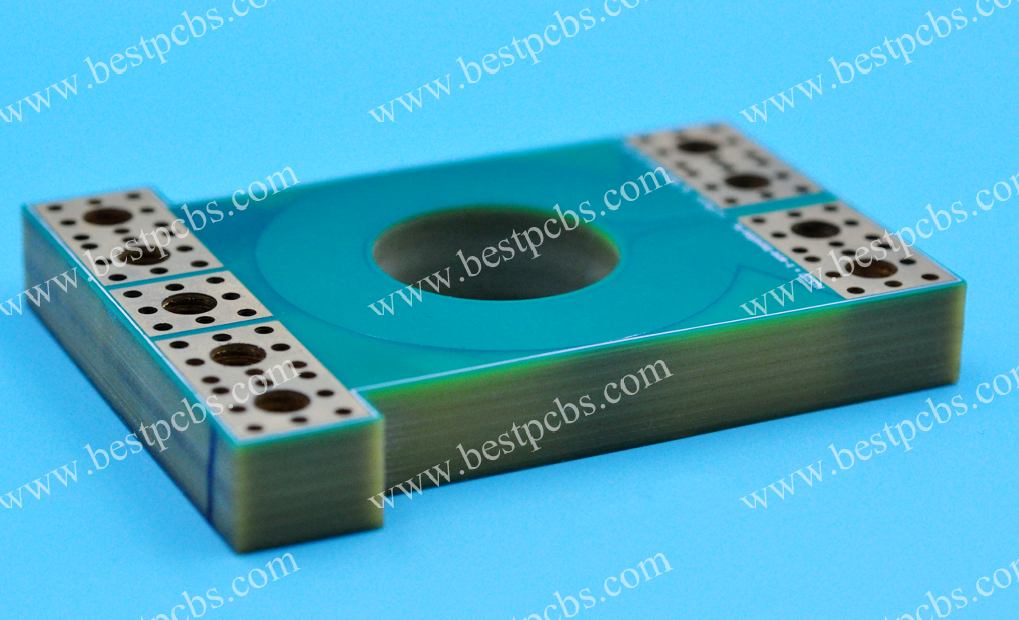
                        How to Choose Circuit Board Components?

                        Below is a guide to how to choose circuit board components:

                        1. Prioritize Technical Parameters

                        • Define core electrical specifications (voltage/current/frequency) and physical constraints (size/weight), prioritizing critical performance metrics. Example: High-frequency circuits require low-loss dielectric materials (e.g., Rogers RO4350B), while power devices demand thermal resistance assessment.
                        • Create a technical specification sheet marking mandatory parameters (e.g., ±5% tolerance) and negotiable items.

                        2. Validate Environmental Adaptability

                        • Test component reliability for target market environments: Industrial applications require -40°C~125°C operating ranges, consumer electronics need 85°C/85%RH humidity resistance, and automotive components must meet AEC-Q200 standards.
                        • Action: Request third-party test reports (e.g., UL certification, SGS salt spray testing) with emphasis on temperature cycling curves and ESD protection levels.

                        3. Assess Supply Chain Reliability

                        • Select ISO9001/IATF16949-certified suppliers, favoring multinational brands with local technical support (e.g., TDK, Murata). For critical components (e.g., processors), secure at least a 2-year supply guarantee agreement.
                        • Action: Evaluate suppliers using a Scorecard for on-time delivery (≄95%), yield rate (≄99.2%), and quality system maturity.

                        4. Conduct Compatibility Verification

                        • Verify electrical compatibility through experiments: Use network analyzers for S-parameter testing to confirm impedance matching, and thermal imagers to monitor power module temperature distribution. For digital circuits, validate timing margins (Setup/Hold Time).
                        • Action: Build prototype platforms for 500+ hour continuous aging tests, documenting failure modes and analysis reports.

                        5. Balance Cost and Maintainability

                        • Optimize costs via value engineering: Use commercial-grade components (e.g., 0402 capacitors) in non-critical paths, while critical modules adopt automotive-grade devices. Design modular plug-and-play structures to reduce maintenance costs.
                        • Action: Prepare BOM cost comparison tables detailing unit costs, MOQ requirements, lead times, and total cost of ownership (TCO).
                        How to Choose Circuit Board Components?

                        Common Circuit Board Component List

                        Resistor

                        • Function: Current limiting, voltage division, impedance matching.
                        • Type: Carbon film resistor, metal film resistor, SMD resistor (0603/0805 package), 0Ī© resistor (jumper), variable resistor (potentiometer).
                        • Parameters: Resistance (Ī©), power rating (W), tolerance (±1%~±5%), temperature coefficient (ppm/°C).
                        • Application: Power management, signal conditioning, EMI suppression.

                        Capacitor

                        • Function: Filtering, energy storage, coupling, decoupling.
                        • Type: Polarized electrolyytic capacitor, ceramic capacitor (X7R/X5R/NPO), film capacitor, tantalum capacitor, supercapacitor.
                        • Parameters: Capacitance (pF~μF), voltage rating (V), ESR (mĪ©), leakage current (μA).
                        • Application: Power bypass, signal coupling, timing circuits.

                        Inductor

                        • Function: Energy storage, filtering, anti-interference.
                        • Type: Coil inductor, SMD inductor, magnetic bead, common-mode choke.
                        • Parameters: Inductance (μH~mH), Q value, current rating (A), DC resistance (mĪ©).
                        • Application: Switching power supply filtering, EMI suppression, LC resonance.

                        Diode

                        • Function: Rectification, voltage regulation, light emission, protection.
                        • Type: Rectifier diode (1N4007), Schottky diode (low Vf), Zener diode, LED, TVS (transient suppression).
                        • Parameters: Forward voltage (V), reverse breakdown voltage (V), maximum current (A), recovery time (ns).
                        • Application: Power rectification, signal protection, status indication.

                        Transistor/MOSFET

                        • Function: Amplification, switching control.
                        • Type: NPN/PNP transistor, N/P-channel MOSFET, IGBT, JFET.
                        • Parameters: Vceo (V), Ic (A), hFE, Vgs(th) (V), RDS(on) (Ī©).
                        • Application: Signal amplification, switching power supplies, motor drives.

                        Integrated Circuit (IC)

                        • Function: Signal processing, control, storage.
                        • Type: Microprocessor (STM32), power management chip, op-amp, logic gate, memory (EEPROM/Flash), ASIC.
                        • Parameters: Operating voltage (V), temperature range (ā„ƒ), power consumption (mW), package (QFP/BGA).
                        • Application: System control, data processing, power management.

                        Connector

                        • Function: Board-to-board/cable connection.
                        • Type: Pin header/socket, USB interface, RJ45 port, SIM card holder, FPC connector.
                        • Parameters: Pin count, current rating (A), signal rate (Gbps), waterproof rating (IPXX).
                        • Application: Modular design, high-speed data transmission, external device connection.

                        Switch/Button

                        • Function: Manual circuit on/off control.
                        • Type: Toggle switch, push-button switch, tactile switch, rotary potentiometer, DIP switch.
                        • Parameters: Rated voltage/current, mechanical life (cycles), contact resistance (mĪ©).
                        • Application: User input, mode switching, parameter adjustment.

                        Sensor

                        • Function: Environmental parameter detection.
                        • Type: Temperature sensor (DS18B20), photoresistor, accelerometer, pressure sensor, humidity sensor.
                        • Parameters: Measurement range, accuracy, response time, output type (analog/digital).
                        • Application: Environmental monitoring, industrial control, medical diagnostics.

                        Protection Component

                        • Function: Over-current/over-voltage protection.
                        • Type: Fuse, PTC thermistor, TVS diode, varistor.
                        • Parameters: Current rating (A), breakdown voltage (V), response time (ns).
                        • Application: Circuit safety protection, lightning protection, ESD protection.

                        Crystal Oscillator & Resonator

                        • Function: Clock signal generation.
                        • Type: Crystal oscillator (32.768kHz), ceramic resonator, crystal module.
                        • Parameters: Frequency accuracy (ppm), load capacitance (pF), operating temperature range (ā„ƒ).
                        • Application: Microprocessor clock, timing circuits, communication modules.

                        RF & Antenna Components

                        • Function: Wireless signal transmission/reception.
                        • Type: PCB antenna, SMA RF connector, filter, low-noise amplifier (LNA).
                        • Parameters: Frequency range (MHz~GHz), insertion loss (dB), VSWR.
                        • Application: Wireless communication (WiFi/Bluetooth), radar, navigation.

                        Battery & Power Interface

                        • Function: Power supply & energy storage.
                        • Type: Lithium battery, coin cell, DC power jack, charging management chip.
                        • Parameters: Battery capacity (mAh), charging current (mA), output voltage (V).
                        • Application: Portable device power supply, power adaptation, energy storage.

                        Marking & Test Points

                        • Function: Function marking & test interface.
                        • Type: Silkscreen marking, test pad, via, debug interface (JTAG/UART).
                        • Application: Production identification, fault troubleshooting, function debugging.

                        How to Identify Circuit Board Components​?

                        Circuit Board Components Identification Methods:

                        1. Identify Passive Components (Resistors/Capacitors/Inductors)

                        • Resistors: Determine resistance via color bands or numeric codes. For 4-band resistors, first two bands represent significant figures, third band multiplier, fourth band tolerance (e.g., “brown-black-red-gold” = 1kĪ© ±5%). For 5-band resistors, first three bands are significant figures, fourth band multiplier, fifth band tolerance. SMD resistors use numeric codes (e.g., “472” = 47Ɨ10²Ω = 4.7kĪ©).
                        • Capacitors: Polarized electrolyytic capacitors feature polarity markings (“+” or notch) and value labels (e.g., “10μF/16V”). Ceramic/SMD capacitors use numeric codes (e.g., “104” = 10Ɨ10⁓pF = 0.1μF). Unit conversions: 1F = 10⁶μF = 10¹²pF.
                        • Inductors: Coil structures are visually identifiable, labeled “L” + number (e.g., “L1”). Color-coded inductors follow resistor-like decoding (e.g., brown-black-gold = 1μH ±5%).

                        2. Identify Semiconductor Devices (Diodes/Transistors)

                        • Diodes: Marked “D” + number; cathode identified via band or shorter lead. LEDs have anode (longer lead) and cathode. Use multimeter diode mode: forward voltage drop ā‰ˆ0.7V (silicon) or 0.3V (germanium).
                        • Transistors: Labeled “Q” + number; NPN/PNP types determined via pinout or model number (e.g., 9013 = NPN, 9012 = PNP). Pin sequence: base (B), collector (C), emitter (E). Verify via datasheet.

                        3. Identify Integrated Circuits (ICs)

                        • Marking: Surface-printed model (e.g., “ATmega328P”) or “U1” reference. Pin counts range from DIP (dual in-line package) to QFP (quad flat package). SMD ICs labeled “IC” + number; confirm function via datasheet.
                        • Packaging: Through-hole (DIP) allows visual pin inspection; SMD requires silkscreen layer numbering. Multi-layer boards utilize vias for interlayer connections.

                        4. Leverage Tools for Identification

                        • Multimeter: Resistance mode for resistors, diode mode for diodes, capacitance mode for capacitors (discharge before testing).
                        • Magnification Tools: Magnifying glass/microscope for inspecting micro-components (e.g., 0805 resistors) or solder joint quality.
                        • Schematic Comparison: Cross-reference schematic symbols (e.g., “R” = resistor, “C” = capacitor) with physical silkscreen labels.

                        5. Special Components & Safety Notes

                        • Polarized Components: Electrolyytic capacitors, diodes, lithium batteries require correct polarity orientation; reverse connection risks damage.
                        • Package Recognition: TO-220 packages may house transistors, MOSFETs, or voltage regulators; SOP packages common for ICs.
                        • Safe Practices: Operate with power disconnected; prevent electrostatic discharge (ESD) damage. Soldering temperature controlled below 350°C.
                        How to Identify Circuit Board Components​?

                        How to Remove Circuit Board Components​?

                        1. Tools and Materials Preparation

                        Advanced Tool Selection

                        • Use a temperature-adjustable soldering iron (30-40W, 300-400°C) with interchangeable tips: chisel, knife, and conical types. A hot air gun with dual-control (airflow 20-30L/min, temperature 300-380°C) and anti-static nozzle is recommended.

                        Material Specifications

                        • Solder wire: lead-free Sn96.5Ag3Cu0.5 alloy, 0.5-1.0mm diameter. Flux: acidic (cleaning-type) or neutral (no-clean) for dense component areas. Solder wick: braided copper mesh matching pad dimensions.

                        2. Pre-Operation Preparation

                        • Component Marking System: Label component parameters (e.g., capacitor polarity “+”, IC notch direction) using oil-based markers. For multi-pin ICs, sketch pin layouts and mark critical pins (VCC, GND). Document with HDR-mode photos for weld detail enhancement.
                        • Safety Environment Setup: Workbench with ESD-safe rubber mat and grounded wrist strap (resistance <10⁶Ω). Ventilation system maintains ≄12 air changes/hour to prevent flux fume accumulation.

                        3. Component-Specific Removal Techniques

                        • Small Components (0402/0603 SMDs): Employ “drag-soldering”: angle soldering iron at 45°, heat for 2-3 seconds, then slide along pin to melt solder evenly. Extract vertically with non-magnetic tweezers to avoid pad lifting.
                        • Multi-Pin ICs (QFP/LQFP Packages): Apply “spiral heating”: start at IC center, heat outward in clockwise direction at 45° angle, 10-15mm distance. Alternate 3-second heating/1-second pause until solder liquefies. Use vacuum tweezers for extraction.

                        Large Components (Axial Electrolytic Capacitors)

                        • Implement “dual-zone isolation”: place solder wick on both pads, heat simultaneously with two irons. Rotate leads 90° slowly after solder melt to distribute residue onto wick. Pre-discharge high-capacity capacitors via 100Ī© resistor.

                        4. Advanced Scenario Handling

                        • BGA Chip Decapsulation: Utilize BGA rework station with three-stage heating: 150°C/30s preheat, 280°C/40s main heat, 50°C/60s cooldown. Post-removal X-ray inspection verifies solder ball integrity.
                        • Dense FPC Connectors: Apply “low-temperature stripping”: coat pins with 138°C melting solder paste, heat at 180°C with hot air gun. Separate gently using plastic pry tools to avoid trace damage.

                        5. Safety and Maintenance Protocols

                        • Pad Integrity Verification: Inspect pads under 50x magnifier for lifting, cracks, or delamination. Minor damage repaired with conductive silver paste; severe cases require copper trace reconstruction.
                        • Tool Maintenance Standards: Clean soldering iron tips daily with brass brush, then tin for oxidation protection. Monthly ultrasonic cleaning of hot air gun filters maintains airflow efficiency.
                        • Waste Management: Segregate lead-free and leaded solder waste. Lead-containing residue requires certified disposal. Used wick/swabs stored in metal containment bins separate from general trash.

                        How to Solder Circuit Board Components​?

                        1. Tools and Materials Preparation

                        • Soldering iron (30-40W), rosin-core solder wire (0.5-1mm diameter), solder sucker, non-magnetic tweezers, ESD wrist strap, magnifier/desk lamp, cleaning sponge, flux (optional).
                        • Inspect circuit board pads for oxidation; gently polish with sandpaper until shiny. Check component leads for oxidation or dirt, scrape lightly with a blade if necessary.

                        2. Component Positioning and Fixing

                        • Insert components into corresponding pad holes per circuit diagram. Through-hole components (e.g., resistors, capacitors) must be vertical; SMD components are lightly pressed onto pads with tweezers.
                        • Large components (e.g., sockets, large capacitors) can be temporarily fixed with a small amount of solder on 1-2 leads to prevent sliding. SMD components may use dedicated fixtures.

                        3. Soldering Operation Steps

                        • Preheat soldering iron: Clean tip with sponge until silver-white, apply a small solder layer for oxidation prevention. Set temperature to 300-350ā„ƒ (general components) or 350-400ā„ƒ (large pads/grounding).
                        • Heat pad and lead: Simultaneously contact both pad and lead with iron tip for 2-3 seconds for even heating.
                        • Feed solder and shape: Feed solder wire on the opposite side of the iron tip. Once solder melts and coats both pad and lead evenly, remove solder wire first, then slowly lift the iron to avoid stringing.
                        • Cooling inspection: After cooling, check for smooth conical solder joints free of cracks, burrs, or cold solder (use magnifier).

                        4. Solder Joint Quality and Troubleshooting

                        • Cold solder detection: Gently pull the component lead; if the joint detaches, re-solder. Verify conductivity with multimeter.
                        • Bridge handling: For shorted adjacent joints, use solder sucker to remove excess solder or drag melted solder away with iron.
                        • Cold solder repair: Reheat dull, matte solder joints until molten, then allow natural cooling.

                        5. Safety and Maintenance

                        • Wear ESD wrist strap to prevent static damage to sensitive components. Keep work area dry and away from flammable materials.
                        • Turn off soldering iron when not in use to avoid overheating. Regularly clean iron tip oxide and maintain sharpness.
                        • Post-soldering: Clean flux residue with alcohol swabs to prevent long-term pad corrosion.

                        6. Special Component Soldering Techniques

                        • SMD components: Apply small solder to one pad, fix component with tweezers, then drag-solder the opposite side. Alternatively, use hot air gun for even heating.
                        • Sensitive components (e.g., transistors, ICs): Use “tack soldering”—brief contact with lead to minimize thermal damage risk.

                        7. Soldering Precautions

                        • Limit single-point heating to ≤5 seconds to prevent pad lifting, component internal damage, or PCB substrate charring.
                        • For large pads or ground planes, adopt “segmented heating”: 2-3 short heating cycles with solder feeding to ensure uniform heat distribution and reduce thermal stress concentration.

                        How to Test Circuit Board Components with Multimeter​?

                        1. Resistor Testing

                        • Power Down & Discharge: Ensure the circuit is fully powered off. For capacitors, discharge by shorting their leads.
                        • Range Selection: Use the multimeter’s resistance range (e.g., RX10k, RX1k). Start from the highest range and adjust downward until the reading stabilizes near the resistor’s rated value to avoid meter damage.
                        • Connection & Reading: Touch probes to both resistor terminals (no polarity). Compare measured resistance to the labeled value. A deviation exceeding ±20%, or readings of “0”/”āˆž”, indicates failure.
                        • Low-Resistance Handling: For resistors below 10Ī©, use a 4-wire (Kelvin) method to eliminate lead resistance or bypass PCB traces during measurement.

                        2. Capacitor Testing

                        • Discharge First: Discharge large capacitors via a resistor; short small capacitors’ leads.
                        • Direct Capacitance Measurement: Use the multimeter’s capacitance range. Select an appropriate scale (e.g., 200μF range for a 10μF capacitor). For polarized capacitors (e.g., electrolytic), connect the red probe to the positive terminal.
                        • Resistance/Diode Mode Verification:
                        • Resistance Mode: For large capacitors, use a low range (<10kĪ©); observe charging (resistance rises from 0 to āˆž). For small capacitors, use a higher range for clearer changes.
                        • Diode Mode: A ~2.7V drop between probes is applied. Monitor charging until the resistance stabilizes.
                        • Fault Detection: A functional capacitor shows near-infinite resistance after charging. Short circuits or leakage cause abnormally low resistance.

                        3. Diode Testing

                        • Polarity Check: Use diode or resistance mode (RƗ1k). Forward-biased (red probe to anode) shows low resistance (~0.6V for silicon, ~0.2V for germanium). Reverse-biased shows high resistance.
                        • Fault Identification: Bidirectional conduction or blockage indicates failure. Excessive forward resistance or reverse leakage signals degradation.
                        • High-Voltage Diodes: Use RƗ10k range. Forward resistance should exceed 10kĪ©; reverse should read infinite. Reverse breakdown requires specialized tools.

                        4. Transistor Testing

                        • Pin & Type Identification:
                        • Base Detection: In RƗ1k mode, touch one probe to a terminal; if the other two terminals show conduction, it’s the base. Red probe to base for PNP, black for NPN.
                        • Collector/Emitter: Measure resistance (e.g., for NPN: black to collector, red to emitter shows low resistance).
                        • Performance Verification:
                        • Junction Resistance: Emitter/collector junctions show forward conduction (~1kĪ©) and reverse blockage (infinite).
                        • Current Gain (hFE): Use the dedicated hFE socket or measure collector current variation via base resistor.
                        • Leakage Current: Reverse collector-emitter resistance should be high (e.g., >100kĪ© for silicon).

                        5. Critical Safety & Best Practices

                        • Safety First: Always power off circuits. Use insulated tools and one-hand operation for high-voltage measurements. After testing, set the multimeter to the highest AC voltage range.
                        • Range Management: Start with the highest range for unknown values; reduce incrementally. Avoid body interference when measuring high resistance.
                        • Polarity Accuracy: Digital meters: red probe = positive; analog meters: opposite. Correct polarity is crucial for polarized components (e.g., electrolytic capacitors, diodes).
                        • Avoid Measurement Errors: Never use resistance mode on live circuits. Do not measure voltage with current mode. Avoid detecting microvolt-level signals with standard multimeters.
                        How to Test Circuit Board Components with Multimeter​?

                        How to Troubleshoot Circuit Board Components?

                        1. Visual Pre-Inspection

                        • Use magnifier/microscope to inspect solder joints: check for cold solder joints, fractures, or solder bridges (shorts between adjacent pads). Focus on BGA chip edges and SMD component pins.
                        • Examine component physical state: capacitors for bulging/leakage; resistors for burn marks; diodes/transistors for oxidized/broken leads; IC pins for bending/deformation.
                        • Inspect PCB copper layers: signs of burn marks, corrosion breaks, mechanical scratches, or debris (e.g., metal fragments causing shorts).

                        2. Power & Ground Testing

                        • Static voltage measurement: Measure voltage rails (e.g., 5V, 3.3V, 12V) against ground after power-up. Deviations >±5% indicate anomalies (e.g., 4.2V on 5V rail suggests overcurrent/load or faulty regulator).
                        • Short-circuit localization: With power off, use multimeter continuity mode to measure rail-to-ground resistance. Resistance <20Ī© requires thermal imaging or segmented power-down to locate shorts.
                        • Ground continuity check: Verify all ground pads to main ground plane resistance <1Ī© to eliminate solder joint failures or oxidation.

                        3. Signal Path Tracing

                        • Critical signal measurement: Use oscilloscope to check clock/data/control signal amplitude, frequency, and rise time. Insufficient clock amplitude (<1.5V) may indicate driver weakness or overload.
                        • Signal integrity analysis: Check high-speed signals for overshoot/ringing/crosstalk. Improve with termination resistors or added filtering capacitors.
                        • Open-circuit detection: Use jumper wires to bridge suspected breaks (e.g., fine wire across fractured traces) to confirm fault location via functional recovery.

                        4. Component Function Verification

                        • Resistor/capacitor testing: Measure resistance/capacitance offline with multimeter/LCR meter. Discharge capacitors first; replace electrolyytics with >±20% deviation or high ESR.
                        • Diode/transistor testing: Use diode mode to check forward (0.5-0.7V Si) and reverse (infinite) voltage drops. Test transistor junction resistances and hFE gain.
                        • IC functional testing: For pins-driven ICs, force inputs to observe outputs (e.g., logic gate input HIGH should yield output LOW).

                        5. Substitution & Comparative Validation

                        • Suspect component replacement: Swap with known-good components (e.g., caps/resistors/transistors) to confirm failure via fault resolution.
                        • Comparative analysis: Contrast waveforms/voltages/frequencies against working boards (e.g., 50kHz vs. 100kHz clock indicates source fault).
                        • Minimal system test: Remove peripheral modules (sensors/interfaces) incrementally to isolate core circuit functionality.

                        6. Environmental & Auxiliary Checks

                        • Thermal scanning: Use IR thermography to detect overheating (>20% above design temp) indicating overcurrent or poor cooling.
                        • Vibration testing: Tap components/connectors to diagnose intermittent faults from poor contacts or micro-fractures.
                        • ESD protection: Discharge static via grounded metal before handling; use ESD-safe tools to prevent sensitive component damage.

                        7. Firmware & Configuration Verification

                        • Firmware version check: Read MCU/memory/FPGA firmware via programmer; compare with official releases. Mismatches require reflashing.
                        • Register configuration audit: For programmable components (e.g., op-amps/power ICs), verify registers (gain/frequency/enable) via I?C/SPI. Misconfigurations cause distortion.
                        • Software logic validation: Use logic analyzer to capture control signals (CS/INT/WR); analyze for software delays/race conditions/protocol errors (e.g., SPI timing errors from delay settings).
                        • Boundary scan testing: For complex digital circuits (BGA), use JTAG to detect pin opens/shorts/internal logic faults in hidden solder joints.
                        How to Troubleshoot Circuit Board Components?

                        Where Can I Buy Circuit Board Components?

                        Offline Professional Electronic Markets – Intuitive Experience, Instant Transactions

                        • Recommended Scenarios: Suitable for users needing on-site quality inspection and immediate transactions. Examples include Hong Kong Mong Kok Electronic Market (Asia’s leading electronics hub with direct supplier access) and New York City’s Canal Street Electronics District (renowned for component variety and real-time testing).
                        • Advantages: Direct parameter testing (e.g., resistance/capacitance verification) to avoid online description mismatches; flexible pricing for small-batch purchases.
                        • Notes: Research global market price benchmarks in advance; prioritize authorized brand counters to minimize counterfeit risks.

                        Global E-Commerce Platforms – Transparent Pricing, User Reviews

                        • Recommended Platforms: Amazon Business, eBay, AliExpress Global (use precise search terms like “0805 SMD resistor 100 ohm Kyocera”).
                        • Advantages: Multi-store price comparison with transparent pricing; platforms offer guarantees like “A-to-Z Protection” (Amazon) or “Authenticity Guarantee” (eBay).
                        • Notes: Optimize for “Top-Rated Sellers” or “Brand Flagship Stores”; verify parameters with a multimeter upon delivery and retain transaction records.

                        International Professional Component Platforms – Authenticity & Technical Resources

                        • Recommended Platforms: Digi-Key (US-based, 15M+ SKUs, 72-hour global delivery), Mouser Electronics (Texas-based, 2900+ authorized manufacturers), Arrow Electronics (Colorado-based, IoT/5G specialists), RS Components (UK-based, European coverage), TME (Poland-based, Central Europe leader), Farnell (UK-based, engineering-focused).
                        • Advantages: Full technical datasheets, real-time inventory updates; small-batch support with free shipping on select platforms; specialized support for R&D teams.
                        • Notes: Account for customs duties and extended logistics times for international shipments; prioritize “in-stock” filters to avoid future delays.

                        Manufacturer Direct/Authorized Distributors – Pricing & Customization

                        • Recommended Channels: Direct contact with global manufacturers (TI, ADI, STMicroelectronics) or authorized distributors (Avnet, Future Electronics, Digi-Key as distributor).
                        • Advantages: Volume discounts for bulk purchases; support for custom parameters (e.g., high-temperature capacitors); access to official technical support and certification documents.
                        • Notes: Verify distributor authorization via official websites (e.g., check Arrow’s global partner list); small-batch purchases may incur higher unit costs—balance with project needs.

                        International Second-Hand/Salvaged Component Markets – Cost-Effective Solutions

                        • Recommended Channels: eBay (global marketplace with verified sellers), Swappa (specialized electronics marketplace with payment protection), Gazelle (certified refurbished devices), Amazon Renewed (premium refurbished goods with warranty).
                        • Advantages: Low-cost options for non-critical applications (e.g., prototyping); some salvaged components offer stable performance with verified testing reports.
                        • Notes: Explicitly confirm “used/refurbished” status; request high-resolution photos/testing videos from sellers; prioritize sellers with high feedback scores and global shipping capabilities.

                        Welcome to contact us if you have any request for circuit board components: sales@bestpcbs.com.
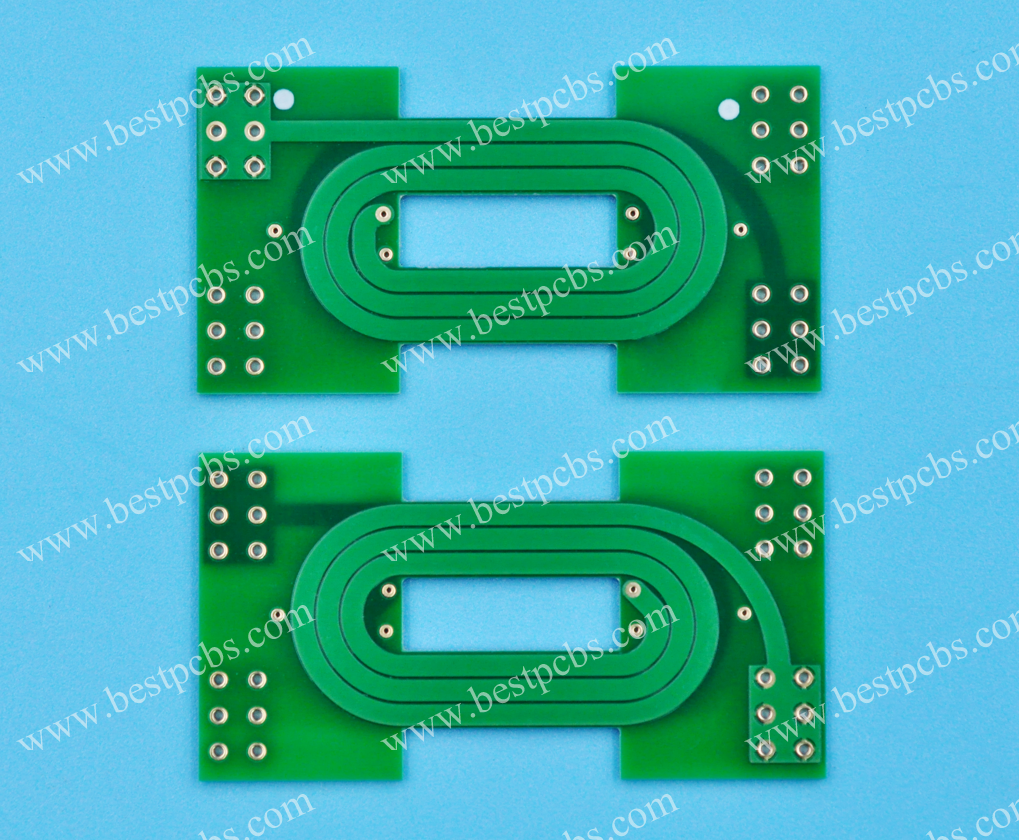
                        What is ICT Tester? Difference Between Flying Probe and ICT

                        October 16th, 2025

                        What is ICT tester? Let’s explore its components, pros and cons, function, working principle, detection type, difference between flying probe.

                        Are you worried about these questions?

                        • Is production line testing slowing you down? How to handle slow delivery and high costs for large orders?
                        • Can’t afford testing for small batches? Unit costs exceed budget, eating into your profits?
                        • Design changes causing delays? Fixture rework takes 2-4 weeks, stretching your timeline?

                        As a PCBA service supplier, EBest Circuit (Best Technology) can provide you service and solution:

                        • Dual-Mode Acceleration: Combine flying probe and ICT for 2000-point testing in 2 seconds, cutting delivery time by 40%!
                        • Cost Reduction: Modular programming and dynamic mapping slash unit costs by 80% for small batches!
                        • Fast Design Changes: Automated program adaptation completes test adjustments in 72 hours—no production stoppages!

                        Welcome to contact us if you have any request for PCBA service: sales@bestpcbs.com.
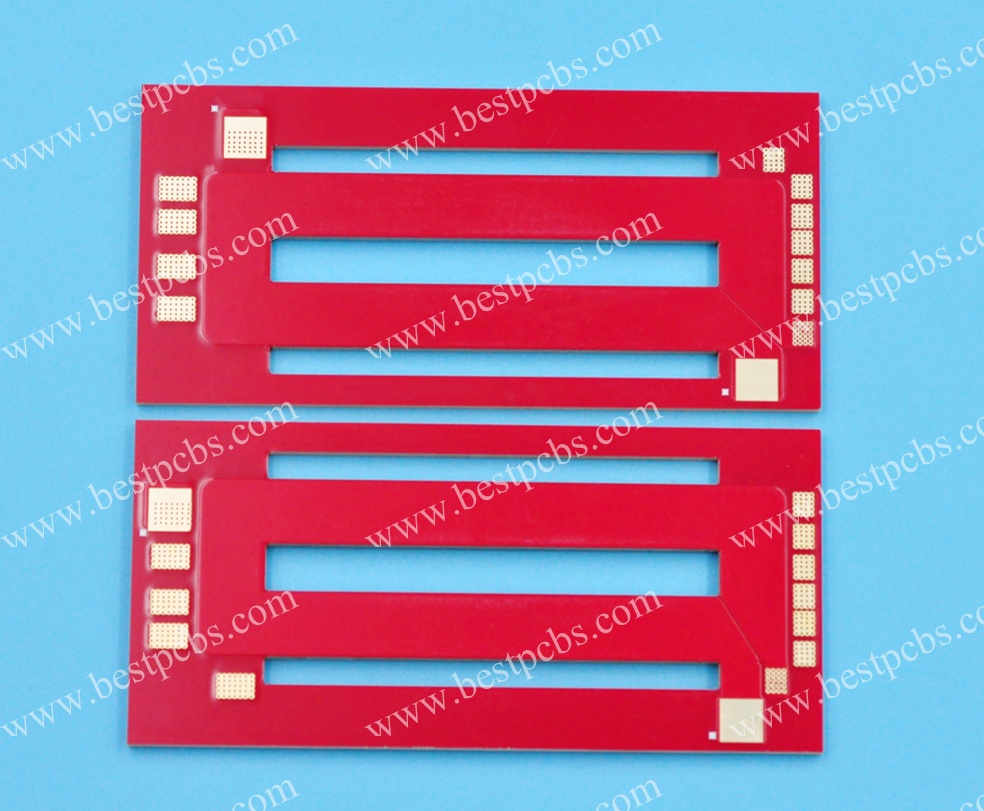
                        What is an ICT Tester?

                        ICT Tester( also called as in-circuit tester) is an automated device that utilizes a precision needle bed fixture to directly contact test points on a printed circuit board (PCB). Operating in a non-powered or component-isolated state, it rapidly detects assembly defects.

                        It is primarily used to identify physical faults such as solder shorts, opens, component misplacement or missing, and parameter value deviations, accurately pinpointing problem locations. As a critical testing tool in the electronics manufacturing process, it ensures the reliability of fundamental electrical connections on PCBs.

                        What is an ICT Tester?

                        What Are Components of In-Circuit Tester?

                        Components of In-Circuit Tester:

                        • Test Circuitry: Includes control circuits and switching circuits. The control circuit is responsible for testing component parameters (such as resistance, capacitance, and inductance). The switching circuit is used to connect the components to be tested and is typically composed of relays or CMOS semiconductor switches.
                        • Computer and Software System: Most sources mention that the ICT system includes a standard PC running the Windows operating system and ICT test software, which is used to control the test process, display results, and generate statistical data. The software also includes test programs, data analysis, and fault diagnosis modules.
                        • Mechanical Transmission and Pneumatic Systems: These include pneumatic clamps, limit switches, and vacuum chambers. The pneumatic clamp is driven by compressed air to press or lift the circuit board. The limit switch controls the downward position. The vacuum chamber may be used to secure the PCB or provide a vacuum environment.
                        • Power Supply System: Includes a programmable DC power supply (such as the HP6624) to power the test head and the PCB under test. It may also include a modular power supply (MPU) and a DUT power supply, providing different voltages and currents.
                        • Test heads and modules: For example, Agilent ICT test heads consist of the testhead, controller, and support bay. They feature a modular design, including ASRU cards (Analog Stimulus Response Units), control cards, and pin cards. Each module is responsible for a specific test function.
                        • Signal sources and measuring instruments: These instruments generate test signals (such as sine waves and pulses) and measure responses, including voltage comparators, D/A converters, A/D converters, and signal conditioning cards.
                        • Isolation technology: Voltage followers or isolation circuits designed with operational amplifiers prevent interference from other components during testing, ensuring accurate measurement of the DUT.
                        • Auxiliary components: These include probes (test needles), fixtures, induction boards (for TestJet testing), electrostatic protection materials (such as ESD bakelite), and counters (for recording test times).
                        • Data interfaces and communications: These include serial communication interfaces (such as RS-232) and GPIB interfaces, used to connect computers and test equipment to transmit control commands and test data.

                        What Are Pros and Cons of ICT Tester?

                        Pros of ICT Tester:

                        • High Coverage: Detects component connections and soldering defects on PCBs with extremely high coverage (typically approaching 100%).
                        • High Speed: The testing process is highly automated, typically completing a PCB test in seconds to tens of seconds.
                        • High Precision: Direct access to test points and electrical isolation technology ensure high measurement accuracy.
                        • Precise Defect Location: Can clearly pinpoint which component or pin has a specific type of defect (e.g., an open resistor or a poor solder joint on pin 5 of an IC), greatly facilitating repairs.
                        • High Defect Detection Rate: High detection capabilities for common physical defects introduced during the manufacturing process (open/short circuits, missing/missing components, and poor soldering).
                        • Suitable for High-Volume Production: Its high speed and high degree of automation make it ideal for high-volume testing on production lines.

                        Cons of Tester:

                        • High Fixture Cost: Custom bed-of-nails fixtures are time-consuming and expensive to develop, especially for complex, high-density boards.
                        • Test Point Dependency: Sufficient, accessible test points must be reserved during the PCB design phase. High-density designs (such as HDI boards and boards with many BGA components) make it difficult to place sufficient test points.
                        • Limited test coverage: Testing primarily tests static parameters and connectivity, but cannot verify circuit functionality and dynamic performance (such as clock frequency, signal integrity, and software operation). Functional testing capabilities for complex ICs are limited.
                        • Programming complexity: Developing efficient and comprehensive test programs requires expertise and time.
                        • Contact reliability: The quality of contact between the probe and the test point is critical; contamination, oxidation, and probe wear/deformation can affect test results.
                        • Device limitations: Devices that require power to operate (such as coils, relays, and some sensors) or devices completely enclosed in shielded enclosures cannot be tested.
                        What Are Pros and Cons of ICT Tester?

                        What is the Function of ICT Tester?

                        Function of ICT Tester:

                        • Connectivity Testing: Uses test probes to contact circuit board points, rapidly identifying open/short circuits and verifying correct signal path connectivity.
                        • Component Parameter Verification: Precisely measures electrical parameters (e.g., resistance, capacitance, inductance, voltage) of components (resistors, capacitors, diodes, transistors) against standards to detect out-of-tolerance parts.
                        • Functional Logic Validation: Simulates real-world operating conditions, injecting test signals to validate output responses of functional modules (ICs, optocouplers, power supplies) per design specifications.
                        • Process Defect Screening: Automatically detects welding issues (cold solder, missing solder, solder bridges), component misalignment, pin lift, and PCB trace breaks to prevent defective units from advancing.
                        • Polarity Verification: Employs dedicated techniques (e.g., third-pin excitation + spectrum analysis) to confirm correct polarity of electrolytic capacitors and parallel capacitor alignment.
                        • Integrated Circuit Specialized Testing: Supports functional testing of small/medium-scale ICs (logic chips, drivers) and memory devices (EEPROM/FLASH) to detect programming errors or anomalies.
                        • Automated Testing & Data Management: Enables fully automated testing via pre-programmed sequences, generating test reports with fault locations, measured values, and standards in 1–several seconds per board. Supports statistical analysis.
                        • Fault Localization: Pinpoints specific faults (e.g., resistor deviation, capacitor failure, IC pin contact issues) to reduce repair dependency on expertise and accelerate troubleshooting.
                        • Process Optimization: Analyzes defect data (e.g., solder bridge rate, component missing rate) to trace root causes (operator error, equipment precision) and drive process improvements.
                        • Safety & Cost Control: Utilizes low-current/voltage static testing to prevent component burnout; early defect detection reduces repair costs (production-end fault costs are ~1% of user-end costs per studies).
                        What is the Function of ICT Tester?

                        How Does an ICT Tester Work?

                        1. Test Preparation

                        • Test Point Design: During PCB design, standardized test pads/vias (diameter 0.8-1.2mm) are reserved. High-density boards use “flying probe test points” to avoid signal interference, while high-current paths require widened test points to reduce contact resistance. For example, mobile phone motherboard test points maintain 50-150g pressure for reliable contact without damaging pads.
                        • Program Development Logic: Test scripts are written using software like Teradyne/Keysight, based on Gerber files or schematics. Thresholds account for component tolerance stacking—e.g., a 100Ω±5% resistor sets 95-105Ī© as the pass range, triggering alarms for deviations.
                        • Positioning Technology: PCBs are secured via pneumatic/vacuum fixtures. Probe arrays use CCD vision calibration for micrometer-level contact accuracy, ensuring precise alignment with test points.

                        2. Open/Short Test

                        • Low-Voltage Pulse Detection: 1-10V pulses are injected into test points. Short circuits are detected via “star-resistance network” algorithms identifying unintended network connections. Open circuits are judged by “conduction resistance thresholds”—e.g., a line with 50mĪ© standard resistance is flagged as open if measured >1Ī©.
                        • Defect Traceability: A power path with abnormal high resistance triggers automatic backtracking to the nearest solder joint. Combined with X-ray inspection, voids or cold solder are identified, reducing debugging time from hours to minutes.

                        3. Component-Level Test

                        • Categorized Detection: Resistors use 4-wire Kelvin measurements to eliminate lead resistance; capacitors are tested via LCR meters for capacitance/loss angle; inductors are checked for Q-factor/DCR; diodes verify forward voltage/reverse breakdown; transistors test DC gain/leakage. For instance, a 0.1μF capacitor measured at 85nF (15% deviation) is rejected.
                        • Dynamic Threshold Adjustment: Temperature-sensitive components (e.g., thermistors) auto-compensate for ambient temperature. Threshold libraries update dynamically during mass production to address parameter drift, maintaining strict quality control.

                        4. Functional Test

                        • Chip-Level Verification: MCUs/FPGAs undergo JTAG boundary scan or analog stimulus to validate logic functions. A processor must pass “instruction set integrity tests” ensuring all registers/interfaces operate correctly.
                        • Power Module Dynamic Testing: Modules are tested under full/no-load and transient conditions for voltage ripple, efficiency, and overcurrent protection. A server PSU demonstrated <2% voltage fluctuation during 10ms load transitions, confirming robust dynamic response.

                        5. Result Analysis & Repair

                        • Intelligent Fault Reporting: Detailed reports include defect coordinates, component IDs, and fault types (open/short/parameter out-of-spec), linked to BOM/process data. For example, a failed C101 capacitor auto-flags its supplier batch for traceability.
                        • Repair Workflow: Technicians replace components/repair joints using precision tools based on reports. Post-repair retesting ensures full fault resolution. Statistics show ICT reduces downstream functional test failures by >80%, boosting production yield.

                        What Types of Defects Can the ICT Tester Detect?

                        1. Connectivity Defects

                        • Detection Scope: Open circuits, short circuits, broken wires, interlayer shorts/breaks in PCBs.
                        • Technical Principle: Micro-power signals are applied to test points via probe contacts to verify connectivity. For instance, four-wire resistance measurement precisely locates broken wires, while AC signals detect unintended shorts between adjacent traces.
                        • Case Example: Misaligned positioning holes post-PCB lamination causing surface-to-surface wire breaks are rapidly pinpointed by ICT.

                        2. Component Parameter Defects

                        Detection Range: Parameter deviations in resistors, capacitors, inductors, diodes, transistors, optocouplers, and ICs.

                        Technical Details:

                        • Resistors: Current injection and voltage measurement for resistance calculation (e.g., a 10kĪ© resistor measuring 500Ī© due to parallel resistance interference).
                        • Capacitors: AC signal-based capacitance measurement for small values; DC charge/discharge analysis for large capacitors (e.g., 40,000μF capacitor curve analysis).
                        • IC Pins: Forward/reverse voltage scanning of VCC/GND pins to identify soldering defects like cold joints.

                        3. Soldering Process Defects

                        Typical Issues: Solder bridges, component misplacement/reversal, lifted leads, voids, BGA solder ball shorts.

                        Innovative Techniques:

                        • Voltage Sensing: Surface pads detect pin bonding strength (e.g., signal attenuation in open-soldered IC pins).
                        • Boundary Scan (IEEE 1149.1): TDI/TMS/TCK/TDO signal links enable deep-pin testing without probes (e.g., U3 driving U1 to validate R1 soldering).

                        4. IC Functional Defects

                        Detection Targets: 74-series logic chips, memory modules, driver ICs.

                        Testing Methods:

                        • Vector Testing: Digital sequence input to verify logic outputs (e.g., pin interconnection signal response analysis).
                        • Functional Simulation: Power module stability under simulated inputs; op-amp gain error validation.

                        5. Polarity-Related Defects

                        • Key Cases: Reversed electrolytic capacitors, misoriented diodes, transistor pin misconnections.
                        • Technical Advances: DSP-based FFT spectral analysis with trigger signals on third pins for polarity verification (e.g., top-signal vs. anode/cathode reaction in capacitors).

                        6. LED Performance Defects

                        Metrics: Color deviation, uneven illumination, insufficient brightness, flickering, protocol failures.

                        Advanced Solutions:

                        • Fiber-Optic Spectrometers: Spectral composition and total flux measurement (e.g., T100L tester for micro-spot analysis across hundreds of LEDs).
                        • Flying Scan: Overcomes multi-chip LED interference for precise single/multi-chip module characterization.

                        7. Process-Induced Defects

                        • Problem Types: Missing components, wrong parts, PCB opens, test-point oxidation, fixture drilling inaccuracies (e.g., ±20μm tolerance control).
                        • Solutions: Learning-value comparisons (e.g., resistance tolerance bands T+/T-) and statistical fault localization (e.g., identifying R1 as the highest-failure component in a batch).

                        8. Dynamic Functional Defects

                        • Detection Scenarios: Post-power-on functional anomalies like power module ripple, digital timing errors.
                        • Implementation: Automated test programs simulate operational conditions with GPIB-integrated devices (e.g., Keithley 2000 multimeter for 0.1μV-1000V DC measurements).

                        9. Packaging & Structural Defects

                        • Special Cases: BGA solder ball shorts, bottom-terminated component (BTC) solder integrity, shielding effects from metallic enclosures (e.g., signal attenuation on chip surfaces).
                        • Countermeasures: X-ray inspection complemented by ICT; parallel PN-junction detection to bypass metallic shielding.

                        10. System-Level Defects

                        • Integrated Detection: Multi-device interconnection faults (e.g., open-soldered parallel IC pins); coverage of nodes without test points via hybrid boundary scan + voltage sensing.
                        • Data Value: Test results traceable to production batches for root-cause analysis (e.g., operator errors vs. PCB layout flaws causing thermal stress cracks).
                        What Types of Defects Can the ICT Tester Detect?

                        What is the Difference between a Flying Probe and ICT?

                        Test Principles and Equipment

                        • Flying Probe Test: Utilizes XYZ three-axis precision servo platforms with 20μm-diameter probes (ruby/tungsten-coated), integrated optical positioning (±5μm accuracy), vacuum adsorption platforms, and supports non-contact capacitance testing. Suitable for HDI boards, 3D-MID, and other irregular PCBs.
                        • ICT Test: Combines needle-bed fixtures with spring probe arrays (lifespan >500,000 cycles), integrates boundary scan (JTAG) technology, and can form an “optical + electrical” dual-verification system with AOI.

                        Flexibility and Adaptability

                        • Flying Probe Test: Dominant in R&D stages (e.g., automotive electronics BGA embedded capacitor testing). Program adjustments are plug-and-play, with rapid response to design changes (monthly frequency >3 times). For small-batch medical devices (<500 pieces/year), it saves 80% fixture costs.
                        • ICT Test: Dominates mass production (e.g., iPhone PCB lines testing 1,200 pieces/hour with 3-year fixture lifespan). Achieves 99.9% yield in power module testing but requires 2-4 weeks to redevelop fixtures for design changes.

                        Test Speed and Efficiency

                        • ICT: Excels in parallel testing, completing 2,000 test point contacts in 2 seconds.
                        • Flying Probe Test: Single-board test takes ~2 minutes (60x slower), but high-density boards (50μm line width) can reduce to 30 seconds via multi-probe synchronization.

                        Cost Structure

                        • Flying Probe Test: Equipment costs Ā„500,000–2,000,000, per-piece testing cost Ā„1–5, ideal for annual volumes <5,000 pieces.
                        • ICT Test: Fixture development costs Ā„100,000–500,000, per-piece cost <Ā„0.1, with significant total cost advantages for volumes >100,000 pieces.

                        Test Coverage and Capabilities

                        • ICT: Detects shorts/opens, capacitor tolerance (±1%), inductor Q-value, supports boundary scan chain testing, and direct contact with power planes.
                        • Flying Probe Test: High precision for passive components (e.g., 0201 resistors ±0.5%) but requires functional testers for complex logic functions.

                        Applicable Scenarios

                        • Flying Probe Test: Aerospace prototype validation, rapid adaptation of new energy battery management systems, small-batch high-reliability PCB testing.
                        • ICT Test: Mass production in smart home appliances and industrial controls (e.g., air conditioner boards with annual output >1 million pieces), integrated with MES for quality traceability.

                        PCB Design Requirements

                        • ICT: Requires test point spacing ≄0.5mm, concentrated at edges to reduce fixture costs; Altium and other tools support automatic layout optimization.
                        • Flying Probe Test: No strict test point design requirements, but high-density designs must consider probe accessibility (e.g., avoiding shielding by large components).

                        Technological Trends

                        • Flying Probe Test: Evolving toward “4D”, higher precision (probes ≤15μm), faster speed (≄500mm/s movement), higher density (>16 probes), and AI-driven defect classification.
                        • ICT Test: Focused on “3C”, modularization (quick-swap modules), integration (functional test + AOI), and greening (reduced fixture wear).

                        Welcome to contact us if you have any other issues about difference between flying probe and ICT: sales@bestpcbs.com.
                        Electronic Manufacturing Services, Electronic Manufacturer in China

                        October 14th, 2025

                        What is electronic manufacturing services? Let’s compare different electronic manufacturers in USA, UK, Canada, France, Australia through this blog.

                        Are you worried about these problems?

                        • How to ensure stable delivery amid supply chain fluctuations causing production delays?
                        • How to reduce costs for small-batch, multi-variety orders?
                        • How to quickly validate products amid rapid tech iteration and long R&D cycles?

                        As an electronic manufacturer, EBest Circuit (Best Technology) can provide you service and solutions:

                        • Rapid Delivery: 20-year supply chain pool + smart scheduling cuts bulk order delivery by 30%, 24-hour rapid prototyping for small batches.
                        • Cost Optimization: Modular design + flexible line reduces per-unit cost by 15%, seamless scaling from 1 to 10,000+ pieces.
                        • R&D Acceleration: End-to-end “design-prototype-test” service, 72-hour prototype validation, shrinks time-to-market gap.

                        Welcome to contact us if you have any request for electronic manufacturing service: sales@bestpcbs.com.
                        What is Meaning of Electronic Manufacturing Services?

                        Electronics Manufacturing Services (EMS) refers to an industry dedicated to providing full-process outsourcing solutions for electronic brand owners. It covers the entire process from product design, engineering development, raw material procurement and management, manufacturing (such as PCB assembly and system integration), testing and verification (including circuit, functional, and environmental testing), logistics distribution, to after-sales maintenance.

                        Unlike traditional OEM (focused solely on contract manufacturing) or ODM (combining design and production), EMS achieves vertical integration of supply chain management, quality control, regulatory compliance adaptation, and global logistics networks. This enables brand owners to concentrate on core R&D and market expansion while reducing production costs, shortening time-to-market, and enhancing operational efficiency.

                        Typical services include end-to-end “design-manufacturing-after-sales” solutions for clients in sectors like communications equipment, medical electronics, and automotive electronics, forming a globally distributed manufacturing network through large-scale production and intelligent management, thereby serving as an indispensable “manufacturing hub” in the electronics industry chain.

                        What is Meaning of Electronic Manufacturing Services?

                        Why Choose Electronic Manufacturing Services?

                        Benefits of electronic manufacturing services:

                        • Full-Process Design Optimization Support: Through DFM (Design for Manufacturability) analysis, over 80% of manufacturability issues can be identified early, reducing design iteration cycles by 30%. This allows designers to focus on core innovation rather than production adaptation challenges.
                        • Scalable Cost Control: Centralized procurement and supply chain integration optimize material costs, with bulk purchasing strategies reducing component costs by 15-25%. Automated production lines minimize manual intervention, lowering manufacturing costs by approximately 20%, while lean production reduces waste rates and enhances resource utilization.
                        • Multi-Tier Quality Assurance System: Combining AOI (Automated Optical Inspection), X-ray testing, and functional testing ensures PCB reliability. The testing protocol includes six core inspection categories, maintaining defect rates below 0.03%, significantly outperforming industry averages. This reduces post-launch maintenance costs and product recall risks.
                        • Rapid Time-to-Market & Flexible Production Capacity: Vertical integration of manufacturing resources shortens product launch cycles, reducing prototype-to-mass-production timelines by 40%. Scalable production supports dynamic needs from small-batch prototyping to large-scale manufacturing, eliminating the fixed costs of in-house production lines.
                        • Supply Chain Risk Mitigation: Global supplier network management provides inventory buffering and logistics optimization. During component shortages, multi-source procurement strategies safeguard critical component supply, preventing project delays. Smart logistics systems minimize transportation damage and delivery time variability.
                        • Technical Knowledge Sharing: Accumulated industry expertise enhances design optimization. Access to process databases and case libraries helps engineers rapidly identify optimal manufacturing parameters, reducing trial-and-error costs. Shared test data accelerates product iteration cycles and boosts R&D efficiency.
                        Why Choose Electronic Manufacturing Services?

                        Applications of Electronic Manufacturing Service

                        • Communications equipment manufacturing: such as base station equipment and routers, requires high-precision assembly and testing.
                        • Medical electronics: such as medical imaging equipment and monitors, demand high reliability and compliance.
                        • Automotive electronics: such as in-car entertainment systems and autonomous driving modules, involve complex supply chains and quality control.
                        • Industrial control: such as PLCs and sensor modules, require durability and environmental adaptability.
                        • Consumer electronics: such as smartphones and tablets, require rapid iteration and large-scale production.

                        Electronic Manufacturing Services USA​

                        Below are electronic manufacturer in USA:

                        • Jabil Inc.: A global leader in electronic manufacturing services (EMS), headquartered in Florida, offering integrated design, manufacturing, and supply chain solutions across medical, automotive, consumer electronics, and other industries.
                        • Flex Ltd.: Renowned for end-to-end EMS capabilities spanning design engineering to full-scale production, with expertise in medical, automotive, and consumer electronics sectors, backed by a global manufacturing footprint.
                        • Sanmina Corporation: Based in San Jose, California, this EMS provider specializes in PCB assembly and comprehensive manufacturing services, operating production facilities across the U.S., Europe, and Asia to support multinational clients.
                        • Plexus Corp.: Headquartered in Neenah, Wisconsin, it delivers tailored electronic manufacturing solutions for diverse industries through production sites in the U.S., Europe, and Asia, emphasizing technical precision and quality control.
                        • Benchmark Electronics: With its headquarters in Tempe, Arizona, this contract manufacturer supports clients through a distributed production network spanning the U.S., Mexico, and Asia, enabling cost-effective scaling and rapid deployment.
                        • Celestica Inc.: A supply chain-centric EMS firm that extends its capabilities across the electronics manufacturing value chain, leveraging global resources to optimize client operations.
                        • TTM Technologies: Focused on advanced PCB technology development and manufacturing, this company excels in high-precision circuit board solutions for demanding applications.
                        • RUSH PCB Inc.: Located in Silicon Valley, it provides flexible EMS from low-volume prototypes to high-volume production, catering to automotive, industrial, and telecommunications sectors with agile manufacturing processes.
                        • STAR ENGINEERING, INC: A contract manufacturer specializing in high-reliability circuit board production for aerospace, automotive, marine, and medical markets, adhering to stringent quality and compliance standards.
                        • Flash PCB: A U.S.-based EMS provider dedicated to PCB design, fabrication, and assembly, serving niche markets such as medical, aerospace, and defense with specialized engineering expertise.
                        Electronic Manufacturing Services USA​

                        Electronic Manufacturing Services UK

                        Below are electronic manufacturer in UK:

                        • TT Electronics plc: Offers specialized electronic manufacturing services including design, testing, surface-mount and through-hole assembly, serving markets in the UK, Europe, North America, and China.
                        • FermionX: Leading UK South Coast EMS provider with 3 SMT production lines, delivering services from PCB assembly to complete electromechanical integration, holding certifications such as ISO 13485 and ISO 9001.
                        • Esprit Electronics: With over 30 years of experience, delivers comprehensive EMS solutions including supply chain management, new product introduction, SMT/through-hole processes, and end-to-end packaging/logistics for UK/European markets.
                        • Electronic Technicians Ltd (ETL): Boasts over 40 years of contract electronics manufacturing expertise, providing full-spectrum contract manufacturing services.
                        • GB Electronics (UK) Ltd: Specializes in power electronics and complex hybrid assembly for medical, industrial, and scientific instrumentation, with expertise in multi-core cable assembly and electromechanical construction.
                        • Welwyn Systems Ltd: Part of the TT Electronics Group, focused on professional design and testing services.
                        • AB Electronic Assemblies: Also under TT Electronics Group, this South Wales-based contract manufacturer delivers tailored electronics solutions.
                        • Time Electronics Ltd: Since 1967, dedicated to designing and manufacturing calibration, test, and measurement instruments, covering electronic device assembly and production.

                        Electronic Manufacturing Services Canada​

                        Below are electronic manufacturer in Canada:

                        • Celestica: A global EMS leader providing design, manufacturing, and supply chain solutions for computing, communications, medical, and aerospace industries. Services span full product lifecycle including prototyping, testing, and global logistics.
                        • Creation Technologies: Specializes in high-complexity, medium-to-low volume electronics manufacturing serving aerospace, medical, and industrial technology sectors. Operates 13 facilities across Canada, USA, Mexico, and China, delivering end-to-end solutions from design to delivery.
                        • Vexos: Offers comprehensive EMS and custom material solutions for medical, automotive, communications, and defense markets. With factories in Canada, USA, China, and Vietnam, emphasizes rapid prototyping and new product introduction (NPI).
                        • Sanmina: Global EMS provider with Ottawa-based design center focused on RF, optical, and microelectronics development. Delivers technology-intensive solutions for communications, medical, and industrial applications.
                        • Flex: Though headquartered in Singapore, maintains Canadian design hubs supporting client product development through its “Sketch to Scale” program. Services cover communications, consumer electronics, and automotive sectors.
                        • Jabil: EMS giant with Ottawa operations specializing in optical communications and data center infrastructure manufacturing. Provides full-flow services from design to testing for communications, medical, and industrial clients.
                        Electronic Manufacturing Services Canada​

                        Electronic Manufacturing Services France​

                        Below are electronic manufacturer in France:

                        • Asteelflash Group: Headquartered in France, this EMS provider offers end-to-end electronic manufacturing services spanning R&D design, NPI (New Product Introduction), rapid prototyping, material procurement, production, testing, and after-sales support. It serves sectors including aviation, industrial equipment, medical devices, and telecommunications. Notably, the company was acquired by USI (Universal Scientific Industrial) in 2019.
                        • Ɖolane (Yilan): Established in 1975, Ɖolane is a French EMS leader with over 40 years of expertise. Specializing in electronics manufacturing and engineering services, it caters to industrial, medical, automotive, and communication sectors. Its longstanding experience ensures reliable solutions for complex technical requirements.
                        • Cofidur EMS: A French EMS company focused on aviation and industrial electronics, while also extending services to medical, telecommunications, and PC industries. It combines precision engineering with scalable production capabilities to meet diverse client needs.
                        • Lacroix Electronics: Primarily serving the industrial sector, Lacroix also operates in aviation, medical electronics, and automotive segments. Its services emphasize robust production processes and adherence to stringent quality standards across multiple high-reliability industries.
                        • ALL CIRCUITS: Recognized as a notable French EMS contract manufacturer, ALL CIRCUITS holds a position in global EMS rankings. It delivers flexible production solutions tailored to various electronics applications, maintaining competitive edge through technical proficiency and responsive supply chain management.

                        Australian Electronic Manufacturing Services​

                        Below are electronic manufacturer in Australia:

                        • Entech Electronics: Established in 1986 and headquartered in Adelaide, South Australia, this Australian-owned contract manufacturer specializes in PCB assembly, electromechanical integration, and HMI solutions. Serving IoT, medical, aerospace, industrial electronics, and mining sectors, with production facilities in Adelaide and Shenzhen, China.
                        • Wavetronics: Based in Sydney, offering full-spectrum EMS including SMT/through-hole assembly, prototype development, system integration testing, and material procurement. Serves major Australian brands with emphasis on technical training and automated production.
                        • SRXGlobal: Headquartered in Sydney with operations in Melbourne, Singapore, and Malaysia. Provides electronic design, engineering development, and manufacturing solutions for medical, industrial, defense, and communications sectors. Strengths include cross-border supply chain management and high-standard production processes.
                        • Circuitwise: Sydney-based PCB assembly specialist holding ISO 13485 medical device manufacturing certification. As a 100% Australian-owned enterprise, profits remain domestically. Primarily serves medical technology innovation needs.
                        • Microconsultants Pty Ltd: Founded in the 1980s in Frankston, Victoria. Offers contract design and manufacturing services for medium-to-small batch high-quality production. Utilizes a flexible “cottage industry” model integrating experienced technicians.
                        • GPC Electronics: Former chair of the Australian Electronic Manufacturing & Communications Equipment Association (AEEMA). Specializes in telecom equipment contract manufacturing, leveraging local supply chains (metal/plastic components) and representing early industry cluster development.
                        • General Power Controls: Established in the 1980s in Penrith, NSW. Assembles computing, communications, amplifiers, and appliance control systems. Emphasizes automation to reduce import dependency while serving local SMEs.

                        Why Choose EBest Circuit (Best Technology) as Electronic Manufacturer in China?

                        Reasons why choose us as electronic manufacturer in China:

                        • Full-link quality control system: Implementing dual ISO 9001/IATF 16949 certified processes from raw material intake to finished product shipment. Equipped with German SMT machines and AOI intelligent inspection systems, defect rates are controlled below 0.3%, significantly outperforming industry averages and ensuring zero-defect delivery.
                        • Cost optimization through value engineering: Leveraging DFM analysis for design optimization and Yangtze River Delta supply chain cluster advantages, achieving 15-20% material cost reduction while maintaining EU ROHS compliance. This provides clients with cost-effective solutions without compromising quality.
                        • Flexible manufacturing and rapid response: Supports seamless transition from small-batch prototyping (starting at 500 units) to mass production. Features 7-day rapid prototyping cycles and 21-day standard lead times, with dynamic capacity allocation systems enabling exceptional responsiveness to urgent orders.
                        • Core technology R&D capabilities: Boasts 32 patents covering precision PCB design and EMC solutions, with proven expertise in 5G communication modules and new energy vehicle BMS systems, positioning at the forefront of industry technical development.
                        • Production transparency through digital systems: Client-dedicated MES systems provide real-time production data synchronization, enabling 24/7 online monitoring of critical processes. Weekly progress reports ensure transparent supply chain management and reduced client communication overhead.
                        • Global compliance and regulatory assurance: Products certified to CE, FCC, UL standards with dedicated compliance teams tracking regulatory updates. This mitigates market access risks associated with certification non-compliance for international clients.
                        • Customized R&D services: Full-process support from concept design to mass production, staffed by 20 senior engineers completing over 50 client customization projects annually. Supports flexible ODM/OEM collaboration models tailored to client needs.

                        Welcome to contact us if you have any request for electronic manufacturing services​: sales@bestpcbs.com.