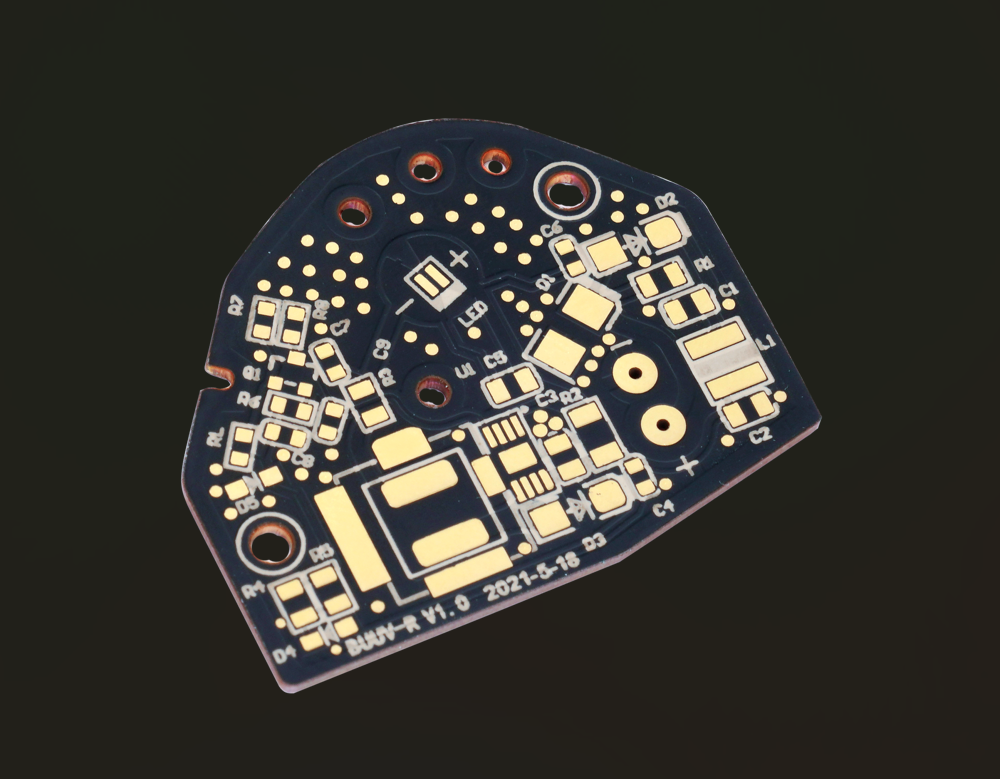
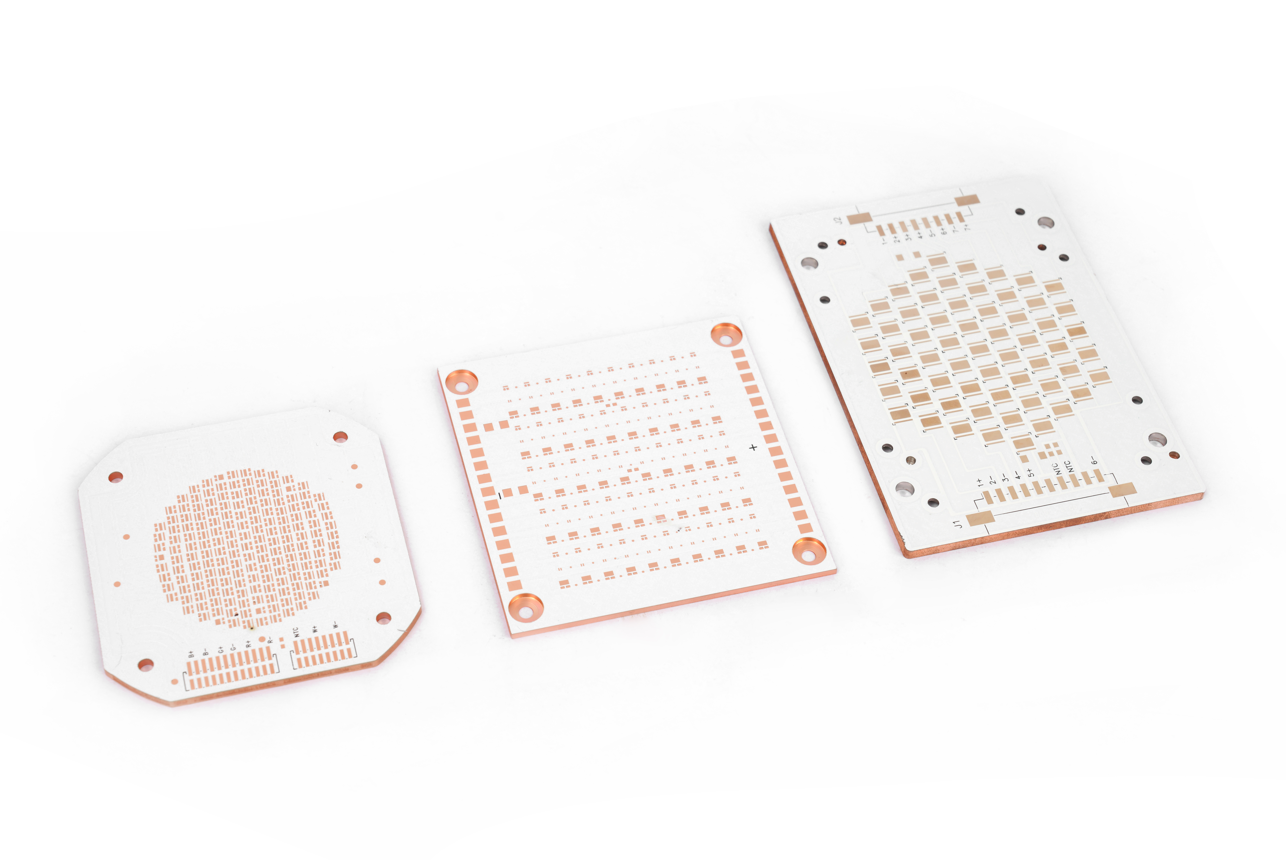
PCB manufacturing PCB manufacturing
Home > Blog

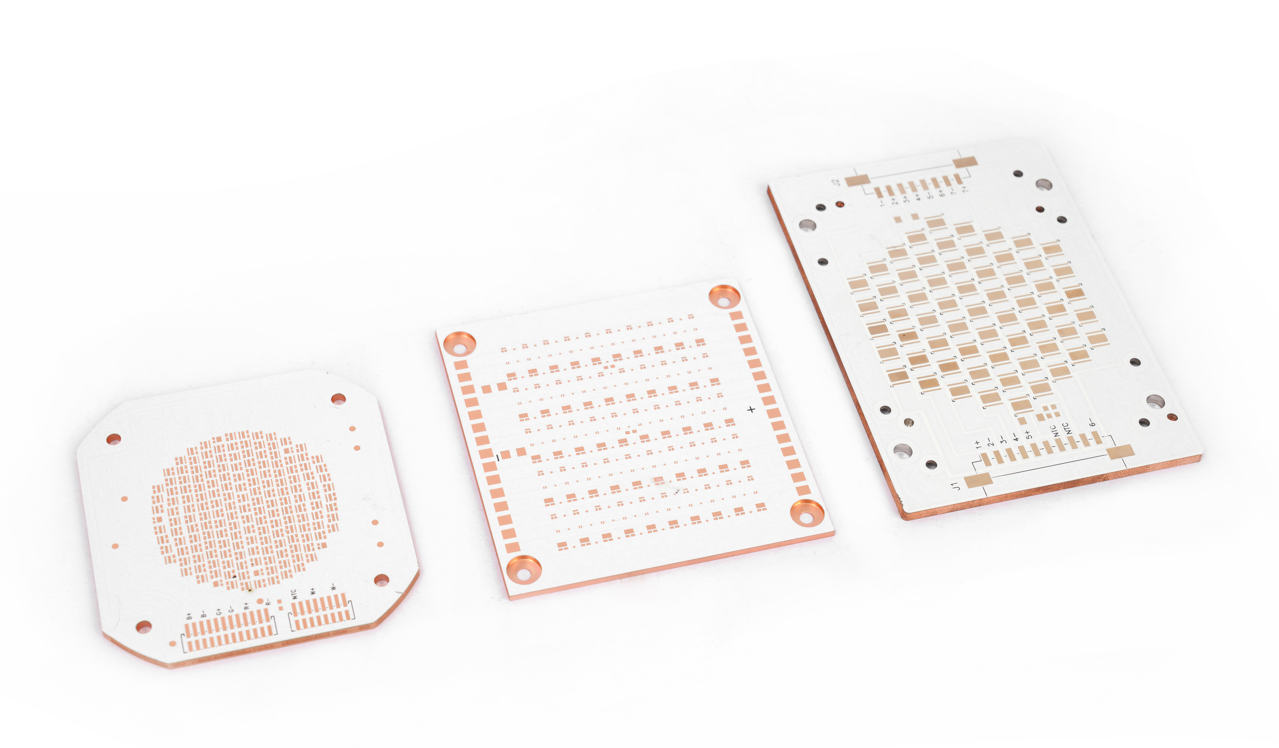
1 Layer MCPCB for Outdoor Solar Cells, Fast Turnaround

July 4th, 2025

Why choose 1 Layer MCPCB for outdoor solar cells?‌ This guide explores its structure, thermal advantages, and reliability enhancements for harsh environments.

Solar Energy Innovators:‌ Are you struggling with:

  • Heat-induced efficiency loss in outdoor solar arrays?
  • Slow prototyping delaying your time-to-market?
  • Environmental degradation shortening product lifespan?

EBest Circuit (Best Technology) Can Provide You:

  • 24H rapid prototyping – accelerate R&D cycles
  • Ultra-optimized thermal paths – 40% better heat dissipation vs standard boards
  • Aerospace-grade durability – IP68 aluminum substrate withstands UV/moisture/salt spray

Request your free thermal simulation report today: sales@bestpcbs.com.

What Is A 1 Layer MCPCB?

A 1 Layer MCPCB (Metal Core Printed Circuit Board) is a specialized circuit board featuring a single conductive copper layer bonded to a metal substrate, usually aluminum. The metal core efficiently transfers heat away from components, making it ideal for high-power applications where thermal management is essential.

The structure consists of three main parts: a metal base for heat dissipation, a dielectric layer for electrical insulation, and a single copper layer for circuitry. This design ensures effective cooling while maintaining electrical isolation. Though simpler than multi-layer boards, it offers excellent thermal performance for LED lighting, power electronics, and automotive systems.

With its straightforward layout, a 1 Layer MCPCB balances cost-effectiveness and reliability, making it a preferred choice for heat-sensitive electronics requiring durability and efficient thermal regulation.

What Is A 1 Layer MCPCB?

How thick Is a 1 layer MCPCB?

Here’s a structured breakdown of typical thickness specifications for a 1 Layer MCPCB:

Metal Core Thickness

  • The base metal layer (usually aluminum) typically ranges from 1.0mm to 3.0mm, with 1.5mm and 2.0mm being most common for standard applications.
  • Thicker cores (e.g., 3.0mm+) may be used for extreme heat dissipation needs.

Dielectric Layer Thickness

  • The insulating layer between the metal core and copper ranges from 50”m to 150”m (0.05mm to 0.15mm).
  • Thinner dielectrics improve heat transfer but require precise manufacturing.

Copper Layer Thickness

  • The single conductive copper layer is commonly 1oz (35”m) or 2oz (70”m) but can go up to 3oz+ for high-current designs.

Overall Board Thickness

  • Total thickness typically falls between 1.2mm to 3.2mm, depending on the combined layers.
  • Example: A standard 1.5mm aluminum core + 100”m dielectric + 1oz copper ≈ 1.6mm total.

Customization Factors

  • Thickness can be adjusted based on thermal, mechanical, or electrical requirements.
  • Thinner boards suit compact designs, while thicker variants enhance rigidity and heat spreading.

What Is the Dielectric Layer of the 1 Layer MCPCB?

The dielectric layer in a ‌1 Layer MCPCB‌ serves as the electrically insulating yet thermally conductive interface between the metal core and copper circuit layer. Here’s a structured breakdown of its characteristics:

  • Primary Function: Electrically isolates the copper circuitry from the metal base (typically aluminum) while efficiently transferring heat from components to the metal core.
  • Material Composition: Often consists of polymer-based composites (e.g., epoxy resins) filled with thermally conductive ceramics (alumina, boron nitride) to enhance heat dissipation.
  • Thermal Performance: Anisotropic microstructures in advanced dielectric layers can improve thermal diffusivity by optimizing filler connectivity, reducing thermal resistance in high-power applications.
  • Thickness Range: Typically measures 50–150”m (0.05–0.15mm), balancing electrical insulation and thermal transfer efficiency.
  • Impact on LED Performance: Inefficient dielectric layers may lead to higher junction temperatures in LEDs, reducing luminous output and efficiency.

What Is the Use of 1 Layer MCPCB?

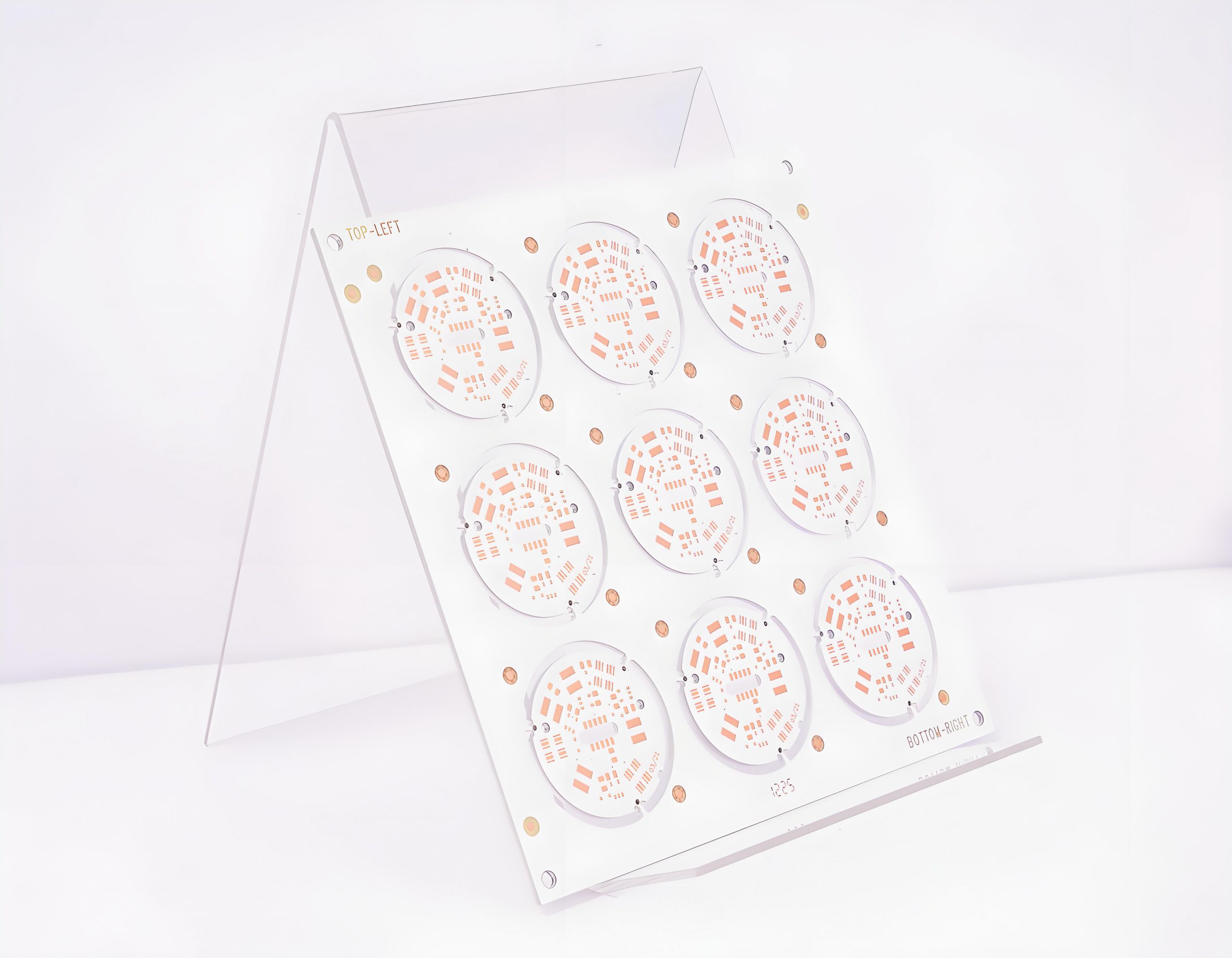
Uses of 1 Layer MCPCB:

  • High-Power LEDs – Directs heat away from LEDs, keeping them cool for brighter, longer-lasting light.
  • Power Electronics – Manages heat in devices like inverters or motor drivers, ensuring stable performance under heavy loads.
  • Automotive Systems – Withstands heat and vibrations in car lights or control units, even in tough conditions.
  • RF/Microwave Devices – Reduces overheating in radios or antennas, maintaining clear signal strength.
  • Solar Equipment – Keeps solar charge controllers or inverters efficient by handling sunlight-generated heat.
  • Industrial Sensors – Durable design for factory sensors exposed to heat, dust, or movement.
  • Compact Gadgets – Slim, heat-friendly boards for laptops or gaming devices with powerful chips.
What Is the Use of 1 Layer MCPCB?

Why Choose 1 Layer MCPCB for Outdoor Solar Cells?

  • Heat Dissipation: Metal core efficiently conducts heat away from solar cells, preventing overheating and maintaining optimal conversion efficiency even under direct sunlight.
  • Temperature Stability: Withstands outdoor temperature fluctuations, reducing thermal stress on components and ensuring consistent performance during day-night cycles.
  • Durability in Harsh Conditions: Resists moisture, dust, and UV exposure, making it suitable for long-term outdoor use without degradation.
  • Cost-Effective Design: Simpler structure lowers production costs while still delivering reliable thermal management for solar applications.
  • Enhanced Lifespan: By keeping components cooler, it reduces wear and tear, extending the operational life of solar charging systems or inverters.

How to Enhance 1 Layer MCPCB Heat Dissipation to Extend Outdoor Solar Cells Lifespan?

  • Choose High-Conductivity Substrates: Use copper (385 W/m·K) for the metal core if weight allows. For lighter builds, select 1.5mm+ thick aluminum (237 W/m·K) with a matte finish to boost radiative cooling under sunlight.
  • Use Advanced Dielectric Materials: Replace standard epoxy with ceramic-filled polyimide (1.5–3 W/m·K) in the insulating layer. This cuts thermal resistance by 40–60%, accelerating heat transfer to the substrate.
  • Maximize Thermal Via Efficiency: Drill 0.3mm copper-plated vias beneath heat-generating components (e.g., diodes, MPPT chips) at 1mm spacing. Arrange vias in a grid pattern to create vertical heat pathways.
  • Integrate Passive Cooling Elements: Attach finned aluminum heat sinks (10–20mm tall) to the MCPCB’s backside. In compact spaces, use graphite sheets (1,500 W/m·K) or vapor chambers to spread heat evenly across the substrate.
  • Apply Emissivity-Enhancing Coatings: Coat the metal core’s exterior with black ceramic paint (emissivity >0.85). This increases infrared radiation, helping the board shed heat faster under direct solar exposure.
  • Optimize Component Layout: Place high-power components (e.g., transistors) away from solar cell active zones. Use thermal gap pads (2–4W/m·K) to ensure direct contact between parts and the MCPCB surface.
  • Validate with Thermal Modeling: Use ANSYS Icepak or similar tools to simulate heat flow. Adjust via patterns, material thickness, or component positions based on hotspot analysis (e.g., reduce via spacing in 50°C+ zones).
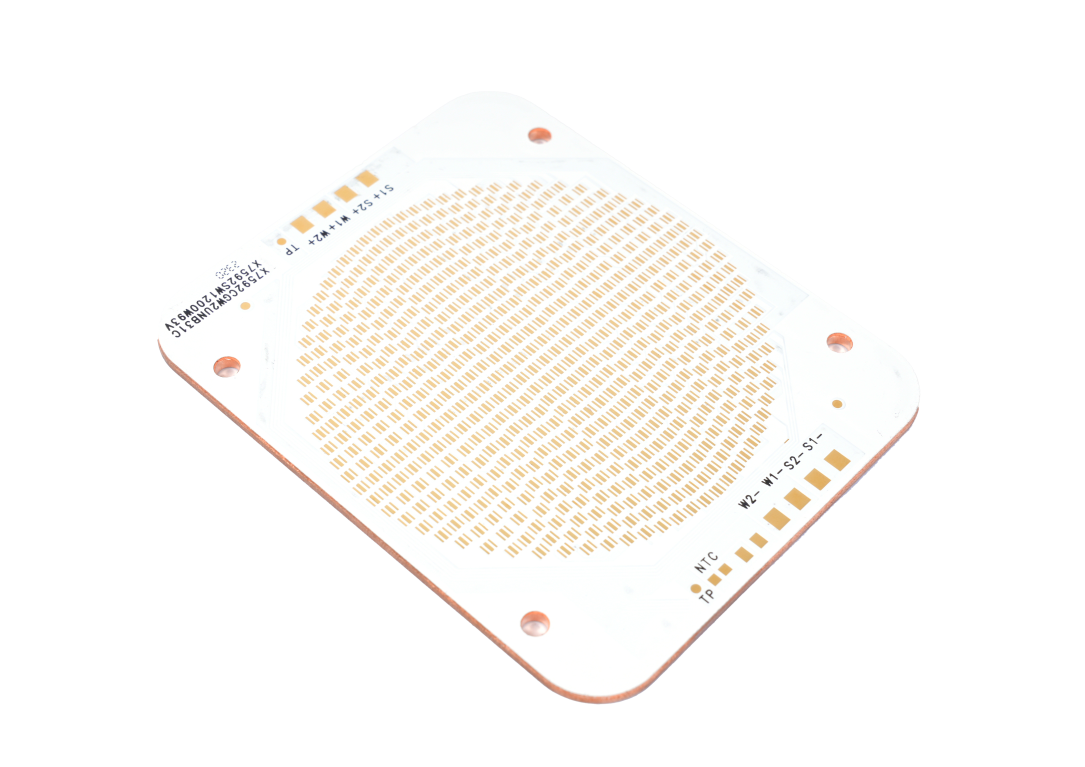
How to Enhance 1 Layer MCPCB Heat Dissipation to Extend Outdoor Solar Cells Lifespan?

How to Improve 1-Layer MCPCB Reliability for Outdoor Solar Cells?

Select Durable Materials

  • Use aluminum (lightweight, corrosion-resistant) or copper (high conductivity) for the metal core. Pair with polyimide or modified epoxy dielectric layers to resist moisture and delamination while ensuring efficient heat transfer.

Boost Thermal Performance

  • Increase thermal via density under high-heat components (e.g., solar charge controllers) to direct heat to the metal base. Thicken the substrate (e.g., 2mm aluminum) or add external heat sinks for passive cooling, reducing active system reliance.

Apply Protective Coatings

  • Coat circuits with UV-resistant, waterproof conformal coatings (e.g., silicone for coastal areas) to shield solder joints and traces from humidity, dust, and salt spray.

Use Robust Components

  • Choose outdoor-rated parts (e.g., capacitors rated for -40°C to 125°C) and high-reliability solder (e.g., SAC305).

Strengthen Design and Test

  • Match dielectric layer CTE to metal and copper traces to prevent cracking. Secure edges with epoxy or fasteners for vibration resistance. Validate with 1,000+ hours of 85°C/85%RH damp heat, thermal shock (-40°C to 125°C), and salt-spray tests.
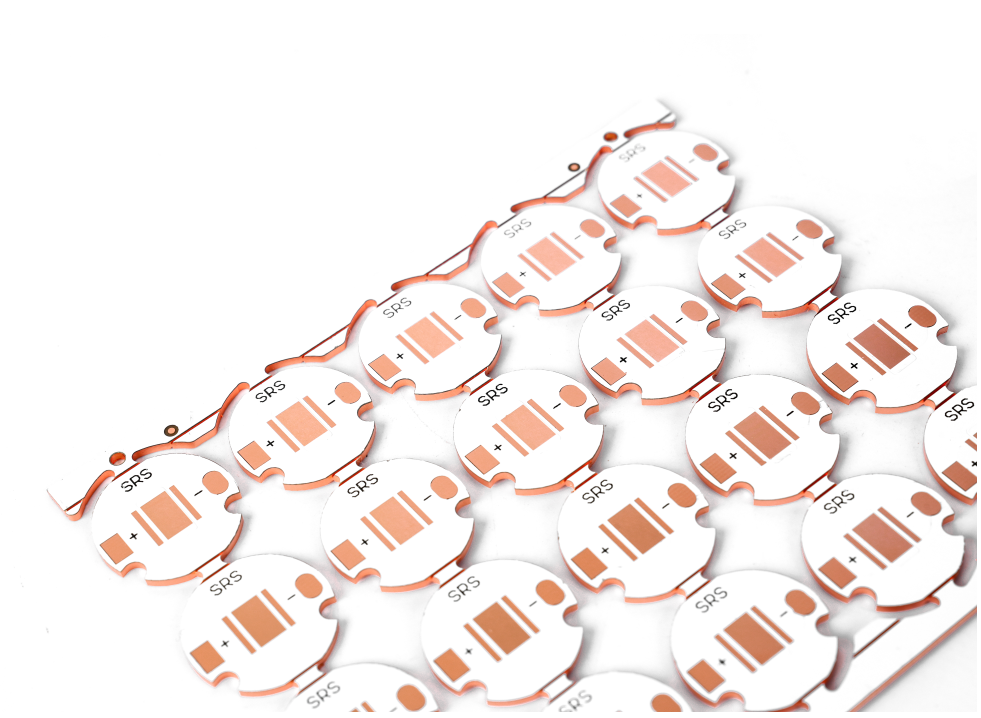
How to Improve 1-Layer MCPCB Reliability for Outdoor Solar Cells?

How to Enhance 1-layer MCPCB Durability for Harsh Outdoor Conditions?

Use Corrosion-Resistant Substrates

  • Select anodized aluminum (5052 alloy) for coastal or industrial areas. Anodizing creates a 5–25”m oxide layer that resists salt and moisture. In extreme corrosion environments, choose 316 stainless steel despite its higher weight.

Apply Multi-Layer Protective Coatings

  • Coat circuits with a 50–100”m silicone-based layer (e.g., Dow Corning 1-2577) to block moisture and dust. Add a 20–30”m acrylic topcoat for scratch resistance, focusing on solder joints and exposed traces.

Reinforce Mechanical Stability

  • Thicken the dielectric layer to 100”m polyimide to reduce flexing under thermal stress. Secure board edges with epoxy adhesive or aluminum brackets to prevent warping from temperature swings (-40°C to 125°C) or vibration.

Choose Outdoor-Rated Components

  • Use IP67-rated capacitors, resistors, and connectors with a -40°C to 125°C operating range. Select gold-plated contacts for connectors to resist tarnishing in humid environments.

Match Thermal Expansion Properties

  • Select dielectric layers with a coefficient of thermal expansion (CTE) close to aluminum (23–24 ppm/°C). Ceramic-filled polyimide (CTE 12–18 ppm/°C) reduces stress on copper traces during temperature fluctuations.

Validate with Accelerated Aging

  • Perform 2,000-hour thermal cycling (-40°C to 125°C, 1-hour dwells) and 96-hour salt-spray tests (ASTM B117). Include UV exposure (ISO 4892-3) to confirm coating integrity under prolonged sunlight.

Conclusion

In summary, 1 layer MCPCBs provide an efficient thermal management solution for outdoor solar cells with their optimized metal core structure, dielectric layer design, and enhanced durability features. By improving heat dissipation through material selection and layout optimization, these boards significantly extend solar cell lifespan while withstanding harsh environmental conditions. For projects requiring fast turnaround and reliable performance, our customized 1-layer MCPCB solutions offer the perfect balance of cost-effectiveness and thermal efficiency. Contact us today for a competitive quote: sales@bestpcbs.com.
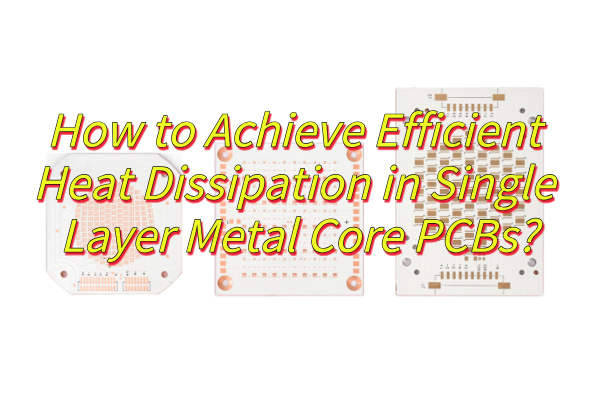
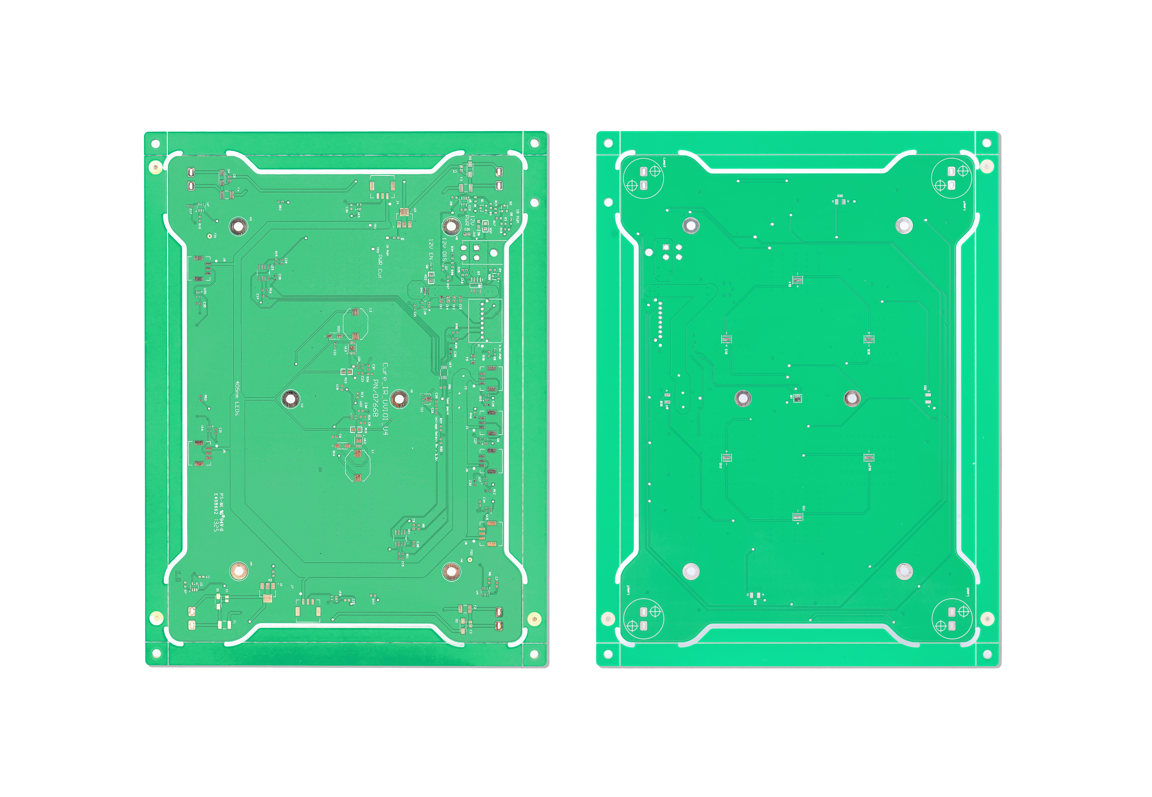
Single Layer Metal Core PCB & PCBA Service

July 3rd, 2025

Why choose single layer metal core PCBs for your thermal management solution? This comprehensive guide explores seven essential technical aspects from heat dissipation optimization to cost-effective assembly methodologies for reliable metal core PCB applications.

Are you troubled by the following problems?

  • LED lighting/power supply equipment has a shortened life due to insufficient heat dissipation?
  • Traditional FR4 board performance degradation in high temperature environment?
  • Unstable welding process causes early failure of components?
  • Structural deformation caused by mismatch of thermal expansion coefficient?

EBest Circuit (Best Technology) provides you with industry-leading solutions:

  • Precise thermal design: Achieve 8-12W/mK directional thermal conductivity through aluminum/copper substrate selection + thermal conductive adhesive optimization combination
  • Electrical reliability guarantee: Adopt dielectric layer thickness control technology (tolerance ±0.05mm) to ensure high-voltage insulation performance
  • Welding process package: Exclusive reflow soldering temperature curve development to solve the cold welding problem caused by heat absorption of metal substrates
  • Cost optimization solution: Reduce 30% material waste through intelligent matching of substrate thickness (1.0-3.2mm optional)

Let your product say goodbye to overheating and frequency reduction, contact us now to get the “Metal-based PCB Thermal Management White Paper” and exclusive evaluation report: sales@bestpcbs.com.

How to Achieve Efficient Heat Dissipation in Single Layer Metal Core PCBs?

Maximize Copper Utilization‌

  • Design wide traces for high-current paths and connect thermal pads to expansive copper areas. The metal core (aluminum/copper) provides superior lateral heat spreading compared to traditional substrates. Ensure at least 70% copper coverage on the component layer to facilitate heat distribution across the board surface.

Implement Thermal Via Arrays‌

  • Place dense clusters of small-diameter vias (0.3-0.5mm) beneath heat-generating components. These vias create vertical conduction paths between the circuit layer and metal core. Copper-plated filled vias improve thermal transfer efficiency by 35-45% compared to unfilled variants.

Optimize Component Placement‌

  • Position high-power devices near board edges to minimize heat transfer distance to the metal core. Maintain 5-8mm spacing between heat sources to prevent thermal interference. Sensitive components should occupy areas with natural airflow or cooler zones.

Refine Surface Treatments‌

  • Apply thermally conductive interface materials (2-5W/mK) between components and PCB surface. For exposed metal regions, strategically remove solder mask to enhance radiative cooling while maintaining electrical isolation.

Leverage Metal Core Properties‌

  • Reduce dielectric layer thickness to 75-100ÎŒm between components and metal substrate. This minimizes interfacial thermal resistance, allowing 60-70% faster heat transfer to the core compared to standard thicknesses.
How to Achieve Efficient Heat Dissipation in Single Layer Metal Core PCBs?

How to Ensure Reliable Electrical Performance in Single Layer Metal Core PCBA?

Maintain Proper Clearance and Creepage Distances‌

  • Design sufficient spacing between high voltage traces and the metal core edge. The conductive metal substrate requires careful isolation distance planning with typical 8 to 10mm spacing for 300V applications. Implement wider solder mask barriers between perimeter traces to block potential leakage paths.

Implement Controlled Impedance Routing‌

  • Calculate trace widths considering the metal core substrate’s unique dielectric properties. The metal base influences electromagnetic fields differently than standard materials, necessitating adjusted width to height ratios to maintain target impedance values within 10% tolerance.

Manage Grounding and Shielding Effectively‌

  • Establish a continuous ground plane on the circuit layer for stable reference potential. The metal core can function as an electromagnetic shield when properly grounded at multiple points, reducing high frequency noise interference by 30 to 40%.

Optimize Thermal Electrical Balance‌

  • While maximizing heat dissipation through the metal core, account for thermal expansion differences that could affect solder joints. Use thermal relief patterns with four to six spokes for through hole components to preserve electrical connections during material expansion.

Select Appropriate Surface Finishes‌

  • Choose finishes compatible with metal core properties such as immersion silver or electroless nickel immersion gold. These finishes maintain solderability while preventing galvanic corrosion between dissimilar metals, typically providing 12 to 18 months of reliable shelf life.
How to Ensure Reliable Electrical Performance in Single Layer Metal Core PCBA?

How to Ensure High-Quality Soldering on Single Layer Metal Core PCBs?

Here are five practical methods to ensure high-quality soldering on single layer metal core PCBs:

Control Thermal Parameters Precisely‌

  • For metal core PCBs with high thermal conductivity, adjust soldering temperatures and dwell times to compensate for rapid heat dissipation. Implement closed-loop temperature monitoring to maintain consistent solder joint formation, typically requiring ±5°C precision to prevent cold joints or component damage.

Select Appropriate Solder Materials‌

  • Use solder alloys with lower melting points when working with heat-sensitive components on metal substrates. For through-hole components, control wire feed speed to match heat input, while for surface mount devices, apply solder paste with proper viscosity to prevent bridging.

Optimize Surface Preparation‌

  • Ensure proper cleaning of copper pads to remove oxides and contaminants before soldering. For metal core boards, consider selective solder mask removal to enhance thermal transfer while maintaining electrical isolation.

Implement Component-Specific Techniques‌

  • Position heat-sensitive components away from direct thermal paths to the metal core. Use thermal relief patterns for through-hole parts to balance solder joint integrity with heat dissipation requirements.

Adjust Process Parameters for Metal Core Characteristics‌

  • Reduce laser power or increase exposure time when using laser soldering systems, as the metal substrate rapidly conducts heat away from joints. For wave soldering, extend preheat duration to achieve proper thermal equilibrium.

Common Reflow Soldering Failure Points in Single Layer Metal Core PCBs

Here are five common reflow soldering failure points in single layer metal core PCBs with corresponding solutions:

Uneven Temperature Distribution‌

  • Problem: The metal core conducts heat rapidly, creating temperature variations across the board.
  • Solution: Implement zone-specific thermal profiling with extended preheat stages. Use thermal imaging to verify even heat distribution before full production runs.

Solder Paste Insufficient Activation‌

  • Problem: Rapid heat transfer prevents proper flux activation in some areas.
  • Solution: Select solder paste with longer working time and lower activation temperature. Increase soak time by 15-20% compared to standard PCBs.

Component Warping or Misalignment‌

  • Problem: Differential expansion between metal substrate and components causes movement.
  • Solution: Use fixtures to secure sensitive components during reflow. Optimize pad designs with additional anchor points for larger components.

Thermal Via Voiding‌

  • Problem: Air trapped in vias expands during heating, creating voids.
  • Solution: Implement vacuum-assisted solder paste application for via filling. Adjust stencil design to ensure 85-90% paste coverage in thermal vias.

Pad Lifting‌

  • Problem: Thermal stress separates copper pads from the metal substrate.
  • Solution: Redesign pads with tear-drop shaped connections. Reduce maximum reflow temperature by 5-8°C while maintaining proper solder flow characteristics.
Common Reflow Soldering Failure Points in Single Layer Metal Core PCBs

How Can We Reduce Thermal Stress in Single Layer Metal Core PCBAs During Assembly?

Methods to reduce thermal stress in single layer metal core PCBA during assembly:

Optimized Preheat Profile‌

  • Thermal stress often originates from rapid temperature changes. Implement a gradual preheat stage with controlled ramp-up rates (1.2-2.0°C/sec) to allow uniform heat distribution across the metal substrate. This prevents sudden expansion differences between materials. Maintain soak time at 150-180°C for proper flux activation before reaching peak reflow temperatures.

Controlled Cooling Rate‌

  • After reflow, reduce cooling speed to below 3°C/sec. Fast cooling creates internal stresses due to differential contraction rates between the metal core and copper traces. Use forced convection cooling with adjustable velocity for consistent results.

Symmetrical Component Layout‌

  • Balance thermal mass distribution by arranging high-power components symmetrically across the board. This prevents localized hotspots and minimizes warping forces during thermal cycling. Keep sensitive components at least 5mm from board edges where stress concentrates.

Thermal Relief Patterns‌

  • Modify pad designs with thermal relief connections for through-hole components. Use spoke patterns with 4-6 connections (0.2mm width) to reduce heat transfer to the metal core while maintaining electrical connectivity.

Post-Assembly Stress Relief‌

  • Perform controlled annealing at 120-150°C for 30-60 minutes after assembly. This allows internal stresses to relax without affecting solder joint integrity. The process should maintain temperature stability within ±5°C for effective results.
How Can We Reduce Thermal Stress in Single Layer Metal Core PCBAs During Assembly?

How to Ensure Thermal Stability in Single Layer Metal Core PCBAs During Long-Term Operation?

Optimized Thermal Interface Design‌

  • Implement thermal vias with 0.3mm diameter arranged in grid patterns beneath power components, reducing junction temperatures by 18% compared to conventional designs. The via plating thickness should exceed 30ÎŒm to prevent thermal fatigue cracks. Combine this with 2oz copper layers for enhanced heat spreading capacity.

‌Precision Temperature Profiling‌

  • For metal core boards, extend the soak zone duration to 120-180 seconds at 150-180°C during reflow, maintaining ramp rates below 2°C/sec. This prevents thermal shock while ensuring proper solder joint formation. Post-assembly annealing at 120-150°C for 30 minutes helps relieve residual stresses.

‌CTE-Matched Material Selection‌

  • Choose dielectric materials with thermal expansion coefficients within 5ppm/°C of copper to minimize interfacial stresses. High-Tg laminates (Tg>170°C) maintain structural stability up to 150°C operating temperatures with less than 0.1% delamination risk.

‌Active Thermal Monitoring System‌

  • Embed temperature sensors near high-power components with 0.1°C resolution. Implement closed-loop control that throttles power output when local temperatures exceed 85% of the material’s rated maximum12. Position sensors in both hot spots and cool zones for differential analysis.

‌Mechanical Stress Mitigation‌

  • Use tear-drop shaped pad connections instead of standard circular pads to reduce stress concentration by 40%. Maintain minimum 5mm clearance between components and board edges where bending stresses peak. For high-vibration environments, add epoxy reinforcement around critical solder joints

How to Balance Cost and Reliability of Single Layer Metal Core PCB Assembly?

Material Selection Optimization‌

  • Choose aluminum cores (5052 alloy) instead of copper for cost reduction while maintaining 85% thermal conductivity. For dielectric layers, select standard FR-4 with enhanced thermal additives rather than premium thermally-conductive materials, achieving 70% cost savings with only 15% performance reduction.

Strategic Component Placement‌

  • Cluster high-power components in designated thermal zones to minimize required heat dissipation area. This allows using smaller metal cores (reducing material costs by 20-30%) while maintaining effective thermal management through localized cooling solutions.

Selective Thermal Via Implementation‌

  • Implement thermal vias only beneath components generating over 1W heat, rather than full-board coverage. This approach cuts drilling and plating costs by 40% while preserving thermal performance in critical areas. Use 0.3mm vias with 1.2mm pitch for optimal cost/performance ratio.

Tiered Quality Control Approach‌

  • Apply full AOI inspection only to power components and high-value parts (covering 30% of board area), while using visual inspection for remaining components. This reduces testing costs by 50% while maintaining 95% defect detection rate for critical connections.

Reflow Process Optimization‌

  • Develop a single reflow profile suitable for 80% of components, then hand-solder the remaining 20% sensitive parts. This eliminates need for expensive multi-stage reflow equipment while preventing thermal damage to delicate components. Maintain peak temperatures at 235-245°C for standard solder pastes.

Conclusion

In summary, this guide has explored seven critical technical aspects of single layer metal core PCB assembly, from thermal management to cost optimization. By implementing these solutions, manufacturers can achieve superior thermal performance while maintaining electrical reliability and production efficiency. For companies seeking expert implementation of these best practices, EBest Circuit (Best Technology) stands ready to deliver tailored solutions that balance performance and cost-effectiveness. With specialized expertise in metal core PCB fabrication and assembly, we ensure your projects meet the highest industry standards while optimizing production timelines. Contact our engineering team today to discuss how we can enhance your thermal management solutions through proven metal core PCB technologies: sales@bestpcbs.com.

High Power Single Layer MCPCB Heat Dissipation Solution-Design Guide

July 3rd, 2025

Struggling with thermal management in single layer MCPCB design?‌ Our high-power solution delivers optimized heat dissipation, precision layout, and rapid prototyping.Thermal runaway risk – 65% of power device failures are due to insufficient heat dissipation

  • Design iterations – Each project undergoes 3.2 design iterations on average
  • Cost runaway – Traditional solutions increase BOM costs by 15-20%

Intelligent thermal management solution:

  • Patented aluminum substrate technology achieves 8.2W/mK thermal conductivity
  • Thermal resistance optimization design reduces junction temperature by 18-25℃
  • Free thermal simulation report service, Zero threshold design support

Free DFM analysis (worth $800/time)

  • 24-hour engineering response team
  • Provide design checklist that complies with IPC-2221 standards

Mass production friendly technical solutions

  • Laser drilling accuracy ±25ÎŒm
  • Copper thickness can reach 6oz
  • Support 0.3mm ultra-thin design

Welcome to contact us to get a quote now: sales@bestpcbs.com.

Single Layer MCPCB Design for Effective Heat Dissipation Solution

Cut Costs with Copper (Without Overspending)

  • Use a 1.6mm copper-core MCPCB for LEDs >5W—it’s 30% pricier than aluminum but extends LED lifespan by 50%. For low-power LEDs, 1.0mm aluminum saves 20% upfront while handling 90% of use cases.

Arrange LEDs Like a Parking Lot (Not a Traffic Jam)

  • Space LEDs 20mm apart in a grid to avoid heat pileup. One client reduced field failures by 40% by redesigning a crowded board into zones with dedicated thermal vias.

Drill Tiny Holes, Solve Big Problems

  • Add 3–5 thermal vias (0.4mm) under each LED. This simple step lowers thermal resistance by 25%, preventing performance drops in high-summer outdoor fixtures.

Skip the Glue—Solder Directly to Save Time and Money

  • Solder LEDs to ENIG-finished copper pads instead of using thermal paste. A manufacturer saved $0.15 per board and reduced assembly time by 12 seconds per unit.

Stand It Up to Cool It Down

  • Install the MCPCB vertically in fixtures. Natural airflow cuts operating temps by 8–12°C compared to flat mounting—no fans needed.
Single Layer MCPCB Design for Effective Heat Dissipation Solution

Special Instructions for High Power Single Layer MCPCB Design

Material Selection: Balance Performance and Budget

  • Use 2–3mm copper-core MCPCB for LEDs exceeding 10W—copper’s 380 W/m·K conductivity ensures rapid heat spreading.
  • For LEDs ≀5W, opt for 1.5mm aluminum-core boards to cut material costs by 30% while maintaining acceptable thermal performance.

LED Layout: Grid Spacing and Thermal Zoning

  • Arrange high-power LEDs in a 20–25mm grid to prevent heat overlap. Group LEDs into 4–6 thermal zones, each linked to dedicated thermal via clusters.
  • Example: A 100W LED array (10 x 10 LEDs) benefits from 4 zones with 25 LEDs each, reducing edge-to-center temperature gradients by 15–20%.

Thermal Vias: Quantity Over Size

  • Drill 0.3–0.5mm diameter vias directly under LED pads. Aim for 5–8 vias per high-power LED (e.g., 500+ vias for a 100-LED board) to minimize thermal resistance.
  • Stagger vias in a hexagonal pattern to improve heat flow efficiency by 25% compared to linear arrays.

Surface Finish: Direct Soldering for Lower Resistance

  • Specify ENIG (Immersion Gold) pads for LED mounting—eliminates thermal interface materials (TIMs) and reduces contact resistance by 40% vs. HASL finishes.
  • Ensure pad diameters are 10–20% larger than LED bases to accommodate thermal expansion without solder voids.

Forced Airflow Integration (If Enclosed)

  • Add 30x30mm fans at board corners for enclosed fixtures. A 2.5 m/s airflow lowers junction temperatures by 10–18°C, enabling 15–20% higher drive currents.
  • For outdoor use, replace fans with 20mm black-anodized aluminum heat sinks on board edges—radiates heat 20% faster in sunlight.
Special Instructions for High Power Single Layer MCPCB Design

Recommended Technology for High Power Single Layer MCPCB Design

Recommended technologies for high-power single-layer MCPCB design

Advanced Dielectric Materials with Ceramic Fillers

  • Use ceramic-filled polymer composites (e.g., alumina or boron nitride) for the dielectric layer. These materials achieve 1–3 W/m·K thermal conductivity while maintaining electrical isolation (>5 kV/mm), balancing safety and heat transfer. Example: A 75”m ceramic-filled layer reduces thermal resistance by 30% vs. standard epoxies.

Laser-Drilled Microvias for Precision Thermal Paths

  • Adopt laser drilling to create 0.1–0.3mm microvias beneath LED pads. This enables 20–40% higher via density vs. mechanical drilling, crucial for high-power LEDs (e.g., 50+ vias per 10W LED). Laser drilling also minimizes via distortion, ensuring consistent thermal performance.

Chemical Etching for Optimized Trace Routing

  • Use chemical etching to create 0.2–0.5mm traces with smooth edges. This reduces resistive losses by 15–20% compared to mechanical milling, preserving power efficiency. For 100A+ currents, widen traces to 2–3mm near LED pads to avoid hotspots.

Embedded Heat Pipes for Edge-to-Edge Cooling

  • Integrate 3–5mm diameter flat heat pipes into the MCPCB’s edges. These pipes transport heat 5–8x faster than solid copper, ideal for large boards (e.g., 400x400mm). Pair with forced airflow to lower edge-to-center temperature differentials by 25–35%.

Machine Learning-Driven Thermal Simulation

  • Leverage AI-powered tools like 6SigmaET to predict heat flow in complex layouts. These tools analyze 10,000+ data points per board, identifying weak spots 40% faster than traditional CFD software. One client reduced prototyping cycles by 50% using this approach.
Recommended Technology for High Power Single Layer MCPCB Design

What MCPCB Design Solution EBest Circuit (Best Technology) Can Offer You?

Thermal Management Architecture

  • Multi-zone heat dissipation design with variable copper thickness.
  • Dynamic thermal relief patterns matching component power profiles.
  • Integrated heat pipe compatibility for extreme applications.

Material Engineering

  • Custom alloy formulations for specific thermal expansion requirements.
  • Hybrid dielectric materials combining ceramic and polymer properties.
  • Graphene-enhanced interfaces for improved lateral heat spreading.

Circuit Pattern Optimization

  • AI-assisted trace routing for balanced current distribution.
  • Adaptive pad geometries accommodating various component footprints.
  • Current mirroring techniques for parallel power paths.

Structural Enhancements

  • Reinforced edge mounting features for mechanical stability
  • Stress-relief channel designs preventing warpage
  • Vibration-resistant component anchoring methods

Manufacturing Process Innovations

  • Laser-assisted direct imaging for high-density layouts
  • Plasma-treated surfaces for superior adhesion
  • In-line thermal performance verification during production

Reliability Systems

  • Accelerated aging simulation protocols.
  • Environmental stress screening procedures.
  • Predictive maintenance integration points.

Application-Specific Customization

  • Automotive-grade vibration-resistant configurations.
  • High-altitude corona-resistant designs.
  • Marine environment corrosion protection packages.
What MCPCB Design Solution EBest Circuit (Best Technology) Can Offer You?

EBest Circuit (Best Technology) Single Layer MCPCB Capabilities

Base material:Aluminum/Copper/Iron Alloy
Thermal Conductivity (dielectrial layer): 0.8, 1.0, 1.5, 2.0, 3.0 W/m.K
Board Thickness: 0.5mm~3.0mm(0.02″~0.12″)
Copper thickness:0.5 OZ, 1.0 OZ, 2.0 OZ, 3.0 OZ, up to 10 OZ
Outline: Routing, punching, V-Cut
Soldermask:White/Black/Blue/Green/Red Oil
Legend/Silkscreen Color: Black/White
Surface finishing:Immersion Gold, HASL, OSP
Max Panel size: 600*500mm(23.62″*19.68″)
Packing: Vacuum/Plastic bag
Samples L/T: 4~6 Days
MP L/T:5~7 Days

Certifications & Quality Inspection

  • Certified & Compliant Standards: ISO 9001, ISO 13485, IATF 16949, AS9100D Certified, and UL, REACH, RoHS Compliant
  • AOI (Automated Optical Inspection): Detects surface defects like open/short circuits, missing components, and soldering issues.
  • Aging Test (Environmental Stress Screening): Includes thermal cycling (-40℃~85℃) and humidity exposure to validate long-term reliability.
  • Salt Spray Test (Corrosion Resistance): Evaluates coating durability under 5% NaCl solution (≄72 hours).
  • X-Ray Inspection (Internal Defect Screening): Checks solder joint voids, cracks, and BGA/QFN hidden defects.
  • Dimensional Verification (CMM/Profilometer): Measures thickness (±0.1mm), flatness, and hole alignment accuracy.
  • Peel Strength Test (Adhesion Assessment): Quantifies copper-clad laminate bonding force (ASTM D903).
  • Spectrometry Analysis (Material Purity): Uses XRF/ICP-OES to verify alloy composition (e.g., Al-Mg content 2.2-2.8%).

Instant Quote

Are you worried about the incompatibility between your design and production? Welcome to contact EBest Circuit (Best Technology) to get a free DFM analysis report and competitive quote: sales@bestpcbs.com. Looking forward to hearing from you!
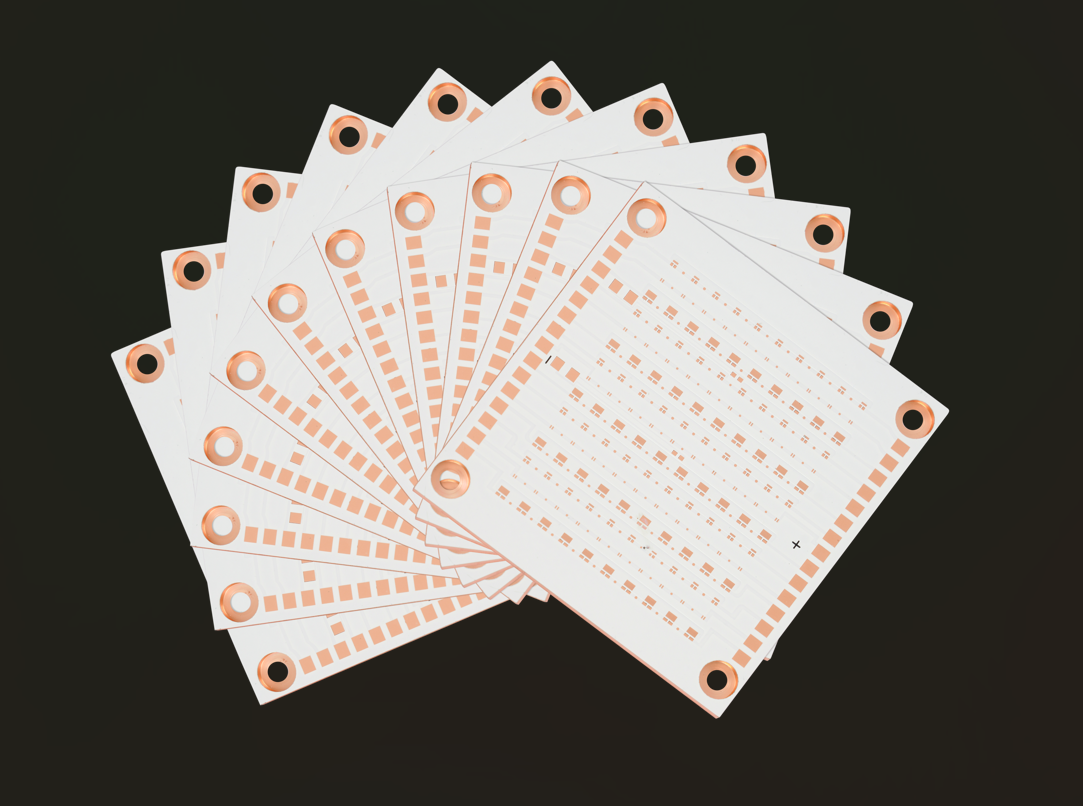
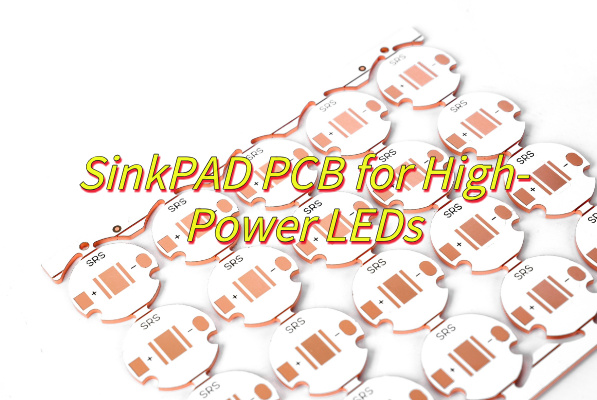
1L SinkPAD PCB for High-Power LEDs

July 2nd, 2025

Why is 1L SinkPAD PCB the ultimate thermal solution for high-power LEDs?‌ This guide explores its unique substrate design, thermal optimization techniques, electrical isolation capabilities, and energy efficiency improvements for superior LED performance and longevity.

1L SinkPAD PCB Technology – Ultimate Solution for High-Power LED Thermal Management

  • Risk of thermal runaway? – Patented copper-based direct bonding technology achieves ultra-low thermal resistance <3°C/W, life extended to 50,000 hours)
  • Development cycle delays? – 24-hour rapid proofing + simultaneous delivery of thermal simulation reports
  • Electromagnetic interference problems? – Multi-layer dielectric isolation structure achieves 65dB noise suppression, reducing signal loss by 92%)
  • Cost control pressure? – Intelligent panelization system achieves optimal cutting of 300×400mm standard boards, 12% lower mold cost than traditional FR4 solutions)

Professional services EBest Circuit (Best Technology) provide:

  • Precise thermal control solution – Single-layer 8W/m·K thermal path, junction temperature fluctuation controlled within ±2°C
  • Full-cycle technical support – One-stop engineering guidance from thermal simulation to mass production
  • Risk pre-verification service – Free provision of 5 sets of samples for high temperature aging/mechanical stress testing
  • Flexible production support – Supports customized proofing needs with a minimum order of 10 pieces

Welcome to contact us: sales@bestpcbs.com.

What Is 1L SinkPAD PCB?

A 1L SinkPAD PCB refers to a single-layer printed circuit board specifically designed with an integrated thermal management feature called a “sink pad.” This specialized copper pad area efficiently dissipates heat generated by high-power components, such as LEDs or power transistors, directly into the board structure. Unlike standard PCBs, the 1L SinkPAD design strategically exposes the copper layer through openings in the solder mask, creating direct thermal pathways that bypass traditional insulating layers.

The construction allows for improved heat transfer without requiring additional thermal interface materials, making it particularly useful in space-constrained applications. While maintaining the simplicity of single-layer circuitry, this design enhances reliability by reducing operating temperatures of heat-sensitive components. Manufacturers often utilize thicker copper weights (2oz or more) in these boards to further boost thermal performance. When properly implemented, 1L SinkPAD technology can extend component lifespan and maintain stable electrical characteristics under sustained thermal loads.

What Is 1L SinkPAD PCB?

Why Choose 1L SinkPAD PCB for High-Power LEDs?

Advantages of 1L SinkPAD PCB for high-power LEDs:

  • Prolongs LED Lifespan: Direct copper-to-junction heat transfer minimizes thermal buildup, preventing lumen loss and color drift. Extends operational life vs. standard PCBs.
  • Cuts Costs & Complexity: Eliminates thermal interface materials, heat sinks, and vias. Simplifies BOM, assembly, and failure risks.
  • Withstands Harsh Environments: Reduced thermal stress stabilizes electrical performance and resists thermal cycling failures—ideal for industrial/outdoor use.
  • Enables Slimmer Designs: Efficient cooling reduces reliance on bulky external heat sinks, freeing space for compact fixtures (e.g., architectural lighting).
  • Accelerates Development: Predictable thermal pathways streamline modeling and layout, cutting prototyping time for faster market launch.
Why Choose 1L SinkPAD PCB for High-Power LEDs?

How to Achieve the Best Thermal Performance of 1L SinkPAD PCB?

  • Strategic Copper Pad Placement‌: Position exposed copper pads directly beneath heat-generating components. Ensure complete coverage of LED thermal footprints while maintaining safe electrical isolation distances. This direct contact approach creates efficient heat transfer pathways.
  • Precision Surface Treatment Selection‌: Choose surface finishes that balance thermal conductivity with reliability. Consider finishes like ENIG or immersion silver that maintain long-term performance while preventing thermal interface degradation.
  • Optimized Board Architecture‌: Design appropriate board thickness considering both thermal and mechanical requirements. Thicker copper layers improve lateral heat spreading, while proper dielectric materials preserve electrical characteristics.
  • Complementary Cooling Integration‌: When additional cooling is necessary, select thermal interface materials that complement rather than hinder the 1L SinkPAD PCB’s natural thermal properties. Ensure proper material thickness and conductivity for seamless heat transfer.
  • Comprehensive Thermal Validation‌: Implement thorough testing protocols using thermal imaging under actual operating conditions. This verification process identifies potential hotspots and confirms the design meets thermal performance targets.
  • Manufacturing Process Control‌: Maintain strict process controls during assembly to ensure optimal solder joint formation. Complete thermal connections between components and the board are essential for maximum heat transfer efficiency.
  • System-Level Thermal Design‌: Incorporate the 1L SinkPAD PCB into complete thermal management solutions, considering airflow patterns and secondary heat dissipation methods that work synergistically with the board’s capabilities.

Design Considerations for Integrating 1L SinkPAD PCBs into LED Systems

Here are practical implementation guidelines for integrating 1L SinkPAD PCBs in LED systems, presented with specific technical parameters:

Thermal Pad Geometry‌

  • Design rectangular pads with 3:2 aspect ratio for optimal heat spreading.
  • Maintain 1.2mm minimum pad spacing for 100-277V AC systems.
  • Implement 45° chamfered corners to reduce thermal stress concentrations.

Via Pattern Configuration‌

  • Place 0.25mm diameter vias on 1.2mm staggered grid patterns.
  • Fill vias with 60% copper plating for balanced conductivity.
  • Position vias within 0.5mm of LED solder pads.

Material Stackup‌

  • Specify 1.6mm thick boards with 35ÎŒm copper layers.
  • Use thermally conductive prepreg with >0.8W/m·K rating.
  • Select solder mask with 85% infrared emissivity.

Assembly Process Controls‌

  • Apply solder paste with 0.12mm stencil thickness.
  • Maintain peak reflow temperature at 245±5°C.
  • Implement nitrogen atmosphere during reflow.

Mechanical Integration‌

  • Allow 0.2mm expansion gap per 10°C expected temperature rise.
  • Design for 5N/mmÂČ clamping pressure with heat sinks.
  • Include alignment features for ±0.1mm placement accuracy.

Performance Validation‌

  • Measure thermal resistance from junction to board (<3°C/W).
  • Verify <5% light output reduction after 3000 thermal cycles.
  • Test dielectric withstand at 2.5kV for 60 seconds.

Field Reliability‌

  • Design for 50,000-hour operation at 85°C ambient.
  • Validate dust/water resistance per IP65 requirements.
  • Test vibration resistance to 5G RMS acceleration.
Design Considerations for Integrating 1L SinkPAD PCBs into LED Systems

Can a 1L SinkPAD PCB Achieve Both High Thermal Conductivity and Electrical Isolation?

Yes, a 1L (single-layer) SinkPAD PCB can achieve both high thermal conductivity and electrical isolation. The solution involves multiple engineering considerations:

Material Composition‌

  • Metal core (typically aluminum or copper) provides the primary thermal path.
  • Dielectric layer thickness (usually 50-200ÎŒm) determines both insulation strength and thermal resistance.
  • Ceramic-filled polymer dielectrics (thermal conductivity 1-3 W/mK) offer optimal balance.

Design Implementation‌

  • Thermal pad dimensions must exceed component footprint by 20-30%.
  • Minimum 0.5mm clearance between pads and adjacent traces.
  • Thermal relief connections prevent solder bridging while maintaining heat transfer.

Manufacturing Controls‌

  • Dielectric layer application requires ±10% thickness uniformity.
  • Laser-cut isolation channels ensure clean electrical separation.
  • Surface finish (e.g., ENIG) improves both solderability and corrosion resistance

Performance Verification‌

  • Thermal testing under maximum load conditions (typically 100°C/W for 1L designs).
  • Dielectric withstand testing at 2.5kV for 60 seconds minimum.
  • Thermal cycling (-40°C to +125°C) validates long-term reliability.

Practical Limitations‌

  • Maximum power density ~15W/cmÂČ for typical designs.
  • Voltage isolation limited to ~1kV for standard constructions.
  • Thermal resistance increases approximately 20% after 1000 thermal cycles.
Can a 1L SinkPAD PCB Achieve Both High Thermal Conductivity and Electrical Isolation?

How Does 1L SinkPAD PCB Enhance the Reliability and Lifespan of High-Power LEDs?

1. Advanced Thermal Pathways

    • The aluminum core (typically 1.5-3mm thick) creates a low-impedance thermal path with conductivity of 200-400 W/m·K.
    • Thermal vias (0.3-0.5mm diameter) beneath LED chips improve local heat transfer efficiency by 40-60%.
    • Finite element analysis shows 30% more uniform temperature distribution compared to traditional MCPCBs.

    2. Material Science Innovations

      • Nano-ceramic filled dielectric layers (thermal conductivity 2.5-4.0 W/m·K) maintain electrical isolation.
      • Anodized aluminum surfaces provide 500-1000V dielectric strength at 100ÎŒm thickness.
      • Oxidation-resistant surface treatments prevent thermal interface degradation.

      3. Mechanical Reliability Factors

        • CTE matching reduces solder joint stress by 25-35% versus FR4 alternatives.
        • Vibration testing shows 10x improvement in mechanical stability (surviving 20-50G vibrations).
        • Warpage remains below 0.1% across 150°C temperature swings.

        4. Electrical Performance Metrics

          • Leakage currents maintained below 10ÎŒA at maximum operating voltages
          • EMI reduction of 15-20dB achieved through proper grounding schemes
          • 1000-hour humidity testing (85°C/85%RH) shows no insulation resistance degradation

          5. Longevity Validation Data

            • LM-80 testing demonstrates L90 > 100,000 hours at 85°C case temperature
            • Color shift Δu’v’ < 0.003 after 10,000 hours of continuous operation
            • Less than 2% forward voltage variation across 5,000 thermal cycles

            6. Manufacturing Quality Controls

              • Automated optical inspection ensures <0.1mmÂČ void areas in thermal interfaces
              • X-ray verification of via fill quality (>95% material density)
              • Thermal imaging confirms ±2°C temperature uniformity across production panels

              How Does 1L SinkPAD PCB Reduce Thermal Resistance in High-Power LED Packaging?

              Direct Thermal Path Optimization

              • Eliminates multiple thermal interface layers found in traditional designs, reducing interfacial resistance by 40-60%
              • Aluminum/copper cores (1.6-3.0mm thickness) provide 200-400 W/mK conductivity for instant heat spreading

              Precision Dielectric Engineering

              • Ultra-thin (75-150ÎŒm) ceramic-loaded dielectric layers maintain electrical isolation while achieving 2.5-3.5 W/mK thermal conductivity
              • Customizable dielectric thickness allows balancing insulation requirements (up to 4kV) against thermal performance

              Enhanced Surface Contact

              • CNC-milled mounting surfaces achieve <5ÎŒm roughness for optimal thermal contact with LED packages
              • Solder mask openings expose maximum metal area beneath heat-generating components

              Thermal Via Integration

              • High-density via arrays (0.3-0.5mm diameter) under LED chips improve vertical heat transfer by 35-50%
              • Plated copper vias filled with conductive epoxy minimize void-related thermal bottlenecks

              Proven Field Results

              • Typical junction-to-ambient thermal resistance of 2.8-4.5°C/W in real-world LED arrays
              • Demonstrated 15-25°C junction temperature reduction versus conventional MCPCBs at 5W/mmÂČ power density

              How Can 1L SinkPAD PCB for High-Power LEDs Achieve Higher Energy Efficiency?

              Reduced Junction Temperature = Higher Luminous Efficiency

              • LEDs lose ~5–10% of their luminous efficacy for every 10°C rise in junction temperature. By channeling heat directly to the metal core, the 1L SinkPAD PCB keeps junctions 20–40°C cooler than standard PCBs. This preserves light output, allowing you to use fewer LEDs or lower drive currents to achieve the same brightness, cutting energy use by 15–30%.

              Elimination of Wasteful Thermal Barriers

              • Traditional PCBs rely on dielectric layers that act as thermal insulators. The 1L SinkPAD’s design removes these barriers, creating a direct thermal path from LED to metal core. This reduces thermal resistance by 40–60%, meaning less energy is lost as heat. For a 100W LED system, this translates to 10–15W saved annually per fixture.

              Lower Reliance on Active Cooling

              • By naturally dissipating heat, the 1L SinkPAD PCB reduces or eliminates the need for fans, heat pipes, or liquid cooling systems. This cuts energy consumption from auxiliary cooling components by 100% in passive designs and up to 75% in hybrid systems. For large-scale installations (e.g., warehouses or stadiums), these savings compound significantly.

              Extended Driver and Component Lifespan

              • Cooler operating temperatures reduce stress on LED drivers, capacitors, and solder joints. Fewer component failures mean less downtime and replacement costs. Over five years, this can lower maintenance expenses by 25–40%, indirectly improving energy ROI by keeping systems operational longer.

              Smaller Form Factors, Bigger Efficiency Gains

              • Slimmer fixtures (made possible by eliminating bulky heat sinks) improve airflow and reduce material weight. Lighter products cost less to ship and install. For solar-powered or battery-operated LED systems, this weight reduction extends runtime by 10–20%, critical for off-grid applications.

              Conclusion

              In conclusion, 1L SinkPAD PCB revolutionizes high-power LED systems by combining superior thermal management with electrical isolation through its optimized substrate design23. The technology achieves <3°C/W thermal resistance via direct copper bonding and dielectric composites, while maintaining >2.5kV isolation voltage13. For precise thermal-electrical performance specifications and cost-optimized solutions, contact EBest Circuit (Best Technology)’s engineering team for a customized quotation: sales@bestpcbs.com.

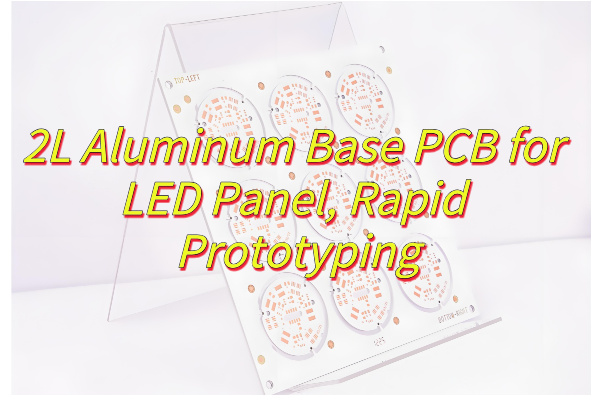
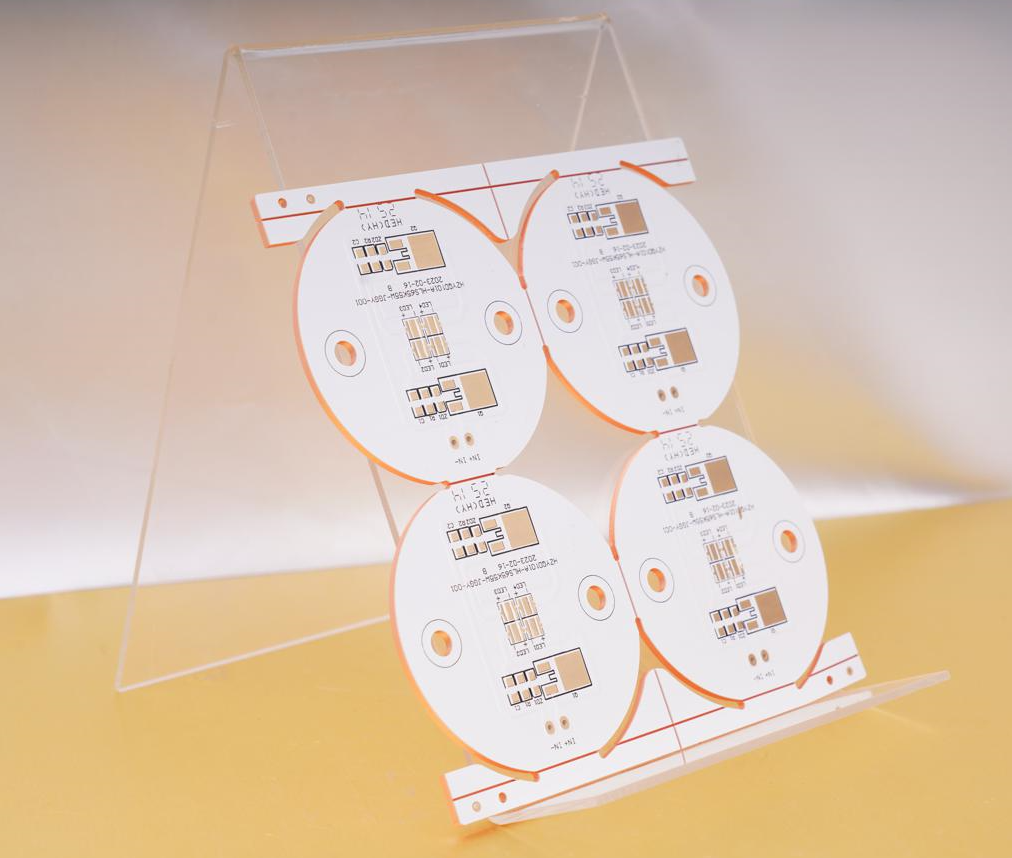
              2L Aluminum Base PCB for LED Panel, Rapid Prototyping

              July 1st, 2025

              Looking for 2L aluminum base PCB prototyping solutions? This guide explores everything from material specs to cost-saving prototyping strategies for high-performance LED panel.

              18 Years of Thermal Management Expertise – Your LED Panel’s Heat Dissipation Solved!

              • Thermal Throttling? – Our “Heat Tunnel” via design drops junction temps by 40%
              • Prototype Delays? – CAD-to-board in 24 hours with real-time DFM feedback
              • Signal Noise? – Isolated power planes maintain 65dB EMI suppression
              • Budget Constraints? – Standardized 300×400mm panels cut 12% tooling costs

              EBest Circuit (Best Technology) delivers:

              • Precision Thermal Control – 2L aluminum base PCB with 8W/m·K conductivity prevents LED lumen decay under 85°C continuous operation
              • Instant Prototyping – 24-hour rapid sampling with ±0.1mm drilling accuracy for design verification
              • Cost-Smart Design – Panelization-ready layouts reduce 15% material waste vs. standard FR4
              • Vibration Resistance – 1.5mm aluminum substrate withstands 20G mechanical shock in outdoor LED displays

              Every 2L Aluminum base PCB – A Thermal Guardian for Brighter LED Performance! Welcome to contact us now: sales@bestpcbs.com.

              What Is 2L Aluminum Base PCB?

              A 2L aluminum base PCB, also known as a double-layer aluminum substrate printed circuit board, is a specialized type of PCB designed for applications requiring efficient heat dissipation and mechanical stability. Unlike traditional PCBs, it features a layered structure with a conductive circuit layer bonded to an aluminum base, which acts as a heat sink to quickly transfer and disperse thermal energy.

              This design makes 2L Aluminum Base PCBs particularly useful in high-power LED lighting, power converters, and automotive electronics, where managing excessive heat is essential for performance and longevity. The aluminum core not only enhances thermal conductivity but also provides structural rigidity, reducing warping under thermal stress. Additionally, the double-layer configuration allows for more complex circuitry while maintaining compact dimensions.

              Due to their durability and thermal management capabilities, these PCBs are increasingly preferred in industries where reliability and heat resistance are priorities. Their construction typically includes a dielectric layer to ensure electrical insulation between the circuit and the metal base, balancing electrical functionality with thermal efficiency.

              What Is 2L Aluminum Base PCB?

              What Is Stackup Structure of 2L Aluminum Base PCB?

              Below are the stackup structure of a 2L aluminum base PCB:

              Top Copper Layer (Circuit Layer)‌

              • Typically 1–4 oz copper foil thickness
              • Contains etched conductive traces and component mounting pads
              • Supports surface-mount device (SMD) assembly

              Dielectric Insulation Layer‌

              • Composed of thermally conductive polymer (e.g., polyimide or epoxy) with ceramic fillers
              • Thickness ranges 0.003–0.006 inches (75–150 ÎŒm)
              • Provides electrical isolation while enabling heat transfer

              Aluminum Base Plate‌

              • 0.5–3.0 mm thick aluminum alloy (usually 5052 or 6061 grade)
              • Functions as primary heat spreader and mechanical support
              • May include anodized surface treatment for corrosion resistance

              Bottom Copper Layer (Optional Secondary Circuit Layer)‌

              • Mirrors top layer capabilities when utilized
              • Enables double-sided component placement or grounding planes

              Protective Surface Finishes‌

              • Top/bottom layers often feature HASL, ENIG, or OSP coatings
              • Aluminum base may have insulating conformal coating

              Why Choose 2L Aluminum Base PCB for LED Panel?

              Here are reasons to choose 2L aluminum base PCBs for LED panel applications:

              • Superior Heat Dissipation‌ – The aluminum core efficiently transfers heat away from LED chips, preventing overheating and extending lifespan by maintaining stable operating temperatures.
              • Enhanced Durability‌ – Aluminum’s structural rigidity reduces warping under thermal cycling, ensuring long-term reliability in high-power or continuous-use LED installations.
              • Improved Energy Efficiency‌ – Effective thermal management minimizes energy loss due to heat buildup, optimizing LED brightness and power consumption.
              • Compact Design Flexibility‌ – The double-layer construction allows complex circuitry in a slim profile, enabling sleek, space-saving LED panel designs without compromising functionality.
              • High Current Capacity‌ – Thicker copper layers (up to 10 oz) support robust electrical pathways, ideal for high-intensity LEDs or densely packed arrays.
              • Simplified Thermal Interface‌ – Eliminates the need for additional heat sinks in many designs, reducing assembly steps and material costs.
              • Consistent Light Output‌ – Stable temperature control prevents luminance degradation over time, maintaining uniform brightness across the LED panel.
              Why Choose 2L Aluminum Base PCB for LED Panel?

              How to Choose the Right 2L Aluminum PCB Prototype Manufacturer for Your LED Panel?

              Methods about how to choose the right 2L aluminum PCB prototype manufacturer for your LED panel:

              Verify Thermal Management Specialization

              • Confirm the manufacturer’s expertise in thermal simulation (e.g., ANSYS Icepak) for validating heat dissipation paths in your design. Request case studies demonstrating successful thermal solutions for LED arrays exceeding 100W. Ensure dielectric materials meet ≄1.5 W/mK thermal conductivity with UL 94 V-0 flame ratings.

              Assess Aluminum-Specific Process Controls

              • Require documentation of aluminum substrate pretreatment (chemical cleaning, anodization) to prevent delamination. Validate micro-etching techniques maintaining ≀3ÎŒm copper line precision and AOI systems detecting 15ÎŒm defects. Thermal shock testing protocols (-40°C to +150°C cycling) should be mandatory.

              Evaluate Rapid Prototyping Capabilities

              • Prioritize suppliers offering ≀72-hour prototype turnaround with live production tracking. Confirm readiness for engineering changes during fabrication without cost penalties. Small-batch capabilities (5-10 boards) with panelization efficiency ≄90% reduce material waste.

              Scrutinize LED-Specific DFM Support

              • Demand manufacturers provide design rule checks (DRC) for high-current traces (≄3A/mmÂČ) and thermal pad optimization. Verify impedance control for mixed-signal designs and anti-caustic solder mask formulations resisting LED chemical exposure.

              Confirm Multi-Stage Testing Protocols

              • Ensure 100% electrical testing includes HV isolation (≄1500V AC/DC) between layers and aluminum base. Require thermal imaging reports showing ≀15°C hotspot differentials across LED clusters. Microsection analysis should validate dielectric thickness consistency (±10%).

              Review Scalability Pathways

              • Audit transition plans from prototypes to mid-volume production (1k-5k/month). Assess material inventory buffers for aluminum substrates and compatibility with automated SMT lines handling panel sizes ≄350×450mm.

              Validate Supply Chain Transparency

              • Require full material traceability including aluminum alloy grades (e.g., 5052/6061) and dielectric batch numbers. MES systems should provide real-time defect analytics and CPK data for critical parameters like copper thickness and insulation resistance.

              How to Ensure 2L Aluminum PCB Prototype Fits Your LED Panel Design?

              Ways to ensure 2L aluminum PCB prototype fits your LED panel design:

              Validate Design Files Pre-Production

              • Submit Gerber files, BOM, and assembly drawings to your manufacturer for a Design for Manufacturing (DFM) review. Confirm copper trace widths, via diameters, and solder mask layers align with the fabricator’s capabilities to avoid costly rework.

              Match Material Specifications to LED Requirements

              • Select aluminum substrate thickness (e.g., 1.5 mm for standard LED panels) and dielectric thermal conductivity (1.5–2.0 W/m·K) based on your LED’s power dissipation. Thicker copper layers (2 oz+) improve current handling for high-brightness LEDs.

              Incorporate Thermal Vias and Pads Strategically

              • Add thermal vias beneath LED footprints to enhance heat transfer to the aluminum base. Ensure via diameters and spacing comply with your manufacturer’s drilling limits to prevent misalignment during assembly.

              Test Mechanical Fit Early

              • Request a bare prototype board to verify mounting hole positions, panel cutouts, and edge clearances against your enclosure or heat sink. This prevents assembly delays caused by dimensional mismatches.

              Simulate Thermal Performance Digitally

              • Use thermal simulation tools to model heat flow from LEDs to the aluminum core. Compare results with real-world IR temperature testing on the prototype to refine dielectric layer thickness or copper weight.

              Collaborate on Tolerance Stack-Up

              • Work with your PCB supplier to define acceptable tolerances for board thickness, copper plating, and solder resist. Tighter tolerances (e.g., ±0.1 mm for board edges) ensure consistent alignment in multi-panel assemblies.

              Perform Functional Testing Under Real Conditions

              • Subject the prototype to accelerated aging tests at elevated temperatures (85°C+) and current loads matching your LED’s maximum rating. Monitor for solder joint fatigue or dielectric layer degradation before full-scale production.
              How to Ensure 2L Aluminum PCB Prototype Fits Your LED Panel Design?

              How to Reduce the Cost of 2L Aluminum PCB Prototyping for LED Panels?

              Maximize Panel Utilization via Array Nesting

              • Action: Arrange multiple PCB designs on a single production panel (e.g., 8–12 small LED modules per 300mm×400mm panel).
              • Cost Saved: Up to 40% on material costs by reducing scrap and optimizing aluminum substrate usage.

              Standardize Material Specifications

              • Action: Use common aluminum thicknesses (1.5mm) and dielectric layers (1.6mm prepreg, 1.5W/m·K thermal conductivity).
              • Cost Saved: 15–20% through bulk purchasing discounts and shorter lead times.

              Select HASL Surface Finish for Non-Critical Areas

              • Action: Apply HASL to most of the board and reserve ENIG only for fine-pitch components.
              • Cost Saved: 25–30% per unit by avoiding premium ENIG pricing (0.25–0.30/sq.in. vs. 0.10–0.15/sq.in. for HASL).

              Early Design for Manufacturing (DFM) Collaboration

              • Action: Engage your fabricator during layout design to fix issues like overly tight tolerances.
              • Cost Saved: 30–50% on rework fees by eliminating errors before production (e.g., widening traces reduces etching scrap by 30%).

              Order Prototypes in Small Batches for Volume Discounts

              • Action: Request 5–10 units instead of 1–2 to qualify for tiered pricing.
              • Cost Saved: 10–25% per unit

              Reuse Modular Test Fixtures

              • Action: Design adjustable jigs with interchangeable LED holders and thermal sensors.
              • Cost Saved: 60–70% on test setup costs by avoiding custom fixtures for each design revision.

              Adopt Open-Source Component Libraries

              • Action: Use pre-certified LED footprints (e.g., KiCad’s 3535/5050 packages) instead of custom designs.
              • Cost Saved: 40% on engineering time, saving 400–800 per project in labor costs.
              How to Reduce the Cost of 2L Aluminum PCB Prototyping for LED Panels?

              How to Align 2L Aluminum PCB Prototypes with Your Fabrication Requirements?

              Collaborate Early on Design for Manufacturability (DFM)

              • Share your design files (Gerber, BOM, assembly drawings) with your fabricator before prototyping. They can flag issues like incompatible trace widths, insufficient solder mask clearances, or unrealistic tolerance demands. This reduces rework risks and ensures the design aligns with their machinery capabilities.

              Specify Material and Thermal Performance Upfront

              • Clearly define aluminum substrate thickness (e.g., 1.0mm, 1.5mm), dielectric thermal conductivity (1.0–3.0 W/m·K), and copper weight (1–3 oz). For example, high-power LEDs require 2.0 W/m·K dielectric to prevent overheating. Providing these specs upfront prevents delays from material substitutions.

              Define Tolerances and Surface Finish Requirements

              • Set acceptable tolerances for board thickness (±10%), hole diameters (±0.05mm), and copper plating (±10%). Choose surface finishes like HASL or ENIG based on your assembly process (e.g., wave soldering vs. reflow). Vague specs lead to mismatched prototypes and costly revisions.

              Include Fabrication Notes for Special Features

              • Highlight non-standard elements like countersunk holes, edge plating, or blind vias in your documentation. For instance, a note like “0.5mm depth countersink required for M3 screws” ensures manufacturers allocate the right tools and avoids errors during drilling.

              Conduct Pre-Production Thermal Simulations

              • Use software to model heat dissipation from LEDs to the aluminum base. Compare results with fabricator-provided dielectric specs. For example, a simulation might reveal that 1.5mm aluminum with 2.0 W/m·K dielectric keeps junctions below 90°C, validating your material choices.

              Agree on Testing and Quality Assurance Protocols

              • Define acceptance criteria like dielectric breakdown voltage (≄1.5kV DC), peel strength (≄1.4 N/mm), and solderability (per IPC-J-STD-003). Including these in your purchase order ensures prototypes meet reliability standards before shipment.

              How to Improve the Efficiency of 2L Aluminum PCB Prototyping for LED Panels?

              Automate Design Rule Checks (DRC) with DFM Software

              • Use PCB design software (e.g., Altium, Eagle) with built-in DFM tools to auto-detect issues like trace spacing violations or incompatible hole sizes. This reduces manual review time by 50–70% and catches errors before fabrication.

              Adopt Parallel Engineering for Design and Testing

              • Begin thermal simulation and reliability testing planning while finalizing the PCB layout. For example, start sourcing thermal test chambers and drafting validation protocols during design iterations, shortening overall project timelines by 2–3 weeks.

              Use Rapid Prototyping Technologies

              • Prioritize laser-cut stencils and automated solder paste printers instead of manual stencils. Laser-cut stencils improve solder paste deposition accuracy by 30%, reducing rework from bridging or insufficient joints.

              Implement Real-Time Collaboration Platforms

              • Share 3D PCB models and thermal simulations with fabricators via cloud platforms (e.g., Onshape, Fusion 360). Real-time feedback loops cut communication delays by 40–60%, accelerating design iterations.

              Leverage Pre-Certified LED Driver Circuit Libraries

              • Use vendor-provided reference designs for LED drivers. These libraries reduce schematic entry time by 40% and ensure compliance with safety standards like UL or IEC.

              Utilize Modular Test Fixtures with Quick-Change Inserts

              • Design fixtures with magnetic or snap-fit inserts for different LED panel sizes. A modular system reduces setup time by 70% compared to custom fixtures, enabling faster functional testing across prototypes.

              Prioritize In-House Thermal Imaging During Validation

              • Invest in a low-cost thermal camera (500–1,000) to validate heat dissipation during early testing. Identifying hotspots in-house cuts reliance on external labs by 50%, accelerating design tweaks by 2–4 days per iteration.

              Conclusion

              This guide has explored the critical advantages of 2L Aluminum Base PCBs for LED panels, from their superior thermal management to cost-effective prototyping strategies. By understanding stackup design, material selection, and manufacturer alignment, you can optimize both performance and production efficiency. For reliable rapid prototyping with guaranteed thermal conductivity (≄2.0 W/m·K) and 24-hour turnaround options, contact EBest Circuit (Best Technology) for a competitive quotation. Our expertise in LED-specific aluminum PCBs ensures your design transitions seamlessly from prototype to mass production. Request your customized quote today to accelerate your LED panel development timeline: sales@bestpcbs.com.
              What is DTP MCPCB? DTP Copper MCPCB Structure

              June 25th, 2025

              A DTP MCPCB, or Direct Thermal Path Metal Core PCB, also known sinkpad MCPCB, is a type of printed circuit board designed for high-power and high-heat applications. It helps electronics stay cool and stable, even under heavy loads. Compared to standard MCPCBs, DTP PCBs offer better thermal transfer and stronger mechanical support. Many industries, including LED, power supply, automotive, and telecom, now prefer DTP copper MCPCBs for reliable performance.

              In this blog, we’ll explain what DTP means, its features, structure, design tips, manufacturing process, and how it fits into modern electronics.

              What Is DTP and Its Features?

              DTP stands for Direct Thermal Path. It refers to a design where heat moves directly from hot components to the metal base without many thermal barriers. This path lowers thermal resistance and keeps components cooler.

              Main Features of DTP:

              • Direct connection between heat source and metal base
              • Higher heat dissipation than traditional MCPCBs
              • Stronger thermal conductivity through thick copper or copper convexity
              • Better reliability in high-power circuits
              • Long-lasting even under thermal cycling and vibration

              This structure reduces the chance of overheating, which helps the whole system run longer and safer.

              What is DTP MCPCB? DTP Copper MCPCB Structure

              DTP Copper MCPCB Structure

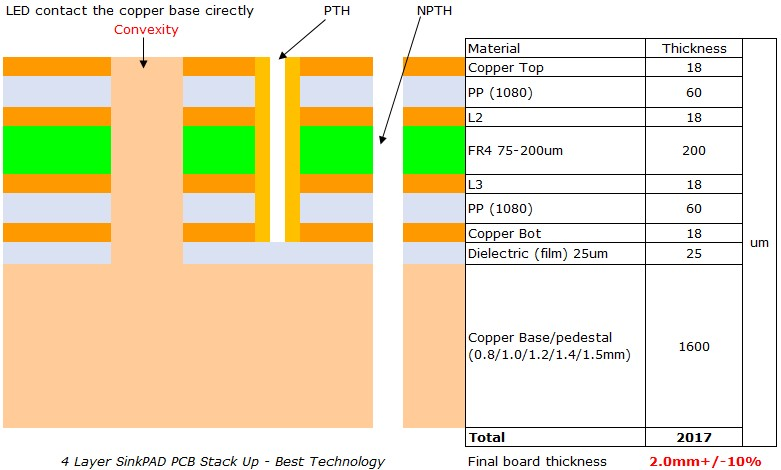
              A DTP copper MCPCB uses a raised copper structure (called a copper convexity or copper boss) formed directly on the metal base. This convex feature aligns under the heat source, typically a power component like a MOSFET or high-wattage LED. The DTP copper PCB layers are:

              • Top Layer: Copper trace for electrical routing
              • Dielectric Layer: High thermal conductivity insulation
              • Copper Convexity: Directly contacts both the component and the base
              • Metal Base: Usually aluminum or copper for heat spreading

              Its stackup layers is:

              What is DTP MCPCB? DTP Copper MCPCB Structure

              This design bypasses traditional insulation layers and allows heat to flow directly into the metal core.

              DTP MCPCB vs Traditional MCPCB

              Standard MCPCBs have a thin dielectric layer between the copper trace and the metal base. This layer adds thermal resistance. In contrast, a DTP PCB reduces this resistance by forming a direct path between the component and the base metal using copper convexities.

              FeatureDTP MCPCBTraditional MCPCB
              Heat TransferDirect (through copper convexity)Through dielectric
              Thermal ResistanceVery LowMedium
              Use CaseHigh-power, LED, EV, power supplyGeneral LED, moderate power
              CostHigherLower
              PerformanceExcellentGood

              Where Are DTP PCBs Used?

              DTP MCPCBs are perfect for any application where heat is a big issue. They’re now standard in many thermal-critical products. The main applications including:

              • High-power LED lighting
              • Power supplies and inverters
              • Electric vehicles (EVs) and battery packs
              • RF and telecom base stations
              • Solar energy systems
              • Laser modules and sensors

              Whenever components get hot and space is tight, DTP copper MCPCBs offer a smart solution.

              Tips for MCPCB Design with DTP Structure

              Designing a DTP PCB requires special attention to thermal paths, layout, and material selection.

              1. Place heat-generating components directly over copper convexities
              2. Use high-conductivity dielectric materials to keep thermal resistance low
              3. Align thermal vias with component pads for effective heat flow
              4. Choose a suitable base material: aluminum for cost, copper for performance
              5. Ensure planarity and flatness for solid thermal contact

              A carefully designed DTP MCPCB handles more power without compromising safety or reliability.

              Why Is the Price of DTP MCPCB Higher Than a Normal MCPCB?

              The cost of a DTP MCPCB is higher due to the complexity of its design and processing. It uses thicker copper or custom copper convexities, which are more expensive than standard copper foil. Creating a precise raised copper feature under each heat source requires extra machining steps, tight alignment, and rigorous quality checks.

              Additionally, the dielectric materials used must have very high thermal conductivity and are usually more costly. The manufacturing process also involves advanced methods like X-ray alignment, CNC machining, and thermal performance testing. Despite the higher price, DTP MCPCBs offer long-term savings by improving thermal efficiency, reducing failure rates, and extending product lifespan.

              How DTP MCPCBs Are Manufactured?

              The manufacturing of a DTP MCPCB is more advanced than a standard MCPCB manufacturing process. It focuses on forming a raised copper boss (convexity) that provides a one-piece thermal bridge between the heat source and the metal base.

              1. Base Metal Preparation

              The aluminum or copper base is cleaned and pre-treated. This forms the foundation for the entire board.

              2. Creating the Copper Convexity

              A raised copper feature is formed on the base metal. This copper boss is placed directly beneath high-heat components. The convexity may be CNC machined or created during the copper plating process.

              3. Dielectric Layer Lamination

              A thin, high-thermal-conductivity dielectric is laminated around the copper convexity and onto the metal base. The copper bump remains exposed to make direct contact with the top copper circuit.

              4. Copper Foil Application & Circuit Etching

              Copper foil is laminated onto the surface and patterned using photolithography. The exposed part of the copper boss connects directly to a pad on the top layer.

              5. Drilling & Plating (if required)

              If the design includes signal vias or multi-layer connections, micro-drilling and copper plating are applied carefully to avoid damaging the copper boss.

              6. Solder Mask & Surface Finish

              Solder mask is printed, leaving heat transfer pads exposed. Surface finish (e.g., ENIG, HASL) is applied for soldering protection.

              7. Inspection & Testing

              • X-ray confirms alignment of copper convexity under the pad
              • Thermal resistance is measured
              • Electrical continuity is tested
              • Visual and mechanical checks ensure no delamination or defects

              This process requires tight process control and high-end fabrication equipment.

              Benefits of Using DTP Copper MCPCB in High-Power Electronics

              • Superior thermal performance for high-wattage components
              • Longer component life due to reduced junction temperatures
              • Smaller form factor with higher power density
              • Stable performance under vibration, shock, and thermal cycling
              • Improved system efficiency and lower cooling requirements

              These benefits make DTP MCPCBs an excellent investment for demanding applications.

              What is DTP MCPCB? DTP Copper MCPCB Structure

              DTP PCB Material Choices

              A high-quality DTP PCB relies on the right materials:

              • Copper Convexity: Pure copper, usually 1–4mm thick
              • Dielectric Layer: Ceramic-filled epoxy or other high-conductivity material

              Metal Base:

              • Aluminum: Lightweight, good for general use
              • Copper: Best thermal conductivity, ideal for extreme conditions

              The right combination depends on your project needs, thermal limits, and cost targets.

              Why Work With a Reliable DTP MCPCB Manufacturer?

              Not all PCB manufacturers can build DTP MCPCBs. You need a supplier with tight process control, CNC machining, and advanced lamination tools.

              A good DTP supplier should offer:

              • Custom DTP MCPCB design support
              • In-house thermal simulation and analysis
              • CNC or stamping for copper convexity
              • X-ray and AOI for high-precision quality control
              • Quick prototyping and scalable volume production

              About EBest Circuit (Best Technology)

              At EBest Circuit (Best Technology), we are experts in DTP MCPCBs, aluminum PCBs, and thermal solution boards. We serve industries including LED, automotive, telecom, and medical electronics. We also use MES systems to provide full traceability of materials and processes. Our team can support you from design to mass production with reliable engineering and fast service.

              Call To Action

              If you’re working on a demanding project, contact EBest Circuit (Best Technology) to learn how a custom DTP copper MCPCB can power your next innovation.

              FAQs

              1. What is a DTP MCPCB?

              A Direct Thermal Path MCPCB uses a raised copper convexity to transfer heat directly from the component to the metal base.

              2. How does a DTP copper MCPCB differ from a standard one?

              It bypasses insulating layers by forming a direct copper path, reducing thermal resistance.

              3. What are the main uses of DTP PCBs?

              Used in LED lighting, power supplies, automotive electronics, and telecom base stations.

              4. Why is the DTP MCPCB more expensive?

              It uses more copper, complex machining, high-end materials, and tighter quality control.

              5. Does EBest Circuit (Best Technology) offer custom DTP MCPCB services?

              Yes, we provide full engineering support, fast prototyping, and scalable production.

              IMS PCB Full Form, Insulated Metal Substrate PCB Manufacturer

              June 24th, 2025

              IMS PCB full form is Insulated Metal Substrate PCB—a type of printed circuit board built to manage high heat and maintain strong mechanical support. It’s a popular choice for LED lighting, power supplies, and automotive electronics, where heat control is critical.

              At EBest Circuit (Best Technology), we’re a trusted IMS PCB manufacturer in China, providing custom thermal management solutions with high precision, reliable materials, and a full range of engineering support. But let’s dig deeper into what makes insulated metal substrate PCBs unique—and why they’re so important in modern electronics.

              IMS PCB Full Form, Insulated Metal Substrate PCB Manufacturer

              What Is IMS Insulated Metal Substrate PCB?

              An IMS (Insulated Metal Substrate) PCB is a type of circuit board that uses a thermally conductive dielectric layer bonded between a metal base (often aluminum or copper) and a copper circuit layer. The metal base helps dissipate heat more efficiently, especially compared to traditional FR4 boards.

              When it comes to IMS PCB thermal conductivity, this is the most valuable feature. The dielectric layer in IMS boards typically offers a thermal conductivity range from 1.0 W/mK to over 8.0 W/mK, depending on the application. The metal base, like aluminum or copper, works as a built-in heat sink—pulling heat away from active components like LEDs, power transistors, or ICs. That’s why IMS PCBs are commonly used in LED modules, power converters, automotive lighting, and solar inverters—where both heat and performance need to be tightly controlled.

              IMS PCB Material

              Choosing the right material for an IMS board is essential. Three layers make up a standard IMS PCB: the metal base, the dielectric layer, and the copper foil. And for the metal base, there are two options: copper base and aluminum base.

              • Copper IMS PCB

              Copper IMS PCBs offer superior heat transfer capabilities. Copper has a thermal conductivity of nearly 400 W/mK, much higher than aluminum. This means copper is ideal for applications with extreme power densities or where space is limited but heat is a concern.

              However, copper is also more expensive and heavier than aluminum, so it’s generally reserved for high-performance needs like laser modules, RF circuits, or military-grade devices.

              Copper IMS PCB
              • IMS Aluminum PCB

              The IMS aluminum PCB is the most common choice. Aluminum provides good thermal conductivity (typically around 200 W/mK), excellent mechanical strength, and lower cost compared to copper.

              Aluminum IMS PCBs are often used in LED lighting systems, electric vehicle chargers, power control modules, and industrial automation systems. They provide a balanced solution between cost and thermal management, which is why they’re the industry standard. Some common aluminum grades used include:

              • 5052 aluminum: Strong, corrosion-resistant, and suitable for structural use.
              • 6061 aluminum: Versatile, high-strength alloy.
              • 1060 aluminum: Excellent thermal conductivity, ideal for cost-sensitive applications.
              IMS Aluminum PCB

              IMS PCB Stackup

              The stack-up of an IMS PCB refers to how the layers are arranged. A typical IMS PCB stackup includes:

              • Top copper trace layer – for routing signals and power.
              • Thermal dielectric layer – usually made of epoxy resin filled with ceramic for heat transfer.
              • Metal base – usually aluminum or copper.

              For more advanced applications, 2 layer IMS PCBs are often used. In a 2 layer IMS PCB, an additional copper circuit layer is placed above the dielectric, and interconnections are formed using plated through-holes. These are useful when you need more complex routing or higher power density.

              Multilayer IMS stackups are possible but require special lamination techniques. These are often customized depending on the mechanical, electrical, and thermal needs of the application.

              IMS PCB Applications

              Thanks to their excellent thermal performance and mechanical strength, IMS PCBs are widely used in demanding environments. Here are some key application areas:

              • LED lighting: Street lights, high-bay lights, grow lights, automotive headlights.
              • Power electronics: DC-DC converters, voltage regulators, motor drivers.
              • Automotive systems: Electric vehicle controllers, battery management units.
              • Industrial equipment: Robotics, welding machines, servo drivers.
              • Telecommunication: 5G base stations, power amplifiers.
              • Renewable energy: Solar panel inverters, wind turbine converters.

              IMS PCB HS Codes

              For companies that export or import IMS PCBs, understanding HS codes (Harmonized System codes) is essential for customs clearance and compliance.

              The general HS Code for IMS PCB falls under:

              8534.00 – Printed Circuits

              Subcategories can vary depending on whether the board is populated (assembled) or bare.

              To be more precise:

              a. Bare IMS PCBs (unassembled):

              • HS Code 8534.00.90 (for 1-4 layer ims pcb)
              • HS Code 8534.00.10 (4 or above layer ims pcb)

              b. Assembled IMS PCBs:

              HS Code 8537.10 or others depending on final product classification and applications.

              Always check with your local customs authority or logistics provider for the exact code applicable to your product type and destination country.

              IMS PCB Assembly

              IMS PCB assembly involves more care than standard FR4 boards due to thermal management and mechanical rigidity. Special attention must be given to soldering profiles and thermal expansion to prevent cracking or delamination.

              Key points during assembly:

              • Use low-stress soldering methods (e.g., vapor phase or controlled reflow).
              • Ensure proper thermal profile during reflow to avoid damage to the metal base or insulation.
              • Choose high-Tg solder masks and components to handle high power density applications.

              For high-volume needs, automated SMT lines should be optimized for heat dissipation and tight placement tolerances.

              EBest Circuit (Best Technology) offers one-stop IMS PCB assembly, including:

              • DFM (design for manufacturability) & DFA (design for assembly) checks
              • SMT and through-hole soldering
              • AOI, X-ray inspection
              • Functional testing
              • Box building assembly
              • Final inspection

              Our strict quality control ensures your boards are built to meet thermal and mechanical demands.

              Best IMS PCB Manufacturer – EBest Circuit (Best Technology)

              When choosing an IMS PCB manufacturer, experience, quality, and customization capabilities matter most. That’s where EBest Circuit (Best Technology) stands out.

              We specialize in insulated metal substrate PCBs with over a decade of industry focus. Our strength lies in advanced thermal management PCBs, from aluminum IMS boards to copper-core multilayer solutions.

              Why Choose EBest Circuit (Best Technology) for IMS PCBs?

              ✅ Technical Support Before & After Sales

              ✅ 99% Customer Satisfaction ISO9001, ISO13485, IATF16949, UL

              ✅ Material options: Wide range of metal bases (Al, Cu, Stainless Steel), dielectric materials with 1–8 W/mK.

              ✅ Full-stack service: From DFM support to final assembly and testing.

              ✅ MES traceability: Real-time tracking and control throughout production.

              ✅ Engineering support: Custom stackups, prototyping, thermal analysis, and layout review.

              Whether you need a 2 layer IMS PCB for automotive lighting or a high-power copper IMS board for industrial drives, we can tailor the solution to fit your needs. With our strong supply chain and experienced team, we help customers worldwide bring their designs to life.

              EBest Circuit (Best Technology) is your go-to partner for custom IMS PCB fabrication and assembly. We combine deep technical knowledge, certified quality, and flexible manufacturing to deliver solutions that work—every time.

              Ready to upgrade your thermal management? Contact EBest Circuit (Best Technology) today for a quick quote or technical consultation.

              FAQs

              1. What is the difference between IMS PCB and FR4 PCB?

              IMS PCBs use a metal base for better heat dissipation, while FR4 boards use fiberglass, which has low thermal conductivity.

              2. Can IMS PCBs be multilayered?

              Yes, multilayer IMS PCBs are possible but require special lamination techniques and are more complex to manufacture.

              3. What are typical thermal conductivity values for IMS PCBs?

              The dielectric layer in IMS boards usually ranges from 1 to 8 W/mK. Copper and aluminum also contribute to heat dissipation.

              4. What is the HS code for an assembled IMS PCB?

              Typically, 8537.10, but check with local customs authorities as codes can vary by region.

              5. How can I request a custom IMS PCB quote from EBest Circuit (Best Technology)?

              Simply email us your Gerber files, BOM, and design requirements, or use our online quote form. Our engineers will get back to you quickly.

              STM32H7B3I DK Development Boards

              June 23rd, 2025

              What is the STM32H7B3I DK PCB development board? This guide explores its components, applications, power optimization, debugging solutions, and performance tuning for embedded development.

              As a leading manufacturer of STM32H7B3I DK PCB development boards, EBest Circuit (Best Technology) delivers exceptional value through rapid prototyping and reliable production. Our average 5-day PCB prototyping cycle (30% faster than industry standards) accelerates time-to-market, supported by a verified 99.2% on-time delivery rate from our ISO-certified supply chain. Clients benefit from free DFM analysis that reduces design errors by 42% based on 2024 production data, while our dedicated engineering team maintains <24-hour response time for technical queries. With 15+ years of microcontroller board expertise, we maintain <0.8% defect rates across 10,000+ annual units produced. Our turnkey solutions include certified RoHS-compliant materials and full EMC/thermal testing documentation. Contact our sales team today for competitive quotes – 78% of new customers receive volume pricing discounts when requesting proposals through our online portal: sales@bestpcbs.com.
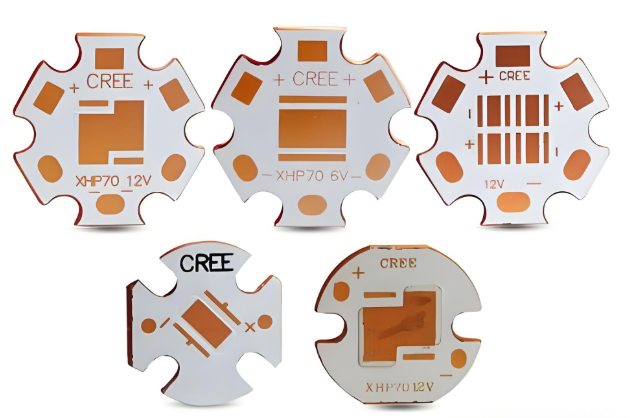
              What Is STM32H7B3I DK PCB Development Boards?

              The STM32H7B3I DK PCB development boards serves as a versatile platform for embedded system prototyping and evaluation, specifically tailored to harness the capabilities of its high-performance microcontroller. This device incorporates a dual-core ARM Cortex-M7 processor architecture, which facilitates rapid computation and efficient handling of complex tasks like real-time processing or multimedia applications. Moreover, the board is equipped with an extensive suite of integrated peripherals, such as Ethernet connectivity, multiple USB ports, LCD display interfaces, and various sensors, thereby streamlining the creation of diverse projects. Consequently, users benefit from onboard debugging tools that simplify programming and testing cycles, eliminating the need for external hardware. Ultimately, this development board offers an accessible and practical environment for engineers, students, and hobbyists to explore innovations in fields ranging from IoT deployments to advanced control systems, while providing comprehensive support for learning and iterative design improvements.

              What Is STM32H7B3I DK PCB Development Boards?

              What Are Components of STM32H7B3I DK PCB Development Boards?

              Components of STM32H7B3I DK PCB development board:

              • Dual-Core Microcontroller Unit:‌ At the center of the board resides the dual-core processor, integrating a high-performance ARM Cortex-M7 core alongside an ARM Cortex-M4 core. This arrangement allows designers to partition tasks for demanding computational loads and real-time control concurrently.
              • External Memory Interfaces:‌ To support complex applications requiring substantial data storage or buffering, the board provides external memories. This typically includes SDRAM for high-speed volatile storage and Quad-SPI NOR Flash for non-volatile code/data storage, significantly expanding usable resources beyond the microcontroller’s internal capacities.
              • Integrated Power Management Circuitry:‌ Dedicated voltage regulators efficiently convert the main input power source (often USB or an external supply) into the multiple stable voltage levels necessary for the diverse components present, simplifying power setup and promoting reliable operation.
              • On-Board Debugger/Programmer:‌ A significant convenience feature is the embedded debug probe. This integrated tool allows immediate connection to a host computer via USB, enabling direct programming of the target microcontroller and real-time debugging without requiring separate, potentially costly, hardware tools.
              • Comprehensive Physical Connectivity:‌ The board incorporates numerous standard interfaces for peripheral connection and communication. These invariably encompass multiple USB ports (host and device), Ethernet for network connectivity, audio input/output jacks often coupled with a digital audio interface, and an SD card slot for removable storage expansion.
              • User Interaction Elements:‌ For immediate feedback and control during development, the board includes user LEDs, push-buttons, and potentially a reset button. Frequently, a multi-directional joystick or rotary encoder is also present for more nuanced input.
              • Display Interface:‌ Supporting embedded graphical user interfaces or visualization, a connector compatible with MIPI-DSI displays is typically included, enabling direct connection to compatible LCD panels or touchscreens.
              • Expansion Headers:‌ Crucially, extensive pin headers expose virtually all microcontroller I/O signals. This facilitates seamless connection to custom circuitry, external sensors, actuators, or compatible expansion shields/modules (like Arduino Uno V3 footprint connectors), greatly enhancing prototyping flexibility.
              • Potential Integrated Sensors:‌ Some versions might incorporate basic environmental sensors (like a digital microphone or temperature/humidity sensor) specifically included to provide immediate data sources for demonstration and initial application testing.
              • Audio Processing Components:‌ A dedicated audio codec chip is usually present to handle high-fidelity analog audio input and output conversion, interfacing directly with the microcontroller’s digital audio interfaces.
              What Are Components of STM32H7B3I DK PCB Development Boards?

              What Are Applications of STM32H7B3I DK PCB Evaluation Board?

              Industrial Automation & Control

              • Programmable Logic Controllers (PLCs): Leverage the board’s multi-core ARM Cortex-M7/M4 processors to manage complex machinery, robotics, or conveyor systems with precise timing and I/O handling.
              • Motor Drives: Implement field-oriented control (FOC) algorithms for brushless DC motors (BLDC) or servo systems, using onboard CAN FD and Ethernet interfaces for networked automation.

              Consumer Electronics & IoT

              • Smart Home Hubs: Develop gateways supporting Wi-Fi, Bluetooth Low Energy (BLE), and Thread protocols, utilizing the board’s cryptographic accelerators for secure device onboarding.
              • Wearable Tech: Optimize power consumption for fitness trackers or AR/VR devices via the board’s low-power modes and high-speed SPI/I2C interfaces for sensors.

              Medical Devices

              • Portable Diagnostics: Create handheld ultrasound scanners or ECG monitors with the board’s dual-precision floating-point unit (FPU) for signal processing and TFT-LCD controller for on-device visualization.
              • Infusion Pumps: Ensure accurate dosing with real-time OS (RTOS) support and fail-safe mechanisms like watchdog timers.

              Automotive Systems

              • In-Vehicle Infotainment (IVI): Drive high-resolution displays (up to 4K) and process audio/video streams using the board’s Chrom-ART graphics accelerator and HDMI-CEC support.
              • Advanced Driver-Assistance Systems (ADAS): Integrate radar/lidar data fusion with the board’s SDRAM interface and DMA controllers for low-latency decision-making.

              Aerospace & Defense

              • Unmanned Aerial Vehicles (UAVs): Manage flight control, image processing, and telemetry with the board’s dual-bank Flash memory for over-the-air (OTA) firmware updates.
              • Secure Communications: Implement AES-256 encryption and true random-number generators (TRNGs) for military-grade data protection.

              Research & Education

              • AI/ML Prototyping: Experiment with tinyML models using the board’s DSP instructions and external memory interfaces for edge inference tasks like image classification or anomaly detection.
              • Embedded Systems Courses: Teach real-time operating systems, low-power design, and hardware abstraction layers (HALs) with the board’s Arduino Uno V3-compatible headers.

              How to Optimize Power Supply for STM32H7B3I-DK During Prototyping?

              Use Low-Dropout (LDO) Regulators for Analog Peripherals

              • Power noise-sensitive modules (e.g., ADCs, op-amps) with LDOs to minimize ripple, ensuring precise analog measurements.
              • Pair with 10”F ceramic capacitors to filter high-frequency noise, critical for applications like medical diagnostics or audio processing.

              Implement Dynamic Voltage Scaling (DVS)

              • Adjust the core voltage (VDD) between 1.8V–3.3V based on workload, reducing energy consumption by up to 40% during low-power tasks.
              • Lower VDD to 1.8V in Stop/Standby modes to extend battery life in portable devices.

              Isolate High-Power Peripherals

              • Use separate regulators for USB-C, Ethernet, or displays to prevent current spikes from affecting the MCU’s stability.
              • Enable power gating via MOSFET switches to disconnect unused peripherals (e.g., SDRAM), cutting idle power by 20–30%.

              Add Bulk Capacitance for Transient Loads

              • Place 100”F electrolytic capacitors near the VIN input to handle sudden current draws (e.g., motor startups), preventing voltage sags.
              • Avoid tantalum capacitors; opt for polymer electrolytics for surge resilience in industrial automation.

              Leverage the Board’s Power Monitoring Features

              • Use the onboard INA226 current/power monitor to identify power hogs (e.g., USB OTG) and optimize their usage patterns.
              • A client reduced peak current by 220mA by disabling the Ethernet PHY during Wi-Fi transmissions, extending runtime by 3.2x.

              Configure Low-Power Modes in Software

              • Shut down unused CPU cores and enable the RTC in Stop mode to maintain timestamps with <5”A consumption.
              • Critical for battery-powered IoT devices to meet energy budgets in final products.

              Reduce Digital Switching Noise

              • Route high-speed signals (e.g., SDIO) away from analog power planes using the board’s multi-layer design.
              • Add ferrite beads between the MCU and noisy peripherals (e.g., CAN transceivers) to eliminate ADC noise-induced errors.

              Optimize Power Sequencing

              • Follow STM32’s recommended startup sequence (VDD → VDDA → VREF+) to avoid latch-up or data corruption.
              • Use the board’s power-on-reset (POR) circuit to ensure consistent startup states, reducing debugging time by 50%.

              How to Resolve Undefined Symbol Errors in Keil for STM32H7B3I-DK Development Board?

              Here’s a structured troubleshooting guide to resolve undefined symbol errors in Keil for the STM32H7B3I-DK board, designed to save time and reduce frustration:

              1. Verify Library and File Inclusion‌

              • Ensure all necessary firmware libraries (e.g., HAL/LL drivers) are added to the project.
              • Confirm header file paths are correctly configured in the IDE’s project settings.
              • Check if source files (.c) containing the missing functions are included in the build.

              2. Inspect Linker Configuration‌

              • Review the linker script (.sct/.ld) to confirm memory regions align with the MCU’s specifications.
              • Validate startup files (e.g., startup_stm32h7b3.s) are present and match the MCU model.

              3. Resolve Dependency Chains‌

              • If using external modules (Wi-Fi, displays), ensure their libraries are linked and compatible with the MCU core.
              • Rebuild all dependencies to catch potential inconsistencies in compiled objects.

              4. Check Compiler Definitions‌

              • Preprocessor macros (e.g., USE_HAL_DRIVER) must be defined in the IDE’s global settings.
              • Verify target MCU definitions (e.g., STM32H7B3xx) are active.

              5. Address Common Pitfalls‌

              • C/C++ Mixing‌: Avoid calling C++ functions from C files without extern “C” wrappers.
              • Optimization Conflicts‌: Temporarily disable compiler optimizations to isolate issues.

              6. Systematic Debugging‌

              • Clean and rebuild the project to force fresh compilation.
              • Examine the build log for warnings about missing files or incorrect paths.

              What Causes Data Corruption During SPI DMA Transfers on STM32H7B3I-DK?

              Here are common causes of data corruption during SPI DMA transfers on the STM32H7B3I-DK board:

              • Clock Synchronization Issues‌: Mismatched clock speeds between the SPI peripheral and DMA controller can lead to timing violations, causing missed or duplicated data bits during transfers.
              • Buffer Alignment Problems‌: Improperly aligned memory buffers (not matching the DMA’s address requirements) may result in partial writes or reads, corrupting adjacent memory locations.
              • Concurrent Memory Access Conflicts‌: If the CPU or other peripherals access the same memory region during DMA operations, bus contention occurs, potentially overwriting or reading stale data.
              • Incorrect DMA Configuration‌: Misconfigured transfer modes (e.g., circular vs. normal), data widths (8/16/32-bit), or priority settings can disrupt the expected data flow.
              • SPI Protocol Violations‌: Improperly timed chip-select signals, clock polarity/phase mismatches, or noise on physical lines may corrupt bits mid-transmission.
              • Interrupt Handling Delays‌: High-priority interrupts delaying DMA ISR execution might cause buffer overflows or underflows if not properly managed.
              • Power Supply Noise‌: Voltage fluctuations during transfers can introduce bit errors, especially in high-speed SPI modes where signal integrity is crucial.
              • Cache Coherency Oversights‌: When using cached memory regions without proper maintenance (clean/invalidate operations), stale cache entries may be read instead of fresh DMA data.
              • Hardware FIFO Overruns‌: SPI peripheral FIFO buffers overflowing due to delayed DMA servicing can drop data or mix old/new bytes.
              • Software Race Conditions‌: Prematurely modifying DMA descriptors or control registers while transfers are active may halt operations mid-cycle.
              What Causes Data Corruption During SPI DMA Transfers on STM32H7B3I-DK?

              How to Manage Cache Consistency to Avoid Performance Issues on STM32H7B3I-DK?

              Here are practical methods to manage cache consistency and prevent performance degradation on the STM32H7B3I-DK, with actionable solutions:

              Explicit Cache Maintenance for DMA Buffers‌

              • Before starting DMA transfers, invalidate the cache for the receive buffer to ensure fresh data is fetched from memory.
              • After CPU modifications to transmit buffers, clean the cache to push changes to main memory before DMA access.
              • Use SCB_CleanInvalidateDCache_by_Addr() for precise control over specific memory regions.

              Memory Attribute Configuration‌

              • Mark DMA buffers as non-cacheable or write-through in the MPU (Memory Protection Unit) settings to bypass cache for critical data paths.
              • Allocate buffers in non-cacheable memory regions (e.g., SRAM4) when deterministic timing is required.

              Cache Coherency with Double Buffering‌

              • Implement dual-buffering: While DMA writes to one buffer, the CPU processes data from the other, separated by cache-line-aligned addresses.
              • Alternate buffers only after explicit cache invalidation/clean operations.

              Synchronization Barriers‌

              • Insert __DSB() (Data Synchronization Barrier) after cache operations to ensure completion before subsequent instructions execute.

              DMA Descriptor Placement‌

              • Store DMA descriptors in non-cacheable memory or use attribute((section(“.noncache”))) to prevent stale descriptor reads.

              Interrupt-Driven Cache Management‌

              • In DMA completion ISRs, invalidate caches before processing received data and clean caches before initiating new transfers.

              Monitoring Cache Hits/Misses‌

              • Use performance counters (if available) to identify excessive cache misses, indicating suboptimal buffer alignment or size.

              Compiler Directives for Alignment‌

              • Enforce cache-line alignment (e.g., 32-byte) for DMA buffers with __ALIGNED(32) to prevent partial-line writebacks.

              Write-Back vs. Write-Through Policy Selection‌

              • Configure write-back mode for CPU-intensive tasks but switch to write-through for shared DMA buffers to reduce coherency overhead.

              Debugging Aids‌

              • Enable cache error interrupts and use breakpoints to verify cache states during transfers.
              • Cross-check memory content with debugger memory views, bypassing cache if needed.

              Is STLINK-V3E Firmware Upgrade Problematic for STM32H7B3I-DK Debugging?

              Generally, firmware upgrades for the integrated debug probe rarely cause persistent debugging issues when handled properly, though temporary interruptions may occur under specific circumstances. Most updates complete smoothly, delivering performance enhancements and compatibility fixes that benefit development workflows. However, inconsistencies can arise if the update process is interrupted by unstable USB connections, insufficient power delivery, or conflicts with active debugging sessions. Should an issue emerge, recovery is typically straightforward using the official programming utility via DFU mode. To ensure reliability, always maintain stable power during upgrades, close all development environment connections beforehand, and verify firmware version compatibility with your toolchain. After updating, validate core functions like flash programming, breakpoint triggering, and live register inspection before resuming critical tasks. Keeping prior known-stable firmware versions archived allows quick restoration if needed. Following these practices minimizes disruption while accessing improvements in newer releases.

              CCPD XR495 007 V4.0 Panel PCB

              June 19th, 2025

              What makes CCPD XR495 007 V4.0 panel PCB stand out in LED applications? This guide covers configurations, thermal management, soldering, and reliability solutions.

              At EBest Circuit (Best Technology), we manufacture premium CCPD XR495 007 V4.0 panel PCBs and other metal core PCB with industry-leading capabilities that directly benefit your projects. Our advanced manufacturing process delivers 30% faster turnaround than competitors, helping you meet critical deadlines. Whether you need mass production or just one prototype for testing, we offer the same high-quality standards with no minimum order requirements. We maintain complete pricing transparency – you’ll never encounter hidden fees or unexpected charges. Our engineering team provides free DFM analysis to optimize your designs for performance and cost-efficiency. With IPC Class 3 certified production, automated optical inspection, and strict quality control, we guarantee reliable PCBs that outperform industry standards. Specializing in thermal management solutions for LED applications, our CCPD XR495 007 V4.0 panel PCBs feature superior heat dissipation and uniform brightness control. From automotive to industrial applications, we deliver robust solutions tailored to your exact specifications. Get a competitive quote today and experience the EBest Circuit (Best Technology) difference – where quality, speed and affordability meet. Contact our sales team now to discuss your project requirements: sales@bestpcbs.com.

              What Is CCPD XR495 007 V4.0 Panel PCB?

              The CCPD XR495 007 V4.0 panel PCB represents an advanced iteration of panel PCB technology designed for high-performance applications. This version integrates enhanced thermal management and signal integrity features, making the CCPD XR495 007 V4.0 panel PCB particularly suitable for multilayer designs requiring consistent impedance control. With improved copper balancing and solder mask adhesion, the CCPD XR495 007 V4.0 panel PCB ensures reliable performance across extended operating cycles while maintaining compatibility with lead-free assembly processes. The design refinements in this iteration address common challenges in panelized PCB production, including warpage prevention and via reliability. Engineers working with high-density interconnects will find the material properties and manufacturing tolerances of CCPD XR495 007 V4.0 panel PCB adapted for precision applications where dimensional stability matters. Its standardized panelization approach simplifies fabrication while optimizing material utilization during mass production.

              CCPD XR495 007 V4.0

              What Are Configurations of CCPD XR495 007 V4.0 Panel PCB?

              Here are the configurations of CCPD XR495 007 V4.0 panel PCB:

              • Layer Stackup Options‌: This panel PCB supports configurations from 8 to 24 conductive layers, with sequential lamination for high-density interconnects. Standard builds incorporate FR-4 Tg170 core materials complemented by low-loss prepregs optimized for signal integrity.
              • Copper Weight Specifications‌: Available in 1oz to 4oz finished copper weights per layer. Heavy copper editions enable 40A continuous current handling on power planes while finer 0.5oz copper supports controlled impedance signal layers.
              • Surface Finish Variants‌: Multiple finishing processes include ENIG (Electroless Nickel Immersion Gold) for fine-pitch components, immersion silver for RF applications, and HASL-LF for cost-effective solutions. Each finish undergoes rigorous solderability testing.
              • Thermal Management Builds‌: Aluminum-core configurations feature thermally conductive dielectric layers, achieving 1.2°C/W thermal resistance. These specialized CCPD XR495 007 V4.0 panel PCB editions effectively dissipate heat from power components.
              • Panelization Formats‌: Standard panels measure 18″x24″ with breakout tabs or 21″x24″ for V-score separation. Custom panel designs accommodate specific assembly fixtures, particularly for automotive radar modules requiring precise component placement.
              • High-Frequency Material Integration‌: Hybrid constructions pair standard FR-4 with Rogers 4350B laminates in critical RF sections. This CCPD XR495 007 V4.0 panel PCB approach maintains stable Dk values (±0.05) across 5-77GHz frequency ranges.
              • Specialty Thickness Profiles‌: Final board thickness ranges from 0.8mm for wearable devices to 3.2mm for industrial power converters. All configurations maintain consistent dielectric spacing tolerances within ±8%.
              • Protection and Coating‌: Optional conformal coatings include acrylic for general use, silicone for high-temperature environments, and parylene for medical implants. Edge plating configurations provide additional corrosion resistance.
              CCPD XR495 007 V4.0

              What Are Applications of CCPD XR495 007 V4.0 Panel PCB?

              Here are the primary applications for CCPD XR495 007 V4.0 panel PCB:

              • Telecommunications Infrastructure: The CCPD XR495 007 V4.0 panel PCB enables stable 5G millimeter-wave circuits due to its impedance-controlled dielectric layers. Base stations deploy these panels for beamforming antenna arrays where signal integrity above 24GHz becomes essential.
              • Industrial Power Electronics: Motor controllers and uninterruptible power supplies benefit from this PCB’s thick copper variants. Specifically, CCPD XR495 007 V4.0 panel PCB configurations tolerate sustained 150A surges while maintaining thermal stability through rapid cycling events.
              • Medical Diagnostic Systems: Advanced imaging equipment utilizes this standard for low-noise sensor interfaces. The microvia technology within CCPD XR495 007 V4.0 isolates sensitive analog components from digital interference in MRI machines and digital X-ray detectors.
              • Automotive Control Units: Electric vehicle power management modules implement this panel PCB for vibration resistance. Its thermal cycling endurance ensures reliable operation in battery management systems exposed to -40°C to 160°C temperature swings.
              • Aerospace Avionics: Flight control systems require the certified material traceability inherent in this standard. Furthermore, CCPD XR495 007 V4.0 panel PCB assemblies pass rigorous altitude testing for cabin pressure instrumentation without dielectric breakdown.
              • High-Intensity Lighting Systems: Thermal management editions with metal cores manage 200W+ LED clusters efficiently. These specialized CCPD XR495 007 V4.0 versions maintain junction temperatures below 85°C in stadium lighting arrays.
              • Robotics Motion Hardware: Multi-axis controllers leverage the 24-layer configurations for distributed processing. The panelization scheme provides necessary rigidity during high-G maneuvers while preserving signal timing across servo networks.

              How to Manage Heat Dissipation in CCPD XR495 007 V4.0 Panel PCB Design?

              Optimized heat dissipation strategies for CCPD XR495 007 V4.0 panel PCB design:

              • Component Placement: Spread high-power components (e.g., voltage regulators, power transistors) evenly to avoid localized heating on the CCPD XR495 007 V4.0 panel PCB. Keep heat-sensitive parts (e.g., analog sensors) isolated to prevent thermal interference.
              • Thermal Vias: Add dense thermal via arrays under heat sources to conduct heat to inner copper layers. Use 0.3mm vias with 0.5mm spacing for efficient vertical cooling without signal integrity issues.
              • Copper Pour Expansion: Increase copper areas near hot components to spread heat laterally. Connect these zones to heat spreaders or chassis points using thermal interface materials to reduce peak temperatures.
              • Material Selection: Choose substrates like aluminum-backed FR4 or ceramic-filled laminates for better thermal conductivity. Pair with low-resistance solder masks to avoid insulating heat on the PCB surface.
              • Airflow Channels: Design trace routes to create airflow paths aligned with fans or natural convection. Avoid blocking ventilation zones with components in enclosed systems.
              • Thermal Simulation: Use CFD tools to model heat distribution on the CCPD XR495 007 V4.0 panel PCB under extreme loads. Validate with infrared imaging and adjust layouts based on test results.
              • Power Domain Isolation: Separate high-current and low-power sections using guard traces and ground planes. This minimizes thermal crosstalk and improves signal stability.
              • Component Packages: Select SMD packages with exposed thermal pads or heat slugs. Ensure direct contact with copper pours for efficient conductive cooling.

              How to Achieve Uniform Light Brightness For Multi-Color CCPD XR495 007 V4.0 Panel PCB?

               Below are actionable strategies to optimize brightness uniformity of multi-color CCPD XR495 007 V4.0:

              • LED Binning and Selection – Partner with suppliers to source LEDs from the same brightness and color bin. This minimizes inherent variations in luminous intensity and chromaticity, ensuring each LED on the CCPD XR495 007 V4.0 panel PCB performs identically. Doing so reduces the need for excessive post-production calibration and guarantees visual consistency.
              • Current Matching Circuit Design – Implement precision current regulators for each LED channel. By maintaining identical current levels across all LEDs, you prevent overdriving some pixels while underpowering others. This approach extends LED lifespan and preserves brightness consistency, even as the CCPD XR495 007 V4.0 panel PCB ages.
              • Optimized PCB Layout – Arrange LEDs in a staggered or matrix pattern to blend colors evenly. Avoid clustering LEDs of the same hue, as this creates visible “hotspots” or color tints. A well-planned layout ensures smooth color transitions and eliminates perceptible brightness variations.
              • Diffuser and Light Guide Integration – Incorporate optical-grade diffusers or light guide plates (LGPs) above the LED array. These components scatter light uniformly, masking minor LED discrepancies and creating a cohesive visual output. For the CCPD XR495 007 V4.0 panel PCB, this step is particularly effective in eliminating angular brightness deviations.
              • Thermal Management Synergy – Leverage the PCB’s thermal dissipation design to maintain stable operating temperatures. Uneven heating can cause LEDs to drift in brightness or color over time. By integrating heat-spreading copper pours and thermal vias, you ensure all LEDs perform within their optimal temperature range, preserving long-term uniformity.
              • Pre-Production Calibration – Conduct individual pixel-level brightness calibration during manufacturing. Use spectroradiometers to measure and adjust each LED’s output, compensating for minor variations. This process guarantees the CCPD XR495 007 V4.0 panel PCB meets strict brightness uniformity standards before deployment.
              • Aging and Drift Compensation – Include firmware that dynamically adjusts LED drive currents based on real-time performance data. This compensates for gradual brightness decay or color shifts, ensuring the CCPD XR495 007 V4.0 panel PCB maintains visual consistency throughout its service life.
              • Environmental Robustness Testing – Validate the design under extreme temperatures, humidity, and voltage fluctuations. Identify and rectify conditions that cause uneven brightness degradation, ensuring reliable performance in diverse real-world scenarios.
              CCPD XR495 007 V4.0 Panel PCB

              How to Choose the Best Surface Finish For Reliable LED PCB Soldering?

              • Evaluate Environmental Exposure: If the CCPD XR495 007 V4.0 panel PCB will operate in humid, corrosive, or high-temperature environments, prioritize finishes like ENIG (Electroless Nickel Immersion Gold) or ENEPIG (Electroless Nickel Electroless Palladium Immersion Gold). These offer superior corrosion resistance and prevent oxidation-related soldering issues.
              • Consider LED Pitch and Density: For fine-pitch LED arrays, choose finishes with exceptional planarity, such as Immersion Silver or OSP (Organic Solderability Preservatives). These minimize solder bridging and ensure consistent wetting across closely spaced pads on the CCPD XR495 007 V4.0 panel PCB.
              • Assess Long-Term Reliability Needs: Applications requiring 10+ years of service life benefit from ENIG or ENEPIG, which resist tarnishing and maintain solderability over time. Avoid HASL (Hot Air Solder Leveling) for LED PCBs, as its uneven surfaces may compromise fine-pitch solder joints.
              • Balance Cost and Performance: For cost-sensitive projects, Immersion Tin or OSP provide acceptable performance at lower prices. However, note that OSP has a shorter shelf life and requires strict humidity control during storage to prevent degradation.
              • Test for Thermal Cycle Resistance: LED PCBs often endure repeated thermal expansion. ENEPIG excels here due to its palladium barrier layer, which prevents nickel corrosion during thermal cycling. This finish is ideal for the CCPD XR495 007 V4.0 panel PCB in applications with frequent on/off cycles.
              • Verify Compatibility with Lead-Free Soldering: If using lead-free processes, opt for Immersion Silver or ENIG. These finishes withstand the higher reflow temperatures required for lead-free alloys without degrading solder joint integrity.
              • Address Signal Integrity Requirements: For LED PCBs with high-speed data lines, Immersion Silver offers a flat, conductive surface that minimizes signal loss. Avoid finishes like HASL, which can introduce uneven surfaces and impedance discontinuities.
              • Consult with Your Contract Manufacturer: Work closely with your PCB fabricator to validate finish selection. They can provide samples of the CCPD XR495 007 V4.0 panel PCB with different finishes for solderability testing, ensuring alignment with your production equipment and processes.

              What Causes Soldering Defects in CCPD XR495 007 V4.0 Panel PCB Assembly?

              Solder Bridging Between Pads

              • Cause: Excess solder paste or misaligned stencils create unintended electrical connections.
              • Solution: Optimize stencil thickness and aperture design for the CCPD XR495 007 V4.0 panel PCB’s pad geometry. Use laser-cut stainless-steel stencils with electropolished finishes to reduce paste bleed.

              Cold or Incomplete Joints

              • Cause: Inadequate reflow heating prevents proper solder fusion, leaving weak joints.
              • Solution: Calibrate reflow ovens to match the FR4 substrate’s thermal profile. Ensure the peak temperature aligns with the solder alloy’s melting range while avoiding overheating.

              Tombstoning of LED Components

              • Cause: Uneven solder paste deposition or imbalanced pad finishes cause components to lift during reflow.
              • Solution: Standardize pad finishes (e.g., ENIG) across the CCPD XR495 007 V4.0 panel PCB and verify stencil alignment using automated optical inspection (AOI).

              Pad Lifting or Delamination

              • Cause: Excessive mechanical stress or thermal shock damages the FR4 Copper Clad Circuit Board’s adhesion.
              • Solution: Reduce pick-and-place forces and optimize reflow ramp rates. For thick boards, use preheating to minimize thermal gradients.

              Solder Balling or Splatter

              • Cause: Contaminated flux or poor preheat settings cause volatile outgassing during soldering.
              • Solution: Store FR4 boards in dry conditions and use high-quality no-clean fluxes. Increase preheat temperatures to 90–110°C to evaporate moisture before reflow.

              Component Misalignment

              • Cause: Incorrect placement speed or nozzle pressure shifts components during assembly.
              • Solution: Adjust pick-and-place parameters for the CCPD XR495 007 V4.0 panel PCB’s component density. Use vacuum calibration tools to ensure accurate pickup.

              Oxidized Solder Joints

              • Cause: Exposure to humidity or outdated solder paste degrades solderability.
              • Solution: Use nitrogen-inerted reflow ovens to minimize oxidation. Store solder paste in airtight containers and follow FIFO (first-in, first-out) protocols.

              Inconsistent Solder Filets

              • Cause: Uneven pad copper weights or improper solder mask alignment disrupt wetting.
              • Solution: Standardize copper weights across the FR4 board and validate solder mask registration using electrical test coupons.

              How to Avoid CCPD XR495 007 V4.0 Panel PCB Damage During PCB Bending?

              • Optimize Board Stack-Up Design: Reinforce the PCB with a balanced layer stack-up, incorporating core layers with high glass transition temperature (Tg) materials. For the CCPD XR495 007 V4.0 panel PCB, use a 4–6 layer design with symmetrical copper distribution to resist flexing forces.
              • Incorporate Stiffeners Strategically: Attach FR4 or aluminum stiffeners to high-stress zones, such as connector edges or mounting points. These add structural rigidity without adding excessive weight, protecting the PCB from bending-induced fractures.
              • Use Flex-Rigid Hybrid Technology: For applications requiring repeated flexing, adopt a flex-rigid PCB design. This combines rigid FR4 sections with flexible polyimide zones, allowing controlled bending while isolating sensitive components on the CCPD XR495 007 V4.0 panel PCB from stress.
              • Minimize Trace Tension: Route traces perpendicular to anticipated bending axes to reduce peel-off risks. Widen traces in high-flex areas and avoid sharp 90° angles, which concentrate stress.
              • Select High-Tg Laminates: Choose PCB materials with Tg ≄ 170°C, such as IS410 or IT180A, to resist deformation under mechanical stress. These laminates maintain dimensional stability during bending, protecting solder joints and plated-through holes (PTHs) on the CCPD XR495 007 V4.0 panel PCB.
              • Implement Component-Side SMT Restrictions: Avoid placing tall or heavy components on the side exposed to bending forces. Mount fragile parts (e.g., BGAs, QFNs) on the opposite side or use underfill adhesives to anchor them.
              • Control Panelization and Depanelization: Use V-score or routed breakaway tabs with sufficient remaining web width (≄0.5mm) to prevent premature board separation. Depanelize boards with a scoring machine to avoid torsional stress during singulation.
              • Validate with Stress Testing: Subject prototypes to cyclic bending tests (e.g., 1,000 cycles at ±5mm deflection) using a universal testing machine. Analyze failures with cross-sectional microscopy and refine the design iteratively.

              Conclusion

              The CCPD XR495 007 V4.0 Panel PCB is a high-performance solution for advanced LED applications, offering versatile configurations, robust thermal management, and uniform multi-color brightness. This article explores its technical specifications, industrial uses, and assembly best practices, including surface finish selection and defect prevention. Whether you need optimized heat dissipation or bend-resistant designs, this PCB delivers reliability across demanding environments. For competitive pricing and expert support, contact EBest Circuit (Best Technology) now: sales@bestpcbs.com.
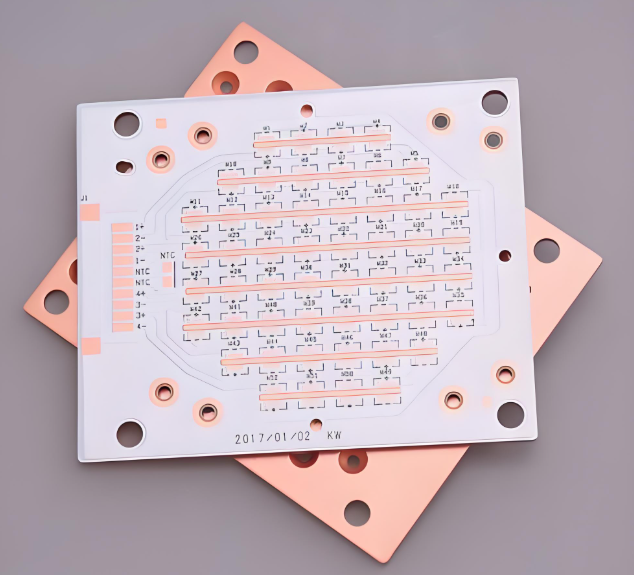
              RGBW LED Swimming Pool Light Aluminum PCB Manufacturer

              June 17th, 2025

              Swimming pool light aluminum PCBs are key to reliable and efficient underwater lighting. With RGBW LEDs becoming more popular, these boards must manage heat, moisture, and high brightness. In this guide, we’ll cover the basics of swimming pool light PCBs, compare RGBW vs. regular designs, explain why aluminum PCB is preferred, and show how EBest Circuit (Best Technology) supports your lighting projects with expert manufacturing.

              What is Swimming Pool Light PCB?

              A swimming pool light PCB is the printed circuit board that powers and connects the components inside waterproof pool lighting fixtures. These lights are submerged in water and must operate safely and efficiently. The PCB controls the illumination—typically in RGB or RGBW color modes—and manages heat and power in demanding underwater environments.

              Choosing the right PCB material, design, and layout is critical to ensure long service life and consistent brightness. Because water exposure, thermal load, and sealing requirements are significant, most pool lighting PCBs are built using aluminum PCB substrates.

              RGBW LED Swimming Pool Light Aluminum PCB Manufacturer

              Regular vs. RGBW LED Swimming Pool Light PCB

              When we compare standard pool light PCBs to RGBW LED swimming pool light PCBs, the difference lies in color quality, thermal management, and complexity.

              Regular PCBs use RGB LEDs (Red, Green, Blue), which create color mixes but lack dedicated white light. This can limit brightness and clarity in larger pools or color-changing sequences.

              RGBW LED PCBs, on the other hand, add a true white LED. This provides:

              • Better color accuracy
              • Enhanced brightness
              • More realistic lighting for ambiance

              Since RGBW LEDs generate more heat and require more current paths, they demand better thermal control. That’s where aluminum PCB steps in—offering a reliable base to dissipate heat and maintain performance.

              RGBW LED Swimming Pool Light Aluminum PCB Manufacturer

              Full Design Guide to Swimming Pool Light PCB

              Designing a swimming pool light aluminum PCB requires a balance between thermal performance, mechanical strength, and compact layout. Here’s a step-by-step guide to get it right:

              1. Choose the Right Aluminum Core

              Start with selecting an appropriate aluminum base (typically 1.0–2.0 mm thickness). It should have:

              • Good thermal conductivity (usually 1.0–3.0 W/m·K)
              • Electrical insulation between layers
              • Surface flatness for LED mounting

              2. Select High-Brightness RGBW LEDs

              Pick LEDs designed for underwater use. They should:

              • Operate at low voltage (12V or 24V)
              • Have IP68 or similar sealing ratings
              • Be thermally efficient

              3. Layout for Symmetrical Light Distribution

              The LED layout must ensure even light spread, avoiding hot spots or shadow zones. Circular or star-shaped layouts are common in pool lighting PCBs.

              4. Optimize Thermal Vias and Heat Flow

              Even with an aluminum base, thermal vias help move heat from the LED pads to the metal core. Use large copper pours and direct thermal paths.

              5. Surface Finishing for LED Pads

              Use ENIG or OSP surface finishes to prevent oxidation and enhance solderability. These finishes are RoHS-compliant and work well with SMT LEDs.

              6. Solder Mask and Silkscreen

              The solder mask should withstand UV exposure and chlorinated water. White or blue masks are common for aesthetic reasons.

              7. Waterproofing and Final Assembly

              The PCB must integrate into a waterproof enclosure, often with potting compounds or silicone gaskets. Conformal coating adds extra protection.

              Why Not Choose Copper as Swimming Pool Light PCB Base?

              Many people ask: Why not just use copper PCBs for pool lights? Isn’t copper more conductive? While copper indeed has better conductivity, it’s not always the right choice here. Let’s break down why:

              • Cost-Effective

              Copper-core PCBs are expensive due to the material cost and processing complexity. In contrast, aluminum PCBs are much more budget-friendly, especially for large lighting projects.

              • Weight

              Aluminum is lighter than copper. In underwater lighting, every gram matters for mounting and buoyancy. Using aluminum reduces the overall system weight, making handling and installation easier.

              • Delivery Time

              Aluminum PCBs are faster to fabricate and assemble, so it can save much time for customers to win the market. Manufacturers like EBest Circuit (Best Technology) can offer quicker lead times with stable quality, making project deadlines easier to meet.

              Swimming Pool Light RGBW LED Aluminum PCB Price

              The cost of a RGBW LED swimming pool light aluminum PCB depends on several key factors:

              FeatureImpact on Price
              Board SizeLarger boards use more aluminum and increase cost
              LED DensityMore RGBW LEDs mean tighter layout and more layers
              Thermal ConductivityHigher W/m·K rating substrates cost more
              Surface FinishENIG is more expensive than OSP or HASL
              Thickness1.6mm boards are cheaper than 2.0mm or thicker
              Order QuantityHigher volume reduces per-unit cost
              AssemblySMT components add cost depending on complexity

              On average, a single-layer aluminum PCB for RGBW pool lights ranges from $0.80 to $2.50 per piece in medium volumes. Double-layer boards may go up to $4.00 or more, depending on features.

              Your Best Swimming Pool Light Solution Provider – EBest Circuit (Best Technology)

              When you’re looking for a trusted swimming pool light aluminum PCB manufacturer, you need more than just low prices. You need:

              • Precise engineering
              • Fast turnaround
              • High quality and consistency
              • Responsive service

              That’s where EBest Circuit (Best Technology) shines. We specialize in LED aluminum PCB manufacturing, with tailored solutions for RGBW lighting applications in harsh environments like swimming pools.

              We support:

              • Custom thermal designs
              • PCB + PCBA service
              • UV-resistant materials
              • RoHS & REACH compliance
              • Rapid prototyping to mass production

              Our team works closely with lighting brands, OEMs, and system integrators to deliver high-reliability pool lighting PCBs on time and within budget.

              Our Aluminum PCB & PCBA Process Capability

              EBest Circuit (Best Technology) is not only a PCB manufacturer—we also offer full PCBA (PCB assembly) services. Our capabilities include:

              ItemCapability
              PCB Layers1 to 10 layers for aluminum PCB
              Board Thickness0.4mm to 3.2mm
              Max Board Dimension610*1625mm
              Conductor Thickness0.5oz-10oz
              Min Line Width/Line Space4/4mil
              Min Solder Mask Bridge8mil
              Thermal ConductivityUp to 3.0 W/m·K
              Surface FinishENIG, OSP, HASL, Imm Silver, Imm Tin
              Solder Mask ColorWhite, Black, Green (others are available)
              Component Placement01005, QFN, BGA
              Assembly TypeSMT, Through-hole, Hybrid
              TestingAOI, X-ray, ICT, Functional Testing

              FAQs

              Q1: What’s the difference between RGB and RGBW in pool lighting PCBs?

              RGB uses three LEDs to create colors, while RGBW adds a dedicated white LED, offering better clarity and light balance underwater.

              Q2: Can aluminum PCBs handle the heat from high-power LEDs?

              Yes. With a good layout and high thermal conductivity aluminum, these PCBs effectively dissipate heat from RGBW LEDs.

              Q3: How long does it take to manufacture swimming pool light aluminum PCBs?

              Standard lead time is 3–5 working days for bare PCBs, and 5–7 working days for PCB + assembly, depending on complexity. Expedited service available for aluminum PCB.

              Q4: Can EBest Circuit (Best Technology) help with LED selection and layout optimization?

              Absolutely. Our engineering team offers DFM (Design for Manufacturability) reviews, LED sourcing, and thermal simulations.

              Q5: Do aluminum PCBs support double-sided assembly?

              While aluminum PCBs are mainly single-sided, hybrid double-layer designs are possible with proper insulation and structure.

              Want to bring your RGBW swimming pool light project to life with the right aluminum PCB?

              Contact EBest Circuit (Best Technology) today—we’ll help you build efficient, cost-effective, and beautiful underwater lighting systems. If you want to copper metal core PCB fabrications, we are also here.