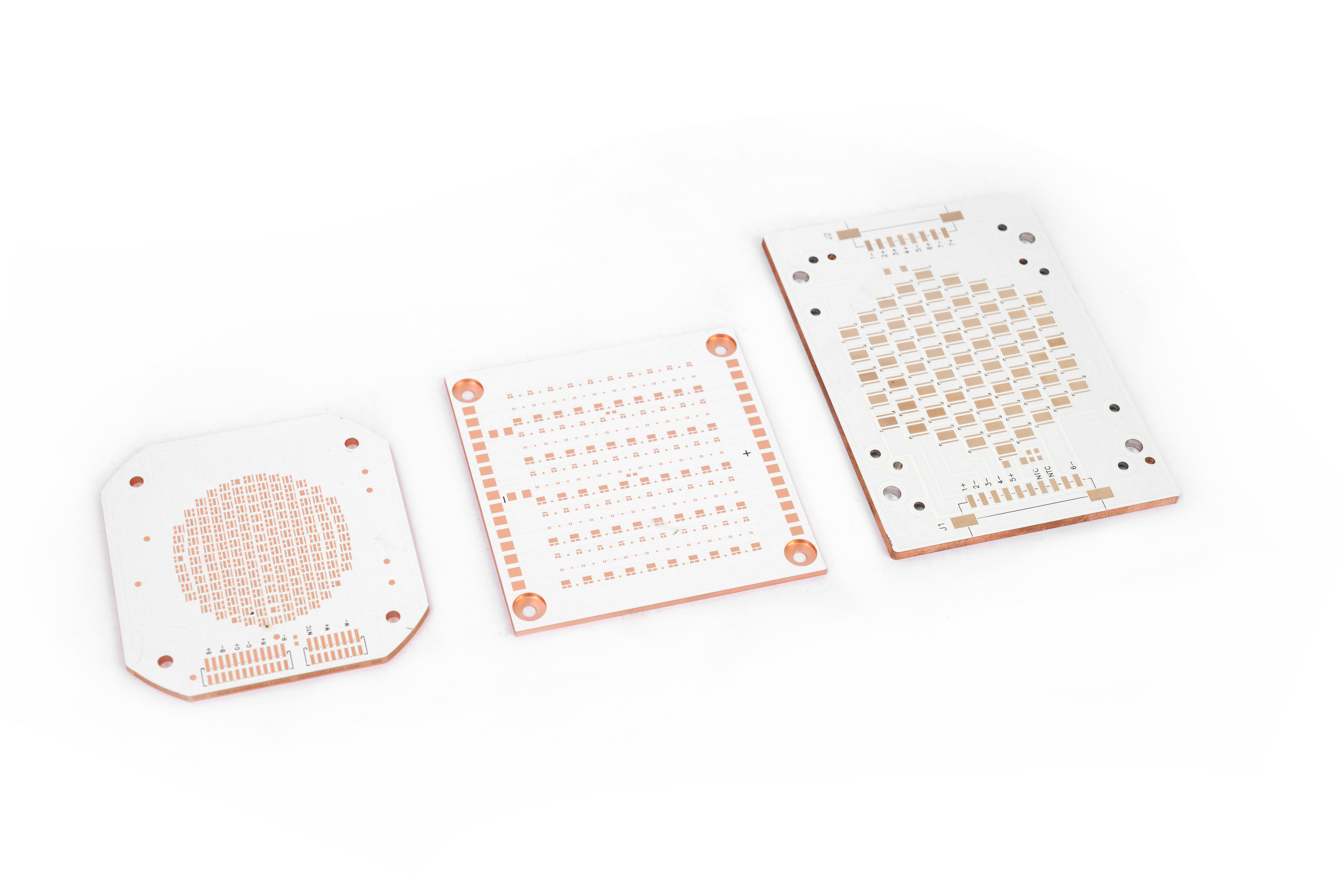
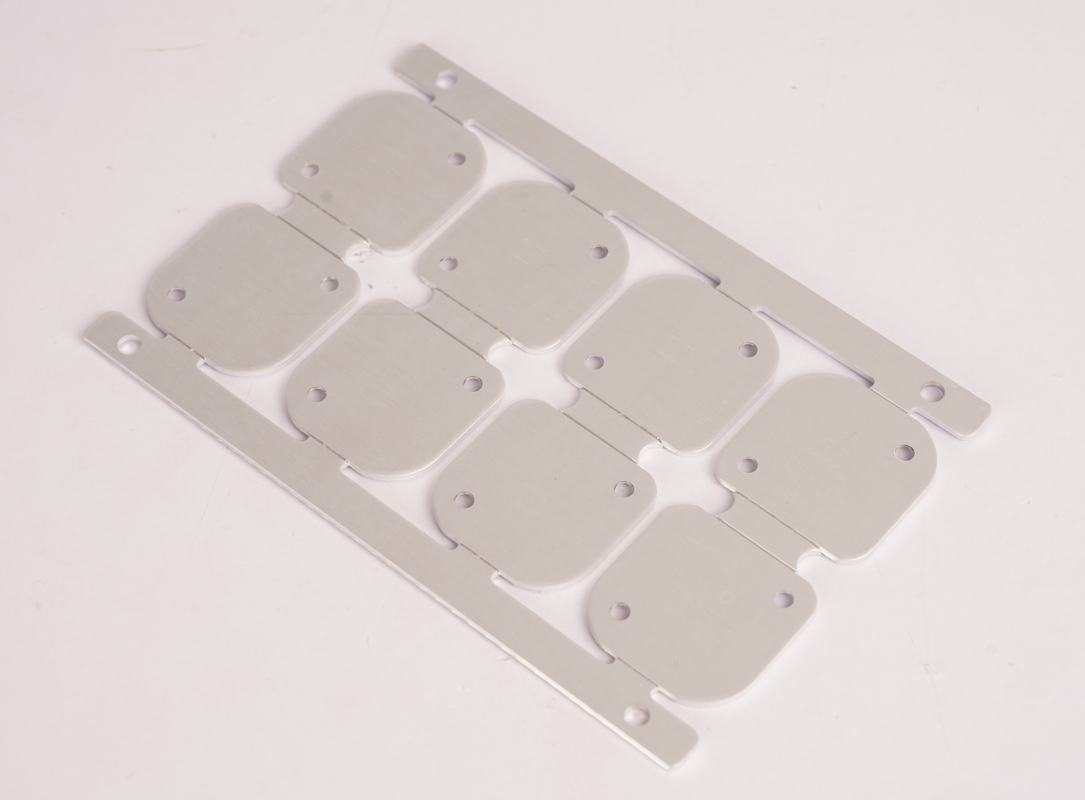
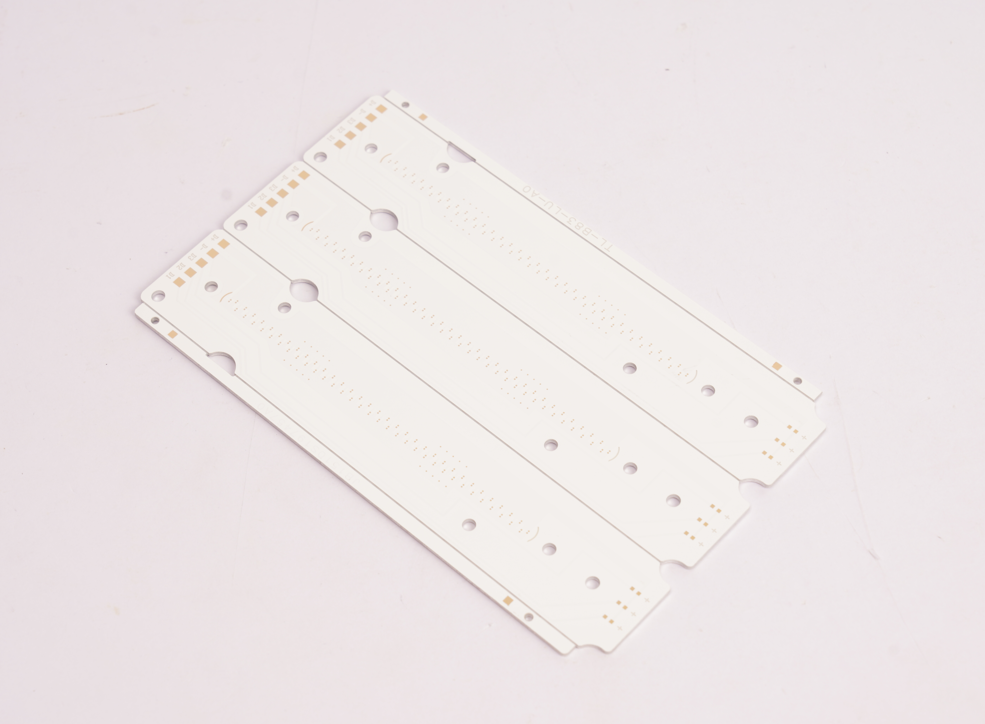
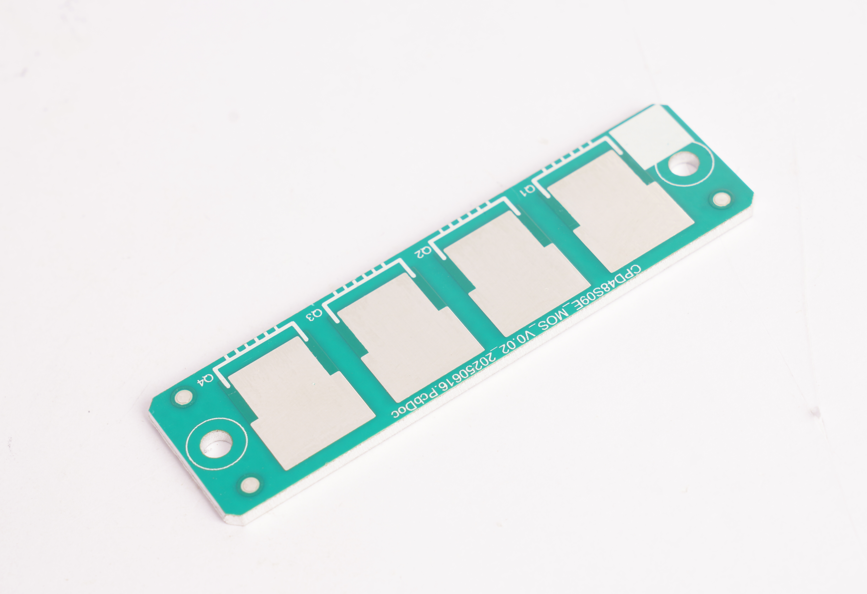
PCB manufacturing PCB manufacturing
Home > Blog

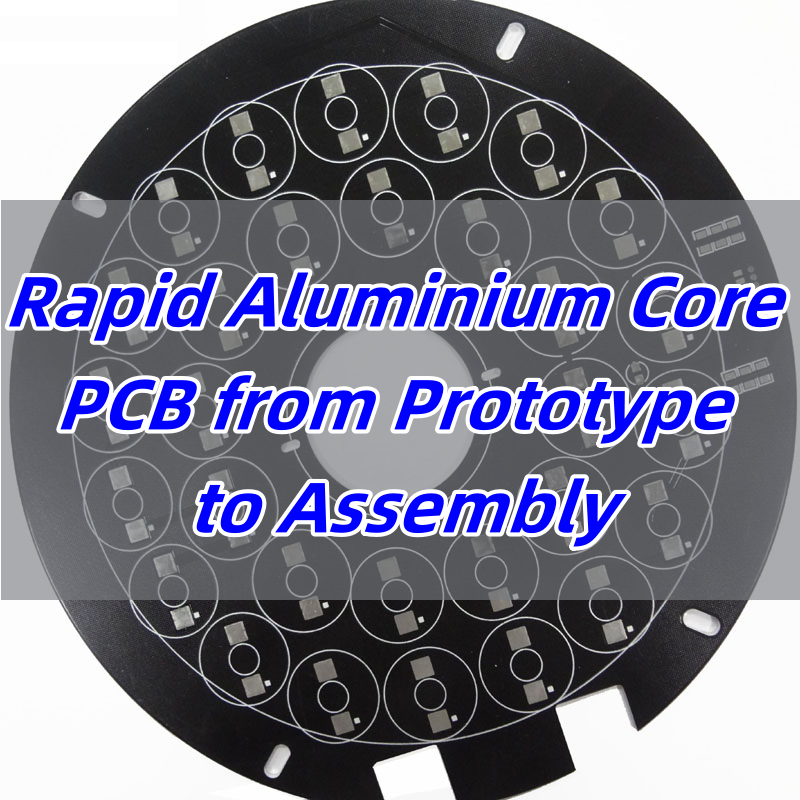
Rapid Aluminium Core PCB from Prototype to Assembly

July 23rd, 2025

Aluminium core PCBĀ is a popular choice for engineers who need fast heat dissipation, stable performance, and quick turnaround from prototype to full assembly. These boards simplify thermal management, especially in LED and power applications.

EBest Circuit (Best Technology) is a metal core PCB manufacturer in China, offering DFM analysis, 24-hour prototyping, high-quality aluminum core PCBs fabrication, and SMT service to the extremely competitive market since 2006. Our engineers have the hands-on experience to solve challenges like drilling precision, soldering failures, grounding instability, thermal expansion mismatch, lead time pressures, and quality control and defect management. If you require rapid aluminium core PCB from prototype to assembly, pleaseĀ contactĀ us via email sales@bestpcbs.com.Ā 

Rapid Aluminium Core PCB from Prototype to Assembly

What is Aluminium Core PCB?

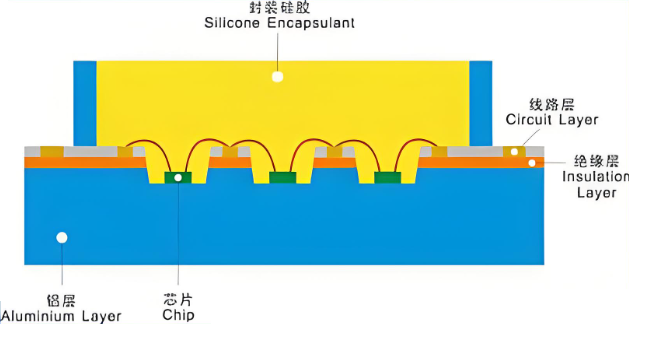
An aluminium core PCB, often called a metal core PCB, usesĀ aluminium core PCB materialĀ as the main substrate layer. This layer replaces standard FR4 to provide stronger heat transfer. The aluminium material has a dielectric layer and a copper circuit layer bonded to it. This stack keeps components cooler and more reliable in high-power circuits. Compared to other materials, aluminium is affordable, strong, and great at moving heat away from sensitive parts.
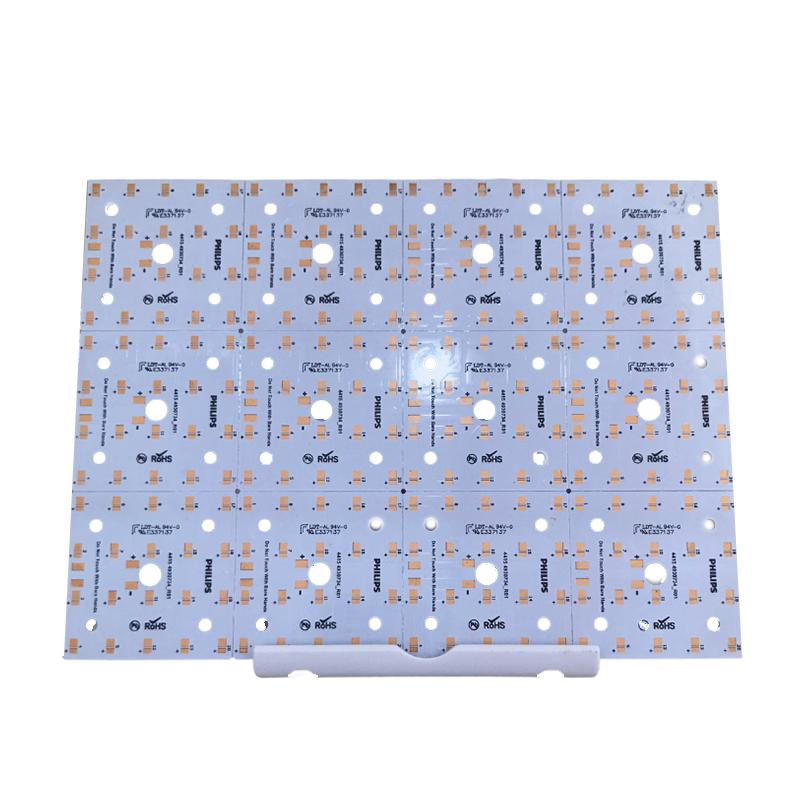
What is Aluminium Core PCB?

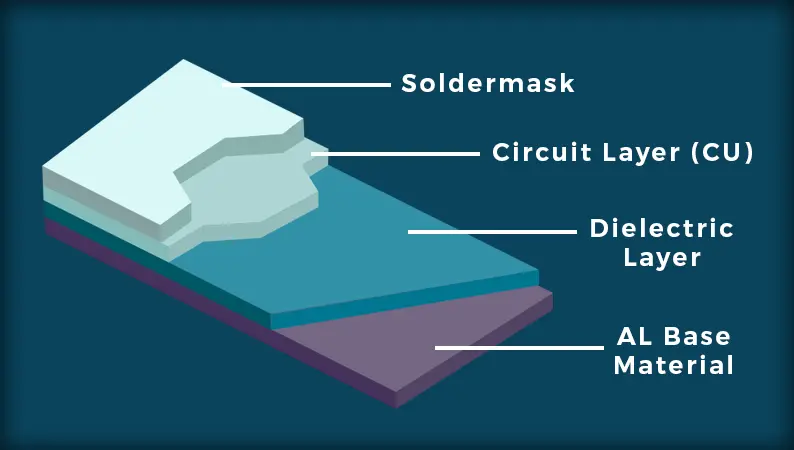
How is the Metal Core PCB Stackup?

TheĀ metal core PCB stackupĀ typically has three parts: the copper trace layer on top, a dielectric thermal insulation layer in the middle, and the metal base (usually aluminium) on the bottom. Some complex boards use multiple layers, but most LED and power PCBs use single-layer aluminium boards. The design focuses on directing heat through the dielectric into the core. This layout helps in high-brightness LED lighting and motor controls. It also improves stability in harsh environments.
What is the Difference: Alumina, Copper, and Aluminium Core PCB?

Aluminium core PCBs are different from copper or alumina ones in cost, weight, and thermal conductivity. Copper has higher thermal conductivity, but it is expensive and heavy. Alumina offers excellent insulation but is brittle and costly to process. Aluminium sits in the middle — affordable, light, and thermally efficient. That’s why many manufacturers choose it for mass production. It’s the perfect balance for most general power or LED uses.

FeatureAlumina Core PCBCopper Core PCBAluminium Core PCB
CategoryCeramic PCBMCPCBMCPCB
Thermal Conductivity15–35 W/mĀ·K200–400 W/mĀ·K1–5 W/mĀ·K
CostHighVery HighLow
WeightMediumHeavyLight
Mechanical StrengthBrittleStrongModerate
Electrical InsulationExcellentRequires dielectric layerRequires dielectric layer
Manufacturing ComplexityHigh (fragile material)Moderate to HighLow
Common ApplicationsHigh-power RF, medical, aerospaceHigh-end power modulesLED lighting, automotive, power drivers

What are the Advantages & Disadvantages: Aluminum PCB vs FR4?

When comparingĀ Aluminum PCB vs FR4, each has clear strengths depending on the application. Aluminium PCBs perform better in thermal conditions, while FR4 is more flexible in multilayer layouts and low-cost builds. Here’s a side-by-side comparison:

FeatureAluminium PCBFR4 PCB
CategoryMetal Core PCB (MCPCB)Standard Rigid PCB
Thermal Conductivity1–5 W/mĀ·K (Good)0.2–0.3 W/mĀ·K (Low)
Long-Term ReliabilityHigh, stable under heatLess stable at high temp
Mechanical StrengthHigh, resistant to shockMedium, can deform
Thermal Expansion MatchClose to copper foil (24 ppm/°C)Better expansion control than aluminium
Layer FlexibilityLimited to 1–2 layersSupports multilayers (2–20+)
Design FlexibilityLow, not for dense designsHigh, ideal for complex layouts
CostHigherLower
WeightHeavierLighter
Common UsesLED, power modules, automotiveConsumer electronics, mobile

In conclusion, aluminium boards lead in heat performance and mechanical strength, making them ideal for power-heavy applications. On the other hand, FR4 remains more flexible for multilayer, compact, and cost-sensitive products. Choosing between them depends on your project needs.

Why is Aluminium Core PCB Used in Circuit Boards?

Aluminium core PCBs are widely used in modern electronics that demand high thermal efficiency and long-term reliability. Here are the main reasons:

  1. Excellent Heat Dissipation
    Aluminium core PCBs typically offer thermal conductivity between 1 to 5 W/mĀ·K—far higher than standard FR4 boards. This helps to quickly transfer heat away from components, preventing performance drop or damage caused by overheating. It’s especially valuable in LED lighting, high-power circuits, and automotive control systems.
  2. High Reliability Under Harsh Conditions
    Thanks to their aluminum base, these boards withstand high temperatures and resist warping. They remain stable even in long-term use, which is why they’re often seen in outdoor lighting, power inverters, and industrial machines.
  3. Enhanced Mechanical Strength
    The aluminum core adds rigidity and impact resistance. This makes the PCB less likely to bend, crack, or break—ideal for applications that face mechanical stress or vibration.
  4. Compact and High-Power Design Compatibility
    Because aluminium PCBs can effectively handle heat in small spaces, they enable engineers to design smaller yet more powerful devices. This is critical for compact modules in LED drivers, medical equipment, and telecom hardware.
  5. Improved Signal Integrity
    By maintaining thermal balance and structural stability, aluminium PCBs reduce the risk of thermal expansion mismatches and signal interference. This helps ensure consistent performance in high-frequency and high-speed circuits.

What is the Aluminium PCB Manufacturing Process?

  1. Base Material Preparation
    The process begins with an aluminium substrate laminated with a dielectric layer and copper foil. The dielectric ensures insulation and thermal transfer.
  2. Dry Film Application & Imaging
    A dry film is applied over the copper. UV exposure hardens the film according to the circuit pattern, followed by developing to reveal the copper to be etched.
  3. Etching the Copper Layer
    Chemical etching removes the unwanted copper, leaving behind the desired trace pattern on the aluminium core board.
  4. Resist Stripping
    The remaining dry film is stripped away, exposing the clean copper circuitry.
  5. Drilling & Mechanical Processing
    CNC drilling machines create holes for vias and mounting. EBest Circuit (Best Technology) uses precision drilling to meet tight tolerance demands.
  6. Hole Cleaning & PTH Plating
    The drilled holes are cleaned and then plated with copper to form conductive pathways between layers (if needed).
  7. Solder Mask Application
    A solder mask is printed onto the board to protect the traces and prevent solder bridging during assembly.
  8. Surface Finishing
    The exposed copper pads receive surface finishes such as ENIG or OSP to improve solderability and prevent oxidation.
  9. Profiling / Routing
    CNC equipment cuts the finished boards into the desired shapes, ensuring sharp edges and consistent outlines.
  10. Electrical Testing
    Every aluminium PCB is tested using Flying Probe or E-test systems. EBest Circuit (Best Technology) also utilizes AOI to catch early-stage defects.
  11. Final Cleaning & Inspection
    The boards are thoroughly cleaned and inspected. MES traceability links each board to its production record, ensuring consistent quality and easy tracking.

How is the Aluminium Core PCB Price?

TheĀ aluminium core PCB priceĀ depends on factors like board size, thickness, copper weight, and layer count. Simple single-sided LED boards are cheaper, while high-power double-sided boards cost more. Overall, aluminium is cheaper than copper and more effective than FR4 in heat-sensitive applications. EBest Circuit (Best Technology) offers fast delivery services, especially for bulk orders, while maintaining high-quality standards. Our 19 years of rich experience and responsive sales team also help reduce processing time for your project.

Why Choose EBest Circuit (Best Technology) as One of Your Trustworthy Aluminium Core PCB Manufacturers?

As one of the leadingĀ aluminium core PCB manufacturers, EBest Circuit (Best Technology) offers more than just fabrication. We help clients with design advice, fast prototyping, and complete assembly services. Many customers face problems like poor thermal contact, unstable performance, or long delivery cycles. We solve these by:

  • Using high-grade aluminium PCB board for LED lighting and industrial applications
  • FollowingĀ metal core PCB design guidelinesĀ to reduce overheating risks
  • Applying DFM reviews to prevent layout mistakes and production delays
  • Providing IPC Class 2 & 3 standards for reliable operation
  • Customizing stackups and finishes to fit your exact needs
  • Processing prototype, high volume metal core PCB manufacturing and SMT process under one roof, without PCB contracting to other suppliers.

Our edge also lies in fast delivery. Some customers had to wait weeks for prototypes elsewhere. We reduce that to days, thanks to in-house CAM engineers and flexible production lines. You can also trust our team to provide prompt updates and solid advice throughout the order. That’s why many top-tier clients stick with EBest Circuit (Best Technology) for years.
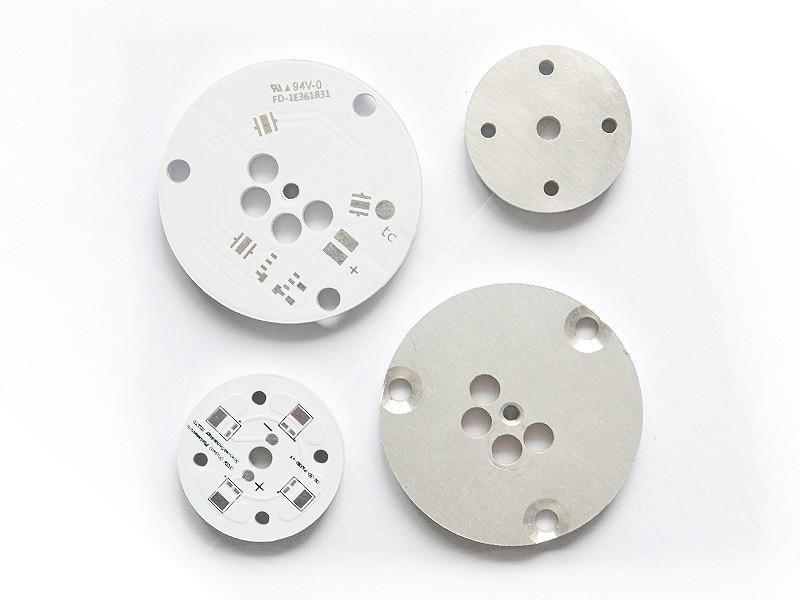
Why Choose EBest Circuit (Best Technology) as One of Your Trustworthy Aluminium Core PCB Manufacturers?

To sum up, aluminium core PCBsĀ make thermal problems easier to solve. Whether you’re building LED lighting, motor controllers, or power converters, these boards support better heat flow and stability. The balance of cost, performance, and ease of manufacturing makes them a smart choice. With clear benefits over FR4 and a simpler process than copper or alumina, aluminium PCBs are here to stay.

At EBest Circuit (Best Technology), we bring deep expertise, quick response, and complete support from design to assembly. We also understand customer headaches like unstable sourcing, low product yield, or miscommunication during prototyping. That’s why we built our customer policy: customer first and maintain quality consistency. We invite you to send us an email about what MCPCB you need or what your project headaches are. Then we’ll feature our metal core PCB portfolio and let you know our Aluminium core PCB price correspondingly. Here is our contact email: sales@bestpcbs.com.
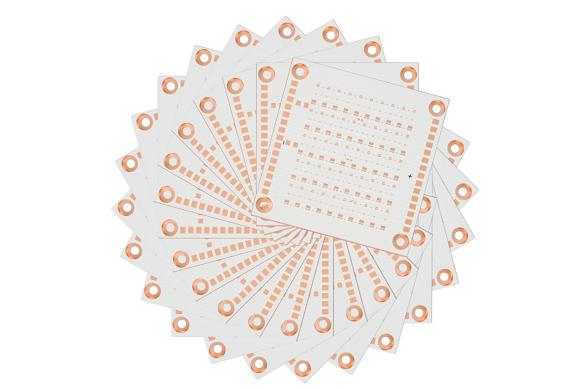
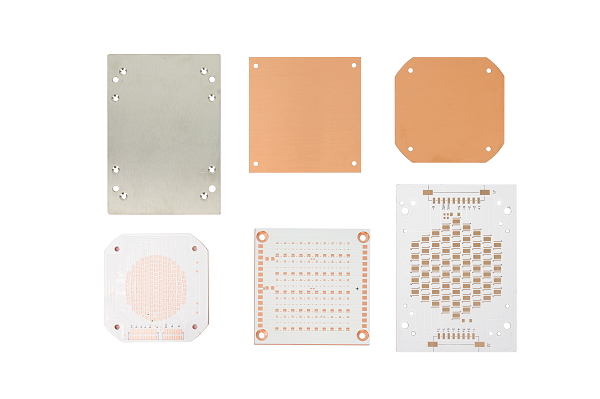
The Silent Killer in Your Metal-Clad PCB: Why Adhesive Thickness Dictates Thermal Performance

July 22nd, 2025

Heat is the invisible enemy of modern electronics. As devices shrink and power densities soar, efficient thermal management becomes non-negotiable. Metal-clad printed circuit boards (MCPCBs), using aluminum or copper bases, are workhorses for heat dissipation in applications like high-power LEDs, motor drives, and power supplies. Yet, a critical but often overlooked factor lurks within their layered structure: the thickness of the dielectric adhesive layer bonding the circuit to the metal base. This seemingly thin film holds immense power over your thermal performance. Let’s dissect why.

The Silent Killer in Your Metal-Clad PCB: Why Adhesive Thickness Dictates Thermal Performance

The Core Problem: The Adhesive Layer is a Thermal Bottleneck

The fundamental reason adhesive thickness matters boils down to physics: Thermal Resistance. Heat generated by components (like LEDs or MOSFETs) must travel through the adhesive layer to reach the highly conductive metal base (substrate), which then spreads and dissipates it into the environment (via heatsinks, convection, etc.).

Adhesive materials, even thermally conductive ones (often called Thermal Interface Materials – TIMs), possess thermal conductivity (measured in W/mK) orders of magnitude lower than the copper traces or the aluminum/copper base. For example:

  • Aluminum: ~200 W/mK
  • Copper: ~390 W/mK
  • Typical Thermally Conductive Adhesive: 1.0 – 4.0 W/mK (though some advanced formulations reach 8-10+ W/mK)

This adhesive layer is inherently the highest thermal resistance point in the primary heat path from the component junction to the ultimate heat sink.

How Thickness Amplifies the Thermal Bottleneck?

The thermal resistance (R_th) of the adhesive layer itself is governed by a simple, yet critical formula:

R_th_adhesive = L / (k * A)

Where:

  • R_th_adhesive = Thermal Resistance of the adhesive layer (°C/W or K/W)
  • L = Thickness of the adhesive layer (meters)
  • k = Thermal Conductivity of the adhesive material (W/mK)
  • A = Cross-sectional area for heat flow (square meters)

This equation reveals the devastating impact of thickness:

  1. Direct Proportionality (R_th āˆ L): Thermal resistance increases linearly with adhesive thickness. Double the thickness, double the thermal resistance. This is the most significant and direct effect. Thicker adhesive creates a longer path for heat to travel through a poorly conducting material, significantly hindering flow.
    • Consequence: Higher component operating temperatures (Tj), reduced efficiency, accelerated aging (lumen depreciation in LEDs, shorter lifespan), and potential reliability failures.
  2. Exacerbating Low Conductivity (R_th āˆ 1/k): While k is a material property, the impact of a low k is magnified as thickness increases. A poor adhesive (k = 1.0 W/mK) at 100μm thickness creates much higher resistance than a good adhesive (k = 3.0 W/mK) at the same thickness. Making the layer thicker worsens the penalty for using a low-conductivity material. Optimizing both k and L is crucial.
  3. Increased Interface Resistance: Heat doesn’t flow perfectly across material boundaries. Microscopic imperfections (roughness, voids, poor wetting) at the interfaces between the component/circuit and the adhesive, and between the adhesive and the metal base, create additional “contact resistance.” While primarily dependent on surface quality and pressure, a thicker layer can sometimes make it harder to achieve optimal intimate contact at both interfaces simultaneously, potentially increasing the effective total interface resistance.
  4. Extended Heat Path: Thickness literally increases the distance heat energy must travel via conduction through the resistive adhesive material before reaching the highly conductive metal substrate. This longer path inherently slows down heat transfer.

Optimizing for Superior Thermal Performance

Achieving the best possible thermal performance requires a holistic approach targeting adhesive thickness, material properties, and manufacturing quality:

  1. Minimize Thickness (L): This is priority #1.
    • Process Control: Implement rigorous process controls during lamination (pressure, temperature, vacuum) to achieve consistent, ultra-thin bond lines. Advanced techniques like controlled-flow adhesives and precise pressure profiling are key.
    • Material Selection: Choose adhesives specifically formulated for thin application while maintaining dielectric strength and reliability. Some resin systems (e.g., certain epoxies) inherently allow for thinner layers than others.
    • Target Range: Strive for adhesive layers in the range of 50μm to 100μm (2-4 mils) where possible, balancing thermal performance with manufacturability and dielectric requirements. Going below 50μm requires exceptional process control.
  2. Maximize Thermal Conductivity (k):
    • Filler Technology: Thermally conductive adhesives rely on ceramic fillers (Alā‚‚Oā‚ƒ, AlN, BN, SiOā‚‚) within a polymer resin. Higher filler loading increases k but impacts viscosity and processability. Seek formulations with optimal filler type, size distribution, and loading for maximum k.
    • Advanced Fillers: Consider adhesives using higher-performance (though often more expensive) fillers like Aluminum Nitride (AlN) or Boron Nitride (BN) which offer significantly higher intrinsic conductivity than standard Alumina (Alā‚‚Oā‚ƒ).
    • Verified Data: Demand certified k values measured using standardized methods (e.g., ASTM D5470), not just vendor claims.
  3. Optimize Interface Quality:
    • Surface Preparation: Ensure excellent cleanliness and appropriate surface roughness/treatment on both the circuit side (usually copper) and the metal base side prior to lamination to promote optimal wetting and adhesion.
    • Void Elimination: Minimize air bubbles/voids trapped within the adhesive or at interfaces. Use vacuum lamination processes and adhesives with good flow characteristics.
    • Uniformity: Achieve highly uniform adhesive thickness distribution across the entire board area. Localized thick spots are significant thermal bottlenecks.
  4. Holistic Design & Material Synergy:
    • Component Placement: Place high-heat-dissipation components directly over areas of the metal base with the best thermal connection (minimal vias/cutouts underneath).
    • Copper Weight: Use thicker copper layers (e.g., 2oz, 3oz) on the circuit layer to spread heat laterally before it enters the adhesive, reducing the effective thermal gradient across the adhesive.
    • Metal Base Choice: For extreme applications, consider copper bases (higher k than aluminum) to further reduce the substrate’s spreading resistance once heat finally reaches it.
metal core pcb

The Designer’s Checklist for Thermal Success:

  • Specify Adhesive Thickness: Don’t leave it as an afterthought. Define a maximum allowable thickness requirement in your MCPCB specs (e.g., “Adhesive Layer: ≤ 75μm”).
  • Demand Certified k Value: Require adhesive suppliers or PCB manufacturers to provide reliable thermal conductivity data.
  • Prioritize Process Capability: Choose a PCB manufacturer with proven expertise and tight process controls for thin, uniform, void-free adhesive layers. Ask about their lamination process, quality control measures (e.g., ultrasonic scanning for voids), and typical thickness consistency.
  • Consider Total Thermal Resistance (R_th(j-a)): Ultimately, evaluate the entire thermal path from component junction to ambient. While minimizing adhesive R_th is critical, also ensure efficient heat sinking beyond the PCB.

Conclusion: Thin is In (for Thermal Performance)

In the high-stakes game of thermal management within metal-clad PCBs, the thickness of the dielectric adhesive layer is not a minor detail; it’s a primary performance dictator. Its inherently low thermal conductivity means that even small increases in thickness dramatically raise thermal resistance, directly leading to hotter components and compromised reliability.

By understanding the physics (R_th = L / (k * A)), focusing relentlessly on minimizing thickness through advanced materials and precise manufacturing, maximizing thermal conductivity, and ensuring perfect interfaces, engineers can unlock the full heat-spreading potential of their metal substrates. Ignoring the adhesive layer’s thickness is a surefire way to let thermal problems silently undermine your product’s performance and lifespan. Prioritize thinness, prioritize thermal conductivity, prioritize quality – your components will thank you with cooler operation and longer life.

ChipĀ OnĀ BoardĀ LEDĀ Strip​: All You Need to Know

July 22nd, 2025

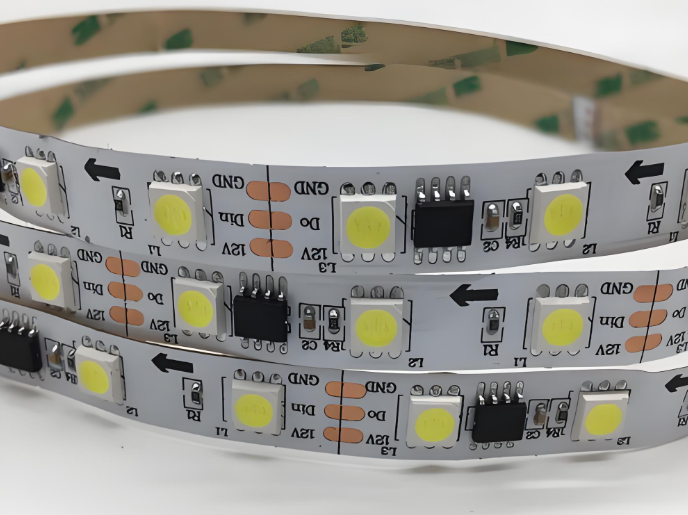
If you’re upgrading your lighting system, you’ve probably come across the term chip on board LED strip. It’s not just another LED strip—it’s a major step forward in lighting design. These strips provide continuous, smooth light with no visible dots, perfect for people who want clean lines, consistent brightness, and high efficiency.

In this guide, we’ll walk through everything you need to know about COB LED strips, from how they’re built to how they compare to other LED types, and even how to spot issues or repair them. Whether you’re working on a custom LED project or just curious about your options, this guide is for you.

What Is a Chip on Board LED?

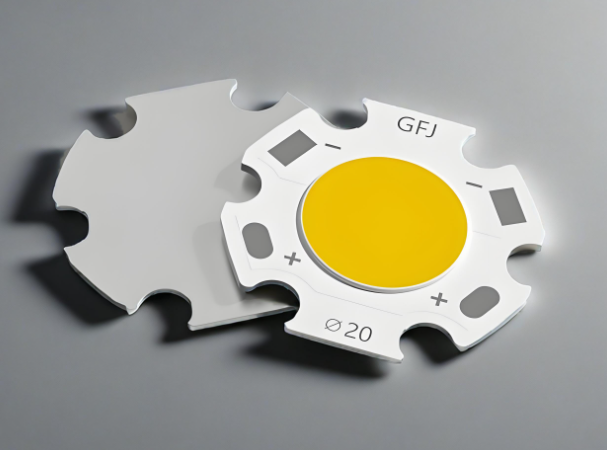
A Chip on Board (COB) LED is a type of LED package where many tiny LED chips are directly bonded to the surface of an aluminum circuit board. Unlike traditional LEDs, which are placed and packaged individually (often referred to as SMD or Surface Mounted Devices), COB technology groups multiple LEDs into a single, dense lighting module.

COB packaging technology is a manufacturing process that bonds the main body of the bare chip and the I/O terminals onto a PCB (printed circuit board) using conductive/thermal adhesives. The core steps of this process include using an ultrasonic hot-press welding equipment (such as a Bonder machine) to connect the metal wires (aluminum or gold) between the chip and the PCB pads. After passing the test, the resin adhesive is then applied.

ChipĀ OnĀ BoardĀ LEDĀ Strip​: All You Need to Know

LED Strip Chip Types

When you look at the specifications of any LED strip, you’ll likely come across numbers like 3528, 5050, or 2835. These refer to the chip sizes in tenths of millimeters, and each has different brightness, efficiency, and application benefits. Let’s break them down:

  • 3528 LED Chips

These are some of the oldest LED chips still in use. They are compact and energy-efficient but offer low brightness. They’re ideal for soft lighting or background accents.

  • 5050 LED Chips

Much larger and brighter than 3528s, 5050 chips are often used in RGB LED strips because each chip can hold three diodes (red, green, and blue). They’re great for color-changing applications.

  • 2835 LED Chips

A newer design that’s slimmer than 5050s but offers improved heat dissipation and better brightness efficiency. These are increasingly popular in commercial lighting.

  • COB LED Chips

Rather than a single chip, COB is a collection of many tiny LED dies directly mounted on the board. Their design creates a dot-free beam of light, and they perform extremely well in tight spaces or close-range lighting tasks.

If you’re after seamless lighting or professional installations, COB LED strips are your best bet. They’ve become especially popular in modern architectural and display lighting.

COB LED Strip vs SMD LED Strip

If you’re debating between COB and SMD strips, it helps to look at how they differ in function and appearance. Here’s a detailed comparison:

FeatureCOB LED StripSMD LED Strip
Light AppearanceSmooth, continuous with no visible dotsDotted light, noticeable gaps between LEDs
Beam UniformityExcellentDepends on LED pitch (spacing)
FlexibilityMore flexible due to compact designSlightly less flexible, especially with larger chips
BrightnessVery bright with even diffusionVaries by chip type (2835, 5050, etc.)
RepairabilityHarder to repair due to compact chip bondingEasier to replace individual components
Heat DissipationBetter thermal performanceMay require heat sinks for high power strips
ApplicationsHigh-end design, task lighting, seamless decorGeneral-purpose, ambient, or RGB lighting

Use COB LED strips for premium results in high-visibility areas. Choose SMD strips when budget is tighter or when you want color-changing effects that don’t require smooth lighting.

Can an LED Light Strip Be Repaired?

Yes, LED strips can be repaired, but the method depends on the type of strip you’re using.

For SMD LED strips, it’s relatively straightforward. If a section stops working, you can usually cut it out and solder in a new section. Most SMD strips are modular, with cut marks every few LEDs.

For COB LED strips, repairs are more complex. The chips are not easily accessible, and due to the dense configuration and phosphor coating, individual chip replacement isn’t practical. However, if there’s a damaged copper trace, connector issue, or visible burnt spot, basic soldering can still fix it.

It’s also worth checking if a segment is simply underpowered or affected by a voltage drop—especially in longer strips, which lose voltage near the end. In those cases, adding a second power input at the far end often solves the problem.

How to Check if a LED Strip Is Bad?

Diagnosing a bad LED strip doesn’t require fancy tools—just a little patience and a multimeter. Here are some ways to check:

1. Visual Inspection:

    This is the most easy way to check. Look for signs of physical damage—burn marks, cracked coatings, loose connectors, or broken solder joints.

    2. Power Supply Testing:

    Sometimes the strip is fine, but the power adapter is faulty. Test your power source first. Make sure your 12V COB LED strip is getting the right voltage.

    3. Voltage Drop Test:

    If only part of the strip is dim, measure voltage at different points along the strip. Significant voltage drop means you need to power the strip from both ends.

    4. Continuity Check:

    Use a multimeter to check for continuity across copper pads. No signal means the path is broken.

    5. Cut and Test Small Segments:

    If one part is failing, cut a working piece off and connect it to power. If it lights up fine, the issue is likely with a specific segment or connector.

    Pro tip: Always double-check your polarity. Reversing positive and negative wires is a common mistake and can damage certain strips.

    What Is the Lifespan of a COB Light?

    One of the biggest advantages of COB LEDs is their long lifespan. On average, COB LED strips last 30,000 to 50,000 hours, depending on the operating environment and quality of components.

    Factors that influence lifespan:

    • Ambient Temperature: High temperatures can shorten LED life.
    • Power Regulation: Using a high-quality constant voltage power supply protects the strip from surges.
    • Usage Patterns: Long continuous use without cooling may reduce performance over time.

    Some well-designed COB LED PCB assemblies use aluminum-core boards (MCPCBs) to pull heat away from the chips, which extends their service life significantly.

    Which Is Better: LED Strip or LED COB?

    So, which is better—traditional LED strip or COB LED strip? It really depends on your lighting goals.

    • Choose LED COB strips when you want smooth light, especially for under-cabinet lighting, mirrors, workbenches, or architectural edges.
    • Stick to traditional LED strips (SMD) if you need RGB lighting, dynamic color control, or a cheaper solution for background or ambient lighting.

    RGB COB LED strips now offer the best of both worlds—color mixing plus seamless appearance—though they’re still less common than standard RGB strips.

    Which Is Better: LED Strip or LED COB?

    Key Parts in Chip on Board LED Strip

    One of the most critical components in a chip on board (COB) LED strip is printed circuit board (PCB) base. COB LED strips commonly use aluminum-core printed circuit boards (aluminum PCBs) as their foundation because of their excellent thermal conductivity and structural stability. In COB design, multiple LED chips are densely mounted on the same board, which generates a significant amount of heat during operation. Without proper heat dissipation, the LEDs can overheat, resulting in reduced brightness and shorter lifespan.

    The main function of the aluminum PCB is to efficiently transfer heat away from the LED chips to the aluminum base layer, which then releases it into the surrounding air or mounting surface. This built-in heat dissipation capability makes aluminum PCBs especially suitable for compact and enclosed lighting applications such as cove lighting, display cabinets, and vanity mirrors.

    Additionally, aluminum PCBs provide mechanical strength to the strip, preventing it from bending too easily during installation or operation, which helps protect the internal components and ensures consistent performance.

    COB LED PCB Wire Bonding Process

    The wire bonding process for COB (Chip on Board) LED PCBs involves several critical steps to ensure reliable chip mounting and electrical connection. Below is a detailed breakdown of the full procedure:

    Step 1: Wafer Expansion

    Using a wafer expander, the LED wafer film provided by the supplier is stretched evenly. This process separates the closely packed LED chips on the film, making it easier to pick up individual chips during die bonding.

    Step 2: Silver Paste Application

    Place the expanded wafer ring onto a dispensing platform coated with silver paste. For loose (unmounted) LED chips, a dispenser applies precise amounts of silver paste directly onto the PCB’s bonding pads. This paste serves as the conductive adhesive for mounting the chips.

    Step 3: Die Placement (Die Bonding)

    Insert the silver-pasted wafer ring into a die bonding fixture. Under a microscope, the operator uses a precision tool to pick and place each LED chip onto the PCB, positioning it accurately on the pre-applied silver paste.

    COB LED PCB Wire Bonding Process

    Step 4: Pre-Curing (Silver Paste Curing)

    Place the die-mounted PCB into a thermal oven for controlled heating. This cures the silver paste and secures the LED chips in place. It’s important not to over-cure the board—prolonged heating may oxidize the LED chip surface (turning it yellow), which makes wire bonding difficult. Note: If only IC chips are bonded, this LED die bonding step may be skipped.

    Step 5: IC Die Attachment

    For IC bonding, dispense a small amount of red or black epoxy adhesive onto the PCB at the designated IC mounting location. Use anti-static tools (e.g., vacuum pen or tweezers) to place the IC die accurately onto the adhesive.

    Step 6: Epoxy Curing

    Place the IC-mounted PCB into a thermal oven or on a large heated platform to cure the adhesive. This process can also be done via natural curing at room temperature, although it takes longer.

    Step 7: Wire Bonding (Aluminum Wire Connection)

    Using an aluminum wire bonder, connect fine aluminum wire between the bonding pads on the LED chips or IC die and the corresponding pads on the PCB. This forms the internal wire connections for the COB assembly.

    Step 8: Electrical Testing (Pre-Test)

    Use dedicated testing tools (depending on the COB product type) to check each PCB for electrical functionality. A high-precision regulated power supply is commonly used. Any defective boards are flagged and sent for repair.

    Step 9: Encapsulation (Dispensing Epoxy or Silicone)

    Dispense a carefully measured amount of AB epoxy over each bonded LED chip using a dispensing machine. For ICs, a black encapsulant is typically used. Additional protective packaging is applied depending on customer requirements.

    Step 10: Final Curing

    Place the encapsulated PCB into a thermal oven and allow it to cure under controlled temperature and time settings. The curing schedule may vary depending on the type of encapsulant and the final product’s environmental requirements.

    Step 11: Final Testing

    After curing, perform a final round of electrical testing using specialized equipment to verify performance. Boards are sorted based on quality, and any issues are identified for rework or rejection.

    EBest Circuit (Best Technology) – Your Trusted COB LED Strip Aluminum PCB Manufacturer

    At EBest Circuit (Best Technology), we’re proud to provide advanced PCB manufacturing for lighting applications—including COB LED strips and custom MCPCB designs. Our engineers understand thermal performance, phosphor consistency, and bonding reliability.

    Our COB LED PCB services include:

    • One-stop solution: from layout to finished PCBs
    • Flexible voltage support: including 12V COB LED strips
    • Customized color temperatures and CRI ratings
    • Support for RGB COB LED strip designs
    • Advanced thermal management with MCPCB options

    If you are interested in COB LED PCB manufacturing, welcome to email us at sales@bestpcbs.com or leave your comments below this blog.

    FAQs

    Q1: Can COB LED strips be dimmed?

    Yes, most COB strips support PWM dimming. Make sure your power supply and controller are compatible.

    Q2: Are COB LED strips waterproof?

    Many are! Look for IP65 or higher if you’re using them outdoors. Silicone-coated versions offer good protection.

    Q3: How do I install a COB LED strip?

    Clean the surface, peel the adhesive backing, and press the strip in place. Use aluminum channels for better heat dissipation.

    Q4: Can I use COB LED strips with smart home systems?

    Yes! Pair them with a compatible dimmer or RGB controller connected to your smart hub.

    Q5: What voltage do COB LED strips use?

    Most commonly 12V or 24V. Always match your power supply to the strip’s input rating.

    IMS PCB Material Selection & Design Guideline

    July 22nd, 2025

    Are you worried about how to choose IMS PCB material for your project? Let’s explore its definition, properties, datasheet, types, IMS PCB material selection and design guidelines through this blog.

    • Wrong choice of substrate material leads to too high thermal resistance?
    • Is the dielectric layer easy to delaminate during multi-layer IMS design?
    • Is the dielectric loss too large under high-frequency application?

    EBest Circuit (Best Technology) Can Provide:

    • Provide 5 standardized thermal conductivity levels (1.5~8W/mK); Free sample matching tool, generate selection report in 30 minutes.
    • Patented resin system, peel strength>1.8N/mm; Support 3-layer lamination process, provide design specification manual.
    • Df value as low as 0.002 (@10GHz); Equipped with HFSS simulation model library, plug-and-play.

    Welcome to contact us if you have any request for IMS PCB or MCPCB: sales@bestpcbs.com.
    What Is IMS Material?

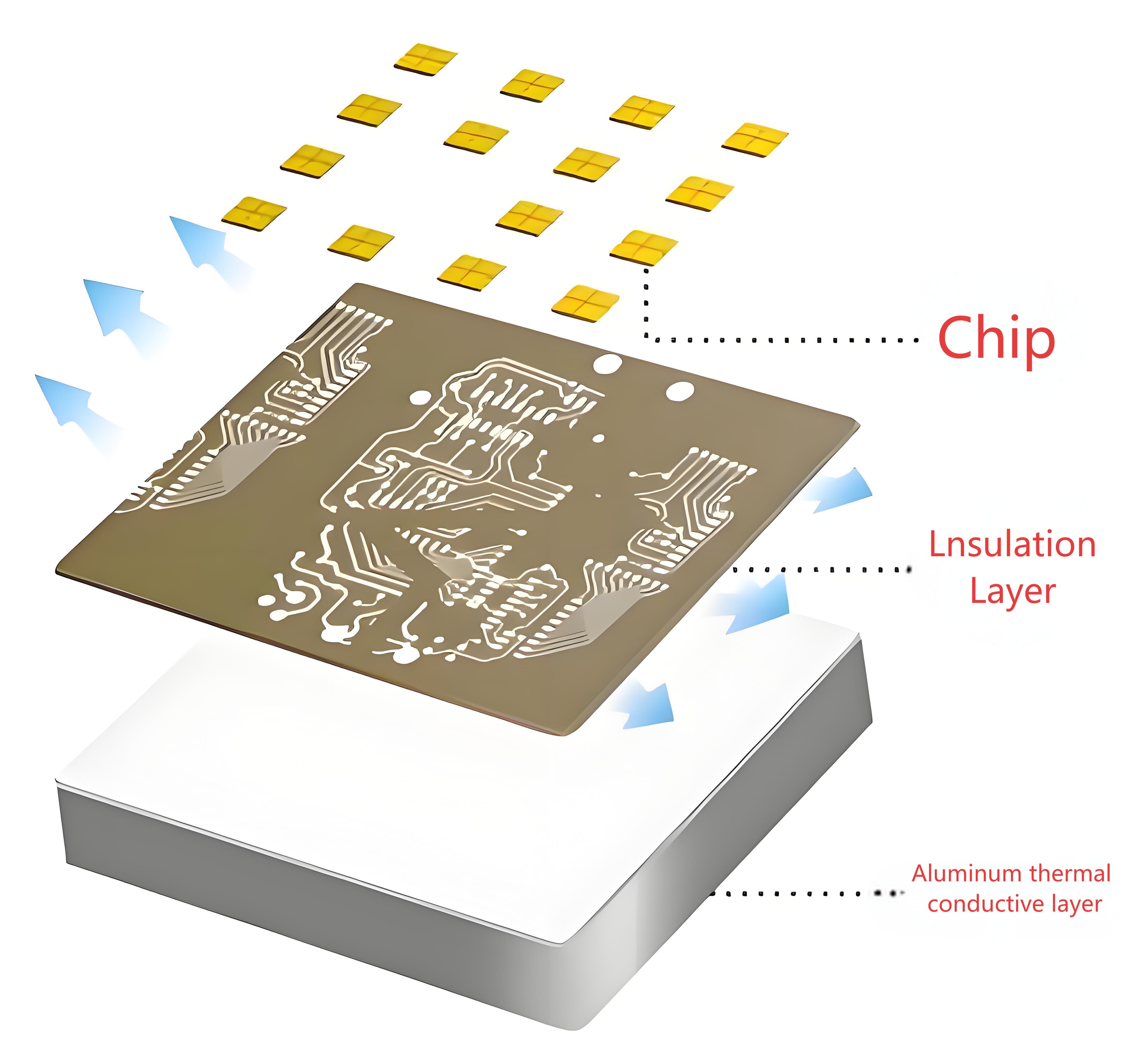
    IMS material, known as insulated metal substrate, consists of a metal core, typically aluminum or copper, coated with a dielectric insulation layer and a conductive copper layer for circuit traces. This structure delivers outstanding thermal management, with aluminum-based versions achieving thermal conductivity of 1-3 W/(mĀ·K), while copper-based variants exceed 400 W/(mĀ·K) for accelerated heat dissipation.

    It serves effectively in high-power applications like LED lighting systems and automotive electronics, where efficient cooling maintains device stability and extends operational lifespan under thermal stress.

    What Is IMS Material?

    IMS PCB Material Properties

    • Thermal Conductivity – Metal base (aluminum/copper) transfers heat 5-10x faster than FR4, keeping components cooler.
    • Electrical Insulation– Dielectric layer provides high voltage isolation (1-10kV) while allowing heat flow.
    • Mechanical Strength – Metal core resists bending/warping, ideal for heavy components or high-vibration environments.
    • Thermal Expansion – Low CTE (Coefficient of Thermal Expansion) matches components, reducing solder joint stress.
    • Temperature Resistance – Withstands 150-250ā„ƒ operating temperatures without degradation.
    • Weight Efficiency – Aluminum bases offer lightweight heat dissipation, crucial for automotive/aerospace.
    • Surface Flatness – Metal substrates ensure precise component mounting, critical for fine-pitch devices.

    IMS PCB Board Material Datasheet

    PropertyAluminum-Based IMSCopper-Based IMSMeasurement Standard
    Thermal Conductivity1-3 W/(mĀ·K)>400 W/(mĀ·K)ASTM E1461
    Dielectric Strength≄4 kV/mm≄4 kV/mmIPC-TM-650 2.5.6
    CTE (Z-axis)12-15 ppm/°C16-18 ppm/°CIPC-TM-650 2.4.24
    Tg (Glass Transition)130-150°C150-170°CIPC-TM-650 2.4.25
    Td (Decomposition)300-320°C350-380°CIPC-TM-650 2.3.40
    Volume Resistivity≄10¹² Ω·cm≄10¹² Ω·cmIPC-TM-650 2.5.17
    Flexural Strength100-150 MPa200-250 MPaIPC-TM-650 2.4.4

    What Are Types of IMS PCB Material?

    Aluminum-Based IMS

    • Thermal Conductivity: 1-2.5W/mĀ·K.
    • Application: LED lighting, consumer power supplies, and automotive controls where cost efficiency and moderate heat dissipation are prioritized.

    Copper-Based IMS

    • Thermal Conductivity: 3-4W/mĀ·K.
    • Application: High-power industrial drives, automotive powertrains, and aerospace components requiring extreme thermal performance.

    Stainless Steel-Based IMS

    • Thermal Conductivity: 0.2-0.5W/mĀ·K.
    • Application: Corrosive environments (e.g., marine, chemical processing) where mechanical durability outweighs thermal needs.

    Composite Metal Core IMS

    • Structure: Aluminum/copper layer bonded to a thin copper circuit layer.
    • Application: Compact devices like mobile chargers and RF amplifiers needing both heat spreading and fine-pitch circuitry.
    What Are Types of IMS PCB Material?

    How to Choose IMS PCB Material?

    IMC PCB Material Selection Guideline:

    1. Assess Power Density Requirements

    • High-Power Applications (e.g., industrial drives, automotive power modules):
    • Choose copper-based IMS (thermal conductivity 3-4W/mĀ·K) for power densities exceeding 5W/cm².
    • Standard Applications (e.g., LED lighting, consumer electronics):
    • Prioritize aluminum-based IMS (1-2.5W/mĀ·K) for power densities below 5W/cm².

    2. Align with Budget Constraints

    • Aluminum-based IMS costs 20-30% less than copper, making it suitable for cost-driven projects like household appliances.
    • Reserve copper-based IMS for premium sectors (aerospace, medical devices) where long-term reliability outweighs upfront costs.

    3. Match Environmental Conditions

    • Corrosive Environments (marine, chemical processing): Select stainless steel-based IMS for corrosion resistance, despite lower thermal efficiency.
    • High-Temperature Zones (engine compartments, RF amplifiers): Use copper-based IMS with polyimide insulation (withstanding temperatures >200°C).

    4. Account for Spatial Limitations

    • Compact Devices (mobile chargers, wearables): Choose aluminum composite IMS (0.8mm thickness) to balance heat dissipation and space efficiency.
    • Multi-Layer Designs: Prioritize copper-based IMS for structural rigidity, preventing warping in complex PCB stacks.

    5. Validate Compliance with Standards

    • Critical Systems (automotive ECU, aerospace): Demand IPC-6013-certified copper-based IMS with documented thermal cycling test results.
    • Consumer Products (TVs, monitors): Aluminum-based IMS meets 85°C operational requirements for typical use cases.

    6. Decision-Making Framework

    • Start with power density thresholds to narrow material options.
    • Cross-reference with budget allocation and environmental exposure.
    • Finalize with space constraints and certification needs.

    7. Application Examples

    • Industrial Motor Control: Copper-based IMS for sustained 100A+ current handling.
    • Outdoor LED Displays: Aluminum-based IMS with conformal coating for humidity resistance.
    • Automotive Powertrain: Copper-based IMS + high-temperature dielectric for under-hood reliability.

    8. Critical Precautions

    • Request third-party thermal resistance reports to verify supplier claims.
    • Avoid materials with unspecified dielectric breakdown voltage in high-voltage applications.
    • Test prototypes under real-world thermal stress before mass production.

    How to Design IMS PCB Board?

    IMS PCB Design Guideline:

    1. Define Design Objectives

    • Clarify power density (W/cm²), operating environment (temperature/humidity), space limits, and budget. Example: Automotive ECU board needing 50A current handling in 100°C engine bay.

    2. Material Selection Recap

    • High-Power (>5W/cm²): Copper-based IMS (3-4W/mĀ·K).
    • Cost-Sensitive: Aluminum-based IMS (1-2.5W/mĀ·K).
    • Corrosive Environments: Stainless steel-based IMS.

    3. Layer Stackup Design

    • Place metal base directly below high-power components.
    • Keep dielectric layer thickness ≤100µm for optimal thermal performance.
    • Example: 2-layer IMS (copper base + 35µm circuit layer).

    4. Thermal Management Strategies

    • Thermal Vias: Use 0.5mm diameter filled vias under hot components, spaced 1mm apart.
    • Reserved Cooling Zones: Allocate 30-50% of board area as unpopulated metal regions.
    • Component Placement: Center power devices (MOSFETs/IGBTs) over the metal core; keep ≄2mm spacing between high-power parts.

    5. Electrical Layout Optimization

    • Trace Width: Use 3oz (105µm) copper for traces carrying >50A. Widen traces by 2x near heat sources.
    • Avoid Sharp Bends: Maintain ≄3x trace width for bend radii to reduce resistance.
    • Impedance Control: For RF/high-speed signals, keep dielectric thickness consistent (±10µm tolerance).

    6. Manufacturing Compatibility

    • Design Rules: Minimum trace width/spacing ≄0.2mm for aluminum IMS; ≄0.15mm for copper IMS.
    • Solder Mask: Remove mask in thermal zones to maximize metal exposure.
    • Panelization: Add 2mm border around boards for handling during assembly.

    7. Validation & Testing

    • Thermal Imaging: Test under max load to identify hotspots. Junction temp should stay ≤85°C.
    • Electrical Testing: Verify current capacity and signal integrity (e.g., <5% voltage drop).
    • Reliability Testing: Conduct thermal cycling (-40°C to +125°C, 100 cycles) and vibration tests (2G RMS).
    How to Design IMS PCB Board?

    IMS PCB Board Design Considerations

    Thermal Managementā€Œ

    • Base Material Selectionā€Œ: Aluminum (1-3 W/mK) suits cost-sensitive, moderate-heat applications like LED lighting. Copper (>400 W/mK) is ideal for high-power modules requiring rapid heat dissipation.
    • Dielectric Thicknessā€Œ: Thinner layers (50-100μm) improve heat transfer but reduce voltage isolation. Match thickness to operational voltage (e.g., 100μm for <1kV).
    • Component Placementā€Œ: Position high-heat components (e.g., power ICs, LEDs) directly over the metal core to maximize thermal path efficiency.

    Electrical Performanceā€Œ

    • Trace Width/Spacingā€Œ: Wider traces reduce resistance for high-current paths. Maintain ≄0.3mm spacing for 1kV isolation in standard designs.
    • Via Usageā€Œ: Avoid thermal vias in the dielectric layer, they disrupt heat flow. Route signals through peripheral non-metal zones.
    • High-Frequency Limitsā€Œ: IMS materials exhibit higher dielectric loss than FR-4. Limit use in RF circuits (>500MHz).

    Mechanical Designā€Œ

    • Board Thicknessā€Œ: Standard metal cores (1.0-3.0mm) prevent flexing but increase weight. For lightweight needs, consider 1.0mm aluminum.
    • Mounting Hardwareā€Œ: Use insulated standoffs to prevent short circuits with the metal base. Account for CTE mismatch, aluminum expands 23ppm/°C versus 17ppm/°C for copper.
    • Cutouts & Edgesā€Œ: Smooth, rounded edges minimize stress concentrations. Internal cutouts require laser processing to avoid burrs.

    Manufacturing & Costā€Œ

    • Fabrication Toleranceā€Œ: IMS requires specialized drilling (carbide bits) due to metal hardness. Allow ±0.1mm for hole positioning.
    • Panel Utilizationā€Œ: Standard panel sizes (18″Ɨ24″) optimize cost. Odd shapes increase waste.
    • Finish Optionsā€Œ: HASL is cost-effective but limits thermal performance. ENIG (Ni/Au) enhances solderability for fine-pitch components.

    Application-Specific Tipsā€Œ

    • LED Arraysā€Œ: Use 1.5mm aluminum cores with 80μm dielectric to balance cost and heat dissipation (Ī”T<15°C at 5W/cm²).
    • Automotive Invertersā€Œ: Copper cores with 150μm dielectric handle 10-15A/mm² current density and 125°C ambient temperatures.
    • Aerospaceā€Œ: Stainless steel bases provide vibration resistance but require thermal interface materials (TIMs) to offset lower conductivity.
    IMS PCB Board Design Considerations

    How to Select A Reliable IMS PCB Manufacturer?

    Tips for selecting a reliable IMS PCB manufacturer:

    • Confirm Thermal Management Expertiseā€Œ: Verify experience with aluminum/copper cores and UL-certified dielectric materials for effective heat dissipation in high-power applicationsā€Œ.
    • Demand Precision Manufacturing Capabilitiesā€Œ: Ensure ≤50μm laser drilling accuracy for microvias and tight tolerances (±25μm) critical for thermal performanceā€Œ.
    • Require Relevant Quality Certificationsā€Œ: Prioritize IATF 16949 (automotive) or ISO 13485 (medical) certified suppliers with documented thermal cycling tests (-40°C to +150°C)ā€Œ.
    • Evaluate True Production Speedā€Œ: Compare realistic lead times. Proven manufacturers deliver prototypes in 7 days, 30% faster than industry norms without compromising qualityā€Œ.
    • Insist on Transparent Costingā€Œ: Avoid hidden fees. Competitive suppliers offer fixed pricing with 5-15% savings through efficient material utilizationā€Œ.
    • Check Scalability from Prototype to Volumeā€Œ: Choose partners handling orders from 5 panels to mass production seamlessly within their facilitiesā€Œ.
    • Prioritize Technical Partnershipā€Œ: Select manufacturers providing free 24-hour DFM feedback and thermal simulation support to optimize your designā€Œ.
    • Experience the EBest Circuit (Best Technology) Advantageā€Œ: Get a rapid quote for your IMS PCB project today. We combine certified quality, 7-day prototype turnaround, and cost-competitive pricing—ensuring your thermal management solution excels. Request your quote now.

    Ready to start your project?ā€Œ Contact ā€ŒEBest Circuit (Best Technology)ā€Œ today for competitive pricing, guaranteed fast delivery, and certified quality. Let’s optimize your thermal management solution together: sales@bestpcbs.com.
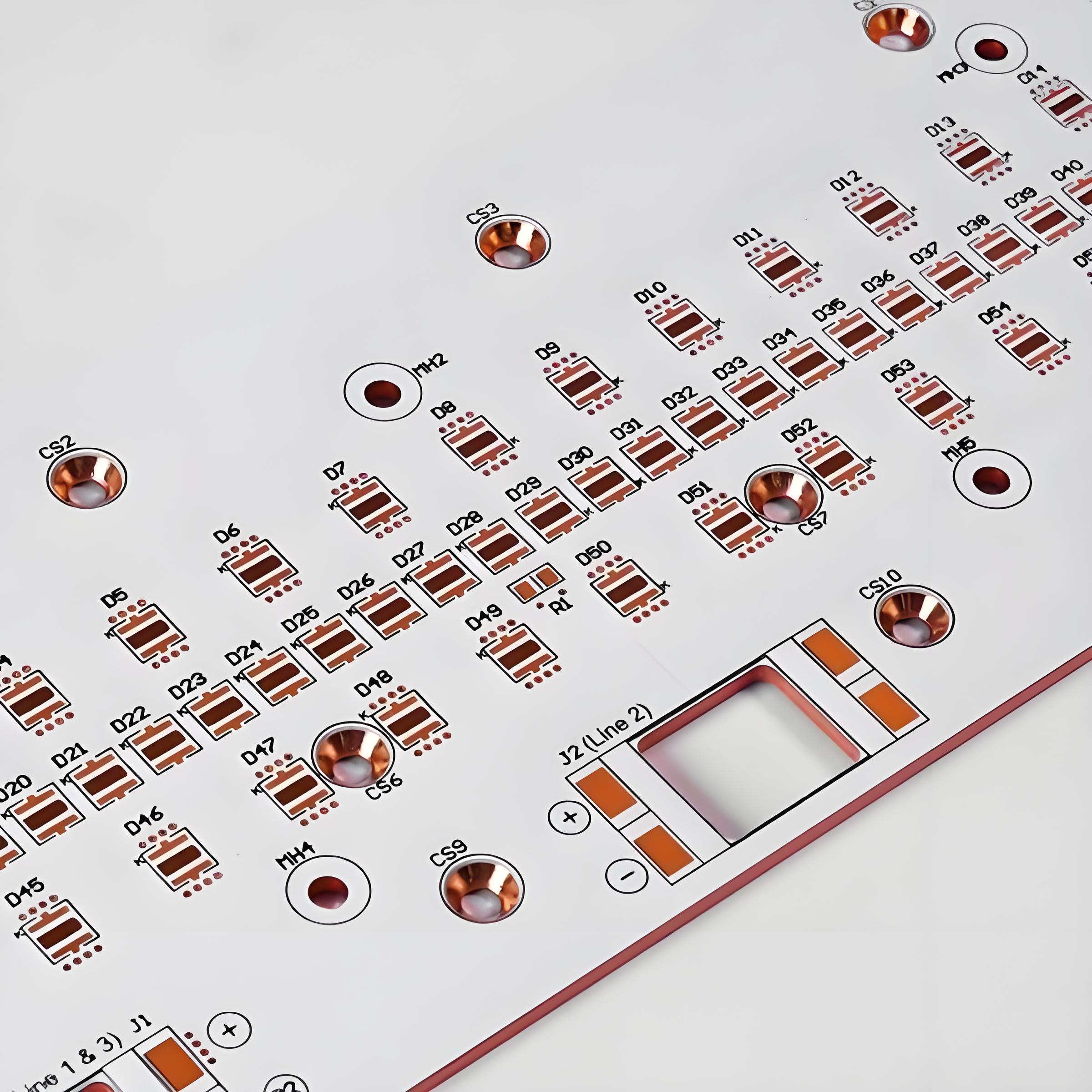
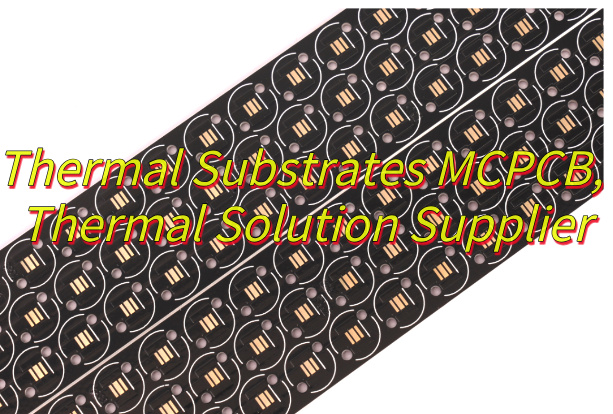
    Thermal Substrates MCPCB, Thermal Solution Supplier

    July 22nd, 2025

    What is thermal substrates MCPCB? This guide explores its thermal properties, specifications, benefits, applications, material selection, design strategies, and supplier criteria for optimized thermal management.

    Why do traditional PCBs always overheat and fail in high-power scenarios?
    ā€ŒHow to balance heat dissipation performance and production costs?
    ā€ŒHow to avoid thermal stress tearing in multi-layer complex designs?

    EBest Circuit (Best Technology) Can Provide:

    • ā€ŒPrecise thermal conductivity designā€Œ – Customized metal stacking (copper/aluminum hybrid substrate) + high thermal conductivity insulation layer (8W/mĀ·K), reducing temperature difference by 40%.
    • ā€ŒCost-optimized architectureā€Œ – Partitioned heat dissipation solution: copper in critical areas and aluminum in non-critical areas, saving 30%+ in costs.
    • ā€ŒStress-resistant processā€Œ – Nano-ceramic filling + CTE matching technology, passed 1,000 -40°C~125°C cycle tests, zero delamination.

    Feel free to contact EBest Circuit (Best Technology) if you have any request for MCPCB: sales@bestpcbs.com.
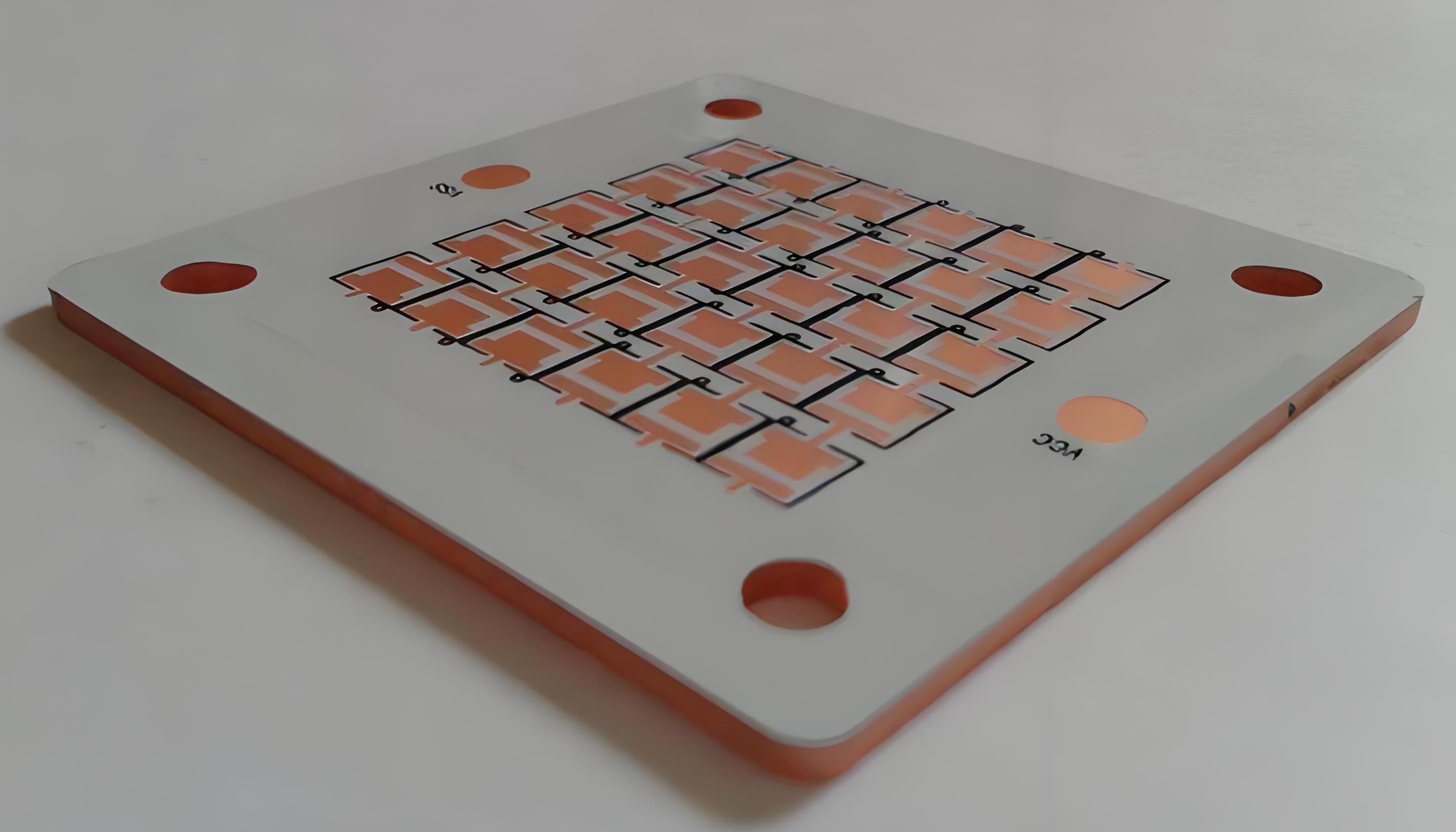
    What Is Thermal Substrates MCPCB?

    Thermal Substrate MCPCB, short for Metal Core Printed Circuit Board, is a specialized type of printed circuit board designed primarily to enhance heat dissipation in electronic systems by integrating a thermally conductive metal base, such as aluminum or copper, which efficiently transfers heat away from mounted components to prevent overheating and ensure stability.

    Its layered construction typically comprises a copper circuit layer for electrical routing, an insulating dielectric layer made from polymer materials filled with ceramics to balance electrical isolation and thermal conductivity, and the metal core that acts as a heat spreader, facilitating faster thermal transfer than standard alternatives.

    What Is Thermal Substrates MCPCB?

    Thermal Substrates MCPCB Specifications

    Parameter Categoryā€ŒTypical Specification RangeTechnical Notes
    ā€ŒMetal Base MaterialAluminum (Al) / Copper (Cu)Al base: 1.3-2.2 W/mĀ·K thermal conductivity; Cu base: ~400 W/mĀ·K (higher cost)
    Insulating Layer MaterialCeramic-filled epoxy resin/PolyimideThermal conductivity: 1.3-8 W/mĀ·K; Operating range: -40°C~140°Cā€Œ
    Copper Foil Thickness1oz~3oz (35~105μm)3oz thick copper for high-current applications; Requires CTE matchingā€Œ
    Thermal Resistance (Īø)0.5~5.0°CĀ·cm²/W1mm Aluminum substrate: ~1.5°CĀ·cm²/W (increases with insulating layer thickness)ā€Œ
    ā€ŒMax Operating Temperature105°C~140°CSustained exposure >105°C accelerates insulating layer aging
    Dielectric Strength2kV~4kV (AC)1mm insulation thickness withstands 2.5kV ACā€Œ
    ā€ŒSurface FinishHASL/ENIG/OSPENIG recommended for high-frequency applications (reduced signal loss)ā€Œ
    ā€ŒMachining Tolerance±0.1mm (contour)/±0.05mm (drilling)Laser cutting: ±0.02mm precision (increases cost by ~50%)ā€Œ
    ā€ŒRoHS ComplianceIEC 62321 StandardLead content <1000ppm; Cadmium <100ppm

    Thermal Substrates MCPCB Stackup

    Typical Stackup Configuration (Bottom to Top):

    1. Metal Base Layer (Heat Dissipation Backbone)

    • Material: Aluminum (1-2.5W/mĀ·K) or Copper (3-4W/mĀ·K)
    • Role: Directly transfers heat from components to external heat sinks, reducing junction temperature by 30-50% vs. FR4.

    2. Thermal Dielectric Layer (Critical Heat Path)

    • Material: Ceramic-filled epoxy (0.8-3W/mĀ·K)
    • Role: Bridges electrical insulation and thermal conductivity, overcoming traditional 0.3W/mĀ·K limits. Thickness typically 50-150μm.

    3. Circuit Layer (Functional & Thermal Optimization)

    • Copper Thickness: 1oz (35μm) for low power; ≄2oz (70μm+) for high current
    • Role: Thick copper reduces I²R losses, minimizing self-heating in traces.

    What Are Advantages of Thermal Substrates PCB?

    • High-Efficiency Cooling – Metal base conducts heat 5-10x faster than standard PCBs, keeping components 30-50% cooler.
    • Enhanced Reliability – Reduces thermal stress, doubling or tripling the lifespan of LEDs, power semiconductors, and high-current devices.
    • Space-Saving Design – Built-in metal heatsink eliminates bulky external cooling systems, ideal for compact electronics like automotive modules.
    • High Current Handling – Supports thick copper traces (2oz+) to safely manage currents over 100A without overheating.
    • Dimensional Stability – Low thermal expansion minimizes warping, ensuring reliability in multi-layer or high-temperature environments.
    What Are Advantages of Thermal Substrates PCB?

    What Are Applications of Thermal Substrates PCB?

    • High-Power LED Lighting – Ensures stable operation of COB/LED modules by dissipating heat directly through metal cores, preventing lumen depreciation.
    • Automotive Electronics – Critical for powertrains, ECUs, and battery management systems operating in high-temperature environments without active cooling.
    • Industrial Power Modules – Supports VFDs, motor drives, and inverters requiring efficient heat removal from IGBTs/MOSFETs under heavy loads.
    • Telecom Infrastructure – Enables compact RF amplifiers and base station components to handle high frequencies without thermal throttling.
    • Consumer Electronics – Used in gaming consoles, laptop chargers, and high-end audio amplifiers where space is limited but heat generation is high.
    What Are Applications of Thermal Substrates PCB?

    How to Choose the Material of Thermal Substrate MCPCB?

    Thermal Substrate MCPCB Material Selection Guide

    Power Density

    • High Power (>5W/cm²): Choose copper base (3-4W/mĀ·K) for superior heat spreading.
    • Moderate Power: Aluminum base (1-2.5W/mĀ·K) balances cost and performance.

    Cost Sensitivity

    • Budget-Critical: Aluminum substrates cost 20-30% less than copper.
    • Performance-Priority: Copper justifies premium for extreme thermal demands.

    Environmental Conditions

    • High Humidity/Corrosion Risk: Anodized aluminum or nickel-plated copper.
    • Extreme Heat (≄150ā„ƒ): Copper with high-temp dielectric (e.g., polyimide).

    Space Constraints

    • Ultra-Thin Designs: Aluminum (0.8mm) enables compact heat dissipation.
    • Multi-Layer Needs: Copper’s rigidity supports complex stackups without warping.

    Reliability Requirements

    • Automotive/Aerospace: Copper with low-CTE dielectric minimizes thermal cycling stress.
    • Consumer Electronics: Aluminum meets standard lifespan needs at lower cost.

    Quick Decision Methods

    • Cost > Performance: Aluminum + standard dielectric.
    • Performance > Cost: Copper + ceramic-filled dielectric.
    • Harsh Environments: Copper + high-temp insulation (polyimide/benzocyclobutene).

    How to Design Thermal Substrate MCPCB for High Power Applications?

    High-Power MCPCB Thermal Design Guide

    1. Base Material Selection

    • Use copper substrate (3-4W/mĀ·K) for power densities >5W/cm². Aluminum (1-2.5W/mĀ·K) suits moderate loads.

    2. Layer Stackup Priority

    • Place metal base layer directly below high-power components to form a vertical heat path. Keep dielectric layer thickness ≤100μm.

    3. Copper Trace Optimization

    • Use 3oz (105μm) copper for all high-current traces (>50A). Widen traces by 2x near MOSFETs/IGBTs.
    • Avoid sharp bends in power traces to reduce resistance.

    4. Thermal Via Strategy

    • Fill 0.5mm diameter vias under hot components with copper. Space vias 1mm apart in a grid pattern.
    • Connect vias directly to the metal base layer.

    5. Component Layout Rules

    • Center power devices over the metal core. Maintain ≄2mm spacing between high-power components.
    • Orient heat-sensitive parts (e.g., capacitors) away from thermal zones.

    6. Reserved Cooling Space

    • Allocate 40% of board area as unpopulated “thermal zones” directly above the metal base.
    • Use solder mask removal in these zones to maximize metal exposure.

    7. Validation Protocol

    • Perform thermal imaging at 120% rated load to identify hotspots.
    • Measure component junction temperatures – must stay ≤85ā„ƒ for reliable operation.
    How to Design Thermal Substrate MCPCB for High Power Applications?

    How to Select A MCPCB Thermal Solution Supplier?

    Methods about how to select a MCPCB thermal solution supplier:

    • Technical Expertise: Verify experience in high-power applications (e.g., LED, automotive, industrial). Ask for case studies showing thermal performance data.
    • Material & Process Control: Ensure suppliers use certified materials (e.g., ISO 9001 for dielectric layers) and have in-house thermal conductivity testing.
    • Prototyping Capability: Prioritize suppliers offering free/low-cost prototypes with thermal imaging reports to validate design feasibility.
    • Thermal Simulation Support: Choose suppliers providing CFD (Computational Fluid Dynamics) analysis to predict heat distribution before production.
    • Quality Assurance: Check for IPC-6012/6013 compliance and ask for third-party test reports (e.g., thermal resistance, dielectric breakdown).
    • Lead Time & Scalability: Confirm standard lead times (ideally ≤2 weeks for prototypes) and capacity to scale to 10K+ units monthly.
    • Cost Transparency: Request itemized quotes separating material, fabrication, and testing costs. Avoid suppliers with hidden tooling fees.
    • Post-Production Support: Ensure suppliers offer failure analysis and warranty coverage (minimum 1 year for thermal performance defects).

    Welcome to contact EBest Circuit (Best Technology) if you have any request for MCPCB thermal solution: sales@bestpcbs.com.
    Insulated Metal Base PCB, IMS PCB Manufacturer

    July 21st, 2025

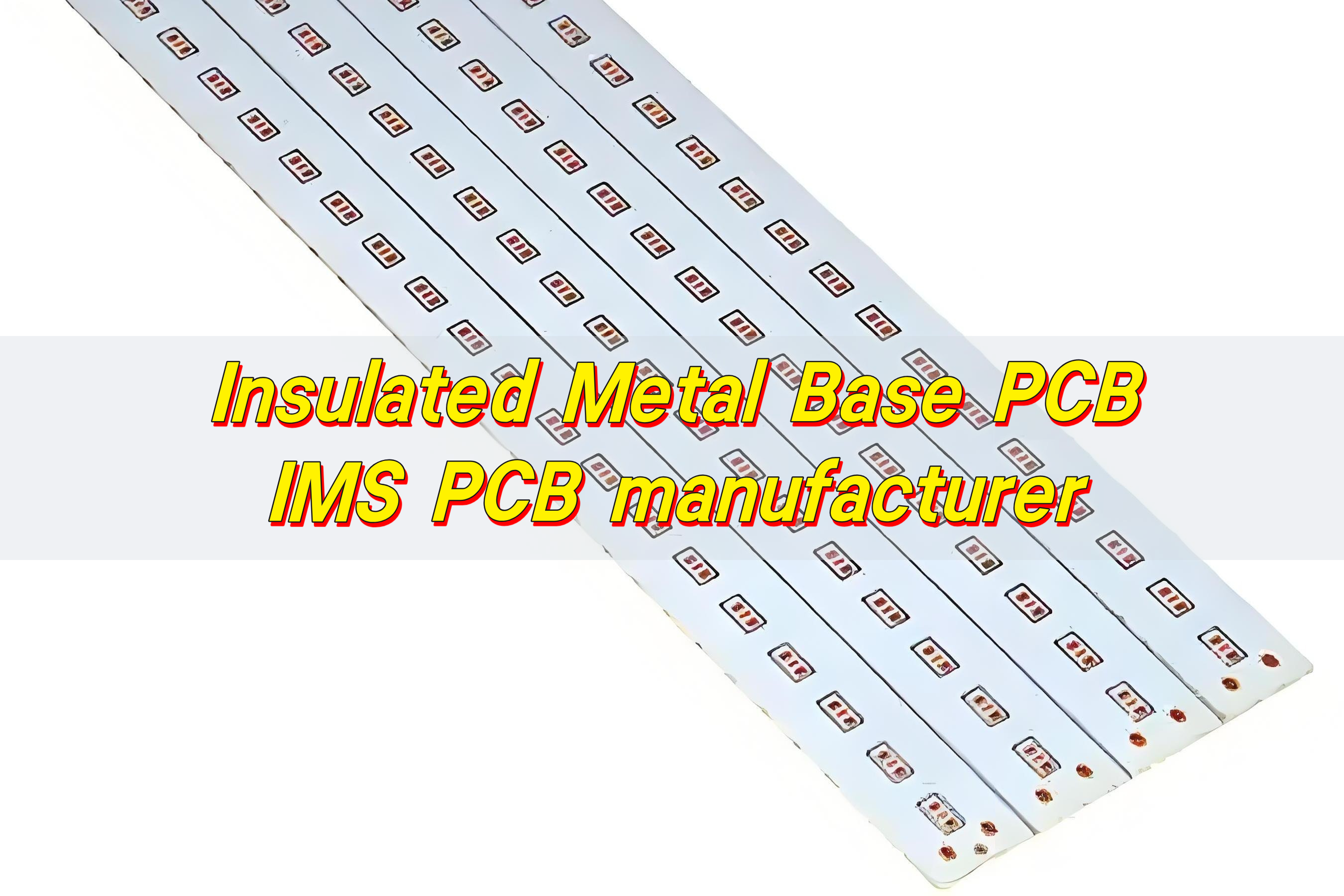
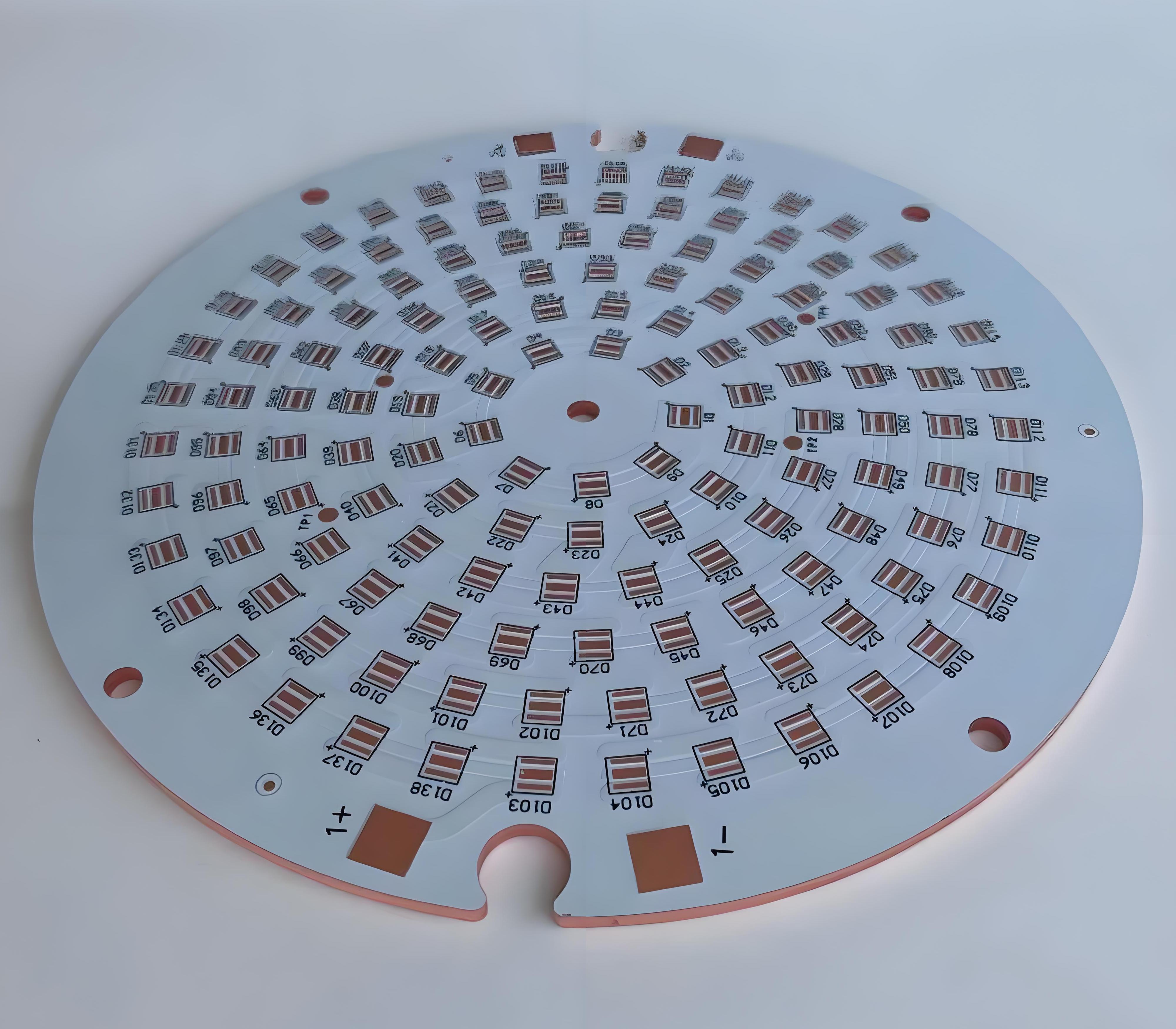
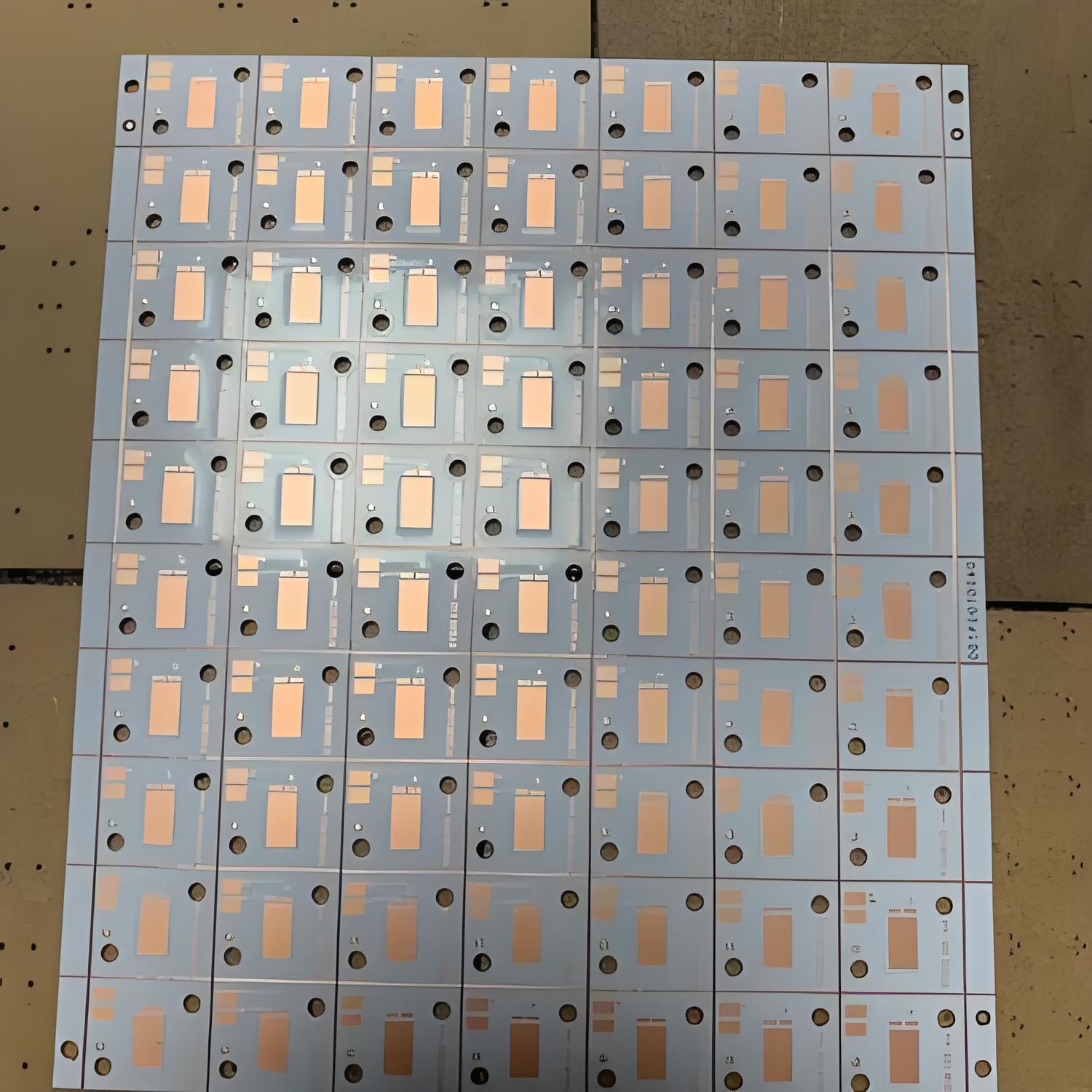
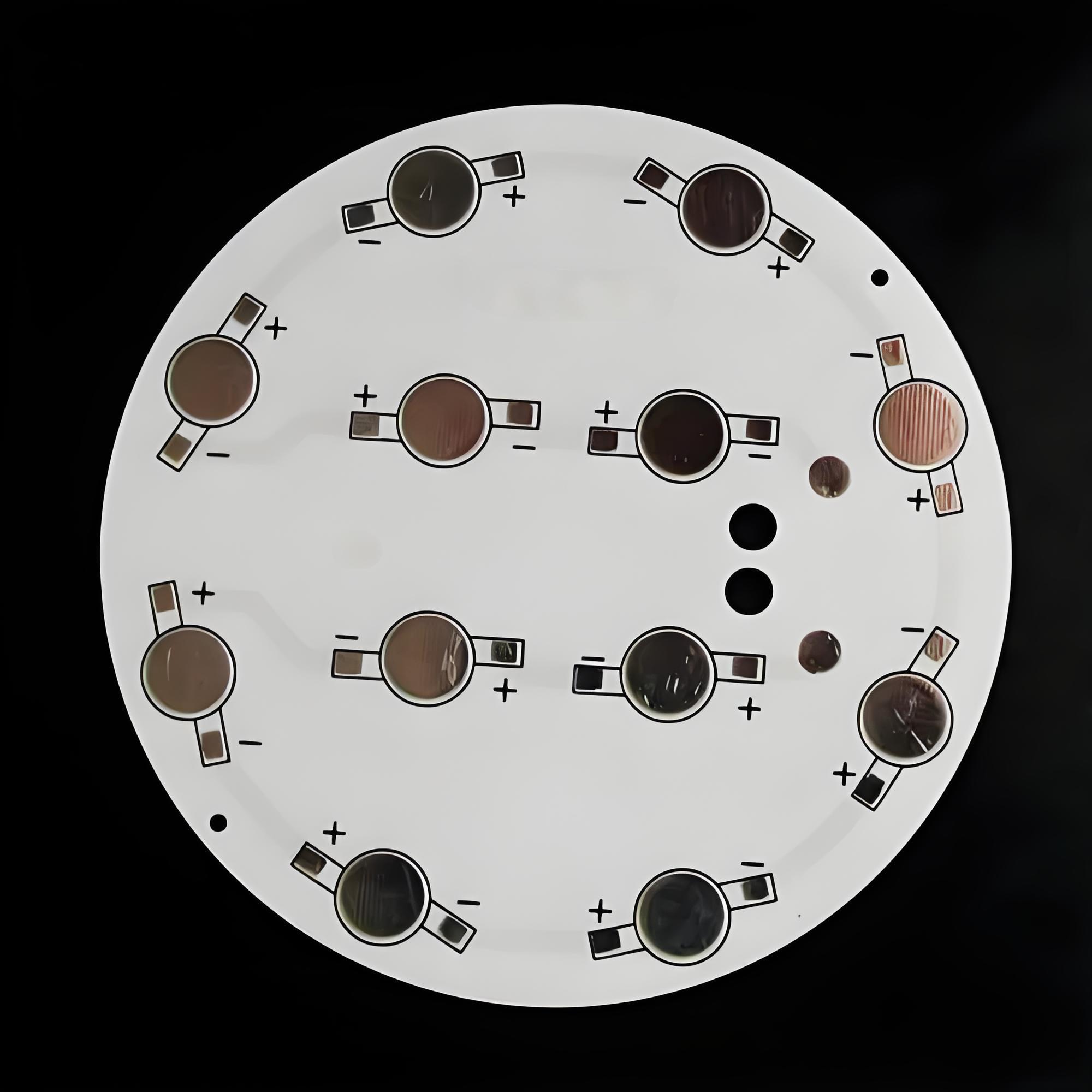
    Insulated Metal Base PCB is a type of circuit board designed for high heat dissipation. It features a metal core—usually aluminum or copper—covered by a thin insulating layer and a copper circuit layer. This structure allows heat to transfer away from components quickly, making it ideal for high-power applications like LED lighting, power supplies, and automotive systems.

    Insulated Metal Base PCB, IMS PCB manufacturer

    What is IMS in PCB?

    IMS stands for Insulated Metal Substrate. It’s a specific type of printed circuit board designed to transfer heat away from high-power components.

    Unlike traditional boards made of FR4 or fiberglass, IMS PCBs have a metal base layer, typically aluminum or copper. Above this, there’s a thin dielectric insulation layer that separates the metal from the copper circuitry. This structure allows the board to carry electrical signals while efficiently pulling heat away from components.

    What’s the IMS PCB definition?

    In simple terms, an IMS PCB is a single-layer PCB with a metal backing that provides better thermal conductivity than standard materials.

    This type of board is especially common in high-power applications like LED drivers, power supplies, automotive lighting, and industrial equipment.

    The insulation layer, though thin, plays a critical role. It ensures the circuit functions properly while still allowing heat to pass through to the metal core. This sandwich-like structure is what sets IMS PCBs apart from standard designs.

    What materials are used in IMS board PCB production?

    Here’s what goes into a high-performance IMS board PCB:

    • Metal Base Layer: Most commonly aluminum, though copper is used in high-demand environments. Aluminum is preferred for its cost-efficiency, lightweight nature, and good thermal performance.
    • Dielectric Layer: This is the heart of heat transfer. It must be thin enough to allow thermal flow, yet strong enough to withstand voltage stress.
    • Copper Foil Layer: The circuit layer, typically 1–3 oz thick. It’s where your electronic components connect and signals travel.
    • Surface Finish: Surface treatments like ENIG (Electroless Nickel Immersion Gold) or OSP (Organic Solderability Preservatives) ensure strong soldering and prevent oxidation.
    Insulated Metal Base PCB, IMS PCB manufacturer

    At BEST Technology, we tailor each IMS board to your exact needs. Whether you need copper or aluminum base materials, custom thicknesses, or unique finishes, we deliver to your standards.

    How does IMS manufacturing work?

    The IMS manufacturing process is precise and tailored. Here’s how we do it at BEST Technology:

    • Base Preparation: We start with high-purity aluminum or copper plates. These are cleaned and prepped to remove any contaminants.
    • Lamination: A dielectric material is laminated onto the metal base. This insulation controls both heat transfer and electrical isolation.
    • Copper Cladding: A copper foil is applied on top of the dielectric. It forms the base of your circuit paths.
    • Imaging and Etching: Using UV exposure, we apply your circuit pattern. Then we etch away excess copper to leave behind only your desired traces.
    • Drilling and Plating: Holes for mechanical support or electrical connections are precisely drilled and plated.
    • Solder Mask and Finish: A solder mask is applied, followed by a surface finish that fits your assembly method.
    • Testing: Electrical testing ensures every circuit functions perfectly. Our factory performs 100% inspection before shipment.

    How does IMS PCB handle heat?

    The beauty of IMS PCBs lies in their thermal path. Heat from components passes through the copper trace into the dielectric layer, and from there, it’s transferred to the metal base. The base, often aluminum, quickly spreads and dissipates the heat across the board or into a heat sink.

    This keeps the board cooler, even under high-power loads.

    Insulated Metal Base PCB, IMS PCB manufacturer

    Compared to standard FR4 boards, IMS PCBs have up to 10 times better thermal conductivity. This directly reduces component stress, avoids early failure, and boosts long-term reliability.

    What are the benefits of IMS PCB?

    • Superior Heat Dissipation: IMS PCBs are engineered to manage heat—fast and efficiently.
    • Compact Design: With better thermal control, components can be placed closer together. This allows for smaller, lighter devices.
    • Longer Lifespan: Cooler components last longer. That means fewer repairs, better reliability, and a higher-quality end product.
    • High Mechanical Strength: The metal base adds stiffness and reduces vibration. Ideal for automotive, aerospace, and outdoor equipment.
    • Cost Savings Over Time: While slightly more expensive upfront, IMS boards can reduce the need for extra cooling systems.
    • High Power Density: Great for applications like LED drivers, where compact, powerful systems are a must.

    In short, IMS PCBs deliver power, durability, and efficiency—the perfect trio for demanding industries.

    What is an IMS board PCB used for?

    IMS PCBs are extremely versatile and can be used in systems where heat and power are a concern. Common uses include:

    • LED lighting modules: Street lights, automotive headlights, stadium lighting.
    • Power electronics: Converters, adapters, power distribution units.
    • Automotive systems: Brake systems, engine control units, infotainment panels.
    • Industrial control: Motor drivers, automation panels, heavy machinery.
    • Medical devices: Imaging equipment, surgical lighting, diagnostic systems.
    • Telecom equipment: Base stations, antennas, and signal amplifiers.

    These boards shine in any place where compact size and high power must coexist safely.

    What is the best PCB manufacturer?

    When you’re sourcing IMS boards, the manufacturer you choose makes all the difference.

    BEST Technology stands out as one of the most reliable IMS PCB manufacturers in China. Here’s why:

    • Established expertise: Since 2006, we’ve focused on MCPCBs and IMS boards, delivering quality without compromise.
    • Certified reliability: We hold certifications like UL, ISO9001, ISO13485, IATF16949, and SGS—backing our quality promise.
    • Full turnkey service: From PCB design to assembly, we manage it all. This shortens lead times and streamlines your workflow.
    • Strong factory support: Our 30,000掔 plant and 229+ staff allow for large-scale production with consistent results.
    • Competitive pricing: We manage costs smartly to give you maximum value for your investment.
    Insulated Metal Base PCB, IMS PCB manufacturer

    Most importantly, we believe in partnerships. Our team works closely with yours, offering one-on-one assistance, custom solutions, and a 48-hour technical response policy.

    Conclusion:

    Whether you’re designing compact LED modules or building industrial power units, an IMS board offers the reliability and performance you need.

    As a professional IMS PCB manufacturer, BEST Technology can provide trusted expertise, service and quality. With over 19 years of experience, comprehensive certifications and a customer-first philosophy, we are proud to be a reliable supplier for all your IMS board needs.

    Have a project in mind? Reach out to us today at sales@bestpcbs.com

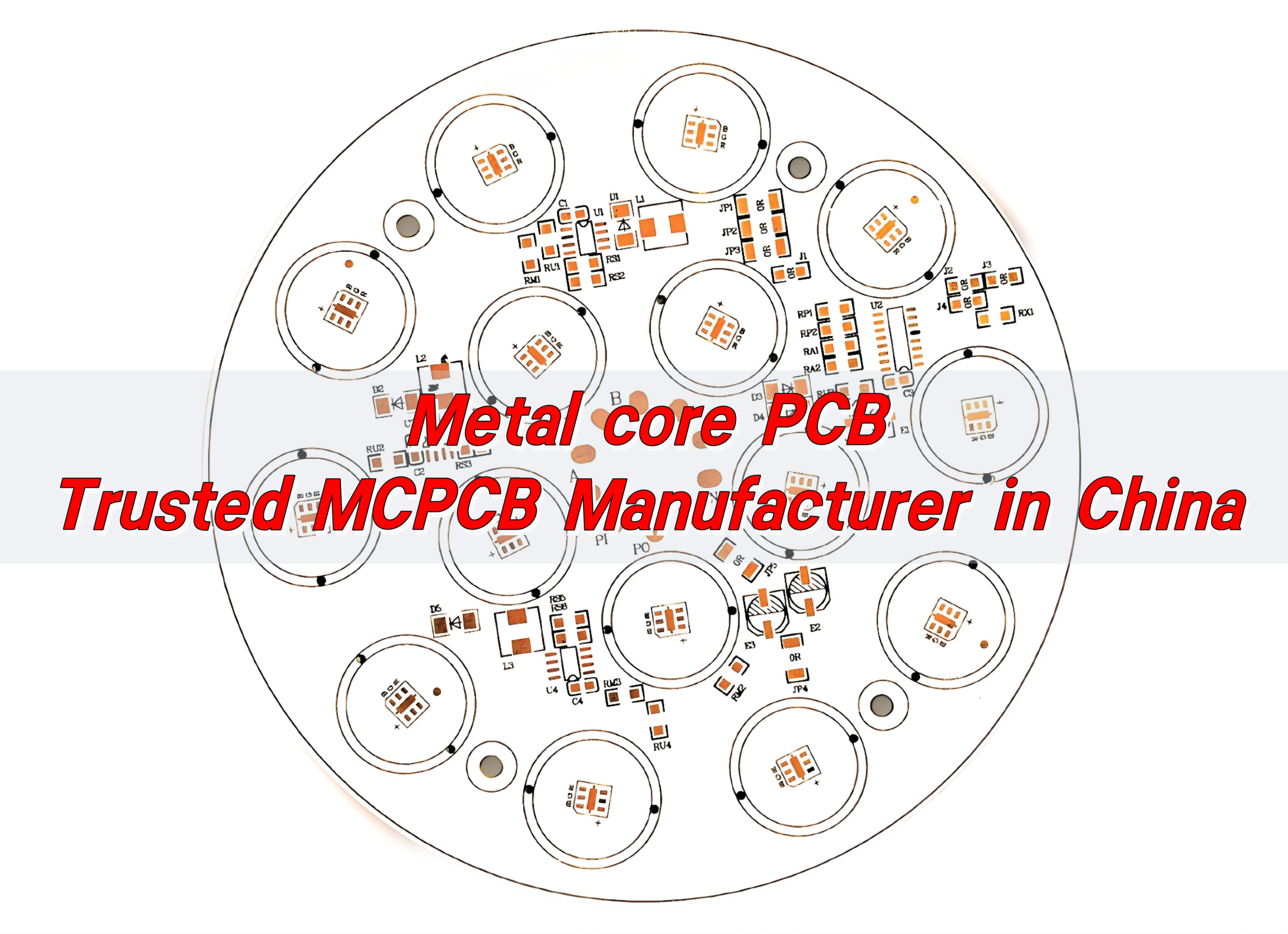
    Metal core PCB – Trusted MCPCB Manufacturer in China

    July 21st, 2025

    Metal Core PCBs (MCPCBs) are at the heart of high-power LED lights, power supplies, and automotive systems. As a professional MCPCB manufacturer, BEST Technology has been dedicated to this industry since 2006, delivering top-quality products with speed, precision, and care.

    Metal core PCB – Trusted MCPCB Manufacturer in China

    What is an MCPCB?

    An MCPCB, short for Metal Core Printed Circuit Board, is a type of PCB that has a base metal material as its core. Unlike traditional FR4 boards, MCPCBs are built on aluminum or copper substrates, which help transfer heat away from critical components.

    They are designed to improve heat dissipation, reduce component failure, and extend the lifespan of electronics. This makes them ideal for high-power applications such as LED lighting, telecom equipment, and automotive electronics.

    The structure typically includes a thermal insulating layer, a metal base (usually aluminum or copper), and a copper circuit layer. Some even include multiple layers for more complex functions.

    Advantages of Metal Core PCB

    • First, heat dissipation. Traditional PCBs struggle to manage the heat from high-power components. MCPCBs, thanks to their metal base, dissipate heat quickly and keep components cool.
    • Second, mechanical stability. The metal core adds strength and reduces deformation, especially in environments with high temperatures or mechanical stress.
    • Third, compact design. With improved heat management, components can be placed closer together without the risk of overheating. This reduces the overall size of your product.
    • Fourth, longer lifespan. When components run cooler, they last longer.
    • Fifth, cost efficiency. While slightly more expensive than standard FR4 boards, MCPCBs often reduce the need for heat sinks and other cooling methods, which can actually lower overall costs in the final product.

    What matters most in MCPCB design?

    Here are the key things that matter in MCPCB design:

    • Thermal management: You need to calculate heat flow properly. Choose the right core material (aluminum or copper) based on your power needs.
    • Layer structure: Decide whether a single, double, or multilayer board fits your application.
    • Trace width and spacing: For high currents, traces must be wider. But spacing still needs to meet safety standards.
    • Dielectric layer: This insulation layer between the metal base and the copper circuit should be thin for good thermal transfer, but strong enough for durability.
    • Solder mask and surface finish: High-temperature-resistant materials ensure the board doesn’t peel or degrade under stress.
    Metal core PCB – Trusted MCPCB Manufacturer in China

    Partnering with a reliable MCPCB manufacturer ensures your design is optimized for performance, manufacturability, and cost.

    How is MCPCB manufacturing done?

    At BEST Technology, our MCPCB manufacturing process is built for quality and efficiency.

    • Material Selection: We begin with the right metal base—aluminum or copper—depending on your needs.
    • Lamination: The dielectric layer is applied over the metal base, followed by a copper foil layer.
    • Circuit Imaging: A photoresist is applied and exposed to UV light through a mask that outlines your circuit.
    • Etching: Unwanted copper is removed, leaving the desired circuit paths.
    • Drilling: Holes for vias or mounting are precisely drilled.
    • Plating: Copper plating is added where needed for conductivity.
    • Solder Mask: A protective layer is added to shield the circuits.
    • Surface Finish: We use finishes like HASL, ENIG, or OSP to improve solderability.
    • Testing: Every board undergoes strict electrical and visual tests to ensure zero defects.

    With over 19 years of experience, our 30,000掔 factory and 229+ team members ensure your order is handled with care, from start to finish.

    How do I identify SMD components on MCPCBs?

    SMD parts are mounted directly on the surface. They are usually smaller than through-hole components and don’t require holes in the board. On an MCPCB, you’ll typically find:

    • Flat rectangular resistors
    • Small IC chips with legs around the sides
    • Tiny capacitors shaped like pills or boxes
    • Diodes with a stripe to indicate polarity

    Most components are labeled with part numbers or codes. In some cases, silkscreen text on the board helps identify each part.

    A good LED MCPCB manufacturer like BEST Technology will make these markings clear and organized, ensuring your assembly and repair processes are smooth and error-free.

    Copper vs AAluminum core boards: Which is better?

    Aluminum core boards are more common. They are cost-effective, easy to process, and offer good heat dissipation. Ideal for LED lighting, audio devices, and power supplies.

    Copper core boards offer better thermal conductivity and mechanical strength. They are used in more demanding applications like automotive, aerospace, or heavy industrial equipment.

    Metal core PCB – Trusted MCPCB Manufacturer in China

    In short:

    • If you’re building consumer products or LED lights, aluminum is perfect.
    • If you need maximum heat performance and durability, copper is worth the investment.

    BEST Technology offers both options and can guide you through the best choice for your application.

    What is an MC-PCB used for?

    MCPCBs are everywhere. They are widely used in:

    • LED lighting systems (street lights, automotive headlights, backlight units)
    • Power supplies (adapters, converters)
    • Telecom and networking equipment
    • Automotive electronics
    • Audio systems
    • Industrial control panels
    • Medical devices

    The metal core allows these applications to run cooler, last longer, and remain stable in harsh environments.

    How to choose a MCPCB manufacturer?

    Selecting the right MCPCB manufacturer is crucial.

    • Experience: Long-standing expertise shows reliability. BEST Technology has specialized in MCPCB since 2006.
    • Certifications: Look for standards like UL, ISO9001, ISO13485, IATF16949, and SGS. These ensure quality control and international compliance.
    • Factory capability: A large, modern factory means faster delivery, better consistency, and high capacity. Our 30,000掔 site handles up to 100,000 PCBs per day.
    • Technical support: We provide one-on-one sales assistance and 48-hour technical responses.
    • Turnkey service: From design to assembly, all processes are concentrated in one manufacturer, which can reduce costs and delays.
    • Competitive pricing: You shouldn’t have to trade quality for cost. We optimize production to offer the best value for your investment.

    Who is the best manufacturer of MCPCB in China?

    BEST Technology has proudly earned the trust of global clients across Europe, America, Israel, and India. With nearly two decades of focus on MCPCBs, we offer:

    • Fast lead times
    • Reliable quality
    • Full certifications
    • Custom design services
    • Turnkey assembly
    • Strong after-sales support
    Metal core PCB – Trusted MCPCB Manufacturer in China

    From prototype to mass production, we’re committed to helping you achieve your goals with efficiency and care.

    Conclusion:

    Choosing the right MCPCB manufacturers is very important. BEST Technology combines 19+ years of expertise, advanced facilities, and a client-first approach to deliver high-quality, cost-effective metal core PCBs.

    Whether you’re developing LED lighting, automotive systems, or industrial electronics, we’re here to support you every step of the way.

    Get in touch with us today at sales@bestpcbs.com

    LED Light Circuit Board Design Guide | LED PCB Acknowledge

    July 18th, 2025

    If you’ve ever wondered how your LED lights work or thought about building your own lighting system, understanding LED light circuit board design is the perfect place to start. From simple desk lamps to advanced automotive lights, LED circuit boards power nearly every type of modern lighting. These boards are more than just a place to hold LEDs—they help control current, manage heat, and ensure your lights stay bright and stable.

    What Is an LED Light Circuit Board?

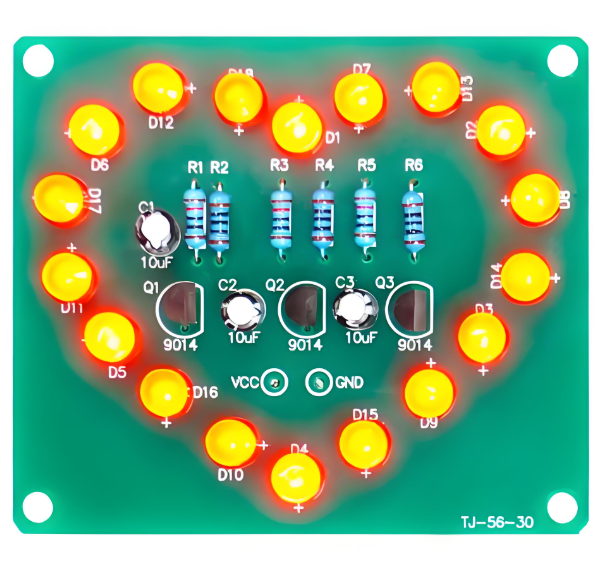
    An LED light circuit board is a printed circuit board (PCB) specially designed to support and power light-emitting diodes (LEDs). It provides a stable platform where LEDs are mounted and connected through copper traces that guide the current flow.

    These boards are used everywhere—home lights, office lighting, headlights, signs, and electronic displays. What makes LED PCBs stand out is their ability to manage heat. Since LEDs generate heat while working, especially high-brightness ones, the PCB helps transfer that heat away. Many of these boards are made of aluminum or use metal-core designs to improve thermal performance.

    LED Light Circuit Board Design Guide | LED PCB Acknowledge

    LED Circuit Board Diagram

    A circuit diagram is like a map of your LED board. It shows how the parts connect to each other and how electricity flows. This is where you plan your setup before building the actual board.

    LED Circuit Board Diagram

    In this example:

    • VCC is the power supply (like a 12V battery or adapter)
    • The resistor limits the current
    • The LED lights up as current flows from positive to ground

    In real boards, especially SMD LED PCB boards, this wiring is replaced with copper tracks. The LEDs are surface-mounted, meaning they’re soldered directly on the board. Multiple LEDs can be placed in series, parallel, or a combination, depending on your application.

    You’ll also see labels for input voltage, ground, and other components like capacitors, diodes, or voltage regulators if your board is more advanced.

    LED Light Circuit Board Design Guide

    If you want to design an LED light circuit board for commercial or long-term use, there are a few more things to consider beyond a simple circuit.

    1. Choose the LED Type Wisely

    Your LED type affects layout, current, and heat. For general lighting, SMD LEDs (such as 2835 or 5050 types) are common. For signage or high-power use, COB LEDs may be better.

    2. Decide on Board Material

    If your LEDs run hot, like in street lights or industrial lights, go for aluminum or metal-core PCBs. These manage heat much better than traditional FR4 boards. Below is a LED pcb board used aluminum base.

    3. Include Heat Management

    Use thermal vias, heat sinks, or thicker copper layers if the board carries high currents. Heat buildup can shorten LED life or reduce brightness.

    4. Control Current

    Never rely on direct voltage for LEDs. Use resistors or constant current drivers. LEDs create heat, especially if many are packed closely. Too much heat lowers their lifespan. Good thermal design includes:

    • Thick copper layers (≄1oz)
    • Thermal vias under LED pads
    • Aluminum base to move heat away
    • Heat sinks or thermal pads if needed

    5. Pay Attention to Trace Width

    High currents need wider traces. Use trace calculators to ensure your copper width is suitable. Also, avoid sharp 90° turns—these can stress the signal and cause EMI problems. Use 45° angles to keep signals smooth and reduce heat buildup.

    6. Place Components Smartly

    Keep resistors close to the LEDs. Separate power and signal lines. Leave space for heat dissipation or mounting. Some other tips including:

    • Place resistors near the LED they control
    • Keep power and ground lines wide and short
    • Group similar LEDs in rows or grids
    • Leave space for mounting holes or connectors
    • Keep heat-generating parts away from sensitive ones

    7. Test Points and Labels

    Add test pads for checking voltage and current during production or troubleshooting. Label input/output pads clearly to help during assembly. Here is a guide of how to make LED circuit board.

    How Many LED Light Fixtures Can Be on One Circuit?

    This question comes up a lot in home lighting and commercial installations. The answer depends on how much power each fixture uses and what the circuit breaker rating is.

    Let’s break it down:

    • A standard 15A breaker on 120V power provides 1800 watts.
    • A 20A breaker gives you 2400 watts.

    Suppose each LED fixture consumes 10 watts. Then on a 15A circuit:

    1800W / 10W = 180 fixtures

    But you should never use 100% of the circuit’s capacity. A safe rule is to use up to 80%.

    So, the real number is:

    1800W Ɨ 0.8 = 1440W → 144 LED fixtures (10W each)

    What Happens If You Wire an LED the Wrong Way?

    LEDs are diodes, which means they conduct electricity in one direction only. If you connect them backward:

    • They won’t light up because current can’t flow
    • In some cases, if voltage is too high, the LED might get damaged

    This is why LED symbols in diagrams have a direction (anode to cathode). Many modern circuits include a protection diode or a reverse-polarity safeguard to prevent damage.

    Always double-check before soldering or applying power. Getting the polarity right is crucial for the LED to work.

    Should I Put a Resistor Before an LED?

    Yes. A resistor is essential unless you’re using a regulated current driver.

    LEDs don’t limit their own current. If you connect them directly to a power supply, even at a ā€œsafeā€ voltage, they can draw too much current, overheat, and burn out.

    The resistor acts like a gate. It lets the right amount of current pass through and drops the extra voltage. Even LED strips usually have built-in resistors. For DIY boards, always calculate and add the correct resistor for every LED or LED group.

    LED Board Design Price

    The LED board design price depends on several factors:

    FactorCost Impact
    Board SizeLarger boards cost more
    LED Type (SMD vs. COB)COB boards may be pricier
    PCB Material (FR4 vs. Aluminum)Aluminum is more expensive
    QuantityLarger batches lower per-board cost
    LayersMultilayer boards cost more
    Assembly RequiredSoldered boards cost extra

    Typical costs for LED circuit boards:

    • Basic LED board (single-layer FR4): $0.50 – $2 per piece
    • Aluminum SMD LED board: $1 – $4 per piece
    • Custom-designed and assembled board: $5 – $20 depending on design complexity

    For mass production, you can get volume discounts and better pricing through professional LED PCB manufacturers like EBest Circuit (Best Technology). We provide free DFM checks, fast quotes, and one-stop services including prototype to volume production.

    FAQs

    1. What is a SMD LED PCB board?

    It’s a printed circuit board designed to mount Surface-Mounted Device (SMD) LEDs directly onto the board, used in lighting panels, strips, and signs.

    2. How long does an LED circuit board last?

    With good design and cooling, LED boards can last 30,000 to 50,000 hours or more.

    3. Can I connect LEDs in series or parallel?

    Yes. Series connections share the same current; parallel connections share the same voltage. Choose based on your power source.

    4. What software should I use to design LED boards?

    KiCAD, Altium Designer, EasyEDA, and Eagle are commonly used tools for creating LED PCB layouts.

    5. What happens if you put too many lights on a circuit?

    If you connect too many LED lights to one circuit, the total power draw may exceed the circuit’s capacity. This can lead to overloaded breakers, flickering lights, or even tripped fuses. In worst cases, wires may overheat, posing a fire risk.

    If you’re planning to build or order custom LED light circuit boards, EBest Circuit (Best Technology) is ready to help. We support everything from LED PCB board quick-turn prototypes to mass production, all with professional engineering support and strict quality checks.

    Copper PCB Plate Design Guidelines & Thermal Solution

    July 18th, 2025

    How to design copper PCB plate? This guide covers substrate specs, design guidelines, thermal solution. manufacturing processes for copper PCB plate.

    • Are your 5G base station power devices experiencing performance degradation due to insufficient heat dissipation?
    • New energy vehicle PCBs are delaminated under high temperature conditions. How to break through the reliability bottleneck?
    • In high current carrying scenarios, does the thermal expansion coefficient of traditional FR4 substrates affect device life?

    EBest Circuit (Best Technology) Can Provide:

    • Customized copper substrates – through the combination of ≄2oz copper thickness + ceramic filling dielectric layer, the thermal conductivity is increased to 400W/mK, ensuring that the temperature rise of high-power devices is reduced by 30%.
    • CTE matching technology – using copper/aluminum composite substrates, the thermal expansion coefficient is perfectly matched with semiconductor devices to avoid the risk of high-temperature delamination.
    • Modular thermal management design – integrated embedded heat pipes and optimized via arrays to achieve stable operation at 15A/mm² current density.

    Welcome to contact us if you have any request for copper PCB: sales@bestpcbs.com.
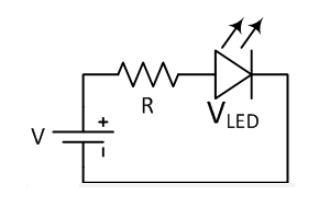
    What Is A Copper PCB Plate?

    A copper PCB plate is a printed circuit board using solid copper as its primary substrate material. This design fundamentally replaces standard insulating substrates like FR-4 with a dense copper core, serving simultaneously as the circuit’s structural foundation and primary heat dissipation medium.

    The construction bonds dielectric insulation layers and conductive copper foils directly to the copper base. This integration leverages copper’s inherent thermal conductivity to absorb and transfer heat from electronic components, establishing an efficient thermal pathway while maintaining electrical isolation.

    What Is A Copper PCB Plate?

    Copper Substrate PCB Specification

    ParameterSpecification Range
    Copper ThicknessStandard: 1oz(35μm), 2oz(70μm)|Heavy: 3oz(105μm)-10oz(350μm)|Selective: 3-8oz
    Substrate Thickness0.2mm-3.2mm (Aluminum core typical 1.0mm/1.5mm/2.0mm)
    Thermal Conductivity1-8W/(mĀ·K) (Aluminum core typical 2-3W)
    Dielectric StrengthAC 1kV-4kV (2.5kV@1mm substrate spacing)
    Max Panel SizeSingle/Double-side: 800Ɨ1200mm|Multilayer: 610Ɨ1100mm
    Copper TypeRolled (high ductility)|Electrodeposited (standard)
    Surface FinishHASL(LF), ENIG, OSP, Immersion Ag (ENIG preferred for impedance control)
    Min Trace/Space1oz: 4/4mil|3oz: 8/12mil (IPC-2152 current carrying capacity required)

    Application of Copper PCB Plate

    • Automotiveā€Œ – EV battery management, motor controllers, charging systems.
    • Telecomā€Œ – 5G/6G base stations, RF power amplifiers, antenna modules.
    • Industrialā€Œ – Welding machines, UPS, solar inverters, robotics.
    • Aerospaceā€Œ – Satellite comms, avionics, radar systems.
    • Medicalā€Œ – MRI equipment, surgical lasers, X-ray generators.
    • Consumerā€Œ – High-end smartphones, gaming consoles, AR/VR devices.
    Application of Copper PCB Plate

    Copper PCB Plate Design Guidelines

    1. Material Selection & Thickness

    • Use copper foil thickness based on current requirements: 1oz (35μm) for standard applications, 2oz (70μm) or thicker for high-current designs.
    • Inner layer copper thickness ≄0.5oz; outer layers add 0.5oz to base thickness.
    • Ensure dielectric layer thickness ≄0.1mm to prevent voltage breakdown.

    2. Layout & Layer Stackup

    • Adopt symmetric design for dielectric layers, copper thickness, and trace distribution.
    • Separate high-speed/low-speed, digital/analog, and power/ground planes using spatial isolation or dedicated ground lines.
    • Place high-power components centrally for even heat distribution; avoid clustering.

    3. Thermal Management

    • Increase copper area under high-power devices to act as a heat spreader.
    • Use thermal vias to connect top/bottom layers, transferring heat to a dedicated thermal pad.
    • For currents >10A, opt for ≄2oz copper and widen traces to reduce resistance.

    4. Signal Integrity

    • Maintain 3W rule (trace spacing ≄3Ɨ trace width) to minimize crosstalk.
    • Route high-speed signals (e.g., clock lines) away from noisy power lines.
    • Ensure impedance control for differential pairs and critical nets.

    5. Manufacturing Considerations

    • Follow IPC-2221 for trace width/spacing and IPC-6012 for quality classes (Class 3 for aerospace/medical).
    • Avoid sharp angles (>135°) to prevent EMI and manufacturing defects.
    • Use solid or hatched copper pours with clearances ≄0.2mm from pads/vias.

    6. Power & Ground Design

    • Dedicate separate power/ground planes for analog/digital sections.
    • Widen power traces and use multiple vias for low-impedance paths.
    • Implement local decoupling capacitors near ICs (≤0.3mm from power pins).

    7. Drilling & Plating Design

    • For thick copper (>4oz), optimize drill parameters to mitigate copper smearing and burrs.
    • Ensure hole wall plating thickness ≄25μm for Class 3 reliability.

    8. Testing & Validation

    • Perform thermal imaging to validate heat dissipation in high-power zones.
    • Use impedance testing for high-speed signals and electrical continuity checks.
    • These guidelines balance performance, manufacturability, and reliability while adhering to industry standards.

      Copper PCB Plate Thermal Solution in Electric Vehicles

      Five Thermal Solutions for Copper PCB Plates in Electric Vehicles

      1. High-Conductivity Substrates & Thick Copper Layers

      • Use metal-core PCBs (MCPCB) or ceramic substrates (Alā‚‚Oā‚ƒ/AlN) with thermal conductivity >1.5 W/mĀ·K for power modules.
      • Apply localized thick copper (≄2oz/70μm) on high-current traces to reduce Joule heating and enhance heat spreading.

      2. Dense Thermal Via Arrays Under High-Power Components

      • Place thermal vias (diameter 0.3–0.5mm, pitch 1.0mm) directly beneath IGBTs, MOSFETs, or DC-link capacitors.
      • Fill vias with copper or conductive paste to eliminate air gaps and improve vertical heat transfer.

      3. Zoning & Component Placement Optimization

      • Centralize heat-generating devices near liquid cooling channels or heat sinks.
      • Maintain ≄5mm spacing between high-voltage (>600V) and low-voltage circuits to prevent thermal crosstalk.

      4. Hybrid Cooling Integration

      • Combine PCB thermal vias with active cooling (e.g., microchannel liquid cooling plates) for modules exceeding 200W.
      • Use phase change materials (PCMs) or graphite sheets between PCB and housing for passive thermal buffering.

      5. Simulation-Driven Design & Automotive-Grade Validation

      • Perform CFD thermal modeling (e.g., ANSYS Icepak) to optimize via density and material selection.
      • Validate through power cycling tests (200A, 1000+ cycles) and thermal shock (-40°C to +150°C) per AEC-Q100 standards.

      How Was Copper Base PCB Made?

      Production Processes of Copper Base PCB:

      1. Material Selectionā€Œ: Start with 99.9% pure copper plates (1-10mm thickness) and thermally conductive dielectric layers (typically aluminum nitride or ceramic-filled polymer).

      2. Surface Treatmentā€Œ: Chemically clean copper surfaces to achieve <0.5μm roughness, then apply oxidation-resistant coating for better bonding.

      3. Pattern Transferā€Œ: Laminate dry film photoresist onto copper, expose with UV light through designed artwork, then develop to create circuit patterns.

      4. Precision Etchingā€Œ: Use ammoniacal etching solution maintained at 45±2°C to remove unwanted copper, achieving 50μm line width tolerance.

      5. Dielectric Bondingā€Œ: Sandwich thermally conductive dielectric between copper layers under 180°C and 15kg/cm² pressure for 90 minutes.

      6. Drilling & Platingā€Œ: Drill micro-vias with 0.1-0.3mm diameter using laser ablation, then electroless copper plate the hole walls.

      7. Solder Mask Applicationā€Œ: Screen-print high-temperature resistant ink (withstand 260°C for 60s), cure with infrared for enhanced thermal cycling performance.

      8. Surface Finishingā€Œ: Apply ENIG (Electroless Nickel Immersion Gold) or silver plating for optimal solderability and heat dissipation.

      9. Electrical Testingā€Œ: Perform 100% continuity test with 500V DC and thermal impedance measurement using ASTM D5470 standard.

      10. Final Inspectionā€Œ: Verify dimensional accuracy (±0.05mm) and thermal conductivity (300-500W/mK range) before vacuum packaging.

      How Was Copper Base PCB Made?

      Reliability Compliance Testing for Copper Substrate PCB

      1. Thermal Cycling Endurance Validationā€Œ

      • Execute 1,000 rapid temperature cycles between -55°C and +150°C following IPC-9701. Confirm thermal conductivity maintains within ±5% deviation to ensure long-term stability in automotive applications.

      2. Dielectric Withstand Voltage Testā€Œ

      • Apply 3.5kV AC for 60 seconds between adjacent copper layers per UL 94V-0. Terminate testing if leakage current exceeds 10mA, guaranteeing insulation integrity in high-voltage designs.

      3. Thermal Shock Resistance Assessmentā€Œ

      • Transition boards between -65°C and +175°C chambers within 10 seconds per JEDEC JESD22-A106B. Inspect for delamination after 300 cycles using scanning acoustic microscopy.

      4. Solder Reflow Compatibility Checkā€Œ

      • Immerse test coupons in 288°C solder bath for 30 seconds (IPC-TM-650 2.6.8). Verify dimensional change <0.2% and solder mask adhesion strength >1.0kgf/cm² post-test.

      5. Humidity Aging Evaluationā€Œ

      • Condition samples at 85°C/85% RH for 168 hours (JESD22-A101). Measure insulation resistance >100MĪ© after recovery to demonstrate reliability in tropical climates.

      6. Mechanical Flexural Strength Testā€Œ

      • Perform three-point bending at 150°C with 0.5% strain (IPC-6012). Validate zero microcracks via cross-section analysis to ensure structural robustness.

      7. Interlayer Bond Strength Measurementā€Œ

      • Conduct 90° peel tests before/after thermal aging (IPC-TM-650 2.4.8). Maintain >1.2kgf/cm adhesion strength for power module applications.

      8. High Current Loading Verificationā€Œ

      • Subject boards to 100A DC load at 110°C ambient for 24 hours (IEC 60146). Monitor thermal rise <40°C above ambient with infrared thermography.
      Reliability Compliance Testing for Copper Substrate PCB

        Why Choose EBest Circuit (Best Technology) as Copper PCB Plate Manufacturer?

        • Free DFM (Design for Manufacturability) Analysis: Optimizes PCB layouts to reduce material waste, lower production costs, and avoid late-stage design revisions.
        • Thermal Simulation & Optimization: Custom heat dissipation solutions proven to reduce hotspot temperatures by 25-40°C
        • 24-Hour Rapid Prototyping Delivery: Accelerates product development cycles, enabling faster time-to-market and competitive edge in high-demand industries.
        • Stringent Quality Control with 100% Inspection: Eliminates hidden defects, reduces rework costs, and ensures reliability in high-current/thermal applications.
        • Transparent Pricing with No Hidden Fees: Predictable budgeting and cost savings through upfront pricing models tailored to thick copper PCB specifications.
        • Certified Compliance (ISO 9001, UL, RoHS): Mitigates regulatory risks and ensures products meet global standards for safety and environmental compliance.
        • One-Stop Solution from Design to Delivery: Streamlines project management by consolidating prototyping, fabrication, and assembly together.

        Welcome to contact us if you have any inquiry for copper PCB board: sales@bestpcbs.com. Looking hearing from you soon!
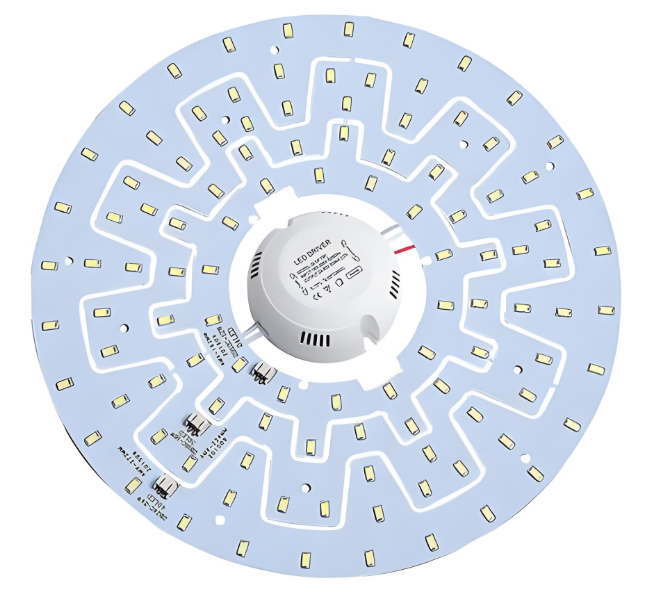
        Aluminum PCB Circuit Board Design & Manufacturer, Free DFM

        July 17th, 2025

        Why choose aluminum PCB circuit board for your project? These high-performance boards combine superior thermal management with structural durability, making them ideal for LED, automotive, and power electronics. This guide covers their structure, benefits, design tips, and manufacturing process to help you make informed decisions.

        • Does heat dissipation design drag down product life?
        • Is it difficult to get professional support for small batches?
        • Does batch stability affect the pace of mass production?

        EBest Circuit (Best Technology) Can Provide:

        • Accurate heat dissipation solution: Patented aluminum substrate (5.2W/mĀ·K) with thermal simulation optimization reduces temperature rise by 35%.
        • Flexible cooperation model: 10 pieces minimum order, providing full technical support from design to mass production.
        • Reliable Batch Quality Inspection: Provide material traceability report + reliability test data for each batch.

        Welcome to contact EBest Circuit (Best Technology) if you’re interested in aluminum PCB board: sales@bestpcbs.com.
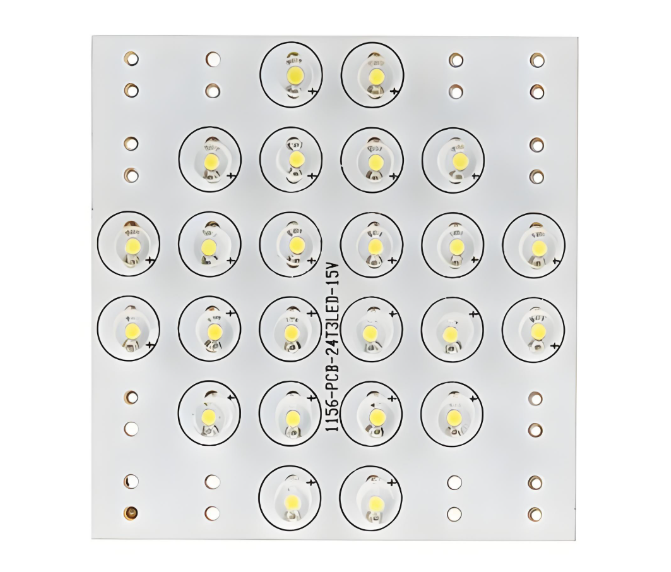
        What Is An Aluminum PCB Circuit Board?

        An aluminum PCB circuit board (printed circuit board) is a specialized circuit board type constructed using an aluminum alloy base material instead of conventional fiberglass substrates like FR-4. This metal-core foundation serves as a heat dissipation solution, redirecting warmth away from temperature-sensitive electronic components.

        These boards are formally categorized as metal-core PCBs (MCPCBs), with aluminum being the most widely adopted base material. The essential purpose centers on thermal management, aluminum efficiently absorbs and spreads heat generated during circuit operation, preventing damage to parts like LED emitters, power transistors, or voltage regulators. This characteristic makes aluminum PCBs a practical choice in applications demanding real-world cooling performance beyond traditional boards’ capabilities.

        What Is An Aluminum PCB Circuit Board?

        What Is the Structure of Aluminum PCB Board?

        • Circuit Layer (Copper Foil): Composed of electrolytic copper foil, typically 1 oz to 3 oz thickness. Serves as the conductive pathway for electrical signals.
        • Dielectric Layer (Thermal Insulation): A thermally conductive but electrically insulating material (e.g., epoxy resin with ceramic fillers). Transfers heat from the circuit layer to the metal substrate while preventing electrical shorts.
        • Metal Substrate (Aluminum Base): A thick aluminum plate (usually 1mm to 3mm thickness). Provides mechanical rigidity, heat dissipation, and acts as a heat sink for high-power components.
        • Adhesive Layer (Bonding Film): A thin adhesive film between the dielectric layer and aluminum substrate. Ensures strong adhesion and thermal conductivity between layers.

        Aluminum PCB Circuit Board Specification

        ParameterSpecification Range
        Base Material5052/6061 Aluminum Alloy
        Copper Thickness1oz – 4oz (35μm – 140μm)
        Dielectric Layer50μm – 150μm
        Max Operating Temp130°C – 150°C
        Thermal Resistance0.5°C/W – 3.0°C/W
        Breakdown Voltage2kV – 5kV
        Surface FinishHASL, ENIG, OSP
        Min Trace Width0.1mm – 0.3mm      
        Min Hole Size0.3mm – 0.5mm
        Panel Size500mm x 600mm (max)

        What Are the Pros and Cons of Aluminum PCB Circuit Board?

        Advantages of aluminum PCB circuit board:

        • Superior Thermal Management: Conducts heat 8-10x faster than standard FR4, preventing overheating in high-power LEDs, motor drives, and power converters.
        • Enhanced Durability: Resists vibration and mechanical stress better than fiberglass PCBs, ideal for automotive and aerospace applications.
        • Longer Component Lifespan: Stable thermal performance minimizes thermal expansion stress, reducing failure rates in power electronics.
        • Cost-Effective for High-Power Designs: Lower lifetime costs compared to FR4 + external cooling solutions in applications like LED lighting and industrial power supplies.
        • Eco-Friendly Material: 100% recyclable, aligning with green manufacturing and RoHS compliance.

        Disadvantages of aluminum PCB circuit board:

        • Higher Upfront Cost: 20-30% more expensive than FR4 due to specialized dielectric layers and metal-core processing.
        • Limited Complexity: Mostly 1-2 layers; multilayer designs are rare and costly (e.g., hybrid constructions with FR4 sections).
        • Challenging Rework: Difficult to modify after production—drilling or cutting risks damaging the aluminum substrate.
        • Electrical Isolation Risks: Dielectric layer defects (e.g., voids) may cause shorts in high-voltage applications (>1kV).
        • Poor High-Frequency Performance: Higher parasitic capacitance distorts signals above 500MHz, making RF/microwave circuits impractical.
        What Are the Pros and Cons of Aluminum PCB Circuit Board?

        What Are Aluminum PCB Board Used for?

        • High-Power LED Lighting – Commercial lighting, automotive headlamps, backlight units.
        • Power Electronics – Switch-mode power supplies, motor controllers, solar inverters.
        • Automotive Systems – Electric vehicle battery modules, engine control units, LED taillights.
        • Audio Amplifiers – High-fidelity amplifiers, professional audio equipment, RF power modules.
        • Renewable Energy – Solar panel junction boxes, wind turbine converters, energy storage systems.
        • Medical Devices – Surgical lighting, diagnostic imaging equipment, laser therapy systems.
        • Industrial Controls – Programmable logic controllers (PLCs), sensor modules, robotics.
        What Are Aluminum PCB Board Used for?

        How to Design Aluminum LED PCB for Better Heat Dissipation?

        Methods about how to design aluminum LED PCB for better heat dissipation:

        • Choose High-Thermal-Conductivity Dielectric Layersā€Œ: Use ā€Œā‰„2.0 W/mKā€Œ dielectric materials (e.g., Bergquist HT-07000) to bridge heat from LEDs to the aluminum base.
        • Maximize Copper Thickness for Power Tracesā€Œ: Prioritize ā€Œ2–4 oz copperā€Œ to reduce resistive heating and improve thermal spreading.
        • Implement Thermal Vias Under LED Padsā€Œ: Place ā€Œarrays of vias (0.3–0.5mm diameter)ā€Œ beneath LED footprints to direct heat to the aluminum core.
        • Avoid Thermal Islands in Layoutsā€Œ: Connect all high-power components to large copper pours, ensuring heat paths are ā€Œcontinuous and low-impedanceā€Œ.
        • Balance Copper Distributionā€Œ: Symmetrical copper layers prevent warping and reduce ā€Œlocalized hotspotsā€Œ during thermal cycling.
        • Optimize LED Spacingā€Œ: Maintain ā€Œā‰„5mm spacingā€Œ between high-power LEDs to minimize cross-heating effects.
        • Use Thermal Simulation Earlyā€Œ: Tools like ā€ŒANSYS Icepakā€Œ or ā€ŒMentor FloTHERMā€Œ can predict hotspots before prototyping.

        How Are Aluminum PCBs Made?

        Aluminum PCB Manufacturing Process:

        1. Material Cutting: Cut aluminum alloy substrate (e.g., 1050, 6061) to specified dimensions.
        2. Surface Cleaning: Clean aluminum and copper foil surfaces to remove oils, oxides, or contaminants.
        3. Dielectric Layer Coating: Apply thermally conductive epoxy or prepreg to the aluminum substrate.
        4. Copper Foil Lamination: Bond electrolytic copper foil (1–3 oz) to the dielectric layer under heat and pressure.
        5. Circuit Etching: Print photoresist, expose to UV light, and etch excess copper with alkaline/acidic solutions.
        6. Drilling: Machine-drill via holes using carbide bits, ensuring positional accuracy (±0.05mm).
        7. Through-Hole Plating: Electroplate drilled holes to create conductive vias (copper thickness ≄1.5 mils).
        8. Surface Finish Application: Apply HASL, ENIG, or OSP to protect copper and enhance solderability.
        9. Thermal Stress Testing: Subject boards to thermal cycling (-40°C to +125°C) to validate durability.
        10. Final Inspection & Packing: Conduct 100% visual and dimensional checks before packaging.

        How Are Aluminum PCBs Made?

        Why Choose EBest Circuit (Best Technology) as Aluminum PCB Manufacturer?

        Reasons why choose EBest Circuit (Best Technology) as aluminum PCB manufacturer:

        • Certified Compliance (ISO 9001, UL, RoHS, ISO 9001, IATF 16949 ): Mitigates regulatory risks and ensures products meet global standards for safety and environmental compliance.
        • Free DFM (Design for Manufacturability) Analysis: Optimizes PCB layouts to reduce material waste, lower production costs, and avoid late-stage design revisions.
        • Turnkey Solutions – Full-service PCB manufacturing from design to delivery, accelerating your product’s time-to-market.
        • Fast Turnaround – 24-hour rapid prototyping and industry-leading production lead times.
        • Stable Supply Chain – Guaranteed material availability with minimal risk of delays.
        • Responsive Support – Dedicated customer service with a 2-hour response guarantee for urgent requests.
        • Competitive & Transparent Pricing – No hidden costs, offering the best value without compromising quality.
        • Stringent Quality Control with 100% Inspection: Eliminates hidden defects, reduces rework costs, and ensures reliability in high-current/thermal applications.

        If you have any request for aluminum PCB, welcome to contact us: sales@bestpcbs.com.