PCB manufacturing PCB manufacturing
Home > Blog

What Is EMS Manufacturing? Electronic Manufacturing Services EMS

December 5th, 2025

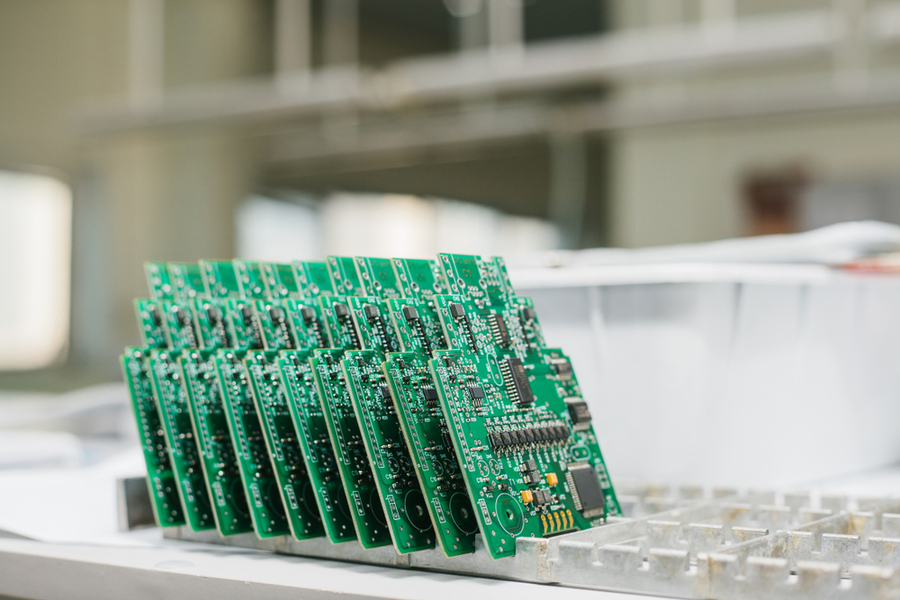
EMS manufacturing, or Electronic Manufacturing Services, is the process where a professional company builds electronic products for other brands. Instead of handling production in-house, businesses rely on EMS partners to manage PCB assembly, component sourcing, testing, and final product build.

BEST Technology supports turnkey EMS services from start to finish. It becomes your extended production team.

What Is EMS Manufacturing? Electronic Manufacturing Services EMS

What Is EMS in Manufacturing?

EMS in manufacturing refers to Electronic Manufacturing Services, a full set of solutions designed to help companies develop, build, and ship electronic products. These services may include PCB assembly, component sourcing, testing, system integration, packaging, and even shipping.

Instead of managing dozens of suppliers, factories, and inspectors, a business can choose one EMS partner to handle everything. This choice removes stress. It reduces errors. It creates smooth production from the very beginning.

Today’s market moves fast, and EMS makes it easier to keep up. Even small brands can compete with large corporations because EMS companies offer advanced equipment and skilled teams. When an idea becomes a product through EMS, the entire journey becomes more manageable.

What Does EMS Stand For?

EMS stands for Electronic Manufacturing Services. It is often used interchangeably with terms like:

  • EMS manufacturing
  • EMS electronics manufacturing
  • EMS manufacturing services
  • Electronics manufacturing services EMS
  • EMS electronic manufacturing services

All these phrases point to the same idea: a company that helps design, assemble, test, and deliver electronic products.

EMS partners cover many tasks that once required multiple vendors. This shift allows businesses to operate more efficiently, reduce cost, and shorten production cycles.

What Are the Benefits of EMS Manufacturing Services?

EMS manufacturing services provide a long list of advantages. These benefits help companies grow faster, reduce risk, and maintain stable quality.

  • 1. Lower Production Costs

EMS companies buy components in large volumes. They negotiate better prices and reduce waste during assembly. This power leads to lower overall cost for the customer.

  • 2. Faster Time-to-Market

Speed matters. EMS partners streamline every step, from component sourcing to final testing. Fast production helps a business launch earlier, win more customers, and respond to market changes without delay.

  • 3. Stable and Reliable Quality

EMS companies invest heavily in inspection systems, skilled technicians, and clean production environments. Each product goes through strict testing.

  • 4. Access to Advanced Technology

Modern devices need precise tools and expert handling. EMS companies maintain advanced SMT lines, automated optical inspection, and top-grade testing machines. EMS gives you instant access without the burden.

  • 5. Reduced Operational Risk

EMS partners absorb much of this risk. They handle sourcing challenges, production planning, and quality control while you focus on growing your business.
  • 6. More Time to Focus on Core Strengths

Instead of worrying about solder joints, shipping labels, or testing protocols, your team can focus on design, marketing, and customer needs.

  • 7. Better Scalability

Growth becomes easier. Whether you need 1,000 units or 100,000 units, an EMS partner can adjust production quickly.

What Is EMS Manufacturing? Electronic Manufacturing Services EMS

BEST Technology is one EMS manufacturing company that offers these benefits through a turnkey model. Many customers appreciate this support because it removes complexity and creates stable long-term partnerships.

What Is the EMS Production Process?

The EMS production process follows a clear path. Each stage adds value and builds the final product with accuracy.

Here is a simple breakdown:

  • Design and Engineering Support: Some EMS providers offer DFM (Design for Manufacturability) checks.  A small adjustment at this stage can prevent costly errors later. It also speeds up manufacturing.
  • Component Sourcing: EMS companies source parts from trusted suppliers. They check the quality, verify authenticity, and maintain stable stock levels.
  • PCB Fabrication: Some EMS partners work with PCB factories or own in-house lines. PCB fabrication includes copper plating, drilling, imaging, surface finishing, and other steps.
  • PCB Assembly (SMT + THT): Here, components are placed on the board. SMT machines place tiny chips with speed and precision. Some components require THT soldering, which adds strength and durability.
  • Inspection and Testing: It ensures the board works the first time. Common tests include: AOI、ICT、Functional testing、X-ray inspection、Testing protects you from product failures.
  • System Integration: If your product includes cables, casings, modules, or displays, the EMS partner assembles everything into one final unit.
  • Packaging and Shipping: The last stage includes labeling, packaging, and delivery. Many EMS partners offer global shipping to reduce your workload.

BEST Technology follows this type of detailed EMS manufacturing process to ensure accuracy and smooth delivery.

What Are the Three Types of EMS?

EMS services can be grouped into three main types. Each supports different needs.

  • 1. PCB Assembly Focused EMS

These companies specialize in PCB assembly only. They handle SMT, THT, and testing. This option works when you already have designs, PCBs, and cases ready.

  • 2. Box-Build EMS

This type goes further. It includes PCB assembly plus product integration, wiring, case assembly, testing, and packaging.

  • 3. Full Turnkey EMS

This level covers everything from design to shipment. It includes:

  • DFM checks
  • Component sourcing
  • PCB fabrication
  • Assembly
  • Testing
  • Packaging
  • Logistics

BEST Technology belongs to this category. We provide full turnkey EMS solutions to reduce complexity and help customers scale easily.

What Is EMS & ODM?

EMS focuses on manufacturing. ODM focuses on design. When combined, EMS & ODM gives you both product design and production under one roof.

It reduces development time. You get a ready-to-market product with optimized cost and stable quality.

Companies that need custom solutions often choose ODM + EMS because it improves speed and lowers development risk.

What Is EMS Manufacturing? Electronic Manufacturing Services EMS

What Is the Difference Between OEM and EMS?

The terms OEM and EMS seem similar, but they are not the same.

  • OEM (Original Equipment Manufacturer)

An OEM produces products under its own brand or designs products for others. Most OEMs handle design and may outsource manufacturing.

  • EMS (Electronic Manufacturing Services)

An EMS builds products for OEMs. EMS companies may not own the design. They focus on producing, assembling, and testing the product.

Key differences:

OEM = product ownership

EMS = product manufacturing support

OEM focuses on innovation and branding. EMS focuses on production and manufacturing expertise

Many OEMs team up with EMS companies to reduce cost and speed up production. It creates a strong partnership where each side focuses on its strengths.

What Are the Four Factors of Production in EMS?

EMS production depends on four main factors:

  • 1. Labor: Skilled technicians and engineers operate machines, inspect products, handle assembly, and ensure quality.
  • 2. Machinery: SMT lines, reflow ovens, AOI systems, and other tools make high-volume production possible.
  • 3. Materials: Components, PCBs, solder paste, packaging materials, and more. EMS partners manage sourcing to maintain smooth flow.
  • 4. Processes: Production steps, tests, inspections, and standards guide each build. These processes protect quality and ensure repeatability.
What Is EMS Manufacturing? Electronic Manufacturing Services EMS

Together, these factors form the backbone of any EMS manufacturing company.

How to Select the Right EMS Manufacturing Company?

Choosing the right EMS partner influences product quality, delivery speed, and market success. Here are key points to consider:

  • 1. Experience and Track Record

Choose an EMS company with years of experience and proven success. A stable track record means fewer risks. BEST Technology, for example, has supported global clients for many years through turnkey EMS.

  • 2. Technical Capability

Check the machinery, testing tools, and engineering support. Modern electronics need advanced equipment.

  • 3. Quality Systems

Ensure the EMS provider follows international standards like ISO9001. Strong quality systems protect your brand.

  • 4. Supply Chain Strength

Component sourcing is the heart of stable production. Make sure the EMS partner has reliable suppliers and partners.

  • 5. Scalability

Your partner should support both small batches and mass production. This helps your brand grow without changing suppliers later.

  • 6. Communication

Clear and quick communication saves time and prevents mistakes. Choose a partner who responds fast and provides updates.

  • 7. Cost Transparency

A reliable EMS partner should provide clear quotations and honest explanations. Hidden fees can hurt project budgets.

  • 8. After-Sales Support

Strong after-sales support builds trust. It also ensures long product life.

  • 9. Turnkey Capabilities

A turnkey EMS manufacturing company reduces your workload. It handles sourcing, assembly, testing, and delivery under one team.

With these points, you can find a partner who supports your goals and protects product reliability. BEST Technology fits this role well for many global clients.

Conclusion:

EMS manufacturing gives businesses a powerful way to build electronic products with speed, accuracy, and cost control. It reduces stress, shortens delivery time, and improves product stability.

If you need turnkey EMS manufacturing services, feel free to reach out. sales@bestpcbs.com

Top 10 RF Microwave PCB Manufacturers for High-Power Applications

December 4th, 2025

High-power RF and microwave systems—such as RF amplifiers, 5G base stations, radar modules, satellite communication units, and microwave transmitters—require PCBs that can maintain stable performance under intense thermal and electrical stress. Ordinary FR-4 boards simply cannot handle the dielectric loss, heat generation, tight impedance requirements, and frequency-dependent behavior seen above 1 GHz.

In this guide, we highlight the Top 10 RF microwave PCB manufacturers for high-power applications—ideal for RF amplifiers, radar systems, 5G infrastructure, satellite communication, and other high-frequency uses.

Top 10 RF Microwave PCB Manufacturers for High-Power Applications

Why You Need a Specialized RF Microwave PCB Manufacturer?

High-power RF designs introduce challenges such as elevated heat, strict impedance requirements, and performance losses at microwave frequencies. Manufacturers must have:

  • Expertise in low-loss materials like Rogers, Taconic, or PTFE-based substrates
  • Multi-layer RF/microwave stackup engineering
  • High-precision etching and drilling for mmWave designs
  • Support for heat-sink integration, metal-backed PCBs, or thick-copper construction
  • Robust quality systems for aerospace/defense-grade reliability

Choosing the right vendor ensures stable power handling, lower insertion loss, and consistent performance across your operating frequency range.

Top 10 RF Microwave PCB Manufacturers for High-Power Applications

1. American Standard Circuits (ASC)

ASC is one of the most experienced RF microwave PCB manufacturers in North America. They specialize in complex high-power designs, including:

  • Metal-backed PCBs for heat dissipation
  • PTFE-based microwave laminates (Rogers, Taconic, Isola)
  • Tight impedance control
  • High-layer-count microwave PCBs

Best for: High-power RF, metal-backed microwave PCBs, aerospace/defense

Their engineering support for thermal-management and high-frequency performance makes them ideal for RF amplifiers and transmitters.

Top 10 RF Microwave PCB Manufacturers for High-Power Applications

2. HT Global Circuits

HT Global produces RF microwave PCBs operating up to 77 GHz and beyond. Their strengths include:

  • Multi-layer PTFE stackups
  • 2–20 layer RF/microwave builds
  • Heavy copper up to 6 oz for high-power devices
  • Hybrid stackups combining FR-4 with RF materials

They are a top choice for automotive radar, mmWave modules, and high-power RF designs.

Best for: mmWave, radar, low-loss PTFE boards, thick-copper RF PCBs

3. Summit Interconnect

Summit Interconnect is known for premium high-frequency and high-reliability microwave PCBs used in:

  • Aerospace
  • Defense
  • Telecom infrastructure

Their fabrication process emphasizes precision drilling, micro-vias, and controlled dielectric thickness—critical for high-frequency energy transfer and low insertion loss.

Best for: Mission-critical high-frequency systems

4. KKPCB

KKPCB works extensively with RF laminates such as Rogers, Isola, Taconic, and Panasonic materials. Their capabilities include:

  • Rigid, flex, and rigid-flex RF PCBs
  • Controlled impedance routing
  • Low-loss dielectric materials
  • High-density microwave layouts

A good mid-cost option for commercial RF/microwave products and 5G devices.

Best for: Telecom, 5G, RF modules

5. Highleap Electronics

Highleap supports complex microwave PCB builds requiring:

  • Hybrid materials
  • Multi-layer RF stackups
  • Cavity/RF shielding structures
  • Precise copper-weight control

Ideal for radar, satellite systems, and advanced RF sensing.

Best for: Multi-layer high-frequency and mmWave PCBs

6. RayMing Technology (RayPCB)

RayMing is widely referenced as a top microwave PCB manufacturer. Their key strengths include:

  • PTFE + hybrid dielectric combinations
  • High-frequency up to mmWave
  • ENIG, ENEPIG finishes for RF connectors
  • HDI for mixed digital + RF sections

Great for high-frequency testing equipment, RF sensors, and wireless communication modules.

Best for: Broad RF material selection, advanced stackups

7. WellPCB

WellPCB provides high-frequency PCBs up to 64 layers with:

  • Tight impedance tolerances
  • Low-loss laminates (Rogers, Isola, Taconic)
  • Quick-turn RF prototyping capability

A strong choice for R&D labs, engineering teams, and rapid iteration cycles.

Best for: Low-loss microwave PCBs and prototype runs

8. Sanmina Corporation

Sanmina serves enterprise and industrial markets requiring:

  • High-reliability RF PCB mass production
  • Telecom and infrastructure RF boards
  • Integrated assembly + testing

If your product needs scale, Sanmina is a top-tier partner.

Best for: High-volume microwave PCB production

9. TTM Technologies

TTM is one of the world’s largest PCB manufacturers with deep expertise in:

  • Microwave PCBs for defense/avionics
  • Very tight tolerance stackups
  • Hybrid laminates for both RF + digital

Perfect for mission-critical high-power RF systems.

Best for: High-reliability aerospace/defense RF PCBs

10. EBest Circuit (Best Technology) (BEST TECH)

EBest Circuit (Best Technology) stands out for its deep expertise in Rogers, Taconic, PTFE, ceramic-filled laminates, and hybrid RF stackups. Our core strengths include:

  • High-power RF PCB manufacturing with thick copper
  • PTFE microwave PCBs for >10 GHz
  • Cavity structures, tight impedance control, and controlled Dk/Df
  • RF prototype-to-production support

We are especially strong in thermal management, cost-effective PTFE processing, and mixed-material high-frequency boards used in RF amplifiers and microwave modules.

Best for: Custom high-power RF PCB manufacturing & PTFE-based microwave PCBs

What Should You Provide for High-Power RF PCBs?

When ordering high-power RF microwave PCBs, your manufacturer needs precise engineering data to ensure correct impedance, dielectric performance, and thermal stability. Below is a complete checklist.

1. Operating Frequency Range

Specify the exact frequency band, such as:

  • 1–6 GHz (RF)
  • 10–30 GHz (Microwave)
  • 24–77 GHz (mmWave)

Higher frequencies require lower-loss materials and tighter tolerances.

2. Target Impedance & Tolerance

Provide the intended impedance values such as:

  • 50Ω microstrip
  • 75Ω signal lines
  • Differential RF pairs

This allows the PCB manufacturer to determine trace width, spacing, copper thickness, and dielectric thickness.

3. Expected Power Handling / Heat Load

Thermal load affects stackup and material choice, especially for:

  • RF amplifiers
  • High-power transmitters
  • Power combiners/splitters

Manufacturers may include metal-backed substrates or copper coins if required.

4. Material Preferences

List materials if known:

  • Rogers 4350B, 4003C, 5880, 3006
  • Taconic TLX, TLY, RF-35
  • Isola Astra / I-Tera HT / PTFE laminates

Or request material recommendations based on your frequency and power.

5. Stackup Requirements

Specify:

  • Number of layers
  • Hybrid stackup (PTFE + FR-4)
  • Dielectric thickness
  • Copper weight (e.g., 1oz, 2oz, 3oz+)

High-power RF typically needs high-copper layers for heat dissipation.

6. RF-sensitive Structure Information

Provide details on:

  • RF cavities
  • Via fences / Ground vias
  • Via-in-pad for RF chips
  • Microstrip or stripline routing

These influence manufacturability and RF performance.

7. Connector Type & Finish

RF connectors need stable surface performance:

  • ENIG
  • ENEPIG
  • Hard gold

Let the manufacturer know if you’re using SMA, MMCX, SMP, or edge-launch connectors. Please remember, the more detailed information you provided, the fast you get your prototype.

What Should You Provide for High-Power RF PCBs?

What Should You Provide for High-Power RF PCBs?

Why EBest Circuit (Best Technology) Is Your Best Partner?

EBest Circuit (Best Technology) is one of the most leading radio frequency manufacturers in Asia, we have more than 19 years experienced in this field. Our team deeply specializing in high-power RF PCBs and PTFE-based microwave PCB fabrication. Here’s why we stand out for most years:

1. Expertise in High-Frequency Materials

BEST TECH processes complex RF materials including:

  • Rogers (4350B, 5880, 3003)
  • Taconic
  • Teflon/PTFE
  • Ceramic-filled laminates

2. Superior High-Power Handling Capability

Their thick-copper RF PCB options (2–6 oz) ensure stable thermal performance in:

  • Power amplifiers (PA)
  • High-power transmitters
  • RF power distribution networks

3. Precision Fabrication & Tight Impedance Control

With advanced drilling, lamination, and copper etching technologies, they achieve:

  • ±5% impedance tolerance
  • Excellent line width stability
  • Accurate dielectric thickness across the panel

4. RF Prototyping + Mass Production

From engineering samples to volume production, EBest Circuit (Best Technology) supports fast lead times with stable process control.

5. Competitive Pricing for PTFE & Microwave Boards

Compared with Western manufacturers, BEST TECH offers better pricing while maintaining high quality—ideal for startups, R&D teams, and cost-sensitive RF applications.

If you are interested in RF PCB design or want to get your first RF PCB prototype with fast delivery, please do not hesitate to contact us, our sales team are engineered sales, they deeply know the RF PCB, and enable to provide you the best solution and competitive price in short time.

FAQs

1. What is an RF microwave PCB?

An RF microwave PCB is a printed circuit board designed to operate at high frequencies (1–100+ GHz). It uses low-loss materials such as Rogers or PTFE to maintain stable impedance and minimize signal attenuation.

2. What causes high-power RF PCBs to fail?

Common failure causes include:

  • Excessive heat
  • Poor thermal design
  • Incorrect stackup selection
  • Impedance mismatch
  • Delamination from improper lamination of PTFE materials

Choosing the right RF PCB manufacturer greatly reduces failure risk.

3. What is the recommended copper thickness for high-power microwave PCBs?

For heat-heavy RF circuits:

  • 2 oz or 3 oz copper is common
  • 4–6 oz for very high-power amplifiers

4. Why is controlled impedance so important in RF PCB design?

Proper impedance ensures:

  • Lower insertion loss
  • Minimal signal reflection
  • Stable RF phase and amplitude
  • Accurate high-frequency performance

5. Can I use FR-4 for microwave PCBs?

FR-4 is not recommended above 3–6 GHz due to high dielectric loss. For microwave frequencies, PTFE or Rogers materials are necessary.

Industrial PCB manufacturing services with 24-hour prototyping, 10-year reliability

December 4th, 2025

Industrial PCB manufacturing is the backbone of mission-critical electronic systems in aerospace, automotive, industrial automation, and medical devices. Unlike commercial PCBs designed for consumer-grade use, industrial-grade printed circuit boards are engineered to withstand extreme conditions—including wide temperature ranges (-40°C to 125°C), continuous operation for a decade or more, and high mechanical stress from vibration or shock. With 20 years of expertise, our industrial PCB manufacturing services deliver unmatched durability, precision, and reliability, making us the trusted partner for 300+ leading enterprises (including 20 Fortune 500 companies) in high-stakes applications.

Industrial PCB manufacturing services with 24-hour prototyping, 10-year reliabilityhttps://www.bestpcbs.com/blog/2025/12/industrial-pcb-manufacturing/

Why Choose Our Industrial PCB Manufacturing Services? 5 Core Advantages

Selecting the right industrial PCB manufacturing partner is critical to avoiding costly downtime, quality issues, and project delays. Our 20-year track record speaks for itself with these industry-leading benefits:

  • Exceptional Quality: 99.9% defect-free rate (industry average 85%), 10-year trouble-free operation guarantee, and failure rate below 3PPM (parts per million)
  • Technical Expertise: 50+ senior engineers specializing in HDI, rigid-flex, high-temperature, high-frequency, and high-power industrial PCB manufacturing, with 10,000+ complex projects completed
  • Rapid Response: Dedicated account managers available 24/7, 1-hour consultation response, and DFM (Design for Manufacturability) reports within 4 hours
  • Transparent Pricing: Direct supplier pricing with up to 40% bulk discounts, clear pricing for special processes (impedance control, edge plating), and no hidden fees
  • On-Time Delivery: 98% of orders shipped on time or early, emergency prototyping in as fast as 24 hours, and zero major delivery incidents in 10 years

Industrial PCB Manufacturing Solutions for 3 Key Industry Pain Points

Our industrial PCB manufacturing services are tailored to solve the most pressing challenges faced by engineers and procurement teams:

Tight Deadlines? IPC Class 3 certified production with 24-hour prototyping for 1-4 layer boards, 48-hour delivery for multi-layer PCBs, and 7-day accelerated mass production—3x faster than industry averages

Quality Concerns? Premium materials including high-Tg FR4 (135°C+), ceramic, and polyimide substrates; copper thickness ≄2oz; 10,000-cycle connector durability; and 4-stage testing (AOI, X-ray, thermal cycling, vibration)

Cost Overruns? Free DFM optimization (reducing production costs by 15% on average), tiered bulk pricing, no minimum order quantity (start with 10 units), and lifetime valid quotes with no price hikes

Whether you need small-batch prototyping, medium-volume pilot runs, or large-scale production, our engineering team provides end-to-end support from design review to delivery, helping clients shorten time-to-market by 30% and reduce overall costs by 20%.

Key Requirements for High-Performance Industrial PCB Manufacturing

The difference between commercial and industrial PCB manufacturing lies in reliability under extreme conditions. We understand that a single PCB failure can cause million-dollar losses, production downtime, or safety hazards—so our industrial-grade PCBs meet these strict criteria:

  • Wide temperature tolerance: Stable operation from -40°C to 125°C (covering polar, desert, and high-temperature workshop environments)
  • Long service life: 10+ years of continuous use (vs. 2-5 years for consumer-grade PCBs) with <0.1% annual aging rate
  • Harsh environment resistance: Waterproof, dustproof, chemical corrosion resistance, and 48-hour salt spray test pass
  • Mechanical durability: Vibration resistance (10-2000Hz), shock resistance (50G), and suitability for high-frequency movement in automotive, aerospace, and industrial equipment

These standards are backed by meticulous attention to detail: our specialty substrates cost 60% more than standard materials, copper etching tolerance is controlled to ±0.1mm (industry average ±0.3mm), and plating thickness is ≄30ÎŒm—ensuring each PCB is a reliable component of critical systems.

4 Core Materials for Industrial PCB Manufacturing

Material selection is critical to industrial PCB manufacturing performance. We partner directly with the world’s top 3 substrate suppliers to ensure consistent quality:

High-Tg FR4 Substrates (60% Application Rate)

  • Thermal stability: 135°C+
  • Ideal for: Industrial control, power electronics, automotive electronics
  • Advantages: Best cost-performance ratio, 30% bulk pricing discount, fastest delivery time

Metal Core PCBs (High-Power Applications)

  • Thermal conductivity: 10x higher than standard FR4
  • Ideal for: LED modules, motor controllers, inverters
  • Advantages: 40% lower heat dissipation costs, 2x longer service life

Ceramic Substrates (High-Frequency/High-Temperature)

  • Materials: Aluminum nitride (AlN), aluminum oxide (Al2O3)
  • Ideal for: Aerospace, RF communication, laser equipment
  • Advantages: 200°C maximum operating temperature, <5% signal transmission loss

Polyimide Substrates (Extreme Environments)

  • Temperature range: -269°C to 280°C
  • Ideal for: Downhole drilling, military, medical implants
  • Advantages: <0.05% annual aging rate, military-grade reliability certification

6 Critical Processes in Our Industrial PCB Manufacturing

We’ve developed an internal quality control system exceeding IPC standards, with 6 rigorous processes for every industrial PCB manufacturing project:

  1. DFM Intelligent Review: AI + manual double-check to identify design flaws (e.g., insufficient line width, hole misalignment), with optimization plans within 4 hours—reducing prototyping failure rate by 90%
  2. High-Precision Lamination: Imported pressing equipment with ±0.1mm copper etching tolerance and ±0.05mm layer alignment accuracy to avoid signal interference
  3. Bubble-Free Pressing: Precise temperature (±1°C) and pressure (±0.1MPa) control, with layer peel strength ≄1.5N/mm to prevent delamination
  4. Laser Micro-Drilling: Minimum hole size 0.1mm, 99.8% yield for blind/buried holes, suitable for HDI (High-Density Interconnect) designs
  5. Eco-Friendly Plating: ENIG (Electroless Nickel Immersion Gold) or immersion tin processes with uniform plating thickness (±2Όm) for corrosion resistance and easy soldering
  6. Comprehensive Testing: AOI optical inspection → X-ray internal structure testing → electrical continuity testing → thermal cycling (-40°C~125°C, 50 cycles) → vibration testing → sampling aging testing

Industrial PCB Manufacturing vs. Commercial PCB Production: Key Differences

Comparison FactorOur Industrial PCB ManufacturingCommercial PCB Production
Quality StandardIPC Class 3 (Highest Level) + Internal Military-Grade StandardsIPC Class 1-2 (Consumer-Grade)
Service Life10+ Years (Including Warranty)2-5 Years (No Long-Term Warranty)
Temperature Range-40°C ~ 125°C (Wide Temperature Adaptation)0°C ~ 70°C (Room Temperature Only)
Material QualityHigh-Tg FR4/Ceramic/Polyimide (Imported Substrates)Standard FR4 (Low-Cost Domestic Substrates)
Testing Process6-Stage Comprehensive Testing (Including Aging/Vibration)Visual Inspection Only
Defect Rate≀3PPM15,000PPM (1.5%)
Warranty Service10-Year Trouble-Free Warranty + Lifetime Technical Support1-Year Warranty + Limited Support

Core Industries for Our Industrial PCB Manufacturing Services

Our industrial PCB manufacturing expertise spans diverse high-demand sectors, with proven success in:

  • Automotive: EV powertrains (supplier to BYD/NIO), ADAS (Advanced Driver Assistance Systems), and automotive extreme environment adaptation
  • Aerospace: Satellite communication equipment, avionics (supporting COMAC), radiation resistance, and high-voltage testing compliance
  • Industrial Automation: PLCs (Programmable Logic Controllers), sensor modules (partner with Siemens/Schneider), and high-frequency start-stop support
  • Medical Devices: Diagnostic equipment, implantable devices (ISO 13485 certified), and biocompatibility + reliability compliance
  • Energy: Solar inverters, wind turbine control systems (partner with Huawei/Sungrow), and outdoor harsh environment adaptation

FAQ About Industrial PCB Manufacturing

Can You Handle Small-Batch Orders (10-100 Units)? What’s the Lead Time?

Yes! We have no minimum order quantity—start with 10 units. 1-4 layer PCBs are delivered in 24 hours, multi-layer PCBs in 48 hours, 3x faster than industry standards. Small-batch quality matches large-scale production.

Which Material Is Best for High-Temperature/High-Frequency/High-Power Applications?

– High-temperature (105°C+): Polyimide or ceramic substrates
– High-frequency (2GHz+): PTFE substrates
– High-power (≄50W): Metal core PCBs
We offer free material selection consulting for your specific application.

Can You Support Unprofessional Design Schemes?

Absolutely! Our free DFM design review service provides optimization reports within 4 hours of receiving Gerber files—including manufacturability improvements, cost reduction suggestions, and reliability enhancements. Perfect for both new and experienced engineers.

What If There’s a Quality Issue?

We stand behind our industrial PCB manufacturing with a 10-year trouble-free warranty. For non-human quality issues, we ship replacement products within 48 hours. For critical projects, we provide backup inventory to ensure zero production downtime.

What Industry Certifications Do You Hold?

All products are certified to IPC-A-600 Class 3, ISO 9001, ISO 14001, and UL 796. Automotive products meet IPC-6012/TS 16949; medical products meet ISO 13485; and aerospace products meet AS9100. Certification reports are available upon request.

Start Your Industrial PCB Manufacturing Project Today

Our production capacity and technical resources are prioritized for high-demand industrial PCB manufacturing clients. Take action now to:

  • Get a free copy of the “Industrial PCB Manufacturing Selection Guide” + custom DFM review
  • Access our 24-hour emergency delivery channel—contact your account manager to lock in capacity

Submit your design files and project requirements, and we’ll provide: ① Accurate quotation ② DFM optimization report ⑱ Production timeline ④ Warranty plan—all within 24 hours. With 20 years of focus, we make industrial PCB manufacturing risk-free, efficient, and cost-effective—helping you launch projects faster and gain market advantage.

RF Microwave PCBs: Materials, Layout Rules, High-Power Design

December 4th, 2025

RF Microwave PCBs support today’s most demanding high-frequency and high-power systems. They are essential in radar platforms, satellite communication modules, 5G infrastructures, industrial RF heating, automotive sensing units, and countless wireless products. Once operating frequency rises beyond several gigahertz, PCB behavior becomes highly sensitive. Minor geometric variations, inconsistent dielectric values, or unoptimized routing can degrade system performance.

This guide delivers a clear and practical overview of RF Microwave PCB design requirements, covering materials, layout practices, thermal management, tolerances, testing methods, and common engineering mistakes.

RF Microwave PCBs: Materials, Layout Rules, High-Power Design

What Are RF Microwave PCBs and Why Do They Matter?

RF Microwave PCBs are circuit boards engineered to operate at radio-frequency (RF) and microwave frequencies—typically from 300 MHz up to 300 GHz. These boards carry high-frequency signals that react to even tiny variations in copper roughness, dielectric constant (Dk), or trace geometry. Unlike standard digital PCBs, RF Microwave PCBs must ensure controlled impedance, low insertion loss, low noise, and stable signal integrity.

Modern devices depend on these boards for:

  • 5G base stations
  • Radar and satellite communication
  • Automotive ADAS systems
  • High-power power amplifiers (PAs)
  • Aerospace and military RF modules

Because these applications operate at extremely high frequencies, RF Microwave PCBs must combine precision materials, tightly controlled fabrication, and robust thermal-electrical design to deliver consistent performance.

Which PCB Materials Work Best for RF Microwave PCBs Above 3–20 GHz?

Material selection directly affects signal integrity, attenuation, matching accuracy, and reliability. Below is a practical comparison of commonly used substrates:

RF Microwave PCB Material Comparison

Material TypeDkLoss Tangent (Df)Thermal StabilityTypical Frequency RangeNotes
FR-44.2–4.70.015–0.020Limited<2.5 GHzLow cost; not suitable for microwave
Rogers 4003C3.380.0027Good10–12 GHzEntry-level microwave-grade
Rogers 4350B3.480.0037Very good20+ GHzBalanced for frequency + power
PTFE (e.g., RT/duroid 5880)2.200.0009Excellent30+ GHzIdeal for low-loss designs
Ceramic-filled PTFE3–60.001–0.003Excellent40+ GHzHigh-power, stable dielectric
Alumina Ceramic~9.8Extremely lowExcellent50+ GHzFor harsh, high-power environments

Material Selection Guidelines

  • Below 2 GHz: Low-loss FR-4 may be acceptable for low-power RF.
  • 2–10 GHz: Rogers 4003C or 4350B are reliable and cost-efficient.
  • 10–20 GHz: PTFE-based laminates provide better loss performance.
  • 20+ GHz: PTFE or ceramic substrates offer the most stability.
  • High power: Prioritize thermal conductivity and low Df.
Which PCB Materials Work Best for RF Microwave PCBs Above 3–20 GHz?

Stable dielectric performance across temperature is essential, especially for high-power RF paths where drift can alter matching conditions.

RF Microwave PCB Layout Rules Engineers Must Follow

At high frequency, routing techniques directly influence signal quality. Below are the fundamental layout rules:

1. Transmission Line Options

Line TypeAdvantagesConsiderations
MicrostripSimple, cost-effectiveHigher radiation loss
StriplineShielded, predictableRequires multilayer stack
GCPW (Grounded Coplanar Waveguide)Tight control, compactMore via stitching required
Dual GCPWUseful for 20+ GHzSensitive to fabrication

2. Routing Practices

  • Use tapered or 45° bends; avoid sharp 90° corners.
  • Maintain continuous ground references under RF traces.
  • Limit via transitions; each transition adds inductance and loss.
  • Keep matching networks short, direct, and symmetrical.
  • Ensure differential pairs (when used) maintain consistent spacing.

3. Component Placement

  • Place RF components first, optimizing the signal chain.
  • Keep matching components close to the device pins.
  • Separate RF, IF, and digital domains to reduce interference.

How to Manage Heat and Power in High-Power RF Microwave PCB Applications?

In high-power microwave systems, heat results from conductor loss, dielectric loss, and imperfect amplifier efficiency. Effective thermal design extends operating life and improves stability.

Thermal Management Techniques

TechniqueSuitable ApplicationsBenefits
Thicker copper (2–4 oz)Power amplifiersHigher current carrying ability
Thermal via arraysUnder QFN/BGA PA packagesTransfers heat to opposite side
Filled/capped viasHigh-power localized heatImproved vertical conduction
Metal core PCB (MCPCB)Industrial RF heatingVery high heat spreading
Machined cavities + heatsinksSatCom, radar modulesDirect heat path to chassis

Dense via matrices (0.3–0.5 mm pitch) significantly reduce hotspot formation.
Surface thermal pads combined with backside heat spreaders improve long-term stability.

How to Build a Stable Grounding and Shielding System for Microwave Frequencies?

At microwave frequencies, grounding quality determines overall performance.

Grounding best practices:

  • Use continuous ground planes
  • Avoid plane splits under RF paths
  • Apply dense via stitching (1/10 wavelength spacing)
  • Place grounding vias around transmission lines for containment
  • Use multiple ground pins for RF connectors

Shielding strategies:

  • Shield cans for PA, LNA, mixer, and VCO sections
  • Use cavity isolation for multi-band RF modules
  • Keep digital circuits outside the RF shield box
  • Add absorbing material where needed (ferrite sheets, absorbers)

Good grounding/shielding reduces noise, radiation, and EM interference, improving overall RF performance.

What Fabrication Tolerances Matter Most in RF Microwave PCBs?

High-frequency PCBs require tight control of manufacturing parameters. Even slight deviations may affect impedance and phase behavior.

ParameterStandard PCBRF Microwave PCBImpact
Dk tolerance±0.25±0.02–0.05Impedance stability
Trace width tolerance±15%±5–8%Accurate characteristic impedance
Copper surface roughnessStandardVLP/HVLPLower loss
Layer registration±75 ”m±25–35 ”mStripline/GCPW precision
Copper thickness controlLooseTightRepeatability across band

Precise copper roughness and layer alignment significantly reduce insertion loss at high frequency.

Testing RF Microwave PCBs: What Engineers Should Check Before Final Assembly?

Testing validates whether the fabricated PCB behaves as the simulations predict.

Essential Test Methods

Test MethodPurpose
S-parameter measurement (VNA)Return loss (S11), insertion loss (S21)
TDRImpedance verification
Phase stability checkNecessary for phased-array and coherent systems
Thermal cycling testsStability under high power
RF leakage scanningIdentifies weak shielding areas

Performance Targets

  • Return loss (S11): better than –10 dB across intended bandwidth
  • Insertion loss close to calculated values
  • Impedance within ±10% tolerance

Does 5G Use Microwaves or Radio Waves?

5G uses both, depending on frequency bands.

  • Sub-6 GHz bands: radio waves
  • mmWave bands (24–40 GHz): microwaves

Microwave frequencies give ultra-high data rates but shorter range, requiring massive MIMO and beamforming—both rely on advanced RF Microwave PCBs.

What Appliances Use RF PCBs?

RF technology appears in everyday consumer products:

  • Wi-Fi routers
  • Bluetooth devices
  • Microwave ovens
  • Smart home devices
  • Car key fobs
  • Radar sensors (ADAS)
  • Wireless chargers
  • 5G smartphones

These products rely on RF PCBs to transmit and process high-frequency signals reliably.

RF Microwave PCB Practical Mistakes and Cost Traps Engineers Should Avoid

Design teams often repeat similar errors that lead to poor performance or higher manufacturing cost.

Frequent Design Mistakes

  • Using FR-4 in frequency ranges where loss becomes excessive.
  • Excessive via transitions across the RF path.
  • Sharp trace corners instead of gradual bends.
  • Poor ground stitching around transmission lines.
  • Oversized component pads creating impedance discontinuities.

Common Cost Traps

  • Expecting microwave-grade PTFE to match FR-4 pricing.
  • Not specifying copper type, resulting in higher loss.
  • Allowing generic stack-up selection without confirming Dk/Df.
  • Re-spins caused by missing impedance notes or tolerance requirements.

Pre-Gerber Release Checklist

  • All RF lines labeled with impedance and modeled.
  • Solid ground planes maintained under active RF traces.
  • Matching components located at appropriate distances.
  • Thermal vias included under high-power components.
  • Dk, Df, copper type, and stack-up documented clearly.
RF Microwave PCB Practical Mistakes and Cost Traps Engineers Should Avoid

Why EBest Circuit (Best Technology) Is Your Best Partner?

Designing and building RF Microwave PCBs demands more than basic PCB capability. The materials behave differently, the stack-up must be controlled, and small production variations can change loss, matching, or stability. EBest Circuit (Best Technology) works in this field every day. Our team supports engineers from the first stack-up discussion to the final RF test, helping reduce trial-and-error and shorten the path to a working product. We offer:

  • Broad laminate coverage, including Rogers, PTFE, ceramic-filled materials, Isola high-frequency substrates, and mixed-dielectric designs.
  • Consistent impedance control, supported by refined etching, accurate copper profiles, and verified modeling.
  • Well-structured high-frequency stack-ups, from 4-layer low-loss builds to complex 6–10 layer RF and mixed-signal boards.
  • Laser microvias, buried vias, and blind vias, enabling compact layouts for front-end modules and antenna circuits.
  • Stable lamination processes suited for low-loss PTFE and hybrid structures.
  • Support for high-power layouts, including heavy copper, thermal-via fields, and metal-back options.
  • Focused DFM guidance, covering grounding, RF zoning, transmission-line transitions, and connector placement.

We also provide full PCB-to-PCBA services for RF modules—assembly, shielding, connector installation, antenna matching, RF tuning, and functional testing—so your board can move from layout to a verified RF system without additional vendors.

If your next project involves wireless modules, RF front ends, radar circuits, or custom antenna systems, our engineers can help you refine the design and build a board that performs consistently. Share your files or ask a question—our team will support you through every step.

Rogers RO4003 Laminate Datasheet: Technical Specs, Downloads & FAQs

December 4th, 2025

For RF engineers and PCB designers tackling high-frequency projects, the rogers ro4003 laminate datasheet is an indispensable tool—one that bridges the gap between design goals and real-world performance. Whether you’re validating material compatibility or fine-tuning signal integrity, the rogers ro4003 laminate datasheet packs critical details that save time, reduce reworks, and ensure your projects meet industry standards. This guide cuts through the jargon, addresses the Reddit community’s most common frustrations, and delivers actionable insights to make the most of this top-tier high-frequency laminate.

Rogers RO4003 Laminate Datasheet.pdf

Getting the official rogers ro4003 laminate datasheet.pdf is crucial—avoid sketchy third-party sites with outdated versions. Head straight to Rogers’ website (https://www.rogerscorp.com), navigate to “Products > Circuit Materials > High Frequency Laminates > RO4000 Series > RO4003C,” and download from the “Technical Documents” section. The latest PDF includes updated specs, processing tips, and MSDS for compliance. Save it as “Rogers-RO4003-Datasheet-Official.pdf” for easy reference, and cross-check with Rogers support if you’re confused about any section.

What is Rogers RO4003 Laminate? Key Characteristics

Material Composition & Core Advantages

Rogers RO4003 laminate is a ceramic-filled PTFE material built for high-frequency, high-speed applications—no surprise it’s a favorite among engineers tired of FR-4’s limitations. Its unique blend of PTFE resin and ceramic fillers delivers consistent dielectric properties, minimal signal loss, and impressive dimensional stability—even in harsh environments. Unlike some specialty laminates, it’s designed to work with standard PCB manufacturing processes, so you won’t need to overhaul your workflow to use it.

Why RO4003 Stands Out for High-Frequency Applications

When frequencies climb above 2 GHz, signal degradation and impedance drift become major headaches—and that’s where Rogers RO4003 laminate shines. With a dielectric constant (Dk) of 3.38 (at 10 GHz) and a dissipation factor (Df) of 0.0027, it outperforms FR-4 by a mile, keeping signals crisp and energy waste low. It’s also moisture-resistant (absorbing less than 0.04% water) and thermally stable up to 280°C, making it ideal for everything from 5G antennas to automotive radar systems. For engineers who need reliability without compromise, RO4003 is the go-to choice.

Critical Technical Specifications from Rogers RO4003 Datasheet

Dielectric Constant (Dk) & Dissipation Factor (Df)

The rogers ro4003 laminate datasheet highlights Dk and Df as make-or-break specs for high-frequency design. Dk sits at 3.38 ± 0.05 (10 GHz), staying consistent across 1 MHz–40 GHz—so you can predict impedance matching with confidence. Df (0.0027 at 10 GHz) remains low even at elevated temperatures, a game-changer for applications like industrial sensors or outdoor communication gear. These values translate to fewer design iterations and more reliable end products.

rogers-ro4003-laminate-datasheetCritical Technical Specifications from Rogers RO4003 Datasheet

Thermal Performance & Mechanical Properties

Thermal stability is non-negotiable for high-stress applications, and the rogers ro4003 laminate datasheet delivers: a glass transition temperature (Tg) of 280°C, well above typical operating limits. Its coefficient of thermal expansion (CTE) matches copper (17 ppm/°C in x/y direction), reducing delamination risk during soldering. Mechanically, it’s tough too—flexural strength of 269 MPa (tensile) and 310 MPa (compressive) means it can handle the rigors of aerospace, automotive, and industrial use.

Electrical Resistivity & Water Absorption

Electrical resistivity (10Âč⁎ Ω·cm surface, 10ÂčÂł Ω·cm volume) ensures minimal leakage current, critical for high-voltage circuits. Water absorption below 0.04% (24 hours at 23°C/50% RH) prevents performance drops in humid environments—perfect for outdoor 5G base stations or marine communication modules. These specs, straight from the rogers ro4003 laminate datasheet, prove why RO4003 is trusted in mission-critical applications.

Rogers RO4003 Laminate Thickness Options & Selection Guide

Rogers RO4003 laminate comes in thicknesses from 0.203 mm (8 mils) to 3.175 mm (125 mils), with 0.813 mm (32 mils) and 1.524 mm (60 mils) being Reddit users’ top picks. Choosing the right one boils down to three factors: impedance needs, frequency, and durability. For 50 Ω microstrip lines in 5G devices, 0.813 mm hits the sweet spot between low loss and compact design. High-power radar systems? Go with 1.524 mm for better heat dissipation. Thinner options (0.203–0.305 mm) work for flexible PCBs but require careful handling—reference the rogers ro4003 laminate datasheet’s impedance calculator to avoid mistakes.

Processing Guidelines for Rogers RO4003 Laminate

Compatibility with FR-4 Manufacturing Processes

One of RO4003’s biggest perks (per the datasheet) is its compatibility with standard FR-4 workflows—no specialized equipment needed. For drilling, use carbide drills (130–140° point angle) and slow feed rates by 20% to prevent delamination. Etch with ferric chloride or ammonium persulfate below 40°C, and plate using standard electroless copper or tin processes—just make sure the laminate is thoroughly cleaned first. It’s a seamless transition for PCB shops, which is why so many engineers swear by it.

Soldering & Through-Hole Treatment Best Practices

Soldering Rogers RO4003 laminate requires temperature control: the datasheet recommends 260°C for 10 seconds (per IPC/JEDEC J-STD-020). Use lead-free SAC305 solder for RoHS compliance, and preheat PCBs to 150–180°C to reduce thermal shock. For through-hole components, use a nitrogen atmosphere in reflow ovens to minimize oxidation. Avoid prolonged heat above 280°C—this degrades the dielectric and hikes up Df, ruining performance.

Applications Where Rogers RO4003 Excels

Rogers RO4003 laminate is built for high-stakes, high-frequency applications. Top use cases include 5G base station antennas (low loss = longer coverage), automotive radar (24–77 GHz for collision avoidance), satellite communication modules (stable in extreme temps), IoT sensors (low power + compact), and medical diagnostic devices (signal integrity matters for accuracy). The rogers ro4003 laminate datasheet breaks down application-specific limits—like maximum power handling—so you can design with confidence.

Rogers RO4003 vs. RO4350B: Key Differences

Reddit users often debate Rogers RO4003 vs. RO4350B—here’s the quick breakdown from the datasheets. RO4003 (Dk=3.38) is cost-effective, works with FR-4 processes, and excels up to 20 GHz—perfect for volume production. RO4350B (Dk=3.48) has tighter Dk tolerance (±0.04) and lower Df (0.0037), making it better for mmWave (24–40 GHz) or aerospace. RO4350B also conducts heat better (0.6 W/m·K vs. 0.5), but costs more. If you’re balancing performance and budget, RO4003 is the smarter pick for most high-frequency projects.

Hybrid Stack-Up Design (Rogers RO4003 + FR4)

Reddit is full of questions about hybrid stack-ups (RO4003 + FR4) to cut costs—and the rogers ro4003 laminate datasheet has the answers. A typical setup: RO4003 for top/bottom signal layers (high-frequency), FR4 for inner power/ground layers. Use low-CTE FR4 (e.g., Isola FR408) to match RO4003’s 17 ppm/°C, and Rogers 2929 prepreg for adhesion. Keep RO4003 layers under 10% of total stack thickness to avoid warping, and place signal layers within 0.5 mm of ground planes to reduce crosstalk. It’s a budget-friendly way to get high-frequency performance.

Common Quality Issues & Troubleshooting Tips

Warping Prevention in Thin RO4003 Laminates

Thin RO4003 (≀0.305 mm) warps easily—Reddit’s #1 complaint. Fix it with datasheet-proven tips: use an FR-4 carrier during drilling/etching, laminate at 200–300 psi, and cool slowly (≀2°C/min). Avoid over-etching, and if warping happens, bake between steel plates at 150°C for 2 hours. These simple steps keep thin laminates flat and functional.

Reducing Signal Loss in High-GHz Applications

Above 20 GHz, signal loss creeps in—but the datasheet has fixes. Use wider traces (≄0.2 mm), shorten trace length, and add a ground plane under signal layers. Keep RO4003 dry (pre-bake at 120°C for 4 hours if exposed to humidity) and use thinner laminates (0.203–0.406 mm) for mmWave. These tweaks keep signals strong even at high frequencies.

FAQ: Rogers RO4003 Laminate Datasheet Questions

  1. Where can I get a reliable Rogers RO4003 laminate datasheet.pdf?
    Only download from Rogers’ official website (https://www.rogerscorp.com) to avoid outdated or fake versions.
  2. What thickness is best for 5G PCBs?
    0.813 mm (32 mils) is ideal—balances low loss and compact design. High-power 5G gear uses 1.524 mm.
  3. Does RO4003 work with standard FR-4 manufacturing?
    Yes—minor adjustments to drilling feed rates and soldering temps (per datasheet) are all you need.
  4. Can I mix RO4003 with FR4 in stack-ups?
    Absolutely—use low-CTE FR4 and Rogers 2929 prepreg to prevent delamination.
  5. What’s RO4003’s max operating temperature?
    125°C continuous, 260°C for 10 seconds (soldering).
  6. How is RO4003 better than FR-4 for high frequencies?
    Lower Dk (3.38 vs. 4.4) and Df (0.0027 vs. 0.02) mean way less signal loss above 2 GHz.
  7. How do I avoid warping thin RO4003?
    Use an FR-4 carrier, control lamination pressure/cooling, and avoid over-etching.
  8. Is counterfeit RO4003 a problem?
    Yes—buy from authorized distributors (Digi-Key, Mouser) and verify lot numbers with Rogers.

Where to Source Authentic Rogers RO4003 Laminate

Counterfeit RO4003 fails to meet datasheet specs—so buy from authorized distributors like Digi-Key, Mouser, or Arrow (all listed on Rogers’ site). For volume orders, contact Rogers directly for regional partners. Always check the lot number (on packaging) with Rogers support to confirm authenticity. Avoid eBay/Alibaba sellers—their “RO4003” often has inconsistent Dk, poor adhesion, or high water absorption, which ruins designs. Stick to trusted sources to get the real deal.

Common Microwave PCB FAQs, RF Microwave PCB Solutions

December 3rd, 2025

Microwave PCBs are the foundation of today’s radar sensors, satellite communication modules, 5G mmWave devices, and high-frequency RF front-end systems. Operating between 300 MHz and 300 GHz, microwave circuits require extremely low signal loss, minimal phase distortion, and precise impedance control. Because of these challenges, engineers and buyers often have many questions when choosing materials, designing stack-ups, or selecting a reliable microwave PCB manufacturer.

This article compiles the common Microwave PCB FAQs, covering materials, stack-ups, design rules, testing, troubleshooting, and how to choose a UL/CE certified microwave PCB manufacturer. Let’s dive in.

Common Microwave PCB FAQs, RF Microwave PCB Solutions

1. What is the difference between RF PCB and microwave PCB?

RF PCBs typically operate below 6 GHz, while microwave PCBs are engineered for 6–100+ GHz applications. Microwave boards require lower-loss materials, tighter impedance control, and more precise manufacturing.

2. Can FR4 be used for microwave PCBs?

Generally no. FR4 has high dielectric loss (Df) and unstable Dk at high frequencies, causing significant signal degradation above ~3–4 GHz. Microwave designs typically use PTFE, ceramic-filled PTFE, hydrocarbon ceramics, or hybrid stackups.

3. What materials are best for microwave PCBs?

Common high-performance materials include:

  • Rogers RO4003C / RO4350B
  • Rogers RT/duroid 5880, 6002, 6035HTC
  • Taconic TLY, RF-35
  • Arlon CLTE-XT, IsoClad
  • Hybrid FR4 + Rogers constructions

These materials provide low loss, stable dielectric constants, and excellent high-frequency performance.

4. Why is impedance control critical for microwave circuits?

At microwave frequencies, PCB traces behave like transmission lines. Even a 5–10% impedance error can cause:

  • Higher insertion loss
  • Return loss and reflection
  • Phase distortion
  • Reduced antenna efficiency

Therefore, maintaining a precise 50Ω or 75Ω impedance is mandatory.

5. What is a grounded coplanar waveguide (GCPW) and why is it used?

GCPW is a transmission line structure where the RF trace is flanked by ground on both sides with a ground plane below.

It is preferred for microwave PCBs because it offers:

  • Excellent isolation
  • Consistent impedance
  • Low radiation loss
  • Compact routing for dense layouts

This makes it ideal for RF microwave PCB solutions in 5G and radar applications.

6. Do microwave PCBs require special surface finishes?

Yes. Surface finishes impact insertion loss and skin effect at GHz frequencies.

Recommended finishes:

  • Immersion Silver (IAg) → lowest loss
  • ENEPIG → stable & reliable for wire bonding
  • ENIG → commonly used but slightly higher loss

Avoid heavy plating thicknesses that increase skin resistance.

7. Does the thickness of a microwave PCB affect performance?

Absolutely. PCB thickness affects:

  • Impedance
  • Loss tangent
  • Coupling
  • Antenna bandwidth
  • Propagation delay

Thinner boards generally provide better high-frequency performance and smaller trace widths.

8. How small can a microwave PCB be?

Microwave PCBs can be extremely compact (millimeter scale), but size is often dictated by:

  • Antenna requirements
  • Transmission line spacing
  • Ground via placement
  • Heat management

For mmWave modules (24–80 GHz), PCBs are often less than 20 × 20 mm.

9. Can microwave PCBs support high power?

Some can, but it depends on the material.

Ceramic-filled PTFE laminates like RO3006/3010 support higher power due to:

  • Better thermal stability
  • Lower expansion
  • Higher breakdown voltage

Always calculate thermal dissipation for PA circuits.

10. How do you test a microwave PCB?

Common testing methods include:

  • Time Domain Reflectometry (TDR) – impedance
  • Vector Network Analyzer (VNA) – S-parameters
  • Insertion loss and return loss measurement
  • Phase stability tests
  • Thermal cycling / reliability testing

Certified manufacturers provide full RF test reports.

11. What causes failure in a microwave control board?

Typical failure points include:

  • Overheating of high-power components
  • Delamination of PTFE materials
  • Dielectric breakdown
  • Trace burns or micro-cracking
  • Faulty solder joints
  • Moisture absorption in high-frequency laminates

Environmental stress factors accelerate failures at GHz speeds.

12. How long does it take to manufacture a microwave PCB?

Lead times depend on stackup complexity:

  • Simple 2–4 layer microwave PCB: 7–10 days
  • Hybrid PTFE/FR4 stackups: 10–15 days
  • Advanced mmWave designs (20–80 GHz): 15–25 days

Prototype + testing may take longer.

13. Are microwave PCBs expensive?

Yes, they cost more than standard FR4 because materials like Rogers/PTFE have higher prices and require specialized equipment.

Cost is influenced by:

  • Material grade
  • Layer count
  • Precision machining
  • Tight impedance tolerance
  • Surface finish

Large-scale production reduces cost significantly.

14. How do I source microwave PCBs with UL/CE certification?

Choose a manufacturer that specializes in RF & microwave PCB solutions and provides:

  • UL-recognized laminates
  • CE-compliant process control
  • Rogers, Taconic, and Arlon material handling
  • Impedance test reports
  • Cleanroom lamination for hybrid constructions

15. Can microwave PCBs be multilayer?

Yes. Many microwave designs use 4–12 layer stackups, with PTFE or hydrocarbon layers sandwiched between FR4.

Common structures include:

  • PTFE outer layers + FR4 inner layers
  • Full PTFE stack for ultra-low-loss radar systems
  • PTFE + ceramic for mmWave phased arrays

16. What is the maximum frequency a PCB can support?

It depends on the laminate.

Typical limits:

  • FR-4: < 6 GHz (with losses)
  • Rogers 4000 series: ~20–40 GHz
  • PTFE-based materials: 40–110 GHz
  • Ceramic-filled materials: up to 110+ GHz and mmWave bands

For 5G, radar, and satellite systems, PTFE or ceramic laminates are recommended.

17. Do microwave PCBs require controlled dielectric thickness?

Yes. Dielectric thickness tolerance is critical because it directly affects:

  • Impedance accuracy
  • Coupling and isolation
  • Phase delay
  • Overall microwave matching performance

High-frequency PCB fabricators must maintain ±10% or even ±5% dielectric thickness tolerance for mission-critical use.

18. Why is copper roughness important in microwave PCBs?

At microwave and mmWave frequencies, skin depth becomes extremely small.
Rough copper dramatically increases:

  • Conductor loss
  • Insertion loss
  • Heating

Many designers specify rolled annealed (RA) copper or low-profile copper (VLP/LP) to keep losses under control.

19. Can microwave PCBs be made flexible (RF flex circuits)?

Yes—flexible microwave PCBs use materials like:

  • Rogers 3000 series flexible laminates
  • Polyimide-based low-Dk materials

Applications include antennas, phased arrays, and wearable radar sensors.

20. What is the expected lifetime of a microwave PCB?

With proper material selection and thermal design:

  • Consumer microwave PCBs: 5–10 years
  • Automotive radar PCBs: 10–15 years
  • Aerospace/military microwave PCBs: 20+ years

Failure is usually caused by thermal cycling, moisture absorption, or RF overstress.

21. How long does it take to manufacture microwave PCBs?

Typical lead times:

  • Standard microwave PCB: 10–15 days
  • Complex multilayer microwave PCB: 15–25 days
  • Hybrid stack-up with PTFE: 20–30 days

Fast-turn service (5–7 days) is possible but more expensive.

22. What Is the Typical Thickness of a Microwave PCB?

Dielectric layers:

  • 0.127 mm
  • 0.254 mm
  • 0.508 mm
  • 0.8 mm

Final PCB thickness:

0.4–1.6 mm depending on application.

23. What Are the Main Applications of Microwave PCBs?

Microwave PCBs are used in:

  • 24/60/77 GHz automotive radar
  • 5G mmWave radio units
  • Microwave antennas
  • Satellite transceivers
  • PA/LNA modules
  • RF filters and couplers
  • Medical microwave imaging
  • Wireless base stations
  • Military radar systems

Above are the common questions that we faced during working, if you have any other questions about microwave PCBs or radio frequency PCBs, just feel free to contact us.

What Is Blank PCB and Parts? Blank PCB Board Supplier

December 3rd, 2025

Blank PCB and parts form the base structure of nearly every electronic product. A blank PCB is a printed circuit board without mounted components. It carries copper traces, pads, and vias that guide electrical signals, but it has no chips, connectors, or resistors installed yet. This empty structure becomes the starting point for prototypes, new layouts, and full production builds.

What Is Blank PCB and Parts? Blank PCB Board Supplier

BEST Technology meets these expectations with years of manufacturing experience and a strong focus on quality and service. The company provides dependable blank PCB boards built with strict inspection, solid materials, and fast support. If you have any needs or plan to start a project, feel free to contact: sales@bestpcbs.com

What Is a Blank PCB?

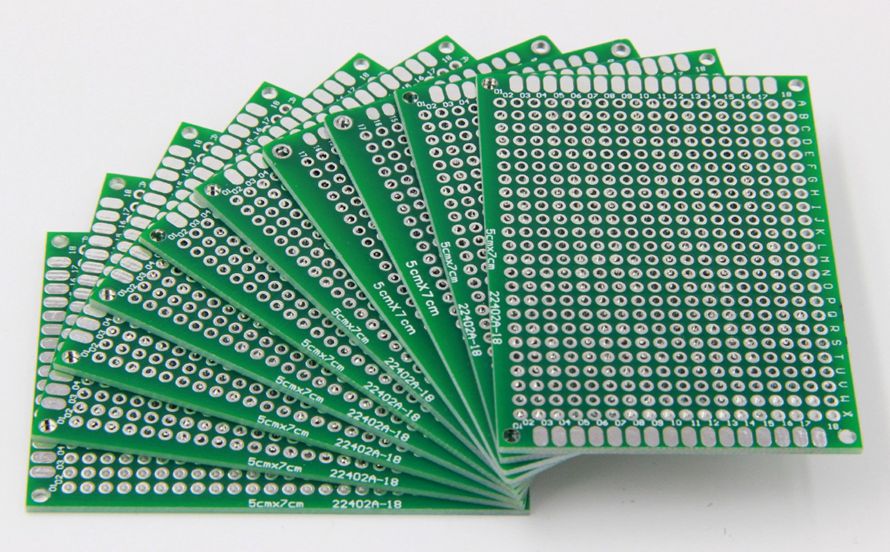
Blank PCB is a printed circuit board with no components added. It carries copper traces, pads, and plated holes, but nothing else. It is the base where resistors, chips, and connectors will sit later.

Blank PCBs come in many forms. Single-layer. Double-layer. Even multi-layer. Some people call them blank PCB boards, blank PCBs, or just blank PCB for short. The names change, but the meaning stays the same. These boards offer a strong, stable, and clean foundation for a design to grow.

Because they carry no parts, blank PCBs stay flexible for many uses. They stand ready for prototyping, testing, training, and evaluation.

What Makes Blank PCBs Different From Assembled Boards?

Blank PCBs focus on structure. Assembled boards focus on full function. This simple difference changes their purpose.

Blank PCBs have no active or passive parts. They hold circuits but no energy flows through them yet. You can work on them, test ideas on them, and adjust layouts if needed.

Assembled boards, on the other hand, already include all components. They can power devices. They can run programs. They can be installed inside a product.

Because of this difference, blank PCBs cost less. They are lighter. They are more adaptable. Engineers use them when they want full control over a design. Assembled boards are used only when all details are finalized.

What Are the Uses of a Blank PCB Board?

Blank PCBs are used in numerous fields. Their flexibility allows them to play a role at countless stages of product development.

  • They help during early concept work. Designers love blank PCB boards when they start shaping a new circuit layout. They give space to experiment, fix, and refine.
  • They support prototype builds. Teams place components on blank PCBs to test behavior. If something needs improvement, they change the board.
  • They fit training and education. Blank PCBs give students hands-on experience. They help beginners learn routing, soldering, and assembly.
  • They assist small-run production. Blank PCBs are perfect for low-volume builds.
  • They help repair tasks. When a specific small board needs replacement, they populate a blank one.
  • They support DIY and hobby projects. Makers and innovators use blank PCBs for personal inventions.
  • The beauty of blank PCBs comes from their open nature. They can shift roles based on your ideas and goals.
What Is Blank PCB and Parts? Blank PCB Board Supplier

Why Choose Blank PCB Boards for Prototypes?

Prototypes must stay flexible. That is why blank PCB boards win here. You control layout, pads, holes, and shapes.

  • You reduce risk. If something is not right, you adjust it. A blank board lets you fix a design without a full redesign of the entire product.
  • You save cost. Prototype components can be added or removed easily. Blank boards give freedom without high waste.
  • You move faster. Blank PCB boards are available in many sizes. You can quickly test and update the design without delays.
  • You keep creativity alive. You can test different parts. You can change trace width. You can add new ideas.

How Are Blank PCB Boards Manufactured?

The manufacturing of blank PCBs looks simple on the outside, but inside it requires strict control.

  • 1. Design preparation

The process begins with a PCB layout file. Engineers check trace spacing, hole size, and copper thickness.

  • 2. Material cut

Large sheets of laminate get cut into board size. The laminate often includes fiberglass and copper layers.

  • 3. Image transfer

The circuit pattern transfers onto the copper surface. Light-sensitive film helps protect the needed areas.

  • 4. Etching

Chemical etching removes exposed copper and forms the final traces.

  • 5. Drilling

CNC drills create holes for future component mounting.

  • 6. Plating

Copper plating coats the hole walls to create strong electrical paths.

  • 7. Solder mask coating

A green, black, white, blue, or red coating protects the copper. It prevents oxidation and solder bridging.

  • 8. Silkscreen printing

Labels and markings get printed for easy recognition.

  • 9. Surface finish

Finishes like HASL, ENIG, OSP, or immersion silver protect pads and support soldering.

  • 10. Testing and inspection

Each blank PCB passes electrical checks. This ensures there are no shorts or opens.

The entire flow requires precision. Even small errors can break the final circuit. That is why reliable suppliers take manufacturing very seriously.

What Materials Are Common in a Blank PCB?

Blank PCB and parts rely on stable materials. Each type supports a specific group of applications.

  • FR4: The most common material. It provides strength, durability, and cost balance. Many blank PCB boards use FR4 because it fits most electronic projects.
What Is Blank PCB and Parts? Blank PCB Board Supplier
  • Aluminum substrate: Used for LED applications and high-power circuits. Aluminum offers better heat control.
  • Flexible polyimide: For flex circuits. These boards can bend and twist without damage.
  • Rogers materials: Used for high-frequency systems. These boards deliver better signal control.
  • CEM materials: A mix of resin and fiberglass. They fit basic designs at lower cost.

The right material affects performance, durability, and heat handling.

What Factors Affect Blank PCB Quality?

Blank PCBs may look simple, but their quality depends on many points.

  • Copper thickness: Thicker copper supports higher current. Thin copper suits low-power circuits.
  • Trace width and spacing: Accurate spacing prevents signal loss and heat buildup.
  • Drill accuracy: Precise holes ensure clean component mounting.
  • Layer alignment: Multi-layer boards need perfect alignment to avoid breaks.
  • Material purity: High-quality laminates reduce warping and improve lifespan.
  • Surface finish: A strong finish helps soldering and protects copper.
  • Solder mask quality: A stable solder mask prevents peeling and cracking.

When these factors stay under control, blank PCB boards become more reliable. They also last longer and support better performance.

Where to Find a Reliable Blank PCB Board Supplier?

Finding a trustworthy supplier of blank PCB boards is very important. A strong supplier gives you confidence. They offer quality, speed, and clear communication.

Look for suppliers with:

  • Stable process control: A supplier with strong production systems avoids defects and delays.
  • Long-term experience: Years in the industry translate into better handling of special needs.
  • Clear certifications: ISO9001, RoHS, and UL show strong quality management.
  • Material transparency: Suppliers should always share material sources.
  • Fast feedback and support: A good supplier stays reachable. They answer questions quickly.
  • Flexible order size: Small prototype orders and large production runs should both be possible.
  • Strong inspection process: Reliable suppliers test every board, even the blank ones.
What Is Blank PCB and Parts? Blank PCB Board Supplier

BEST Technology Co., Ltd. meets these standards with confidence. The company has been working in the PCB field since 2006 and has earned strong trust from global customers.

Our blank PCB boards go through strict process control, complete inspections, and advanced production steps. We use stable materials, follow ISO9001:2015, and support both small prototype runs and high-volume orders. Our team responds quickly, offers honest technical guidance, and keeps communication smooth from start to finish.

Conclusion:

Blank PCBs may look simple. They create a clean, stable path for components. They help teams test, explore, and refine every detail.

For further help or cooperation, feel free to reach us at sales@bestpcbs.com

What is a Microwave PCB? An Ultimate Guide 2026

December 3rd, 2025

A microwave PCB handles signals that run at very high frequencies, and these boards support systems that need clean, stable performance. You will find a microwave PCB in equipment such as radar modules, satellite links, high-speed wireless platforms, and precision test devices. As industries push toward higher data rates and smaller RF systems, the need for dependable microwave boards grows quickly.

Today, many engineers search for rf microwave PCB options that keep loss low and impedance steady. Others look for complete rf & microwave PCB solutions that simplify material choice, stack-up planning, and manufacturing. If you’re evaluating RF microwave PCB materials or sourcing RF & microwave PCB solutions, this article will give you a complete understanding.

What is a Microwave PCB? An Ultimate Guide 2026

What Is a Microwave PCB?

A microwave PCB is a printed circuit board designed to operate at extremely high frequencies, typically:

  • Microwave band: 300 MHz – 30 GHz
  • Millimeter-wave (mmWave): 30 – 100+ GHz

At these frequencies, PCB traces behave like transmission lines, and even tiny layout variations can impact signal loss, phase accuracy, antenna performance, and overall system reliability.

Microwave PCBs are commonly used in radar systems, satellite communication, aerospace navigation, and 5G mmWave modules. Compared with standard RF boards, microwave PCBs demand more precise materials, controlled impedance, and stricter fabrication tolerances.

What Materials Are Used for Microwave PCBs?

Material choice is one of the most important decisions in microwave design. Standard FR-4 cannot support microwave frequencies due to high loss and unstable dielectric properties. Instead, microwave PCBs use advanced materials engineered for low loss and tight dielectric tolerances.

Here are the materials most commonly used:

Material TypeExamplesFeaturesBest Use Case
PTFE (Teflon)RT/duroid 5880, Taconic TLYExtremely low loss, stable Dk, best for high GHzRadar, mmWave, satellites
Hydrocarbon CeramicsRogers RO4350B, RO4003CLow loss, easy to manufacture, cost-effective1–20 GHz microwave circuits
Ceramic-Filled PTFERogers RO3006/3010Ultra-stable Dk, low thermal expansionHigh-power microwave and phased arrays
Hybrid StackupsFR4 + RogersPerformance + lower costMixed-signal RF/microwave designs

The best material depends on target frequency, environmental exposure, and mechanical requirements. Each laminate affects loss, phase stability, and long-term reliability.

Key Design Rules and Layout for Microwave PCB Design

Designing a microwave PCB is very different from routing a standard digital or low-frequency board. At microwave frequencies, each copper trace behaves like a transmission line. Small changes in width, dielectric height, copper roughness, or via structure can shift impedance and alter the entire RF chain. Because of that, layout and stack-up design must follow strict engineering rules to keep signal quality stable.

Key Design Rules and Layout for Microwave PCB Design

Below are the core principles used by RF engineers when building reliable microwave layouts.

1. Maintain Tight Impedance Control

Stable impedance is the foundation of microwave design. Even small dimensional changes can introduce reflections or distort the waveform.

Key requirements:

  • Define target impedance early (commonly 50Ω or 75Ω).
  • Choose the correct structure: microstrip, stripline, or grounded coplanar waveguide (GCPW).
  • Keep trace width consistent along the entire path.
  • Maintain stable dielectric thickness and copper thickness.
  • Use field-solver tools (ADS, HFSS, CST, Polar SI, or Altium impedance calculator).
  • Keep differential pairs phase-matched if used in RF mixers or high-frequency paths.

GCPW is widely used for microwave PCB design because it offers strong field confinement and supports compact layouts.

2. Use Smooth Routing Instead of Sharp Corners

High-frequency energy does not like sudden changes. Sharp corners cause impedance shifts and increase local reflections.

Preferred routing practices:

  • Avoid 90° turns.
  • Use gradual curves (arc routing) for cleaner field transitions.
  • Use mitered 45° bends if space is limited.
  • Keep sensitive paths straight and short whenever possible.

Smooth routing helps preserve phase stability and reduces insertion loss.

3. Keep the Ground Plane Continuous

A microwave signal needs a clean, uninterrupted return path. Gaps in the ground plane cause radiation, coupling, and impedance drift.

Ground plane guidelines:

  • Maintain a solid ground layer directly under RF traces.
  • Avoid splits, voids, or cutouts beneath the signal path.
  • Do not place digital return paths through RF areas.
  • Add stitching vias around RF traces to create a “via fence” barrier.

A well-designed ground structure stabilizes the electromagnetic field and reduces unwanted emissions.

4. Manage Vias Carefully

A via is not just a hole at microwave frequencies—it’s a small inductor. Too much via inductance can degrade signal quality.

Best practices for vias:

  • Avoid unnecessary layer jumps.
  • Use multiple parallel vias to lower effective inductance.
  • Keep via barrels short when possible.
  • Add grounding vias around pads and connectors to improve shielding.
  • Avoid routing RF traces directly over via fields or ground voids.

Good via strategy can significantly improve stability in PA, LNA, and filter sections.

5. Select the Right Transmission Line Structure

Different RF paths require different structures depending on frequency, isolation, and mechanical constraints.

Common options:

  • Microstrip – simple, ideal for top-layer routing.
  • Stripline – fully shielded, good for noise-sensitive circuits.
  • Grounded coplanar waveguide (GCPW) – excellent isolation, compact layout, and easy impedance tuning.
  • Wide microstrip – lower conductor loss, suitable for power amplifiers.

GCPW has become the most popular for microwave work due to its predictable behavior and high routing density.

6. Align Components with the Signal Flow

Component orientation affects load matching and return loss.

Component placement guidelines:

  • Place RF blocks (filter, LNA, PA, mixer) in the order of the signal chain.
  • Keep matching networks close to device pins.
  • Avoid unnecessary gaps between RF parts.
  • Place RF connectors, such as SMA or SMP, near the board edge for clean transitions.

When Should You Choose Microwave PCB vs. RF PCB?

Many engineers compare microwave PCBs with standard RF boards because both handle high-frequency signals. But the decision depends on frequency, performance targets, and loss tolerance.

TechnologyFrequency RangeBest For
RF PCBUp to ~6 GHzBluetooth, Wi-Fi, sub-6 GHz communication
Microwave PCB6–100+ GHz5G mmWave, radar, satellite, high-precision sensing

Choose an RF PCB when:

  • Frequencies are below 6 GHz
  • Cost is a major concern
  • FR-4 or mixed-material stackups are acceptable

Choose a Microwave PCB when:

  • You operate above 6 GHz
  • You require ultra-low loss
  • Your system needs stable phase and predictable impedance
  • Applications involve radar, mmWave, or satellite links

In short, microwave PCBs suit high-precision projects where even small layout or material changes can affect real performance. They are the preferred choice for radar, satellite links, and advanced communications.

Microwave PCBs Applications & Industries

Microwave PCBs appear in many sectors because they support stable, low-loss transmission for sensitive circuits. You’ll often see them in systems that require fast data, long-range signal paths, or precise sensing.

Common applications include:

  • 5G and 6G wireless infrastructure
  • Satellite communication systems (SATCOM)
  • Automotive radar (24 GHz, 77 GHz)
  • Military and commercial radar platforms
  • Microwave filters, couplers, and antennas
  • High-frequency power amplifiers
  • Navigation and guidance systems
  • Medical imaging devices such as MRI coils
  • Instrumentation and RF test equipment
  • Industrial microwave heating and sensing

These industries rely on microwave boards because small performance shifts can affect overall system behavior. Stable materials and predictable routing keep these systems accurate and responsive.

Microwave PCBs Applications & Industries

Does Size of a Microwave PCB Affect Its Application?

Yes, board size can influence performance because microwave signals respond to physical dimensions. At these frequencies, even a few millimeters can change how energy travels.

Board size affects:

  • Impedance stabilityLonger traces add more loss and potential phase distortion.
  • Resonance behaviorLarger boards can introduce unwanted resonances.
  • Shielding structureCompact layouts may need tighter via fences.
  • Thermal changesBigger boards may expand more under heat, shifting dielectric spacing.
  • Antenna performanceAntenna length and board shape affect radiation patterns.

Small boards require sharper tolerance control. Large boards demand stronger handling of expansion and material stability. The ideal size depends on whether the circuit is an antenna, filter, amplifier, or sensor.

How to Tell If a Microwave Control Board Is Bad?

Many users ask this because microwave ovens and industrial microwave systems depend on small control boards. Failures are often easy to spot once you know what to check. Common signs of a bad microwave control board include:

  • No power, no response, or blank display
  • Buttons that fail to react
  • Burning smell or visible damage
  • Unusual noises or sparking
  • Microwave stops heating while lights and fan still work
  • Random behavior such as auto-starting or shutting off
  • Relays that click repeatedly without function

If above signs occur, you can perform below visual checks safely:

  • Scorch marks or dark spots
  • Swollen capacitors
  • Cracked solder joints
  • Damaged connectors
  • Loose ribbon cables

These symptoms point to circuitry or relay failure. For home microwaves, technicians often replace the entire board rather than repair individual components.

How Much Does It Cost to Repair a Microwave Circuit Board?

Repair cost depends on equipment type, part availability, and labor requirements.

Typical consumer microwave repair ranges:

  • Basic repair: USD 80–120
  • Control board replacement: USD 120–250
  • High-end or built-in models: USD 180–350

Industrial microwave equipment repair ranges:

  • Board-level component repair: USD 250–600
  • Full board replacement: USD 400–1,200+ depending on complexity

Factors that influence cost include:

  • Part scarcity
  • Board size and layer count
  • Number of relays, sensors, or high-voltage circuits
  • Whether the board is conformal-coated
  • Testing and calibration requirements

Consumer microwaves are often cheaper to replace than repair, but industrial microwave systems usually justify board-level repair. EBest Circuit (Best Technology) can repair the microwave circuit board for free if your PCB are ordered from our company.

Where to Get RF Microwave PCB Boards with UL/CE Certification?

Many companies need microwave PCBs that meet safety and compliance standards, especially when the final product enters global markets. UL and CE certifications help confirm material reliability and safety. When sourcing certified microwave boards, a good supplier should provide:

  • UL-certified laminates (Rogers, Taconic, Arlon, Panasonic)
  • CE-compliant production and testing
  • Rogers/PTFE/ceramic microwave PCB fabrication
  • Controlled impedance testing reports
  • Hybrid laminations and multi-layer microwave stackups
  • RF & microwave PCB solutions for 1–100 GHz

EBest Circuit (Best Technology) is a strong option for RF and microwave PCB production because the company offers:

  • UL-approved material systems
  • Stable performance with PTFE, Rogers, and ceramic-filled substrates
  • Tight impedance control for microwave designs
  • Complete CE-related documentation support
  • Strong engineering assistance during stack-up and DFM review
  • Consistent production with IPC standards
  • Fast global delivery for prototypes and batches

If you are preparing a new microwave PCB or RF hardware program, welcome to contact us at sales@bestpcbs.com, our team is 24/7 hours online for you!

SMD Resistor Dimensions: The Ultimate Guide to Packages, Footprints & Selection

December 3rd, 2025

If you’ve ever stared at a PCB prototype covered in misplaced components or wasted weeks reworking a design because the resistors didn’t fit, you know the frustration. smd resistor dimensions aren’t just arbitrary numbers—they’re the backbone of reliable electronics design. Understanding smd resistor dimensions ensures your components integrate seamlessly with PCBs, perform as expected under load, and avoid costly manufacturing delays. Whether you’re a hobbyist building a DIY project or an engineer designing industrial equipment, getting the dimensions right is non-negotiable. Let’s break down everything you need to know to stop guessing and start choosing with confidence.

SMD Resistor Dimensions: The Ultimate Guide to Packages, Footprints & Selection https://www.bestpcbs.com/blog/2025/12/smd-resistor-dimensions/

2. What Are SMD Resistors? A Quick Primer for Beginners

SMD resistors (Surface Mount Device resistors) are the compact, lead-free workhorses of modern electronics. Unlike traditional through-hole resistors that require drilled holes in PCBs, SMD resistors mount directly onto the board’s surface, saving valuable space and enabling faster assembly. Their key advantages over through-hole alternatives include a 50% smaller footprint, better high-frequency performance, and compatibility with automated pick-and-place machines—critical for mass production. But here’s the catch: their small size means smd resistor dimensions directly dictate what they can do. A tiny 0201 resistor might fit in a smartwatch, but it can’t handle the power demands of an industrial power supply. Size isn’t just about space—it’s about functionality.

SMD Resistor Dimensions: The Ultimate Guide to Packages, Footprints & Selection https://www.bestpcbs.com/blog/2025/12/smd-resistor-dimensions/

3. Understanding SMD Resistor Dimension Codes (Imperial vs. Metric)

One of the most common headaches with SMD resistors is decoding their size codes—and it’s easy to see why. Two global systems dominate: imperial (used primarily in North America and Europe) and metric (favored in Asia). The 4-digit codes look similar, but they mean entirely different things. Let’s demystify them:

  • Imperial codes: The first two digits = length (in 1/100 of an inch), the last two = width (in 1/100 of an inch). For example, 0402 = 0.04” (length) x 0.02” (width), and 1206 = 0.12” x 0.06”.
  • Metric codes: The first two digits = length (in millimeters), the last two = width (in millimeters). So 1608 = 1.6mm x 0.8mm, and 3216 = 3.2mm x 1.6mm.

The biggest mistake? Confusing imperial 0603 with metric 0603. Imperial 0603 = 1.6mm x 0.8mm (metric 1608), while metric 0603 = 0.6mm x 0.3mm (imperial 0201)—a difference that can ruin your entire PCB. Pro tip: Always confirm the code system with your supplier, and keep a conversion chart handy (multiply inches by 25.4 to get millimeters, or pide millimeters by 25.4 for inches).

4. smd resistor package dimensions

Common SMD Resistor Package Sizes (Detailed Specs + Comparative Chart)

When people talk about smd resistor dimensions, they’re usually referring to package size—the physical length, width, and height of the component. Here are the most widely used packages, with specs that matter:

Imperial CodeMetric CodeDimensions (mm)Dimensions (inch)Rated Power (W)Height (mm)
020106030.6 x 0.30.024 x 0.0120.050.25
040210051.0 x 0.50.039 x 0.0200.0630.35
060316081.6 x 0.80.063 x 0.0310.100.45
080520122.0 x 1.20.079 x 0.0470.1250.55
120632163.2 x 1.60.126 x 0.0630.250.75
251264326.4 x 3.20.252 x 0.1261.001.20

Notice how power rating scales with size? A 2512 package can handle 1W of power, while a tiny 0201 maxes out at 0.05W. This is because larger packages have more surface area for heat dissipation—critical for high-power applications.

SMD Resistor Dimensions: The Ultimate Guide to Packages, Footprints & Selection https://www.bestpcbs.com/blog/2025/12/smd-resistor-dimensions/

How Package Dimensions Impact Thermal Dissipation & Assembly

Thermal management is where smd resistor dimensions really shine (or fail). Smaller packages like 0201 and 0402 are great for compact devices (think smartphones or wearables), but they struggle with heat. If you push a 0402 resistor beyond its 0.063W limit, it’ll overheat, drift in resistance, or even burn out. Larger packages like 1206 and 2512 spread heat more effectively, making them ideal for power supplies or industrial controls.

Assembly is another factor. Ultra-small packages (0201) require precision automated equipment—forget hand-soldering them unless you have steady hands and a microscope. For hobbyists or small-batch projects, 0805 and 1206 are the sweet spot: easy to solder manually while still saving space.

SMD Resistor Dimensions: The Ultimate Guide to Packages, Footprints & Selection https://www.bestpcbs.com/blog/2025/12/smd-resistor-dimensions/

5. smd resistor footprint dimensions

What Is an SMD Resistor Footprint? (Land Pattern Basics)

If smd resistor dimensions are about the component itself, footprint dimensions are about how it connects to the PCB. A footprint (or land pattern) is the layout of copper pads on the PCB where the resistor solders. Think of it as the resistor’s “home”—if the home is too big or too small, the resistor won’t sit right.

Footprints follow global standards set by IPC (Association Connecting Electronics Industries) and JEDEC (Joint Electron Device Engineering Council). These standards ensure compatibility across manufacturers—so a 0805 resistor from Texas Instruments fits the same footprint as one from Yageo. Ignoring these standards leads to problems: pads too small cause poor solder joints, while pads too large result in solder bridging (short circuits) or the resistor shifting during assembly.

Standard Footprint Dimensions by Package

Here are the IPC-recommended footprint dimensions for the most common SMD resistor packages (pad length x width x gap between pads):

  • 0603 (1608): Pad length = 1.2mm, pad width = 0.8mm, gap = 0.4mm
  • 0805 (2012): Pad length = 1.5mm, pad width = 1.0mm, gap = 0.5mm
  • 1206 (3216): Pad length = 2.0mm, pad width = 1.4mm, gap = 0.6mm
  • 2512 (6432): Pad length = 3.0mm, pad width = 2.5mm, gap = 0.8mm

These are starting points—adjustments may be needed for high-temperature applications or flexible PCBs. Always cross-check with your resistor’s datasheet and your PCB design software (Altium, KiCad) for manufacturer-specific recommendations.

6. Key Factors to Consider When Choosing SMD Resistor Dimensions

PCB Space Constraints (High-Density vs. Industrial Designs)

The first question to ask: How much space do you have? High-density designs (like wearables or IoT sensors) demand tiny packages (0201, 0402) to fit all components. Industrial equipment or power supplies have more room, so you can opt for larger packages (1206, 2512) that offer better performance and easier assembly. Don’t force a small package if space allows—bigger often means more reliable.

Power Requirements & Performance Tradeoffs

Power rating is non-negotiable. Calculate the maximum power your resistor will handle (using Ohm’s Law: P = VÂČ/R or P = IÂČR) and choose a package that exceeds that by 20-30% for safety. For example, if your circuit requires 0.1W, a 0603 (0.1W) works, but a 0805 (0.125W) gives extra headroom for heat spikes.

Assembly Method (Automated vs. Hand Soldering)

Automated pick-and-place machines handle tiny packages (0201, 0402) with ease, but hand soldering them is frustrating (and error-prone). If you’re building prototypes or small batches, stick to 0805 or 1206. For mass production, automated assembly opens up smaller package options.

Global Supply Chain Compatibility

Not all packages are equally available worldwide. Ultra-small packages (0201) may be harder to source in some regions, or more expensive. Stick to common packages (0402, 0603, 0805, 1206) for easier procurement and consistent quality across suppliers.

7. Common Mistakes in SMD Resistor Dimension Selection (And Fixes)

Even experienced engineers mess up smd resistor dimensions—here are the top mistakes and how to avoid them:

  • Mistake 1: Ignoring thermal limits. Solution: Always derate resistors (use a higher power rating than needed) and check datasheets for temperature vs. power curves.
  • Mistake 2: Confusing imperial and metric codes. Solution: Label your BOM (Bill of Materials) with both codes (e.g., 0603 / 1608) and confirm with suppliers.
  • Mistake 3: Choosing a package too small for hand soldering. Solution: For manual assembly, avoid anything smaller than 0805 unless you have specialized tools.
  • Mistake 4: Mismatched footprints. Solution: Use PCB design software’s built-in footprint libraries (Altium, KiCad) or download from the resistor manufacturer’s website.

8. SMD Resistor Dimensions for Specific Applications

Consumer Electronics (Smartphones, Wearables)

Space is at a premium here—so packages like 0201 and 0402 are standard. These tiny SMD resistors fit in tight spaces while handling low power (0.05-0.1W). Examples: A smartphone’s display driver might use 0402 resistors, while a fitness tracker uses 0201s.

Industrial Equipment (Power Supplies, Controls)

Industrial gear needs durability and heat resistance. Packages like 1206 and 2512 are common, as they handle higher power (0.25-1W) and dissipate heat better. A factory’s motor controller, for example, might use 2512 resistors to handle power spikes.

Automotive & Medical Devices

These industries demand reliability in harsh conditions (extreme temperatures, vibration). Packages like 0805, 1206, and 1210 are preferred—they’re robust enough to withstand automotive underhood temperatures or medical device sterilization cycles. Automotive infotainment systems often use 0805 resistors, while medical monitors use 1206s.

9. How to Measure SMD Resistor Dimensions Accurately

If you’re unsure about a resistor’s size (or suspect a counterfeit), measuring it is simple—you just need the right tools:

  1. Gather tools: Digital calipers (with 0.01mm precision) and a magnifying glass or microscope (for tiny packages).
  2. Measure length: Place the resistor on a flat surface and measure the longest side (avoid pressing too hard—SMD resistors are fragile).
  3. Measure width: Measure the shorter side perpendicular to the length.
  4. Measure height: Measure from the flat surface to the top of the resistor (this affects PCB clearance).
  5. Verify: Cross-check your measurements with the code on the resistor (e.g., if you measure 1.6mm x 0.8mm, it should be a 0603 / 1608 package).

Pro tip: Counterfeit resistors often have incorrect dimensions—if your 0805 resistor measures 1.8mm x 0.9mm instead of 2.0mm x 1.2mm, it’s likely fake.

10. SMD Resistor Dimensions vs. Through-Hole Resistors: Comparison

How do smd resistor dimensions stack up against traditional through-hole resistors? Let’s break it down:

  • Size: SMD resistors are 50-70% smaller in footprint. A 1206 SMD resistor (3.2mm x 1.6mm) is tiny compared to a through-hole 1/4W resistor (6.3mm x 3.2mm).
  • Height: SMD resistors sit 0.25-1.2mm above the PCB, while through-hole resistors stand 8-10mm tall—critical for low-profile devices.
  • Performance: SMD resistors have better high-frequency performance (less parasitic inductance) and faster heat dissipation (direct contact with the PCB).
  • Assembly: Through-hole resistors are easier to hand-solder but slower to assemble in bulk. SMD resistors require automation for mass production but save time overall.

When to choose SMD: Most modern electronics (consumer, industrial, automotive) benefit from SMD’s small size and performance. When to choose through-hole: Prototyping (easy to solder), high-power applications (some through-hole resistors handle 5W+), or legacy designs.

11. FAQ: Common Questions About SMD Resistor Dimensions

  • Q1: What do the 4 digits in SMD resistor codes represent?A1: For imperial codes (e.g., 0402), the first two digits = length (1/100 inch), last two = width (1/100 inch). For metric codes (e.g., 1608), first two = length (mm), last two = width (mm).
  • Q2: Can I replace a 0603 resistor with a 0805 if space allows?A2: Yes—if the power rating is equal or higher. A 0805 (0.125W) can replace a 0603 (0.1W) as long as your PCB has space for the larger footprint.
  • Q3: Why do different manufacturers label the same package with slightly different dimensions?A3: Manufacturers have minor tolerances (±0.1mm for length/width). Stick to IPC/JEDEC standards, and the differences won’t affect compatibility.
  • Q4: Which SMD resistor size is easiest for hand soldering?A4: 0805 is the sweet spot—large enough to handle with tweezers and solder with a standard iron, but small enough to save space.
  • Q5: Are there standard footprint dimensions for all SMD resistor packages?
    A5: Yes—IPC/JEDEC sets global standards. Use your PCB design software’s library or download from manufacturers like Yageo or Vishay.
  • Q6: Does temperature affect SMD resistor dimensions?
    A6: Negligibly. SMD resistors are made of ceramic and metal films, which have low thermal expansion. Temperatures up to 150°C won’t change their dimensions enough to cause issues.
  • Q7: What’s the smallest mass-produced SMD resistor size?
    A7: 01005 (imperial) or 0402 (metric) = 0.4mm x 0.2mm. It’s used in ultra-compact devices like smartwatches but requires specialized assembly.
  • Q8: How do I calculate the right footprint for my PCB?
    A8: Use IPC-7351 (the industry standard) or your resistor’s datasheet. Most PCB design software (Altium, KiCad) has built-in calculators to generate footprints based on package size.

12. Final Thoughts: Mastering SMD Resistor Dimensions for Better Designs

smd resistor dimensions might seem intimidating at first, but they’re just a matter of understanding tradeoffs—space vs. power, size vs. assembly ease. The key takeaway? Never choose a package based on size alone—align it with your application’s power needs, assembly method, and PCB constraints. By mastering code translation, footprint standards, and application-specific sizing, you’ll eliminate rework, reduce costs, and build more reliable electronics.

Remember: A SMD resistor is only as good as its fit—get the dimensions right, and everything else falls into place. For more details, check out IPC-7351 (the definitive guide to footprint design) or reach out to your resistor supplier for custom recommendations. Whether you’re building a prototype or scaling to mass production, this guide will keep your designs on track.

IPC A 610 What Is It? PCB Assembly IPC-A-610 Certification

December 3rd, 2025

IPC-A-610 is the leading standard for judging the quality of finished PCB assemblies. It defines how solder joints should look, how components should sit, and what qualifies as an acceptable electronic assembly. For any company focused on dependable PCB assembly, IPC-A-610 remains a powerful foundation for quality and trust.

IPC A 610 What Is It? PCB Assembly IPC-A-610 Certification

What Is IPC-A-610 Standard?

The IPC-A-610 standard is the world’s most accepted guide for the acceptability of electronic assemblies. It sets the rules for what is “good,” what is “acceptable,” and what must be rejected in a finished PCB assembly. It also provides visual examples, measurement details, and inspection criteria.

This standard covers many parts of assembly work. Solder joints. Through-holes. SMT components. Wire dressing. Coatings. Terminations. Hardware. Cleaning. And more.

When teams follow IPC-A-610, they share a common language for quality. That is why this standard remains powerful across the global electronics industry.

Manufacturers like EBest Circuit (Best Technology), who focus on PCB assembly and quality-driven processes, use IPC-A-610 as a foundation for day-to-day inspection and internal training. It guides the quality gates that protect customer products.

Although the document looks technical, its purpose is simple: Deliver consistent, reliable, safe, and high-performance PCB assemblies.

What Does IPC A 610 Certification Include?

The IPC-A-610 certification proves that someone understands the acceptability criteria described in the standard. There are two main certification levels:

1. CIS – Certified IPC Specialist

This level suits operators, inspectors, assemblers, QC technicians, and engineers who work hands-on with PCBs. CIS training includes:

  • Solder joint evaluation
  • SMT and through-hole inspection
  • Terminal connection standards
  • Cleaning requirements
  • Material handling rules
  • Visual defect recognition
  • Acceptability criteria for different classes

The goal is simple. A CIS holder must be able to inspect assemblies using the standard as a guide.

2. CIT – Certified IPC Trainer

This level suits people who want to train others. CIT certification is more advanced. It includes:

  • In-depth review of the entire standard
  • Training methodology
  • Verification of technical skills
  • Higher-level inspection judgment
  • Instructor skills evaluation

Companies across the world require IPC-A-610 certification for assembly technicians. This builds trust and reduces risk.

This is why many PCB assembly providers, including EBest Circuit (Best Technology), encourage IPC-A-610 training for their teams.

How to Get IPC A 610 Certification?

Getting certified is not complicated. But it must be done through approved training centers. Here is the process:

  • Step 1: Choose an IPC-authorized training center

IPC partners with certified instructors worldwide. Many offer remote options.

  • Step 2: Join the training program

Training usually lasts 3–4 days for CIS. CIT training may take longer. You will learn with:

  • Printed manuals
  • Visual examples
  • Hands-on inspections
  • Real defect samples
  • Group sessions
  • Instructor lectures
  • Step 3: Take the exam

At the end of the course, you will take written and visual tests. These confirm your understanding of the standard.

  • Step 4: Receive your certificate

If you pass, you receive an official IPC certificate. It stays valid for two years. After that, you must renew it.

PCB manufacturers often prefer hiring certified specialists. It also improves customer confidence in every assembly batch. Many customers request certified inspectors for handling high-value or high-reliability products.

How Thick Is IPC A 610 Coating?

Actual thickness comes from other standards, such as IPC-CC-830, material datasheets, or customer specifications.

However, IPC-A-610 does describe what acceptable coating must look like:

  • Smooth
  • Even
  • No bubbles
  • No bare spots
  • No bridging in sensitive areas
  • No cracks
  • No peeling
  • No foreign particles

Most coatings fall between 25–75 microns depending on the material. Acrylic, silicone, and polyurethane coatings each have their typical ranges.

IPC A 610 What Is It? PCB Assembly IPC-A-610 Certification

IPC A 610 Acceptability of Electronic Assemblies – What Are the Basics?

IPC-A-610 focuses on acceptability, not assembly methods. It teaches inspectors how to check finished assemblies. The core areas include:

  • 1. Soldering Quality. The standard covers:
  • Wetting
  • Fillet sizes
  • Lead coverage
  • Void limits
  • Component alignment
  • Solder volume
  • Solder bridges

It also includes clear pictures for each class, which helps inspectors make consistent decisions.

  • 2. Component Placement. It sets rules for:
  • Centering
  • Orientation
  • Lead protrusion
  • Lead bending
  • Damage limits
  • Tilt and skew tolerance

This avoids misalignments that can cause field failures.

  • 3. Through-Hole Connections. Inspection includes:
  • Barrel fill percentage
  • Lead extension
  • Internal wetting
  • Topside coverage
  • Land wetting

Good through-hole soldering gives long-term strength, especially for connectors and power components.

  • 4. Cleanliness. The standard ensures:
  • No flux residues
  • No contamination
  • No fingerprints
  • No moisture traps

Clean assemblies perform better and have fewer failures.

  • 5. Hardware and Mechanical Support. IPC-A-610 covers:
  • Screw torque
  • Washer placement
  • Adhesive use
  • Structural support
  • Connector fixation

Strong mechanical support improves durability.

  • 6. Coating and Potting. The rules focus on:
  • Even coverage
  • No cracks
  • No bubbles
  • No exposed conductors
  • No bridging unwanted areas

Coating protects electronics from moisture, corrosion, vibration, and pollution.

  • 7. Wire Dressing. This section includes:
  • Proper routing
  • Strain relief
  • Tie-down methods
  • Avoiding sharp bends

Good wire dressing increases reliability in high-stress environments.

What Are the Classes of IPC-A-610?

The standard divides products into three classes. Each class has a different reliability goal.

Class 1 – General Electronics. For simple devices. Examples:

  • Toys
  • Low-cost consumer gadgets
  • Basic electronics

Performance is required, but cosmetic standards are relaxed.

Class 2 – Dedicated Service Electronics. This is the most common class. Examples:

  • Home appliances
  • Industrial controllers
  • Communication devices
  • Automotive infotainment
  • Consumer electronics with higher durability needs

Devices must work reliably. Failures should be rare. Cosmetic quality matters more. Most PCB assembly companies, including EBest Circuit (Best Technology), follow Class 2 for mainstream production.

Class 3 – High-Reliability Electronics. This class has the strictest criteria. Examples:

  • Medical equipment
  • Aerospace systems
  • Automotive safety systems
IPC A 610 What Is It? PCB Assembly IPC-A-610 Certification

EBest Circuit (Best Technology) holds AS9100D aerospace certification. It can be manufactured in mainstream environments according to Category 3 standards.

Which IPC-A-610 Class Is Best for Your PCB Assembly?

Choosing the correct class depends on your final application. Here is a simple guide:

  • Choose Class 1 when cost matters more than cosmetic quality.
  • Choose Class 2 for most commercial and industrial products.
  • Choose Class 3 for mission-critical devices where safety and reliability matter.

You must match your product’s purpose with the required class. Over-specifying increases cost. Under-specifying increases risk.

For example:

  • A home thermostat typically uses Class 2
  • A heart monitor requires Class 3
  • A toy car might use Class 1

EBest Circuit (Best Technology)’s assembly lines commonly build Class 2 and Class 3 products. These two classes represent the largest share of today’s electronics manufacturing demand.

Why Is IPC A 610 Class 3 Stricter Than Class 2?

The reason is simple: risk.

Class 3 products must work with no excuses. They must perform in harsh environments. They must resist vibration. They must survive temperature changes. They must avoid failure even after long operation cycles.

Because of that, Class 3 rules include:

  • Tighter solder fillet requirements
  • Higher barrel fill percentages
  • Fewer acceptable cosmetic variations
  • More strict alignment rules
  • No allowance for minor surface flaws
  • Stronger requirements for bonding and support
  • More strict criteria for lead trimming
  • Higher internal wetting standards

That is why Class 3 exists. Even small defects can cause catastrophic results in life-critical applications.

IPC A 610 vs IPC A 600 – What’s the Key Difference?

These two standards often confuse people. But their roles are very different.

IPC-A-600, Focuses on bare PCB quality. It covers:

  • Copper features
  • Plating thickness
  • Hole quality
  • Laminate defects
  • Internal voids
  • Delamination
  • Solder mask criteria

This standard checks the board before assembly.

IPC-A-610, Focuses on acceptability of the finished assembly. It covers:

  • Solder joints
  • Component placement
  • Conformal coating
  • Wire connections
  • Mechanical support
  • Cleanliness
  • Terminal features

This standard checks the board after assembly.

Simple explanation:

  • IPC-A-600 = Is the PCB built correctly?
  • IPC-A-610 = Is the assembly built correctly?

Most OEMs use both. This gives full quality control from board fabrication to final assembly.

PCB assembly companies like EBest Circuit (Best Technology) work directly with IPC-A-610. PCB factories use IPC-A-600. Together, they build complete quality assurance.

Conclusion:

IPC-A-610 is the most trusted global standard for evaluating PCB assembly quality. This standard includes three classes, each matched to different product needs. Class 2 suits most applications. Class 3 suits high-reliability environments.

EBest Circuit (Best Technology) applies IPC-A-610 principles in PCB assembly to ensure stable quality and trusted results for each project.

For project inquiries, support, or PCB assembly needs, contact: sales@bestpcbs.com