





What Is a Motherboard and Why Is It Called the Mainboard?
A motherboard is the central printed circuit board that connects every major component inside a computer. It acts as the electrical and mechanical foundation where the processor, memory, storage interfaces, and expansion devices communicate through controlled signal pathways. The term mainboard comes from early computer architecture, where one primary board coordinated multiple secondary cards. Over time, this main control board evolved into the highly integrated platform we now call a motherboard.
In modern systems, the motherboard is not just a passive connector. It integrates power regulation modules, high-speed data buses, firmware control, and thermal management features. Without it, individual components cannot exchange data or operate in a synchronized manner.
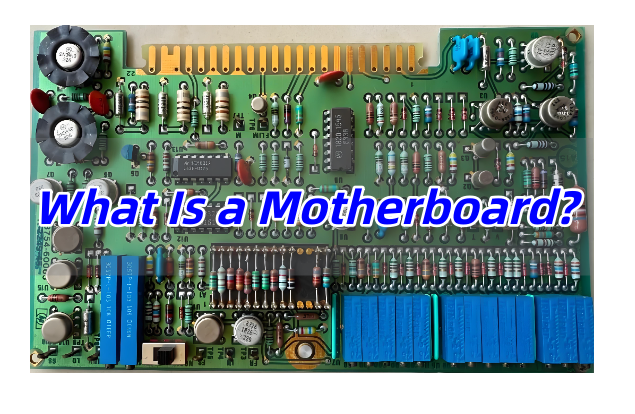
What Components Are Found on a Motherboard?
A typical motherboard combines several functional zones, each engineered for specific electrical and mechanical roles. Understanding these sections helps beginners visualize how the entire system operates.
Common motherboard components include:
- CPU Socket – The interface that holds the processor and routes power and signals through dense pin arrays.
- Chipset – A controller hub managing communication between CPU, memory, storage, and peripheral devices.
- DIMM Slots – Memory connectors designed for controlled impedance and high-frequency signal integrity.
- VRM (Voltage Regulator Module) – Converts input power into stable voltages required by the CPU and GPU.
- PCIe Slots – High-speed expansion interfaces for graphics cards, AI accelerators, or networking modules.
- Storage Connectors – SATA ports and M.2 slots enabling SSD and HDD integration.
- BIOS/UEFI Chip – Firmware storage that initializes hardware during system startup.
- Rear I/O Ports – External interfaces such as USB, Ethernet, audio, and video outputs.
Each element is strategically placed to balance thermal airflow, signal routing length, and electromagnetic compatibility.
How Does a Motherboard Work Inside a Computer System?
A motherboard operates as a complex communication network. Instead of moving data randomly, it directs information through predefined pathways called buses and layers within the PCB stack-up.
When a computer powers on, the firmware activates the CPU and checks connected devices. The chipset coordinates traffic between components. For example, when software loads from an SSD, the motherboard routes data from storage through PCIe lanes to the processor and then to memory modules.
Power distribution is equally important. The VRM converts raw power from the power supply into precise voltage rails. These rails must remain stable even under heavy computational loads. High-quality motherboard designs use multi-phase power circuits and thick copper layers to reduce heat and electrical noise.
Modern boards also support advanced features such as:
- High-speed DDR memory signaling
- Multi-layer impedance control
- Thermal sensors and fan control logic
- Firmware-based hardware monitoring
Together, these functions transform the motherboard into the coordination center of the entire computer.
Types of Motherboards
Motherboards vary widely depending on device size, performance targets, and application environments. Engineers often classify them by form factor and usage scenario.
Common motherboard categories:
| Type | Typical Use | Characteristics |
| ATX | Desktop PCs | Balanced expansion slots and cooling space |
| Micro-ATX | Compact desktops | Reduced size with moderate expandability |
| Mini-ITX | Small systems | Minimal footprint, limited slots |
| Server Motherboard | Data centers | Multi-CPU support, ECC memory |
| Industrial Motherboard | Automation systems | Long lifecycle, rugged design |
Form factor determines mounting holes, connector placement, and airflow design. It also influences PCB layer count and routing complexity.
Why Is Motherboard PCB Design Important for Performance?
Motherboard performance is strongly linked to PCB engineering rather than just component selection. High-speed signals travel through copper traces at gigahertz frequencies. Poor routing can introduce signal reflection, crosstalk, or impedance mismatch.
Key PCB design considerations include:
- Layer stack-up planning for controlled impedance
- Power plane separation to minimize noise
- Thermal via arrays for heat dissipation
- Differential pair routing for PCIe and USB interfaces
- Ground reference integrity to maintain signal stability
Advanced motherboard PCBs often use 6 to 14 layers or more. These layers allow engineers to separate power, ground, and data channels, ensuring reliable high-speed communication.
What Materials Are Used in Motherboard Manufacturing?
Most consumer motherboards are built using high-performance FR-4 laminate materials. However, not all FR-4 substrates are identical. Manufacturers select materials based on thermal stability, dielectric constant, and mechanical durability.
Typical materials used:
- High Tg FR-4 – Provides better resistance to heat during soldering and long-term operation.
- Low-loss dielectric materials – Used in high-frequency server or workstation boards.
- Copper Foil (1oz–2oz) – Determines current-carrying capability and thermal spreading.
- Solder Mask & Silkscreen – Protect circuitry and guide assembly processes.
Server-grade motherboards sometimes use low-Dk materials to maintain signal integrity across long PCIe lanes, especially for AI or data-center applications.
Desktop vs Server vs Industrial Motherboard — What’s the Difference?
Although all motherboards share similar architecture, their design priorities differ significantly depending on application environments.
| Feature | Desktop Motherboard | Server Motherboard | Industrial Motherboard |
| Performance Focus | Gaming or daily tasks | High computation & uptime | Reliability & longevity |
| Memory Support | Standard DDR | ECC Registered memory | Often fixed configurations |
| Expansion | GPU-centric | Multiple PCIe lanes | Legacy interfaces supported |
| Operating Environment | Controlled indoor | Data center racks | Harsh industrial conditions |
Desktop boards prioritize user customization. Server boards emphasize redundancy and remote management. Industrial boards focus on durability, extended supply cycles, and stable operation in demanding environments.
How to Choose the Right Motherboard for Your Application?
Selecting a motherboard begins with defining system requirements rather than comparing brand names alone.
Consider these factors:
- Processor compatibility and socket type
- Memory capacity and speed
- Number of PCIe lanes required
- Thermal design and airflow
- Long-term availability for industrial or embedded products
- Power delivery capability for high-performance CPUs or GPUs
Engineers designing custom hardware often review PCB layer count and VRM layout because these parameters directly affect system stability during peak loads.
What Problems Do Beginners Often Face When Learning About Motherboards?
New learners frequently focus only on visible connectors while overlooking electrical design principles. Some common challenges include:
- Confusing chipset roles with CPU functionality
- Assuming all motherboards offer identical performance
- Ignoring power delivery limitations
- Underestimating signal integrity requirements
- Misunderstanding compatibility between form factors
Learning basic PCB architecture helps beginners grasp why certain boards support higher memory speeds or more expansion devices.
What Is the Difference Between a Motherboard and a PCB?
A PCB refers to the physical board that holds copper traces and electronic components. A motherboard is a specialized type of PCB designed specifically to integrate computing subsystems.
Key differences:
- A PCB can be simple or complex, used in any electronic device.
- A motherboard is a multi-layer, high-density PCB with integrated computing infrastructure.
- Motherboards require stricter impedance control, thermal management, and power distribution compared with general PCBs.
In short, every motherboard is a PCB, but not every PCB qualifies as a motherboard.
FAQs
1. Is the motherboard responsible for system speed?
Yes, indirectly. While the CPU and memory define raw performance, motherboard design determines how efficiently these components communicate.
2. Can a motherboard be upgraded easily?
It depends on the system. Desktop boards are usually replaceable, while laptops and industrial systems often use fixed designs.
3. How many PCB layers does a modern motherboard use?
Most consumer boards use 6–8 layers, while high-end server boards may exceed 12 layers to support complex routing.
4. Does motherboard size affect performance?
Size itself does not increase speed, but larger boards typically allow better power delivery and more expansion options.
5. Why do server motherboards cost more?
They include advanced reliability features such as ECC memory support, redundant power paths, and extended validation processes.
You may also like





Tags: Motherboard PCB