





ESP32 vs Arduino compares Espressif’s microcontroller family with Arduino’s development boards and software ecosystem. The practical choice depends on your interfaces, connectivity, and software needs. Compare hardware capabilities, programming compatibility, power consumption, and total project cost to choose a suitable platform—and understand what changes when a prototype becomes a custom PCB.
When an ESP32 or Arduino prototype is ready for a dedicated board, EBest Circuit brings PCB fabrication, component sourcing, PCB assembly, and DFM support into one manufacturing workflow. We help customers address layout manufacturability, component availability, and assembly requirements so the custom PCB fits both the application and the production process. Ready to turn your ESP32 or Arduino prototype into a custom PCB? Contact EBest Circuit at sales@bestpcbs.com for PCB manufacturing and assembly support.
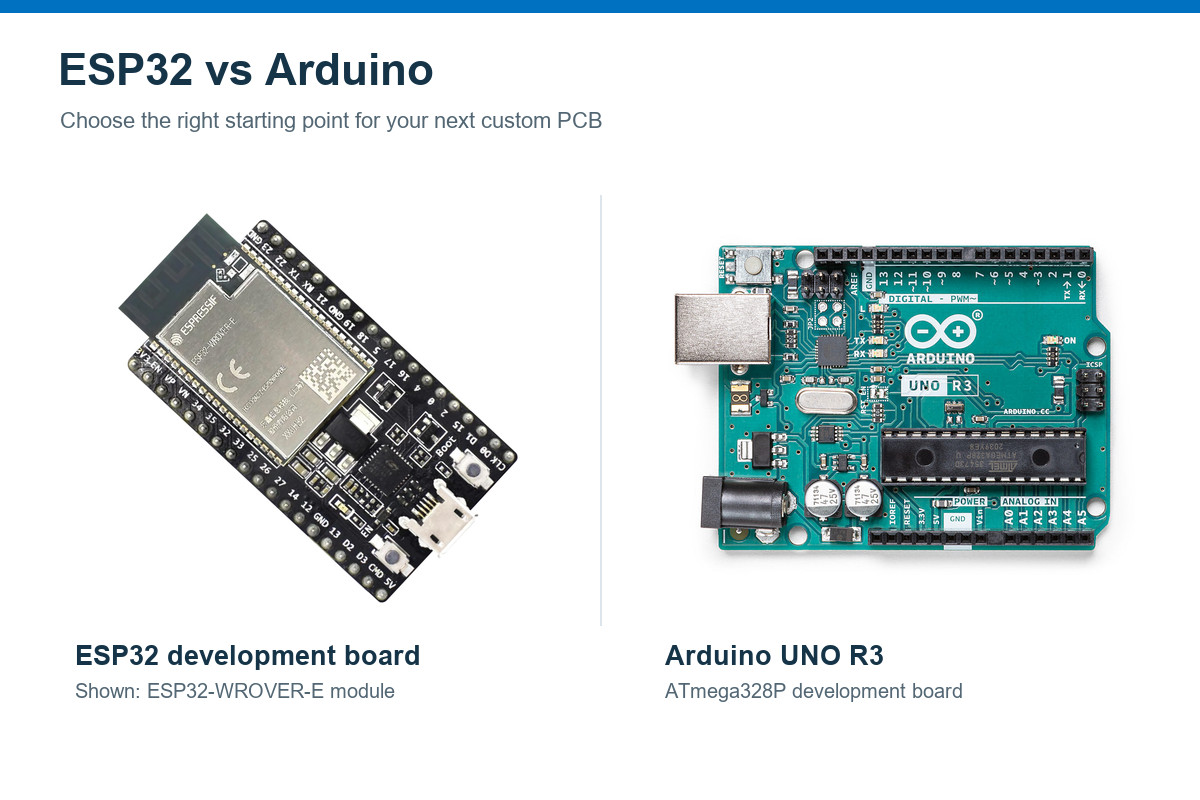
ESP32 vs Arduino: What Is the Difference?
ESP32 is a family of microcontrollers; Arduino is a hardware and software platform. They overlap: supported ESP32 boards work with the Arduino IDE, and the Arduino Nano ESP32 uses an ESP32-S3 processor.
Most comparisons focus on a classic ESP32 development board and the Arduino Uno R3. ESP32 provides more memory, greater processing capacity, and integrated wireless connectivity. Uno R3 offers a straightforward platform for basic control, learning, and existing 5V circuits. Boards such as the Uno R4 WiFi change that comparison, so the specific board matters more than the platform name.
ESP32 vs Arduino Uno: How Does the Hardware Compare?
A classic ESP32 board offers more computing resources and built-in wireless; the Uno R3 offers familiar 5V interfaces and simpler hardware. This comparison uses an ESP32-DevKitC V4 fitted with an ESP32-WROOM-32E module and an Arduino Uno R3.
| Specification | ESP32-DevKitC V4 with ESP32-WROOM-32E | Arduino Uno R3 |
|---|---|---|
| Main processor | Dual-core, 32-bit Xtensa LX6 | 8-bit ATmega328P |
| CPU clock | Up to 240 MHz | 16 MHz |
| Internal SRAM | 520 KB total | 2 KB |
| Flash memory | 4, 8, or 16 MB module options | 32 KB total |
| GPIO logic voltage | 3.3V; not 5V tolerant | 5V |
| Wi-Fi | 2.4 GHz 802.11 b/g/n | External hardware required |
| Bluetooth | Bluetooth Classic and Bluetooth LE | External hardware required |
| I/O availability | Up to 26 module GPIOs; restrictions apply | 14 digital I/O + 6 analog/digital pins |
| Analog conversion | 12-bit ADC hardware | 10-bit ADC; 6 analog inputs |
| USB interface | USB-to-UART bridge | ATmega16U2 USB-to-serial interface |
Available application memory is lower than the totals shown because firmware and system software occupy part of it. ESP32 flash capacity depends on the fitted module; usable GPIOs depend on pin restrictions and board connections.
Two differences have the greatest practical impact.
- Processing capacity. The ESP32 vs Arduino speed difference matters for network communication, larger data buffers, and demanding calculations. However, 240 MHz versus 16 MHz does not mean every program runs 15 times faster; architecture, libraries, and peripheral access affect execution time.
- Electrical compatibility. USB power at 5V does not make ESP32 GPIO pins 5V tolerant. A 5V sensor output needs suitable level shifting or signal conditioning before reaching an ESP32 input. Input-only and boot-strapping pins also require careful signal assignment.
Arduino Uno R4 WiFi vs ESP32: What Changes?
The Uno R4 WiFi combines a more capable application processor with wireless connectivity while retaining 5V operation on its main GPIO headers. Conclusions based on the Uno R3 therefore do not apply unchanged.
- Processor & Memory: The R4 WiFi’s RA4M1 application processor runs at 48 MHz with 32 KB SRAM and 256 KB flash. The classic ESP32 has greater processing and memory resources, but the R4’s application processor and wireless processor do not share one memory pool.
- Wireless Connectivity: In the standard R4 WiFi architecture, an ESP32-S3 serves as a wireless coprocessor. On a standalone ESP32 development board, application code normally runs directly on the ESP32.
- GPIO Voltage: The R4 WiFi’s main GPIO headers use 5V logic, while ESP32 GPIOs use 3.3V logic. This affects sensor connections and whether level shifting is necessary.
- Board Compatibility: R4 WiFi retains the Uno form factor and shield connector layout. Shield compatibility still depends on electrical limits, pin functions, and library support.
- Arduino Nano ESP32: This Arduino board uses ESP32-S3 as its main processor. An Arduino Nano ESP32 vs ESP32 comparison should therefore focus on the exact board’s connectors, memory, pin mapping, and software support.
Choose Uno R4 WiFi for projects centered on the Uno form factor and compatible 5V peripherals. Choose a standalone ESP32 board when direct access to ESP32 features, processing resources, or a different board format better fits the application.
Can You Program ESP32 with the Arduino IDE?
Yes. Espressif’s Arduino-ESP32 core supports the Arduino IDE and familiar functions such as setup() and loop(). ESP32 and Arduino boards often share application logic, but an existing sketch is not automatically portable.
The main ESP32 vs Arduino code differences involve three areas.
- Pin assignments and signal levels. Update pin mappings and verify that connected hardware matches the new board’s electrical limits.
- Hardware-specific code. AVR registers, timer settings, and some peripheral libraries need replacement or adjustment. ADC ranges and PWM behavior also differ.
- Software versions. Keep board-package and library versions with the project. Major Arduino-ESP32 releases have changed APIs, so older examples may need updates.
Arduino IDE is a valid development route for ESP32 products. ESP-IDF provides another option when the application needs more direct control over Espressif’s system configuration and features.
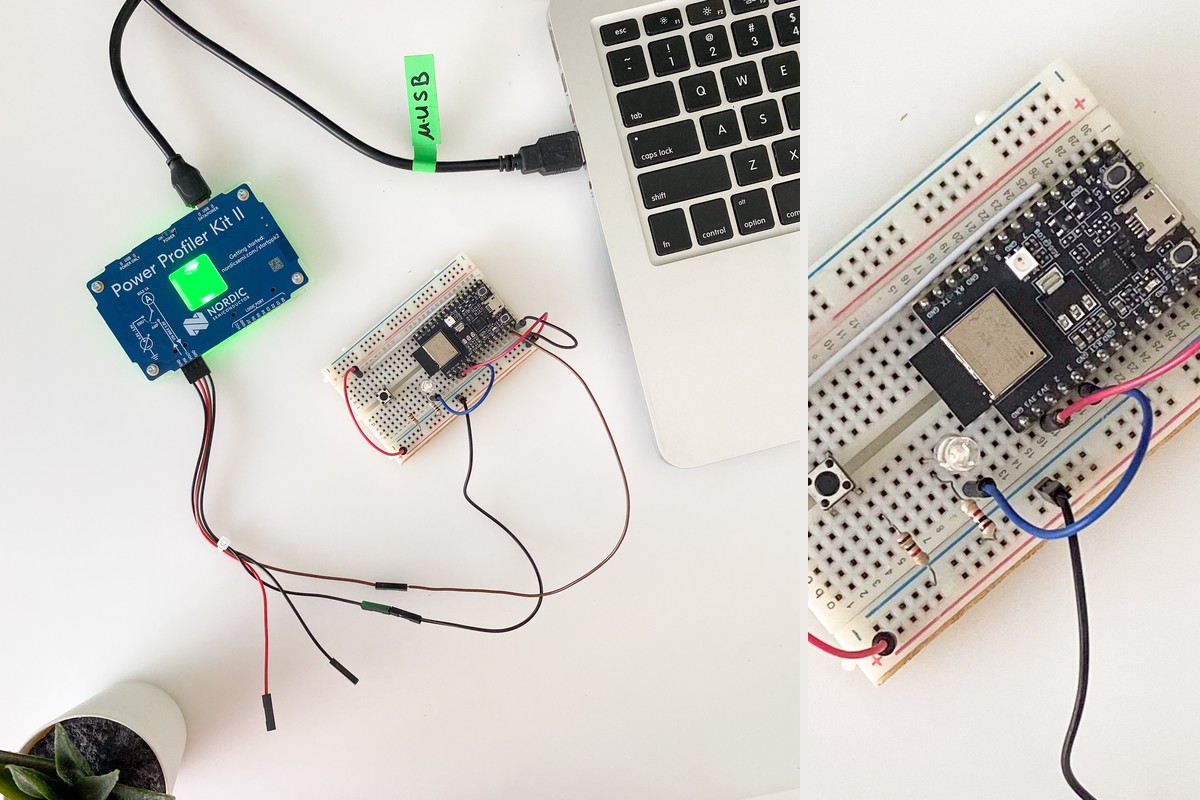
ESP32 vs Arduino Power Consumption: Which Uses Less Energy?
Neither platform always uses less energy. Operating mode, wireless activity, and the complete board circuit determine consumption. A continuously connected device has different requirements from a sensor that wakes briefly and sleeps between measurements.
Average-current example
For a repeating active-and-sleep cycle:
Iavg = (Iactive × tactive + Isleep × tsleep) ÷ T
Here, T is the total cycle time. Suppose a design draws 100 mA for one second and 0.1 mA for the remaining 59 seconds:
Iavg = (100 × 1 + 0.1 × 59) ÷ 60 ≈ 1.77 mA
These are illustrative currents measured at the same supply point, not specifications for either board. The active interval must include wake-up, network connection, measurement, and transmission.
What matters for a battery-powered design
- Measure the whole board. Regulators, LEDs, USB bridges, and sensors add consumption beyond the MCU’s sleep current.
- Include connection time. Longer wireless startup or transmission increases average consumption, even when sleep current is low.
- Compare at a consistent supply boundary. If operating voltages differ, compare energy or average power rather than current alone.
For a sensor with long idle periods, a board designed for low sleep current—or a custom circuit without unnecessary always-on components—is usually a better starting point than an unmodified general-purpose development board.
Which Board Is Better for Your Project and Budget?
Choose connectivity, interface voltage, and software fit before comparing board prices. ESP32 is a strong starting point for wireless sensing, while Uno and Mega boards remain useful for established Arduino hardware and straightforward control applications.
| Project need | Suitable starting point | Main tradeoff |
|---|---|---|
| Wi-Fi or Bluetooth-connected device | ESP32 with suitable radio support | Radio power and antenna requirements |
| Basic lessons or simple 5V control | Uno R3 | Limited memory; external wireless hardware |
| Uno-format project with wireless | Uno R4 WiFi | Shield and library compatibility |
| Many I/O or serial connections | Mega 2560 | Larger board; external wireless hardware |
| Battery sensor with long idle periods | Low-power board or custom MCU circuit | Sleep leakage and wake-up overhead |
For an ESP32 vs ATmega2560 choice, the Mega’s 54 digital I/O pins and four hardware serial ports are useful when many devices need direct connections. ESP32 offers more processing resources and integrated wireless, but replacing a Mega may require I/O expanders or changes to the interface arrangement.
The Arduino vs ESP32 cost comparison should include wireless add-ons, level shifters, power circuitry, connectors, and development time. For production, compare the final BOM and assembly cost—not the prototype board’s retail price multiplied by the order quantity.
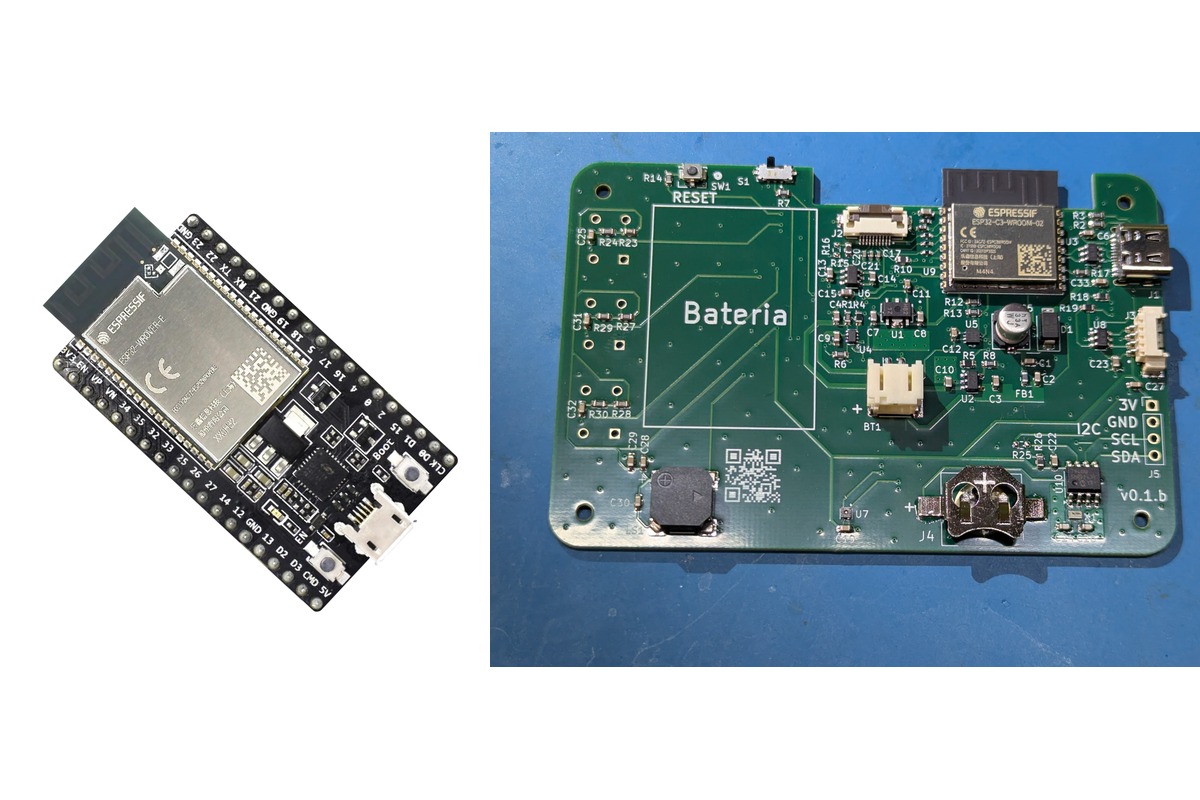
How Do You Move from a Development Board to a Custom PCB?
Replace the general-purpose development board with circuitry tailored to the application, then prepare that circuit for fabrication, assembly, and testing. A working prototype establishes basic functionality; a production board also needs suitable power delivery, component selection, layout, and test access.
- Define the circuitry to retain. Identify the required MCU or module, interfaces, sensors, and connectors. Remove unused development-board features only after checking their role in startup, programming, and debugging.
- Design power and signal interfaces. Size the regulator and decoupling for transient demand during wireless operation. Include level shifting, protection, and sensor power control where the application requires them.
- Arrange the module and antenna correctly. On an ESP32 PCB, follow the selected module’s placement and antenna-clearance requirements. Nearby copper, components, and enclosure materials affect RF performance.
- Prepare the board for assembly and testing. Verify footprints, component availability, soldering access, and test points. Keep reset, boot configuration, and firmware-loading connections accessible after assembly.
An ESP32 module reduces RF implementation work, but it does not remove product-level verification. Module integration instructions still apply, and its certification does not automatically establish compliance for the finished device.
EBest Circuit’s DFM support helps identify fabrication constraints before production, while component sourcing and PCB assembly support the build around your BOM. Send your PCB design files, BOM, and test requirements to sales@bestpcbs.com for a PCB fabrication and assembly quote.
FAQ About ESP32 vs Arduino
Does a classic ESP32 support 5 GHz Wi-Fi?
No. The ESP32-WROOM-32E discussed here supports 2.4 GHz Wi-Fi. Wireless capabilities vary across the wider ESP32 family, so check the exact chip or module.
Do all ESP32 boards support Bluetooth Classic?
No. The original ESP32 supports Bluetooth Classic and Bluetooth LE, while ESP32-S3 supports Bluetooth LE rather than Classic. A device requiring a Classic Bluetooth profile needs compatible hardware and software.
Can either board drive a motor directly?
GPIO pins provide control signals, not motor power. Use a driver rated for the motor’s operating and stall current, with suitable power and protection circuitry.
Does a higher-resolution ADC guarantee more accurate readings?
No. Resolution describes the number of output steps. Accuracy also depends on reference behavior, noise, calibration, input conditioning, and layout. Precision measurements may require an external ADC and an appropriate analog front end.
Will the program disappear when power is removed?
No. Firmware remains in nonvolatile flash memory on both boards. Ordinary RAM values are lost, so settings or measurements that must survive a power cycle need an appropriate nonvolatile storage method.
Once you’ve made your ESP32 vs Arduino choice, EBest Circuit can support your custom board with PCB fabrication, component sourcing, and assembly. Request a quote at sales@bestpcbs.com and tell us your required quantity and project timeline.
You may also like

Tags: Arduino Custom PCB, ESP32 PCB Design, ESP32 vs Arduino